Generate clear female AI voiceovers from text, then pair the audio with avatars, lip sync videos, product demos, and short-form social clips in one creative workflow.
Use these prompts to write scripts that are ready for text-to-speech and talking-avatar workflows.
TikTok product ad prompt
Purpose: Create a short voiceover for a product clip.
Prompt: Write a 12-second female voiceover for a TikTok product demo. Product: [product]. Audience: [audience]. Tone: confident, clear, not exaggerated. Structure: 2-second hook, one concrete product benefit, one proof point, and one soft CTA. Avoid medical claims, income claims, fake testimonials, and words that are hard to pronounce.
Expected output: A short script that can be pasted into APOB AI without rewriting.
Ecommerce product explainer prompt
Purpose: Turn a feature list into natural narration.
Prompt: Rewrite these product details as a female voiceover for a 20-second ecommerce demo: [features]. Keep the language simple enough for a first-time buyer. Mention the main problem, the visible benefit, and one reason to trust the product. Use short sentences and mark natural pause points with commas.
Expected output: A polished product narration script with clear pacing.
AI influencer caption-to-video prompt
Purpose: Create a consistent voice style for a recurring AI presenter.
Prompt: Create a female AI influencer voiceover for a weekly short-form video series. Persona: [persona]. Topic: [topic]. Viewer: [viewer]. Tone: warm, direct, slightly playful, but not childish. Write one opening hook, three spoken lines, and one CTA. Keep the total under 90 words.
Expected output: A repeatable creator-style script for a talking avatar or lip sync clip.
Onboarding tutorial prompt
Purpose: Make software or product instructions easier to follow.
Prompt: Write a female narration script for a 45-second onboarding video. Product: [product]. Task: [task]. Tone: patient and precise. Break the instructions into four spoken beats. Each beat should tell the viewer what to do and why it matters. Avoid jargon.
Expected output: A clear tutorial voiceover for screen recordings, avatars, or product walkthroughs.
YouTube Shorts narration prompt
Purpose: Create a concise educational voiceover.
Prompt: Write a 30-second female voiceover for a YouTube Short explaining [topic]. Start with a practical question, give three useful points, and end with one action the viewer can take today. Use a calm teaching tone and no hype.
Expected output: Short educational narration with a clean structure.
Writing for the page instead of the ear
Long clauses, stacked adjectives, and complicated product claims can sound unnatural in text-to-speech. Read the script aloud before generating.
Choosing a voice before choosing the audience
Do not pick a female AI voice only because it sounds pleasant in isolation. Choose it because it fits the viewer, message, pace, and platform.
Forgetting the opening two seconds
Short-form videos need a fast reason to keep watching. Lead with a problem, contrast, question, or visible product moment before the detailed explanation.
Overloading the voiceover
If the video already has captions, product text, and fast edits, keep the audio simpler. Let the voice guide the viewer instead of competing with every on-screen element.
Ignoring pronunciation
Brand names, ingredient names, acronyms, and usernames can be misread. Spell them phonetically or replace them with simpler wording when needed.
Use AI voice tools responsibly. Do not imitate a real person, celebrity, employee, customer, or creator without clear permission. If a realistic person appears to say something they did not say, disclose synthetic or altered media where platform rules require it.
For commercial work, use scripts, images, music, product claims, and likenesses you have the right to use. Avoid fake testimonials, misleading medical or financial claims, unauthorized brand endorsements, and synthetic voices designed to deceive viewers.
Review disclosure rules before publishing. YouTube requires disclosure of realistic altered or synthetic content when viewers could mistake it for real. See the YouTube altered-content policy. For voice-cloning risks and safeguards, review the FTC guidance on AI-enabled voice cloning.
Step 1: Open a visual workflow, not just an audio box
Problem: many users start with a standalone voice tool and only later realize they still need to sync that audio to a face, product video, or short-form edit.
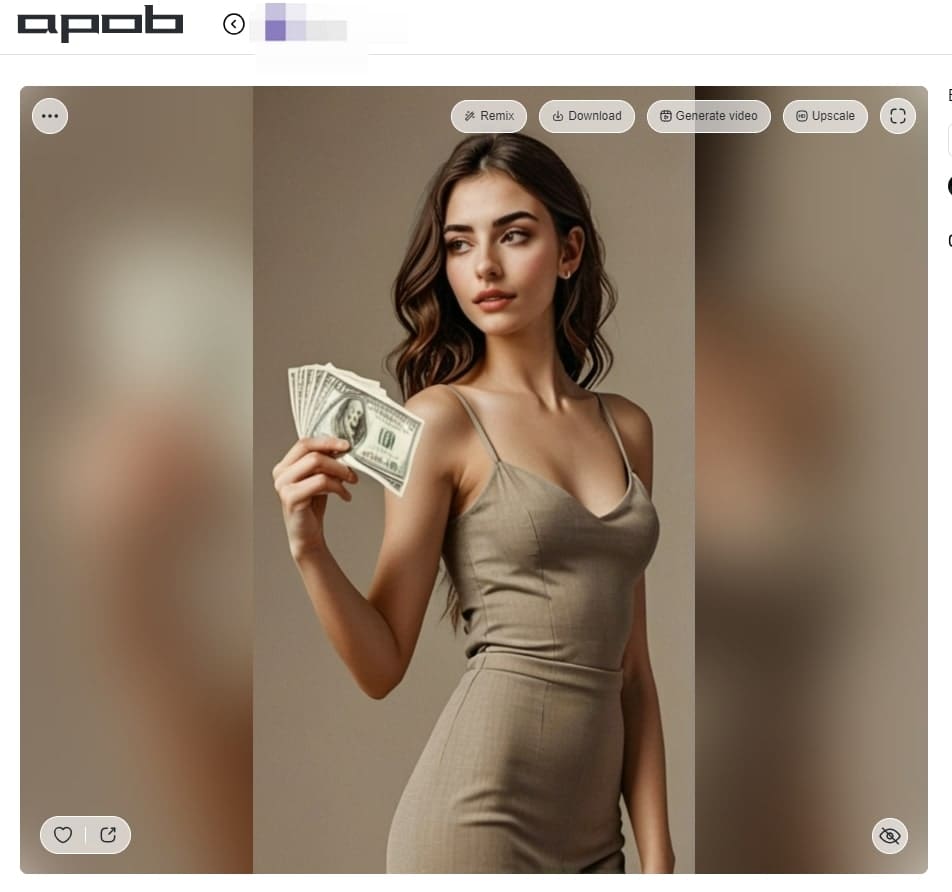
In APOB AI, open your model or creative workspace and choose Talking video. Use Talking Avatar when you want a still image or AI presenter to speak. Use Lip sync when you already have a video and want the mouth movement to match your selected audio.
Example: a DTC clothing seller starts with one model image and chooses Talking Avatar to make the model introduce a new sweater drop in an 11-second social clip.

Step 2: Select the image or video that will speak
Problem: voice quality alone will not make the final video believable if the visual speaker is wrong for the message.
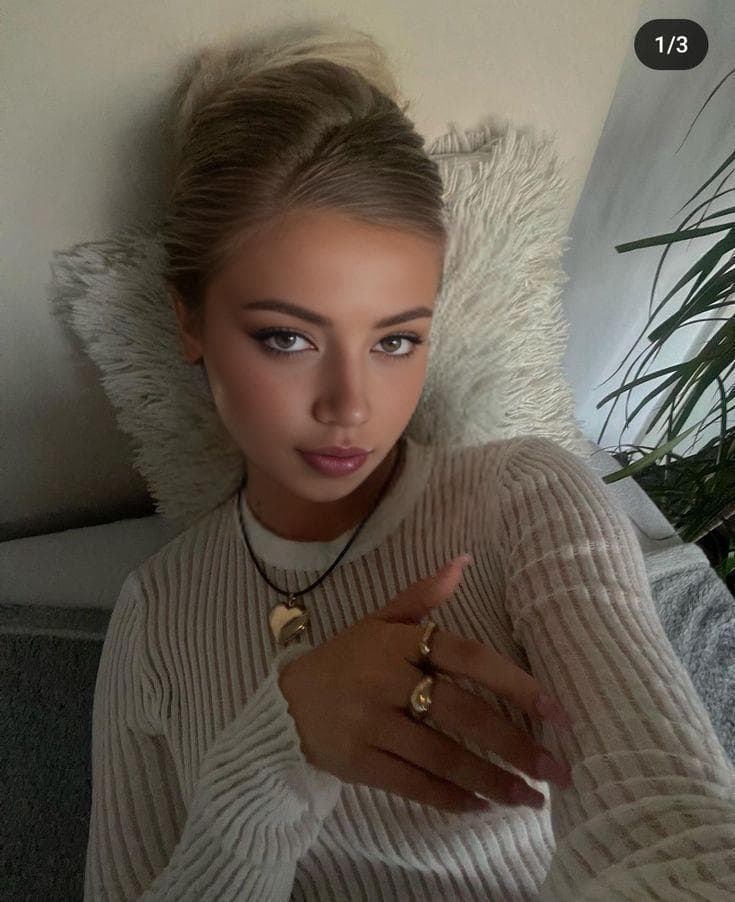
Choose a reference image for Talking Avatar or use a video for Lip sync. Keep the speaker visually consistent with the brand and the platform. A clean product presenter works better for an ecommerce demo, while a casual creator-style portrait works better for TikTok and Shorts.
Example: a beauty brand uses a neutral presenter image with the product visible in frame, so the female AI voiceover feels connected to the item being discussed.
Step 3: Filter and choose a female voice model
Problem: a voice that is technically clear can still feel wrong if the age, tone, or language does not match the viewer's expectation.
Use the voice model selector and filter by gender, age, and language where available. Pick a female voice that matches the job: clear and direct for product claims, friendly for tutorials, steadier for onboarding, or energetic for short-form hooks.
Example: a faceless creator making daily productivity Shorts chooses an English female voice with a young adult tone, then keeps the same voice across a weekly content series.


Step 4: Write a script that sounds spoken
Problem: text that reads well on a landing page often sounds stiff when converted to speech.
Write short sentences, avoid crowded product details, and put the key benefit early. APOB AI shows script length and estimates duration before generation, which helps you keep the voiceover short enough for TikTok, Reels, Shorts, product explainers, or homepage demos.
Example script: "New arrival just landed. Here is the quick version: soft fabric, clean fit, and a color that works for weekday outfits or weekend photos."
Step 5: Generate and check timing before using the result
Problem: the first version may have a word that sounds too fast, a pause that feels too long, or a line that does not match the avatar's expression.
Generate the clip, then review the first few seconds, pronunciation, mouth timing, and overall delivery. If the pacing feels rushed, shorten the sentence or split the script. If the voice feels too formal, rewrite the copy in a more conversational style instead of relying only on model selection.
Example: a TikTok ad script changes from "Our premium hydrating formula improves the appearance of dryness" to "Dry patches by lunch? Try this before makeup."

Step 6: Reuse the output in a social or commercial video workflow
Problem: after the voice is generated, teams still need a way to turn the result into repeatable creative assets.
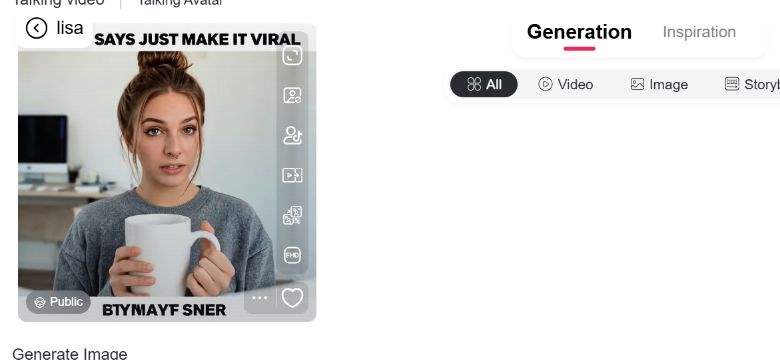
Use the generated result card to review, reuse, download, or continue building the asset based on the options available in your account. For a campaign, keep the voice style consistent but test multiple hooks, CTAs, and opening visuals.
Example: a social media team creates three versions of the same product demo: one with a price hook, one with a problem-solution hook, and one with a customer FAQ hook. The same female voice keeps the series recognizable.
APOB AI is strongest when the voiceover needs to become a finished visual asset. Instead of stopping at text-to-speech, you can connect the female AI voice to talking avatars, lip sync content, AI influencer posts, product demos, and short-form videos.
That matters for creators who need repeatable output. For users comparing a female AI voice generator, the practical question is whether the tool can support the next creative step. A marketer can test three product hooks without re-recording audio. An ecommerce seller can keep the same presenter style across multiple SKUs. A faceless creator can publish educational narration without appearing on camera. A design team can prototype video concepts before booking a voice actor or editor.
The practical benefit is control: script length, voice selection, duration preview, quality choice, and visual pairing all happen close together, so fewer details get lost between tools.
TikTok product ads
Use a tiktok female voice generator workflow to create fast voiceovers for product hooks, problem-solution clips, and promotional variations. TikTok says sound is vital to the TikTok experience for 88% of users, and its creative guidance recommends sound-on, 9:16, short-form creative. Source: https://ads.tiktok.com/business/en-US/blog/creative-best-practices-top-performing-ads
Example: a skincare seller tests three openings: "Your sunscreen is pilling again?", "Three reasons this works under makeup", and "Stop skipping SPF on cloudy days."
Ecommerce product demo videos
Use a realistic female voice generator to narrate product benefits without scheduling a voice recording session. Keep the script specific: what the product does, who it helps, and what the viewer should notice on screen.
Example: a fashion seller uses a 15-second voiceover to explain fit, fabric, and styling options while a virtual model shows the garment.
Talking avatars for brand explainers
Pair a female AI voice with a consistent AI presenter to answer FAQs, explain product updates, or introduce a campaign. This works best when the avatar has a clear role, such as product guide, tutor, stylist, or founder-style spokesperson.
Example: a SaaS team creates a short onboarding clip where an avatar explains how to set up a dashboard in four spoken steps.
Lip sync videos for reusable spokespeople
Use lip sync when you already have video footage or a presenter clip and need the mouth movement to match a new voiceover. This is helpful for versioning ads, localizing scripts when supported, or updating old clips without reshooting.
Example: a creator records a neutral headshot video once, then tests new scripts for weekly educational Shorts.
Faceless creator narration
A female voice generator text to speech workflow helps creators publish tutorials, lists, product commentary, or mini-stories without recording their own voice.
Example: a faceless productivity channel uses the same female narration style for a weekly "one useful workflow" Shorts series.
Training and onboarding videos
Use a clear female voiceover for short internal lessons, product tours, or customer education. Wyzowl's 2026 report says 93% of video marketers say video helped increase user understanding of a product or service, which makes concise narration valuable for complex topics. Source: https://wyzowl.com/video-marketing-statistics/
Example: a support team turns a repeated customer question into a 45-second talking-avatar answer.
Faster voiceover production
You can test scripts quickly without booking a voice actor for every draft.
Consistent brand tone
A repeated voice style can make a creator series, product demo library, or AI presenter feel more recognizable.
Better fit for avatar and lip sync workflows
The voice can be created close to the visual asset, which reduces timing and handoff problems.
Useful for faceless content
Creators can publish narration-led videos without recording their own voice or appearing on camera.
It still needs human direction
AI speech can sound generic if the script has no audience, pacing, or point of view.
Pronunciation may need iteration
Brand names, acronyms, and uncommon words should be tested before publishing.
Consent rules matter
You should not clone, imitate, or imply endorsement from a real person's voice without permission.
Platform disclosure can apply
Synthetic voice and realistic avatar content may need labels or disclosure depending on where and how it is published.
No Credit Card Required




Answers about pricing, text-to-speech, talking avatars, lip sync, consent, privacy, voice quality, and social video workflows.
What is a female voice generator?
A female voice generator is a text-to-speech tool that turns written text into spoken audio using a female voice style. For video creators, it is most useful when the audio can be paired with avatars, lip sync videos, product demos, or short social clips.
How does APOB AI's voice workflow work?
In the tested workflow, you open Talking video, choose Talking Avatar or Lip sync, select or upload the visual reference, choose a voice model, paste a script, review estimated duration and credits, then generate the result.
Can I use a female AI voice with a talking avatar?
Yes. Talking Avatar is the best workflow when you want a still image or AI presenter to speak using generated audio.
Can I use a female AI voice for lip sync videos?
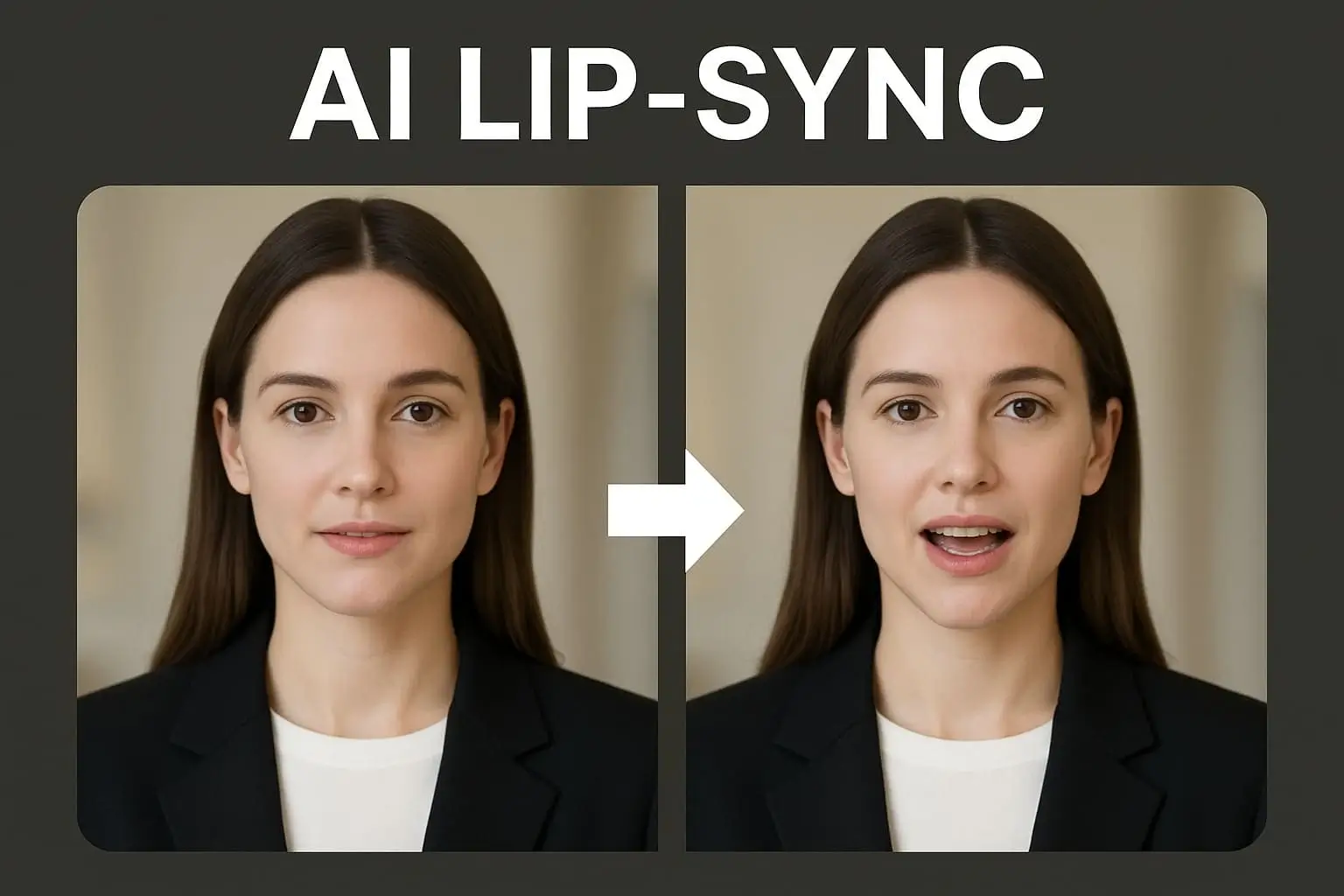
Yes. Use Lip sync when you already have a video and want the speaker's mouth movement to match the selected or generated audio.
Is there a free option?
APOB AI uses a credit-based workflow, and available free credits or plan details can change. Check your current account balance and pricing page before generating production assets.
Can I use the output commercially?
Use the output commercially only when your plan, source materials, script, likeness rights, and platform rules allow it. Do not use unauthorized voices, faces, music, brands, or product claims.
Can I imitate a celebrity or a real person's voice?
No. Do not imitate celebrities, public figures, private individuals, customers, employees, or creators without explicit permission. Avoid content that could mislead viewers about who is speaking.
How do I make the female AI voice sound more realistic?
Write for spoken delivery. Use short sentences, natural pauses, simple words, and a clear emotional context. Test pronunciation before publishing important brand or product content.
What script length works best?
For TikTok, Reels, and Shorts, start with 10 to 30 seconds. For product explainers or onboarding videos, break longer narration into separate scenes so the voice does not feel rushed.
Can I choose tone, age, or language?
The tested APOB AI voice selector included filters for gender, age, and language. Available models and options may vary by account or product updates.
Does it work for TikTok videos?
Yes. Use short scripts, 9:16 framing, fast openings, and audio that fits the platform. For ads, make sure the music, voiceover, claims, and creative assets follow TikTok's policies.
Does it work for YouTube Shorts and Instagram Reels?
Yes. The same female voiceover workflow can support Shorts and Reels. Review each platform's upload format, caption style, music rules, and synthetic media disclosure requirements.
Can I download the voice as an MP3?
This page should not promise a standalone MP3 export unless that option is visible in the current product interface for your account. For video workflows, generate the talking-avatar or lip sync output directly.
How are credits calculated?
In the tested workflow, APOB AI showed duration and credit estimates before generation. The exact cost can vary by mode, duration, quality setting, and product updates.
Can I upload my own voice?
Do not promise custom voice upload on this page unless the current product UI and account permissions confirm it. If you use any custom or recorded voice asset, make sure you have consent and commercial rights.
Is my script private?
Treat scripts as project content and avoid entering private customer data, medical details, passwords, confidential documents, or sensitive personal information unless your internal policy allows it.
Can I use a female robot voice generator style?
Yes, if a robotic or synthetic voice style fits the creative brief. It can work for sci-fi characters, app demos, game content, or clearly fictional social videos, but it is not ideal for trust-heavy product claims.
What should I review before publishing?
Check pronunciation, timing, avatar-lip alignment, captions, product claims, consent, music rights, and whether the video needs an AI or altered-content disclosure on the target platform.


