























Upload an image, add your audio (or type text), and let APOB AI's lip-sync engine create hyper-realistic talking avatars for TikTok, YouTube, and UGC campaigns.
Step 1: Sign Up and create an AI Model:
Create Your Free Account and Claim Daily Credits
Start by creating your free account on APOB AI. No credit card is required, and your workspace will instantly be loaded with 80 free credits. The best part? These credits refresh every single day, giving you a risk-free environment to experiment.
Build a Stable AI Video Model
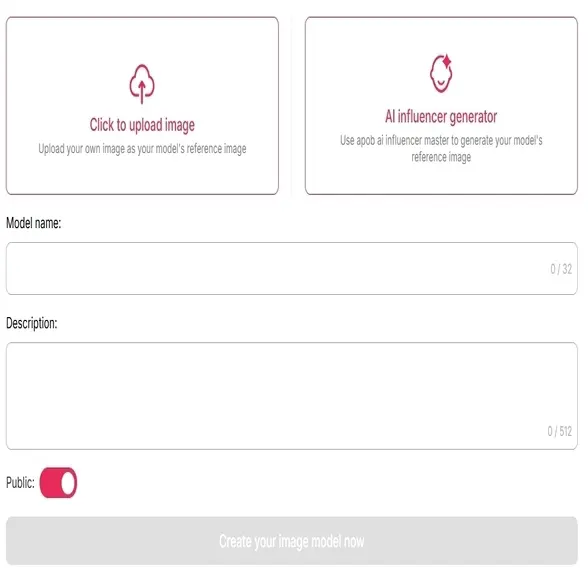
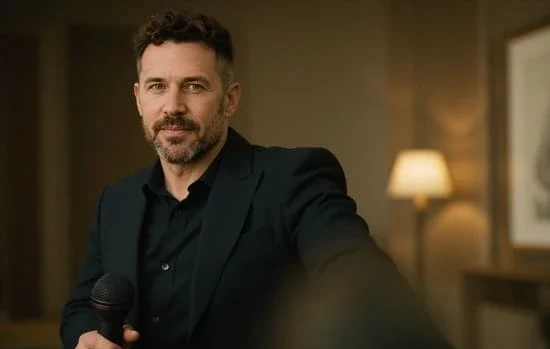
Before animating, you need to establish a consistent facial baseline to prevent any AI "drifting" or warping. Upload a clear screenshot of the person from your target video. By using this exact frame to build your custom AI model, you activate our advanced Face-Lock technology. This crucial step ensures that your character's facial features remain 100% stable, identical, and hyper-realistic throughout the entire lip-sync generation.
Step 2: Upload the audio for ai lip sync
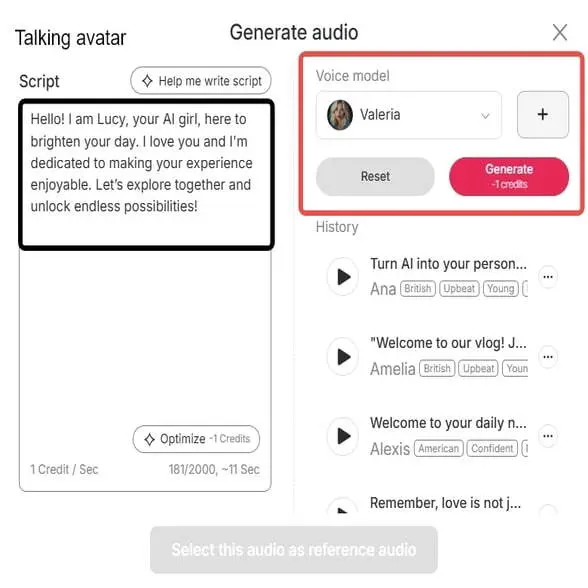
Either upload your audio file or type text for APOB’s AI voice. You have the option to dictate a script or utilize one of APOB’s voices. Different languages and accents are supported by the system, so choose the voice that will fit your character.
Step 3: Let Lip Sync AI Process & Preview
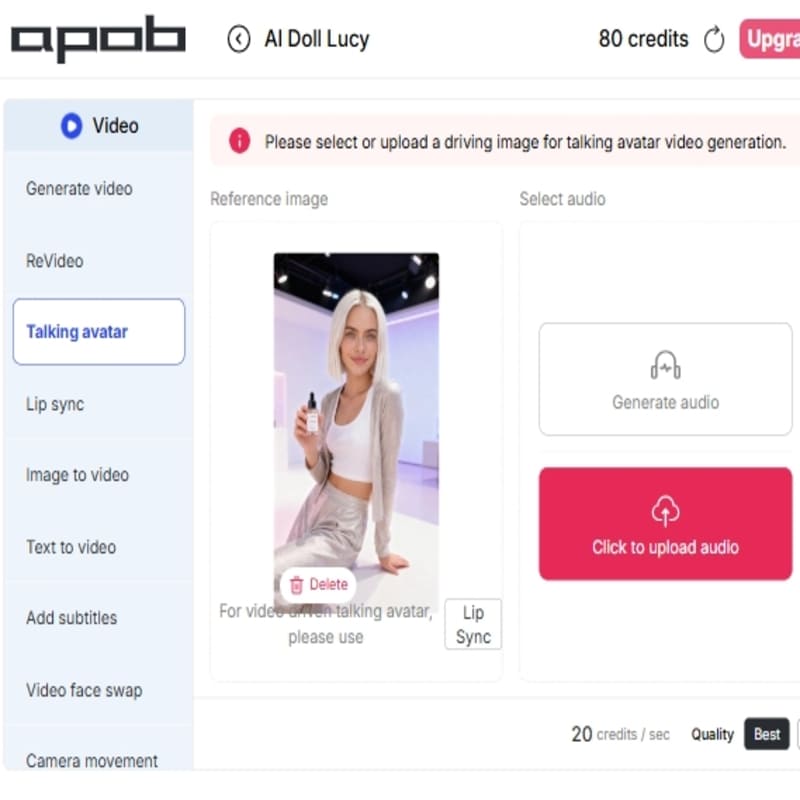
Have APOB’s AI recognize the lips and voice. Lip sync will be done automatically by the system. Preview the result – APOB makes the avatar “sound and look real,” with flawless speech alignment to audio.
Step 4: Share & Download your lip sync ai video
Download it if you’re happy with the video. Share it on YouTube, TikTok, Instagram, or wherever else. Because APOB AI does it for you, you’ve got professionally graded videos in minutes – no editing required.
Stop settling for robotic voices, static talking heads, and out-of-sync audio. Explore how our advanced Lip Sync and Talking Avatar features empower you to create studio-quality video content effortlessly.
Generate Multilingual TTS for Talking Avatars
Struggling with language barriers and expensive voice actors? Our AI Talking Avatar tool features a built-in Multilingual Voice Library. Simply filter by age, gender, and language to generate perfectly accented, natural-sounding AI audio for your global audience.
Seamless Video-to-Audio Lip Sync Dubbing
Translating content often results in a terrible audio-visual mismatch. Simply upload your existing reference video, and our AI lip sync engine will precisely align the mouth movements to your new uploaded or generated audio track for flawless video dubbing.
POPULAR
Break the Static Mold with Camera Movements
Static talking heads kill audience retention. Bring your AI influencer to life by applying dynamic cinematic Camera Movements—such as Handheld, Zoom In, or Zoom Out—directly within the Talking Avatar workspace to maximize viewer engagement.
AI Script Optimization & Emotion Control
Robotic phrasing completely ruins the illusion of AI videos. Use our built-in script assistant to instantly optimize your text, and select specific emotional tones to ensure your avatar delivers lines with a natural, human-like cadence.
Create Custom Voice Models for Brand Identity
Generic AI voices weaken your unique brand identity. APOB AI allows you to go beyond our preset libraries by creating your own Custom Voice Model, ensuring your virtual influencer sounds exactly the same across every lip sync video.
Ultra-High Definition Video Rendering
Avoid the blurry lip and facial artifacts common in cheap AI generators. Whether you are driving a talking avatar from a single image or syncing a full video, APOB guarantees crisp, studio-quality rendering in FHD and Ultra resolutions.
Effortless Efficiency
It cut production time by a huge margin. Rather than laboriously animating frame by frame, APOB AI syncs speech to any character instantly. Indeed, APOB AI achieves “high-quality results in a fraction of the time and cost” of doing it manually. This allows creators to concentrate on ideas rather than syncing and makes content creation quick and efficient.
Universal Accessibility
Address audiences globally. APOB’s free lip sync AI feature can be used in any language or accent. Dub videos in all markets without re-shooting – APOB synchronizes lip movements with the new language. It eliminates language barriers, and you can localize content to reach out locally.
Professional Engagement
The outcome appears professional and enhances viewer engagement. AI video lip sync enables avatars and characters to talk naturally, enhancing videos as more authentic. “Lip-syncing saved me time and made my content look way more professional,” notes many creators who use the tool to boost their digital presence.
Designing Video Content
Lip-sync AI has been widely used by content creators to create avatars for popular social media platforms such as TikTok and YouTube. This assists them in making an AI character or image “speak” pre-recorded audio or text-to-speech and generate interesting videos without being required to work with a live actor. APOB AI, for instance, has this as one of the primary features of its AI influencer offerings (APOB AI, n.d.).
Education Presentations
Lip-sync AI has the ability to turn static headshots into conversational avatars for corporate training modules or education videos. It is a method of infusing a personal and dynamic touch to corporate training modules or e-learning modules in a way that makes information more palatable and easier to consume (Synthesia, n.d.). It offers a means of generating high-quality-looking videos in a timely manner and at reduced expense.
Digital Interactions
Game developers employ lip-sync AI to create more interactive digital friends, characters, or virtual assistants. For example, a game company can employ this tech to enable users to give voices to their in-game characters and respond in real-time, improving the immersive experience and user engagement.
User test: Test APOB AI's lip sync feature
The top tech creator @AIKnowledge2Go introduced APOB AI as the ultimate "plug-and-play" alternative. He emphasized that for users who lack expensive GPU horsepower or feel that running local AI is like "rocket science," APOB AI provides a seamless, web-based platform specifically designed to build and animate AI influencers effortlessly.
Shared by @AIKnowledge2Go
"I love it. The consistency is overwhelmingly good... [Other] videos start to fall apart after 5 seconds, but this here does not."
Olivia Chen
I used Lip Sync AI on a product explainer after the script changed at the last minute. The mouth timing was close enough that we saved the take instead of reshooting.

Mei Nakamura
For character clips, I get the best results when the audio is clean and the face is not turning too much. The final video felt much more alive than a static voiceover.

Ethan Walker
We updated a training video in three languages without bringing the presenter back. I still reviewed every line, but the lip-sync pass made the new audio feel far less patched in.
Quinn Foster
I used it for a rough internal preview where the narration changed. It let the director judge pacing before we spent time on final audio and color.

Julian Stone
The tool is surprisingly useful for quick reaction-style clips. When I kept the face centered and the audio short, the sync looked clean enough for a fast social edit.

Nina Kapoor
Lip Sync AI helped us test whether translated lines felt too long on camera. That alone saved a lot of awkward subtitle and voiceover decisions.

Victor Mensah
I had one line that needed a rewrite after the shoot. APOB AI gave me a practical fix for the pitch version, and honestly it kept the project moving.

Aaron Blake
Consistent faces matter for our avatar content. With a clean reference video, the lip-sync result kept the character recognizable while adding a real sense of speech.

Rachel Adams
I used it to refresh an old lesson introduction. The new voice track matched the presenter's mouth better than expected, and students did not notice the edit.
Glides Sync
Removes the issue of poor sync between audio and video. APOB AI ensures that the avatar speaks exactly as the audio, so the characters actually sound and appear real. You don't need to cut mouth movements frame by frame anymore.
Monetization Possibilities
Good, aesthetically pleasing videos entice viewers. APOB AI suggests that lip sync video AI can "drive traffic on YouTube, TikTok, Instagram" – if you have an audience, you can initiate influencer campaigns and monetize your content. In short, lip-synced videos can be a money-maker by building your brand or profiting from your content.
Creative Efficiency
Accelerates production. With a few clicks, you have an edited, synced video. According to AI lip sync video platforms, the process is "efficient and user-friendly" and 10 times faster than traditional animation. You spend less money but still get real-looking results.
Input Quality Requirements
High-quality source material is essential. The face (especially the mouth) must be clearly visible for proper syncing. Low-res, occluded, or overly stylized characters may not sync as well. You might need to pre-process or reshoot for best results.
Free-Tool Limitations
Many free lip sync AI tools come with limits. For example, MagicHour’s free version restricts daily usage and adds watermarks. APOB AI’s free tier also has usage caps. To generate longer videos or unlock premium features, a paid plan might be necessary.
Ethical and Quality Issues
AI lip sync isn’t perfect. It "struggles with capturing natural expressions" if the input isn’t ideal. The result can feel uncanny with poor audio or occluded faces. As with other deepfake tools, this tech can be abused. Users must apply it responsibly.
Enjoy more features
LongCat Talking Avatar GeneratorAI Avatar Video MakerKling O1 AI Video EditorAI Video Editor for Creator Videos, Ads, and Product ClipsThe Best AI Video Generator 2026 for Cinematic Video EditingAI video enhancerAI Video Background ChangerExtend Video Clips with AI—Make Every Scene Last LongerAI Shorts GeneratorAI Subtitle GeneratorBirthday Video IdeasAI Live Streaming Content KitHeyGen Alternative for AI Character VideosFree Synthesia AlternativeAPOB vs Pollo AI
No Credit Card Required
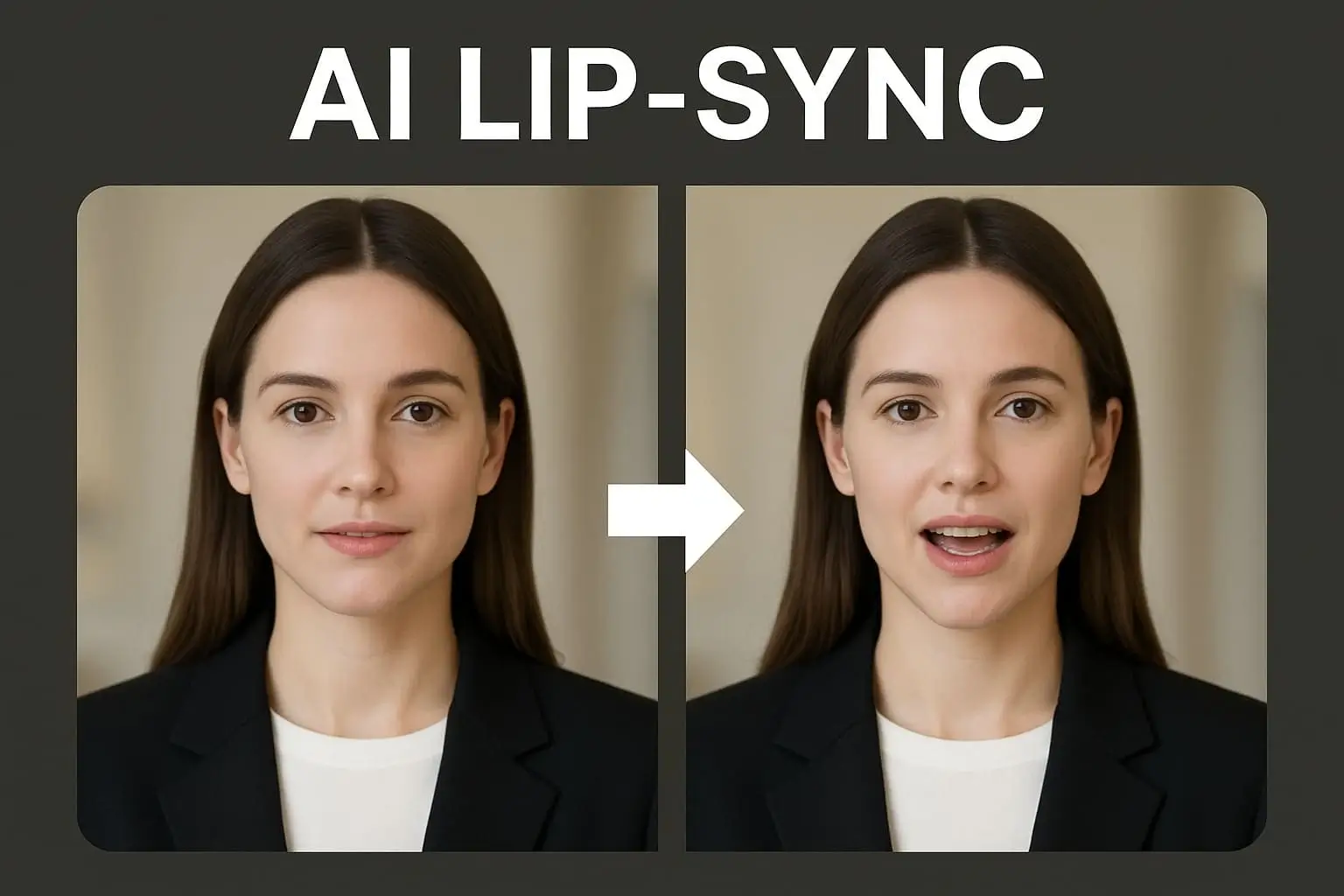
Answers about syncing audio to video, uploads, languages, quality, formats, and credits.
What is AI lip sync technology?
It’s AI Tech that syncs mouth movements with audio using neural networks. The AI detects speech and animates lip motion frame by frame, creating realistic speech animation without manual work. APOB AI has such AI Lip sync technology and why not try it now!
How do I make an AI lip sync video?
Just upload your video or photo and audio and let APOB AI help you sync the ai video. APOB AI aligns the mouth movements to match speech. It’s as simple as: upload, pick or type audio, adjust, and download. APOB handles it all.
How do I use AI lip sync?
For dubbing, avatar animation, training videos, commercials, and social media. Whether localizing, replacing dialogue, or creating influencer content, AI lip sync generator tools like APOB’s can do it all.
Does it work in multiple languages?
Yes. Many lip sync AI online free tools support 70+ languages. Sync English, Spanish, Mandarin, and more. You can use it on avatars and real humans — any recognizable face can be animated to speak.
Are there any free lip sync tools?
Yes! Platforms like APOB AI offer free lip sync AI credits daily. You can experiment with voice, avatars, and syncing without paying. Paid tiers just unlock higher limits or more pro tools.
Drawbacks and concerns?
AI lip sync works best with clear, quality input. It’s not great with distorted or obscured faces. Long videos may need paid plans. Ethically, use it with care to avoid spreading disinformation.


