
AI Clothes changer
With this AI Clothes Changer, you can effortlessly swap your clothes in photos with just a few clicks! Read our guide, then click the button below to get your free membership!
How to change clothes and create an outfit video
If you want to show a new look in motion, begin with a clear outfit edit. This AI clothes changer walkthrough uses Chat to edit for an olive blazer and beige trousers, then Image to video for a gentle head turn and smile in the same garden scene.
New to APOB? Sign up for the free Nano membership and receive 80 free credits each day.
The walkthrough shows the English interface; the instructions and prompt below explain each action.
Video walkthrough
Step 1 · Start with your original photo
Open Edit image → Chat to edit in APOB and add your original picture under Source image. Choose a relaxed pose with visible hands and shoes. This example reuses an adult character’s garden photo so the clothing change has a clear before-and-after comparison.
Step 2 · Create and review the clothing change
Describe the new blazer, top, trousers and shoes in the edit field using the full clothing prompt below. Keep the person, pose and garden unchanged. Select Keep original and Ultra 4K, then generate. Review the still image before moving on: the next video should begin with the outfit you actually want to show.
Prompt used in the demo:
Change only the woman's outfit into a coordinated smart-casual look: an open tailored deep olive-green linen blazer over an ivory crew-neck cotton top, straight beige linen trousers, and clean white low-top sneakers. Preserve the exact same adult woman, face, hair, eyes, skin texture, body proportions, relaxed standing pose, both hands and fingers, garden path, foliage, lighting, camera and square full-body framing. Realistic fabric drape, seams, blazer lapels, trouser folds and natural contact shadows. Keep both shoes fully visible. No handbag, jewelry, text, logos, extra limbs, body changes, new people or background changes.
Step 3 · Animate the approved outfit
Open Image to video and select the approved outfit image as the first frame. Paste the motion prompt below, choose Fast mode, 720p, five seconds and a square frame, then generate. The brief asks for a small head turn, one smile and a light breeze, with the camera fixed.
Prompt used in the demo:
The same adult woman remains standing on the garden path in her olive-green blazer, ivory top, beige trousers and white sneakers. She gently turns her head a few degrees toward the camera and gives one relaxed smile. Only a very light breeze moves a few hair strands and distant leaves. Locked camera, full body and both shoes remain visible. Preserve the exact face, outfit, clothing colors, fabric, hands, fingers, pose, anatomy, garden and square framing. No walking, hand gestures, new people, object changes, text, logos or scene cuts.
For video, APOB offers HD (720p), Full HD (FHD/1080p), QHD and 4K options across supported models and features. Choose the resolution available in your selected video mode; a 4K still image does not automatically set the video’s output resolution.
Step 4 · Check your lookbook clip
Watch the whole five-second clip. Check that the blazer color, trouser folds, hands and face remain coherent as she moves. Download the version you like for a fashion post or lookbook. The final demonstration is the actual generated video; the earlier comparison shows the still clothing edit.
Look closely at the clothes that matter
For a believable AI clothes change, give the editor details you can check: the blazer’s lapels, the trouser shape, the fabric color and the edges around the hands. This example keeps a simple standing pose so you can compare those details before turning the outfit into a video.

Build a fashion concept before the campaign
Use a consistent reference to explore a seasonal color palette or a new clothing combination. Share the approved still with your team, then create a short lookbook clip from that image. Review garment details against your real product before choosing a concept for a product page.
For a recurring fictional creator, use the AI influencer generator to define an identity and prepare references before producing new posts.

Ideas for your next fashion post
Give the finished outfit a clear purpose: a new-season introduction, a styling comparison or a short lookbook. Let the outfit stay easy to see and choose one simple movement for the first clip. The embedded creator post below is additional inspiration, separate from the four-step example above.
Trusted by Thousands of Pro Influencers to Dominate Social Media.
Emir.
21k Followers
Subhan Qureshi
26k Followers

ELITE MINDSET
23k Followers

Ajay Sharma
30k Followers

Mr Shishir
5k Followers
edrian.exe
604k Followers

aprendeconvalerio
1.39M Followers

gabzer.mp4
591k Followers
Hasan Toor
413k Followers
Tulsi Soni
153k Followers

TuTecnoMundo
3.08M Subscribers

YORD
2.79M Subscribers

SinnerSam
325k Subscribers
malik.makhlouff
1.2M Followers
Riscaane
215k Followers
setups_ai
950k Followers



Jhonier Gomez
137k Subscribers

David Dato
70k Subscribers

Pro Secret
22k Subscribers

rulomart
2.4M Followers
xabatz
99K Followers
reels_drgn
55K Followers
cristinakerk.studio
156K Followers
websconia_ia
23k Followers
felippetek
216k Followers

cr_webq
15k Followers

moddy.a.m
385k Followers
mpminds
1.2M Followers
ainusantara
551k Followers
vin.ai93
209K Followers

pampisman
957k Followers

eloiljf
296k Followers


The "Pro-Level" Prompt Formula for generating ai clothes
Core Garment
e.g., Boxy cropped chore jacket (Short, sturdy, utilitarian) Asymmetrical oversized cowl-neck hoodie (Avant-garde, voluminous) High-waisted wide-leg pleated trousers (Classic, structured) Deconstructed paneled flight suit (Military-inspired, complex) Waist-length puffer with a high funnel neck (Modern, street-style)
Material & Texture (The Surface Feel)
e.g.,Buttery-soft vegetable-tanned lambskin leather (Organic, slight sheen, premium) Waffle-knit thermal cotton with a heavy stone-wash (Rugged, textured, vintage) Iridescent semi-sheer nylon ripstop (Techwear, light-reactive, grid pattern) Coarse-grained 14oz raw selvedge denim (Stiff, deep indigo, visible weave) Hairy mohair blend with a brushed, fuzzy surface (Tactile, soft, blurred edges)
Detail & Construction (The Craftsmanship)
e.g.,Distressed frayed hems with hanging loose threads (Adds "imperfection" realism) Double-needle reinforced topstitching in tonal thread (Subtle, high-quality look) Exposed industrial silver zippers with leather pull-tabs (Visual focal points) Accordion-style cargo pockets with gusseted sides (Adds 3D depth to the garment) Intricate honeycomb smocking at the cuffs (Delicate, artisanal detail)
Why Do People Choose AI Clothes Changer?
Effortless Virtual Styling with Privacy Protection
You can instantly swap clothes with just a few clicks. Whether you’re exploring new styles or trying different aesthetics, our ai clothes generator simplifies the process. Plus, your privacy is our priority—set your AI model to ‘private’ to ensure your generated images are visible only to you.
Content Creation &Social Media Boost
For influencers and content creators, ai clothes changer is a game-changer. Swap outfits effortlessly for Instagram, TikTok, or e-commerce visuals, reducing the need for multiple photoshoots while keeping your content fresh. With free daily credits, you can experiment with endless styles without extra costs.
Fun, Creativity &Cost-Effective Fashion Exploration
APOB AI is perfect for cosplayers, designers, and fashion enthusiasts. Whether you’re testing futuristic, vintage, or fantasy outfits, the AI Dress Changer allows you to create unique styles instantly. Best of all, it’s free to start—sign up for a free membership and get 80 daily credits to explore unlimited possibilities!
Use Case of AI Clothes Changer
What can AI Clothes Changer be used for?
E-commerce and Virtual Try-On
AI clothes changers allow online shoppers to virtually try on clothes, reducing returns and enhancing the customer experience. This aligns with trends in retail technology. [1]
Social Media Content Creation
Creators use these tools to generate diverse fashion content without needing a large physical wardrobe. Platforms like APOB AI help create virtual influencers and models, making content scalable and accessible. [2]
Professional Photography
Photographers and designers use AI to edit outfits post-shoot, correct flaws, or visualize new designs on models. AI tools simplify creative workflows, saving time and resources.[3]
Images of ai clothes


Reviews on our AI clothes changer

I used the clothes changer on one clean product portrait to compare a linen set, a blazer, and a casual jacket for an ad concept. The face stayed recognizable, and I could show the options to my team before arranging the final shoot.
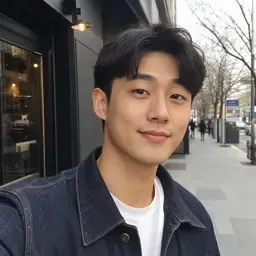
For a weekly fashion Reel, I tested two streetwear looks on the same AI influencer instead of rebuilding the character. The second result needed a cleaner source image around the hands, but the wardrobe direction was much faster to approve.

A client changed the dress color after we had already finished the UGC storyboard. APOB AI gave me a usable visual reference without another fitting. I still checked the neckline and sleeve edges before using the image in the final cut.

We use it for seasonal campaign mockups. I can keep the pose and swap from a summer outfit to a fall layer, then send both versions to the social team. It is most reliable when the original clothing is clearly visible.

For boutique collection planning, I used the same model image to preview three outfit combinations. That made the review meeting more concrete because everyone could react to an actual look instead of a written styling note.

I often move the final image into an image-to-video workflow. Testing the outfit first helps me catch odd hems or accessories before animation, so I spend less time revising a clip after it has already been generated.
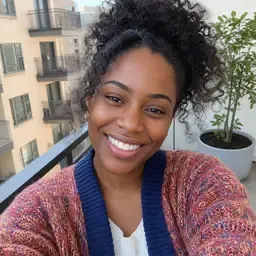
Consistency matters for my AI influencer. I changed outfits for a product mention, a tutorial, and a weekend post while keeping the character recognizable. Clear front-facing photos gave me the most natural results.
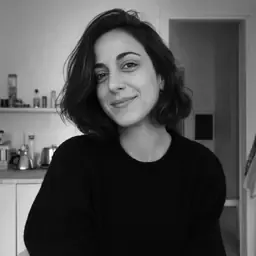
During a pitch, the client asked for a less formal wardrobe. I changed the blazer to a softer casual look and had a revised frame ready for the next review. It was a practical way to test the note before reshooting anything.

I use the tool to adapt lifestyle concepts for different product categories. The best part is comparing several wardrobe directions from one portrait; I still treat the output as a creative draft and review details before publishing.


Pros and cons of AI Clothing Generator
Pros
Start with free credits
New to APOB? Sign up for the free Nano membership and receive 80 free credits each day.
2. Realistic AI Editing
The platform delivers hyper-realistic results, meticulously preserving natural shadows, folds, and fabric textures. This ensures the generated clothing blends seamlessly with your body and pose for a high-end, studio-quality finish.
3. Multiple Use Cases
Ideal for social media, e-commerce, and personal styling. Whether you are creating a digital lookbook for your brand, testing a new outfit before buying, or generating high-volume fashion content for TikTok and Instagram, this tool handles it all.
Cons
1. Be Specific with Details
Instead of a general prompt like "a dress," provide specific details about the style, fabric, and fit. For example: "A sleek, black satin cocktail dress with a V-neckline, spaghetti straps, and a knee-length flared skirt."
Change clothes with AI For Free
No Credit Card Required
Discover more blogs about AI Clothes Changer


FAQs About AI Clothes Changer
Answers about changing clothes, image quality, credits, privacy, formats, and commercial use.
Is the AI Clothes Changer free to use?
New to APOB? Sign up for the free Nano membership and receive 80 free credits each day.
Can I upload my own outfits or photos?
Absolutely! You can upload your photo as a reference, and APOB AI will dress your AI model accordingly. You can also explore a variety of built-in clothing options to change styles easily and creatively.
Is this ai clothes changer suitable for e-commerce?
Yes! Many online sellers and influencers use APOB AI to showcase multiple outfit variations without the need for costly photoshoots. It’s perfect for boosting visual content and engagement.
What else can APOB AI do besides changing clothes?
Use the approved outfit image in Image to video. Start with a small head turn, a relaxed smile and a fixed camera so the clothes stay easy to inspect. Then choose the quality and duration in the actual video controls.
For video, APOB offers HD (720p), Full HD (FHD/1080p), QHD and 4K options across supported models and features. Choose the resolution available in your selected video mode; a 4K still image does not automatically set the video’s output resolution.
How do you protect my privacy?
Your privacy matters. You can set your AI models to private so no one else can access your generated content. You can also delete your models or data at any time. APOB AI uses multiple safeguards to protect your information.