English
English

Free AI Text To Image

Free AI Text To Image

Turn text into stunning, character-consistent graphics for free with APOB AI, the ultimate free AI text to image generator tool of 2026. Create Ultra 4K viral assets in seconds.

Turn text into stunning, character-consistent graphics for free with APOB AI, the ultimate free AI text to image generator tool of 2026. Create Ultra 4K viral assets in seconds.

How to use AI Text to Image? (Creator Guide)

How to use AI Text to Image? (Creator Guide)

Your Problem: Let’s say you are a pop-culture blogger or a fan-fiction content creator. You want to generate a hyper-realistic, cinematic photo of a specific famous celebrity or your unique digital idol looking out over a rainy, neon-lit cyberpunk city.

With standard tools, you face a huge roadblock: you type the prompt, but the celebrity's face looks distorted, or if you change the background, their face changes completely. Because APOB AI specializes in character-consistent, tag-based creations, solving this bottleneck and keeping your celebrity persona flawless is effortless. Here is exactly how to do it:

Unlock photo-realistic character consistency with APOB AI's Text to Image function. A young Asian model is perfectly preserved across five moody, rain-soaked cyberpunk future city scenes with dynamic neon lighting and rich textures. Create identical personas effortlessly.
APOB AI advanced Text to Image generator dashboard. The prompt workspace shows @B locked in for facial consistency alongside custom clickable tags (Art style, Clothing, Weather).

Step 1: Lock in Your Consistent AI Persona

Establishing your human subject is the secret to scaling a viral brand. While standard ai art generator tools suffer from chaotic face-shifting, our platform guarantees 100% facial consistency across your content feed.

  • How to do it: Type @ into the input bar and select your pre-trained digital clone or virtual model (like @influencer). The engine locks their exact facial features, keeping your character flawless across every generation.

Step 2: Stack Style Tags to Build Your Scene

Say goodbye to prompt engineering fatigue. We have transformed complex prompting into intuitive, clickable styling blocks built for next-gen ai image tools 2026 creation workflows.

  • How to do it: On the left smart panel, click [+ Art style] (e.g., "Cyberpunk") and [+ Clothing] to set the look. Layer on [+ Weather] and [+ Landscape] tags (like "Rainy night" or "Neon-lit city"), and our ai images generator instantly synthesizes the perfect backdrop.

APOB AI Text to Image generator presets menu. The workspace displays clickable artistic style options including Vintage Anime, Chinese Anime, and Ghibli. This modular panel allows creators to instantly apply optimized visual styles to their text prompts for high-fidelity 9:16 content generation.
APOB AI advanced Text to Image generator interface. The prompt workspace is optimized for creating highly detailed, photo-realistic character assets.

Step 3: Configure Dimensions for Platform Virality

To hijack social traffic, your visual assets must natively fit the strict formatting ratios of your distribution channels without tedious manual cropping.

  • How to do it: In the bottom settings bar, adjust Quantity to generate multiple variations at once (e.g., 2). Choose the vertical 9:16 aspect ratio to dominate TikTok or Instagram Reels, and toggle the quality to Ultra 4K for razor-sharp, commercial-grade output.

Step 4: Hit Generate & Feed Your Video Pipeline

Once your persona is locked, your tags are stacked, and your dimensions are optimized, you are officially ready to turn raw words into high-converting visual equity.

  • How to do it: Click the red [Generate] button. Within seconds, this advanced artificial intelligence images generator delivers a studio-grade asset. Download it directly for your feed, or push it with one click into our Image to Video workspace to create a motion ad instantly.

APOB AI advanced Text to Image generator interface workspace. The menu highlights the active "Generate image" mode under the Image settings panel.

Trusted by Thousands of Pro Influencers to Dominate Social Media.
Trusted by Thousands of Pro Influencers to Dominate Social Media.

Why Choose APOB AI for Your Text to Image Creations?

Why Choose APOB AI for Your Text to Image Creations?

Complete Face-Lock for Persona Consistency

Your absolute brand identity. Standard AI art generators change your character's face every time you change a word in the prompt. With our @Persona face-lock system, your character stays 100% consistent across every scene.

Clickable Prompt Tags (No Engineering Needed)

Say goodbye to prompt block. You don't need to be a coding wizard. Build your scenery like Lego blocks by stacked tags for [+ Art style], [+ Clothing], [+ Landscape], and [+ Weather] in one click.

Ultra 2K Commercial-Grade Resolution

Stunning, high-fidelity details. Escape the blurry look of generic artificial intelligence images generator tools. Switch on Ultra 2K to render textures so realistic you can count every hair strand and clothing fabric.

Social Media Content & Viral Growth

Instead of spending hours designing a single thumbnail, a lifestyle influencer can type a quick prompt, hit 9:16, and generate a highly engaging, consistent visual backdrop for TikTok, Instagram Reels in 5 seconds. (Market report, 2026)

Marketing, Advertising & Campaign Ideation

Agencies pitching a new campaign to a client no longer rely on watermarked stock photos. They can input exact text prompts describing a futuristic cyberpunk car or high-end luxury settings to generate flawless, commercial-grade concepts instantly to win the pitch. (Media Strategy, 2026)

Cross-Media Automation (Image to Video)

Video creators generate a hyper-realistic scene using Text to Image, set the quality to Ultra 4K, and immediately drop that generation into APOB AI’s Image to Video or Talking Video feature, transforming words into high-converting video ads seamlessly. (AI Trends,2026)

Create AI Text to Image
with APOB

No Credit Card Required

Discover more blogs about AI Text to Image

Discover more blogs about AI Text to Image

Best Free AI Image Generator 2025

Best Free AI Image Generator 2025: Why APOB AI Deserves

Best Free AI Image Generator 2025: Why APOB AI Deserves

Artificial intelligence has completely changed how we create and edit images. What used to take hours of careful Photoshop work can now be done in seconds with an AI image generator. From digital artists and content creators to e-commerce brands and marketers, everyone is now embracing AI tools to make visual creation faster, smarter, and more natural. And among the growing list of options, APOB AI stands out as the best free AI image generator 2025 — combining creativity, accessibility, and professional-grade results in one easy-to-use platform.

Why AI Image Generators Are Revolutionizing Visual Creation

Earlier, editors like Photoshop or Lightroom had tremendous learning curves and needed to be operated manually. Editing would take hours with adjustments to lighting, changing backgrounds, or creating ideas from scratch. Today, AI picture generators do all that with button clicks. Leaning on the power to understand natural language inputs, the software translates words into real-world images.

No matter if you need to design a product shot, concept art, or develop fashion looks, AI design provides you with faster, more consistent, and sometimes more convenient outcomes than manual editing. To date, as of 2025, technology is already at a point that enables amateurs to produce cinematic-level, 4K-standard shots — no need for design skills. That’s why APOB AI is leading the trend as the best free AI image generator 2025.

What Is APOB AI Image Generator?

APOB AI is a robust image-making and editing tool for professionals and the rest of us. It blends user-friendliness with sophisticated AI technology to enable users to make ideas into stunning, high-definition images in just seconds.

There are two primary modes of image making:

  • Template Mode:

Under the Complete Set tab, APOB provides adequate choices of pre-designed templates. One-click select combinations of clothing, styles, or poses — perfect for speedy content creation.

  • Custom Mode:

Under the Build Your Own option, you select your choice of style — realistic photography, anime, manga, fantasy, or others — and then submit a prompt to create unique images. For advanced users, the Expert tab offers direct prompt-based image creation for full creative control.

In addition to image generation, APOB’s editing suite includes powerful tools like Enlarge, Remove Background, and Clothing, supporting up to 2K and 4K image resolution. These features ensure clean edges, natural color grading, and realistic outfit transformations — but today, we’ll focus on one of APOB’s most impressive innovations: Chat to Edit.

What Is the “Chat to Edit” Feature?

Imagine having a photo that’s almost perfect — but not quite. Maybe your outfit blends into the background. Maybe there’s a random passerby in the corner. Maybe one friend blinked in a group photo. Or perhaps you just want to explore creative edits for fun. That’s exactly where Chat to Edit comes in.

With APOB’s Chat to Edit, you can upload any image and simply describe the change you want in plain English (or upload a reference image). The AI will automatically adjust the photo to match your request — keeping realism, lighting, and composition consistent.

Even better, each edit costs only 40 credits, and every APOB user receives 80 free credits daily after logging in. That means you can edit photos every day — completely free. For many creators, it’s like having a professional photo editor in your pocket.

Chat to Edit — Real Use Cases

Here are three examples that show how flexible APOB’s Chat to Edit feature can be:

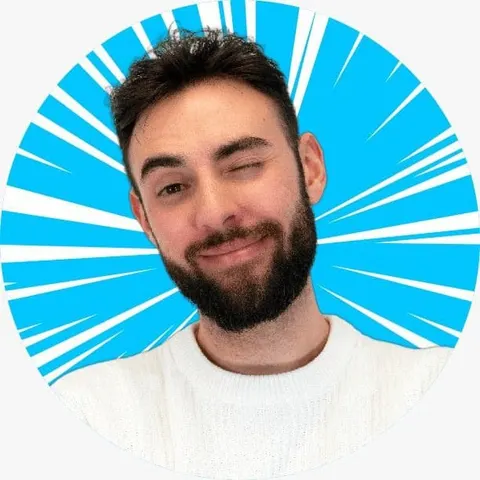
Change Expressions: Convert a smiling portrait into a playful wink without reshooting the photo.Style Transformation: Turn an anime-style character into a realistic human portrait while keeping the same pose and vibe.

best free ai image generator 2025, show a happy smilechat to edit, turn a girl look into a lively wink

Style Transformation: Turn an anime-style character into a realistic human portrait while keeping the same pose and vibe.

Action Enhancement: Change a person holding a basketball into one caught mid-jump shot, capturing a more dynamic moment.

Each of these edits takes just seconds to process — proving that APOB isn’t just an AI image generator, but a full creative assistant.

Why Choose APOB AI?

In today’s fast-moving creative world, time and quality are everything. Whether you’re a designer, marketer, or influencer, APOB AI helps you create stunning images and videos in a fraction of the time traditional editing would take.

Here’s why creators around the world are calling it the best free AI image generator 2025:

  • Speed and Efficiency: Create, edit, or upscale images within seconds.

  • Professional Quality: Every output reaches up to 4K resolution with natural lighting and detailed textures.

  • Creative Freedom: From realistic portraits to imaginative fantasy art — you’re limited only by your prompt.

  • Cost-Effective: With 80 free daily credits, you can experiment endlessly without spending a cent.

Final Thoughts

The future of visual creation is already here — and APOB AI is leading the way. With its powerful image generator, smart editing tools, and daily free credits, it makes it super easy for anyone to create studio-quality visuals in minutes.

Whether you’re designing social media posts, making ads, or just playing around with creative ideas, APOB AI proves why it’s the best free AI image generator 2025. It helps you turn your imagination into stunning, one-of-a-kind visuals — no design skills needed, just pure creativity.

FAQs About APOB AI Image Generator

Q1: Which image sizes and aspect ratios does APOB support?

A1: APOB supports numerous other image sizes and aspect ratios, such as 9:16, 16:9, 3:4, 4:3, and 1:1, so it's ideal for any creative endeavor or social media site.

Q2: Is it free?

A2: Yes. You can register and get 80 free credits per day, which is sufficient to create and edit images for free. You can also pay to upgrade for increased speed or higher resolution.

Q3: Is it possible to use the pictures produced from APOB for business purposes?

A3: Yes. You're free to apply APOB-generated pictures in advertisements, social media updates, online store inventory listings, etc. Just ensure that your particular use case complies with any platform terms.

Q4: Is it possible to modify a picture I've already made?

A4: Absolutely! Add your own photo and employ Chat to Edit to change details, correct expressions, change clothes, or even delete objectionable areas — all via easy text instructions.

Read More

ai for image generation

AI Image Generators: Discover the Best Tools & Techniques, Including Free Options for Image Generation

AI Image Generators: Discover the Best Tools & Techniques, Including Free Options for Image Generation

Introduction: Unleashing Creativity with AI Image Generation

In the digital age, image creation has taken a massive leap forward thanks to Artificial Intelligence (AI). Today, with the help of AI image generators, it is possible to create stunning visuals quickly and easily, even for free. This article will explore the best tools and techniques for creating images with AI, including advanced AI text-to-image options. Discover how to use AI images to transform your creative projects and elevate your visual content.

Generate Image With AI

What is an AI Image Generator?

An AI image generator is a sophisticated tool that uses Artificial Intelligence algorithms to create visuals from various input data. These generators work by learning from a massive dataset of images and then using that knowledge to generate new ones based on user instructions, such as in the case of AI text-to-image conversion. This technology allows users to describe an image with text, and the AI will bring that vision to life, making complex image creation accessible to everyone.

How to Use APOB AI for Image Generation: A Step-by-Step Guide

APOB AI offers an intuitive platform for generating high-quality images with ease. Follow these simple steps to start creating your own stunning visuals:

Step 1: Access the APOB AI Platform

Navigate to the APOB AI website. If you are a new user, you can sign up for a free account to receive daily credits for image generation. Existing users can simply log in.

Step 2: Choose Your Generation Mode

APOB AI typically offers various modes, such as "Text-to-Image," "Image-to-Video," or "Face Swap." For generating images, select the "Text-to-Image" option.

Step 3: Enter Your Prompt

In the designated text box, type a detailed description of the image you wish to create. Be as specific as possible regarding subjects, styles, colors, and composition. The more precise your prompt, the better the AI can understand and generate your desired image.

Step 4: Customize Settings (Optional)

Before generating, you may have options to adjust parameters such as aspect ratio, style presets (e.g., cinematic, anime, photorealistic), or negative prompts (things you want to avoid in the image). Experiment with these settings to refine your output.

Step 5: Generate and Review

Click the "Generate" button. APOB AI will process your request and display the generated images. Review the results. If you're not satisfied, you can modify your prompt or settings and generate again.

Step 6: Download Your Image

Once you are happy with an image, select it and click the "Download" button to save it to your device. You can then use your newly created AI image for various purposes, from personal projects to professional marketing materials.

Try APOB AI For Free

Best Practices for Optimal Results with AI Image Creation

Achieving the best results with AI image generation requires a blend of creativity and technical understanding. Here are 5-7 practical tips to enhance your output:

  • Craft Detailed Prompts: Be specific. Instead of "a dog," try "a golden retriever puppy playing in a sunlit field, photorealistic, cinematic lighting." Include details about subject, style, mood, and composition.

  • Utilize Negative Prompts: Specify what you *don't* want to see. For example, add "blurry, distorted, ugly, extra limbs" to avoid common AI generation artifacts.

  • Experiment with Styles: Most AI tools offer various artistic styles (e.g., oil painting, cyberpunk, watercolor). Test different styles to see which best fits your vision.

  • Use High-Quality Reference Images: When possible, provide reference images. This helps the AI understand your aesthetic preferences and can guide it towards more accurate results.

  • Iterate and Refine: Don't expect perfection on the first try. Generate multiple variations, adjust your prompts, and learn how the AI interprets your instructions.

  • Understand AI Limitations: While powerful, AI can sometimes struggle with complex scenes, text within images, or specific anatomical details. Adjust your expectations and prompts accordingly.

  • Leverage Free Credits Wisely: Take advantage of free options, like APOB AI's daily credits, to experiment without cost. This allows for extensive learning and refinement of your prompting skills.

The Best AI Tools for Creating Images

APOB AI: Speed, Efficiency, and Versatility

APOB AI is an innovative image generation tool that focuses on speed and efficiency, allowing users to create impressive visuals in a matter of seconds. Furthermore, APOB AI offers a free service for subscribers, providing 80 credits daily to create AI models. Users of APOB AI can convert text to images, turn images into videos, and swap faces in both photos and videos, making it a versatile choice for various creative needs. Its ability to quickly generate high-quality images makes it an excellent option for both beginners and experienced creators.

Suno IA: Advanced Algorithms for Realistic Imagery

Suno IA is a powerful AI image generation tool that utilizes advanced algorithms to produce stunning visuals. With Suno IA, users can create realistic and detailed images with just a few clicks. Its intuitive interface makes it accessible for anyone looking to generate high-quality AI art without extensive technical knowledge.

Leonardo IA: Creative Control and Customization

Leonardo IA is another prominent AI image generator that stands out for its ability to create high-quality images with extensive customization options. With a wide range of styles and detailed controls, Leonardo IA is ideal for those seeking greater command over the creative process, allowing for fine-tuning of generated visuals to match specific artistic visions.

Start Creating Now

Prompt Examples & Tips for AI Image Generation

Effective prompting is key to successful AI image generation. Here are some examples and tips to guide you:

  • Photorealistic Portrait: "A close-up portrait of an elderly woman with kind eyes, wrinkles, and silver hair, soft natural lighting, bokeh background, highly detailed, 8k, photorealistic."

  • Fantasy Landscape: "A mystical forest with glowing mushrooms, ancient trees, a winding path, ethereal mist, deep purples and blues, fantasy art style, volumetric lighting."

  • Abstract Concept: "The feeling of nostalgia, represented by swirling colors, faded memories, a hint of a childhood toy, abstract expressionism."

Tips:

  • Adjectives are your friends: Use descriptive words like "vibrant," "serene," "gritty," "futuristic."

  • Specify lighting: "Golden hour," "moonlit," "studio lighting," "dramatic shadows."

  • Mention artists or styles: "In the style of Van Gogh," "cyberpunk aesthetic," "renaissance painting."

  • Define composition: "Wide shot," "close-up," "dutch angle," "symmetrical."

Technical Specifications of APOB AI

Understanding the technical capabilities of an AI image generator like APOB AI is crucial for optimizing your creative workflow and ensuring compatibility with your projects. APOB AI is engineered for robust performance and user-friendly interaction:

  • Supported Formats: APOB AI typically supports common image output formats such as JPG, PNG, and potentially others, ensuring broad compatibility for various applications.

  • File Size: While specific limits can vary, APOB AI is designed to handle and produce images suitable for both web and print, with options to manage output resolution and file size.

  • Processing Speed: Leveraging advanced cloud infrastructure, APOB AI offers rapid image generation, often delivering results in seconds, making it highly efficient for iterative design processes.

  • Output Quality: The platform is optimized to produce high-resolution, detailed images, capable of photorealistic rendering as well as diverse artistic styles, depending on the prompt.

  • Data Privacy Policy: APOB AI adheres to strict data privacy protocols, ensuring user prompts and generated content are handled securely and confidentially. Users can review the full privacy policy on the official APOB AI website for detailed information on data handling and protection.

Why Choose APOB AI Over Alternatives for Image Generation?

When considering an AI image generator, APOB AI stands out for several compelling reasons, offering distinct advantages over other tools in the market:

AI vs. Manual Image Creation

Feature

APOB AI Image Generation

Manual Image Creation

Speed

Seconds to minutes

Hours to days

Cost

Often free with credits, or subscription-based

Requires software licenses, hardware, and artist's time

Skill Level

Minimal, prompt-based

Requires extensive artistic and technical skills

Consistency

Can generate variations based on a single prompt

Challenging to maintain across multiple assets

Experimentation

Rapid iteration and style exploration

Time-consuming and costly

Scalability

Easily generate large volumes of images

Limited by artist's capacity

Core Advantages of APOB AI

  • Free Daily Credits: APOB AI provides 80 free credits daily for subscribers, allowing extensive experimentation and creation without upfront costs. This is a significant advantage for budget-conscious users.

  • Versatile Functionality: Beyond simple text-to-image, APOB AI also supports converting images to videos and advanced face-swapping capabilities, offering a comprehensive suite of creative tools.

  • User-Friendly Interface: Designed for ease of use, APOB AI allows both novices and professionals to quickly generate high-quality images with minimal learning curve.

  • High-Quality Output: The platform is engineered to produce visually stunning and detailed images, suitable for a wide range of applications from digital art to marketing materials.

  • Efficiency: APOB AI's processing speed ensures that creative ideas can be brought to life almost instantly, accelerating design workflows and fostering rapid prototyping.

Applications of AI Image Generators

The utility of AI image generators extends across numerous industries and creative pursuits. Here are some key applications:

  • Content Creation: Bloggers, marketers, and social media managers can quickly generate unique visuals for articles, posts, and advertisements, enhancing engagement.

  • Graphic Design: Designers can use AI to brainstorm concepts, create mood boards, or generate unique textures and backgrounds, speeding up the design process.

  • Art and Illustration: Artists can leverage AI as a creative partner, generating initial sketches, exploring new styles, or bringing imaginative concepts to life that might be challenging to draw manually.

  • Product Design: Businesses can visualize product mockups, explore different design variations, or create marketing materials for new products before they are physically produced.

  • Gaming and Entertainment: Game developers can generate assets, characters, and environments, while filmmakers can create concept art or visual effects.

  • Personal Use: Individuals can create personalized avatars, unique digital art for gifts, or simply explore their creativity without needing specialized drawing skills.

Key Advantages of Using APOB AI for Image Generation

APOB AI empowers users with a suite of features designed to make AI image generation accessible and powerful:

  • Unleash Creativity: Transform text descriptions into stunning visual art, bringing even the most abstract ideas to life.

  • Save Time and Resources: Generate high-quality images in seconds, significantly reducing the time and cost associated with traditional image creation methods.

  • Access Advanced Features: Beyond basic image generation, utilize features like image-to-video conversion and face swapping for diverse creative projects.

  • Daily Free Credits: Benefit from 80 free credits daily as a subscriber, allowing continuous experimentation and creation without financial commitment.

  • User-Friendly Experience: The intuitive interface ensures that anyone can start generating impressive visuals, regardless of their technical or artistic background.

Get 80 Free Credits Daily

User Testimonials

"APOB AI has revolutionized how I create content for my blog. The ability to generate unique images so quickly and easily is a game-changer!" - Sarah L.

"I've tried several AI image generators, but APOB AI's speed and quality are unmatched. Plus, the free daily credits are a huge bonus." - Mark T.

"As a graphic designer, APOB AI helps me brainstorm and visualize concepts faster than ever before. It's an invaluable tool in my workflow." - Jessica R.

Frequently Asked Questions (FAQs) about AI Image Generation

Q1: Can I create images with AI for free?

A1: Yes, many tools, including APOB AI, offer free options for creating AI images. APOB AI, for instance, provides 80 free credits daily for subscribers, allowing users to experiment with AI image generation at no cost and explore its capabilities.

Q2: What is AI text-to-image conversion?

A2: AI text-to-image conversion is a technique that leverages artificial intelligence to generate images directly from textual descriptions. This means you can articulate a visual concept in words, and the AI will interpret that text to create a corresponding image, offering a powerful way to visualize ideas.

Q3: Can I earn money using AI image generation tools like APOB AI?

A3: Yes, many individuals and businesses successfully monetize visuals created with tools like APOB AI. These high-quality AI-generated images can be used in various commercial projects, including graphic design, digital marketing campaigns, selling prints, or creating unique assets for games and apps.

Q4: How accurate are AI image generators in interpreting prompts?

A4: The accuracy of AI image generators in interpreting prompts has significantly improved. While results can vary, providing detailed and specific prompts, along with utilizing negative prompts, greatly enhances the AI's ability to generate images that closely match your vision.

Q5: What are the privacy considerations when using AI image generators?

A5: When using AI image generators, it's important to review the platform's privacy policy. APOB AI, for example, is committed to protecting user data and ensuring the confidentiality of prompts and generated content. Always be mindful of the information you input and the terms of service.

Q6: Are there any limitations to AI image generation?

A6: While incredibly powerful, AI image generation still has limitations. It may sometimes struggle with complex scenes, accurately rendering text within images, or maintaining perfect anatomical correctness. Continuous iteration and refining prompts are often necessary to overcome these challenges.

Conclusion: The Future of Visual Creation with AI

AI is revolutionizing the way we create images, and tools like APOB AI, Suno IA, and Leonardo IA are at the forefront of this innovation. With free options and advanced techniques like AI text-to-image conversion, it is now easier than ever to create stunning AI images at no cost. APOB AI, with its focus on speed, efficiency, and generous free daily credits, empowers users to explore their creativity without limits. Why not try one of these tools today and discover what AI can do for your creative projects? The potential for monetization and artistic expression is immense.

References

[1] OpenAI. (2023). DALL-E 3 Technical Report. Available at: https://cdn.openai.com/dall-e-3-system-card.pdf

[2] Google AI. (2022). Imagen: Text-to-Image Generation with Deep Diffusion Models. Available at: https://imagen.research.google/

[3] Karras, T., Laine, S., & Aittala, T. (2019). A Style-Based Generator Architecture for Generative Adversarial Networks. Proceedings of the IEEE/CVF Conference on Computer Vision and Pattern Recognition (CVPR). Available at: https://arxiv.org/abs/1812.04948

[4] Wikipedia. (n.d.). Generative artificial intelligence. Retrieved from https://en.wikipedia.org/wiki/Generative_artificial_intelligence

Read More

The Pros and Cons of AI Text to Image

The Pros and Cons of AI Text to Image

Pros

Pros

Unprecedented Creative Speed:

What used to take hours of meticulous masking, feathering, and color-correcting in traditional software can now be achieved in seconds. You can iterate through dozens of visual concepts in the time it takes to drink a cup of coffee.

Perfect Contextual Lighting:

Traditional merging requires you to manually paint in shadows and reflections. An AI image merger actually understands the 3D geometry of your 2D images, automatically casting accurate shadows and matching environmental lighting.

Cons

Cons

The Risk of "Blind Blending":

If you simply upload two images and hit generate without providing a descriptive text prompt, the AI has to guess what you want. This can result in chaotic, distorted images where elements are mashed together illogically.

Color Mismatches on Vague Prompts:

If your two source images have drastically different lighting (e.g., one taken at night with a flash, the other taken at noon in the sun), and you don't explicitly command the AI to harmonize the color palette, the merged result can look obviously composited.

FAQs about ai imger merger

FAQs about ai imger merger

Q: Is there a free option to use the AI Image Merger in APOB AI?

A: Yes! You can start experimenting right away with a free membership—no credit card required. We provide you with 80 free credits every single day, giving you plenty of room to test out different prompts and see the merging quality for yourself before committing.

Q: Do I need Photoshop skills to merge images with AI?

A: Not at all. APOB AI replaces complex masking, layering, and color-matching with simple text commands. All you need to do is upload your source images and write a clear description of how you want them integrated. If you're unsure where to start, check out the Pro Prompting Tips in our Use Scenarios above to learn how to write highly effective descriptions.

Q: Can I turn a merged image into a video inside APOB AI?

A: Absolutely. Once you have nailed the perfect merged image, you can seamlessly bring it into our Image-to-Video workspace. With just a few clicks, you can bring your static creation to life and export it in stunning 4K resolution.

Q: Why does my merged image look like a bad copy-paste job with clashing colors?

A: This is a common issue known as "color mismatch." When merging elements from two entirely different environments, you must explicitly tell the AI to unify them. In your prompt, simply add: "Match the color grading and lighting of the base image" to give the AI a clear target for harmonization.

Q: I uploaded a picture of my pet and a space suit, but the AI created a distorted monster. What went wrong?

A: You suffered from the "Frankenstein problem" of blind blending. The AI didn't know how you wanted them combined. You need a semantic bridge. Instead of just uploading the images, add a prompt like: "Place the dog from Image A inside the space helmet of Image B, ensuring the proportions are realistic."

CONTACT INFORMATION

support@apob.ai

COPYRIGHT 2024 ALL RIGHTS RESERVED BY ATOMSTOBITS LABS INC

CONTACT INFORMATION

support@apob.ai

COPYRIGHT 2024 ALL RIGHTS RESERVED BY ATOMSTOBITS LABS INC

LINKS

Features

Tools

CONTACT INFORMATION

support@apob.ai

COPYRIGHT 2024 ALL RIGHTS RESERVED BY ATOMSTOBITS LABS INC