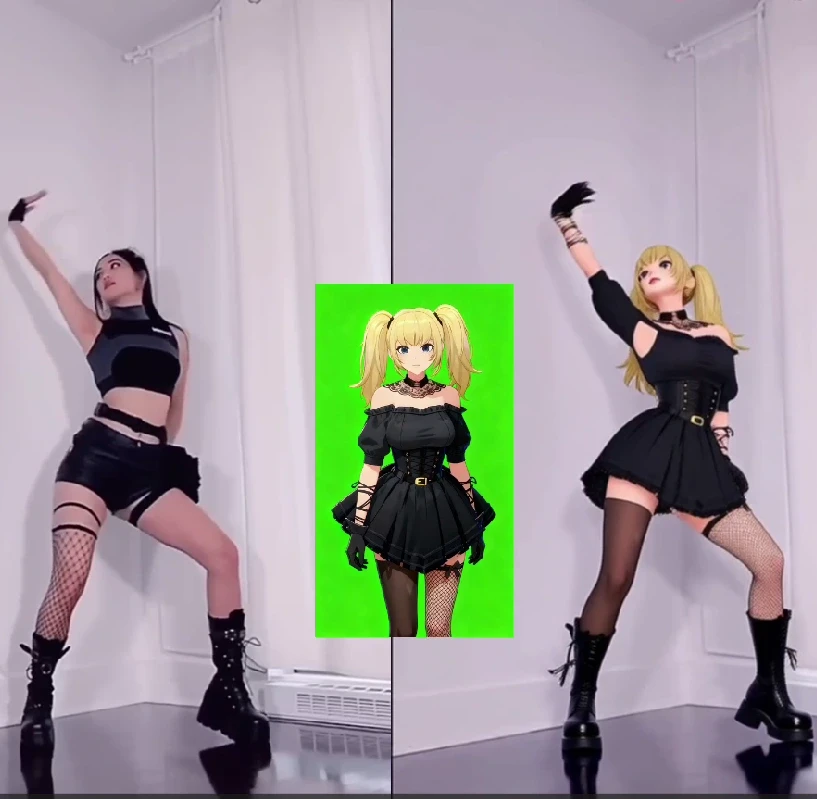
Free Membership with Daily Credits
Once signed up, you will get APOB AI’s free membership, which will give you 80 free credits daily, allowing users to explore AI-generated videos.
Realistic AI Motion Effects & Customization
Our AI will analyze images and apply natural-looking motion, ensuring smooth transitions and cinematic effects.
AI-Powered Influencer Creation-Chance to Make Money
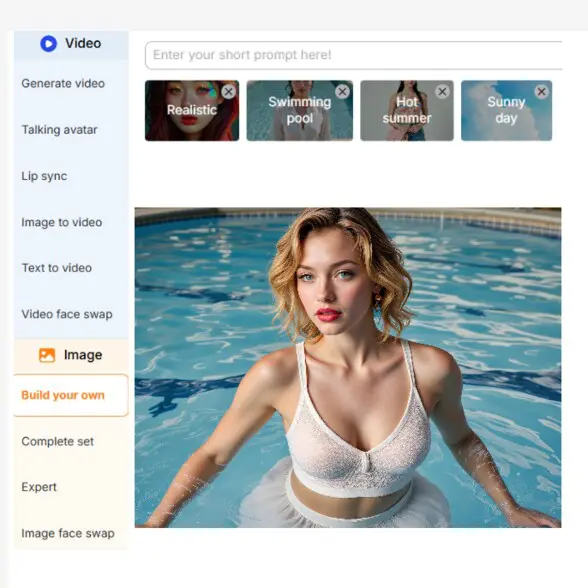
With APOB AI, you could generate AI portraits with various artistic styles. Besides, you can customize clothing, landscapes, and backgrounds to match your vision. Once your AI Portrait is created, you could create a social account and try to gain followers.
Advertising and Marketing
Companies are able to turn static product images into motion videos for product launches and social media advertising. APOB AI camera pan and image-to-video capability allows a company to introduce a zoom or pan effect into a product, making compelling content at a fraction of the expense of full video production (APOB AI, 2025).
Content Generation
Image to video generator can be utilized by social media content creators and artists to animate images that remain static for use in social media such as Instagram Reels and TikTok. Pika Labs, for example, enables upload of a static picture and creation of a brief video animation using a quick text prompt, delivering content in efficient and timely fashion (Pika Labs, 2025).
Visual Effects and Film Making
Cinematographers may employ image-to-video AI to create fast pre-visualizations or filmic B-roll and atmospheric shots from reference images or concept art. RunwayML’s Gen-3 Alpha model is capable of creating actual motion from one image, conserving time and resources on post-production (RunwayML, 2025).
Convert image to video with APOB AI
No Credit Card Required
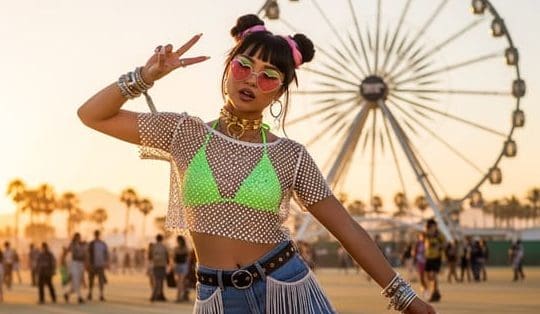
Of all the most promising recent advances, perhaps the most thrilling is the advent of free AI image-to-video generator.With them, anyone can turn static pictures into vibrant, interactive videos at the click of a button, professional-grade content within reach of everyone, from social media influencers to small business owners. In this article, you will know how you can harness APOB AI's image-to-video feature.
Introducing APOB AI: Your Gateway to Dynamic Visuals
APOB AI is one of the platforms at the forefront of this technology, offering intuitive tools to generate high-quality images and, importantly, convert them into dynamic videos.What makes APOB AI appealing is its user-friendly interface and the availability of a free plan, allowing users to experiment with its features without an initial investment.
How to Use Image-to-Video Feature For Free: The Step-by-Step Process
It is easy to start using free ai image-to-video generator. Here is a general guide to convert your static images into stunning video clips:
Step 1: Access APOB AI: First, visit the APOB AI site. Sign Up to get Free Membership. 80 credits will be given to you daily.
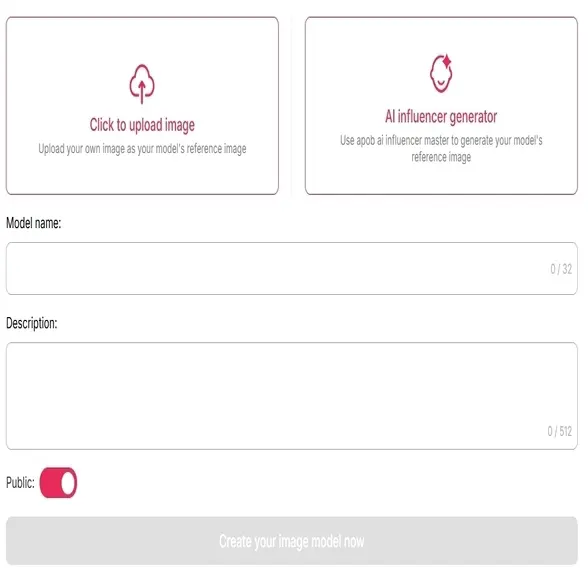
Step 2: Upload an Image to build an AI Model. (APOB AI is for people who want to build AI Influencers, so your AI Model must be a human.)
Upload a Pre-existing Image: If you already have an image you'd like to build life from, you can upload it from your computer directly. The best images are high quality and clear with a well-defined subject.
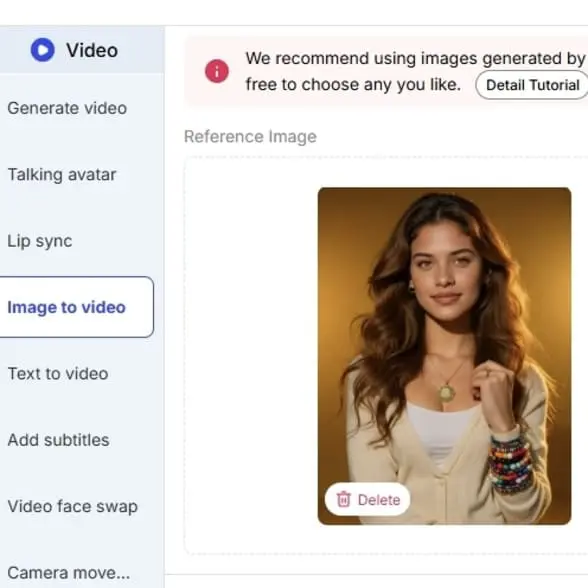
Step 4: Go to Image-to-Video: When your AI Model is prepared, click on "Image to Video".
Choose Your Image: Select the particular AI-created or uploaded picture you want to animate.
Set Duration: Set the duration of your video clip.
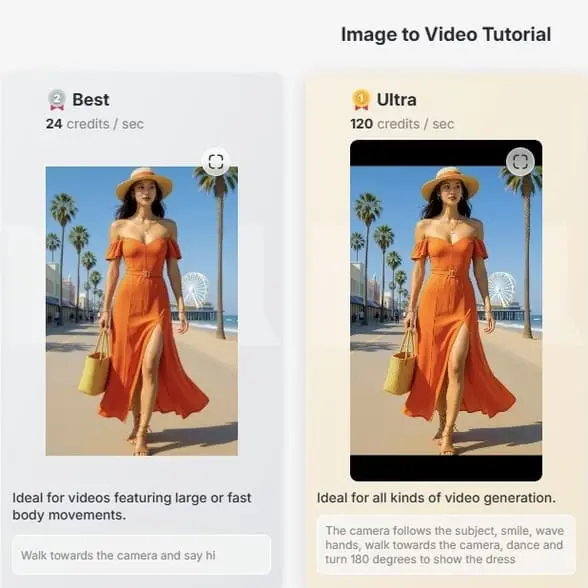
Select Video Quality: Set your preferred output quality (e.g., high, best, ultra). More advanced qualities might use up more credits or processing time.
Add Motion Prompts (Optional but Highly Recommended): This is where you can instruct the AI on how to move your photograph.(7) You can tell "subtle pan left," "zoom in face," or "gentle swaying," depending on the effect you want. Some websites may have pre-set camera moves such as "handheld," "zoom out," or "zoom in."
Step 5: Create Your Video: Now that your settings are in place, click "Generate." The AI will now create your image into video form. This will take anywhere from a few seconds to a few minutes depending on how detailed and how much server traffic is going on.
Step 6: Preview and Download: After the generation is finished, you can preview your new video. If you are satisfied with what you see, you can download it on your device and share or edit it further. If you are dissatisfied, you can normally re-configure the settings and regenerate until you get your desired outcome.
Tips for Best Results
High Quality Source Images: The quality of your input image will directly translate to the output video. Provide clean, bright images.
Try Different Prompts: Have fun and don't hesitate to try out different motion prompts to discover what you can create.
Know Your Limits: Free applications always have some time limits on video length, resolution, or daily productions. Take those restrictions as a challenge to be brief and innovative.
Think About Purpose: Reflect on where your video will be deployed. A concise, powerful clip is generally more useful on social media than one that is long and meandering.
The Future is Moving
Free AI image-to-video generators such as APOB AI are now opening doors to high-quality content creation. With technology evolving, the future holds even wiser animations, video length, and greater creative control. So go on and try out, and begin giving your static photos the power to tell moving visual stories with the help of AI!
Read More
Abstract
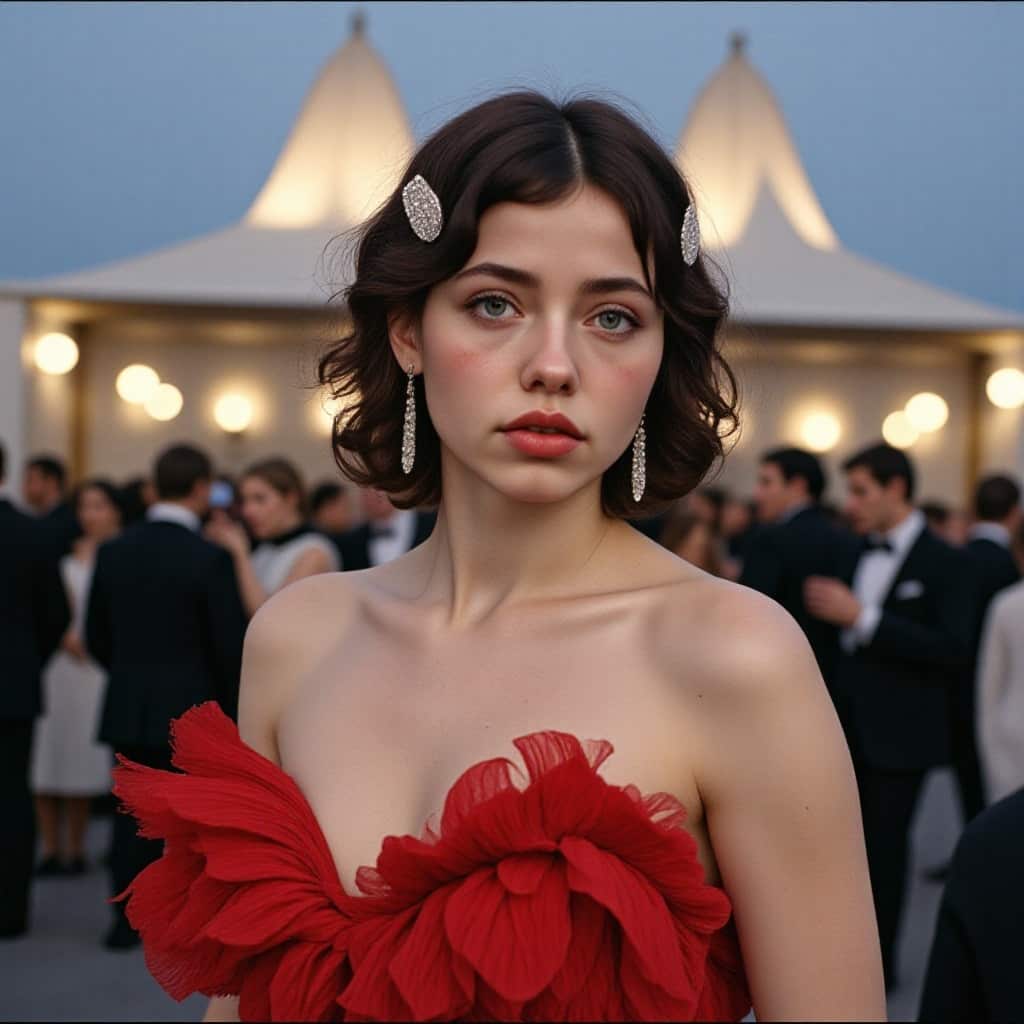
Image to video AI is revolutionizing content creation by enabling the transformation of static images into dynamic, engaging videos with minimal effort. This innovative technology leverages advanced machine learning techniques, including neural networks and GANs, to synthesize motion from still visuals. In this article, we'll explore how image to video AI works, the best tools available, and how you can use this technology to enhance your own projects.
Try Image to Video AI For Free
Introduction: The Power of Image to Video AI
In the world of content creation, visual storytelling has become more important than ever. Videos generally offer higher engagement than static images, making them essential for marketers, influencers, and creators. The development of image to video AI allows users to convert still photos into animated videos seamlessly and efficiently, saving time and expanding creative possibilities. But what is this technology, and how can you use it to boost your content strategy? Let's explore.
What is Image to Video AI?
Image to video AI refers to artificial intelligence technologies that can convert still images into dynamic videos. Using advanced algorithms like Convolutional Neural Networks (CNNs) and Generative Adversarial Networks (GANs), AI tools analyze visual data from images and generate motion, transitions, and effects, transforming them into videos that feel alive. More recently, diffusion models have also been integrated into these tools, allowing them to create even higher-quality videos by refining images iteratively.
This process enables creators, businesses, and marketers to generate professional-looking videos without needing advanced video editing skills. One of the best examples of this technology in action is APOB AI, which allows you to convert still images into animated content with ease.
How Does Image to Video AI Work?
The process of transforming an image into a video involves several key stages:
Input Processing:
The process begins with the user uploading an image or a sequence of images. Alternatively, users can provide a text prompt that describes the desired video content. The AI analyzes these inputs to identify the context, objects, and key elements that will need to be incorporated into the final video.
AI Algorithms:
Image to video AI tools use Convolutional Neural Networks (CNNs) to recognize patterns in the images. Generative Adversarial Networks (GANs) then generate new visual content by using two networks: one generates images, and the other evaluates their authenticity. This process ensures that the video content is both coherent and realistic. More recently, diffusion models have been incorporated to create high-quality outputs that evolve from noise into clear visuals, enhancing the realism of the final video.
Video Generation:
After processing the images or prompts, the AI synthesizes a video by interpolating between frames. This is often done through frame interpolation, where the AI predicts and fills in intermediate frames to create smooth transitions. Additional elements like motion effects, voiceovers, background music, and subtitles can also be added automatically to make the video more engaging.
Output:
The AI generates a finished video that integrates the uploaded images with additional visual content and motion effects. This video can then be used for various applications such as marketing, training materials, or personal projects.
Why Use Image to Video AI?
1. Time-Efficiency:
Image to video AI tools automate the video creation process, making it faster than manually editing and animating images. This allows creators and businesses to save valuable time.
2. Enhanced Engagement:
Videos are more engaging than still images. With AI, even a single photo can be transformed into an attention-grabbing video that increases user interaction, especially on platforms like Instagram, Facebook, and YouTube.
3. Accessibility for All Users:
These tools are designed to be user-friendly, meaning anyone—regardless of technical skills—can create videos. For example, APOB AI allows users to create high-quality videos in just a few clicks.
4. Cost-Effective Content Creation:
Hiring professionals to create videos can be expensive. Image to video AI provides an affordable alternative that still produces high-quality, engaging content, reducing the need for external video production services.
How to Use APOB AI's Image to Video Function
If you're looking to create stunning videos from images, APOB AI offers a free and user-friendly platform that makes it easy to transform static images into dynamic videos. Here’s a step-by-step guide on how to use APOB AI's Image to Video function:
Step 1: Create Your Account
Visit APOB AI and create your free account.
Once you're signed in, select "Create Portrait Model" to get started.
Step 2: Customize Your AI Influencer
Upload an image of your choice or use the AI Influencer Generator to create a unique character.
Specify a name for your AI influencer, and click “Generate” to create your model.
Step 3: Generate Photos and Convert to Video
Generate multiple photos of your AI model based on your preferences (including various poses, outfits, and settings).
Select the “Image to Video” function to convert the images into a video. The AI will automatically process the images, creating a smooth, dynamic video that you can use for social media, marketing, or personal projects.
Step 4: Download and Share Your Video
Once the video is ready, you can download it and share it across your favorite platforms to engage your audience.
Best Image to Video AI Tools
Several tools are available that allow users to generate videos from images. Some of the best options include:
APOB AI: This tool stands out for its ability to create AI influencers and generate videos from images with ease. It's a versatile choice for both personal and business use, with advanced features like face-swapping and more.
Runway ML: A powerful platform that offers advanced features for professionals, allowing creators to generate high-quality videos from images with deep creative control.
Deep Dream Generator: A great tool for creating surreal, artistic videos from images, adding unique visual effects that can be animated.
Free Image to Video AI Tools
If you're looking for free AI video generators, several great options are available:
APOB AI: Offers a free version with basic features, perfect for small-scale or personal projects. The free plan allows you to generate videos from images without any cost.
Deep Dream Generator: While it also offers a free version, Deep Dream Generator focuses on creating abstract, artistic effects from images, making it a fun tool for creative users.
How to Use Image to Video AI for Social Media Content
Here’s a quick step-by-step guide for turning your photos into videos for social media:
Select Your Image: Choose an image that is visually compelling and likely to engage your audience.
Upload to an AI Tool: Use a platform like APOB AI to upload your image.
Customize Your Video: Add motion effects, text overlays, or face swaps to the video.
Generate the Video: Let the AI process the image and create the video
Post and Share: Once the video is ready, post it on your social media accounts to attract more engagement.
FAQs About Image to Video AI
Q1: What is the best image to video AI tool?
A1: The best tool depends on your needs. Popular options include APOB AI, Runway ML, and Deep Dream Generator, each offering unique features like face-swapping, artistic effects, and advanced creative controls.
Q2: Are there any free AI video generators available?
A2: Yes, APOB AI and Deep Dream Generator offer free versions, allowing users to generate videos from images. The free versions may have limitations like fewer features or watermarks.
Q3: Can I use a photo to video AI tool for free?
A3: Yes, many platforms like APOB AI offer free plans that allow you to create videos from photos at no cost, though there may be restrictions on the number of videos or features available.
Q4: How does an image to video generator work?
A4: An image to video generator works by analyzing an image using AI algorithms like CNNs and GANs, generating motion or effects, and combining them to produce a dynamic video. Some tools also add elements like voiceovers or music to enhance the final product.
Q5: How can I use image to video AI for social media?
A5: Simply upload your image to an AI tool like APOB AI, customize the video with effects or text, and generate the final video. Then, share it on your social media channels to boost engagement and visibility.
Conclusion
Image to video AI is changing the way we approach video content creation. With tools like APOB AI, you can quickly transform static images into engaging, dynamic videos that resonate with your audience. Whether you're a marketer, content creator, or just looking to add something new to your personal projects, image to video AI provides an accessible and cost-effective solution for bringing your visuals to life.
Ready to get started? Visit APOB AI today, create your free account, and start turning your images into professional-quality videos with ease!
Read More
Abstract
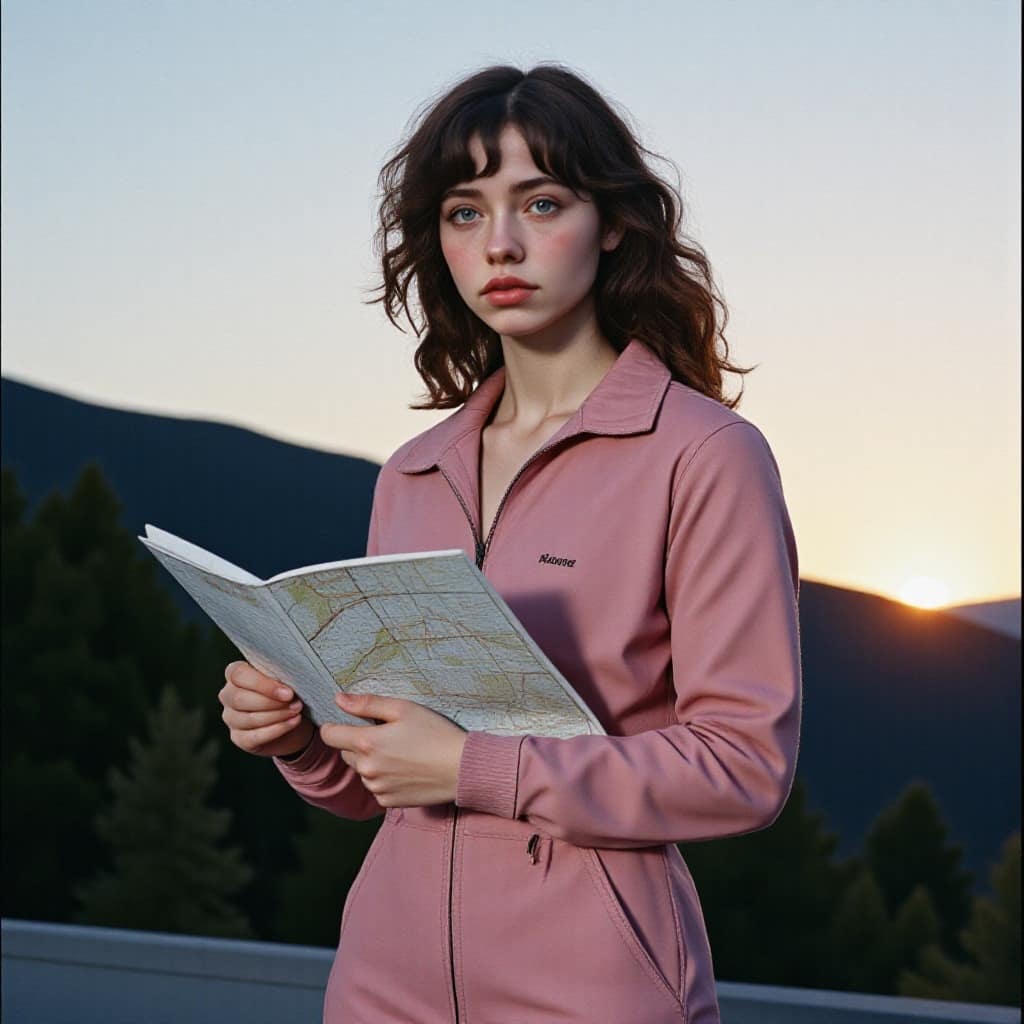
Image to video AI is revolutionizing content creation by transforming static images into dynamic, engaging videos with minimal effort. This innovative technology leverages advanced machine learning techniques such as neural networks and Generative Adversarial Networks (GANs) to synthesize motion from still visuals. In this article, we’ll explain how image to video AI generators work, explore the best tools available, and show you how to convert images into videos effectively for your next project.
Convert Images To Videos For Free
Introduction: The Power of Image to Video AI
In today’s competitive content landscape, video is more engaging and effective than static images. Videos generally receive higher engagement, whether on Instagram, Facebook, or YouTube. However, traditional video production can be resource-intensive and time-consuming. Enter image to video AI—a technology that effortlessly transforms a static photo into an animated video, saving both time and costs.
But how does AI convert images into videos? And what tools can you use to transform your images into dynamic content? Let's explore how this technology works and how you can utilize it to elevate your content creation.
What is Image to Video AI?
Image to video AI refers to artificial intelligence-powered tools that convert still images into animated videos. By leveraging advanced algorithms such as Convolutional Neural Networks (CNNs) and Generative Adversarial Networks (GANs), AI video generators analyze the visual data in an image and generate motion, transitions, and effects. This technology creates dynamic, life-like videos from static visuals.
This is an increasingly popular and cost-effective solution for creating high-quality videos without the need for advanced video editing skills.
How Does Image to Video AI Work?
The process of converting a still image into a video with AI involves several key steps:
1. Input Processing
The user uploads an image (or a sequence of images), or in some cases, provides a text prompt describing the desired video. AI video converters analyze these inputs to extract important details such as objects, context, and relevant visual elements to generate a fitting video.
2. AI Algorithms: CNNs and GANs
AI tools like CNNs detect patterns within the image. Meanwhile, GANs come into play with one network generating content (such as frames of video), and another network assessing its authenticity. This ensures that the video generated is both realistic and coherent. Newer tools may use diffusion models, which improve the realism of the video by refining the initial image data into more detailed visuals.
3. Video Generation
Once the image is processed, the AI video generator uses techniques like frame interpolation to predict and fill in missing frames, creating smooth transitions. Some tools, like APOB AI, allow for additional effects, including background music, voiceovers, and text overlays to make the video more engaging.
4. Output
The AI video generator outputs a video that combines the original image with added motion effects and transitions, delivering a polished, professional video ready for use in marketing, social media, or personal projects.
Why Should You Use Image to Video AI?
1. Time-Efficiency
Manually creating videos from static images can be time-consuming, but image to video AI tools streamline this process, allowing you to generate professional videos in a fraction of the time it would take using traditional video editing techniques.
2. Increased Engagement
Videos have significantly higher engagement rates than images. By using AI to convert images into video, you can capture your audience’s attention more effectively, especially on platforms like Instagram, Facebook, and TikTok.
3. Accessibility for All Users
These AI tools are designed to be user-friendly, meaning even those with little to no video editing experience can create high-quality videos. APOB AI, for example, provides a straightforward, intuitive platform for converting images to videos, making it accessible to all users.
4. Cost-Effective Content Creation
Hiring professionals to produce videos can be costly. With image to video AI generators, you can create professional-grade videos without breaking the bank. It’s a highly cost-effective alternative for personal creators, small businesses, and marketers.
Best Image to Video AI Tools
Here are some of the best image to video AI tools available:
1. APOB AI
APOB AI is a top-rated platform for generating videos from images. It allows you to create AI influencers and offers unique features such as face-swapping effects. Best of all, it offers a free version for users wanting to experiment with image to video AI generators.
2. Runway ML
Runway ML is another powerful platform for professionals, offering advanced features to generate videos from images and providing deep creative controls for users who need more control over their projects.
3. Deep Dream Generator
Best suited for creating surreal or artistic videos, Deep Dream Generator uses AI to generate unique video effects, adding a creative touch to any image-based video.
Free AI Tools for Converting Images into Videos
If you’re looking for free AI video generators, there are several great options:
1. APOB AI (Free Plan)
The free version of APOB AI lets you convert images into videos. While the free plan may have some limitations, it’s perfect for personal or small-scale projects.
2. Deep Dream Generator (Free Plan)
Deep Dream Generator also offers a free plan, ideal for users who want to create abstract or artistic videos using AI-generated effects.
How to Convert Image to Video Using AI for Social Media
Here’s a simple step-by-step guide to turning your images into engaging videos for social media:
Select Your Image
Choose an image that is visually compelling and fits your brand or message.
Upload to an AI Video Converter
Upload your selected image to a platform like APOB AI or another image to video AI tool.
Customize Your Video
Add text overlays, motion effects, voiceovers, and background music to make your video more engaging.
Generate the Video
Allow the AI video generator to process your image and generate the video.
Post and Share
Once your video is ready, post it to your social media accounts to boost engagement.
FAQs About Image to Video AI
Q1: What are the best AI tools for converting images into videos?
The best image to video AI tools include APOB AI, Runway ML, and Deep Dream Generator. These platforms offer various features like face-swapping, artistic effects, and advanced creative controls.
Q2: How customizable are the transitions between frames in these AI tools?
Many image to video AI tools, including APOB AI, allow you to customize the transitions between frames. You can adjust the speed, style, and type of transitions based on the video’s theme.
Q3: Can I add voiceovers and music to the generated videos?
Yes, most AI video generators like APOB AI enable you to add voiceovers, background music, and other elements to your generated videos.
Q4: How does AI determine the duration of each video segment?
AI tools typically determine video segment durations by analyzing the complexity and motion in the image. Some platforms also allow users to manually adjust the length of video segments.
Q5: Are there any free AI tools for converting images into videos?
Yes, both APOB AI and Deep Dream Generator offer free versions that allow you to convert images into videos. These free plans come with some limitations but are suitable for personal or small-scale projects.
Read More
What is Image to Video AI?
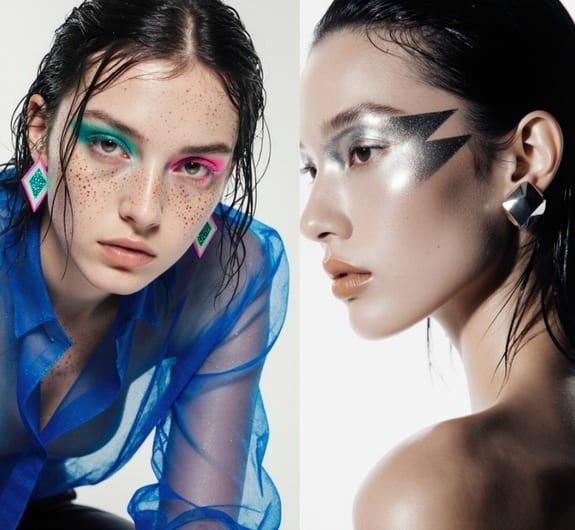
Image to Video AI represents a transformative technology that converts static images into dynamic video content through artificial intelligence algorithms. This innovative approach leverages machine learning models to analyze still photographs and generate fluid motion, realistic transitions, and engaging animations without requiring traditional video production skills or expensive equipment. The technology has revolutionized content creation by democratizing access to professional-quality video production, enabling creators, marketers, and businesses to transform their existing visual assets into compelling video narratives.
The underlying mechanism of Image to Video AI involves sophisticated neural networks that understand spatial relationships, object recognition, and motion patterns. These systems can intelligently predict how elements within an image should move, creating natural-looking animations that maintain visual coherence and aesthetic quality. Modern platforms like APOB AI have refined this technology to offer unprecedented control over camera movements, facial animations, and stylistic elements, making it accessible to users regardless of their technical expertise.
According to Grand View Research, the AI video generator market was valued at $788.5 million in 2025 and is projected to reach $3.4 billion by 2033, growing at a CAGR of 20.3%.[1] This explosive growth reflects the increasing demand for efficient, cost-effective video content creation solutions across industries ranging from e-commerce and social media marketing to education and entertainment.
How to Use APOB AI for Image to Video Conversion
APOB AI stands out as a comprehensive platform that combines powerful Image to Video capabilities with advanced features like Face Swap, Camera Movement control, and Text to Video generation. The platform's intuitive interface makes professional video creation accessible to everyone, from individual content creators to enterprise marketing teams.
Step 1: Access APOB AI Platform
Navigate to APOB AI and create your free account. New users receive daily credits to explore the platform's capabilities without immediate financial commitment. The registration process is streamlined, requiring only basic information to get started.
Step 2: Upload Your Image
Select the Image to Video tool from the dashboard and upload your source image. APOB AI supports various image formats including JPG, PNG, and WEBP, with optimal results achieved using high-resolution images (1080p or higher). The platform's intelligent preprocessing automatically optimizes your image for video conversion.
Step 3: Configure Camera Movement
One of APOB AI's distinctive features is its granular Camera Movement control. Choose from professional cinematographic movements including Zoom In, Zoom Out, Pan Left, Pan Right, Tilt Up, Tilt Down, and combinations thereof. This level of control enables creators to craft specific visual narratives and emotional impacts within their videos.
Step 4: Select Style and Lighting
Customize your video's aesthetic by selecting from preset styles such as Cinematic, Minimalist, Vibrant, or Dramatic. The Lighting menu offers options including Natural Light, Golden Hour, Studio Lighting, and Moody Shadows, allowing precise control over the visual atmosphere of your final video.
Step 5: Generate and Download
Click the Generate button and wait for APOB AI's processing engine to create your video. Processing typically takes 30-90 seconds depending on complexity and selected features. Once complete, preview your video and download it in your preferred format and resolution.
Why Choose APOB AI for Monetizing Visual Content
APOB AI distinguishes itself in the crowded AI video generation market through its unique combination of portrait consistency, animation quality, and monetization-friendly features. While competitors typically excel in either facial animation or camera movement, APOB AI delivers both capabilities within a unified platform, making it the optimal choice for creators seeking to generate revenue from their visual content.
The platform's credit-based system explicitly permits commercial use, enabling content creators to legally monetize videos produced through the service. This commercial-friendly approach, combined with competitive pricing and daily free credits, makes APOB AI particularly attractive for entrepreneurs, influencers, and digital marketers looking to scale their video content production without proportional increases in costs.
Research from the International Journal of Research in Marketing highlights the growing importance of the creator economy, with content creators increasingly relying on efficient tools to maintain competitive advantages.[2] APOB AI's comprehensive feature set directly addresses this need by reducing production time from hours to minutes while maintaining professional quality standards.
Best Practices for Monetizing Image to Video AI Content
Successfully monetizing AI-generated video content requires strategic planning and understanding of platform dynamics. The following best practices have been validated through real-world implementations across various industries and creator segments.
Optimize for Platform-Specific Requirements
Different social media and content platforms have distinct technical specifications and audience preferences. Instagram Reels perform best with 9:16 vertical videos under 60 seconds, while YouTube Shorts favor dynamic openings within the first 3 seconds. TikTok audiences respond particularly well to trend-aligned content with synchronized audio. APOB AI's flexible export options enable creators to generate platform-optimized versions from a single source image, maximizing content reach and monetization potential.
Maintain Brand Consistency
Consistent visual branding significantly impacts audience recognition and trust, both critical factors for monetization success. Use APOB AI's style presets to establish a signature aesthetic across your video content. Upload brand-specific resources including logos, color palettes, and character models to ensure every generated video reinforces your brand identity. This consistency translates directly to higher engagement rates and improved conversion metrics.
Leverage A/B Testing with Face Swap
APOB AI's Video Face Swap feature enables rapid testing of different models or spokespersons within identical video contexts. This capability is invaluable for optimizing ad performance, as you can test multiple variations without regenerating entire animations. Data from eMarketer indicates that 59% of creator revenue comes from sponsored content,[4] making performance optimization through A/B testing a critical monetization strategy.
Scale Content Production Strategically
The economic advantage of Image to Video AI lies in its scalability. Develop a content library of high-quality source images that can be repurposed into multiple video variations. A single product photo can generate dozens of unique videos by varying camera movements, styles, and lighting configurations. This approach maximizes return on investment for both content creation and APOB AI credits.
Integrate Call-to-Action Elements
While APOB AI generates the core video content, strategic placement of call-to-action elements significantly impacts monetization outcomes. Add text overlays, clickable links, or swipe-up prompts that guide viewers toward desired actions such as product purchases, email signups, or affiliate link clicks. The platform's high-quality output ensures these elements integrate seamlessly without compromising visual appeal.
Technical Specifications: APOB AI vs Traditional Video Production
Specification | APOB AI | Traditional Video Production |
|---|---|---|
Production Time | 30-90 seconds per video | 2-8 hours per video |
Cost per Video | $0.10-$0.50 (credit-based) | $500-$5,000+ (professional) |
Required Skills | Basic prompt engineering | Video editing, animation, cinematography |
Equipment Needed | Computer with internet | Camera, lighting, editing software |
Output Resolution | Up to 4K | Variable (equipment dependent) |
Revision Time | 1-2 minutes | 1-4 hours |
Camera Movement Control | 8+ preset movements | Unlimited (manual control) |
Face Swap Capability | Built-in, instant | Requires advanced VFX |
Style Presets | Multiple cinematic styles | Manual color grading required |
Commercial Use Rights | Included with credits | Depends on talent agreements |
Scalability | Unlimited parallel generation | Limited by team size |
Learning Curve | 1-2 hours | Months to years |
Consistency | High (AI-driven) | Variable (human-dependent) |
Real-World Success Stories: Monetization Through Image to Video AI
The practical value of Image to Video AI technology is best illustrated through documented success cases across diverse industries and creator categories. These examples demonstrate the tangible revenue impact and operational efficiencies achievable through strategic implementation of APOB AI's capabilities.
E-Commerce Product Visualization
An online fashion retailer implemented APOB AI to transform static product photography into dynamic video showcases. By converting existing product images into videos featuring zoom effects and 360-degree rotations, the retailer achieved a 45% increase in product page engagement and a 28% improvement in conversion rates. The implementation required no additional photography sessions, leveraging the brand's existing image library to generate hundreds of product videos within days. This case demonstrates how Image to Video AI can dramatically enhance e-commerce performance while reducing content production costs by approximately 85% compared to traditional video shoots.
Travel Influencer Content Amplification
A travel influencer with 150,000 Instagram followers utilized APOB AI to repurpose travel photography into compelling video narratives. By applying camera movements, transitions, and stylistic effects to still photographs, the creator generated engaging video content that increased average post engagement by 67% and attracted three new brand sponsorships valued at $15,000 collectively. The ability to produce consistent, high-quality video content without carrying video equipment during travels proved particularly valuable, enabling the influencer to maintain content velocity while reducing production overhead.
Digital Marketing Agency Efficiency Gains
A boutique digital marketing agency serving small business clients integrated APOB AI into their content creation workflow. The agency now produces client video content 10 times faster than previous methods, enabling them to expand their service offerings and increase per-client revenue by 40%. The Face Swap feature proved especially valuable for testing different spokesperson models in advertising campaigns, reducing client approval cycles from weeks to days and improving campaign performance through data-driven optimization.
These case studies illustrate the multifaceted value proposition of Image to Video AI technology. Beyond simple cost savings, the technology enables new business models, accelerates content production cycles, and facilitates data-driven optimization that was previously impractical due to time and resource constraints.
FAQs regarding Image to Video AI
1. How do I choose the best free Image to Video AI tool?
When selecting the software, look at ease of use and functionalities such as "Camera Movement" control and "Face Swap." One of the best tools available on the market is definitely Apob AI, which offers the best portrait consistency together with the best animation capabilities within one tool, while competitors offer either one or the other.
2. Can I customize AI Generated Videos to match my brand?
Yes. With Apob AI, you are able to upload your own brand resources, as well as create a consistent AI that models your brand. You are also able to preset the style in which you want the video to be created, such as "Cinematic" or "Minimalist," using the "Text to Video" camera settings to ensure the video output bears the look of your brand.
3. Are there restrictions on using Image to Video AI for commercial purposes?
As a general rule, commercial use of the videos produced on credit-based platforms, such as Apob AI, is permitted. It is, however, essential to check the conditions set by the platform. The use of AI to create videos to promote ads, e-commerce, and social media marketing has already proven to be a successful activity.
4. What are the benefits of using Image to Video AI for content creation?
The Image to Video AI tool has several advantages: it saves time and money significantly compared to traditional animation techniques; it enables those without animation knowledge to turn their images into an entertaining video format; it boosts audience interaction; and it can be utilized for repurposing existing visual assets in social media networks.
5. What skills will I require to use Text to Video capabilities?
No video editing skills are required. The key skill required here will be "Prompt Engineering"—understanding how to describe the scene well. Apob AI has made this easy by providing various menus that work well for Style, Lighting, and Camera Movement. Beginner editors will find it easy to produce professional-looking videos.
6. Can I employ Video Face Swap for videos created using Image to Video AI?
Absolutely. You can produce the video using the Image to Video AI tool, then apply the Video Face Swap feature if the character's identity needs swapping. This helps in conducting A/B tests quickly on various models within the same ad creative without regenerating a complete animation.
References
[1] Grand View Research (2025) AI Video Generator Market Size, Share & Trends Analysis Report. Available at: Grand View Research
[2] Peres, R., Schreier, M., & Schweidel, D.A. (2024) The creator economy: An introduction and a call for scholarly research. International Journal of Research in Marketing.
[3] Zapier (2025) Best AI Video Generators 2025. Available at: Zapier Blog
[4] eMarketer (2026) FAQ on Creator Economy: How Marketers Stand in 2026. Available at: eMarketer
Read More
1. Free membership and 80 credits a day
APOB AI offers free membership upon joining, along with 80 credits daily so you can try AI-created content for free.
2. Smooth transitions with high-end motion effects
This feature provides smooth motion and smooth transitions in AI-generated videos, making professional-grade animations.
3. Personalizable AI portraits and influencer generation
Any user can generate extremely personalized AI models with special facial expressions, dressing, and style.
4. Multiple video styles to suit any creative requirement
From anime looks to corporate headshots, APOB AI has a range of themes and video styles.
5. Intuitive interface with instant processing
The website is intuitive and simple to navigate even for beginners. With instant video and image processing, customers can make high-quality content in just minutes without the need for technical expertise.
Image quality dependent
The realism and accuracy of AI depend on the quality of the input image. High-quality, high-resolution images produce better-looking AI portraits and more natural animations, while low-quality images might produce less refined results.
Does APOB AI provide free membership?
Absolutely! APOB AI offers a free membership plan that allows all users to get started with no cost. Upon signing up, users receive 80 free credits every day, which can be used to transform images into dynamic AI-generated videos. It’s a great way to explore our features and start creating right away.
Do I Need Technical Skills to use this Image to video AI?
Not at all! APOB AI is designed to be beginner-friendly with an intuitive interface that also meets the needs of creative professionals. You don’t need any prior experience to start. Just follow these simple steps:
Step 1: Sign up for a free membership and create your first AI portrait. You can upload your own image or use our AI Influencer Generator to design a fully customizable AI human.
Step 2: Enhance your portrait using our image generation tools to add style, personality, or context.
Step 3: Click the ‘Image to Video’ button to instantly turn your AI photo into a stunning video. That’s it!
Can I Use APOB AI for Commercial Projects?
Absolutely! Many users leverage APOB AI for marketing campaigns, product showcases, and brand videos.
What kinds of video styles can I create with APOB AI?
APOB AI supports a wide range of creative video styles including anime, cinematic, professional, natural landscapes, and more. With the ability to input your own prompts, you have full control over the aesthetic and tone of your content. Whether you’re creating for social media, marketing, or just for fun, the possibilities are endless. Give it a try and see where your imagination takes you!
How Does the AI Influencer Generator Work?
Simply upload a reference image, customize the details, and let APOB AI create a stunning AI influencer tailored to your needs.
How do I get the best results from my Image to Video prompts?
Clear, specific prompts yield the best results. Describe the subject, action, style, and any desired effects. Using a high-quality image with good lighting also helps APOB AI create smoother, more realistic animations.
Can I add audio or voiceover to my AI-generated video?
Absolutely! In APOB AI’s Image to Video feature, you can enable background music with one click before hitting “Generate” (it’s off by default). To add audio or voiceover, use the Lip Sync or Talking Avatar options—select an AI voice model, enter your script, and your character will speak. You can choose from different genders, ages, and over 10 languages for the AI voice.
How fast can I turn an image into a video with AI?
With APOB AI, short clips of 10 seconds usually render in under a minute. Generation speed depends on video length and server load, but processing remains impressively fast.


