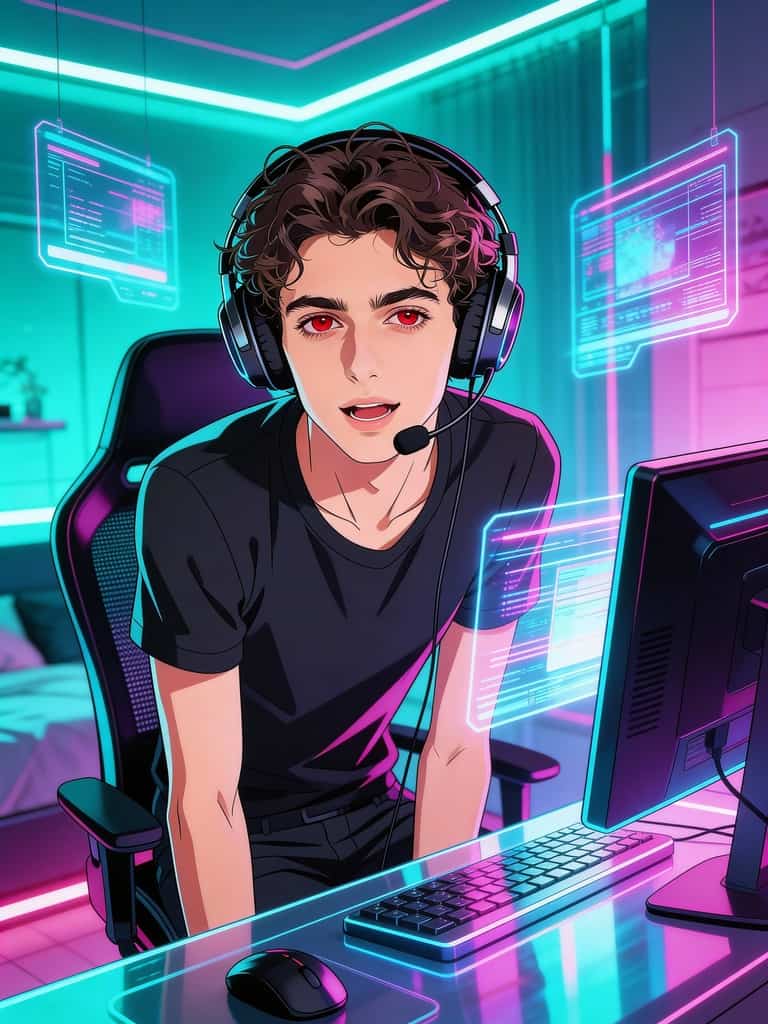
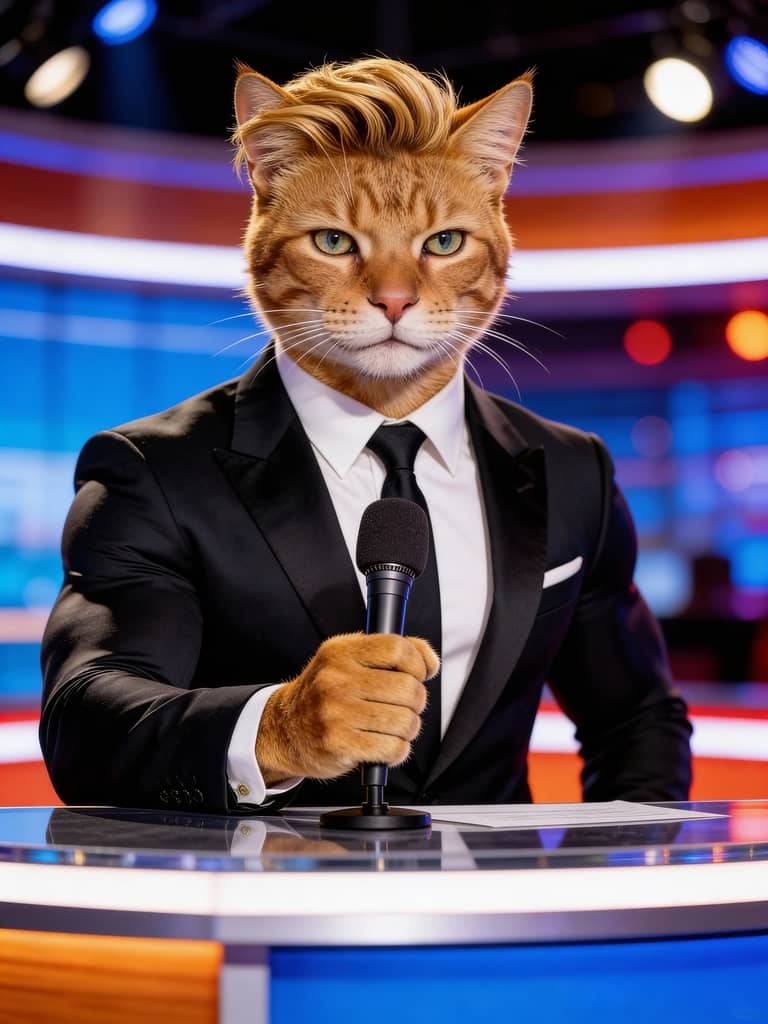
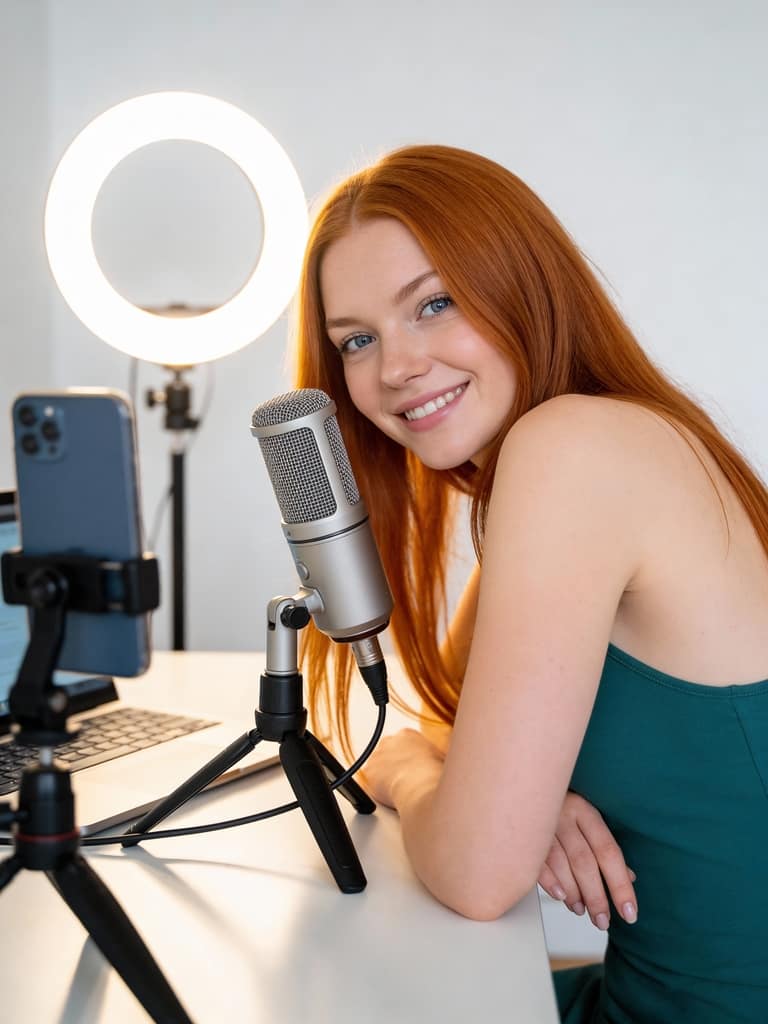


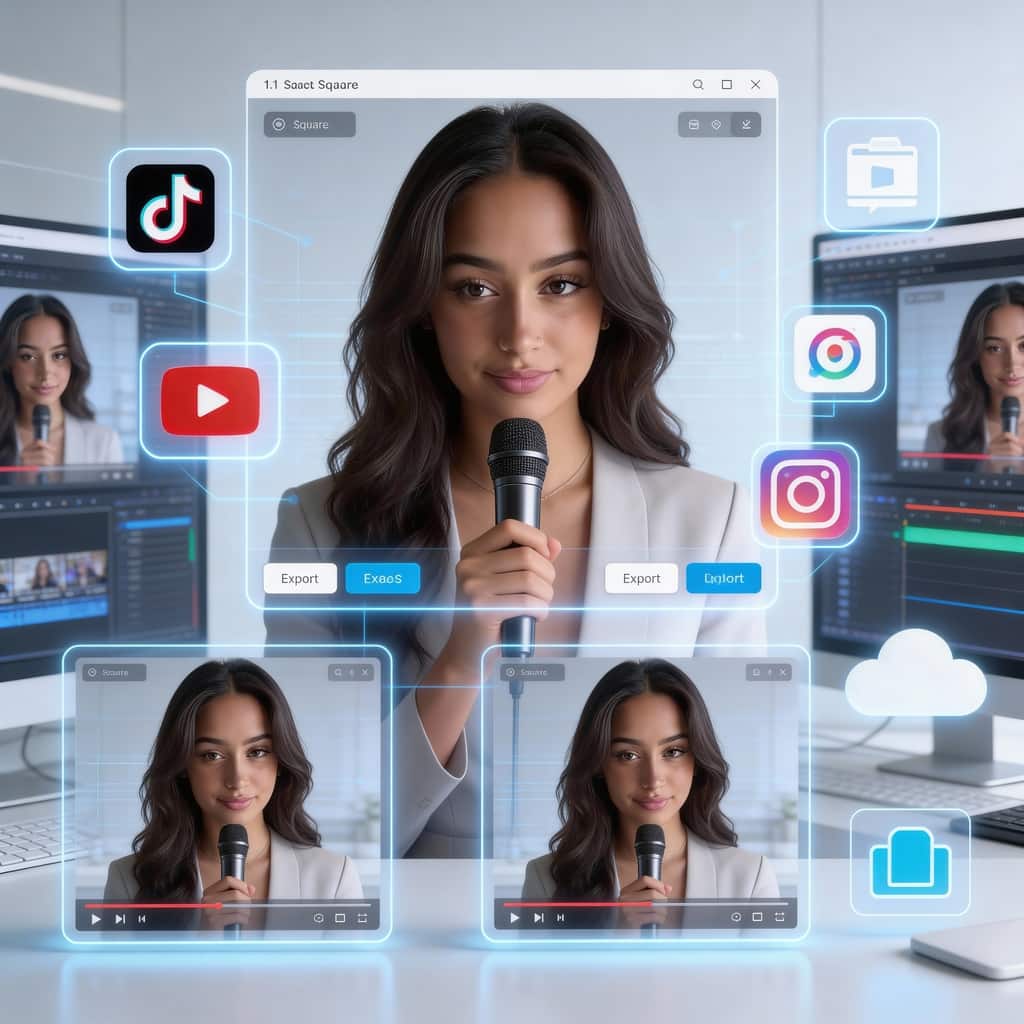
Export Your Longcat Videos to Social Media Platforms
User: AI Madame
In this step by step tutorial, AI Madame show the complete process of using APOB AI to design a portrait, refine it, and transform it into a talking AI avatar video with lip sync, subtitles, and advanced edits.
Free Daily Credits for Video Generation
APOB AI is a true free ai talking avatar video generator. You receive 80 free credits daily. In Best mode, 20 credits generate 1 second of video—meaning 4 seconds daily for free. Save credits to create longer videos over time, or upgrade anytime for faster modes and higher quality.
All-in-One AI Creation Platform
From AI images to talking videos and viral video editing, everything runs in one dashboard. No studio, no actors, no microphones, no editing software. You create characters, voices, scripts, scenes, and videos in one workflow—perfect for solo creators, startups, and agencies.
Realistic Results with Lip Sync Accuracy
LongCat technology delivers smooth facial motion, stable identity, and precise lip synchronization. Even long videos remain visually consistent, helping your content appear natural, professional, and trustworthy across platforms.
Content Creators & AI Influencers
YouTubers and TikTok creators can quickly produce educational or commentary videos without showing their real face. AI influencers help grow followers faster, maintain privacy, and build recognizable digital brands that work 24/7.
E-commerce & Product Marketing
Online stores can create product explainers, virtual sales assistants, and multilingual ad videos using the same AI presenter. This boosts conversion rates, reduces production cost, and allows rapid testing of different ad styles, scripts, and characters for global audiences.
Corporate Training & Customer Support
Companies use talking avatars for onboarding videos, internal training, FAQs, and customer service explanations. AI presenters ensure consistent messaging, reduce repetitive human workload, and scale easily across languages and regions.
No Credit Card Required
We've all seen them while scrolling through TikTok or Reels—a vintage painting suddenly belting out a pop anthem, or the classic "It's free real estate" meme perfectly lip-syncing to a trending audio track. Static images just don't cut it anymore if you want to stop the scroll and drive engagement.
The good news? You no longer need a degree in video effects or days of keyframing to pull this off. Advanced AI tools can now analyze a 2D image, map the facial landmarks, and generate dynamic face animations that match your audio file flawlessly. Whether you are building a faceless channel, creating viral memes, or looking for a fast way to generate engaging marketing content, learning how to make a photo sing is an absolute game-changer.
The Tool: Why Creators Are Shifting to APOB AI
While app stores are flooded with basic filters that claim to animate still images, most leave you with weirdly distorted faces, out-of-sync audio, or massive watermarks.
APOB AI takes a different approach. It’s built as a professional-grade content creation engine, utilizing advanced diffusion models to ensure the generated lip-syncing animation actually looks natural. It accurately captures micro-expressions and syncs the mouth shape (visemes) directly to the phonemes in your audio track. Best of all, it offers a robust free tier, making high-fidelity AI portrait animation accessible to anyone.
Step-by-Step: Turn Your Photos into Singing Videos
Creating a singing portrait with APOB AI is incredibly straightforward. Here is how to go from a static JPEG to a viral-ready video in minutes:
Prep Your Image: Start with a clear, well-lit portrait. The subject should be facing the camera directly. Avoid photos with heavy shadows across the face or objects covering the mouth.
Access the Dashboard: Log into the APOB AI web platform and navigate to the "Talking Avatar" or image-to-video workspace.
Upload Your Assets: Drag and drop your chosen image. Next, upload your audio file. This can be a song, a voiceover, a podcast clip, or a funny soundbite.
Tweak the Settings: Depending on the specific toolset you are using within APOB, you might have options to adjust the camera movement (like adding a subtle zoom or handheld effect to make it look less static).
Generate and Export: Hit generate. The AI will process the facial mapping and render the video. Once done, export it in high resolution, ready to be uploaded to your social platforms.
Pro-Tips for Hyper-Realistic Face Animation
If you want to trick the eye and get the absolute best results from AI lip-syncing, keep these best practices in mind:
Start with a Closed Mouth: The AI has a much easier time generating a realistic open-and-close singing motion if the original photo features a neutral expression with a closed mouth. Teeth showing in the base photo can sometimes confuse the mapping algorithm.
Prioritize High-Quality Audio: The AI relies on the audio waveforms to animate the lips. Muffled audio, heavy background noise, or multiple people singing at once will result in a messy, out-of-sync animation. Use crisp, isolated vocals whenever possible.
Mind the Aspect Ratio: Think about where this video is going. If it's for TikTok or Shorts, crop your base image to a 9:16 vertical format before you run it through the AI.
How APOB AI Compares to the Alternatives
When deciding how to animate your assets, you generally have three routes. Here is how they stack up:
Feature | APOB AI | Basic Mobile Apps | Manual VFX (After Effects) |
Learning Curve | Very Low | Low | Extremely High |
Animation Realism | High (Maps micro-expressions) | Low (Often just distorts the mouth) | High (Depends on animator skill) |
Speed | Under 5 minutes | Under 2 minutes | Days to weeks |
Best For | Social media creators, marketers, memes | Quick personal texts, casual fun | Big-budget commercial studios |
FAQs About AI Photo Animation
Can I use these singing videos for commercial purposes?
Yes, but it depends on your subscription tier and the rights to the original image and audio. While APOB AI allows you to generate the video, ensure you have the commercial rights to the song or voiceover you upload to avoid copyright strikes on platforms like YouTube.
What image formats work best?
Standard high-resolution JPGs and PNGs work perfectly. Ensure the file isn't heavily compressed, as pixelation around the mouth and eyes will degrade the final animation quality.
Does it only work on human faces?
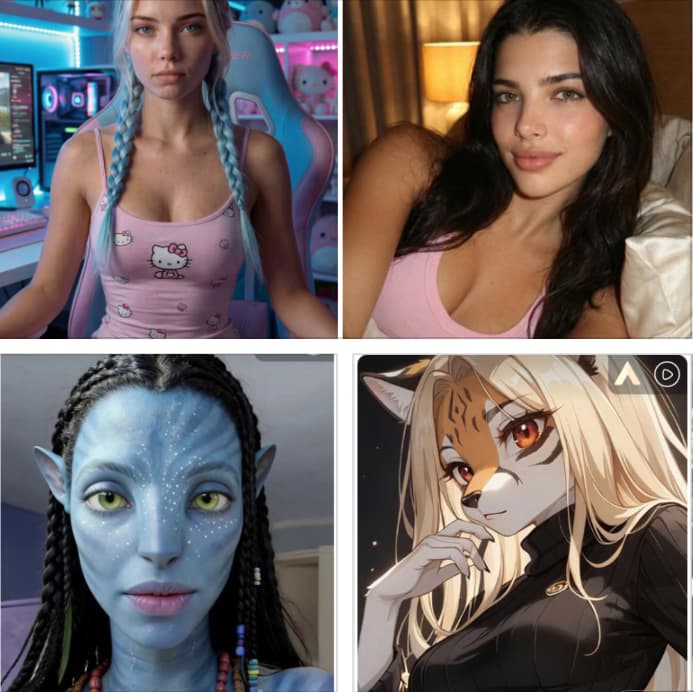
While optimized for human facial landmarks, advanced engines like APOB AI can often animate 3D characters, realistic paintings, and sometimes even stylized cartoons, provided the facial structure (eyes, nose, mouth) is clearly defined.
Read More

The landscape of artificial intelligence is shifting faster than ever. Just when we thought we had seen the peak of "talking head" technology, a new titan emerged from the labs of Meituan in mid-December 2025: the LongCat-Video-Avatar. This isn't just another incremental update; it is a revolutionary, unified audio-driven character animation model that is setting a new gold standard for digital realism. Whether you want to animate a professional AI influencer or a hilarious long cat video, this technology bridges the gap between static images and lifelike motion.
What Exactly is LongCat-talking-avatar?
At its core, LongCat-Video-Avatar is an advanced AI framework designed to transform a single photo and an audio file into a hyper-realistic video. Whether the subject is a human, an animal, or a stylized 2D character, the model synchronizes facial expressions and micro-movements to the audio with uncanny precision.
The industry is buzzing about this model because of its freshness. Released by the Meituan long cat team, it represents a leap forward in "Identity Preserving" video generation. Unlike previous models that often made characters look like different people by the end of a ten-second clip, LongCat-Video-Avatar ensures that your character looks exactly like the original photo, no matter how long the video runs.
Why the Name "LongCat"?
You might wonder why a high-end AI model shares its name with a famous internet meme. While the name long cat evokes images of elongated felines, it is actually the official internal code name for Meituan’s suite of generative models. This specific model is built upon the LongCat-Video base, a massive large-scale model boasting 13.6 billion parameters.
However, the community has embraced the name literally. Thanks to its open-source nature, creators worldwide are using the long cat technology to make pets talk, create viral animal memes, and produce "talking pet" content that far surpasses the quality of earlier tools.
How to Use LongCat-talking-avatar via APOB AI
While the raw code is available for developers, APOB AI has integrated this powerful technology into a user-friendly platform, making it accessible to everyone. You don't need a high-end GPU to create your own long cat masterpiece; you just need an APOB account.
Step 1: Access and Credits
First, log in to the APOB AI website. To support creators, APOB provides 80 free credits daily, allowing you to experiment with the LongCat-Video-Avatar technology without any upfront cost.
Step 2: Create Your Model
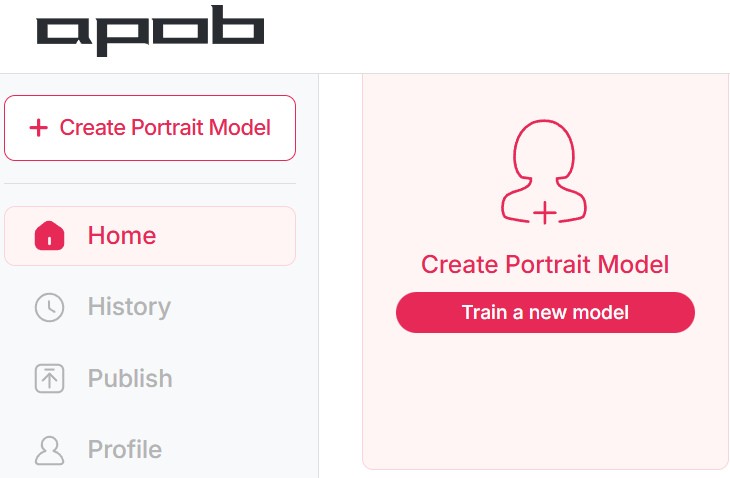
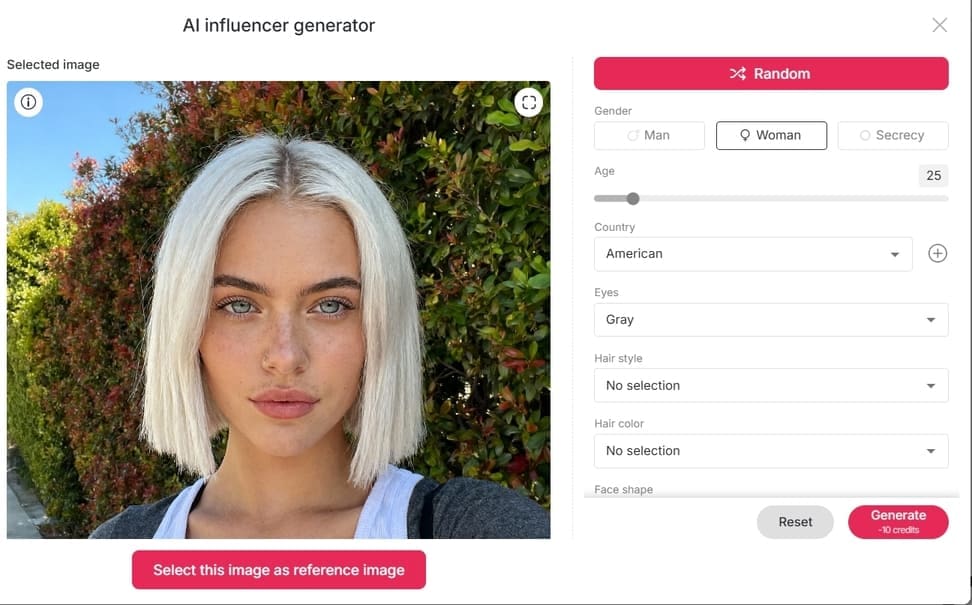
Click on "Create Portrait Model." You have two choices: upload your own photo (like a picture of your cat to make a long cat video) or use our AI Influencer Generator to craft a completely original digital human from scratch.
Step 3: Configure the Talking Video
Navigate to the "Video" column on the left and select "Talking Video." This is where the magic happens:
Audio Selection: Choose "Generate Audio."
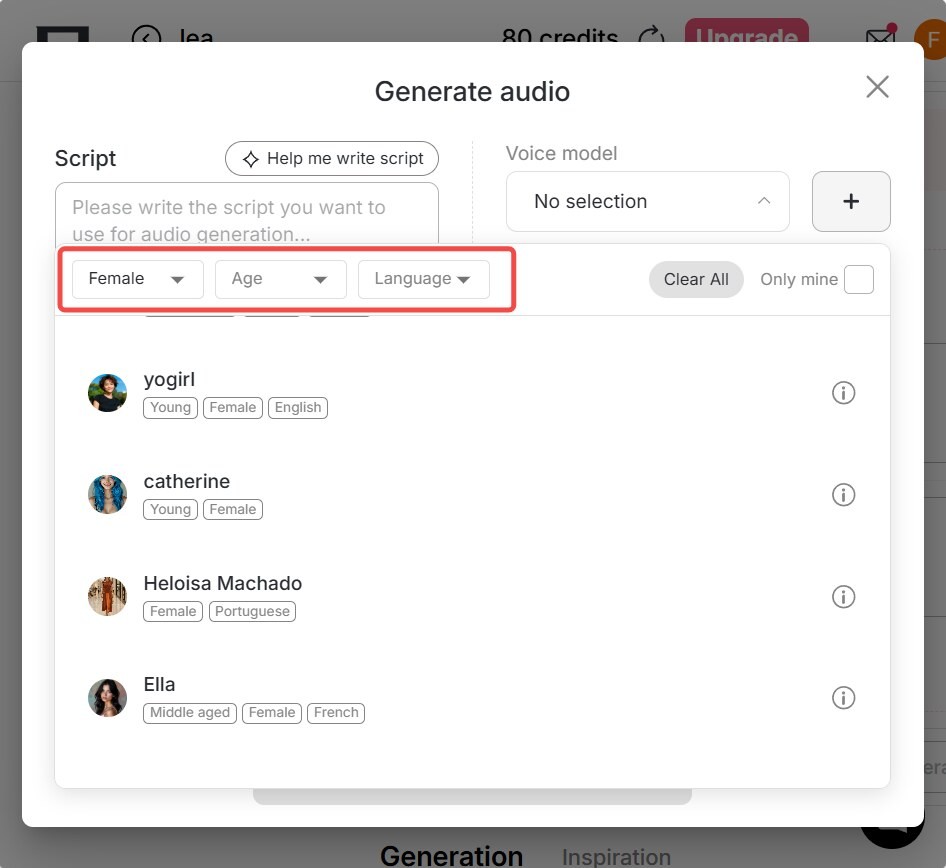
Voice Customization: Set the Gender (Male/Female), Age (Young, Middle-aged, Old), and Language.
Scripting: Type your own script, or use our AI to transform a simple idea into a professional short video script.
Pro Tip: For maximum realism, select "Camera Movement" to add cinematic depth to your human avatar.
Step 4: Final Touches
Once the video is generated, you can use APOB’s built-in tools to generate subtitles automatically, making your content ready for TikTok, Instagram, or YouTube immediately.
The Core Advantages of the LongCat-talking-avatar Framework
What makes LongCat-Video-Avatar stand out in a crowded market? It boils down to three major breakthroughs:
Ultra-Long Video Generation: Traditional AI video tools struggle with "drift"—the longer the video, the more the face distorts. LongCat-Video-Avatar supports the generation of extremely long videos while maintaining a perfect identity match.
Dynamic & Soulful Expressions: Most talking avatars look like puppets with moving mouths. This model ensures the eyes, eyebrows, and even subtle head tilts match the tone of the voice. Even when the character is silent, they look alive.
Multi-Character Synchronization: For the first time, you can have multiple characters in a single frame talking and interacting simultaneously, all driven by the same unified model.
Real-World Applications
The versatility of the long cat model opens up endless creative possibilities:
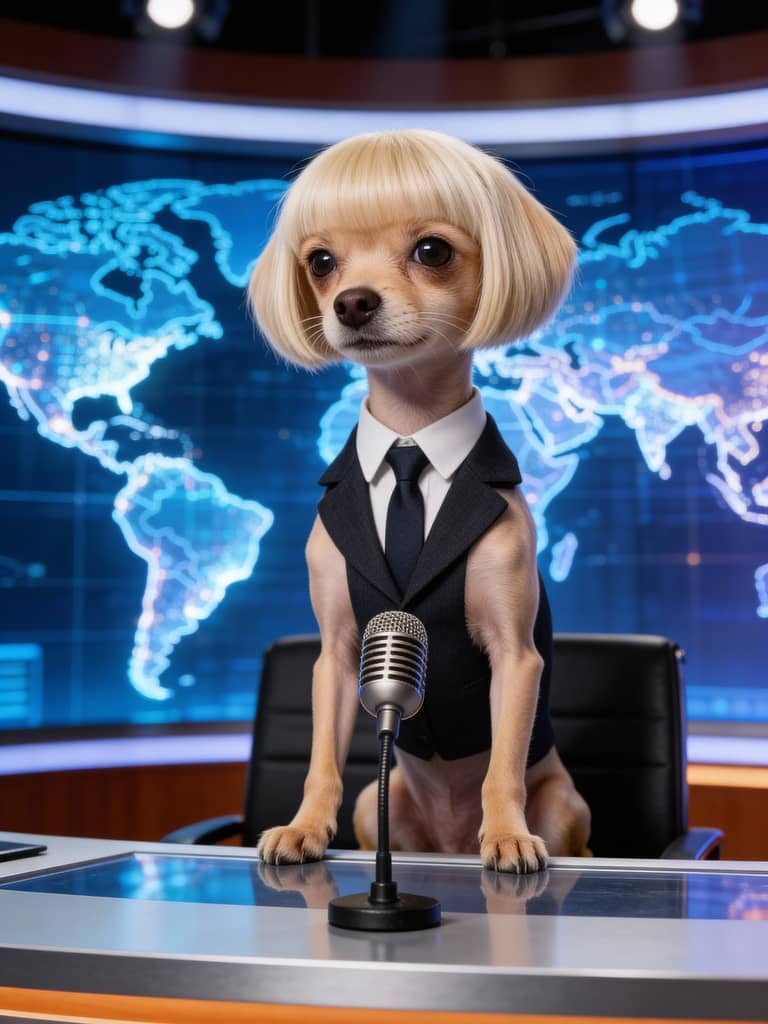
Virtual Key Opinion Leaders (KOLs): Create a 24/7 news anchor or storyteller using a single static image.
Reviving Old Photos: Make historical figures or late relatives "speak" again in a heartwarming way.
Viral Pet Content: Turn your pet into a social media star with a talking long cat video that looks impossibly real.
Gaming & Animation: Provide realistic lip-syncing for 2D or 3D game characters without expensive motion capture.
FAQs
Q1: What kind of AI human can I create with your AI Influencer Generator?
A1: The sky is the limit. You can customize height, body type, skin tone, ethnicity, and facial features. There are no constraints; you can design the exact persona you need for your brand or project.
Q2: How many languages does the talking avatar support?
A2: Currently, our tool supports 13 languages, including English, Chinese, Spanish, French, German, Japanese, Korean, Russian, Italian, Portuguese, Arabic, Hindi, and Turkish.
Q3: Can I use the LongCat-Video-Avatar features for free?
A3: Yes! In "Best Mode," 20 credits generate 1 second of video. Since users receive 80 free credits daily, you can absolutely create short clips for free. For the highest possible quality, we recommend our "Ultra Mode."
Q4: Can the generated AI videos be used for commercial purposes?
A4: Absolutely. Many popular "AI Blogs" on TikTok—such as the trending "AI Baby" accounts—already use this technology for commercial content. Your long cat or AI human videos are yours to monetize.
Read More

Read this article about APOB AI and you will know how to use APOB AI's AI voice generator to boost engagement in your videos! TikTok content creators are continually searching for ways to make their videos otherworldly. With a TikTok AI voice generator, people can convert text into sound-alike natural voices, from female and male voices to AI accents, generating unique content that is compelling and increases engagement.APOB AI is an all-round utility that helps content creators create natural-sounding AI avatars and voices at the click of a button, making it simpler to generate content, saving time, and making it more fulfilling.
How to Add AI Voices to Your TikTok Videos
With APOB AI, Talking Avatar allows you to convert text to fully lip-synced, animated speech. How:
Step 1: Create Your AI Model With APOB AI
Develop an AI Girl or Boy avatar in APOB AI. If you already have a character, upload his or her photo. If you don't have a character, you could click on 'AI Influencer Generator' to get one, you could personalize appearance, expression, and style to fit your content (APOB.ai, 2025).
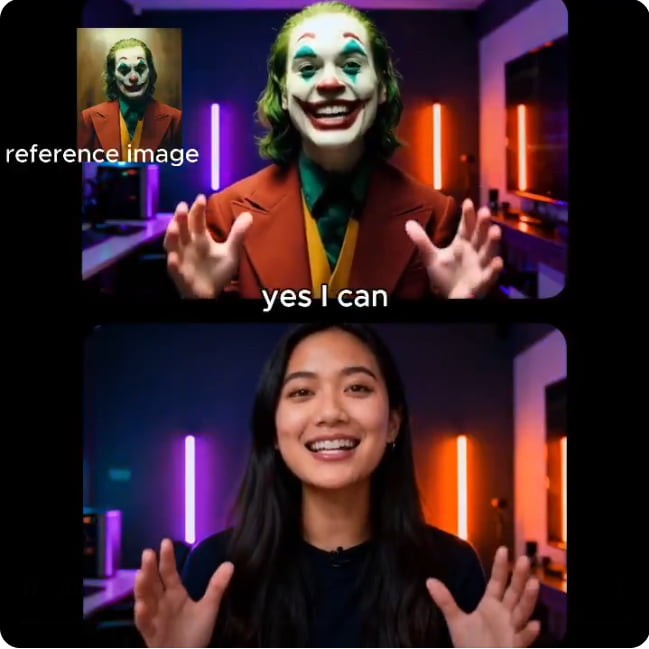
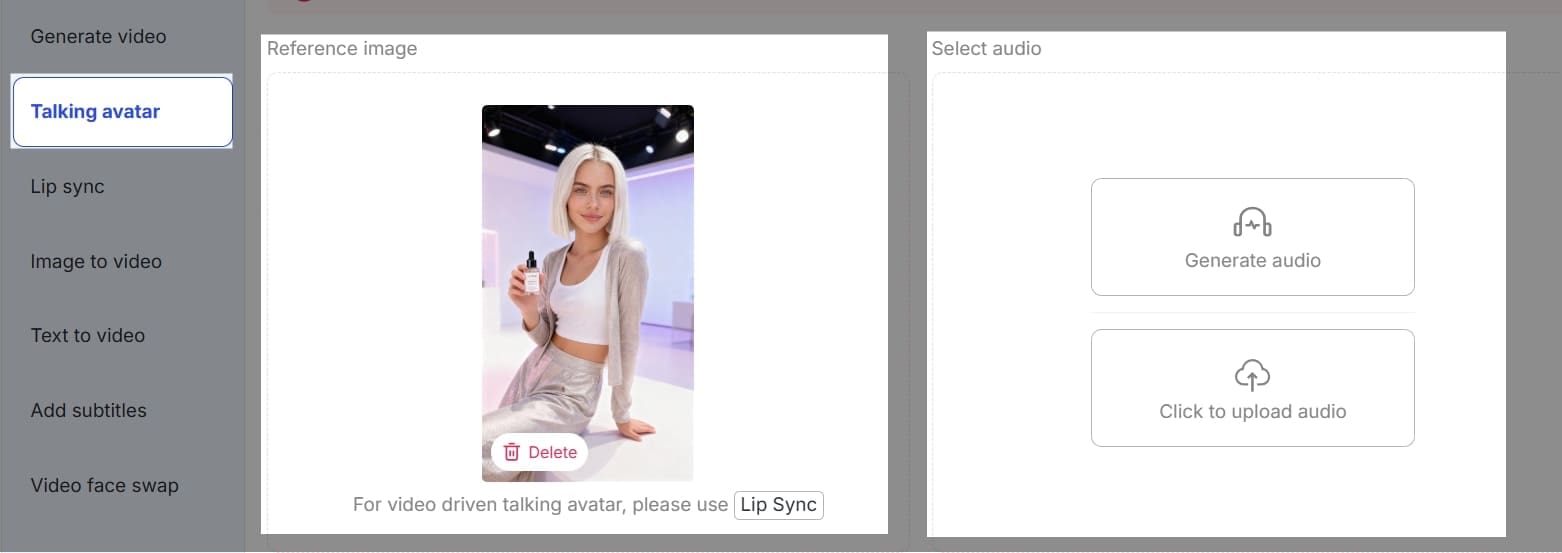
Step 2: Find 'Talking Avatar', and then upload one image of this AI Character as reference to generate a video.
Click 'Generate Audio' to turn text to speech. In the "Script" box on the left, write or paste the text you want the AI to read. There is a helpful "Help me write script" button if you need ideas, and the word count is clearly tracked at the bottom.
Step 3: Choose Your Voice Model
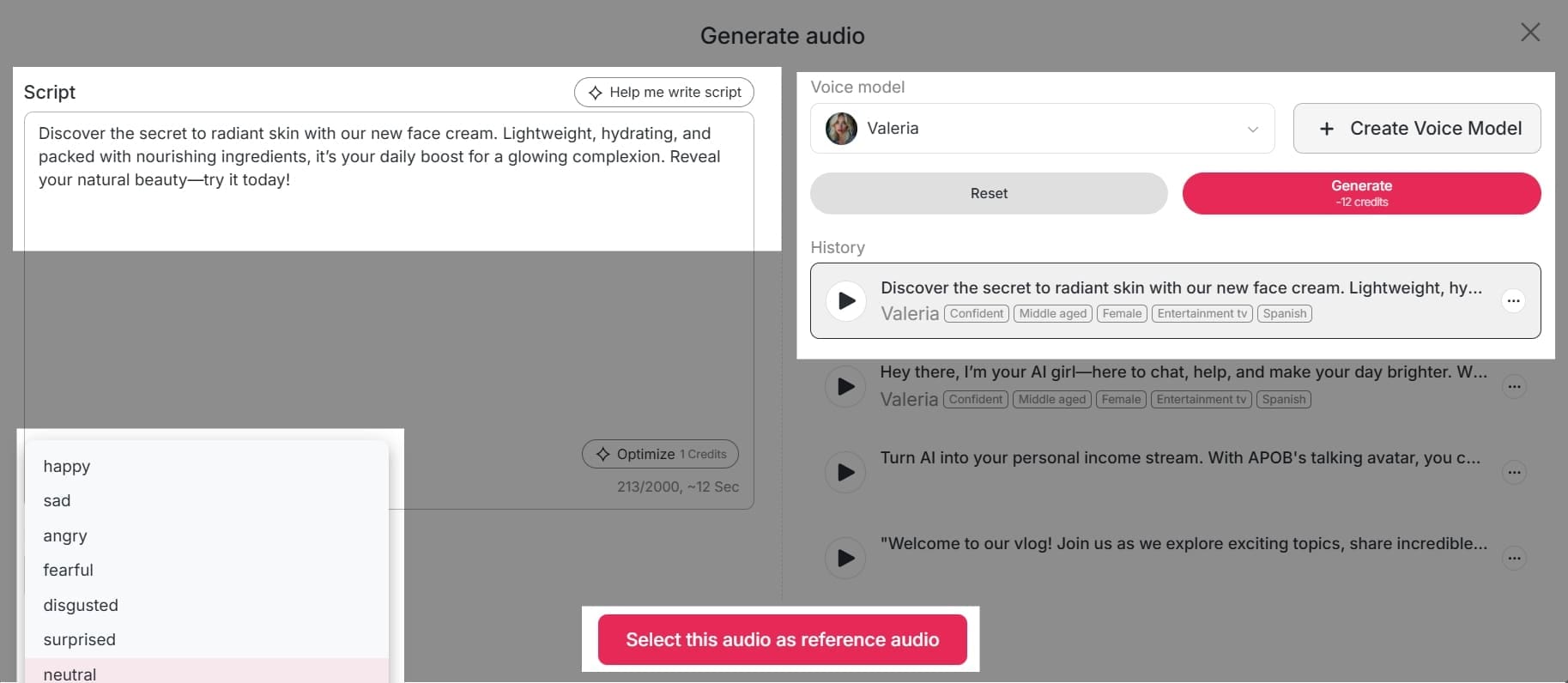
On the right side of the screen, under "Voice model," you'll see a dropdown menu. Click on it to select from a list of available AI voices. If you don't find a voice you like, you can click the "+ Create Voice Model" button to train a new one using your own audio. Below the script box on the left, you can set the emotion for the audio. The default is "neutral," but you can click the dropdown menu to explore other options that might be available for your chosen voice model.
Step 4: Generate and Listen
The newly generated audio clip will be added to your "History" section, which is a log of all your previous creations. You can play, edit, or download clips from this list. Once your script, voice model, and emotion are set, click the "Generate" button. The tool will process your request and create the audio.
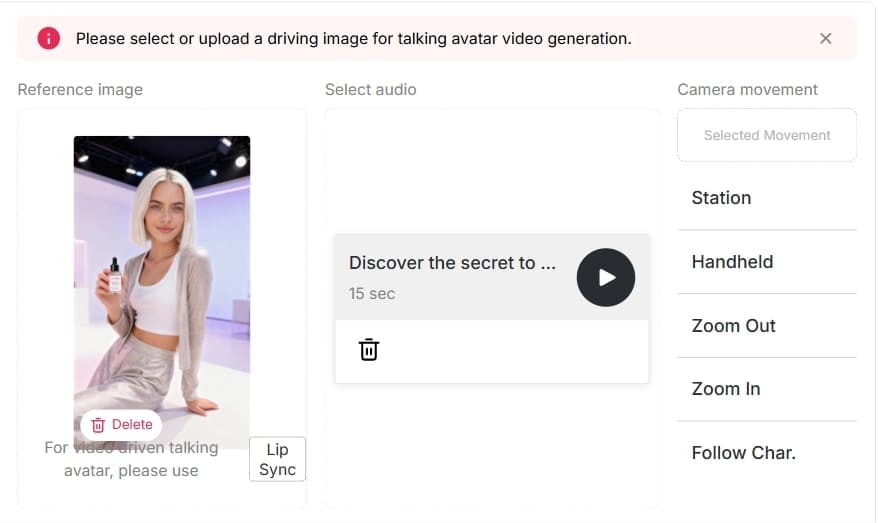
Using APOB AI’s Talking Avatar, creators can produce professional text-to-speech content without recording their own voice or hiring voice actors, making videos more unique and engaging.
What is a TikTok AI Voice Generator?
A TikTok AI voice generator is an AI-powered tool that utilizes written text to generate realistic sound. On TikTok, it is employed to create text-to-speech narration, which is often employed to add a dynamic and engaging element to videos (Podcastle, 2025).
With APOB AI, developers are able to create realistic AI Girls or Boys and bring them to life through voice with the Talking Avatar feature. This makes it possible to have very personalized voices and faces, and videos appear professional and interesting (APOB.ai, 2025).
Producers can experiment with varying voice tones. Feminine voices can be happy, playful, or professional in tone, and men possess deeper, authoritative tones. For added creativity, AI accents allow you to try regional or stylistic speaking, giving videos a personal feel (Influencer Marketing Hub, 2024). With the above features used strategically, TikTok producers are able to hook viewers, drive engagement, and make videos more shareable.
Why TikTok AI Voice Generators Are Crucial
The arrival of AI voice technology is transforming content creation, and they are effective according to facts (Socialinsider, 2025).
- Boost Engagement – Realistic voices attract viewers and boost engagement (Podcastle, 2025).
- Save Time and Effort – No recording of your own voice, no voice actor cast to be hired, plenty of time saved for content creation (AFAEducation, 2025).
- Trend Participation – Instantly creates content with viral sounds and memes.
- Versatility – Switch from male, female, to accented voices to suit any video concept.
With the usage of APOB AI, creators can effortlessly create quality content at any moment without compromising professionalism and affordability (Makemedia, 2025).
Tips for Maximizing TikTok Text-to-Speech
- Keep text short, clear, and engaging.
- Match the voice tone with your video theme.
- Experiment with AI accent options for humor or uniqueness.
- Test different male and female avatars to see what resonates with your audience.
These are methods that allow creators to gain attention quicker and build more follower interaction (Socialinsider, 2025).
Advantages of APOB AI for TikTok Creators
APOB AI boasts a myriad of advantages that make it ideal for TikTok content creation.First, it saves time from wastage through the removal of manual audio recording or the sourcing of voice talent (AFAEducation, 2025).Second, it is cost-effective, reducing production costs while yielding professional results (Makemedia, 2025).Third, it enables creators to choose between several voice options including male, female, and accented voices, enabling creators to tailor their content to different target audiences (Influencer Marketing Hub, 2024). Finally, it also increases creativity since users can make videos with innovative storytelling methods and animate AI avatars.
These combined features make APOB AI an effective utility to drive engagement and broaden your TikTok reach.
FAQs about Tiktok ai voice generator
Q1: What is the difference between TikTok text-to-speech and APOB AI Talking Avatar?
A1: Let's be real—TikTok’s built-in text-to-speech is iconic, but it instantly sounds like a robot. APOB AI is a massive upgrade. Instead of just laying a robotic voice over your clip, APOB gives you a fully animated, custom avatar that actually lip-syncs to the words. You can upload your own reference image to drive the avatar and even add realistic camera movements (like "Handheld" or "Zoom In") to make it feel like a genuine, natively shot video.
Q2: Can I use APOB AI to generate both male and female voices?
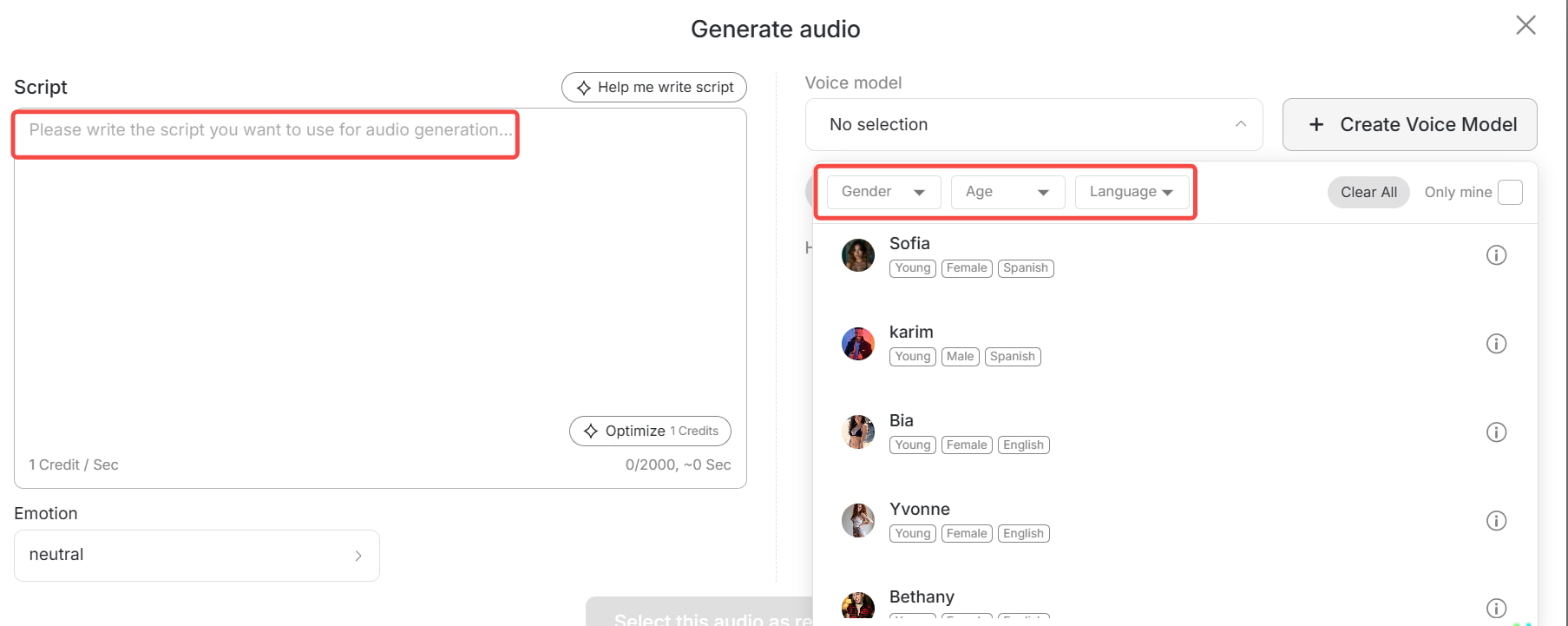
A2: For sure! When you're generating audio, there’s a super detailed voice model library. You can easily filter not just by gender (male/female), but also by age group (like "Young" or "Middle-aged"). It gives you total control over the exact persona you want to portray.
Q3: Can I apply accents to AI voices?
A3: Absolutely, and this is crucial for making your content feel authentic. If you need a solid accent generator, APOB lets you filter by different languages (like Spanish, English, etc.) and apply natural-sounding AI accents. Adding a specific accent completely changes the vibe, making your avatar sound like a real person from a specific part of the world rather than a generic, flat voicebot.
Q4: Is APOB AI suitable for beginners?
A4: 100%. You don’t need to be a sound engineer or an animator to use this. The interface is incredibly straightforward: you just type in your text, pick a voice, and hit generate. If you're stuck on what to say, there's even a built-in tool to help you write or "optimize" your script right in the dashboard.
Q5: Can I adjust the mood or emotion of the voice?
A5: Yes! This is a feature that really makes the audio sound human. Before you generate the speech, you can select the "Emotion" dropdown. Whether you need a "neutral" delivery for a news update or a "confident" tone for an entertainment vlog, tweaking the emotion stops the voice from sounding monotonous.
Q6: Do I have to use the voices provided by the platform?
A6: Nope! While there’s a great history of existing voices (like Brooke or Kiana), APOB also features a "+ Create Voice Model" button. You can literally craft a custom voice or upload your own audio file to drive the lip-syncing.
Q7: Can APOB AI help increase TikTok engagement?
A7: Definitely. Audiences scroll right past boring, static content. By combining dynamic camera effects, perfectly timed lip-syncing, and highly expressive voices using an AI accent, your videos will feel incredibly native to the platform. It boosts your watch time and makes your content much more shareable.
Conclusion
A TikTok AI voice generator like APOB AI is a game-changer for creators looking to boost engagement, save time, and add creative flair to their videos. From female and male voices to AI accents, APOB AI’s Talking Avatar feature allows you to produce professional, interactive content that stands out on TikTok.(21)
Start using APOB AI today to turn text into high-quality AI voices and animated videos, and make your TikTok content more engaging than ever.
References
AFAEducation. (2025) The Rise of AI Voice Generators: Are They the Future of Content Creation? Available at: https://afaeducation.org/blog/the-rise-of-ai-voice-generators-are-they-the-future-of-content-creation/ (Accessed: 3 August 2025).
APOB.ai. (2025) Creator AI | Personalized AI Portrait | AI Image & Video. Available at: https://app.apob.ai/ (Accessed: 23 September 2025).
Influencer Marketing Hub. (2024) Top 51 AI Marketing Statistics for 2024. Available at: https://influencermarketinghub.com/ai-marketing-statistics/ (Accessed: 2 October 2024).
Makemedia. (2025) AI Content Creation vs Human Writers: Cost-Benefit Analysis. Available at: https://makemedia.ai/ai-content-creation-vs-human-writers/ (Accessed: 23 September 2025).
Podcastle. (2025) You Know That AI Voice on TikTok? Here's Where It Came From. Available at: https://podcastle.ai/blog/tiktok-ai-voice/ (Accessed: 3 February 2025).
Socialinsider. (2025) TikTok Benchmarks 2024: Content Performance Analysis And Strategic Insights. Available at: https://www.socialinsider.io/social-media-benchmarks/tiktok (Accessed: 8 September 2025).
Read More
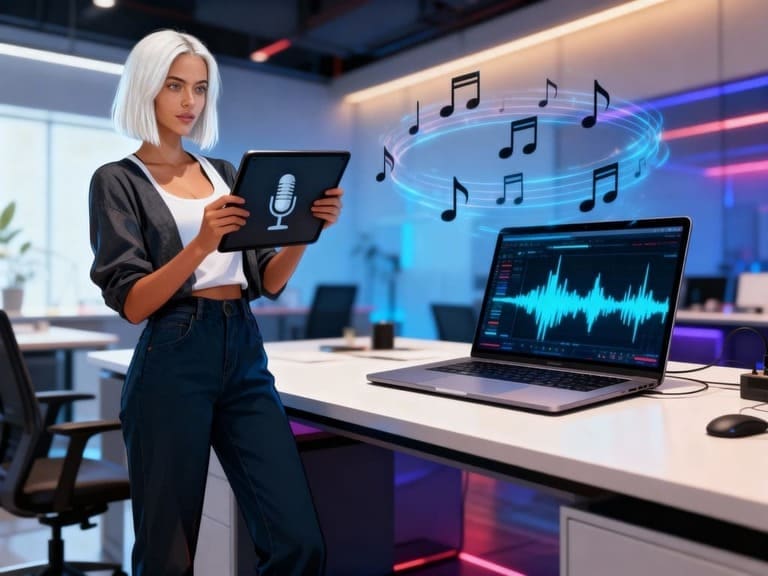
Abstract
In 2025, AI accent generators are revolutionizing how content producers create content for TikTok, YouTube Shorts, and other platforms. From voice generators for female and male voices on TikTok to AI avatars with accent choices, applications enable producers to create engaging, high-quality audio that halts the scroll and boosts interaction. The benefits, the top tools, how-to tips, and AI accent generator future directions are discussed in this article.
Here is a video tutorial shared by our user @Ai-Verse11 on how to use APOB AI's accent generator to create a voice.
Why AI Accent Generators Are Important in 2026
The demand for AI voices is on the rise, especially in short-form videos, and the global market is anticipated to grow at a very high growth rate in the next couple of years (Straits Research, 2025). Unique accents and voice inflections catch people's attention instantly and make videos more interesting. TikTok has popularized TikTok girl and male voice generators, and they have demonstrated how interesting AI voices can be for storytelling, comedy, and branding purposes (Shopify, 2025).
What is an AI Accent Generator?
An AI accent generator helps you converts written text to audio voice with the potential for creators to add regional or stylistic accents. Unlike normal text-to-speech, AI accent generators:
- Create more natural, lively, and human-like voices (HeyGen, 2025).
- Allow you to select female, male, or personalized voice models.
- Include emotional tones to match your tone of content.
By incorporating accents, producers can enhance relatability, entertainment value, and viewership (Podcastle, 2025).
Top Advantages of Utilizing AI Accent Generators
- Improve viewership engagement – Unique voices make your content stand out and enhance watch time.
- Tailor content to worldwide audiences – Regional accents or stylistic tones enable addressing diverse audiences (Lovo AI, 2024).
- Cost and time savings – No need to rent costly audio studios or hire professional voice actors (1 for All, 2025).
- Freedom of creativity – Swivel between the voices and accent with ease to test which sound works.
-Building Trust-Choosing the right accent isn't just about sounding pleasant; it's about building trust. According to research from the Journal of Consumer Research, consumers often assign higher "source credibility" to accents that match their own or align with specific brand archetypes (e.g., a British accent for premium authority, or a regional accent for relatable UGC). By leveraging AI accent generators, creators can utilize the "processing fluency" principle—making it easier for audiences to subconsciously connect with the content, thereby significantly reducing skip rates and boosting watch time.
Top AI Accent Generators of 2025
APOB AI – Top Multi-Directional AI Voices and Talking Avatars
APOB AI stands out as the top AI accent generator since it can merge voice creation with engaging talking avatars (aijourn.com, 2025). Some of its most unique aspects are:
- High-quality and life-like girl and male TikTok voice creators.
- AI accents for various languages and regional tones.
- Lip-syncing avatars for perfect lip syncing, perfect for advertisements, tutorials, or sponsored content.
How to use APOB AI to create a voice and choose accent for the vide?
For vireality-conscious creators, APOB AI is a unified solution: create voices, insert accents, and construct animated avatars—all within one platform.
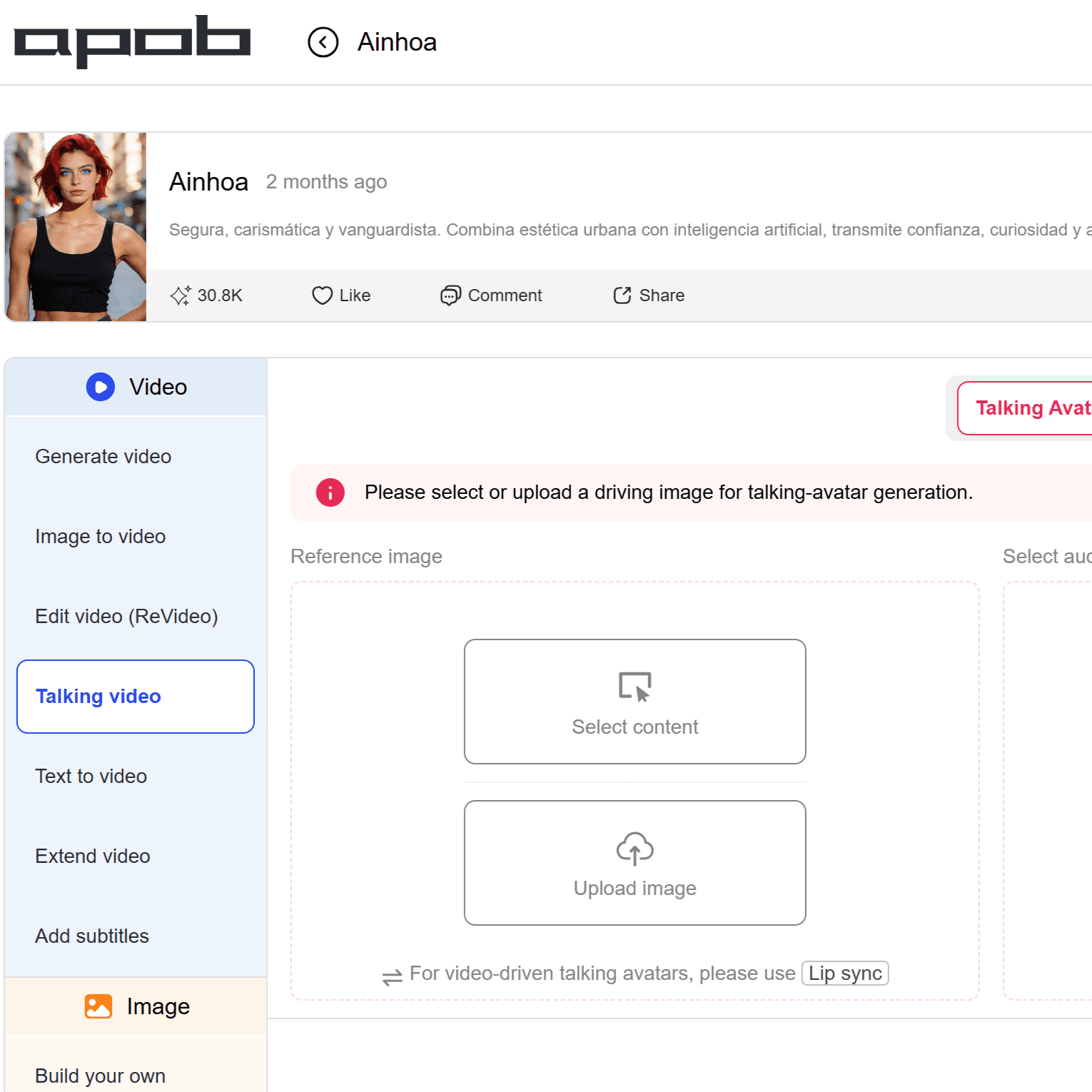
Step 1: Set Up Your Talking Avatar. Navigate to "Video" > "Talking video" and select "Talking Avatar." In the "Reference image" area, you can select existing content or upload a custom driving image for your visual persona.
Step 2: Access the Audio Generation Hub. Click "Generate audio" on the right panel to enter the voice synthesis studio.
Step 3: Filter and Select Your Ideal Accent Model. Click the "Voice model" dropdown. Use the precision filters for Gender, Age, and Language (e.g., filtering for a Young Female speaking Spanish or English). You can choose from diverse built-in personas like Brooke or Kiana, or click "+ Create Voice Model" to clone a custom voice.
Step 4: Input Script and Fine-Tune Emotion. Paste your text into the "Script" box. Need a catchier hook? Use the "Optimize" tool (1 credit) to refine your text for natural speech. Crucially, adjust the "Emotion" setting (e.g., Neutral, Confident) below the script to ensure the AI applies the correct prosody and tone to your chosen accent.
Step 5: Generate and Sync. Click "Generate." Select your favorite take from the History panel and seamlessly pair it with your visual avatar using the Lip Sync feature for a perfectly matched, viral-ready video.
TikTok AI Voice Generator – In-App Feature for Creators
TikTok has an in-app text-to-speech feature that's well-liked among content creators.
- It is often used for the TikTok girl voice generator to create memes, tutorials, or stories.
- Easy and built-in in the application (Shopify, 2025).
- Drawbacks: no personalization and less accent options compared to APOB AI.
Other Best AI Accent Generators
There are other tools with very large databases of accents and voices, which are:
- British, American, Australian, and local accents.
- Male and female versions of voices.
- Large catalogs for maximum freedom to be creative.
These tools are handy but not integrated into avatars like APOB AI.
How to Use AI Accent Generators Effectively
Algorithm-Driven Accent Strategies
Your accent choice should align with geo-fencing algorithms and platform demographics:
For TikTok: If targeting the US market, utilizing specific regional tones like a "California Gen Z" or "New York" accent can drastically increase local viewer retention.
For Global YouTube Shorts: If your goal is a worldwide English-speaking audience, the Mid-Atlantic Accent has proven to be highly versatile, bridging regional gaps and lifting global Click-Through Rates (CTR).
Multi-Voice Storytelling: According to Social Media Examiner, blending multiple accents within a single video (e.g., different characters) is a core tactic for boosting engagement in narrative-driven short forms in 2025.
Common Mistakes to Avoid
- Overusing robotic or unnatural voices.
- Ignoring consistency in brand tone and style.
- Not trial-testing voices with your audience (Accio, 2025).
- Having multiple accents on one video, confusing the viewer.
3. The Future of AI Voices on Social Media
- AI voices will be more natural-sounding, with deeper emotions and inflections (ProfileTree, 2025).
- Chatty avatars that can be personalized will enable brands and content creators to keep things consistent from campaign to campaign.
- AI-based accent generators will be more prevalent within global content creation, helping creators connect with users globally.
FAQs
Q1: What is the best TikTok AI accent generator?
A: The creator's favorite is APOB AI, offering a mix of TikTok girl and boy voice with natural-sounding accents and speaking avatars.
Q2: Do I get to generate both male and female voices using AI?
A: Yes. APOB AI can be used as tiktok girl voice generate and tiktok male voice generator. We offers female, male, and custom voice models with accent facilities. What's more, you could train your own ai voice model.
Q3: How realistic are AI-accented sounds?
A: The AI accent generated by us sounds very real. To make the ai girl voice or ai male voice more realistic, you can adjust the 'Emotion' of the sound.
Q4: Is APOB AI a TikTok voice generator free software?
A: Our platform is free to try, with advanced features being offered through paid platforms. Sign up for free and you will get 80 free credits every day.
Q5: Can one use AI accent generators for business ads?
A: Yes. AI Accent Generator is ideal for social commercials, tutorials, and sponsored campaigns.
Q6: Can I monetize videos on YouTube or TikTok using AI-generated accents?
A: Yes. According to the latest content guidelines from major platforms like YouTube, AI-voiced videos are eligible for monetization as long as the content provides original value and isn't repetitive, auto-generated spam. Just remember to check the "Altered Content" or "AI-generated" label during upload to comply with transparency policies, especially if creating highly realistic talking avatars.
Conclusion
In 2025, AI accent generators become a must for creators to make videos go viral. APOB AI is the best of the best with diverse voices, authentic accents, and conversation avatars to assist creators in saving time, cutting costs, and creating professional, engaging content on any platform.
References
APOB.ai. (2025) Creator AI | Personalized AI Portrait | AI Image & Video. Available at: https://apob.ai/ (Accessed: 23 September 2025).
Accio. (2025) Best Selling AI Voices for TikTok 2025: Top 6 Revealed!. Available at: https://www.accio.com/business/best-selling-ai-voice-for-tiktok (Accessed: 14 September 2025).
aijourn.com. (2025) Creators Can Now Build AI Influencers in Minutes With APOB AI's New Avatar and Video Tools. Available at: https://aijourn.com/creators-can-now-build-ai-influencers-in-minutes-with-apob-ais-new-avatar-and-video-tools/ (Accessed: 22 July 2025).
HeyGen. (2025) 10 Creative Uses of AI Voice Generators for Storytelling. Available at: https://www.heygen.com/blog/ai-voice-generator-for-immersive-storytelling (Accessed: 26 May 2025).
Influencer Marketing Hub. (2024) Top 51 AI Marketing Statistics for 2024. Available at: https://influencermarketinghub.com/ai-marketing-statistics/ (Accessed: 2 October 2024).
Lovo AI. (2024) The Key Benefits of Using AI Generated Voices. Available at: https://lovo.ai/post/the-key-benefits-of-using-ai-generated-voices (Accessed: 18 July 2024).
Podcastle. (2025) You Know That AI Voice on TikTok? Here's Where It Came From. Available at: https://podcastle.ai/blog/tiktok-ai-voice/ (Accessed: 3 February 2025).
ProfileTree. (2025) AI Voice: Market Growth, Leading Tools, Trends & Business Impact. Available at: https://profiletree.com/ai-voice-market-growth-leading-tools-trends/ (Accessed: 4 March 2025).
Shopify. (2025) TikTok AI Voice: Complete 2025 Guide + Best Generators. Available at: https://www.shopify.com/blog/tiktok-ai-voice (Accessed: 7 August 2025).
Straits Research. (2025) AI Voice Generators Market Size, Trends, Insights & Growth Report by 2033. Available at: https://straitsresearch.com/report/ai-voice-generators-market (Accessed: 13 September 2025).
Lev-Ari, S. and Keysar, B. (2010). 'Why don't we believe non-native speakers? The influence of accent on credibility', Journal of Experimental Social Psychology, 46(6), pp. 1093-1096. Available at: https://doi.org/10.1016/j.jesp.2010.05.018 (Accessed: 14 April 2026).
McKinsey & Company (2024). The state of AI in early 2024: Gen AI adoption spikes and traces of value appear. Available at: https://www.mckinsey.com/capabilities/quantumblack/our-insights/the-state-of-ai (Accessed: 14 April 2026).
Social Media Examiner (2025). Short-Form Video Trends Report: Content Saturation and the Rise of AI Voice Personas. Available at: https://www.socialmediaexaminer.com/ (Accessed: 14 April 2026).
YouTube Help (2024). Our approach to responsible AI innovation: Labeling synthetic and altered content. Available at: https://support.google.com/youtube/answer/14328811 (Accessed: 14 April 2026).
Read More
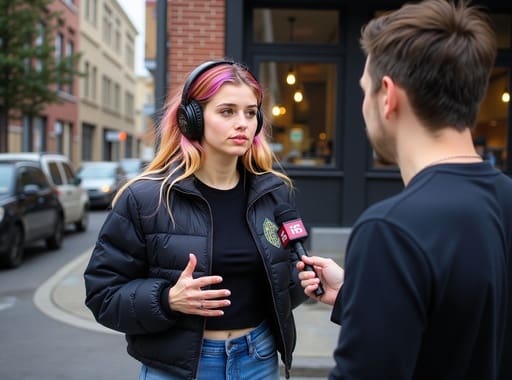
Introduction: The Rise of AI Street Interviews
A new kind of viral content is taking over your feed: the AI street interview. At first glance, it looks like a typical man-on-the-street Q&A. But watch closer—and you'll realize the entire scene, from the people to the background and even the dialogue, was generated by AI.
Welcome to the world of Google Veo 3, the latest breakthrough in AI video generation. With this cutting-edge tool, creators can now produce ultra-realistic street interviews without actors, cameras, or physical locations. And beyond the "wow" factor, this tech opens the door to an exciting new question:
What Is an AI Street Interview?
An AI street interview is a short video clip designed to look like a real, candid conversation in a public setting—created entirely using AI. These videos typically feature a simulated interviewer asking questions to photorealistic AI characters who respond with believable answers, gestures, and emotions.
What makes them so compelling?
✅ They feel authentic
✅ They're fast and cheap to produce
✅ They're endlessly customizable for brand or content niches
These videos have gone viral on platforms like TikTok, Instagram Reels, and X, where audiences often can't distinguish them from real interviews.
The Technology Behind It: Meet Google Veo 3
At the heart of this content revolution is Google Veo 3—an advanced generative video model announced at Google I/O 2025.
Key Features of Veo 3:
🎥 Generates 1080p+ realistic video from a text prompt
🗣️ Creates dialogue with synced lip movement and tone
🤖 Supports multi-character interaction and movement
🎬 Dynamic camera angles and realistic lighting
🧠 Backed by Google DeepMind’s responsible AI protocols
While Veo 3 is still being rolled out via waitlist, creators who’ve had early access are using it to push boundaries—including the now-famous AI street interviews.
Real-World Example: The Viral Fake Street Interview
One of the most widely circulated AI-generated videos recently featured a seemingly ordinary street interview where a man shared his thoughts on modern masculinity. Except... he wasn’t real. Neither was the street, the interviewer, or even the audio.
Viewers were stunned. Comments ranged from “This is scary good” to “Is this even legal?” The clip was created using Veo 3, proving how far realism has come.
This video ignited conversations around deepfakes, misinformation, and media trust—but it also sparked another realization:
You don’t need a camera crew to go viral anymore.
How to Create an AI Street Interview (Step-by-Step)
While Veo 3 access is limited, here’s a general framework to create your own AI street interview using similar tools:
Step 1: Choose Your AI Video Generator
While you wait for Veo 3, try alternatives like:
Runway ML
Pika Labs
APOB AI – includes speaking avatars with facial expression control
Step 2: Write Your Interview Script
Define both the interviewer and interviewee voices. Use trending topics or relatable questions to boost engagement.
Example:
Interviewer: “What’s one thing men are afraid to admit?”
AI Respondent: “That sometimes we feel lost, and that’s okay.”
Step 3: Generate Characters & Background
Pick a realistic street background and diverse AI models. Adjust facial features, clothing, and gestures for authenticity.
Step 4: Sync Audio and Lip Movement
Use built-in text-to-speech or upload your own voiceover. Ensure speech matches mouth movement for credibility.
Step 5: Edit, Add Captions & Post
Polish the clip in a video editor. Add subtitles, brand watermark, and CTA. Then upload it to TikTok, YouTube Shorts, or Instagram Reels.
5 Ways to Make Money with AI Street Interviews
Now that you can create them, here’s how to monetize AI street interviews:
1. Social Media Monetization
Post consistently on TikTok, YouTube Shorts, or Instagram Reels
Use affiliate links in your bio
Qualify for platform payouts (e.g., TikTok Creator Fund)
2. Brand Sponsorships
Pitch businesses with custom AI interviews where avatars endorse their product “on the street.”
Example:
AI Interviewer: “Ever tried eco sneakers?”
AI Respondent: “Yeah, actually these from XYZ Brand are insanely comfy.”
3. Freelance Video Services
Offer AI video generation on platforms like Fiverr or Upwork. Sell packages for:
Virtual testimonials
Social experiments
UGC (User-Generated Content)
4. Educational and Corporate Use
Produce mock street interviews for employee training, public surveys, or course intros.
5. Sell AI Content Templates
Package your scripts, character designs, and scene setups as downloadable templates or bundles.
Ethical Considerations
With great power comes great responsibility. AI street interviews can be used to educate, entertain, or mislead. That's why Google embeds SynthID watermarks into Veo 3’s outputs—helping platforms detect and flag AI-generated content.
As a creator, always:
Be transparent about what’s real vs. AI
Use content for entertainment or education—not deception
Credit your tools and sources
Frequently Asked Questions
Q1: What is an AI Street Interview?
It’s a video clip simulating a real-life street interview, created using AI tools like Google Veo 3 or APOB AI.
Q2: How do AI street interviews go viral?
They mimic realism so well that viewers are shocked and intrigued—leading to high shares, comments, and saves.
Q3: Can I make money from AI street interviews?
Yes. Through social media monetization, sponsorships, freelance services, and selling video templates.
Q4: Is Google Veo 3 available for public use?
It’s currently limited to select creators via waitlist. However, similar tools like APOB AI or Runway ML are open to the public.
Final Thoughts: AI Street Interviews Are the Future of Content Creation
AI street interviews aren’t just a viral trend—they’re a preview of the next generation of content. Tools like Google Veo 3 and APOB AI are making it easier for everyday creators to produce professional, engaging videos at scale.
If you’re looking for a new way to grow your online presence or start a side hustle, now is the perfect time to explore this AI-powered format.
🎬 Try creating your first AI interview today—and see how far your content can go.
🔗 Bonus: Want to Create Talking Avatars or AI Spokespeople?
Use APOB AI to generate realistic AI models who can speak, smile, and even sell your product—all with zero filming needed.
Read More
Multilingual Audio Support
Supports 13 languages, enabling global content creation without hiring voice actors. Perfect for cross-border marketing, education platforms, and international social media channels.
Beginner-Friendly Operation
Simple interface with AI assistant and human customer support. Even users new to AIGC can create professional videos within minutes.
Fully Customizable AI Influencers
Create unlimited digital characters for branding, storytelling, or niche content. Ideal for long-term channel growth and identity consistency.
Affordable Pricing & Bonus Credits
Competitive plans with frequent holiday bonus credit events, making high-quality AI video production budget-friendly.
Advanced Features Require Upgrade
Ultra and Ultra S modes unlock higher realism and speed, but require paid plans for heavy professional usage.
Quality Depends on Prompt Design
Detailed scripts and visual prompts produce better results. Beginners may need short learning time to master prompt writing.
Is the website free to use?
Yes. We are a free ai talking avatar video generator. After logging in, you receive 80 free credits daily. You can generate multiple images for free, and in Best mode, you can create talking avatar videos every day at no cost.
What kind of AI human can I generate?
Any age, skin tone, or appearance. You can customize height, weight, gender, nationality, hairstyle, eye color, face shape, skin tone, beard, dimples, and more. You can regenerate unlimited times until satisfied.
Can I edit images after generation?
Yes. Use Chat to Edit to modify your original image by simply typing your ideas.
Can I generate anime-style talking avatar videos?
Absolutely. Choose styles like cute 3D, manga, vintage anime, pixel art, anime sketch, or convert existing videos using Edit Style. Nearly 30 styles are supported, including LEGO, Van Gogh, watercolor, and cyberpunk.
How many languages are supported?
Currently 13: English, Chinese, Spanish, French, German, Japanese, Korean, Russian, Italian, Portuguese, Arabic, Hindi, and Turkish.
Can I use the videos commercially?
Yes. Videos generated with APOB AI can be used for commercial purposes such as social media marketing, advertisements, e-commerce product promotion, online courses, and client projects. As long as you follow our platform’s content guidelines and local regulations, you retain the rights to use your generated videos for business and monetization.
Do I need to download an app?
No. APOB AI is 100% web-based. Click Create Now and start generating directly on desktop, tablet, or mobile—no installation required.


