English
English

Runway AI Video Generation

Runway AI Video Generation

From Runway to Kling and Seedance, we dynamically select the top-tier AI to turn your ideas into masterpieces—no complex editing required.

From Runway to Kling and Seedance, we dynamically select the top-tier AI to turn your ideas into masterpieces—no complex editing required.
AI Image Gallery

AI Image Gallery

Elderly man cooking lunch using Runway AI Video Generation.
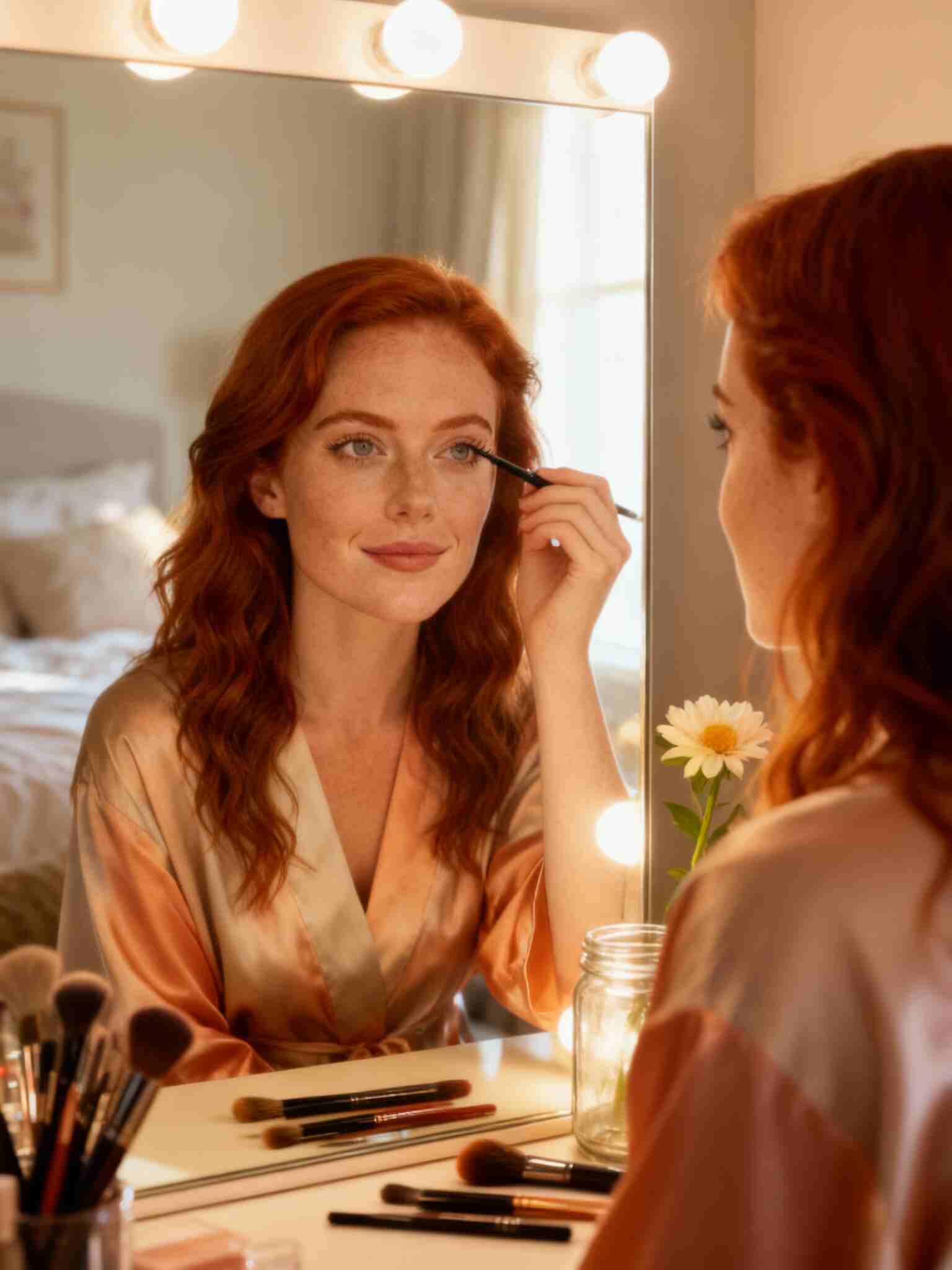
Woman doing makeup at home with Runway AI Video Generation
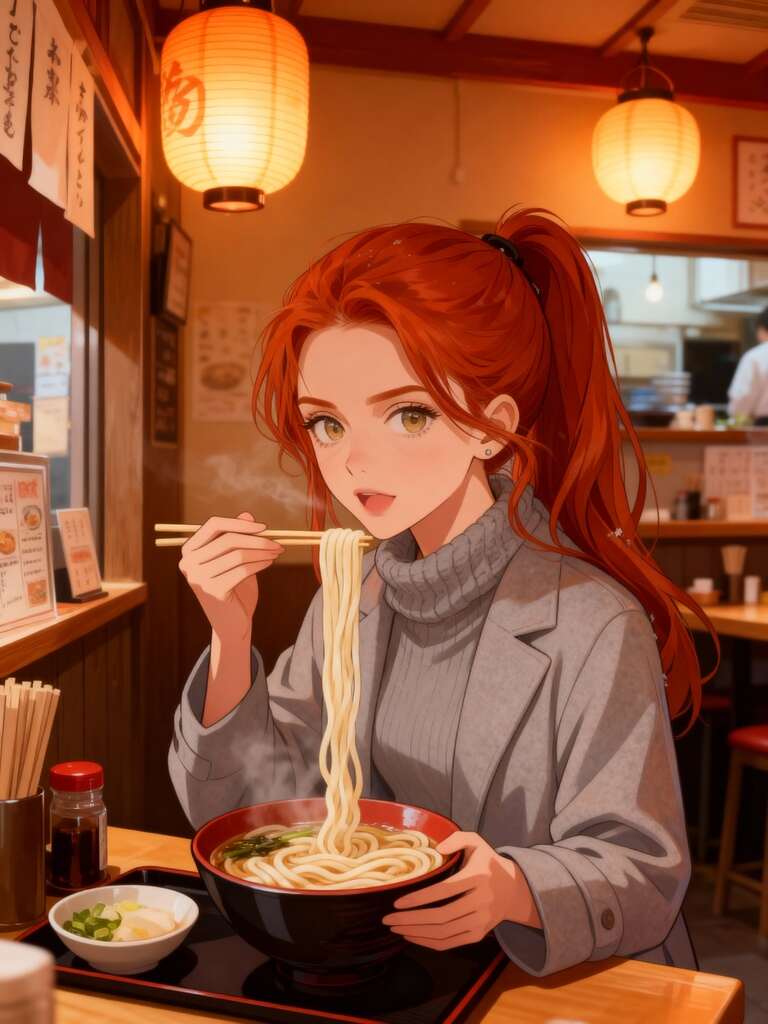
Anime girl eating udon made with Runway AI Video Generation.
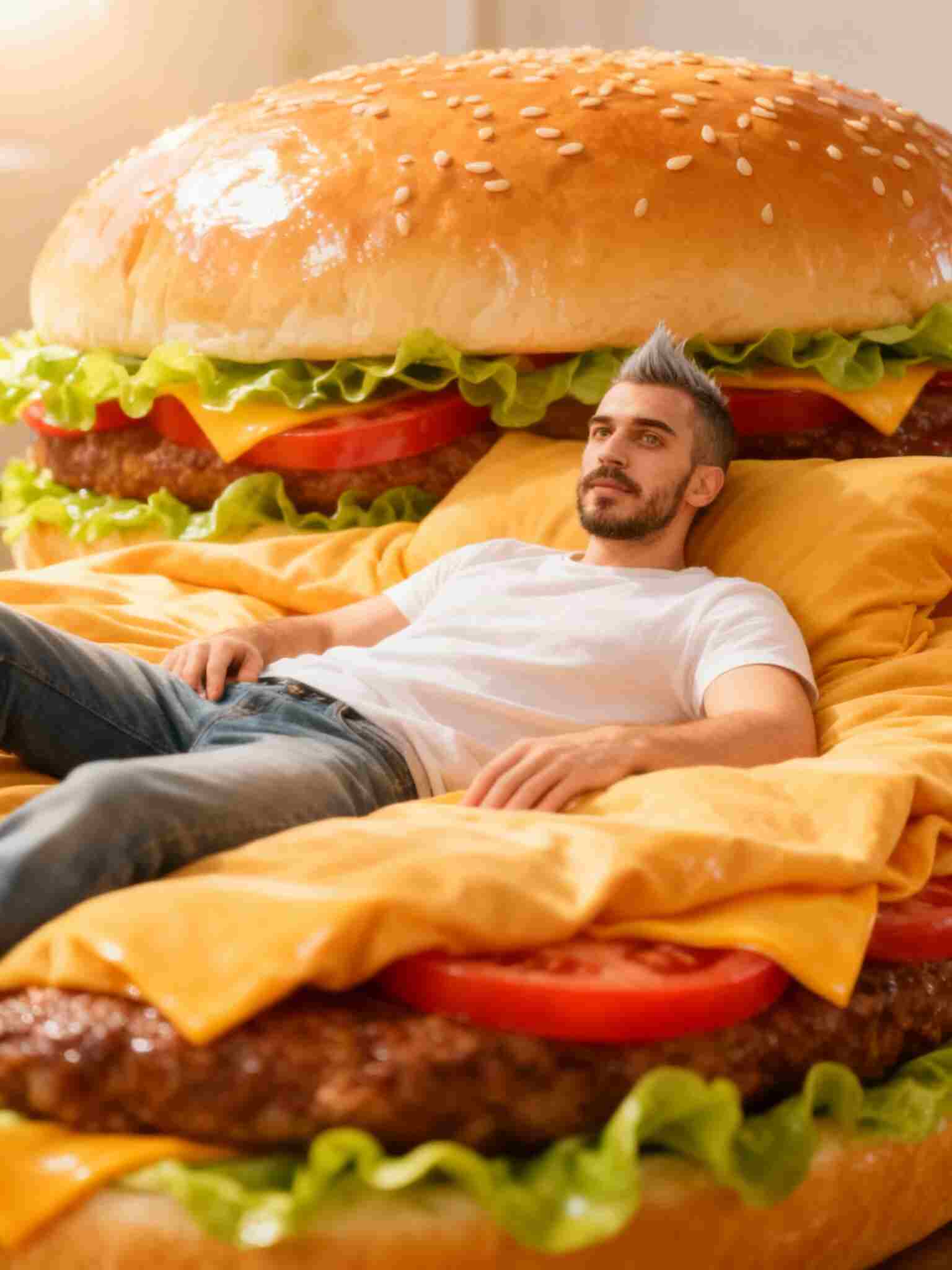
Man on hamburger bed created with Runway AI Video Generation.
Elderly man picking vegetables, created with Runway AI Video Generation
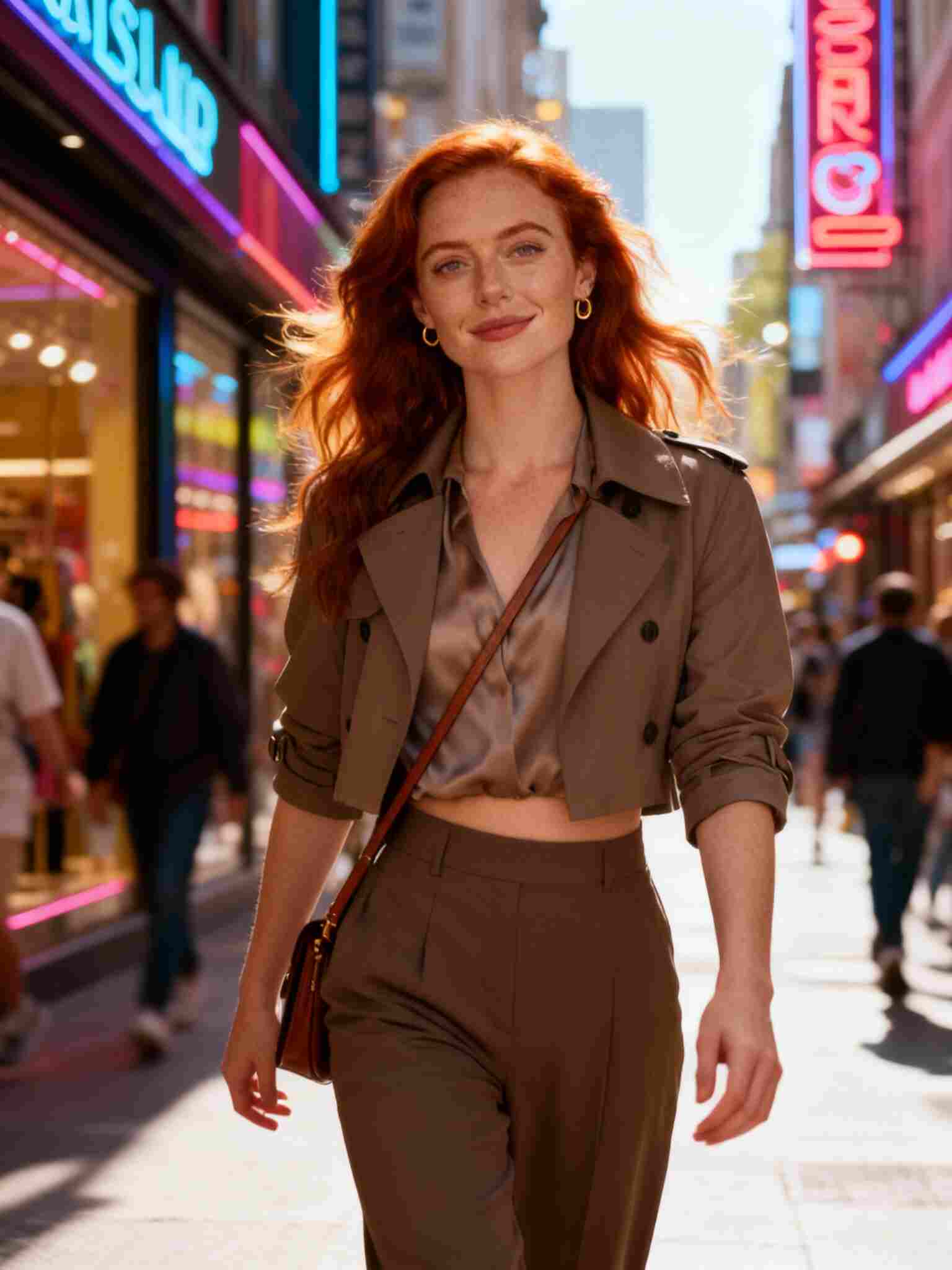
Fashion woman shopping on street created by Runway AI Video Generation.
Anime girl with umbrella snow scene using Runway AI Video Generation.
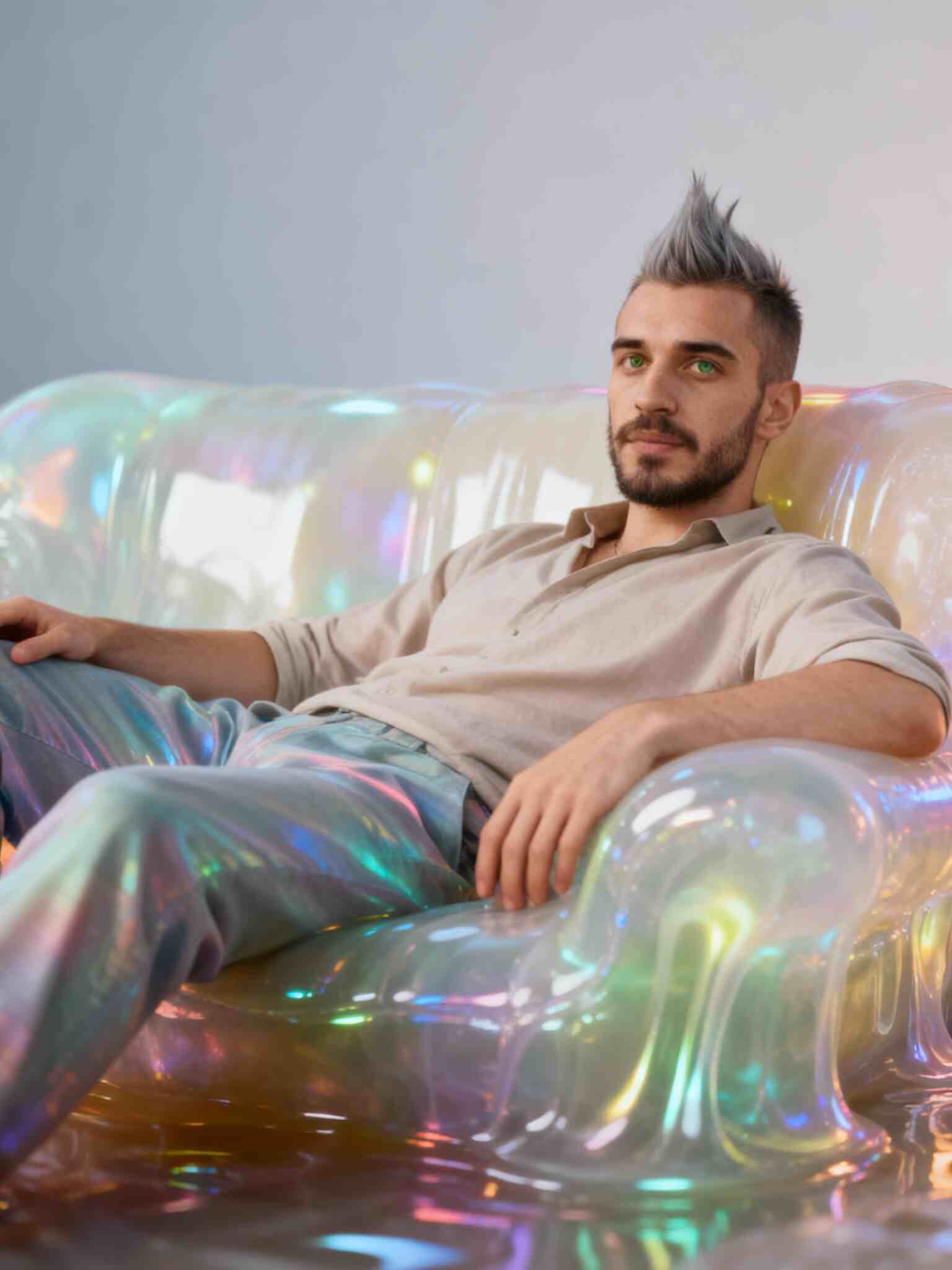
Man on jelly sofa designed by Runway AI Video Generation.

Create Your Digital Twin with industry-leading AI (compatible with top-tier video models)

Create Your Digital Twin with industry-leading AI (compatible with top-tier video models)

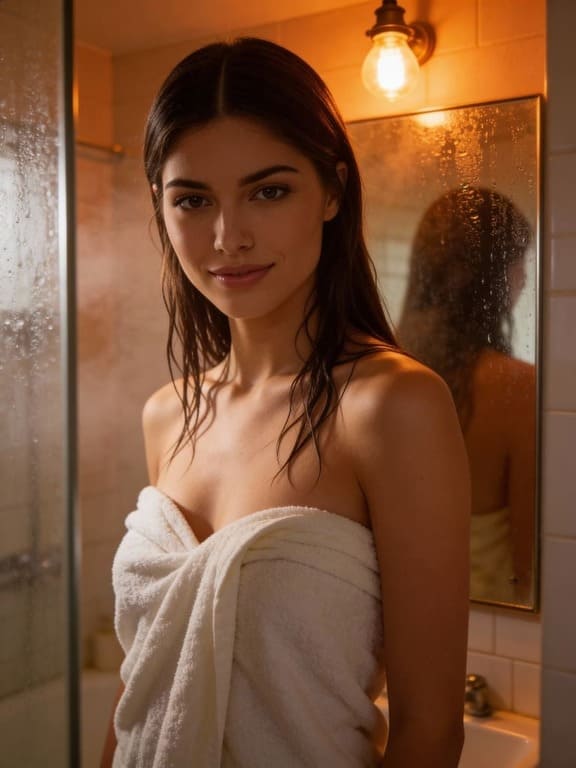
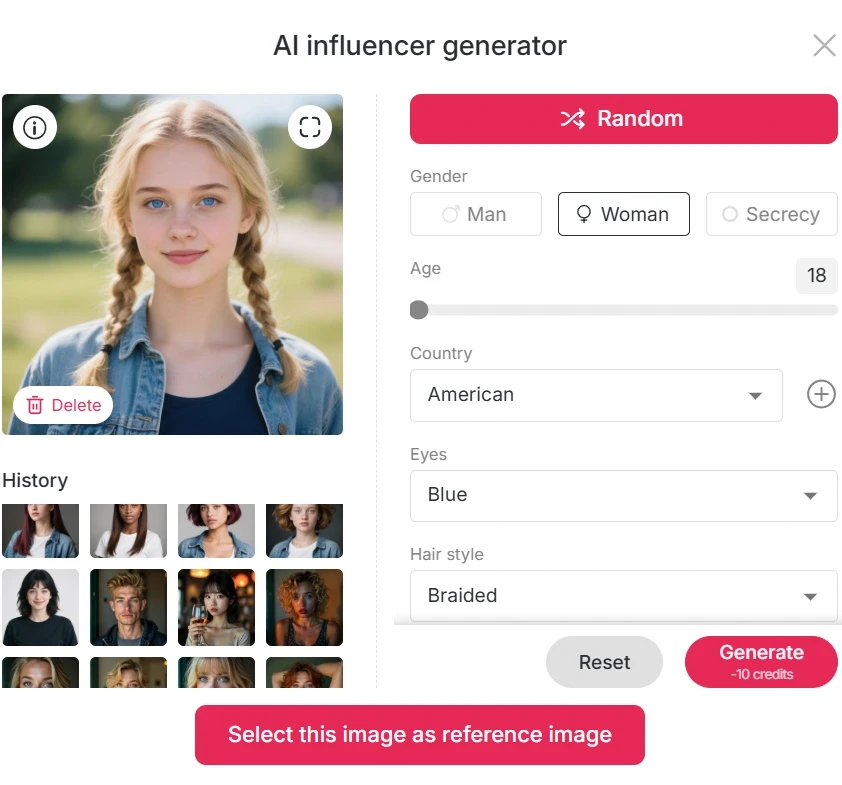
Start by clicking the “Create Portrait Model” button. Once on the site, claim your daily 80 free credits (every day). Choose the AI Influencer Generator to design your digital twin—select gender, age, nationality, hairstyle, eye color, skin tone, or simply hit “Generate” for a random model. You can repeat the process unlimited times until you find an AI face you love.

Of course, you also have the option to upload your own photo, a friend’s photo, or even a celebrity reference as the base for your model.
Expand

Start by clicking the “Create Portrait Model” button. Once on the site, claim your daily 80 free credits (every day). Choose the AI Influencer Generator to design your digital twin—select gender, age, nationality, hairstyle, eye color, skin tone, or simply hit “Generate” for a random model. You can repeat the process unlimited times until you find an AI face you love.

Of course, you also have the option to upload your own photo, a friend’s photo, or even a celebrity reference as the base for your model.

Expand

Runway AI Video Generation, Create Your Digital Twin
Runway AI Video Generation, text to video

Pro Text to Video: Powered by Top-Tier Engines (Runway & Beyond)

Pro Text to Video: Powered by Top-Tier Engines (Runway & Beyond)

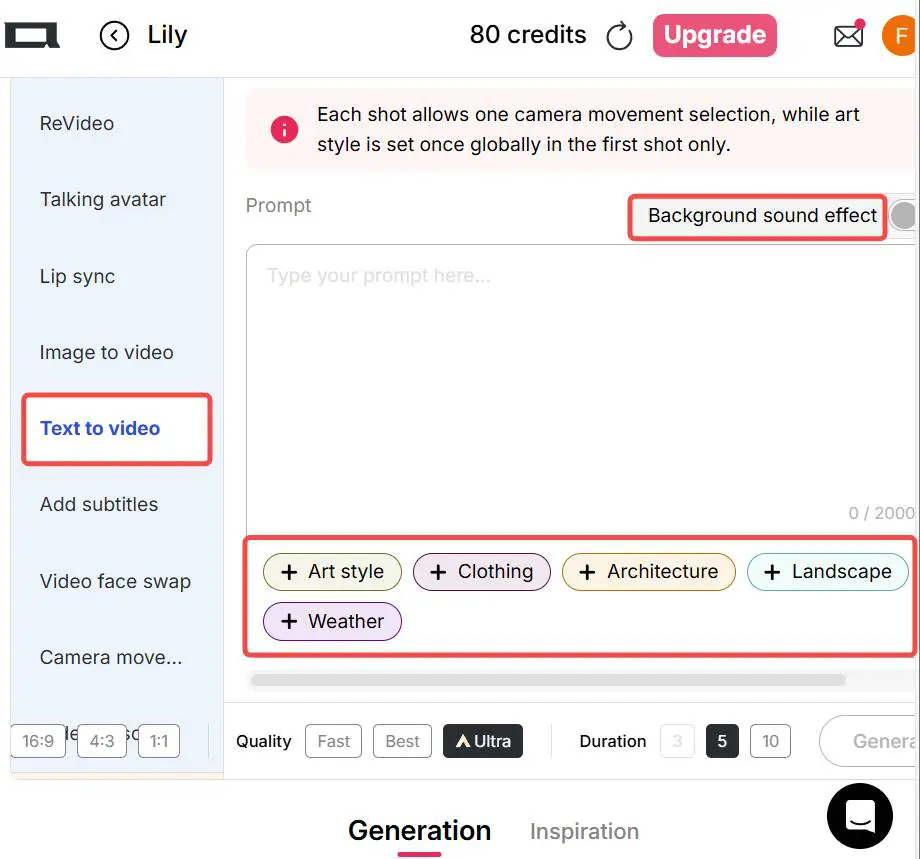
In the “Video” tab, select the “Text to Video” option. Unlike many AI tools, you don’t need lengthy prompts to begin. Choose from APOB’s preset templates (Art Style, Clothing, Architecture, Landscape, Weather) to speed up the process. Then enter your prompt—describe the pose, movement, scene components (up to 2,000 characters). Set the video size (9:16, 16:9, 3:4, 4:3, 1:1) and pick the length (3 s, 5 s, 8 s, or 10 s). With these settings, you can generate videos using Runway AI video generation for free. The intuitive workflow makes it accessible for anyone.

Expand

In the “Video” tab, select the “Text to Video” option. Unlike many AI tools, you don’t need lengthy prompts to begin. Choose from APOB’s preset templates (Art Style, Clothing, Architecture, Landscape, Weather) to speed up the process. Then enter your prompt—describe the pose, movement, scene components (up to 2,000 characters). Set the video size (9:16, 16:9, 3:4, 4:3, 1:1) and pick the length (3 s, 5 s, 8 s, or 10 s). With these settings, you can generate videos using Runway AI video generation for free. The intuitive workflow makes it accessible for anyone.

Expand

Pro Image to Video: The Ultimate Runway AI Alternative

Pro Image to Video: The Ultimate Runway AI Alternative

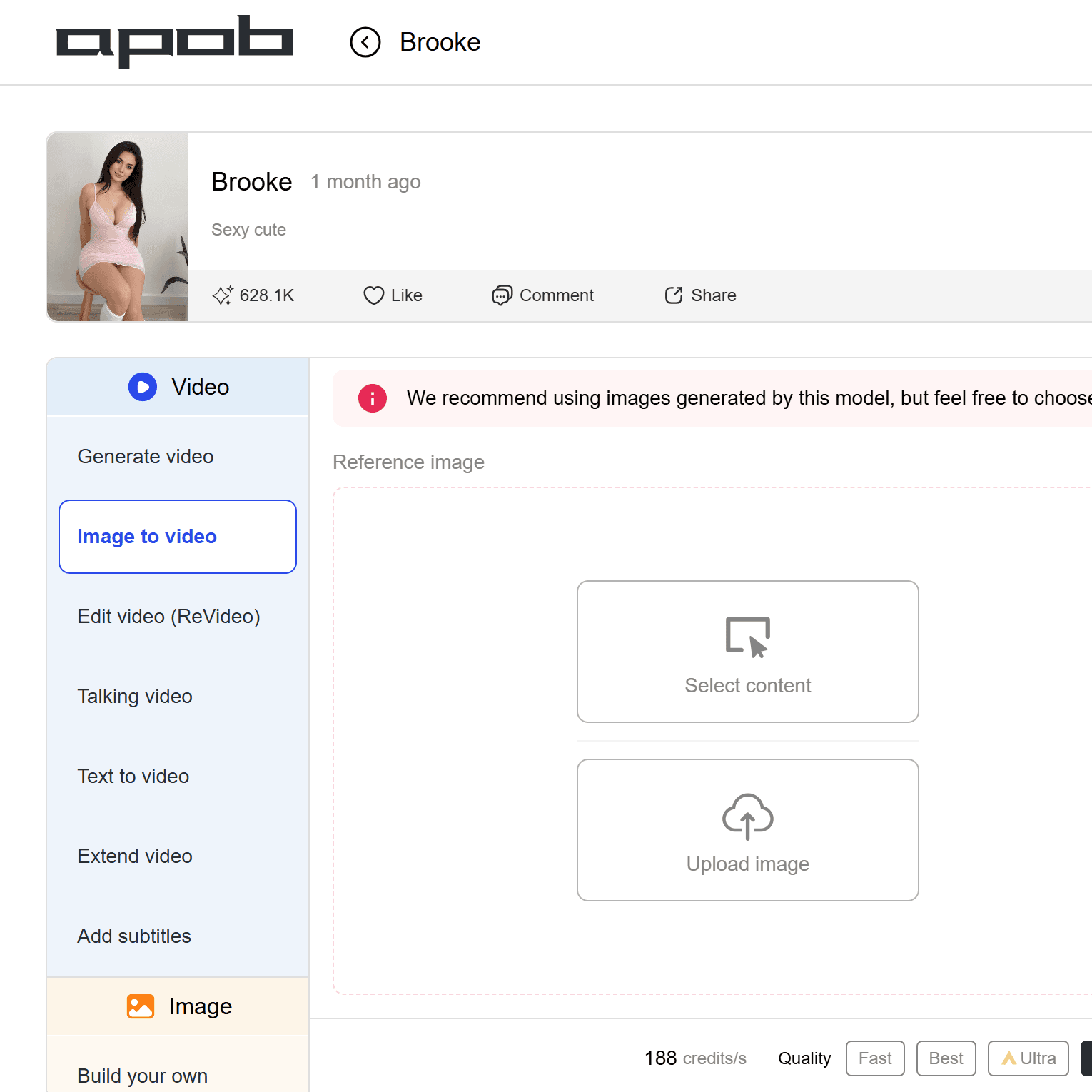
Prefer visual starting points? Use “Image to Video”. If you have an existing image, upload it here.Or in the left image tab use “Build Your Own,” “Complete Set,” or “Expert” to generate a high-res image. After generating the photo, use the “Chat to Edit” feature to create a last frame—alter pose, background or expression to ensure smoother transition.

Tips: you may upload a single photo or two frames.

Then input your action prompt (up to 2,000 characters): pick camera movement (Zoom Out, Zoom In, Around Character, Follow Character), add background sound effects, or even use “Add Shot” to build a multi-scene video. For top quality, use Ultra or Ultra S modes. All this supports Runway AI video generation free or via APOB’s credited model.
Expand

Prefer visual starting points? Use “Image to Video”. If you have an existing image, upload it here.Or in the left image tab use “Build Your Own,” “Complete Set,” or “Expert” to generate a high-res image. After generating the photo, use the “Chat to Edit” feature to create a last frame—alter pose, background or expression to ensure smoother transition.

Tips: you may upload a single photo or two frames.

Then input your action prompt (up to 2,000 characters): pick camera movement (Zoom Out, Zoom In, Around Character, Follow Character), add background sound effects, or even use “Add Shot” to build a multi-scene video. For top quality, use Ultra or Ultra S modes. All this supports Runway AI video generation free or via APOB’s credited model.

Expand

Runway AI Video Generation, image to video
Runway AI Video Generation, replaces the original character

Use Revideo to Rapidly Replicate Videos​

Use Revideo to Rapidly Replicate Videos​

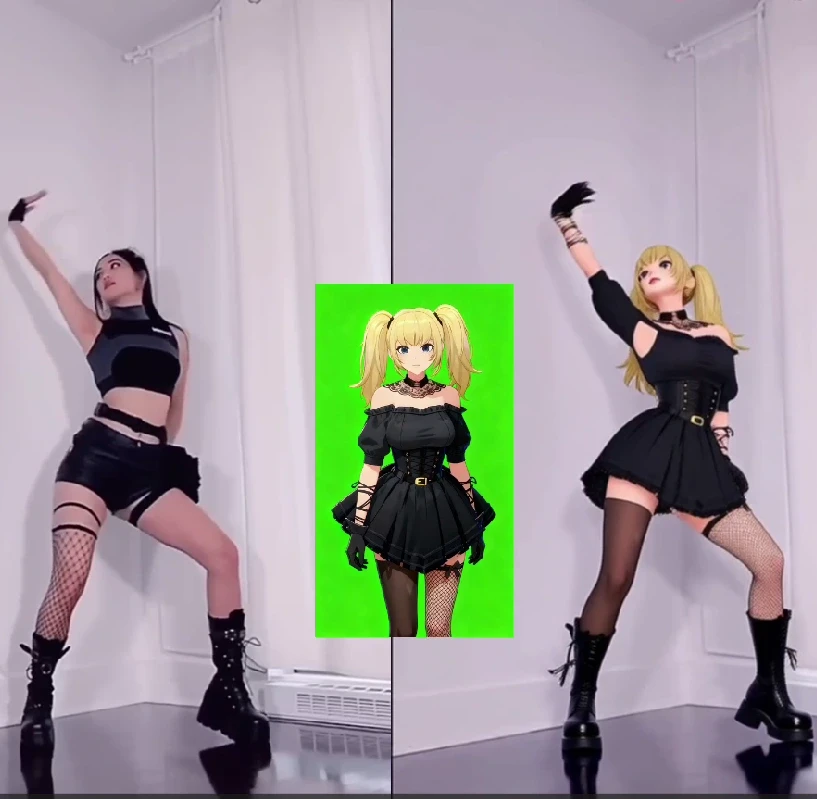
If you need even faster results, try the “Revideo” feature. Upload an existing video (less than 30 seconds for now, up to 5 minutes later), then upload a reference image or leave it blank for default : the system replaces the original character with your AI model while keeping motion and background the same. This works perfectly for dance clips or re-imagining classic scenes. With this approach you still benefit from Runway AI video generation free style via APOB’s interface.

Expand

If you need even faster results, try the “Revideo” feature. Upload an existing video (less than 30 seconds for now, up to 5 minutes later), then upload a reference image or leave it blank for default : the system replaces the original character with your AI model while keeping motion and background the same. This works perfectly for dance clips or re-imagining classic scenes. With this approach you still benefit from Runway AI video generation free style via APOB’s interface.

Expand

AI Voice & Subtitles: The Perfect Finish for Runway & Kling Clips

AI Voice & Subtitles: The Perfect Finish for Runway & Kling Clips

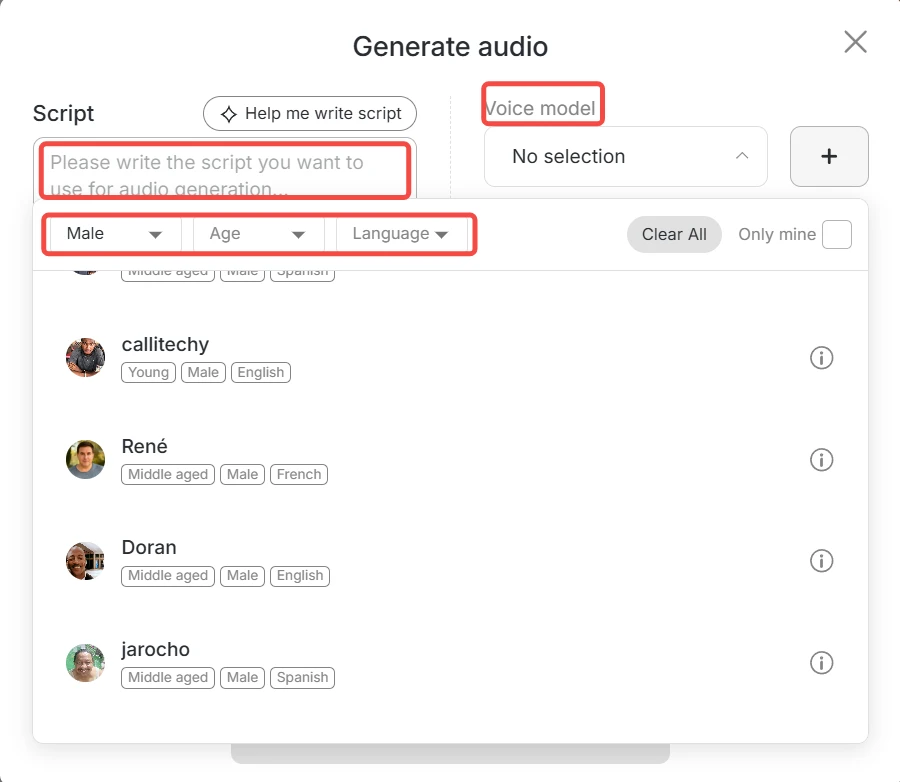
Once your video is generated, you can bring it to life with voice and subtitles. Use the “Talking Avatar” or “lip sync” and select a voice from 13 languages and 100+ voice models. Enter your script or type your idea and APOB transforms it into a voiceover. Then generate subtitles automatically. You effectively create a full AI-powered film clip: visuals, voice, motion—all included.
Expand

Once your video is generated, you can bring it to life with voice and subtitles. Use the “Talking Avatar” or “lip sync” and select a voice from 13 languages and 100+ voice models. Enter your script or type your idea and APOB transforms it into a voiceover. Then generate subtitles automatically. You effectively create a full AI-powered film clip: visuals, voice, motion—all included.

Expand

Runway AI Video Generation, add Voice and Subtitles
Explore More AI Video Editing Tools

Explore More AI Video Editing Tools

Explore More AI Video Editing Tools

Beyond changing the characters in a video, Edit Motion in Edit Video allows you to keep the character’s movements unchanged while transforming the background.

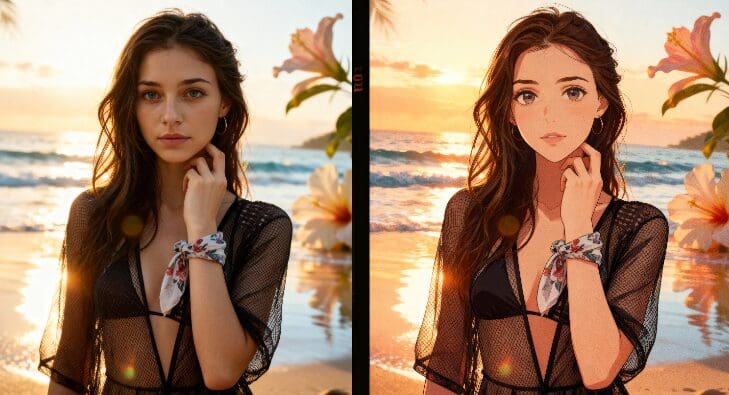
Imagine this: you generate a beautiful e-girl image posing cutely in front of the camera. Then, by uploading a short video of yourself, AI can make the e-girl perfectly match your real-life movements. This makes it possible to fully build your own online personal IP without ever showing your real face. If you grow into an influencer, you can even monetize your content and earn income with ease.

The power of AI goes even further—some creators have managed to become travel influencers while staying at home, using AI-generated videos to showcase places they’ve never physically visited.

And that’s not all. In addition to Edit Motion, APOB AI also offers Edit Style, Edit Shot, Edit Product, and many more AI-powered tools waiting for you to explore and unlock your creative potential.

Expand

Beyond changing the characters in a video, Edit Motion in Edit Video allows you to keep the character’s movements unchanged while transforming the background.

Imagine this: you generate a beautiful e-girl image posing cutely in front of the camera. Then, by uploading a short video of yourself, AI can make the e-girl perfectly match your real-life movements. This makes it possible to fully build your own online personal IP without ever showing your real face. If you grow into an influencer, you can even monetize your content and earn income with ease.

The power of AI goes even further—some creators have managed to become travel influencers while staying at home, using AI-generated videos to showcase places they’ve never physically visited.

And that’s not all. In addition to Edit Motion, APOB AI also offers Edit Style, Edit Shot, Edit Product, and many more AI-powered tools waiting for you to explore and unlock your creative potential.

Expand

Why Runway AI Video Generation Is Worth Your Attention?

Why Runway AI Video Generation Is Worth Your Attention?

Free Access & Daily Credits

With the free plan you can generate videos using Runway AI video generation free credits daily. For example, 80 credits/day in “Best” mode is enough for a 3-second clip. Over time, you can save credits for longer or higher quality videos.

High-Quality Modes for Creators

If you aim for cinematic results, Ultra or Ultra S modes deliver the best resolution and smoothest motion using Runway AI video generation. Creators seeking film-level quality will appreciate these modes.

End-to-End Creative Platform

From creating your digital twin to adding voice, subtitles, and camera movement—APOB handles it all. The Runway AI video generation workflow is comprehensive and needs one platform only.

Influencer Videos for Monetization

Video content drives attention faster than still images. Using Runway AI video generation free tools, creators on TikTok are gaining traction with unique ideas—like someone lying on a jelly bed or a viral dance scene. AI-generated videos are set to become a major trend—will you ride it?

Education & Tutorial Content

For educators and presenters, AI-video tools are ideal for visual explanations: lifestyle topics, physiology, history, or any niche. Rather than filming or hiring actors, you generate your own material with Runway AI video generation.

Advertising & Product Campaigns

Brands needing multiple versions of a campaign can use AI human models. Upload a reference photo or clip, then swap in new AI characters using Runway AI video generation free systems to rapidly scale promotional content and reduce human cost dramatically.

Create a dreamlike

vision with APOB

Create a dreamlike

vision with APOB

No Credit Card Required

Discover the blogs about Runway AI Free

Discover the blogs about Runway AI Free

runway ml ai video editing

Runway AI Video Editing (Try for Free)

Runway AI Video Editing (Try for Free)

Read More

Runway ML Gen-2

Master Runway ML Gen-2: Text to Video and AI Video Generation

Master Runway ML Gen-2: Text to Video and AI Video Generation

Read More

runway gen 3

Runway Gen-3 News: What to Expect & How APOB Helps

Runway Gen-3 News: What to Expect & How APOB Helps

Read More

Pros

Pros

1. Template Variety

The platform offers rich templates and styles for both images and video generation using Runway AI video generation free suites.

2. Fast Generation

Creation is quick—upload, prompt, generate—so you iterate ideas faster than traditional editing.

3. Batch & Creative Freedom

You can generate multiple clips, replace characters, change styles, and fully unleash your imagination.

4. Full Creative Ecosystem

From influencer creation to voice and subtitles, everything is handled in one tool.

Cons

Cons

1. Advanced Features Require Upgrade

To access longer clips, higher resolution or premium modes, you’ll need to upgrade beyond the free plan.

FAQs about Runway AI video Generator

FAQs about Runway AI video Generator

Can I generate AI videos for free?

Yes. After you log in, you receive 80 credits per day. For example, in the “Best” mode you can generate a 3-second clip with those credits. To make longer or higher quality videos, you can accumulate credits or upgrade your plan.

How many modes are available for video generation?

We offer four modes: Fast, Best, Ultra, and Ultra S. Each supports different durations (3–10 seconds or more). Generally, higher-credit modes deliver better results.

What kinds of AI humans can I create?

You can design AI humans of any age, gender, skin tone, hairstyle, nationality and more. The system offers full customization.

Can I create anime style videos?

Yes. The platform supports generating a wide range of styles—realistic, hyper-realistic, anime, comic, manga, pixel style and more.

Where can I use the tool?

No download required. Click “Create Now” or the “Try for Free” button. Works on PC, tablet and mobile.

Can I use generated videos commercially?

Yes. You can use the videos for promotions, social media, brand content and monetization.

CONTACT INFORMATION

support@apob.ai

COPYRIGHT 2024 ALL RIGHTS RESERVED BY ATOMSTOBITS LABS INC

LINKS

Features

Tools

CONTACT INFORMATION

support@apob.ai

COPYRIGHT 2024 ALL RIGHTS RESERVED BY ATOMSTOBITS LABS INC

CONTACT INFORMATION

support@apob.ai

COPYRIGHT 2024 ALL RIGHTS RESERVED BY ATOMSTOBITS LABS INC