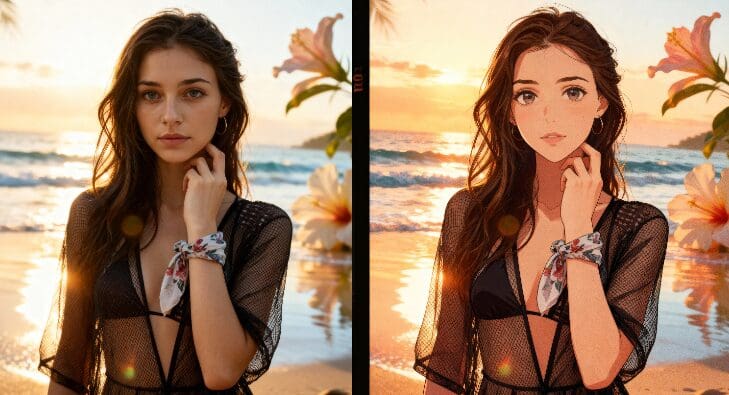
Runway AI video editing is useful when you already have footage and want to push it further: remove an object, change the look of a scene, test a new camera feeling, or turn a simple clip into something closer to a finished social video. The hard part is knowing where Runway is strong, where it costs credits quickly, and when a lighter workflow such as APOB AI is easier for everyday creators.
This guide compares both options from a practical creator’s point of view. If you want to try a similar workflow without starting from a blank editing timeline, you can begin here:
What Runway AI Video Editing Does Well
Runway is best known for generative video, but its editing value is just as important. It can help creators rework scenes, extend ideas, change visual style, and use AI controls that would normally require a mix of editing, compositing, and motion tools. The appeal is simple: instead of rebuilding a shot manually, you can describe the change and let the model create a new version.
The wider market explains why tools like this are getting so much attention. Grand View Research estimates the global AI video generator market will grow quickly through 2033, driven by marketing, entertainment, education, and creator content needs. That does not mean every creator needs the most advanced model every day. It means workflows that save time and reduce editing friction are becoming part of normal content production.
How to Try an AI Video Editing Workflow for Free
To test the workflow inside APOB AI, click the button above and claim 80 daily credits. Start with Create Portrait Model, then choose Text to Video or Image to Video depending on whether you want to begin from a prompt or an existing image.
If you already have a clip, use Revideo. Upload a short video and one reference photo; the person in the photo can replace the original character in the video. This is especially useful for ads, UGC-style content, AI influencer clips, and quick concept tests before spending budget on a larger production.
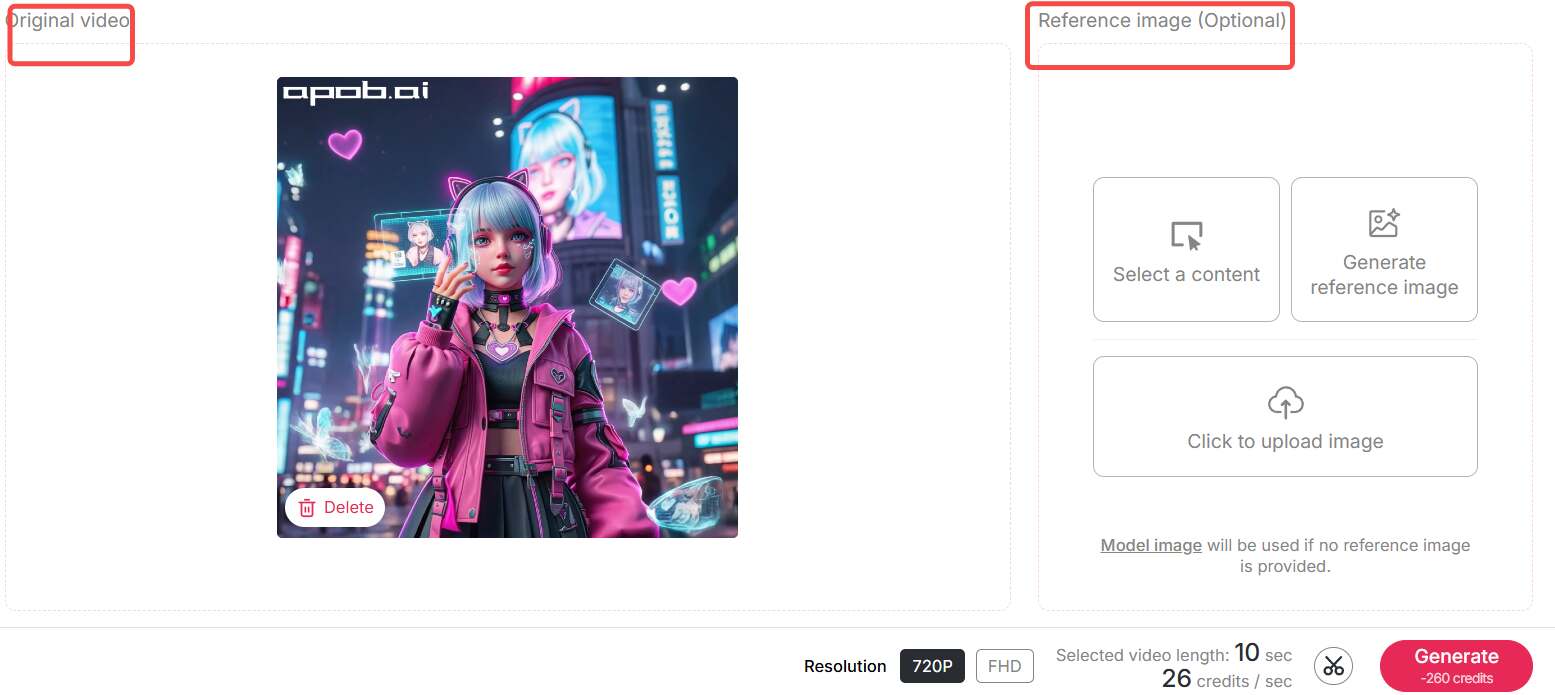
For promotional use, you may also contact APOB support to request 1000 free credits to produce marketing videos using Revideo.
Runway AI Video Editing vs APOB AI
Runway is a strong choice when you need advanced generative controls and are comfortable learning a more production-oriented tool. APOB AI is easier when your main job is to create a character, turn that character into images, and quickly move into video without stitching several tools together.
Feature | Runway AI | APOB AI |
|---|---|---|
Free Credits | 125 total credits | 80 points/day (accumulative) |
Credit Accumulation | No | Yes, unlimited |
Video to Video | Yes, with Aleph model | Yes, with style transfer |
Character Replacement | Advanced | Revideo feature (26 credits/sec) |
Text to Video | Gen-3 Alpha | Multiple modes available |
Image to Video | Yes | Yes, with camera control |
Video Upscaling | Available | FHD upscaling |
Style Transfer | Advanced (Aleph) | Chat to Edit feature |
Max Video Length (Free) | Varies by credits | 30 sec initially, up to 5 min |
Camera Control | Advanced | Zoom, Follow, Around |
Background Music | Manual addition | Automatic integration |
Promotional Credits | Not available | 1000 credits on request |
Revideo Use Cases
Transform a Video Style
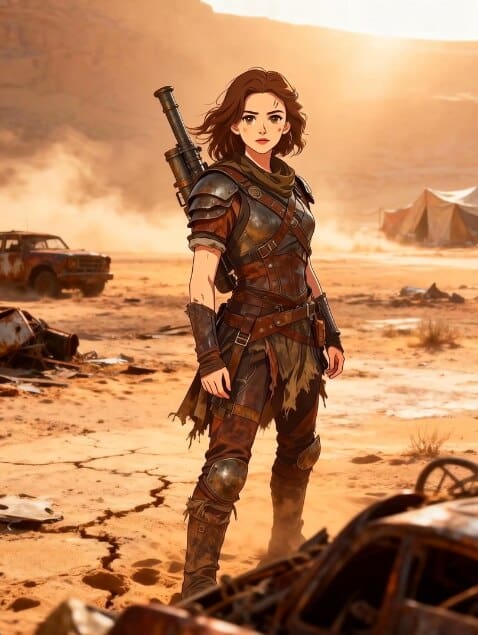
When the original footage has good movement but the wrong look, use Chat to Edit to test another direction: anime, cinematic, fashion campaign, product demo, or a softer social style. Keep the camera angle and character pose close to the original if you want the final video to feel stable.

Replace Characters in Videos
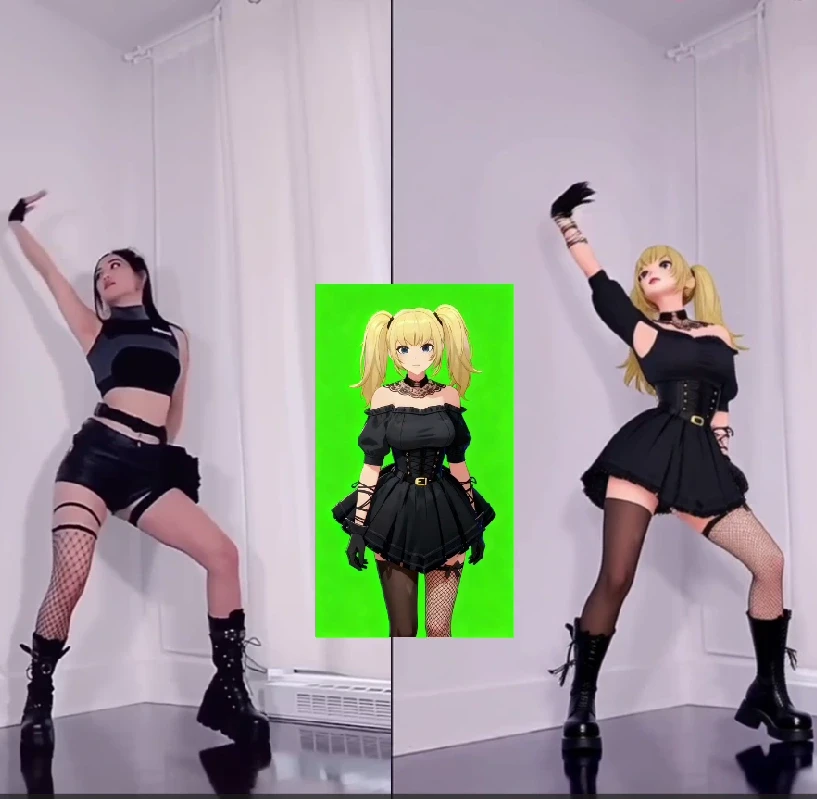
Character replacement is where APOB AI is especially practical. Upload the clip, add the new character reference, and generate a version that keeps the movement while changing the on-screen person. For clearer exports, use Video Upscale and choose FHD.

Prompt Tips That Actually Help
Good prompts are not long for the sake of being long. Give the model the details a cinematographer would care about: subject, action, camera movement, lighting, mood, and style. A useful prompt might be: “close-up product demo, slow push-in camera, warm studio lighting, clean background, natural hand movement, premium beauty ad style.”
For character replacement, the reference image matters as much as the prompt. Use a clear face, simple lighting, and an angle that matches the video. If the person in the clip turns sideways but your reference is only front-facing, the result may drift.
When to Choose Each Tool
Choose Runway when you need advanced video editing controls, model experimentation, or a tool used by larger creative teams. Choose APOB AI when you want a faster path from AI character to image to video, especially if your goal is creator content, short ads, AI influencer clips, or daily social posts.
FAQs
Can I use generated videos commercially?
Commercial use depends on the platform, plan, and content rights. Before using AI-generated video in paid ads or client work, check the current terms for the tool you use and avoid copyrighted characters, celebrity likenesses, or private people without permission.
How long does generation take?
Short clips often generate within a few minutes, but speed depends on video length, prompt complexity, model load, and whether you upscale the final output.
How do I get better results?
Start with a short test clip, write one clear prompt, and change only one variable at a time. If the first result is close, refine lighting, camera movement, and subject details instead of rewriting everything.
References
Grand View Research (2025) AI Video Generator Market Size, Share & Trends Analysis Report. Available at: https://www.grandviewresearch.com/industry-analysis/ai-video-generator-market-report (Accessed: 7 May 2026).
Runway (2026) AI Video Editor. Available at: https://runwayml.com/ai-video-editor (Accessed: 7 May 2026).
Runway (2026) Product. Available at: https://runwayml.com/product (Accessed: 7 May 2026).
Zapier (2025) The best AI video generators. Available at: https://zapier.com/blog/best-ai-video-generator/ (Accessed: 7 May 2026).

Be the first to like this.





AI Routing: Audit Runway's Cost-Quality Switch

Runway Aleph 2.0: Retest Edits After Gen-4 Sunset

Apple ProRes for AI Video: A Free Runway Handoff Checklist

HDR Video After Runway Ruby: A Creator Workflow

Master Runway ML Gen-2: Text to Video and AI Video Generation

Runway Gen-3 News: What to Expect & How APOB Helps

No credit card needed


