Create AI videos from text, images, and avatars for product demos, beauty content, social ads, and short-form marketing.

The world's best AI video generators unlimited
AI Video Generator for Viral AI Influencer Videos
Turn text, images, and AI personas into cinematic videos with APOB AI. Create image-to-video clips, talking avatars, lip-sync videos, motion-controlled scenes, and 4K-ready social content in one AI video generator.

Create AI Videos from Text, Images, or AI Personas
Start with a text prompt, upload an image, or use your own AI influencer persona. APOB AI’s AI video generator supports multiple creation paths, so you can produce cinematic scenes, social clips, avatar videos, and branded content without a camera, studio, or editing team.
Text to Video
Describe your scene, character, style, camera angle, and action. APOB AI turns your prompt into a dynamic AI-generated video.
Image to Video
Upload a portrait, product shot, character image, or AI influencer photo and transform it into a moving video with realistic motion.
AI Persona to Video
Create consistent videos around the same AI influencer, avatar, or virtual character for long-term social media branding.
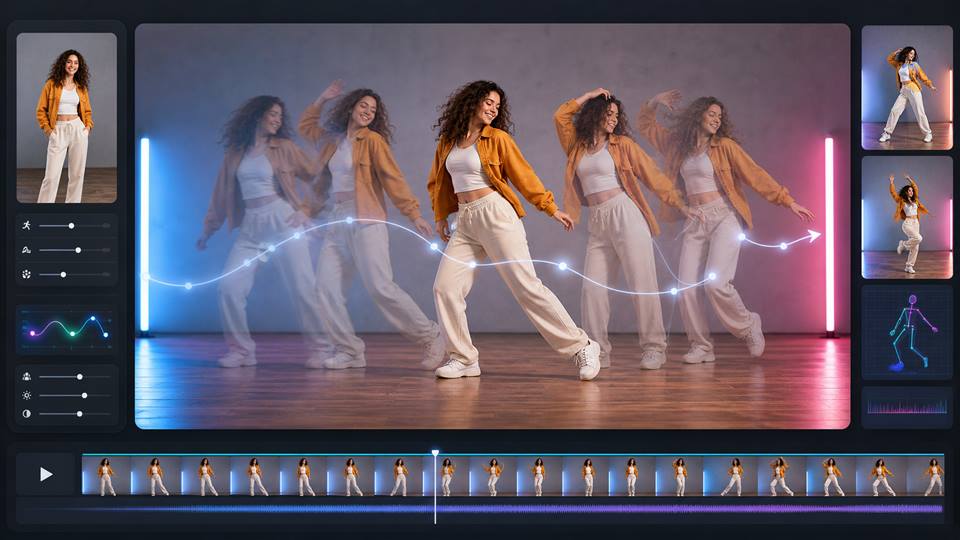
4K AI Video Generator with Motion Control
Create high-resolution AI videos with cinematic movement and stronger creative direction. APOB AI supports 4K-ready video generation and export options, helping your content look sharper across social platforms, ads, websites, and product campaigns.
With motion control and camera movement tools, you can guide how your video feels: smooth zooms, dynamic pans, character movement, product motion, close-ups, scene transitions, and more intentional visual pacing.
4K Video Output
Generate crisp, high-resolution AI videos for social media, marketing, and professional content.
Motion Control
Guide movement, action, and visual rhythm instead of relying on random generation.
Camera Movement
Add cinematic camera motion such as zoom, pan, tracking shots, and dynamic framing.

Talking Avatar Video Generator with TTS and Lip Sync
Make your AI influencer speak. APOB AI lets you create talking avatar videos with AI voice generation, TTS, and lip sync, making it easier to produce tutorials, product explainers, affiliate videos, storytelling content, and faceless creator videos.
Instead of stopping at silent AI clips, APOB AI helps you create videos that can talk, sell, teach, and connect with an audience.
AI Voice and TTS
Turn scripts into voiceovers for avatar videos, social clips, and branded content.
Lip Sync Video
Match speech with realistic mouth movement for more natural talking avatar videos.
Faceless Video
Creation Create presenter-style content without recording yourself on camera.
Built for AI Influencers, Faceless Creators, and Brands
APOB AI is more than a basic AI video generator. It is designed for creators who want to build repeatable content around a recognizable AI persona.
Use face consistency and AI influencer workflows to create videos across different outfits, scenes, moods, niches, and campaigns while keeping your virtual character recognizable. From lifestyle posts to product promos, from talking avatars to cinematic reels, APOB AI helps you scale content without rebuilding your visual identity every time.
Consistent AI Influencers
Keep your AI persona recognizable across images, videos, and campaigns.
Social-Ready Formats
Create content for TikTok, Reels, Shorts, X, YouTube, and brand channels.
Commercial Content Workflow
Generate videos for marketing, affiliate content, product showcases, and creator businesses.
Step 1: Open Your AI Video Generator Workspace
Start by signing in so your avatar images, text to video drafts, image to video projects, generated clips, and later edits stay connected to one account. This makes it easier to compare versions when you are using an ai video generator online for creator content, product demos, or short-form marketing videos.
A saved workspace also helps you avoid mixing files across tools. You can keep the original prompt, generated avatar, final AI video, and later edits together while testing the best ai video generator workflow for different scenes, durations, and social formats.

Step 2: Create a Realistic AI Avatar Image
Create a clean avatar image first when the video needs a consistent presenter. A detailed portrait prompt gives the ai video generator from image workflow a stronger face reference, especially for beauty videos, talking avatar clips, product demos, and creator-style social content.
Prompt: A realistic AI girl avatar portrait focused on detailed facial features, close-up front-facing composition, clear almond-shaped eyes, natural eyelashes, softly arched eyebrows, delicate nose bridge, soft pink lips, subtle cheekbone definition, gentle jawline, smooth but realistic skin texture, natural pores, healthy glowing complexion, fine hair strands framing the face, calm friendly expression, soft studio lighting, shallow depth of field, clean neutral background, high-resolution beauty portrait, realistic facial anatomy, 4K detail.
Step 3: Generate a 10-Second AI Video
Use Text to video or Image to video depending on whether you want to start from a written scene or animate the avatar image you just generated. Choose the aspect ratio, duration, resolution, and quality before generating. A vertical 9:16 format works well for TikTok, Reels, Shorts, and mobile-first marketing content.
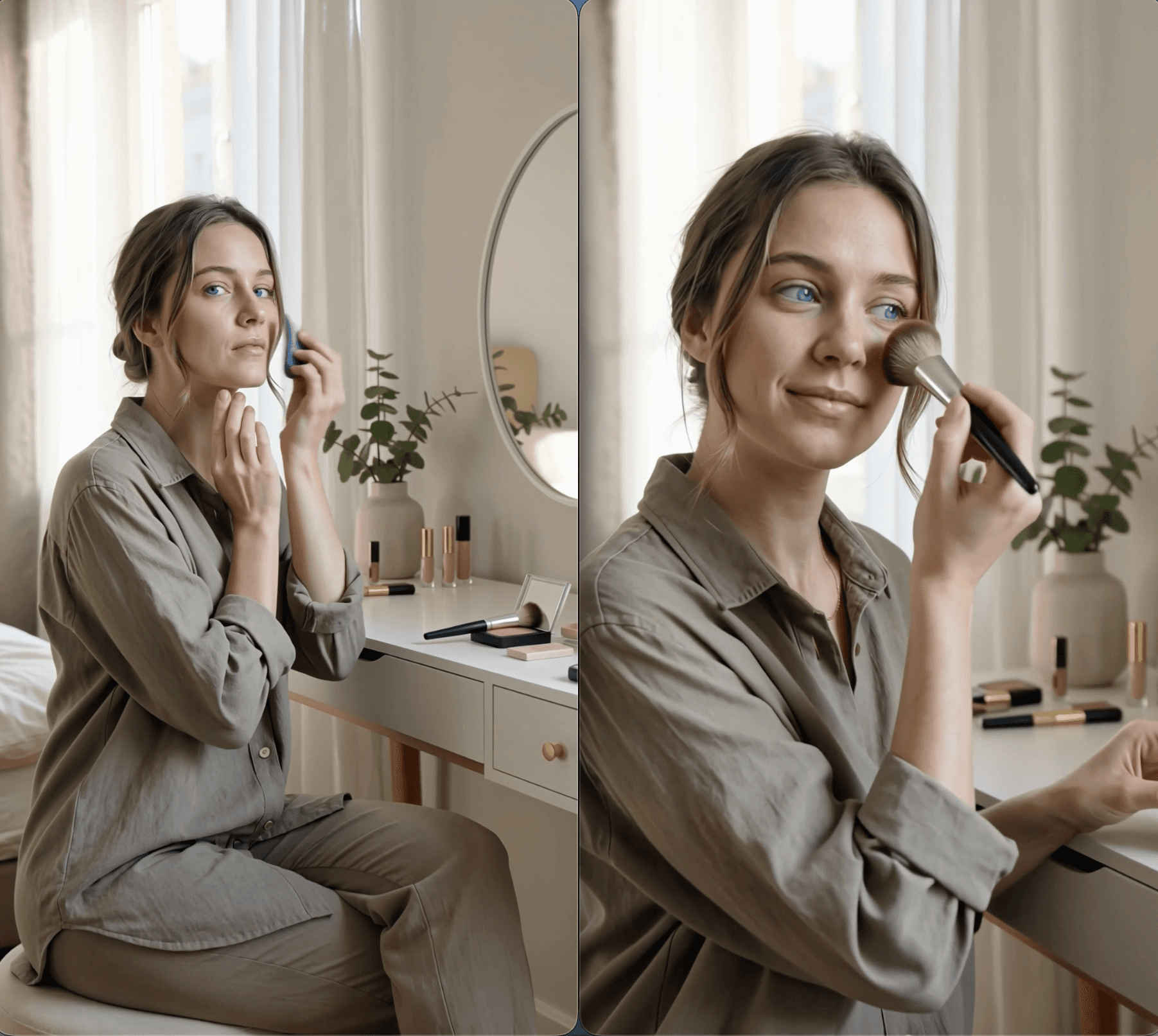
Prompt: Create a natural 10-second lifestyle beauty video of an adult female AI avatar doing makeup in a bright bedroom vanity scene.
Keep the avatar’s face, hairstyle, skin tone, outfit, and body proportions consistent throughout the video. She has realistic skin texture, soft natural makeup, warm confident expression, and relaxed beauty creator energy.
Shot 1, 2 seconds: Medium shot of the avatar sitting in front of a mirror at a clean vanity table. Soft morning window light, neutral beige room, makeup products neatly placed on the table.
Shot 2, 3 seconds: Close-up of her applying foundation or skin tint with a makeup sponge. Natural hand movement, realistic skin texture, soft reflection in the mirror.
Shot 3, 3 seconds: Close-up of her applying blush with a brush, smiling gently while looking slightly toward the mirror. Keep the motion smooth and natural.
Shot 4, 2 seconds: Final shot of the avatar looking at the camera with a finished soft glam look, holding a makeup brush near her cheek. Clean beauty influencer style, warm daylight, shallow depth of field.
Style: ultra-realistic, natural beauty content, soft commercial lighting, smooth camera push-in, realistic hands, no face distortion, no extra fingers, no text, no watermark, no brand logos.

Step 4: Review, Edit, and Reuse the Final AI Video
This is the final generated video from the AI video generator workflow. If the face, motion, makeup action, timing, lighting, hands, or camera angle does not look natural enough, revise the prompt, regenerate the clip, or adjust the duration, resolution, and quality settings before using it.
You can also continue refining the result with edit product, edit character, edit motion, and edit everything. These tools help improve product placement, keep the avatar consistent, smooth the movement, change the scene, and turn one generated clip into more variations for ads, tutorials, social posts, and image to video ai generator workflows.
Trusted by Thousands of creators














AI Video Generator Features for Fast Creative Workflows
Flexible Text to Video Control
Write the scene shot by shot, define the action, set the mood, and control the final look with prompt details. A text to video ai generator is especially useful when you need fast concepts, creative variations, or a clear sequence such as a 10-second beauty routine.
Image to Video for Better Visual Consistency
Start from an avatar image or product reference when the face, object, or scene needs to stay recognizable. An ai video generator from image is stronger for character consistency, product demos, and repeated campaign visuals.
Built for Short-Form Creative Testing
Generate multiple clips with different hooks, scenes, durations, and camera styles. This helps marketers test social formats faster while keeping enough control over the avatar, product, lighting, and brand-safe visual style.
Reviews on APOB AI Video Generator
FranzyMa
I use the APOB AI Video Generator to turn prompts and reference images into video drafts during early concept work. It gives me a usable visual sequence for planning and iteration that I can evaluate before moving into the final production pass.
Javi Galué
The APOB AI Video Generator is useful for testing how to turn prompts and reference images into video drafts without committing to one direction too early. I still review the fine details before delivery.

Thomasbssh
For client previews, the APOB AI Video Generator gives me a usable visual sequence for planning and iteration. That makes feedback more specific before I invest time in final polish.
eloijft
I get the most consistent results from the APOB AI Video Generator when the reference and prompt are clear. That makes it reliable enough to turn prompts and reference images into video drafts in routine work.
malik.makhlouff
I use the APOB AI Video Generator when I need to compare several ways to turn prompts and reference images into video drafts. The variations help me choose a direction without rebuilding the project from scratch.
Cankatko
The APOB AI Video Generator works well as a production starting point because it produces a usable visual sequence for planning and iteration. I finish typography, timing, color, and small artifacts in my usual editor.

Hasan Toor
The APOB AI Video Generator has made it faster to turn prompts and reference images into video drafts for short-form projects, especially when the schedule does not allow for a full production setup.
Deep Genius AI
The controls in the APOB AI Video Generator give me enough flexibility to keep a usable visual sequence for planning and iteration aligned with the original brief instead of accepting a generic output.
hurricane
I can prepare a useful team review with the APOB AI Video Generator, then move a usable visual sequence for planning and iteration into my normal workflow for final checks and finishing.

AI Mentors
For campaign work, I use the APOB AI Video Generator to turn prompts and reference images into video drafts before committing to one treatment. It keeps feedback focused on creative direction.

PHRsharp
The APOB AI Video Generator performs best when the source material is clean. With a clear input, I get a usable visual sequence for planning and iteration that needs much less manual correction.

TuTecnoMundo
I like being able to revise one part of the prompt in the APOB AI Video Generator and compare the result with the previous version. It makes experimentation feel controlled.
Gamaliel_tankeu
The APOB AI Video Generator helps me explain a visual idea to collaborators because a usable visual sequence for planning and iteration is easier to discuss than a written description alone.

"mahmoudnawras0 محمود نورس"
I still check faces, text, edges, and fast motion before delivery, but the APOB AI Video Generator handles enough of the initial work to remove a full rough-edit pass.

YORD
The APOB AI Video Generator fits neatly into client work: create a first option, compare alternatives, and refine a usable visual sequence for planning and iteration in the final editor.

Gana Con Valor
I use the APOB AI Video Generator when an existing asset needs a new treatment without starting over. It gives me a usable visual sequence for planning and iteration while preserving the core idea.
Tulsi Soni
For recurring content, the APOB AI Video Generator makes it easier to turn prompts and reference images into video drafts in batches. I can keep the direction consistent and adjust individual outputs afterward.
David_eficaz
The main benefit of the APOB AI Video Generator is iteration speed. I can turn prompts and reference images into video drafts, reject weak directions early, and spend my time polishing the version that works.

Zara Mitchell
I can turn a short prompt and a reference image into a moving concept quickly. It is a great way to explore a scene before production.

Lionel Ward
The video generator makes camera movement and pacing easier to test. I can compare several directions without rebuilding the whole storyboard.
Poppy Chen
I used it to animate a product image for a vertical ad, and the product stayed clear enough for the first client review.

Arlo Garcia
I find that the image-to-video workflow gave an old still image a new life. The motion is subtle, which makes it useful for social storytelling.
Nadiya Karim
I can create a quick visual prototype from a written idea and use it to guide the rest of the edit. That saves a lot of back-and-forth.
Felix Rocha
The tool helps me test action, framing, and atmosphere before choosing a final concept. It feels like a fast creative lab.
Bianca Hart
I generated several opening shots for a campaign and found a stronger hook in minutes. The comparison made the final decision much easier.
Samson Cole
The workflow is useful for turning a moodboard into moving references. I can keep the visual direction clear while exploring different scenes.
Keisha Lane
I can make short clips for product pages, social posts, and pitch decks from the same idea. It gives our content more mileage.
Create AI Videos From Text, Images, and Avatars
Use one ai video generator to move from a simple text idea, a reference image, or a realistic avatar into a finished video. This gives creators a flexible path for text to video ai generator projects, image to video ai generator workflows, and social-ready avatar videos.
Keep the Same Character Across Multiple Videos
A strong avatar reference helps keep the presenter consistent across makeup tutorials, product demos, lifestyle scenes, and short-form ads. This matters when you want the best ai video generator workflow for repeatable creator content rather than one random clip.
Generate Marketing Videos Without a Full Shoot
AI videos can support beauty routines, product explainers, UGC-style ads, app demos, and social hooks without arranging a camera crew. A free ai video generator workflow is useful for testing ideas quickly before investing in final paid creative.
Comparison Point | APOB AI AI Video Generator | Other AI Video Generators | Why APOB AI Stands Out |
|---|---|---|---|
Core creation modes | 10+ workflows: text to video, image to video, AI influencer video, talking video, lip sync, face swap, product video, edit video, extend video, add subtitles, storyboard to video | Usually 2-5 core modes, such as text to video, image to video, effects, or basic editing | APOB AI is not just a clip generator. It covers the full creator workflow from avatar to final social video. |
Avatar + video workflow | Built-in AI influencer / AI avatar creation, then turn the same avatar into video | Many tools require users to create characters in a separate image tool first | Better for repeatable creator content, brand avatars, beauty videos, and influencer-style campaigns. |
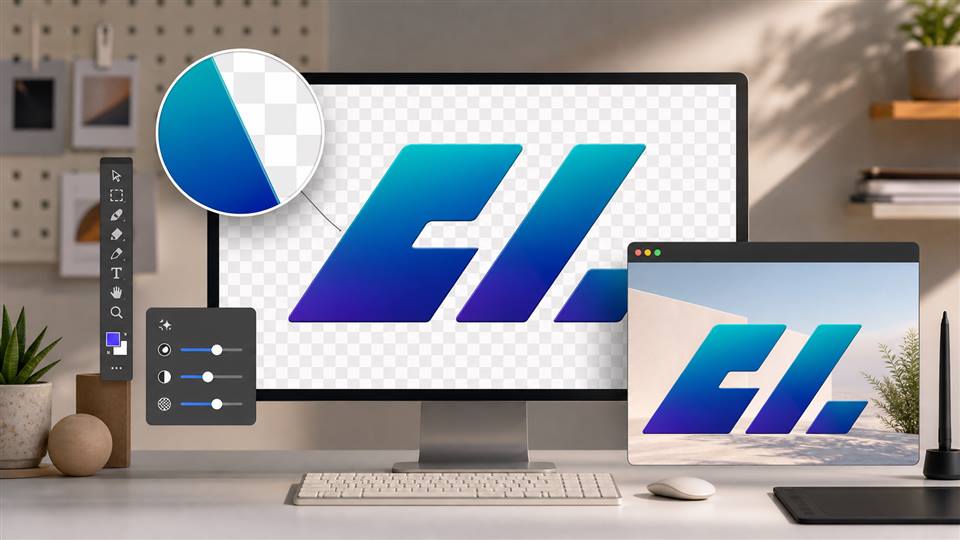
Product video support | Supports product demo videos, product reference images, edit product, product color/style changes, and product-led ad clips | Most tools can animate product images, but product editing is often limited or prompt-only | Stronger fit for ecommerce sellers, beauty brands, product ads, and UGC-style product demos. |
Editing after generation | 4 direct editing directions: edit product, edit character, edit motion, edit everything | Many tools focus on regeneration when results are wrong | APOB AI helps users improve the same video instead of starting over every time. |
Social media workflow | Built for TikTok, Reels, Shorts, UGC clips, AI influencer posts, product ads, and creator videos | Many competitors focus more on cinematic clips or model showcase videos | More practical for marketers who need usable content, not just impressive test clips. |
Short video duration | Supports common short-form durations such as 5s, 10s, and 15s depending on workflow | Pika highlights 5s generation; Runway Gen-4 is commonly used for 5-10s clips; Kling models often focus around 5-10s clips | APOB AI fits the actual short-form ad length creators use for hooks, demos, and social testing. |
Resolution / quality controls | User-facing controls such as 720P, FHD, Ultra, Ultra S, and 4K image workflows depending on feature | Competitors vary by model and plan; some advanced resolution options are paid or model-specific | APOB AI makes quality settings visible inside the workflow, easier for non-technical users. |
Reference-based creation | Avatar image, product image, uploaded reference, and prompt can work together | Some tools support reference images, but usually focus on one generation mode at a time | Better for keeping faces, products, outfits, and campaign style consistent. |
Face / character consistency | AI avatar workflow helps create a reusable face before video generation | Runway and Kling highlight consistency, but users may still need careful reference control | APOB AI turns consistency into a workflow, not only a model promise. |
Talking / lip sync video | Built-in talking video and lip sync style workflows | Often separate tools, separate subscriptions, or model-specific features | Useful for explainers, AI presenters, product education, and creator-style ads. |
Subtitles | Built-in add subtitles workflow | Some tools require external editors for captions | Saves time for TikTok, Reels, Shorts, tutorials, and ad localization. |
Best for | Creators, marketers, ecommerce sellers, influencers, designers, product teams | Film concepting, cinematic clips, experimental video, model testing | APOB AI is more commercial-use focused for everyday content production. |
Workflow steps | Create avatar/product reference → generate video → edit product/character/motion → add subtitles → reuse for social | Often generate clip → export → edit elsewhere → subtitle elsewhere → regenerate if wrong | Fewer tool switches, faster content iteration. |
Commercial content fit | Strong: product demos, UGC ads, AI influencer videos, beauty content, social ads | Mixed: some tools are powerful but less focused on ecommerce and influencer workflows | Better landing-page angle: “AI video generator for marketing-ready content.” |
Kling V3 / Kling O3
Kling V3 and Kling O3 are advanced AI video models designed for realistic motion, cinematic camera movement, and controlled visual generation. They are especially useful for creating product videos, social media clips, AI influencer content, dynamic character shots, and short-form advertising videos. These models help users turn prompts, reference images, or creative ideas into polished video outputs with stronger motion quality and better scene consistency.
HappyHorse 1.1 & HappyHorse 1.0
HappyHorse 1.0 and HappyHorse 1.1 focus on fast AI video generation for creators, brands, and marketing teams. HappyHorse 1.0 is useful for text-to-video creation, product demos, creator-style clips, and entertainment content, while HappyHorse 1.1 can be positioned as an upgraded workflow for better visual quality, stronger prompt following, and more practical short-form video production. These models are suitable for ads, ecommerce videos, AI influencer content, and social media campaigns.
Veo 3.1
Veo 3.1 is Google’s advanced AI video model built for high-quality video generation, improved prompt understanding, reference-based control, and creator-friendly video output. It is useful for cinematic scenes, vertical social videos, product storytelling, YouTube Shorts-style content, and marketing visuals that need strong realism and visual polish. Veo 3.1 is especially valuable when users want natural movement, scene continuity, and higher-quality video results.
LTX 2.3
LTX 2.3 is an AI video model focused on efficient video generation, open video workflows, and practical creative production. It is useful for text-to-video, image-to-video, fast visual drafts, cinematic clips, product videos, and AI creator content. Its strength is helping users move from prompt to usable video faster, making it suitable for creators and teams that need flexible video generation without a heavy production setup.
Wan 2.2
Wan 2.2 is a powerful AI video generation model known for open video creation workflows, image-to-video generation, motion control, and high-quality visual output. It is useful for creators who need cinematic scenes, product visuals, character videos, social media clips, and experimental video production. Wan 2.2 is especially helpful for flexible AI video workflows where users want strong motion, visual consistency, and creative control.
Current Model Support and Continuous Updates
These are the AI video models we are currently using in our video generation workflow. APOB AI will continue updating supported models, improving output quality, and adding new model options as the AI video generation space evolves, so users can access stronger tools for AI influencers, product videos, video ads, social media content, and creative campaigns.
AI Avatar Videos for Beauty and Creator Content
Create realistic avatar-led makeup tutorials, skincare routines, product explainers, and lifestyle clips with an ai video generator online. This fits brands and creators who need repeatable short-form videos with a consistent presenter. Reference: Meta: Movie Gen media foundation models for generative AI video.
Image to Video Product Demos
Use an image to video ai generator to animate a product reference, avatar image, or visual concept into a short demo. This works for beauty products, ecommerce visuals, app promos, and product-led social ads. Reference: Google DeepMind: Veo video generation model.
Fast Social Ad Variations for Marketing Teams
Use a text to video ai generator to test multiple hooks, scenes, and creator-style angles before scaling paid creative. This is useful for short ad concepts, TikTok-style scripts, Instagram Reels, and campaign storyboards. Reference: The Verge: TikTok plugs Getty Images into AI-generated ads and avatars.
Faster Video Concepting
An ai video generator can turn a written scene into a usable video draft quickly. This helps creators and marketers test ideas, hooks, camera angles, and story flows before spending more time on final production.
Stronger Avatar and Product Workflows
An ai video generator from image is useful when the video needs a stable face, product, or visual reference. Starting from an image helps keep the result closer to the intended character or product demo.
Useful for Short-Form Marketing Content
AI generated videos are well suited for social posts, UGC-style clips, product explainers, beauty tutorials, and campaign drafts. The workflow supports fast iteration without rebuilding every video from scratch.
Human Review Is Still Required
Even the best ai video generator can produce imperfect hands, facial motion, product labels, or scene continuity. Review every final video for realism, brand safety, platform rules, copyright, and disclosure needs before publishing.
Enjoy more features
No Credit Card Required

Answers to common questions about text to video, image to video, avatar videos, and AI generated marketing content.
What is an AI video generator?
An ai video generator is a tool that creates video from text prompts, image references, avatar images, or product visuals. It can help make social clips, product demos, beauty videos, and marketing videos without filming everything manually.
How does a text to video AI generator work?
A text to video ai generator reads your written prompt and turns it into a video scene. Strong prompts describe the subject, action, camera movement, lighting, duration, mood, and what the model should avoid.
Can I use an image to video AI generator?
Yes. An image to video ai generator lets you upload a reference image, avatar, product photo, or scene and animate it into a short video. This is useful when visual consistency matters.
Is there a free AI video generator?
Some platforms offer a free ai video generator plan, trial credits, or limited free generations. Check the current credit policy before starting if you need a no-cost test workflow.
What is the best AI video generator for marketing?
The best ai video generator for marketing should support text to video, image to video, avatar consistency, high-resolution output, short-form formats, and editing options after generation.
Can I create AI avatar videos?
Yes. You can create an avatar image first, then use the ai video generator from image workflow to turn it into a presenter video, product demo, talking-style clip, or lifestyle scene.
Can I make a 10-second AI generated video?
Yes. A 10-second format is ideal for short makeup clips, product demos, UGC hooks, and social ads. Write the prompt in short shot-by-shot beats so the AI video generator understands timing.
Can I use AI videos for TikTok or Instagram?
Yes. AI generated videos can be used for TikTok, Instagram Reels, YouTube Shorts, and paid social concepts, as long as the final content follows platform rules and disclosure requirements.
Can I keep the same character across multiple videos?
Yes. Use a consistent avatar reference, detailed facial prompt, and image to video workflow when you need the same person to appear in multiple generated videos.
Can I generate product demo videos?
Yes. AI video generator workflows can create product demos by combining product references, avatar presenters, shot descriptions, and clear instructions for product shape, label, and placement.
What prompt works best for an AI video generator?
A strong prompt includes the subject, setting, action, shot timing, camera style, lighting, mood, resolution, and negative instructions such as no distorted hands, no text, no watermark, and no brand logos.
Can I edit the video after generation?
Yes. After generating a video, you can revise the prompt, regenerate, or use editing tools to improve character consistency, product placement, motion, and final visual quality.
Does an AI video generator replace filming?
It can replace some early drafts, concept tests, UGC-style variations, and simple social clips. For major campaigns, human review and creative direction are still important.
Can I generate videos from photos?
Yes. An ai video generator from image can animate portraits, product photos, lifestyle images, and reference scenes into short clips with controlled motion.
How do I avoid distorted hands or faces?
Use detailed prompts, clean reference images, realistic actions, simple hand movements, and negative instructions. Always review the final AI generated video before publishing.
What resolution should I choose?
Choose the highest practical resolution for final marketing content. FHD works for many social videos, while higher quality settings may be better for ads, product demos, and hero visuals.
Can I add voice or talking video later?
Yes. Many workflows let you add voice, talking video, subtitles, or additional edits after the main video is generated. This is useful for explainers and creator-style ads.
Are AI generated videos safe for ads?
They can be used for ads if the final video is reviewed for claims, product accuracy, disclosure, copyright, platform policy, and brand safety. Do not publish unreviewed AI output in regulated categories.
How is an online AI video generator different from desktop software?
An ai video generator online is usually easier to access and does not require local setup. Desktop tools may offer more manual control, but online workflows are faster for prompt-based creative testing.
Should I use text to video or image to video?
Use text to video when you need a new scene from an idea. Use image to video when you need to preserve an avatar, product, style, or reference image across the final clip.


