English
English

AI video enhancer

AI video enhancer

Improve video quality online with APOB AI. Enhance blurry, low-resolution, noisy, or shaky videos and turn them into cleaner, sharper content for social media, product videos, ads, and AI influencer posts.

Improve video quality online with APOB AI. Enhance blurry, low-resolution, noisy, or shaky videos and turn them into cleaner, sharper content for social media, product videos, ads, and AI influencer posts.

How to use AI video enhancer?

How to use AI video enhancer?

Step 1: Sign Up or Log In to Use APOB AI Video Enhancer

Open APOB AI and sign up or log in before using the AI video enhancer. You can continue with Google, Discord, or email. After logging in, you can access the video quality enhancer tools and start improving low-quality videos online.

Sign up or log in to APOB AI video enhancer to improve video quality online with AI video editing tools
APOB AI edit video panel showing Upscale tool for AI video enhancer, video upscaling, and video quality enhancer workflow

Step 2: Choose Edit Video and Select Upscale

Go to the Video panel and choose Edit video. Then select Upscale from the top menu. This is where you can use APOB AI as an online video enhancer to upload your original video and prepare it for video upscaling, clearer details, and better visual quality.

Step 3: Upload Your Original Video and Generate the Enhanced Version

Upload the video you want to enhance, then click Generate. APOB AI can help improve video quality, make video clearer, reduce blurry details, and upscale video to 1080p-style higher-quality output. This step is useful for AI influencer videos, product videos, social media clips, and low-resolution footage that needs a cleaner look.

Uploaded video inside APOB AI video enhancer ready to generate a clearer enhanced video with AI video upscaling
Final APOB AI video enhancer result comparing original and enhanced video quality with clearer AI influencer details and improved visual sharpness

Step 4: Review the AI Video Enhancer Result and Continue Editing

After generation, compare the original and enhanced result. If you are not satisfied, you can regenerate or continue editing until the video looks clearer and more polished. APOB AI is more than a video quality enhancer: you can also generate photos, create videos, and use advanced editing tools such as edit product, edit character, edit motion, and edit everything. These tools help you fix details, adjust subjects, improve motion, and create better AI influencer or product content in one workflow.

APOB AI Video Enhancer vs Typical Video Enhancer Tools

APOB AI Video Enhancer vs Typical Video Enhancer Tools

Feature

APOB AI Video Enhancer

Typical Video Enhancer Tools

Workflow Coverage

10+ AI video and image tools in one platform

Usually 1-4 enhancement tools

Core Function

Video enhancement + AI video creation + AI image generation

Mostly video enhancement only

Video Input Workflow

Upload video, enhance, then continue editing or generating

Upload video, enhance, export

AI Creation Modes

Image to video, text to video, talking video, storyboard to video, generate image

Usually 0 AI creation modes

Advanced Edit Modes

Edit product, edit character, edit motion, edit everything

Usually 0-2 basic edit modes

Product Video Support

Product enhancement + product editing + product video generation

Usually only improves existing product footage

AI Influencer Support

Enhance AI influencer videos, generate AI influencer photos, create talking videos

Usually no AI influencer workflow

Post-Enhancement Editing

4 key edit options: edit product, edit character, edit motion, edit everything

Usually no detailed post-enhancement AI editing

Content Types Supported

Video + photo + AI avatar + product content + UGC ads

Mostly video only

Marketing Workflow

Enhance, create, edit, subtitle, and refine campaign assets

Usually enhance only, then use another tool

Creator Use Cases

Product videos, UGC ads, AI influencer clips, social media videos, talking videos

Mostly old video repair, sharpening, denoise, upscaling

Tool Switching Needed

1 platform for enhancement and creation

Often 2-5 separate tools needed

Best Value

Better for creators who need video quality enhancer plus full AI content production

Better for users who only need basic upscale or sharpen

Trusted by Thousands of Pro Influencers to Dominate Social Media.

Trusted by Thousands of Pro Influencers to Dominate Social Media.

Why Choose APOB AI as your AI video enhancer?

Why Choose APOB AI as your AI video enhancer?

AI Video Enhancer for Clearer, Sharper Videos

APOB AI video enhancer helps you improve video quality online by making low-resolution, blurry, or compressed videos look cleaner and more polished. Use it as a video quality enhancer to sharpen details, make video clearer, and prepare content for social media, product videos, ads, and AI influencer posts.

Upscale Video Quality for Social Media and Product Content

With APOB AI, you can upscale video quality and enhance video quality online for more professional-looking results. It is useful for product demos, UGC ads, TikTok clips, Instagram Reels, YouTube Shorts, and other content where sharper visuals can make the video feel more ready to publish.

More Than a Free AI Video Enhancer

APOB AI is not only a free AI video enhancer workflow. After improving video quality, you can continue creating with image to video, text to video, talking video, add subtitles, edit product, edit character, edit motion, and edit everything. This gives creators one place to enhance, generate, and refine AI videos.

Product Video Quality Enhancer for E-commerce Content

APOB AI video quality enhancer can help brands improve video quality online for product demos, skincare videos, fashion clips, and e-commerce ads. Use the AI video enhancer to make video clearer, sharpen product details, reduce blurry packaging, and create cleaner product videos for landing pages, TikTok Shop, Instagram, and paid ads. (A 2026 video marketing report shows that product videos strongly influence buying decisions, with most consumers saying video quality affects how much they trust a brand.)

AI Video Enhancer for Social Media Videos and UGC Ads

Creators and marketers can use APOB AI as an online video enhancer to upscale video quality, fix blurry video, stabilize shaky video, and enhance video quality online before publishing short-form content. This is useful for UGC ads, influencer clips, product testimonials, Reels, Shorts, and TikTok-style videos that need to look sharper and more ready to publish. (2026 video marketing report highlights that social media video remains one of the most-used marketing formats, while AI video tools are becoming more common in content creation and editing workflows.)

Unblur Video Online for AI Influencer and Creator Clips

APOB AI video enhancer can help AI influencer creators make video clearer, improve facial details, reduce compression artifacts, and upscale low-resolution clips into cleaner creator content. If an AI influencer video looks soft, blurry, or low-quality, users can enhance the result first, then continue with edit product, edit character, edit motion, or edit everything. (2026 video industry report notes that AI is now being used across video planning, creation, repurposing, captions, dubbing, and editing, showing strong adoption of AI-powered video workflows.)

Enhance your own Video with APOB AI

Enhance your own Video with APOB AI

Enhance your own Video with APOB AI

No Credit Card Required

Discover more blogs about AI Video enhancer

Discover more blogs about AI Video enhancer

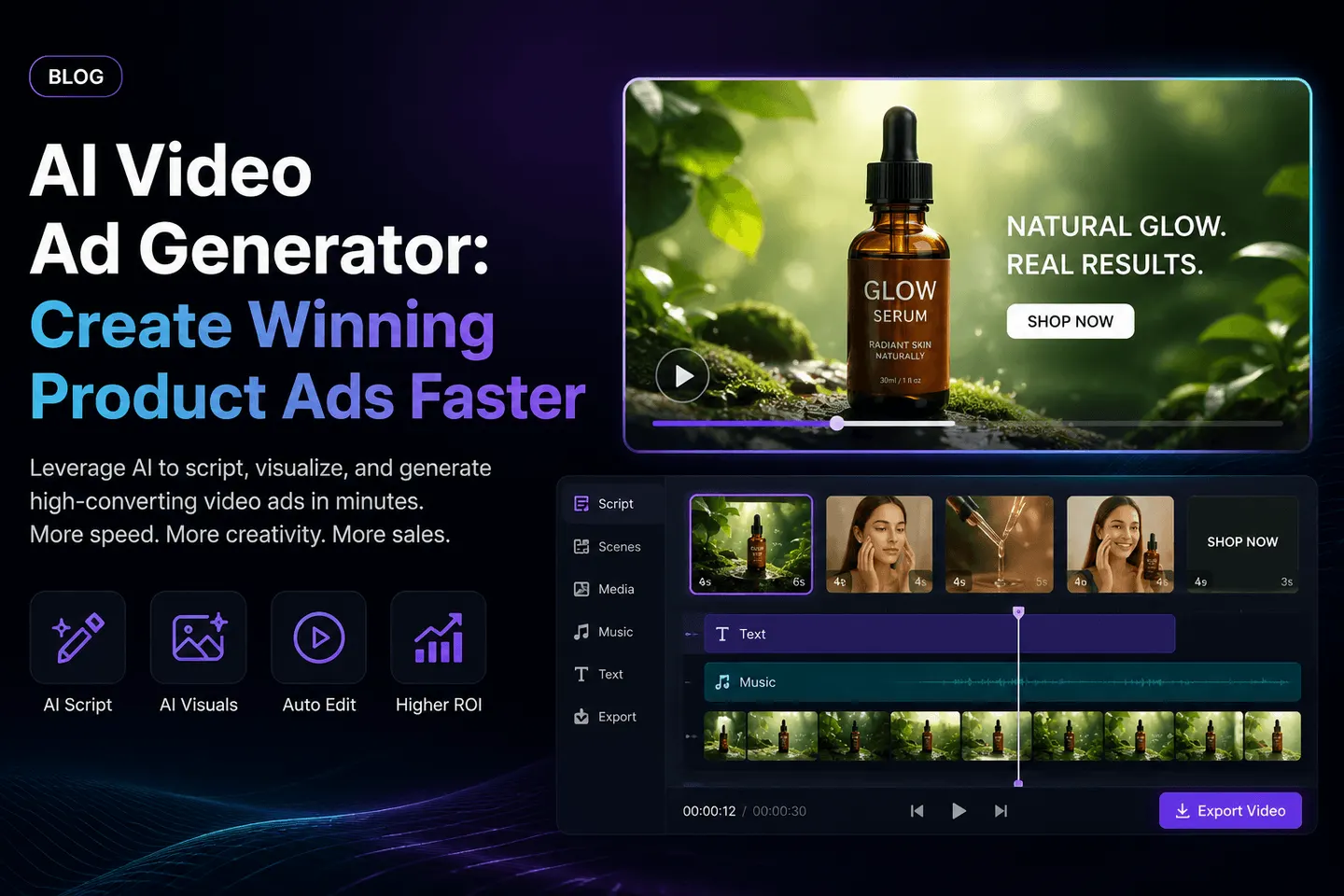
Hero image for a blog about AI Video Ad Generator, showing a sleek dark-to-neon interface with a product ad video editor on the right, featuring a Glow Serum bottle, video timeline with scenes, AI tools icons, and bold headline text promoting faster creation of winning product ads.

AI Video Ad Generator: Create Winning Product Ads Faster

AI Video Ad Generator: Create Winning Product Ads Faster

Most product ads fail before the viewer understands what is being sold. The hook is too slow, the product is not clear, the presenter feels generic, or the video looks like every other ad in the feed.

That is why more brands are turning to an AI video ad generator. The goal is not just to make one video faster. The real advantage is creating more product ad variations, testing more hooks, and finding the creative angle that actually converts.

With APOB AI, brands can create UGC-style video ads, product demos, AI influencer clips, talking product videos, and short-form ad variations without filming every version from scratch.

Create Your First AI Video Ad with APOB AI

How to Create a Product Ad with APOB AI

Step 1: Start with One Clear Product Angle

Before generating the video, decide what the ad should prove.

For example:

  • This product solves a daily problem.

  • This product saves time.

  • This product creates a visible result.

  • This product feels premium.

  • This product is easier than the old solution.

A good AI video ad starts with one selling angle, not five.

Step 2: Choose a Short-Form Ad Format

APOB AI works best when you build the video around a clear ad structure.

Strong formats include:

  • Problem-solution ad

  • Product demo ad

  • AI influencer product review

  • UGC-style reaction video

  • Before-and-after style clip

  • TikTok or Reels hook video

  • Retargeting reminder ad

This helps the AI video feel like a real ad, not just a random generated clip.

Step 3: Add Your Product Image or Creative Asset

Upload your product image, model image, or existing video asset. APOB AI can help turn static product visuals into video-ready ad scenes.

This is especially useful for e-commerce brands with many SKUs. Instead of reshooting every item, you can create multiple product video ads from existing assets.

APOB AI video ad maker highlighting the Add Product Image panel for uploading product assets into short-form AI video ads and UGC-style product demos.

Step 4: Use an AI Presenter or AI Influencer

One of APOB AI’s biggest advantages is repeatable presenter content. You can create an AI influencer or virtual spokesperson, then use the same persona across multiple ad videos.

This gives your campaigns a more consistent visual identity. Instead of every ad looking disconnected, your product videos can feel like they belong to the same brand.

APOB AI ad video generator showing an AI influencer profile and voice model option for creating consistent UGC-style product video ads.

Step 5: Generate Multiple Hook Variations

Do not stop at one version. Generate several openings.

Example hooks:

  • “I didn’t expect this product to work this fast.”

  • “If your ads are not converting, watch this.”

  • “This is the easiest way to show your product in video.”

  • “Here’s what makes this product different.”

  • “Stop using static product photos for every campaign.”

    APOB AI video ad generator highlighting original video upload for turning short clips into AI product ads and UGC-style ad variations.

The winning hook usually decides the winning ad.

Create Your First AI Video Ad with APOB AI

Why APOB AI Works Well for Video Ads

APOB AI is useful because it combines product visuals, AI presenters, video editing, and short-form ad creation into one workflow.

A normal AI video maker may help you create a clip. APOB AI helps you create campaign-ready ad variations.

That difference matters.

For performance marketing, you need more than one polished video. You need different hooks, different presenters, different product angles, and different platform versions. APOB AI makes that easier by helping you create more testable creative without starting from zero every time.

Why Brands Need More Ad Variations

Ad fatigue is one of the biggest problems in paid social. Even a good ad can stop performing once the audience has seen it too many times.

An AI video ad generator helps solve this by making it easier to refresh:

  • Opening hooks

  • Product benefits

  • Presenter styles

  • Background scenes

  • CTA lines

  • Captions

  • Video formats

  • Product angles

Instead of waiting for a new production cycle, brands can quickly test new creative directions.

Best Product Ad Ideas to Create with APOB AI

1. Problem-Solution Product Ad
Show the customer pain point first, then introduce the product as the simple fix.

2. AI Influencer Product Review
Use a consistent virtual presenter to explain the product in a creator-style format.

3. Product Demo Video
Show how the product looks, moves, works, or fits into daily life.

4. UGC-Style Reaction Ad
Make the video feel casual, direct, and native to TikTok, Reels, or Shorts.

5. Retargeting Video
Create a short reminder for users who already visited the product page but did not buy.

6. Catalog Variation Ad
Use the same ad structure across multiple products, colors, bundles, or seasonal offers.

What Makes a Good AI Generated Ad Video?

A good AI generated ad video should feel clear within the first three seconds.

It should show:

  • What the product is

  • Who it is for

  • Why it matters

  • What result it creates

  • What the viewer should do next

If the video looks impressive but the product message is unclear, it will not perform well.

That is why APOB AI is useful for marketers. It helps turn creative assets into ad-ready video formats built around product clarity, social pacing, and fast testing.

Conclusion

The best AI video ad generator is not just a tool for making one video. It is a way to build a faster creative testing system.

With APOB AI, brands can create product video ads, UGC-style clips, AI influencer videos, product demos, and ad variations without filming every version manually.

For ecommerce teams and performance marketers, this means faster testing, fresher creative, and more chances to find the ad angle that actually converts.

FAQs

Q1: What is an AI video ad generator?

An AI video ad generator helps create video ads from product images, scripts, prompts, or existing assets. It can produce product demos, UGC-style ads, AI presenter videos, and social ad variations.

Q2: Can an AI video ad generator help with creative testing?

Yes. An AI video ad generator helps you create multiple versions of the same ad idea, so you can test different hooks, product angles, presenters, captions, and CTAs faster before scaling the winning creative.

Q3: Can APOB AI create UGC-style video ads?

Yes. APOB AI can help create creator-style product videos, AI influencer reviews, product demos, and short-form ads for social platforms.

Q4: What products work best for AI video ads?

Beauty, fashion, fitness, apps, gadgets, home products, digital products, and ecommerce items with clear visual benefits usually work well.

Q5: Can I make multiple ad variations with APOB AI?

Yes. You can test different hooks, presenters, product angles, captions, and CTA lines to find the strongest ad creative.

Q6: Are AI generated ad videos good for paid social?

Yes, especially for TikTok, Instagram Reels, YouTube Shorts, Meta ads, and e-commerce retargeting campaigns.

Q7: What is the difference between an AI video ad generator and an AI video ad maker?

They are very similar. An AI video ad generator usually focuses on automatically creating ad videos from prompts, product images, or scripts, while an AI video ad maker may also include editing tools, templates, captions, and brand controls.

Q8: Can I create AI video ads without filming anything?

Yes. With APOB AI, you can start from product images, AI presenters, existing clips, or written ad concepts, then generate short-form video ads without a full production shoot.

Q9: How do I make AI video ads look less generic?

Use a specific product angle, natural creator-style wording, clear visual proof, real customer pain points, and platform-native pacing. Avoid vague prompts like “make a great ad.”

Q10: What is the best structure for a short AI video ad?

A strong structure is: hook, problem, product solution, quick proof or demo, benefit, and CTA. Keep the first three seconds highly visual.

Q11: Can APOB AI help create product video ads from images?

Yes. APOB AI can help turn product images and creative assets into product video ads, UGC-style clips, and short-form social variations.

Q12: Is an AI video ad generator useful for small businesses?

Yes. Small businesses can create more ad variations without hiring a full video team, making it easier to test hooks, products, and offers with lower production cost.

Q13: Can I use AI video ads for Shopify products?

Yes. AI video ads work well for Shopify product pages, TikTok ads, Meta campaigns, retargeting ads, and seasonal product promotions.

Q14: What kind of hook should I test first?

Start with a direct problem hook, such as “Still struggling with…” or a result hook, such as “Here’s what changed after…” These are easy to understand and fast to test.

Q15: How often should I refresh AI video ads?

Refresh your video ads whenever performance drops, frequency rises, or engagement starts to decline. Many brands test new hooks or variations weekly.

Q16: Can AI video ads include an AI influencer?

Yes. APOB AI can help create ads with AI influencers or virtual presenters, giving your brand a consistent spokesperson across multiple campaigns.

Q17: Are AI generated ad videos suitable for retargeting?

Yes. Retargeting ads can be short and direct. Use AI video ads to remind viewers of product benefits, limited-time offers, reviews, or abandoned cart reasons.

Q18: What is the biggest mistake in AI video ad creation?

The biggest mistake is creating a video that looks visually interesting but does not clearly sell the product. Every ad should have one clear message and CTA.

Q19: Can I make different versions for TikTok, Reels, and Shorts?

Yes. APOB AI can help create short-form ad variations for different platforms by adjusting hook style, pacing, format, captions, and CTA.

Q20: What should I prepare before using an AI video ad generator?

Prepare product images, one clear selling point, target audience details, a short offer, and a few hook ideas. This makes the generated video more focused and conversion-ready.

Create Your First AI Video Ad with APOB AI

Reference:

Butts, T. (2025) ‘Nearly 90% of Advertisers will Use Gen AI to Build Video Ads, According to IAB’, TV Tech, 15 July. Available at: https://www.tvtechnology.com/news/nearly-90-percent-of-advertisers-will-use-gen-ai-to-build-video-ads-according-to-iab(Accessed: 10 June 2026).

Weatherbed, J. (2025) ‘Amazon is about to be flooded with AI-generated video ads’, The Verge, 11 June. Available at: https://www.theverge.com/news/685160/amazon-ads-ai-video-generator-us-launch-availability(Accessed: 10 June 2026).

Weatherbed, J. (2026) ‘Get ready for the AI ad-pocalypse’, The Verge, 24 January. Available at: https://www.theverge.com/report/866775/ai-generated-ads-slop-human-creativity(Accessed: 10 June 2026).


Read More

APOB AI Free Plan Beats InVideo AI Free Plan

Why APOB AI Free Plan Beats InVideo AI Free Plan for Creators

Why APOB AI Free Plan Beats InVideo AI Free Plan for Creators

Choosing a free AI video generator should not feel like choosing the fastest way to hit a paywall. InVideo AI is a strong prompt-to-video platform for script-based videos, stock visuals, voiceovers, subtitles, and quick marketing clips. But if you are a creator who wants daily AI generation, flexible image and video tools, clean outputs, character creation, and a lower-cost path to scale, the APOB AI free plan gives you more usable creative freedom from the start.

TRY APOB AI FOR FREE

What Is the InVideo AI Free Plan?

The InVideo AI free plan is designed for users who want to test AI-assisted video creation before upgrading. InVideo AI focuses heavily on text-to-video workflows: users enter a video idea, and the platform can generate scripts, add AI visuals, include voiceovers, subtitles, music, and help users edit videos through text prompts.

Where the InVideo AI Free Plan Falls Short for Creators

The biggest issue with many free AI video tools is not whether they let you create something. The real issue is whether the output is useful enough to support real creative work. Free-plan restrictions often appear through limited usage, watermark pressure, less visual control, limited AI character workflows, and faster upgrade pressure.

Introducing the APOB AI Free Plan

The APOB AI free plan is designed for creators who want to build visual content every day, not just test one or two sample exports. APOB AI gives users a daily point system that supports image generation, visual experimentation, short AI video creation, AI character workflows, image-to-video generation, and social content production.

APOB AI vs InVideo AI Free Plan: Feature Comparison

APOB AI is stronger for visual-first creators, AI influencers, image-to-video projects, and short-form creative testing. InVideo AI is stronger for prompt-to-video scripts, stock-based video assembly, subtitles, voiceovers, and marketing explainers.

Why APOB AI Free Plan Is Better for Creators

APOB AI gives creators more daily creative freedom, cleaner outputs, flexible AI image and video tools, stronger AI character workflows, and lower upgrade pressure. For users comparing InVideo AI free plan limitations with APOB AI, the biggest difference is how much usable creative work you can produce before paying.

Daily Creative Freedom Instead of One-Time Testing

Many creators do not need one perfect video on the first try. They need room to test ideas, compare styles, refine characters, adjust visuals, and create multiple versions before choosing the best asset. APOB AI supports that creator reality with daily free usage.

A Better Free AI Video Generator No Watermark Experience

Watermarks are one of the biggest reasons creators abandon free tools. APOB AI is positioned as a stronger free AI video generator no watermark option for creators who want cleaner outputs for social posts, portfolios, ad mockups, and client previews.

More Than Prompt-to-Video

InVideo AI is excellent for prompt-based video creation. But many modern creators start with a face, a character, a product image, an AI influencer concept, or a visual style. APOB AI gives creators a more visual-first workflow built around images, AI characters, short videos, and image-to-video creation.

Stronger Fit for AI Influencers and Visual Personas

Creators are increasingly building digital personas, AI models, and virtual influencers. APOB AI fits this need because it helps creators build portraits, social images, short video clips, AI influencer content, and repeatable visual campaigns.

Lower Upgrade Pressure for Growing Creators

A good free plan should help creators build confidence before paying. APOB AI’s lower-cost upgrade path makes it more accessible for hobbyists, small businesses, creators, educators, and solo marketers who need more capacity without jumping into expensive production software.

Who Should Choose APOB AI?

APOB AI is ideal for AI influencer creators, short-form social creators, small business owners, UGC ad creators, visual storytellers, and beginners who want a flexible AI creative workspace instead of a narrow prompt-to-video tool.

When InVideo AI Still Makes Sense

InVideo AI still makes sense if your main goal is to create narrated explainers, YouTube videos, training clips, or marketing videos from text prompts. Its script, voiceover, subtitle, music, and stock-video workflow can be useful for structured video production.

Final Verdict

The InVideo AI free plan is a useful way to test prompt-to-video creation. But for creators who need more creative freedom, cleaner outputs, visual-first workflows, and lower upgrade pressure, the APOB AI free plan offers stronger everyday value.

TRY APOB AI FOR FREE

FAQs

1. What is the best InVideo AI free plan alternative?

APOB AI is a strong InVideo AI free plan alternative for creators who want daily AI generation, clean outputs, image generation, image-to-video tools, AI character creation, and a more flexible free creative workflow.

2. Is APOB AI better than InVideo AI for free users?

APOB AI is better for users who want visual-first creation, daily experimentation, and cleaner creator assets. InVideo AI is better for users who mainly want prompt-to-video scripts, voiceovers, subtitles, and stock-based videos.

3. What is the main difference between APOB AI and InVideo AI?

InVideo AI focuses on turning prompts into structured videos with scripts, visuals, voiceovers, subtitles, and music. APOB AI focuses more on AI image generation, character creation, image-to-video, short video assets, and visual creator workflows.

4. Does APOB AI have a free plan?

Yes. APOB AI offers a free plan that allows creators to test AI image and video tools before upgrading. It is designed for ongoing creative experimentation rather than a one-time demo.

5. Does InVideo AI have a free plan?

Yes. InVideo AI offers a free plan for users who want to try its AI video generation workflow. However, creators may face usage limits, export restrictions, or upgrade pressure depending on their needs.

6. Which tool is better for AI influencer content?

APOB AI is better suited for AI influencer content because it supports visual identity creation, AI character workflows, image generation, and short video creation.

7. Which tool is better for script-based videos?

InVideo AI is stronger for script-based videos. It can generate scripts, add visuals, include voiceovers, subtitles, music, and assemble a complete video from a prompt.

8. Is APOB AI a free AI video generator no watermark option?

APOB AI is positioned as a stronger free AI video generator option for creators who want cleaner outputs and fewer watermark-related restrictions compared with many free AI video tools.

9. Why do watermarks matter for creators?

Watermarks make free outputs feel less professional. They can reduce the quality of client previews, social media posts, portfolios, ad drafts, and brand experiments.

10. Can I use APOB AI for image-to-video generation?

Yes. APOB AI supports image-to-video workflows, making it useful for creators who want to turn still visuals, AI characters, or product images into short video assets.

11. Can I use InVideo AI for image-to-video generation?

InVideo AI includes AI-generated image and video capabilities, but its strongest workflow is prompt-to-video production with scripts, visuals, voiceovers, subtitles, and music.

12. Which tool is better for TikTok, Reels, and Shorts?

APOB AI is a strong choice for TikTok, Reels, and Shorts creators who need fast visual testing, AI characters, short clips, and repeatable creative assets.

13. Which tool is better for YouTube videos?

InVideo AI may be better for longer narrated YouTube-style videos because it emphasizes scripts, voiceovers, subtitles, and structured video assembly.

14. Is APOB AI good for beginners?

Yes. APOB AI is beginner-friendly because creators can start with simple image generation, test styles, create characters, and gradually move into video generation without needing editing experience.

15. Is InVideo AI beginner-friendly?

Yes. InVideo AI is also beginner-friendly. Its prompt-to-video workflow is designed for users who want to describe an idea and let the platform build a video draft.

16. Which platform is more flexible for visual creators?

APOB AI is more flexible for visual creators because it supports AI images, character creation, image-to-video, motion experiments, and short video outputs.

17. Which free plan is better for daily experimentation?

APOB AI is better for daily experimentation because it is designed around ongoing creator usage. This is useful for users who test many prompts, styles, characters, or short-form ideas.

18. Can small businesses use APOB AI?

Yes. Small businesses can use APOB AI to create product visuals, AI-generated marketing images, short promotional videos, social media assets, and AI influencer-style content.

19. Can marketers use InVideo AI?

Yes. InVideo AI is useful for marketers who need quick promotional videos, explainers, subtitles, voiceovers, and prompt-based video drafts.

20. Which one should I choose?

Choose InVideo AI if you mainly need script-to-video production. Choose APOB AI if you want a more flexible free AI creative workspace for images, AI characters, short videos, image-to-video, and cleaner creator outputs.

TRY APOB AI FOR FREE

References

Grand View Research (2025) AI Video Generator Market Size, Share & Trends Analysis Report. Available at: https://www.grandviewresearch.com/industry-analysis/ai-video-generator-market-report (Accessed: 10 June 2026).

InVideo AI (2026) AI Video Generator. Available at: https://invideo.io/make/ai-video-generator/ (Accessed: 10 June 2026).

InVideo AI (2026) Pricing. Available at: https://invideo.io/pricing/ (Accessed: 10 June 2026).

Maxio (2025) Guide to SaaS Pricing Models: Strategies and Best Practices. Available at: https://www.maxio.com/blog/guide-to-saas-pricing-models-strategies-and-best-practices (Accessed: 10 June 2026).

Peres, R., Schreier, M. and Schweidel, D.A. (2024) ‘The creator economy: An introduction and a call for scholarly research’, International Journal of Research in Marketing.

eMarketer (2026) FAQ on the Creator Economy: How Marketers Can Stand Out in 2026. Available at: https://www.emarketer.com/content/faq-on-creator-economy--how-marketers-stand-2026(Accessed: 10 June 2026).

Read More

invideo ai

Why APOB Outshines InVideo AI Pricing for Creators

Why APOB Outshines InVideo AI Pricing for Creators

Understanding InVideo AI Pricing vs APOB AI Pricing: Which One's Better? If you're diving into AI video creation, it's super important to understand InVideo AI pricing and how it stacks up against other platforms. The AI video generator market is experiencing explosive growth, projected to expand from $788.5 million in 2025 to $3.4 billion by 2033[^1], making pricing transparency and value more critical than ever. While InVideo offers a decent free plan and paid subscriptions, APOB AI is a more flexible, cost-effective, and feature-packed alternative. In this blog, we'll break down the differences between InVideo AI pricing and APOB AI pricing, including their free plans, and explain why APOB might just be the smarter choice if you care about both quality and affordability.

TRY APOB AI FOR FREE

Comparing InVideo AI Pricing and APOB AI Pricing

Looking at InVideo AI pricing, it's clear they rely heavily on a credit-based system plus limited AI-generated minutes per month. According to InVideo's official pricing page, the free plan provides only 2 video minutes and 1 AI credit per week. That means if you experiment with a bunch of videos, your credits can disappear fast, especially since they don't accumulate week to week.

On the flip side, APOB AI pricing works with a daily points system. Every day, you get 80 points that you can save up to create longer or higher-quality videos. You don't have to worry about blowing through all your credits in one go, which is a huge plus for steady creators. This accumulation feature is particularly valuable for creators who rely on digital platforms and tools to generate and monetize content[^2], as it allows for strategic project planning rather than rushed credit usage.

APOB also offers flexible paid upgrades if you want higher resolution or premium features. With InVideo, your credit usage can feel limiting, but APOB gives you consistency and control. If you're someone who makes videos often, APOB's system is just more reliable and cost-effective over time. Transparent pricing communication is essential for SaaS platforms, as it builds customer trust and helps creators make informed decisions[^3].

InVideo AI PricingAPOB AI Pricing 1APOB AI Pricing 2

Detailed Pricing Breakdown

Understanding the exact costs and features at each pricing tier helps creators make informed decisions. Here's a comprehensive breakdown of InVideo AI pricing and APOB AI pricing structures:

InVideo AI Pricing Tiers

Free Plan ($0): 2 video minutes per week, 1 AI credit per week, 1 Express avatar, 4 exports per week with InVideo watermark, no access to generative features.

Plus Plan ($28/month or $336/year): Increased video minutes and AI credits, access to more templates, watermark removal, higher export limits.

Max Plan ($60/month): 78% more credits than Plus plan, enhanced features for individual creators, priority support.

Enterprise Plan (Custom pricing): Custom solutions for large organizations, advanced security, flexible pricing based on specific needs.

APOB AI Pricing Tiers

Free Plan ($0): 80 points daily (accumulative), 5 generation modes (Fast, Best, Ultra, Ultra 4K, Ultra S 4K), image-to-video conversion, no watermarks, full access to generative features.

Entry Paid Plan ($6/month or $72/year): Increased daily points, priority processing, enhanced features, premium support.

The cost difference is striking: APOB's entry-level paid plan costs $264 less per year than InVideo's Plus plan ($72 vs $336). For creators in 2026, when 59% of revenue comes from sponsored content[^4], this cost savings can directly impact profitability.

TRY APOB AI FOR FREE

Free Plans: InVideo vs APOB

The InVideo AI pricing free plan is fine for testing things out, but it comes with significant limits like watermarks, restricted AI minutes (only 2 per week), and credit constraints that don't accumulate. It's okay for trying the platform, but it can really hold back creativity when you hit the weekly limit on Tuesday and have to wait until the following week to continue your project.

APOB's free modes — Fast and Best — are available every day with 80 accumulative points, which means you can experiment, try out multiple ideas, and create high-quality videos without worrying about running out of minutes. Even the invideo pricing free plan doesn't give you the same consistent access or accumulation capability.

With APOB, you can accumulate points day by day, which makes planning longer projects way easier. For example, if you save points for a week, you'll have 560 points — enough for 12 Ultra 4K images or 140 Fast mode images. It's perfect whether you're just playing around or working on something more professional. The absence of watermarks on APOB's free plan also means your outputs are immediately usable for client work or portfolio pieces.

Best Practices for Evaluating AI Video Tool Pricing

When comparing AI video generation platforms, creators should look beyond the sticker price and evaluate the total value proposition. Here are key factors to consider:

Calculate Cost Per Output

Don't just compare monthly fees. Calculate how much each video or image actually costs. With InVideo AI pricing's weekly credit system, you might pay $28/month but still run out of credits mid-project. APOB's accumulative points system provides more predictable costs and better value per output.

Assess Watermark Policies

Watermarks on free plans can limit professional use. APOB AI pricing includes watermark-free outputs even on the free plan, while InVideo AI pricing requires paid plans to remove watermarks. For creators building portfolios or working with clients, this difference is significant.

Evaluate Upgrade Necessity

Consider whether the free plan meets your actual needs or if you'll immediately need to upgrade. APOB's generous free plan (80 daily points, 5 modes, no watermarks) may eliminate the need for immediate upgrades, while InVideo's restrictive free plan (2 mins/week, watermarks) often necessitates quick upgrades.

Consider Long-Term Costs

Project your usage over 6-12 months. APOB's entry upgrade at $72/year versus InVideo's $336/year represents $264 in annual savings — money that creators can reinvest in other aspects of their business.

Check Feature Accessibility

Some platforms lock key features behind paid tiers. APOB provides full access to generative features on the free plan, while InVideo AI pricing restricts generative features to paid plans only.

Image to Video: All in One

One of APOB's coolest features is its AI image to video workflow. You can create AI characters or images and turn them into videos right there on the same platform. No need to jump between multiple tools or pay for separate services. InVideo focuses more on templates and automated video creation, which is fine, but APOB gives you more control and flexibility over the entire creative process.

Plus, APOB supports advanced camera movements like Zoom, Follow, or Around Character, and you can add background sound effects. These tools let you make your videos feel more cinematic and engaging, similar to professional video editing software but with AI-powered simplicity. InVideo AI, while useful for template-based creation, doesn't offer this level of control over shots and scene composition.

The integrated workflow means you can go from concept to finished video without switching platforms, saving time and reducing the learning curve. This is particularly valuable for creators managing multiple projects simultaneously.

TRY APOB AI FOR FREE

Smooth Transitions and Multi-Shot Editing

APOB also shines when it comes to smooth transitions and multi-shot editing. You can provide first and last frames to ensure your video flows naturally from scene to scene. Want a longer story or multiple scenes? Just use the Add Shot feature and input new prompts for each segment.

This is perfect for storytelling, short films, or more complex content like product demonstrations or educational videos. InVideo's free or paid plans usually don't offer this level of flexibility for multi-shot sequences, which makes APOB the go-to choice for creators who need narrative control.

The ability to control transitions and maintain visual continuity across multiple shots elevates APOB from a simple generation tool to a comprehensive video creation platform. This feature alone can justify the platform choice for creators working on branded content or client projects.

Integrated Audio and Voice

APOB isn't just about visuals — it's got audio covered too. You can generate AI voices, sync lip movements, and even add subtitles automatically. So your AI characters can speak, narrate, and act in a fully integrated way, creating complete video content without needing external audio editing tools.

InVideo offers voiceovers and music, but it doesn't combine AI characters, multi-shot video editing, and audio integration like APOB does. This integrated approach streamlines the production workflow, reducing the time from concept to finished video.

The automatic subtitle generation is particularly valuable for social media content, where many viewers watch videos without sound. APOB's all-in-one approach means you don't need to export to separate subtitle tools or audio editors.

Technical Specifications Comparison

A detailed technical comparison reveals the substantial differences between APOB AI pricing and InVideo AI pricing in terms of features and capabilities:

Feature

APOB AI

InVideo AI

Free Plan Credits

80 points/day (accumulative)

2 video mins + 1 credit/week

Credit Accumulation

Yes, unlimited

No

Generation Modes

5 modes with quality options

Template-based

Free Plan Watermark

No

Yes

Video Quality (Free)

Up to Ultra S 4K

480p

Image-to-Video

Full integration

Limited

Camera Control

Advanced (Zoom, Follow, Around)

Basic template-based

Multi-Shot Editing

Full support with transitions

Limited

AI Voice & Lip Sync

Fully integrated

Separate features

Automatic Subtitles

Yes

Yes

Generative Features (Free)

Full access

No access

Entry Paid Plan

$72/year

$336/year

Cost Savings

Baseline

$264/year more expensive

Cost Efficiency for Long-Term Use

If you're a content creator, educator, or brand making videos regularly, APOB is more cost-efficient. Its combination of daily points, free modes, and optional paid upgrades keeps costs down without sacrificing quality. The $264 annual savings compared to InVideo AI pricing can be reinvested in other creative tools, marketing, or equipment.

Compared to InVideo AI pricing, APOB is more flexible and consistent for long-term use. The accumulative point system means you're never wasting unused credits, and the transparent pricing structure helps with budget planning. For small businesses and independent creators, this predictability is invaluable.

Consider a creator producing 10 videos per month. With InVideo's weekly credit limits, they'd quickly need to upgrade to the Plus plan ($336/year) or higher. With APOB's daily accumulation, the same creator might comfortably stay on the free plan or use the entry paid plan ($72/year), saving significant money while maintaining quality.

Why APOB Pricing Works for Different Budgets

APOB AI pricing structure accommodates creators at various financial stages:

Zero-Budget Creators

Students, hobbyists, and those just starting can use APOB's free plan indefinitely with 80 daily points, no watermarks, and full feature access. This is substantially more generous than InVideo AI pricing's restrictive free tier.

Budget-Conscious Professionals

Freelancers and small business owners can upgrade to APOB's entry plan at $72/year, accessing enhanced features at a fraction of InVideo's $336/year cost. The $264 savings represents a significant portion of a small creator's annual tool budget.

Growing Creators

As channel size and project complexity grow, APOB's pricing scales affordably. The accumulative point system means creators can handle occasional large projects without jumping to expensive tiers.

Educational Institutions

Schools and non-profits operating on tight budgets benefit from APOB's low entry costs and generous free plan, making professional video creation accessible for educational content.

Conclusion

All in all, when comparing InVideo AI pricing and APOB AI pricing, APOB clearly has the edge. Its free modes are generous with 80 accumulative daily points and no watermarks, the daily points system is smart and flexible, and the platform's tools — from image-to-video conversion to advanced camera control and integrated audio — go way beyond what InVideo offers at comparable price points.

If you want to get the most out of AI video creation without breaking the bank, APOB is the better choice. Whether you're experimenting with short clips or producing professional AI content, APOB lets you create more, more easily, and more affordably. The $264 annual savings compared to InVideo AI pricing, combined with superior free plan features and comprehensive creative tools, makes APOB the clear winner for creators who value both quality and cost-effectiveness.

As the AI video generator market continues its rapid growth, choosing a platform with transparent pricing, accumulative credits, and professional-quality outputs becomes increasingly important. APOB AI pricing delivers on all these fronts, making it the smarter long-term investment for creators at any level.

TRY APOB AI FOR FREE

FAQs

Q1: What are the components of the free plan for the APOB AI system?

APOB AI free plan comes with 80 accumulative points daily, access to 5 generation modes (Fast, Best, Ultra, Ultra 4K, Ultra S 4K), image-to-video conversion, advanced camera controls, AI voice and lip sync, automatic subtitles, and no watermarks on outputs. All generative features are fully accessible on the free plan.

Q2: How does the pricing for the APOB AI software compare to the pricing of InVideo?

APOB AI pricing is significantly more affordable. The entry paid plan costs $72/year compared to InVideo's $336/year Plus plan, saving creators $264 annually. Additionally, APOB's free plan is more generous with 80 daily accumulative points versus InVideo's 2 weekly video minutes, and APOB doesn't add watermarks to free plan outputs.

Q3: Can I make videos from pictures by means of the APOB AI?

Yes! APOB AI provides full image-to-video generation capabilities. You can develop AI images or characters and convert them into video stories by adding camera movements (Zoom, Follow, Around Character), background sound effects, multi-shot sequences, and smooth transitions. This integrated workflow is more versatile and comprehensive than InVideo AI's limited image-to-video features.

Q4: Can APOB AI produce video from the given text input?

Absolutely! In addition to image-to-video conversion, APOB supports Text-to-Video generation. You describe the actions, scenes, and movements in prompts, and APOB generates the corresponding AI video. This feature is ideal for creators who want to create videos without uploading images, simply by describing their vision.

Q5: Do APOB points expire if I don't use them?

No! APOB's daily points accumulate without expiration, allowing you to save points over days or weeks for larger projects. This is a major advantage over InVideo AI pricing's weekly credit system, where unused credits don't carry over to the next week.

Q6: What's included in APOB's camera control features?

APOB provides advanced camera control options including Zoom (in/out effects), Follow (tracking subject movement), and Around Character (orbital camera movements). These cinematic controls let you create professional-looking videos with dynamic perspectives, a feature not available in InVideo's template-based system.

References

[^1]: Grand View Research. (2025). AI Video Generator Market Size, Share | Industry Report 2033. Retrieved from https://www.grandviewresearch.com/industry-analysis/ai-video-generator-market-report

[^2]: Peres, R., Schreier, M., & Schweidel, D.A. (2024). The creator economy: An introduction and a call for scholarly research. International Journal of Research in Marketing.

[^3]: Maxio. (2025). Guide to SaaS Pricing Models: Strategies and Best Practices. Retrieved from https://www.maxio.com/blog/guide-to-saas-pricing-models-strategies-and-best-practices

[^4]: eMarketer. (2026). FAQ on the creator economy: How marketers can stand out in 2026. Retrieved from https://www.emarketer.com/content/faq-on-creator-economy--how-marketers-stand-2026-

Read More

Pros and cons of AI video enhancer

Pros and cons of AI video enhancer

Pros

Pros

1. Improve Video Quality Online Without Complex Editing

APOB AI video enhancer helps users improve video quality online without advanced editing skills. It can make video clearer, enhance video quality, and prepare low-resolution clips for social media, product videos, UGC ads, and AI influencer content.

2. Fix Blurry Videos and Upscale Video Quality

APOB AI works as a video quality enhancer for blurry, soft, or compressed footage. Users can use it to fix blurry video, upscale video quality, and create cleaner results for TikTok, Instagram, YouTube Shorts, product demos, and creator videos.

3. Continue Creating After Video Enhancement

APOB AI is more than an online video enhancer. After using the AI video enhancer, users can keep working with image to video, text to video, talking video, add subtitles, edit product, edit character, edit motion, and edit everything in the same creative workflow.

Cons

Cons

Enhancement Results Depend on the Original Video

Like any AI video enhancer online, the final result depends on the quality of the original footage. Very blurry videos, extremely low-resolution clips, heavy compression, or unstable motion may still need regeneration, manual adjustment, or additional editing to get the best video quality enhancer result.

FAQs about AI video enhancer

FAQs about AI video enhancer

What is an AI video enhancer?

An AI video enhancer is a tool that helps improve video quality online by making videos clearer, sharper, and more polished. APOB AI video enhancer can be used for creator videos, product videos, AI influencer clips, and social media content.

How can I improve video quality online?

You can improve video quality online by uploading your video to APOB AI, choosing the video quality enhancer or upscale option, and generating a cleaner version. This helps make video clearer without complex editing software.

Can APOB AI fix blurry video?

Yes, APOB AI can help fix blurry video by improving visual sharpness and enhancing soft details. It is useful when you need to make video clearer for ads, product demos, AI influencer content, or short-form social videos.

Is APOB AI a free AI video enhancer?

APOB AI can be used as a free AI video enhancer workflow depending on available credits and access. Users can enhance video quality online and continue editing with other AI video tools inside the same platform.

Can I upscale video quality with APOB AI?

Yes, APOB AI helps users upscale video quality and create a cleaner, sharper result from low-resolution or compressed footage. It is useful for videos that need a more polished look before publishing.

Can I upscale video to 1080p online?

APOB AI can help upscale video to 1080p-style higher-quality output when improving low-resolution videos. The final result depends on the original video quality, resolution, blur level, and compression.

What is the difference between video upscaling and video enhancement?

Video upscaling focuses on increasing video resolution, while video enhancement can include sharpening, denoising, color improvement, blur reduction, and stabilization. APOB AI video enhancer can support a broader video quality enhancer workflow.

Can I unblur video online free?

APOB AI can help users unblur video online free depending on the available free credits or plan. It can improve facial details, product details, and general clarity in soft or blurry video clips.

How do I make video clearer with AI?

To make video clearer, upload your original clip, choose the AI video enhancer or upscale tool, and generate an improved version. APOB AI can help reduce blurry details and make the video look more ready to publish.

Can APOB AI stabilize shaky video online?

APOB AI focuses on improving video quality and editing videos in one workflow. For shaky footage, users can use video enhancement and editing tools to create a cleaner result, then continue with edit motion or edit everything if needed.

Is APOB AI a video stabilizer?

APOB AI is mainly an AI video enhancer and AI video creation platform, not only a video stabilizer. It can help improve video quality and support broader editing needs such as edit motion, edit character, edit product, and edit everything.

Can AI video enhancer improve product videos?

Yes, APOB AI video enhancer is useful for product videos because it can make product details clearer, improve visual quality, and prepare clips for e-commerce pages, TikTok Shop, Instagram Reels, YouTube Shorts, and product ads.

Can AI video enhancer improve AI influencer videos?

Yes, APOB AI can improve AI influencer videos by making faces, outfits, backgrounds, and visual details clearer. After enhancement, users can continue editing with edit character, edit motion, edit product, or edit everything.

Can APOB AI enhance social media videos?

Yes, APOB AI can enhance video quality online for TikTok, Instagram Reels, YouTube Shorts, UGC ads, and creator content. It helps make videos clearer and more polished before publishing.

Can APOB AI do AI video color correction?

APOB AI can help improve the overall look of video content, including cleaner visuals and better presentation. For AI video color correction needs, users can enhance video quality and continue refining the result with editing tools.

What is a video color enhancer?

A video color enhancer improves color, brightness, contrast, and visual balance. On an AI video enhancer landing page, this feature is important for creators who want product videos, ads, and influencer clips to look more professional.

Can I use APOB AI as a 4K video enhancer?

APOB AI can help improve video quality and upscale video quality, but final resolution options may depend on the available settings. If users need a 4K video enhancer workflow, they should check the current export options before generating.

Does AI video enhancement change the original video?

AI video enhancement can improve clarity, sharpness, and overall quality, but it should keep the main content recognizable. With APOB AI, users can also make further changes using edit product, edit character, edit motion, and edit everything.

What kind of videos can I improve with APOB AI?

You can use APOB AI video enhancer for low-resolution videos, blurry videos, compressed videos, AI influencer clips, product videos, UGC ads, social media videos, and short-form marketing content.

What can I do after using the AI video enhancer?

After using the AI video enhancer, you can keep creating in APOB AI with image to video, text to video, talking video, add subtitles, generate image, edit product, edit character, edit motion, and edit everything.

CONTACT INFORMATION

support@apob.ai

COPYRIGHT 2024 ALL RIGHTS RESERVED BY ATOMSTOBITS LABS INC

CONTACT INFORMATION

support@apob.ai

COPYRIGHT 2024 ALL RIGHTS RESERVED BY ATOMSTOBITS LABS INC

LINKS

Features

Tools

CONTACT INFORMATION

support@apob.ai

COPYRIGHT 2024 ALL RIGHTS RESERVED BY ATOMSTOBITS LABS INC