Free AI Portrait Generator
Create realistic AI portraits from photos and turn them into images or videos.
AI Portrait Gallery


How to Use the Free AI Portrait Generator
1. Upload a Photo or Create a Virtual Avatar
Begin by logging into APOB. Click on the “Create Portrait” button, upload a clear photo of yourself, or design a custom virtual avatar.
What Kind of Photo Works Best?
For the best result, choose a front-facing selfie or profile photo where your face, hairstyle, skin tone, and natural expression are clearly visible. This helps the system preserve your facial identity while generating portraits in different styles, outfits, poses, and backgrounds.
If you do not want to use your own photo, you can also create a virtual avatar from scratch. This is useful for building AI influencers, fictional characters, social media personas, or brand characters that need a consistent look across images and videos.

2. Explore Diverse Template Styles
In “Complete Set,” select from a wide range of preset styles:
Travel Themes: London, Turkey, India and more.
Artistic Filters: Vintage, Audrey Hepburn, Cyberpunk, Watercolor, etc.
Professional Headshots: LinkedIn-ready portraits.
Lifestyle Themes: Surfer, Bikini, Christmas outfits, etc
Simply choose a style, and with one click, your portrait is transformed.

3. Customize with AI-Powered Prompts
For more personalized results, use Custom Mode under “Build Your Own.” Select from artistic styles like Cute 3D, Manga, Anime Sketch, and more. Enter detailed prompts describing your desired look, and let APOB generate a unique portrait based on your specifications.

4. Generate Full-Body Portraits
In “Expert Mode,” input a detailed prompt (up to 1024 characters) describing the full-body portrait you envision. Specify aspects like attire, background, and pose. For optimal results, choose aspect ratios like 9:16 or 3:4. Whether it’s a fashion street style influencer or someone holding a pet, APOB brings your imagination to life.

5. Refine with "Chat to Edit"
After generating your portrait, use the “Chat to Edit” feature to fine-tune details. Provide prompts or reference images to adjust makeup, hairstyle, clothing colors, or even switch to different styles, like black-and-white photography. Achieve the perfect look with ease.

6. Turn Your AI Portrait into a Video
APOB AI does more than generate still portraits. After creating your AI portrait, you can use it as a consistent character reference for video creation. Turn your portrait into a talking avatar, animate it with image-to-video, or create short social videos for TikTok, YouTube Shorts, Instagram Reels, product demos, and AI influencer content.
For talking videos, enter a short script, choose a voice style, and generate a lip-synced avatar video. For more dynamic content, use image-to-video to animate facial expressions, body movement, camera motion, and background scenes while keeping the same portrait identity consistent.

Trusted by thousands of creators
Emir.
21k Followers
Subhan Qureshi
26k Followers
ELITE MINDSET
23k Followers
Ajay Sharma
30k Followers
Mr Shishir
5k Followers
edrian.exe
604k Followers
aprendeconvalerio
1.39M Followers
gabzer.mp4
591k Followers
Hasan Toor
413k Followers
Tulsi Soni
153k Followers
TuTecnoMundo
3.08M Subscribers
YORD
2.79M Subscribers
SinnerSam
325k Subscribers
malik.makhlouff
1.2M Followers
Riscaane
215k Followers
setups_ai
950k Followers


Jhonier Gomez
137k Subscribers
David Dato
70k Subscribers
Pro Secret
22k Subscribers
rulomart
2.4M Followers
xabatz
99K Followers
reels_drgn
55K Followers
cristinakerk.studio
156K Followers
websconia_ia
23k Followers
felippetek
216k Followers
cr_webq
15k Followers
moddy.a.m
385k Followers
mpminds
1.2M Followers
ainusantara
551k Followers
vin.ai93
209K Followers
pampisman
957k Followers
eloiljf
296k Followers


Real Creator Testimonial: Generating "High-Quality" AI Portraits with "Impressive" Consistency
After testing APOB AI, the creator @AiMinds26 provides a strong, positive endorsement, focusing on the quality, realism, and consistency required for a top-tier AI portrait generator.
Shared by creator: @AiMinds26
'It lets you create your own AI influencer or portrait model that can generate both images and videos.'
Why do people choose our ai portrait generator?
Various styles options
We offer a wide range of artistic styles, from realistic to creative, so you can generate portraits exactly in the style you prefer. In the Build Your Own feature, you can choose from styles such as cute 3D, cute comic, vintage anime, pixel art, manga, linear manga, and anime sketch. If you can’t find your favorite style among the preset templates, you can also customize it directly using the Expert mode.
Simple-to-Use and friendly refund policy
No design skills are required. Our platform allows you to create professional-level portraits effortlessly. We provide clear step-by-step guidance, making it very beginner-friendly. We also offer a dedicated live support team to assist you whenever needed. If you are not satisfied with your portraits or result, please contact our support team for help.
Quick and Convenient
Create and edit your portraits in just a few minutes. Our team strictly optimizes image generation speed, so users can get results quickly.
Use Case of AI Portrait Generator
What can AI Portrait Generator be used for?
Branding & Marketing
Businesses can use an AI portrait generator to create consistent and scalable visuals for their marketing campaigns and team profiles. This cuts out the need for expensive photoshoots while keeping a unified brand image across various platforms.
Social Media Avatars
Individuals can create unique and eye-catching avatars for their social media profiles, boosting their online presence and personal brand. For example, we will help you generate avatars that “perfectly match your style, voice, and personality,” which is essential for building a strong online identity. The trend of using AI portraits for social media is growing, as creators look for ways to stand out [1].
Creative Exploration
Artists and hobbyists can use AI portrait generators as a creative tool to try out new styles, create concept art, and design characters. This technology works as a “creative assistant,” allowing quick idea generation and revisions. [2].
Reviews on our AI portrait generator
I used one clear selfie to build a set of portraits for a month of social posts. The face stayed recognizable while I tested different outfits and backgrounds, so the final images still felt like the same person.
For a presenter concept, I generated several portrait options before the client chose a final look. Reviewing the wardrobe, framing, and expression in advance made the later video discussion much more specific.
I started with a simple portrait and compared manga, anime sketch, and softer illustrated styles. Adjusting the hair and expression helped me settle on a profile image that matched the tone of my channel.
Our team needed a consistent virtual host for weekly posts. I chose one portrait, created a few seasonal variations, and then used the same face in a talking-avatar clip without rebuilding the character.
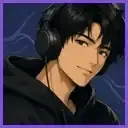
We tested portraits beside three product categories before committing to a campaign. Seeing the same model in different settings helped us choose a visual direction that felt credible for the store.
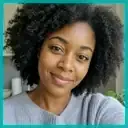
APOB AI is useful when a storyboard needs a specific face rather than a generic placeholder. I can establish the portrait, test expressions, and show how that person may read in a short animated shot.
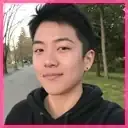
My channel does not use an on-camera host, so I created a portrait for intros and explainers. Reusing it across thumbnails and portrait-to-video clips gives viewers a familiar face.
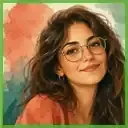
I compared professional headshots, lifestyle portraits, and illustrated options for a campaign. The side-by-side images made the brand conversation concrete before we invested in full production.
I needed a character-led teaser for a small launch. I created the hero portrait first, animated a short version with APOB AI, and finished the music, captions, and timing in my editor.


Pros and cons of ai portrait generator
Pros
Free Daily Credits
APOB is free to start with 80 credits daily, so you can generate a few AI portraits for free. Perfect for hobbyists and designers.
One-Click Stylish Portraits
With Template Mode, you can discover a huge collection of portrait styles — all in one click.
Chat to Edit for Creative Transformations
Your AI portraits can be converted into anime, fantasy, or watercolor with a single prompt through Chat to Edit. It is easy to experiment with unique, creative looks.
Cons
Advanced Features May Have a Price
We offer daily free credits that are more than enough for users to try out many of our core features. However, if you want to generate the highest-quality videos—such as Ultra 4K or longer video durations—we recommend upgrading to a paid plan for the best results.
Customization Entails Swift Competency
Well-crafted prompts are often needed for highly detailed results, and beginners may need a bit of trial and error. If you run into any difficulties, feel free to reach out to our support team—we’re always here to help.
Create AI Portraits with APOB AI
No Credit Card Required
Discover more blogs about Free AI Portrait Generator


FAQs about AI Portrait Generator
Answers about portrait styles, lighting, backgrounds, free credits, quality, and commercial use.
What is an AI portrait?
An AI portrait is a digitally generated portrait created using artificial intelligence tools like APOB AI. With APOB AI, you can create an AI portrait in two simple ways:
- Upload a reference image – Simply upload any photo, and we will instantly transform it into a high-quality AI portrait.
- Use the AI Influencer Generator – Customize every detail of your AI model (appearance, facial features, style, etc.) to create a fully unique AI portrait from scratch.
Once your AI portrait is ready, you can effortlessly generate additional images, short videos, and even videos with voice using APOB AI’s built-in image-to-video and text-to-speech features.
How does an AI portrait generator work?
An AI Portrait Generator analyzes your input—whether it’s a reference photo or a text prompt—and uses advanced machine learning models to create a unique portrait tailored to your preferences.
For a deeper understanding of how to get the best results, we recommend exploring our detailed guides and blogs. And if you ever run into any issues, our support team is always ready to help. Don’t hesitate to reach out!
Can I generate AI Portraits for free?
Yes, APOB AI is free to use. By signing up, you will get free membership, with which you will receive 80 free credits per day, which are sufficient to create more than 10 good-quality images or 2–3 seconds of video. All the essential features such as Chat to Edit and Enlarge can also be accessed using free credits.
How long does it take to generate an AI portrait?
Typically, portraits are generated within seconds to a few minutes, depending on complexity.
What type of photos should I upload for best results?
To give you the very best results, please upload a clean face photo taken from the front, with no glasses or hats, with all features clearly visible. If you don’t want to use your own face, please feel free to build an AI avatar instead.
Can I use the AI Portraits for business purposes?
Absolutely, generated portraits can be used for professional profiles, marketing materials, and commercial use.
Will my generated portraits be visible to other users?
We respects users’ privacy. You can just go to Private Mode if you do not want to make your pictures public. If you are willing to share your work, we also offer a public community that is abundant with creative works created by users. If you have any problem, you can freely contact our support team.
Can I create an AI portrait from one photo?
Yes. APOB AI can generate an AI portrait from a single clear reference photo. For best results, use a front-facing image with natural lighting, visible facial features, and no heavy filters.
Will the AI portrait still look like me?
APOB AI uses your uploaded photo as an identity reference, so the generated portrait can preserve your facial structure, hairstyle, skin tone, and general appearance. If the result looks too different, try a clearer photo or add prompts such as “keep the same facial identity” and “preserve natural skin texture.”
What is the difference between an AI portrait and an AI headshot?
An AI portrait can be realistic, creative, cinematic, full-body, or stylized. An AI headshot is usually more professional and business-focused, often used for LinkedIn, resumes, company profiles, and personal branding.
Can I turn my AI portrait into a video?
Yes. APOB AI lets you use your AI portrait as a starting point for talking avatar videos, image-to-video animations, AI influencer content, and short social videos.
Can I create full-body AI portraits?
Yes. In Expert Mode, you can describe the outfit, pose, background, camera angle, and body framing to generate full-body AI portraits.
Can I use AI portraits for LinkedIn or professional profiles?
Yes. You can create clean, realistic portraits suitable for LinkedIn, resumes, personal websites, speaker bios, and business profiles. For professional use, choose natural lighting, simple backgrounds, and realistic facial expressions.
Why does my AI portrait look different from my original photo?
This usually happens when the input photo is blurry, heavily filtered, shadowed, cropped, or taken from an extreme angle. Use a clearer reference photo and include identity-preserving prompts such as “same face shape,” “same hairstyle,” and “realistic skin texture.”
Are my uploaded photos private?
APOB AI provides privacy options such as Private Mode. If you do not want your generated portraits to be visible publicly, enable the available privacy setting before publishing or sharing your work.