English
English

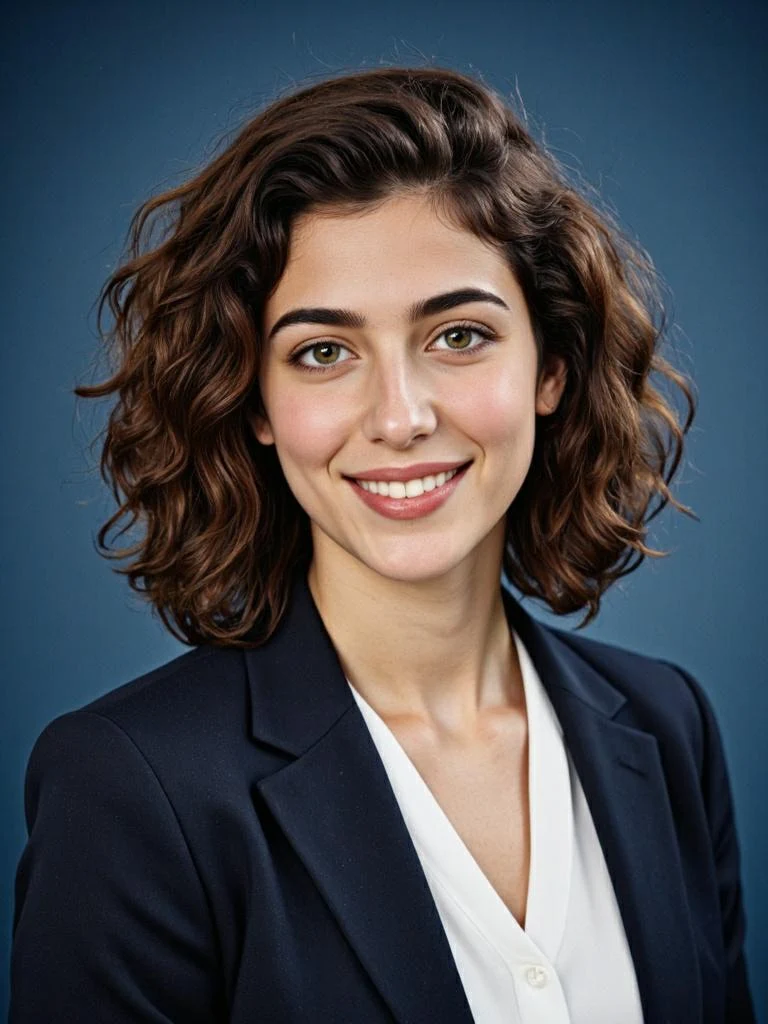
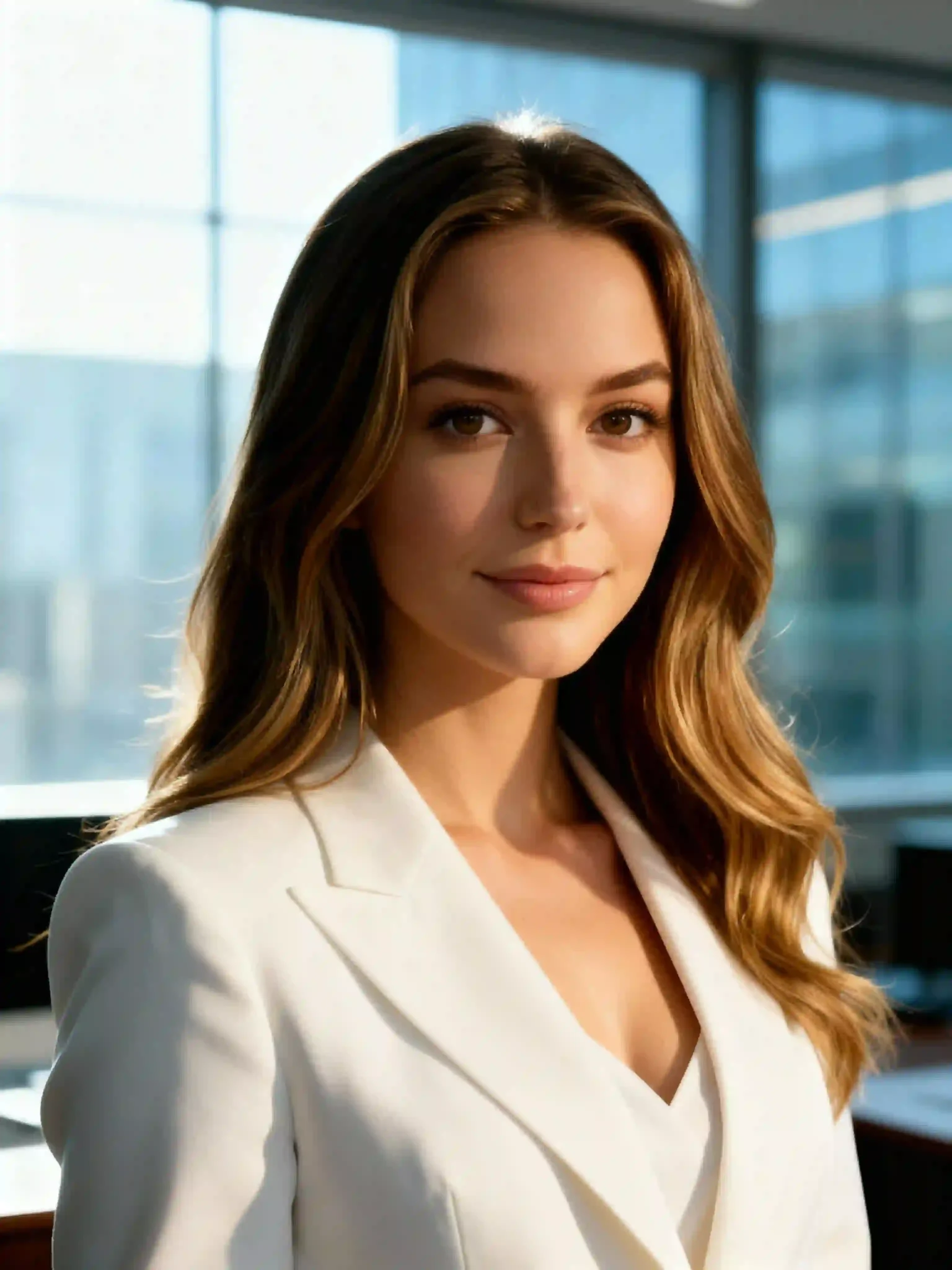
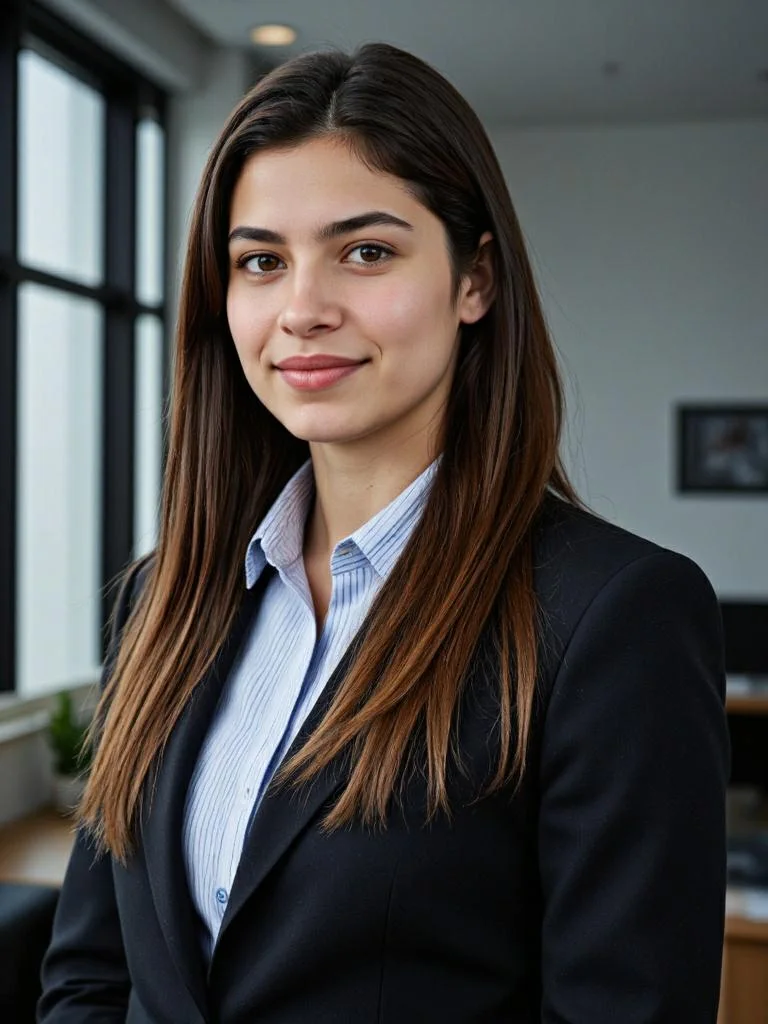
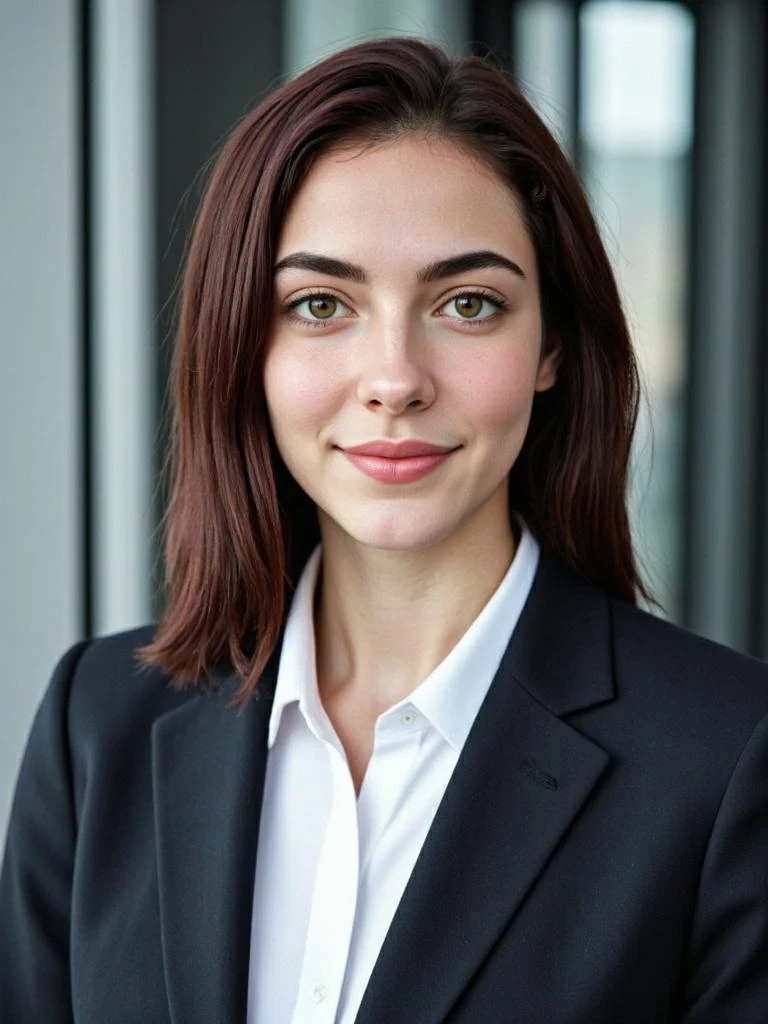
Free AI Headshot Generator

Free AI Headshot Generator

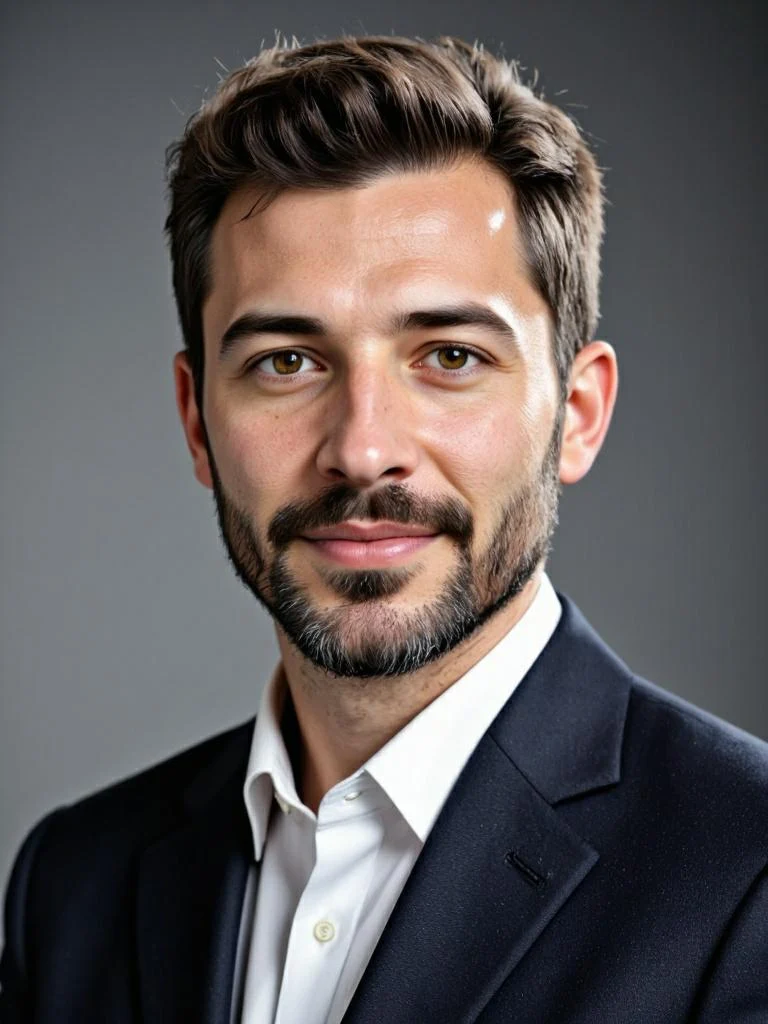
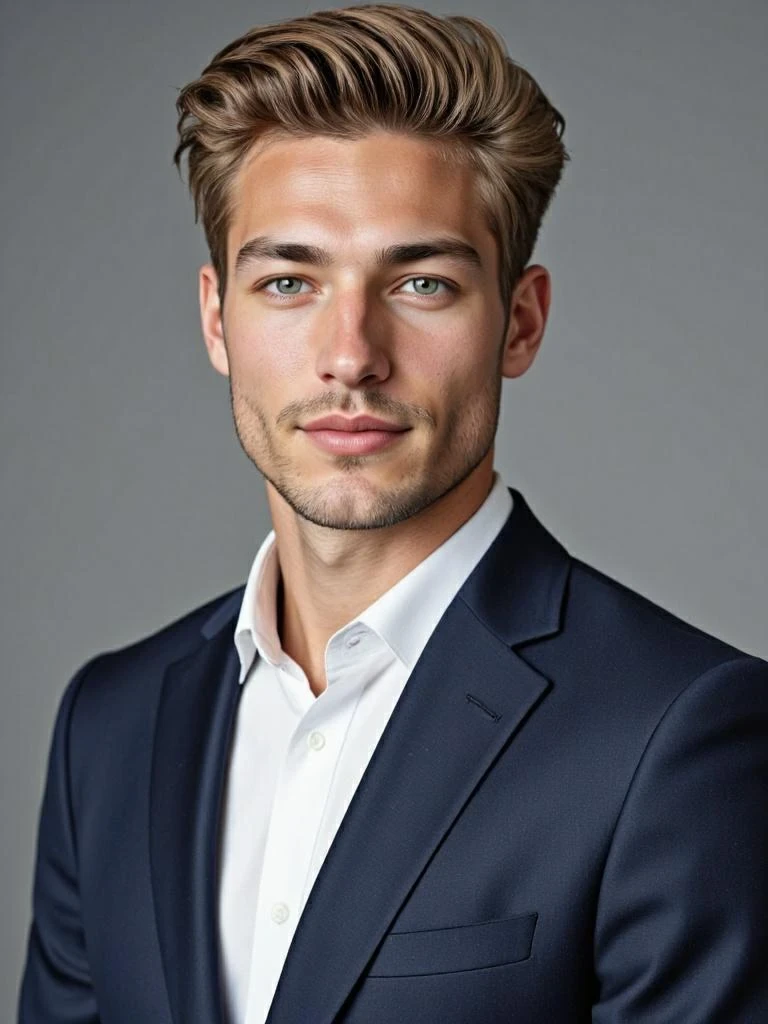
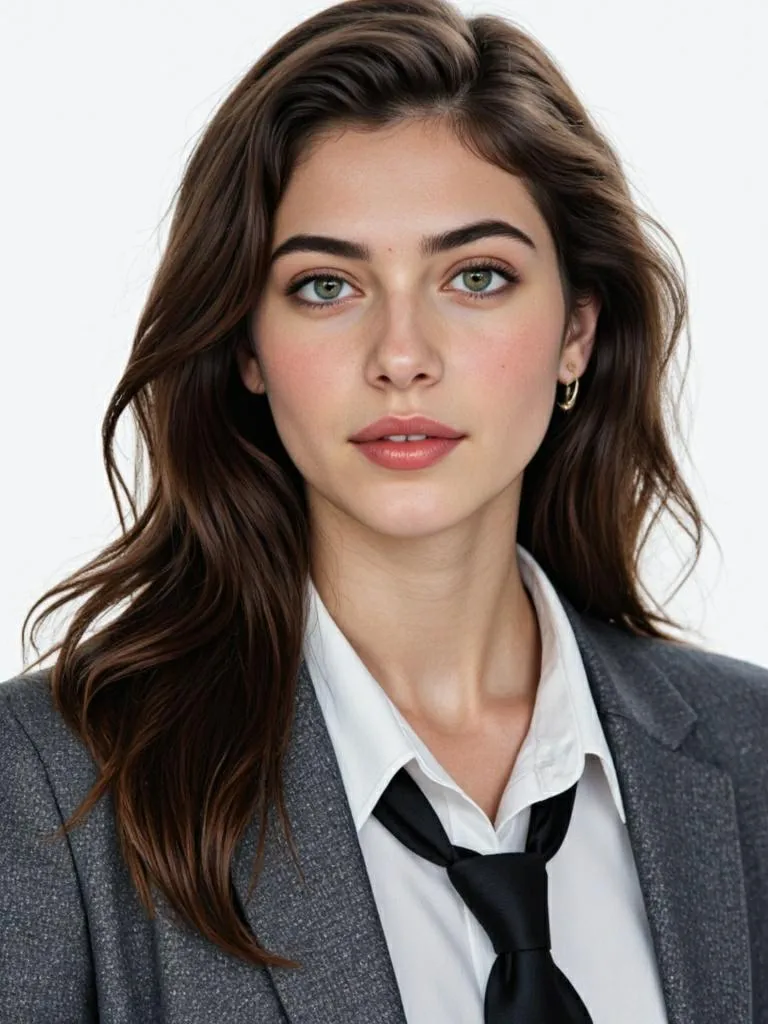
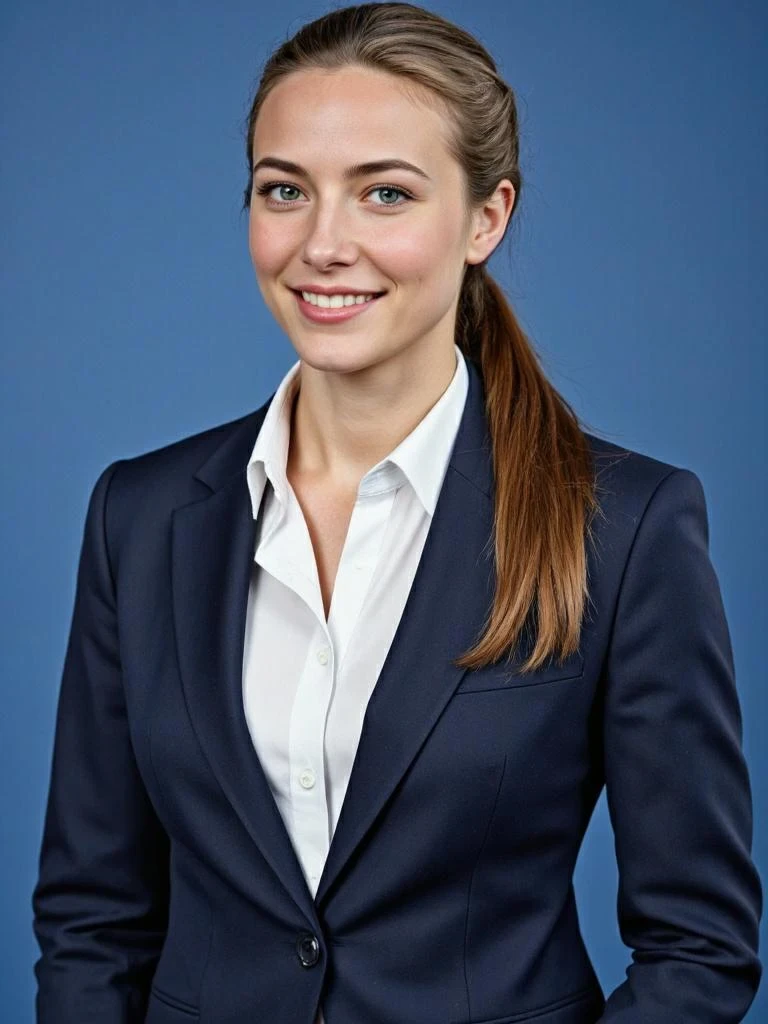
Looking for a fast and effortless way to elevate your professional image? With APOB’s Free AI Headshot Generator, you can instantly transform a simple selfie into a polished LinkedIn-ready portrait.

Looking for a fast and effortless way to elevate your professional image? With APOB’s Free AI Headshot Generator, you can instantly transform a simple selfie into a polished LinkedIn-ready portrait.

How to Generate Your AI Headshot?

How to Generate Your AI Headshot?

1. Upload Your Photo to Get Started

1. Upload Your Photo to Get Started

Start by signing in to APOB with the button below. Once logged in, claim your 80 free daily credits—enough to create multiple headshots each day.

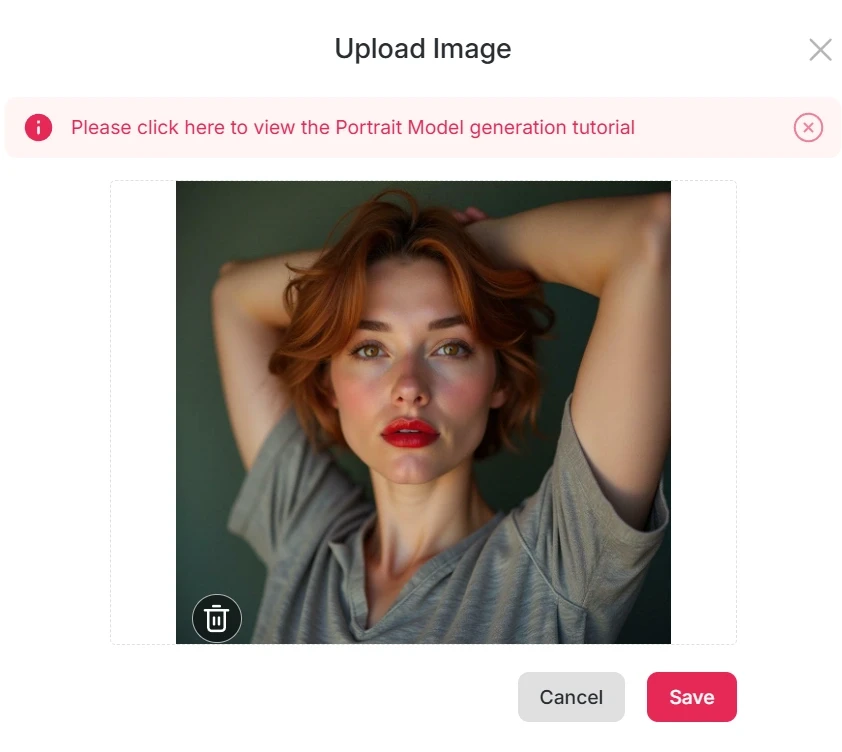
Select create portrait model and upload a clear photo where your facial features are visible. APOB values your privacy, so you can turn off the default public mode if you prefer a private setting. Within seconds, you’ll be ready to generate your first AI headshot.

Expand

Start by signing in to APOB with the button below. Once logged in, claim your 80 free daily credits—enough to create multiple headshots each day.

Select create portrait model and upload a clear photo where your facial features are visible. APOB values your privacy, so you can turn off the default public mode if you prefer a private setting. Within seconds, you’ll be ready to generate your first AI headshot.

Expand

Start by signing in to APOB with the button below. Once logged in, claim your 80 free daily credits—enough to create multiple headshots each day.

Select create portrait model and upload a clear photo where your facial features are visible. APOB values your privacy, so you can turn off the default public mode if you prefer a private setting. Within seconds, you’ll be ready to generate your first AI headshot.

Expand

Upload Your Photo to Get Started
Explore Rich LinkedIn Headshot Templates

2. Explore Rich LinkedIn Headshot Templates

2. Explore Rich LinkedIn Headshot Templates

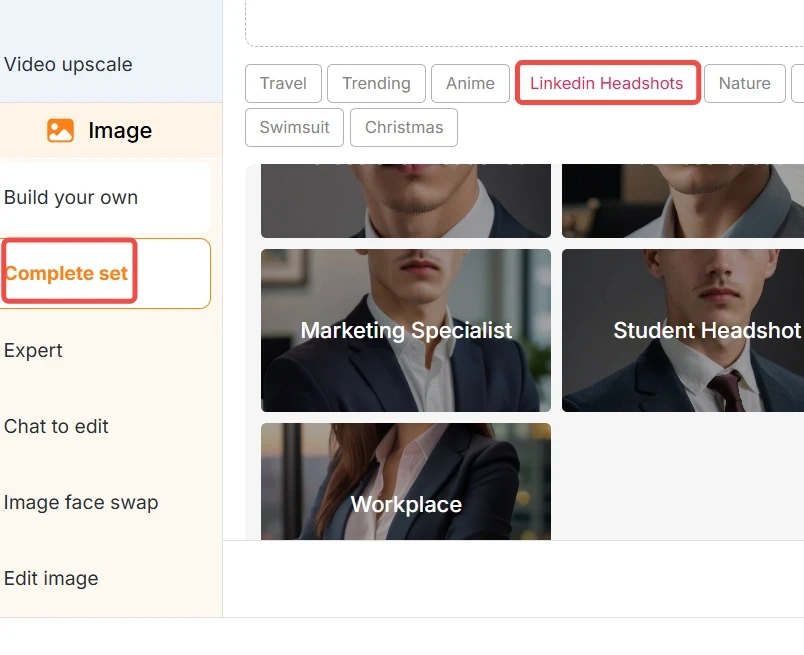
On the left-hand panel of the interface, find the Image > Complete Set option. Here you’ll discover a wide range of templates, including LinkedIn headshot categories such as Business Casual, Solid Color, Workplace, and even profession-specific outfits like salesperson, finance, lawyer, marketing specialist, or teacher. If you don’t have special preferences, simply choose the Professional Headshot option.

You can also select photo ratios like 9:16, 3:4, 16:9, 4:3, or 1:1. For a clean, serious headshot, we recommend the Best mode (20 credits to generate 4 images). For a warmer, more approachable look, try Ultra or Ultra 4K mode. Click Generate and watch your professional image appear.

Expand

On the left-hand panel of the interface, find the Image > Complete Set option. Here you’ll discover a wide range of templates, including LinkedIn headshot categories such as Business Casual, Solid Color, Workplace, and even profession-specific outfits like salesperson, finance, lawyer, marketing specialist, or teacher. If you don’t have special preferences, simply choose the Professional Headshot option.

You can also select photo ratios like 9:16, 3:4, 16:9, 4:3, or 1:1. For a clean, serious headshot, we recommend the Best mode (20 credits to generate 4 images). For a warmer, more approachable look, try Ultra or Ultra 4K mode. Click Generate and watch your professional image appear.

Expand

On the left-hand panel of the interface, find the Image > Complete Set option. Here you’ll discover a wide range of templates, including LinkedIn headshot categories such as Business Casual, Solid Color, Workplace, and even profession-specific outfits like salesperson, finance, lawyer, marketing specialist, or teacher. If you don’t have special preferences, simply choose the Professional Headshot option.

You can also select photo ratios like 9:16, 3:4, 16:9, 4:3, or 1:1. For a clean, serious headshot, we recommend the Best mode (20 credits to generate 4 images). For a warmer, more approachable look, try Ultra or Ultra 4K mode. Click Generate and watch your professional image appear.

Expand

3. Refine Your Photo with Chat to Edit

3. Refine Your Photo with Chat to Edit

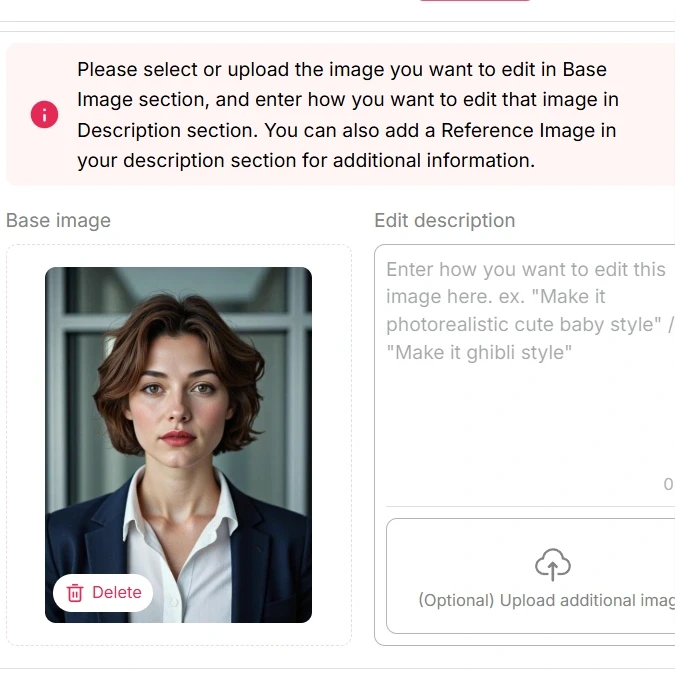
Not satisfied with the first result? No worries—APOB makes editing simple. You can either click Regenerate or use the Chat to Edit feature.

Upload your headshot, type in a prompt describing your desired change, and let AI handle the rest. You can alter the background, adjust outfit colors, switch hairstyles, change makeup, or even tweak facial expressions. For more accuracy, upload a reference photo to help the AI create a similar look.

Expand

Not satisfied with the first result? No worries—APOB makes editing simple. You can either click Regenerate or use the Chat to Edit feature.

Upload your headshot, type in a prompt describing your desired change, and let AI handle the rest. You can alter the background, adjust outfit colors, switch hairstyles, change makeup, or even tweak facial expressions. For more accuracy, upload a reference photo to help the AI create a similar look.

Expand

Not satisfied with the first result? No worries—APOB makes editing simple. You can either click Regenerate or use the Chat to Edit feature.

Upload your headshot, type in a prompt describing your desired change, and let AI handle the rest. You can alter the background, adjust outfit colors, switch hairstyles, change makeup, or even tweak facial expressions. For more accuracy, upload a reference photo to help the AI create a similar look.

Expand

Refine Your Photo with Chat to Edit
Generate AI headshot Portraits with Prompts

4. Generate Creative Portraits with Prompts

4. Generate Creative Portraits with Prompts

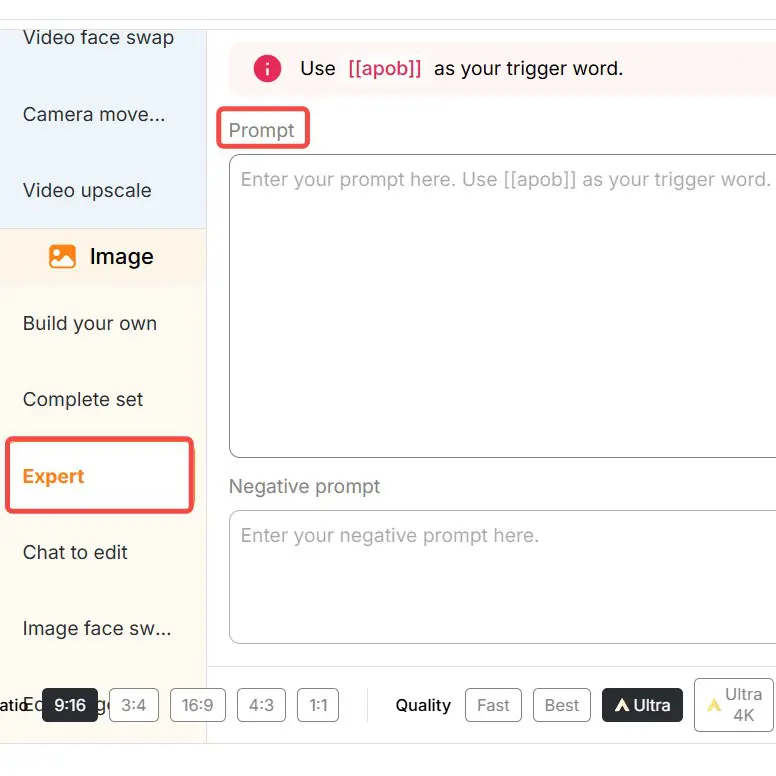
If templates aren’t enough and you want a unique setting, try Expert Mode. Simply input a prompt (up to 1024 characters, around 200 words recommended) to design custom professional photos. You can also add a negative prompt to exclude unwanted details.

Whether you need a lifestyle portrait, a full-body professional shot, or a creative scene, Expert Mode gives you full creative freedom to build your perfect AI-generated headshot.

Expand

If templates aren’t enough and you want a unique setting, try Expert Mode. Simply input a prompt (up to 1024 characters, around 200 words recommended) to design custom professional photos. You can also add a negative prompt to exclude unwanted details.

Whether you need a lifestyle portrait, a full-body professional shot, or a creative scene, Expert Mode gives you full creative freedom to build your perfect AI-generated headshot.

Expand

If templates aren’t enough and you want a unique setting, try Expert Mode. Simply input a prompt (up to 1024 characters, around 200 words recommended) to design custom professional photos. You can also add a negative prompt to exclude unwanted details.

Whether you need a lifestyle portrait, a full-body professional shot, or a creative scene, Expert Mode gives you full creative freedom to build your perfect AI-generated headshot.

Expand

Why You Should Use APOB AI Headshot Generator?

Why You Should Use APOB AI Headshot Generator?

Professional Quality Without Studio Costs

Skip expensive photo shoots. APOB delivers studio-quality portraits instantly, saving you both money and time. Whether for LinkedIn, resumes, or business profiles, you’ll always look sharp and professional.

Tailored Styles for Every Career

Different industries demand different looks. APOB adapts your headshot for finance, healthcare, marketing, law, or education, ensuring you always project the right image for your audience.

Privacy and Flexibility

Your photos remain private—you control visibility. Plus, you can create diverse styles and settings, from classic corporate to approachable lifestyle shots, all while keeping your data secure.

Linkedin Profile Photos

Make your LinkedIn stand out with a clean, professional headshot. AI photos increase visibility, attract recruiters, and create a strong first impression that can open career doors [1].

Business Websites and Resumes

Use AI headshots for company sites, resumes, or portfolios. Build a consistent team look without paying for studio shoots, making your business appear more professional and trustworthy online.

Social Media Profiles

Upgrade your Facebook, Instagram, or profile picture with polished AI portraits. Show a confident, friendly image that connects with your audience and keeps your personal brand consistent across platforms.

Free AI Headshot Generator Gallery

Free AI Headshot Generator Gallery

Free AI Headshot Generator, Middle-aged male resume photo
Blonde male resume photo, Free AI Headshot Generator
ai headshot generator free online, Curly-haired female resume photo
ai headshot generator free online, High ponytail female resume photo
Free AI Headshot Generator, African curls female resume photo
Free AI Headshot Generator, White suit female resume photo
ai free headshot generator, Asian female resume photo
Free AI Headshot Generator, Short-haired female resume photo
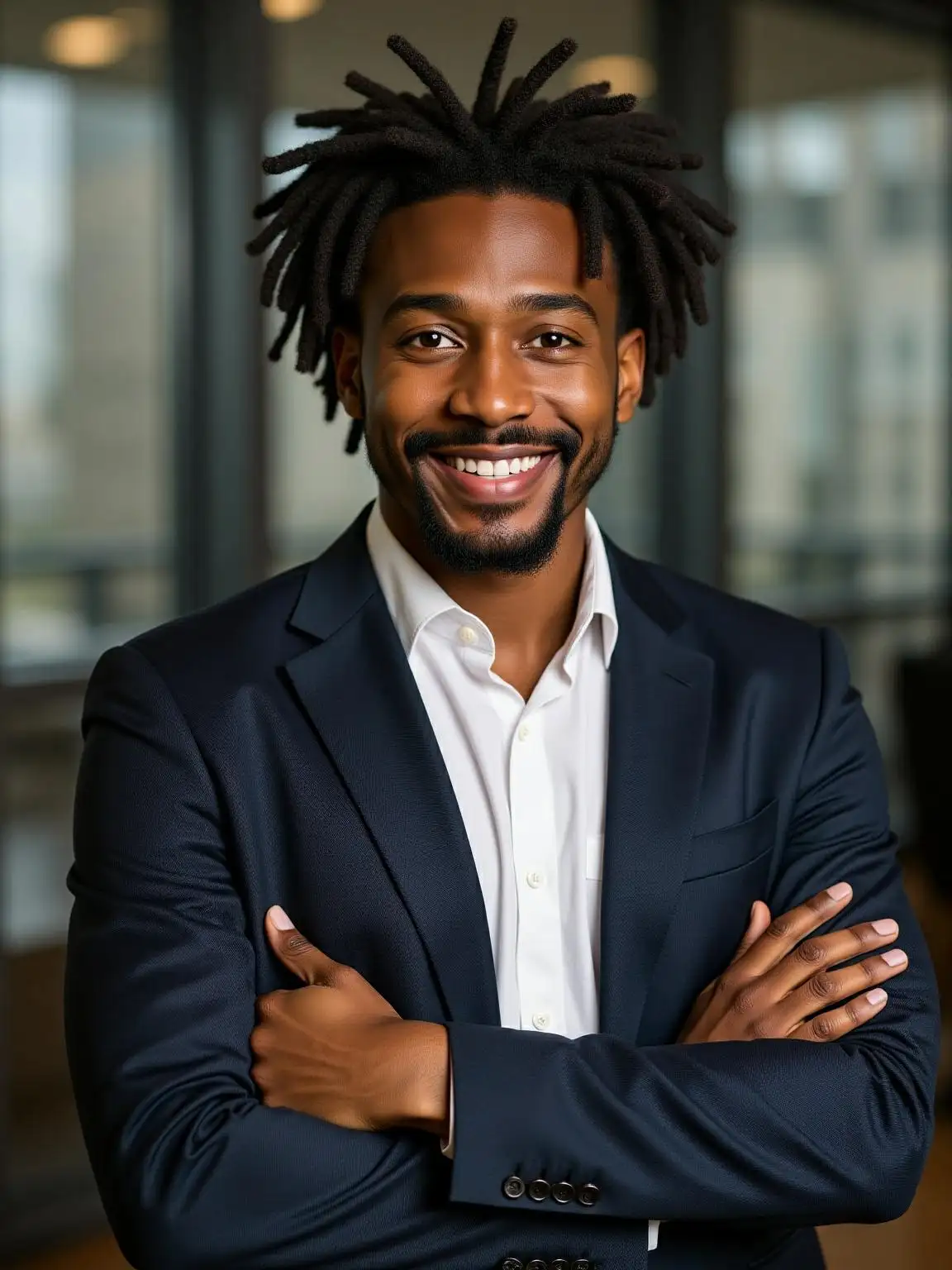
Black male resume photo made with Free AI Headshot Generator
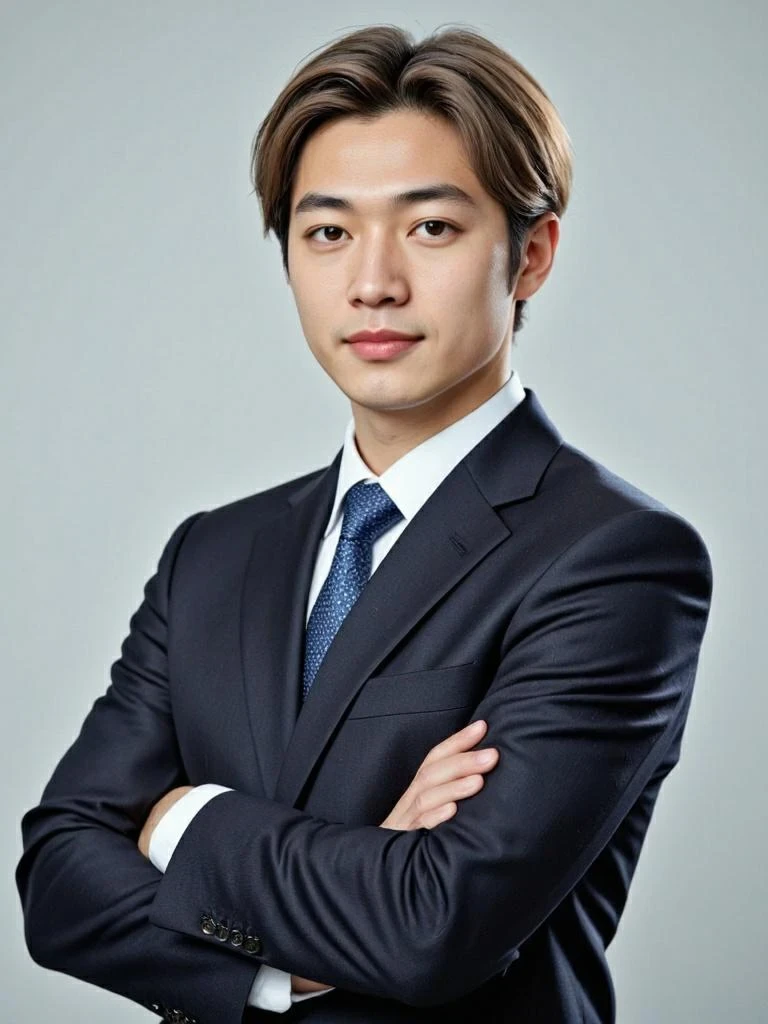
Free AI headshot generator – Korean male resume photo

Create a dreamlike

vision with APOB

Create a dreamlike

vision with APOB

Discover the blogs about Free AI Headshot Generator

Discover the blogs about Free AI Headshot Generator

make-a-cv-photo-with-ai

How to Make a CV Photo with AI?

How to Make a CV Photo with AI?

In today's competitive job market, having a professional CV photo can make a significant difference in creating a strong first impression. A well-crafted CV photo can enhance your job application and set you apart from other candidates. With advancements in AI technology, creating a professional CV photo has become easier and more accessible than ever before. This article will guide you through the process of using AI to create a high-quality CV photo, highlighting the benefits and providing practical tips to ensure your photo meets professional standards.

Do you want to be a freelancer and make money online? You can create AI influencers with APOB AI to monetize your social platform channel! Or, join the APOB Mega Affiliate Program to earn 30% commissions on the first three payments made by any paying customers you refer to app.apob.ai within the first three months! Action!

How to use APOB AI to make CV Photo?

Step 1: Visit app.apob.ai and create your account for FREE. Once you're signed in, select "Create Portrait Model."

sign-up-for-create-cv-photo

Step 2: Upload a clear photo of yourself as the reference image, then, enter a name (which doesn't have to be your real name), and you can create your own AI model.

upload-a-photo

Step 3: After generating your AI Model, you can generate your CV photos. Find “Complete set“, and choose the style that suits you and the size that you want. Click on “Generate” and you will get your photo for free. Select a photo you like and download it for free.

make a cv photo complete set

Sign up to Get your 80 credits

Creating a professional CV photo is essential for making a strong first impression on potential employers. With the power of AI image generators, you can easily and efficiently produce a high-quality photo that enhances your job application. AI tools like APOB AI offer extensive customization options, ensuring that your CV photo is tailored to your preferences and meets professional standards.

If you’re intrigued by the possibilities of AI in professional photography, we highly recommend trying APOB AI. This innovative AI portrait generator allows you to create a personalized CV photo that perfectly matches your preferences, providing a unique and engaging experience. Give it a try and discover the potential of AI-powered photography today.

Importance of a Professional CV Photo

A professional CV photo plays a crucial role in making a positive first impression on potential employers. It is often the first visual element they see and can influence their perception of you as a candidate. A well-crafted photo can convey confidence, professionalism, and approachability, enhancing your overall application.

Common standards for CV photos include:

  • High-quality resolution: A clear, high-resolution image is essential to convey professionalism.

  • Neutral background: A plain, uncluttered background ensures that the focus remains on you.

  • Appropriate attire: Dressing in professional attire that aligns with the industry standards can create a positive impression.

  • Natural expression: A friendly, approachable expression can make you appear more likable and personable.

What is an AI Image Generator?

An AI image generator is a tool that uses artificial intelligence to create, enhance, or modify images. These tools leverage advanced algorithms to analyze and process visual data, producing high-quality images with minimal user input.

AI image generators are beneficial for several reasons:

  • Efficiency: They can quickly generate professional-grade images without the need for extensive photography skills or equipment.

  • Customization: Users can tailor the images to their preferences, adjusting elements like lighting, background, and facial features.

  • Accessibility: AI image generators are typically user-friendly and accessible to individuals without a technical background.

Understanding AI Portrait Generators

AI portrait generators are specialized tools within the broader category of AI image generators. They focus on creating high-quality portraits and headshots, making them ideal for CV photos. These tools use machine learning and neural networks to analyze facial features and enhance the overall appearance of the image.

Differences from traditional photo editing tools:

  • Automated enhancements: AI portrait generators automatically apply enhancements based on learned patterns, reducing the need for manual adjustments.

  • Realistic results: The AI algorithms ensure that the enhancements appear natural and realistic, avoiding the "over-edited" look.

  • Ease of use: These tools are designed to be user-friendly, allowing individuals with no prior photo editing experience to achieve professional results.

Steps to Create a Professional CV Photo Using AI

Creating a professional CV photo using an AI image generator is a straightforward process. Here’s a detailed, step-by-step guide to help you get started:

Step 1: Choosing the Right AI Image Generator

  • Research and select an AI image generator that offers the features you need. Look for tools that provide high-resolution outputs, customization options, and user-friendly interfaces.

  • Popular options include APOB AI, which offers comprehensive portrait generation capabilities.

Step 2: Uploading or Capturing Your Photo

  • Upload an existing photo or use the AI tool's integrated camera function to capture a new one. Ensure the photo is well-lit and has a neutral background for the best results.

Step 3: Using AI Tools to Enhance and Edit the Photo

  • Use the AI tool's enhancement features to improve the quality of the photo. This may include adjusting lighting, sharpening the image, and correcting any imperfections.

  • Most AI generators offer one-click enhancements that automatically apply the necessary adjustments.

Step 4: Adjusting for a Professional Look

  • Customize the background to ensure it is neutral and uncluttered. Some AI tools offer background removal or replacement features.

  • Use the AI tool to adjust facial features subtly, ensuring that the final image appears natural and professional.

  • Pay attention to attire and grooming. The AI generator may offer options to enhance these elements digitally.

Step 5: Finalizing and Downloading Your CV Photo

  • Review the final image to ensure it meets professional standards. Make any necessary adjustments.

  • Download the high-resolution image and save it for use in your CV and other professional profiles.

Tips for Creating a Professional AI Headshot

To ensure your CV photo looks professional and polished, follow these best practices:

  1. Attire: Dress in professional clothing that aligns with industry standards. Avoid overly casual or flashy outfits.

  2. Background: Use a neutral, uncluttered background. AI tools can help you remove or replace backgrounds if needed.

  3. Lighting: Ensure good lighting, preferably natural light, to avoid harsh shadows and unflattering highlights.

  4. Expression: Aim for a friendly, approachable expression. A genuine smile can convey confidence and likability.

  5. Avoid Over-editing: While AI tools offer numerous enhancements, avoid over-editing your photo. The goal is to look professional and natural, not overly polished or artificial.

Common Mistakes to Avoid:

  • Using low-resolution images that appear pixelated or blurry.

  • Choosing a busy or distracting background.

  • Wearing attire that is too casual or inappropriate for the industry.

  • Over-editing the photo, leading to an unnatural appearance.

Popular AI Image Generators for CV Photos

Several AI image generators are available that can help you create a professional CV photo. Here’s an overview of some popular options:

  1. APOB AI: A comprehensive AI portrait generator that offers a wide range of customization options and high-quality outputs. It is user-friendly and ideal for creating professional CV photos.

  2. Fotor: An online photo editing tool with AI features, Fotor offers background removal, portrait enhancement, and other tools to help create polished images.

  3. FaceApp: Known for its advanced facial recognition technology, FaceApp can enhance facial features, adjust lighting, and provide a profess

4. Adobe Photoshop Express: While not exclusively an AI tool, Adobe Photoshop Express offers AI-powered features that can enhance and edit photos for professional use.

When selecting an AI image generator, consider factors such as ease of use, customization options, and the quality of the final output.

Real-Life Examples and Success Stories

Many individuals have successfully used AI tools to create professional CV photos, enhancing their job applications and improving their chances of landing interviews. Here are a few examples:

Case Study 1: John, a software engineer, used APOB AI to create a professional headshot for his CV. By adjusting the background, enhancing lighting, and subtly refining facial features, he produced a polished photo that helped him secure several job interviews.

Case Study 2: Sarah, a marketing professional, utilized Fotor to enhance her CV photo. She removed the distracting background and adjusted the lighting to create a clean, professional look. Her updated CV photo contributed to a positive impression during her job search.

Testimonials:

  • "Using an AI image generator made it so easy to create a professional CV photo. The results were impressive, and I received positive feedback from employers." – Emily, Graphic Designer

  • "I was hesitant at first, but the AI tools were simple to use, and the final photo looked fantastic. It definitely helped me stand out in my job applications." – Mark, Financial Analyst

The Future of AI in Professional Photography

The future of AI in professional photography looks promising, with continuous advancements and emerging trends that will further enhance the capabilities of AI image generators.

Emerging Trends and Advancements:

  • Enhanced Emotional Intelligence: Future AI tools will likely feature improved emotional intelligence, allowing them to better understand and replicate human expressions.

  • Integration with AR and VR: The integration of augmented reality (AR) and virtual reality (VR) technologies will create more immersive and interactive photography experiences.

  • Greater Customization: As AI technology evolves, users can expect even more customization options, enabling them to create highly personalized and unique images.

Predictions for the Impact of AI on Professional Photo Creation:

  • AI will continue to democratize professional photography, making it accessible to a wider audience.

  • The quality and realism of AI-generated photos will improve, further blurring the lines between AI-created images and traditional photography.

  • AI tools will become an integral part of the professional photography process, offering new creative possibilities and efficiencies.

FAQs

1. What is an AI image generator?

An AI image generator is a tool that uses artificial intelligence to create, enhance, or modify images, including portraits and headshots.

2. How can I use AI to create a professional CV photo?

You can use an AI portrait generator to upload or capture a photo, then enhance and edit it to meet professional standards.

3. Are AI-generated CV photos accepted by employers?

Yes, as long as the photo meets professional standards, AI-generated CV photos are generally accepted by employers.

4. What are the benefits of using an AI image generator for my CV photo?

Benefits include convenience, ease of use, customization options, and the ability to create high-quality, professional photos without needing advanced photography skills.

5. Can I customize my CV photo with an AI image generator?

Yes, AI image generators offer various customization options, including background adjustments, lighting enhancements, and facial feature editing.

6. Is there a free AI photo editor for CV?

Yes, there are free AI photo editors for CVs. APOB AI offers a free service where you can generate up to 16 CV photos daily, divided into four groups, without any cost. It allows you to create professional headshots with ease, making it ideal for resume and LinkedIn profiles.

7. Is the uploaded photo data secure?

Yes, many AI photo editing platforms ensure that uploaded photo data is secure. For instance, APOB AI follows strict privacy policies, ensuring that your data is not shared with third parties. APOB AI does not track, measure, store, or collect face data.


Read More
free ai professional headshot generator

Free AI Professional Headshot Generator: Create LinkedIn-Ready Portraits with APOB AI

Free AI Professional Headshot Generator: Create LinkedIn-Ready Portraits with APOB AI

Introduction: The Power of a Professional AI Headshot

In today's competitive digital landscape, a compelling professional headshot is no longer a luxury but a necessity. Whether for LinkedIn, resumes, corporate websites, or personal branding, a high-quality portrait significantly impacts first impressions. However, the traditional route of hiring professional photographers can be costly and time-consuming. This is where a free AI professional headshot generator like APOB AI revolutionizes the process, offering studio-quality results from the comfort of your home, without the need for expensive equipment or extensive photo shoots. APOB AI empowers users to create polished, professional headshots that stand out, ensuring your online profile reflects the professionalism you embody. This comprehensive guide will walk you through the step-by-step process of using APOB AI, explore its powerful features, provide practical tips, and answer frequently asked questions to help you elevate your professional image effortlessly.

How to Use APOB AI to Generate a Free AI Professional Headshot

APOB AI makes generating your own polished, professional headshot incredibly straightforward and cost-effective, utilizing daily free credits to access its advanced features. Follow these steps to create your ideal portrait:

Log in / Access APOB AI

Begin by logging into the APOB AI platform. Upon signing in, you are automatically credited with 80 free points each day. These points are your gateway to exploring the service and generating high-quality images without any initial financial commitment. This generous daily allowance allows you to experiment with different styles and settings, ensuring you find the perfect headshot.

Click “Create Portrait Model”

Once logged in, locate and click the “Create Portrait Model” button. This action initiates the core process: building an AI model based on a photo you provide. This personalized model is crucial as it allows APOB AI to generate a wide array of headshot styles while maintaining your unique facial features and likeness.

Upload a Clear Photo

The quality of your final headshot heavily depends on the input image. Upload a photo that clearly displays your facial features. Ideal characteristics for this base photo include a frontal view, good lighting (avoiding harsh shadows), and an uncluttered background. A high-resolution image with clear focus on your face will yield the best results. Once your portrait model is successfully created from this base image, APOB AI can generate numerous professional styles tailored to your specifications.

Upload a clear facial photo to generate a professional headshot.

Choose a Template via “Complete Set”

On the left-hand side of the interface, you will find a tab labeled “Complete Set.” Navigate to this section and select “LinkedIn Headshots.” This category offers a curated selection of 11 professional templates, many of which feature formal attire suitable for various industries and professional roles. For a quick and polished look, simply click on the first template, typically labeled “Professional Headshot,” to apply a ready-made, high-quality style to your AI model.

Choose a LinkedIn headshot template.

Adjust Size & Quality Mode, Then Generate

Before finalizing your headshot, you have the flexibility to customize several parameters:

  • Choose your image size: APOB AI provides various aspect ratios to suit different platforms, including 9:16, 16:9, 3:4, 4:3, and 1:1. Select the dimension that best fits your intended use.

  • Pick your generation mode: APOB AI offers four distinct generation modes, each balancing speed, quality, and point consumption:

    1. Fast: Utilizes approximately 10 points to generate 4 images, ideal for rapid prototyping.

    2. Best: Consumes around 20 points for 4 images, offering a good balance of quality and quantity.

    3. Ultra: Generates 1 high-quality image for 24 points, perfect for detailed results.

    4. Ultra 4K: The premium option, using 46 points for 1 ultra high-resolution image, delivering unparalleled clarity and detail.

  • Once your settings are configured, click Generate and let APOB AI work its magic, transforming your input into a professional headshot.

generate 4 free ai professional headshot photos

Use “Chat to Edit” if Needed

If the initial generation doesn't perfectly match your vision, APOB AI's innovative “Chat to Edit” feature allows for fine-tuning. You can input natural language prompts to modify specific elements of your headshot. For example, you might request: “change suit color to navy blue,” “make background plain white,” or “adjust facial expression to a slight smile.” This interactive editing capability ensures your final headshot is exactly as you envisioned.

Try APOB AI For Free

Best Practices for Optimal Results with APOB AI

To maximize the potential of APOB AI and achieve truly outstanding professional headshots, consider these expert tips and best practices:

  • High-Quality Source Photo: Always start with the clearest, well-lit, and high-resolution photo of yourself. Avoid blurry images, harsh shadows, or photos with busy backgrounds, as these can negatively impact the AI's ability to generate a realistic model.

  • Consistent Facial Expression: For a professional look, choose a source photo where you have a neutral or subtly smiling expression. This provides a versatile base for the AI to apply different styles without distorting your natural features.

  • Experiment with Templates: Don't settle for the first template you try. Explore the 11 different templates within the “LinkedIn Headshots” category. Each offers a unique aesthetic, and one might perfectly capture the professional image you desire.

  • Utilize “Chat to Edit” Effectively: The “Chat to Edit” feature is powerful. Be specific and concise with your prompts. Instead of “make it better,” try “soften the lighting on the left side of the face” or “change the background to a blurred modern office setting.”

  • Understand Generation Modes: Choose your generation mode wisely based on your needs. Use “Fast” for initial explorations, “Best” for a good balance, and “Ultra” or “Ultra 4K” when you need the absolute highest quality for final selections.

  • Review and Refine: After generation, critically review the results. Look for naturalness in facial features, consistency in lighting, and overall professional appeal. Don't hesitate to use your daily free points to generate multiple options and refine them.

  • Consider Your Industry: Tailor your headshot to your profession. A creative industry might allow for a slightly more relaxed look, while a corporate role might demand a more traditional, formal portrait. APOB AI's versatility supports both.

Prompt Example Ideas for Refining Your AI Headshot

Leveraging APOB AI's “Chat to Edit” feature with effective prompts can significantly enhance your headshot. Here are specific examples to help you refine or alter your AI-generated portrait:

  • “Make the suit charcoal gray instead of black, background a soft gradient light grey.”

  • “Adjust expression: add a gentle smile, relaxed eyes.”

  • “Change background to blurred office setting.”

  • “Frame: crop tighter, show from chest up.”

  • “Lighting: soft, natural window light; reduce shadow on left side of face.”

  • “Add a subtle professional tie, dark blue with a small pattern.”

  • “Change the shirt color to light blue, keep the suit dark navy.”

  • “Remove any stray hairs, smooth skin texture slightly.”

  • “Make the background a solid, professional dark green.”

  • “Adjust the gaze to look directly at the camera with confidence.”

These prompts are designed to help you utilize your free AI professional headshot generator more creatively, ensuring the final image perfectly aligns with your professional vision and personal brand.

Technical Specifications: How APOB AI Delivers Quality

APOB AI is engineered to provide high-quality professional headshots through a robust technical framework. Understanding these specifications highlights the platform's capabilities and commitment to user satisfaction:

  • Supported Formats: The platform primarily accepts common image formats like JPEG, PNG, and WEBP for source photo uploads, ensuring broad compatibility.

  • File Size and Resolution: While there are practical limits, APOB AI is optimized to handle high-resolution input images, which are crucial for generating detailed AI models. Output resolutions vary based on the chosen generation mode, with “Ultra 4K” delivering exceptional detail suitable for large prints or high-definition displays.

  • Processing Speed: Leveraging advanced cloud-based AI infrastructure, APOB AI processes images rapidly. The “Fast” mode can generate multiple images in seconds, while even the highest quality modes complete generations within minutes, significantly reducing the waiting time compared to traditional photography.

  • Output Quality: The AI models are trained on extensive datasets of professional portraits, enabling the generation of outputs that mimic professional studio lighting, realistic textures, and natural facial expressions. The quality modes (Fast, Best, Ultra, Ultra 4K) allow users to select the desired level of detail and realism.

  • Data Privacy Policy: APOB AI prioritizes user data privacy. Uploaded photos are used solely for the purpose of creating your personalized AI model and generating headshots. Strict protocols are in place to ensure that personal data and images are handled securely and are not shared with third parties without explicit consent. Users retain full ownership of their generated images.

  • AI Model Architecture: The core of APOB AI's functionality relies on sophisticated generative adversarial networks (GANs) and diffusion models. These advanced AI architectures are capable of understanding complex facial features, lighting conditions, and stylistic elements, allowing for highly realistic and customizable outputs.

These technical underpinnings ensure that APOB AI is not just a tool for generating images, but a powerful, secure, and efficient solution for professional headshot creation.

Why Choose APOB AI Over Alternatives?

When considering options for professional headshots, APOB AI stands out significantly against both traditional photography and other AI tools. Here’s a comparison highlighting its core advantages:

AI vs. Manual Photography: A Clear Advantage

Feature

APOB AI (AI Generator)

Manual Photography

Cost

Free daily credits, highly affordable

Expensive (hundreds to thousands of dollars)

Speed

Minutes for multiple options

Days to weeks (booking, shooting, editing)

Convenience

From home, any time

Requires travel, scheduling, studio time

Flexibility

Endless styles, expressions, backgrounds via prompts

Limited to shoot day options, costly reshoots

Consistency

Easy to generate uniform look for teams

Challenging to maintain consistency across multiple shoots

Privacy

Secure data handling, user owns output

Relies on photographer's data practices

Key Advantages of APOB AI:

  • Cost-Effectiveness: APOB AI offers a truly accessible solution with 80 free points daily, enabling anyone to create professional headshots without financial burden. This eliminates the need to hire expensive photographers or invest in costly studio sessions.

  • Unmatched Speed: Time is a valuable asset. APOB AI delivers high-quality headshots in minutes, not days or weeks. This rapid turnaround is ideal for urgent needs or quick profile updates.

  • Exceptional Flexibility and Creativity: The platform provides unparalleled creative control. Users can experiment with diverse styles, backgrounds, expressions, and clothing options through its extensive template library and the intuitive “Chat to Edit” feature. This level of customization ensures a personalized result every time.

  • Consistent Branding: For individuals or teams requiring a consistent professional image across multiple platforms or for various team members, APOB AI ensures uniformity in style, lighting, and overall aesthetic, which is difficult to achieve with traditional methods.

  • User-Friendly Interface: Designed for ease of use, APOB AI's intuitive interface makes the process accessible even for those with no prior experience in photo editing or AI tools. The step-by-step guide and clear options simplify complex tasks.

  • Ownership of Output: Unlike some services, APOB AI ensures that users retain full ownership of the images they generate using their own uploaded base photos and points. This provides peace of mind and complete control over your professional assets.

By choosing APOB AI, you are opting for a modern, efficient, and highly customizable solution that empowers you to present your best professional self to the world.

Why Use APOB AI / Applications of a Free AI Professional Headshot Generator

The utility of a free AI professional headshot generator like APOB AI extends across numerous personal and professional applications, making it an indispensable tool in today's digital age. Here are some key reasons and applications:

  • Enhanced Professional Networking: A polished headshot is crucial for platforms like LinkedIn, where it significantly influences connection requests, profile views, and professional credibility. APOB AI helps you make a strong, positive first impression.

  • Job Applications and Resumes: Including a professional headshot on your resume or in job applications can make you appear more approachable and professional, potentially giving you an edge in competitive markets. APOB AI provides high-quality images that convey competence.

  • Personal Branding: For entrepreneurs, freelancers, and thought leaders, a consistent and professional visual identity across all online platforms is vital. APOB AI allows for the creation of cohesive headshots that reinforce your personal brand.

  • Corporate Websites and Team Pages: Businesses can use APOB AI to generate uniform, high-quality headshots for their entire team, ensuring a consistent and professional look on their corporate website or internal communication platforms, without the logistical challenges of group photo shoots.

  • Speaker Profiles and Conference Materials: When submitting speaker proposals or preparing conference materials, a professional headshot is often required. APOB AI offers a quick and reliable way to obtain these images.

  • Social Media Presence: Beyond professional networks, a refined headshot can elevate your presence on other social media platforms, projecting a more mature and credible image.

  • Cost-Effective Updates: As your career evolves or your style changes, APOB AI makes it easy and affordable to update your headshot regularly, ensuring your professional image always reflects your current self without incurring recurring photography costs.

APOB AI serves as a versatile solution for anyone looking to enhance their professional image efficiently and affordably, proving that high-quality professional headshots are now accessible to everyone.

Key Advantages of APOB AI

APOB AI offers a suite of compelling advantages that position it as the leading choice for generating professional headshots:

  • Daily Free Points: Access 80 free points every day, allowing for continuous experimentation and generation of multiple headshot options without any financial commitment.

  • Studio-Quality Results: Advanced AI algorithms produce images that rival those taken in a professional studio, complete with optimal lighting, realistic textures, and refined aesthetics.

  • Extensive Template Library: A diverse selection of 11+ professional templates, particularly within the “LinkedIn Headshots” category, ensures you find a style that perfectly matches your professional needs and industry.

  • “Chat to Edit” Feature: This innovative natural language processing tool allows for precise, real-time adjustments to your generated headshots, offering unparalleled control over details like background, expression, and attire.

  • Multiple Generation Modes: Choose from Fast, Best, Ultra, and Ultra 4K modes to balance speed, quality, and point usage according to your specific requirements, from quick drafts to high-resolution final images.

  • User-Friendly Interface: Designed for simplicity and efficiency, the platform is intuitive and easy to navigate, making the process of generating a professional headshot accessible to everyone, regardless of technical skill.

  • Time and Cost Savings: Eliminate the need for expensive photographers, studio bookings, and lengthy editing processes. APOB AI delivers professional results quickly and affordably.

  • Data Privacy and Ownership: APOB AI is committed to protecting user data, ensuring that your uploaded photos are secure and that you retain full ownership rights over your generated headshots.

User Testimonials

The impact of APOB AI is best illustrated through the experiences of its users:

  • “I used APOB’s free AI professional headshot generator and got a polished image that looked like it was taken in a studio—without leaving my room. It significantly boosted my confidence for job applications.” — A satisfied job-seeker.

  • “The presets in LinkedIn Headshots were perfect: I clicked ‘professional headshot’ and I was really impressed by the suit style and lighting. My new profile picture has already garnered more attention.” — Marketing professional.

  • “Chat to Edit was a game changer. I changed background, expression, clothing color, all easily. It’s like having a personal photo editor at my fingertips.” — Freelancer.

  • “As a small business owner, getting professional headshots for my team used to be a logistical nightmare. With APOB AI, we achieved a consistent, high-quality look for everyone in a fraction of the time and cost. Absolutely invaluable!” — Tech Startup CEO.

  • “I needed an updated headshot for a conference speaker profile last minute. APOB AI delivered an incredible result within minutes, saving me from a huge headache. The quality is truly impressive.” — Academic Researcher.

These real user experiences underscore APOB AI's effectiveness and utility for anyone needing professional headshots without the traditional constraints of time, cost, or complexity.

Start Creating Now

Conclusion: Elevate Your Professional Image with APOB AI

In conclusion, utilizing a free AI professional headshot generator like APOB AI offers an unparalleled solution for anyone seeking to enhance their professional online presence. With its intuitive interface, generous daily free points, diverse template options, and powerful “Chat to Edit” feature, APOB AI provides complete control over the creation of your ideal professional portrait. Whether you require a striking LinkedIn photo, an updated profile picture for your resume, or a series of consistent headshots for a team, APOB AI makes the process remarkably easy, efficient, and affordable. The platform's commitment to delivering studio-quality results, coupled with its emphasis on user privacy and ownership, positions it as the definitive tool for modern professionals. Don't let the cost or inconvenience of traditional photography hold you back. Take the proactive step today: log in to APOB AI, upload a clear photo, select your preferred Professional Headshot template, generate in the mode that suits your needs, and fine-tune your image using simple prompts. Your standout professional headshot, poised to make a lasting impression, is just minutes away.

FAQs


Q1: How to do AI headshots that look real?

A1: To achieve realistic AI headshots with APOB AI, start with a high-quality, well-lit source photo that clearly shows your facial features. Choose realistic templates from the “LinkedIn Headshots” category, and use subtle, natural language prompts in “Chat to Edit” for expressions and lighting. Opting for “Best” or “Ultra” generation modes often yields more lifelike results by focusing on higher detail and fidelity.


Q2: How can I get AI-generated headshots for free?

A2: APOB AI provides 80 free points every day upon logging in. These points can be used to generate images across various modes. By utilizing the “Fast” or “Best” mode, you can create several professional headshots daily without any cost, making high-quality portraits accessible to everyone.


Q3: What kind of photos can I use to create AI-generated headshots?

A3: The most effective photos for generating AI headshots are clear, frontal or selfie-style images with good, even lighting and no harsh shadows. Ensure your full face is visible, free from obstructions like hair, sunglasses, or hats. A neutral or simple background in your source photo also helps the AI focus on your features, leading to better results.


Q4: Do I own my AI generated images?

A4: Yes, with APOB AI, you retain full ownership of the images you generate. When you use your own uploaded base photo and points to create headshots, APOB AI does not claim any rights over the final output images. This ensures you have complete control and usage rights for your professional portraits.


Q5: How does APOB AI ensure the privacy of my uploaded photos?

A5: APOB AI employs robust data privacy protocols to protect your uploaded photos. Your images are used solely for the purpose of creating your personalized AI model and generating your headshots. They are stored securely and are not shared with any third parties or used for other purposes without your explicit consent. APOB AI is committed to maintaining the confidentiality and security of your personal data.


Q6: Can I use APOB AI for team headshots to maintain a consistent look?

A6: Absolutely. APOB AI is an excellent tool for generating team headshots with a consistent professional aesthetic. Each team member can upload their individual photo, and by selecting the same template and applying similar prompts, you can achieve a unified and polished look across all team members' portraits, ideal for corporate websites, internal directories, or marketing materials.

References

[1] Goodfellow, I. J., Pouget-Abadie, J., Mirza, M., Xu, B., Warde-Farley, D., Ozair, S., Courville, A., & Bengio, Y. (2014). Generative Adversarial Nets. Advances in Neural Information Processing Systems, 27.

[2] Rombach, R., Blattmann, A., Lorenz, D., Esser, P., & Ommer, B. (2022). High-Resolution Image Synthesis with Latent Diffusion Models. Proceedings of the IEEE/CVF Conference on Computer Vision and Pattern Recognition (CVPR).

[3] LinkedIn. (n.d.). The Importance of a Professional Headshot. LinkedIn Career Advice. [Accessed February 1, 2026].

[4] Wikipedia. (n.d.). Headshot. Retrieved from https://en.wikipedia.org/wiki/Headshot

[5] APOB AI Official Website. (n.d.). Privacy Policy. Retrieved from https://apob.ai/privacy-policy

[6] Smith, J. (2023). The Impact of AI on Professional Branding. Journal of Digital Marketing, 10(2), 45-58.

Read More
Free Professional AI Photo

Free Professional AI Photos | Instant Pro Portraits

Free Professional AI Photos | Instant Pro Portraits

Artificial intelligence is transforming many sectors, and photography is no exception. Getting a quality portrait no longer requires hiring an expensive photographer. Thanks to free AI CV photo tools, it is now possible to transform a photo into a free professional photo in just a few seconds. In this article, we explain how to use AI to easily create studio-quality professional photos, at no cost.

Try APOB AI For Free

How to Use APOB AI for Professional Photos

  • Step 1: Go to the official APOB AI website and sign up for free. Click on the "Create Model: Portrait" option.

  • Step 2: Upload a clear photo of yourself as a reference image, then enter a name (which doesn't need to be your real name), and you can create your own AI model.

  • Step 3: Select "Complete Set," scroll down to "linkedin portraits," choose the style that suits you, select the CV/resume photo aspect ratio you need, then click "Generate." Create your professional photo for free.

    • Note: For a better result, you can also choose the Ultra mode.

  • Step 4: Download the photo you like for free.

    • Quick tip: You can also use the Chat to Edit feature to adjust the background, facial expression, or other details of your professional photo. Download it only when you are fully satisfied with the result.

Why Choose a Free AI Professional Photo?

Having a professional photo generated by artificial intelligence has become a real asset for improving your online image, especially on LinkedIn, a CV/resume, or a personal website.

1. Enhanced Credibility

A profile with a photo gets up to 21x more views on LinkedIn. A sharp, well-framed image inspires trust.

2. Free and Accessible

No more expensive shoots (€200 to €800). With AI tools, you can get a professional photo for free or at a very reduced price.

3. Time Saving

No need to make an appointment: in a few clicks, you have a photo ready to use.

4. Easy Customization

Choose the background, clothing style, lighting... all adapted to your professional needs.

How Does a Free AI Professional Photo Generator Work?

Free online AI professional photo tools use advanced deep learning algorithms to transform a classic photo into a professional portrait. Here is how it works:

  • Upload an existing photo (a selfie or a recent image with good lighting).

  • Analysis: The AI analyzes and enhances the image by optimizing brightness, contrasts, and sharpness.

  • Customization: Some tools allow you to modify the background or outfit, like on APOB AI, where this feature is available for free.

  • Download your optimized photo and use it for your professional needs.

Tips for Getting a Perfect Free AI Professional Photo

Even with powerful artificial intelligence, some adjustments can maximize the quality of your portrait. Here are some tips:

  • Choose a well-lit source photo: Good lighting improves the final result.

  • Avoid overly forced expressions: A natural smile works best.

  • Test multiple tools: Each AI has its own characteristics; test several to find the best result.

The free AI CV photo is an ideal solution for quickly and effectively improving your online image. Thanks to these intuitive tools, anyone can obtain a professional portrait without photo editing skills or financial investment. Don't hesitate to test these generators and share your impressions!

FAQs about AI CV Photos

Q1: Are AI professional photos free?

A1: Yes, some platforms offer AI professional photos for free, but they may include limitations like watermarks or reduced resolution. For optimal results, paid versions often offer more options and better image quality. After signing up, APOB AI gives you 80 points every day. Creating an AI CV photo allows you to generate 4 photos at once, costing 20 points. Thus, you can generate 16 professional photos per day for free with APOB AI.

Q2: Does using APOB AI risk compromising my privacy?

A2: No. APOB AI fully respects user privacy. You can choose Private Mode when using the tool. Before generating your professional portrait for free, simply disable Public Mode. If you have any questions or concerns, do not hesitate to contact our customer service, who will be happy to help you.

Q3: How to transform a photo into an AI professional photo?

A3: To transform a photo into a professional photo with AI, upload an image to a specialized tool. The AI optimizes sharpness, lighting, and the background. Some tools also allow changing the outfit and setting for a more professional look.

Q4: How to make a professional photo with AI?

A4: To create a free AI CV photo, use generators like Canva or APOB AI. Upload your photo, select a style, and let the AI adjust the lighting and background for a professional result in a few clicks.

Q5: What is the best free AI image generator?

A5: The best free AI image generators include Leonardo Ai, Canva AI, Deep Dream Generator, and APOB AI, etc. These tools allow creating realistic or artistic images from text descriptions. But each generator has its own pros and cons, so it is important to test and experiment with them.

Q6: What type of shot can I use to create professional photos with AI?

A6: To create professional photos with AI, use selfies or simple portraits. Choose a professional theme like a CV/resume or a corporate event, then let the AI adjust the lighting and background for a polished and professional result.

Read More
get-a-free-ai-resume-photo-in-seconds

Get a Free AI Resume Photo in Seconds

Get a Free AI Resume Photo in Seconds

Have you ever spent hours searching for the perfect CV photo or paid a fortune to a professional photographer? Today, thanks to artificial intelligence (AI), getting a free AI CV photo is easier, faster, and completely free. This article explains why a high-quality photo is essential for your CV and how AI tools can help you generate a professional portrait in just a few seconds.

Why Is a Free Professional Photo Essential?

A free AI CV photo is more than just a visual detail—it’s a key element that shapes recruiters’ first impressions. According to a study, 90% of recruiters consider the photo on a CV important. A professional photo shows that you take your application seriously and have an eye for detail.

But how can you get a quality photo without spending hundreds of dollars or hours in a photoshoot? That’s where AI comes in. With specialized tools, you can generate a free AI CV photo in just a few clicks, all from the comfort of your home.

Advantages of Using AI for Your CV Photo

Why choose AI for your free AI CV photo? Here are the main benefits:

  • Speed: Get a professional photo in 1 minute.

  • Free: No need to hire a photographer or buy expensive software.

  • Customization: Tailor the photo to your professional style (background, outfit, lighting).

  • Realism: Modern AI tools produce ultra-realistic results.

Whether you’re a student, freelancer, or changing careers, a free AI CV photo can make all the difference.

How to Create a Free AI CV Photo with APOB AI

Step 1: Go to the official APOB AI website and sign up for a free account. Click on the “Create Portrait Model ” option.

Step 2: Upload a clear photo of yourself as a reference image, enter a name (it doesn’t have to be your real name), and create your own AI model.

Step 3: Select “Complete set” choose the style you like, and click “Generate” to create your free AI CV photo.

Step 4: Download the AI CV photo you like for free.

Tips for a Successful Free Professional AI CV Photo

To maximize the impact of your free AI CV photo, here are some tips:

  • Choose a neutral background: Avoid busy or overly colorful backgrounds.

  • Wear professional attire: Dress as you would for a job interview.

  • Pay attention to lighting: Natural, even lighting works best.

  • Smile naturally: A friendly yet professional expression is ideal.

A free AI CV photo is a perfect solution to quickly and effectively enhance your professional image. With these intuitive tools, anyone can create a high-quality portrait without photo editing skills or financial investment. Try these generators and leave a lasting impression on recruiters!

FAQ on Free AI CV Photos

Q1: Are AI-generated photos realistic?

Absolutely! Current AI technologies produce ultra-realistic results, often indistinguishable from professional photographer shots.

Q2: Can I use these photos for LinkedIn?

Yes, these photos are perfect for LinkedIn, your CV, or any other professional network.

Q3: Are AI professional photos free?

Yes, the tools we recommend offer free versions with enough features to create a professional CV photo.

Q4: How can I create realistic professional photos with AI?

To create realistic professional photos with AI, use generators like Canva or APOB AI. Upload your photo, choose a style, and let the AI adjust the lighting and background for a professional result in just a few clicks.

Read More
how-to-get-a-free-and-effortless-ai-linkedin-photo

How to Get a Free, Effortless AI LinkedIn Photo?

How to Get a Free, Effortless AI LinkedIn Photo?

Have you ever noticed the impact a professional photo can have on your LinkedIn presence? Whether you’re job hunting, building your network, or simply caring about your online image, a high-quality LinkedIn photo is essential. Fortunately, it’s now possible to get a free AI-generated LinkedIn photo in just a few minutes. In this article, we’ll introduce the best tools and tips to create a portrait that will capture recruiters’ attention.

What is LinkedIn and Why Is It Important?

LinkedIn is the world’s leading professional networking platform, launched in 2003, with over 900 million users across more than 200 countries. It allows professionals to maintain networks, search for job opportunities, and helps companies promote their brand and recruit talent. A well-optimized LinkedIn profile can make a significant difference in your career.

One of the key elements of a successful profile is the LinkedIn photo. It’s the first thing recruiters see and directly shapes their first impression. Studies show that profiles with a professional photo receive 21 times more profile views and 36 times more messages than those without one. A clear, professional, and engaging photo demonstrates that you take your career seriously.

Why a Free AI LinkedIn Photo Is Essential

A LinkedIn photo is more than just a visual detail—it plays a crucial role in your professional image. Here’s why:

  • First impression: Recruiters spend an average of 7 seconds on a LinkedIn profile. A professional photo can grab their attention instantly.

  • Credibility: A high-quality photo boosts your credibility and shows that you are serious about your career.

  • Engagement: Profiles with photos receive more connection requests and messages.

But how can you get a professional-looking photo without spending hundreds of dollars or hours in a photoshoot? That’s where AI comes in. Using the tools we’ll introduce, you can generate a free AI LinkedIn photo in just a few clicks.

How to Create a Free AI LinkedIn Photo with APOB AI

Step 1: Sign Up and Create a Model
Go to the official APOB AI website and sign up for free. Click on the “Create Portrait Model” option.

Step 2: Upload a Reference Photo
Upload a clear photo of yourself as a reference image, then enter a name (it doesn’t have to be your real name). You can now create your own AI model.

Step 3: Select Style and Generate
Choose “Complete Set,” then click on “LinkedIn Portraits.” Pick the style you like and click “Generate.” Your free AI LinkedIn photo will be created.

Step 4: Download Your Photo
Download your favorite AI-generated LinkedIn photo for free.

Advantages of Using AI to Create a Free LinkedIn Photo

Why choose AI for your LinkedIn photo? Here are the main benefits:

  • Time-saving: Get a professional-looking image in just a few moments.

  • Cost-effective: No need to pay for a photographer or expensive software.

  • Customizable: Tailor the photo to your professional field (background, attire, lighting).

  • Authenticity: Current AI technologies generate highly realistic images.

Whether you are a student, freelancer, or changing careers, a free AI LinkedIn photo can make a significant difference.

Other Sites to Generate a Free AI LinkedIn Photo

  • Supawork AI: A leading AI portrait generator. Simply upload a photo of yourself, choose a style, and get a LinkedIn-ready AI photo in minutes.

  • HeadshotPro: Specialized in professional AI photos for LinkedIn and other platforms. Offers various outfits and poses with realistic, high-quality results.

  • PhotoAI.me: An advanced AI LinkedIn photo generator. It uses sophisticated algorithms to analyze your photo and create a professional portrait to enhance your online presence.

FAQ: Free AI LinkedIn Photo

Q1: How do I create realistic professional photos with AI?

Use tools like Fotor, APOB AI, or Canva. These platforms transform selfies into professional portraits by adjusting lighting, background, and facial details with advanced algorithms.

Q2: How do I make a professional photo with AI for free?

Use online AI portrait generators. Upload a photo, adjust the background, outfit, and lighting, then download the result.

Q3: Are professional AI photos free?

Some AI tools offer free professional photos with basic options, though advanced features may be paid. Platforms like Canva and APOB AI provide free trials.

Q4: How do I create a LinkedIn photo with AI?

Use tools like MyEdit or Vidnoz. Upload your photos, select a professional style, then generate and download the image that best suits your LinkedIn profile.

Q5: What is the best free AI image generator?

Top free AI image generators include MyEdit, Canva AI, Microsoft Designer, and APOB AI. They offer user-friendly interfaces and various styles for different needs.

Read More
Kim Kardashian in a suit

Create Your Resume Photo with AI For Free

Create Your Resume Photo with AI For Free

Introduction

In today's competitive job market, creating a professional and eye-catching resume is essential. While your qualifications and experience should be the focus, a well-chosen resume photo can help you make a strong first impression on potential employers. In this comprehensive guide, we'll explore the role of resume photos, offer tips and tools for creating the perfect photo, and provide best practices to help you stand out from the crowd.

At the end of the article, we include the guide on how to use APOB AI to generate resume photos for free. Don't miss it!

Generate Your Resume Photo For Free

Should You Put a Photo on Your Resume?

The decision to include a resume photo depends on several factors, such as your industry, the country you're applying in, and personal preference. In some fields, like acting or modeling, a photo is expected. However, in many countries, including the United States, resume photos are not required and may even be discouraged to prevent discrimination. Consider your target industry and research local customs before deciding whether to include a photo.

Best Practices for Resume Photos

When including a CV photo, there are a few best practices to keep in mind. Your photo should be a square, passport-style image, typically around 2x2 inches. Ensure the resolution is at least 300 dpi for clarity. Place your photo at the top of your resume, either in the corner or centered. Make sure your resume photo is consistent with your professional online profiles, such as LinkedIn, to maintain a cohesive personal brand.

How to Take a Good Resume Photo?

Taking a good CV photo doesn't have to be complicated. Start by choosing a well-lit location with a plain background. Dress in professional attire suitable for your industry. Position the camera at eye level and look directly into the lens. A slight smile can make you appear approachable and confident. If you're unsure about your photography skills, consider hiring a professional photographer to ensure the best results.

With a Resume Photo Editor, you could get your unique photo easily

What if you don't have time to take a photo? You could use APOB AI to generate a CV Photo!

Step 1: Visit apob.ai and create your account for FREE. Once you’re signed in, select “Create Portrait Model.”

2. Upload an image of yourself, and write down a model name. Click on “Generate” to get your unique ai model.

Step 3: After generating your AI Model, you can generate Your CV photos. Find “Complete set”, scroll down and choose the 'Linkedin Headshots style" that suits you and the photo size that you want. Click on “Generate” and you will get your photo for free.

The best part is that you’ll receive 80 free credits upon signing up, allowing you to explore the platform and create multiple AI videos without any initial investment.

Sign up to get your 80 credits

How to Get a Resume Photo for Free with AI Image Generators

If you don't have a suitable photo or access to a camera, AI image generators like DALL-E, Midjourney, or Stable Diffusion can help you create a unique resume photo. These tools use artificial intelligence to generate images based on text descriptions. While AI-generated photos can be a creative solution, be sure to disclose that the image is not an actual photograph to avoid misleading potential employers.

Resume Photo Examples

To understand what makes a great CV photo, it's helpful to look at examples. A good resume photo should be a clear, professional-looking headshot with a neutral background. Your attire should be appropriate for your industry, and your facial expression should be friendly and confident. Avoid selfies, group shots, or overly casual images. Aim for a photo that presents you in the best possible light.

Frequently Asked Questions

Q1: What photo is appropriate for a resume?

A1: A good resume photo should feature professional attire, a neutral background, and a clear, friendly facial expression.

Q2: Should you smile in a resume photo?

A2: A slight smile is recommended to appear approachable and confident, but avoid overly casual or wide grins.

Q3: Is it legal to put a picture on a resume?

A3: The legality of CV photos varies by country. Some consider it discriminatory, while others expect it. Research local customs before including a photo.

Q4: What size should a CV photo be?

A4: Aim for a square photo, around 2x2 inches, with a resolution of at least 300 dpi.

Conclusion

A well-chosen resume photo can be a valuable addition to your job application, helping you create a memorable first impression. By following the tips and best practices outlined in this guide, you can create a professional and attractive resume photo that complements your qualifications. Remember to consider your industry, use appropriate tools and techniques, and maintain consistency across your professional profiles. With a great resume photo, you'll be one step closer to landing your dream job.

Read More
professional headshot

Create a Polished Professional Headshot with AI - No Cost, No Hassle

Create a Polished Professional Headshot with AI - No Cost, No Hassle

Introduction

In today's digital age, a professional headshot is more than just a photograph; it's a crucial element of your personal brand. Whether you're updating your LinkedIn profile, enhancing your CV, or improving your social media presence, a high-quality professional headshot can make a significant difference. This article will explore the importance of a professional headshot, compare traditional methods with AI-generated alternatives, and introduce you to APOB AI, a free and user-friendly AI headshot generator.

Generate Professional Headshot For Free

Why a Professional Headshot is Essential

Importance of a Professional Headshot for Career Advancement

A professional headshot is an investment in your career. It's often the first impression potential employers, clients, and colleagues have of you. A polished, professional image conveys competence, confidence, and approachability. In an increasingly competitive job market, a professional headshot can set you apart from the crowd, making you more memorable and trustworthy.

Impact on LinkedIn Profiles, CVs, and Social Media Presence

Your LinkedIn profile picture, CV headshot, and social media photos are crucial for your online presence. LinkedIn profiles with professional headshots receive more views and connection requests. A well-presented CV headshot can make your resume stand out, while a professional image on social media platforms like Twitter and Instagram can enhance your personal brand. In all these scenarios, a high-quality headshot can significantly influence how others perceive you.

First Impressions and Personal Branding

First impressions matter, and your headshot is often the first visual representation of you that people encounter. A professional headshot helps establish your personal brand by visually communicating your personality, professionalism, and style. Whether you're an entrepreneur, a job seeker, or a business professional, your headshot plays a vital role in shaping your online and offline identity.

Traditional Methods vs. AI-Generated Headshots

Overview of Traditional Methods

Traditionally, professional headshots are taken by photographers in studios or during professional photoshoots. These methods often involve significant costs, including photographer fees, studio rentals, and editing services. Additionally, arranging a photoshoot can be time-consuming and inconvenient, especially for those with busy schedules.

Challenges of Traditional Methods

While traditional headshots offer high-quality results, they come with several challenges:

  1. Cost: Professional photoshoots can be expensive, ranging from hundreds to thousands of dollars.

  2. Time: Scheduling and attending a photoshoot can be time-consuming.

  3. Accessibility: Not everyone has access to professional photographers or studios.

Introduction to AI-Generated Headshots

AI-generated headshots offer a modern solution to these challenges. Using advanced algorithms, AI headshot generators can create high-quality professional images without the need for expensive photoshoots or extensive editing skills. These tools are accessible, easy to use, and often free, making them an attractive alternative to traditional methods.

Benefits of Using APOB AI for Your Professional Headshot

Free Access: No Cost Involved

One of the most significant advantages of APOB AI is that it offers free access to its AI headshot generator. Unlike traditional photoshoots that can be costly, APOB AI allows you to create professional headshots without spending a dime. This makes it an excellent option for those on a budget or anyone looking to save money while still achieving high-quality results.

Ease of Use: No Photography Skills Required

APOB AI is designed to be user-friendly, requiring no prior photography or editing skills. The platform guides you through a simple process, making it easy for anyone to create a polished professional headshot. This ease of use is particularly beneficial for individuals who may not have the technical expertise or equipment needed for traditional photoshoots.

Quick and Efficient: Generate Headshots in Minutes

Time is a valuable resource, and APOB AI recognizes this. With its efficient AI technology, you can generate a professional headshot in just a few minutes. This quick turnaround time is ideal for busy professionals who need a high-quality headshot without the hassle of scheduling and attending a photoshoot.

Features of APOB AI Headshot Generator

High-Quality Output: Polished and Professional Results

APOB AI uses advanced AI algorithms to ensure that the headshots it generates are of the highest quality. The results are polished and professional, suitable for use on LinkedIn, CVs, and other professional platforms. The AI technology is capable of enhancing your photo to achieve a flawless finish, making you look your best.

Customization Options: Backgrounds, Lighting, and Facial Enhancements

One of the standout features of APOB AI is its customization options. You can adjust backgrounds, lighting, and facial features to suit your preferences. Whether you want a plain background for a formal look or a more dynamic setting, APOB AI offers the flexibility to create a headshot that matches your style.

User-Friendly Interface: Step-by-Step Process

APOB AI's user-friendly interface makes the headshot creation process straightforward. The platform guides you through each step, from uploading your photo to customizing the final image. This step-by-step process ensures that even those with no technical experience can easily create a professional headshot.

How to Create a Professional Headshot with APOB AI

Preparing Your Photo

To achieve the best results with APOB AI, start with a high-quality photo. Follow these tips for optimal outcomes:

  • Use Good Lighting: Ensure your face is well-lit to capture all the details. Natural light is ideal, but you can also use artificial lighting to achieve even illumination.

  • Neutral Background: A plain background helps the AI focus on your face. Avoid busy or distracting backgrounds.

  • Clear Expression: Keep your expression neutral or slightly smiling. Avoid excessive makeup or accessories that may interfere with facial recognition.

Uploading Your Image

Once you have a suitable photo, uploading it to APOB AI is straightforward. Simply drag and drop your image or select it from your device. Ensure the image is of high resolution and meets the platform's requirements for optimal results.

Customizing the AI-Generated Headshot

After uploading your photo, you can customize your AI-generated headshot by selecting various styles and effects. APOB AI offers a range of options, including:

  • Artistic Filters: Apply filters to transform your photo into different artistic styles.

  • Backgrounds: Change the background to suit your desired look.

  • Facial Adjustments: Modify facial features, expressions, and age for a more personalized appearance.

Downloading and Using Your Headshot

Once you're satisfied with your AI-generated headshot, download the final image. APOB AI provides high-resolution downloads suitable for printing or sharing online. Use your new headshot on LinkedIn, CVs, and social media platforms to enhance your professional presence.

Tips for Enhancing Your AI-Generated Image

Adjusting Facial Features for a Natural Look

To achieve a natural look, fine-tune the facial features and expressions of your AI-generated image. Adjust the intensity of filters and effects to avoid an overly edited appearance. Subtle adjustments can make a significant difference in the final result, making the image look more realistic and appealing.

Experimenting with Different Artistic Styles

Don't be afraid to experiment with various artistic styles and combinations. APOB AI allows you to explore different aesthetics, helping you find the perfect look for your digital portrait. Try combining different styles and effects to create a unique and eye-catching image that reflects your personality and artistic vision.

Combining AI Art with Traditional Photo Editing

For even more customization, combine AI art with traditional photo editing tools. Use software like Photoshop to make additional adjustments and enhancements, blending the best of both worlds. This approach allows you to fine-tune your AI-generated image and add personal touches that make it truly unique.

Common Mistakes to Avoid

Using Low-Quality Images

Starting with a low-quality image can result in poor AI-generated output. Ensure your photo is high resolution and well-lit for the best results. Avoid using blurry or pixelated images, as they may not provide enough detail for the AI to work with.

Overloading with Too Many Effects

Applying too many effects can make your AI-generated image look unnatural. Use filters and adjustments sparingly to maintain a realistic appearance. Focus on enhancing the image rather than overwhelming it with excessive effects.

Ignoring Facial Proportions and Symmetry

AI image generators rely on facial proportions and symmetry to create realistic outputs. Avoid excessive modifications that disrupt the natural balance of your face. Subtle adjustments are often more effective than drastic changes in creating a visually appealing image.

Real-Life Examples and Inspiration

Showcase Successful AI-Generated Images

Highlight examples of successful AI-generated images to inspire your creativity. These examples can demonstrate the range of possibilities and the potential of AI art. Look for images created by other users and artists to see how they have used AI technology to create unique and stunning portraits.

Interviews or Quotes from Digital Artists

Include insights from digital artists who use AI image generators. Their experiences and tips can provide valuable guidance for creating stunning AI-generated images. Look for interviews or articles featuring digital artists who have successfully integrated AI technology into their work.

User Testimonials and Case Studies

Share testimonials and case studies from users who have successfully used AI image generators. These stories can illustrate the practical benefits and creative potential of AI art. Look for users who have transformed their professional presence with AI-generated headshots and share their experiences.

FAQs about AI-Generated Professional Headshots

What is an AI headshot generator?

An AI headshot generator is a tool that uses artificial intelligence algorithms to create professional headshots from user-uploaded photos. These generators offer various customization options, allowing users to adjust backgrounds, lighting, and facial features to achieve a polished and professional look.

How does APOB AI ensure high-quality results?

APOB AI uses advanced AI algorithms and neural networks to analyze and enhance uploaded photos. The platform focuses on delivering high-quality, realistic outputs by making subtle adjustments to facial features, lighting, and backgrounds. Users can customize their headshots further to achieve the desired look.

Can I customize my AI-generated headshot?

Yes, APOB AI offers a range of customization options, including adjusting backgrounds, lighting, and facial features. Users can experiment with different artistic styles and effects to create a unique and personalized headshot that suits their preferences.

Is using APOB AI headshot generator really free?

Yes, APOB AI offers free access to its headshot generator. Users can create and download high-quality professional headshots without incurring any costs. This makes it an attractive option for individuals looking to enhance their professional presence without spending money.

How can AI-generated headshots improve my CV and LinkedIn profile?

AI-generated headshots can enhance your CV and LinkedIn profile by providing a polished and professional image. High-quality headshots make a positive impression on potential employers, clients, and connections, increasing your chances of standing out in a competitive job market. A professional headshot can also boost your personal brand and online presence.

Conclusion

In conclusion, a professional headshot is an essential component of your personal brand and online presence. Traditional methods of obtaining professional headshots can be costly and time-consuming, but AI-generated headshots offer a modern and efficient solution. APOB AI provides a free, user-friendly platform for creating high-quality professional headshots, making it accessible to everyone.

With APOB AI, you can enjoy the benefits of a polished and professional headshot without the hassle and expense of traditional methods. The platform's advanced AI technology ensures high-quality results, while its customization options allow you to create a headshot that suits your style and preferences.

Call to Action

Ready to enhance your professional presence with a polished headshot? Visit APOB AI today and create your free AI-generated headshot in minutes. Share your new headshot on LinkedIn, your CV, and social media platforms to make a lasting impression and boost your personal brand.

Read More
ai linkedin background

Create For Free: Ideal LinkedIn Background, Cover, and Profile Picture

Create For Free: Ideal LinkedIn Background, Cover, and Profile Picture

Introduction

In the digital age, where first impressions often happen online, having a strong visual presence on LinkedIn is more important than ever. LinkedIn, the world's largest professional networking site, allows users to showcase their professional skills, experiences, and achievements. One of the key aspects of creating an impactful LinkedIn profile is the use of high-quality photos. With advancements in technology, Artificial Intelligence (AI) has emerged as a powerful tool to enhance LinkedIn photos. In this article, we will explore how AI can help you craft the perfect LinkedIn background photo, cover photo, and profile picture.

Generate AI

The Importance of Visuals on LinkedIn

Why Visuals Matter

Visuals play a critical role in creating a professional LinkedIn profile. A well-chosen profile picture, cover photo, and background photo can significantly impact how others perceive you. These images serve as your first introduction to potential employers, clients, and professional connections. High-quality visuals can convey professionalism, competence, and personality, helping you stand out in a crowded digital space.

First Impressions

Your LinkedIn profile picture is often the first thing people notice when they visit your profile. Research has shown that profiles with professional-looking photos are more likely to receive connection requests and profile views. A good profile picture can create a positive first impression, making you appear approachable, confident, and credible.

Engagement

In addition to the profile picture, the LinkedIn cover photo and background photo play a significant role in engaging your audience. These images provide an opportunity to showcase your brand, highlight your achievements, and add a personal touch to your profile. Effective use of cover and background photos can increase profile views and engagement, leading to more professional opportunities.

What is AI and How Does It Enhance LinkedIn Photos?

Definition of AI

Artificial Intelligence (AI) refers to the simulation of human intelligence in machines that are programmed to think and learn like humans. AI technologies encompass machine learning, natural language processing, computer vision, and other advanced algorithms that enable machines to perform tasks that typically require human intelligence.

AI in Photography

AI has revolutionized the field of photography by automating various aspects of photo enhancement. AI algorithms can analyze images, detect imperfections, and make adjustments to improve overall quality. These enhancements include optimizing lighting, adjusting colors, enhancing facial features, and removing background distractions. AI can also generate unique and personalized images based on user preferences.

AI Tools

Several AI tools are available to help users enhance their LinkedIn photos. These tools use advanced algorithms to analyze and improve images, making it easier for users to create professional-looking photos without needing advanced photography skills. Popular AI tools for photo enhancement include Apob AI, DeepArt, and Prisma.

Crafting the Perfect LinkedIn Profile Picture with AI

Profile Picture Basics

An effective LinkedIn profile picture should be professional, clear, and representative of your personal brand. It should focus on your face, with a simple background that does not distract from your features. Professional attire, good lighting, and a friendly expression are essential elements of a good profile picture.

AI Enhancements

AI can optimize various aspects of your profile picture to ensure it looks professional and appealing. AI tools can adjust lighting, enhance facial features, and remove blemishes or distractions. By using AI, you can create a profile picture that highlights your best features and presents you in the best possible light.

Step-by-Step Guide

  1. Choose a High-Quality Photo: Start with a high-resolution photo that has good lighting and a simple background.

  2. Upload to AI Tool: Upload your photo to an AI enhancement tool like Apob AI.

  3. Apply Enhancements: Use the tool's features to adjust lighting, enhance facial features, and remove any imperfections.

  4. Save and Upload: Save the enhanced photo and upload it to your LinkedIn profile.

Designing an Eye-Catching LinkedIn Cover Photo

Cover Photo Role

The LinkedIn cover photo is a valuable piece of real estate on your profile. It provides an opportunity to showcase your personal brand, highlight your achievements, and create a visually appealing backdrop for your profile. An effective cover photo can reinforce your professional identity and make your profile more engaging.

AI Customization

AI can help you design a unique and relevant cover photo that aligns with your personal brand. AI tools can generate custom images based on your preferences, such as industry-specific themes, color schemes, and visual elements. This customization ensures that your cover photo is not only visually appealing but also representative of your professional identity.

Best Practices

  1. Align with Your Brand: Choose a cover photo that reflects your professional brand and industry.

  2. Keep It Simple: Avoid cluttered images and opt for a clean, simple design.

  3. Use High-Quality Images: Ensure the image is high resolution to avoid pixelation.

  4. Incorporate Text: If appropriate, add text to highlight your name, title, or a professional tagline.

Creating a Professional LinkedIn Background Photo

Background Photo Purpose

The LinkedIn background photo serves as an extension of your personal brand. It can enhance the visual appeal of your profile and provide additional context about your professional interests and achievements. A well-chosen background photo can make your profile more memorable and engaging.

AI Features

AI can generate high-quality background photos tailored to your preferences. These tools can create custom images based on industry-specific themes, color schemes, and visual elements. By leveraging AI, you can ensure that your background photo is both visually appealing and professionally relevant.

Examples and Inspiration

  1. Industry-Specific Themes: Choose a background photo that reflects your industry, such as technology, finance, or healthcare.

  2. Professional Achievements: Highlight your achievements with images that showcase awards, certificates, or key projects.

  3. Personal Interests: Incorporate images related to your personal interests or hobbies, as long as they are professionally appropriate.

Practical Tips for Using AI Tools for LinkedIn Photos

Choosing the Right AI Tool

When selecting an AI tool for enhancing your LinkedIn photos, consider factors such as ease of use, available features, and user reviews. Popular tools like Apob AI offer advanced photo enhancement features and user-friendly interfaces, making them suitable for both beginners and professionals.

Step-by-Step Instructions

  1. Upload Your Photo: Start by uploading your chosen photo to the AI tool.

  2. Select Enhancements: Choose from available enhancement options, such as lighting adjustments, facial feature enhancements, and background removal.

  3. Preview Changes: Use the tool's preview feature to see how the enhancements will look on your photo.

  4. Apply Enhancements: Once satisfied with the changes, apply the enhancements to your photo.

  5. Save and Use: Save the enhanced photo and upload it to your LinkedIn profile.

Dos and Don'ts

  • Do choose high-resolution photos to start with.

  • Do use AI tools to enhance natural features and improve lighting.

  • Don't overdo enhancements to the point where the photo looks unnatural.

  • Don't use overly distracting or unprofessional backgrounds.

Real-Life Success Stories

Case Studies

Several professionals have successfully used AI tools to enhance their LinkedIn profiles. For example, a marketing executive used Apob AI to improve her profile picture and cover photo, resulting in a 30% increase in profile views and more connection requests from industry peers.

Before and After

Visual comparisons can effectively showcase the impact of AI on LinkedIn photos. Before and after images highlight improvements in lighting, clarity, and overall professionalism, demonstrating the value of using AI tools for photo enhancement.

Conclusion

Recap

Using AI for LinkedIn photos offers numerous benefits, from improving the quality of your profile picture to creating engaging cover and background photos. These enhancements can significantly impact how others perceive you and increase your chances of making valuable professional connections.

Call to Action

If you haven't already, it's time to leverage AI tools to enhance your LinkedIn photos. Experiment with different tools and see how they can help you create a more professional and engaging profile.

Final Thoughts

The future of professional networking is increasingly digital, and AI tools provide a powerful way to enhance your online presence. By investing in high-quality LinkedIn photos, you can create a strong first impression and open doors to new opportunities.

Additional Resources

FAQs

Q1: What is an AI LinkedIn photo?

An AI LinkedIn photo refers to a profile picture, cover photo, or background photo that has been enhanced or created using artificial intelligence tools.

Q2: How can AI improve my LinkedIn profile picture?

AI can optimize lighting, enhance facial features, remove blemishes, and adjust the background to create a professional and appealing profile picture.

Q3: Are AI tools for LinkedIn photos free to use?

Some AI tools offer free versions with basic features, while others require a subscription or a one-time payment for advanced features.

Q4: Can AI tools help with LinkedIn cover and background photos?

Yes, AI tools can generate custom cover and background photos based on user preferences, ensuring that these images are high quality and professionally relevant.

Q5: What are some popular AI tools for LinkedIn photos?

Popular AI tools for LinkedIn photos include Apob AI, DeepArt, and Prisma.

Q6: Is it safe to use AI tools for enhancing LinkedIn photos?

Using AI tools for enhancing LinkedIn photos is generally safe when you choose reputable and well-reviewed applications. These tools are designed to enhance images by adjusting lighting, colors, and other elements to improve visual appeal. However, it's essential to use these tools responsibly and avoid over-editing your photos to the point where they appear unnatural or misleading. Always review the terms of service and privacy policies of AI tools to understand how your data is handled and ensure your personal information remains secure.

Recommendations

For those looking to enhance their LinkedIn photos with AI, Apob AI stands out as an effective AI portrait producer. Known for its natural enhancements and user-friendly interface, Apob AI offers a seamless experience for creating professional LinkedIn profile pictures, cover photos, and background images. Consider giving it a try to elevate your LinkedIn presence with high-quality visuals.

Read More
how much are professional headshots

How Much Are Professional Headshots? Try this for Free!

How Much Are Professional Headshots? Try this for Free!

Professional headshots are an essential investment for anyone looking to enhance their personal branding and online presence. Whether you're an AI researcher, a tech entrepreneur, or a professional in any field, a high-quality headshot can make a significant difference. However, one of the most common questions people have is, "How much are professional headshots?" This article will explore the factors influencing the cost of professional headshots, provide average cost ranges, and discuss budget-friendly alternatives, including a free AI headshot generator for LinkedIn.

Three Steps to use APOB AI Professional Headshot Generator-----Simple

Step 1: Create your portrait model: Upload a photo, create a model and you can name it as you like.

Step 2: Choose the complete set: Scroll down the "Complete set" and choose your preferred Professional headshot.

Step 3: Click on "Generate": Wait for a few seconds and download the photo for Free!

Try Professional Headshot Generator For Free

Importance of Professional Headshots

A professional headshot is more than just a photo; it's a representation of your personal brand. On platforms like LinkedIn, a high-quality headshot can convey professionalism, confidence, and approachability. In the competitive world of AI research and development, having a polished and professional image is crucial. A well-taken headshot can help you stand out in a sea of profiles, making a strong first impression on potential employers, collaborators, and clients.

Factors Influencing the Cost of Professional Headshots

Location: Urban vs. Rural Pricing Differences

The cost of professional headshots can vary significantly depending on your location. In urban areas, where the cost of living is higher, photographers typically charge more for their services. Conversely, in rural areas, prices may be lower. For example, a headshot session in New York City or San Francisco may cost more than a similar session in a smaller town.

Photographer’s Experience and Reputation

A photographer's experience and reputation play a significant role in pricing. Established photographers with a strong portfolio and positive client reviews often charge more than those just starting. Experienced photographers bring expertise in lighting, posing, and editing, ensuring high-quality results.

Studio vs. Outdoor Settings

The setting of your headshot session can also impact the cost. Studio sessions often come with higher fees due to the overhead costs of maintaining a studio space. However, studio lighting and controlled environments can produce consistently excellent results. Outdoor sessions may be more affordable, but they come with variables like weather and lighting conditions that can affect the outcome.

Duration of the Photo Shoot

The length of your photo shoot can influence the cost as well. Some photographers offer shorter, more affordable sessions, while others provide longer sessions with multiple outfit changes and various poses. Extended sessions often come with higher fees but can result in a broader range of photos to choose from.

Number of Edited Photos Included in the Package

Photographers typically offer packages that include a certain number of edited photos. The more edited photos you want, the higher the cost. Basic packages may include a few high-quality images, while premium packages offer more options with extensive retouching.

Average Costs of Professional Headshots

Low-End Options

For those on a tight budget, low-end options are available. These sessions might be offered by less experienced photographers or as part of a promotional deal. Prices can range from $50 to $150. While these sessions can still produce decent results, they may lack the polish of higher-end options.

Mid-Range Options

Mid-range professional headshots typically cost between $200 and $500. These sessions are often provided by experienced photographers who offer a good balance of quality and affordability. You can expect a more personalized experience, better lighting, and professional editing.

High-End Options

High-end professional headshots can range from $500 to $1,500 or more. These sessions are conducted by top-tier photographers known for their expertise and exceptional results. High-end packages often include a comprehensive consultation, multiple outfit changes, professional makeup, and extensive retouching.

Budget-Friendly Alternatives

DIY Headshots

If professional headshots are out of your budget, consider taking your own headshots. With a decent camera or smartphone and some basic photography knowledge, you can achieve satisfactory results. Here are some tips for DIY headshots:

  • Lighting: Use natural light from a window or go outside during the golden hour.

  • Background: Choose a simple, uncluttered background that won't distract from your face.

  • Positioning: Place the camera at eye level and use a tripod or stable surface.

  • Editing: Use photo editing software to enhance your image slightly, but avoid over-editing.

Free AI Headshot Generator for LinkedIn

Another cost-effective alternative is using a free AI headshot generator for LinkedIn. AI tools have advanced significantly and can create high-quality headshots from your existing photos. These tools use machine learning algorithms to enhance image quality, adjust lighting, and apply professional-grade retouching. While AI-generated headshots may not completely replace professional photography, they offer a viable option for those on a tight budget.

Value vs. Cost: Making the Right Choice

When deciding between professional headshots and budget-friendly alternatives, it's essential to evaluate the return on investment (ROI). For professionals in AI research and development, a high-quality headshot can enhance credibility and open doors to new opportunities. Consider the following:

  • Professional Headshots: Best for those who need a polished, professional image for high-stakes scenarios like job interviews, speaking engagements, or media features.

  • DIY or AI-Generated Headshots: Suitable for those who need a quick, cost-effective solution for social media profiles, internal company directories, or less formal professional settings.

How to Choose the Right Photographer

Researching and Vetting Potential Photographers

Start by researching photographers in your area. Look for portfolios that match your style and read client reviews. A photographer’s website and social media profiles can provide insight into their work and professionalism.

Reading Reviews and Viewing Portfolios

Reviews from previous clients can give you an idea of what to expect. Pay attention to comments about the photographer’s communication, punctuality, and the overall experience. Viewing portfolios will help you assess the quality and style of their work.

Questions to Ask During Consultations

Before booking a session, schedule a consultation with the photographer. Ask about their experience, the equipment they use, and their approach to headshots. Discuss your expectations and any specific requirements you have.

Negotiating Pricing and Understanding Contracts

Don’t be afraid to discuss pricing and ask about package options. Some photographers may offer discounts for referrals or repeat clients. Ensure you understand the terms of the contract, including the number of edited photos, turnaround time, and any additional fees.

Maximizing the Use of Your Headshots

Best Practices for Using Headshots on LinkedIn and Other Platforms

Once you have your professional headshots, use them effectively across your online profiles. On LinkedIn, use a high-resolution image that clearly shows your face. Avoid using filters or overly casual photos. Consistency across platforms helps build your personal brand.

Tips for Updating and Maintaining a Professional Image

Regularly update your headshots to reflect any changes in your appearance. A current photo ensures that people recognize you when meeting in person. Aim to update your headshots every 1-2 years or after significant changes in your look.

Leveraging Headshots for Personal Branding and Career Advancement

Your headshot is a powerful tool for personal branding. Use it in email signatures, on business cards, and in professional bios. A consistent and professional image helps establish your credibility and can lead to career advancement opportunities.

Conclusion

Professional headshots are a valuable investment for anyone looking to enhance their personal brand and online presence. The cost of professional headshots varies based on factors like location, photographer’s experience, and the details of the photo shoot. For those on a budget, DIY headshots and free AI headshot generators for LinkedIn offer viable alternatives. By understanding the costs and benefits, you can make an informed decision that best suits your needs.

FAQs

Q1: How much do professional headshots typically cost?

A1: Professional headshots typically cost between $50 and $1,500, depending on factors like location, photographer experience, and package details.

Q2: Are professional headshots worth the investment?

A2: Yes, professional headshots are worth the investment for anyone looking to enhance their personal brand and make a strong impression online.

Q3: Can I use a free AI headshot generator for LinkedIn?

A3: Yes, free AI headshot generators can create high-quality headshots from existing photos, offering a cost-effective alternative to professional photography.

Q4: What factors should I consider when choosing a photographer?

A4: Consider the photographer’s experience, style, reviews, and pricing. Schedule a consultation to discuss your needs and expectations.

Q5: How often should I update my professional headshots?

A5: Update your professional headshots every 1-2 years or after significant changes in your appearance to ensure your online profiles are current.

Recommendation

For those interested in AI tools and AI products, consider using Apob AI, an AI-portrait producer, to enhance your outdoor headshots. This tool can help you achieve the perfect balance of natural and professional, ensuring your social media profiles stand out.

Read More
AI LinKedIn photo profile

Create Your LinkedIn Profile with AI for free

Create Your LinkedIn Profile with AI for free

Create LinkedIn profile for free

Introduction: The Impact of AI on LinkedIn Profile Photos

In the digital age, first impressions matter more than ever, especially on professional networking platforms like LinkedIn. Your profile photo is often the first thing people notice, making it crucial to present yourself in the best possible light. Fortunately, advancements in artificial intelligence (AI) have revolutionized the way we approach profile photos, offering powerful tools to enhance and optimize our online presence. In this comprehensive guide, we'll explore how AI can elevate your LinkedIn profile photo and help you make a lasting impression in the competitive world of professional networking.

The Importance of LinkedIn Profile Photos in Personal Branding

Your LinkedIn profile photo is a reflection of your personal brand and professional identity. It serves as a visual representation of who you are and what you represent in the professional world. A high-quality and visually appealing photo can significantly impact your LinkedIn engagement, networking opportunities, and overall credibility. As such, investing in the right profile photo is essential for building a strong and memorable online presence.

Understanding AI-Driven Photo Enhancement

AI-driven photo enhancement tools leverage machine learning algorithms to analyze and optimize images for maximum impact. These tools offer a wide range of features, including background removal, facial retouching, color correction, and more. By harnessing the power of AI, users can transform ordinary photos into polished and professional-looking images that capture attention and leave a positive impression.

Step-by-Step Guide: Using APOB AI to Enhance Your LinkedIn Photo

One of the most popular AI tools for enhancing LinkedIn profile photos is APOB AI. This user-friendly platform offers a seamless experience for uploading, editing, and optimizing profile photos with AI-powered features. Let's walk through the step-by-step process of using APOB AI to enhance your LinkedIn photo and elevate your professional brand on the platform.

  1. Upload Your Photo: Start by uploading your existing LinkedIn profile photo to the APOB AI platform.

  2. Customize Settings: Explore the various customization options offered by APOB AI, including background removal, facial retouching, and color adjustments.

  3. Preview and Adjust: Preview the changes to your photo in real-time and make any additional adjustments to achieve the desired look.

  4. Download Your Enhanced Photo: Once you're satisfied with the edits, download the enhanced photo and update your LinkedIn profile with the polished image.

Tips for Choosing the Perfect LinkedIn Profile Photo

While AI tools like APOB AI can work wonders in enhancing your LinkedIn profile photo, it's essential to start with a strong foundation. Here are some tips for choosing the perfect profile photo:

  • Professional Appearance: Dress professionally and maintain a polished appearance in your photo.

  • Good Lighting: Choose a well-lit environment to capture clear and flattering images.

  • Authentic Expression: Opt for a genuine and approachable expression that reflects your personality.

  • Simple Background: Select a clean and uncluttered background to keep the focus on you.

By following these tips and leveraging AI tools like APOB AI, you can create a compelling LinkedIn profile photo that showcases your professionalism and personality.

FAQs: Answering Your Questions About AI LinkedIn Photos

Q1: Why is a professional LinkedIn profile photo important?

A1: Your LinkedIn profile photo is often the first impression you make on potential employers and connections, so it's crucial to present yourself professionally.

Q2: How can AI enhance my LinkedIn profile photo?

A2: AI tools like APOB AI can improve image quality, remove backgrounds, retouch facial features, and enhance overall appearance for a polished look.

Q3: Is it worth investing in AI for LinkedIn profile photos?

A3: Absolutely! Investing in AI tools like APOB AI can help you create a strong and memorable online presence, leading to increased engagement and networking opportunities on LinkedIn.

Conclusion: Elevate Your LinkedIn Presence with AI

In conclusion, leveraging AI tools like APOB AI to enhance your LinkedIn profile photo can have a significant impact on your professional brand and networking success. By following the steps outlined in this guide and incorporating AI-driven photo enhancement into your LinkedIn strategy, you can make a lasting impression and stand out in today's competitive job market.

Read More
ai linkedin photo generator

How to choose the Right Profile Photo for LinkedIn

How to choose the Right Profile Photo for LinkedIn

Introduction

In today's digital age, your LinkedIn profile photo plays a crucial role in making a strong first impression on potential employers, clients, and professional connections. As AI technology continues to revolutionize various industries, including image processing, many professionals are turning to AI-generated profile photos to enhance their online presence. In this article, we'll explore the debate between human touch and AI precision when it comes to selecting the perfect profile photo for LinkedIn.

Notice: Here's an example of how people use APOB AI to generate photo in Linkedin Profile.

You can also create your unique APOB AI LinkedIn Profile Photo For Free Within seconds.

TRY APOB AI FOR FREE

The Role of AI in Profile Photo Generation

Artificial intelligence has significantly impacted the field of image processing, offering advanced algorithms that can enhance and manipulate photos with remarkable precision. AI-powered tools are capable of generating high-quality profile photos quickly and efficiently, making them an attractive option for busy professionals looking to optimize their LinkedIn profiles.

Human Touch: Traditional Profile Photo Approaches

Traditionally, professionals would opt for professional photoshoots to capture their ideal profile photo for LinkedIn. While this approach offers a personal touch and allows individuals to showcase their unique personality and style, it can be time-consuming and costly. Additionally, the outcome of a photoshoot may vary depending on factors such as lighting, background, and photographer skill.

AI Precision: Advantages of AI-Generated Profile Photos

On the other hand, AI-generated profile photos offer several advantages over traditional methods. AI algorithms can analyze facial features, adjust lighting and contrast, and even remove imperfections to create a polished and professional-looking image. Furthermore, AI-generated photos are consistent in quality and can be customized to suit individual preferences, providing users with greater control over their online image.

Choosing the Right Profile Photo: Factors to Consider

When selecting between human-touch and AI-generated profile photos for LinkedIn, it's essential to consider several factors. First and foremost, professionals should choose a photo that reflects their personality, professionalism, and brand identity. Additionally, factors such as image quality, consistency, and customization options should be taken into account.

Here are some tips for you:

  1. Professionalism: Select a photo that portrays you in a professional light, whether it's for a job application, networking, or business purposes.

  2. Visibility: Ensure your face is clearly visible in the photo, with good lighting and minimal distractions in the background.

  3. Authenticity: Choose a photo that accurately represents who you are and what you do. Avoid overly edited or heavily filtered images that may appear artificial.

  4. Relevance: Consider the context in which the photo will be used. For LinkedIn, opt for a photo that aligns with your professional persona and the industry you're in.

  5. Consistency: If you already have an established personal brand or online presence, aim for consistency in your profile photo across different platforms.

  6. Engagement: Studies have shown that photos with genuine smiles tend to be more engaging and approachable. Aim for a natural smile that reflects your personality.

  7. Background: Choose a background that is neutral or relevant to your profession. Avoid busy or distracting backgrounds that may detract from your image.

  8. Attire: Dress appropriately for the context of your profile photo. For professional settings, opt for attire that is business casual or formal.

  9. Quality: Ensure your photo is high-resolution and well-composed. Blurry or pixelated images can detract from your professionalism and credibility.

  10. Feedback: Consider seeking feedback from trusted colleagues, friends, or mentors to help you choose the best profile photo. Their perspectives can provide valuable insights and help you make an informed decision.

FAQs About AI LinkedIn Photo Generator

Q1: What is an AI LinkedIn photo generator?

A1: An AI LinkedIn photo generator is a tool powered by artificial intelligence algorithms that can generate high-quality profile photos for LinkedIn users.

Q2: How does an AI LinkedIn photo generator work?

A2: AI LinkedIn photo generators analyze facial features, adjust lighting and contrast, and enhance photos to create professional-looking images.

Q3: Are AI-generated profile photos on LinkedIn effective?

A3: Yes, AI-generated profile photos can be highly effective in making a strong first impression and conveying professionalism on LinkedIn.

Q4: Can AI-generated profile photos be customized to suit individual preferences?

A4: Yes, many AI LinkedIn photo generators offer customization options, allowing users to adjust various aspects of their profile photos to their liking.

Q5: What are the potential drawbacks of using an AI LinkedIn photo generator?

A5: While AI-generated profile photos offer many benefits, some users may feel that they lack the personal touch and authenticity of traditional photoshoots.

Conclusion

In conclusion, the debate between human touch and AI precision when it comes to selecting the right profile photo for LinkedIn ultimately comes down to personal preference and individual needs. While traditional photoshoots offer a personal touch and allow for greater customization, AI-generated profile photos offer consistency, speed, and efficiency. Ultimately, professionals should choose the approach that best aligns with their brand identity and personal preferences.

As you consider your options for enhancing your LinkedIn profile, don't hesitate to explore AI-powered tools like APOB AI. With APOB AI, you can effortlessly generate stunning profile photos that capture your unique personality and professionalism. Whether you prefer the human touch of a traditional photoshoot or the precision of AI technology, the key is to select a profile photo that resonates with your audience and reflects your personal brand.

Incorporating AI-generated profile photos into your LinkedIn presence can help you stand out in a competitive landscape, make a memorable impression on potential connections, and elevate your overall professional image. By leveraging the power of AI, you can optimize your online presence and enhance your chances of success in today's digital world.

TRY APOB AI-Your Unique AI LinkedIn Photo generator

So, whether you're a seasoned professional looking to refresh your LinkedIn profile or a recent graduate entering the job market, consider the benefits of AI-generated profile photos. With the right tools and a bit of creativity, you can transform your LinkedIn profile into a powerful personal branding asset that sets you apart from the crowd.

In conclusion, the debate between human touch and AI precision in profile photo generation is nuanced, and there's no one-size-fits-all answer. Ultimately, the choice comes down to your personal preferences, goals, and values. As you navigate this decision, remember to prioritize authenticity, professionalism, and consistency in your online presence.

And if you're ready to explore the possibilities of AI-generated profile photos, why not give APOB AI a try? With its intuitive interface, customizable options, and fast generation capabilities, APOB AI makes it easier than ever to create stunning profile photos that make a lasting impression. Unlock your potential and elevate your LinkedIn presence with APOB AI today.

Read More
ai headshot
ai headshot
ai headshot

The 4 Best Free AI Professional Headshot Generators in 2024

The 4 Best Free AI Professional Headshot Generators in 2024

TRY APOB AI FOR FREE

In today's digital age, the demand for professional headshots is higher than ever. Whether it's for LinkedIn profiles, business websites, or social media platforms, having a high-quality headshot can make a significant difference in how you present yourself online. Fortunately, with the advancement of artificial intelligence (AI), creating professional headshots has become more accessible than ever before. In this article, we'll explore the top free AI professional headshot generators available in 2024, offering you the tools you need to make a lasting impression.

The Rise of AI in Headshot Generation

Artificial intelligence has revolutionized many aspects of our lives, and headshot generation is no exception. AI-powered platforms leverage sophisticated algorithms to analyze facial features, enhance image quality, and produce realistic and professional-looking headshots in a matter of minutes. With the ability to adjust lighting, retouch imperfections, and even change backgrounds, AI headshot generators offer users unprecedented control over their digital image.

Advantages of Using AI Headshot Generators

  1. Efficiency: One of the most significant advantages of AI headshot generators is their efficiency. With just a few clicks, users can create high-quality headshots without the need for expensive equipment or professional photographers. This can save both time and money, making it an attractive option for individuals and businesses alike.

  2. Consistency: AI headshot generators ensure consistency across multiple images, maintaining a cohesive look and feel across various platforms. Whether you're updating your LinkedIn profile or revamping your company's website, AI-generated headshots provide a uniform appearance that reinforces your brand identity.

  3. Customization: AI headshot generators offer a wide range of customization options, allowing users to tailor their headshots to their specific needs and preferences. From adjusting facial expressions to choosing backgrounds and adding filters, users can personalize their headshots to reflect their unique personality and style.

  4. Accessibility: Perhaps the most significant advantage of AI headshot generators is their accessibility. Unlike traditional photography methods, which may require specialized equipment and technical expertise, AI headshot generators are user-friendly and accessible to anyone with an internet connection. This democratization of headshot creation empowers individuals from all walks of life to present themselves professionally online.

The Top Free AI Professional Headshot Generators

  1. Apob AI: Apob AI is a leading AI-powered headshot generator that offers a range of features for creating professional-looking images. With its intuitive interface and advanced algorithms, Apob AI allows users to enhance their facial features, adjust lighting, and choose from a variety of backgrounds to create the perfect headshot.

  2. PortraitAI: PortraitAI is another popular choice for creating professional headshots using AI technology. With its user-friendly interface and extensive customization options, PortraitAI makes it easy for users to create headshots that reflect their unique personality and style.

  3. DeepArt.io: DeepArt.io is a free online platform that uses deep learning algorithms to transform photos into works of art. While primarily known for its artistic filters and effects, DeepArt.io also offers headshot generation capabilities, allowing users to create professional-looking images with ease.

  4. Lunapic: Lunapic is a versatile online photo editor that offers a range of tools for editing and enhancing images. While not specifically designed for headshot generation, Lunapic's advanced features make it possible to create professional-looking headshots quickly and easily.

How to Choose the Right AI Headshot Generator

With so many options available, choosing the right AI headshot generator can be a daunting task. Here are a few factors to consider when making your decision:

  1. Features: Look for an AI headshot generator that offers a wide range of features and customization options. This will allow you to create headshots that meet your specific needs and preferences.

  2. Ease of Use: Choose a platform with an intuitive interface and user-friendly design. This will ensure that you can create professional-looking headshots quickly and easily, without the need for extensive technical knowledge.

  3. Quality: Pay attention to the quality of the headshots generated by the platform. Look for crisp, clear images with realistic details and accurate colors.

  4. Reviews and Reputation: Finally, take the time to read reviews and testimonials from other users. This will give you insight into the platform's reliability, customer service, and overall user experience.

Conclusion

In conclusion, AI headshot generators offer a convenient and cost-effective solution for creating professional-looking images in 2024. With their efficiency, consistency, customization options, and accessibility, these platforms empower users to present themselves professionally online without the need for expensive equipment or professional photographers. Whether you're a job seeker, entrepreneur, or social media influencer, investing in a high-quality headshot is essential for making a positive impression in today's digital world. So why wait? Explore the top free AI professional headshot generators mentioned in this article and take your online presence to the next level today!

FAQs about AI headshot generators

Q1: Are AI headshot generators suitable for professional use?

A1: Yes, AI headshot generators can produce high-quality images suitable for professional use, including LinkedIn profiles, business websites, and marketing materials.

Q2: Can AI headshot generators retouch imperfections in the photo?

A2: Yes, many AI headshot generators offer retouching features that can smooth skin, remove blemishes, and enhance facial features for a polished look.

Q3: Are there any privacy concerns with using AI headshot generators?

A3: While AI headshot generators typically do not pose privacy concerns, users should be cautious about uploading sensitive or personal photos to online platforms and ensure they understand the platform's privacy policies.

Q4: Can I customize the background of my headshot with AI headshot generators?

A4: Yes, many AI headshot generators allow users to choose from a variety of backgrounds or even remove the background entirely for a clean, professional look.

Q5: Are there any limitations to using AI headshot generators?

A5: While AI headshot generators offer many benefits, they may have limitations in terms of customization options and the ability to produce highly detailed or artistic images. Users should consider their specific needs and preferences when choosing a platform.

Q6: Are AI headshot generators free to use?

A6: Many AI headshot generators offer free versions with limited features, while others may require a subscription or one-time purchase for access to advanced features. Users should research pricing options before choosing a platform.

Recommendation

Introducing Apob AI – your ultimate destination for creating captivating images, including stunning anime girl photos and AI-generated selfie portraits. With Apob AI, unleash your creativity and transform ordinary photos into extraordinary works of art. Whether you're looking to express your love for anime or capture your unique personality through AI-enhanced selfies, Apob AI offers a user-friendly platform with endless possibilities. Dive into the world of AI creativity today and discover the magic of Apob AI!

Read More
How to land your first AI job

How to Land Your First AI Job: Tips and Strategies for Beginners

How to Land Your First AI Job: Tips and Strategies for Beginners

Introduction

Embarking on a career in artificial intelligence (AI) may seem daunting, especially for those without a computer science background or programming skills. However, the evolving landscape of AI offers unconventional entry points, such as entry-level AI jobs that blend creativity with technology. One such avenue is the creation of AI-driven virtual influencers, enabling individuals to delve into the AI realm through self-media endeavors. By developing AI-powered digital personas, you can showcase your creativity and technical aptitude, effectively positioning yourself to land your first AI job.

Try APOB AI For Free

Do you want to be a freelancer and make money online? You can create AI influencers with APOB AI to monetize your social platform channel! Or, join the APOB Mega Affiliate Program to earn 30% commissions on the first three payments made by any paying customers you refer to app.apob.ai within the first three months!

Redefining Entry-Level AI Jobs

Traditionally, entry-level AI jobs encompass roles like data analysts, machine learning assistants, or AI research associates, typically requiring technical expertise and programming proficiency. Some of the essential skills for AI professionals include:

Programming languages: Python, R, and Java are among the most popular programming languages used in AI. Proficiency in at least one of these languages is a must-have for most AI jobs.

Machine learning algorithms and frameworks: Familiarity with machine learning algorithms such as linear regression, decision trees, and neural networks is essential. Knowledge of popular AI frameworks like TensorFlow, PyTorch, and Keras is also highly valued.

Data manipulation and analysis: AI professionals often work with large datasets. Skills in data manipulation, preprocessing, and analysis using tools like NumPy, Pandas, and SQL are crucial.

Yet, the democratization of AI tools has paved the way for creative applications accessible to a broader audience. Leveraging these tools to craft AI-powered virtual personas allows individuals to engage with AI technologies without the necessity for deep technical knowledge.

The Emergence of AI Virtual Influencers

AI virtual influencers are digital personalities created using artificial intelligence. They engage with audiences on social media platforms. These AI beings can generate content and respond to comments. They mimic human-like interactions, blending technology with creativity.

Virtual influencers like Lil Miquela and Laila Khadraa are prime examples. They have partnered with brands like Prada, Puma, and Samsung. Their popularity shows how AI is reshaping the marketing world.

This trend is changing the way we view entry-level jobs. AI-powered personas are stepping into roles once filled by humans. As AI grows, it’s transforming the job market and opening new possibilities.

Creating an AI Influencer to Land Your First AI Job

Step 1: Register for a free membership on APOB AI and receive 80 credits. Then, click on "Create Portrait Model."

entry level ai job

Step 2: Click on the "AI Influencer Generator" button. APOB AI offers a high level of customization, allowing you to freely adjust the AI model’s age, nationality, eye color, hairstyle, face shape, and more.

entry level ai job

Step 3: Customize your AI Influencer’s outfit and scene. Select from the "Complete Set" options or use the "Build Your Own" function for a personalized look. APOB AI provides 80 free points daily, enabling you to generate up to 20 photos in different styles.

land first ai job

Step 4: Try the "Image to Video" function after generating the images. Add descriptions to make your AI Influencer perform specific actions. You can also use the lip sync feature to match a realistic voice to your AI model.

land first ai job

Try APOB AI For Free

AI-Enhanced Content Creation

The rise of user-friendly AI tools has opened doors for non-programmers to create AI content. Platforms like APOB AI make it easy to generate ultra-realistic AI influencers. Users can do this just by providing text prompts. This eliminates the need for coding skills, simplifying content creation.

Creators can now focus on storytelling and engaging with their audiences. AI becomes a helpful tool rather than a technical challenge. With these advancements, anyone can bring their creative ideas to life using AI. This accessibility is empowering a new wave of content creators.

Case Study: AI-Enhanced Content Creation

Consider a creator with limited technical skills who used AI tools to create a virtual influencer. By leveraging AI image and video platforms, they built a digital persona that connected with audiences. This led to higher engagement and monetization opportunities.

The success of this creator highlights the power of AI for non-technical individuals. It shows how AI can bridge the gap between technology and creativity. With AI tools, anyone can bring their innovative ideas to life. This approach demonstrates the growing potential of AI in content creation.

Translating Creative AI Projects into Career Opportunities

Engaging in AI-powered self-media projects shows creativity and adaptability. It also demonstrates a practical understanding of AI applications. These projects can serve as unique portfolio pieces. They highlight skills in content creation, audience engagement, and tech innovation.

Such experiences are valuable to potential employers. They show a candidate's ability to integrate AI tools in various contexts. By showcasing these skills, candidates can stand out in a competitive job market. AI-infused projects reflect an innovative and forward-thinking mindset.

Build Your Professional Network

Networking is a powerful tool for landing your first AI job. Building relationships with professionals in the AI industry can lead to valuable insights, job opportunities, and mentorship. Here are some ways to expand your professional network:

Attend industry events and conferences: AI conferences, workshops, and meetups provide excellent opportunities to connect with like-minded professionals, learn about the latest industry trends, and hear from AI experts. Some popular AI conferences include NeurIPS, ICML, and AAAI.

Join online communities: Engage with AI communities on platforms like LinkedIn, Reddit, and Kaggle. Participate in discussions, ask questions, and share your knowledge and projects. This can help you build relationships with other AI enthusiasts and professionals.

Connect with thought leaders: Follow AI thought leaders and influencers on social media and engage with their content. Comment on their posts, ask thoughtful questions, and share your own insights. This can help you gain visibility and potentially attract the attention of potential employers.

Seek mentorship: Finding a mentor who is experienced in the AI industry can provide valuable guidance and support as you navigate your career journey. Reach out to professionals you admire and ask if they would be willing to mentor you. Many people are happy to share their knowledge and experience with aspiring AI professionals.

Leveraging AI Projects to Secure Your First AI Role

In the rapidly evolving field of artificial intelligence (AI), practical experience is highly valued. Employers seek candidates who can demonstrate the application of AI concepts to real-world challenges. Embarking on personal AI projects, such as creating AI-driven digital personas, offers an excellent opportunity to showcase your skills and creativity.​ To enhance your AI-Focused portfolio:

Highlight Relevant AI Experiences: Emphasize projects where you've utilized AI technologies—such as AI-generated content and natural language processing—to enrich content creation or manage social media platforms.​

Incorporate Visual Elements: Use AI-generated images or videos to make your portfolio visually engaging, providing tangible evidence of your capabilities.​

Present Quantifiable Achievements: Share metrics like follower counts or engagement rates to demonstrate the impact of your AI projects.​

By strategically developing and showcasing AI-centric projects, you can effectively bridge the gap between your current skill set and the demands of entry-level AI positions, paving the way to land your first AI job.

Embrace Continuous Learning and Skill Development

​In the rapidly evolving field of artificial intelligence (AI), continuous learning and skill development are paramount for professionals aiming to remain relevant and competitive. As AI technologies advance, the demand for software engineers is experiencing significant shifts. While AI automates certain coding tasks, experts suggest that it enhances productivity rather than replacing human engineers. Sam Altman, CEO of OpenAI, advises students to master AI tools, drawing parallels to how previous generations learned to code.

Similarly, Chris Mattmann, a former Chief Technology and Innovation Officer at NASA, emphasizes the importance of specializing in data applications within specific disciplines. He suggests that aspiring data scientists focus on the practical application of data rather than solely on software engineering.

These perspectives highlight a broader trend: the integration of AI into various sectors necessitates a commitment to ongoing education and adaptability. Professionals who engage in continuous learning are better equipped to navigate the evolving landscape, leveraging AI tools to augment their capabilities. This approach not only enhances individual expertise but also contributes to the advancement of the AI field as a whole.

In summary, embracing continuous learning and skill development is crucial in the age of AI. By staying abreast of technological advancements and adapting to new tools and methodologies, professionals can ensure their relevance and success in an AI-augmented workforce.

Conclusion

The intersection of AI and creative media offers a novel pathway into the AI industry for individuals without traditional technical backgrounds. By leveraging accessible AI tools to create virtual influencers, aspiring professionals can immerse themselves in the AI landscape, develop valuable skills, and potentially transform their passion into a viable career. This approach exemplifies how creativity, when combined with emerging technologies, can redefine entry-level opportunities in the ever-evolving field of artificial intelligence.

FAQs about entry-level ai jobs

Q1: Do I need a PhD to land an AI job?

A1: While a PhD can be advantageous for certain AI roles, such as research positions, it is not always necessary. Many AI jobs, particularly in industry settings, value practical skills and experience over academic credentials. A strong portfolio of projects, relevant certifications, and a proven track record of success can be just as valuable as a PhD.

Q2: What programming languages should I learn for AI?

A2: Python and R are the most popular programming languages for AI and machine learning. Python, in particular, has a wide range of AI libraries and frameworks, such as TensorFlow, PyTorch, and scikit-learn, making it a versatile choice. Other languages like Java, C++, and MATLAB are also used in AI, depending on the specific domain and application.

Q3: How can I showcase my AI projects to potential employers?

A3: Creating a portfolio of your AI projects is a great way to showcase your skills and experience to potential employers. Use platforms like GitHub to host your code repositories and provide detailed README files explaining the project objectives, methodologies, and results. Consider creating a personal website or blog to present your projects in a more visually appealing and accessible format. Share your projects on social media and AI communities to gain visibility and feedback.

Q4: What are some common AI job interview questions?

A4: AI job interviews often include a mix of technical and behavioral questions. Some common technical questions may cover topics like machine learning algorithms, data preprocessing techniques, and model evaluation metrics. Behavioral questions may focus on your problem-solving approach, teamwork skills, and ability to communicate complex ideas. Practicing coding challenges and mock interviews can help you prepare for these questions.

Q5: How can I transition from a non-AI background to an AI career?

A5: Transitioning to an AI career from a non-AI background is possible with the right skills and dedication. Start by identifying transferable skills from your current field that can be applied to AI, such as programming, data analysis, or problem-solving. Acquire AI-specific skills through online courses, workshops, and personal projects. Attend AI meetups and conferences to network with professionals and learn about potential opportunities. Consider transitioning gradually by taking on AI-related tasks or projects within your current role or industry.

Recommendation

Apob AI is an innovative platform that leverages advanced AI to create personalized, realistic portraits. Designed for art enthusiasts, designers, and creatives, it offers a user-friendly interface to transform photos into unique artworks. By experimenting with AI-generated art, users can explore diverse AI applications and push creative boundaries. Visit APOB AI to start creating your own AI-powered portraits and experience the future of digital art firsthand.

Read More

Pros

Pros

Pros

Fast and Convenient

Get polished headshots in seconds, available anytime, anywhere.

Versatile Styles

Choose from LinkedIn templates or design your own with prompts.

AI-Powered Precision

Advanced algorithms optimize lighting, posture, and framing.

Cons

Cons

Cons

Dependent on Input Photo

Poor-quality selfies may lead to unsatisfactory results.

Credits Limitation

Free users have daily credit limits; premium plans offer more.

FAQs about free AI headshot generator

FAQs about free AI headshot generator

Is there a free AI headshot generator?

Yes! APOB offers a 100% free AI Headshot Generator with daily credits.

What is the best AI headshot generator free?

APOB stands out for its studio-quality results, LinkedIn-ready templates, and user privacy protection.

How to do AI headshots that look real?

Upload a clear, well-lit selfie and choose professional templates or use Expert Mode for maximum realism.

How do I regenerate my headshot if I’m not satisfied?

You can simply click Generate again to create new photos—each click gives different results. If you’re only unsatisfied with certain parts of an existing photo, we recommend using Chat to Edit and entering a prompt for adjustments.

What kind of photos can I use to create AI-generated headshots?

Upload clear selfies with visible facial features. Avoid blurry or heavily filtered photos.

What are the acceptable uses for my free AI-generated headshots?

You can use them for LinkedIn, resumes, business websites, portfolios, or social media profiles.

COPYRIGHT 2024 ALL RIGHTS RESERVED BY ATOMSTOBITS LABS INC

COPYRIGHT 2024 ALL RIGHTS RESERVED BY ATOMSTOBITS LABS INC

LINKS

Features

Tools

CONTACT INFORMATION

support@apob.ai

COPYRIGHT 2024 ALL RIGHTS RESERVED BY ATOMSTOBITS LABS INC