
Free AI Baby Generator
Try our AI Baby Face Generator Free to see what you will be like in a baby style or predict what your future baby will be like in seconds. Don't forget to read the guide below!
How to Use the Free AI Baby Generator
AI Baby Gallery


Step 1: Sign Up or Log Into our free ai baby generator
Want to create an AI baby for free? Press the button below to register and receive an immediate free APOB AI membership. You’ll have 80 daily free credits, enabling you to create cute baby photos—completely free!

Step 2: Upload Photos or Create an AI Portrait for your ai baby
Method 1: Design a portrait for ai baby
No reference image? No problem! Use our AI Influencer Generator to design a realistic-looking AI individual. You can tailor the gender, hair color, eye color, and much more to fit your idea.
Method 2: Upload one image as reference for your ai baby
If you want to see what your future offspring will look like, you can simply upload a front-facing, high-quality selfie of yourself or your partner. Your privacy is of utmost importance to us—models are deleteable at any time, and you can make your AI model private so that only you may access it.

Step 3: Turn original photo into baby style photo with free ai baby generator
Edit ai baby image with 'Chat to Edit' feature
After your AI model is prepared, press the “Chat to Edit” button. Just type a prompt such as “Make it a photorealistic cute baby style.” Our AI will manipulate settings such as eye size, jawline, and roundness to create a highly realistic baby photo—piece of cake!

Step 4: Preview, Animate, Download, or Share images or videos of ai baby
Discover your AI-generated baby photo, blink! Share it, or even bring it into life with APOB AI’s Talking Avatar feature—add a voiceover and make funny, sharable social media posts.
Tip Bonus for you if you use our ai baby generator :
Discover more cool tools at this ai child generator. From creating AI influencers to becoming an APOB AI affiliate, there are plenty of ways to enjoy yourself and even earn money in this free ai future baby generator

Step 5: Creating Viral AI Baby Videos with ai baby generator
For creators aiming for viral success on platforms like TikTok and YouTube, APOB AI’s Edit Video feature is the best tool for scalable AI Baby content. ReVideo enables you to bypass physical limitations and create high-quality, long-form content. The process is simple:
First, create a full-body AI Baby image using the platform.
(Or you can upload one image)
Next, upload a high-energy source video (e.g., a professional dancer or a funny stunt).
ReVideo will instantly perform a full-body persona swap, flawlessly mapping your AI Baby onto the complex movements while maintaining facial consistency. Crucially, APOB AI supports up to 30 seconds of content, a massive advantage for creators. Creative Examples include: having your AI Baby perform a flawless K-Pop dance routine, scaling a miniature “mountain” (using a challenging climbing video as a source), or replacing a famous movie star to create humorous cinematic parodies.

Transform Your Photos into Adorable AI Baby Portraits & Videos
Ride the Trend of AI Influencers: Turn Personalities into Infants and Unlock the Power of Viral Monetization.
The world of AI influencers is evolving fast, and the AI Baby has emerged as one of the most popular avatars in the digital space. Whether it’s reimagining iconic scenes—like turning the cast of Friends into a nursery crew—or transforming your own portrait into a cute AI infant, the results are incredibly engaging! By building a unique Personal IP around these charming characters, you can capture massive engagement, rack up likes and comments, and tap into new streams of monetization. It’s not just fun; it’s a proven strategy for digital growth.
7 Expert Prompts for Generating Realistic AI Baby Image or Video
1. Generating a Commercial AI Baby: Skincare & Wash Ad Style
Prompt: A hyper-realistic close-up portrait of a sleeping 6-month-old AI baby. Smooth, flawless baby skin, rosy cheeks. The baby is wrapped in a soft, fluffy pure white towel. Softbox studio lighting, gentle backlighting creating a halo effect on the soft baby hair. Shot on 85mm lens, f/1.8, pastel color palette, 8k, photorealistic.
2. Crafting a Stylish AI Toddler: Vibrant Fashion Editorial
Prompt: A highly detailed portrait of a cute 1-year-old toddler standing and laughing, wearing a trendy mustard-yellow knitted cardigan and denim overalls. Natural sunlight streaming through a large window. Bokeh background showing a modern minimalist nursery. Catchlights in the child's big bright eyes, ultra-sharp focus, Sony A7R IV.
3. Capturing Authentic AI Child Moments: Candid Lifestyle Photography
Prompt: Candid lifestyle photography of an adorable child sitting on a wooden floor, playing with colorful wooden building blocks. Looking up at the camera with a look of wonder and a slight drool. Messy curly hair. Warm golden hour lighting, slightly grainy vintage film aesthetic, highly emotive.
4. Predicting Your Future Baby: Diverse Infant Face Close-Up
Prompt: A photorealistic passport-style portrait of a beautiful 9-month-old infant with a mix of Asian and Caucasian features. Almond-shaped green eyes, light brown wavy hair. Wearing a simple beige cotton onesie. Neutral grey background, even and flat studio lighting, detailed facial symmetry, high resolution.
5. An Outdoor AI Infant Taking First Steps: Natural Light & Motion
Prompt: An adorable infant taking their first steps on green grass in a sunny park. Wearing a white sundress and a small sun hat. The baby's arms are raised for balance, smiling widely. Low camera angle at the baby's eye level. Vibrant colors, blurred trees in the background, fast shutter speed to freeze motion. Expert Note: Emphasizing a "low camera angle" (shooting at the infant's eye level) is a classic technique used by professional child photographers. It immediately makes the image feel more engaging, intimate, and relatable.
6. A Festive AI Baby: Cozy Christmas Concept
Prompt: A joyful 8-month-old baby sitting inside a cozy living room decorated for Christmas. The little child is wearing a red and white knitted Santa hat and holding a shiny gold ornament. Warm glow from the Christmas tree lights reflecting in the baby's eyes. Magical and festive atmosphere, rich contrast, cinematic lighting.
7. A Whimsical & Safe AI Child Scene: Toddler Astronaut
Prompt: A cute, chubby-cheeked toddler dressed in a highly detailed, miniature astronaut suit sitting on a soft, cloud-like fluffy rug. Floating soft glowing stars around the child. Dreamy, magical lighting, cinematic color grading, hyper-detailed textures on the spacesuit fabric, Pixar-level conceptual realism but photorealistic.
Use Case of AI Baby Generator
What can AI Baby Generator be used for?
For Film and Animation Studios
In film and television, an AI baby generator provides a dynamic solution for visual effects and production teams. A director can first use the generator to create a unique baby model with specific physical features. From there, they can use prompts to generate scenes of the baby in different environments, from a fantasy setting to a realistic home, all without the logistical challenges of a real shoot. Crucially, the talking avatar function allows the production team to create scenes where the infant character can “speak,” which is a game-changer for storytelling and avoids the complexities of traditional CGI and voice dubbing, offering an efficient and flexible creative process [1].
For Advertising
For marketers and advertisers, an AI baby generator is a serious content-generating tool. A company can utilize the generator to develop a distinctive, memorable AI baby mascot. It can subsequently incorporate prompt directives to create a series of video commercials featuring the mascot in various scenarios—from experiencing a product to responding to a new promotion. The speaking avatar functionality is a biggie here, where the mascot can just verbally utter a personalized or witty message to the audience, converting an image into a convincing spokesperson. It gives a very inexpensive method of generating hundreds of creative content that can establish brand awareness and engagement [2].
For Educational Content
The talking avatar function is particularly useful for creating interactive lessons where the AI baby can “speak” a lesson or respond to questions, providing a safe and repeatable way for students to learn about early childhood development [3]. This capability offers a powerful alternative to using real-life footage and provides a more engaging and customizable learning experience.
Expert Solutions & Safe Generation Practices for AI Baby
As the creators behind this platform, we see thousands of users utilizing our AI Baby Generator every day. Whether you are a brand marketer, an expecting parent, or a creative mind, we understand exactly what you are trying to achieve. Here is our expert breakdown of the most common challenges you face, paired with actionable solutions and essential safety guidelines to ensure a secure generation process.
1. How to Generate Safe AI Baby Models for E-Commerce & Ads
- The Challenge: Brands, e-commerce sellers, and advertisers frequently need high-quality images and videos of baby models. However, working with real infants is incredibly expensive, unpredictable regarding mood and behavior, and bound by strict child labor regulations.
- Our Expert Solution: Utilize our AI to generate 100% virtual baby portraits. This grants you absolute control over lighting, wardrobe, and facial expressions, drastically reducing your production timeline and costs.
- Privacy & Compliance Warning: For commercial campaigns, we strongly advise using pure Text-to-Image generation rather than uploading photos of real children for Image-to-Image modification. Generating a completely randomized, virtual persona is the only way to entirely bypass portrait rights infringement, privacy leaks, and associated legal risks.
2. How to Predict What Your "Future Baby" Will Look Like
- The Challenge: Expecting couples, newlyweds, or curious young users often want to merge their facial features to visualize what their future child might look like.
- Our Expert Solution: If you are using our face-blending or image prompt tools, upload clear, front-facing, and well-lit photos of both adults without any facial obstructions (like sunglasses or heavy shadows) to achieve the most natural genetic blend.
- Privacy & Compliance Warning: We explicitly state that this feature is for entertainment purposes only and is not a scientific genetic predictor. Furthermore, users must only upload photos for which they own the copyright and portrait rights. Uploading images of other people without their explicit consent for prank purposes is strictly prohibited.
3. How to Safely Create Whimsical & Fantasy Scenes for Kids
- The Challenge: Parents love creating imaginative, fun scenarios for their kids—like turning them into tiny astronauts, forest fairies, or superheroes. Staging these scenes in real life is either physically impossible, too costly, or potentially unsafe for a toddler.
- Our Expert Solution: Take advantage of our imaginative prompt templates to build magical environments digitally. When generating videos from baby photos, we recommend prompting for "micro-expressions" (like a subtle blink or a small smile) to maintain the child's natural, adorable charm without risking AI distortion.
- Privacy & Compliance Warning (Zero-Tolerance Policy): Because our platform processes images of children and infants, we enforce the highest level of safety and security. Our system is equipped with strict NSFW and child safety filtering mechanisms. Generating any content that places a child in a dangerous situation, causes discomfort, or violates child protection laws (such as CSAM) is strictly forbidden. Any violation will result in an immediate and permanent account ban.
Reviews on our AI baby generator
I used the baby style as a playful post for our family account. A clear portrait produced the most recognizable result, and I added a caption so viewers understood that the image was AI-generated.

I created a fictional baby character for a comedy Reel, then animated a short reaction shot. Keeping the movement simple made the face more consistent when I brought the clip into my editor.
The tool was useful for testing a cute baby version of an original character. I compared realistic and illustrated results, then used the softer style as a reference for my own drawing.
We tried an AI baby concept for a lighthearted brand storyboard before producing anything. The preview helped us decide the joke was clear and where a disclosure label should appear.
I treated the future-baby image as entertainment, not a real prediction. Testing different source photos showed how much lighting and face angle affect the generated result.
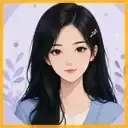
I made a talking baby-style character for a short skit. Writing a brief script and using a front-facing image gave me a cleaner result than trying to animate a busy full-body scene.
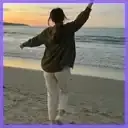
For a dance parody, I generated a full-body baby character and tested it against a short reference clip. I still checked fast movements frame by frame before posting the edit.
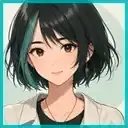
I liked using the generated baby portrait as an early mood reference. It helped me compare clothing colors, room lighting, and expressions before painting the final illustration myself.
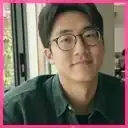
The fastest workflow for me was one clear photo, one simple baby-style prompt, and a short caption. I exported the image and finished the layout and disclosure in my usual design app.


Create with AI Baby Generator APP
No Credit Card Required
Discover the blogs about AI Kid Generator


FAQs About Baby Generator APP
Answers about uploading parent photos, predicting baby features, accuracy, privacy, and sharing results.
What is an AI Baby Generator?
An AI Baby Generator such as APOB AI is an artificial intelligence application that assists you in generating baby images and baby videos that look real from parent images or other inputs.
Is the AI Baby Generator free to use?
APOB AI does come with free sign-up. You only need to sign up for free membership to use APOB AI and gain 80 credits each day. Credits are free; therefore, you get to produce lovely baby images and videos as you want. If you are pleased with the images and want to produce more images and videos that look more adorable with higher credits and sophisticated Modes such as Ultra S Mode that produce the best baby images and videos possible, you can sign up with APOB membership.
Can I use a photo of just myself?
Of course! In fact, in APOB AI, you are free to upload any picture that you want as a reference. You can upload your selfie photo to obtain an AI baby version.
Is it difficult to produce AI baby videos with APOB AI?
Not at all! Making baby videos with APOB AI is actually super easy! You just sign up (you get 80 free credits each day), upload or create baby photo images, then apply the Revideo function to create fun baby TikToks. If you want to produce something fully original, you can use the Image to Video function; this function allows you to insert your own ideas to fully make something original.
Can I download the AI baby image?
Yes, you can freely download it for personal use. What’s more, you can use our ‘image to video’ feature to make your AI Baby videos!
Is this app safe to use?
APOB AI is built to prioritize user safety and privacy. It won’t keep your photos for too long and safeguards your data for processing, so you can use it safely.
Can the AI Baby Generator help me see what my baby will look like?
Yes. The AI kids Generator allows you to see what your baby could look like by pairing facial elements from the uploaded photos. It’s not something that can be scientifically forecasted, but it gives you a realistic-looking and fun baby face made using the latest AI.
Apart from generating AI baby videos and images, what else can APOB AI be used for?
You can use APOB AI to create portraits with AI technology, produce AI influencers (AI Girls/AI Boys), create talking avatars, and even create advertising videos with AI technology to share on social media platforms. Whether you are doing lifestyle portraits, doing character videos, or doing fun TikTok videos, APOB AI offers you all the resources you need to realize your artistic visions!