
AI Character Swap Video Generator
Replace a video character with your AI influencer or reference image. Keep the original motion, scene, and style with APOB AI character swap video.
MADE WITH APOB
Explore character-led video scenes
See characters in art studios, autumn parks, bookstores, and dance scenes through seven short examples.
How to Use AI Character Swap Video Generator: A Step-by-Step Creator Guide
Step 1: Sign Up and Enter the APOB AI Workspace
Start by signing up or logging in to APOB AI. Once inside the workspace, you can access your creator dashboard, daily free credits, and the tools needed to build an AI Character Swap Video Generator workflow. This gives you a clean starting point for replacing a full video character with your own AI influencer, virtual model, or custom reference persona.

Step 2: Create or Upload Your Replacement Character
Before changing the character in a video, create a reusable portrait model. Upload your own reference image or use APOB AI’s AI influencer generator to build a consistent digital persona. This model will become the replacement character used across your character swap video AI free workflow, helping you keep identity, style, and visual consistency across multiple video variations.

Step 3: Open the Video Character Replacement Tool
Go to the video workspace and choose the video replacement module. Upload or select the original video that contains the motion, pose, timing, and camera rhythm you want to preserve. APOB AI uses this source video as the motion structure, so your new character can follow the same performance instead of starting from scratch.

Step 4: Generate the New Character Swap Video
After the original video is uploaded, review the clip, confirm the duration and quality settings, then generate your new version. APOB AI replaces the video character while keeping the original movement, gestures, scene structure, and camera flow, making it ideal for AI influencer videos, UGC ads, product demos, and short-form social content.

Step 5: Review Your Final Character Swap Video
Once the generation is complete, preview the final result side by side with the original performance. Check whether the new character keeps the same hand gestures, body motion, camera rhythm, and scene structure. If the result is not exactly what you want, simply adjust your reference image, source video, or quality settings and generate again until the character swap video looks ready for TikTok, Reels, Shorts, UGC ads, or product campaigns.

Trusted by Thousands of Pro Influencers to Dominate Social Media.
Emir.
21k Followers
Subhan Qureshi
26k Followers

ELITE MINDSET
23k Followers

Ajay Sharma
30k Followers

Mr Shishir
5k Followers
edrian.exe
604k Followers

aprendeconvalerio
1.39M Followers

gabzer.mp4
591k Followers

Hasan Toor
413k Followers
Tulsi Soni
153k Followers

TuTecnoMundo
3.08M Subscribers

YORD
2.79M Subscribers
SinnerSam
325k Subscribers
malik.makhlouff
1.2M Followers

Riscaane
215k Followers
setups_ai
950k Followers



Jhonier Gomez
137k Subscribers

David Dato
70k Subscribers
Pro Secret
22k Subscribers

rulomart
2.4M Followers
xabatz
99K Followers
reels_drgn
55K Followers
cristinakerk.studio
156K Followers
websconia_ia
23k Followers
felippetek
216k Followers
cr_webq
15k Followers

moddy.a.m
385k Followers
mpminds
1.2M Followers
ainusantara
551k Followers
vin.ai93
209K Followers

pampisman
957k Followers

eloiljf
296k Followers


Why choose APOB as your AI Character Swap Video Generator
Preserve Natural Motion, Gestures, and Timing
The best character replacement videos feel like the new character was always meant to be in the scene. APOB AI keeps the original video’s walking rhythm, hand gestures, body posture, reaction timing, camera movement, and visual pacing, so your AI swap video feels smooth, believable, and ready for TikTok, Instagram Reels, YouTube Shorts, or product campaigns.
Keep Your AI Influencer Identity Consistent
For creators building a recognizable digital persona, consistency matters more than one-off effects. Use an APOB AI influencer model as your replacement character to keep the same facial style, body presence, beauty direction, and brand identity across repeated video variations. It is ideal for AI influencer video generator workflows, virtual model content, and social-first brand storytelling.
Create Ad-Ready Videos Without Complex Editing
APOB AI turns character replacement into a fast, creator-friendly workflow. Instead of hiring actors, reshooting scenes, or manually editing frame by frame, you can reuse existing video templates and generate fresh UGC ads, product demos, short-form hooks, virtual fashion clips, and branded creator videos with daily free credits and no advanced editing skills required.
Use Case of AI Character Swap Video Generator
What can AI Character Swap Video Generator can be used for?
AI Influencer Campaign Variations
Brands no longer need to rebuild every influencer-style video from zero. With APOB AI Character Swap Video Generator, teams can take one strong source clip, replace the main performer with a consistent AI influencer, and create multiple campaign variations for TikTok, Instagram Reels, YouTube Shorts, and paid social ads. The original motion, hand gestures, camera timing, and scene rhythm stay intact, while the digital persona changes to match each audience, product line, or creative test. (TikTok AI advertising, 2026)
UGC Product Ads Without Constant Reshoots
UGC ads work best when they feel human, fast, and native to the feed. Instead of booking new creators for every product demo, marketers can reuse a proven UGC video structure and apply a new AI presenter with a reference image character swap workflow. APOB AI helps preserve the original body language, product interaction, and talking-head pacing, so teams can generate fresh ad-ready versions without restarting production. (Amazon AI video ad, 2026)
Short-Form Creator Templates for TikTok, Reels, and Shorts
Short-form creators often discover one video format that works: a hook, a movement pattern, a reaction beat, or a visual transition. APOB AI lets them reuse that successful template with different characters. The AI swap video workflow keeps the original motion and camera flow while replacing the performer, making it easier to produce new social clips quickly without filming the same concept again and again. (TikTok trends for marketers, 2026)
Reviews on APOB AI Character Swap Video Generator
Character Swap Video Generator lets me test a new cast inside an existing performance while keeping the motion and timing intact.
The character swap made our playful chase clip feel like a completely new scene without reshooting it.
I can explore alternate identities for a short film quickly and still preserve the original gestures and camera movement.

I find that the results are useful for storyboards, pitch videos, and visual experiments where a different character changes the whole tone.
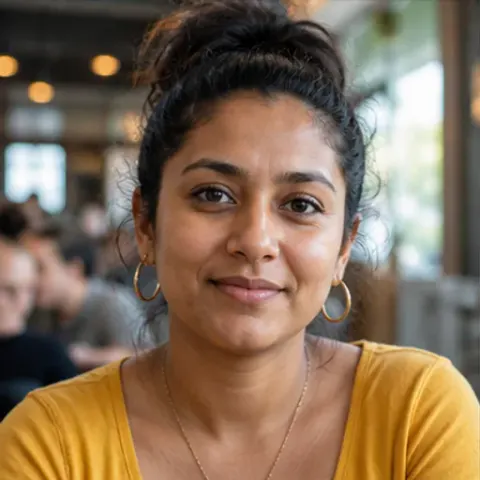
It handles costume and face changes better than I expected, while keeping the sequence readable from frame to frame.

The close-up stayed consistent through the transition and gave the scene a believable new lead.
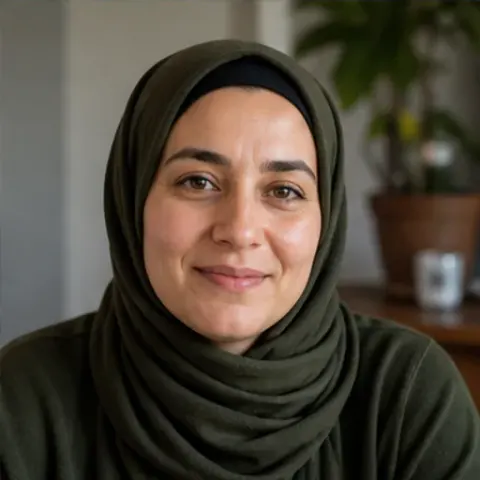
I can compare several character directions before locking a concept, which makes pre-production much more efficient.

I find that the tool is great for testing genre changes, character concepts, and alternate versions of the same performance.

I find that it keeps the timing and body language strong enough that the swap feels like a real creative choice, not a pasted overlay.


Pros and cons of AI Character Swap Video Generator
Pros
Replaces the Whole Character, Not Just the Face
APOB AI focuses on full body character replacement AI, so the final result feels closer to a new performance than a basic face edit. You can replace the main person in a video with a reference image, AI influencer, virtual model, or branded digital persona while keeping the original pose, movement, scene structure, and camera rhythm.
Saves Time by Reusing Proven Video Templates
Instead of reshooting the same UGC ad, product demo, or short-form hook with different presenters, you can reuse one strong source video and generate new character versions from it. This makes the AI Character Swap Video Generator especially useful for creators and marketers who need fast creative testing without rebuilding every asset from scratch.
Keeps Motion, Gestures, and Camera Flow Intact
A strong AI swap video should preserve the performance that made the original clip work. APOB AI helps carry over walking rhythm, hand gestures, body posture, reaction timing, camera movement, and visual pacing, making the new character feel naturally connected to the original scene.
Supports Consistent AI Influencer Workflows
For AI influencer video generator campaigns, consistency is a major advantage. APOB AI lets creators use a recurring AI influencer or custom persona across repeated video variations, helping brands build recognizable social characters for TikTok, Instagram Reels, YouTube Shorts, product ads, and UGC-style content.
Cons
Best Results Depend on Clear Source Videos and Strong References
The workflow works best when the original video has visible body movement, stable lighting, and a clear main subject. Low-resolution clips, heavy occlusion, extreme camera blur, or weak reference images may reduce character accuracy, so creators should choose clean source videos for the strongest results.
Create your own AI Character Swap Video with APOB
No Credit Card Required
Discover more blogs about AI Character Swap Video Generator
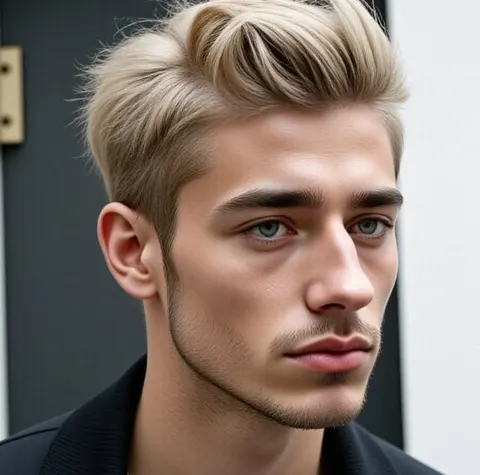
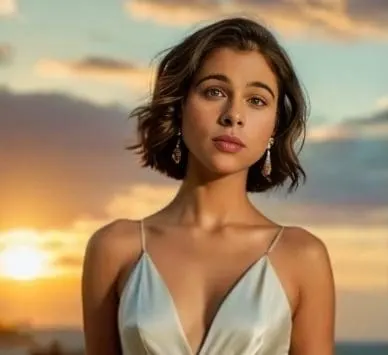
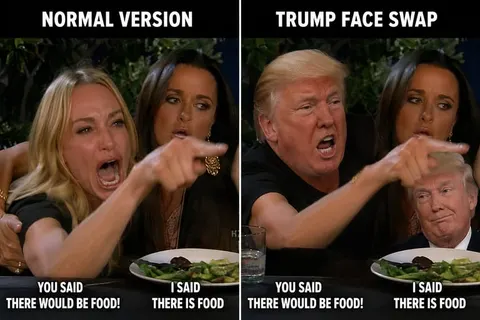


FAQs about AI Character Swap Video Generator
Answers about swapping characters, identity consistency, video quality, privacy, commercial use, and formats.
What is an AI Character Swap Video Generator?
An AI Character Swap Video Generator replaces the main character in a video with a new reference image, AI influencer, virtual model, or custom digital persona while keeping the original movement, pose, camera flow, and scene structure.
How is AI character swap different from AI face swap?
AI face swap mainly changes the face. AI character swap focuses on broader video character replacement, including the person’s appearance, body presence, outfit style, and performance continuity. It is better for full-body video variations, UGC ads, AI influencer content, and virtual model videos.
Can I use APOB AI to change the character in a video?
Yes. APOB AI lets you use a reference image or AI influencer model to replace the character in a video while preserving the source clip’s motion, gestures, timing, and camera rhythm.
Does the original video motion stay the same?
The goal is to keep the original video’s movement structure, including gestures, walking rhythm, posture, timing, and camera flow. This allows the replacement character to follow the same performance instead of creating a random new motion.
Can I use my own reference image?
Yes. You can upload a reference image and use it as the replacement character. For stronger results, choose a clear, high-quality image that matches the style and framing you want in the final AI swap video.
Can I use an APOB AI influencer as the replacement character?
Yes. You can use an APOB AI influencer model as your replacement character, which is especially useful when you want consistent identity across multiple videos, ads, product demos, or short-form social clips.
Is this a full body character replacement AI tool?
Yes. The page should be positioned around full body character replacement AI, not basic face swapping. APOB AI is designed to help creators replace the main video character while keeping the original performance structure.
Can I create multiple versions from the same video?
Yes. One of the biggest advantages is reusable video production. You can take one strong source video and generate multiple character versions for different audiences, campaigns, creators, products, or social channels.
Is there a character swap video AI free option?
APOB AI offers free daily credits, so users can test character swap video AI free workflows before scaling into larger content batches or paid production.
What type of videos work best?
The best source videos have a clear main subject, visible body movement, stable lighting, limited occlusion, and a clean camera structure. Short UGC clips, product demos, influencer-style videos, fashion clips, and social ad templates work especially well.
Can I use AI character swap for UGC ads?
Yes. This workflow is ideal for UGC video generator use cases. You can reuse a strong product review, demo, reaction, or hook structure and apply a new AI presenter or digital persona without reshooting the entire video.
Can I use it for AI influencer videos?
Yes. APOB AI supports AI influencer video generator workflows by helping creators keep a consistent virtual persona across repeated videos, campaigns, hooks, and brand stories.
Can AI character swap help reduce production costs?
Yes. Instead of hiring new actors, booking locations, and reshooting every creative variation, you can reuse a proven video template and generate new character versions faster.
Can I use it for TikTok, Reels, and YouTube Shorts?
Yes. AI Character Swap Video Generator workflows are especially useful for short-form platforms where creators need fast variations, fresh presenters, and high-volume testing.
Does APOB AI support AI video body swap?
APOB AI can be positioned for AI video body swap workflows where the goal is to replace the visible character in a video while keeping the original pose, motion, and scene rhythm.
Can I replace more than one character in a video?
If supported by the workflow, multi character replacer AI use cases can help create variations with more than one updated character. If the source video is complex, results may depend on how clearly each subject appears in the scene.
Is AI character swap good for product demo videos?
Yes. Product demo videos often depend on useful hand gestures, camera timing, and product interaction. APOB AI helps preserve that motion while changing the presenter or digital spokesperson.
Do I need editing experience?
No. APOB AI is designed for creators, marketers, and social teams who want fast video production without complex editing software, manual masking, or frame-by-frame compositing.
What makes APOB AI different from a normal AI swap video tool?
APOB AI is stronger for creator workflows because it connects character replacement with AI influencer consistency, reusable templates, product videos, UGC ads, and social-ready video production.
Can I use AI character swap videos commercially?
In general, AI character swap videos can be used for marketing, social content, and brand campaigns when you have the right permissions for the source video, reference image, and any likeness involved. Always avoid impersonating real people without consent.