100% Free to Use
Enjoy full access to the AI muscle generator for free. No paywalls—just upload your photo and start sculpting your dream physique instantly.
Realistic, Customizable Results
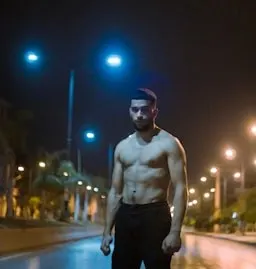
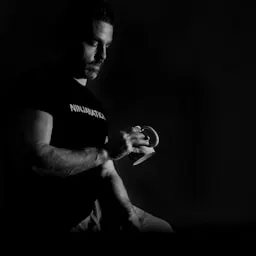
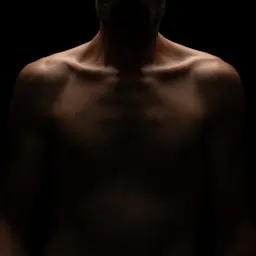
APOB AI’s ai bodybuilder generator lets you design hyper-realistic muscular bodies with stunning detail—whether it’s defined abs, massive arms, or a full ai muscle girl generator transformation.
For Everyone – Not Just Pros
You don’t need Photoshop skills or fitness knowledge. APOB AI is intuitive and beginner-friendly, perfect for artists, influencers, or anyone who wants to create stunning bodybuilder AI content.
Fitness Coaching & Motivation
Trainers can use an AI bodybuilder generator to make custom “after” pictures that show clients how their bodies could look after reaching their goals. Using APOB AI’s “personalized AI portraits,” they can add new features and body shapes, helping clients stay motivated and more engaged [1].
Marketing & Brand Promotion
Clothing and supplement brands can use the generator to create realistic AI models for ads, cutting out the cost of photoshoots. With APOB AI’s “AI Influencers,” companies can design different custom models to highlight their products on many body types, boosting brand visibility and sales [2].
Digital Art & Entertainment
For artists and game makers, the generator is a quick way to design unique characters. Using APOB AI’s “AI Image & Video” tools, they can easily create bodybuilder-style characters for games, comics, or social media, saving time while producing a wide range of looks [3].
Create your AI Body builder with ease
No Credit Card Required
In the realm of digital creation, the ability to generate realistic human figures has become invaluable. APOB's AI Body Generator offers a seamless solution, allowing users to transform text prompts into lifelike full-body images without the need for advanced design skills.
How to Use APOB's AI Body Generator
1st step: Getting Started
Visit APOB's AI Body Generator and create a free account. Upon registration, users receive 80 free credits daily, allowing you to generate multiple images without any initial investment.

2nd step: Creating a Body Image
Click Create Portrait Model, then either upload a photo or select Generate an AI Person. Choose the age, gender, nationality, hairstyle, eye color, face shape, and skin tone, and APOB will create an AI human face. Based on this face, you can generate different AI bodies.
In Build Your Own, enter a prompt of up to 1024 characters. You can select different image styles, as well as clothing and scene options. Choose your preferred image aspect ratio (for full-body images, 9:16 is recommended) and generation mode (Fast, Best, or Ultra). Click Generate to create the image.
Tips: If you want to modify the AI-generated image, use the Chat to Edit feature to make adjustments.


3rd step: Generate AI Body Dynamic Videos
Once your image is generated, click Generate Video. Enter a prompt to make the character move. APOB offers various camera movements and storyboard options to suit your video creation needs. After generating the video, you can add APOB's AI Voice to make your character speak.

Prompt Examples
Male bodybuilding competitor
A muscular male bodybuilder with a red tank top and black short shorts, bulging veins underneath harsh stage lighting shining on hard, chiseled muscles — made perfectly with an AI person creator full-body for the realistic fitness aesthetic.
curvy woman
A stunning, curvy woman in a tight red dress and high heels, striking a confident pose with flowing hair, fully generated by AI full body generator.
Female sci-fi futurist warrior
A future-warrior woman sci-fi futurist anime-style character in resplendent silver armor standing over an holographic cyberpunk cityscape bathed in a neon glow, easily rendered with an AI body generator free to make amazing futuristic graphics.


Why APOB AI stands out: Key Features and Benefits
Lightning-Fast Generation: Get stunning body images in seconds.
Unlimited Inspiration: Create a variety of versions and interpretations of body images.
No Design Skills Required: The AI does it all so everyone can enjoy it.
Easy Animation: The AI brings your images to life and makes them walk and talk with a click or two.
Use Cases
Advertising and Marketing: Create custom characters for campaigns without photo shoots.
Education: Create learning materials with diverse human characters to optimize learning experience.
Entertainment: Create game characters, animation characters, and virtual reality set characters.
Personal Projects: Generate ideas or concepts using a personal body image generator.
User Testimonials
"AI Body Generator of APOB has revolutionized content creation for us entirely. We can design brilliant character images within minutes." – Digital Marketing Agency
"As a teacher, I have easily developed inclusive and diverse teaching material." – High School Teacher
Conclusion
APOB's AI Body Generator is extremely flexible and easy-to-use software to create human images that seem real. You can be a marketing professional, educator, performer, or doing personal projects, but the website offers the technology to realize your imagination with ease and efficiency.
FAQs
Q1: Can I Generate Body Images for Free?
A1: Yes, APOB offers 80 free credits daily, allowing users to generate multiple images without any cost.
Q2: How does the AI body generator work?
A2: The AI utilizes advanced algorithms to interpret text prompts and generate corresponding body images with high accuracy.
Q3: How Does the AI Generate Body From a Text Prompt?
A3: The AI analyzes the provided text, identifying key attributes such as gender, pose, and attire, to create a detailed image matching the description.
Q4: How to write prompts to create an AI body with our AI Body Generator?
A4: Be specific in your descriptions. Include details about the body type, clothing, background, and any other relevant features to achieve the desired result.
Q5: Can I generate a realistic person using just a face photo?
A5: Yes, APOB's AI Body Generator allows users to upload a face photo and generate a full-body image based on that input.
Q6: Can I Use the AI-Generated Body Images for Commercial Projects?
A6: Yes, the images created can be used for commercial purposes, including marketing and advertising, under APOB's terms of use.
Read More
Have you ever tried closing your eyes to imagine what your dream body might actually look like, only for the picture to not quite come into focus? You don’t have to feel this way alone. Whether you're an individual who is passionate about fitness and loves to imagine what you’ll one day look like or an artist who is trying to find an inspirational picture to work from, you understand the struggle of not being able to find particular images.
What if you could type a few keywords, and an image of that same objective would pop up as a high definition photo-realistic image? This is where an “AI muscle girl generator” can make all the difference. In this guide, we will show you just how to achieve your best visions using Apob AI.
How to generate muscle girl images with AI?
Step 1: Claim your free starter pack
Visit the Apob AI website and sign up for a free membership. We believe in letting the product speak for itself. Upon signing up, you will immediately receive 80 free credits. This allows you to generate images or even videos right away, risk-free. It is the perfect way to test the waters before diving in deeper.

Step 2: Upload a Photo as Your Base
Upload a clear photo of yourself, a friend, or even your favorite celebrity. APOB AI uses that as a foundation to create a personalized AI model. Head to the left sidebar and select Chat to Edit. Whether you need to fix a messy hairstyle, adjust the fit of the sportswear, or tweak the camera angle, Chat to Edit gives you granular control to ensure your model looks exactly how you visualized her, down to the last pixel.
You can then enter prompts or upload reference images—e.g., “muscular arms, defined abs, dynamic pose”—to generate your AI Muscle Girl image.

Step 3: Define your model's physique
No photo? No problem. Click AI Influencer Generator. Choose attributes like age, gender, nationality, hairstyle, eye color, face shape, and skin tone.
Decide on dimensions and image mode:Use the parameter sliders to adjust Gender, Age, Height, and most importantly, Build. Slide the bar towards "Muscular" or "Athletic" to get that defined look. You can also fine-tune the Eye Color, Hair Style, and Face Shape to ensure the model looks exactly how you imagined.

Step 4: Dress for success and choose a style
Once the body is set, it is time to style her. Whether you want a "Casual" gym shark look, professional "Sportswear," or something more artistic like a "Cyberpunk" aesthetic, Apob AI handles it.


You can use our preset clothing options or input a specific text prompt to describe a unique outfit. Don't forget to select an Art Style—choose "Realistic" for life-like fitness motivation or "Anime" for a stylized character design.
Step 5: Set the perfect atmosphere
A model needs a context. Where is she training? Use the "Scene" editing features to place her in a high-tech gym, a sunny outdoor "Landscape," or a gritty urban environment. You can even control the "Weather" and lighting to create a dramatic mood.
Once everything is set, hit generate. You can produce multiple variations at once, ranging from standard quality to Ultra S 4K for crystal-clear details.
Click Generate to craft your muscle girl AI character. If it’s not perfect, revisit Chat to Edit to refine until you're happy.
Prompt Mode: Examples to Inspire You
Here are some sample realistic prompts under 500 characters you might try in Expert mode:
A strong, muscular woman in a gym, wearing a tight black sports bra and matching leggings, showing off her well-defined biceps and abs. Her face expresses determination, her brow slightly furrowed as she performs a deadlift with perfect form. The gym is well-lit, with weight racks and mirrors reflecting her powerful stance.
A muscular woman in a fitness competition, wearing a sleek red bikini with gold accents, highlighting her chiseled physique. She stands confidently on stage, flexing her arm muscles with a proud smile, showcasing her abs and toned legs. The background is a bright spotlight, with a cheering audience visible in the distance.
A muscular woman in a modern gym, wearing a neon green sports tank top and black compression tights. She’s lifting a barbell over her head, her face intense with effort and determination. The gym is spacious, with sleek, shiny equipment, and the lighting casts dramatic shadows across her muscular form as she shows her strength.
Feel free to customize—mention background, lighting, expression, pose—and balance details with clarity for a compelling result.


Bring Your AI Muscle Girl to Life
Once your image is ready, APOB AI helps you elevate it:
Image to Video: Animate your muscle girl in action—capturing movement, flexes, or athletic routines.
Talking Avatar & Lip Sync: Add voice using AI—choose from over 13 languages and 100+ voices—so she can speak your words.
Text to Video: Describe a scene (“AI muscle girl training in slow motion under stadium lights”), and watch APOB AI turn text into cinematic video.
Now your AI Muscle Girl isn’t just an image—she’s a living, expressive character.

Generate Video: Direct Your Own Heroic Saga and Realize Your Fantasy
Have you always dreamed of being strong like the gods, using your muscles to save the world as the ultimate hero? Well, stop dreaming and start recording. With the Generate Video feature from Apob AI, you are no longer just a witness to the scene – instead, you are the scriptwriter, the star, and the director of your own action film.
You don’t need a Hollywood budget; all you need is your imagination. All you need to do is choose your theme, like post-apocalyptic rescue, where your strong character has to lift up any kind of debris to rescue people. This will be instantly provided by the different professional scripts by Apob AI, which will help you choose the script of your imagination. With the help of the “Generate Video,” your ultimate "savior fantasy" will become a reality.


The Muscle Power of AI-Created ‘Muscle Girls’ for Ultimate Fitness Inspiration
The AI-driven muscle girl generation is truly "Seeing is believing" – a phrase we all know to be true. And when grinding out in the gym, having a clear idea of what your goal image will look like can be a huge mental motivator. What our AI muscle girl builder enables you to do is create a "virtual doppelganger" of yourself with the body type of your goal. Simply pick a photo of your face and superimpose it on our AI-generated muscle body. This way, instead of simply having a mental image of what your goal body will look like, having a visual image of your goal body will be a reality. This will no longer be a dream but a target to shoot at. Simply print this out and set it as your smartphone wallpaper as a reminder of why exactly you're bending over to pick up that heavy weight.
Unlocking the profit engine: How to make money with AI art
Creating images is fun, but did you know it can also be a revenue stream? Here is how savvy creators are using Apob AI to earn.
Viral Social Media Content
Fitness niches on Instagram and TikTok are huge. By posting high-quality, consistent AI fitness models, you can grow a massive following. Use our ReVideo feature to upload a simple video, and swap the subject with your AI model. You can change the camera movement, style, and lighting to create viral clips between 15 seconds and 10 minutes long.
Create Brand Assets
Small supplement brands or gym wear lines often cannot afford expensive photoshoots. You can create "Brand Images" by combining your consistent AI models with product shots. It is a cost-effective solution for high-end marketing materials.
Join the Apob AI Partner Ecosystem
We want you to grow with us. We offer an Affiliate Program and an Ambassador Program. By referring new users to our platform or showcasing our capabilities (like the 4K resolution or video scripts), you can earn commissions. It is a direct way to monetize your content creation skills.
How does Apob AI compare to other tools?
You might be wondering, "Why not just use Midjourney or Stable Diffusion?" While those are powerful tools, they have significant drawbacks for this specific niche.
Midjourney operates primarily through Discord, which can be chaotic and intimidating for new users. More importantly, getting the exact same character face across different images is notoriously difficult.
Stable Diffusion offers control but often requires a powerful computer and a steep learning curve to install and manage locally.
Apob AI strikes the perfect balance. We are entirely web-based (no installation needed) and we specialize in Character Consistency. Once you create your model, you can put her in a thousand different scenarios—lifting weights, running, or posing—without her face morphing into a stranger. Plus, our interface is intuitive with simple sliders, not complex code.
What Users Are Saying
“Stunning results with zero design skills—APOB AI made my vision real.” “I love seeing myself as an empowered, athletic version—I used the muscle girl ai feature every day!”
Users rave about APOB AI’s ease of use, realism, and creative freedom. Whether you’re an artist, fitness fan, or just curious, the positive feedback keeps rolling in.
Final Thoughts
Designing realistic AI Muscle Girl images has never been easier. With APOB AI’s intuitive interface, daily free credits, powerful prompt tools, and animation capabilities, you're empowered to create and animate strength, beauty, and vision.
Ready to build and bring your AI muscle girl to life? Sign up on APOB AI, experiment with your first prompt, and watch your creation evolve.
FAQs
Q1: Can AI make me look muscular instantly?
Yes! With APOB AI, it usually only takes a few seconds to generate your muscular image. The Chat to Edit feature works even faster. If your expert-mode prompt is very complex, the rendering may take a little longer.
Q2: Can I customize the generated images?
Absolutely! Once the image is created, you can use Chat to Edit to make changes. You can adjust facial expressions, poses, hair color, outfits, or even the background scene.
Q3: Will my muscles look realistic with the AI Muscle Generator?
Generally, yes. APOB AI is designed to render muscles with striking realism—showing detailed muscle definition, natural body proportions, and dynamic lighting effects. This ensures your generated image looks like a professional fitness-style artwork rather than a simple cartoon.
Q4: Can the muscle woman image I create on APOB AI be used commercially?
Yes, absolutely! You can use the AI-generated muscle woman image commercially in various ways, such as social media marketing, fitness blogs, YouTube thumbnails, gym advertisements, product packaging, or even digital merchandise. Many creators also use these images for branding, online coaching materials, or to enhance promotional visuals for sports and wellness businesses.
Q5: How do I keep the character's face the same in every photo?
This is Apob AI's specialty. Save your created model, and the system locks in the facial ID features for all future generations.
Q6: Does Apob AI support anime styles?
Yes. In the "Art Style" section, you can switch between realistic, 3D render, anime, and oil painting styles instantly.
Q7: Is Apob AI free to use?
Yes, we offer a free tier. When you register, you get 80 credits to try out all the features, including image and video generation.
Q8: What is the best resolution for printing posters?
For large prints, we recommend selecting the Ultra S 4K option in the generation settings to ensure the image remains sharp and detailed.
References:
Apob AI. (2025). Create Your AI Model. Available at: https://apob.ai
Smith, J. (2024). The Psychology of Visualization in Sports. Journal of Sports Science.
TechDaily. (2024). Comparison of AI Art Generators: Midjourney vs Apob AI. Tech Review Online.
Read More
Introduction
What would I look like if I lost weight? This is a question asked by many people — or even more specifically, what would I look like skinny? Losing weight is a journey that many embark on to improve their health, boost their confidence, and enhance overall well-being. One of the most powerful motivators in this journey is the ability to visualize your transformation. That’s where a weight loss visualizer comes in — a digital tool that lets you preview your potential future self based on your goals.
This article explores how you can use a cutting-edge weight loss simulator, specifically APOB AI, to generate a realistic AI weight loss photo. By seeing a tangible representation of your slimmer self, you can stay motivated, inspired, and fully committed to your weight loss journey.
Tip: Don't forget to read the guide on how to use Apob AI! Earn extra income while on your weight loss journey by joining APOB Mega Creators and promoting AI tools for a 30% commission!
Three Steps to use APOB AI to get your ai weight loss photo
Since launched in 2023, 200+ Influencers have recommended APOB AI in Ins, Youtube, Twitter, Tiktok. OVER 25% of them have more than 100k followers! Join APOB Now!
Step 1: Firstly, register an account in APOB AI. Claim your free membership and 80 credits!
Step 2: Click on "Click to upload image";
Upload a photo of yourself (Wear clothes, Clear face);[If you are worried about the privacy, set the AI Model to be 'Private']
Write down a name (fake name is allowed), then click on "Generate". [The model is also deletable]

Step 3: Use the 'Expert function' Or 'Build Your Own'function to visualize what you will look like after losing weight.
In the Expert Mode, you can completely define what you will look like. For example, write down prompts like: 'shown after weight loss at 75 kg, slim and toned, with visible muscle definition and a confident posture.' If you use the 'Build Your Own' Mode, you could customize with the build-in background and clothes. Don't forget to select an art style! (For example: gym)

Step 3: Click on "Generate": Your ai weight loss photo is done! Check a new self! Wait for a few seconds and download the photo and video for Free!


Try AI Visualization Immediately
Step 4: Bring Your Transformation to Life with APOB AI’s Image-to-Video Tool
Once you've generated your AI portrait showing your post-weight-loss transformation, take it a step further by turning your image into a realistic video using APOB AI’s image-to-video function. This feature lets you visualize yourself in motion — smiling, talking, or simply turning your head — giving you a more immersive and motivating preview of your future self. Whether you're tracking fitness goals or seeking inspiration, seeing your transformation in video form can make your vision feel more real and achievable.
Discover Your Slimmer Future: See What You’d Look Like Skinny with APOB AI
Have you ever wondered, "What would I look like thin?" With APOB AI's weight loss visualizer, you can now discover amazing possibilities! This revolutionary AI weight loss photo editor reshapes your present photo to show you a thinner, more confident you—so that you can visualize and remain motivated throughout your fitness journey.
Picture yourself getting into a beautiful evening gown, your sophisticated figure stopping traffic at a gala. Or envision yourself getting into a tailored suit, looking sleek and confident at an A-list meeting. Perhaps you've fantasized about wearing bathing suits with confidence on a white sand beach or pulling off with ease a trendy crop top and jeans ensemble. With APOB AI, these are not mere daydreams—they're previews of your possible future.
Turn Your Weight Loss Journey into a Source of Income! Earn 30% commission
While you are on your way to your weight loss success, why not avail yourself of opportunities to make money in the process? If you are interested in health and wellness, you can influence others while making additional income. One of the best ways to do so is to become a part of affiliate programs such as the APOB Mega Creators.
By becoming an APOB Mega Creators affiliate, you can market cutting-edge AI content creation tools while making a 30% commission on the initial three payments of customers you refer who pay. Whether you are documenting your journey or inspiring others on social media, this is a great opportunity to marry your fitness path with financial success. In addition, after reaching a $100 minimum, your affiliate earnings will be paid out.
This may be the ideal moment to blend your health transition with a new revenue stream!
The Power of Visualization in Weight Loss
Visualization is a strong psychological aid that can make a huge difference in your weight loss process. If you are able to visualize what you would be like thin, then it is easier to remain motivated and committed to your objectives. Visualization assists:
Enhance Motivation: Viewing the possible outcomes of your effort can motivate you to remain devoted to your weight reduction regimen.
Strengthen Self-Belief: Imagining your thinner self can reinforce your belief in yourself that you can do it.
Lessen Anxiety: Having an idea of what to anticipate can remove the anxiety and fear that comes with the unknown elements of losing weight.
Visualization is not daydreaming; it is a useful technique that lots of successful people use to attain their desired goals. By visualizing yourself as a healthier, thinner individual, you can:
Set Clear Goals: Establish specific, measurable goals for your weight reduction process.
Stay Focused: Keep your eyes on the prize, without distraction or setbacks.
Enhance Accountability: Make your visual goals public with your friends or support group to remain accountable.
APOB AI is an advanced AI-powered image generator designed to help you visualize your skinny potential self after achieving your weight loss goals. By using state-of-the-art technology, our weight loss simulator functions as an effective weight loss visualizer, creating realistic images of what you would look like when you lose weight. This innovative tool provides a powerful visual representation to keep you motivated and inspired throughout your weight loss journey.
How APOB AI Reveals What You'd Appear Like If You Lost Weight
Download and Share: Download and share your created image to motivate and hold yourself accountable.
For optimal performance from APOB AI, begin with a good quality photograph. Some tips:
Good Lighting: Keep your face and body well-lit to record all details.
Neutral Background: Use a plain background to help the AI focus on you.
Clear Expression: Keep a neutral or slightly smiling face.
Stay Motivated with APOB AI: The Realistic and Free Weight Loss Visualization Tool
APOB AI stands out from other visualization tools for several reasons:
Realistic Results: APOB AI weight loss simulator uses advanced algorithms to produce highly realistic images.
User-Friendly: The platform is easy to use, even for those with no technical expertise.
Free Access: Enjoy the benefits of visualization without any cost.
Customizable: Tailor the results to match your specific goals and preferences.
After generating your image, use it to stay motivated:
Print and Display: Place your visualized image in a prominent place to remind yourself of your goals.
Share with Friends: Show your progress and stay accountable by sharing your image with friends or on social media.
Incorporate into Your Plan: Use your visualized image as a central part of your weight loss plan to stay focused and inspired.
Weight loss simulator uses advanced algorithms to produce realistic and accurate images based on the input provided. While the images are highly realistic, actual results may vary depending on individual factors such as muscle tone and body composition.
After Visualizing Yourself post-wight-loss with AI, what can be do?
1. Adopt a Balanced, High-Protein Diet
Maintain a caloric deficit by eating whole foods: lean proteins, vegetables, fruits, whole grains, and healthy fats (Reddit)
Aim for ~0.7–1 g of protein per pound of body weight to boost satiety and conserve muscle mass (themedisonhospital.com)
2. Increase Physical Activity
Combine cardio (150 min/week) with strength training (2‑3×/week) to burn fat and build lean muscle.
Boost your NEAT—move more throughout the day (e.g. walking, taking stairs)
3. Optimize Hydration & Meal Timing
Drink water before mals to enhance fullness and reduce intake—studies show ~500 mL water can reduce subsequent calories by 13
Eat regularly (every 3–4 hours) to prevent excessive hunger and bingeing (EatingWell)
4. Sleep & Stress Management
Prioritize 7–9 hours of quality sleep—poor sleep disrupts hunger hormones ghrelin/leptin
Use mindful practices like yoga, meditation, journaling to loer cortisol and prevent emotional eating
5. Mindful Eating & Portion Control
Eat slowly, without distractions, using smaller plates to monitor portions (Madbarz)
Keep a food log or use an app to track intake, revealing patterns and reinforcing accountability (Reddit)
6. Set Realistic Goals & Build Support
Use SMART goals (e.g., “lose 1–2 lbs/week”) and measure progress routinely
Surround yourself with supportive peers, join groups, or consult a coach or dietitian
FAQs about APOB AI
Q1: Can I use APOB AI for other types of visualizations?
A1: Yes, APOB AI allows for the visualization of various alterations, including different hairstyles, outfits, and aging effects. It serves as an adaptable instrument for examining various facets of your looks.
Q2: Is using APOB AI really free?
A2: Indeed, APOB AI provides complimentary membership for its image creation tools.
Q3: How can visualizing my weight loss help me achieve my goals?
A3: Visualization can increase motivation, improve self-confidence, and lower anxiety. When you visualize a concrete image of your future self, you are more inclined to remain dedicated to your weight loss program and reach your objectives.
Q4: What if I am not satisfied with the generated image?
A4: APOB AI offers personalization, enabling you to modify your inputs and choices to create a more pleasing image. If necessary, experiment with various images or adjust your objectives to achieve different outcomes.
Q5: Can I share my generated images on social media?
A5: Certainly, you have the option to download and share your created images on social media to hold yourself accountable and motivate others in their weight loss paths.
Q6: Is the AI result an accurate representation of how I would look after losing weight?
A6: Although AI-generated images can offer a close representation, they rely on algorithms and may not completely reflect all the subtleties of natural weight loss, including skin elasticity, muscle tone, and various personal characteristics.
Q7: How accurate are AI-generated images of my body after weight loss?
A7: AI tools utilize machine learning and data to generate lifelike images, yet the outcomes can differ depending on your unique body shape and the constraints of the technology. It serves as a useful visual aid but does not ensure precise outcomes.
Q8: Can I compare how I look now to my appearance after losing weight with AI?
A8: Definitely! AI tools enable you to contrast your present look with a digital version of yourself following weight loss. This comparison may assist you in gaining a clearer insight into how your features could evolve.
Q9: Will I need to upload a specific type of photo for the AI to work effectively?
A9: For optimal results, it’s advisable to upload a sharp, high-resolution image that clearly shows your body and is well-lit. This allows the AI tool to effectively replicate your possible slender appearance post-weight loss.
Q10: Can AI show how my face would look if I lost weight?
A10: Yes, AI tools can not only simulate changes in body size but also adjust facial features, including the shape of the jawline, cheeks, and overall facial structure, based on weight loss.
Q11: Is it safe to use AI for weight loss visualization?
A11: Using AI tools for visualization is generally safe, but it's important to remember that these images are not a reflection of real-life outcomes. Always consult with a health or fitness professional for guidance on safe and healthy weight loss.
Conclusion
Visualizing your weight loss journey can be a powerful motivator, helping you stay committed and focused on your goals. With our advanced weight loss visualizer, you can finally answer that burning question:"What would I look like skinny?" This innovative AI tool generates realistic before-and-after images of your future slim self, providing a tangible preview of your potential transformation.
Our weight loss visualizer is completely free, user-friendly, and fully customizable—allowing you to adjust different body areas to see how targeted changes could enhance your appearance. Whether you're curious about slimming down for a special occasion or simply want to stay motivated on your fitness journey, this tool brings your goals to life. Visit APOB AI today and start visualizing your transformation. Stay motivated, stay focus
Read More
AI Muscle Precision
Creates detailed muscular man visuals with high-definition anatomy, from bulging biceps to shredded six-packs.
Social-Ready in Seconds
One-click export for instant sharing on Instagram, TikTok, or YouTube—perfect for fitness influencers and creative projects.
Versatile Use Cases
Whether you're making a buff guy meme, designing game characters, or showcasing workout transformations, APOB AI adapts to your needs.
Inclusive for Women
APOB AI stands out with its AI muscle girl generator, supporting strength-focused visualizations for women without stereotypes.
Limited Video Length
While image-to-video is available, long-form content isn’t supported yet.
Prompt Dependent
Best results require clear prompts; vague descriptions might generate inconsistent muscle tones or proportions.
Can I use APOB AI for free?
When you sign up for APOB AI, you’ll receive 80 free credits daily. Most core features—like face swapping or generating high-quality images—cost just 20 credits per use, and each generation delivers 4 images. That means you can create up to 16 images per day using your free credits, or choose to create a short 2–3 second AI video instead. It’s a great way to experiment with different styles and discover your favorite look. For even more creative freedom, consider upgrading your plan.
Where can I create my own bodybuilder pictures?
You can edit your own bodybuilder pictures on APOB AI, which offers a free trial with full features. If you want to try it without leaving a trace, simply switch to private mode when generating your photos.
Will my muscles look realistic with the AI muscle generator?
Of course, APOB AI usually defaults to generating realistic images and videos, aiming for lifelike results.
Can I turn my AI Body builder image into a video?
No problem at all! After generating your image, you can select your favorite one and click Generate Video. You can enter a description (up to 2000 characters, generally 300-400 words) to describe actions, expressions, or other details, and APOB AI will help you turn your image into a video.
Can I use images I created or I found on your platform for commercial purposes?
Absolutely! APOB AI allows users to create their own AI models, and you can use the AI-generated images you create on our platform for commercial purposes. However, if you’re using AI photos shared in the public community that are based on another user’s likeness, it’s best to get their permission before using them.