
All-in-One AI Studio
APOB combines all tools in one place: image generation, animation, voice synthesis, and editing. No need to switch platforms—create everything from start to finish here.
Free and Easy to Start
Get 80 free credits every day—enough to explore photos, videos, and voices. APOB’s beginner-friendly design means anyone can create realistic results in minutes.
Professional Quality, Instantly
APOB’s AI models deliver ultra-realistic textures, natural poses, and expressive details—ideal for projects in media, marketing, or creative storytelling.
Social Media & Content Creation
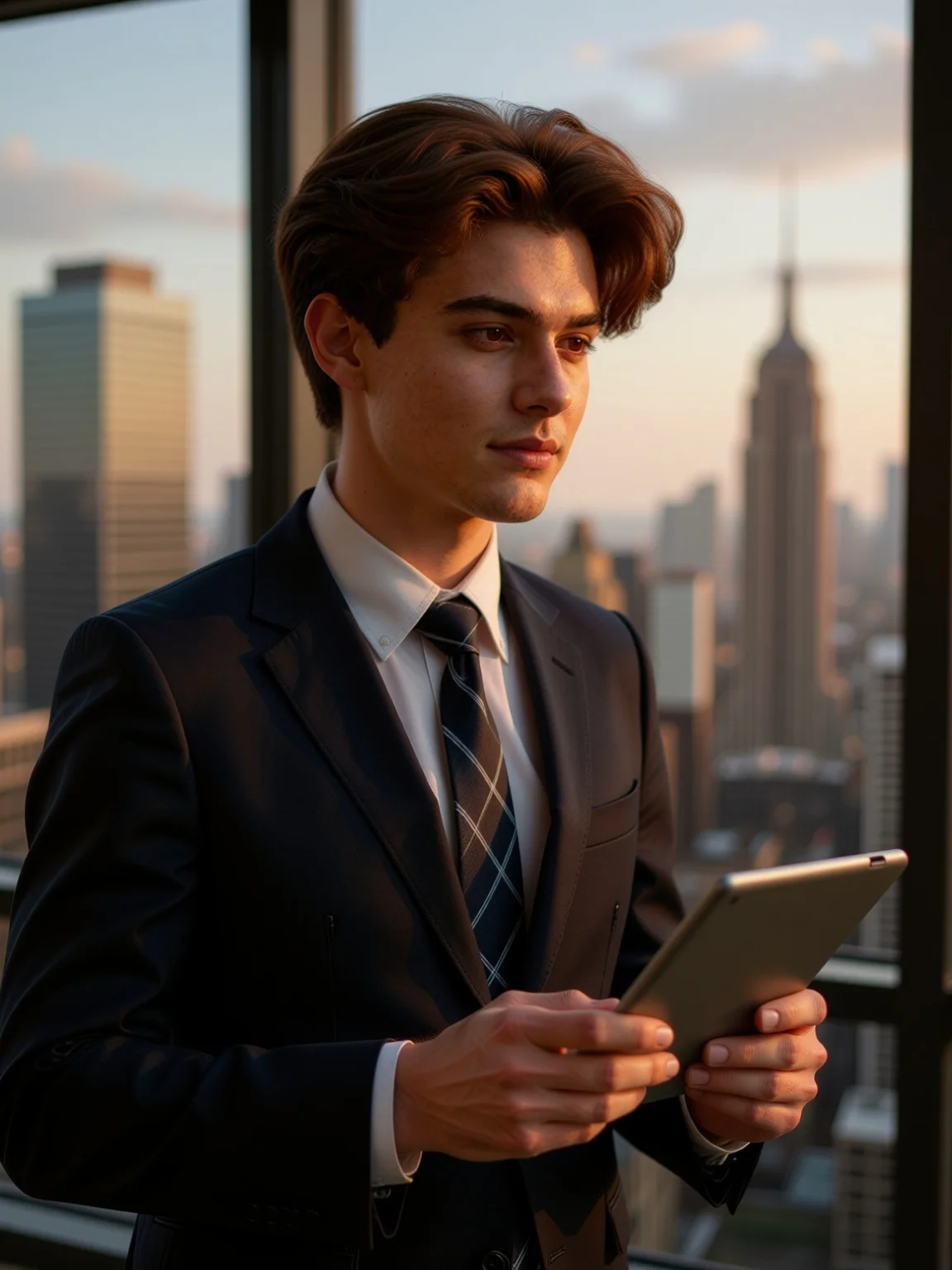
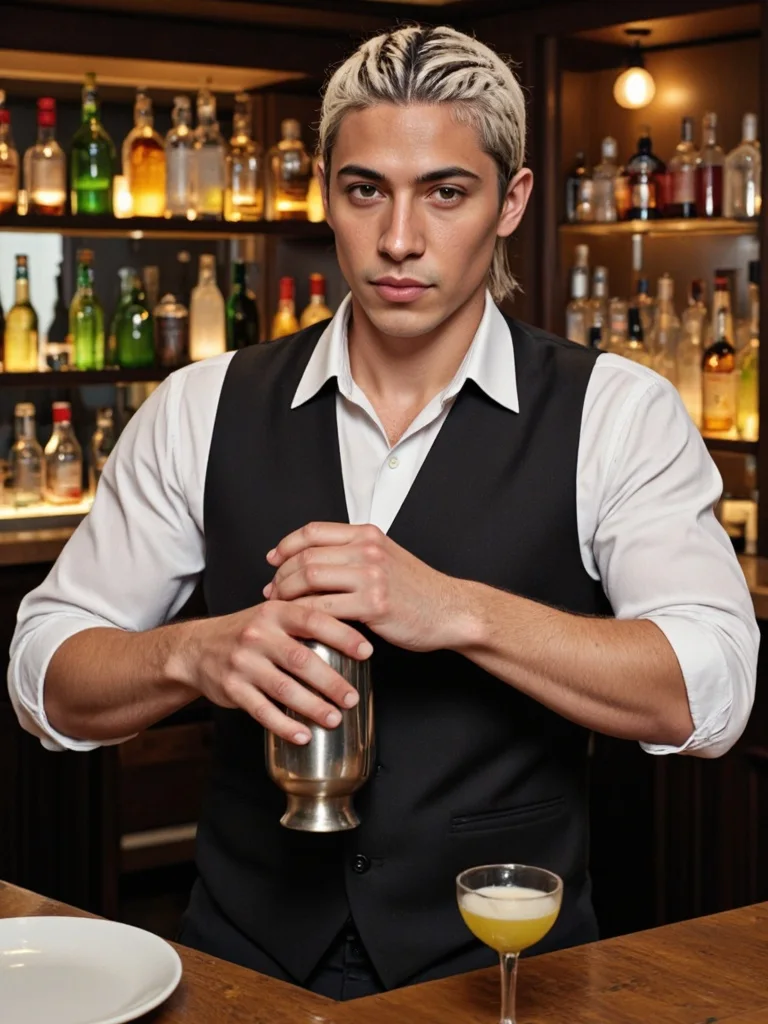
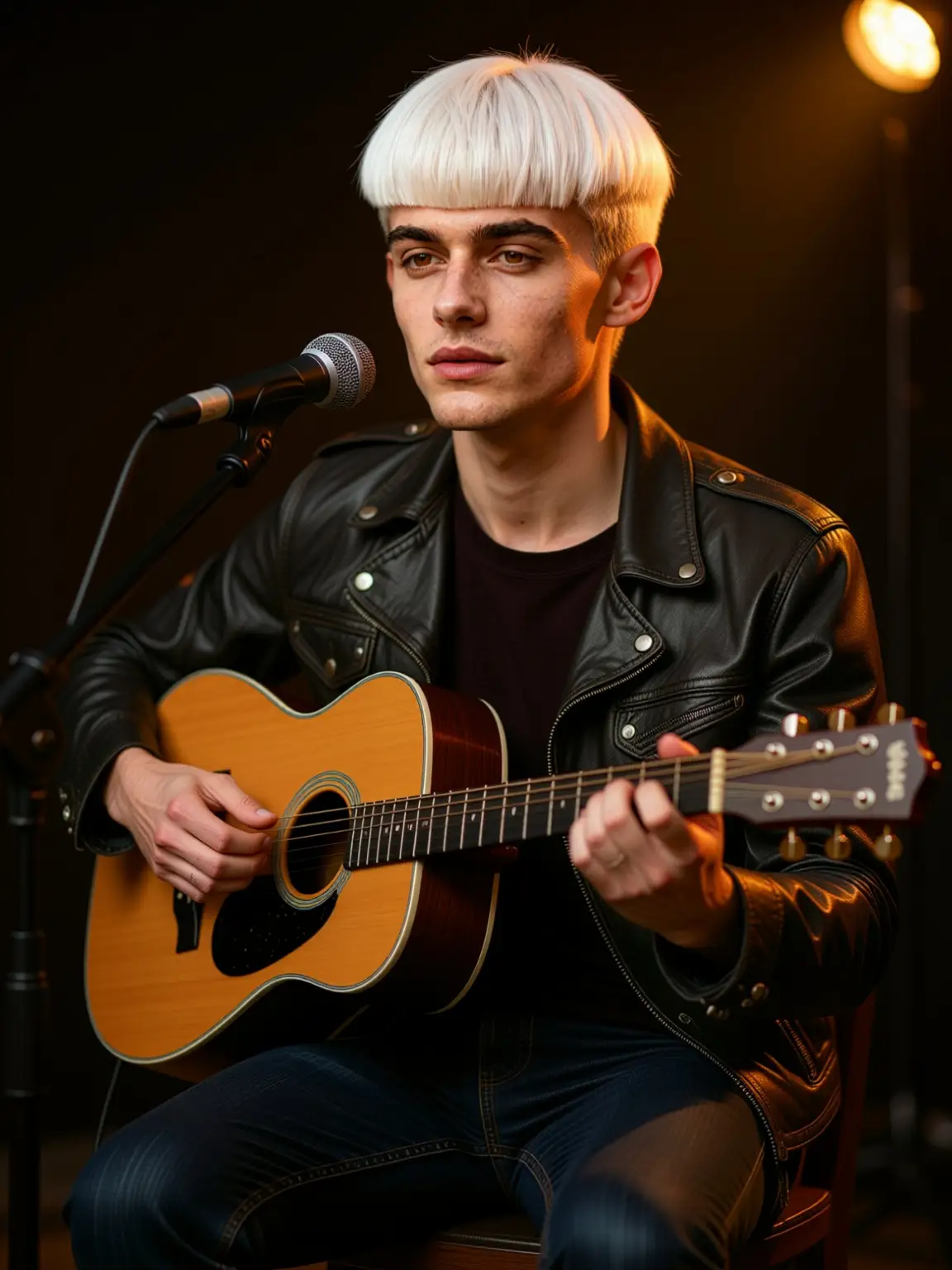
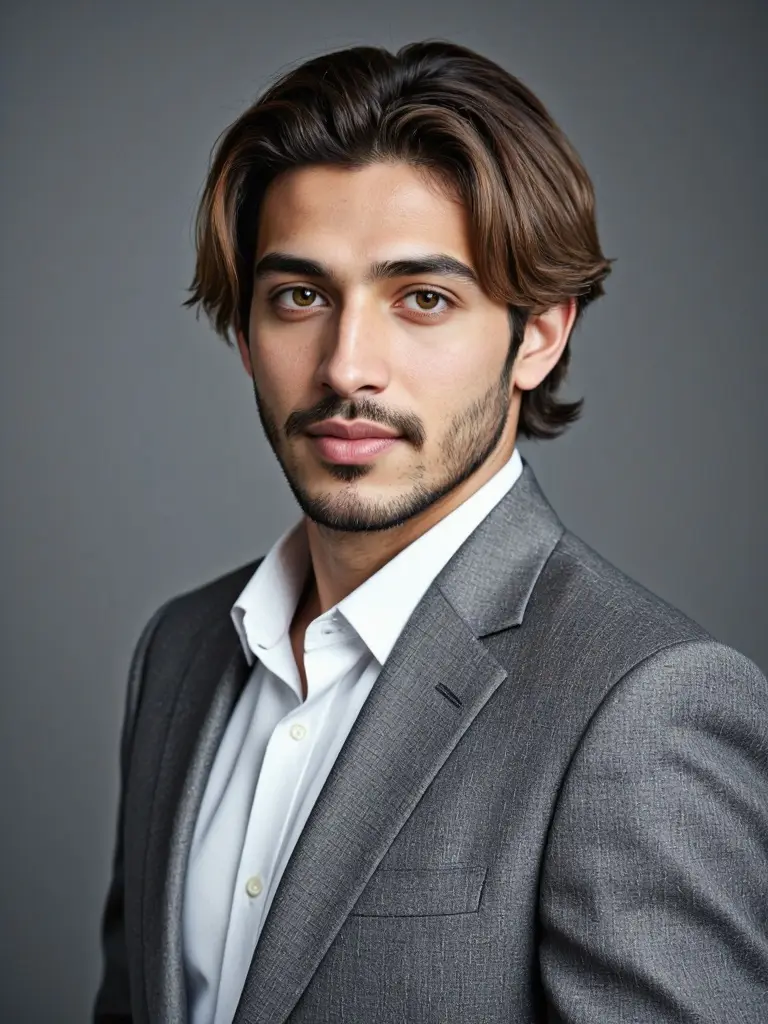
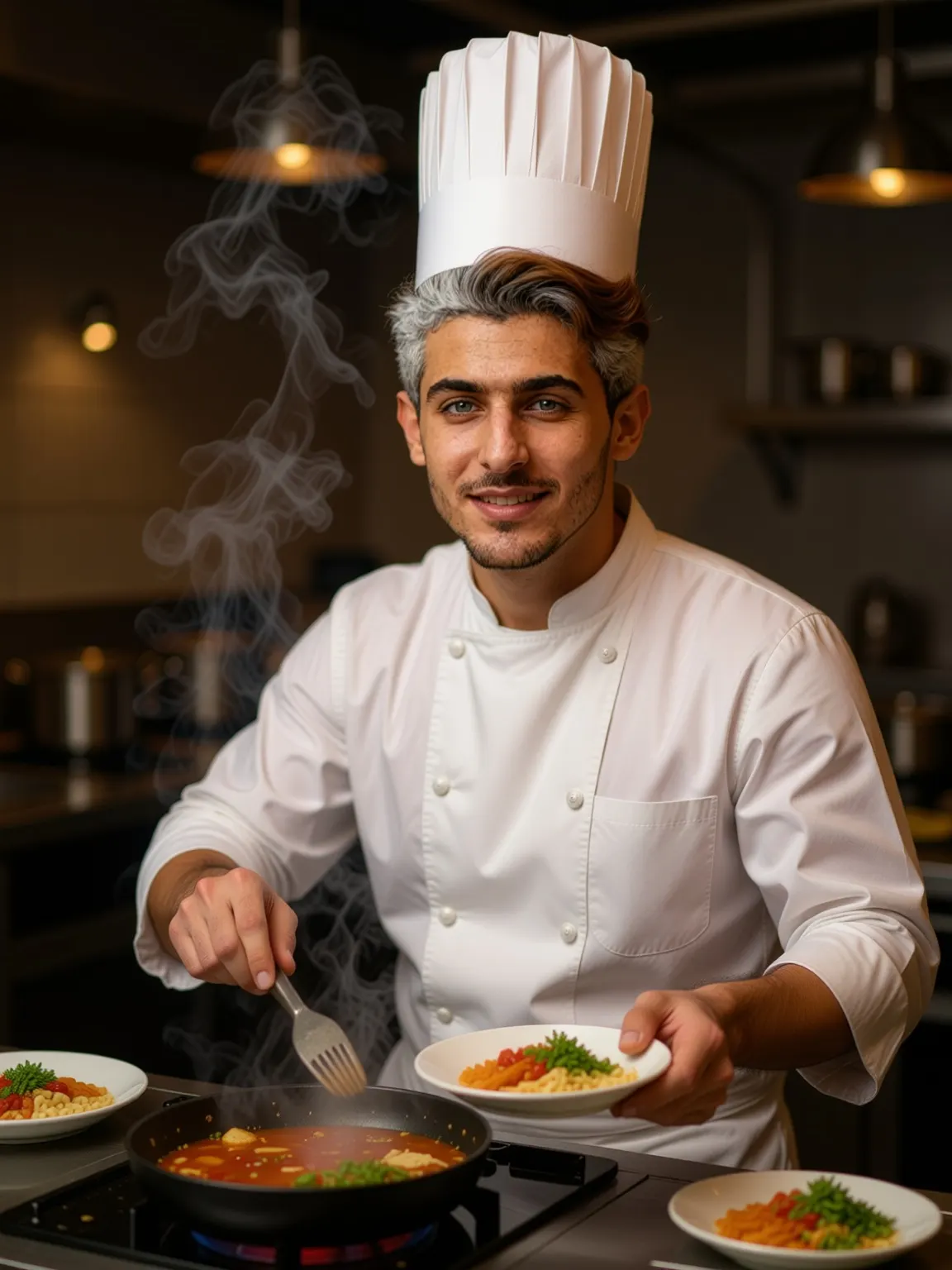
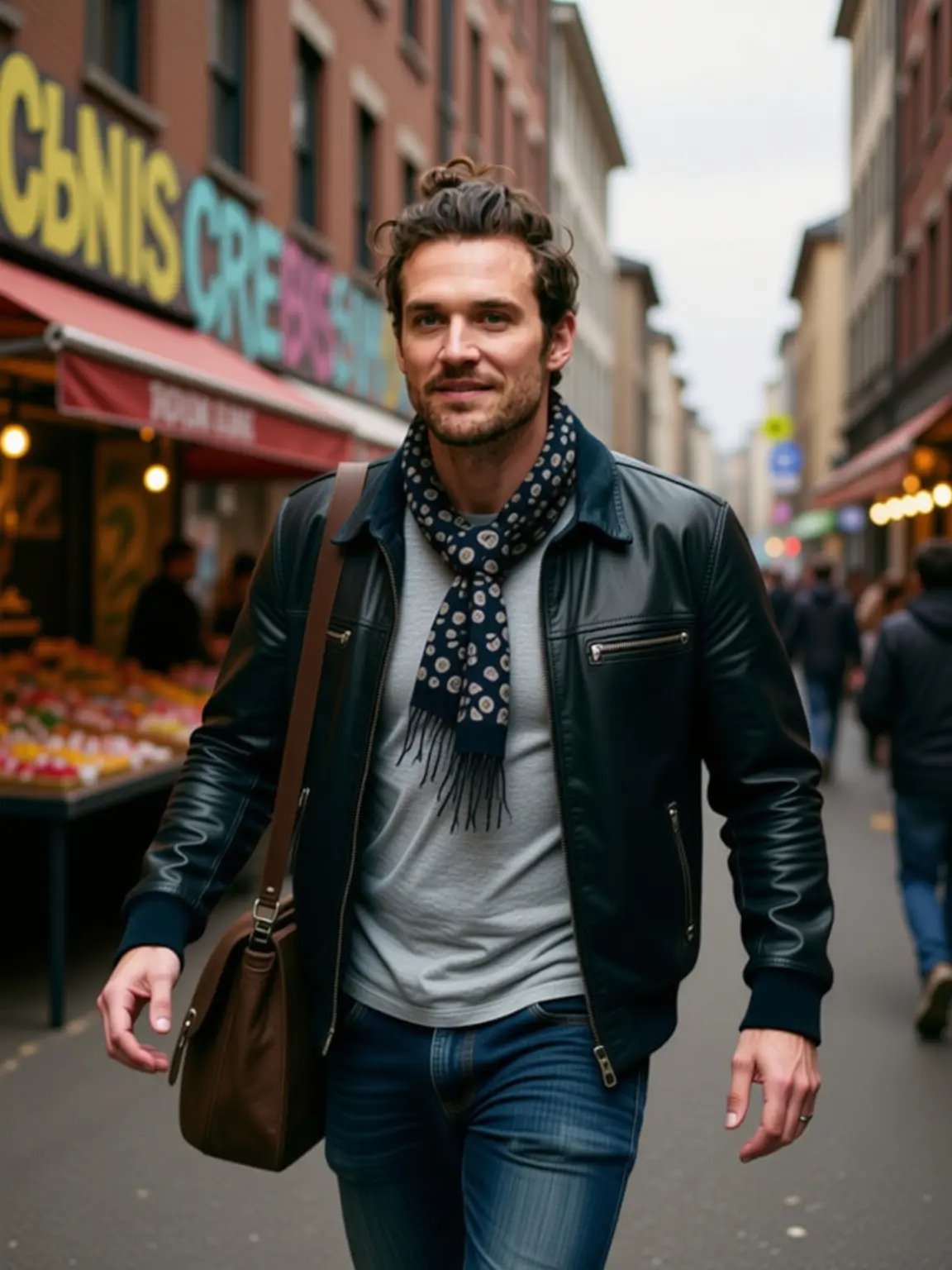
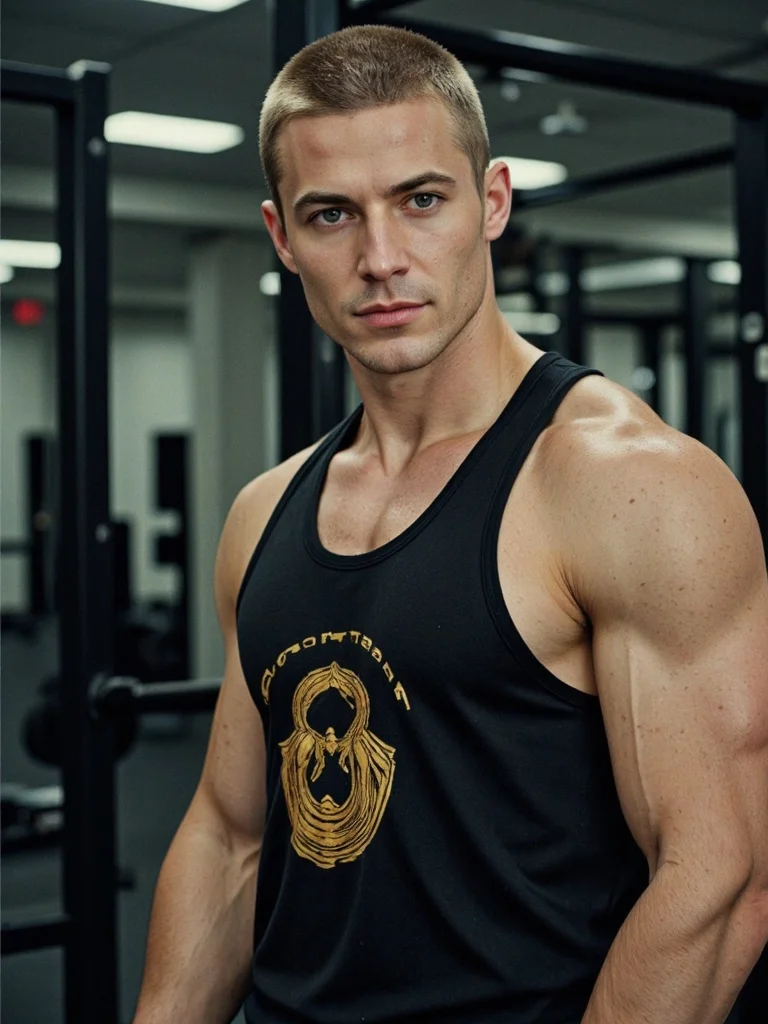
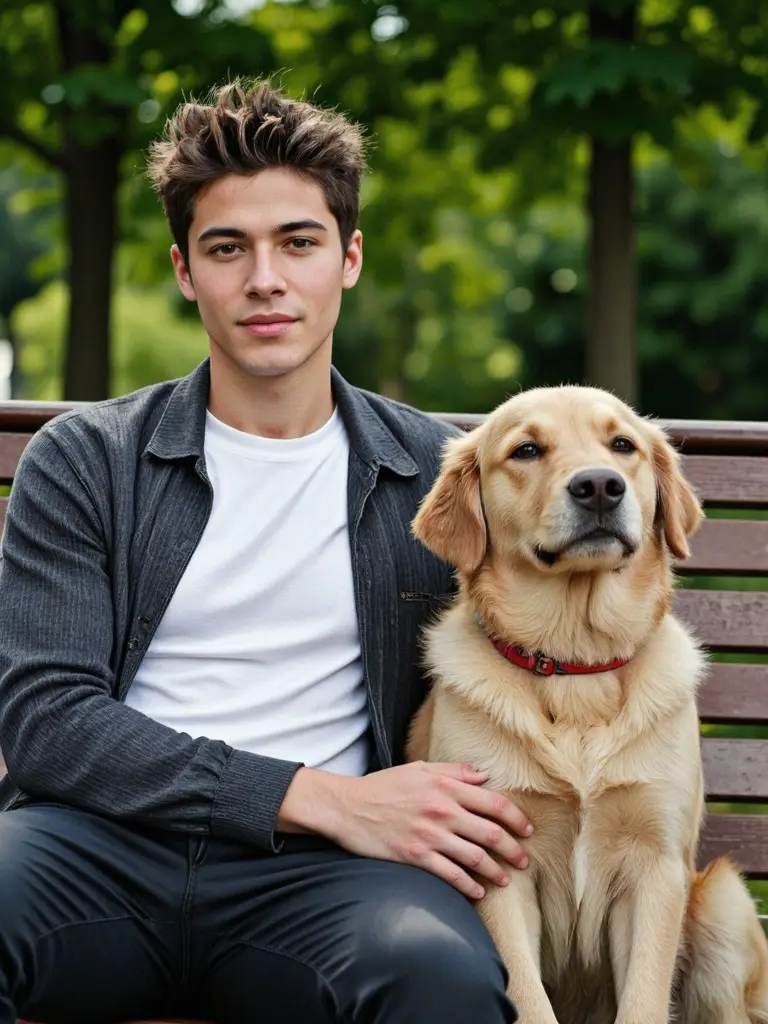
Create engaging AI men for TikTok, Instagram, or YouTube—perfect for storytelling, reactions, or virtual influencer content.
Marketing & Branding
Use AI men in ads, demo videos, or corporate campaigns. They look natural, stay on-brand, and are available anytime you need fresh content.
Film, Games & Education
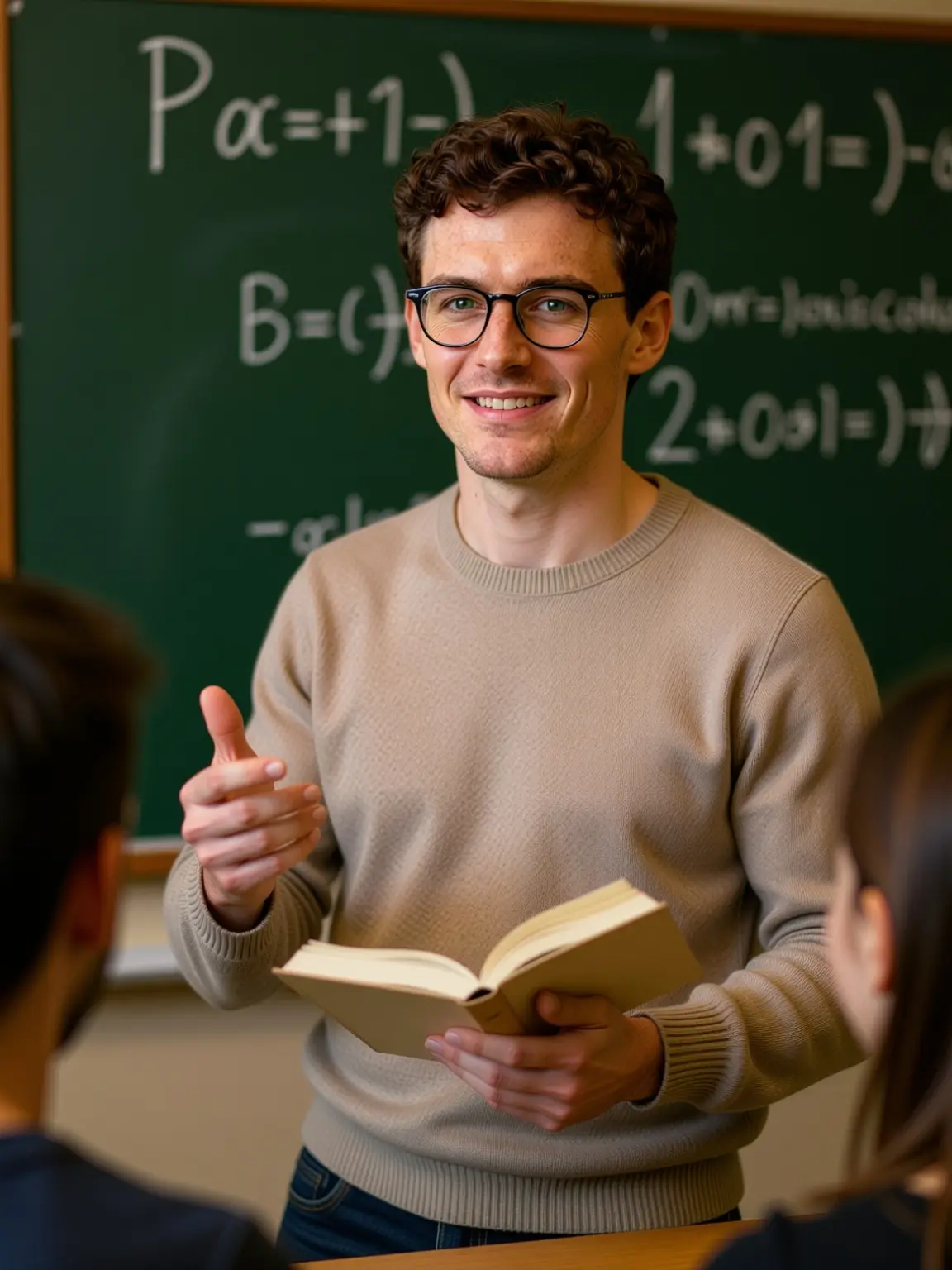
Design unique male characters for films, games, or e-learning. Build story-driven visuals without hiring actors or setting up photo shoots.
No Credit Card Required
Introduction: Meet Your AI Grandpa!
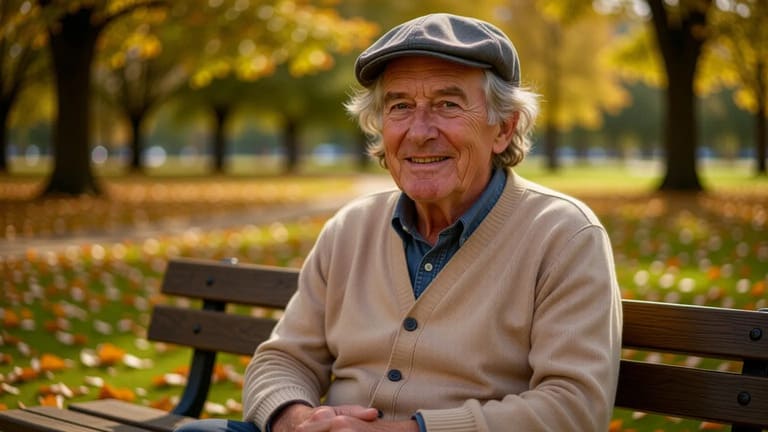
Want to create a funny, wise, or cool old man with just a few clicks? With old man AI from APOB, you can! Make him smile, talk, or star in a video — all for free. It’s the easiest way to bring grandpa vibes to life online!
How to Generate Old Man AI Images and Videos for Free
Creating an old man AI with APOB is simple and fast. You don’t need any design experience — just a few clicks and some creative ideas.
Step 1: Sign up and get 80 free daily credits
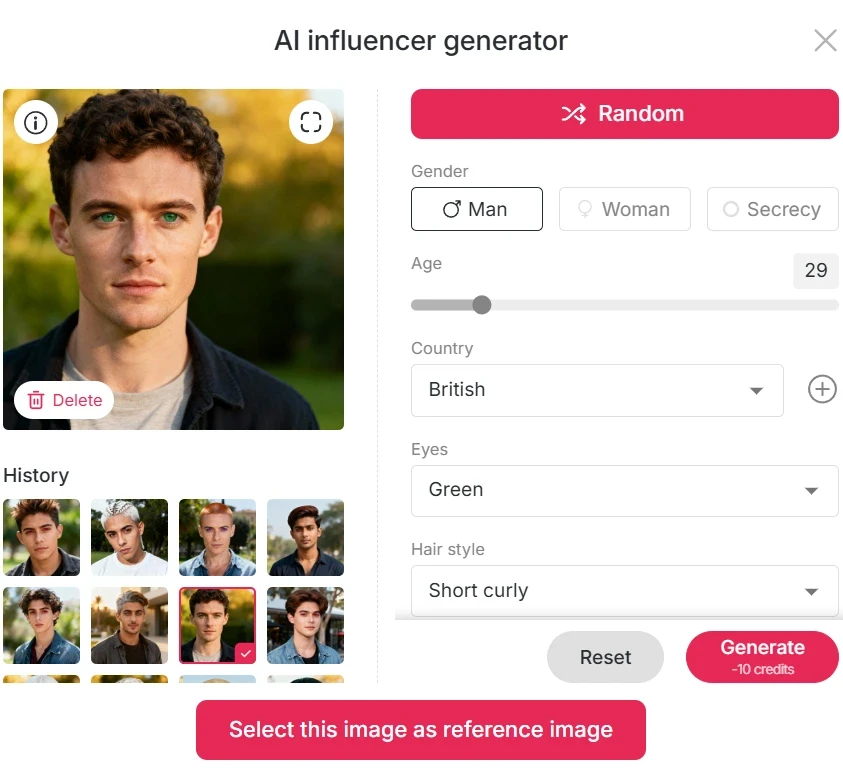
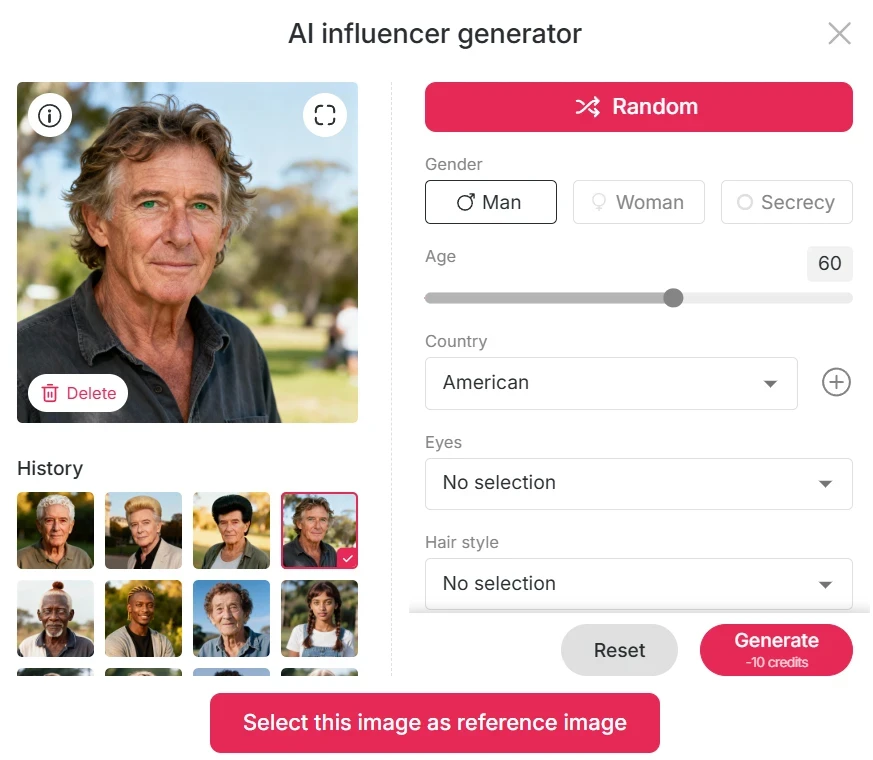
After logging in, you’ll automatically receive 80 free credits every day. Click “Create Portrait Model”, then choose AI Influencer Generator.
Select your preferred gender, nationality, hairstyle, eye color, face shape, and skin tone. Since you’re generating an old man AI, set the age above 60 years (APOB supports up to age 90!). Click “Generate” and watch your AI character appear within seconds.
Step 2: Select Template Mode or Custom Mode
Template Mode (One-Click Set):
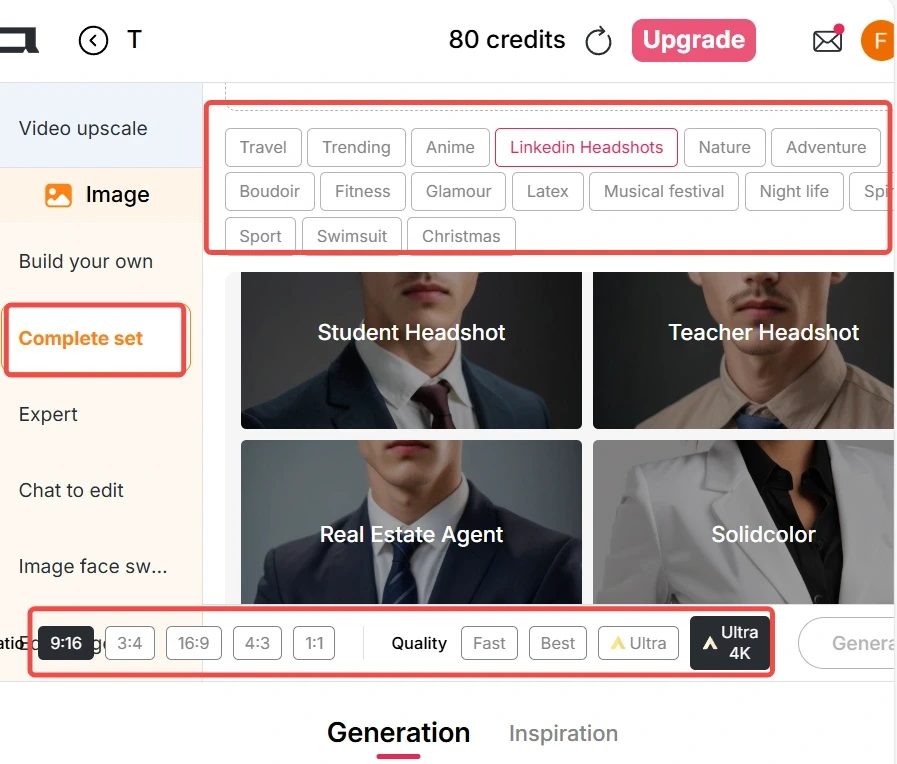
It enables pre-made templates for effortless use. You can create professional headshots, relaxed lifestyle photos, holiday portraits (e.g., London or Turkish settings), or artistic filters such as cyberpunk or old school. Click and your old man AI is ready.
Custom Mode (Build Your Own):
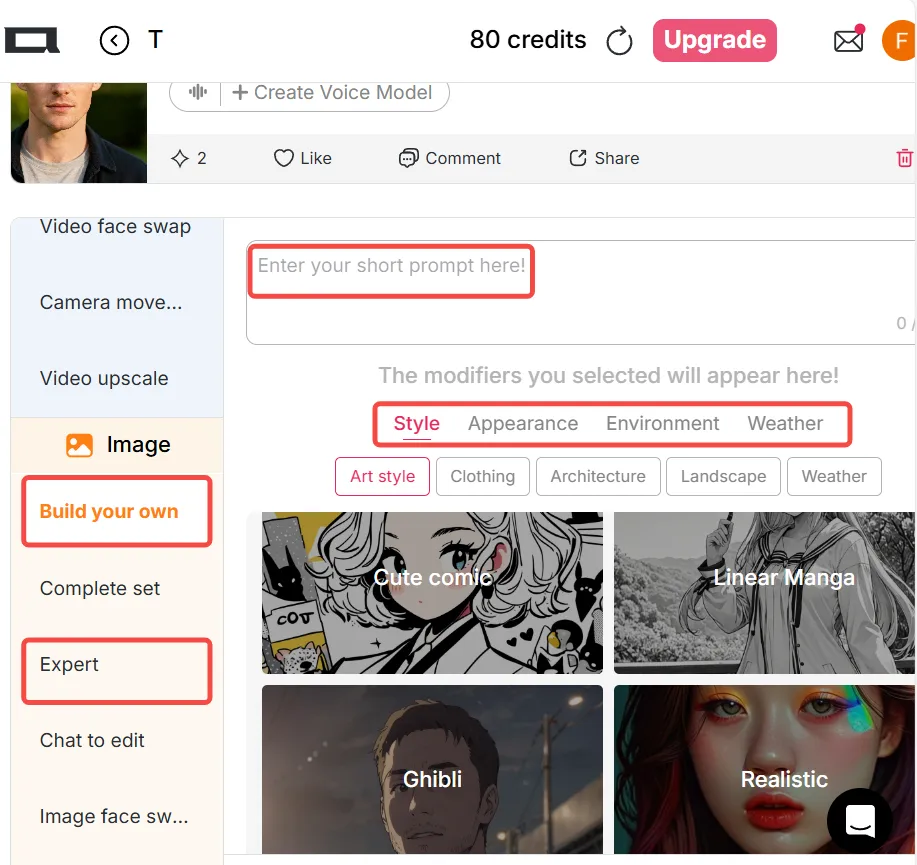
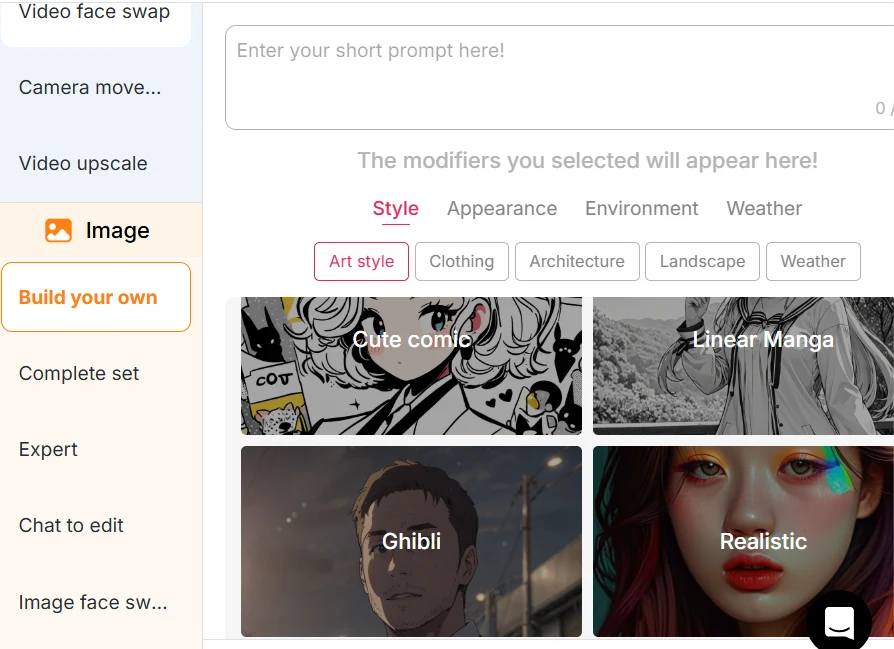
Select from various art styles — realistic, kawaii 3D, retro anime, pixel, manga, sketch, and more.
Type in your own prompt to let the magic begin, or try using Expert Mode for even more control over your artwork.
Step 3: Turn images into video
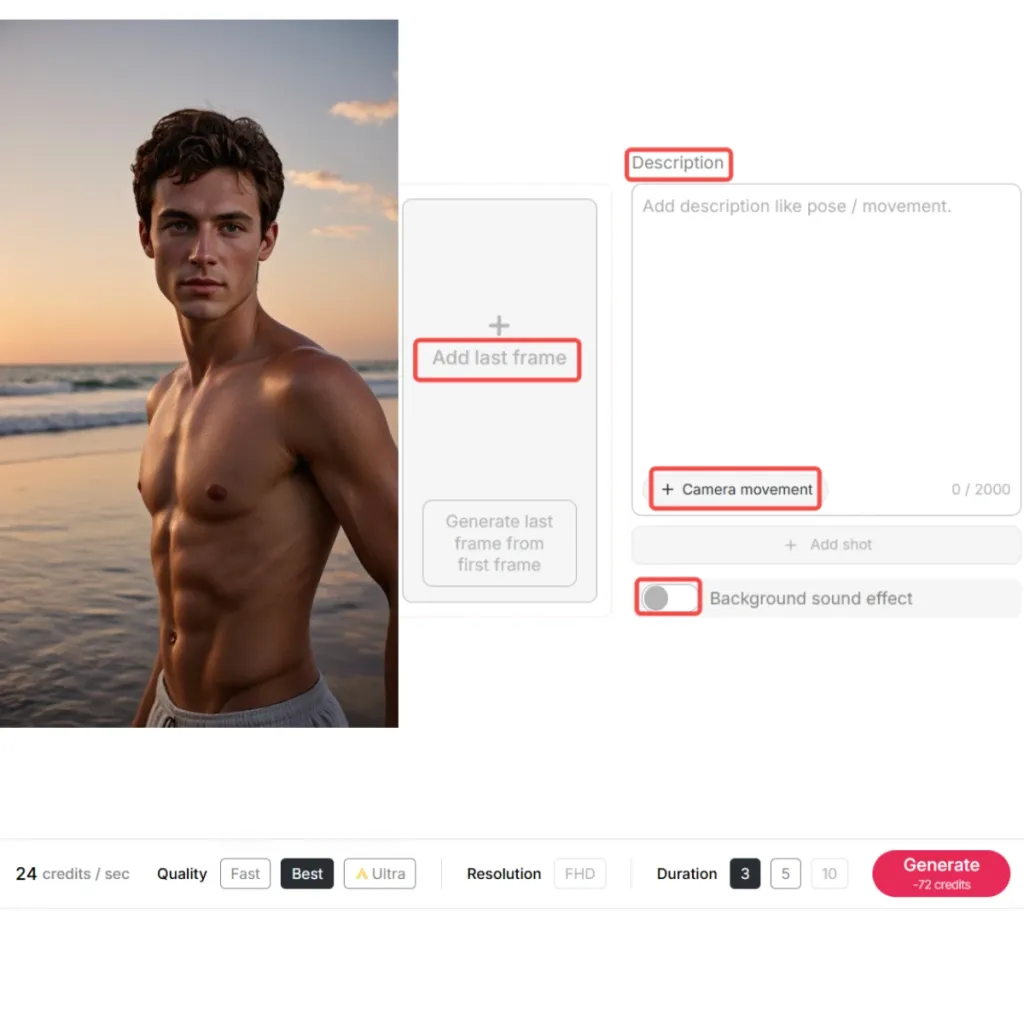
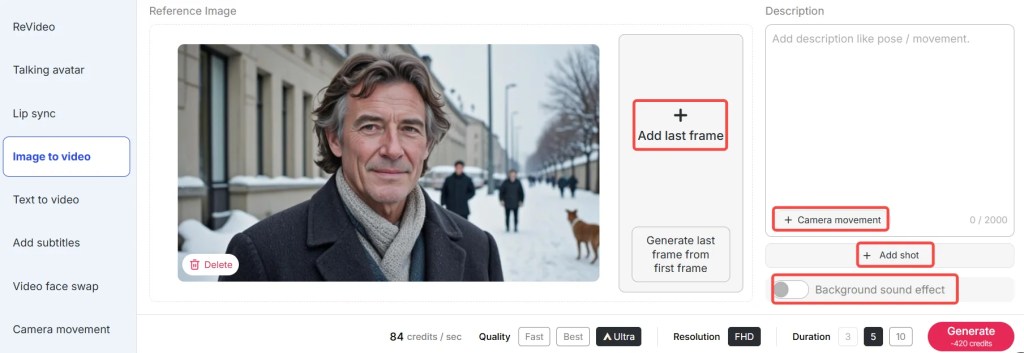
After your old man AI image is complete, you can turn it into animation using Image to Video.
Simply enter a brief description of the action — e.g., "an old man smiling and waving as he walks in the park."
You can even upload the first and last frames to make it smooth and add Camera Movements such as Zoom In, Zoom Out, Follow Char, or Around Char.
Lastly, add background sound effects by typing to add realism.
How to Add AI Voice to Your Old Man Character
Now that your visual is ready, it’s time to make your old man AI speak with emotion and wisdom.
Using Talking Avatar and Lip Sync in APOB, you can sync your AI old man’s mouth movements to match a realistic voice.
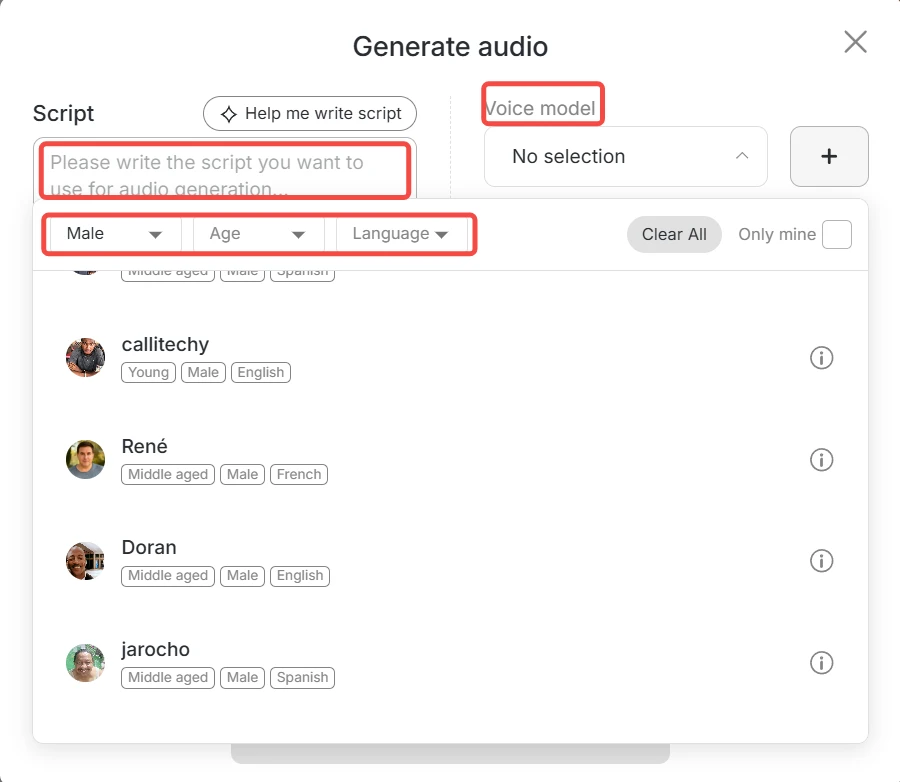
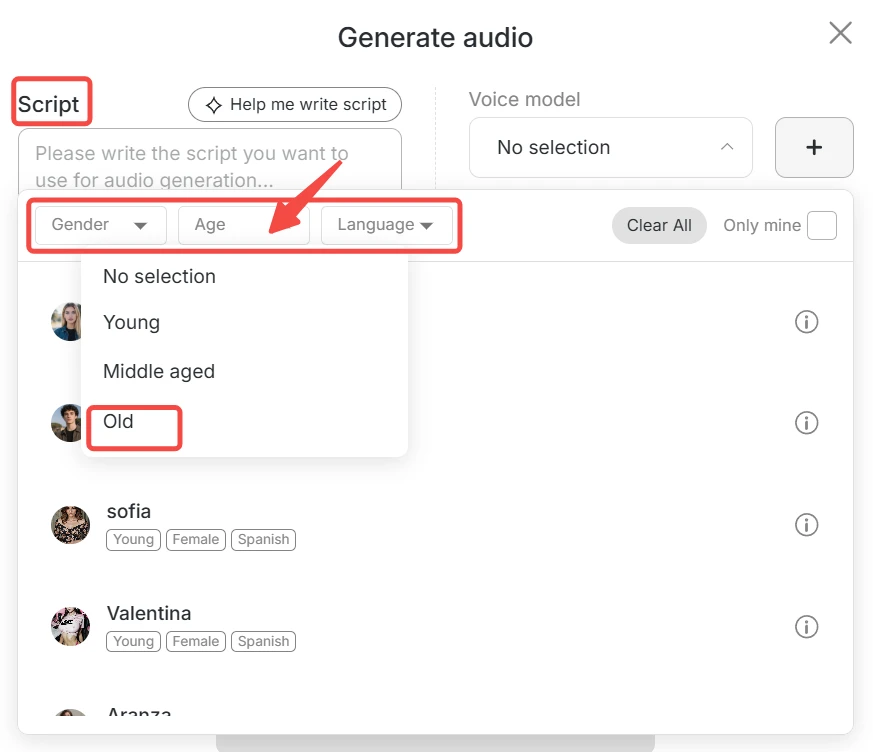
Go to Select Audio → Generate Audio. Here, APOB offers:
Gender (male/female)
Age (young/middle-aged/old)
Language (13 languages with 100+ voice styles)
To make your old man sound authentic, simply set Age: Old. The AI will automatically generate a mature, resonant voice that perfectly fits your older character. This feature is ideal for storytelling, explainer videos, or even virtual companionship projects.
Explore More APOB AI Tools
APOB isn’t just a portrait generator — it’s a complete creative ecosystem for AI media generation.
Chat to Edit Not satisfied with the result? Simply describe your changes in natural language: “Change his shirt to a brown sweater” or “Add a sunset background.” APOB will instantly regenerate your old man AI with the new details.
Text to Video Write up to 2000 characters of description, and APOB will generate a full AI video — complete with scenes, motion, and voice. It’s perfect for short films or storytelling content.
Revideo (New Feature) Upload your own video, and let your generated old man AI perform the same actions in the same scene. It’s an incredibly efficient way to create realistic, high-quality videos in minutes.
Why Use APOB AI?
Free Daily Credits – Enjoy 80 free daily credits to try all base features.
All-in-One Platform – Create images, talking avatars, and full videos in one place.
Professional-Grade Results – APOB's AI models are trained on realism, stylistic variety, and realistic motion matching.
World Language Support – Your old man AI can easily communicate with any group of people with 13 languages and 100+ voices.
Creative Applications for Old Man AI
Your old man AI characters can be put to creative and professional use in numerous ways:
Film making and storytelling: Imagine scripts or animate sagely characters.
Advertising: Utilize realistic AI older individuals in product demos or testimonial videos.
Education: Virtual teachers, narrators, or history presenters can be created.
Entertainment and Social Media: Create amusing, touching, or thoughtful AI grandpa videos for content websites.
Game Development: Create NPCs or narrative characters rapidly and cost-effectively.
FAQs About How to Generate an Old Man AI
Q1: Can I use APOB AI for free?
A1: Yes. APOB offers 80 free credits daily, allowing you to generate images and videos for free. You can choose from Fast, Best, or Ultra modes — each balancing cost and quality.
Q2: How realistic are the old man AI voices?
A2: Very realistic. The AI voices are trained to mimic real speech tone and texture. You can even fine-tune the emotion, pacing, and pitch to match your character’s personality.
Q3: Can I edit the generated old man image later?
A3: Absolutely. Use Chat to Edit to modify clothes, expressions, or backgrounds — all through simple text commands.
Q4: What can I do with my AI old man?
A4: You can use him in videos, ads, games, storytelling, or social media posts. He can be funny, wise, or serious — perfect for content creation or just for fun.
Read More
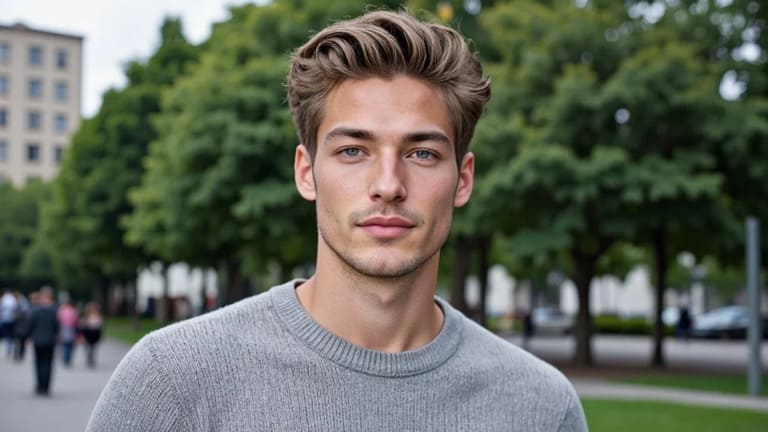
In the rapidly evolving world of AI content creation, the demand for sophisticated digital personas, particularly an "ai generated man," is skyrocketing. Whether for dynamic social media campaigns, compelling virtual influencers, innovative marketing strategies, or boundless creative experiments, the ability to generate a handsome AI-generated man has never been more accessible. APOB AI stands at the forefront of this revolution, offering powerful, user-friendly tools that empower creators. This comprehensive guide will walk you through leveraging APOB AI’s free features to craft captivating AI-generated man images and videos, provide practical prompt examples, explore diverse real-world use cases, and address common questions to ensure you maximize your creative potential.
Why Choose APOB AI to Generate an AI Man?
Before delving into the step-by-step process, let's explore the compelling reasons why APOB AI is the premier choice for generating your ideal AI man:
Free to Start with Generous Daily Credits: APOB AI offers 80 daily credits, allowing you to experiment extensively without any initial cost. This generous allocation ensures you have ample resources to explore various features and refine your creations.
Unparalleled Customization: Gain precise control over every aspect of your AI man's appearance. Easily adjust age, nationality, hairstyle, skin tone, facial features, and more with just a few clicks. This level of detail ensures your AI man perfectly matches your vision.
Seamless Image-to-Video Transformation: Beyond static images, APOB AI allows you to effortlessly transform your AI man into dynamic videos or lifelike talking avatars, adding a new dimension to your digital content.
Innovative ReVideo Feature: The newly released ReVideo feature is a game-changer. It enables you to seamlessly insert your AI man into existing video scenes, allowing him to mimic the movements of an original actor, opening up endless possibilities for integration.
Diverse Styles and Output Formats: APOB AI supports a wide array of artistic styles, including realistic, anime, and 3D cartoon, alongside various output formats, catering to diverse creative needs and preferences.
All these features combine to make APOB AI an incredibly powerful and flexible platform for creating a handsome AI-generated man with minimal effort and maximum creative freedom. It’s designed to be your ultimate playground for digital character creation.
How to Use APOB AI to Generate an AI Man — Step by Step
This section provides a detailed guide to creating your own AI-generated man using APOB AI, ensuring you can navigate the platform with ease and achieve your desired results.
Sign Up and Get Free Credits
Begin by logging into your APOB AI account. If you're new, simply create an account. You will automatically receive 80 free credits daily, which are perfect for trial usage and extensive experimentation. These credits allow you to explore the full range of APOB AI's capabilities without any financial commitment.
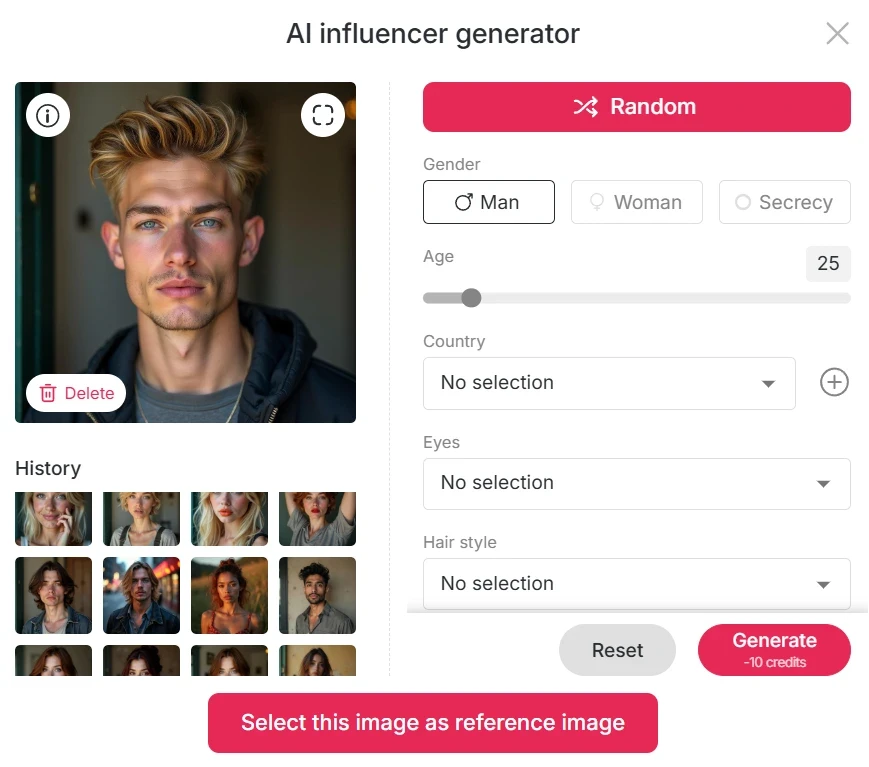
Create Your AI Influencer Model
Once logged in, click on “Create Portrait Model”, then navigate to the AI Influencer Generator. Here, you can meticulously choose your preferences: define the age, gender, nationality, hairstyle, eye color, face shape, skin tone, and many other attributes. With just a few intuitive clicks, you will have your base AI man model, ready for further customization and generation.
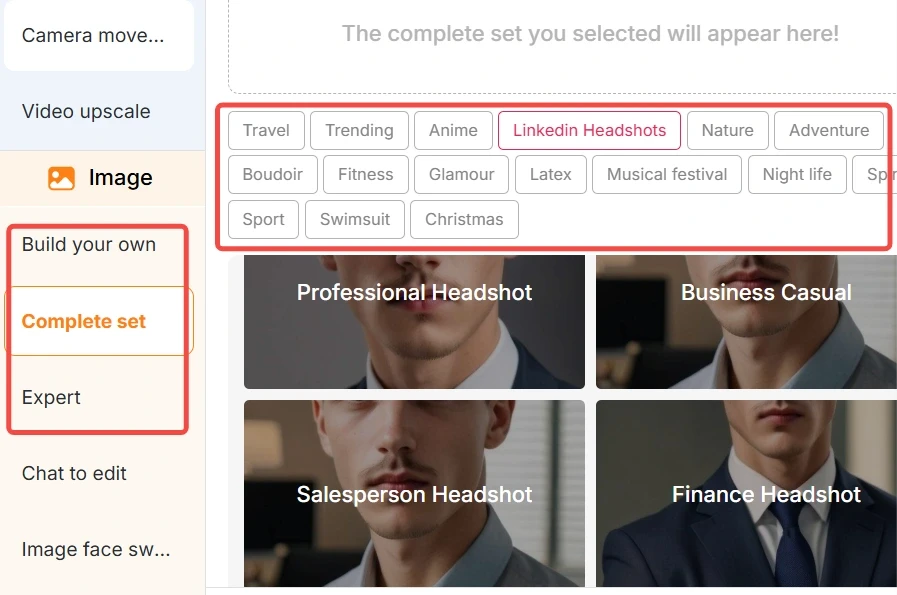
Generate Images via Image Tools
On the left-hand menu, under the Image section, you will find several powerful options such as Build Your Own, Complete Set, and Expert. These tools allow you to:
Choose Styles: Select from a variety of artistic styles, including realistic, cute 3D, anime, and comic, to perfectly match your creative vision.
Define Settings: Customize specific elements like outfits and backgrounds to set the scene for your AI man.
Input Prompts: Utilize detailed prompts to guide the AI, or let the intuitive UI assist you in generating images. APOB AI supports a wide variety of visual aesthetics, ensuring you can achieve virtually any look you desire.
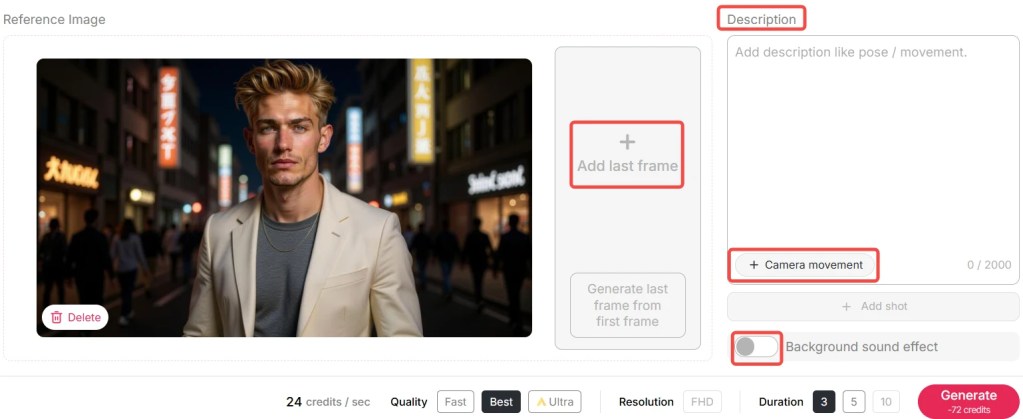
Turn Images into Videos
APOB AI offers multiple dynamic ways to bring your AI-generated man to life through animation:
Image to Video: Convert a static image into a short, engaging video. Imagine your AI man dancing, walking, or performing various movements, adding vitality to your content.
Talking Avatar + Lip Sync: Elevate your AI man to a talking avatar. Add a voice and enable lip-syncing capabilities, allowing your AI man to speak naturally. APOB AI supports 13 languages and over 100 voice options, providing extensive linguistic and tonal flexibility.
Text to Video: If you prefer to start directly with animation, simply input a text prompt, and APOB AI will generate a video directly, bypassing the need for an initial image.
Pro Tip: APOB AI's new ReVideo feature is exceptionally powerful. If you possess an existing short video—for instance, a dancing clip—you can seamlessly insert your AI-generated man into that video. He will then mimic the exact movements of the original actor, creating incredibly realistic and engaging content. This feature is perfect for creating dynamic marketing materials or unique social media content.
Best Practices for Optimal Results with APOB AI
To ensure you achieve the highest quality and most impactful results when generating your AI man, consider these best practices:
Be Specific with Prompts: The more detailed and descriptive your prompts, the better APOB AI can understand and generate your vision. Include specifics about age, ethnicity, facial expressions, clothing, background, and even mood.
Experiment with Styles: Don't stick to just one style. Try realistic for professional contexts, anime for creative storytelling, or 3D cartoon for playful content. Each style offers unique aesthetic possibilities.
Leverage Customization Options: Utilize the comprehensive customization sliders and dropdowns in the AI Influencer Generator. Fine-tune features like eye color, hair length, and skin tone to create a truly unique AI man.
Iterate and Refine: AI generation is often an iterative process. Generate several variations, identify what works best, and use that feedback to refine your prompts or settings for subsequent generations.
Optimize for Video: When converting images to video, consider the intended motion. A well-posed image will translate better into a dynamic video. Experiment with different animation types (e.g., dancing, walking) to see what fits your AI man best.
Utilize ReVideo Creatively: For the ReVideo feature, choose source videos with clear, distinct movements. This will allow your AI man to seamlessly adopt the actions, creating compelling and realistic interactions within existing footage.
Consider the Context: Always think about where your AI man will be used. A marketing campaign might require a professional, approachable look, while a gaming character could benefit from a more stylized or fantastical design. Tailor your creation to its ultimate purpose.
Prompt Examples (Person Profiles)
Here are sample prompts and profile briefs you can use as inspiration to guide APOB AI in generating your ideal AI man. Remember, clarity and detail are key:
“A 30-year-old Japanese male, with sleek black hair, a slight, confident smile, dressed in a modern, tailored suit, standing against a vibrant Tokyo street background with neon lights.”
“A mid-20s Latin American man, featuring curly, dark hair, wearing a comfortable, casual sweater, in an urban park environment with lush greenery, displaying a warm and friendly expression.”
“A young European man, with sandy blonde hair, fair skin, wearing a crisp white T-shirt, posed in a minimalist studio background with soft, even lighting.”
“A rugged 45-year-old Caucasian man, short salt-and-pepper beard, intense blue eyes, wearing a leather jacket, in a dimly lit industrial setting, with a serious and contemplative expression.”
“A cheerful 25-year-old African man, short dreadlocks, bright smile, wearing a colorful dashiki, on a sunny beach with palm trees in the background.”
By providing such clear and descriptive details, APOB AI will generate images that closely match your specifications. Subsequently, you can animate these images or seamlessly insert them into videos, bringing your creative concepts to life.
Technical Specifications of APOB AI for Man Generation
Understanding the technical capabilities of APOB AI can help you optimize your creative workflow and achieve superior results:
Supported Aspect Ratios: APOB AI offers flexibility in image dimensions, supporting multiple aspect ratios including 9:16, 16:9, 3:4, 4:3, and 1:1. This ensures compatibility with various platforms and display needs.
Output Quality: The platform is engineered to produce high-resolution images and videos, ensuring professional-grade quality suitable for diverse applications, from high-definition displays to print media.
Processing Speed: APOB AI leverages advanced computational resources to deliver rapid generation times, allowing for efficient iteration and quick turnaround on creative projects.
Language and Voice Options for Avatars: For talking avatars, APOB AI supports 13 distinct languages and offers over 100 voice options, providing extensive linguistic diversity and tonal choices to perfectly match your AI man’s persona.
Data Privacy and Security: APOB AI adheres to stringent data privacy policies, ensuring that your creative inputs and generated content are securely handled and protected. User data is encrypted, and privacy is a top priority, giving you peace of mind while creating.
Scalability: The platform is built to handle a high volume of requests, ensuring consistent performance even during peak usage, making it reliable for both individual creators and large-scale projects.
These technical specifications highlight APOB AI's robust framework, designed to provide a seamless, high-quality, and secure experience for all users.
Why Choose APOB AI Over Alternatives for AI Man Generation?
In a crowded market of AI content tools, APOB AI distinguishes itself through a unique blend of features, accessibility, and performance. Here's a comparative overview:
AI vs. Manual Creation: A Clear Advantage
Feature | APOB AI Generation | Manual Creation (Traditional Methods) |
|---|---|---|
Time Efficiency | Minutes to hours | Days to weeks |
Cost | Free to start (80 daily credits), scalable plans | High (models, photographers, studios, editors) |
Customization | Precise control over age, ethnicity, style, features | Limited by available talent and resources |
Flexibility | Easy iteration, style changes, image-to-video conversion | Time-consuming and costly to make changes |
Scalability | Generate hundreds of variations quickly | Labor-intensive for multiple variations |
Accessibility | No specialized skills or equipment needed | Requires professional photography, editing, and animation skills |
ReVideo Feature | Insert AI man into existing video scenes seamlessly | Extremely complex motion tracking and VFX work |
Core Advantages of APOB AI
Cost-Effectiveness: With 80 free daily credits, APOB AI significantly reduces the financial barrier to high-quality content creation, making advanced AI tools accessible to everyone.
Speed and Efficiency: Generate complex digital assets in a fraction of the time compared to traditional methods, accelerating your creative workflow and project timelines.
Unmatched Customization: The granular control over every attribute of your AI man ensures that your creations are precisely aligned with your vision, offering a level of personalization rarely found elsewhere.
Innovative Feature Set: Features like the AI Influencer Generator, Image to Video, Talking Avatar with extensive language support, and the groundbreaking ReVideo functionality provide a comprehensive toolkit for diverse creative needs.
User-Friendly Interface: Designed for intuitive navigation, APOB AI allows both novices and experienced creators to produce professional-grade content without a steep learning curve.
Continuous Innovation: APOB AI is committed to regular updates and new feature releases, ensuring the platform remains at the cutting edge of AI content generation technology.
Choosing APOB AI means opting for a powerful, flexible, and cost-effective solution that empowers you to bring your digital visions to life with unprecedented ease and quality.
Applications of an AI-Generated Man
Generating a handsome AI-generated man with APOB AI unlocks a myriad of creative and professional application scenarios across various industries:
Virtual Influencers and Digital Identities: Create a compelling AI man to serve as your brand's virtual influencer or a digital persona for social media. These digital entities can engage audiences, promote products, and build a strong online presence without the logistical challenges of human models.
Marketing and Advertising Campaigns: Enhance your marketing efforts by featuring an AI man in advertisements, product showcases, and promotional content. This eliminates the need for expensive photoshoots, model fees, and location scouting, offering unparalleled flexibility and cost savings.
Entertainment and Storytelling: Develop unique characters for short films, animations, graphic novels, or concept visuals. An AI man can be the protagonist of a captivating story, bringing narratives to life with custom appearances and expressions.
Personal Avatars and Metaverse Representation: Craft a personalized AI man to represent yourself or an alternate self in virtual spaces, gaming environments, or the burgeoning metaverse. This allows for dynamic and customizable digital presence.
Presentations and Educational Tutorials: Utilize a talking AI avatar to narrate presentations, explain complex concepts in tutorials, or deliver engaging educational content. The ability to lip-sync in multiple languages makes it ideal for global audiences.
E-commerce and Product Visualization: Showcase clothing, accessories, or other products on an AI man to provide realistic visualizations for online shoppers. This can improve customer engagement and reduce return rates by offering a better sense of how products look when worn.
Gaming and Character Design: For game developers, an AI man can serve as a base for character design, allowing rapid prototyping and iteration of diverse non-player characters (NPCs) or player avatars.
With the advanced ReVideo feature, you can even embed your AI man into real-world videos, allowing him to interact with scenes, dance on a street, or participate in dynamic scenarios, further blurring the lines between digital and physical realities.
Key Advantages of Using APOB AI for Your AI Man Needs
APOB AI offers distinct advantages that make it an indispensable tool for anyone looking to generate an AI man:
Cost-Effective Creation: Start for free with 80 daily credits, providing a budget-friendly solution for high-quality AI content.
Rapid Generation: Produce images and videos in minutes, significantly accelerating your content creation workflow.
High-Fidelity Output: Generate realistic and stylized AI men with exceptional detail and visual quality, suitable for professional use.
Extensive Customization: Fine-tune every aspect of your AI man, from facial features and age to nationality and attire, ensuring a perfect match for your vision.
Dynamic Video Capabilities: Transform static images into engaging videos and talking avatars with multi-language lip-syncing, adding motion and voice to your creations.
Innovative ReVideo Feature: Seamlessly integrate your AI man into existing video footage, allowing him to mimic real-world movements for compelling and realistic scenarios.
User-Friendly Interface: Designed for ease of use, APOB AI empowers creators of all skill levels to produce sophisticated AI-generated content effortlessly.
Versatile Application: Ideal for marketing, social media, entertainment, personal branding, and educational content, offering broad utility across various industries.
User Testimonials
Hear what creators are saying about APOB AI:
“APOB AI has revolutionized how I create content for my social media. The ability to generate a realistic AI man and then animate him is simply incredible. The free credits are a huge bonus!” – Sarah L., Social Media Manager
“As a small business owner, I needed high-quality visuals for my advertising campaigns without breaking the bank. APOB AI delivered beyond my expectations. The customization options are fantastic.” – Mark T., E-commerce Entrepreneur
“I use APOB AI for character concepts in my creative writing. Being able to visualize my characters so vividly and even see them in motion helps my storytelling immensely. The ReVideo feature is pure magic!” – Emily R., Author and Artist
FAQs
Frequently Asked Questions About Generating an AI Man with APOB AI
Q1: Can I use APOB AI for free to generate an AI man?
Yes, absolutely! APOB AI provides 80 daily credits at no cost, allowing you to extensively experiment with generating your AI man. The number of generations these credits cover depends on the mode you choose:
Fast mode: 10 credits to generate 4 images
Best mode: 20 credits for 4 images
Ultra mode (higher quality): 24 credits per image
For video generation, these credits can typically produce 2–3 seconds of output, offering a great balance between quality and usage.
Q2: What image dimensions does APOB AI support for an AI-generated man?
APOB AI offers significant flexibility in the aspect ratios for your AI-generated man images. You can generate images in multiple dimensions, including 9:16, 16:9, 3:4, 4:3, and 1:1. This ensures your creations are perfectly suited for various platforms, from social media stories to widescreen displays.
Q3: Can I modify the generated AI man image after its initial creation?
Yes, APOB AI provides robust post-generation editing capabilities. You can utilize the Chat to Edit feature, where you input prompts to make specific adjustments. This allows you to tweak various aspects such as clothing, background color, facial expression, hairstyle, and more, ensuring your AI man perfectly meets your evolving creative needs.
Q4: What range of styles and types of AI men can APOB AI generate?
APOB AI is designed for broad creative versatility. It supports a wide spectrum of styles, from ultra-realistic portraits and semi-realistic interpretations to distinct anime/cartoon styles, and even fantastical or surreal interpretations. Furthermore, you can specify diverse attributes like nationality, age, and intricate facial features, allowing you to create a truly customizable and unique AI-generated man tailored to any vision.
Q5: Is my data and generated content private when using APOB AI?
APOB AI prioritizes user privacy and data security. The platform implements stringent measures to protect your creative inputs and generated content. All user data is handled with care, employing encryption and secure protocols to ensure confidentiality. You can create with confidence, knowing your projects are safe and private.
Q6: Can APOB AI-generated men be used for commercial purposes?
Yes, APOB AI-generated men can be used for commercial purposes. The platform is designed to support a wide range of applications, including marketing, advertising, virtual influencers, and product visualization. However, it is always recommended to review APOB AI's specific terms of service regarding commercial usage rights to ensure full compliance and understanding of any licensing agreements.
References
Here are some authoritative sources and research papers that underpin the technology and applications discussed:
[1] Karras, T., Laine, S., & Aila, T. (2019). A Style-Based Generator Architecture for Generative Adversarial Networks. Proceedings of the IEEE/CVF Conference on Computer Vision and Pattern Recognition (CVPR), 4401-4410.
[2] OpenAI. (2023). DALL·E 3: Creating images from text. OpenAI Blog.
[3] Wikipedia. (n.d.). Generative adversarial network. Retrieved from https://en.wikipedia.org/wiki/Generative_adversarial_network
[4] APOB AI Official Documentation. (2024). APOB AI Product Guide and Features Overview. Retrieved from https://apob.ai/docs
[5] Goodfellow, I., Pouget-Abadie, J., Mirza, M., Xu, B., Warde-Farley, D., Ozair, S., ... & Bengio, Y. (2014). Generative Adversarial Nets. Advances in Neural Information Processing Systems, 27.
[6] NVIDIA. (2022). NVIDIA AI Research: Generative AI. Retrieved from https://www.nvidia.com/en-us/research/ai/generative-ai/
These references provide a foundation for understanding the advanced AI models and techniques utilized by platforms like APOB AI to generate high-quality digital human representations.
With APOB AI, generating a realistic or stylized AI-generated man, animating him, and even placing him into existing video scenes is not only possible but also remarkably straightforward—all without the need for advanced technical skills or a substantial budget. The powerful combination of image creation, versatile video conversion, precise lip-sync capabilities, and the innovative ReVideo embedding feature provides creators with unmatched flexibility and creative control.
So what are you waiting for? Leverage APOB AI’s generous 80 free daily credits today, design your ideal AI man, animate him with dynamic movements, and bring your most ambitious digital ideas to life with unparalleled ease and efficiency. The future of AI content creation is here, and it's free to explore with APOB AI.
Read More
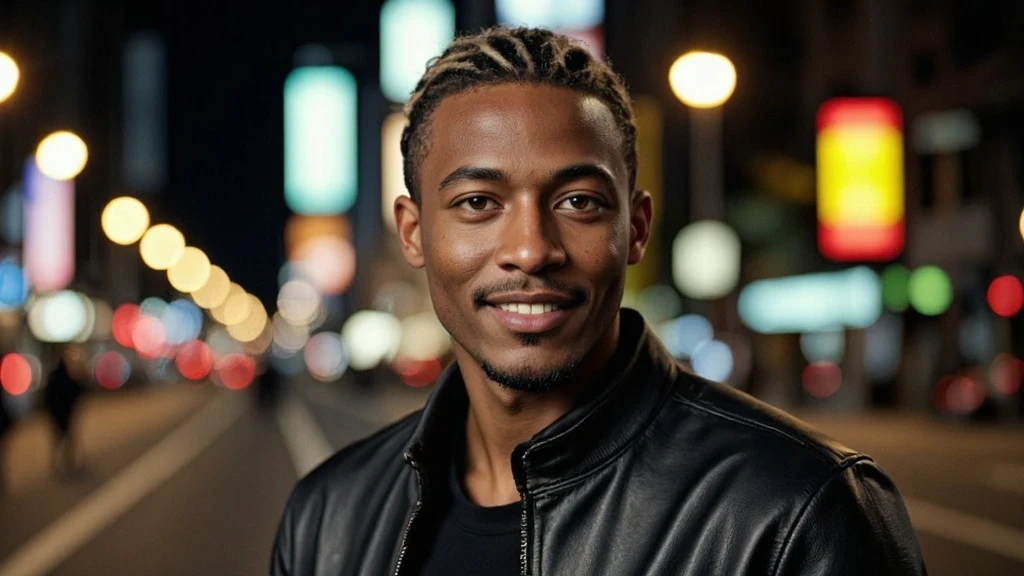
In the rapidly evolving realm of AI image and video creation, the demand for diverse and realistic digital personas is soaring. There’s growing interest in generating a realistic AI black man as a creative subject or digital persona for various projects. With APOB AI’s intuitive tools, you can effortlessly design, animate, and deploy a black man AI for any number of projects—without requiring advanced technical skills or extensive design experience. This comprehensive guide will walk you through the process, provide prompt ideas, explore diverse use cases, and answer common questions, ensuring you harness the full potential of APOB AI.
How to Generate an AI Black Man with APOB AI: Step-by-Step Guide
Here’s how you can produce your own compelling AI black man from scratch, leveraging APOB AI’s robust features:
1. Log In and Access Free Credits
Begin by signing in or creating a new account on APOB.AI. The registration process is quick and straightforward, designed to get you started without delay.
Upon logging in, you will automatically receive 80 free credits each day. These credits are invaluable for experimenting with various generation options and refining your AI black man without any initial cost.
2. Create the Portrait Model
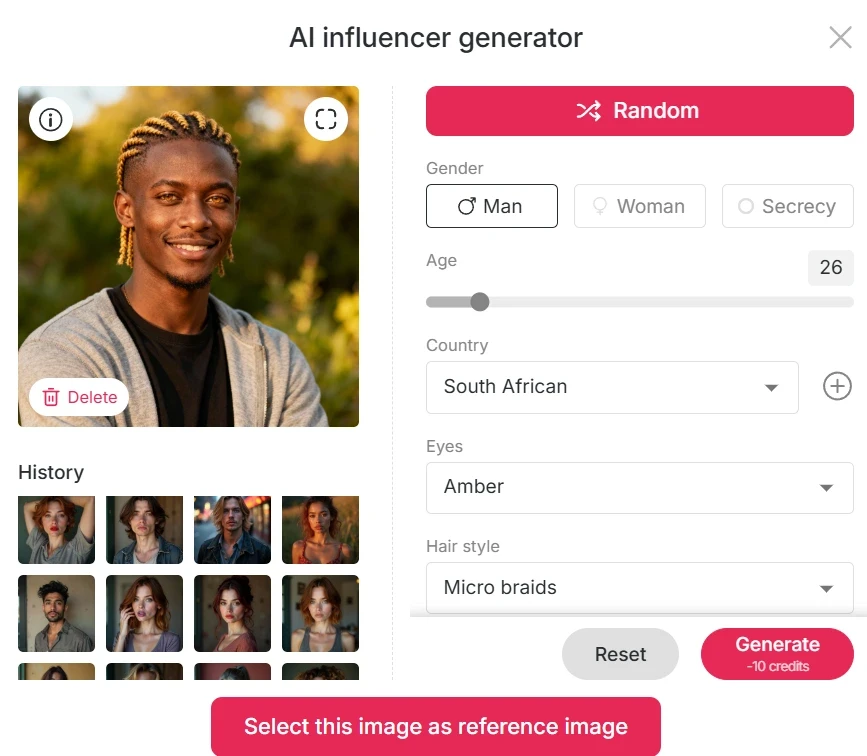
Navigate to the “Create Portrait Model” section and then open the AI Influencer Generator. This is where the magic begins, allowing you to sculpt your digital persona.
Carefully choose the properties for your AI black man: define the age range, select 'male' for gender, and crucially, specify nationality or ethnicity. To ensure accurate representation, select a Black or African country, or a skin tone and facial features typically associated with Black populations.
Further customize your model by picking specific hairstyle, eye color, facial shape, and other distinguishing characteristics to achieve your desired look.
Once satisfied with your selections, click Generate. APOB AI will then produce a high-quality base model of your black man AI, ready for further customization and animation.
3. Choose Image Generation Mode
Template / Complete Set Mode: Under “Complete Set,” you’ll find a curated selection of preset styles and combinations. These include diverse settings like travel photos (e.g., London, Turkey), vintage portraits, futuristic cyberpunk aesthetics, professional LinkedIn headshots, and vibrant beach or fitness settings. Simply click on a template, and APOB AI will generate your AI black man image within that specific style.
Custom Mode / Build Your Own / Expert Mode:
In Build Your Own, you can select an art style from a wide range of options such as cute 3D, comic, vintage anime, pixel art, or manga sketch. Then, input your specific prompts to guide the AI’s creation.
For advanced users, Expert Mode allows you to directly write detailed prompts and negative prompts. This level of control enables you to refine every minute detail, ensuring the output perfectly matches your vision.
If the initial result isn’t precisely what you envisioned, utilize the Chat to Edit feature. This powerful tool allows you to tweak garments, expressions, background colors, and many other elements through conversational prompts, ensuring pixel-perfect results.
4. Animate and Add Voice (Optional)
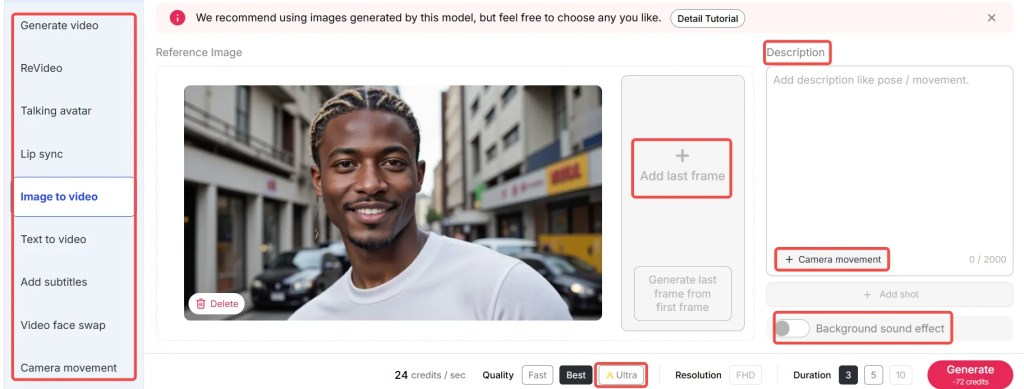
To infuse life into your static image, use the Image to Video feature. This allows you to animate your AI black man, bringing him to life with actions such as walking, dancing, or performing various gestures.
Further enhance your creation with Talking Avatar + Lip Sync. Combine your animated AI black man with APOB AI’s built-in voice tools, which offer 13 languages and over 100 diverse voices. This enables your AI black man to speak naturally and expressively.
Alternatively, if you don't have an image, try Text to Video. Simply write your desired script or scene description, and APOB AI will generate a complete video based on your text.
5. Insert into Existing Video (ReVideo Feature)
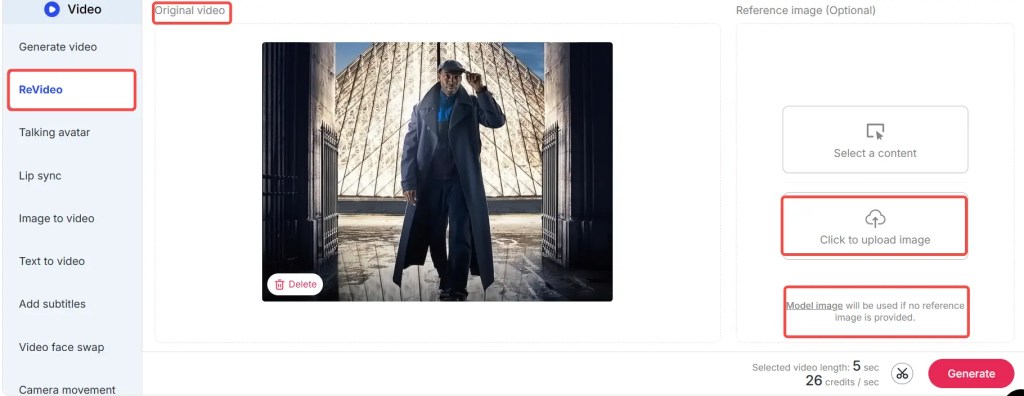
APOB AI’s groundbreaking ReVideo feature allows you to seamlessly integrate your AI black man into existing video clips. You can take a short video and replace the person in the scene with your AI black man, with the AI intelligently matching the motion and background context.
This feature is perfect for scenarios where you want your black man AI to “appear in the real world” or to follow specific actions from reference footage, opening up a world of creative possibilities for content creators and marketers alike.
Best Practices for Optimal Results with Your AI Black Man Generation
To ensure you achieve the highest quality and most realistic results when generating your AI black man with APOB AI, consider these expert tips and best practices:
Be Specific with Prompts: The more detailed and descriptive your prompts are, the better the AI can understand and generate your vision. Include specifics about ethnicity, age, facial features, clothing, setting, and even mood.
Utilize Negative Prompts: Don't just tell the AI what you want; tell it what you don't want. Negative prompts can help eliminate unwanted elements, ensuring a cleaner and more focused output.
Experiment with Styles: APOB AI offers a wide array of art styles. Don't be afraid to experiment with different styles (e.g., realistic, 3D, comic) to see which best fits your project's aesthetic.
Refine with Chat to Edit: This feature is incredibly powerful for fine-tuning. Instead of regenerating entirely, use conversational commands to adjust minor details like lighting, expression, or accessories.
Consider the Context: Think about where your AI black man will be used. This will influence your choices for background, attire, and overall demeanor, ensuring the generated image or video is fit for purpose.
Leverage Daily Free Credits: Use your 80 daily free credits to iterate and experiment. This allows you to test various prompts and settings without commitment until you achieve the perfect result.
Review and Iterate: AI generation is an iterative process. Review your results critically, identify areas for improvement, and adjust your prompts or settings accordingly for subsequent generations.
Prompt Examples / Tips for Generating Diverse AI Black Men
Crafting effective prompts is key to guiding APOB AI to produce the exact image or video you envision. Here are some detailed prompt ideas and tips for generating a diverse range of AI black man characters:
“A handsome 28-year-old Nigerian man, dark skin, short curly hair, warm smile, wearing a crisp white shirt, standing confidently against the backdrop of a bustling Johannesburg cityscape at sunset, cinematic lighting.”
“Young African American man, mid-30s, sharp buzz cut hair, athletic medium build, wearing a stylish black leather jacket over a graphic tee, urban night background with neon lights, gritty street photography style.”
“Smooth, elegant Black man in his late 20s, intricate cornrows hairstyle, dressed in a tailored navy blue blazer with a silk pocket square, in a minimalist modern office background with soft ambient lighting, professional portrait.”
“AI black man, 40 years old, full well-groomed beard, long dreadlocks tied back, wearing a comfortable oversized hoodie, amidst a lush forest or natural setting with dappled sunlight filtering through leaves, serene and contemplative mood.”
“A vibrant Caribbean man, early 20s, short fade haircut, bright smile, wearing a colorful patterned shirt, on a white sand beach with turquoise water and palm trees, golden hour lighting, vacation vibe.”
“Mature Ethiopian man, 50s, distinguished grey beard, traditional patterned fabric wrap, standing in front of ancient rock-hewn churches, historical documentary style, respectful and wise expression.”
By combining clear descriptors of ethnicity (Black, African, African American, Nigerian, Caribbean, Ethiopian), specific facial features, hair styles, clothing, and detailed setting information, you effectively guide APOB AI to produce a high-quality AI black man image or video that meets your creative needs.
Technical Specifications of APOB AI for AI Black Man Generation
Understanding the underlying capabilities and technical specifications of APOB AI can help you maximize your creative output when generating an AI black man.
Supported Formats: APOB AI supports a wide range of output formats for both images (e.g., JPG, PNG) and videos (e.g., MP4), ensuring compatibility with most platforms and applications.
File Size and Resolution: The platform generates high-resolution images and videos, suitable for professional use. While specific file sizes vary based on content complexity, APOB AI optimizes outputs for quality without excessive size.
Processing Speed: Leveraging advanced AI models and cloud infrastructure, APOB AI offers rapid generation times, often producing results within seconds or a few minutes for complex video animations.
Output Quality: The AI models are trained on vast datasets to produce photorealistic and diverse outputs. This ensures that your AI black man creations are not only accurate but also visually stunning and lifelike.
Data Privacy Policy: APOB AI adheres to strict data privacy protocols. All user data, including prompts and generated content, is handled with the utmost confidentiality and security, ensuring your creative work remains private and protected.
API Integration: For developers and businesses, APOB AI offers API access, allowing seamless integration of its generation capabilities into custom applications and workflows.
Why Choose APOB AI Over Alternatives for Generating an AI Black Man
When it comes to generating a realistic and diverse AI black man, APOB AI stands out from the competition. Here's a comparison highlighting our distinct advantages:
APOB AI vs. Manual Creation
Feature | APOB AI | Manual Creation (Traditional Methods) |
|---|---|---|
Time Efficiency | Generates complex images/videos in minutes. | Requires hours to days for design, modeling, and rendering. |
Cost | Free daily credits, affordable premium plans. Eliminates model fees, studio costs. | High costs for models, photographers, designers, equipment, and studio rentals. |
Skill Requirement | No design or technical skills needed; uses simple text prompts. | Requires expertise in 3D modeling, graphic design, photography, video editing. |
Flexibility & Iteration | Rapid iteration with prompt adjustments and 'Chat to Edit'. | Slow and costly to make changes; each revision is a significant effort. |
Diversity & Representation | Easily generates diverse characters based on specific ethnic and demographic prompts. | Finding diverse models can be challenging and expensive. |
Animation & Integration | Seamless animation, lip-sync, and ReVideo integration. | Requires advanced animation software and skilled animators. |
Core Advantages of APOB AI
High Flexibility: You maintain complete control over appearance details such as age, hairstyle, skin tone, facial features, and even specific cultural attire, allowing for unparalleled customization.
Free Starting Credits: APOB AI provides 80 free credits daily, enabling you to experiment extensively with AI-generated images and videos without any upfront investment.
Full Media Pipeline: Our platform offers a comprehensive suite of tools, from generating static images to creating talking avatars, implementing lip-sync, and seamlessly embedding characters into existing videos using ReVideo.
Diverse Stylistic Options: Whether you need photorealistic renders, anime-inspired characters, comic book styles, vintage aesthetics, or more, APOB AI offers a wide array of stylistic choices.
ReVideo Integration: The unique ReVideo feature allows you to insert your AI black man into existing video scenes, intelligently matching motion and background for incredibly realistic integration, a capability not commonly found in other tools.
User-Friendly Interface: Designed for creators of all skill levels, APOB AI's intuitive interface makes complex AI generation accessible and enjoyable.
Together, these features make APOB AI the premier platform for generating a compelling and diverse black man AI for creative, marketing, educational, or social media applications.
Why Use / Applications for Your AI Black Man Avatar
A versatile AI black man avatar generated with APOB AI can be an invaluable asset across a multitude of domains, offering solutions for diverse representation and creative expression:
Virtual Influencers / Digital Personalities: Create a unique AI black man to serve as a brand ambassador, a compelling content creator persona, or a digital spokesperson for your campaigns, offering a consistent and controllable brand voice.
Marketing & Advertising: Feature a diverse Black male face in your marketing campaigns without the logistical complexities and costs associated with hiring human models or conducting extensive photoshoots. This allows for rapid content creation and testing.
Inclusive Representation: For projects that prioritize diversity and inclusion, generating a Black male character through AI is a streamlined and effective way to ensure authentic representation across various media, from educational materials to public service announcements.
Storytelling / Animation: Develop compelling characters for comics, short films, game concepts, or background elements in animated features. The ability to customize every detail allows for rich character development.
E-learning / Tutorials: Utilize a talking avatar to explain complex content, deliver lectures, or guide users through tutorials. This adds a dynamic and engaging element to educational platforms, with the added benefit of diverse representation.
Social Media Content: Produce high-quality, eye-catching visuals and short videos to elevate your social media feed, attracting a broader audience and enhancing engagement with fresh, unique content.
Interactive Experiences: Integrate your AI black man into interactive applications, virtual reality (VR) environments, or augmented reality (AR) experiences, providing users with engaging and personalized interactions.
With the advanced ReVideo feature, you can even insert your black man AI into real-world scenes, enabling fun or highly realistic integration—imagine your AI character dancing in a bustling street, walking through a city park, or interacting with physical objects.
Key Advantages of Generating an AI Black Man with APOB AI
APOB AI offers a suite of powerful advantages that make it the preferred choice for creating realistic and diverse AI black man characters:
Unmatched Realism: Our advanced AI models are trained on extensive datasets, enabling the generation of incredibly lifelike and nuanced facial features, expressions, and skin tones, ensuring your AI black man looks authentic.
Extensive Customization: From age, ethnicity, and hair texture to clothing, accessories, and environmental settings, APOB AI provides granular control over every aspect of your character's appearance, allowing for endless creative possibilities.
Cost-Effective Solution: Eliminate the significant expenses associated with traditional modeling, photography, and video production. APOB AI offers a highly economical alternative, especially with its generous daily free credits.
Time-Saving Workflow: Generate high-quality images and videos in minutes, not days or weeks. This rapid production capability is invaluable for fast-paced marketing campaigns, content creation, and iterative design processes.
Seamless Animation Capabilities: Beyond static images, APOB AI allows for easy animation, lip-syncing, and integration into video, transforming your static character into a dynamic, speaking persona.
Promotes Diversity and Inclusion: APOB AI empowers creators to easily generate diverse characters, helping to address the need for better representation in media, advertising, and digital content.
User-Friendly Interface: Designed for ease of use, APOB AI's platform ensures that even users without prior design or AI experience can create professional-grade results effortlessly.
Continuous Innovation: APOB AI is constantly evolving, with regular updates and new features that enhance generation quality, expand customization options, and improve user experience, keeping you at the forefront of AI creation.
User Testimonials: Real Experiences with APOB AI
Our users consistently praise APOB AI for its ease of use, customization options, and the stunning realism of its generated characters. Here’s what some creators are saying:
“APOB AI makes creating a Black male avatar so easy—I didn’t expect the results to be this realistic! The facial details are incredible, and it truly captures the essence I was looking for.”
“I used their ReVideo tool to place my AI black man into a gym video, and people actually thought it was a real person. The motion tracking and background integration were flawless.”
“Behind the scenes, I spent just a few minutes. The prompt was ‘NYC businessman, Black male, confident posture, modern skyscraper background,’ and APOB AI delivered a perfect, professional image instantly. It's a game-changer for my marketing materials.”
“The ability to customize everything from hair texture to clothing style means I can create truly unique characters for my storytelling projects. APOB AI is an essential tool for diverse content creation.”
“As a small business owner, the free daily credits are a lifesaver. I can experiment with different looks for my brand's digital spokesperson without any financial commitment.”
Start Creating Your AI Black Man Now!
FAQs About Generating an AI Black Man with APOB AI
Q1: How can I generate an AI Black Man for free?
Simply visit APOB.AI, create a free account, and you’ll instantly receive 80 free daily credits. Each image generation typically uses 20 credits and produces 4 results. This means you can create up to 16 free AI black man images per day or generate one short AI video, allowing for extensive experimentation without any cost.
Q2: Can I customize the AI Black Man’s look extensively?
Yes, absolutely! APOB AI provides unparalleled customization options. You can describe specific details such as hairstyle, outfit, pose, facial expression, background, age, and even specific ethnic features. For example, you could prompt: “a confident Black man wearing a tailored business suit standing in a sleek modern office with city views” or “a smiling young Black man in casual streetwear, vibrant graffiti background, golden hour lighting.”
Q3: Do I need design experience or technical skills to make one?
Not at all. APOB AI is built for everyone, regardless of their design or technical background. The platform is incredibly user-friendly; you just need to type a simple, descriptive prompt, and the AI will instantly create professional-quality visuals for you. No complex editing software or design skills are required, making it accessible to all creators.
Q4: Can I use the generated images and videos for commercial purposes?
Yes, you can use the AI-generated images and videos for both personal and commercial projects. It is essential, however, to ensure that your usage complies with APOB AI’s community guidelines and ethical use policy, which are designed to promote responsible and respectful content creation.
Q5: How does APOB AI ensure diversity and avoid stereotypes in its generations?
APOB AI is continuously trained on vast, diverse datasets to promote inclusive and respectful representation. By allowing users to specify detailed characteristics in their prompts (e.g., ethnicity, nationality, age, style), the platform empowers creators to generate nuanced and authentic representations of an AI black man, actively working against generic or stereotypical outputs.
Q6: Can I animate my AI Black Man and add voiceovers?
Yes, APOB AI offers robust animation and voice integration features. You can use the Image to Video tool to animate your static image with various movements. Furthermore, the Talking Avatar + Lip Sync feature allows you to combine your animated character with APOB AI’s extensive library of voices and languages, enabling your AI black man to speak naturally and convincingly.
References
[1] OpenAI. (2023). DALL-E 3 Technical Report. Retrieved from https://cdn.openai.com/papers/dall-e-3.pdf
[2] Google AI. (2023). Imagen 2: Google's new text-to-image diffusion model. Retrieved from https://ai.google/discover/imagen/
[3] Vincent, P., Larochelle, H., Lajoie, I., Bengio, Y., & Manzagol, P. A. (2008). Extracting and using robust features for semi-supervised learning. Proceedings of the 25th International Conference on Machine Learning, 1104-1111.
[4] NVIDIA. (2023). Generative AI for Content Creation. Retrieved from https://www.nvidia.com/en-us/ai-data-science/generative-ai/
[5] APOB AI Official Website. (2024). About Us & Product Features. Retrieved from https://apob.ai/about
[6] World Economic Forum. (2023). The Future of Jobs Report 2023. Retrieved from https://www.weforum.org/publications/the-future-of-jobs-report-2023/
Read More
Beginner-Friendly Design
Simple layout and clear steps make it perfect for both new and experienced users.
Multilingual Support
APOB supports three major languages: English, French, and Spanish, making it easy for users from different regions to enjoy a smooth and accessible experience.
Multilingual Voice Options
Supports 13 languages and over 100 realistic AI voices to match any audience.
Credit Limits on Advanced Modes
High-end modes like Ultra or 4K consume more credits, and using the Ultra mode for image-to-video generation delivers better results — though it also requires more credits.
Longer Generation Time
High-resolution videos might take a bit more time to process.
Can I generate many different AI men?
Yes! You can create as many AI men as you want using your daily credits. Each generation gives unique results based on your settings or prompts.
Can I generate images and videos for free?
Absolutely. You receive 80 free credits daily, enough to generate multiple images or short videos without paying.
My images aren't turning out well. What can I do?
Use the Chat to Edit tool to refine your photo—change colors, backgrounds, or expressions. You can also try switching to Best or Ultra modes for sharper output.
Can I use images I created or found on your platform for commercial purposes?
Yes, you can use your generated content for commercial use, as long as it complies with APOB’s content policy and usage terms.


