Nano Banana 2 AI Image Generator
Create and edit Nano Banana 2-style AI images online. Generate product images, AI influencer photos, posters, social media visuals, and reference image edits from simple prompts without complex setup.
What Is Nano Banana 2?
Nano Banana 2 is positioned around AI image generation and image editing, not video generation. It belongs to the broader Google Banana Nano / Gemini Banana image model discussion, where users search for ways to create high-quality visuals from prompts, reference images, and editing instructions.
With Nano Banana 2-style workflows, creators can generate product images, AI influencer photos, posters, social media graphics, and branded visuals from simple text prompts. The key appeal is better prompt following, sharper banana image output, improved text rendering inside images, and stronger reference image understanding for product, character, and style consistency.

Nano Banana 2 for AI Image Generation and Editing
Nano Banana 2 is designed for AI image generation and editing, helping users create high-quality visuals from text prompts or reference images. It can be used to generate product photos, social media images, AI influencer portraits, posters, anime-style visuals, and marketing creatives.
For editing, Nano Banana 2 can help refine existing images by changing backgrounds, adjusting style, improving visual details, editing characters or products, and creating new variations from the same reference image. This makes it useful for creators, brands, and marketers who need fast, polished image content without complex design tools.

When Should You Use a Nano Banana 2 Alternative?
You should use a Nano Banana 2 alternative when you want Nano Banana 2-style image results without spending time on Gemini API access, model version research, or technical setup. Many users searching “how to access Nano Banana,” “is Nano Banana free,” or “AI image editor prompt no login” are not looking for model documentation. They want a direct way to create and edit images online.
A practical alternative should let you generate AI influencer images, product photos, ad creatives, posters, and social media visuals from prompts or reference images. It should also support editing workflows such as changing backgrounds, improving product presentation, refining character consistency, and creating multiple versions of the same image for campaigns.

How to use Nano Banana 2 Alternative?
Step 1: Sign Up or Log In
Sign up or log in before starting your Nano Banana 2-style AI image workflow. This step gives you access to online image creation tools for prompt-to-image, image editing, AI influencer image generation, product image design, and reference image editing without complex setup.

Step 2: Create a Reference AI Influencer Image
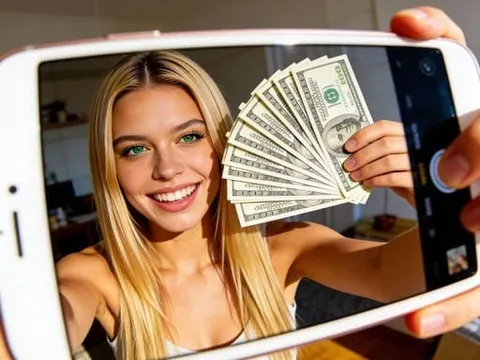
Create or choose a realistic AI influencer image as your reference before generating new visuals. Use a clear prompt to define facial features, hairstyle, outfit, lighting, and lifestyle style. This helps keep character consistency for banana image creation, AI influencer photos, social media visuals, and image-to-image editing.
Prompt: Ultra-realistic adult female AI influencer avatar, early 20s, soft oval face, fair skin with natural rosy undertone, subtle freckles, hazel green eyes, slightly sleepy relaxed gaze, straight soft brows, small refined nose, naturally full pink lips, gentle neutral expression, long messy golden blonde hair with darker roots and soft face-framing layers, natural no-makeup makeup, wearing a simple white t-shirt and small gold necklace, casual bedroom selfie, arm slightly extended as if taking an iPhone photo, soft morning window light, warm indoor background, realistic skin texture, natural facial asymmetry, candid lifestyle creator vibe, shallow depth of field, no heavy retouching, no plastic skin, no brand logos, no text, no watermark.

Step 3: Generate Images with Chat to Generate
Open Generate image and use Chat to Generate to write a detailed prompt. Describe the subject, scene, clothing, lighting, camera style, aspect ratio, and output quality. This workflow is useful for Nano Banana 2-style product images, AI influencer photos, posters, ad creatives, and social media graphics.
Prompt: Ultra-realistic adult female AI influencer playing tennis, same soft oval face, fair skin with natural rosy undertone, subtle freckles, hazel green eyes, straight soft brows, small refined nose, naturally full pink lips, long golden blonde hair tied in a loose high ponytail with soft face-framing strands, athletic slim build, wearing a clean white tennis dress and white visor, holding a tennis racket mid-swing on a sunny outdoor tennis court, confident focused expression, natural makeup, realistic skin texture, soft daylight, slight motion blur on racket only, crisp facial details, candid sports lifestyle photography, 85mm lens, shallow depth of field, Instagram-ready image, no brand logos, no text, no watermark.

Step 4: Choose Quality, Generate, and Keep Editing
Select the aspect ratio, quantity, and image quality before generating. Ultra 4K is useful for sharper AI image generator results, product images, posters, and social media visuals.
After generation, you can continue improving the result with image editing features such as Chat to Edit, Edit clothing, Face swap, Upscale, and Remove background for reference image editing, AI influencer image refinement, and product image variations.

Nano Banana 2 vs Nano Banana Pro Feature Comparison
Data Point | Nano Banana 2 | Nano Banana Pro |
|---|---|---|
Main Focus | AI image generation and image editing for creators who want fast prompt-to-image and reference image editing workflows | More advanced Gemini image model workflow for polished commercial visuals and complex creative control |
Best For | Product images, AI influencer photos, social media visuals, posters, simple ad creatives, image-to-image editing | High-quality product campaigns, detailed poster designs, brand visuals, complex prompts, multi-reference creative projects |
Text-to-Image | Yes, suitable for turning prompts into product images, influencer photos, and banana image ideas | Yes, stronger for detailed image prompts and premium creative outputs |
Image Editing | Supports image-to-image editing, background changes, style changes, and visual refinements | Stronger editing control for complex compositions, product consistency, and brand-style adjustments |
Reference Image Support | Good for using product photos, character images, and style references | Stronger multi-reference understanding for product, character, and brand consistency |
Text Rendering in Images | Improved for posters, banners, ad creatives, and social media graphics | More stable for polished text-heavy designs and commercial visual layouts |
Workflow Difficulty | Better for users who want an easier Nano Banana 2 alternative online without complex setup | Better for advanced users who can work with Gemini image workflows or more technical settings |
Creator Use Case | Fast AI influencer images, e-commerce visuals, image edits, prompt testing, and social media graphics | Higher-end campaign visuals, product ads, professional posters, and detailed branded image generation |
Ideal User | Creators, marketers, small shops, influencers, and users searching how to access Nano Banana quickly | Designers, brand teams, advanced creators, and users who need more refined image generation quality |
Trusted by Thousands of Pro Influencers to Dominate Social Media.
Emir.
21k Followers
Subhan Qureshi
26k Followers
ELITE MINDSET
23k Followers

Ajay Sharma
30k Followers

Mr Shishir
5k Followers
edrian.exe
604k Followers

aprendeconvalerio
1.39M Followers
gabzer.mp4
591k Followers
Hasan Toor
413k Followers
Tulsi Soni
153k Followers
TuTecnoMundo
3.08M Subscribers

YORD
2.79M Subscribers
SinnerSam
325k Subscribers
malik.makhlouff
1.2M Followers
Riscaane
215k Followers
setups_ai
950k Followers



Jhonier Gomez
137k Subscribers
David Dato
70k Subscribers
Pro Secret
22k Subscribers

rulomart
2.4M Followers
xabatz
99K Followers
reels_drgn
55K Followers
cristinakerk.studio
156K Followers
websconia_ia
23k Followers
felippetek
216k Followers
cr_webq
15k Followers

moddy.a.m
385k Followers
mpminds
1.2M Followers
ainusantara
551k Followers
vin.ai93
209K Followers
pampisman
957k Followers
eloiljf
296k Followers


Why choose APOB AI as your nano banana 2 Alternative?
Create Nano Banana 2-Style Images Online
Use APOB AI as a Nano Banana 2 alternative when you want to create AI images online without dealing with Gemini access, API setup, or model settings. You can turn prompts into product images, AI influencer photos, posters, banana image ideas, and social media visuals in a direct online workflow.
Edit Images with Natural Language
APOB AI supports prompt-based image editing, so you can describe changes instead of rebuilding everything from scratch. Use Chat to Edit to change backgrounds, adjust lighting, refine product placement, edit outfits, improve AI influencer images, or create new image-to-image editing variations from a reference image.
Build Consistent Product and Influencer Visuals
For creators, marketers, and online stores, APOB AI helps keep images consistent across campaigns. You can generate product image variations, AI influencer image sets, ad creatives, and reference image edits with a similar look, making it easier to create branded visuals for Instagram, TikTok, e-commerce pages, and posters.
Use case of Nano banana 2
E-commerce Product Images
Use nano banana 2-style image generation to create cleaner e-commerce product images, campaign visuals, product banners, and banana image variations from simple prompts or reference images. This use case fits users searching for banana ai, google banana nano, image ai banana, or artificial intelligence image editor because the goal is not just making a pretty picture, but quickly testing product scenes, backgrounds, packaging angles, and promotional layouts. A Nano Banana 2 alternative can help creators generate skincare shots, fashion product photos, food visuals, product mockups, and ad-ready images without complex setup. (Google Nano Banana Pro announcement, 2026)
AI Influencer and Social Media Photos
Use nano banana 2 for AI influencer photos, profile images, lifestyle posts, and social media visuals. Users searching for gemini banana, gemini photo prompts, or gemini ai photo prompt copy paste often want practical prompt ideas that create realistic creator-style images. This workflow is useful for generating consistent AI influencer images in different outfits, backgrounds, poses, and campaign moods. With reference image editing, creators can keep the same face and style while producing multiple Instagram, TikTok, and poster-ready visuals. (Google’s Nano Banana AI image model goes Pro and is free to try, 2026)
Posters, Ads, and Text-Based Visuals
Use nano banana 2-style image generation for posters, ad creatives, banners, infographics, and social media graphics where text rendering matters. Users asking “can Gemini generate images” or looking for a nano banana prompt generator usually need prompt-to-image results that include readable words, clean layouts, and editable design direction. This is especially useful for event posters, sale graphics, product launch images, quote cards, and brand campaign visuals. A Nano Banana 2 alternative can also pair with a free image to prompt generator workflow to turn existing visuals into better prompts for new image variations. (Google AI image generation docs, 2026)
Reviews on APOB Nano Banana 2

I changed a product-photo background and kept the package recognizable. I checked the label before export.
One clear reference let me test new lighting without rebuilding the subject.

I compared portrait variations, then chose the version with the cleanest hands and facial details.

For social drafts, I got useful variations while keeping the character’s overall look consistent.
Small, specific edits worked best. I adjusted the scene without changing what already looked right.
The poster layout looked usable, but I still proofread every word before placing it in an ad.

Multiple references helped align the outfit, pose, and mood. Clear inputs gave me better control.

I explored early concepts while keeping each result close to the original image.
I made product and lifestyle variants, then checked edges, reflections, and fine text.


Pros and cons of Nano banana 2
Pros
1. Strong AI Image Generator for Product and Creator Visuals
Nano banana 2 is useful for users who want an AI image generator that can create product images, AI influencer photos, posters, social media visuals, and banana image variations from simple prompts. It fits creators searching for banana ai, image ai banana, or google banana nano because the workflow focuses on fast, polished image creation rather than complex design work.
2. Better Image Editing from Reference Images
Nano banana 2 is strong for image editing and image-to-image workflows. You can use reference images to adjust backgrounds, product scenes, character style, lighting, clothing, or visual direction. This makes it practical for users who need an artificial intelligence image editor, reference image editing, or AI image editor prompt no login style workflow.
3. Useful for Gemini Photo Prompts and Text-Based Designs
Nano banana 2 is also valuable for users exploring gemini banana, gemini photo prompts, gemini ai photo prompt copy paste, and nano banana prompt generator searches. It can support prompt-to-image creation for posters, banners, product ads, and social media graphics where layout, style, and readable text matter.
Cons
Access and Workflow Can Still Feel Technical
Nano banana 2 may not be the simplest choice for every creator, especially if users need to understand how to access nano banana, Gemini model versions, or whether nano banana is free. For users who just want to create and edit images online quickly, a Nano Banana 2 alternative with direct prompt input, reference image support, and built-in editing tools can be easier to use.
Try Nano banana 2 Alternative free!
No Credit Card Required
Discover more blogs about Nano Banana 2 AI Image Generator


FAQs about Nano banana 2
Answers about image quality, prompts, editing, resolution, credits, privacy, and commercial use.
What is Nano Banana 2?
Nano Banana 2 is Google’s AI image generation and editing model, officially known as Gemini 3.1 Flash Image. It is designed to create, edit, and refine images from text prompts, reference images, or a combination of both.
Is Nano Banana 2 for images or videos?
Nano Banana 2 is mainly for AI image generation and image editing. It is not a dedicated video generation model, but images created with it can be used as visual assets for video workflows.
What can I create with Nano Banana 2?
You can create product images, social media visuals, posters, AI influencer portraits, character images, marketing creatives, concept art, and edited versions of existing photos.
Can Nano Banana 2 edit existing images?
Yes. Nano Banana 2 can edit images using text instructions. Users can ask it to change backgrounds, adjust styles, modify objects, remove or add elements, improve details, or create new variations from a reference image.
Does Nano Banana 2 support text-to-image generation?
Yes. You can write a prompt describing the image you want, and Nano Banana 2 can generate a new image based on that description.
Does Nano Banana 2 support image-to-image editing?
Yes. You can provide a reference image and describe what you want to change. This is useful for product edits, character consistency, background changes, and style updates.
Can Nano Banana 2 generate 4K images?
Google’s documentation describes Nano Banana 2 as supporting 4K image generation. Actual output options may depend on the platform, product interface, API settings, or account access.
Is Nano Banana 2 good at generating text inside images?
Nano Banana 2 is designed to offer more reliable text rendering than earlier image models. It can be useful for posters, labels, simple ads, infographics, and social graphics, although complex layouts may still need manual review.
Can Nano Banana 2 keep a character consistent?
Nano Banana 2 is built for better consistency across reference images and edits. It can help preserve a character’s face, outfit, style, or identity more reliably, but results still depend on prompt quality and reference clarity.
Can Nano Banana 2 be used for product images?
Yes. Nano Banana 2 can help create product lifestyle images, ad visuals, packaging mockups, background variations, and product showcase images from prompts or references.
Can Nano Banana 2 create AI influencer images?
Yes. Users can create realistic or stylized AI influencer portraits, lifestyle photos, social media visuals, and character-based content. For best results, prompts should describe face, outfit, lighting, pose, camera angle, and scene style.
What is the difference between Nano Banana 2 and Nano Banana 2 Lite?
Nano Banana 2 Lite is designed for faster and lower-cost image generation. Nano Banana 2 is the more versatile general model, with stronger quality, 4K generation, reliable text rendering, and better multi-reference image handling.
What is the difference between Nano Banana 2 and Nano Banana Pro?
Nano Banana 2 is the general-purpose image model for high-quality generation and editing. Nano Banana Pro is positioned for more complex visual tasks, stronger world knowledge, advanced localization, brand consistency, and more precise creative control.
Is Nano Banana 2 better than the original Nano Banana?
Nano Banana 2 is positioned as an upgrade over the earlier Nano Banana model. It improves image quality, prompt following, text rendering, consistency, and multi-reference image processing.
Can Nano Banana 2 use multiple reference images?
Yes. Google describes Nano Banana 2 as strong at multiple reference image processing and consistency. This can help when combining product references, character references, brand style images, or visual mood boards.
Is Nano Banana 2 free to use?
Access depends on where you use it. Some Gemini image features may be available through Google products, while API usage, higher limits, or advanced tools may require paid access or credits.
Can I use Nano Banana 2 images commercially?
Commercial use depends on the platform terms, account type, and the rights attached to any uploaded reference images. Users should avoid uploading copyrighted, private, or third-party images unless they have permission.
Are Nano Banana 2 images watermarked?
Google states that generated images include SynthID watermarking. This helps identify AI-generated content even when the watermark is not visually obvious.
Why does Nano Banana 2 sometimes fail to follow my prompt?
Like all AI image models, Nano Banana 2 may misread complex prompts, crowded scenes, small details, or conflicting instructions. Clear prompts, strong reference images, and step-by-step editing usually produce better results.
How do I get better results with Nano Banana 2?
Use a clear prompt with subject, style, background, lighting, camera angle, aspect ratio, and key details. For editing, describe exactly what should change and what should stay the same.