English
English

Create Discord Profile Picture

Create Discord Profile Picture

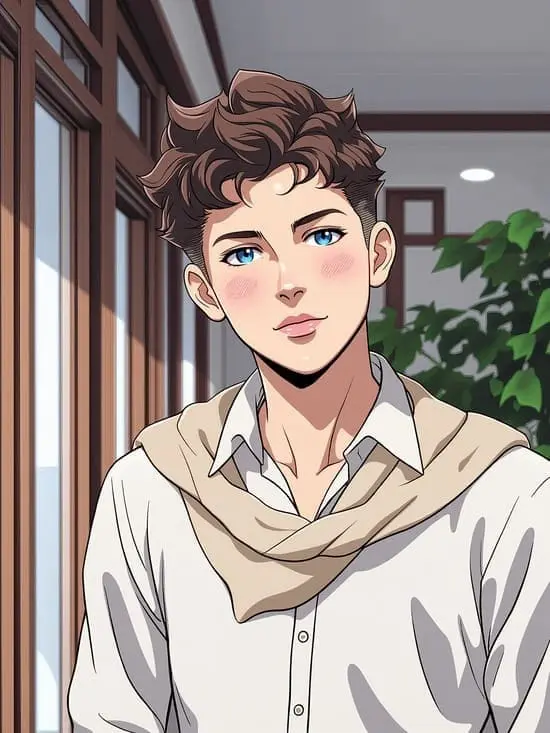
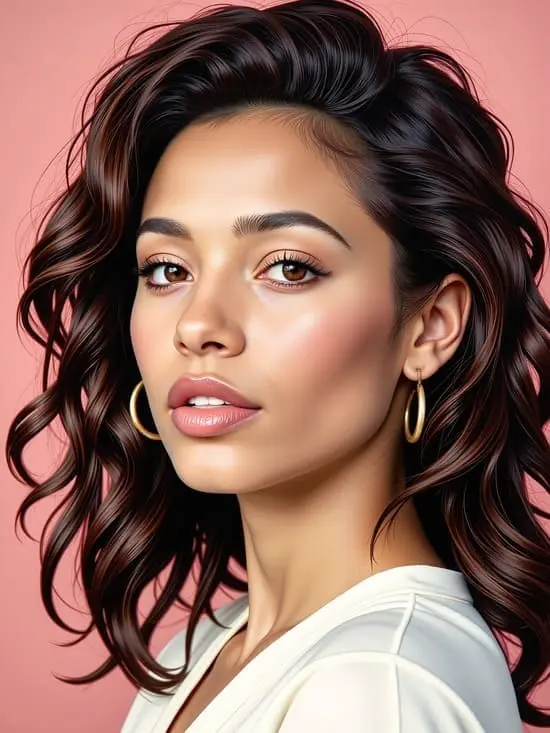
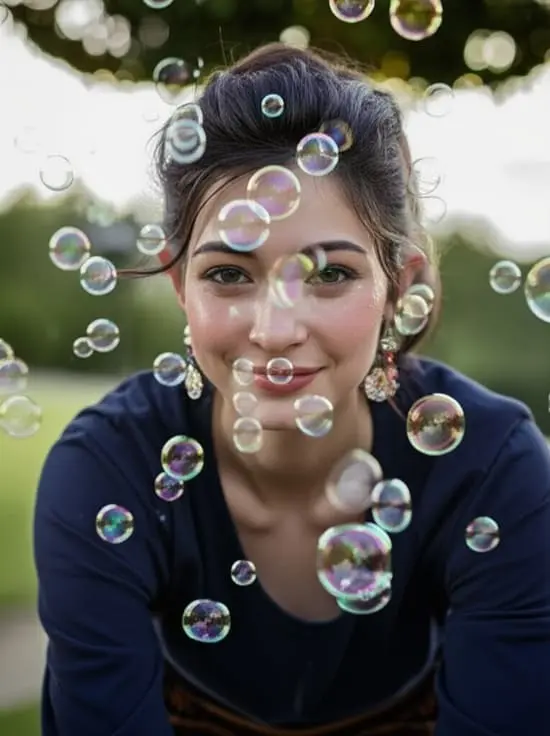
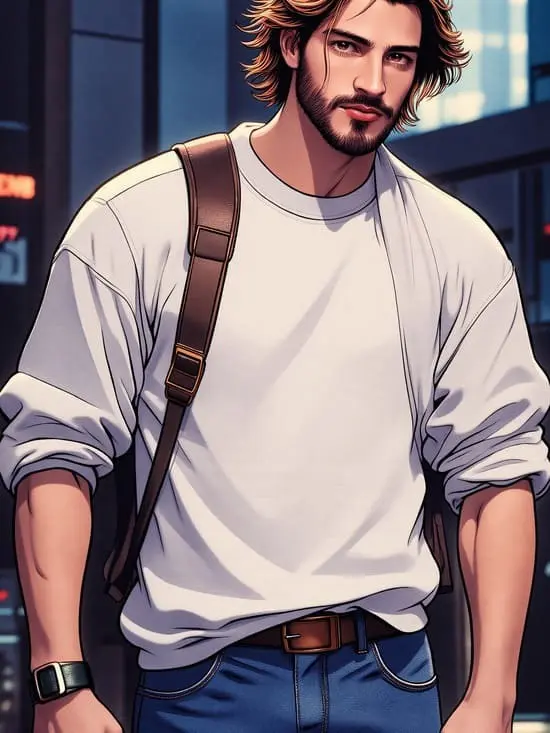
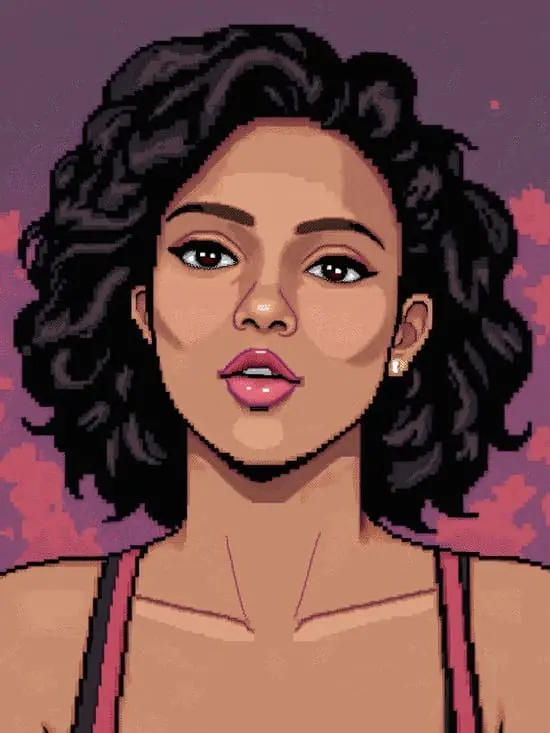
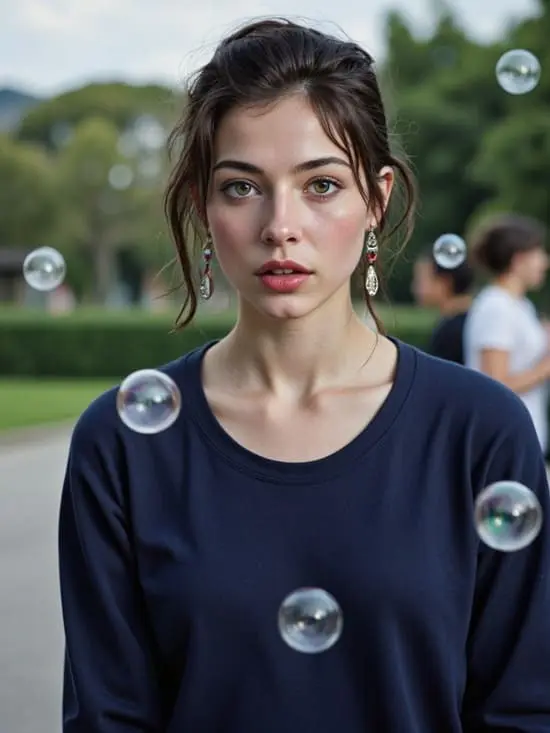
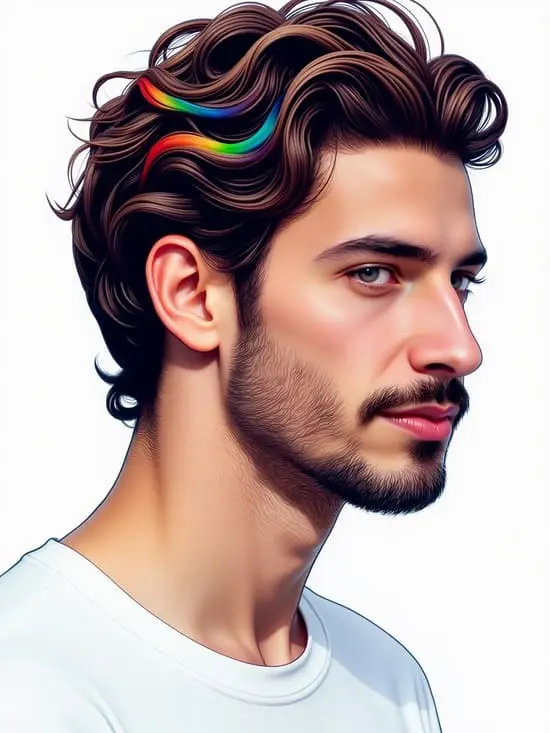
Generate a standout cool Discord profile picture with discord ai image generator. Don't miss the guide below!
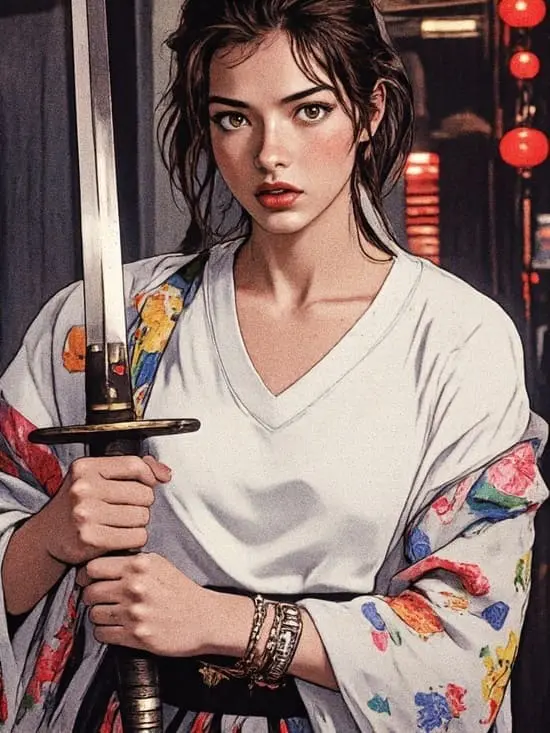
Generate a standout cool Discord profile picture with discord ai image generator. Don't miss the guide below!
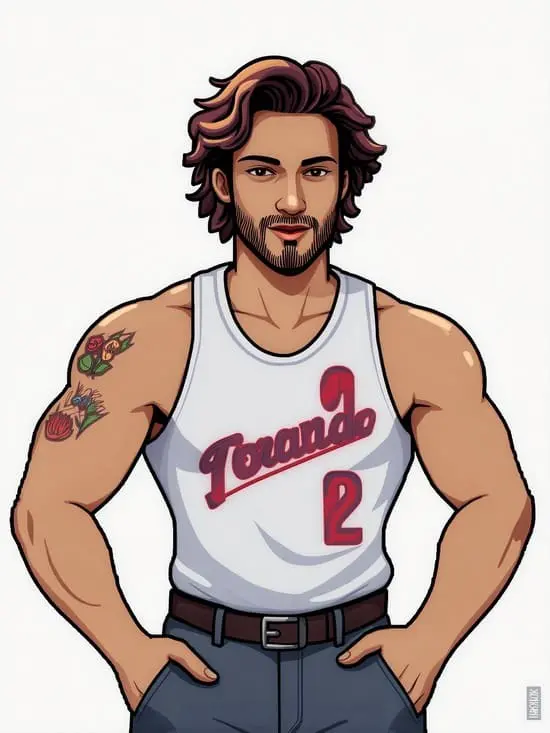
How to use Discord AI Image Generator to create a discord profile picture?

How to use Discord AI Image Generator to create a discord profile picture?

Step 1: Sign up and claim your free credits

Step 1: Sign up and claim your free credits

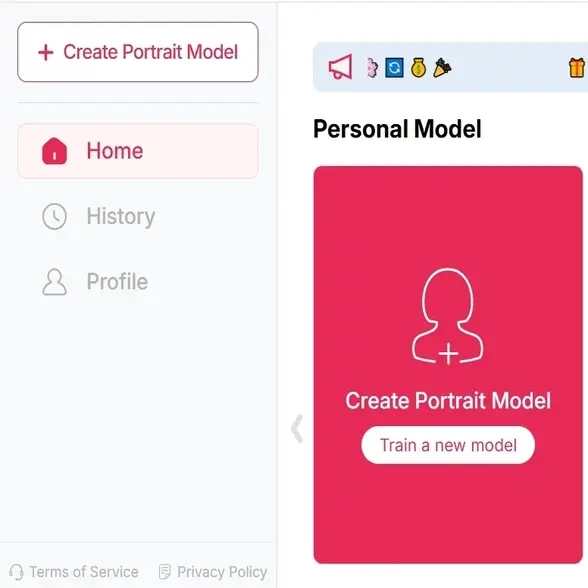
Start by visiting APOB AI and claiming your free membership through creating a free account.

 You’ll instantly receive 80 daily credits every day, which you can use to generate or edit your Discord PFP—no subscription required.nationality, eye color, hairstyle, and additional attributes.

Expand

Start by visiting APOB AI and claiming your free membership through creating a free account.

 You’ll instantly receive 80 daily credits every day, which you can use to generate or edit your Discord PFP—no subscription required.nationality, eye color, hairstyle, and additional attributes.

Expand

Start by visiting APOB AI and claiming your free membership through creating a free account.

 You’ll instantly receive 80 daily credits every day, which you can use to generate or edit your Discord PFP—no subscription required.nationality, eye color, hairstyle, and additional attributes.

Expand

discord profile picture/discord ai image generator

Step 2: Upload a selfie or create from scratch

Step 2: Upload a selfie or create from scratch

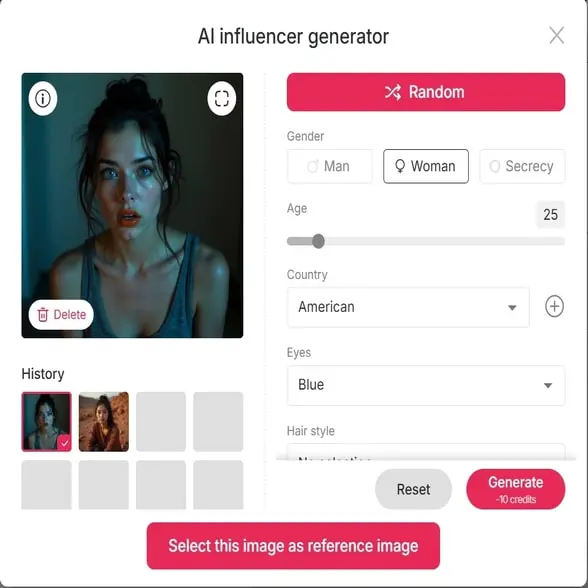
You can upload a clear, front-facing photo to enhance or transform it, or use our 'AI Influencer Generator' to custom a brand-new AI model that you like.


APOB AI can be a good AI Discord photo generator that supports both real and AI-created images, perfect for updating your Discord profile.greater control and flexibility.

Expand

You can upload a clear, front-facing photo to enhance or transform it, or use our 'AI Influencer Generator' to custom a brand-new AI model that you like.


APOB AI can be a good AI Discord photo generator that supports both real and AI-created images, perfect for updating your Discord profile.greater control and flexibility.

Expand

You can upload a clear, front-facing photo to enhance or transform it, or use our 'AI Influencer Generator' to custom a brand-new AI model that you like.


APOB AI can be a good AI Discord photo generator that supports both real and AI-created images, perfect for updating your Discord profile.greater control and flexibility.

Expand

Step 3: Select the “Discord Profile Picture” style

Step 3: Select the “Discord Profile Picture” style

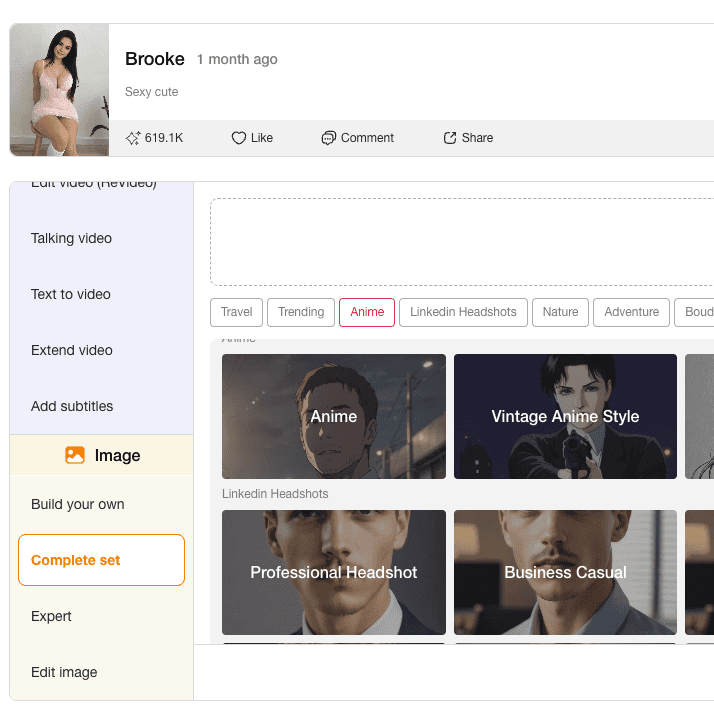
Click the “Complete Set” button and choose the style tailored for Discord.

APOB AI offers categories like anime, gamer, fantasy, minimalist, and professional avatars—all ideal for cool Discord profile pics that stand out in any server.
Expand

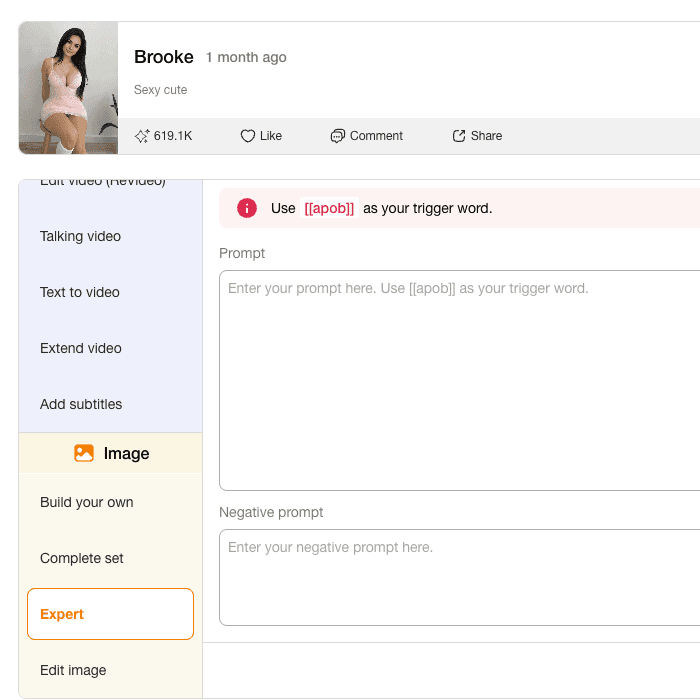
Click the “Complete Set” button and choose the style tailored for Discord.

APOB AI offers categories like anime, gamer, fantasy, minimalist, and professional avatars—all ideal for cool Discord profile pics that stand out in any server.
Expand

Click the “Complete Set” button and choose the style tailored for Discord.

APOB AI offers categories like anime, gamer, fantasy, minimalist, and professional avatars—all ideal for cool Discord profile pics that stand out in any server.

Expand

discord profile picture/discord ai image generator

Step 4: Customize with “Chat to Edit” and download

Step 4: Customize with “Chat to Edit” and download

Want a different background, expression, or outfit? Click “Chat to Edit” and type your request—APOB AI will instantly refine your image.

Once satisfied, download your high-quality, custom Discord profile picture and upload it directly to your Discord profile.

Expand

Want a different background, expression, or outfit? Click “Chat to Edit” and type your request—APOB AI will instantly refine your image.

Once satisfied, download your high-quality, custom Discord profile picture and upload it directly to your Discord profile.

Expand

Want a different background, expression, or outfit? Click “Chat to Edit” and type your request—APOB AI will instantly refine your image.

Once satisfied, download your high-quality, custom Discord profile picture and upload it directly to your Discord profile.

Expand

Why do people choose our Discord Image AI Generator?

Why do people choose our Discord Image AI Generator?

Instant, AI-Generated Personalization

APOB AI allows you to create unique and expressive avatars without needing design skills. The AI understands your prompts and delivers tailor-made results that suit any Discord community or aesthetic.

Free to Use, No Experience Needed

With 80 free credits per day, you can experiment and perfect your Discord PFP without spending a dime. The beginner-friendly interface helps you create cool Discord profile pics in just a few clicks.

Versatile Style Options

Whether you want a professional look, an anime-style PFP, or a fun and edgy vibe, APOB AI has a wide range of templates made for Discord users. The flexibility makes it ideal for gamers, streamers, and social influencers alike.

Discord AI image generator Gallery

Why Do People Choose our AI Girlfriend Generator?

discord ai image generator/ discord pfp maker/discord profile picture

Create with Discord AI Image Generator

Discover the blogs about discord ai image generator

Discover the blogs about discord ai image generator

Best Free Goku AI Image and Video Generator Tools Online

Best Free Goku AI Image and Video Generator Tools Online

If you're a die-hard Dragon Ball fan, you've probably dreamed of bringing Goku to life in your own way. Thanks to cutting-edge Goku AI tools like APOB AI, that dream is now a reality. Whether you're an artist, a content creator, or simply someone who wants to see Goku in a new light, there's a growing world of AI-powered platforms that let you generate custom Goku images and videos with just a few clicks.

In this post, we’ll dive deep into how APOB AI can help you create high-quality Goku art and animation for free, and explore creative ideas for sketching, styling, and sharing your own version of the Super Saiyan legend — from pencil sketches to full-blown animation.

Why Goku AI Is Taking Over the Fan World

Let’s face it — Goku is one of the most iconic anime characters of all time. But what happens when you combine that popularity with artificial intelligence? You get something magical: Goku AI.

Fans are now using tools like APOB AI to recreate Goku in countless styles — ultra-realistic, stylized, futuristic, and even humorous. From pencil-drawn art to dynamic video content, Goku AI unlocks creativity like never before. The best part? You don’t need to be an artist or an animator. With the right platform, anyone can design high-quality visuals of their favorite Saiyan warrior.

Create Stunning Goku AI Art with APOB AI

APOB AI is one of the most powerful and accessible platforms for generating AI anime art. With just a few descriptive prompts, you can bring your ideas to life.

Step 1: Sign up on APOB AI and get 80 credits. Then, click on “Create Portrait Model.”

Step 2: Upload a photo of Goku, or click the “AI Influencer Generator” button to instantly create a custom AI version of him.

sign up for freeUpload a photo of Goku

Step 3: In the "Build Your Own" section, choose from styles like Realistic, Anime Sketch, or Linear Manga, etc, and enter a prompt (max 128 characters) to turn the image in your mind into reality. For even more stunning results, switch to the "Expert" mode and craft a detailed prompt of up to 1024 characters (typically 150–200 words).

enter a promptgoku ai artgoku image ai cute goku

Tips: APOB AI provides users with 80 points a day, and you can generate up to 16 photos a day for free.

TRY APOB AI FOR FREE

Here’s what you can do with APOB AI:

  • Generate Goku image variations for fan edits or profile pictures

  • Design anime photo Goku artworks in different styles

  • Produce pencil Goku drawings or realistic Goku AI art

  • Create Goku photo HD for wallpapers or high-res prints

The results are surprisingly detailed and authentic. You can even fine-tune facial expressions, outfits, lighting, and art style — whether you want something fierce, nostalgic, or futuristic

Popular Goku AI Art Prompts You Can Try

  • “Goku Ultra Instinct standing under a full moon, cinematic lighting, 4K anime style”

  • “Realistic Goku portrait with glowing Super Saiyan hair, detailed anime face, HD”

  • “Goku wearing futuristic armor in a cyberpunk Tokyo, anime style, dramatic lighting”

  • “Cute chibi Goku eating ramen, soft colors, pastel tone”

  • “Goku vs Vegeta energy blast scene, highly detailed, epic action moment”

Animate Your Hero: Goku AI Video Generator via APOB AI

Beyond still images, APOB AI now supports dynamic video generation features. That means you can animate your custom Goku images into short clips or looped motions — perfect for social media posts, memes, or storytelling.

Step 1: If you already have a Goku image you’re happy with, simply upload it and use the Image to Video feature. Just type in the actions or expressions you want Goku to perform — whether it's powering up, flying, or delivering an epic punch — and the AI will generate a dynamic video for you.

Step 2: You can also choose your favorite Goku photo from the images you've created in earlier steps, and turn it into a video in just a few clicks.

Step 3: Don’t have an image yet? No worries — try the Text to Video option. Just describe the scene you imagine and the AI will bring it to life as a stunning animation.

Image to Video

Tips: APOB AI provides users with 80 points a day, and you can generate a 3-second video for free every day.

TRY APOB AI FOR FREE

Using the Goku AI video generator within APOB AI, you can:

  • Make Goku charge up in Super Saiyan mode

  • Create a looped battle-ready stance

  • Animate glowing effects, hair movement, or energy blasts

By combining static artwork with subtle animation, your Goku AI content can truly stand out — especially for fan reels, AMVs, or interactive media projects.

Learn to Draw Goku with the Help of AI

Even if you're a traditionalist who loves sketching by hand, APOB AI can help you level up. Use it to generate references or sketch overlays for practice.

Want to learn how to draw Goku full body? You can prompt APOB AI to give you clean base sketches.

Need inspiration for:

  • Full body Goku Ultra Instinct drawing

  • Goku Ultra Instinct drawing full body sketch

  • How to draw Goku Black

  • Drawing of Goku Super Saiyan

You can simply describe your idea and let APOB AI create an outline or drawing guide. Many artists now use these AI-generated images as underlays for digital inking or pencil redrawing.

Also great for:

  • Goku drawing pictures

  • Dragon Ball Z characters drawing

  • Realistic Goku pencil drawing

  • Dragon Ball character drawing

black goku ai full body goku ultra instinct drawinggoku drawing pictures

Drawing Prompts to Practice Your Goku Sketches

  • “Line art of Goku full body, simple sketch, drawing guide style”

  • “Pencil drawing of Goku Super Saiyan, dramatic shading”

  • “How to draw Goku full body, side view, dynamic pose”

  • “Goku Black character sketch, front pose, strong silhouette”

  • “Goku Ultra Instinct full body outline, sketchbook style”

Download and Share Your Goku AI Masterpieces

Once your masterpiece is ready, APOB AI allows you to download your creations in high resolution. Whether you want to

  • Print a custom photo of Goku

  • Share your Goku photo HD on Instagram

  • Use your AI art as a phone wallpaper or Discord profile banner

you can do it all with ease. Most creations are downloadable in just one click. And if you want to go a step further, consider turning your Goku photo downloads into merch like stickers, t-shirts, or digital collectibles — just be mindful of any copyright rules when it comes to commercial use.

Final Thoughts

Artificial intelligence is unlocking new creative possibilities for fans around the world — and Goku AI is leading the charge. With tools like APOB AI, you can craft jaw-dropping art, captivating animation, and even helpful drawing references, all without needing advanced skills or expensive software.

So whether you’re recreating a full-body Goku sketch, animating a power-up, or just looking for a photo of Goku to impress your friends — Goku AI gives you the power to go beyond your limits.

Ready to go Super Saiyan with your creativity? Try APOB AI and bring your Goku vision to life today!

FAQ

Q1: What is the best tool to generate Goku AI images for free?

The best tool to generate free Goku AI images is APOB AI. It offers a variety of styles like realistic, anime sketch, and manga, and allows you to create highly customized Goku art using simple text prompts.

Q2: Can I turn a Goku AI image into a video?

Yes! With APOB AI's Image to Video feature, you can upload a Goku image and describe the actions or facial expressions you want. The AI will generate a short animated video based on your instructions.

Q3: How do I generate a full-body Goku Ultra Instinct drawing?

You can use APOB AI’s "Build Your Own" or "Expert Mode" and enter a detailed prompt like: “Full-body Goku Ultra Instinct with glowing silver aura, sharp hair, battle pose” to get high-quality AI-generated art.

Q4: Is it possible to generate a Goku AI video without uploading a photo?

Absolutely! Use the Text to Video function to describe the scene in detail — for example,“Goku charging a Kamehameha under a full moon”—and the AI will create a video from scratch.

Read More
Best Discord PFP Size

What’s the Best Discord PFP Size? [Image Specs You Need to Know]

What’s the Best Discord PFP Size? [Image Specs You Need to Know]

Abstract: Having the right Discord profile picture helps you stand out in chats and represent your personal or professional vibe. This guide breaks down everything you need to know about Discord profile picture size, formats, and design tips to ensure your avatar always looks sharp, whether you’re chatting with friends or joining a new server. Learn how to optimize your PFP, avoid blurry uploads, and even use tools like AI to get the perfect image.

What’s the Ideal Discord Profile Picture Size?

Your Discord profile picture (commonly called a PFP) appears everywhere—from your direct messages to group chats and server lists. To keep your profile looking clean and sharp, it’s essential to use the correct Discord profile picture size.

Recommended Size: 128x128 pixels
Aspect Ratio: 1:1 (square)
File Types Supported: JPG, PNG, and GIF (for animated profile pictures)

Although Discord will resize larger images, uploading a properly scaled picture will help preserve clarity.

Why Discord Profile Picture Size Matters

The wrong size can result in pixelation, awkward cropping, or even cutoff edges. Discord compresses images automatically, and if your file isn’t optimized, your avatar might look blurry or poorly aligned. Using the right size ensures your PFP looks great on both desktop and mobile devices.

Best Practices for a High-Quality Discord PFP

To get a crisp and professional Discord profile, keep these tips in mind:

  • Stick to 128x128 pixels for best results

  • Use high-resolution images if scaling down

  • Choose simple backgrounds to keep the focus on your face or logo

  • Save in PNG for lossless quality or GIF if you want animation

Common Mistakes to Avoid with Discord Profile Pictures

While setting up your Discord profile picture, many users make these avoidable errors:

  • Uploading overly large images (Discord resizes them, which may reduce quality)

  • Using low-res images that appear grainy when shrunk

  • Forgetting to preview how the image looks inside the small circle

By sticking to the recommended size and previewing before you save, you can avoid most of these problems.

Tools to Help You Create the Perfect Discord PFP

You don’t need to be a graphic designer to have a cool avatar. Here are a few tools to create a standout Discord profile picture:

  • APOB AI: Generate personalized, AI-crafted avatars in styles like anime, gamer, or minimalist.

  • Canva: Great for cropping, resizing, and designing aesthetic PFPs.

  • Fotor: Offers filters and basic editing for beginners.

All these tools support proper image sizing and can help you stay within Discord’s guidelines.

How to Change Your Discord Profile Picture

Need help uploading your new avatar? Here’s how to update your Discord profile picture:

On Desktop/Web:

  1. Open Discord and click the gear icon (User Settings).

  2. Go to "My Account."

  3. Click "Edit" next to your current avatar.

  4. Upload a new image (128x128 pixels preferred).

  5. Adjust crop, then save.

On Mobile:

  1. Tap your profile icon in the bottom right.

  2. Go to "User Profile."

  3. Tap your current PFP, then "Change Avatar."

  4. Select a photo from your gallery.

  5. Crop and save.

Discord Profile Picture Ideas by Style

Depending on your community or personality, your PFP can reflect different styles

  • Anime: Great for fandom servers and online communities

  • Minimalist: Clean, modern look for professionals

  • Gamer: Edgy, high-contrast avatars work well in competitive channels

  • Fantasy or Artistic: Ideal for RP servers or creative groups

No matter your preference, your Discord profile should match your personal vibe.

Final Thoughts

Your Discord profile picture is a visual representation of your online persona. By sticking to the correct Discord profile picture size (128x128 pixels), you ensure clarity and consistency across all devices. Whether you create your avatar with editing tools or generate it using APOB AI, staying within the guidelines helps your image stand out—not blend in.

FAQs

Q1: What is the best size for a Discord profile picture?

A1: 128x128 pixels is the recommended size for Discord profile pictures.

Q2: Why does my Discord profile picture look blurry?

A2: It might be too large or low-quality. Use a 128x128px image in PNG format for best clarity.

Q3: Can I use a GIF as my Discord profile picture?

A3: Yes, Nitro users can upload animated GIFs as their PFP.

Q4: Does Discord crop profile pictures into circles?

A4: Yes, PFPs are shown in circular format, so keep important details centered.

Q5: Are there free tools to create optimized Discord PFPs?

A5: Yes, tools like APOB AI, Canva, and Fotor offer easy options to design high-quality avatars.

Read More
gta pfp
gta pfp
gta pfp

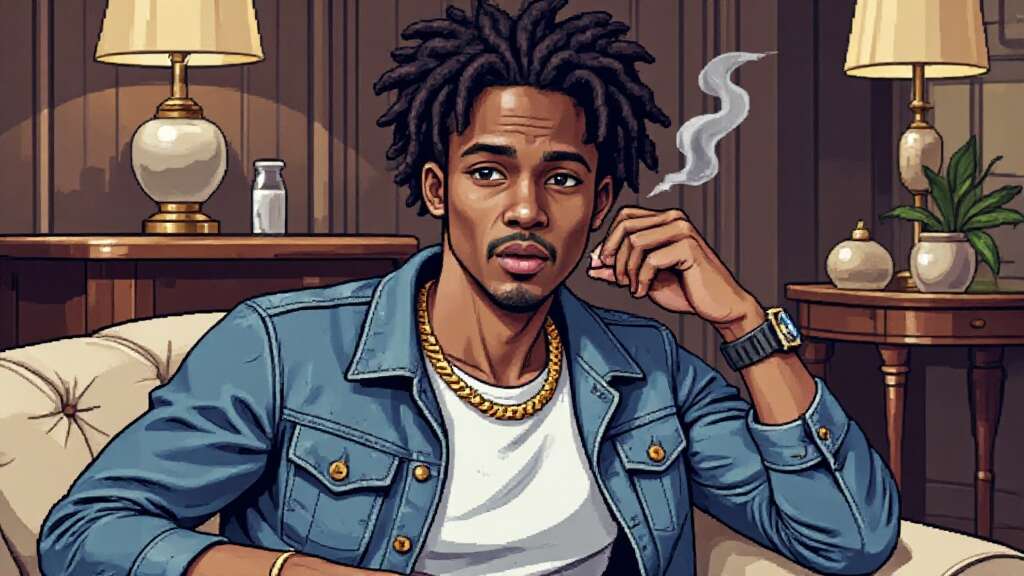
Try AI-Generated GTA PFP for Free -- Create Your Unique Avatar!

Try AI-Generated GTA PFP for Free -- Create Your Unique Avatar!

In the world of online gaming, your profile picture is more than just an image—it’s an extension of your virtual identity. Whether you’re deep into GTA RP, a casual GTA 5 player, or just a fan of the franchise, having the perfect GTA PFP can set you apart.

Traditionally, creating a high-quality gaming avatar required graphic design skills or hiring an artist. But thanks to AI technology, anyone can now generate a GTA-style profile picture effortlessly. These AI tools not only recreate the game’s signature aesthetic but also allow full customization, from facial expressions to backgrounds.

Ready to make your own? Let’s dive in!

Why GTA PFPs Are Taking Over the Internet

If you’ve spent any time in gaming communities, you’ve likely seen GTA PFPs (Grand Theft Auto profile pictures) everywhere. From Discord servers to TikTok and Instagram, gamers are embracing the signature GTA-style look for their avatars. But what makes this aesthetic so popular?

The answer is simple: GTA PFPs are bold, edgy, and instantly recognizable. They capture the rebellious, high-energy vibe of the Grand Theft Auto series, making them perfect for gamers, content creators, and roleplay enthusiasts. Whether you need a GTA RP PFP to fit your in-game persona or a GTA 5 PFP to show off your love for the franchise, AI-powered tools now let you create stunning GTA-style avatars effortlessly—and for free!

So, if you want to stand out with a GTA PFP, keep reading. We’ll show you how to generate one using AI, customize it to your style, and use it to boost your online presence.

How to Create Your Own GTA PFP with AI – No Design Skills Needed!

Gone are the days of manually editing images to achieve the GTA PFP look. Today, AI tools do all the heavy lifting for you. Some popular options include:

APOB AI – Generates high-quality GTA-style avatars.

GTA Filter AI – Instantly applies a GTA aesthetic to any image.

Photoshop AI Plugins – Advanced customization for pro users.

Most of these tools offer free trials, so you can experiment before committing to a premium version.

Step 1: Sign up for free and earn points

Sign up on APOB AI and get 80 credits. Then, click on “Create Portrait Model.”

 Sign up for free

Step 2: Upload Your Image or Create an AI Character

Upload a real photo – AI will transform it into a GTA-style avatar.

Generate a custom AI character – Perfect for creating a unique GTA RP PFP.

Upload Photo or Create AI Model

Step 3: Customize the Background & Theme

Through the "Build your own" and "Complete set" options, you can choose a scene that fits your character setting, such as Bustling City, Cyberpunk Casting, Tech Intrigue, or Tunnel Escaper.

Step 4: Apply GTA Aesthetic Filters

The key to an authentic GTA PFP is the signature art style. Want a character with sunglasses, tattoos, or a gangster vibe? Just need to add some prompts. APOB AI will enhance your image with:

Bold outlines & sharp contrasts

Retro, urban, or neon lighting effects

Low-poly, comic book-style shading

This instantly gives your avatar that classic GTA 5 PFP vibe, making it look straight out of the game’s loading screen.

GTA PFP avatarGTA PFP avatarGTA PFP avatar

TRY APOB AI FOR FREE

Where to Use Your GTA PFP?

Once your GTA PFP is ready, it’s time to show it off! Here are some of the best places to use it:

GTA RP Servers

Roleplaying in GTA Online? A unique GTA RP PFP helps define your character’s identity and makes you stand out in the community.

Discord & Gaming Forums

Many gaming groups and Discord servers have GTA-themed channels. A stylish GTA 5 PFP instantly signals your love for the franchise.

TikTok, Instagram & YouTube

Gaming influencers often use GTA-style avatars for branding. Whether you create GTA edits or stream gameplay, a GTA PFP makes your profile instantly recognizable.

Twitter & Reddit

GTA discussion forums and gaming communities are full of users showcasing their GTA PFPs. Why not join in?

Why AI-Generated GTA PFPs Are a Game-Changer

So, why should you use AI instead of designing a GTA PFP from scratch? Here’s why AI tools are revolutionizing avatar creation:

Fast & Easy – No need for Photoshop skills. AI does the work in seconds.

Highly Customizable – Adjust every detail to match your gaming identity.

Free to Try – Many AI tools offer free credits or trial versions.

Perfect for Social Media – Looks professional with minimal effort.

With AI, you can experiment with different styles, expressions, and backgrounds until you find the perfect GTA PFP.

Final Thoughts: Try AI-Generated GTA PFPs for Free Today!

The trend of gaming avatars inspired by the world of Grand Theft Auto continues to gain momentum and doesn’t seem to be slowing down anytime soon. Whether you're a dedicated player of GTA RP, a content creator showcasing your gaming life, or simply someone who loves everything about the GTA franchise, these AI-generated avatars are the perfect way to express your unique style. They offer an easy and fun way to stand out from the crowd and make a lasting impression online.

From bold designs to intricate details that capture the essence of the game, these avatars give you the freedom to craft a digital persona that is as dynamic and rebellious as the game itself. No need for graphic design skills or expensive artists—AI tools now make it possible for anyone to create a professional-looking avatar with just a few clicks.

So why wait? Dive into the world of AI-generated gaming avatars today and create a striking, personalized image that truly represents who you are in the virtual world. Whether you’re looking for something futuristic, edgy, or totally out of the box, there’s a style for everyone. The possibilities are endless, and the best part is, you can try it all for free!

FAQ

Q1: What’s a GTA PFP?

A1: GTA PFP = Gaming Token Avatar Profile Picture. It’s your digital identity in GTA-themed metaverse worlds, blending in-game style with NFT tech. Think of it as your pixelated passport to virtual heists and hangouts!

Q2: How do I create my GTA PFP?

A2:To create a GTA-themed PFP, use APOB AI by uploading a reference image or generating one from scratch. Choose an adventure style, customize elements like background and clothing, and generate your image. Download and use it as your profile picture.

Q3: Can I sell my GTA PFP?

A3: Absolutely! List it on crypto marketplaces like OpenSea. Rare traits = higher demand. Pro tip: Share your design on socials to hype it up!

Q4: How do I use my GTA PFP?

A4: Flex it everywhere! Set it as your Discord/Twitter profile pic, join GTA-themed DAOs, or rep it in metaverse hangouts. Your avatar’s your ticket to the party!

Read More
anime boy
anime boy
anime boy

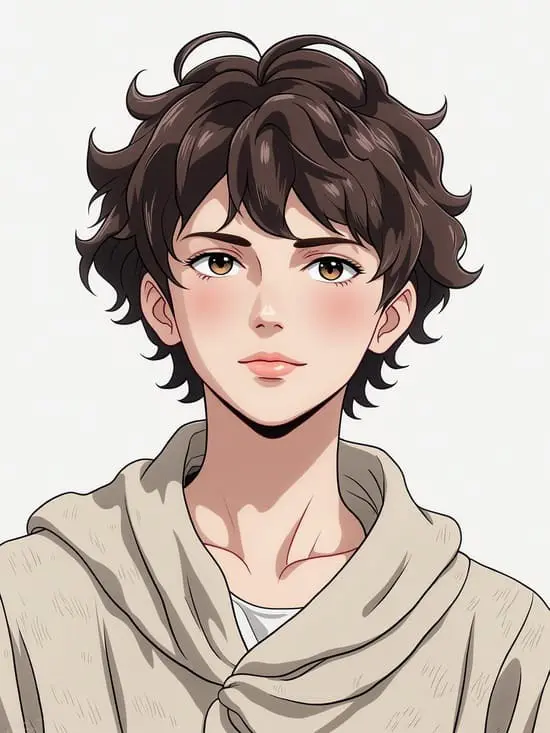
How to Draw an Anime Boy with AI

How to Draw an Anime Boy with AI

Abstract

Looking to learn how to draw an anime boy? This guide will walk you through step-by-step tutorials to help you master drawing anime boys. Additionally, for those struggling with drawing, discover how APOB AI can generate a perfect anime boy for you in just a few clicks. Whether you're a beginner or an experienced artist, we’ve got you covered with useful tips, resources, and suggestions to take your anime drawing skills to the next level!

Try APOB AI For Free

Introduction

Anime drawing, particularly drawing anime boys, is a rewarding and enjoyable skill that many people want to master. However, it can be intimidating for beginners to get the proportions right or to draw detailed features like anime hair and facial expressions. Luckily, with the right tools and practice, anyone can improve their drawing skills.

In this article, we’ll provide a step-by-step guide to help you draw an anime boy, as well as valuable resources where you can continue learning. But if drawing isn't your strongest suit, we’ll also introduce APOB AI—an amazing tool that can generate a perfect anime boy without the need for advanced drawing skills. Ready to dive into the world of anime art? Let’s begin!

Step-by-Step Guide: How to Draw an Anime Boy

1. Start with Basic Shapes for the Structure

Before diving into details, begin by sketching basic shapes to map out the structure of the anime boy. Anime characters often have exaggerated proportions, so focus on creating an outline using circles and lines to represent the head, torso, and limbs.
Tip: Pay close attention to the size of the head. In anime, the head is usually larger in proportion to the body, which gives the character a youthful, dynamic appearance.

2. Outline the Anime Boy’s Face

Next, focus on the face. Anime boys typically have soft, angular facial features. Here are the essential parts to work on:

  • Eyes: The most important feature in anime art. Draw large, expressive eyes. Use guidelines to place them symmetrically on the face.

  • Nose and Mouth: Keep the nose and mouth simple. Anime noses are usually just small lines, while the mouth is often drawn with just a subtle curve.

  • Hair: Anime boy hair is one of the most distinctive elements. Start by sketching the hairline and outline, and then add detailed strands to give it texture and volume. Don't be afraid to get creative with the style—anime boys can have spiky, messy, or sleek hair.

3. Refine the Body Structure

Once you’ve drawn the face, sketch the body. Start with a simple stick figure to define the position of the arms and legs.
Tip: Anime boys typically have a slim, athletic body. Focus on natural muscle definition while keeping the body proportions in mind (the arms should be long and slender, and the legs should match the torso length).

4. Add Clothing and Accessories

Anime boy clothing can range from casual wear to elaborate uniforms. When sketching the clothes, consider how the fabric folds naturally around the body. Add creases and details for a more realistic look.
Tip: Anime characters often wear clothes with intricate details, such as jackets with zippers, school uniforms, or futuristic outfits. Reference images from your favorite anime to inspire your clothing choices.

5. Final Touches: Line Art and Shading

After the sketch is complete, use a fine pen or digital tools to create clean line art. Make sure to maintain consistent lines to capture the anime style.
For shading, use light strokes to add depth, especially around the neck, under the chin, and under clothing to create shadows.
Tip: Anime drawings often feature vibrant highlights on the hair and eyes. Add highlights for a more polished and professional look.

Where to Learn How to Draw Anime Boys

If you're looking to improve your anime drawing skills, there are plenty of excellent resources available online. Here are some platforms to help you learn:

YouTube Channels: Popular channels like Mark Crilley, Samantha V., and Bobby Chiu offer free tutorials on how to draw anime characters, focusing on facial features, proportions, and clothing. They break down the drawing process in easy-to-follow steps.

Drawing Apps and Websites: Platforms like Drawspace and DeviantArt provide a wealth of tutorials and online courses on anime art. These resources cater to both beginners and intermediate artists.

Books on Drawing Anime: Look for instructional books such as How to Draw Manga or Anime Mania. These books offer in-depth techniques and tips on drawing anime characters, including anime boys.

Online Communities: Join Reddit’s r/AnimeArt or anime art-focused Discord servers to share your work, get feedback, and learn new techniques from experienced artists.

Create Your Perfect Anime Boy with APOB AI

While drawing is an excellent skill to develop, not everyone has the time or artistic ability to create detailed anime drawings. But that doesn't mean you have to miss out on creating an anime boy character!
With APOB AI, you can instantly generate a high-quality anime boy with just a few clicks. Whether you're struggling with proportions, details, or simply don’t have the time to draw, APOB AI is the perfect tool to bring your anime boy to life.

How APOB AI Works:

Step 1:

1.1. Go to apob.ai and sign up for a FREE account.
1.2. After logging in, click on "Create Portrait Model" to get started.

Step 2:

2.1. Upload a reference image or use the 'AI Influencer Generator' button to create a model at random. Want to see yourself in a cartoon style? Simply upload a photo of yourself to get started!
2.2. Give your cartoon model a name and a description. Then, click “Generate” to create your one-of-a-kind cartoon model.

Step 3:

3.1. Personalize your model by choosing from a variety of cartoon styles, including "Vintage Anime," "Anime Sketch," "Chinese Anime," and "Cute 3D." Pick the style that best suits your vision!
3.2. You can even turn your model into a video with the “image to video” or “video face swap” feature.

FAQs About Drawing Anime Boys

Q1: How do I start learning to draw anime boys?

A1: To start learning, break the process into basic steps—first, learn how to draw the basic shapes, then move on to facial features, body proportions, and finally, clothing. Follow tutorials on YouTube and practice daily to improve your skills.

Q2: What tools do I need to draw anime boys?

A2: For traditional drawing, all you need is a pencil, eraser, and paper. For digital drawing, a drawing tablet and software like Photoshop or Clip Studio Paint will make your process smoother. You can also use online platforms like DeviantArt for digital tutorials and resources.

Q3: Can I create an anime boy without being a good artist?

A3: Yes! If you're not confident in your drawing skills, you can use tools like APOB AI to generate your perfect anime boy in minutes. APOB AI allows you to create a professional-looking character without any drawing expertise.

Q4: How do I add personality to my anime boy?

A4: To add personality, focus on his facial expressions, posture, and clothing. A playful smile or a serious expression can dramatically change the vibe of your character. Experiment with different features until your anime boy feels unique and interesting.

Q5: How long does it take to draw an anime boy?

A5: Drawing an anime boy can take anywhere from 30 minutes to several hours, depending on your skill level and the amount of detail you're adding. The more you practice, the faster you'll be able to complete your drawings.

Conclusion

Drawing anime boys can be a fun and rewarding experience. By following step-by-step guides, practicing regularly, and utilizing online resources, you'll improve your skills and start creating impressive anime characters in no time.

For those who are looking for a faster and easier solution, APOB AI offers a unique tool that allows you to generate stunning anime boys with ease—no drawing skills required! Whether you’re learning or just want to see your vision come to life quickly, APOB AI is here to help.

Ready to create your perfect anime boy? Try APOB AI today and watch your character come to life in just a few clicks!

Read More

Pros

Pros

Pros

AI-Driven Customization

You can control facial expressions, hair, outfit, and mood simply by typing prompts. This makes it easy to create a custom Discord profile picture that fits your exact vibe.

High-Quality Output

The AI generates crisp, high-resolution avatars that stay sharp even in Discord’s circular PFP format—ideal for cool Discord profile pics that make a statement.

Free Daily Credits

APOB AI gives you a generous free plan, allowing most users to create their perfect Discord PFP without needing to upgrade.

Cons

Cons

Cons

Limited Without Credits

Once your 80 daily credits are used, you’ll need to wait for a reset or purchase more to continue creating.

FAQs about Discord AI Image Generator

FAQs about Discord AI Image Generator

Is APOB AI really free to use for Discord PFPs?

Yes! With a free membership, you receive 80 daily credits to generate and edit Discord profile pictures at no cost.

What makes a good Discord picture?

A good PFP is clear, centered, and visually engaging. Using a high-resolution image with good lighting helps the AI create a cool Discord profile pic that looks great across all devices.

Can I generate an anime-style or fantasy avatar?

Absolutely! APOB AI supports a variety of styles, including anime, cyberpunk, gaming aesthetics, and fantasy. Just select or describe your desired look for a truly cool Discord profile.

Will APOB AI use or store my images?

Your privacy is respected. Images are processed securely and not used for any other purpose beyond generating your requested photo.

How long does it take to generate my profile picture?

Most images are generated in under a minute. If you’re using advanced edits through “Chat to Edit,” it may take slightly longer depending on your request.

How to change profile picture (on desktop/web)

Open Discord on your desktop or browser. Click the gear icon next to your username (bottom-left) to open User Settings. Under the “My Account” section, click “Edit” (a pencil icon) next to your current avatar. Click “Change Avatar”, then select and upload a new image from your device. Adjust the crop, then click “Apply” and finally “Save Changes”.

How to change your profile picture on Discord on mobile (iOS/Android)

Open the Discord app. Tap your profile icon (bottom-right) to open User Settings. Tap on your profile picture or tap “Edit User Profile”. Tap your avatar again and choose “Change Avatar”. Select an image from your gallery or take a new photo. Adjust and crop if needed, then tap Save (checkmark in top-right).

LINKS

Features

Tools

CONTACT INFORMATION

support@apob.ai

COPYRIGHT 2024 ALL RIGHTS RESERVED BY ATOMSTOBITS LABS INC