
4K Ultra AI Image and Video Generator
Create sharper 4K Ultra HD images and videos with APOB AI. Generate, enhance, upscale, and edit high-resolution product visuals, AI influencer content, ads, portraits, and social media assets online.
4K Ultra HD Gallery


How to Create 4K Ultra HD AI Images and Videos
Step 1: Sign Up or Log In
Sign up or log in before starting your 4K Ultra HD workflow. Once you enter the workspace, you can choose whether you want to generate a new image, edit an existing image, create a video, or enhance a visual result. This helps you save your projects, continue editing, and export high-quality content later.

Step 2: Upload or Generate Your Visual
Choose the image or video you want to improve, or start by generating a new visual from a prompt. You can upload product photos, portraits, AI influencer images, old photos, social media content, or brand assets. For the best 4K Ultra HD result, use a clear original image or write a detailed prompt that describes the subject, lighting, background, texture, and final style.
Prompt: Ultra-realistic adult female AI influencer avatar, early 20s, soft oval face, fair skin with natural rosy undertone, subtle freckles across the nose and cheeks, hazel green eyes, slightly sleepy relaxed gaze, straight soft brows, small refined nose, naturally full pink lips, gentle neutral expression, long messy golden blonde hair with darker roots and soft face-framing layers, natural no-makeup makeup, realistic skin texture, slight facial asymmetry, candid lifestyle creator vibe, soft morning window light, shallow depth of field, 85mm lens, no heavy retouching, no plastic skin, no brand logos, no text, no watermark.

Step 3: Choose 4K Ultra HD Quality
Select the highest available quality setting, such as Ultra 4K, before generating or enhancing your content. If you are editing an image, describe what should stay unchanged, such as the face, product shape, logo area, clothing, background, or composition. If you are generating a video, include camera movement, lighting, scene details, and consistency rules.
Prompt: Ultra-realistic adult female AI influencer, smooth realistic skin texture, soft chestnut brown hair with light layers, subtle natural makeup, gentle confident smile, slim elegant build, wearing a cream knit top and light beige trench coat, sitting at an outdoor Paris cafe with a cappuccino on the table, soft morning sunlight, shallow depth of field, natural lifestyle photography, Instagram creator aesthetic, original fictional character, no celebrity likeness, no brand logo, no text, no watermark.

Step 4: Generate, Review, and Refine
Click Generate to create your 4K Ultra HD image or video. After the result is ready, review the details carefully. If the image looks too soft, the face is slightly different, the product shape changes, or the video needs more polish, adjust the prompt and regenerate. You can also continue editing with APOB AI features such as edit product, edit character, edit motion, edit everything, image to video, text to video, talking video, extend video, add subtitles, and storyboard to video.

APOB AI vs Standard 4K Upscaler Tools
Feature | APOB AI 4K Ultra HD Workflow | Standard 4K Upscaler Tools |
|---|---|---|
Main Workflow | Generate, edit, upscale, and turn images into videos in one platform | Usually only upscale an existing image or video |
4K Output | Ultra 4K quality option available for supported image workflows | Often 2x or 4x upscaling only, depending on plan |
Creative Control | Prompt control for subject, lighting, texture, product shape, face, background, and style | Usually automatic sharpening with limited creative direction |
Aspect Ratio Options | Supports creator formats such as 1:1, 4:3, 16:9, 3:4, and 9:16 where available | Often keeps the original ratio or requires separate cropping |
Editing After Output | Edit product, edit character, edit motion, edit everything, remove background, and upscale | Usually export-only after enhancement |
Video Workflow | Image to video, text to video, talking video, extend video, subtitles, and storyboard to video | Often no connected AI video creation workflow |
Best For | Creators, brands, marketers, product teams, AI influencer content, and social ads | Users who only need one sharper file |
Trusted by Thousands of creators
Emir.
21k Followers

Subhan Qureshi
26k Followers

ELITE MINDSET
23k Followers

Ajay Sharma
30k Followers

Mr Shishir
5k Followers
edrian.exe
604k Followers

aprendeconvalerio
1.39M Followers

gabzer.mp4
591k Followers
Hasan Toor
413k Followers
Tulsi Soni
153k Followers

TuTecnoMundo
3.08M Subscribers

YORD
2.79M Subscribers
SinnerSam
325k Subscribers
malik.makhlouff
1.2M Followers
Riscaane
215k Followers
setups_ai
950k Followers



Jhonier Gomez
137k Subscribers

David Dato
70k Subscribers
Pro Secret
22k Subscribers

rulomart
2.4M Followers
xabatz
99K Followers
reels_drgn
55K Followers
cristinakerk.studio
156K Followers
websconia_ia
23k Followers
felippetek
216k Followers
cr_webq
15k Followers

moddy.a.m
385k Followers
mpminds
1.2M Followers
ainusantara
551k Followers
vin.ai93
209K Followers

pampisman
957k Followers

eloiljf
296k Followers


Why Choose APOB AI for 4K Ultra HD Creation?
High-Resolution Output for More Professional Visuals
APOB AI helps users create sharper 4K Ultra HD images and videos that look cleaner than standard low-resolution AI outputs. Higher resolution is especially useful for product pages, ad creatives, social media campaigns, profile visuals, and commercial content where details matter.
More Than Upscaling: Generate, Edit, and Reuse Content
Many 4K tools only upscale an existing image or video. APOB AI supports a wider creative workflow: generate images, edit images, create videos, turn images into videos, edit product details, adjust characters, refine motion, and create multiple versions of the same asset. This makes it useful for creators who need full production, not just sharper pixels.
Better Detail Control for Products, Faces, and Brand Assets
4K Ultra HD output is most valuable when important details stay consistent. APOB AI lets users guide results with prompts, reference images, and editing controls. This helps preserve product packaging, facial details, clothing, background style, and brand presentation while improving final visual quality.
Use Cases for 4K Ultra HD AI Content
Create sharper assets for product pages, AI influencers, ads, and social media.
E-Commerce Product Images and Product Videos
Brands can use 4K Ultra HD AI generation to create sharper product photos, product demos, and short promotional videos. Higher resolution helps show packaging, texture, materials, labels, and product details more clearly, making the content more suitable for online stores, ads, and product launch campaigns.
AI Influencer and Social Media Content
Creators can generate 4K AI influencer portraits, lifestyle images, reels, TikTok-style videos, and short-form content with cleaner facial details and more polished lighting. 4K Ultra HD output helps AI characters look more realistic and suitable for professional social media posting.
Marketing Ads, Brand Visuals, and Creative Testing
Marketing teams can use 4K Ultra HD visuals to create ad variations, campaign images, UGC-style videos, and brand content faster. Instead of hiring a full production team for every draft, users can generate high-quality visual concepts, test different styles, and refine the best version for final use.
Reviews on APOB AI 4K Ultra HD
The 4K Ultra HD workflow brought back tiny details in my old footage without making faces look plastic.
I love how Pixel’s adoption video looked so crisp after the upscale that every whisker stayed clear on a big screen.

I can crop into wide shots for my film edits and still keep clean texture and sharp edges.
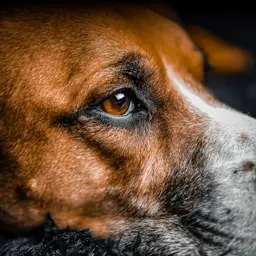
I love how Luna’s clips were soft from the start, but the enhanced version looks bright, detailed, and ready to share.
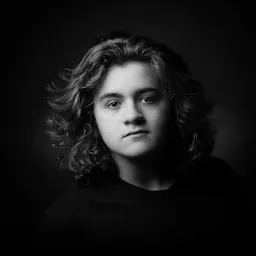
It gave our product demo the kind of 4K finish clients expect, with much less manual cleanup.
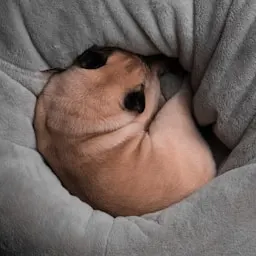
I love how Biscuit’s little expressions came through beautifully; the result feels natural instead of over-processed.
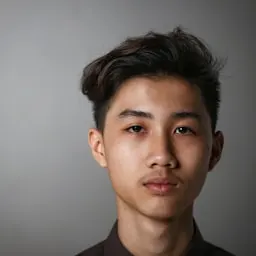
I used it on a low-resolution travel reel and was impressed by how much detail it recovered from the shadows.
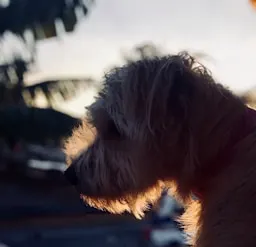
I love how Nova’s shelter profile now looks wonderfully clear on phones and TVs, even in the darker shots.
I find that the tool makes older camera footage feel current while preserving film grain and skin texture.
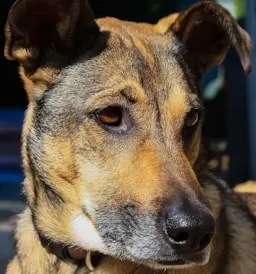
Mochi’s close-up turned out sharp enough for a poster frame, which I honestly did not expect.
It is become my fastest way to prepare crisp 4K exports for client review and large displays.
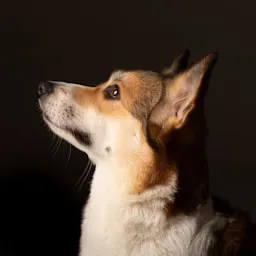
I love how Poppy’s birthday video is finally clear in the fast-moving shots, with no harsh halos around her fur.
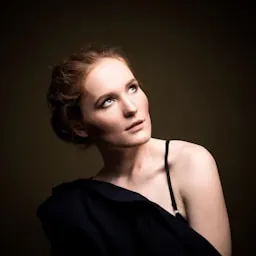
I find that the detail recovery is excellent for landscape footage; rocks, leaves, and distant architecture stay readable.
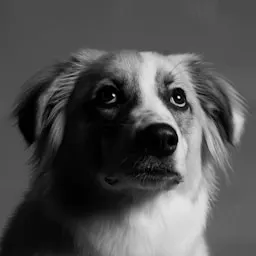
I found that Atlas looks so much more defined in the final reel, but the colors and natural face shape remain intact.
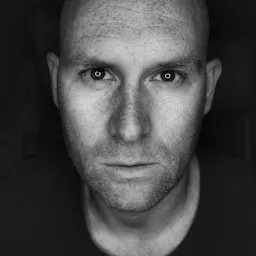
I can rescue compressed social clips and turn them into polished 4K cutdowns in a few minutes.
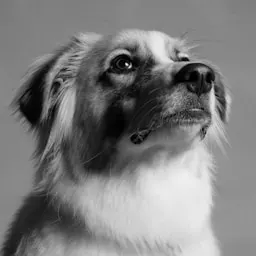
I love how Nala’s action shots stayed smooth and sharp, which made the whole highlight montage feel more premium.

The upscale handled fine hair and fabric detail better than the other tools I tested.
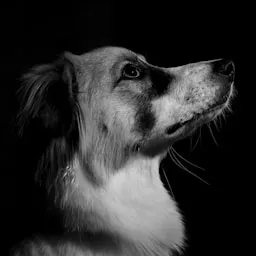
I love how Waffles’ video went from blurry to genuinely watchable on a laptop without looking artificial.


Create 4K images and videos with AI
No Credit Card Required
FAQs About 4K Ultra HD AI Generation
Answers for creating sharper AI images, videos, product visuals, and social media assets.
What is 4K Ultra HD, and how is it different from HD?
4K Ultra HD means a high-resolution visual output with much more detail than standard HD. For AI images and videos, 4K can make the final result look sharper, cleaner, and more professional. HD usually has less pixel detail than 4K. 4K gives more visual information, which can make content look sharper on larger screens or in professional layouts.
Can I create 4K images without professional design software?
Yes. You can use AI to generate or enhance images in higher resolution, depending on the available quality settings and output options. Yes. APOB AI lets users create, enhance, and edit visuals online without complex Photoshop, Premiere, or After Effects workflows.
Can I generate 4K videos or animate a 4K image?
APOB AI supports high-quality AI video workflows. For the best result, choose the highest available resolution and write a detailed prompt with scene, subject, camera movement, lighting, and style. Yes. APOB AI supports image-to-video workflows, so users can use a high-quality image as a starting point for AI video generation.
Is 4K useful for product images and product videos?
Yes. 4K is useful for product images because it can show packaging, material, texture, labels, and small visual details more clearly. Yes. It helps product videos look cleaner and more premium, especially when packaging, labels, surfaces, reflections, and materials need to appear sharp.
Can 4K improve portraits and AI influencer content?
Yes. Higher resolution can make AI influencer portraits, lifestyle images, and social media videos look more realistic, polished, and suitable for posting. Yes. Higher resolution can improve the perceived clarity of skin, hair, eyes, clothing, and background details, as long as the prompt asks the AI to keep identity and facial structure consistent.
Does 4K automatically make an image realistic?
No. 4K improves sharpness and detail, but realism also depends on the prompt, reference image, lighting, face consistency, texture, and composition.
Can I edit a 4K result after generation?
Yes. You can continue refining the result with editing tools, prompt adjustments, product edits, character edits, motion edits, or background edits.
Can I upscale an older image to 4K?
Yes, if the workflow supports image enhancement or upscaling. A clearer original image usually produces a better 4K result.
Why can a 4K result still look soft, and how should I prompt?
Include the subject, scene, lighting, camera style, texture, color tone, background, and details that must stay unchanged. For products, mention shape, label, logo area, material, and packaging proportions. The original image or prompt may not have enough detail. Try using a clearer reference, adding more prompt detail, or regenerating with stronger instructions for texture, lighting, and sharpness.
Is 4K suitable for social media, and how does it affect file size?
Yes. 4K visuals can be cropped or resized for TikTok, Instagram Reels, YouTube Shorts, ads, thumbnails, and profile content while keeping more detail. Usually yes. Higher-resolution files may be larger than HD files, so users should balance quality with loading speed and platform requirements.