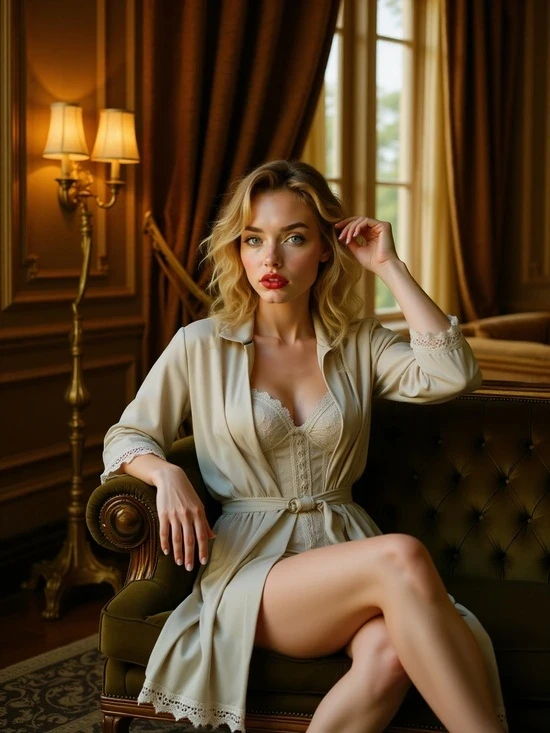
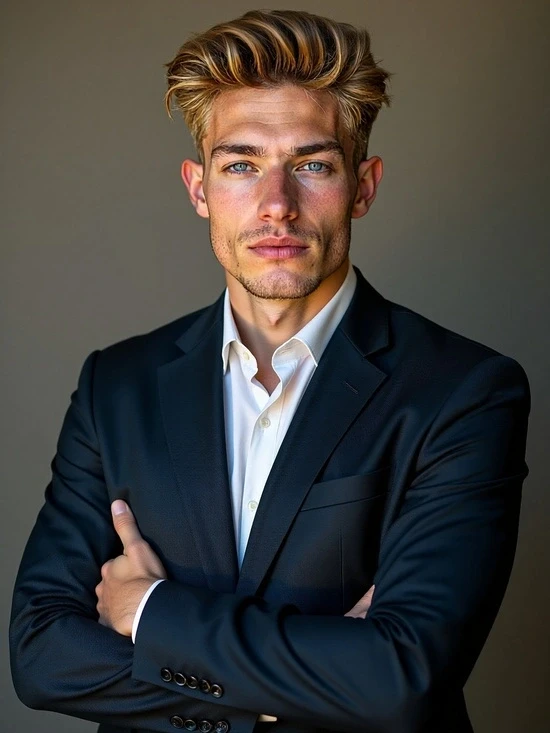
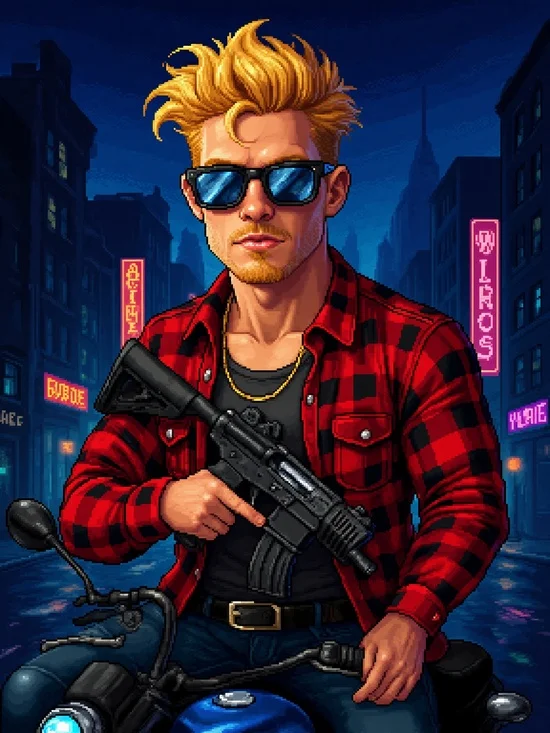
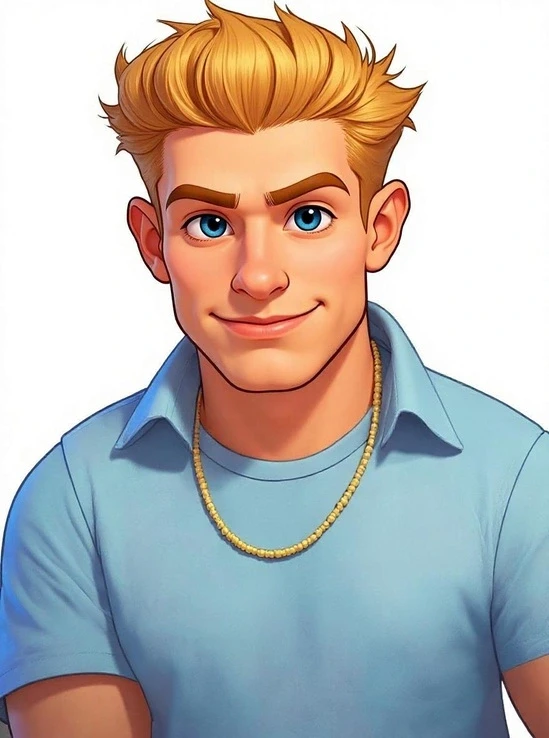
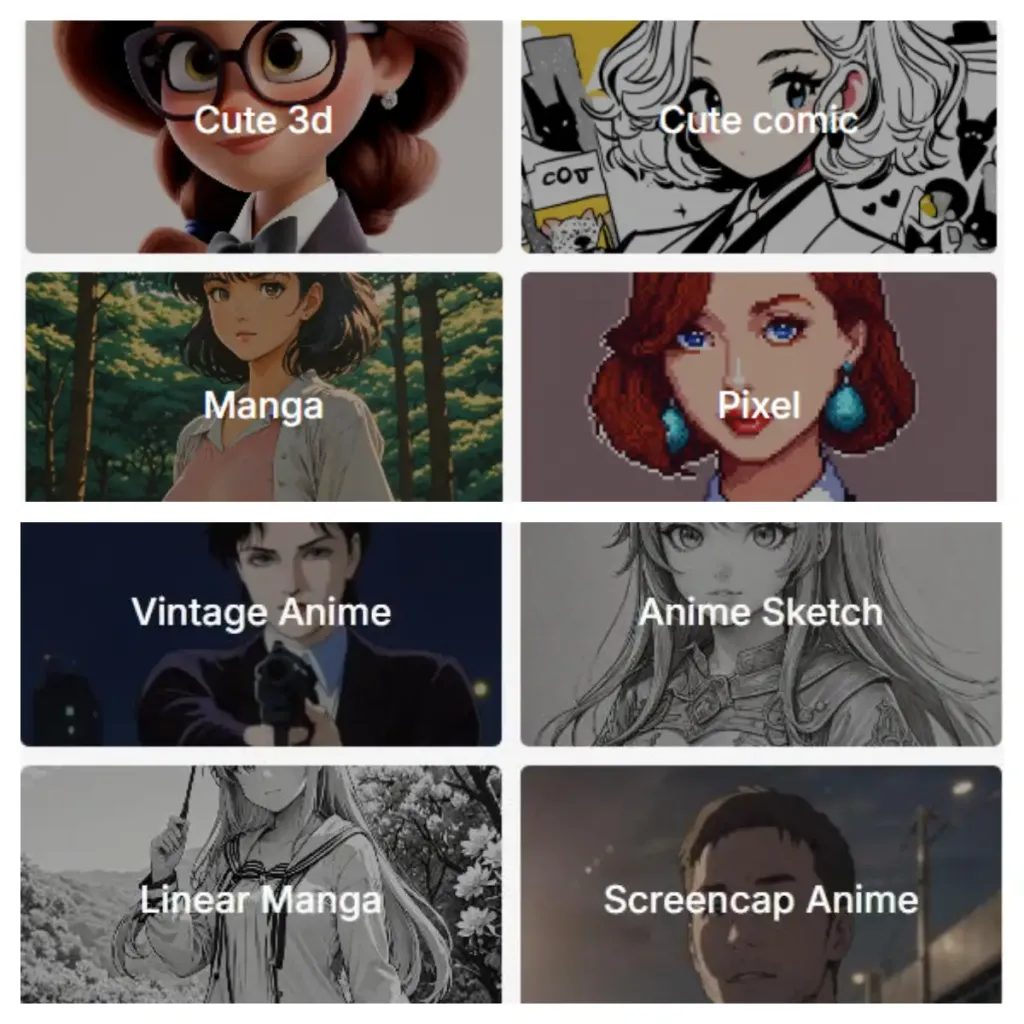
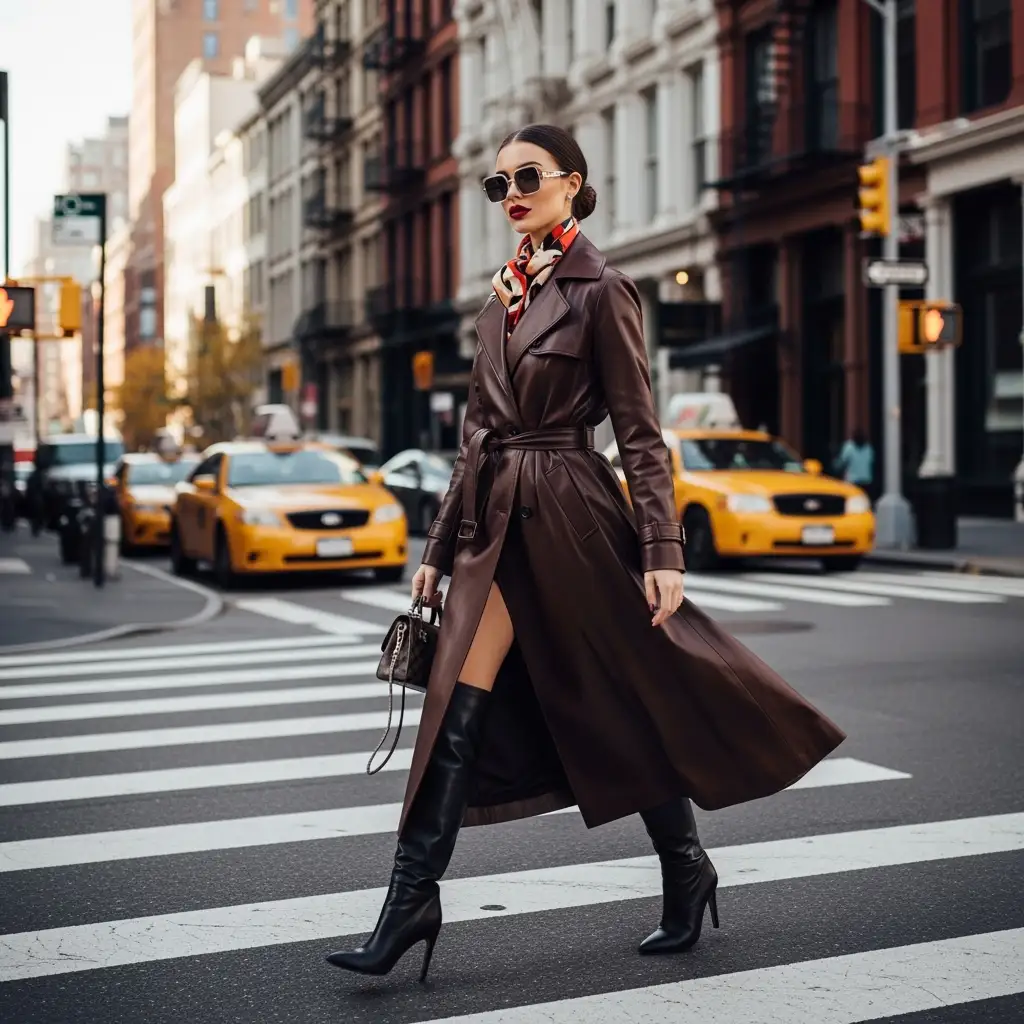
Variety of Style Options
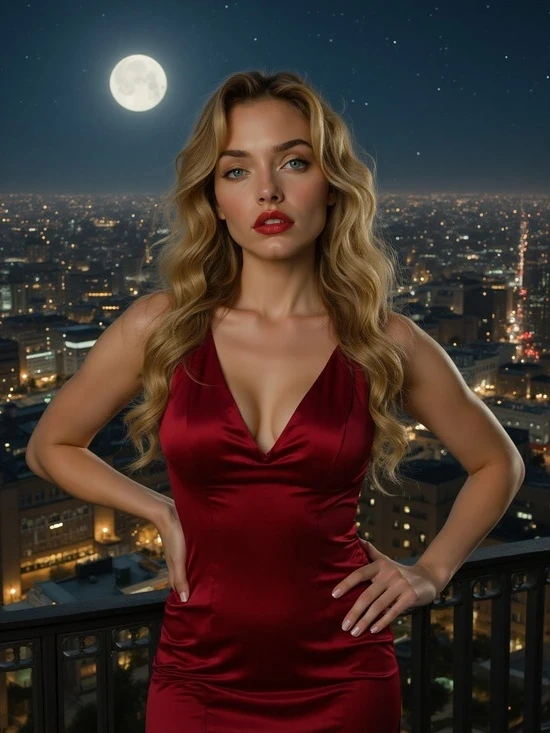
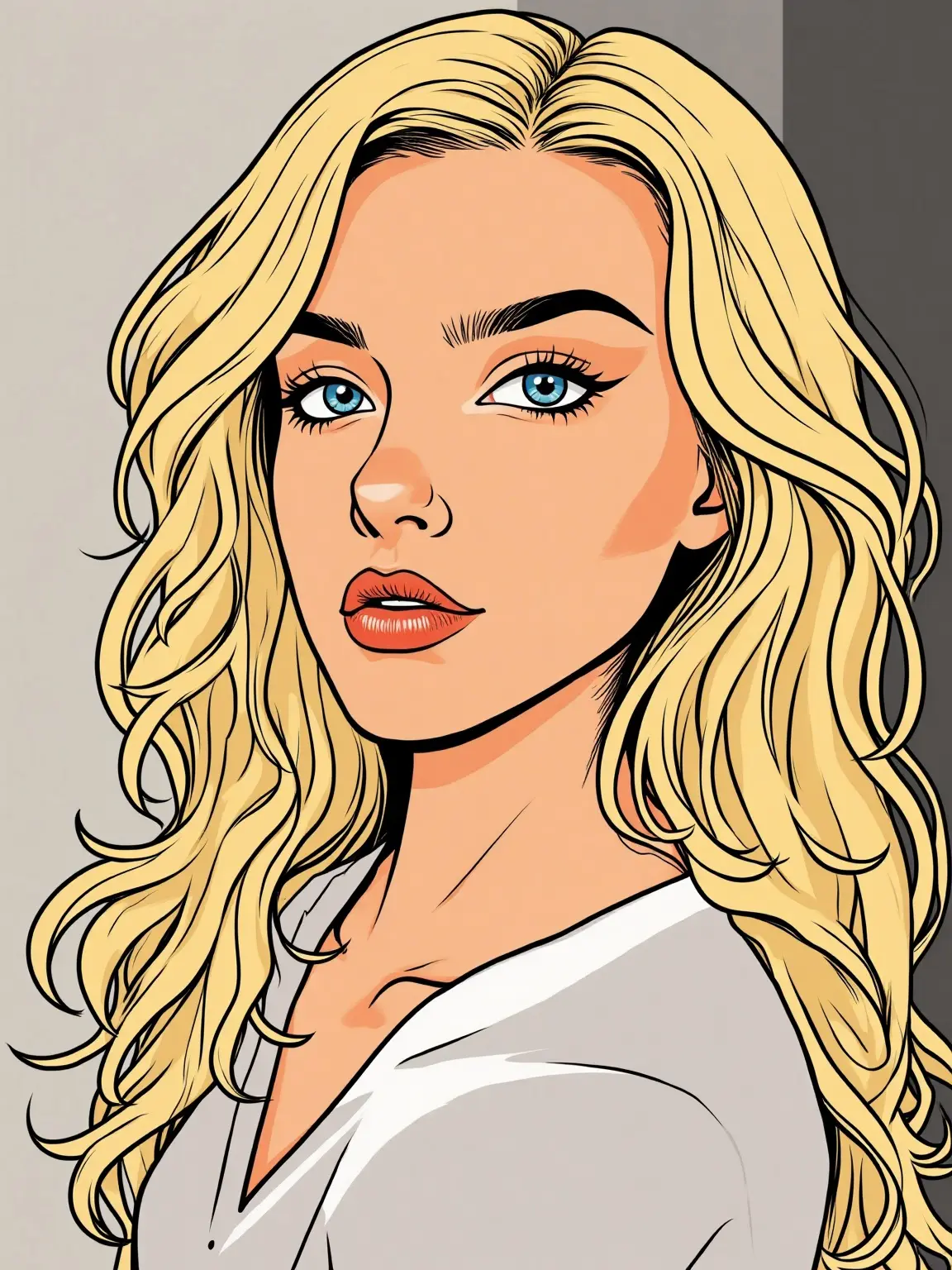
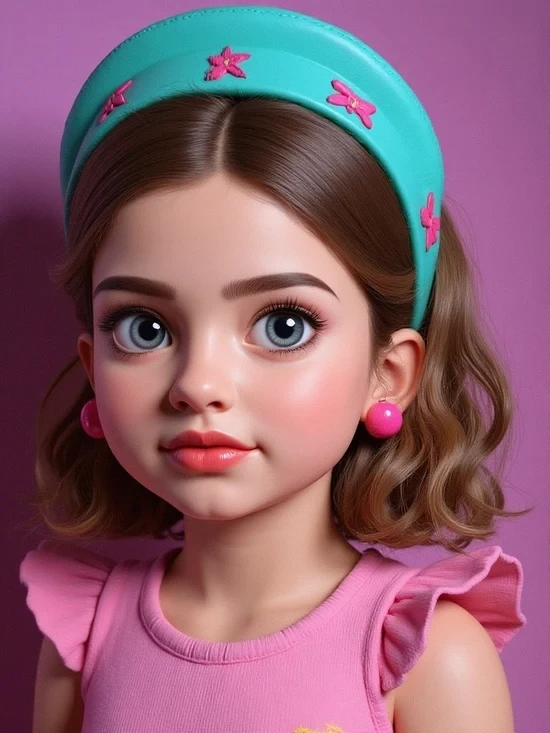
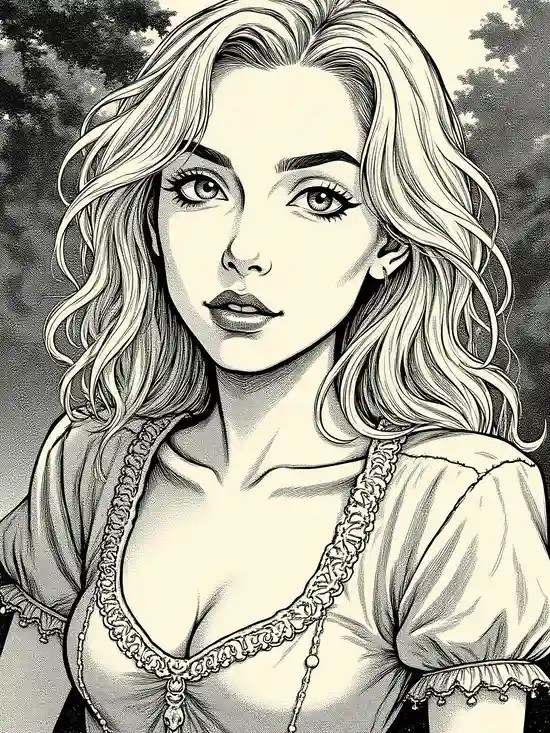
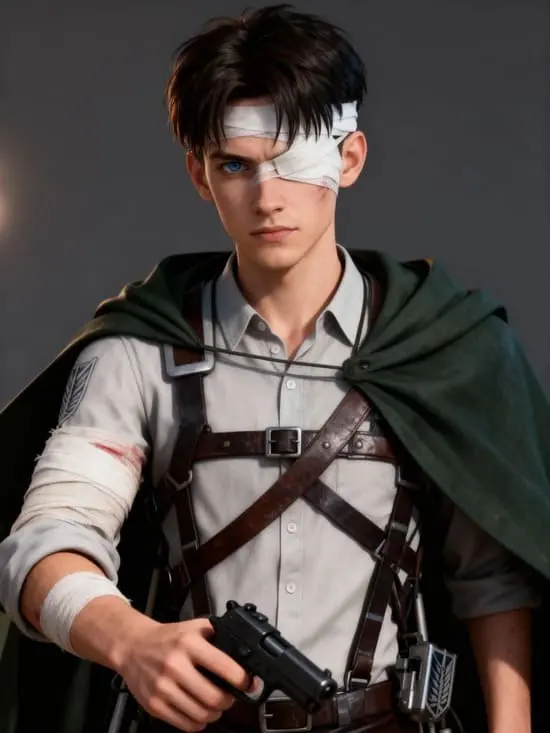
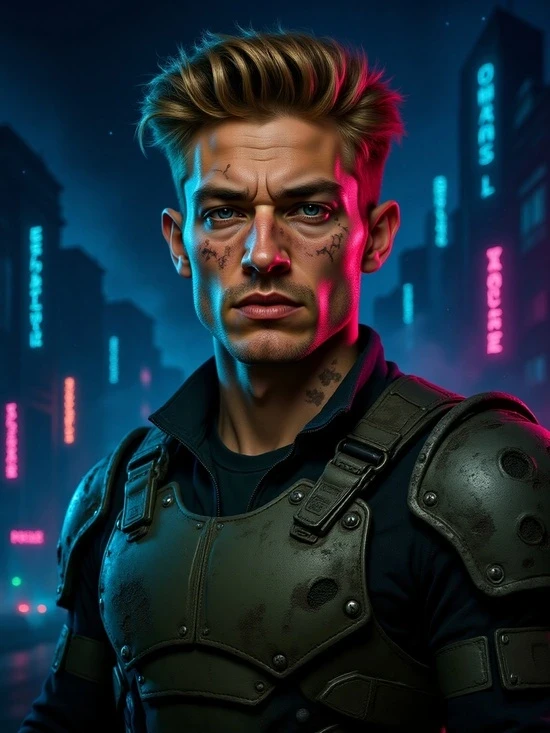
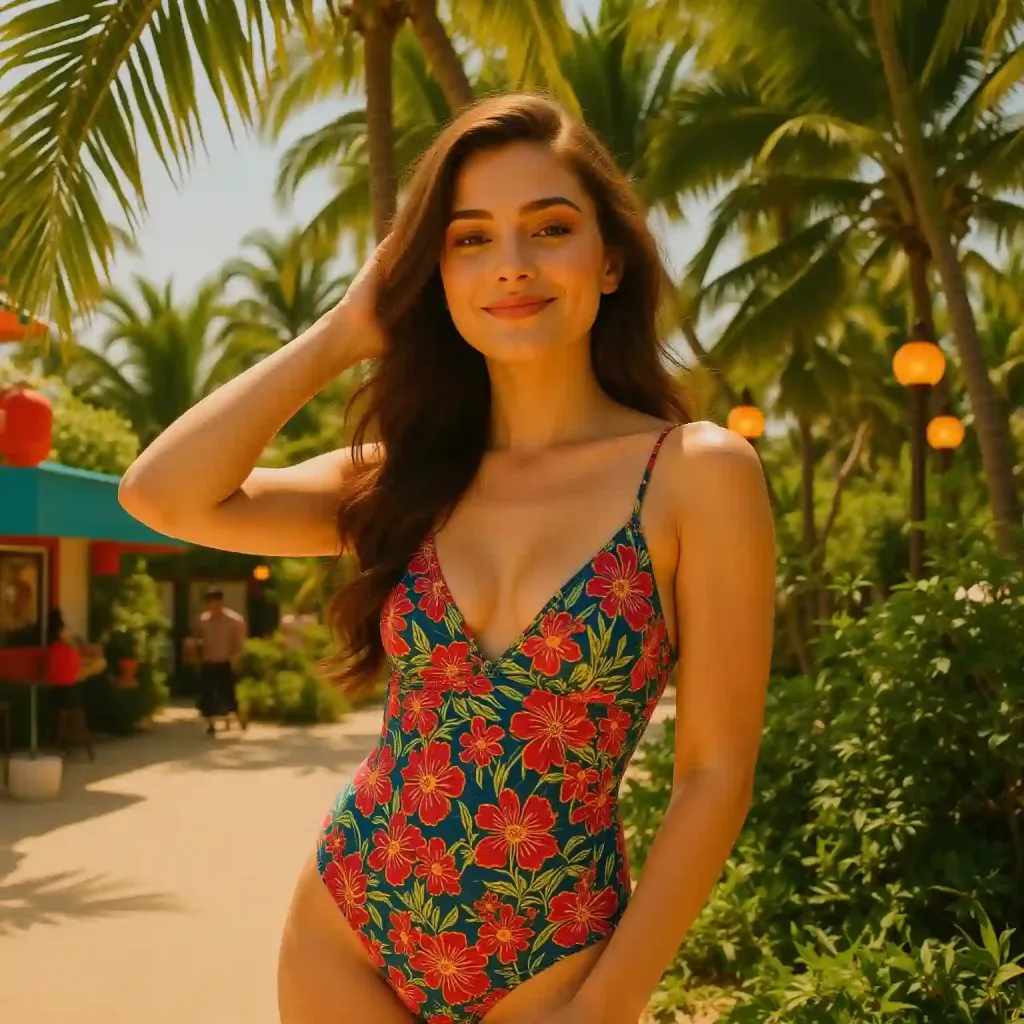
APOB provides you with a wide range of styles, from realistic to artistic, so that you can get your portrait in the style you prefer.
Simple-to-Use Platform
No design skills are required. Our simple-to-use platform enables you to create professional-level portraits with ease.
Quick and Convenient
Make and edit your portraits in a matter of minutes, without the time and hassle of doing it manually.
Branding & Marketing
Businesses can use an AI portrait generator to create consistent and scalable visuals for their marketing campaigns and team profiles. This cuts out the need for expensive photoshoots while keeping a unified brand image across various platforms. According to APOB AI, their tools are made to help creators produce cost-effective, scalable content.
Social Media Avatars
Individuals can create unique and eye-catching avatars for their social media profiles, boosting their online presence and personal brand. APOB AI’s tool helps generate avatars that “perfectly match your style, voice, and personality,” which is essential for building a strong online identity. The trend of using AI portraits for social media is growing, as creators look for ways to stand out [1].
Creative Exploration
Artists and hobbyists can use AI portrait generators as a creative tool to try out new styles, create concept art, and design characters. This technology works as a “creative assistant,” allowing quick idea generation and revisions. APOB AI’s platform is an “AI tool that creates unique avatars, opening up endless creative possibilities for users,” showing how it goes beyond just generating photos [2].
No Credit Card Required
Have you ever wondered, "What would I look like as a woman?" With APOB AI, you can explore this curiosity in the most realistic way possible. Using cutting-edge AI technology, APOB AI allows you to create an AI-generated female version of yourself, offering a stunningly accurate transformation of your photo into a feminine form. Whether you're curious about a youthful, girlish appearance or a sophisticated, mature look, APOB AI provides the perfect platform to visualize your ideal woman AI art.
How Does APOB AI Work?
Step 1: Set Up Your APOB AI Account
Start by visiting apob.ai and creating a free account. Once logged in, you can access all the tools APOB AI has to offer. Simply click on the option to Create Portrait Model to begin your transformation.
Step 2: Upload Your Photo and Describe Your Ideal Portrait
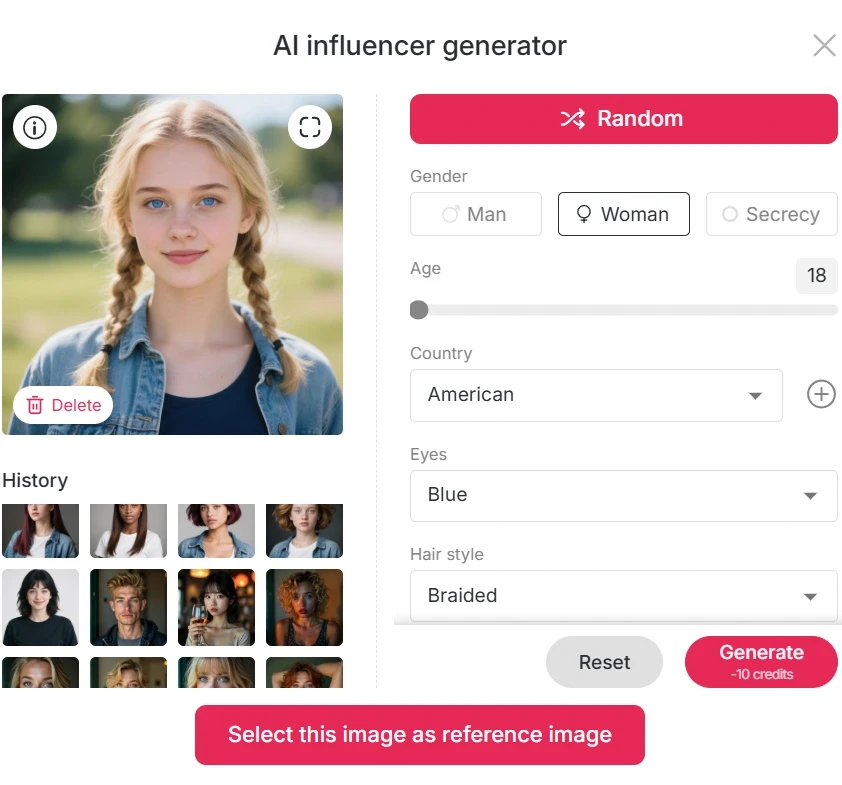
Next, upload a photo of yourself. You can use an existing image or click on AI Influencer Generator to create your AI woman portrait.

Step 3: Personalize Your AI Portrait
Once your AI portrait is generated, you can further customize it by using the “Expert” option. Enter a prompt (up to 1024 characters, typically 150–250 English words) to adjust details like hairstyle, makeup, body features, background, and pose. This high level of personalization ensures that your transformation matches your exact vision.

Prompts to Turn Yourself Into a Woman
Here are some example prompts to get the best results:
"Transform the photo of a man into a woman, adjusting the hairstyle to long, flowing hair with soft waves. Modify the face to introduce more delicate, feminine features like a smaller jawline and softer cheekbones. Apply subtle makeup to highligh the eyes and lips, and ensure the expression is warm and welcoming."
"Turn the man’s portrait into a woman with long, straight hair, soft curls at the ends, and a gentle, natural-looking makeup. Modify the facial features to introduce feminine attributes, like slightly larger eyes and a refined nose, while keeping the expression confident and elegant."
"Convert a man’s image to a woman, focusing on smoothening facial lines and softening the jawline. Change the hairstyle to a chic bob cut and add a touch of makeup for a glowing complexion. Ensure the transformation maintains the essence of the original features while appearing naturally feminine."
"Change the man's appearance into a woman with shoulder-length hair, styled in loose waves. Adjust the face to give it a softer, more youthful look, with fuller lips and slightly reshaped eyebrows. Add makeup to emphasize the eyes, and modify the skin tone for a smooth, polished look."
"Transform a man’s photo into a woman with long, voluminous hair and a gentle, warm smile. Subtly alter the facial features to appear more feminine, with rounded cheeks, a smaller nose, and fuller lips, while maintaining the overall identity of the original image."
Step 4: Generate and Share Your Portrait
Once your AI woman portrait is ready, you can download it in high resolution. The image is perfect for using as a social media profile picture, avatar, or simply for fun. Share it on platforms like Instagram and Facebook to showcase your stunning transformation!

Benefits of Using APOB AI to Turn Yourself Into a Woman
Realistic Transformations: APOB AI uses advanced AI technology to ensure that your AI-generated female formclosely resembles your real features, resulting in a lifelike portrait.
Complete Customization: From hairstyle to makeup, and even pose and setting, you have full control over your portrait, creating a perfect woman AI art female formthat reflects your vision.
Quick and Easy: With just a few simple steps, you can generate your AI woman portrait in a matter of moments—no complicated editing required.
Share and Impress: The high-quality images are ready for social media. Share your AI woman portraitas your profile picture or create a unique avatar for your gaming profile.
Use APOB AI to Explore Different Female Looks
With APOB AI, you can experiment with various feminine looks and styles. Want to see yourself with long, flowing hair, or as a trendy, short-haired woman? No problem! You can also try different makeup styles, clothing, and accessories to make your portrait truly unique. Whether you want to embrace a glamorous celebrity look or explore a more casual, everyday style, APOB AI lets you transform into the woman you’ve always wanted to be.
Frequently Asked Questions (FAQ)
Q1: How realistic is the transformation?
A1: APOB AI uses advanced algorithms to create highly realistic AI-generated female forms. The transformation closely mirrors your unique features, ensuring that the result is both accurate and lifelike.
Q2: Can I customize my transformation?
A2: Yes! APOB AI gives you full control over the details. You can adjust your hairstyle, makeup, clothing, and even pose, ensuring your AI woman portrait is exactly as you envision.
Q3: How quickly can I generate my AI woman portrait?
A3: Once you've uploaded your photo and customized your preferences, APOB AI generates your AI woman portrait in just a few moments. No further editing is needed, and the image is high-quality and ready for use!
Q4: Can I use my AI woman portrait for social media?
A4: Absolutely! Your AI woman portrait can be used as a profile picture, a social media post, or even a gaming avatar. The high-quality image ensures it looks great on any platform.
Q5: Can I use APOB AI to generate a perfect woman AI art female form for free?
A5: Absolutely! After registering with APOB AI, you receive 80 points every day. Each time you enter a prompt to transform yourself into a woman, it only costs 20 points, which gives you 4 photos. This means you can generate up to 16 photos for free every day.
Read More
Ever Wondered What You’d Look Like in The Simpsons?
From Bart’s rebellious grin to Homer’s unforgettable “D’oh!”, The Simpsons has been a pop culture icon for over three decades. But have you ever imagined what you might look like wandering the streets of Springfield? What if you had your own yellow face, big cartoon eyes, and a spot on the couch during the opening credits? With APOB's Simpson AI, you no longer have to wonder.
Thanks to the magic of AI technology, you can now transform your selfies into personalized Simpsons-style portraits with just a few clicks. It’s fast, free, and freakishly fun! Let’s dive into how you can create your own Simpson AI portrait and become part of the cartoon universe we all secretly want to live in.
How to Create Your Own Simpsons Character with APOB AI (3 Simple Steps)
Making your Simpson AI portrait with APOB AI is ridiculously easy. You don’t need Photoshop, drawing skills, or even much time. Just follow these three fun steps:
1st: Upload Your Photo
Visit APOB AI and click "create portrait model". Customize your AI Influencer.

2nd: Turn yourself into a Simpson-style character.
Next, go to the left menu and click “Chat to Edit”. Upload a clear photo of yourself (or your friend, favorite celebrity, etc). And enter a detailed prompt (Simpsons-style description). The clearer your face, the better the result. No need to pose like a cartoon—APOB AI will take care of the transformation.
Add fun keywords like “bright yellow skin”, “ large round cartoon eyes”, or “flat 2D animation” to guide the AI's imagination.

3rd: Download and Share!
Once your cartoon alter-ego is ready, download it in high resolution. You can share it on Instagram, use it as a PFP (profile picture), or print it out and frame your Springfield self!
Some users even create full family portraits, workplace Simpsons avatars, or “yearbook-style” lineups of their friends as if they all lived in the same yellow town.
Bonus Step: Use Image to Video, Lip Sync, Talking Avatar to bring it to life in a video!

Real Examples: Simpson AI Portrait Prompts and Results
Prompt 1: A Simpsons-style cartoon of a teenage girl with yellow skin and long straight black hair, wearing a red dress and a white pearl necklace, holding a book, smiling gently, standing in a colorful classroom background. Big round eyes, 2D flat animation, bold black outlines, Springfield style.
Prompt 2: A Simpsons-style cartoon of an adult man with yellow skin, short brown hair, wearing a white dress shirt with a loosened blue tie, dark gray trousers, and black shoes. He is holding a coffee mug in one hand and a briefcase in the other, looking tired but determined. He stands in a cluttered office with papers, desk, and a computer. 2D flat animation, big round eyes, bold black outlines, Springfield-style background.


Prompt 3: Turn this family into a Simpsons-style cartoon with bright yellow skin, large round eyes, and an expressive smile. Rendered in flat 2D animation with bold black outlines and vivid background colors, true to the classic Springfield aesthetic.


Real-Life Springfield Magic: What Users Are Saying
“I turned myself and my dog into Simpsons characters with APOB's Simpson AI generator. My friends haven’t stopped laughing since!” – Lily, 28, New York
“I made a whole set of Simpson AI portraits for our office team. It’s now our Zoom background!” – David, 35, London
“APOB's Simpson AI nailed my grumpy expression perfectly—guess I’m Moe!” – Carla, 22, Sydney
The results are hilarious, accurate, and perfect for sharing laughs online.
Pro Tips for the Best Simpson AI Portraits
Use good lighting. A well-lit photo gives the AI more details to work with.
Face the camera directly. It helps capture those iconic Simpsons expressions.
Experiment with prompts. Try phrases like “punk outfit”, “Springfield bar”, or “Lisa-style saxophone” for fun twists.
Try pets too! Yes, APOB AI can Simpsonize your cat or dog too.
Ready to Join The Simpsons Universe?
Whether you’re a lifelong fan of the show or just love seeing yourself in different styles, APOB's Simpson AI maker offers a fast and hilarious way to bring your cartoon dreams to life. In just a few seconds, you’ll see yourself walking the streets of Springfield, maybe even sipping a Duff beer or riding the school bus with Bart.
Head over to APOB AI now and create your own Simpson AI portrait. Springfield is waiting—and you’ve got a starring role!
FAQs about Simpson AI
Q1: Is APOB AI free to use?
A1: Yes! APOB AI offers free daily credits, so you can create 10+ high-quality images or short video clipswithout any cost.
Q2: Can I use APOB's Simpson AI creator on mobile?
A2: Absolutely. The website is mobile-friendly, making it easy to cartoonize yourself anytime, anywhere.
Q3: Can I customize my Simpsons character with specific outfits or traits?
A3: Absolutely. APOB offers various styles in the Complete Set, or you can convert it using Chat to Edit with prompts.
Q4: Can I use Simpson AI for commercial use?
A4: You can use it for personal projects and social media, but for commercial use (like merch), check APOB’s terms.
Q5: Will you keep my photos private?
A5: APOB values user privacy. You can turn on private mode so no one else sees your content. If you have concerns, feel free to contact our support team.
Read More
Cosplay has always been about creativity, craftsmanship, and self-expression. But in 2025, the landscape is evolving at an unprecedented pace. Thanks to AI-driven innovations, AI Cosplay is no longer just a niche concept—it’s becoming a major force in digital character representation. Whether you’re looking to create hyper-realistic digital avatars, explore Metaverse cosplay, or experiment with futuristic designs, AI is here to elevate the experience.
The Rise of Digital & Virtual Cosplay
Digitalization has made its way into every aspect of our lives, and cosplay is no exception. AI-generated cosplay is expected to dominate platforms like VRChat, Metaverse, and Pinterest, where users can create and showcase their virtual personas without the need for physical costumes. Imagine bringing your favorite characters to life instantly, without the time and expense of crafting a detailed costume. AI Cosplay tools allow users to seamlessly generate high-quality images of themselves as any character, from anime icons to sci-fi heroes, all with just a few clicks.
Not only does this make cosplay more accessible, but it also provides endless opportunities for personalization. Want to see yourself as Ai Hoshino from Oshi no Ko or experiment with a bold, sexy AI Cosplay look? AI tools can generate stunningly realistic images that match your vision effortlessly.
Creating AI Cosplay: A Simple Step-by-Step Guide
Ready to dive into AI Cosplay? Here’s how you can transform yourself into your favorite character in just a few easy steps:
Select Your Character: Choose from anime, gaming, movies, or original character designs.
Upload Your Photos: Sign up on APOB AI and click on “Create Portrait Model.” Provide a clear picture of yourself to train the AI on your facial features.

Customize Your Look: Describe specific details like hairstyle, outfit, accessories, and even background settings.

Generate & Share: Let the AI work its magic and produce high-quality, print-ready cosplay images.


AI and Traditional Cosplay: A Powerful Synergy
Some may worry that AI-generated cosplay will overshadow traditional craftsmanship, but in reality, the two coexist beautifully. AI is not here to replace handmade costumes—it serves as a creative assistant that helps cosplayers break through design limitations. Here’s how:
Concept Visualization: AI allows cosplayers to test different styles, color schemes, and character looks before committing to a physical costume.
Digital Enhancements: AI-generated cosplay images can serve as reference material for traditional artists, tailors, and prop makers.
Virtual Cosplay for Social Media: Many cosplayers are leveraging AI-generated images for platforms like Instagram, TikTok, and Pinterest, using them as digital extensions of their crafted personas.
Why AI Cosplay is the Future
The demand for AI-generated character art is skyrocketing, fueled by advancements in machine learning and increasing engagement with digital avatars. AI Cosplay offers several advantages over traditional methods:
Instant Results: No more weeks or months of costume-making—get your digital cosplay instantly.
Cost Efficiency: AI eliminates the need for expensive materials and studio photoshoots.
Endless Customization: With AI, you can experiment with multiple characters, styles, and poses without limitations.
Integration with the Metaverse: AI-generated avatars can be directly used in VRChat, Metaverse spaces, and gaming platforms.
Final Thoughts: AI Cosplay is Here to Stay
Whether you’re a seasoned cosplayer looking to expand your creative toolkit or a newcomer eager to try something new, AI Cosplay is revolutionizing the way we engage with character transformation. By blending AI with traditional craftsmanship, the cosplay community is entering an exciting new era of limitless creativity and self-expression. So why wait? Step into the future and explore the endless possibilities of AI Cosplay today!
FAQ
Q1: Can I generate images for free?
A1: Yes. With APOB AI, you can create avatars for free! Upon signing up, you'll receive 80 free credits. Each high-quality image costs 20 credits, generating 4 images per session. This allows you to create up to 16 images daily, giving you the freedom to experiment with different looks and find your perfect style.
Q2: Can I use images I created or I found on your platform for commercial purposes?
A2: You can use AI-generated images from APOB AI for commercial purposes, subject to our terms of use. Ensure compliance with licensing conditions and respect intellectual property rights when using these images commercially.
Q3: How to turn photos into character cosplay?
A3: To turn your photos into character cosplay with APOB AI, simply upload a clear photo or create a Portrait Model. Customize your look with text prompts, detailing hairstyle, outfit, and background. Let the AI generate high-quality, print-ready cosplay images, perfect for sharing or using as avatars!
Q4: Can I make my own customized cosplay outfit?
A4: Yes. You can create your own customized cosplay outfit using the APOB AI Cosplay Generator. Simply navigate to the Expert option in the bottom left corner of the page, enter your prompts (within 1024 characters, typically 150-250 words), and generate your ideal cosplay outfit with precision.
Q5: Can AI turn my photo into Harley Quinn cosplay?
A5: Of course! With the help of text prompts, you can fully customize your cosplay to match your exact preferences.
Read More
Discover the magic of turning your ordinary photos into extraordinary works of art with APOB AI's Photo to Art Generator! Our advanced technology reimagines your photos as exquisite pieces of AI-generated art, offering a wide range of artistic styles, from classic paintings to modern illustrations. Whether you're looking to create a timeless portrait or a unique artistic rendition, APOB AI lets you bring your photos to life in the most captivating ways.
Turn Your Photos Into Masterpieces
With APOB AI, you can easily transform your favorite photos into beautiful art. The AI leverages advanced algorithms to generate a variety of artistic effects, giving you a personalized masterpiece every time. Whether you prefer the traditional elegance of oil paintings, the bold brushstrokes of Impressionism, or the abstract patterns of Cubism, you can find the perfect art style that resonates with your personality.
Why Choose APOB AI Photo to Art Generator?
Wide Range of Art Styles: From Renaissance to Pop Art, explore a variety of artistic influences.
Easy to Use: No need for professional skills—just upload your photo and let the AI work its magic.
Quick and Efficient: Transform your photos in seconds with high-quality, print-ready results.
Personalized Creations: Customize your art with unique styles, moods, and compositions.
How APOB AI Photo to Art Generator Works in 4 Easy Steps
Creating AI-generated art from your photos is quick and simple. Follow these easy steps to create your own personalized masterpiece:
Sign Up and Purchase Credits
Start by signing up on the APOB AI platform. Purchase credits by clicking the “Get Credits” dropdown menu, which allows you to unlock all the features of our photo-to-art generator.Upload Your Photo
Once you're signed in, upload your photo to APOB AI. The platform will analyze your photo and prepare it for artistic transformation.Let the AI Learn Your Features
The AI will learn your facial features or any other details in the photo. This step is quick, and it only needs to be done once. Your model will be saved on your account for future creations.Generate Your Artwork
Now you’re ready to create! Use our prompting guide to refine the style and mood of your artwork. In just a few seconds, the AI will generate a stunning piece of art that you can download, print, or share.
Explore the Wide Range of Art Styles with APOB AI
APOB AI offers a diverse collection of art styles that can turn any photo into a timeless work of art. Here are just a few of the artistic styles you can choose from:
Renaissance Art: Timeless portraits and classical elegance.
Impressionism: Vibrant and dynamic, full of texture and movement.
Pop Art: Bold, colorful, and energetic, with a modern twist.
Cubism: Abstract forms and geometric designs that break the mold.
Watercolor & Sketches: Soft, fluid colors or hand-drawn impressions.
Whether you're transforming a selfie, a family photo, or a landscape, APOB AI can adapt to your needs and create a unique masterpiece that feels truly yours.
It’s So Easy to Create Your Own AI Art from Photos
At APOB AI, creating art from your photos is incredibly easy and requires no technical skill. Here's how it works:
Simple Customization: Enter a short text prompt to define the art style, mood, and any specific details you want.
AI Magic: The AI will interpret your input and transform your photo into a custom piece of artwork in seconds.
Instant Results: No editing required. The generated art is high-quality and ready for download or sharing on social media.
You can use your AI-generated art as your profile picture, a gaming avatar, or even print it out as a canvas to decorate your home.
Unleash Your Creativity with APOB AI Photo to Art Generator
APOB AI gives you full creative freedom to experiment with various art styles and transform your photos into something completely new. Want to change your hairstyle, add a different outfit, or even alter your pose? With APOB AI, the only limit is your imagination.
Try generating a vintage-inspired portrait, a futuristic abstract design, or a fantasy-themed masterpiece. Explore endless possibilities and discover a whole new world of creativity with APOB AI’s Photo to Art Generator.
Frequently Asked Questions (FAQs)
Q1: How does APOB AI Photo to Art Generator work?
A1: APOB AI uses advanced machine learning algorithms to analyze your photo and convert it into an art style of your choice. Simply upload your photo, select an art style, and the AI will generate a personalized artwork in seconds.
Q2: What types of art styles can I choose from?
A2: APOB AI offers a variety of art styles, including Renaissance, Impressionism, Pop Art, Cubism, Watercolor, and Sketches. You can explore other unique styles depending on your artistic preferences.
Q3: Do I need any technical skills to use APOB AI Photo to Art Generator?
A3: No, APOB AI is designed to be user-friendly and doesn’t require any technical skills. Just upload your photo, customize your art style, and let the AI do the rest.
Q4: Can I use the artwork I create with APOB AI?
A4: Yes, you can use the AI-generated artwork for personal or professional use. Download high-quality images for printing, use them as social media profile pictures, or even create custom merchandise.
Q5: How long does it take to generate art from my photos?
A5: The process is quick—typically taking just a few seconds after you've uploaded your photo. APOB AI delivers fast, high-quality results, so you can start using your artwork right away.
Get Started with APOB AI Photo to Art Generator Today
Why wait? Transform your photos into stunning works of art today with APOB AI’s Photo to Art Generator. Sign up now and start creating beautiful, personalized art from your favorite memories. With endless artistic possibilities, you can bring your photos to life in new and exciting ways. Experience the magic of AI-generated art—get started now!
Read More
Free Daily Credits
APOB is absolutely free of cost with 80 credits daily, so you can generate a few AI portraits for free. Perfect for hobbyists and designers.
One-Click Stylish Portraits
With Template Mode, you can discover a huge collection of portrait styles — all in one click.
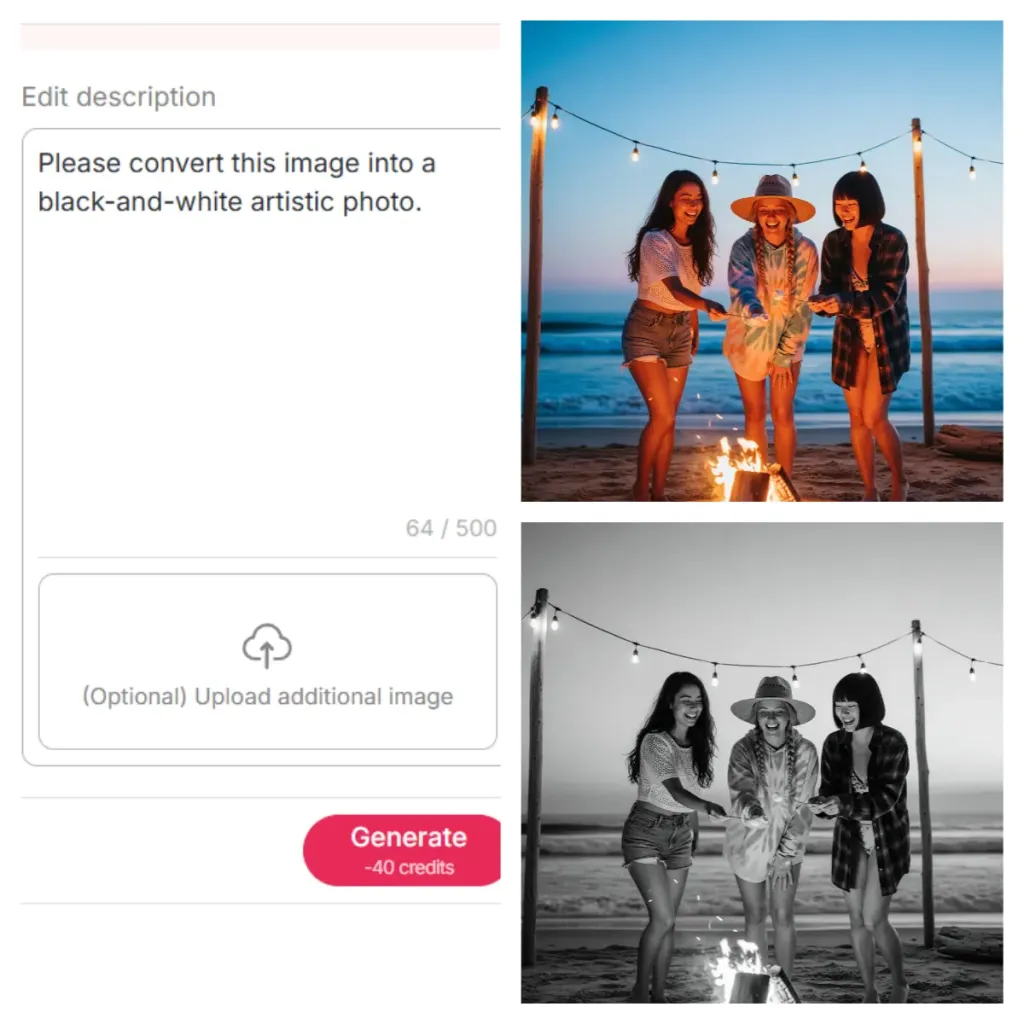
Chat to Edit for Creative Transformations
Your AI portraits can be converted into anime, fantasy, or watercolor with a single prompt through Chat to Edit. It is easy to experiment with unique, creative looks.
Advanced Features May Have a Price
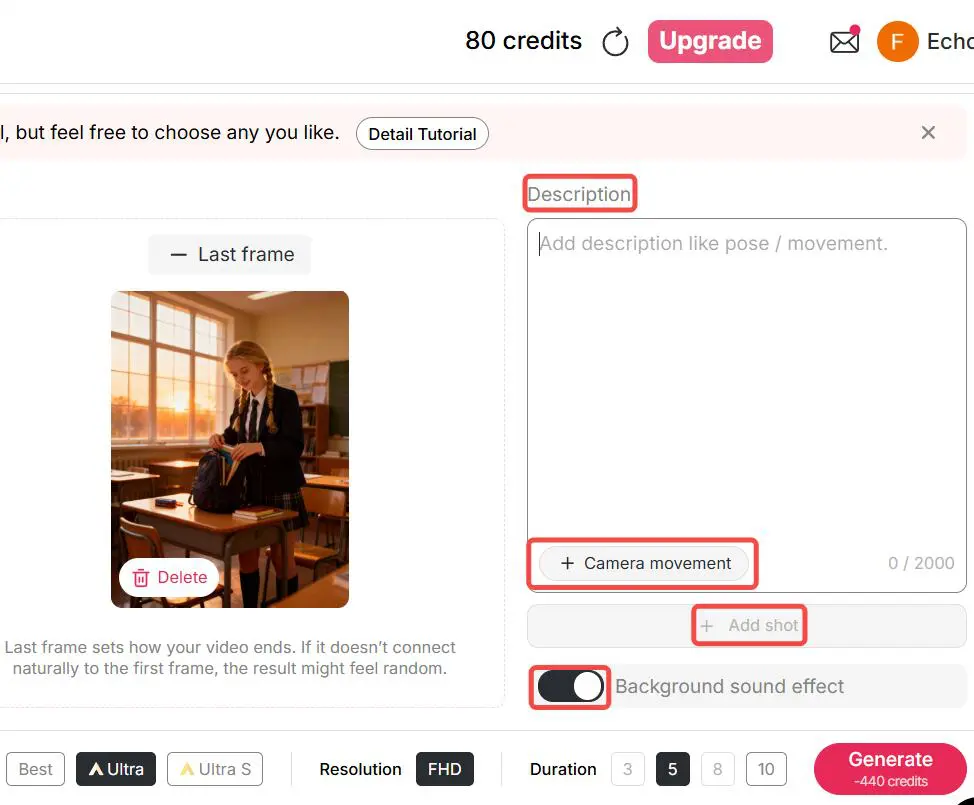
We offer daily free credits that are more than enough for users to try out many of our core features. However, if you want to generate the highest-quality videos—such as Ultra 4K or longer video durations—we recommend upgrading to a paid plan for the best results.
Customization Entails Swift Competency
Well-crafted prompts are often needed for highly detailed results, and beginners may need a bit of trial and error. If you run into any difficulties, feel free to reach out to our support team—we’re always here to help.
What is an AI portrait?
An AI portrait is a digitally generated portrait created using artificial intelligence tools like APOB AI. With APOB AI, you can create an AI portrait in two simple ways:
Upload a reference image – Simply upload any photo, and APOB AI will instantly transform it into a high-quality AI portrait.
Use the AI Influencer Generator – Customize every detail of your AI model (appearance, facial features, style, etc.) to create a fully unique AI portrait from scratch.
Once your AI portrait is ready, you can effortlessly generate additional images, short videos, and even videos with voice using APOB AI’s built-in image-to-video and text-to-speech features.
How does an AI portrait generator work?
An AI Portrait Generator like APOB AI analyzes your input—whether it’s a reference photo or a text prompt—and uses advanced machine learning models to create a unique portrait tailored to your preferences.
For a deeper understanding of how to get the best results with APOB AI, we recommend exploring our detailed guides and blogs. And if you ever run into any issues, our support team is always ready to help. Don’t hesitate to reach out!
Can I generate AI Portraits for free?
Yes, APOB AI is free to use. By signing up, you will get free membership, with which you will receive 80 free credits per day, which are sufficient to create more than 10 good-quality images or 2–3 seconds of video. All the essential features such as Chat to Edit and Enlarge can also be accessed using free credits.
How long does it take to generate an AI portrait?
With APOB AI, typically, portraits are generated within seconds to a few minutes, depending on complexity.
What type of photos should I upload for best results?
APOB AI only needs a single photo upload to build your AI model. To give you the very best results, please upload a clean face photo taken from the front, with no glasses or hats, with all features clearly visible. If you don’t want to use your own face, please feel free to build an AI avatar instead.
Can I use the AI Portraits for business purposes?
Absolutely, in APOB AI, generated portraits can be used for professional profiles, marketing materials, and commercial use.
Will my generated portraits be visible to other users?
APOB AI respects users’ privacy. You can just go to Private Mode if you do not want to make your pictures public. If you are willing to share your work, APOB also offers a public community that is abundant with creative works created by users. If you have any problem, you can freely contact our support team.


