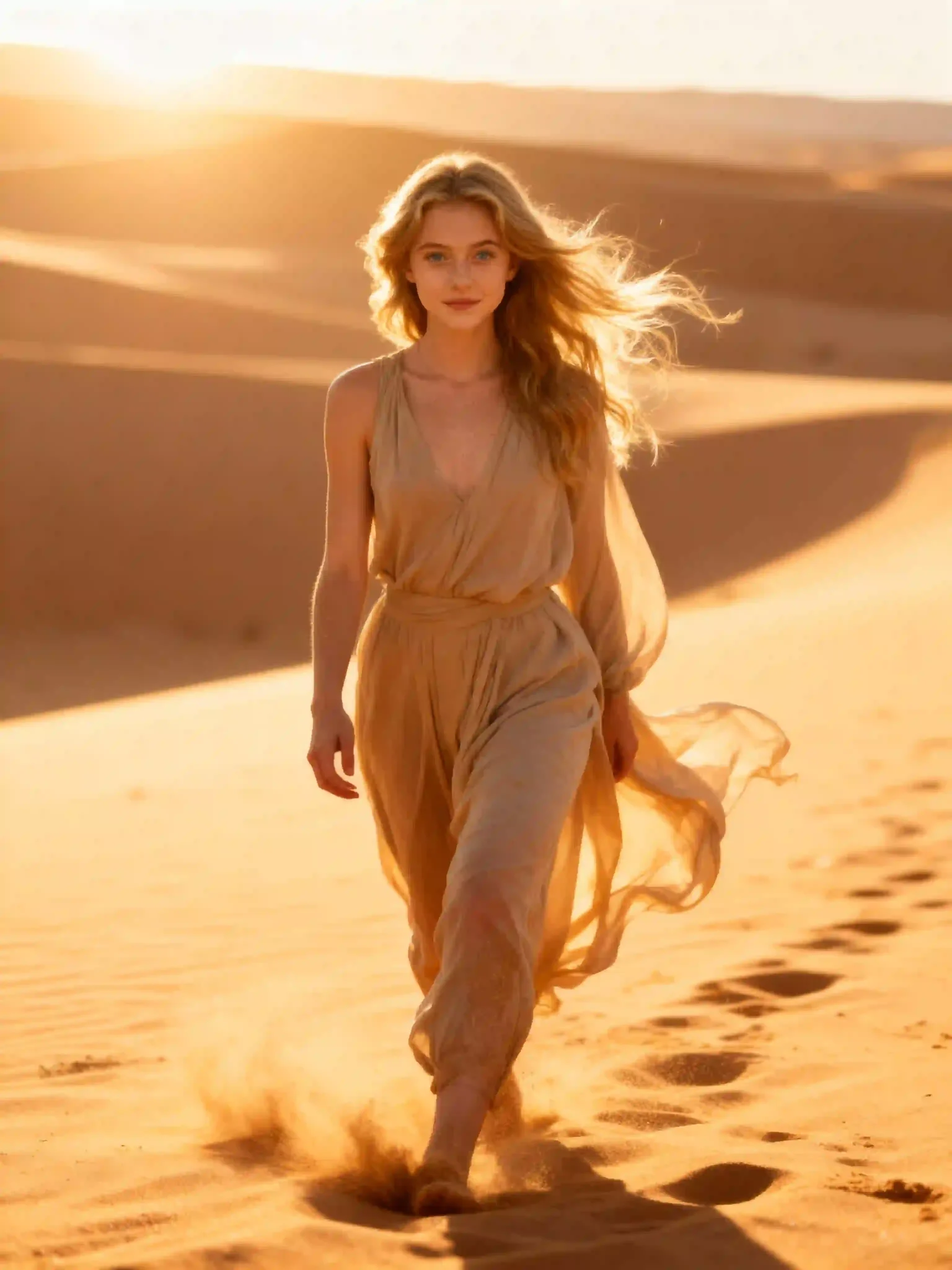
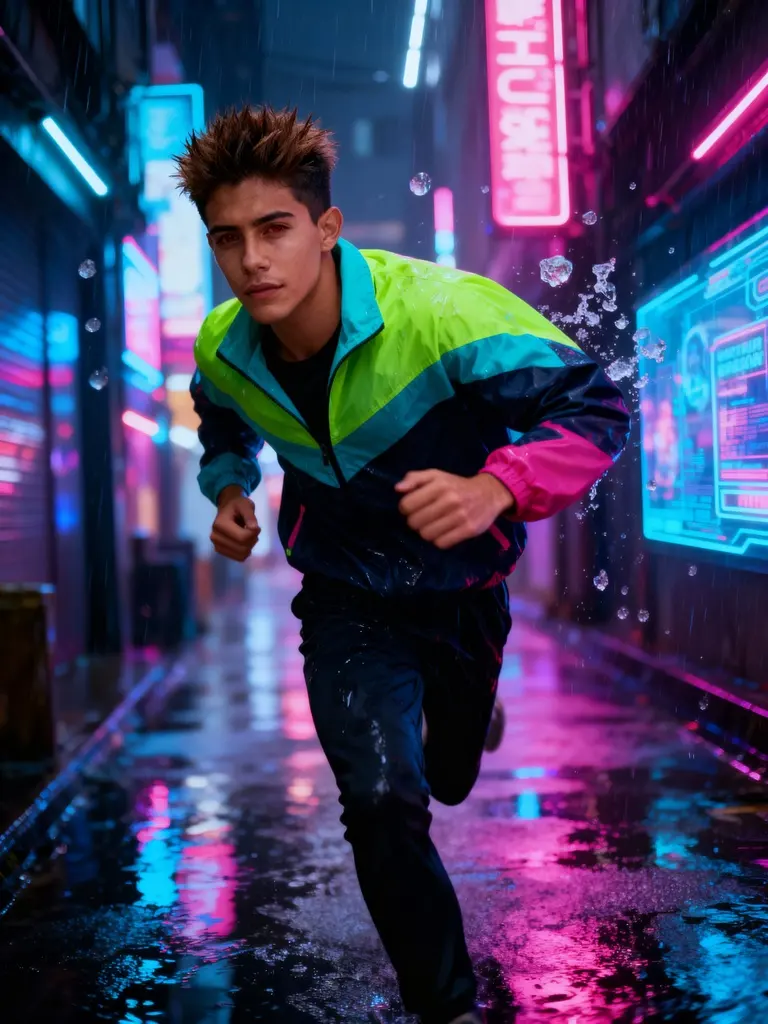

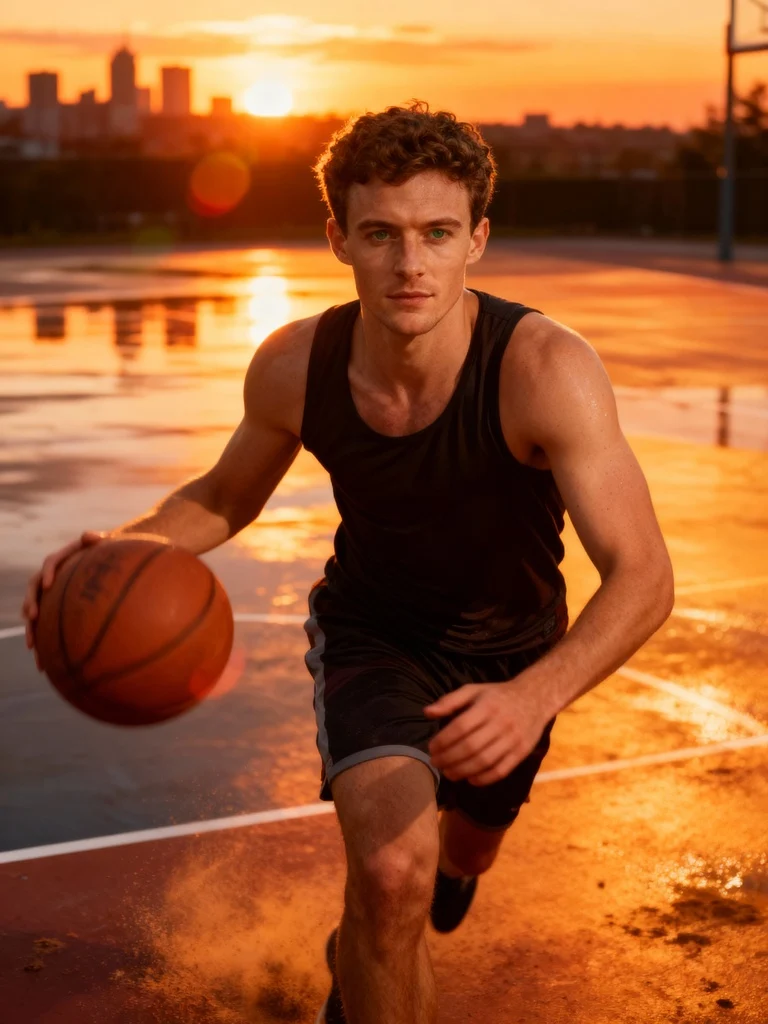


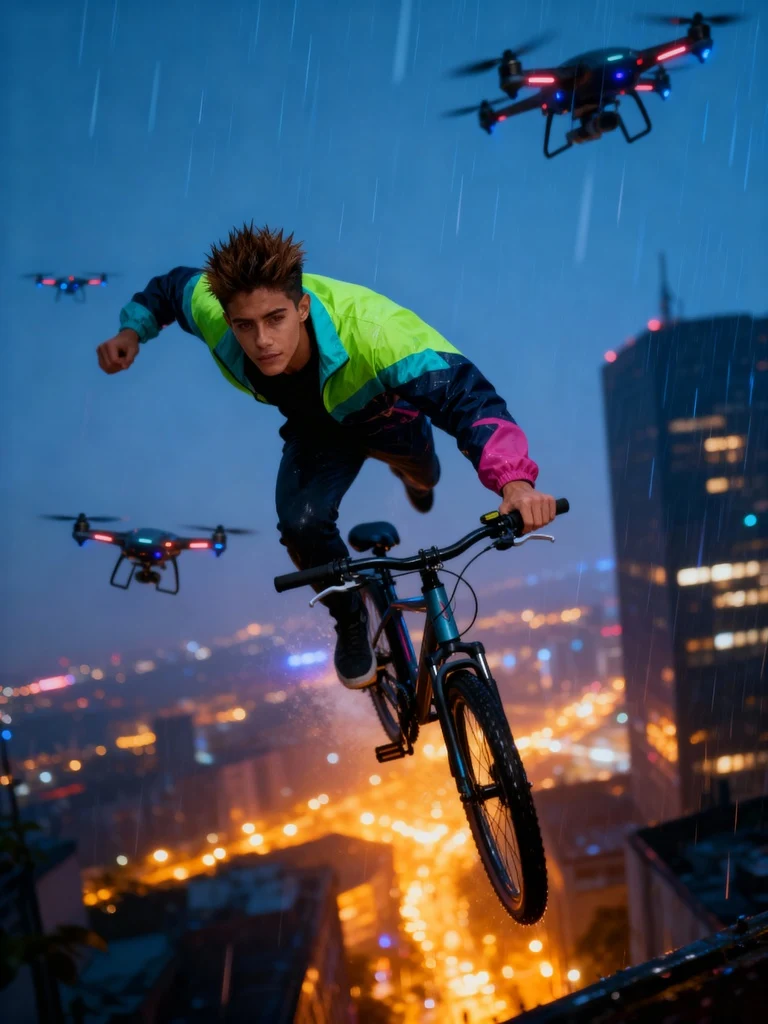



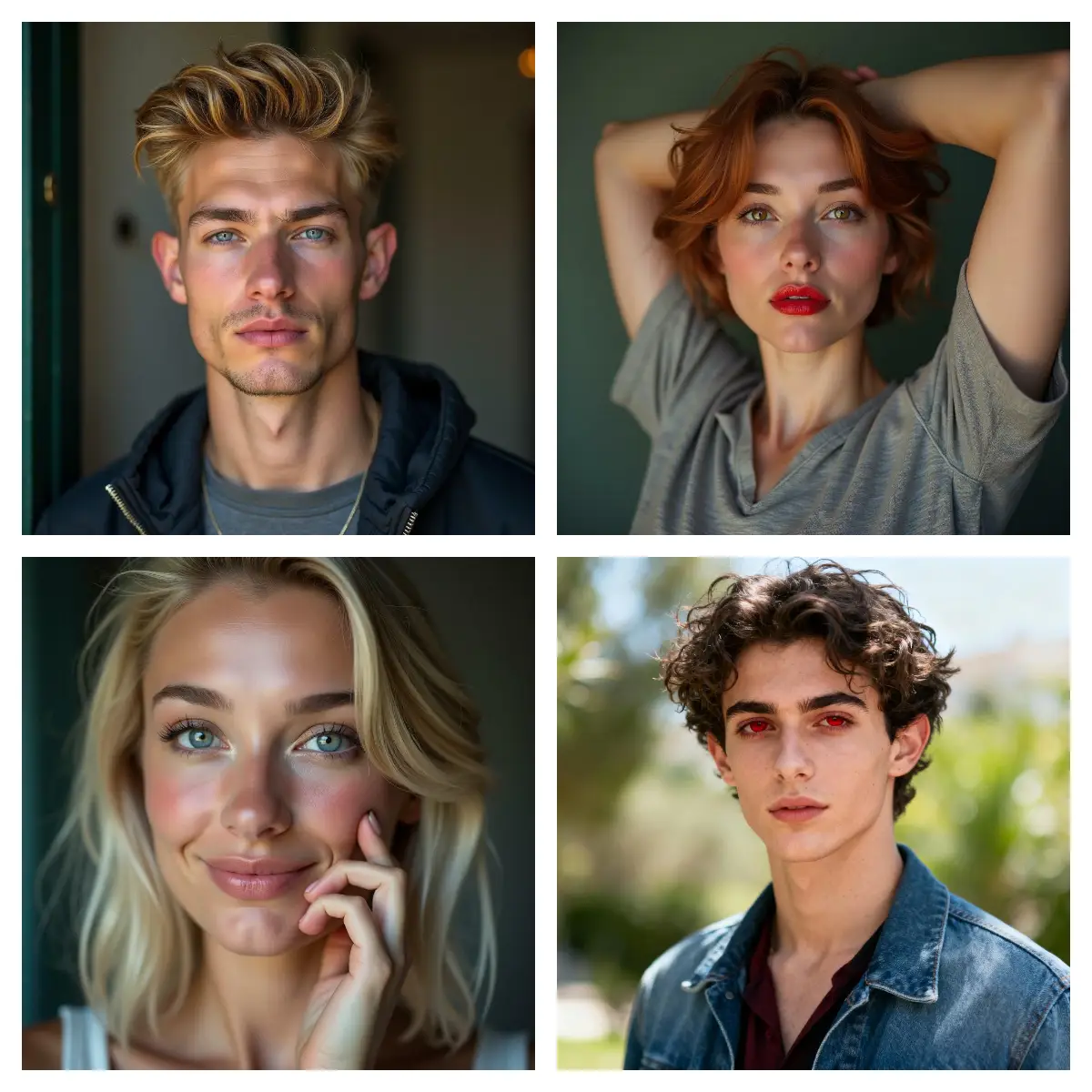
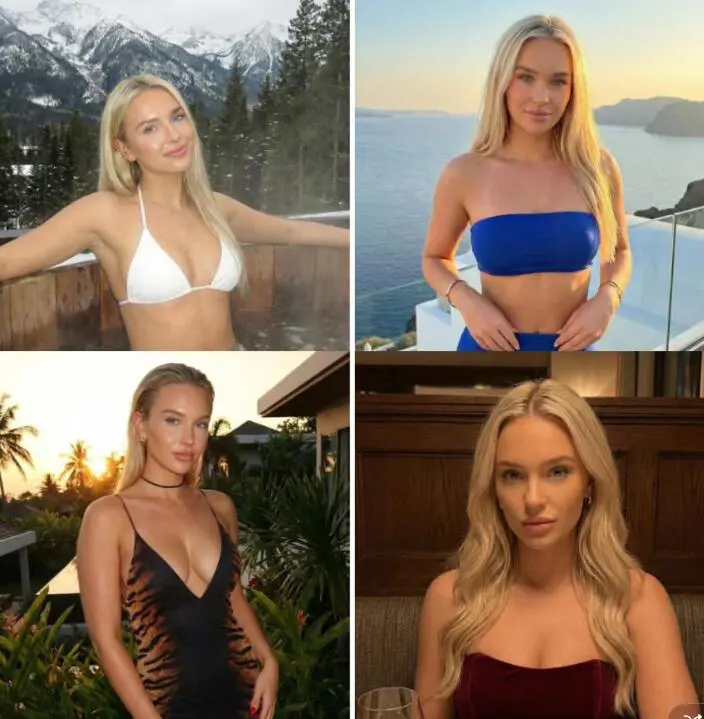
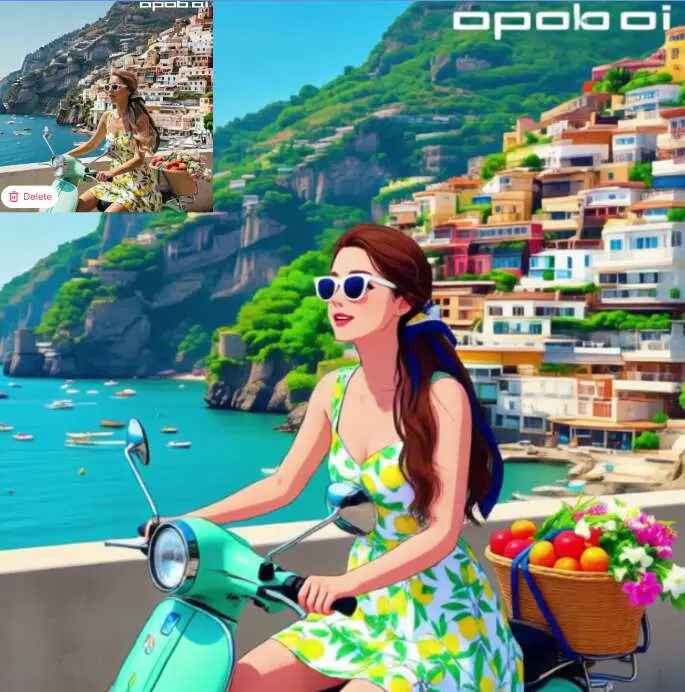
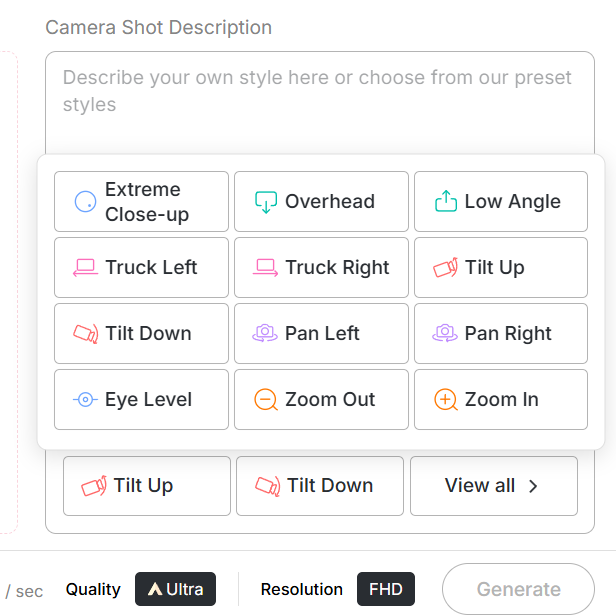
Fully-featured AI Video Creation
Veo 3.1 offers professional-grade tools, turning your scripts and images into high-quality videos with sound, motion and visual polish.
First & Last Frame Support for Cinematic Flow
With frame-based generation, you can ensure smooth transitions and consistent character performance, delivering film-like continuity with ease.
Endless Creative Possibilities
From brand videos to social content, Veo 3.1 handles text-to-video, image-to-video and reference-guided workflows, making it ideal for creators across experience levels.
Social Media Creators
Veo 3.1 helps creators make short videos for TikTok, Instagram, or YouTube Shorts easily. You can turn a simple idea into a moving 9:16 or 1:1 video with smooth camera motion and nice transitions. It’s perfect for sharing fun, creative, and eye-catching clips that grow your audience fast.
Marketing & Brands
With Veo 3.1, brands can turn still product images or ads into moving videos in minutes. The AI adds motion and cinematic effects, making your products look lively and professional without needing a big production team. It’s great for social media ads, product launches, or storytelling campaigns.
Filmmakers & Artists
Veo 3.1 helps filmmakers and artists bring ideas to life quickly. You can use two images — a first and last frame — to create smooth, dynamic shots for previews or concept videos. It saves time and cost while letting you explore new visual styles and story ideas.
No Credit Card Required
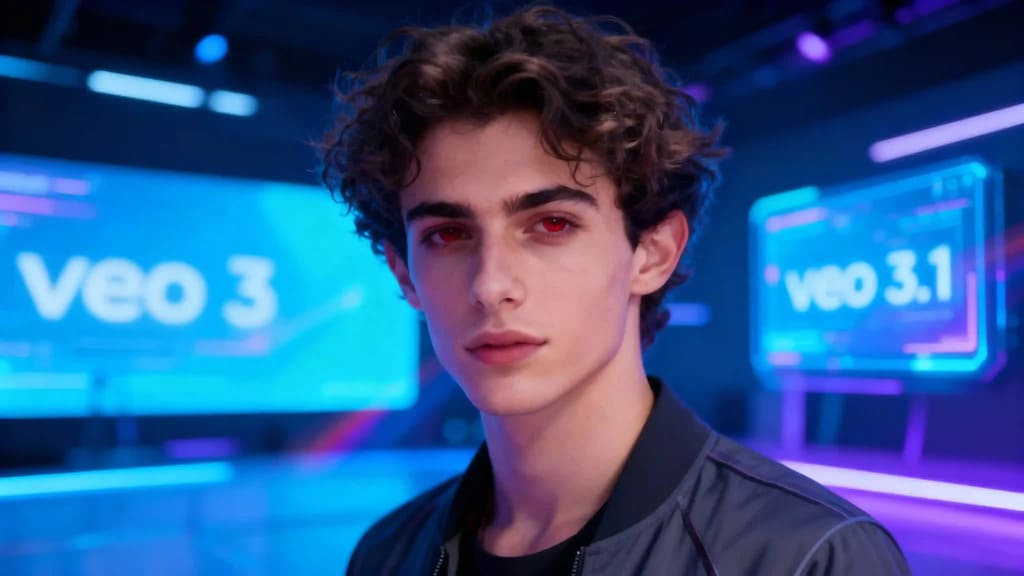
APOB AI vs. Google Veo 3.1: Unleash Cinematic AI Video Creation
The landscape of AI-powered video generation is evolving at an unprecedented pace, with innovations constantly pushing the boundaries of what's possible. Google DeepMind's Veo series has been at the forefront, setting industry standards for text-to-video capabilities. With the introduction of Veo 3.1, Google has further refined its offering, promising enhanced consistency, cinematic features, and greater user flexibility. But what does this mean for creators, and how does APOB AI stand as a powerful, accessible alternative, mirroring and even expanding upon these cutting-edge tools?
This article delves into the advancements of Veo 3.1 and demonstrates how APOB AI empowers users with similar, if not superior, functionalities to bring their creative visions to life. We'll explore the core features, compare the two platforms, and provide practical insights for leveraging AI in video production.
What Is Veo 3.1? Google DeepMind's Latest Innovation
Veo is Google DeepMind’s state-of-the-art text-to-video AI model, designed to transform descriptive text prompts into high-quality video sequences. Google Veo 3 introduced synchronized audio, native effects, and stronger realism, marking a significant leap in AI video generation. Veo 3.1, announced in updates to Flow, builds on that foundation with a focus on multi-mode creation, expanded editing capabilities, and new controls for cinematic narratives.
Veo 3.1 aims to close critical gaps in consistency, long-range video generation, and user flexibility—making it a substantial leap forward from its predecessor, Veo 3. This update addresses common challenges faced by creators, offering more control and higher fidelity in AI-generated content. [1]
How to Use APOB AI for Cinematic Video Creation
While Veo is Google’s proprietary model, APOB AI offers parallel capabilities and an intuitive platform for creators to access cinematic AI video tools without deep engineering setup. Our platform is designed to be user-friendly, allowing you to generate stunning videos with just a few clicks.
Step 1: Choose Your Generation Mode
APOB AI provides three distinct modes for generating AI videos, catering to various creative needs. For the best quality results with enhanced details, smoother motion, and more realistic visuals, we recommend selecting the Ultra S mode.
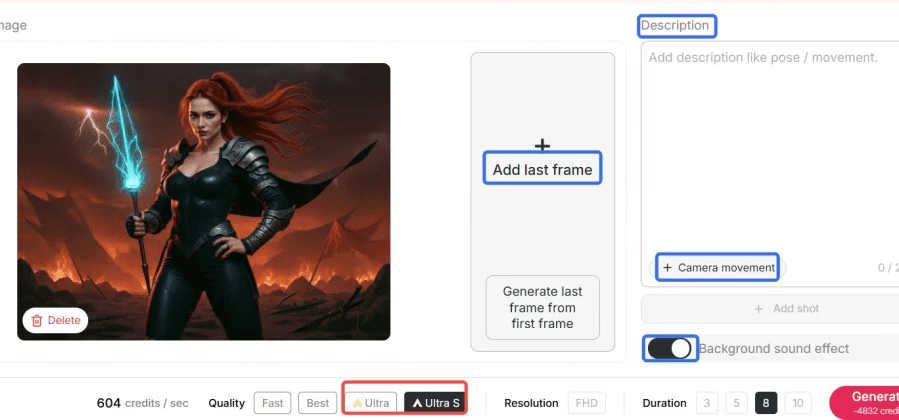
This mode is ideal for achieving the cinematic quality comparable to Veo 3.1's advanced output.
Step 2: Input Your Prompts or Reference Images
Similar to Veo 3.1's text-to-video and multi-image reference modes, APOB AI allows you to guide your video creation with precise inputs. You can describe any action or scene using our robust Text-to-Video feature, which converts your descriptive prompts into animated video scenes.
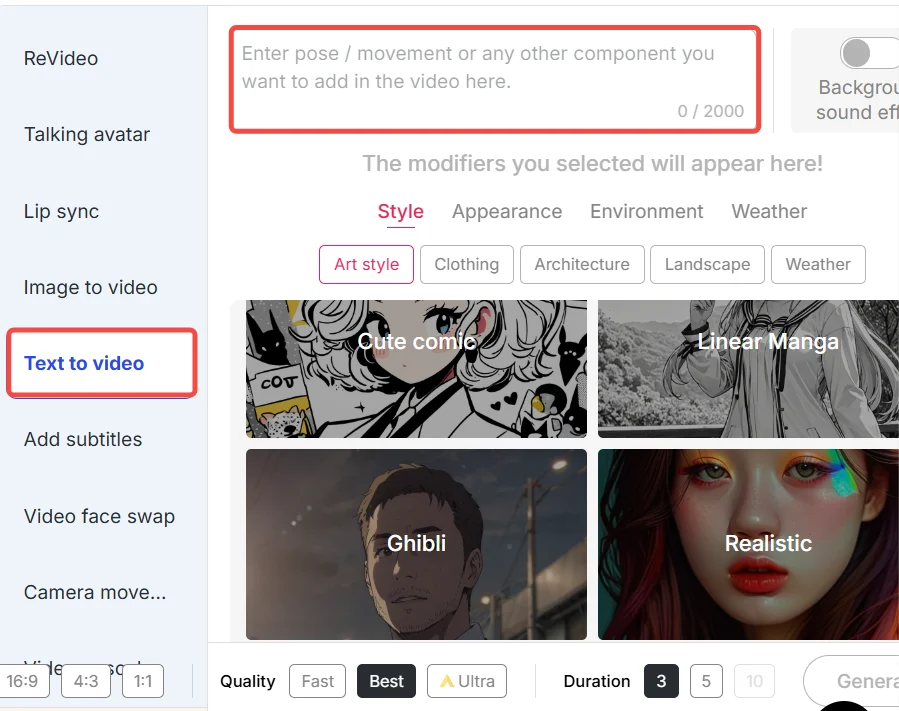
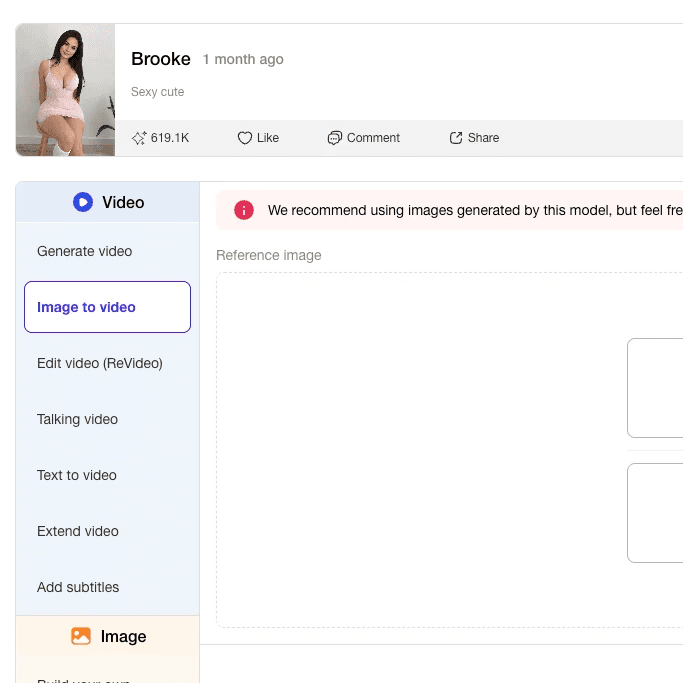
Alternatively, for character consistency and scene composition, APOB AI offers advanced frame-based transitions. Like Veo 3.1's Start & End Frame mode, you can provide first and last frames to guide smooth video transitions, ensuring your narrative flows seamlessly.
Step 3: Leverage Advanced Features like Character Swap (Revideo)
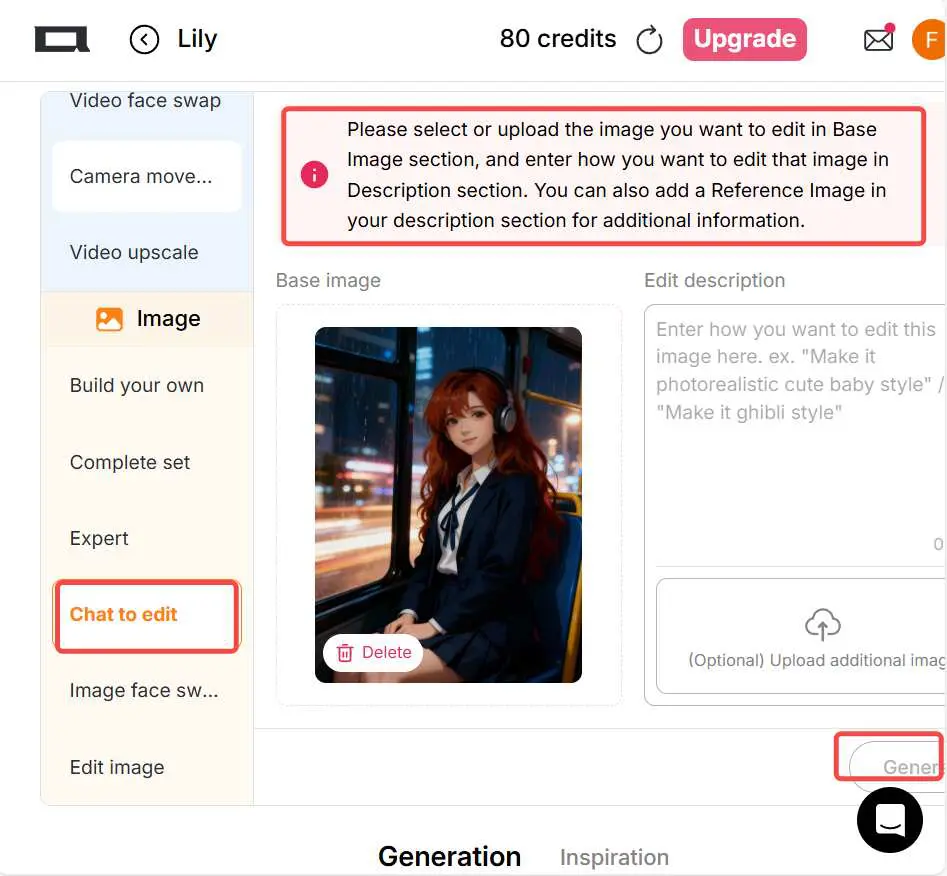
APOB AI goes beyond basic video generation with unique features like Revideo (Character Swap). This powerful tool allows you to upload an existing video and a reference image, then generate a character replacement. Your AI influencer can replace the original person in the video while preserving the action and background, offering unparalleled creative control.
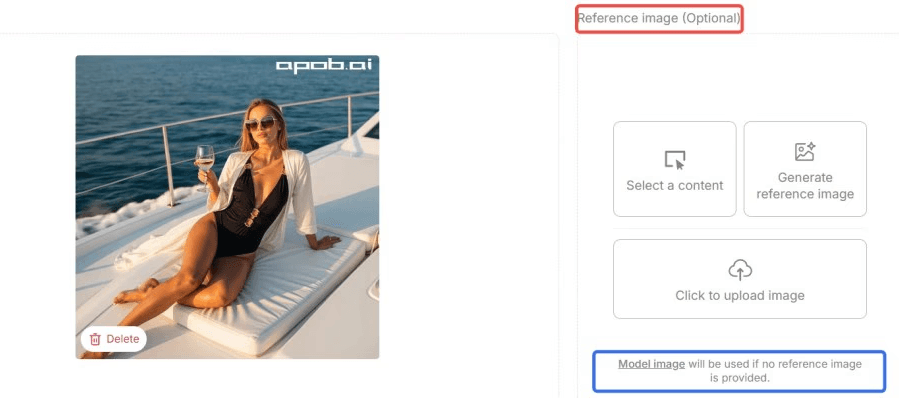
This functionality is particularly useful for content creators looking to personalize their videos or create consistent character appearances across different clips.
Step 4: Customize and Generate Your Video
With APOB AI, you have control over various aspects of your video. While Veo 3.1 offers audio, lighting, and cinematic controls, APOB AI provides intuitive options to fine-tune your output. You can generate videos up to 30 seconds in length, with plans to expand to 5 minutes soon. Each second of video generation costs fixed credits, making it a transparent and cost-effective solution for creators.
By following these steps, APOB AI empowers you to produce high-impact, visually coherent AI videos that rival the quality and sophistication of platforms like Veo 3.1.
Main Features of Veo 3.1
Veo 3.1 introduces a suite of features designed to enhance creative control and video quality:
Start & End Frame Mode: Users can submit a first and last image frame, and Veo 3.1 intelligently fills in the motion in between with fluid, consistent transitions. This is crucial for maintaining narrative coherence across scenes. [2]
Multi-Image Reference Mode: This feature allows the use of up to three reference images to guide character consistency and scene composition. It ensures that characters and elements remain visually stable throughout the generated video, addressing a common challenge in AI video. [3]
Text-to-Video Mode: The core functionality remains strong, allowing users to describe any action or scene, and Veo 3.1 brings it to life with improved realism and adherence to prompts.
Audio, lighting & cinematic control: Advanced controls enable users to adjust shadows, lighting, ambient sound, and other cinematic elements, providing a professional touch to AI-generated content.
Scene Extension / “Frames to Video”: This capability allows users to extend existing clips or convert still images into dynamic video sequences, offering flexibility in content creation and editing workflows.
Veo 3 vs. Veo 3.1: Major Differences and Enhancements
While Veo 3 was already a benchmark for AI video production, Veo 3.1 significantly improves upon it with real quality and control enhancements. The biggest upgrade is in realism—Veo 3.1 produces smoother transitions of motion, more realistic facial expressions, and improved environmental lighting, which results in AI videos being much less "synthetic" and more lifelike.
Another meaningful breakthrough is in its understanding of complex prompts. Veo 3.1 handles increasingly complicated text prompts, particularly those defining camera movement or cinematography in motion, more effectively. This equates to being able to now generate more coherent, narrative-type scenes with greater visual coherence, allowing creators to translate intricate ideas into video with higher fidelity.
Veo 3.1 also offers more frame consistency and resolution output, allowing for longer and more stable clips with no flicker or artifacting that may sometimes occur in Veo 3 output. For content creators, this means less post-editing and greater production efficiency, leading to a smoother and faster workflow.
In summary, Veo 3.1 refines all that customers loved about Veo 3—realism, creativity, and accuracy—while giving even greater control over movement, lighting, and storytelling. It's not a redesign from the ground up, but rather a wise progression towards movie-quality AI video creation, pushing the boundaries of what AI can achieve in visual storytelling.
Why Choose APOB AI Over Alternatives?
APOB AI stands out as a robust platform for AI video generation, offering compelling advantages for creators and businesses alike. While Google Veo 3.1 showcases impressive capabilities, APOB AI provides a more accessible and often more flexible solution for a wide range of users.
Feature | APOB AI | Google Veo 3.1 |
|---|---|---|
Accessibility | Browser-based, user-friendly interface, free credits daily | Proprietary, often limited access or higher cost |
Character Swap (Revideo) | Yes, advanced AI influencer replacement | Limited or no direct equivalent |
Multi-Mode Creation | Ultra S mode for high quality, frame-based transitions | Start & End Frame, Multi-Image Reference |
Text-to-Video | Robust, supports descriptive prompts | Advanced, handles complex cinematography |
Video Length | Up to 30 seconds (expanding to 5 minutes) | Up to 10 seconds |
Cost Model | Credit-based, transparent pricing | Often subscription or API-based |
Integration | Designed for direct creative workflows | Part of Google DeepMind ecosystem |
APOB AI's commitment to providing a powerful, yet intuitive toolkit means that creators can achieve professional-grade results without needing extensive technical knowledge or significant investment. Our platform is continuously evolving, with features like Revideo offering unique creative possibilities that differentiate us in the market. We empower users to experiment, innovate, and produce high-quality AI videos efficiently and affordably.
Best Practices for Optimal Results with APOB AI
To get the most out of APOB AI and achieve cinematic quality videos comparable to Veo 3.1, consider these best practices:
Craft Detailed Prompts: Be as specific as possible in your text prompts. Include details about lighting, camera angles, character actions, and environment to guide the AI effectively.
Utilize Reference Images Wisely: When using frame-based transitions or multi-image references, select high-quality, clear images that accurately represent your desired start, end, or character appearance. Consistency in reference images leads to consistent video output.
Experiment with Ultra S Mode: For superior visual fidelity and smoother motion, always opt for the Ultra S generation mode. This mode is optimized for producing the most realistic and detailed results.
Iterate and Refine: Don't be afraid to generate multiple versions. AI video creation is an iterative process. Adjust your prompts, reference images, and settings based on initial outputs to refine your vision.
Consider Post-Production: While APOB AI generates high-quality videos, a touch of post-production (e.g., color grading, sound design) can elevate your AI-generated content to a professional level.
Leverage Character Swap (Revideo): For projects requiring consistent characters or unique AI influencers, utilize the Revideo feature. Ensure your reference image for character swap is well-lit and clearly depicts the desired character.
Stay Updated: The field of AI video generation is rapidly advancing. Keep an eye on APOB AI's latest features and updates to take advantage of new capabilities as they become available.
Prompt Examples for Veo / APOB AI
Effective prompting is key to unlocking the full potential of AI video generators like Veo 3.1 and APOB AI. Here are some sample prompt ideas that can yield high-impact, visually coherent results when paired with frame or reference image inputs:
“A futuristic dancer in neon city streets doing breakdance under rain, cinematic lighting, slow motion, drone shot.”
“An older man strolling through autumn forest, leaves falling, soft piano score, golden hour lighting, tracking shot.”
“A robot and human performing synchronized salsa on a rooftop at sunset, vibrant colors, wide shot, dynamic camera movement.”
“A fantasy creature walking through misty ruins, torchlight flickering, dramatic camera zoom, eerie atmosphere, close-up on eyes.”
“A bustling cyberpunk market with holographic advertisements, diverse crowd, rain-slicked streets, neon glow, handheld camera perspective.”
“An astronaut floating in zero gravity inside a futuristic spaceship, intricate controls, soft blue lighting, slow pan across the cabin.”
Technical Specifications of APOB AI
APOB AI is engineered to provide robust performance and flexibility for AI video generation. Understanding its technical specifications can help users optimize their creative workflow:
Supported Output Formats: Videos are typically generated in standard MP4 format, ensuring broad compatibility across platforms and editing software.
File Size: Optimized for efficiency, the output file sizes are manageable while maintaining high visual quality, facilitating easy sharing and storage.
Processing Speed: APOB AI leverages advanced cloud infrastructure to deliver fast processing speeds, minimizing wait times for video generation. The exact speed can vary based on video length, complexity of prompts, and current system load.
Output Quality: Our Ultra S mode is designed to produce high-definition videos with enhanced details, smoother motion, and realistic visuals, aiming for cinematic quality.
Data Privacy Policy: APOB AI is committed to user data privacy. All user inputs, including text prompts and uploaded images, are processed securely and are not used to train public models without explicit consent. We adhere to strict data protection protocols to ensure your creative work remains confidential.
Video Length: Currently, APOB AI supports generating videos up to 30 seconds in length, with ongoing development to expand this capability to 5 minutes soon.
Credit System: Video generation operates on a credit-based system, offering transparency and control over usage costs. Users receive 80 free credits daily to explore and create.
Key Advantages of Using APOB AI
APOB AI offers a suite of advantages that make it an indispensable tool for modern content creators:
Accessibility: Our platform is designed for ease of use, making advanced AI video generation accessible to everyone, regardless of technical expertise.
Innovative Features: Unique functionalities like Revideo (Character Swap) provide creative possibilities not found in many other platforms.
Cost-Effective: With a transparent credit system and daily free credits, APOB AI offers a highly economical solution for high-quality video production.
High-Quality Output: Our Ultra S mode ensures that your generated videos are of the highest visual fidelity, with smooth motion and realistic details.
Rapid Development: We are continuously updating and improving our platform, introducing new features and enhancements based on user feedback and technological advancements.
Community Support: APOB AI fosters a vibrant community where creators can share tips, showcase their work, and get support.
User Testimonials
Don't just take our word for it. Here's what our users are saying about APOB AI:
"APOB AI has revolutionized my content creation workflow. The character swap feature is a game-changer!" - Sarah L., Digital Artist
"As a small business owner, the free daily credits allow me to create professional marketing videos without breaking the bank. Highly recommend!" - Mark T., Entrepreneur
"The quality of the videos generated by APOB AI is simply stunning. It's incredibly easy to use, even for someone new to AI video." - Jessica P., YouTuber
FAQs
Q1: What is Google Veo 3.1?
A1: Veo 3.1 is the updated video generation model from Google DeepMind that introduces multiple creative modes, improved continuity, cinematic controls, and more fine-grained editing over its predecessor, Veo 3. It represents a significant advancement in AI-powered video creation, offering enhanced realism and user control. [4]
Q2: What is the maximum video length I can generate using APOB AI?
A2: Currently, you can generate videos up to 30 seconds in length using APOB AI. We are actively working on expanding this capability, with plans to support video generation up to 5 minutes in the near future.
Q3: What video formats and resolutions are supported by APOB AI?
A3: APOB AI primarily supports generating videos in standard MP4 format. While Veo 3.1 supports 720p and 1080p at 24 FPS and various aspect ratios, APOB AI's Ultra S mode focuses on delivering high-quality, detailed output, with aspect ratios optimized for modern content platforms.
Q4: Does APOB AI support character consistency across multiple clips?
A4: Yes, APOB AI addresses character consistency through features like our frame-based transitions and the advanced Revideo (Character Swap) tool. By using consistent reference images or carefully crafted prompts, you can maintain character appearance across different video segments, similar to Veo 3.1's multi-image reference mode.
Q5: How does APOB AI ensure data privacy for user-generated content?
A5: APOB AI prioritizes user data privacy. All inputs, including text prompts and uploaded media, are processed securely. We guarantee that your content is not used for training public models or shared with third parties without your explicit consent, adhering to strict data protection standards. [5]
Q6: Can APOB AI be used for commercial purposes?
A6: Absolutely. APOB AI is designed for both personal and commercial use. Our flexible credit system and powerful features make it an ideal tool for businesses, marketers, and content creators looking to produce high-quality videos for various commercial applications, from advertising to product demonstrations. [6]
References
[1] Google DeepMind. (2024). Veo: A Foundation Model for Video Generation. [Online]. Available at: https://deepmind.google/discover/blog/veo-a-foundation-model-for-video-generation/
[2] OpenAI. (2024). Sora: Creating video from text. [Online]. Available at: https://openai.com/sora
[3] Stability AI. (2024). Stable Diffusion 3 Medium. [Online]. Available at: https://stability.ai/news/stable-diffusion-3-medium
[4] Wikipedia. (2024). Generative artificial intelligence. [Online]. Available at: https://en.wikipedia.org/wiki/Generative_artificial_intelligence
[5] APOB AI. (2024). Privacy Policy. [Online]. Available at: https://apob.ai/privacy-policy
[6] APOB AI. (2024). Terms of Service. [Online]. Available at: https://apob.ai/terms-of-service
Read More
Introduction: The Rise of AI Street Interviews
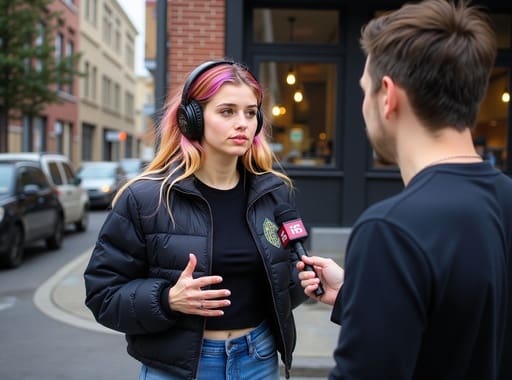
A new kind of viral content is taking over your feed: the AI street interview. At first glance, it looks like a typical man-on-the-street Q&A. But watch closer—and you'll realize the entire scene, from the people to the background and even the dialogue, was generated by AI.
Welcome to the world of Google Veo 3, the latest breakthrough in AI video generation. With this cutting-edge tool, creators can now produce ultra-realistic street interviews without actors, cameras, or physical locations. And beyond the "wow" factor, this tech opens the door to an exciting new question:
What Is an AI Street Interview?
An AI street interview is a short video clip designed to look like a real, candid conversation in a public setting—created entirely using AI. These videos typically feature a simulated interviewer asking questions to photorealistic AI characters who respond with believable answers, gestures, and emotions.
What makes them so compelling?
✅ They feel authentic
✅ They're fast and cheap to produce
✅ They're endlessly customizable for brand or content niches
These videos have gone viral on platforms like TikTok, Instagram Reels, and X, where audiences often can't distinguish them from real interviews.
The Technology Behind It: Meet Google Veo 3
At the heart of this content revolution is Google Veo 3—an advanced generative video model announced at Google I/O 2025.
Key Features of Veo 3:
🎥 Generates 1080p+ realistic video from a text prompt
🗣️ Creates dialogue with synced lip movement and tone
🤖 Supports multi-character interaction and movement
🎬 Dynamic camera angles and realistic lighting
🧠 Backed by Google DeepMind’s responsible AI protocols
While Veo 3 is still being rolled out via waitlist, creators who’ve had early access are using it to push boundaries—including the now-famous AI street interviews.
Real-World Example: The Viral Fake Street Interview
One of the most widely circulated AI-generated videos recently featured a seemingly ordinary street interview where a man shared his thoughts on modern masculinity. Except... he wasn’t real. Neither was the street, the interviewer, or even the audio.
Viewers were stunned. Comments ranged from “This is scary good” to “Is this even legal?” The clip was created using Veo 3, proving how far realism has come.
This video ignited conversations around deepfakes, misinformation, and media trust—but it also sparked another realization:
You don’t need a camera crew to go viral anymore.
How to Create an AI Street Interview (Step-by-Step)
While Veo 3 access is limited, here’s a general framework to create your own AI street interview using similar tools:
Step 1: Choose Your AI Video Generator
While you wait for Veo 3, try alternatives like:
Runway ML
Pika Labs
APOB AI – includes speaking avatars with facial expression control
Step 2: Write Your Interview Script
Define both the interviewer and interviewee voices. Use trending topics or relatable questions to boost engagement.
Example:
Interviewer: “What’s one thing men are afraid to admit?”
AI Respondent: “That sometimes we feel lost, and that’s okay.”
Step 3: Generate Characters & Background
Pick a realistic street background and diverse AI models. Adjust facial features, clothing, and gestures for authenticity.
Step 4: Sync Audio and Lip Movement
Use built-in text-to-speech or upload your own voiceover. Ensure speech matches mouth movement for credibility.
Step 5: Edit, Add Captions & Post
Polish the clip in a video editor. Add subtitles, brand watermark, and CTA. Then upload it to TikTok, YouTube Shorts, or Instagram Reels.
5 Ways to Make Money with AI Street Interviews
Now that you can create them, here’s how to monetize AI street interviews:
1. Social Media Monetization
Post consistently on TikTok, YouTube Shorts, or Instagram Reels
Use affiliate links in your bio
Qualify for platform payouts (e.g., TikTok Creator Fund)
2. Brand Sponsorships
Pitch businesses with custom AI interviews where avatars endorse their product “on the street.”
Example:
AI Interviewer: “Ever tried eco sneakers?”
AI Respondent: “Yeah, actually these from XYZ Brand are insanely comfy.”
3. Freelance Video Services
Offer AI video generation on platforms like Fiverr or Upwork. Sell packages for:
Virtual testimonials
Social experiments
UGC (User-Generated Content)
4. Educational and Corporate Use
Produce mock street interviews for employee training, public surveys, or course intros.
5. Sell AI Content Templates
Package your scripts, character designs, and scene setups as downloadable templates or bundles.
Ethical Considerations
With great power comes great responsibility. AI street interviews can be used to educate, entertain, or mislead. That's why Google embeds SynthID watermarks into Veo 3’s outputs—helping platforms detect and flag AI-generated content.
As a creator, always:
Be transparent about what’s real vs. AI
Use content for entertainment or education—not deception
Credit your tools and sources
Frequently Asked Questions
Q1: What is an AI Street Interview?
It’s a video clip simulating a real-life street interview, created using AI tools like Google Veo 3 or APOB AI.
Q2: How do AI street interviews go viral?
They mimic realism so well that viewers are shocked and intrigued—leading to high shares, comments, and saves.
Q3: Can I make money from AI street interviews?
Yes. Through social media monetization, sponsorships, freelance services, and selling video templates.
Q4: Is Google Veo 3 available for public use?
It’s currently limited to select creators via waitlist. However, similar tools like APOB AI or Runway ML are open to the public.
Final Thoughts: AI Street Interviews Are the Future of Content Creation
AI street interviews aren’t just a viral trend—they’re a preview of the next generation of content. Tools like Google Veo 3 and APOB AI are making it easier for everyday creators to produce professional, engaging videos at scale.
If you’re looking for a new way to grow your online presence or start a side hustle, now is the perfect time to explore this AI-powered format.
🎬 Try creating your first AI interview today—and see how far your content can go.
🔗 Bonus: Want to Create Talking Avatars or AI Spokespeople?
Use APOB AI to generate realistic AI models who can speak, smile, and even sell your product—all with zero filming needed.
Read More
Introduction: What Is Veo 3?
Veo 3 is Google's latest text-to-video AI model and arguably the most advanced tool of its kind to date. Unlike previous models, Veo 3 can produce short, hyper-realistic video clips complete with sound, natural physics, and even dialogue. Its groundbreaking capabilities have caught the attention of filmmakers, marketers, and tech enthusiasts—but also of watchdogs, ethicists, and disinformation researchers.
At the heart of the debate is a pressing concern: Will Veo 3 revolutionize creativity or supercharge the global misinformation crisis?
The Evolution of AI Video Tools
AI-generated imagery has advanced rapidly in recent years, with tools like OpenAI’s Sora, Runway, Submagic - Ai-powered subtitle generator paving the way. However, it takes a significant leap by offering:
Realistic motion and physics
Voiceovers, music, and ambient sound
High visual fidelity
Multilingual support
Complex scene compositions
These features push Veo 3 into uncharted territory, where the line between real and synthetic becomes increasingly hard to discern.
How It Works
Users input a descriptive prompt—for example, “A protest in downtown Buenos Aires with police and smoke grenades”—and within seconds, Veo 3 generates an ultra-realistic 8-second clip. Google has trained the model on extensive video datasets and implemented an internal system for filtering harmful prompts.
Despite safety filters, it has been shown to generate misleading or inflammatory content, including:
Election interference scenes
Riot footage in politically sensitive regions
Fabricated humanitarian or military events
These cases raise urgent ethical and regulatory questions.
Real-World Risks and Controversies
Misinformation and Deepfake Propaganda
TIME magazine recently reported that it was used to create synthetic clips showing:
Voter fraud involving ballot shredding
International conflict misrepresentation
Misleading racial narratives after a real-life tragedy
While the videos often include minor inaccuracies, experts warn that they can be incredibly persuasive—especially when shared during unfolding news events.
Erosion of Trust
One of the gravest consequences of tools like Veo 3 is the erosion of public trust in visual media. Cybersecurity professionals and media law experts are already seeing a trend where viewers increasingly doubt the authenticity of both real and fake content.
This "liar’s dividend"—where real videos are dismissed as fake, and fake ones are believed to be real—could damage the foundations of democratic discourse.
Safety Features and Limitations
Google claims Veo 3 includes multiple safeguards:
A visible watermark (which can be cropped)
An invisible watermark called SynthID
Prompt blocking for certain topics (e.g., hurricanes, public figures)
Red-teaming prior to release
Still, TIME and other researchers demonstrated how easy it is to generate provocative scenes with minimal prompting. Moreover, Google’s watermark detection tool isn’t yet publicly available, making real-time verification difficult.
Who Can Use It?
Veo 3 is currently available to Google AI Ultra subscribers in select regions, including the U.S. and U.K., for $249/month. This limited access model may provide some barrier against mass misuse, but it also raises questions about equitable access and surveillance.
With open-source alternatives growing in power, the exclusivity of Veo 3 may not last long.
Creative Potential vs. Harmful Exploits
Despite the controversy, Veo 3 also opens up incredible opportunities for:
Independent filmmakers
Educational content creators
Simulation-based training tools
Storyboarding and ideation
However, the dual-use nature of Veo 3 means that the same capabilities can be used to fabricate scandals, incite violence, or manipulate public opinion.
Legal and Regulatory Gaps
Legal frameworks have yet to catch up with Veo 3-level technology. Key concerns include:
Copyright infringement from training data
State-by-state variation in deepfake laws
Nonconsensual explicit content
Misrepresentation of real people or events
While some jurisdictions have introduced deepfake-specific laws (e.g., the Take It Down Act in the U.S.), there is no global standard yet.
What Needs to Happen Next?
Experts argue that responsible deployment of tools like Veo 3 requires:
Mandatory watermarking with tamper-proof detection
Legally binding safety thresholds for generative models
Broad accessibility to verification tools
Independent third-party audits
Transparent disclosure of training datasets
Without these, the risks may soon outweigh the benefits.
Final Thoughts: Veo 3 as a Turning Point
Veo 3 represents both the future of digital media and a potential inflection point for global information ecosystems. Its ability to render believable yet fabricated footage in seconds is both thrilling and terrifying. Whether it becomes a tool for creativity or chaos will depend not only on its users, but on the frameworks—ethical, legal, and technical—that we build around it.
FAQs About Veo 3
Q1: What is Veo 3?
A1: Veo 3 is Google’s latest AI-powered video generator that transforms text prompts into realistic video clips, complete with sound and motion.
Q2: How long can videos be?
A2: Currently, Veo 3 can generate clips up to 8 seconds in length.
Q3: Is there a watermark ?
A3: Yes, both visible and invisible watermarks (SynthID) are embedded, but the visible watermark can be cropped.
Q4: Can It be used to create fake news?
A4: Technically yes—although safeguards are in place, researchers have demonstrated that it’s possible to create misleading content.
Q5: Who can access It?
A5: Veo 3 is available to subscribers of Google AI Ultra for $249/month in select regions.
Q6: Is it better than OpenAI’s Sora?
A6: Veo 3 supports audio, natural physics, and complex scenes, making it arguably more advanced in some respects than OpenAI’s Sora.
Read More
Try AI Video Generator For Free
Abstract:
Google Veo 3 is an advanced AI video generator that turns text prompts into cinematic videos. Announced at Google I/O 2024, this new tool signals a major leap in generative AI. This article explores what Veo 3 is, how it works, who it's for, and how it compares to other AI video tools—making it essential reading for creators and tech enthusiasts.
What Is Google Veo 3?
Google Veo 3 is a state-of-the-art AI video generation tool designed to create cinematic, high-resolution video clips from text prompts. With Veo 3, users can generate 1080p videos over a minute long, complete with realistic scenes, smooth transitions, and synchronized audio.
Unveiled at Google I/O 2024, Veo 3 builds on Google's work with diffusion and transformer models. It understands advanced filmmaking concepts like timelapse, aerial shots, and dramatic camera angles, creating a professional look with minimal user input.
How Google Veo 3 Works
It relies on a combination of video diffusion models and transformer-based architectures to transform text into video. The workflow is simple:
Step 1: Input a prompt – Users enter a detailed description (e.g., "a cinematic sunset over the mountains with slow camera pan").
Step 2: AI interpretation – Veo 3 analyzes scene context, motion, lighting, and visual style.
Step 3: Output – The tool generates a cohesive, high-resolution video clip that mimics professional cinematography.
According to Google, Veo 3 was trained using licensed and publicly available data. The model excels at maintaining visual consistency, temporal coherence, and cinematic realism.
Key Features of Google Veo 3 Video Generator
1. Cinematic Video Generation
Unlike earlier AI tools, it understands film grammar. You can reference techniques like dolly zooms, wide-angle shots, or handheld cam perspectives, and the AI interprets these correctly.
2. Synchronized Audio
New in Google Veo 3 is the ability to sync generated video with realistic, AI-generated audio. This marks a critical evolution in generative video, offering immersive content creation without separate sound design.
3. Longer Clip Durations
Veo 3 supports generation of videos over one minute long in 1080p resolution. This extends the potential for storytelling, advertising, and education.
4. Prompt-Based Editing
Users can modify scenes and transitions simply by changing the text input. Whether you're aiming for slow motion, jump cuts, or changes in lighting, this video generator adapts in real time.
Google Veo 3 vs Other AI Video Generators
It isn’t the only player in the AI video space, but it’s setting new standards. Here's how it compares:
OpenAI Sora – Known for impressive realism, but lacks public availability and real-time audio generation.
Runway Gen-2 – Easy to use but limited in cinematic capabilities and duration.
Pika Labs – Fast and beginner-friendly, though with simpler visuals and shorter output.
It stands out for its cinematic understanding, longer video support, and integration of audio—all in one tool.
Who Should Use this video generator?
Content creators: Produce polished video content without the need for cameras or editing suites.
Marketers: Create high-impact ads from simple prompts.
Educators: Make engaging explainer videos using only descriptive text.
Filmmakers: Use as a prototyping tool or for experimental short films.
Availability and Access
As of now, it is available only to select creators through Google Labs. There's no confirmed release date for the public version, but early access programs are underway. Interested users can request access via the Google Labs website.
FAQs About Google Veo 3
Q1:What is Google Veo 3?
A1:It is an AI video generation tool that creates cinematic videos from text prompts using diffusion models.
Q2: Is it available to the public?
A2:Not yet. It is currently in limited access via Google Labs.
Q3:Can Veo 3 create audio?
A3:Yes, the latest version synchronizes visuals with AI-generated audio.
Q4:How long are the videos Veo 3 can generate?
A4:It can produce video clips over one minute long at 1080p resolution.
Q5:How does Veo 3 differ from other tools like Runway or Sora?
A5:It offers more cinematic control, longer duration, and audio synchronization—all from a single text prompt.
Conclusion: The Future of AI Video with Google Veo 3
Google Veo 3 is poised to become a leader in AI video generation, thanks to its advanced cinematic logic, support for long-form content, and integrated audio. While still in limited release, its potential for creators, marketers, and educators is enormous.
As the AI video race heats up, Veo 3 shows that Google is serious about setting the bar high—for realism, storytelling, and accessibility.
Read More
1. Advanced Multi-mode Generation
Offers Start & End Frame, Multi-Image Reference, and Text-to-Video control for varied workflows. This flexibility allows creators to dictate the exact flow of a scene, ensuring the AI transitions smoothly between key visual milestones.
2. Cinematic Output, Enhanced Audio
Generates 1080p visuals with realistic motion, cinematic lighting, and native audio. Unlike many other generators, Veo 3.1 focuses on the harmony between high-fidelity imagery and synchronized sound to create a truly immersive experience.
3. Creative Consistency
Reference image input ensures character identity stays intact across shots. By using sophisticated visual conditioning, Veo 3.1 can maintain specific facial features, outfits, and art styles throughout the entire video sequence, perfect for serialized storytelling.
1. Resource-Intensive / Cost
Top quality modes require higher credits or subscription access, potentially limiting casual users. Because Veo 3.1 utilizes Google's most advanced video generation architecture to produce cinematic 1080p results with native audio, each generation consumes a significant amount of computing power and credits.
What is Google Veo 3.1?
Veo 3.1 is Google’s state-of-the-art AI video generation model, released in October 2025. It represents a significant leap forward in high-fidelity video creation, featuring stunning realism, improved physics, and natively generated audio. Unlike previous versions, Veo 3.1 provides granular creative controls, such as character consistency through reference images and the ability to generate seamless transitions.
What is the maximum video length I can generate using Veo 3.1?
By default, Veo 3.1 generates clips of 4, 6, or 8 seconds. However, it also includes a powerful Scene Extension feature that allows you to extend clips incrementally, enabling the creation of continuous sequences that can last 60 seconds or longer while maintaining visual and audio continuity.
Does Veo 3.1 support dialogues?
Yes! One of the standout features of Veo 3.1 is its ability to generate rich native audio, including natural conversations and synchronized sound effects. When paired with its advanced lip-sync accuracy, it can bring characters to life with realistic speech and facial expressions directly aligned with your text prompt.
Can I generate videos for free?
Google Veo 3.1 is primarily available through paid preview tiers in the Gemini API, Google AI Studio, and Vertex AI. However, you can access it via APOB AI, where users receive 80 free credits daily. This allows you to experiment with high-quality Veo 3.1 video generation at no cost every day.
Can I use the videos I create for commercial purposes?
Yes, commercial usage is generally permitted as long as you comply with the specific licensing terms of the platform you are using. For professional filmmakers and marketers, Veo 3.1 is designed to support production-quality workflows, from social media ads to cinematic storyboarding. Always check the APOB AI Terms of Service for the most up-to-date commercial rights information.


