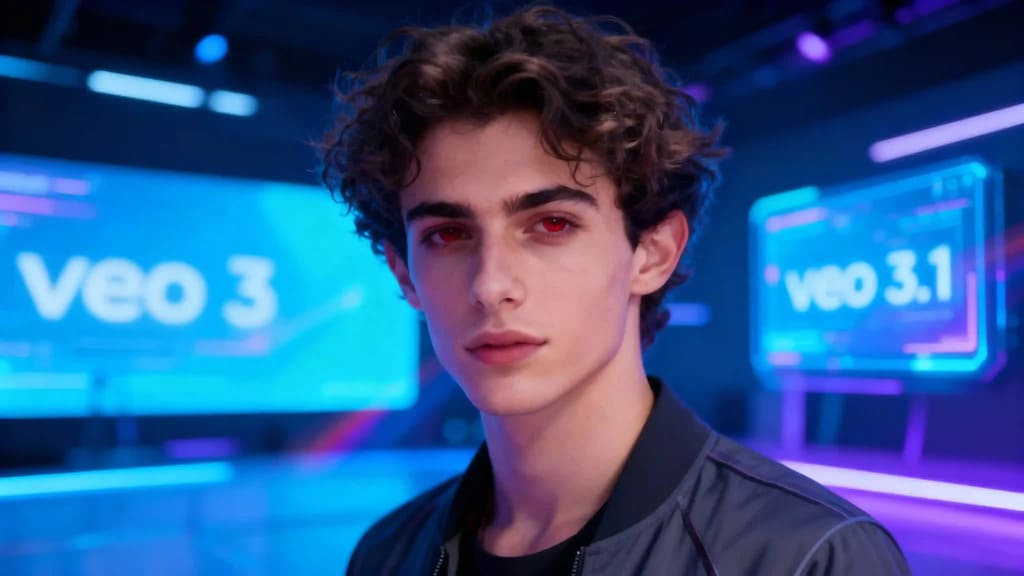
Google Veo 3.1 matters because it moves AI video closer to the way creators actually work: sharper prompt control, better scene continuity, reference-based generation, and sound that can be part of the clip rather than an afterthought. For creators, the useful question is simple: what changed, what can you do with it, and when should you use a more accessible tool such as APOB AI instead?
What Is Google Veo 3.1?
Veo is Google DeepMind's video generation model family. Google introduced Veo as a model for creating high-quality video from text, image, and video inputs. Veo 3.1 builds on that foundation with more control over character consistency, multi-image references, start-and-end frames, and cinematic structure.
For creators, the important part is not the model name. It is the workflow: can you keep the same subject across shots, control the beginning and end of a clip, and make the result feel intentional? That is where Veo 3.1 has pushed the category forward.
Veo 3 vs Veo 3.1: What Changed
Veo 3 already made AI video feel more usable by combining visual quality with prompt understanding. Veo 3.1 is more about control. It gives creators more ways to guide the shot rather than accept whatever the model invents.
Better continuity: Useful for short scenes where the subject should not change halfway through.
Reference-based creation: Multi-image reference workflows help keep characters, products, or visual styles closer to your source material.
Start and end frame control: Helpful for product reveals, transitions, and storytelling beats.
Audio-aware generation: Google has emphasized native audio and richer video output in its Veo updates.
How to Use APOB AI for a Similar Creative Workflow
APOB AI is not Google Veo. It is a creator-friendly workflow for people who want to make videos without waiting for access to every new model or learning a technical pipeline.
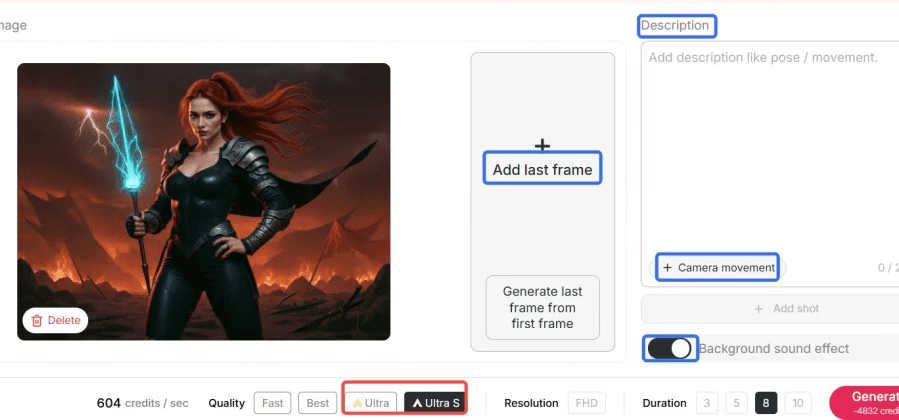
Step 1: Choose Your Generation Mode
Use Ultra S mode when you care most about quality. Use faster modes when you are still exploring ideas.
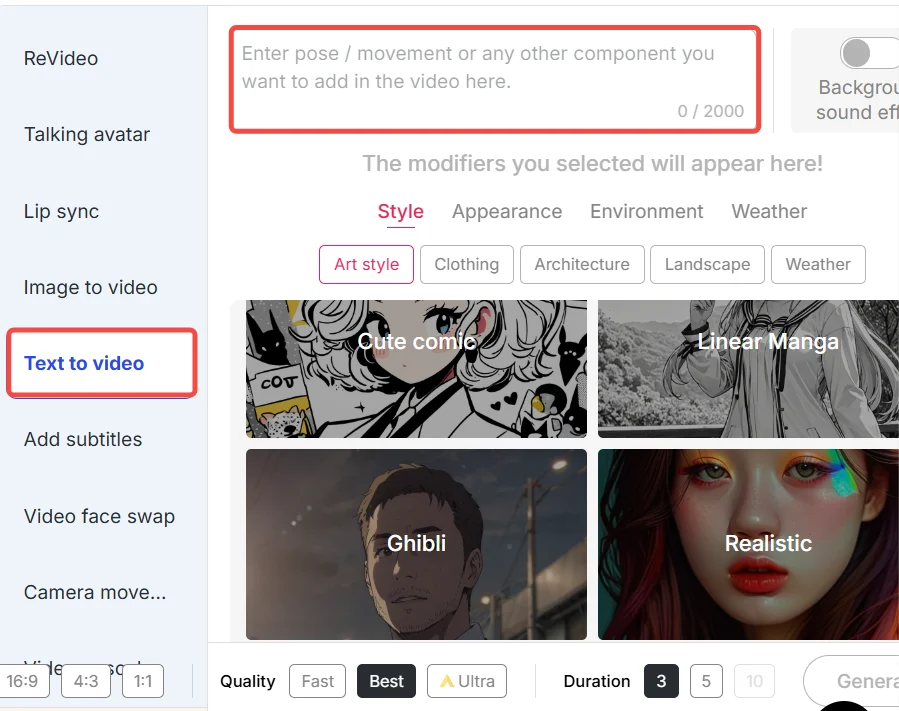
Step 2: Start with Text or a Reference Image
If you already know the scene, write it as a prompt. If you need character or product consistency, start from an image and describe the motion you want.
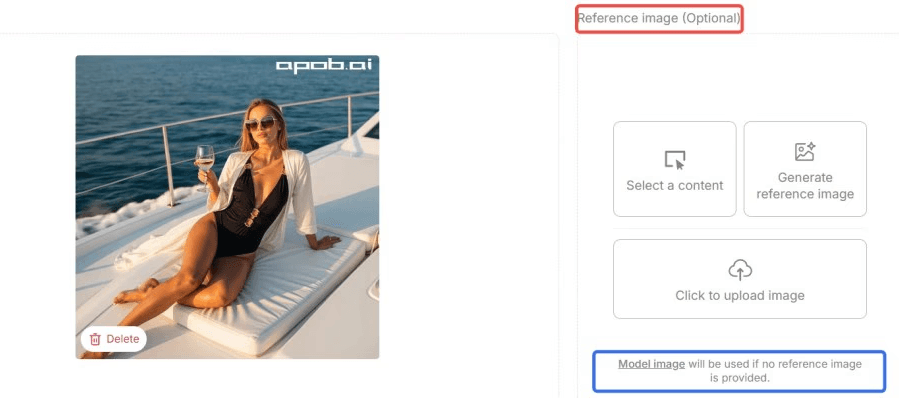
Step 3: Use Revideo for Character Swap
Revideo is useful when a clip has the right movement but the wrong character. Upload a reference and let APOB replace the character while keeping the video structure.
APOB AI vs Google Veo 3.1
Feature | APOB AI | Google Veo 3.1 |
|---|---|---|
Accessibility | Browser-based, user-friendly interface, free credits daily | Proprietary, often limited access or higher cost |
Character Swap (Revideo) | Yes, advanced AI influencer replacement | Limited or no direct equivalent |
Multi-Mode Creation | Ultra S mode for high quality, frame-based transitions | Start & End Frame, Multi-Image Reference |
Text-to-Video | Robust, supports descriptive prompts | Advanced, handles complex cinematography |
Video Length | Up to 30 seconds (expanding to 5 minutes) | Up to 10 seconds |
Cost Model | Credit-based, transparent pricing | Often subscription or API-based |
Integration | Designed for direct creative workflows | Part of Google DeepMind ecosystem |
Prompt Examples for Veo-Style Video
"A woman walking through a glass greenhouse at sunrise, handheld camera, warm backlight, realistic fabric movement, quiet cinematic mood."
"A sneaker rotating on a clean studio platform, slow push-in, soft shadow, premium product commercial, crisp details."
"A cyberpunk street food market at night, neon signs reflected on wet pavement, slow tracking shot, crowded but readable composition."
When APOB AI Is the Better Starting Point
Use APOB AI when you want to create quickly, keep a character consistent across assets, or test ad concepts before committing to a more expensive production path. Use Veo 3.1 when you specifically need Google's newest model capabilities and have access to the right product or API.
FAQs
What is Google Veo 3.1?
Veo 3.1 is an updated Google video generation model with stronger controls for references, scene continuity, and cinematic generation.
Does APOB AI replace Veo 3.1?
No. APOB AI is an easier creator workflow for people who want practical AI video tools, especially around characters, images, and Revideo.
Can I use AI-generated video commercially?
Check the terms of the platform you use and make sure your prompts, references, and generated assets do not violate someone else's rights or privacy.
References
Google (2025) Introducing Veo 3.1 and new creative capabilities in Flow. Available at: https://blog.google/products/gemini/veo-3-1/ (Accessed: 7 May 2026).
Google DeepMind (2024) Veo: A foundation model for video generation. Available at: https://deepmind.google/discover/blog/veo-a-foundation-model-for-video-generation/ (Accessed: 7 May 2026).
OpenAI (2024) Sora: Creating video from text. Available at: https://openai.com/sora (Accessed: 7 May 2026).
Stability AI (2024) Stable Diffusion 3 Medium. Available at: https://stability.ai/news/stable-diffusion-3-medium (Accessed: 7 May 2026).
Brain Project X (2026) @brainprojectx. Available at: https://www.youtube.com/@brainprojectx. (Accessed: 7 May 2026).
Wikipedia (2026) Generative artificial intelligence. Available at: https://en.wikipedia.org/wiki/Generative_artificial_intelligence (Accessed: 7 May 2026).
APOB AI (2024) Privacy Policy. Available at: https://app.apob.ai/privacy-policy (Accessed: 7 May 2026).
APOB AI (2024) Terms of Service. Available at: https://app.apob.ai/terms-of-service (Accessed: 7 May 2026).

Be the first to like this.





No credit card needed


