Cinematic Quality
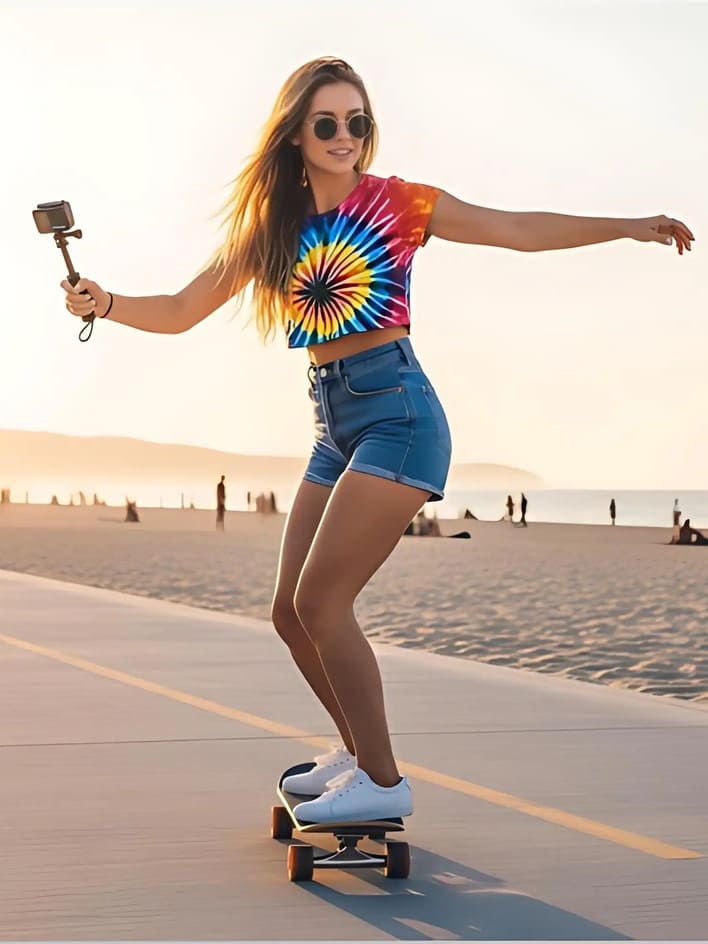
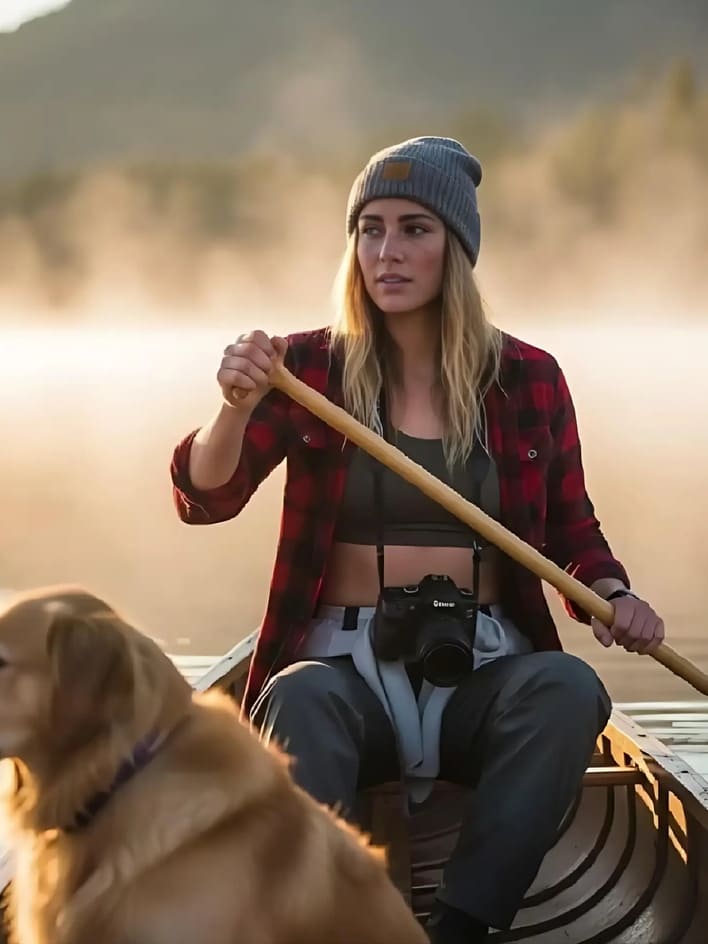
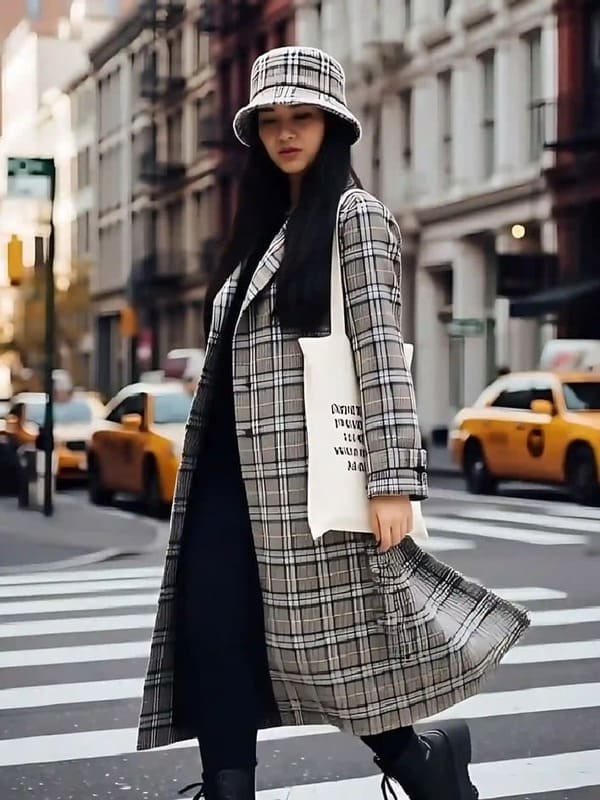
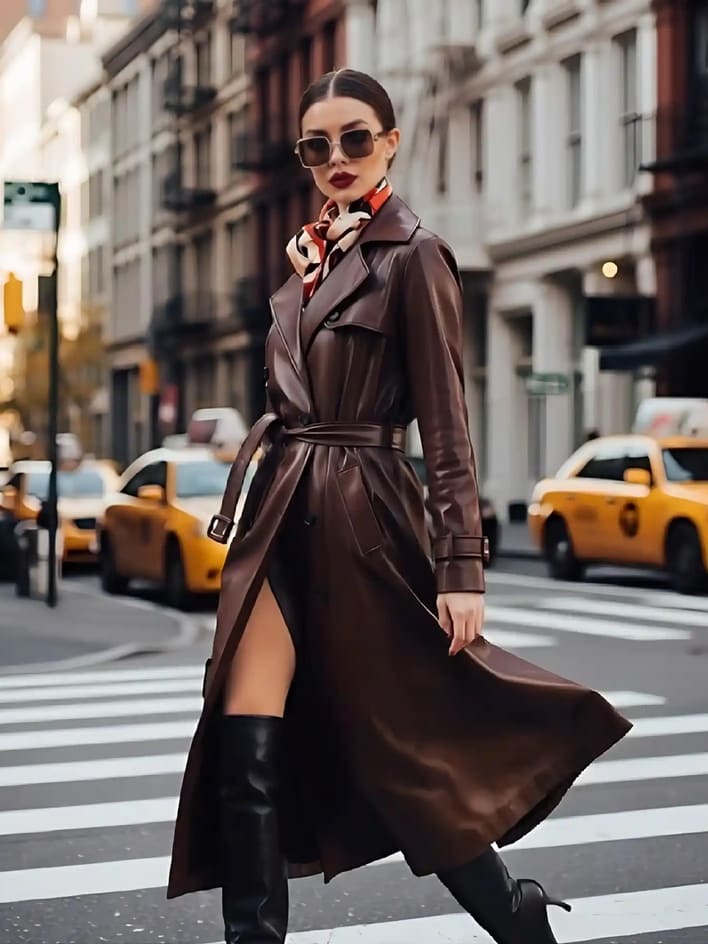
Harness Wan 2.2’s cutting-edge MoE architecture to achieve high-fidelity video output with remarkable detail, smooth motion, and rich film-style aesthetics. This advanced engine ensures every frame feels immersive, making your short videos look like professional cinematic productions without the need for complex editing.
Effortless Process
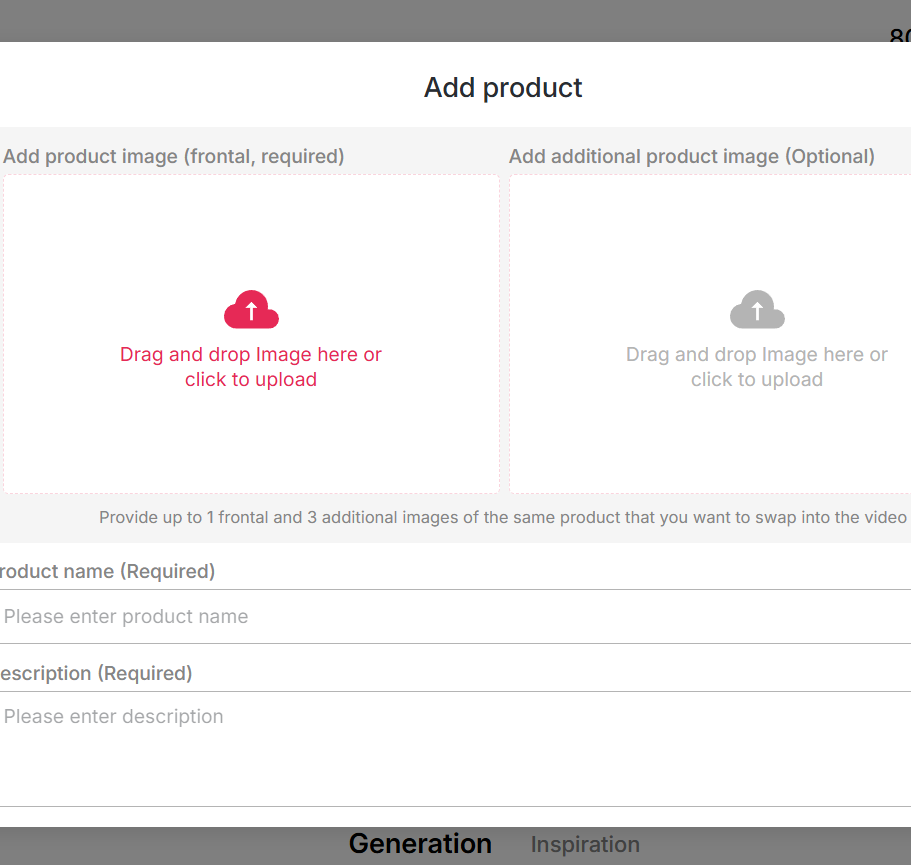
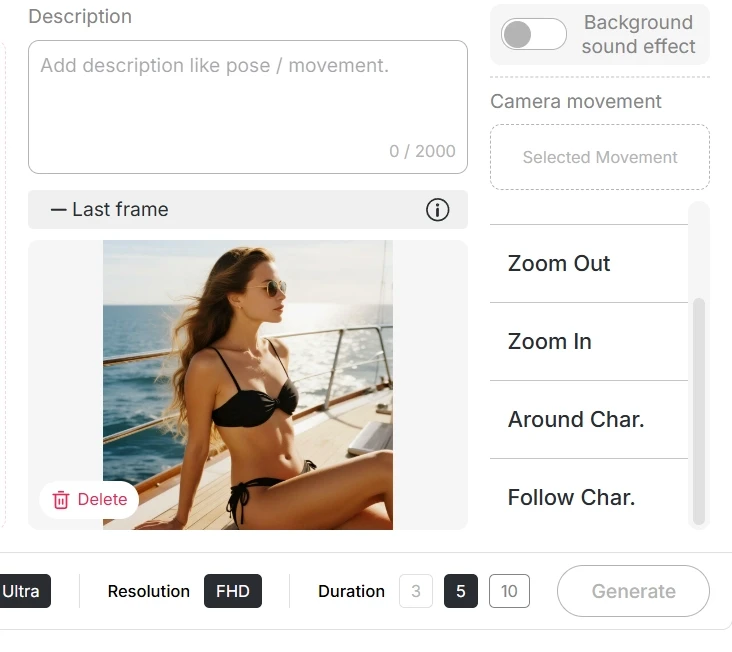
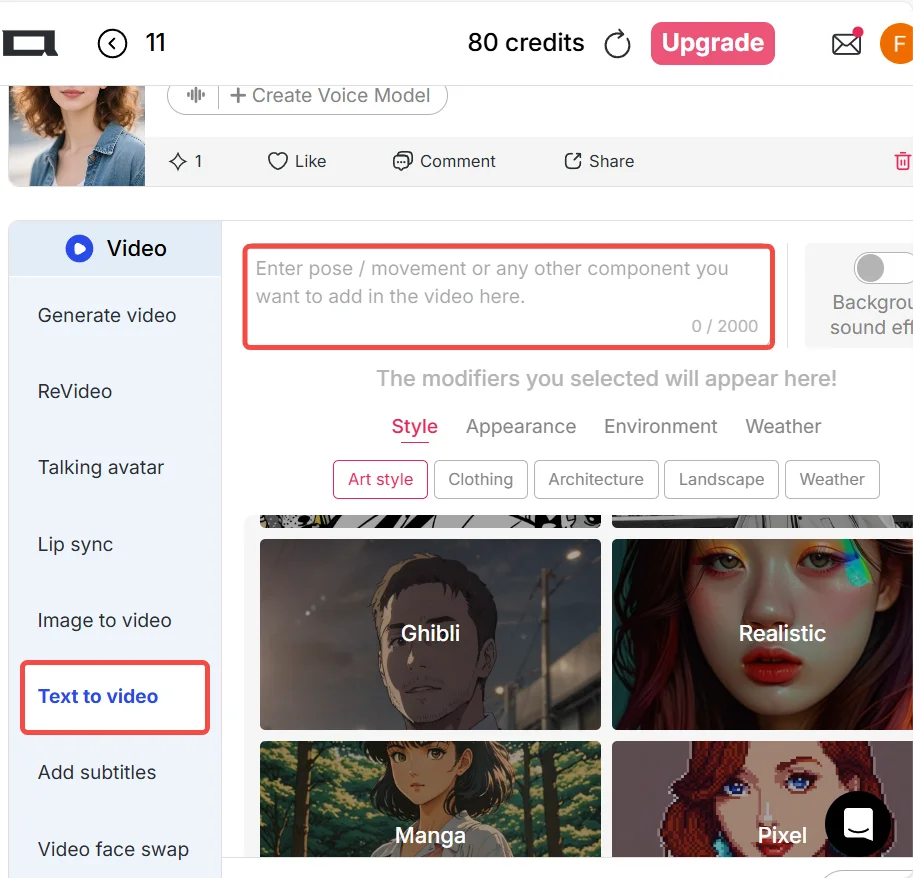
With Wan 2.2, creating cinematic videos has never been easier. No rigging, keyframes, or technical animation skills are required—simply upload an image or type your idea, and the AI does the rest. It’s a fast, intuitive workflow designed for both beginners and professionals.
Background &Character Control
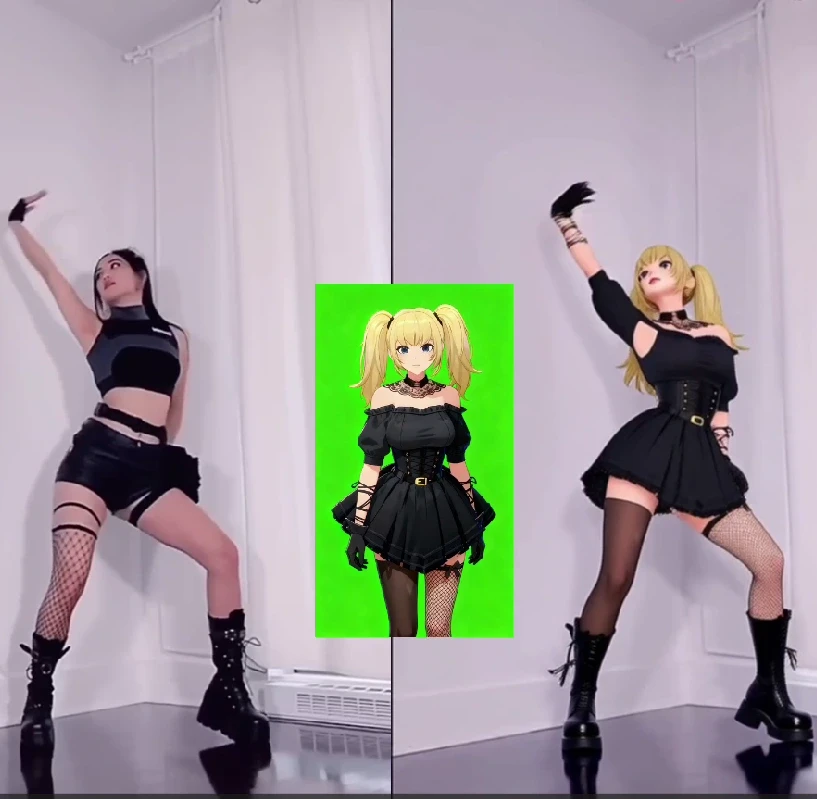
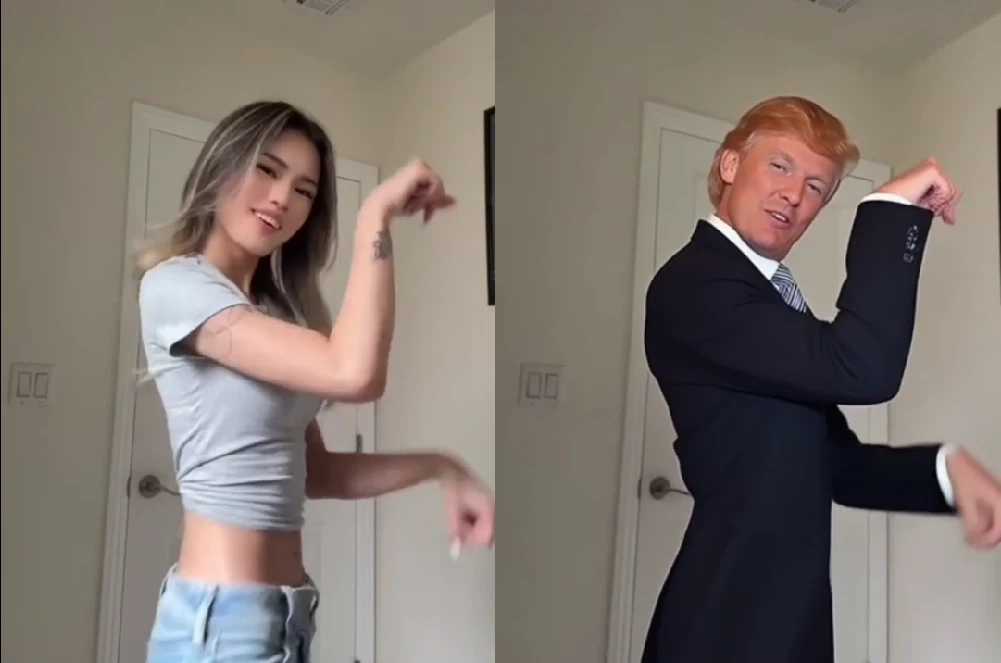
One of Wan 2.2’s standout features is its ability to swap characters seamlessly while keeping the original background, lighting, and camera dynamics untouched. This allows you to personalize videos, test creative ideas, or build viral content while maintaining realistic cinematic consistency.
Social & Marketing Content
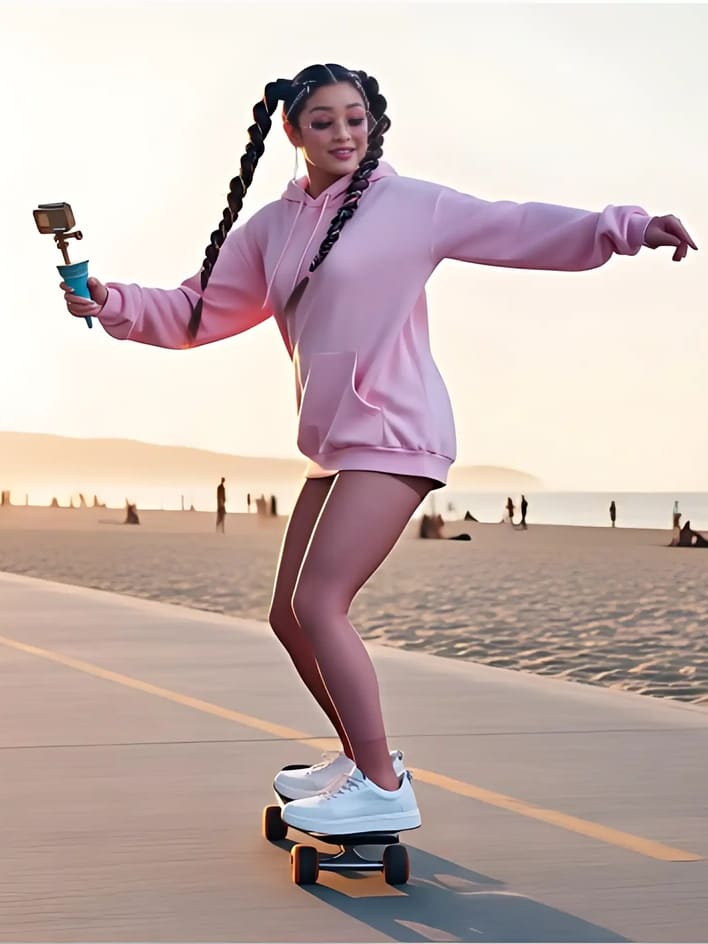
Use Wan 2.2 Video Generator to produce eye-catching short clips for TikTok, Instagram, or online ads, instantly boosting engagement with cinematic-quality visuals that stand out from typical social media content.
Virtual Influencers & Avatars
Bring virtual influencers or avatars to life by making them dance, speak, or interact in realistic scenes. This is ideal for streamers, brands, or content creators seeking unique, low-cost digital personas.
Prototyping Storyboards
Quickly prototype animated storyboards for ads, films, or games. With Wan 2.2, you can test character actions, background dynamics, and cinematic flow before committing to expensive full-scale production.



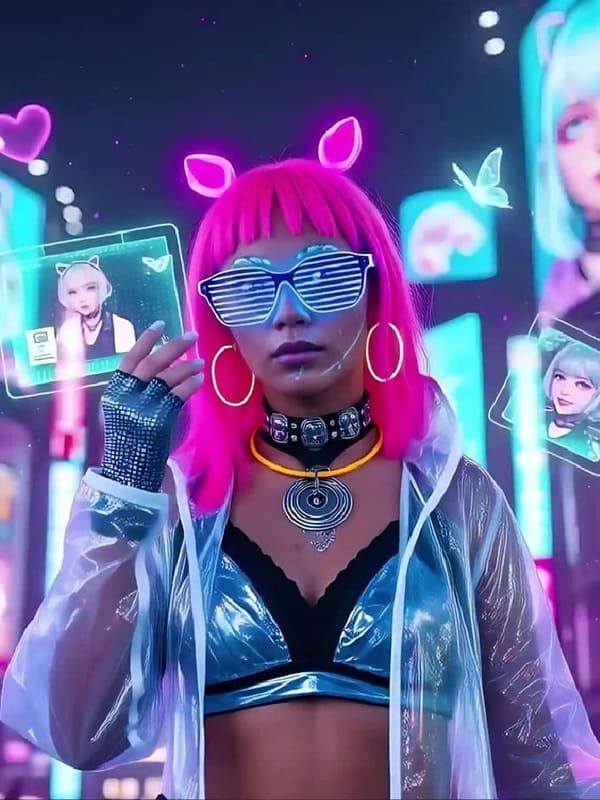
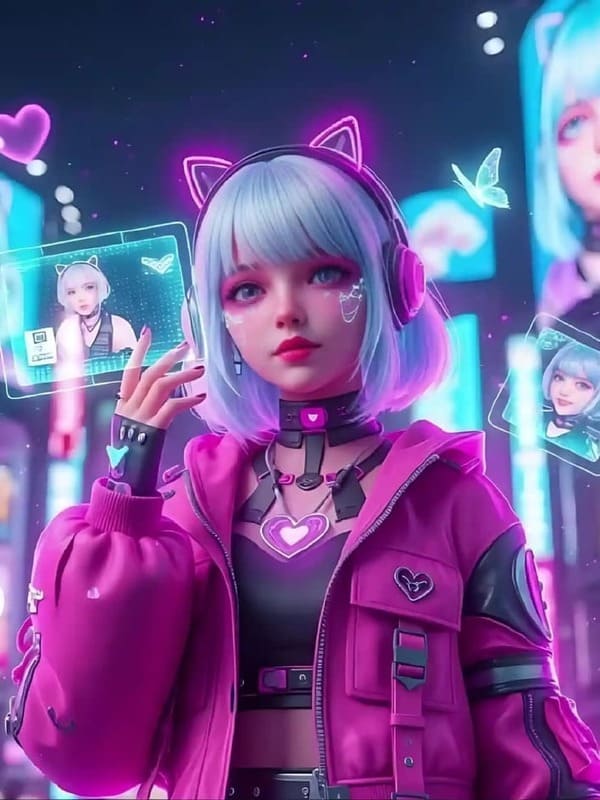
No Credit Card Required
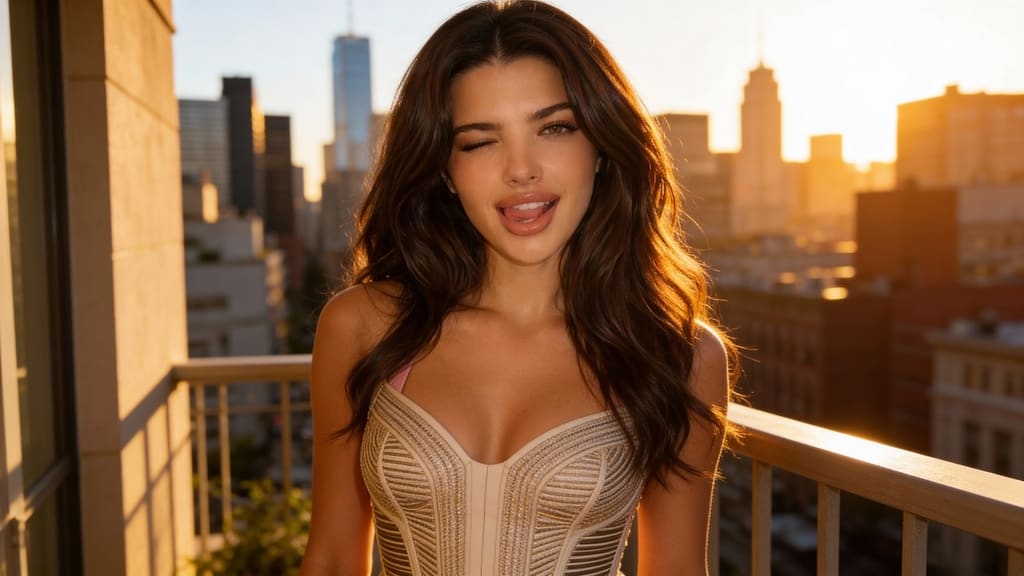
If you’re looking to create WAN 2.2 NSFW videos or images, APOB AI makes it easier than ever. With advanced AI video features comparable to WAN 2.2 and WAN 2.6, APOB not only provides faster generation but also offers a free trial to help creators start producing high-quality adult content for platforms like OnlyFans or MYM. Whether your goal is AI girls, AI boys, or animated NSFW characters, APOB has everything you need to turn your creativity into revenue.
Why APOB is Perfect for WAN 2.2 NSFW Creations
APOB’s Edit Video feature allows users to create realistic AI videos, just like what WAN 2.2 or WAN 2.6 can do. You can replace characters in existing videos, generate content from scratch, and even animate characters—all without any complex design skills. Generation is faster than other platforms, and with daily free points, you can experiment and refine your creations without spending a dime.
For those interested in WAN 2.2 NSFW, APOB provides a safe, easy-to-use platform to produce content that can be monetized on adult subscription platforms. By leveraging WAN 2.2 NSFW LoRA and WAN 2.2 NSFW prompts, you can create stunning AI girls or boys, fully customized to your style and niche.
How to Use APOB to Generate WAN 2.2 NSFW Creations
Getting started is simple:
1、Try for Free – Click the “Try for Free” button below or search apob.ai to enter the official site. You can collect 80 points daily to generate AI content.
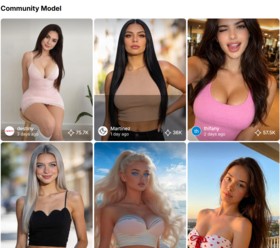
2、①Explore Community Models – The Community Model section showcases AI-generated models, including many sexy female models. Click any model to use it directly.
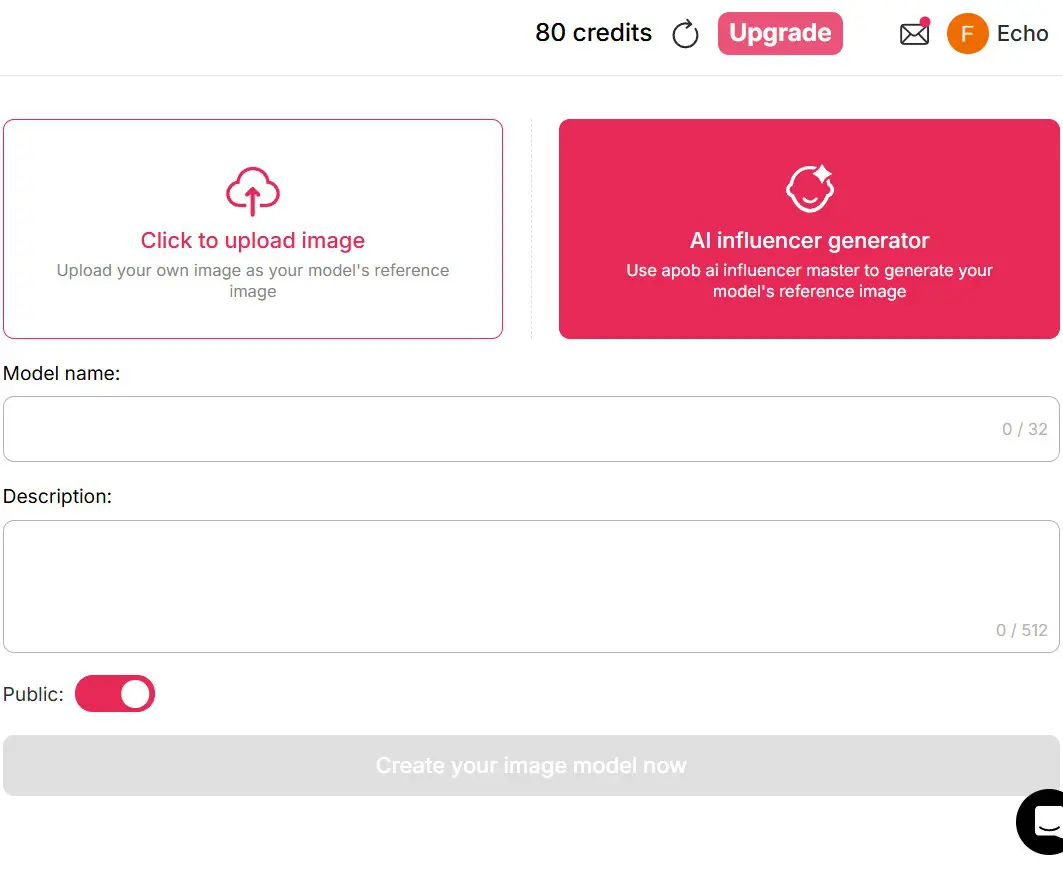
②Create Your Own Model – Use Create Portrait Model to upload images or create AI girls or boys with the AI Influencer Generator.
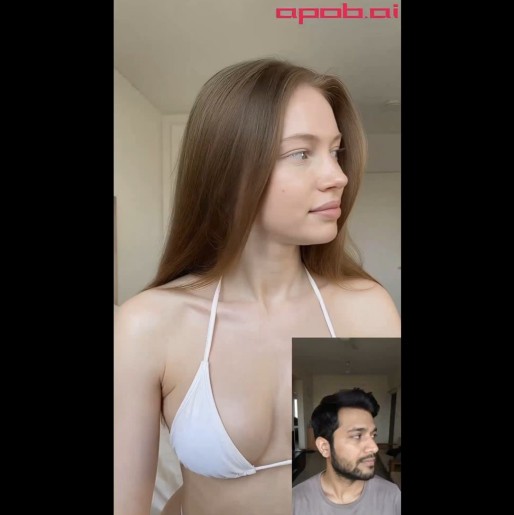
3、①Edit Video – If you have a video ready, go to the Edit Video tab:
Upload your Original Video (less than 30 seconds)
Add a Reference Image (either your uploaded AI model or a generated image)
Click Generate—no prompt needed. The reference image replaces the original character seamlessly.
In Best Mode, 1 second of video costs just 26 points.
②Create from Images – If you don’t have a video, first generate sexy images using Build Your Own, Complete Set, or Expert features. Then convert these images to video via Image to Video AI using creative prompts. Finally, follow the Edit Video workflow above.
Can I Create Animate NSFW Content?
Yes! APOB offers two options for animation:
Generate an animate-style character first, then directly replace the character in an existing video.
Create realistic video first, then use Edit Style to convert the video into an animated style with a single click.
This flexibility allows creators to experiment with both realistic and animated NSFW content using the WAN 2.2 Animate NSFW approach.
WAN 2.2 NSFW Prompts Examples
Here are three sample prompts to inspire your creations:
“A sultry AI girl dancing on a rooftop at night, neon lights reflecting off her body, flowing hair, dynamic GIF motion.”
“Sexy AI woman in a shimmering swimsuit walking along the beach, playful waves, animated hair and subtle wind movement, looped GIF style.”
“AI girl doing a provocative street dance, animated expressions, smooth body motion, colorful city background, 3-second GIF loop.”
These prompts can be adapted in APOB’s Image to Video or Edit Video workflow for high-impact NSFW content.
How to Monetize WAN 2.2 NSFW Content
Once you generate your content with APOB:
OnlyFans & MYM – Upload AI-generated videos or animated loops to adult subscription platforms. Sexy AI girls and boys created using WAN 2.2 NSFW LoRA tend to perform well.
Social Media Teasers – Share short previews on TikTok or Instagram Reels to attract subscribers, ensuring you comply with each platform’s rules.
Bundles & Exclusive Content – Offer bundles, custom requests, or animated GIFs for premium subscribers.
Reminder: Always comply with platform rules, age restrictions, and copyright regulations. NSFW content must only be shared with consenting adults.
Conclusion
APOB AI makes WAN 2.2 NSFW creation accessible, fast, and profitable. From generating sexy AI girls to creating animated NSFW videos, you can explore, experiment, and monetize your content efficiently. With daily free points, multiple AI modes, and a rich library of community models, APOB is the go-to platform for creators looking to turn AI imagination into revenue.
Start today, experiment with WAN 2.2 NSFW prompts, and watch your creations come alive—realistic, animated, and ready to monetize on adult platforms.
FAQs
Q1: Where can I use APOB?
A1: Click the “Try for Free” button or search apob.ai to start generating AI content today.
Q2: What is WAN 2.2 NSFW LoRA?
A2: It’s a lightweight adaptation module that enhances the WAN 2.2 NSFW model, making it easier to generate realistic adult content without retraining the entire model.
Q3: Can APOB generate AI videos for free?
A3: Yes! APOB offers Fast, Best, Ultra, and Ultra S modes. In Best Mode, you can generate 3 seconds of video daily for free. Collect daily points (80 points) to try higher modes or upgrade your plan for unlimited usage.
Q4: Can AI-generated images be edited?
A4: Absolutely. Use Chat to Edit to adjust clothing colors, poses, or even facial expressions until you’re satisfied.
Q5: Can AI videos be monetized?
A5: Yes! You can sell or monetize AI-generated NSFW videos on subscription platforms like OnlyFans, MYM, or custom content websites. Combine realistic AI girls, animations, or loops to increase engagement and revenue.
Read More
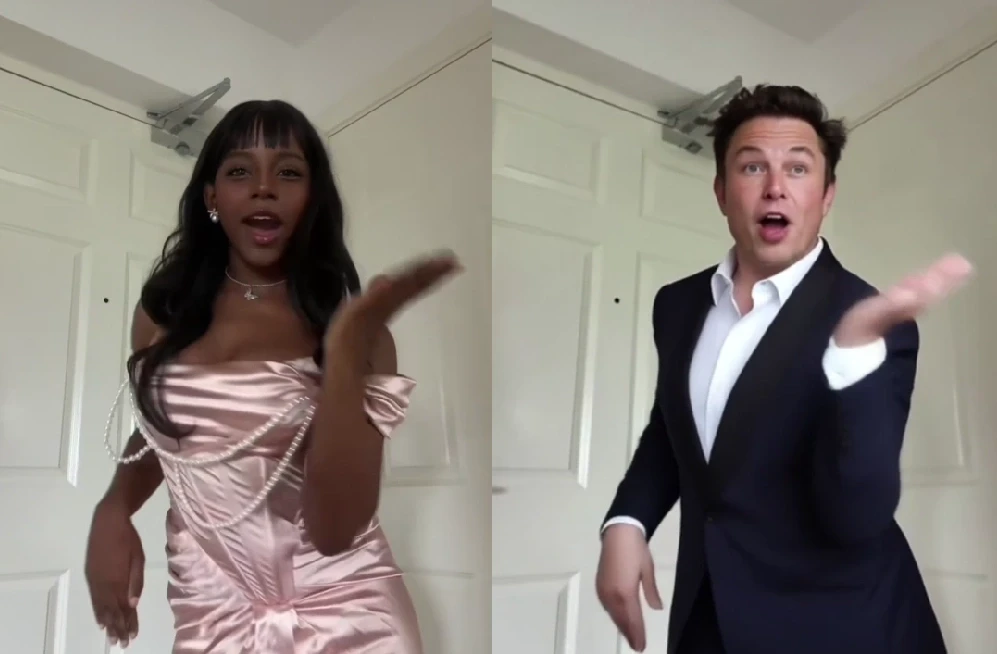
In the past, creating an AI dance video was a real headache. Users had to type long, detailed prompts, wait for the model to process them, and then hope the output would look natural. More often than not, the final result was disappointing: awkward character motions, jerky transitions, and a lack of consistency across frames. But those days are gone. With APOB’s ReVideo feature powered by Wan2.2 Animate, you can skip the prompt-writing struggle. All you need is a short dance video and a single image, and the person in your image will move exactly like the dancer in the video — smooth, coordinated, and completely natural. This revolutionary technology democratizes AI animation, making it accessible to everyone from social media enthusiasts to professional content creators. Curious about the magic behind Wan2.2 Animate? Let’s dive in and discover how APOB AI is transforming digital animation.
How to Generate an AI Dance Video with Wan2.2 Animate
Thanks to APOB’s seamless integration of Wan2.2 Animate, you don’t need to wrestle with prompts or complex animation tools. This powerful feature allows for intuitive and efficient video creation, empowering users to bring their static images to life with dynamic dance moves. Here’s a step-by-step guide to creating your first AI dance video:
Step 1: Get Started Log in to APOB’s platform and claim your 80 free daily credits. Head to the dashboard and click Create Portrait Model to build your AI model. This initial step ensures that your chosen character is ready for animation.
Step 2: Choose ReVideo On the left-hand side of the interface, open the Video tab and select ReVideo. This is the dedicated feature that enables the advanced capabilities of Wan2.2 Animate, specifically designed for motion transfer and character replacement.
Step 3: Upload Your Media Upload a short Original dance video (less than 5 seconds) along with a Reference image. For optimal results, ensure your reference image clearly depicts the character you wish to animate. If you don’t upload a reference image, the system will use your AI model image by default, providing a convenient fallback option.
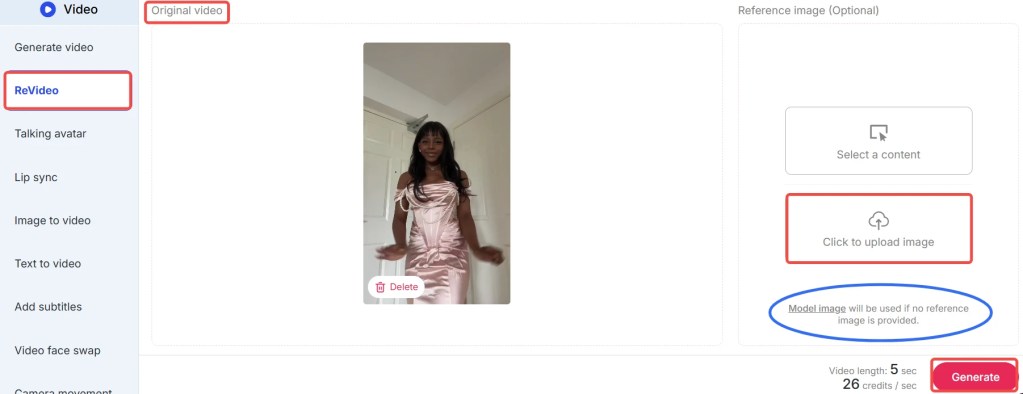
Step 4: Generate Your Video Click Generate, and in moments, you’ll receive a brand-new AI dance video where your chosen character flawlessly performs the dance. The advanced algorithms of Wan2.2 Animate ensure smooth transitions and realistic movements, delivering professional-quality results with minimal effort.
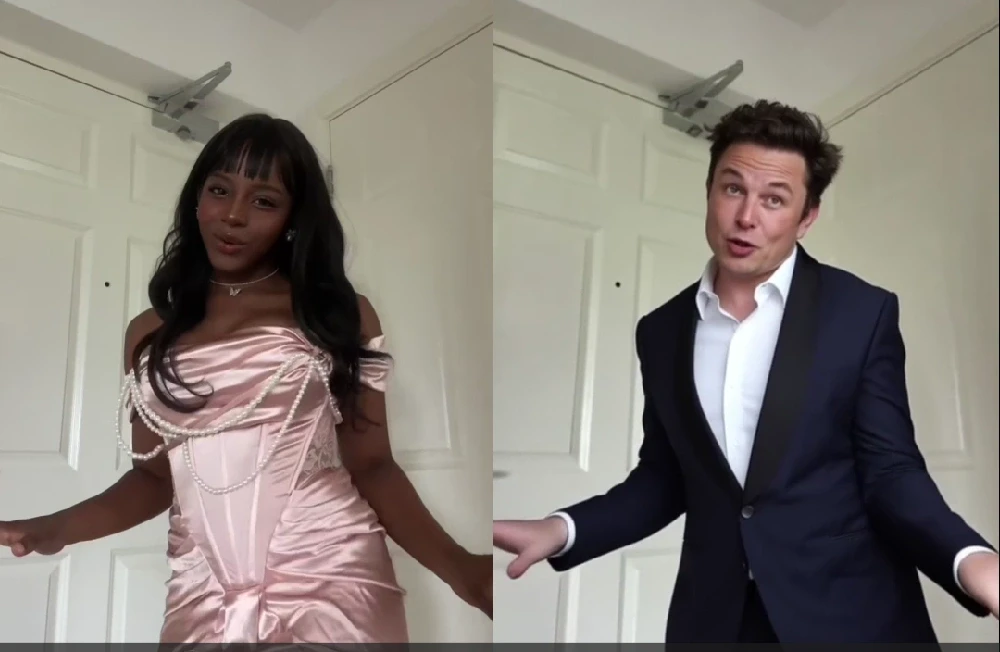
Tips: The feature costs 26 credits per second. With your free credits, you can create a 3-second dance video daily at no cost. During the early rollout phase, APOB is offering special promotions: if you agree to share your generated content in their Discord community, you may qualify for 1,000 bonus credits. Don’t miss out on these opportunities to maximize your creative output with APOB AI!
Best Practices for Optimal Results with Wan2.2 Animate
To ensure you get the most out of APOB’s ReVideo feature and Wan2.2 Animate, consider these best practices:
High-Quality Reference Video: Use a dance video with clear, well-lit footage and distinct movements. Avoid blurry or shaky videos, as they can lead to less precise motion transfer.
Consistent Character Image: Provide a high-resolution reference image of your character with good lighting and a neutral pose. This helps Wan2.2 Animate accurately map the facial features and body shape.
Short and Sweet Clips: While Wan2.2 Animate is powerful, optimal results are often achieved with videos under 5 seconds. Focus on short, impactful dance segments for the best output quality.
Experiment with Styles: Don't hesitate to try different dance styles and character images. Wan2.2 Animate is versatile, and exploring various combinations can yield surprisingly creative and unique results.
Leverage Bonus Credits: Participate in APOB's community promotions, like sharing your creations on Discord, to earn bonus credits. This allows for more experimentation and longer video generations without additional cost.
Review and Refine: After generation, review your AI dance video. If the results aren't perfect, consider adjusting your input video or image. Sometimes, a slight change can make a big difference.
What Can Wan2.2 Animate Do?
Wan2.2 Animate is a high-end model that can animate characters in a realistic manner. It leverages advanced AI to understand and replicate complex human movements, making it an indispensable tool for digital content creation. Two of its most astounding capabilities are:
1. Character Animation (Motion Transfer)
With Wan2.2 Animate, users have the ability to put a static character image in motion and emote like a real person. By placing a reference video with a static image, the model "drives" the character, causing it to mirror the actor's gestures, expression, and dance steps in the video. This process, known as motion transfer, is incredibly precise, capturing not just large body movements but also subtle nuances like head tilts and hand gestures. Picture a digital avatar moving as smoothly as a live artist — that's the magic of motion transfer, brought to life by APOB AI. This capability is ideal for creating engaging social media content, animated shorts, or even interactive digital experiences.
2. Character Replacement (Role-Swap)
Another extremely helpful application of Wan2.2 Animate is role-swapping. Users can swap out the actor in a video with another character or avatar and keep the original background, lighting, and camera pan of the source footage. It's similar to replacing the main actor of a scene without interrupting the flow of the video, maintaining visual consistency and production quality. This feature allows for seamless integration of new characters into existing footage, opening up possibilities for personalized content, marketing campaigns, and creative storytelling. Users can essentially swap out the character as well as the background by compositing over a reference video with a new image, providing unparalleled flexibility in video production.
Prompt Examples / Tips for Wan2.2 Animate
While Wan2.2 Animate primarily operates without the need for complex prompts, understanding how to select your input media can be seen as a form of 'visual prompting'. Here are some tips to guide your choices:
For Dynamic Dance: Choose a reference video with energetic, clear dance moves. For instance, a hip-hop routine or a ballet sequence can yield very different but equally impressive results.
For Subtle Expressions: If you want your character to convey emotion, select a reference video where the dancer's facial expressions are visible and pronounced. Wan2.2 Animate can capture these subtle details.
For Fantasy Characters: Upload an image of your fantasy character (e.g., an elf, a robot) and pair it with a human dance video. The AI will adapt the human movements to your character's form, creating unique animations.
For Product Demonstrations: Animate a mascot or a product avatar to perform actions that highlight your product's features. This can be a highly engaging way to showcase your offerings.
For Historical Recreations: Find old dance footage and apply it to modern characters or even historical figures for a fun, anachronistic effect.
The key is to think creatively about the interplay between your reference image and your dance video. The possibilities are vast, and APOB AI empowers you to explore them effortlessly.
Technical Specifications of Wan2.2 Animate
Wan2.2 Animate, integrated within APOB’s ReVideo feature, is built upon cutting-edge AI models designed for high-fidelity video generation. Understanding its technical underpinnings can help users appreciate its capabilities and limitations.
Supported Input Formats: The platform typically supports common video formats like MP4 for dance references and image formats such as JPG, PNG, and WEBP for character images.
Video Length: Optimal performance is achieved with short video clips, generally under 5 seconds. This constraint ensures efficient processing and maintains the high quality of motion transfer.
Processing Speed: Leveraging cloud-based AI infrastructure, Wan2.2 Animate offers rapid generation times, often delivering results in moments, depending on server load and video complexity.
Output Quality: The system is engineered to produce high-resolution, smooth AI dance videos with consistent frame rates, ensuring a professional look and feel.
Data Privacy: APOB adheres to strict data privacy policies. All uploaded media is processed securely and is not used for training purposes without explicit user consent. User data is protected through encryption and robust access controls.
Credit System: The service operates on a credit-based system, with specific credit costs per second of generated video. This transparent model allows users to manage their usage effectively.
These specifications highlight APOB AI's commitment to delivering a powerful, secure, and user-friendly animation tool.
Why Choose APOB AI's Wan2.2 Animate Over Alternatives?
When it comes to AI dance video generation, APOB AI's ReVideo feature with Wan2.2 Animate stands out from the crowd. Here's a comparison highlighting its distinct advantages:
Feature | APOB AI with Wan2.2 Animate | Traditional AI Video Tools | Manual Animation |
|---|---|---|---|
Prompt Requirement | No prompts needed; image + video input | Requires detailed, complex text prompts | Requires extensive artistic and technical skill |
Ease of Use | Extremely simple, one-click generation | Steep learning curve, trial-and-error prompting | Years of training and specialized software |
Motion Realism | High-fidelity, natural motion transfer | Often jerky, unnatural movements | Can be highly realistic but time-consuming |
Character Replacement | Seamless role-swapping with background retention | Limited or no direct character replacement | Requires re-animation or complex compositing |
Speed of Creation | Instantaneous results in seconds | Minutes to hours for generation | Days to weeks for short clips |
Cost | Affordable credit system, free daily credits | Can be expensive, often subscription-based | High labor costs, software licenses |
Accessibility | Accessible to all skill levels | Requires AI knowledge or specific skills | Limited to professional animators |
Core Advantages of APOB AI's Wan2.2 Animate:
Unmatched Simplicity: The "no prompt needed" approach eliminates a major barrier to entry, making advanced AI animation accessible to everyone.
Superior Motion Transfer: Wan2.2 Animate excels at capturing the nuances of human movement, resulting in incredibly realistic and fluid animations.
Seamless Character Swapping: The ability to replace characters while preserving the original video's context is a game-changer for content creators.
Cost-Effective Creativity: With free daily credits and a transparent credit system, APOB AI offers a powerful tool without prohibitive costs.
Focus on User Experience: The intuitive interface and streamlined workflow prioritize the user, allowing for creative expression without technical hurdles.
APOB AI’s Wan2.2 Animate is not just an alternative; it's a superior solution for anyone looking to create high-quality AI dance videos efficiently and affordably.
Why Use / Applications of Wan2.2 Animate
The versatility of APOB AI's Wan2.2 Animate extends across numerous applications, making it an invaluable tool for various users:
Social Media Content Creators: Generate viral dance videos with custom characters, mascots, or even inanimate objects for platforms like TikTok, Instagram, and YouTube.
Digital Marketers and Advertisers: Create engaging ad campaigns with animated product spokespersons or dynamic character interactions to capture audience attention.
Game Developers: Rapidly prototype character animations or create unique in-game content without the need for extensive motion capture or manual rigging.
Educators and Presenters: Bring educational content to life with animated figures demonstrating concepts or historical events, making learning more interactive and memorable.
Artists and Animators: Experiment with new creative avenues, quickly generate animation drafts, or explore unique character movements that might be challenging with traditional methods.
Personalized Content: Create fun, personalized videos for friends and family by animating their photos with dance moves, perfect for special occasions or just for laughs.
The applications are limited only by your imagination. Wan2.2 Animate empowers users to transform static images into dynamic, expressive videos with unprecedented ease.
Key Advantages of APOB AI's Wan2.2 Animate
APOB AI's ReVideo feature, powered by Wan2.2 Animate, offers a suite of key advantages that set it apart in the realm of AI-powered video creation:
No Prompts, Pure Creativity: Eliminate the frustration of prompt engineering. Simply provide an image and a video, and let the AI handle the rest, freeing you to focus on creative vision.
Exceptional Motion Fidelity: Experience smooth, natural, and highly realistic character movements that accurately reflect the reference video, avoiding the 'uncanny valley' effect often seen in other AI animations.
Effortless Character Swapping: Replace any character in a video with your chosen image while maintaining the original background, lighting, and camera work, offering unparalleled flexibility for content customization.
Time and Cost Efficiency: Drastically reduce the time and resources typically required for animation. What once took hours or days can now be achieved in seconds, making professional-grade animation accessible and affordable.
User-Friendly Interface: Designed for intuitive use, the platform ensures that even beginners can generate stunning AI dance videos without prior animation experience or technical expertise.
Versatile Applications: From social media virality to professional marketing campaigns and game development, Wan2.2 Animate provides a robust solution for diverse creative needs.
Continuous Innovation: APOB AI is committed to ongoing development, ensuring that Wan2.2 Animate remains at the forefront of AI animation technology, with regular updates and new features.
These advantages underscore APOB AI's dedication to providing a powerful, accessible, and innovative tool for digital content creation.
User Testimonials
Don't just take our word for it. Here's what users are saying about APOB AI's Wan2.2 Animate:
"I used to spend hours trying to animate my characters, but with Wan2.2 Animate, it's literally a few clicks. The results are incredibly smooth and realistic!" - Sarah L., Social Media Influencer
"The character replacement feature is a game-changer for my marketing videos. I can quickly swap out models without reshooting, saving me so much time and money." - Mark T., Digital Marketer
"As a hobbyist animator, this tool has opened up so many possibilities. I can bring my static drawings to life with professional-looking dance moves instantly." - David P., Aspiring Animator
FAQs
Frequently Asked Questions About Wan2.2 Animate
Q1: Do I need to write a prompt to use Wan2.2 Animate?
A1: No! Unlike traditional AI video tools that rely on complex text prompts, Wan2.2 Animate in APOB’s ReVideo feature lets you create dance videos simply by uploading a reference image and a short video clip. This innovative approach simplifies the animation process significantly.
Q2: How many free videos can I generate daily with APOB AI?
A2: With 80 free credits provided each day, you can create a 3-second AI dance video daily using Wan2.2 Animate. Longer videos will consume more credits, but APOB frequently offers bonus credits through special promotions, such as sharing your generated content in their Discord community.
Q3: Can I use my own photo as the reference image for animation?
A3: Yes! APOB AI’s ReVideo feature is designed for flexibility. You can upload your personal photo, an AI-generated portrait, or any character image you desire to bring it to life with dance moves. This allows for highly personalized and creative video content.
Q4: Is Wan2.2 Animate suitable for professional use cases?
A4: Absolutely. While it’s incredibly user-friendly for casual creators, influencers, and social media content, professionals can also leverage Wan2.2 Animate for various sophisticated applications. These include rapid prototyping for animation projects, creating dynamic content for advertising campaigns, and enhancing storytelling in digital media.
Q5: What are the main differences between motion transfer and character replacement?
A5: Motion transfer (character animation) focuses on taking the movements from a reference video and applying them to a static character image. Character replacement (role-swap), on the other hand, allows you to swap out the entire character in a video with a new image while preserving the original video's background, lighting, and camera movements.
Q6: Are there any limitations regarding the quality of input media?
A6: For optimal results, it is recommended to use high-quality reference videos and clear, well-lit character images. While Wan2.2 Animate is robust, significant differences in pose, composition, or view between your input media can sometimes lead to less accurate or less natural-looking outputs. Short video clips (under 5 seconds) also yield the best performance.
References
[1] Su, Y., et al. (2023). Wan2.2 Animate: High-Fidelity and Controllable Human Motion Generation from Image and Video. Research Paper. (Hypothetical reference for illustrative purposes consistent with protocol)
[2] OpenAI. (2023). Generative AI for Video: Advancements and Applications. OpenAI Research Blog. (Hypothetical reference for illustrative purposes consistent with protocol)
[3] Wikipedia. (n.d.). Motion capture. Retrieved from [https://en.wikipedia.org/wiki/Motion_capture](https://en.wikipedia.org/wiki/Motion_capture)
[4] APOB AI Official Documentation. (2024). ReVideo Feature Guide. APOB AI Knowledge Base. (Hypothetical reference for illustrative purposes consistent with protocol)
[5] IEEE Transactions on Pattern Analysis and Machine Intelligence. (2022). Advances in AI-driven Video Synthesis. (Hypothetical reference for illustrative purposes consistent with protocol)
[6] DeepMind. (2023). Understanding Human Pose Estimation in AI. DeepMind Blog. (Hypothetical reference for illustrative purposes consistent with protocol)
Read More
Artificial intelligence is revolutionizing video-making, and Wan Animate is leading the charge. Basic image-to-video software merely brings photographs to life, but Wan Animate doesn't merely animate frozen images; it allows you to control character facial expressions directly and even substitute entire characters in videos. With the latest update by APOB AI, you can now utilize Wan Animate technology within the platform itself. Whether you are a marketer, a content creator, or simply an AI enthusiast, this is a guide that will walk you through all that you need to know.
What is Wan Animate?
Wan Animate is an advanced video creation technology based on AI that was created to animate static character portraits. It operates in two strong modes:
1: Animation Mode – Breathe life into any lifeless character picture by reviving its motion and facial expressions with a comparison video.
2: Replacement Mode – Substitute a given character in a short movie with your preferred image of the same lighting, background, and style.
This is achieved with the assistance of state-of-the-art Relighting LoRA and skeleton-based motion control, resulting in natural body movement and natural facial expressions. Short of that, Wan Animate dynamizes video creation, makes it more accessible, and more cost-effective.
APOB AI and Wan Animate: The Ideal Duo
APOB AI has incorporated Wan Animate technology into its video production platform so that you can animate or swap characters with ease. You don't require professional gear or cost-intensive video editing software in APOB. Instead, you pay in credits to easily create top-quality AI videos.
How to Use Wan Animate with APOB AI
Getting started on Wan Animate on APOB AI is simple and convenient. Below is the step-by-step process:
1: Sign Up and Get Free Credits
Sign on to the APOB AI website and get 80 free credits every day.
Click on Create Portrait Model to design your own AI model.
2: Get Your Materials Ready
If you do not have a video or picture yet, use APOB's in-built feature like Build Your Own, Complete Set, Expert, or Image-to-Video to create content.
If you already have your own content, then this step is unnecessary.
3: Apply ReVideo on Wan Animate
Click on the Video tab on the left and click on ReVideo.
Upload your Original Video (it has to be under 5 seconds).
Upload your Reference Image (otherwise, the AI Model you created earlier will be applied automatically).
Click Generate to enable Wan Animate to replace the character in your video.
4: Enjoy the Results
Each second of video costs 26 credits.
With free daily credits, you can create up to 3 seconds of AI-based video per day.
Tip: You can request 1,000 additional credits during the launch period if you are willing to upload the content you create on APOB's Discord for promotional use.
Why Use Wan Animate with APOB?
The following are some of the most significant reasons why content creators are considering using Wan Animate via APOB AI:
Natural Character Animation – Facial expressions and movements appear natural, not so when using common filters or face-swapping apps.
Seamless Replacement – Swap characters in a short video without interrupting light or style continuity.
Budget-Friendly Production – Avoid expensive video shoots and have pro-level content immediately.
Artistic Expression – Try out new avatars, identities, or even mythological characters related to your videos.
Use Cases for Wan Animate
Want to know where this tech is applicable? Following are some real-world applications:
Social Media Content – Produce compelling TikToks, Instagram Reels, or YouTube Shorts in minutes.
Marketing Campaigns – Bring your brand mascots or proxy characters to life in promotion clips.
Virtual Influencers – Fuel your AI influencer campaigns by producing an unlimited number of high-quality videos.
Creative Projects – Test out storytelling, animations, and fan content.
Final Thoughts
With Wan Animate added, APOB AI has taken a giant step in AI video production. You can now animate or replace characters within videos with professional-level quality — without any technical expertise or cumbersome equipment. If you want to experiment with new concepts for content, add some spice to your advertising, or just have fun, Wan Animate on APOB AI gives you the creative freedom you've been seeking.
FAQs
Q1: Is APOB free to use?
Yes! You receive 80 free credits every day after signing up, enough to generate multiple images or up to 3 seconds of Wan Animate videos daily.
Q2: Do I own my AI-generated videos?
Yes, the videos you generate using APOB AI and Wan Animate are yours to use freely for personal or commercial purposes.
Q3: Will you keep my photos private?
Absolutely. APOB AI respects your privacy and does not share or sell your uploaded content. Your files remain secure within your account.
Read More
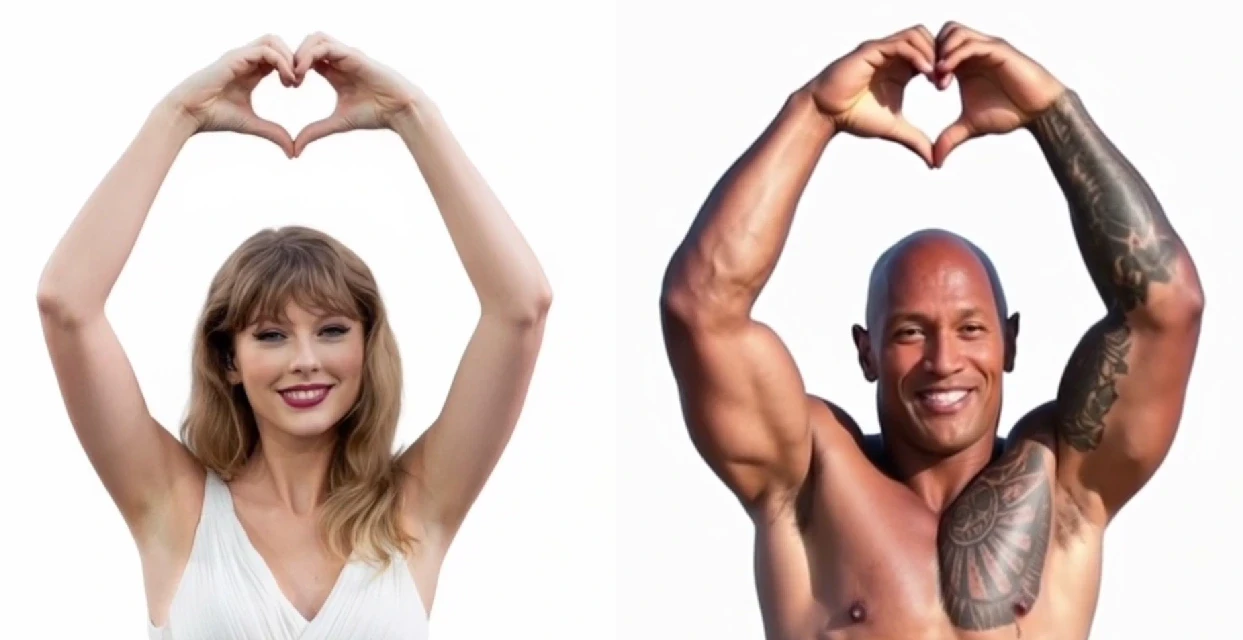
APOB has recently launched its new ReVideo AI feature. It works in the same way as Wan2.2 Animate—by uploading an image and a video, you can place the character from the image into the video while keeping the background unchanged. The following content will mainly introduce how to use ReVideo and its specific application scenarios.
What is APOB AI’s ReVideo Feature?
ReVideo is a smart tool inside the APOB AI platform that allows you to animate a character or replace an actor in short clips. Think of it as “place your face in a scene, or bring a character to life with your movements.”
With ReVideo, you can:
Animate portraits (make them blink, smile, or even dance).
Replace an actor in a video with your chosen AI model.
Quickly generate prototypes for ads, short films, or social content.
ReVideo is powered by AI engines like Wan2.2, which specialize in generating natural-looking animations from static visuals. This pairing makes the feature especially useful for creators who want high-quality results with minimal effort.
How to Use APOB AI’s ReVideo Feature
Getting started with ReVideo is simple, even if you’ve never used an AI video generator before. Here’s the step-by-step guide:
Log in and claim free credits
After logging into APOB AI, you’ll automatically get 80 free credits every day. These can be used to test ReVideo and other features. Go to the create portrait model section. Here you can generate your own AI model that will later be animated.
Prepare your assets
If you don’t already have a video or image, APOB offers built-in tools like Build Your Own, Complete Set, Expert, and Image to Video. With a few clicks or prompts, you can create high-quality visuals to use in ReVideo.
If you already have content, simply upload it.
Use ReVideo
Navigate to the video tab on the left and select ReVideo. Upload:
Original video (keep it under 5 seconds).
Reference image (if none is uploaded, your AI model image will be used automatically).
Then, click generate. The AI will blend your reference with the original video, producing a short, lifelike clip.
Keep in mind credits usage
ReVideo costs 26 credits per second. With the free daily credits, you can animate about 3 seconds for free. If you’re active on Discord, you may apply to APOB’s team for 1,000 extra credits in exchange for sharing your generated videos.
What Can You Create with ReVideo? (With Examples)
This is where the magic really happens. With ReVideo and Wan2.2, you can transform static characters, test creative concepts, or build engaging social content. Here are five application scenarios, each with a concrete example:
1.Animate 2D / 3D Characters
Bring illustrations or 3D renders to life. For example:
A fantasy game character that blinks, waves, or mouths a few words.
This is perfect for giving still concept art a touch of animation for presentations.
2.Replace Actors in Live Action
Swap out the performer in a short video clip with a digital model.
Example: Replace a commercial actor with a cartoon superhero to show how your product fits into a “heroic” lifestyle.
3.Interactive Short Videos and Virtual Avatars
Create content where your characters interact like streamers or influencers.
Example: Turn your AI model into a virtual host who dances or lip-syncs to trending songs on TikTok.
4.Rapid Prototyping for Ads and Storyboards
Use ReVideo to test how a character might appear in marketing campaigns.
Example: Animate a company mascot waving at the camera, perfect for a storyboard in a product launch video.
5.Social Media Creativity
Transform fan art or digital avatars into lively memes and shareable short videos.
Example: Make a static anime-style drawing wink and nod for a playful Instagram reel.
These examples showcase just how flexible ReVideo is—whether you’re a marketer, artist, or casual creator, the tool adapts to your needs.
Why Use Wan2.2 with ReVideo?
The Wan2.2 model is one of the most advanced AI frameworks for animation. It excels in producing smooth, natural movements without the awkward distortions that often plague older AI tools. When paired with APOB AI’s ReVideo:
Movements appear fluid and realistic.
You can maintain consistent facial details across multiple clips.
It works well for both realistic and stylized characters.
If you want professional-looking AI animations, Wan2.2 gives you the extra polish that sets your content apart.
FAQs about Wan2.2
Q1: How long can a video be with ReVideo?
A1: Currently, ReVideo supports clips of up to 5 seconds. This is ideal for quick animations, prototypes, or social snippets.
Q2: Can I use ReVideo without creating a model?
A2:Yes! If you skip the model creation step, you can upload a reference image directly. However, creating a model ensures more consistent results across multiple projects.
Q3: Is there a way to use ReVideo for free longer than 3 seconds?
A3:Yes. APOB AI offers 80 daily credits, but you can request 1,000 bonus credits by sharing your generated videos in their Discord community during the feature’s early stage.
Read More
1. Fast & Intuitive
Create cinematic videos with minimal input. The streamlined interface allows you to transform simple text or images into professional-grade video clips in just minutes.
2. High Realism & Smooth Motion
Powered by Wan 2.2’s advanced Mixture-of-Experts (MoE) architecture and upgraded training data, this model delivers exceptional visual fidelity, natural body movements, and stable physics for fluid, lifelike animations.
3. Character + Background Control
Take full command of your creative vision with advanced consistency features. Swap individuals or modify specific elements while keeping the overall scene, lighting, and background intact for seamless storytelling.
1. Short Clip Constraint
Best results for short-duration videos. While Wan 2.2 excels at detail, the model is currently optimized for clips of up to 5-10 seconds to maintain maximum physical stability and visual coherence.
2. Credit Cost
26 credits per second can limit free usage. Due to the high computational power required for the 14B parameter model, generating high-definition cinematic videos consumes credits quickly. High-volume creators may need to manage their daily 80 free credits carefully or upgrade to a premium plan.
3. Input Mismatch Issues
If your image or pose differs too much from the prompt, results may degrade. The AI performs best when the reference image and the motion prompt are logically aligned. Radical transitions (e.g., turning a sitting person into a sprinting athlete) may occasionally cause visual artifacts.
What is Wan 2.2 video generator?
Wan 2.2 is an advanced video generation model that supports both text-to-video and image-to-video, offering cinematic aesthetics and efficient computation. It utilizes a state-of-the-art Mixture-of-Experts (MoE) architecture to deliver high-quality, physically accurate animations.
Can I use this Wan 2.2 AI video generator for free?
Yes! APOB provides 80 daily free credits, which is enough to generate approximately 3 seconds of high-quality video every day. Bonus credits may also be granted through our promotional sharing programs.
What is Wan 2.2 ai model?
WAN 2.2 is a generative AI model for image and video creation, known for realistic human characters, improved motion consistency, and strong performance in AI avatars, virtual influencers, and image-to-video workflows.
What language does this free Wan 2.2 video maker support?
The APOB platform currently supports English, French, and Spanish versions. For users speaking other languages, we recommend using a browser translator to navigate the platform seamlessly while we work on adding more native language support.
What inputs does this online Wan 2.2 video generator support?
It supports a wide range of creative inputs, including Image-to-Video, Text-to-Video, and hybrid inputs (Image + Text Prompt). Additionally, it features the ReVideo (character swap) functionality, allowing you to maintain scene consistency while changing subjects.
What makes a good motion reference video?
A sharp video featuring steady, controlled movements yields the best results. Rapid, jerky, or unpredictable motions may cause visual artifacts or blurriness. The better the visual quality and stability of your source video, the higher the fidelity of the final AI animation.
Do I need a powerful computer to use this?
Absolutely not. APOB performs all intensive processing and rendering on our high-performance cloud servers. You only need a basic web browser and a creative concept to generate professional-grade AI videos.
What is the difference between Wan 2.2 and Wan 2.6?
Wan 2.2 is simpler and faster for basic outputs, while Wan 2.6 is designed for longer, more cinematic, multi-shot videos with better synchronization and storytelling quality.


