Create AI video for business from product images, AI avatars, and image-to-video assets. Make product demos, launch promos, and social ad variants for TikTok, Reels, Shorts, LinkedIn, and ecommerce pages.
1. Start with the business outcome, not the video effect
Problem: Many AI videos look polished but fail because the brief is vague. A product launch video, a retargeting ad, and a LinkedIn explainer need different hooks, pacing, and proof points.
How APOB AI helps: Start with a focused prompt, product image, reference portrait, or AI influencer concept. Then build the video around one job: introduce a product, answer a buyer objection, announce a sale, explain a feature, or create a creator-style post.
Realistic example: An ecommerce seller launching a compact travel steamer needs a 20-second TikTok ad. Instead of asking for "a cool product video," the seller gives APOB AI a clear task: "Show a traveler unpacking wrinkled clothes, demonstrate the steamer in a hotel room, and end with a packing-size comparison." The result has a specific use, not just motion.
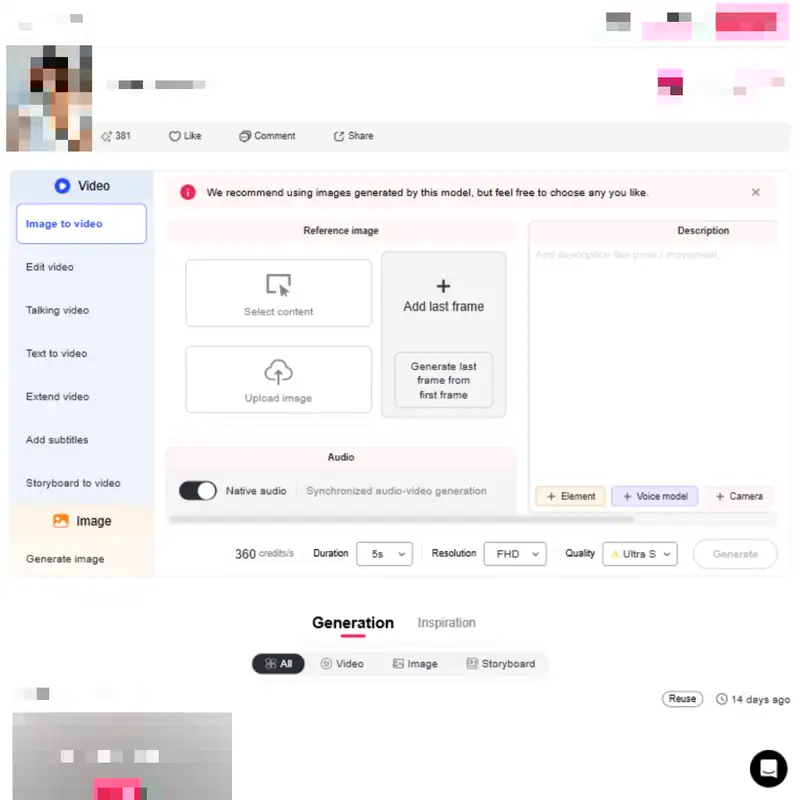

2. Create a consistent AI presenter or brand character
Problem: Small teams often use random stock clips, changing voiceovers, and inconsistent presenters. That makes weekly content feel disconnected.
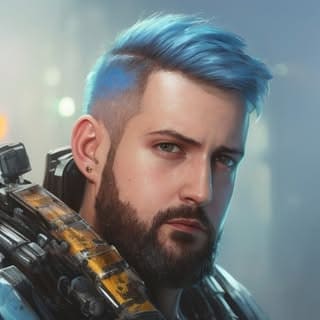
How APOB AI helps: Use APOB AI's AI influencer and AI portrait workflow to create a repeatable brand presenter. The same AI character can appear in product explainers, UGC-style ads, founder-style messages, seasonal promotions, and social media posts.
Realistic example: A skincare brand creates an AI beauty consultant who appears in weekly videos. Monday is a 15-second ingredient explainer, Wednesday is a product comparison, and Friday is a TikTok-style routine video. The character stays visually consistent, so the brand does not need a new creator contract for every post.
3. Turn product images into product video AI assets
Problem: Many ecommerce sellers have good product photos but no motion footage. Static product pages do not always show size, use, texture, or context.
How APOB AI helps: Use image-to-video and camera movement to convert product photos, lifestyle images, or AI-generated product scenes into short motion clips. Add text overlays, AI voice, or a talking avatar to explain the value.
Realistic example: A jewelry seller uploads a clean product image of a silver necklace and creates three video cuts: a close-up sparkle shot, a lifestyle clip on an AI model, and a gift-guide promo for Mother's Day. Each version can be used on a product page, in an email, or as a short ad.
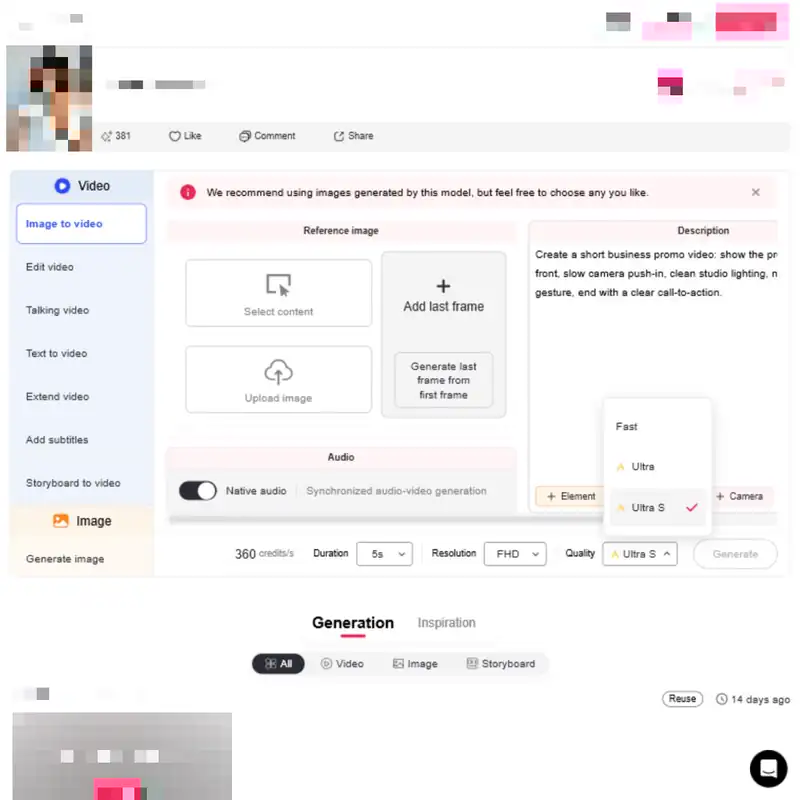
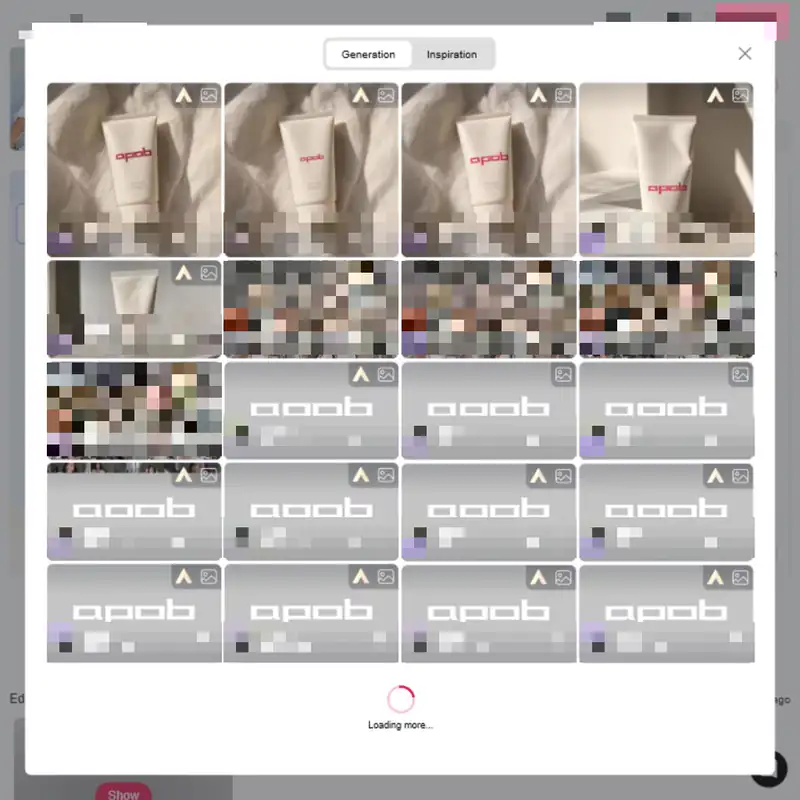
4. Add talking avatar narration, lip sync, and subtitles
Problem: Many business owners want a person-led video but do not want to film themselves every week. Others have a founder video, customer clip, or AI portrait that needs synced speech.
How APOB AI helps: Use talking avatars and lip sync to create presenter-led videos from a script or audio. Add subtitles for sound-off viewing and adapt the message for different platforms.
Realistic example: A SaaS marketer needs a LinkedIn video explaining a new dashboard feature. They use a professional AI avatar to deliver the script, add product screenshots as cutaways, and include captions for viewers watching without sound.
What to Look for in an AI Video Generator for Business
If you are comparing the best ai video ad generators for small businesses, do not choose only by how cinematic the demo looks. For business promotion, the more important question is whether the tool helps you create accurate, reusable, channel-ready videos from the assets your team already has.
Commercial use and licensing clarity
Problem: A video can look ready to publish but still be risky if commercial rights, music rights, likeness permissions, or plan limits are unclear.
What to check: Look for clear terms around commercial use, uploaded assets, AI-generated outputs, watermarks, and paid ad usage. For APOB AI, the landing page should link to the current pricing and terms so users can confirm what their plan allows before launching campaigns.
Product-first video creation
Problem: Some AI tools generate attractive scenes but do not keep the product visible, accurate, or central to the message.
What to check: A strong ai video generator for business should support product images, close-up shots, product-context scenes, benefit overlays, and ad variations. Product video AI should answer buyer questions, not only decorate the product.
Consistent presenter and brand character workflows
Problem: Random presenters and inconsistent visuals make a business look less reliable over time.
What to check: Look for AI influencer, AI portrait, talking avatar, and lip sync options that help you reuse the same presenter style across product demos, social posts, and explainers.
Ad variation and testing support
Problem: Small businesses often need several ad angles, not one perfect video.
What to check: The tool should make it easy to create hooks for problem-solution, comparison, tutorial, social proof, offer, and FAQ videos. This is especially useful for ai video for business promotion where the first version is rarely the final winner.
Human review controls
Problem: AI can invent claims, exaggerate benefits, or create visuals that do not match the product.
What to check: Choose a workflow that lets you review scripts, captions, claims, product scenes, and final exports before publishing. Keep a human approval step for regulated products, customer testimonials, and paid ads.




























Faster campaign testing
A business can test multiple angles before spending budget on paid media. For example, a brand can compare a founder-style explainer, a product demo, a creator-style testimonial, and a limited-time offer video in the same week.
Lower filming friction
APOB AI reduces the need for repeated shoots, actor scheduling, studio setup, and reshoots. This matters for small businesses that need frequent content but do not have a production team.
Reusable AI influencers and presenters
Instead of starting from a blank slate every time, teams can build consistent AI characters for product education, faceless creator content, social commerce, and brand storytelling.
Product-focused output
The best ai video generator for business is not only about abstract prompt-to-video clips. For ecommerce and promotional work, the product needs to be visible, explained, and framed around buyer intent. APOB AI's product image, image-to-video, talking avatar, and AI influencer tools support that workflow.
Practical social media adaptation
Business videos often need to travel across paid ads, organic posts, product pages, emails, creator briefs, and landing pages. APOB AI helps users create social-ready creative assets without rebuilding the concept from scratch.
Better fit for creators and small teams
Many competitors speak mainly to enterprise training or general video generation. This APOB AI page should speak to the creator-commerce reality: product drops, UGC-style ads, faceless channels, AI influencer posts, Shorts, Reels, and TikTok testing.
Create channel-specific versions before publishing
Problem: One video rarely works everywhere. TikTok rewards fast hooks, LinkedIn needs clearer context, YouTube Shorts favors tight pacing, and ecommerce pages need product clarity.
How APOB AI helps: Reuse the same product, script, or AI influencer while adjusting the opening line, aspect ratio, caption style, call to action, and scene order.
Realistic example: A fitness coach creates one 30-second video promoting a resistance band set. The TikTok version opens with "3 hotel-room moves for travel days." The Instagram version uses a routine format. The Shopify product-page version removes trend audio and explains product tension levels. The LinkedIn version targets corporate wellness buyers.
APOB AI Business Video Workflow Matrix
Business users often know what they need to promote, but not which AI workflow to choose. Use this matrix to match the input you already have with the business video you need next.
Starting asset | APOB AI workflow | Best output | Example business task |
|---|---|---|---|
Product photo | Image-to-video plus camera movement | Product demo or product-page clip | A kitchenware seller turns a static blender image into a 15-second clip showing size, countertop context, and smoothie texture. |
AI portrait or brand character | AI influencer plus talking avatar | Recurring social presenter | A DTC skincare brand creates a consistent AI consultant for ingredient explainers and weekly product routines. |
Short script | Talking avatar plus captions | Founder-style explainer or LinkedIn update | A SaaS marketer explains a new reporting feature without filming a team member. |
Existing video or voiceover | Lip sync and edit video workflow | Localized or updated presenter video | A course creator updates an old lesson intro with a new offer and synced narration. |
Customer-approved testimonial | Avatar-led or subtitle-led social proof clip | Retargeting ad or product-page proof | A home decor store turns a written review into a short ad, with permission and clear disclosure. |
Campaign idea | AI promotional video generator workflow | Launch teaser or offer video | A fitness studio creates a "new member week" promo for Instagram and TikTok. |
Which Business Video Format Should You Create?
The right format depends on where the viewer meets the video. A business promotion video for TikTok needs a faster hook than a product page demo, while a LinkedIn explainer needs more context and fewer trend cues.
Channel or placement | Best length | Creative focus | APOB AI setup |
|---|---|---|---|
TikTok ad | 15-30 seconds | Fast problem, product in use, clear CTA | Use a product image, AI influencer, captions, and a direct offer. |
Instagram Reels | 15-30 seconds | Lifestyle context, visual routine, save/share value | Use image-to-video, product scenes, and a creator-style presenter. |
YouTube Shorts | 20-45 seconds | Demonstration, comparison, or quick explainer | Use product video AI scenes with a talking avatar or voiceover. |
LinkedIn video | 30-60 seconds | Business problem, product value, professional tone | Use a professional avatar, product screenshots, and concise subtitles. |
Ecommerce product page | 15-45 seconds | Product clarity, size, use, texture, proof | Remove trend audio and focus on close-ups, use cases, and buyer objections. |
Retargeting ad | 10-25 seconds | One objection, one proof point, low-friction CTA | Create variants for price, trust, use case, and urgency objections. |
Ecommerce seller: product demo ad
Purpose: Create a product video AI asset for TikTok, Reels, or a product page.
Prompt: "Create a 20-second vertical product video for a [product name]. Audience: [specific buyer]. Main problem: [pain point]. Show the product in use, include one close-up detail shot, one lifestyle scene, and one clear benefit overlay. Tone: practical, confident, not exaggerated. End with: [CTA]."
Expected output: A short product demo with clear scene order, buyer problem, product benefit, and CTA.
Marketer: promotional launch video
Purpose: Use APOB AI as an ai promotional video generator for a new product or feature.
Prompt: "Create a 30-second promotional video for [launch]. Open with the problem users already recognize. Introduce the product as the solution. Include three fast feature moments, one proof point, and a final launch CTA. Format: 9:16 social ad. Style: modern ecommerce campaign with captions."
Expected output: A launch-ready promo video structure with hook, feature proof, and conversion CTA.
Small business owner: local offer video
Purpose: Create ai generated marketing videos for small business promotions.
Prompt: "Create a 15-second vertical video for a local [business type] promoting [offer]. Use a friendly AI avatar as the presenter. Include the offer, location context, urgency, and one reason to visit this week. Keep the language natural and easy to read on mobile."
Expected output: A short local promo with a talking avatar, captions, and a simple offer.
Service business: business promotion video
Purpose: Create ai video for business promotion without filming staff or customers.
Prompt: "Create three 20-second business promotion videos for a [service business]. Offer: [offer]. Audience: [local buyer or niche audience]. Version 1 should explain the offer with a talking avatar. Version 2 should show a lifestyle-style service scenario. Version 3 should answer the biggest buyer objection: [objection]. Keep claims factual and include a simple booking CTA."
Expected output: Three service promotion concepts that can be tested on Reels, TikTok, YouTube Shorts, or a landing page.
Influencer or faceless creator: recurring brand character
Purpose: Build a repeatable AI influencer workflow.
Prompt: "Create a recurring AI influencer video for a [niche] audience. The character is [persona description]. Topic: [product or tip]. Use a creator-style hook, one relatable problem, one demonstration moment, and a soft CTA. Avoid unrealistic product claims."
Expected output: A creator-style short that can become part of a recurring content series.
Performance marketer: ad angle testing
Purpose: Generate multiple hooks for paid creative testing.
Prompt: "Create five 20-second video ad concepts for [product]. Each concept should use a different angle: problem-solution, social proof, comparison, tutorial, and limited-time offer. Include the first 3-second hook, scene list, on-screen text, and CTA for each."
Expected output: A set of testable video briefs for ad variants.
Designer or fashion seller: AI lookbook video
Purpose: Turn product visuals into a fashion or lifestyle sequence.
Prompt: "Create a 25-second vertical fashion lookbook video for [collection name]. Use a consistent AI model, three outfit scenes, smooth camera movement, minimal text, and a final shop CTA. Visual mood: [mood]. Audience: [buyer type]."
Expected output: A social-ready lookbook with a consistent AI model and product-focused pacing.
B2B SaaS marketer: LinkedIn feature explainer
Purpose: Create a professional business video for LinkedIn.
Prompt: "Create a 45-second LinkedIn video explaining [feature]. Use a professional AI avatar presenter. Structure: user problem, feature walkthrough, business benefit, short example, CTA to book a demo. Include captions and keep the language clear for non-technical buyers."
Expected output: A clear B2B explainer suitable for LinkedIn and landing pages.
Retargeting ad: answer a buyer objection
Purpose: Convert hesitant buyers with a focused video.
Prompt: "Create a 20-second retargeting video for people who viewed [product] but did not purchase. Address this objection: [objection]. Show one product proof moment, one reassurance line, and a low-pressure CTA. Avoid hype and keep claims specific."
Expected output: A conversion-safe retargeting clip that answers one real objection.
This section is not legal advice, but it can help teams create safer business video workflows.
Consent and likeness
Use only faces, voices, customer clips, employee images, and influencer references you have permission to use. If you create a talking avatar or face swap using a real person, get written consent that covers AI generation, editing, commercial use, platform distribution, and time period.
Commercial use rights
Before using a video in ads, product pages, or paid campaigns, confirm that your APOB AI plan, uploaded assets, music, fonts, product images, and third-party materials allow commercial use. Keep a record of permissions for brand assets and creator-provided materials.
Disclosure and endorsements
If a video features a paid endorsement, affiliate relationship, gifted product, employee recommendation, or influencer-style promotion, disclose it clearly. The FTC advises creators to make material connections obvious and hard to miss, including in the video itself when the endorsement is in video format. Source: FTC Disclosures 101 for Social Media Influencers.
Synthetic and altered content labels
Some platforms require disclosure when content is realistic, synthetic, or materially altered. YouTube requires creators to disclose certain realistic altered or synthetic content. Source: YouTube Help: Disclosing use of GenAI content.
Copyright and brand assets
Do not upload copyrighted images, videos, music, logos, scripts, or product photography unless you own them or have permission. Be especially careful with celebrity likeness, trademarked characters, sports clips, movie scenes, and competitor product visuals.
Product claims
Avoid claims you cannot prove. This is especially important for beauty, wellness, finance, health, supplements, business income, weight loss, and safety products. Keep claims specific, documented, and aligned with the product page.
Platform and ad policies
Check the rules for TikTok, Instagram, Facebook, YouTube, LinkedIn, Amazon, Shopify apps, and ad networks before publishing. Rules may cover synthetic media, before-and-after imagery, misleading claims, restricted products, financial claims, and political content.
Ecommerce product videos
Use case: Turn product photos into short demos, comparison clips, offer videos, and seasonal campaign assets.
Example: A Shopify seller selling LED makeup mirrors creates a 20-second product video showing brightness levels, desk setup, travel packing, and a final discount code.
Why it matters: Wyzowl's 2026 report found that 85% of people have been convinced to buy a product or service after watching a video. The same report says 63% of people prefer a short video when learning about a product or service.
AI video for business promotion
Use case: Create practical business promotion videos for service brands, local offers, creator-led launches, and seasonal campaigns.
Example: A boutique fitness studio needs to promote a seven-day trial. The team creates three versions in APOB AI: a trainer-style talking avatar explaining the offer, a vertical Reel showing class energy with captions, and a retargeting ad answering "Is it beginner friendly?"
Why it matters: Wyzowl reports that 84% of consumers want to see more videos from brands in 2026. A repeatable AI video workflow helps small teams publish useful promotional content without waiting for a monthly shoot.
AI promotional video generator for launches
Use case: Create launch videos for new products, app features, brand campaigns, webinars, and seasonal offers.
Example: A design tool announces a new template library. The marketing team creates a 30-second promotional video with an AI avatar host, animated product screenshots, and three use cases for creators.
Why it matters: IAB's 2026 Digital Video Ad Spend & Strategy Report says U.S. digital video ad spend is projected to surpass $80 billion in 2026, accounting for more than 60% of total TV/video ad spend for the first time.
AI generated marketing videos for small business
Use case: Build weekly video content for local businesses that cannot afford regular filming.
Example: A local coffee shop creates a Friday morning video featuring a seasonal latte, a talking avatar announcing the weekend pastry menu, and a 9:16 Reel for Instagram.
Why it matters: Wyzowl reports that 91% of businesses use video as a marketing tool, while cost and lack of time remain major barriers for businesses not using video.
Paid ad creative variation
Use case: Produce multiple video ad angles for Meta, TikTok, YouTube Shorts, and retargeting.
Example: An agency creates six versions of a haircare product ad: problem-solution, ingredient proof, creator testimonial, price comparison, bundle offer, and FAQ response.
Why it matters: IAB's 2025 report says 86% of buyers are using or planning to use GenAI to build video ad creative, with buyers projecting GenAI creative to reach 40% of all ads by 2026.
AI influencer content for creator-led brands
Use case: Create a consistent virtual influencer for social posts, product education, affiliate content, and niche communities.
Example: A fashion brand creates an AI streetwear model to show weekly outfit combinations, seasonal lookbooks, and sale videos without booking a model for every drop.
Why it matters: HubSpot's 2026 State of Marketing Report says 80% of marketers use AI for content creation and 75% use it for media production. The opportunity is not just more output; it is creating output with a recognizable brand point of view.
B2B explainers and LinkedIn video
Use case: Turn product updates, onboarding notes, and feature briefs into short professional videos.
Example: A B2B SaaS company creates a 45-second LinkedIn video explaining how a new reporting dashboard helps operations teams reduce manual spreadsheet work.
Why it matters: Wyzowl reports that 96% of people have watched an explainer video to learn more about a product or service, making this format useful beyond consumer products.

Cecilia Rowe
We turned a product brief into a clear promo video for the sales team. It gave everyone a concrete asset to review before launch.
Graham Foster
I can create several versions of a business announcement without booking a new shoot for every message. That keeps our content schedule moving.

Noor Sethi
The workflow helped us make a short onboarding video that explains the process much more clearly than a page of instructions.
Lucas Bennett
I used it to create a product demo for a client presentation, and the team could react to the actual story instead of a rough idea.

Talia Brooks
Our small team can now test social ads and product explainers quickly. It gives us useful creative options without a large production budget.

Omar Whitaker
The AI video tools made a complex service easier to introduce. We kept the message professional and the visuals focused on the customer outcome.
Ingrid Shah
I can adapt one campaign concept into landscape, square, and vertical versions for different channels without losing the core message.

Mikhail Orlov
The first draft helps our stakeholders make decisions earlier. Feedback is much more specific when everyone can see the proposed video.

Hattie Cruz
I created a short case-study video from a few notes and images. It felt polished enough for a sales meeting and quick enough for weekly use.

Anaya Willis
The workflow is useful for internal training, product updates, and customer education. We can keep the visual style consistent across every video.

Drew Sinclair
It helped our marketing team move from a campaign brief to a storyboard and a working video concept in the same afternoon.

Farid Rahman
I can localize the message and keep the same visual structure for different markets. That makes regional content much easier to manage.

Beatriz Mendez
I find that the product remains the focus in the generated scenes, which is important for ecommerce demos and partner presentations.
Kieran Ellis
I used it to explain a new feature to customers with a concise video. The story is easier to understand than a long release note.

Elise Morgan
Our team can compare several hooks before we commit to production. That has made creative testing more disciplined and less expensive.

Joel Kim
I find that the business video workflow turns simple assets into something presentation-ready. It is especially helpful when the deadline is tight.

Amina Joseph
I created a hiring video and a customer welcome clip from the same brand direction. The results feel connected instead of improvised.

Winston Lang
It gives non-designers a practical way to communicate an idea visually. Our review meetings are shorter because the concept is already on screen.
Pros
Fast creative production
AI video for business helps teams move from idea to usable video without waiting for a shoot, editor, actor, or location.
Useful for product-heavy brands
APOB AI supports product image, image-to-video, AI influencer, talking avatar, and lip sync workflows, which makes it especially useful for ecommerce and social commerce.
Repeatable brand presence
A consistent AI presenter or AI influencer can appear across campaigns, helping small teams maintain a recognizable visual identity.
More ad testing options
Marketers can create multiple hooks, lengths, and scenes before committing paid media budget to one creative direction.
Lower barrier for camera-shy creators
Talking avatars, AI portraits, and faceless creator workflows let a business publish presenter-led videos without requiring the owner or team to appear on camera.
Cons
Outputs still need human review
AI can misstate product details, overpromise results, or choose visuals that do not match the brand. Review every claim, caption, and product scene before publishing.
Consent and likeness rules matter
Do not use a real person's face, voice, or identity without permission. This includes employees, customers, influencers, and public figures.
Some products still need real footage
Products with complex safety, medical, technical, or regulated claims may require real demonstrations, documentation, or expert review.
Synthetic content can affect trust
AI videos work best when they are helpful, accurate, and transparent. Overly polished or misleading videos can hurt credibility.
Platform rules can change
Ad platforms and social networks update rules for synthetic media, endorsements, product claims, and political or sensitive content. Review current rules before publishing campaigns.
No Credit Card Required

Pricing, commercial use, product video AI workflows, privacy, safety, and platform compatibility.
What is AI video for business, and how can APOB AI help?
AI video for business means using AI tools to create promotional videos, product demos, ads, explainers, social clips, talking avatar videos, and other commercial video assets without a traditional filming workflow. Yes. APOB AI works as an ai video maker for business when you need product demos, social ads, launch videos, AI influencer posts, talking avatar explainers, or short promotional clips from existing brand assets.
Can I create product videos or an AI influencer from existing photos?
Yes. You can use product images as the base for motion scenes, product demonstrations, AI influencer posts, and short promotional clips. Yes. APOB AI's AI influencer and AI portrait tools can help create a repeatable brand character for product education, creator-style posts, faceless content, and ongoing social campaigns.
Can I use APOB AI videos commercially, and what should I review before publishing?
Commercial use depends on your plan, the assets you upload, and any third-party rights involved. Use assets you own or have permission to use, and review APOB AI's current terms before publishing paid campaigns. They can be safe when you use permitted assets, avoid impersonation, review claims, disclose endorsements, and follow platform rules for synthetic or altered media.
Can I make business videos without appearing on camera?
No. You can use AI influencers, AI portraits, talking avatars, or faceless video workflows if you do not want to film yourself.
Which length and format work for TikTok, Reels, Shorts, or LinkedIn?
Yes. The page should position APOB AI for vertical short-form video, including TikTok ads, Instagram Reels, YouTube Shorts, creator-style product posts, and social promos. For social ads and product promos, start with 15 to 30 seconds. For product explainers or B2B demos, 30 to 60 seconds may be more useful. Wyzowl's 2026 data found that many marketers consider 30 seconds to 2 minutes the most effective range.
What inputs do I need to create a business video?
Useful inputs include product photos, a short product description, target audience, main pain point, offer, brand tone, CTA, reference style, and any compliance notes or claims that must be included or avoided.
Can AI video help small businesses without replacing their production team?
Yes, especially when the business needs frequent product videos, offers, social posts, or local promotions but does not have a dedicated video team. Human review is still important. Not always. AI video is best for repeatable promotional content, fast variations, social clips, product demos, and lower-budget campaigns. High-end brand films, complex shoots, and regulated demonstrations may still need traditional production.
How do I create distinctive videos and multiple ad versions?
Use specific product details, real buyer objections, a clear audience, a concrete scene, brand language, and a practical CTA. Avoid prompts like "make a viral ad" without context. Yes. APOB AI is useful for generating different hooks, presenter styles, product scenes, captions, and calls to action for ad testing.
Can I use customer photos or testimonials, and how are uploads handled?
Only with permission. If a customer provides a testimonial, get consent for how their words, face, voice, or likeness will be used, especially if AI will alter or animate the content. The landing page should link to APOB AI's current Privacy Policy and Terms for the most accurate answer. For sensitive product images, customer photos, employee likenesses, or unreleased campaign assets, review the policy before uploading.
How is APOB AI different from a standard video editor or generator?
APOB AI combines AI influencer creation, AI portraits, image-to-video, talking avatars, lip sync, face swap, product-focused video workflows, and social-ready creative assets. That makes it especially relevant for creator-led business promotion and ecommerce content. A normal video editor helps you arrange footage you already have. An AI video generator for business can help create new video assets from product photos, scripts, AI avatars, portraits, or prompts, then adapt them into promotional videos, product demos, and social ad variations.
Which watermark, format, and resolution settings should I check before exporting?
Watermark rules may depend on the current plan or export setting. The live page should link to pricing details and clearly explain whether free or trial exports include a watermark. Check whether your plan supports the formats and resolutions you need for TikTok, Instagram Reels, YouTube Shorts, LinkedIn, product pages, and paid ads. MP4 export, vertical 9:16 output, square 1:1 crops, and clear captions are especially useful for business workflows.
Do failed generations or revisions use credits?
Credit rules can affect campaign planning, especially when testing many ad variations. The live page should connect users to current pricing or help documentation so they understand generation, revision, and export costs before starting a large batch.


