PixVerse V6 supports short AI video, camera direction, supported multi-shot workflows, and optional audio. APOB AI offers a separate free-to-try workflow for reusable hosts, product images, talking clips, storyboards, and social variations—not a PixVerse integration. Free access is credit-based and watermarked. APOB has a commercial interest in this comparison; facts were checked on September 1, 2026, and no same-prompt benchmark is claimed.
1. Open a model, then choose the workflow—not a model name alone
This guide follows the signed-in desktop interface observed on September 1, 2026. The test used a public model and non-personal text; no face, voice, or client asset was uploaded. Controls vary by mode, account, and quality.
The problem: “Replace PixVerse” does not identify the job. A written concept, approved still, recorded presenter, and multi-scene Short require different inputs.
Open a model's Create page. The desktop rail lists Video and Image modes, the center panel changes with the mode, and the bottom bar shows applicable settings, live cost, and Generate. The workstation guide notes that some modes work without a portrait model; others require yours or a community model.
Choose Text to video for a written scene, Image to video for a first frame, Talking video for speech, or Storyboard to video for a sequence. Storyboard asks for platform, length, ratio, brief, and optional Elements.
Realistic example: A bookkeeping channel needs a 35-second YouTube Short with a fictional presenter, three examples, and a recap. Storyboard to video is the better starting point because a single text-to-video shot cannot express the whole structure cleanly.
Quality check: Write the final channel, aspect ratio, total length, source type, and review owner before selecting a mode. If the deliverable contains independent scenes, do not hide them inside one long prompt.


2. Add the approved starting asset in Image to video
The problem: An unclear or uncleared source makes identity, packaging, and geometry harder to preserve. Uploading a borrowed creator photo also creates a consent problem before generation begins.
In Image to video, use Select content for a library item or Upload image for a permitted file. It becomes the first frame. Add last frame attaches an ending image; Generate last frame from first frame proposes one. The Image to Video guide says last-frame control is quality-dependent and single-shot only: it cannot combine with multi-shot.
The panel can also expose Native audio, Elements, Voice model, Camera, Template, and Add shot. Ultra S can require Native audio; confirming an incompatible quality switch can clear Elements, descriptions, and voice scripts. Choose quality early.
Realistic example: A hotel marketer selects an approved lobby photograph as the first frame and requests a slow push-in with slight curtain movement. Pendant-light count, furniture placement, signage, and time of day must remain fixed; a last frame is unnecessary because the goal is one continuous shot.
Quality check: Inspect faces, hands, text, logos, reflections, patterns, and space around moving objects. Remove a last frame that does not connect naturally.
3. Write motion in the Description field and set one camera move per shot
The problem: Prompts that change the subject, camera, wardrobe, background, light, and product simultaneously give the model no stable priority.
In Text to video, write the scene in Description. The observed panel displayed Native audio, Voice model, Art style, Camera movement, presets, Elements, and Add shot. The Camera Movement guide confirms one movement per supported shot, with art style set globally in shot one. Options load dynamically, so use only what the picker shows.
Prompt in this order: subject and framing; one action; one camera move; light and pace; fixed details; negative constraints. Add a shot only for a distinct beat.
Realistic example: A pet-supply brand uses a fictional cat mascot for a vertical post: “The same cat sits beside a closed coral gift box, looks toward camera, then taps the ribbon once. Slow push-in, soft morning window light. Keep the cat's markings, box size, ribbon color, shelf geometry, and background unchanged. No extra paws, products, text, logo, camera orbit, or scene change.”
Quality check: If identity or object count changes, reduce the action first. One motion is easier to diagnose than five competing actions.


4. Create speech from an authorized still with Talking Avatar
The problem: A still portrait needs a speech workflow built around one permitted face image and final audio, not motion instructions intended for an existing performance.
Open Talking video and select Talking Avatar. Add one authorized face image, then create or select audio. The observed controls included voice, mood, script, speed, quality, resolution, duration, and rate. The Talking Avatar guide documents one second to three minutes of audio.
Realistic example: A software help center pairs a clearly fictional support host with a reviewed 15-second explanation of how to reset a password. The team keeps the portrait framing neutral and avoids unsupported gestures or product claims.
Quality check: Verify names, numbers, pauses, consonants, facial hair, profiles, and hidden-mouth cuts. Obtain permission for the face and voice before generation.
5. Re-dub permitted footage with Lip Sync
The problem: Existing presenter footage already contains a performance. Rebuilding it from a still can waste credits and weaken timing.
In Talking video, choose Lip Sync, then add the permitted reference video and cleared audio. The current panel recommends at least four seconds of video. The Lip Sync guide documents one-second to 15-minute inputs, fixed FHD, and a disabled Generate button until both sources are ready.
Realistic example: A SaaS team owns an approved 20-second English presenter clip and a reviewed Spanish voice track. Lip Sync changes mouth timing for the new audio while the original performance remains the reference.
Quality check: Match script and voice language; review product names, numbers, pauses, phonemes, facial profiles, and cuts where the mouth is hidden.


6. Read the live estimate, generate, and review the result path
The problem: A good preview frame can hide altered labels, distorted hands, weak phonemes, or a cost that grows with duration and quality.
Before Generate, check the bottom bar. In the live Text to video pass, switching Ultra S, Ultra, and Fast changed rate and available duration; this is not a universal price table. The Fast four-second test displayed 144 credits, above Nano's documented 80-credit daily refill, so the session stopped before spending. The billing guide confirms pre-commitment estimates plus watermark and privacy limits on free output.
With complete inputs and sufficient balance, click Generate. Results enter the Generation feed; Inspiration shows community work. History manages personal results. The content detail guide documents handoffs from images to Image to video or Talking Avatar, and from videos to editing, extension, Lip Sync, or upscale.
Realistic example: A snack brand tests three 9:16 hooks—box entry, creator point, and close reveal—from one cleared setup. It rejects altered ingredients, invented badges, fingers over packaging, weak CTA space, or missing disclosure.
Quality check: Score fidelity, object count, text, motion, camera, audio, crop, disclosure, and repair effort. A cheap render is not cheaper after several rerolls.
APOB AI vs PixVerse V6: Workflow Comparison
This is a workflow comparison, not a same-prompt quality benchmark. Specifications come from current official product and help documentation.
Decision factor | PixVerse V6 | APOB AI |
|---|---|---|
Product focus | A PixVerse video model and ecosystem P2 | A hosted creator platform with image, video, persona, speech, and editing workflows A1 |
Text-to-video | Supported P1 | Supported through a dedicated mode A3 |
Image-to-video | Supported P1 | Supports library selection or upload A4 |
Documented length and resolution | 1–15 seconds at 360p–1080p across V6 endpoints P1 | Varies by mode, model, quality, and account; 4K-ready options are advertised for supported workflows A2 |
First and last frames | Supported through Transition P1 | Optional last frame where compatible A4 |
Multi-shot planning | Multi-clip parameters on supported text/image routes P1 | Controls vary; Storyboard builds editable shots from a brief A4 A5 |
Camera direction | Camera prompting and V6 controls P2 | One movement per supported shot; options load dynamically A6 |
Native audio | Optional on documented V6 routes P1 | Available in supported configurations; Talking Video handles separate speech A4 A7 |
Talking still | Available in the broader PixVerse avatar/speech ecosystem P2 | Talking Avatar uses a face image plus audio A7 |
Re-dubbing existing footage | Lip sync exists in the broader PixVerse ecosystem P1 | Lip Sync uses existing video plus new audio A7 |
Reusable creator identity | Character reference supports repeated identity work P2 | A permitted portrait model can anchor recurring assets A2 |
Product workflow | Product images, video, and marketing scenarios P2 | Product stills, Elements, virtual creators, and specialist routes A2 A4 |
Editing and continuation | Extension, modify, restyle, swap, mimic, and upscale endpoints P1 | Editing, extension, subtitles, reuse, and upscale depend on the current mode A3 |
Free access | Exact free allowance not verified; check the current official plan P2 | Nano refills 80 credits daily; watermark, privacy, and concurrency limits apply A8 |
Commercial use | Depends on the applicable plan and terms P2 | Depends on APOB terms, input rights, third-party rights, and platform rules A9 |
Best fit | Users specifically seeking V6's documented model capabilities | Users testing a broader persona, product, speech, or social workflow |
Choose PixVerse V6 if: you need V6 itself, its documented 1–15 second range and native parameters, or the PixVerse web/API ecosystem.
Choose APOB AI if: you start with a reusable fictional creator, approved image, talking task, storyboard, or an asset that continues across specialist workflows. Free testing is credit-limited and watermarked.
Run a controlled switch test with one real asset
Use the same authorized input, duration, ratio, and publishing goal. Record settings, credits, and revisions. Score brief compliance (20), identity or product fidelity (25), motion and camera control (20), audio or speech fit (15), and revision/delivery cost (20). Results apply only to that task.
Production-Ready AI Video Prompt Templates
Use this formula: format + subject + one action + one camera move + framing and light + fixed details + negative constraints. Replace bracketed facts and select only settings shown in the current mode.
User and objective | Prompt purpose and copy-ready prompt | Expected output and recommended input | Failure to watch for |
|---|---|---|---|
Ecommerce marketer — vertical product hook | Purpose: animate a cleared beauty still without changing the package. Prompt: “Vertical product-ad shot. The fictional creator lifts the [serum name] bottle from chest height to beside her face and pauses. Slow camera push-in, soft bathroom daylight, realistic restrained hand motion. Keep her identity, bottle shape, cap color, label spelling, logo position, and background tiles unchanged. No extra text, jewelry, fingers, bottles, liquid splash, or beauty claims.” | A short 9:16 hook from a high-resolution creator-and-product first frame | Fingers crossing the label, invented badges, mirrored text, changing bottle proportions |
Ecommerce designer — landing-page hero | Purpose: create quiet product motion with CTA space. Prompt: “A matte [product] rests on a pale stone plinth. Camera makes a slow 20-degree arc from left to center while one narrow light sweep moves across the surface. Keep the product geometry, ports, logo, material, and shadow direction fixed. Empty negative space on the right for web copy. No floating parts, smoke, hands, text, or scene transition.” | A horizontal hero clip from an approved product render | Geometry bending, logo warping, motion entering reserved copy space |
AI influencer creator — lifestyle continuity | Purpose: animate a recurring persona without a dramatic identity change. Prompt: “The approved fictional travel host closes her paper map, looks toward the station board, then gives a small knowing smile. Medium shot, gentle handheld drift, cool morning station light. Preserve face shape, silver bob haircut, green trench coat, map design, luggage, and platform architecture. No crowd collision, wardrobe change, new signage, or exaggerated head turn.” | A subtle social post from the persona's approved image | Face drift during the turn, unreadable signage, extra luggage or people |
Fashion affiliate — lookbook motion | Purpose: show garment structure. Prompt: “Full-body fashion lookbook shot. The model completes one slow quarter-turn and lightly adjusts the jacket cuff. Locked waist-height camera with a minimal zoom out, soft overcast street light. Keep the same model, jacket cut, four buttons, sleeve length, trousers, shoes, and storefront reflections. No walking, spinning, fabric color shift, extra accessories, or camera orbit.” | A controlled outfit clip from a clear full-body source | Missing buttons, merged hands, changing hem or shoe design |
Product educator — talking still | Purpose: turn one permitted spokesperson image into a short explanation. Speech brief: “Use the approved voice track: ‘Choose the lower setting for herbs and the higher setting for whole spices.’ Keep the portrait framing neutral, with subtle head and eye motion. Do not add gestures, product claims, captions, or background animation.” | Talking Avatar output from an authorized face image plus final audio | Overactive expression, incorrect terminology in the audio, lip occlusion |
YouTube Shorts producer — faceless presenter | Purpose: plan a multi-scene educational Short. Storyboard brief: “Create a 35-second vertical explainer for first-time freelancers: ‘Three details to check before sending an invoice.’ Shot 1 asks the question; shots 2–4 show legal business name, payment date, and itemized scope; shot 5 summarizes. Use the same fictional presenter and blue desk set. Clear on-screen objects, calm pace, no legal advice claim, no invented tax rules.” | Editable storyboard with a fictional host, supporting visuals, and narration plan | Country-specific legal claims, repetitive slides, inconsistent presenter or desk |
Brand filmmaker — first-to-last-frame transition | Purpose: control a packaging transformation. Prompt: “Transition from the approved closed gift box to the approved open-box final frame. The ribbon loosens once, the lid lifts smoothly, and the camera remains fixed at a 35-degree overhead angle. Preserve box dimensions, ribbon color, printed logo, insert layout, and all products. No hands, confetti, added items, logo morphing, or background change.” | A clean reveal between two approved frames where the current mode supports it | Invented products between frames, changing box dimensions, impossible lid motion |
Localization manager — new-language UGC ad | Purpose: adapt approved footage without recreating the performance. Audio direction: “Use the approved Brazilian Portuguese track at a conversational pace. Preserve the reference video, gestures, product, framing, and edits; change only mouth timing to match the supplied audio. Product name [name] must remain pronounced as approved. Do not translate the logo or on-screen packaging.” | Lip Sync output from existing video plus cleared localized audio | Phoneme mismatch, changed product pronunciation, captions or packaging translated incorrectly |
Switching trigger | Workflow to test | Best fit | Evidence or tradeoff |
|---|---|---|---|
One persona spans formats | Portrait across image, motion, speech | Influencer teams | Check identity variation |
Approved product photo | First-frame Image to video | Ecommerce teams | Check labels and geometry |
Localize existing footage | Lip Sync with cleared audio | Regional marketers | Consent and phoneme review |
Multi-scene brief | Storyboard to video | Shorts producers | Locks after generation |
Continue existing assets | History/detail handoffs | Agencies | Extra actions spend credits |
APOB's Terms are contractual; destination policies are separate; the remaining points are general risk management, not jurisdiction-specific legal advice.
Obtain consent for faces, voices, and performances
Obtain verifiable consent covering media, territory, term, editing, voice cloning, and commercial placement. A photo or recording release does not automatically permit a synthetic endorsement. APOB's Terms prohibit unauthorized likeness, voice, persona, and deceptive impersonation.
Clear every source asset
Keep licenses for photos, footage, music, fonts, scripts, logos, packaging, and reference art. APOB requires rights to submitted content; generation does not clear copyright or trademark risk.
Treat commercial use as conditional
APOB assigns generated-content ownership to the user as between the parties and to the extent allowed by law, subject to third-party rights and APOB's licenses. This does not guarantee copyrightability, non-infringement, or ad clearance.
Disclose realistic synthetic media
Use destination disclosure controls for realistic synthetic or materially altered media. YouTube requires disclosure for specified realistic alterations; TikTok requires labels for realistic AIGC and significantly edited media; Meta applies AI information labels through signals and self-disclosure. Check current ad-specific rules too.
Review claims and implied endorsements
Do not imply endorsement by a real expert, customer, celebrity, or public figure. The FTC's US guidance warns against fake testimonials and deceptive or unauthorized avatars. Verify prices, ingredients, outcomes, comparisons, and regulated claims.
Protect private uploads
Minimize uploads and remove identifiers, location data, and confidential material. Nano creations are not private; review APOB's Privacy Policy, Terms, storage practices, and client agreements first.
Apply extra caution to minors and sensitive topics
Require guardian and legal review for minors. Avoid deceptive political content, public-figure endorsements, impersonation, and generated health, finance, or legal advice; labels do not override prohibitions.
Ecommerce TikTok hooks built from one cleared product setup
A skincare marketer pairs a cleared serum packshot with a fictional creator and builds three nine-second hooks: bottle entry, texture close-up, and direct-to-camera. Packaging, ingredients, and skin claims are checked before any version enters an ad account.
IAB projects US digital video ad spend to exceed $80 billion in 2026, with social video growing faster than connected TV. This supports disciplined testing, not a claim that AI ads perform better. See the IAB report.
A fashion affiliate keeps one virtual model across a lookbook
The creator approves one fictional model for three scenes: transit-stop streetwear, office tailoring, and an evening storefront look. Each clip uses one body action and one camera move; speech is added only after identity and garment shape pass review.
Check buttons, hems, logos, jewelry, and fabric patterns separately from facial identity.
A faceless YouTube Shorts channel plans a multi-scene explainer
A privacy channel plans a 35-second fictional-presenter storyboard: a two-second question, three examples, a spoken summary, and a checklist. It uses a permitted voice and checks every claim against the source script.
Wyzowl surveyed 266 marketers and consumers; among video marketers, 69% had created social videos, 68% explainers, and 63% had used AI video tools. Treat these as directional. See Wyzowl's 2026 study.
Localized product demonstrations without replacing the approved footage
A kitchenware seller keeps an approved coffee-grinder demonstration, records reviewed Spanish and French audio, and lip-syncs only presenter sections. Product close-ups remain untouched; subtitles and measurements receive local review.
Separating footage, claims, audio, mouth timing, and captions lets the team repair one faulty layer.
Paid-social variations that test one variable at a time
A fitness-app marketer holds the presenter, offer, background, and CTA constant while testing three openings: phone entry, timer animation, and a trainer lean-in. Changing every creative variable would not be a valid hook test.
Advantage | Why it matters | Most affected |
|---|---|---|
Daily free testing | Nano refills 80 credits for limited, watermarked tests. | Low-volume testers |
Reusable personas | A permitted portrait can anchor recurring assets, without guaranteeing identity. | AI influencer teams |
Source-specific modes | Text, images, clips, audio, and briefs take separate routes. | Agencies |
Modular speech and edits | Talking, lip sync, subtitles, extension, and editing isolate tasks. | Localization teams |
Limitation | Why it matters | Most affected |
|---|---|---|
Not the V6 model | Use PixVerse or a verified provider when V6 itself is required. | Model-first users |
Free limits | Rerolls spend credits; watermark, privacy, and concurrency limits apply. | Nano users |
Visual drift | Faces, hands, labels, garments, and objects still need inspection. | Advertisers |
Variable controls | Duration, audio, camera, quality, and cost depend on workflow. | Production planners |
No Credit Card Required
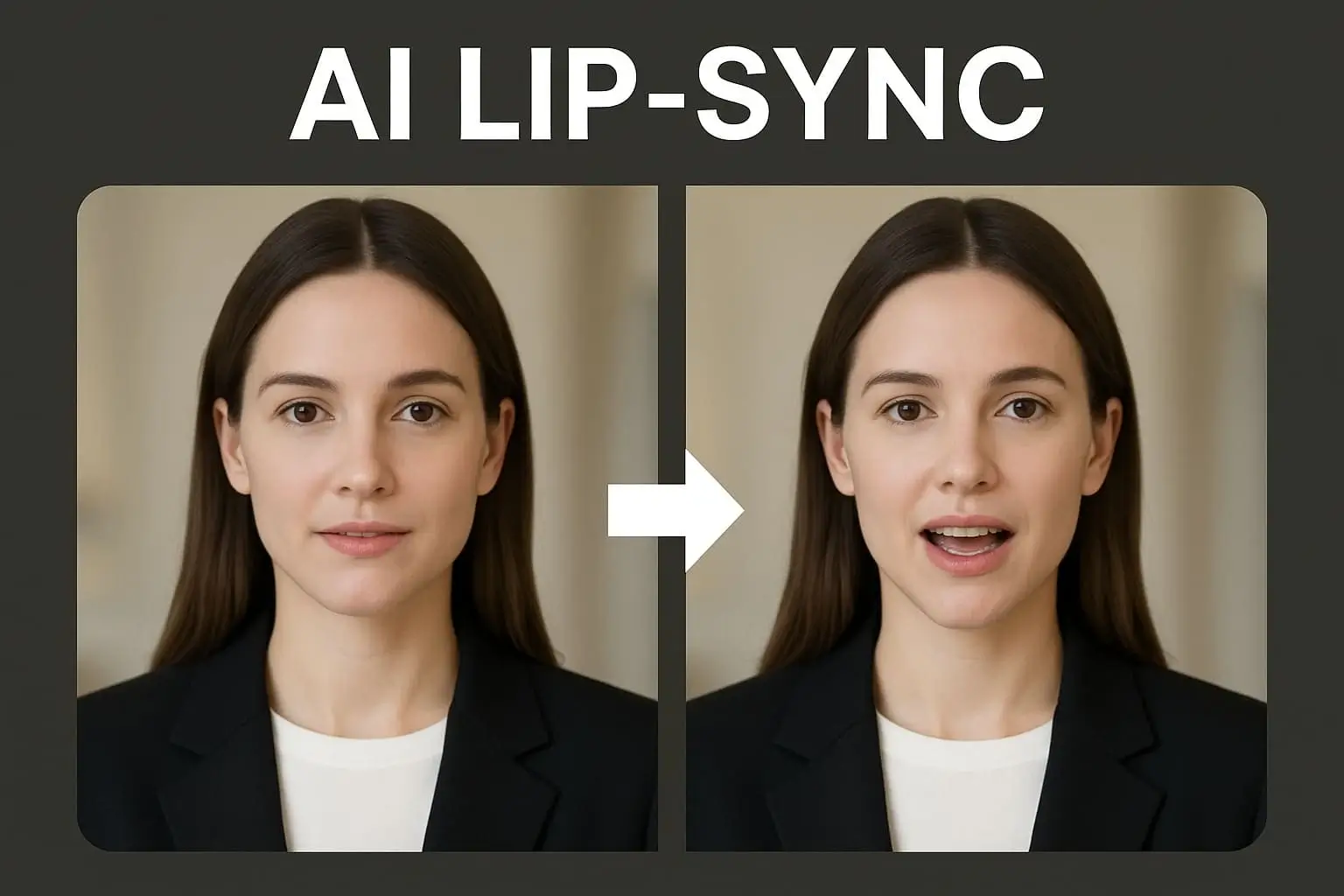
Pricing, rights, quality, privacy, workflow, and platform questions for creators comparing PixVerse alternatives.
What should I compare in a free AI video generator like PixVerse?
Compare source fit, fidelity, motion, speech, revision cost, rights, watermark, privacy, and export needs using one real task—not a demo reel.
Is APOB AI the same as PixVerse V6?
No. APOB is a separate platform and its reviewed public model list did not name V6. Use PixVerse when V6 access is essential.
Can I try APOB AI for free, and is the export watermark-free?
Nano currently refills 80 credits daily; free creation is limited, watermarked, and not private. Check the live billing guide before testing.
How do APOB AI credits work?
The live estimate changes with action, duration, quality, resolution, options, and plan. If Generate stays grey, check required inputs, upload status, limits, and balance.
Is APOB a PixVerse image-to-video alternative?
Yes. Image to video accepts an upload or library image as the first frame. Supported last-frame control is single-shot only and cannot combine with multi-shot.
Is APOB a PixVerse text-to-video alternative?
Yes. Its Description composer can expose audio, voice, style, Elements, camera movement, and shots where supported. Choose quality early; an incompatible switch can clear inputs after confirmation.
Can I keep the same character across several videos?
A permitted portrait model anchors repeated tasks but cannot guarantee identical faces, clothing, or accessories.
Can I add speech or lip sync?
Yes. Talking Avatar uses an image plus up to three minutes of audio; Lip Sync uses video plus audio up to 15 minutes. Obtain face, performance, and voice permission.
Does APOB work on mobile for TikTok, Reels, and YouTube Shorts?
Yes. Its mobile workstation expands from the bottom bar; controls still vary by mode. Test the ratio, duration, and disclosure workflow on the target phone.
Can creators or agencies use APOB AI videos commercially?
Potentially, subject to current Terms, source rights, third-party rights, client approval, plan, and destination rules. Agencies should retain licenses, consent, settings, and approval.
What resolution, duration, export format, or API access does APOB support?
They vary by mode, model, quality, and account. A universal export-format list and customer API were not verified; check the live workspace or official support.
How can I reduce distorted faces, hands, or products?
Use a clear source, one restrained action, one camera move, and explicit preservation rules; simplify if geometry changes.
Are uploaded faces and product images private?
Nano does not include private models or content. Review the Privacy Policy and client agreements before uploading sensitive assets.
Can I continue working with a video previously made in PixVerse?
Potentially. A permitted, compatible clip may enter Lip Sync, Edit video, Extend video, or Add subtitles. Keep the original and confirm current limits.
Which option suits anime or stylized short clips?
PixVerse suits V6-styled clips. APOB may suit persona, speech, or editing follow-ons; no same-input benchmark was run.


