Create AI videos with precise motion control. APOB AI lets you animate AI characters from reference videos, guide camera movement, control body motion, and turn still images into dynamic social videos while keeping your digital persona visually consistent.
Step 1: Access the Workspace and Initialize Your Account
Before deploying advanced spatial vectors or camera choreography, you need to initialize your creative sandbox. Setting up your secure profile ensures all custom characters, rendering credits, and multi-shot campaign assets remain private and saved within your personal creator workspace.
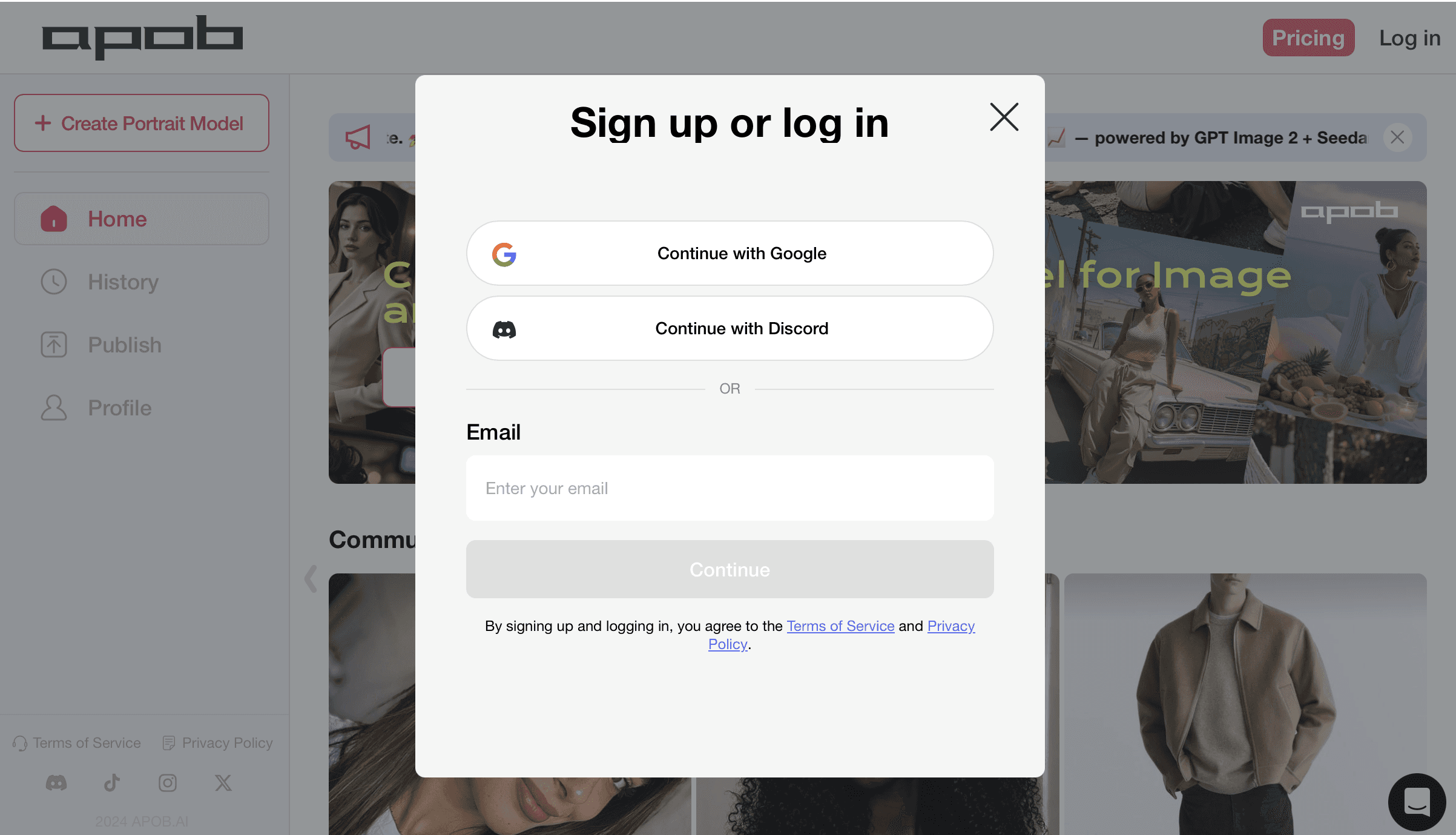
How to do it: Navigate to the APOB AI platform interface as shown. Click the "Log in" or "Pricing" anchors to trigger the secure Sign up or log in terminal block. From here, you have three frictionless onboarding paths: select [Continue with Google] or [Continue with Discord] for instant one-click authentication, or manually type your active email handle into the input field and press the [Continue] button. Once authenticated, you will instantly unlock your workspace dashboard, activate your daily allocations of motion control AI free credits, and gain immediate entry to the Kling 3.0 Motion Control engine to begin producing high-retention short-form clips.
Step 2: Establish Your Core Digital Identity or Upload Your Reference Persona
To create a high-converting video campaign with flawless structural continuity, you must anchor your character's facial framework before applying complex choreography. This critical phase locks your character's facial features into the rendering matrix, preventing the identity warping that typically ruins standard generation pipelines when characters turn or change expressions.
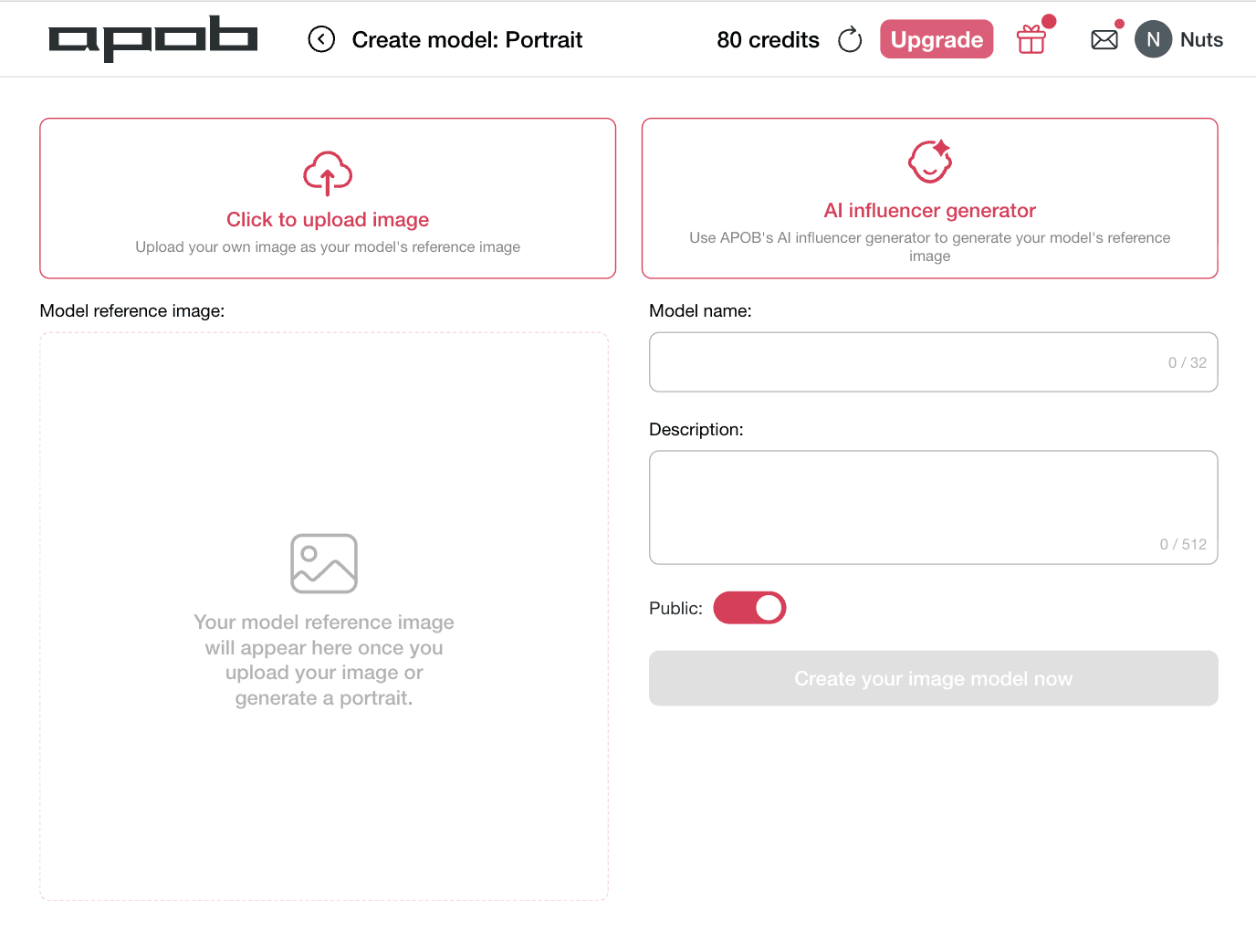
How to do it: Navigate to the Create model: Portrait workspace as shown. You have two distinct creation options based on your workflow needs. To animate a specific real-world spokesperson or licensed talent, select the left box marked [Click to upload image] to input your own custom reference file. Alternatively, if you want to build a completely unique digital brand ambassador from scratch, click the right option marked [AI influencer generator]. Move over to the right configuration menu to assign a custom moniker under Model name and write specific aesthetic details within the Description block. Toggle your visibility preference to public or private using the Public switch, and click [Create your image model now]. This establishes a persistent, identity-locked face model that is fully primed for high-performance Kling 3.0 Motion Control workflows.
Step 3: Initialize Your Asset Grid and Configure Motion Constraints
Building high-converting multi-channel content requires granular command over camera movement and character behavior. Instead of dealing with erratic visual warping or randomized renders, you begin inside a unified layout built specifically to regulate keyframe behavior. This essential step serves as your baseline dashboard for the motion control AI video generator, allowing you to lock down ambient background properties before initiating high-fidelity animations.
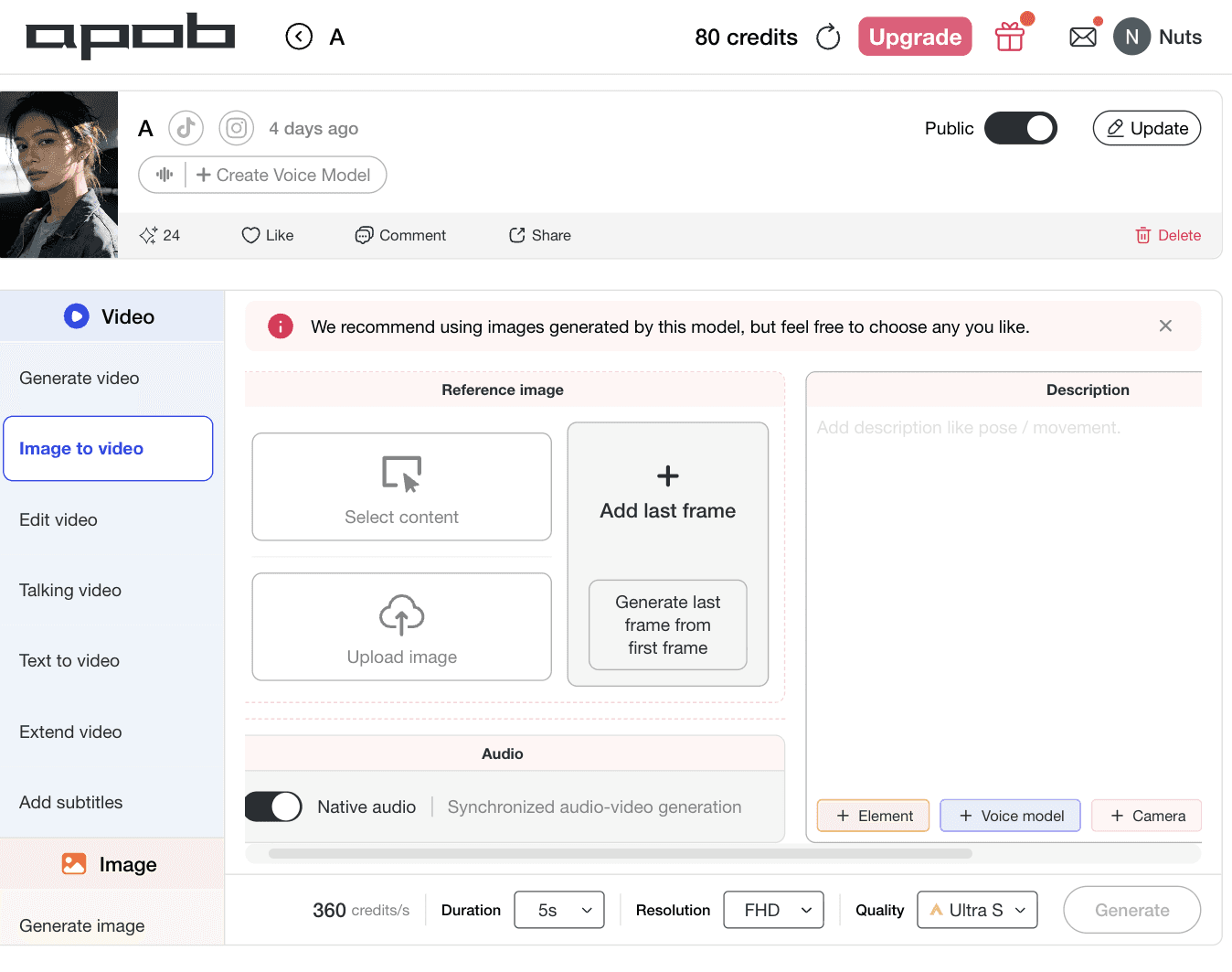
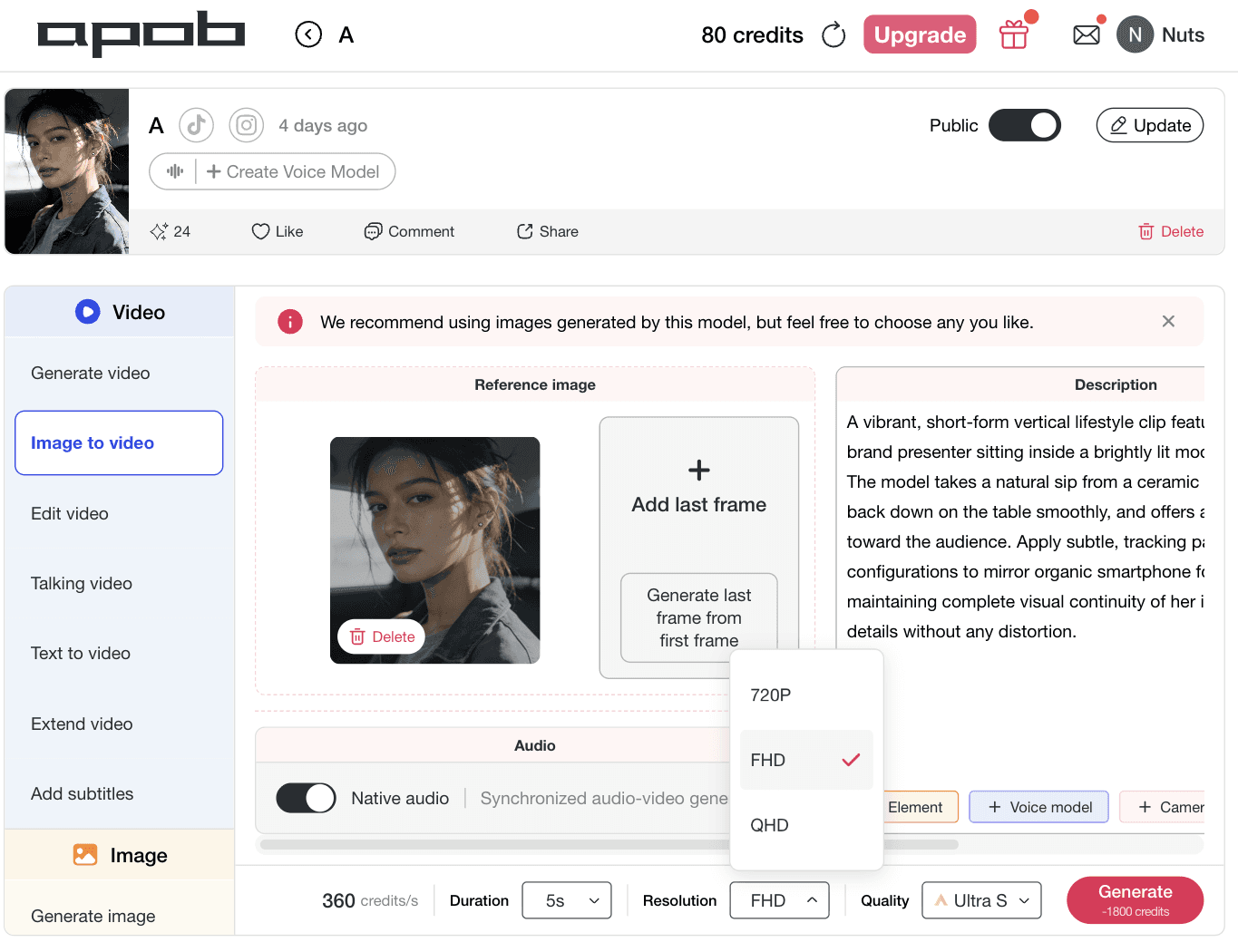
How to do it: Navigate to your creation console and select the Image to video tab from the left sidebar as displayed. Within the central Reference image module, choose your workflow path: hit [Select content] to choose an existing digital presenter from your library, or click [Upload image] to bring in a fresh, consistent character file. If your narrative arc requires absolute endpoint positioning, use the [Add last frame] section or tap [Generate last frame from first frame] to establish predictive keyframe parameters. Move over to the right panel to script your specific motion vectors, add environmental details, or activate precise camera properties like zoom, pan, orbit, dolly, and tilt using the automated + Camera modifiers.
Step 4: Establish Clip Duration and Map Advanced Motion
To craft hyper-engaging viral creative without technical rendering friction, creators must lock down their clip pacing parameters. Defining your time boundaries before initiating a render ensures that hand gestures, body language, and audio structures align naturally. This strategic setting prevents structural distortion or unnatural movement pacing, maximizing the accuracy of your chosen motion control AI video generator.
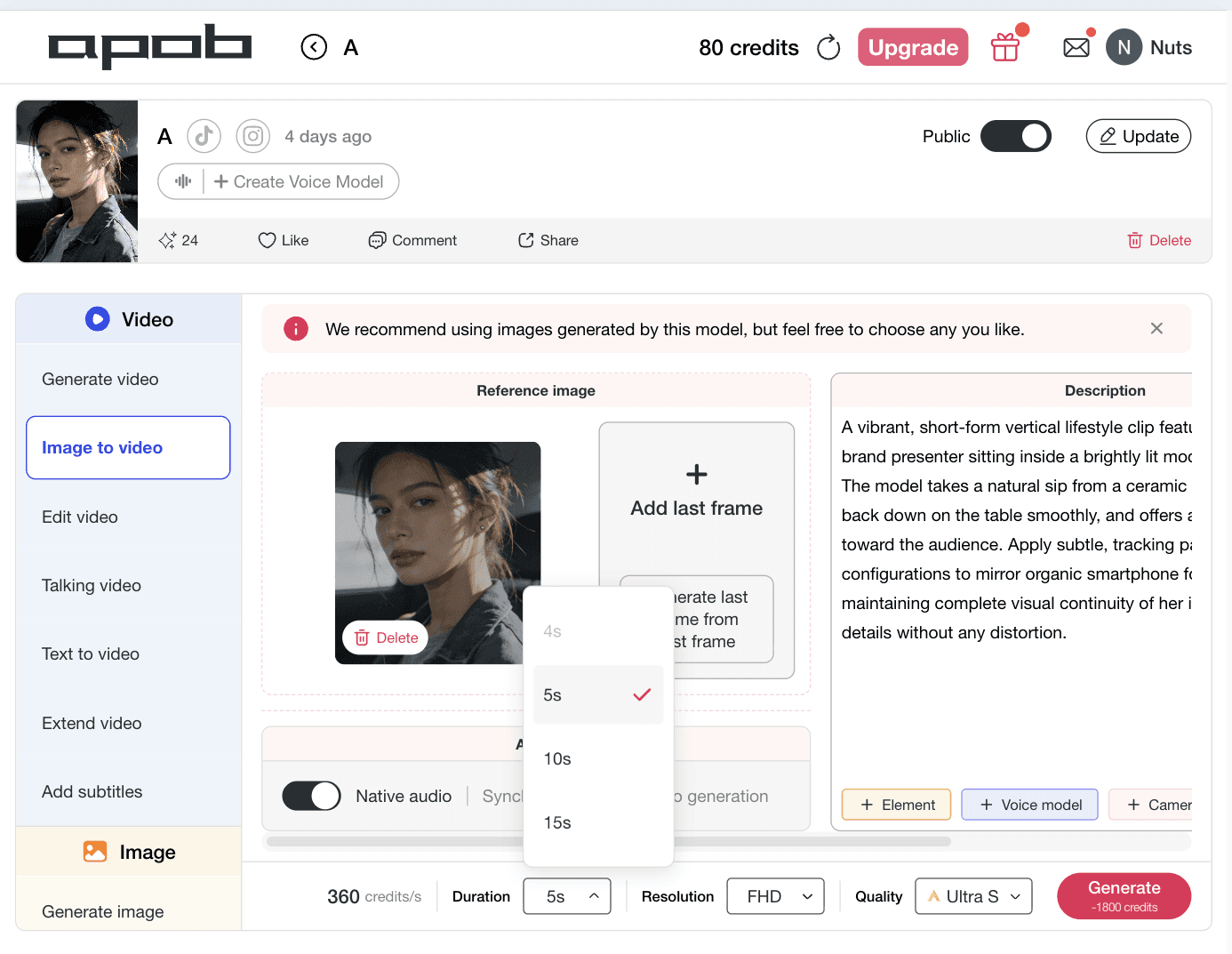
How to do it: Look at your timeline controls as illustrated. In the bottom configuration bar, click the Duration selector block to reveal the processing options menu (offering modular segments like 4s, 5s, 10s, or 15s). Select your target clip length—such as the verified 5s profile—to map out your short-form asset grid perfectly. Review your descriptive testing prompt in the right column, where complex AI character animation behavioral vectors are outlined.
Step 5: Select Resolution and Finalize Advanced Camera Constraints
To achieve maximum organic distribution and click-through rates across competitive ad networks, you must format your visual layout to fit platform specifications. Selecting your definition metrics prior to rendering keeps micro-textures sharp, prevents compression blur, and ensures your branding details remain legible on small screens. This configuration ensures your motion control AI video generator delivers crisp, professional assets.
How to do it: Navigate to the lower workspace settings menu as illustrated. Click on the Resolution selection block to expand the format dropdown panel (featuring targeted output tiers like 720P for fast concept validation, FHD for standard cross-channel campaigns, or QHD for high-fidelity assets). Click the FHD option to match standard vertical mobile screens. Finally, click the bright pink [Generate] button to activate the Kling 3.0 Motion Control backend engine, rendering a highly precise, social-ready marketing asset.












1. Cinematic Camera Automation for Direct-Response Ad Layouts
Bypass the steep learning curves of legacy animation rigs and complex spatial keyframes. Our comprehensive motion control camera panel puts standard studio moves right into your browser dashboard. Marketers can instantly inject complex directional motion—including programmatic zoom, pan, orbit, dolly, tilt, tracking, or locked camera layouts—by clicking clear directional buttons. This direct camera command lets you build high-converting vertical hooks, smooth product reveals, and cinematic scene transitions optimized specifically to arrest attention spans on short-form video networks.
2. Identity-Locked Character Animation with Zero Visual Drift
The biggest bottleneck in video scaling is losing your model's unique facial features during rapid motion or multi-angle transitions. Built directly on advanced architecture, the Kling 3.0 Motion Control engine guarantees hyper-stable face-locking across complex choreography. Whether your character executes a sudden turn, reacts with intense facial expressions, or moves closer to the lens, their facial symmetry and core identity layers remain perfectly intact. This enables serious creators to run long-term, highly recognizable social media campaigns with complete brand safety.
3. Granular Brush Path Customization for Absolute Creative Authority
Stop letting unpredictable algorithms dictate how your elements move. The integrated Motion Brush framework gives you surgical control over specific image regions and movement trajectories. Simply highlight the clothing fabric, product packaging, or a model's hair, and sketch your desired movement vector. This granular approach turns your workflow into an active motion control AI video generator, giving you the power to direct complex visual flows, manage asset interactions, and frame highly technical ad concepts without picking up a manual masking tool.
AI Influencer Motion Videos
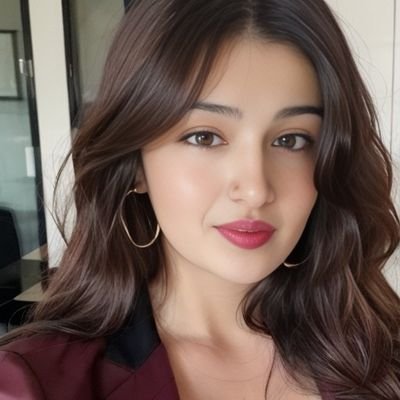
Turn a still AI influencer image into a dynamic performance video with Kling 3.0 Motion Control. Upload a reference video to guide body movement, hand gestures, facial expressions, and pacing, while APOB AI helps preserve the same digital persona across each shot. Perfect for creators who want dance clips, lifestyle vlogs, reaction videos, or social-first AI influencer content without filming a real model. (Kling 3.0, 2026)
Short-Form Video Hooks for TikTok, Reels, and Shorts
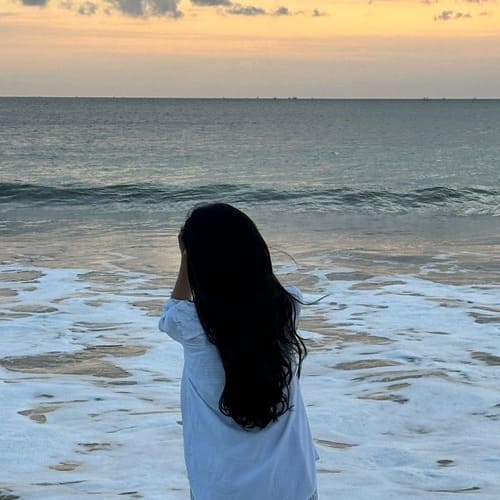
Use Kling 3.0 Motion Control to choreograph stronger 3-second hooks, faster transitions, zoom-ins, orbit shots, and handheld-style camera movement. APOB AI can help creators turn static character images into high-energy short videos built for mobile attention, where motion rhythm matters as much as image quality. (AI video tools build for media platforms, 2026)
Talking Avatar and Virtual Spokesperson Videos
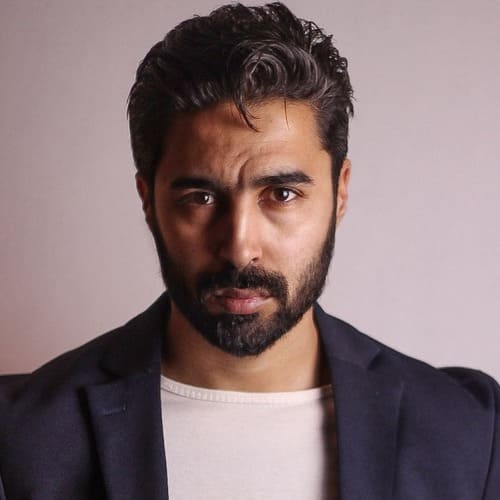
Combine motion control with talking avatar workflows to make an AI spokesperson feel more natural on screen. Use reference video motion transfer for gestures and posture, then pair it with script delivery, product explanation, or direct-response ad copy. This is ideal for brand explainers, app demos, ecommerce offers, and AI influencer video campaigns. (Kling 3.0 audiovisual generation)
Studio-Grade Camera Automation Parameters
The integrated dashboard embeds professional motion control camera paths directly into your rendering stream. Creators can instantly trigger cinematic behaviors—such as automated zoom, pan, orbit, dolly, tilt, tracking, or locked camera angles—without setting manual motion curves, producing high-impact compositions optimized for TikTok, Instagram Reels, and YouTube Shorts.
Frictionless Free Entry Framework
You can initialize and deploy your first high-retention campaigns using our kling motion control free credits pool. APOB AI gives registered users 80 free processing credits automatically every single day, providing plenty of functional runway to run tests, map keyframe parameters, and review layout variants before scaling up output.
Uncompromising Identity-Locked Rendering
By deploying Kling 3.0 Motion Control within the APOB AI ecosystem, you bypass the character drift that ruins normal visual generators. The platform enforces strict structural consistency on your model's face across sudden angle cuts, complex multi-angle rotations, and deep cinematic pans, making it a reliable AI influencer video generator.
High-Definition Outputs Depend on Clean Reference Files
While the system operates as a premier motion control AI video generator, it cannot fix a pixelated, poorly lit source input. If your reference performance asset or target character photo suffers from motion blur or extreme distortion, the facial blending engine
Built and Locked for Compliant Brand Workflows
APOB AI is designed to serve as an ethical, creator-friendly asset production platform rather than an unmonitored deepfake playground. Because our generation engine includes automated safety blocks against non-consensual image manipulation and malicious celebrity identity matching, users focusing on unverified public figures will see their visual outputs restricted by our brand-safety filters.
Demands Clear Keyframe Sequencing for Complex Progressions
To maintain flawless visual continuity across extensive movements, users must actively think through first-frame / last-frame / keyframe structural logic. If you map highly complex choreography without setting proper anchor frames or defining clear behavioral paths, the system may require additional credit passes to render the exact motion profile you want.
Enjoy more features
No Credit Card Required


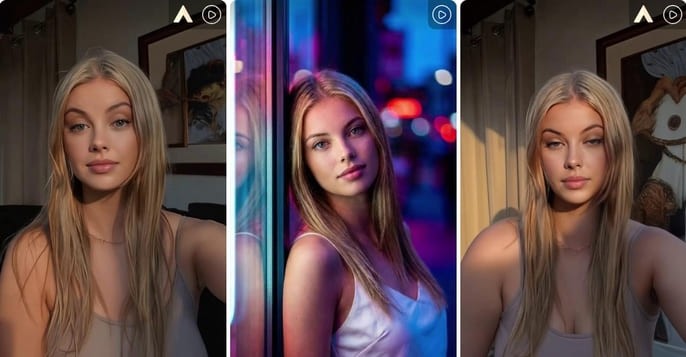
Answers about camera moves, motion paths, video quality, formats, commercial use, and credits.
1. What is Kling 3.0 Motion Control?
Kling 3.0 Motion Control is an advanced AI animation framework that gives creators precise physical directability over their video assets. By using a real video clip as a movement blueprint, the model extracts physical choreography and maps it directly onto a static character image. This eliminates the unpredictability of traditional text prompting, delivering highly controllable and realistic animation results.
2. What is a motion control AI video generator?
A motion control AI video generator is a specialized production tool engineered to govern how pixels and camera coordinates shift over time. Instead of relying on random generations, it uses advanced inputs—such as reference clips, spatial path brushes, and programmed camera rigs—to keep character movements, transitions, and framing paths strictly aligned with a director's operational goals.
3. How do I use Kling 3.0 Motion Control on APOB AI?
To get started, navigate to the "Image to video" workspace inside your APOB AI dashboard. Upload your target character headshot or select an established digital persona from your asset library. Next, write your motion instructions in the description field or select an authorized reference video. Configure your canvas duration, choose your resolution, and click generate to process your high-fidelity asset.
4. What is the difference between Kling 2.6 and Kling 3.0 Motion Control?
While older versions like Kling 2.6 laid the groundwork for simple spatial adjustments, the jump to Kling 3.0 Motion Control completely revolutionizes physics simulation and tracking fidelity. Kling 2.6 often struggled with physical boundaries—resulting in melting background pixels, warped hands, and character identity shifting during sharp head movements.
Kling 3.0 introduces an advanced multi-modal element binding matrix that actively improves facial consistency during complex, high-velocity motion. Furthermore, it expands your directorial toolkit by adding surgical features like the Motion Brush for multi-angle trajectory tracking and native advanced motion control camera mechanics that maintain stable rendering formats without digital glitches.
5. How exactly has Kling 3.0 improved over Kling 2.6?
Kling 3.0 brings massive rendering improvements across three critical areas: extreme structural stability, physics accuracy, and character face continuity. Specifically, the updated architecture has improved in the following ways:
True Kinetic Translation: Through enhanced reference video motion transfer , Kling 3.0 effortlessly lifts full-body routines, micro-gestures, subtle lip movements, and a performer's exact acting rhythm without introducing limb warping or visual slide.
Persistent Identity Preservation: It maintains high-fidelity face tracking over complex, multi-angle movements. Your character looks identical from the first frame to the designated last-frame setup, making it an incredibly reliable AI influencer video generator .
Environmental Lock-Tight Safety: By upgrading structural static control pipelines, the platform allows you to use a static brush to freeze ambient elements perfectly in place. This completely removes unwanted camera drift, letting creators generate flawless TikTok, Instagram Reels, and YouTube Shorts clips with zero production distortion.
6. What makes APOB AI's motion control workflow unique?
Most standalone animation engines focus purely on raw movement, which routinely warps your character's face out of recognition. APOB AI's unique advantage is combining advanced physics with a proprietary identity-locking engine. You get hyper-realistic physical directability plus absolute character consistency, giving you an end-to-end framework for building ad-ready social video campaigns.
7. What is reference video motion transfer?
It is an advanced machine learning method where an AI model tracks and extracts real human kinetics from a source asset. The software deconstructs body positioning, weight distribution, hand gestures, and micro-expressions within a reference video motion transfer pipeline, seamlessly replicating those exact spatial properties onto a new target character image.
8. How does the tool preserve facial consistency during complex motion?
The platform utilizes an advanced facial-matching matrix that anchors key landmark data across a 3D grid. Even during intense choreography, sudden multi-angle turns, or moments where your persona reacts with expressive emotions, the underlying system keeps features uniform. This prevents the identity drift that typically ruins generic video generation pipelines.
9. What is the Motion Brush feature, and how do I use it?
The Motion Brush is a granular directability tool that gives you surgical control over specific image regions and movement trajectories. By painting over a particular area of your static character asset—such as a piece of apparel, jewelry, or flowing hair strands—you can manually draw directional vector arrows to dictate exactly where and how those elements should move.
10. How do I stop backgrounds from warping or drifting during a render?
You can apply a dedicated static brush or structural static control to lock chosen pixels completely in place. By painting over background elements like interior studio walls, product tables, or distant horizons, you signal to the engine to eliminate camera jitter and prevent environmental melting, ensuring a highly professional finish.
11. What camera motion control settings are included in the dashboard?
Our comprehensive motion control camera panel replicates professional studio equipment. Creators can instantly inject programmatic camera sweeps right from the interface, including automated zoom, pan, orbit, dolly, tilt, tracking, or locked camera layouts. This gives you total command over your visual composition without requiring manual framing curves.
12. How do first-frame and last-frame parameters help plan video outcomes?
The system utilizes explicit first-frame / last-frame / keyframe structural logic to remove guesswork from your timeline. By setting an initial character portrait as your first frame and uploading a target composition block as your last frame, you establish hard geometric boundaries, allowing the animation engine to smoothly calculate the motion path between those two data points.
13. Can this framework act as a reliable AI influencer video generator?
Absolutely. Because the platform preserves face structures and outfit configurations perfectly across sequential renders, it serves as an enterprise-grade AI influencer video generator . Virtual creators can maintain absolute visual continuity across distinct scenes, helping them secure premium brand sponsorships and expand their social footprints without identity degradation.
14. Can I create optimized vertical content for TikTok and Instagram Reels?
Yes. The APOB AI layout is optimized to fuel modern short-form attention streams. Users can easily select mobile vertical aspect ratios and render sharp FHD files, allowing production houses to output a steady volume of high-retention clips tailored for TikTok, Instagram Reels, and YouTube Shorts.
15. How do performance marketing agencies use this tool to build UGC ads?
Agencies leverage the platform to turn static creative assets into organic, high-converting social material. By taking a high-performing user-generated review clip and running a motion transfer pass over a brand presenter's headshot, media buyers can rapidly scale customized UGC ads and realistic product demo videos tailored to distinct demographic targets.
16. Do I need professional Adobe After Effects or animation skills?
Not at all. The interface replaces complex multi-layer keyframing, green-screen tracking, rotoscoping, and manual masking with simple, creator-friendly buttons and prompt fields. You can produce complex AI character animation sequences, adjust tracking ranges, and add voice elements smoothly without touching complex post-production software.
17. Can I pair custom voice models with my motion-controlled videos?
Yes. Our centralized video production engine features a built-in talking avatar tab and predictive lip-sync modules that integrate directly with your animation passes. When you map motion onto your character, you can drop a script or cloned audio file into the workspace to automatically synchronize mouth timing with your physical gestures.
18. What are the commercial ownership rights for generated media assets?
You maintain full commercial ownership and licensing control over all video deliverables, frames, and marketing materials you produce inside your APOB AI container. This clearance allows your team to deploy your finished motion files across paid advertising networks, corporate websites, or digital product stores without royalty obligations.
19. How many operational credits does a 5-second motion control render use?
As detailed in our timeline interface configurations, processing a high-fidelity video asset running at an optimized speed of 360 credits/s for a total duration of 5s utilizes an exact allocation of -1800 credits . Premium subscription tiers remove daily volume restrictions to ensure agencies can scale aggressive, multi-shot campaigns simultaneously.
20. What safety parameters regulate the Kling 3.0 workspace?
We operate a strictly controlled, ethical creation framework. The system incorporates automated content filters and security checks that block non-consensual identity alterations, unverified celebrity uploads, or deceptive political files. Choosing APOB AI guarantees your performance agency builds completely brand-safe, compliant campaigns.


