Establish Your Core Digital Identity or Upload Your Reference Persona
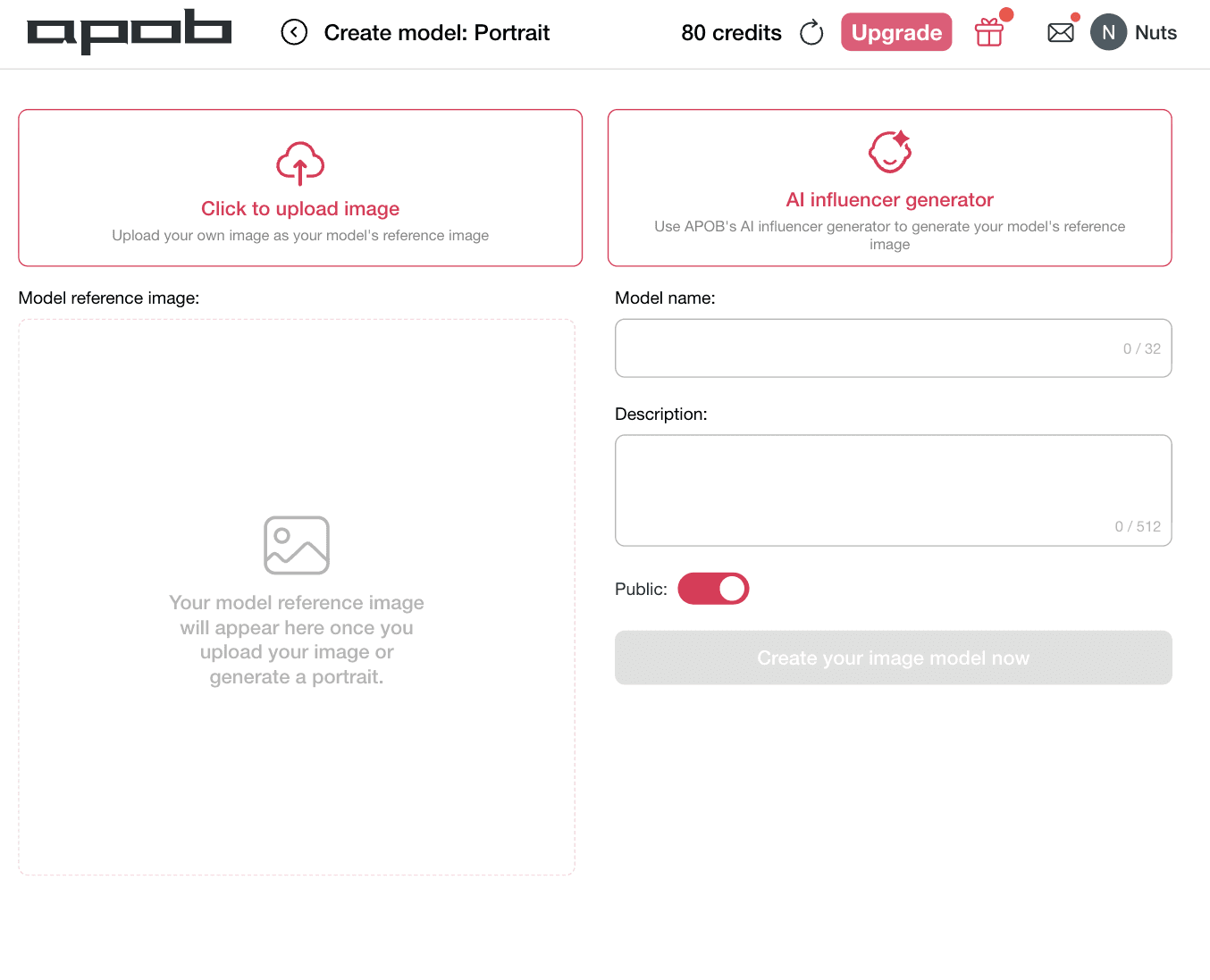
To create a high-converting video campaign with flawless structural continuity, you must anchor your character's facial framework before applying complex choreography. This critical phase locks your character's facial features into the rendering matrix, preventing the identity warping that typically ruins standard generation pipelines when characters turn or change expressions.
How to do it: Navigate to the Create model: Portrait workspace as shown. You have two distinct creation options based on your workflow needs. To animate a specific real-world spokesperson or licensed talent, select the left box marked [Click to upload image] to input your own custom reference file. Alternatively, if you want to build a completely unique digital brand ambassador from scratch, click the right option marked [AI influencer generator]. Move over to the right configuration menu to assign a custom moniker under Model name and write specific aesthetic details within the Description block. Toggle your visibility preference to public or private using the Public switch, and click [Create your image model now].
Step 2: Select Your Production Mode and Input a Cat Dance Description
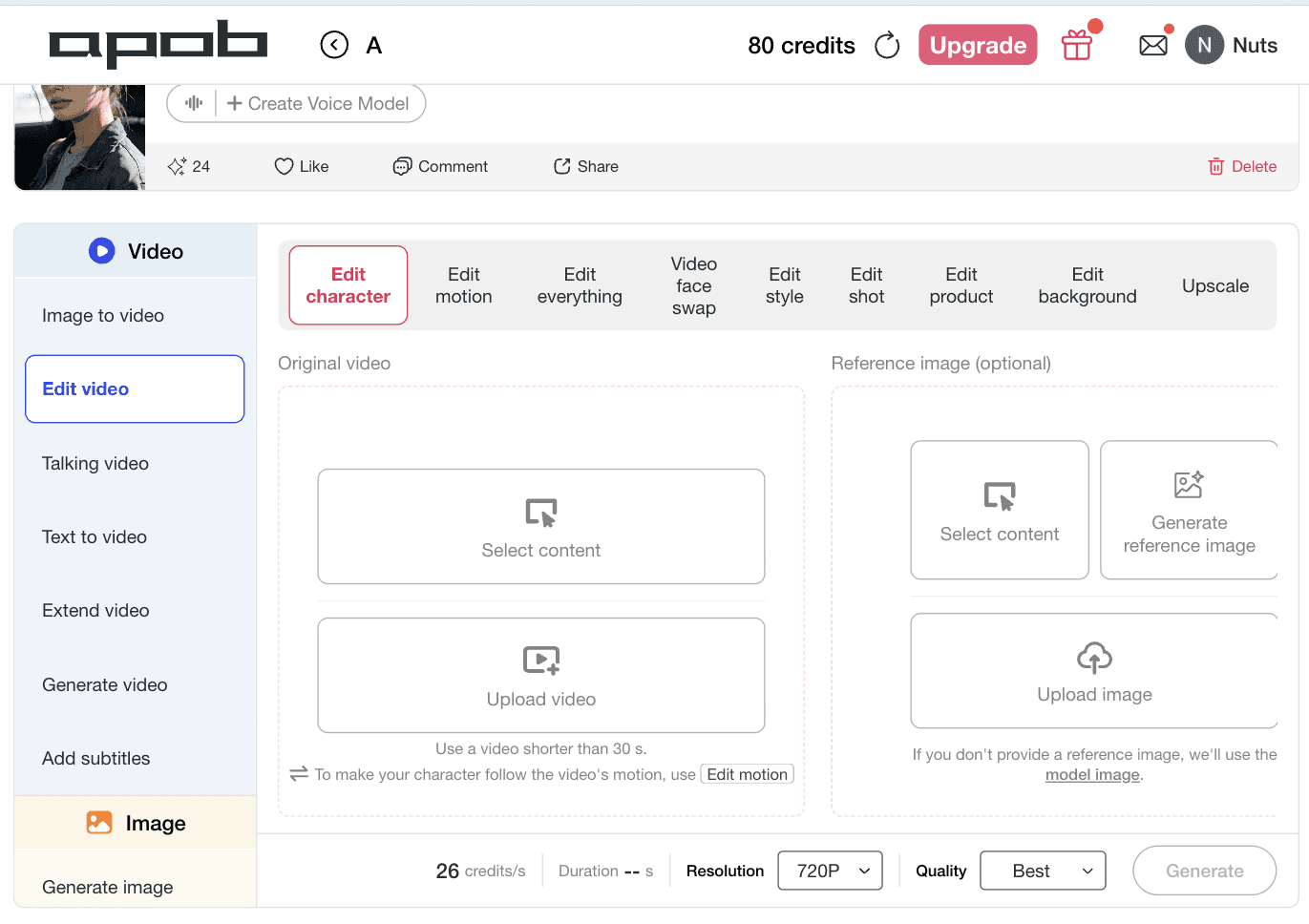
To execute a flawless physical performance without visual distortion, you must configure your structural rendering rules inside our multi-layer editing console. This essential phase lets you specify whether you are mapping a dance onto a custom template, running an advanced identity swap, or tracking motion pathways from an existing reference asset to make your cat dance with precision.
How to do it: Navigate to the centralized workspace as illustrated. Click on the Edit video tab from the left navigation tree, then ensure the top operational selector is set to Edit character or toggle Video face swap based on your structural pipeline. In the Original video panel, select [Upload video] to submit a short-form clip under 30 seconds that carries your preferred paw movements, head bops, or body sways. Moving to the Reference image (optional) section on the right, tap [Upload image] to lock down the source portrait from your pet's camera roll. APOB AI will automatically extract the skeletal kinetic paths from the video and fuse them seamlessly onto your cat's static face and fur pattern.
Step 3: Match the Kinetic Flow and Lock in Your Timing Window
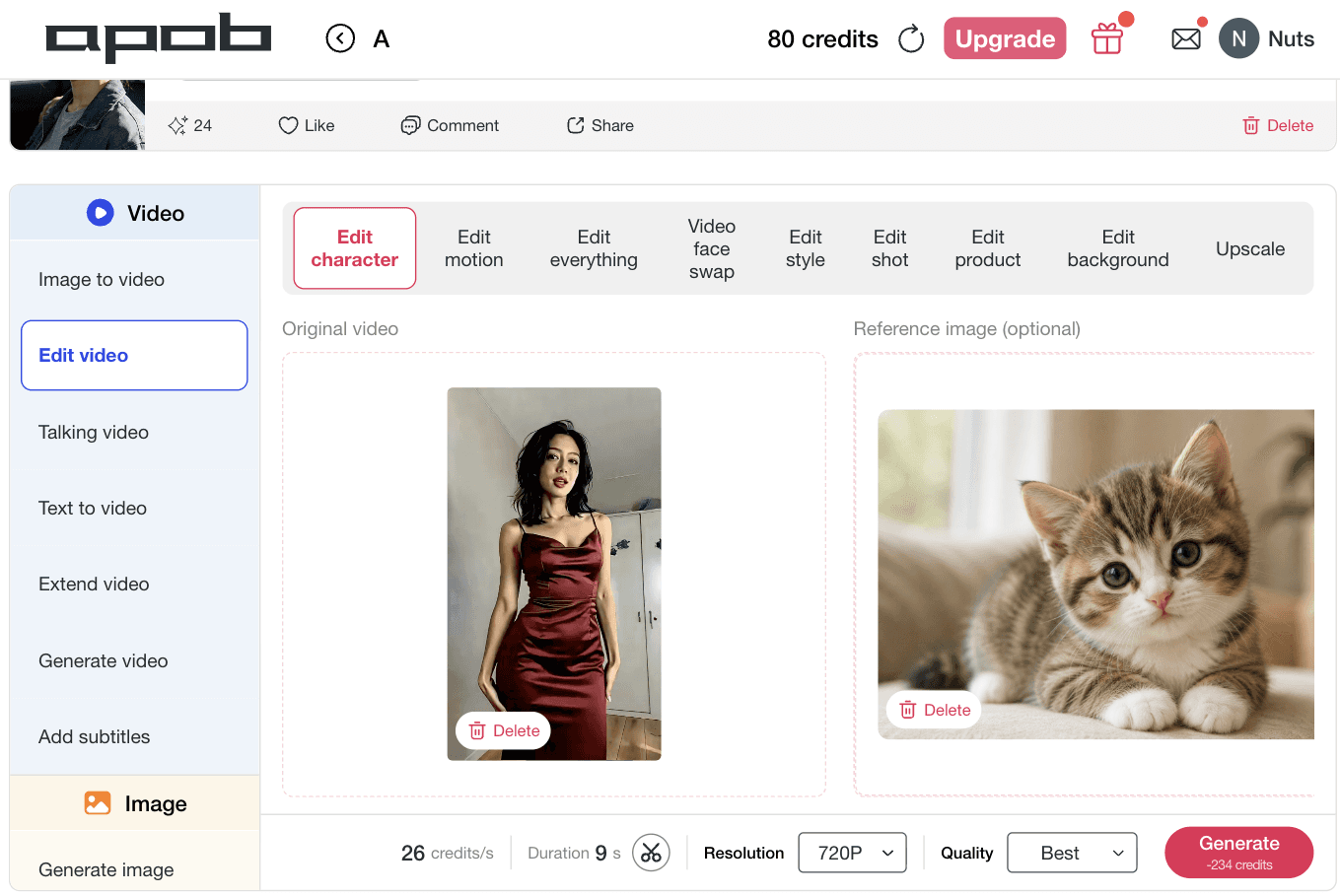
To ensure your final video achieves maximum engagement across fast-moving vertical feeds, you must cross-reference your uploaded visual assets and fine-tune your rendering parameters. Aligning the length and visual properties of your source media before hit processing keeps your animal's fur clean, bounds physics smoothly, and manages your processing budget efficiently.
How to do it: Review your active media layers in the centralized configuration space as illustrated. Verify that your reference human asset is locked in the Original video box and your target kitten profile is securely bound inside the Reference image (optional) frame
Step 4: Optimize Resolution for Viral Social Media Layouts
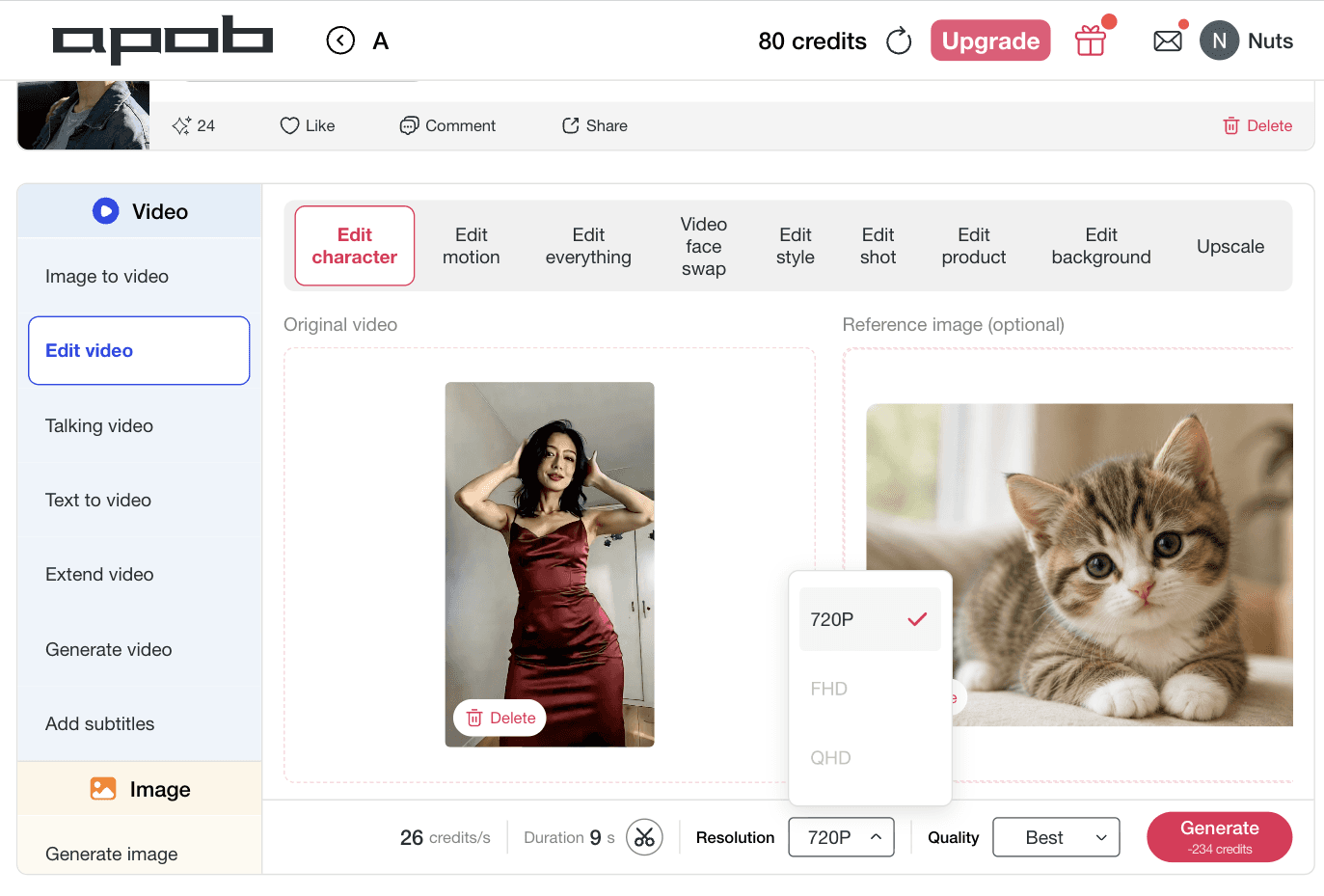
Before finalizing your render, matching your visual output to your destination feed prevents pixel distortion, keeps your cat’s fur textures looking sharp, and ensures compression algorithms do not blur your clip. This quick setting balances rendering speed against high-definition clarity.
How to do it: Navigate to the lower workspace settings bar as highlighted. Click on the Resolution toggle button to pull up your format choice panel, revealing options like 720P for rapid testing, FHD for standard multi-channel social output, or QHD for sharp commercial layouts. Select 720P to execute a lightning-fast motion preview or choose FHD to format your clip for direct upload to vertical smartphone streams and click Generate.














Make Your Cat Dance from a Single Photo
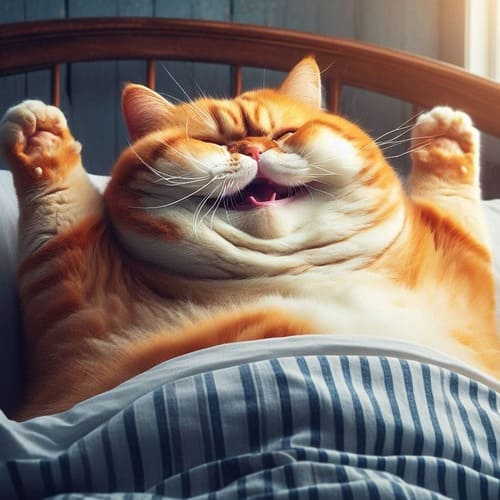
Stop spending hours trying to film your pet with unstable phone cameras or waiting for the perfect behavioral moment. Our intuitive Cat Dance AI Generator converts a single, static image into a high-energy, entertainment-ready dancing cat AI video in minutes. By analyzing the structural baseline of your uploaded file, the system automatically translates flat layers into a fluid, multi-dimensional character setup, allowing you to make your cat dance without any tedious, real-world clip staging.
Launch High-Impact Cat Meme Videos Pre-Sized for Viral Feeds
Short-form social networks thrive on high-velocity animal humor, but manual formatting, cropping, and rendering pipelines stall your production workflow. This dedicated cat dance video maker functions as an agile creation factory built specifically to output vertical, loopable content. Marketers, pet influencers, and meme page owners can instantly generate highly shareable funny AI cat videos configured to pull explosive engagement metrics across native TikTok, Instagram Reels, and YouTube Shorts auctions.
Uncompromising Identity Protection Keeps Your Pet Recognizable
The biggest failure of generic video models is that they alter your animal's face, turning them into a completely random cartoon. APOB AI is engineered with an advanced biometric lock that safeguards your pet's precise identity markers. The system maps and preserves your cat’s exact face shapes, unique fur patterns, eye colors, whisker lines, and structural weight distribution throughout the entire motion sequence, ensuring the final dancing cat video looks authentically like your beloved pet.
Meme Pages Monetizing the Global "Cat Marketing" Content Craze
From the legendary historic dominance of Grumpy Cat to modern cultural phenomenons like the viral Chipi Chipi Chapa Chapa cat dance animations that completely dominated global audio charts, internet audiences systematically favor expressive, funny animal templates over traditional human media profiles. Media operators run our smart cat meme video generator to build custom, highly shareable reaction assets on demand. This rapid production loop allows publishers to react instantly to breaking internet culture topics and continuously feed viral humor to their community hubs. (AI cat videos, 2026)
E-Commerce Pet Brands Capitalizing on Interactive Web Advertising
Modern direct-to-consumer pet supplies companies face massive ad blindness and rising acquisition costs when running standard, static product-on-shelf images. Commercial media buyers utilize this specialized AI cat video generator workspace to instantly convert basic customer-submitted review photos into dynamic, high-impact ad banners. Animating an ordinary domestic cat to perform an enthusiastic disco routine or an expressive celebration dance alongside an e-commerce storefront discount code dramatically improves click-through rates and directly fuels lower cost-per-purchase outcomes. (E-Commerce Pet Brands, 2026)
Short-Form Creators Hijacking TikTok and Instagram Reels Trends
Digital landscape trends move at an extreme, lightning-fast pace across vertical media pipelines, where matching pets with trending audio tracks guarantees algorithmic visibility. Social publishers leverage this high-velocity cat dance video maker framework to continuously pump out short-form, loopable content without facing creative burnout or technical staging bottlenecks. By mapping cute sways and rhythmic paw movements onto a unique character profile, independent influencers can consistently scale their organic reach metrics and build an army of highly engaged pet-loving followers. (Popularity of Online Short-Form Content, 2026)


No Credit Card Required


Instant, Effortless Video Transformation from One Still Shot
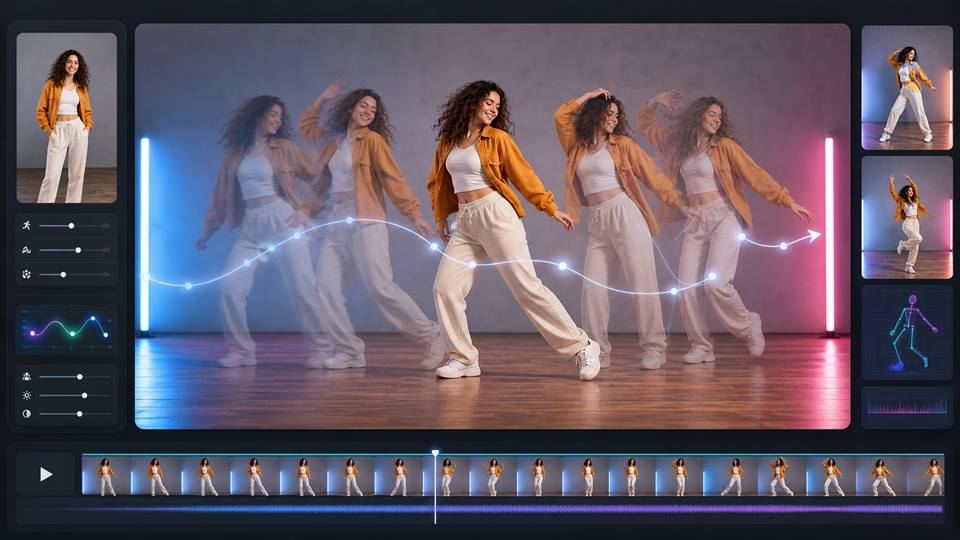
Traditional content creation demands hours spent chasing your pet around trying to record unstable smartphone footage. Our tailored pipeline lets you instantly make your cat dance using just a single, static image. This structural shortcut saves hours of production hassle while delivering a complete dancing cat AI video in minutes.
Native social optimization for instant short-form distribution
The platform renders your files directly into optimized, high-fidelity aspect ratios. This targeted focus enables digital marketers and social media administrators to immediately push out loopable, viral creations onto TikTok, Instagram Reels, and YouTube Shorts feeds to rapidly capture algorithmic attention metrics.
Flawless Pet Identity and Fur Pattern Retention
Unlike a generic animation engine that alters your pet's features or turns them into a cartoon cutout, APOB AI preserves unique animal traits. The software maps out and locks down your cat's exact facial composition, distinct fur pattern variations, structural body shape, and eye color gradients to maintain complete recognizability across every wiggle.
Depends on High-Clarity Visual Assets for Optimal Realism
As a dedicated AI cat video generator, the system requires a clean, unobstructed view of your pet to calculate accurate skeletal joints. If you submit a highly pixelated, dark image where the cat’s limbs or face details are obscured by blankets, the visual mapping grid might introduce slight pixel distortions during complex choreography.
Intricate Choreography Progressions Benefit from Detailed Prompts
While our custom scripts handle baseline wiggles effortlessly, specific dance styles or complex props require careful textual guidance. To avoid randomized movements, creators should utilize our step-by-step descriptive prompt logic rather than typing a vague, single-word instruction into the creation canvas.
Locked strictly for compliance and domestic pet assets
APOB AI operates as an family-friendly, ethical asset tool built exclusively to scale authentic pet engagement campaigns. Our automated content filters actively block attempts to distort sensitive human photos, create non-consensual media, or generate unsafe graphic alterations, ensuring a protected creative environment.
1. What is a Cat Dance AI Generator?
A Cat Dance AI Generator is a specialized, entertainment-focused video production tool that uses trained animal physics models to turn a static feline image into a fully animated, dancing video. Unlike generic image-to-video tools that frequently warp animals into strange shapes, our dedicated processor isolates your cat’s unique limbs and facial mapping to create natural-looking, funny choreographies.
2. Can I make my own cat dance with AI?
Yes! Anyone can instantly make your cat dance on APOB AI without touch-up experience or coding knowledge. By uploading just a single snapshot from your phone's camera roll, the platform builds a custom skeletal structure for your pet, transforming them into a high-energy digital dancer within minutes.
3. Do I need to film my cat dancing?
Not at all. You will never have to chase your pet around the house or wave treats behind a smartphone lens to capture a viral moment. The entire process takes place digitally inside our cloud workspace using just one still photo, providing a flawless dancing cat AI video while your real pet rests comfortably away from the camera.
4. What cat photos work best for this video maker?
To get the absolute highest level of realism out of the cat dance video maker, we recommend uploading a sharp, well-lit frontal photo. Images where your cat is sitting or standing clearly with their face, chest, eyes, and paws completely visible give our structural AI tracking engine the perfect baseline to generate fluid, glitch-free movements.
5. Can I use the generated clips for TikTok or Instagram Reels?
Absolutely! APOB AI is designed natively to fuel high-velocity social media accounts, meme pages, and pet channels. The platform automatically renders your final video into optimized vertical aspect ratios, allowing you to instantly upload your trending dancing cat video onto TikTok, Instagram Reels, and YouTube Shorts feeds.
6. Will the AI keep my cat recognizable in the dancing video?
Yes, identity preservation is our strongest competitive feature. Our unique AI cat video generator matrix locks down your pet's precise biometric markers—including their exact face shape, distinctive fur patterns, whisker lines, eye colors, and body build—ensuring they stay completely recognizable from the first frame to the last.
7. Can I really create a funny dancing cat video from just one photo?
Yes. Our engine is built to handle single-frame asset transformations. You do not need multiple camera angles or sequential shots; our advanced cat photo to video technology intuitively calculates how your pet's fur, limbs, and facial expressions should interact through a dynamic range of motion based on just one image.
8. Is this video tool completely safe for pets?
Yes, this is a 100% pet-safe creation method. Traditional viral filming setups can sometimes cause real animals unnecessary stress, anxiety, or confusion due to bright studio lights, costumes, or forced staging. By taking the production process completely into a virtual space, your cat stays totally safe and undisturbed.
9. Can I create custom cat meme videos on demand?
Definitely. Our platform features an intuitive text-to-behavior input block that functions as a highly reactive cat meme video generator. You can type in exactly what type of funny theme or rhythmic style you want to achieve, allowing you to quickly hop onto breaking internet culture trends and boost your page's social engagement.
10. What video duration is best for social media loops?
Our system offers modular time intervals tailored for different deployment styles. For standard, highly repeatable short-form video loops on social media, a 5-second clip duration is highly recommended to capture immediate attention. For more extended, detailed brand presentation formats or story structures, choose our 10 or 15-second rendering profiles.
11. What rendering resolution should I choose for my project?
We offer flexible resolution parameters to keep your creation workflow agile. Choose 720P for lightning-fast draft previews and prompt testing. Upgrade to Full High Definition (FHD) to output crisp, clean content ready for standard social network uploads, or select Quad High Definition (QHD) to achieve maximum clarity for premium pet brands.
12. Can commercial pet brands use this AI generator for advertisement campaigns?
Yes, e-commerce stores and commercial agencies use our AI pet video generator infrastructure to fight off creative fatigue on paid social networks. Animating user-submitted pet photos into lively, joyful disco numbers or adorable product displays is an excellent way to capture buyer attention and lower your customer acquisition costs.
13. Can I make personalized holiday cat videos for my family?
Yes! Our flexible text description layout allows you to easily craft customized milestone greetings. You can prompt the software to place your pet into a festive setting, executing cute winter wiggles, holiday bops, or custom birthday choreography to share unique digital greeting cards with your close friends and family group chats.
14. What makes APOB AI different from generic AI video generators?
Standard image-to-video applications usually treat animals like static human models, resulting in melting background details, losing the cat's unique fur lines, or generating distorted faces. APOB AI stands out because it operates as a dedicated pet dance AI generator that treats animal physics, facial tracking, and fur preservation as its core priority.
15. How do I write a good prompt to generate funny AI cat videos?
To create the ultimate viral clip, keep your description focused on specific structural movements and clear performance pacing. Describe clear actions like playful head bops, cute tail wiggles, rhythmic paw movements, or a joyful hip sway, while instructing the model to preserve your cat's original facial patterns and keep the background perfectly stable.
16. Can I add music or synchronize audio to my cat's dance movements?
Yes. When customizing your video inside the creator dashboard, you can toggle on audio synchronization options or use our platform tools to pair your final high-resolution render with trending sounds, songs, or custom voiceovers to make your animal's performance perfectly match the background rhythm.
17. How many free daily credits do I get to make my cat dance?
APOB AI offers a highly accessible motion control AI free tier to let you jump into the fun with zero upfront costs. Every single user receives 80 complimentary credits automatically reset each day upon dashboard signup, providing you with ample daily runway to test prompts, try different dance styles, and render your first clips free.
18. Does the tool support other domestic animals like dogs or birds?
While this specialized page highlights our hyper-optimized cat animation matrix, our overarching AI pet video generator contains robust secondary visual profiles trained to map unique canine breeds and popular household pets, allowing you to bring diverse multi-animal meme concepts to life using the same workflow.
19. How do I prevent the background from moving or warping around my cat?
Our processing engine incorporates an automated background locking filter designed to maintain clean environmental consistency. For optimal zero-drift results, make sure your uploaded reference photo has a distinct, uncluttered background, allowing the system to easily separate your cat's body pixels from the surrounding scenery.
20. Do I maintain full commercial ownership over my finished video creations?
Yes, you hold complete usage rights and intellectual property clearances for all animated media and final downloads produced inside your user workspace. You are free to monetize your clips on YouTube, use them to run digital ads for your pet shop, or distribute your content across personal and public social media platforms.


