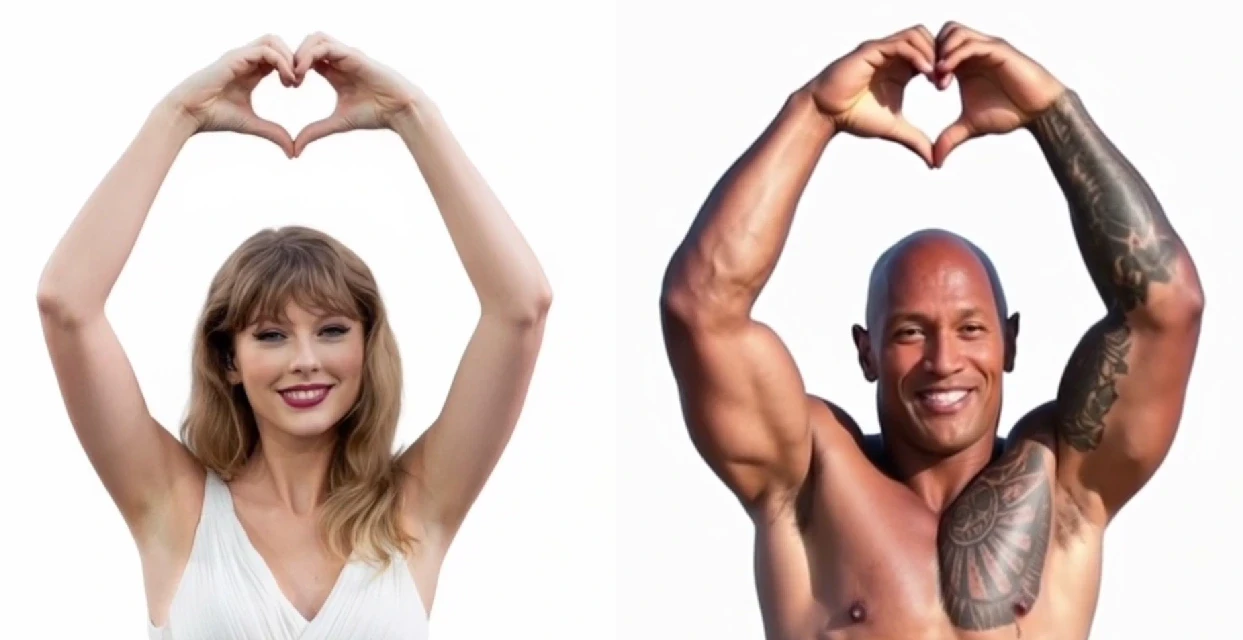
APOB has recently launched its new ReVideo AI feature. It works in the same way as Wan2.2 Animate—by uploading an image and a video, you can place the character from the image into the video while keeping the background unchanged. The following content will mainly introduce how to use ReVideo and its specific application scenarios.
What is APOB AI’s ReVideo Feature?
ReVideo is a smart tool inside the APOB AI platform that allows you to animate a character or replace an actor in short clips. Think of it as “place your face in a scene, or bring a character to life with your movements.”
With ReVideo, you can:
Animate portraits (make them blink, smile, or even dance).
Replace an actor in a video with your chosen AI model.
Quickly generate prototypes for ads, short films, or social content.
ReVideo is powered by AI engines like Wan2.2, which specialize in generating natural-looking animations from static visuals. This pairing makes the feature especially useful for creators who want high-quality results with minimal effort.
How to Use APOB AI’s ReVideo Feature
Getting started with ReVideo is simple, even if you’ve never used an AI video generator before. Here’s the step-by-step guide:
Log in and claim free credits
After logging into APOB AI, you’ll automatically get 80 free credits every day. These can be used to test ReVideo and other features. Go to the create portrait model section. Here you can generate your own AI model that will later be animated.
Prepare your assets
If you don’t already have a video or image, APOB offers built-in tools like Build Your Own, Complete Set, Expert, and Image to Video. With a few clicks or prompts, you can create high-quality visuals to use in ReVideo.
If you already have content, simply upload it.
Use ReVideo
Navigate to the video tab on the left and select ReVideo. Upload:
Original video (keep it under 5 seconds).
Reference image (if none is uploaded, your AI model image will be used automatically).
Then, click generate. The AI will blend your reference with the original video, producing a short, lifelike clip.
Keep in mind credits usage
ReVideo costs 26 credits per second. With the free daily credits, you can animate about 3 seconds for free. If you’re active on Discord, you may apply to APOB’s team for 1,000 extra credits in exchange for sharing your generated videos.
What Can You Create with ReVideo? (With Examples)
This is where the magic really happens. With ReVideo and Wan2.2, you can transform static characters, test creative concepts, or build engaging social content. Here are five application scenarios, each with a concrete example:
1.Animate 2D / 3D Characters
Bring illustrations or 3D renders to life. For example:
A fantasy game character that blinks, waves, or mouths a few words.
This is perfect for giving still concept art a touch of animation for presentations.
2.Replace Actors in Live Action
Swap out the performer in a short video clip with a digital model.
Example: Replace a commercial actor with a cartoon superhero to show how your product fits into a “heroic” lifestyle.
3.Interactive Short Videos and Virtual Avatars
Create content where your characters interact like streamers or influencers.
Example: Turn your AI model into a virtual host who dances or lip-syncs to trending songs on TikTok.
4.Rapid Prototyping for Ads and Storyboards
Use ReVideo to test how a character might appear in marketing campaigns.
Example: Animate a company mascot waving at the camera, perfect for a storyboard in a product launch video.
5.Social Media Creativity
Transform fan art or digital avatars into lively memes and shareable short videos.
Example: Make a static anime-style drawing wink and nod for a playful Instagram reel.
These examples showcase just how flexible ReVideo is—whether you’re a marketer, artist, or casual creator, the tool adapts to your needs.
Why Use Wan2.2 with ReVideo?
The Wan2.2 model is one of the most advanced AI frameworks for animation. It excels in producing smooth, natural movements without the awkward distortions that often plague older AI tools. When paired with APOB AI’s ReVideo:
Movements appear fluid and realistic.
You can maintain consistent facial details across multiple clips.
It works well for both realistic and stylized characters.
If you want professional-looking AI animations, Wan2.2 gives you the extra polish that sets your content apart.
FAQs about Wan2.2
Q1: How long can a video be with ReVideo?
A1: Currently, ReVideo supports clips of up to 5 seconds. This is ideal for quick animations, prototypes, or social snippets.
Q2: Can I use ReVideo without creating a model?
A2:Yes! If you skip the model creation step, you can upload a reference image directly. However, creating a model ensures more consistent results across multiple projects.
Q3: Is there a way to use ReVideo for free longer than 3 seconds?
A3:Yes. APOB AI offers 80 daily credits, but you can request 1,000 bonus credits by sharing your generated videos in their Discord community during the feature’s early stage.

Be the first to like this.





No credit card needed


