

















Try our free AI Kissing Video Generator to turn images into realistic, romantic kissing scenes—no filming or editing needed. Don't forget to read the guide below.
Create flawlessly smooth, highly realistic romantic scenes. Trusted by thousands of creators for its uncensored freedom, cinematic quality, and perfect character consistency.
100% Uncensored & Private
Enjoy complete creative freedom without strict limitations. Generate intimate, romantic kissing videos securely—your data and creations remain completely private to you.
Ultra-S Cinematic Quality
Say goodbye to distorted faces and melting lips. Our state-of-the-art video models ensure flawlessly smooth movements and breathtaking 4K realism for every intimate scene.
POPULAR
The Ultimate Toolkit for TikTok & IG
Recommended by thousands of influencers. Easily swap clothes, change romantic backgrounds, and integrate products to create viral UGC couple videos in seconds.
Flawless Character Consistency
Keep your digital person looking identical across every video. Lock in facial features so your AI models maintain believable, continuous romantic storylines.
Multiple AI Avatars (Premium)
Need different couples? Upgrade to premium to unlock and manage multiple AI personas simultaneously. Perfect for creators looking to batch-produce viral videos.
Daily Free Credits & Refunds
Start creating immediately with 80 free credits every single day. Plus, enjoy peace of mind with our easy credit refund policy if a generation fails or falls short.
1. The Ultimate Tension (Highest Success Rate)
Prompt: Cinematic slow motion, extreme close-up profile shot of a handsome man and beautiful woman. They are slowly leaning in, their lips almost touching but not quite. Camera slowly zooming in. Soft warm sunset lighting, gentle wind blowing her hair.
2. The Silhouette Trick (Using Light to Hide Flaws)
Prompt: Slow camera tracking from left to right. A romantic silhouette of a couple sharing a gentle kiss against a massive, glowing golden sunset over the ocean. Waves crashing in the background, lens flare, highly cinematic and emotional.
3. The Soft Forehead Kiss (Highly Natural)
Prompt: Medium shot, rainy night. A man gently wrapping his arms around a woman and kissing her softly on the forehead. Camera slowly panning around them. Neon city lights reflecting on the wet pavement, romantic movie scene.
1. The "Melted Face" Glitch
AI models panic at overlapping geometry, often merging kissing lips into a mutated, distorted mess. The fix: Ditch Text-to-Video. Use Image-to-Video, starting with a perfect static frame of an "almost kiss" (lips millimeters apart) and prompting a "subtle lean in." Alternatively, use backlit silhouettes so the AI doesn't have to render complex facial overlaps at all.
2. The Censorship Blockwall
Mainstream AI tools will instantly flag, blur, or ban prompts involving intimacy or passionate kissing. The fix: Stop fighting safety filters. Switch to dedicated, uncensored platforms (like APOB AI) for unrestricted creative freedom, or trick strict engines using bypass terms like "faces touching, whispering intimately."
3. Mid-Kiss Shape-Shifting
The second your characters move to kiss, the AI loses track of who they are—jawlines warp and identities completely change. The fix: Use platforms with "Character Locking" (Portrait Models). Locking in their digital DNA beforehand forces the engine to maintain exact facial consistency, even as heads tilt and rotate.
4. Robotic "Head-Smash" Pacing
AI doesn't understand romantic timing; characters will either vibrate awkwardly or smash their faces together at 100mph. The fix: Micro-manage the camera and speed. Never let the AI guess the pacing. Always inject strict commands like cinematic slow motion, gentle lean in, and slow camera zoom directly into your prompt.
Step 1: Sign Up for a Free Membership of our ai kissing video generator
Have you seen the button below? Click it to visit the APOB AI App website. Sign up to get your Free Membership and receive 80 daily credits—completely free!
With our Free Membership, you can explore all features, including the ability to generate AI kissing videos and photos.
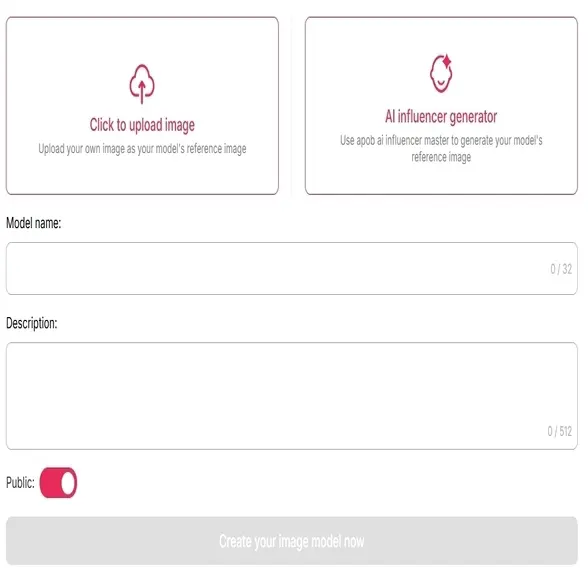
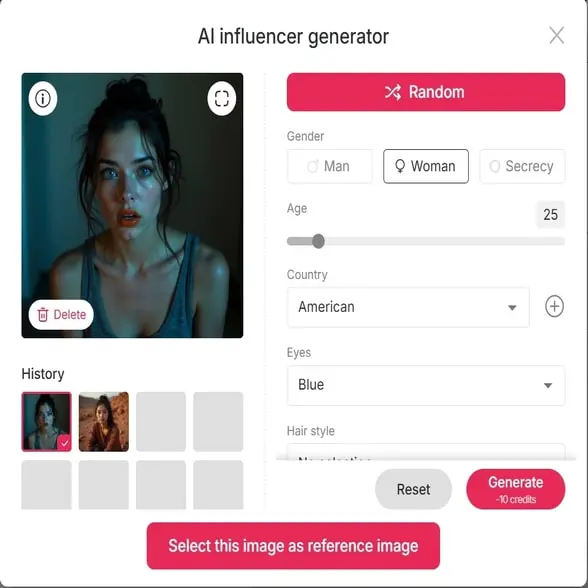
Step 2: Upload One Photo to Generate one Model for the ai kissing video
Want to create an AI kissing video of yourself and a partner? Start by uploading one high-quality, front-facing photo of one person—ideally the main character in your video.
Not sure how to generate a kissing photo with just one person? Don’t worry—follow the steps and you’ll be guided through it. You don’t need to upload the second person's photo just yet.
If you’d like to generate a kissing video between two virtual characters, use our "AI Influencer Generator". This feature lets you customize your AI character by selecting age, gender, and appearance.
Step 3: Upload the Second Photo and Describe the Kissing Scene with our ai kissing video generator
Now that you've created one AI character, it's time to upload the second photo. Click the "Chat to Edit" feature.
First, click "Upload Image" and upload the first person’s photo.
Then, on the right side, click "Upload Additional Image" to upload the second person's photo.
Describe your kissing scene with a prompt like: “A man and woman kissing on a rooftop at twilight, city skyline behind them, soft string lights overhead, romantic evening ambiance.”
Then click "Generate"—and your kissing image is ready!
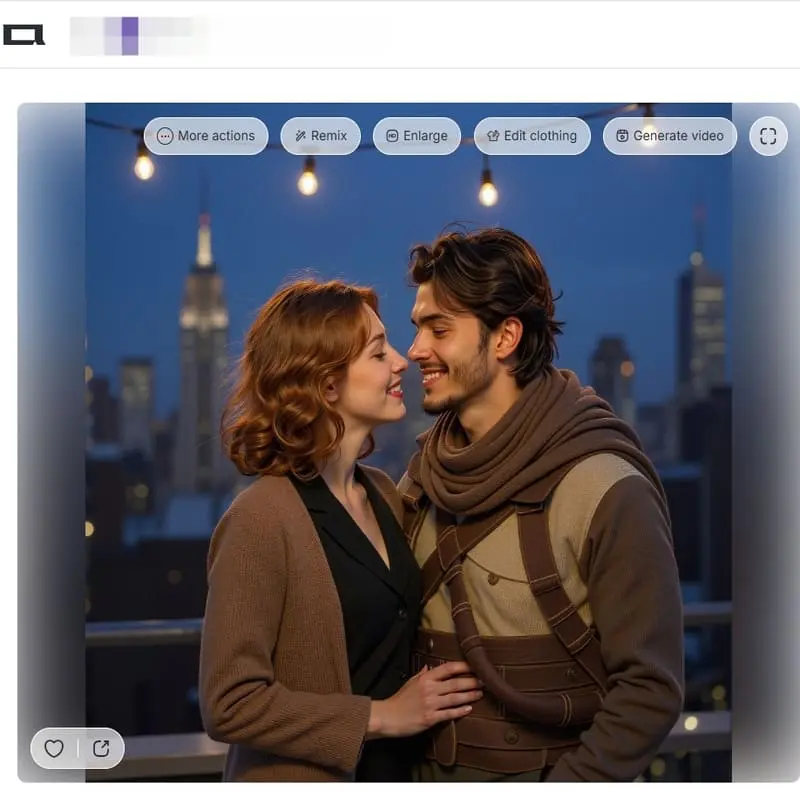
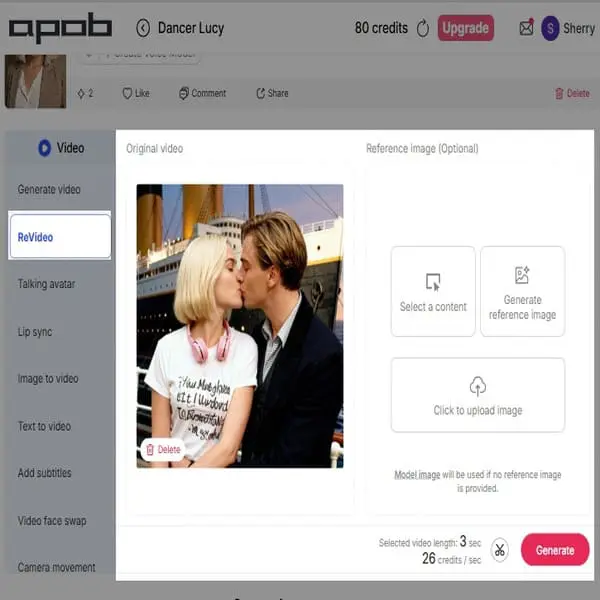
Edit Video: Direct Character Insertion for Custom Kissing Scenes
Instead of describing a scene from scratch, you can use pre-existing cinematic footage as your template:
How to Use ReVideo for Character Replacement:
Original Source: Provide an existing short video clip (under 60 seconds) from a film that contains the action you want to replicate.
New Star: Upload a high-quality reference image of the character (or person) you want to substitute for one of the actors in the source clip.
The system will then perform a high-fidelity replacement, allowing you to instantly swap one partner in a kissing scene with your custom avatar or AI character, preserving the original video's emotional intensity and camera work. It's cinematic-grade character substitution!
The Art of Love: Generate Masterpiece-Style Kissing Videos
Tired of the generic "AI look"? It’s time to embrace "Fluid Classicism" with the ultimate AI kissing video generator. Instead of another boring selfie, use a masterpiece like Klimt’s The Kiss as your base. Crank up the motion, and watch those static brushstrokes suddenly breathe and come to life. You aren't just making another AI clip; you're creating a cinematic AI kissing video that instantly stops the scroll. Blend fine art with fluid motion, deliver a total visual shock, and build a brand that is impossible to copy.
Hyper-Realistic Romantic Animations
Our AI is trained to create natural and emotionally expressive kiss animations, capturing angles, expressions, and gestures that feel real—perfect for storytelling, content creation, or visual romance.
No Video Editing Required
No green screens. No actors. No video software. Just upload your photo(s) and describe your ideal kiss scene. The AI Kissing Video Generator does the rest—fast, easy, and stunning.
Private, Fun, and Free
Our free AI kissing video generator gives you daily credits with no watermark on downloads. And yes—your uploads are processed privately and securely.
Social Media Content
Content creators have the ability to leverage AI kiss video makers to come up with viral short content on social media platforms such as TikTok and Instagram. By turning static celebrity images, fictional figures, or even artificial intelligence-created partners into click-worthy kissing videos, they can make “what if” stories that generate curiosity and engage fans and generate social activity.
Entertainment
Pre-production and storyboarding are applications for which filmmakers and visual artists can utilize this technology. It gives the rapid and inexpensive ability to visualize romantic scenes from comic books or scripts without much animation or shooting. It is the same technique through which RunwayML is utilized to visualize special effects and concepts for the cinema (Runway, n.d.).
Personalized Gifts
The program may be used to turn personal photos into living mementos. To lovebirds who are spatially distant from each other, this may involve the creation of an interactive video of a special moment from a frozen picture. As quoted by APOB AI, the wide utilization of developing multimedia content through the use of AI presents a new means to document and communicate emotional experiences (APOB AI, n.d.).
Hands-on Testimonial: The "Incredibly Neat" AI Tool for Uncensored Kissing Scenes
This video created by @LucytheAIGirl1 is an energetic, step-by-step tutorial and feature review of APOB AI, positioned as a powerful, low-barrier entry tool for creating uncensored AI influencer content for profit.
Created by user @LucytheAIGirl1
'I've never seen any other uncensored video generator or AI tool with something like this.'
Elara Wynn
Kissing Video Generator turns a simple couple photo into a tender, believable moment with natural timing and soft camera motion.
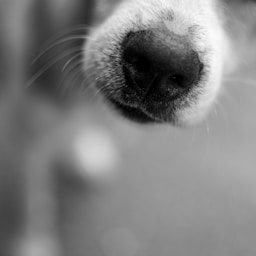
Pompom
I used Miso’s little nose-boop reaction for a playful pet greeting, and the result felt perfect for our adoption campaign.
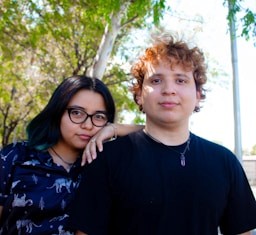
Celine Arlow
The lip-sync and facial movement stay subtle, so romantic scenes look intimate instead of exaggerated or artificial.
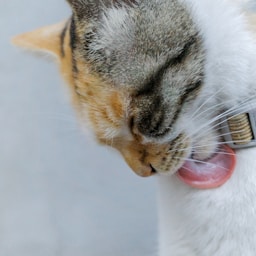
Nuzzle
Bambi’s gentle face made the sweetest companion clip for a short video about pets showing affection.

Lucian Vale
I can test different kisses, pauses, and camera angles before filming, which makes planning a proposal video much easier.
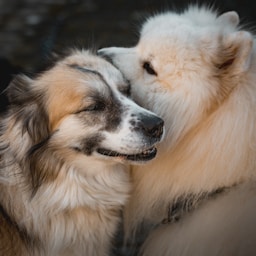
Taffeta
Kiki’s curious expression became a charming reaction shot between two affectionate scenes.

Mara Quill
The generator gives our love-story edits a clear emotional beat while keeping both faces consistent from frame to frame.
Dovey
Biscuit’s happy close-up worked beautifully as the warm ending to our family-and-pet montage.
Eamon Frost
It is an easy way to create respectful romantic content with believable eye contact, pacing, and movement.
Kestrel
Pearl’s soft portrait became the perfect visual for a gentle Valentine’s Day message.

Viola Hart
I can turn one photo into several heartfelt variations without repeating the same stiff animation every time.
Aurelia Mist
Mochi’s tiny affectionate look made our pet-parent announcement feel personal and genuinely joyful.
Adrian Moss
The controls help me match the mood of a cinematic kiss, a playful cheek kiss, or a quiet reunion scene.
Twill
Pippin’s friendly headshot gave our rescue story a lovable moment of connection without needing a studio shoot.
Seren Pike
The final clips are ready for vertical social posts and still preserve the emotion that made the original photo special.

Dimple
Nori’s bright face made a lovely sign-off for our series of wholesome pet affection clips.
Calder Venn
It makes romantic video concepts much faster to prototype, from first meeting scenes to warm anniversary messages.
Velour
Sable’s calm expression fit the quiet, affectionate tone of our final couple-and-pet story perfectly.
1. Free to Use with No Watermark
You get high-quality AI kissing videos with free membership, and they’re ideal for creative projects, storytelling, or sharing with friends.
2. Works with Real or AI Photos
Use real selfies, couple pics, or create avatars using APOB’s AI Influencer Generator. The kissing scene can be between real people or AI characters—your choice!
3. Mobile and Desktop Friendly
No app download needed. The AI kissing generator runs in your browser and works great on both mobile and desktop devices.
1. Animation Accuracy Depends on Image Quality
Blurry or poorly lit photos might lead to awkward results. Make sure to use high-resolution, forward-facing images for realistic AI kissing output.
2. Prompts May Need Refinement
You may need to try a few different phrasings (e.g., “gentle kiss,” “quick peck,” “romantic moment”) to get the perfect animation.
Enjoy more features
AI Dance GeneratorImage to Video AIAI Character Swap Video GeneratorAI Girlfriend GeneratorAI Boyfriend GeneratorKling 3.0Sora 2 AI Video GeneratorHailuo 2.3 AI Video Generator AlternativeFree AI Ad Video GeneratorAI Product Video GeneratorAI TikTok Video GeneratorAI UGC Video GeneratorAI Video Background ChangerExtend Video Clips with AI—Make Every Scene Last LongerThe Best AI Video Generator 2026 for Cinematic Video Editing
No Credit Card Required

Answers about turning two photos into kissing videos, uploads, quality, privacy, and credits.
Is the AI Kissing Video Generator free to use?
Yes! You get 80 daily free credits with no payment needed. You can generate romantic AI videos at no cost every single day.
How to make an AI kissing video?
Using APOB AI is simple: First, sign up on our website. Follow our guide to create your AI Portrait, then use the ‘Image to Video’ function. Describe the kissing scene (e.g., “kiss on the beach”), and the AI will create a beautiful animation for you instantly.
What is an AI kissing video?
It’s a short video clip where the AI animates realistic kissing actions based on the photo(s) you upload. You have full control over the setting, mood, and artistic style of the scene.
Can I use it with only one photo?
Yes! If you are single or just want to create a fictional scene, simply upload one photo. The AI can pair your image with a generated partner or an AI character of your choice.
Is this a private tool?
Absolutely. APOB AI allows you to set your AI models and generated content to Private. We respect your privacy, and you have full control over your data—including the option to delete your content whenever you wish.
Is there an AI kissing app?
You don't need a separate app! The APOB AI website functions exactly like a mobile app but works directly in your browser. No download is needed, saving you storage space while giving you full mobile functionality anywhere, anytime.
Can I create celebrity kiss scenes?
Yes, as long as the photo provided is high quality. You can use the AI to create fun, fictional, or "what-if" romantic scenarios with celebrities or your favorite characters.
Can I use AI Kissing for storytelling?
Definitely. Many creators are already using AI-generated kiss scenes for digital comics, romance novels, fictional video series, and emotional social media reels. It’s a powerful tool for visual storytelling—try it for free


