Explore LTX-2 alternative for AI video generation. Create image-to-video, text-to-video, product videos, AI influencer clips, talking videos, subtitles, and editable social media videos online.
What Is LTX-2?
LTX-2 is a next-generation AI video model from Lightricks, designed for high-quality video generation with stronger realism, better motion, and more advanced production control. Unlike basic AI video generators that mainly focus on short text-to-video clips, LTX-2 is positioned as a more technical video foundation model for creators, developers, and teams that need higher-resolution output, audio-video synchronization, and flexible model workflows.
One of the biggest reasons LTX-2 is getting attention is its model-first approach. It is connected to an open-source and API ecosystem, which means advanced users can explore text-to-video, image-to-video, audio-to-video, video extension, retake workflows, and ComfyUI-style generation pipelines. This makes LTX-2 especially interesting for developers, AI filmmakers, technical creators, and teams that want deeper control over AI video generation.
However, LTX-2 is not always the easiest choice for everyday creators. Users may need to understand prompts, model settings, API access, local workflows, or technical setup before getting consistent results. That is why many creators look for an LTX-2 alternative that makes AI video generation easier to use online.

LTX-2: A Technical AI Video Model for 4K and Audio-Video Generation

LTX-2 stands out because it is built around advanced video model capabilities rather than only simple browser-based video creation. Its highlighted features include high-resolution AI video generation, up to 4K output in supported workflows, high frame rate generation, synchronized audio and video, and stronger control over prompt-driven scenes. These features make LTX-2 more relevant for users who care about cinematic AI video, technical model quality, and production-grade experimentation.
Compared with many lightweight AI video tools, LTX-2 is more focused on the underlying model pipeline. It can support generation modes such as text-to-video, image-to-video, and audio-to-video, while also giving technical users access to retake, extend, and multi-step video workflows. This makes it useful for building more controlled video scenes, testing model behavior, and creating AI-generated clips with more precise structure.
For creators and brands, the key question is not only whether LTX-2 is powerful, but whether it fits the workflow. A model like LTX-2 can be ideal for technical teams, while a creator-friendly platform may be better for fast product videos, AI influencer clips, UGC ads, subtitles, and social media content.
When Should You Use an LTX-2 Alternative?

Step 1: Sign Up or Log In
Click Log in and choose Google, Discord, or email to enter the workspace. Once you are signed in, you can open the creation panel and start building your AI influencer image.


Step 2: Create an AI Influencer Image
Open the AI influencer generator and fill in the character details, such as country, build, eye color, hairstyle, hair color, and custom facial description. Add a detailed prompt for the face, skin texture, expression, outfit style, and creator aesthetic, then click Generate to create the influencer image.
Prompt: Ultra-realistic adult French female AI influencer avatar, 25 years old, original fictional character, elegant Parisian lifestyle creator aesthetic, natural oval-heart shaped face with soft jawline, balanced facial proportions, slight natural facial asymmetry, clear hazel-green almond-shaped eyes, realistic iris texture, soft under-eye detail, natural eyelid crease, long but realistic eyelashes, gently lifted full eyebrows with individual hair strands, straight refined nose with soft rounded tip, subtle nose bridge shadow, naturally full lips with defined cupid’s bow, soft rose-pink lip color, gentle confident smile, realistic teeth barely visible, smooth but natural skin texture with visible pores, healthy skin glow, light freckles across the nose and upper cheeks, soft peach blush, subtle cheek contour, high cheekbones, clean forehead, soft brown hair with chestnut highlights, face-framing curtain bangs, effortless slightly tousled French-girl hairstyle, minimal clean girl makeup, dewy skin, glossy lips, soft coquette-inspired feminine details, modern Instagram and TikTok beauty creator vibe, head-and-shoulders portrait, looking directly at the camera
Step 3: Enter a Text to Video Prompt
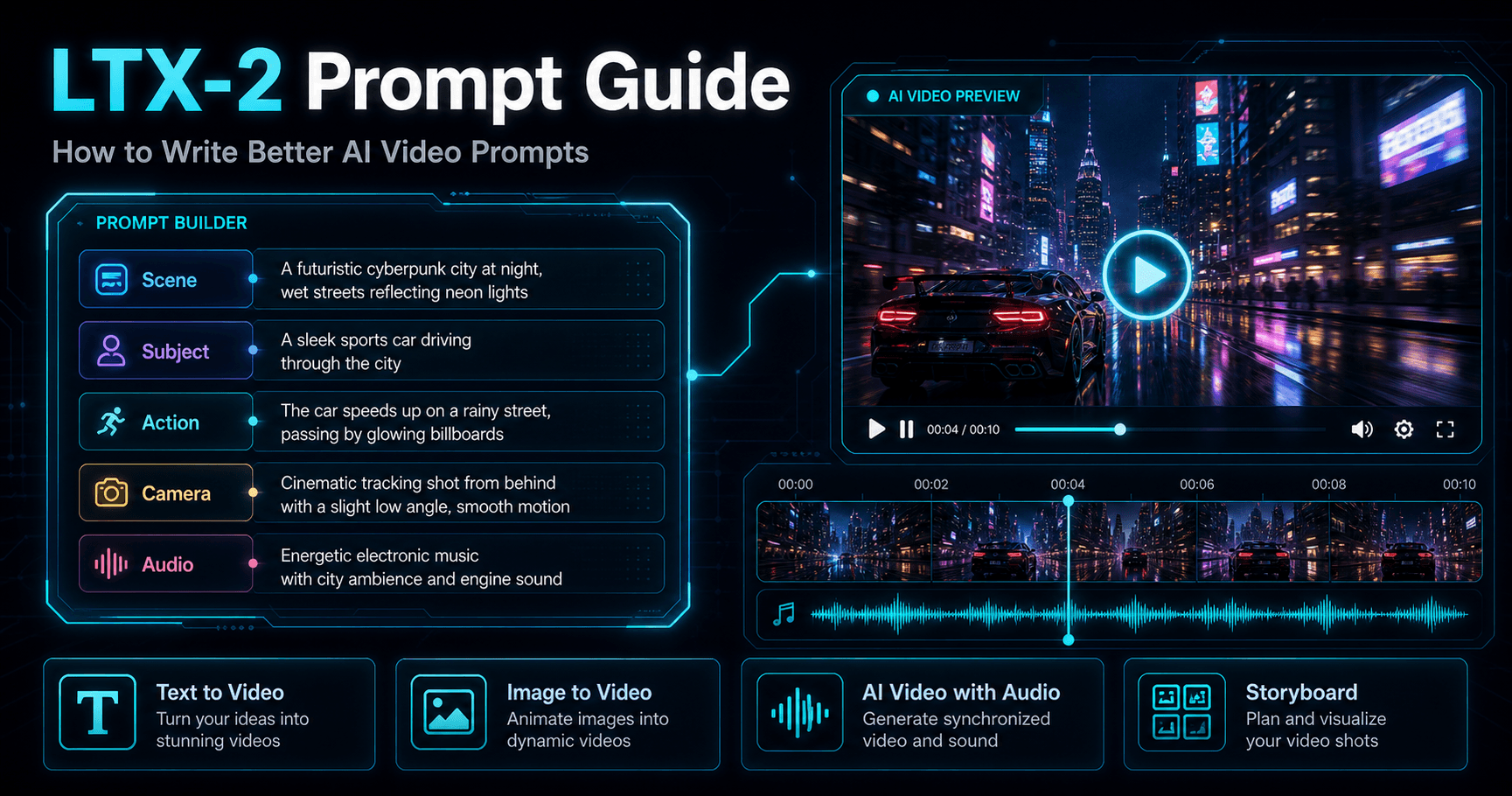
Open Text to video and write a clear prompt for the scene, character, action, camera movement, lighting, and video style. For a natural 10-second video, describe each shot in simple timing blocks, choose the aspect ratio, duration, resolution, and quality, then click Generate.
Prompt: Create a natural 10-second lifestyle video of a French female influencer walking through a quiet Paris street in soft afternoon light. She looks directly at the camera with a gentle confident smile, wearing a cream blouse and light beige blazer. Keep her face, hairstyle, outfit, skin tone, and body proportions consistent throughout the video. Shot 1 (2s): Medium shot of the influencer standing near a Paris café entrance, soft daylight, relaxed natural pose, slight breeze moving her hair.Shot 2 (3s): Slow camera push-in as she starts walking toward the camera, maintaining eye contact, natural smile, smooth realistic motion. Shot 3 (3s): Close-up portrait shot showing realistic facial details, soft skin texture, hazel-green eyes, subtle freckles, natural makeup, and glossy rose-pink lips. Shot 4 (2s): She turns slightly to the side, looks back at the camera, and gives a small warm smile. Background shows softly blurred Paris street lights and café tables. Style: ultra-realistic, natural influencer video, cinematic but not overly dramatic, soft Paris daylight, shallow depth of field, smooth camera movement, realistic facial expression, no exaggerated motion, no text, no logo, no watermark.


Step 4: Review and Continue Editing the Video
After the video is generated, review the motion, face consistency, outfit, background, and overall visual quality. If the result is not what you want, adjust the prompt, change the quality setting, or regenerate the video with clearer shot details.
You can also continue with other video and image tools, including Image to video, Edit video, Talking video, Extend video, Add subtitles, Storyboard to video, Generate image, Edit product, Edit character, Edit motion, and Edit everything.
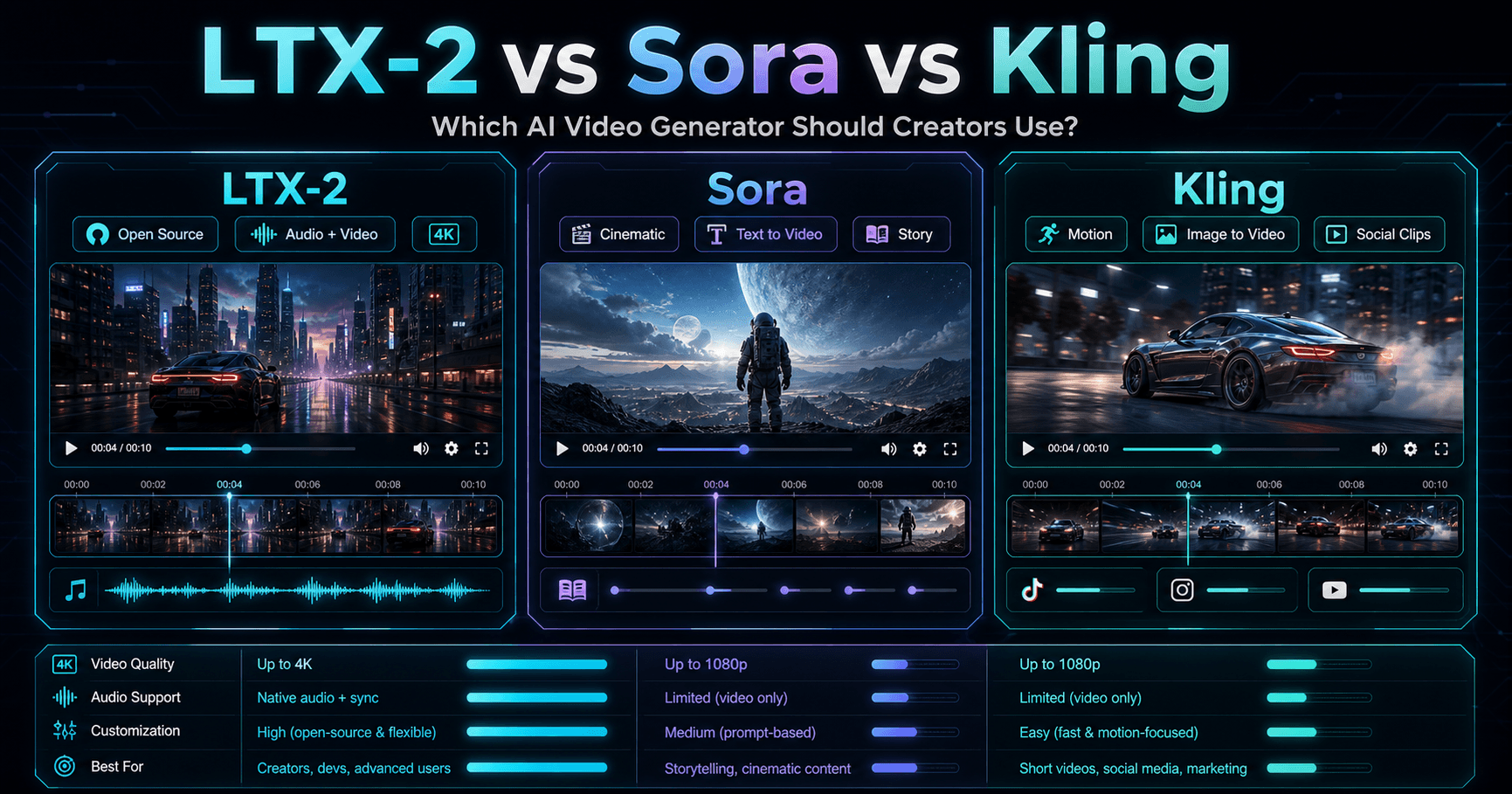
LTX-2 vs Kling vs Sora Feature Comparison
Data Point | LTX-2 | Kling 3.0 / Omni | Sora |
|---|---|---|---|
Release / Page Date | LTX-2 announced Oct 23, 2025; LTX-2.3 supported in current API docs | Kling VIDEO 3.0 Omni guide published Feb 6, 2026 | Sora launched publicly in 2024; Sora web/app discontinued Apr 26, 2026 |
Current Availability | Open-source / API / local workflow available | Web platform / app / model workflow available | Web/app discontinued; API scheduled to discontinue Sep 24, 2026 |
Open Source | Yes, LTX-Video repo is public | No | No |
GitHub / Developer Signal | Official Lightricks repo shows 10k+ stars | No open-source repo for model weights | No open-source repo for model weights |
Max Video Duration | Up to 20s per API request in supported LTX API workflow; LTX-2 sync audio clips up to 10s | Up to 15s per generation | Original Sora research page says up to 60s; current product access discontinued |
Resolution | Up to 4K; LTX-2.3 supports 1080p, 1440p, and 4K | VIDEO 3.0 Omni pricing currently lists 720p and 1080p modes; Kling also promotes native 4K separately | OpenAI research page does not list current export resolution; product access discontinued |
FPS | LTX-2 supports 25/50fps; LTX-2.3 supports 24/25/48/50fps depending on mode | Not clearly listed in the Omni guide | Not clearly listed in official Sora page |
Native Audio | Yes, synchronized audio + video generation | Yes, Native Audio supported in 3.0 Omni | Original Sora focused on video; Sora 2 had audio direction, but current access is discontinued |
Audio-Video Sync | Core LTX-2 feature: unified audio-video generation | Core 3.0 Omni feature: native audio-visual output | Not useful as an active product comparison because access is ending |
Text-to-Video | Supported | Supported | Supported in original Sora |
Image-to-Video | Supported | Supported | Supported: Sora can animate still images |
Audio-to-Video | Supported in Pro model / API workflow | Voice-driven character and audio-visual workflow supported | Not positioned as a standard active workflow now |
Video Extension | Supported: extend from beginning or end | Multi-shot storyboard generation supported; extension depends on Kling tool mode | Original Sora can extend generated videos |
Retake / Regenerate Section | Supported in Pro workflow | Shot-level storyboard control; element and reference-based iteration | Prompt-based generation; current app unavailable |
Multi-Shot Control | Possible through model workflow and keyframes | Yes, native custom multi-shot storyboard control | Original Sora supports multiple shots in one generated video |
Keyframe / Reference Control | Multi-keyframe conditioning, IC-LoRA, LoRA, latent upsampler | Up to 7 images/elements without video input; up to 4 images/elements with video input | Less transparent public control system |
Character / Element Consistency | Supported through keyframes, LoRA, and control models | Strong focus: element consistency, character element, voice binding | Strong character/style persistence in original research demos |
Character Video Reference | Possible through model workflows | Supports 3-8s character video reference | Not a core disclosed workflow |
Voice Reference | Audio-to-video and synchronized audio workflow | Voice recording ≥3s can bind voice tone to character elements | Not a core disclosed workflow |
Pricing Data | LTX API uses per-second pricing, exact price depends on model/resolution | 1080p Native Audio On: 12 credits/s; 720p Native Audio On: 9 credits/s; Native Audio Off: 8 credits/s at 1080p, 6 credits/s at 720p | Current Sora web/app discontinued; API ending Sept 24, 2026 |
Best For | Developers, technical creators, AI filmmakers, open-source model workflows | Creators needing multimodal reference control, characters, voice, storyboarding, product clips | High-level creative concept generation, but no longer a stable active product path |
Main Limitation | More technical setup: API, local model, ComfyUI, LoRA, model workflow knowledge | Powerful but feature-heavy; some modes depend on credits, resolution, and input type | Discontinued web/app and API sunset make it weak for new landing-page conversion |





























Why Choose APOB AI as Your LTX-2 Alternative?
APOB AI is a practical LTX-2 alternative for creators who want to make videos without setting up an LTX-2 open source video model or managing a technical LTX video generator workflow. Instead of focusing only on model access, APOB AI gives users a ready-to-use AI video generator for everyday content creation.
Easier Text to Video and Image to Video Workflow
With APOB AI, users can create videos through text to video AI and image to video AI tools directly in the browser. This makes it easier to turn prompts, reference images, product photos, or character images into short-form videos without coding, local setup, or complex production steps.
Built for Product, Influencer, and UGC Content
APOB AI is especially useful for AI product video generator, AI influencer video generator, and UGC video maker workflows. Creators can make product demos, lifestyle videos, social media ads, creator-style clips, and avatar-based content with a simpler process than most open source AI video generator setups.
More Than Video Generation
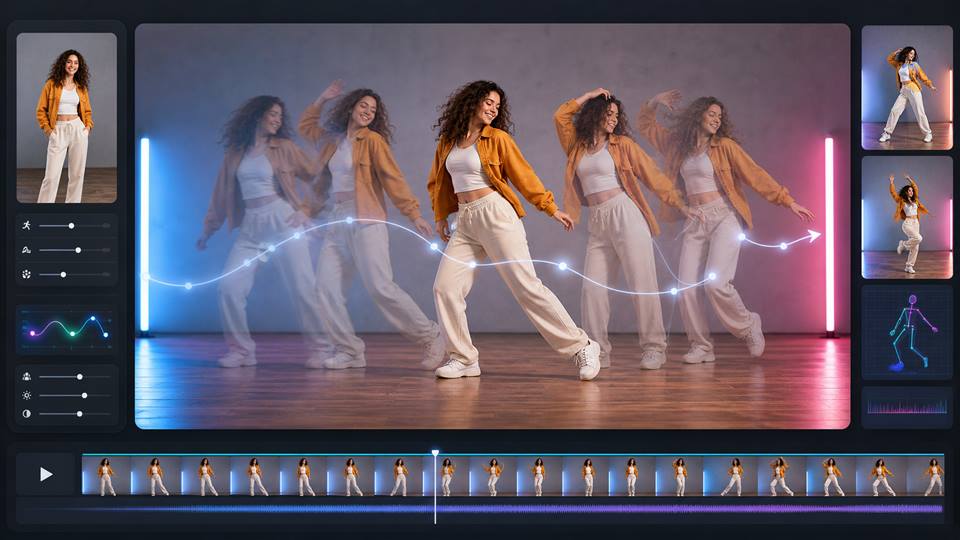
APOB AI also works as an AI video editor with tools for editing products, characters, motion, and the full scene. Users can continue improving their videos after generation, use storyboard to video AI for structured scenes, create AI talking video generator content, extend clips, add subtitles, and generate matching images for campaigns.
AI Product Video Generator for E-commerce Ads
LTX-2 can be used as an AI product video generator for product launches, shopping ads, product demos, and short-form commercial clips. Creators can use text to video AI to describe the product scene, image to video AI to animate product photos, and AI video with audio to add music, sound effects, or a more cinematic product atmosphere. (Meta announces end-to-end suite of AI advertising and marketing tools)
AI Influencer Video Generator for UGC Campaigns
LTX-2 is useful for AI influencer video generator and UGC video maker workflows, especially when brands need creator-style videos for TikTok, Instagram, YouTube Shorts, and paid social ads. A creator can build a character concept, write a lifestyle prompt, generate a short video, and use the LTX video generator workflow to test different looks, voices, scenes, and campaign angles.
(Creativity strikes back at the Cannes Lions advertising festival)
Storyboard to Video AI for Cinematic Previsualization
LTX-2 can also support storyboard to video AI workflows for filmmakers, creative teams, and agencies. As an LTX-2 open source video model, it is useful for turning scripts, scene descriptions, reference images, and audio ideas into early visual drafts before production. This makes it helpful for concept trailers, pitch videos, music video planning, and narrative short scenes. (Lightricks’ AI movie maker generates entire movies)

Trendlandmagazine.com
I use the LTX 2 workflow to translate written concepts into short video drafts during early concept work. It gives me a coherent first pass with clear scene direction that I can evaluate before moving into the final production pass.

CarlFacelesss
The LTX 2 workflow is useful for testing how to translate written concepts into short video drafts without committing to one direction too early. I still review the fine details before delivery.

Yahoo!Finance
For client previews, the LTX 2 workflow gives me a coherent first pass with clear scene direction. That makes feedback more specific before I invest time in final polish.

Business Insider
I get the most consistent results from the LTX 2 workflow when the reference and prompt are clear. That makes it reliable enough to translate written concepts into short video drafts in routine work.
1. Open-Source AI Video Generator Control
LTX-2 is an LTX-2 open source video model, which gives creators and developers more flexibility than many closed AI video generator platforms. Teams can explore custom LTX video generator workflows, test API integrations, and build their own open source AI video generator pipeline for research, product demos, creative tools, or internal video production.
2. AI Video With Audio in One Workflow
One of the strongest advantages of the LTX-2 AI video generator is AI video with audio. It is designed to generate synchronized video and sound, making it useful for cinematic clips, story scenes, AI product video generator projects, AI influencer video generator content, and UGC video maker workflows that need music, voice, movement, and atmosphere to feel connected.
3. High-Quality Text to Video and Image to Video
LTX-2 supports text to video AI, image to video AI, and high-quality visual generation for creators who need polished short videos. With up to 4K AI video generator potential, Retake, and Extend workflows, it can help users create cinematic scenes, product visuals, social media clips, and storyboard to video AI drafts with more creative control.
More Technical Than a Ready-to-Use AI Video Editor
The main drawback of LTX-2 is that it can be more technical than a browser-based AI video editor. Users who want fast AI talking video generator content, simple product videos, influencer clips, subtitles, face edits, or one-click social media videos may find the LTX-2 open source video model workflow less convenient than a ready-made platform.
Enjoy more features
No Credit Card Required

Answers about clip length, resolution, prompts, credits, privacy, and commercial use.
What is LTX-2?
LTX-2 is an LTX-2 AI video generator designed for high-quality AI video generation, including text to video AI, image to video AI, and AI video with audio workflows.
Is LTX-2 an open source AI video generator?
Yes. LTX-2 is positioned as an LTX-2 open source video model, which makes it useful for developers, researchers, and teams that want more control than a closed AI video generator.
What is LTX-2 mainly used for?
LTX-2 is mainly used for AI video generation, cinematic short clips, AI product video generator workflows, AI influencer video generator content, UGC video maker projects, and storyboard to video AI planning.
Does LTX-2 support text to video AI?
Yes. LTX-2 supports text to video AI, allowing users to generate video clips from written prompts that describe the scene, subject, camera movement, lighting, and style.
Does LTX-2 support image to video AI?
Yes. LTX-2 supports image to video AI, so users can animate reference images, product photos, character portraits, or visual concepts into video clips.
Does LTX-2 support AI video with audio?
Yes. One of the key features of the LTX-2 AI video generator is AI video with audio, including synchronized motion, sound, dialogue, music, and scene atmosphere.
Can LTX-2 generate 4K AI video?
LTX-2 is designed for high-quality output and can support 4K AI video generator workflows, making it useful for polished ads, product videos, cinematic scenes, and social media clips.
What is the difference between LTX-2 and an LTX video generator?
LTX-2 refers to the AI video generation model, while an LTX video generator is the tool or workflow that uses the model to create videos from text, images, audio, or other inputs.
Is LTX-2 good for AI product videos?
Yes. LTX-2 can work as an AI product video generator by turning product descriptions, product images, and campaign ideas into short commercial videos.
Is LTX-2 good for AI influencer videos?
Yes. LTX-2 can support AI influencer video generator workflows by helping create lifestyle clips, avatar videos, creator-style content, and social media videos.
Can LTX-2 be used for UGC videos?
Yes. LTX-2 can support UGC video maker workflows for short-form ads, creator-style product demos, social clips, and brand storytelling.
Does LTX-2 work for storyboard to video AI?
Yes. LTX-2 can be used for storyboard to video AI by turning scene descriptions, shot plans, reference images, and scripts into early video drafts.
Can LTX-2 create talking videos?
LTX-2 focuses on AI video with audio, so it can support talking-style video concepts. For a simple AI talking video generator workflow, users may still prefer a ready-made platform with avatar, voice, and subtitle tools.
Does LTX-2 replace an AI video editor?
Not completely. LTX-2 is an AI video generation model, while an AI video editor usually includes tools for trimming, subtitles, product edits, character edits, motion edits, background changes, and final campaign polishing.
Is LTX-2 easy for beginners?
LTX-2 may be less beginner-friendly than a browser-based AI video generator because open source AI video generator workflows can require setup, model access, API usage, or technical configuration.
Who should use LTX-2?
LTX-2 is best for developers, AI creators, researchers, production teams, and advanced users who want an LTX-2 open source video model for custom AI video generation workflows.
What makes LTX-2 different from closed AI video models?
LTX-2 stands out because it is an open source AI video generator model with support for synchronized AI video with audio, flexible workflows, and developer-level customization.
Can LTX-2 be used for social media videos?
Yes. LTX-2 can help create social media clips, UGC video maker content, AI influencer videos, product videos, and short cinematic scenes for platforms like TikTok, Instagram, YouTube Shorts, and ads.
What are the limits of LTX-2?
The main limits of LTX-2 are technical setup, workflow complexity, and the need for additional editing tools if users want subtitles, avatar control, product edits, character edits, or final social video polishing.
What is the best LTX-2 alternative?
The best LTX-2 alternative depends on the user’s goal. If someone wants open source AI video generator control, LTX-2 is strong. If they want a simpler AI video generator, AI video editor, AI influencer video generator, or AI product video generator workflow, a ready-to-use platform may be easier.


