Want a birthday video that feels personal, but have limited footage, time, or editing experience? Explore practical concepts, scripts, and APOB-assisted workflows for private greetings, social posts, and customer messages.
Step 1: Choose the recipient, feeling, and format
Goal: Decide what the viewer should feel and where the video will be shared. Choose warm, funny, romantic, or professional before selecting an effect.
Example: A 25-second vertical greeting for a long-distance friend.
APOB workflow: Open Talking Avatar for a spoken message, Lip Sync for supplied audio, or Image to Video for gentle motion.
Check: One video should have one clear emotional idea.


Step 2: Prepare a clear portrait or source image
Goal: Give the model a clean, usable face reference. Use a front-facing, well-lit image with the mouth and eyes visible.
Example: Crop a group photo around the birthday person for a short talking greeting.
Likely issue: Tiny, blurred, angled, or obstructed faces can reduce identity and lip-sync quality.
Check: Preview the crop at full size and use only images you have permission to use.
Step 3: Write a message that sounds spoken
Goal: Keep the script natural enough to say in one breath. Include a name, one specific memory, and a clear wish.
Example: “Happy birthday, Maya. I still laugh about our rainy-day picnic. I hope this year brings better weather and even better stories.”
APOB workflow: Enter the script for a talking avatar or upload authorized audio for lip sync.
Check: Read it aloud and simplify difficult names or abbreviations.


Step 4: Generate one short scene first
Goal: Test identity, motion, and tone before producing the complete greeting.
Example: Create an eight-second opening with a smile, small head movement, and “Happy birthday, Sam.”
Likely issue: Too much camera motion or exaggerated expression can distract from the message.
APOB workflow: Start with a restrained Talking Avatar, Lip Sync, or Image-to-Video setting, then adjust one variable at a time.
Check: The face should remain recognizable in every frame.
Step 5: Review the face, voice, and timing
Goal: Catch small errors before sharing. Watch once with sound and once muted.
Example: Confirm that the smile begins after the recipient’s name and that the final wish is not cut off.
Likely issue: Fast speech, unclear source audio, or a weak portrait may create awkward mouth movement.
Fix: Shorten the sentence, improve the source asset, or regenerate only the affected scene.
Check: Ask whether the result feels respectful and recognizably personal.


Step 6: Export for the place it will be watched
Goal: Match the framing and length to the delivery channel.
Example: Use 9:16 for a Reel, TikTok, or Short; use 16:9 for a screen presentation; keep private-message versions compact.
Likely issue: Platform overlays can cover captions or faces near the edges.
APOB workflow: Generate the core scene, then adapt or finish the exported clip in your preferred editor when several scenes, music, or precise captions are required.
Check: Preview on a phone before sending.
Birthday Video Prompts for Funny, Heartfelt, Team, and Social Greetings
Funny best-friend greeting
Prompt: “Create a 9:16 close-up birthday greeting from this authorized portrait. Friendly deadpan expression, one eyebrow raise, subtle shoulder movement, colorful paper backdrop, fixed camera, quick comedic pause before the final line, 18 seconds.” Input: Clear portrait plus a two-joke script. Refine: Replace generic jokes with one shared habit.
Emotional family message
Prompt: “Animate this family photo with gentle breathing, a small smile, slow push-in, warm living-room light, calm pacing, no exaggerated motion, 16:9. Leave space for a two-sentence voiceover about one specific memory.” Input: High-resolution photo and authorized narration. Refine: Name the place or moment rather than using broad praise.
Romantic birthday video
Prompt: “Create three connected vertical scenes: first meeting, favorite shared ritual, and tonight’s plan. Soft natural light, medium close-ups, restrained movement, clean background, 25 seconds, warm but not overly sentimental.” Input: Three consented photos and a short voice note. Refine: End with a concrete invitation.
Remote-team greeting
Prompt: “Build a 16:9 team birthday sequence with six equal five-second slots, consistent neutral background, name labels, readable captions, upbeat pacing, and a final group message. Keep varied phone footage visually organized without altering anyone’s identity.” Input: Short clips or approved portraits and lines. Refine: Normalize volume before export.
Vertical TikTok or Reel
Prompt: “Create a 9:16 birthday timeline with five photos, one-second opening hook, centered face-safe crop, punchy text cards, subtle parallax, 20 seconds, and clear space at the top and bottom for platform overlays.” Input: Five chronological photos. Refine: Preview captions on a phone.
AI influencer birthday post
Prompt: “Use this original fictional host in a waist-up 9:16 birthday post. Consistent facial features and outfit, friendly direct-to-camera delivery, small hand gesture, bright studio background, 15 seconds, no resemblance to a public figure.” Input: Owned character reference and script. Refine: Keep the host’s visual description identical across variations.
Customer birthday offer
Prompt: “Create a 1:1 customer birthday greeting from our authorized virtual host. Say the verified first name, explain one offer and expiry date, display the code in large text, branded but uncluttered background, 12 seconds.” Input: Validated customer and offer fields. Refine: Generate a test batch and check every variable.
Child-friendly birthday character
Prompt: “Create an original friendly animal character waving beside balloons, bright flat colors, gentle bounce, eye-level camera, slow clear speech, no frightening effects, 16:9, 15 seconds.” Input: Guardian-approved name and age-safe message. Refine: Avoid copyrighted characters and minimize personal details.
Photo-timeline video
Prompt: “Turn six photos into a calm 16:9 timeline. Match crop and color, use simple date cards, slow dissolves, light camera movement, 45 seconds, and finish on the newest portrait with a one-line birthday wish.” Input: Ordered, permission-cleared photos. Refine: Remove any image too small to display sharply.
Faceless creator countdown
Prompt: “Create a 9:16 birthday countdown using original objects, typography, and an authorized synthetic voice. Three numbered beats, overhead camera, rhythmic cuts, high-contrast captions, 15 seconds, no identifiable face or copied brand character.” Input: Script, original graphics, and licensed audio. Refine: Make each beat visually different while keeping one color system.
Practical reasons to use APOB AI
When you cannot record on camera: A talking avatar or lip-sync workflow can deliver a short scripted greeting from an authorized portrait or original character. It suits remote friends, camera-shy creators, and distributed teams. Review the output because genuine footage may feel more natural for intimate messages.
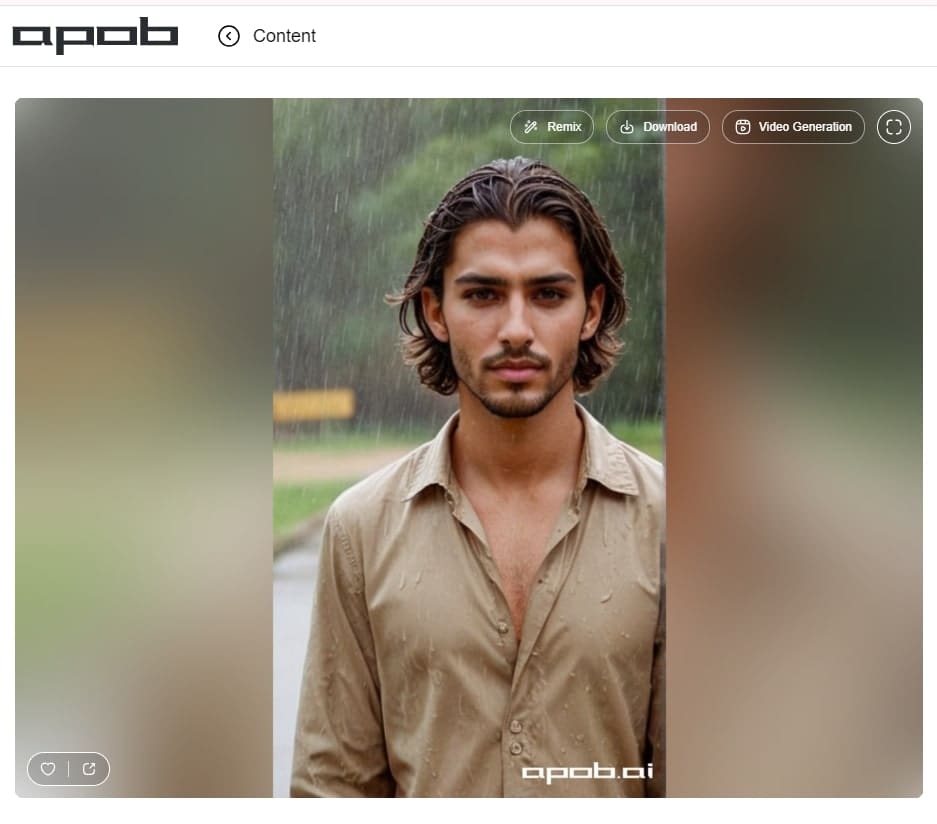
When you have only one usable photo: Image-to-video can add restrained motion, while Talking Avatar can turn a clear portrait into a spoken scene. The source image still determines face detail and stability.
When you need several versions: A consistent virtual host can repeat the same structure with validated names or offers. This helps community and small-business campaigns, but every variable, consent record, and final export needs checking.
When the destination is short-form social: APOB can produce a compact vertical scene without a full camera shoot. Multi-scene editing, licensed music, detailed captions, or complex timing may still be easier to finish in a separate editor.
Get permission before using a likeness or voice
Use photos, recordings, and voices only when you have appropriate consent and rights. A birthday surprise does not remove the need to respect the person shown. For children, obtain permission from a parent or guardian and avoid exposing unnecessary personal details.
Avoid impersonation
Do not present a face swap, cloned voice, or synthetic performance as a real statement from another person. Celebrity and public-figure likenesses carry additional publicity, endorsement, and platform-policy risks. An original fictional host is usually a safer creative choice.
Treat deceased-person imagery with care
Ask close family members before animating an old photo, explain that the result is synthetic, and avoid making the person appear to say something they never said. A gentle memory sequence may be more appropriate than a talking reconstruction.
Clear every creative asset
Popular songs, film clips, branded characters, photos, and logos may require permission or a platform license. Use original or properly licensed music and visuals, especially in advertising or customer campaigns. Commercial use also depends on the rights attached to each uploaded and generated asset.
Disclose material synthetic edits
Label content when an AI-generated face, voice, or scene could reasonably be mistaken for real, and follow the current rules of the publishing platform. Review the official policies for YouTube altered or synthetic content, TikTok integrity and authenticity, and Meta manipulated media before publishing.
Protect private and customer data
Upload only the media needed for the project. Confirm APOB’s current privacy, storage, and deletion terms before using sensitive family assets. For customer or employee messages, document the lawful basis for personalization, restrict access, validate fields, and provide any required notice or opt-out.
This is general information, not legal advice. Requirements vary by location, platform, and use case.
1. The Serious Birthday Awards
For: A best friend who enjoys inside jokes. Assets: Three photos and short captions. Make it: Present mock categories such as “Most Likely to Order Dessert First,” then reveal a sincere final award. Example: Freeze on a dramatic portrait while a voice says, “And the lifetime achievement award for making Mondays tolerable goes to…” Obstacle: Jokes can become generic; tie every award to a real habit.
2. Portrait Karaoke Rescue
For: A sibling or friend when nobody can film together. Assets: One authorized portrait and your own or licensed audio. Make it: Use Lip Sync for a deliberately theatrical chorus, then end with a spoken birthday line. Format: 9:16, 15–25 seconds. Obstacle: Fast lyrics are harder to sync; choose a short, clearly enunciated section.
3. One Photo, One True Story
For: A parent, partner, or long-distance friend. Assets: One meaningful photo and a 40-word script. Make it: Add subtle image motion or create a talking greeting that explains why the moment matters. Example: “This was the day you taught me not to give up.” Obstacle: Too many effects weaken the memory; keep the camera movement gentle.
4. 60-Second Birthday Timeline
For: Family members or creators sharing on Reels, TikTok, or Shorts. Assets: Four to six childhood and recent photos. Make it: Give each decade or phase one beat, using short captions and consistent crops. Example shot: “Age 8: future cake critic” followed by a present-day match cut. Obstacle: Mixed photo quality; use a common background and avoid enlarging tiny images.
5. Three-Scene Partner Trailer
For: A partner who prefers a short message to a long montage. Assets: Three photos, one voice note, and a closing date or plan. Make it: Cut “the beginning,” “our favorite chapter,” and “what comes next” as a miniature trailer. Example: End on “Next episode: dinner at seven.” Obstacle: Keep private details out of public versions.
6. Remote-Team One-Word Relay
For: A coworker in a distributed team. Assets: Five-second phone clips or, for camera-shy participants, approved portraits plus written lines. Make it: Each teammate contributes one word to a complete wish. Standardize framing with a simple title card. Obstacle: Inconsistent audio; use captions and one background track rather than trying to match every recording.
7. Customer Birthday Mini-Offer
For: Ecommerce and loyalty teams. Assets: A consented first name, offer terms, product visual, and an original or licensed host. Make it: A consistent virtual host delivers a 15-second greeting and one clear offer. Example: “Happy birthday, Alex—your birthday code is valid through Sunday.” Obstacle: Data and offer errors; validate names, dates, consent, and exclusions before generating batches.
8. Fictional Host Birthday Countdown
For: Communities, fan accounts, and faceless creators. Assets: An original AI character, three countdown cards, and a short script. Make it: The same fictional host reveals three reasons the community is celebrating. Format: 9:16 with captions. Obstacle: Do not imitate a real celebrity or imply endorsement; label synthetic content when the platform or context requires it.
Works with limited footage
A clear portrait can become a short animated or talking scene. This helps under tight deadlines; use the highest-quality authorized image available.
Useful for remote celebrations
Participants can contribute scripts, audio, or approved photos without filming together. Keep one format and deadline for all contributions.
Supports personalized variations
A repeatable host and message structure can serve teams or customer segments. Validate names and offers before batch creation.
Fits short-form formats
Vertical scenes are practical for Reels, TikTok, and Shorts. Leave safe space for interface overlays and captions.
Reduces camera friction
Camera-shy senders can still create a visual greeting. For a deeply personal message, consider mixing AI-assisted scenes with genuine audio or footage.
Source quality controls the result
Blur, heavy shadows, or an angled face can reduce identity stability. Replace the image or use a simpler motion treatment.
Lip sync needs review
Fast speech and difficult names may look or sound wrong. Shorten the line, slow the audio, and regenerate the affected scene.
Synthetic emotion can feel restrained
AI motion may not match a real performance. Use it for a focused beat and let a specific script carry the feeling.
Consent and likeness rights matter
Do not animate or imitate someone without appropriate permission and rights. Use original characters for public or commercial posts when consent is unclear.
Long narratives need more editing
APOB can create key scenes, but a long montage may require another editor for sequencing, music, captions, and precise timing.
No Credit Card Required

Quick answers about ideas, length, source photos, audio, permissions, privacy, and sharing.
What makes a birthday video creative?
A clear point of view about the recipient. Build around one memory, joke, visual rule, or story rather than adding unrelated effects.
How long should a birthday video be?
About 20–45 seconds for one personal greeting, 10–30 seconds for a social concept, and up to 60–120 seconds for a group or family montage.
What can I include if I only have one photo?
Use it for a talking greeting, subtle motion portrait, title card, or the first frame of a short story. Keep movement restrained if the photo is small or soft.
Can I make a birthday video without recording myself?
Yes. Use a written script, authorized audio, an approved portrait, or an original virtual character. Genuine voice or footage can still make an intimate message feel warmer.
Can APOB AI turn a photo into a talking birthday message?
APOB’s Talking Avatar workflow can pair a suitable portrait with text-to-speech or supported audio. Availability and input limits can change, so check the current interface and Help Center before production.
How do I make a funny birthday video?
Choose one recognizable habit, exaggerate it through a mock award, countdown, or trailer, and end with a sincere line. Avoid jokes that embarrass the recipient.
How do I make an emotional video without making it overly sentimental?
Use one concrete memory and one specific wish. Short sentences, natural audio, and restrained motion usually feel more genuine than broad praise.
What format works best for TikTok, Reels, or YouTube Shorts?
Use 9:16 vertical framing, keep the face and captions away from interface overlays, and preview the finished clip on a phone.
Can I add my own birthday message or audio?
Use your script in a talking-avatar workflow or authorized audio in a supported lip-sync workflow. Clear speech and short lines are easier to review.
Can I create multiple personalized birthday videos?
A repeatable host and script structure can support variations. Test a small batch first, validate every name and offer, and review every export.
Can birthday videos be used commercially?
Potentially, if you have rights to all photos, voices, music, characters, trademarks, offers, and generated assets, and the use follows applicable laws and platform terms.
Do I need permission to use another person’s photo?
Get appropriate consent, especially for animation, face swap, voice use, public posting, children, employees, customers, or commercial content.
Can I use music from a popular song?
Only when your use is licensed or clearly permitted by the platform and rights holder. Use original or properly licensed music when publishing commercially.
How should I disclose AI-generated content?
Disclose material synthetic edits when viewers could mistake them for real, and follow the current labeling rules of the platform where you publish.
What affects face and lip-sync quality?
Image clarity, face angle, lighting, visible mouth detail, audio quality, speech speed, and pronunciation. Test a short scene before generating the full message.
How should I protect private family photos?
Upload only what is necessary, limit project access, remove location or personal details, and review the service’s current privacy and deletion terms.


