
What would I look like if I lost weight
"What would I look like if I lost weight?" — it's one of those questions that's easy to ask but hard to answer. You can imagine it vaguely, but you can't see it. That gap between where you are and where you want to be is exactly where motivation tends to collapse.
AI weight loss visualization tools now let you close that gap in seconds. Upload a photo of yourself, describe your goal body, and get a realistic image of what you could look like after losing weight — before you've done a single workout. This article walks you through how it works with APOB AI, what to realistically expect from the results, and how to use the image to actually stay on track.
Tip: Don't forget to read the guide on how to use Apob AI! Earn extra income while on your weight loss journey by joining APOB Mega Creators and promoting AI tools for a 30% commission!
How to Visualize Your Weight Loss with APOB AI (3 Steps)
APOB AI is a free AI image generator built specifically for human portrait customization. Here's how to generate your AI weight loss photo:
Step 1: Create a free account
Visit APOB AI and register. You'll receive 80 free credits immediately — no credit card required.
Step 2: Upload your photo and set up your model
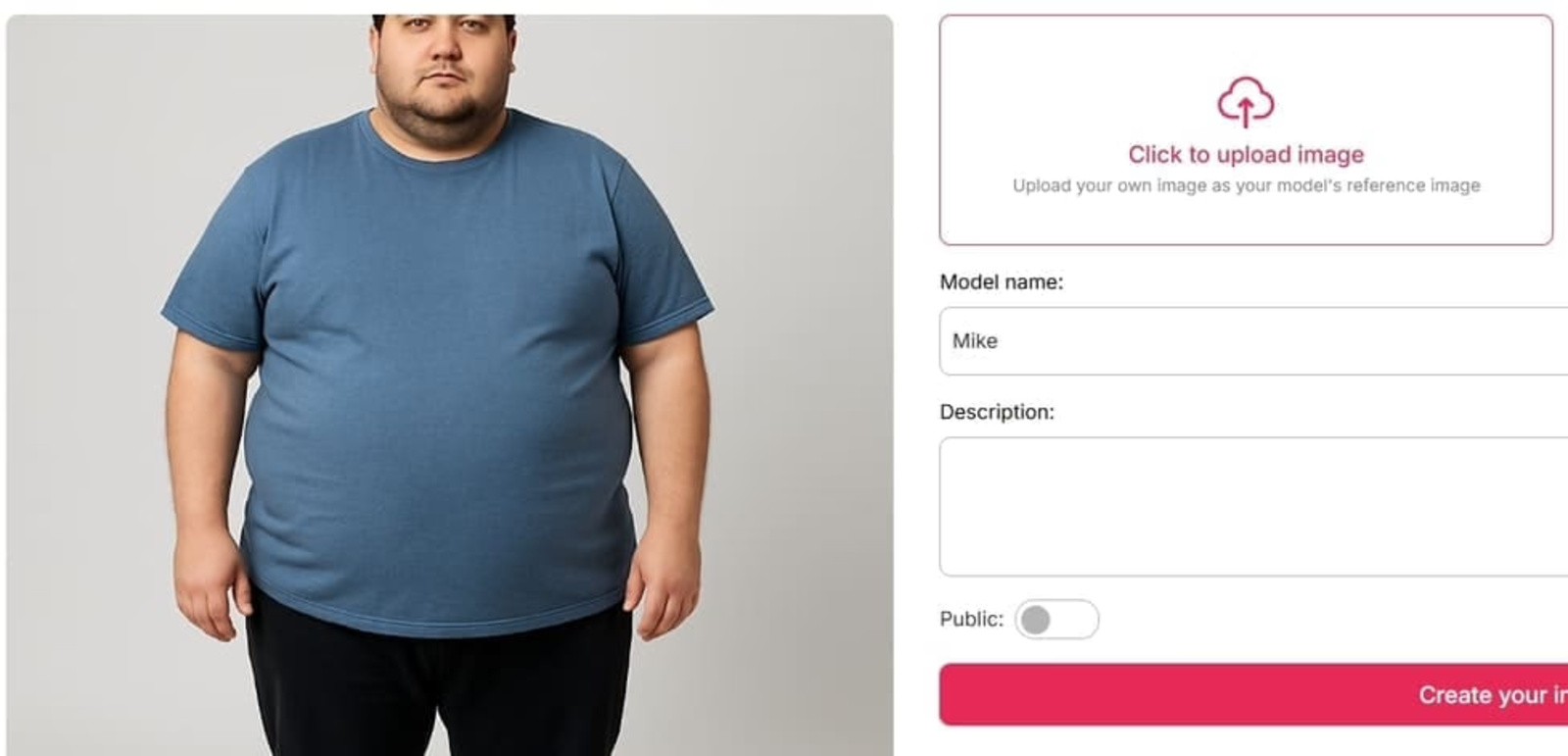
Click "Upload Image" and select a clear, well-lit photo of yourself. For best results:
•Face and body should both be visible
•Use a plain background if possible
•Avoid heavy filters or extreme angles
Give your model a name (a nickname is fine), then click "Generate."
Step 3: Describe your goal body using the Expert Mode
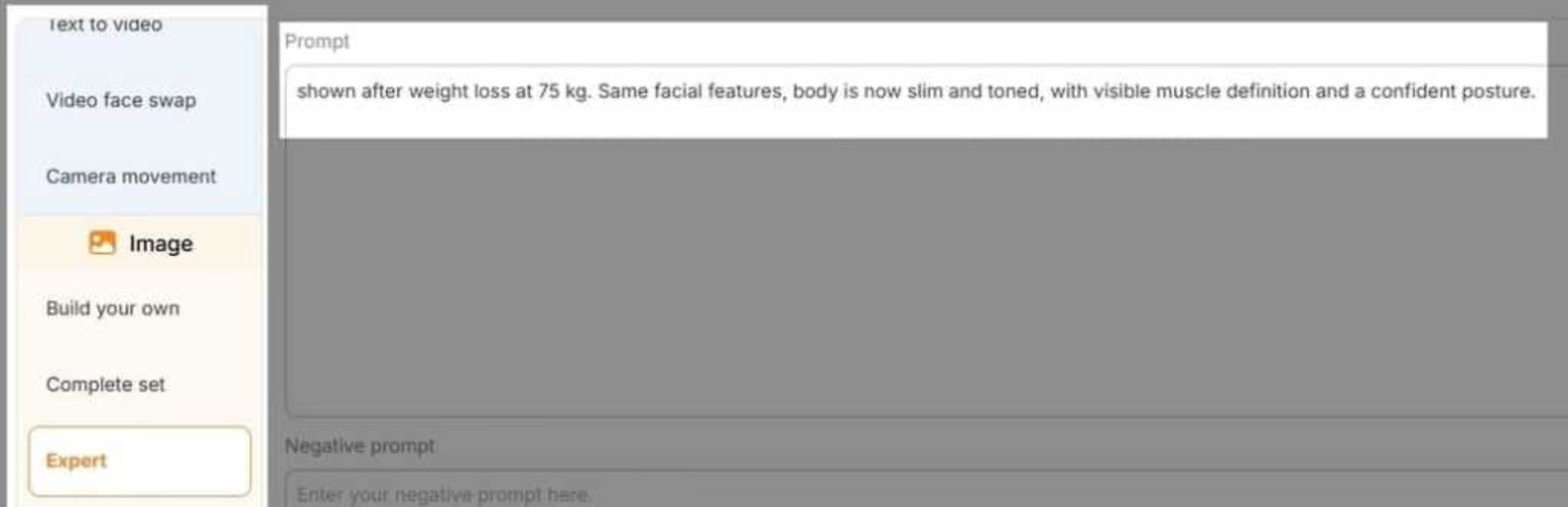
This is where the visualization happens. In Expert Mode, write a prompt describing how you want to look after weight loss. Be specific — the more detail you give, the more accurate the result. Examples:
•"Slim and toned, 65 kg, visible muscle definition, confident posture, athletic build"
•"Slimmer face with defined jawline, leaner arms and waist, healthy glow"
•"Weight loss of 20 lbs, flat stomach, toned legs, summer outfit"
Click Generate. Your AI weight loss photo is ready in seconds.
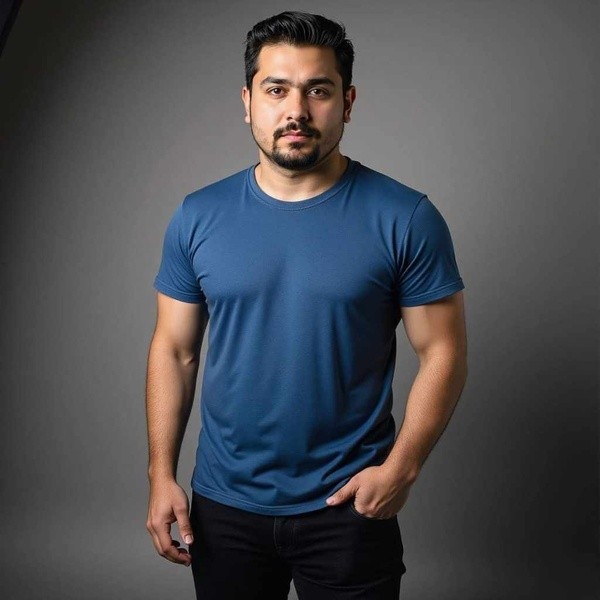
Optional Step 4: Bring it to life with Image-to-Video
Once you have your visualization image, APOB AI's Image-to-Video feature can animate it — showing your future self smiling, turning, or moving. This makes the transformation feel more real and is surprisingly effective as a motivational anchor.
Generate Your AI Weight Loss Photo Now
What Does a Weight Loss Visualizer Actually Show You?
•Shows how your face and body proportions would change at a target weight
•Generates realistic skin tone, facial structure, and body shape changes
•Lets you preview multiple weight loss milestones (e.g., –10 lbs, –30 lbs, –50 lbs)
•Creates a shareable image you can use as a motivation reference
The Psychology Behind Why Seeing Your Future Self Works
Psychologists call it episodic future thinking—the ability to mentally simulate a future version of yourself. Studies consistently show that people who can vividly imagine their future selves make better long-term decisions, including sticking to diet and exercise plans.
The University of Plymouth's Functional Imagery Training (FIT) research found that participants who used multisensory mental imagery lost an average of 4.11 kg in six months—compared to just 0.74 kg in the control group. The key wasn't willpower. It was having a vivid, emotionally resonant image of the goal.
A photo of your slimmer self does exactly that. Reddit users in r/loseit frequently report setting their AI-generated goal photo as their phone wallpaper, using it as a daily reminder of why they started.
How Does APOB AI Compare to Other Weight Loss Visualizers?
Feature | APOB AI | CyberLink FaceApp | Pincel |
Free to use | ✅ Yes (80 free credits) | ❌ Subscription required | ✅ Limited free |
Photo-to-image | ✅ Yes | ✅ Yes | ✅ Yes |
Custom text prompt | ✅ Yes (full control) | ❌ Preset filters only | ❌ Preset filters only |
4K output | ✅ Yes | ❌ No | ❌ No |
Image-to-video | ✅ Yes | ❌ No | ❌ No |
No download required | ✅ Browser-based | ❌ App download | ✅ Browser-based |
The key difference is prompt control. Most tools give you a slider or a preset "slim filter." APOB AI lets you describe exactly what you want to see—which means you can visualize losing weight from your face, your waist, or your full body, at any target weight you choose.
What Real Users Do With Their AI Weight Loss Photos
Based on discussions in r/loseit and r/progresspics, here's how people actually use their AI-generated goal photos:
As a phone wallpaper. Setting your goal photo as your lock screen means you see it every time you pick up your phone—dozens of times a day. It's a passive but powerful motivational cue.
As a "before" comparison anchor. Some users generate their goal photo first, then take monthly progress photos to compare. Seeing the gap close is highly motivating.
To share with an accountability partner. Showing a friend or coach your goal image makes the goal feel more real and public—which research shows increases follow-through.
For social media challenges. AI weight loss transformation posts are popular on TikTok and Instagram. Some users share their AI goal photo alongside their actual progress updates.
Start Visualizing Your Goal Today
The WHO reports that 2.5 billion adults worldwide are currently overweight or obese. Most people know what they need to do to lose weight. The missing piece is often motivation—a vivid, emotionally resonant reason to keep going on hard days.
Your AI-generated goal photo can be that reason.
Try APOB AI's Weight Loss Visualizer Free →
No download. No subscription. 80 free credits to get started.
FAQs
Q: How accurate are AI weight loss images?
AI tools generate realistic-looking results based on your prompt, but they're not medical predictions. Actual weight loss affects everyone differently depending on genetics, starting body composition, and where you tend to lose fat first. Use the image as motivation, not as a precise forecast.
Q: Can AI show how my face would change if I lost weight?
Yes — APOB AI handles facial changes well, including jawline definition, cheek slimming, and overall facial structure. This is often the most visually impactful part of a weight loss visualization.
Q: What's the best photo to upload for weight loss visualization?
A clear, well-lit photo where your face and body are both visible. Neutral background, no heavy filters, and a straight-on or slight angle pose works best. Avoid photos where your body is partially obscured by clothing or other objects.
Q: Is APOB AI free?
Yes — you get 80 free credits when you register, with no credit card required. Most image generations cost around 20 credits, so you can generate several visualizations for free.
Q: Can I see what I'd look like skinny using AI?
Yes. In Expert Mode, you can describe any body type — from "slightly slimmer" to "very lean and athletic." The AI will generate a version of you matching that description.
Q: Is it safe to use AI for weight loss visualization?
Yes — it's just image generation. The main thing to keep in mind is that these images are motivational tools, not medical advice. Always consult a healthcare professional for guidance on safe weight loss approaches.
Q: Can I use this to visualize weight loss for someone else?
You can upload any photo and generate a visualization, but it works best with a clear, consented photo of the person you want to visualize.
Q: What if I'm not happy with the result?
Adjust your prompt and regenerate. The more specific you are about the body type, weight, and features you want to see, the better the result. You can also use the Chat to Edit feature to make targeted adjustments.
References
1.Centers for Disease Control and Prevention. (2024). Adult Obesity Facts. U.S. Department of Health & Human Services. https://www.cdc.gov/obesity/adult-obesity-facts/index.html
2.Ossolinski, G., Jiwa, M., McManus, A., & Parsons, R. (2017 ). Do images of a personalised future body shape help with weight loss? A randomised controlled study. Trials, 18, 180. https://pmc.ncbi.nlm.nih.gov/articles/PMC5395810/
3.University of Plymouth. (2018, September 24 ). Weight loss can be boosted fivefold thanks to novel mental imagery technique, research shows. https://www.plymouth.ac.uk/news/weight-loss-can-be-boosted-fivefold-thanks-to-novel-mental-imagery-technique-research-shows
4.World Health Organization. (2025, December 8 ). Obesity and overweight [Fact sheet]. https://www.who.int/news-room/fact-sheets/detail/obesity-and-overweight

Be the first to like this.



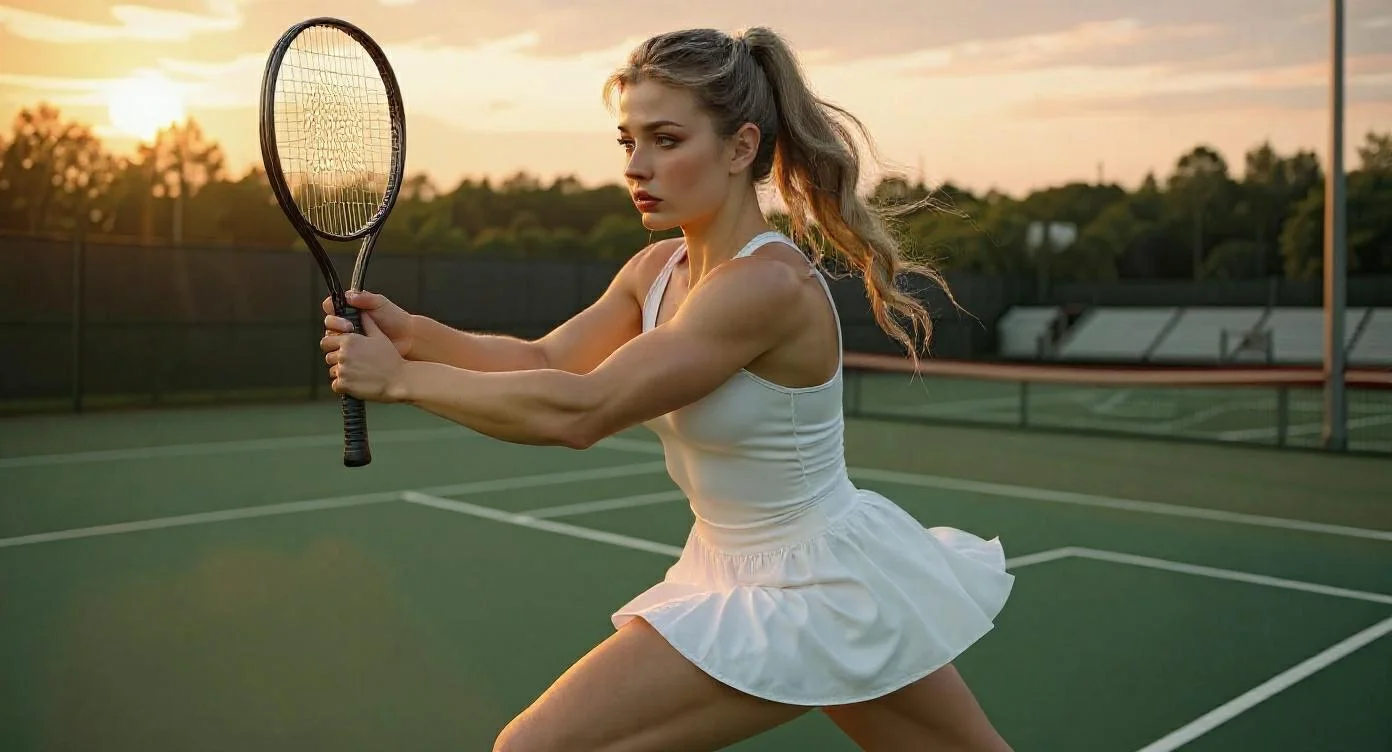
Step-by-Step Guide to Designing Realistic AI Muscle Girl Images
Have you ever tried closing your eyes to imagine what your dream body might actually look like, only for the picture to not quite come into focus? You don’t have to feel this way alone. Whether you're an individual who is passionate about fitness and loves to imagine what you’ll one day look like or an artist who is trying to find an inspirational picture to work from, you understand the struggle of not being able to find particular images.
What if you could type a few keywords, and an image of that same objective would pop up as a high definition photo-realistic image? This is where an “AI muscle girl generator” can make all the difference. In this guide, we will show you just how to achieve your best visions using Apob AI.
How to generate muscle girl images with AI?
Step 1: Claim your free starter pack
Visit the Apob AI website and sign up for a free membership. We believe in letting the product speak for itself. Upon signing up, you will immediately receive 80 free credits. This allows you to generate images or even videos right away, risk-free. It is the perfect way to test the waters before diving in deeper.
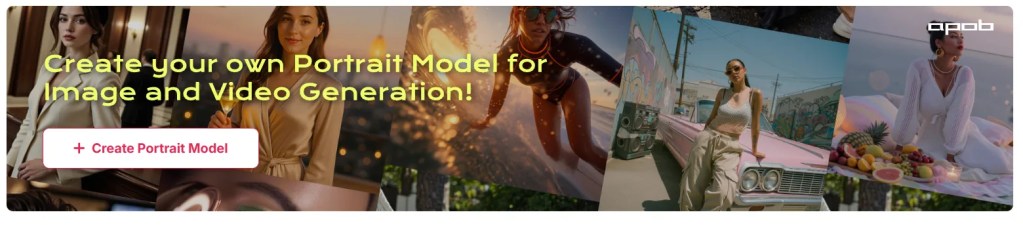
Step 2: Upload a Photo as Your Base
Upload a clear photo of yourself, a friend, or even your favorite celebrity. APOB AI uses that as a foundation to create a personalized AI model. Head to the left sidebar and select Chat to Edit. Whether you need to fix a messy hairstyle, adjust the fit of the sportswear, or tweak the camera angle, Chat to Edit gives you granular control to ensure your model looks exactly how you visualized her, down to the last pixel.
You can then enter prompts or upload reference images—e.g., “muscular arms, defined abs, dynamic pose”—to generate your AI Muscle Girl image.
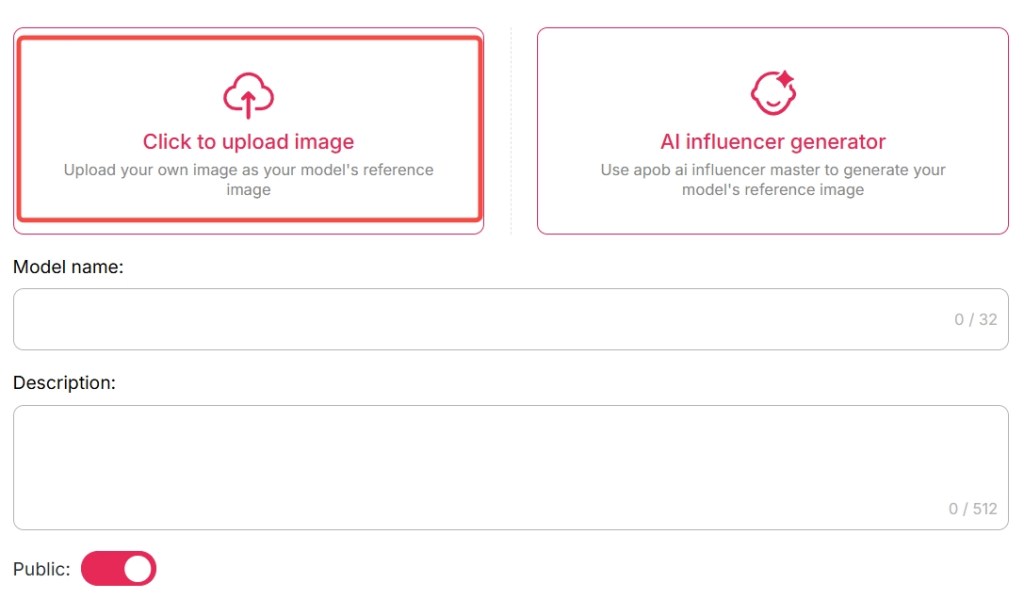
Step 3: Define your model's physique
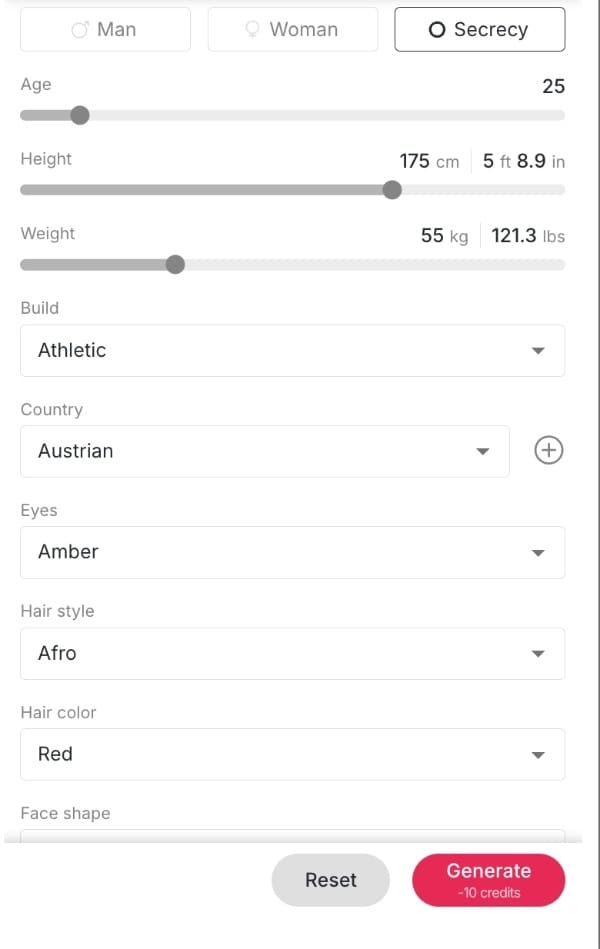
No photo? No problem. Click AI Influencer Generator. Choose attributes like age, gender, nationality, hairstyle, eye color, face shape, and skin tone.
Decide on dimensions and image mode:Use the parameter sliders to adjust Gender, Age, Height, and most importantly, Build. Slide the bar towards "Muscular" or "Athletic" to get that defined look. You can also fine-tune the Eye Color, Hair Style, and Face Shape to ensure the model looks exactly how you imagined.
Step 4: Dress for success and choose a style
Once the body is set, it is time to style her. Whether you want a "Casual" gym shark look, professional "Sportswear," or something more artistic like a "Cyberpunk" aesthetic, Apob AI handles it.
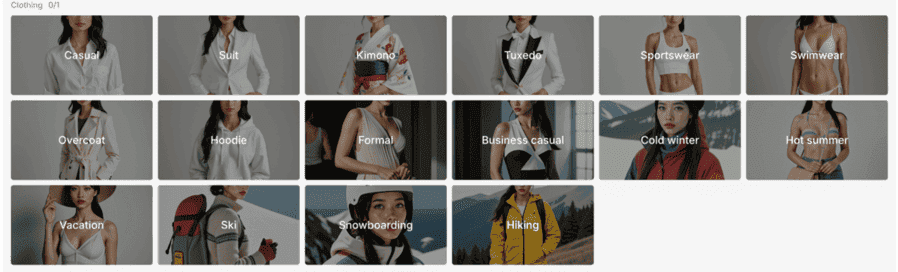
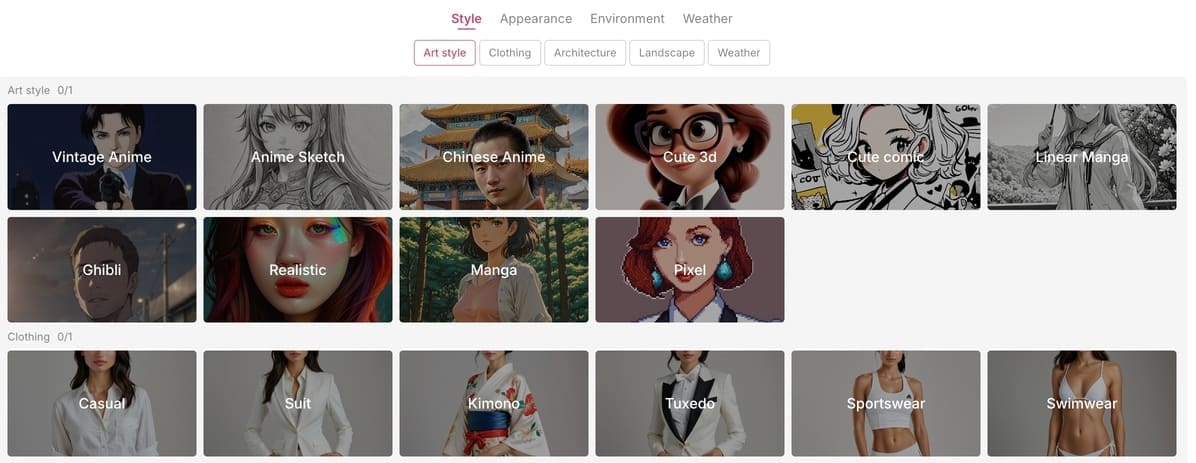
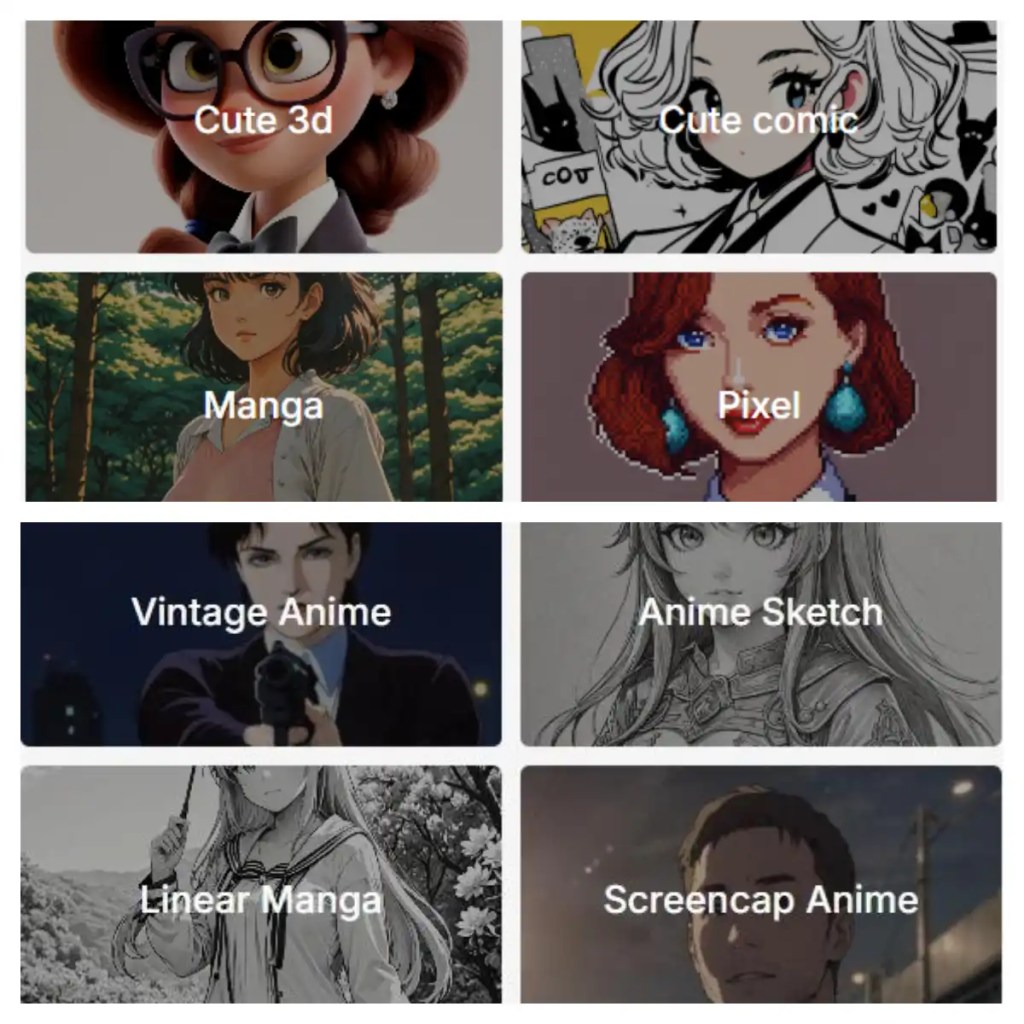
You can use our preset clothing options or input a specific text prompt to describe a unique outfit. Don't forget to select an Art Style—choose "Realistic" for life-like fitness motivation or "Anime" for a stylized character design.
Step 5: Set the perfect atmosphere
A model needs a context. Where is she training? Use the "Scene" editing features to place her in a high-tech gym, a sunny outdoor "Landscape," or a gritty urban environment. You can even control the "Weather" and lighting to create a dramatic mood.
Once everything is set, hit generate. You can produce multiple variations at once, ranging from standard quality to Ultra S 4K for crystal-clear details.
Click Generate to craft your muscle girl AI character. If it’s not perfect, revisit Chat to Edit to refine until you're happy.
Prompt Mode: Examples to Inspire You
Here are some sample realistic prompts under 500 characters you might try in Expert mode:
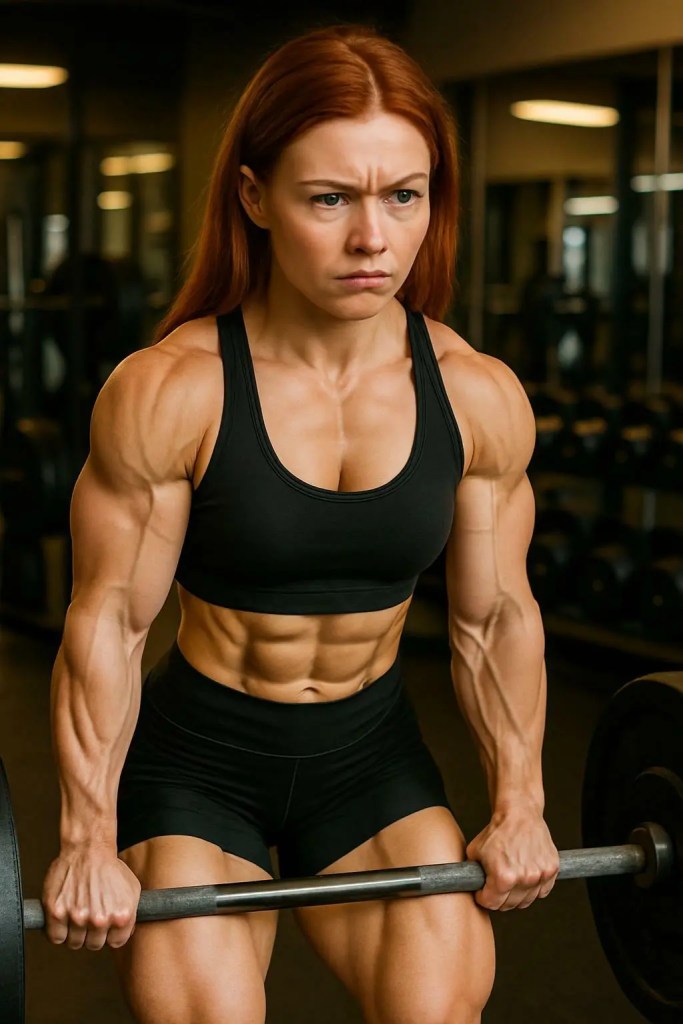
A strong, muscular woman in a gym, wearing a tight black sports bra and matching leggings, showing off her well-defined biceps and abs. Her face expresses determination, her brow slightly furrowed as she performs a deadlift with perfect form. The gym is well-lit, with weight racks and mirrors reflecting her powerful stance.
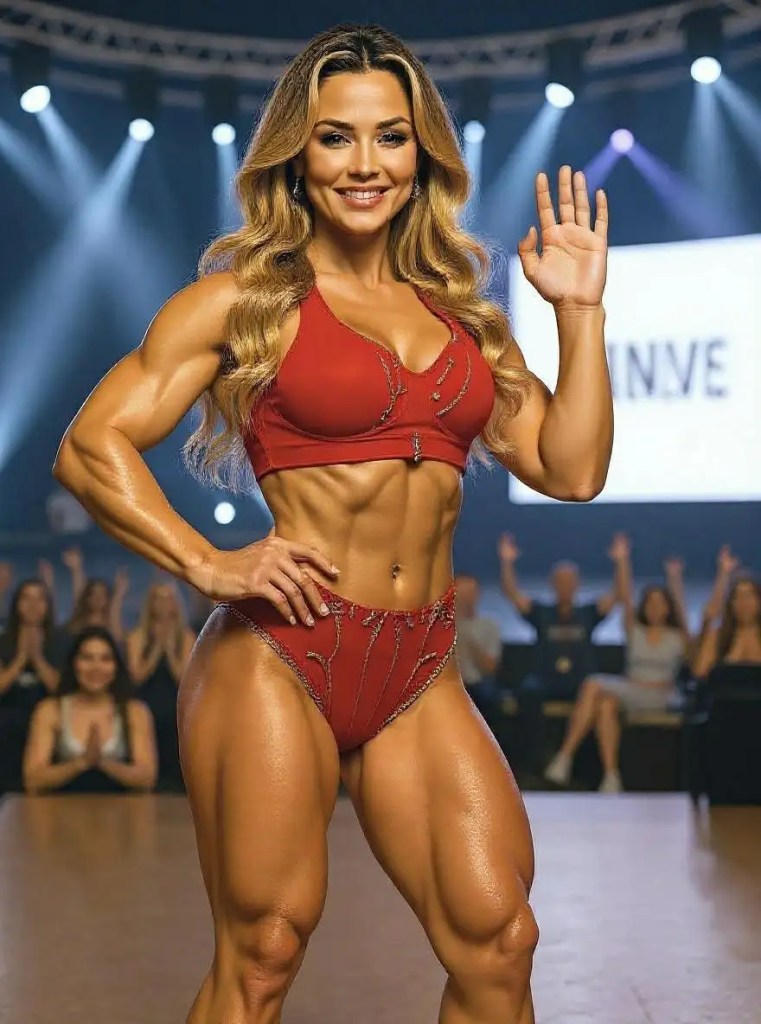
A muscular woman in a fitness competition, wearing a sleek red bikini with gold accents, highlighting her chiseled physique. She stands confidently on stage, flexing her arm muscles with a proud smile, showcasing her abs and toned legs. The background is a bright spotlight, with a cheering audience visible in the distance.
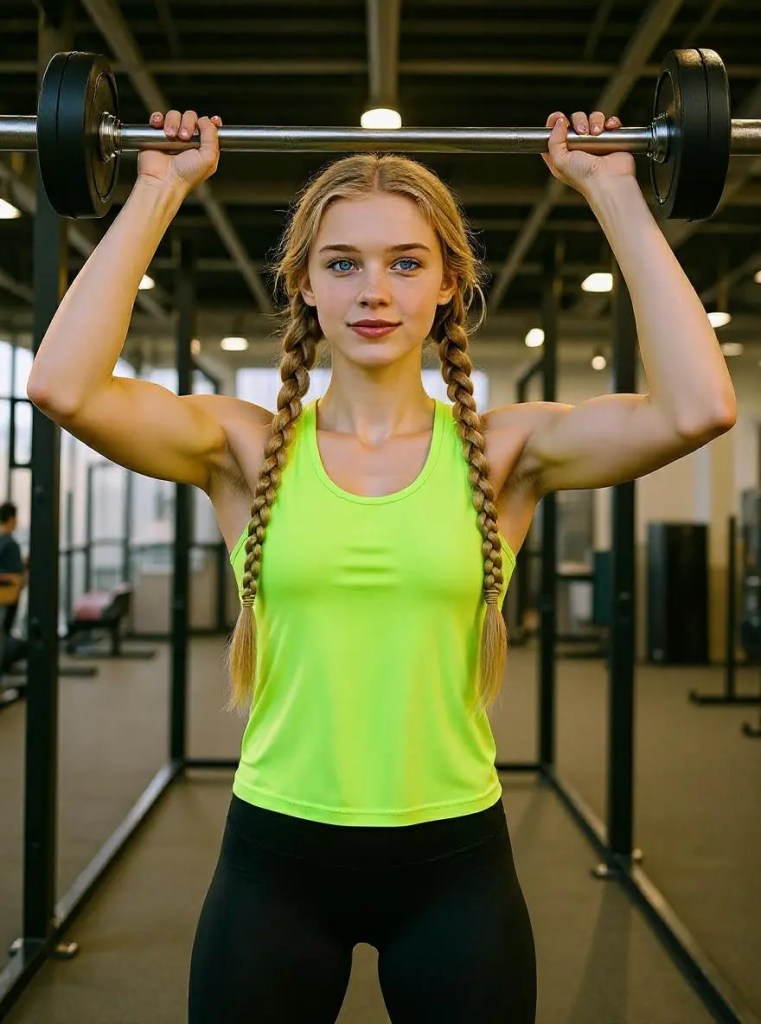
A muscular woman in a modern gym, wearing a neon green sports tank top and black compression tights. She’s lifting a barbell over her head, her face intense with effort and determination. The gym is spacious, with sleek, shiny equipment, and the lighting casts dramatic shadows across her muscular form as she shows her strength.
Feel free to customize—mention background, lighting, expression, pose—and balance details with clarity for a compelling result.
Bring Your AI Muscle Girl to Life
Once your image is ready, APOB AI helps you elevate it:
Image to Video: Animate your muscle girl in action—capturing movement, flexes, or athletic routines.
Talking Avatar & Lip Sync: Add voice using AI—choose from over 13 languages and 100+ voices—so she can speak your words.
Text to Video: Describe a scene (“AI muscle girl training in slow motion under stadium lights”), and watch APOB AI turn text into cinematic video.
Now your AI Muscle Girl isn’t just an image—she’s a living, expressive character.
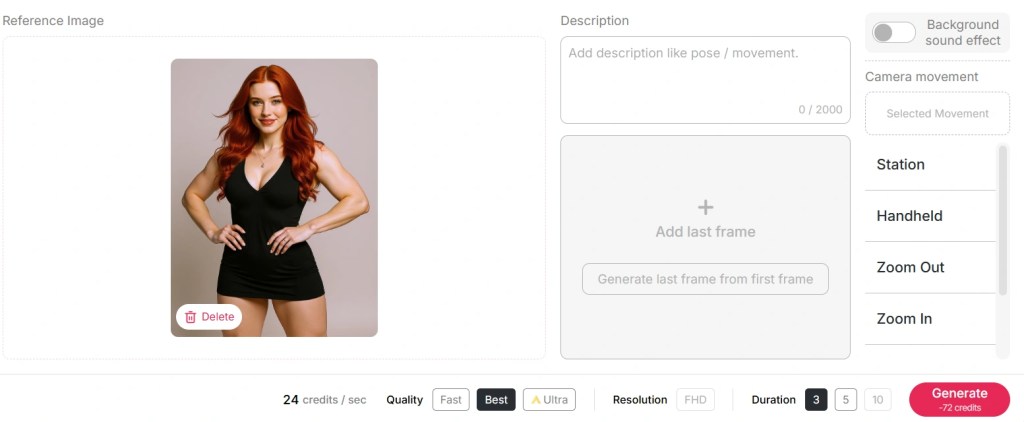
Generate Video: Direct Your Own Heroic Saga and Realize Your Fantasy
Have you always dreamed of being strong like the gods, using your muscles to save the world as the ultimate hero? Well, stop dreaming and start recording. With the Generate Video feature from Apob AI, you are no longer just a witness to the scene – instead, you are the scriptwriter, the star, and the director of your own action film.
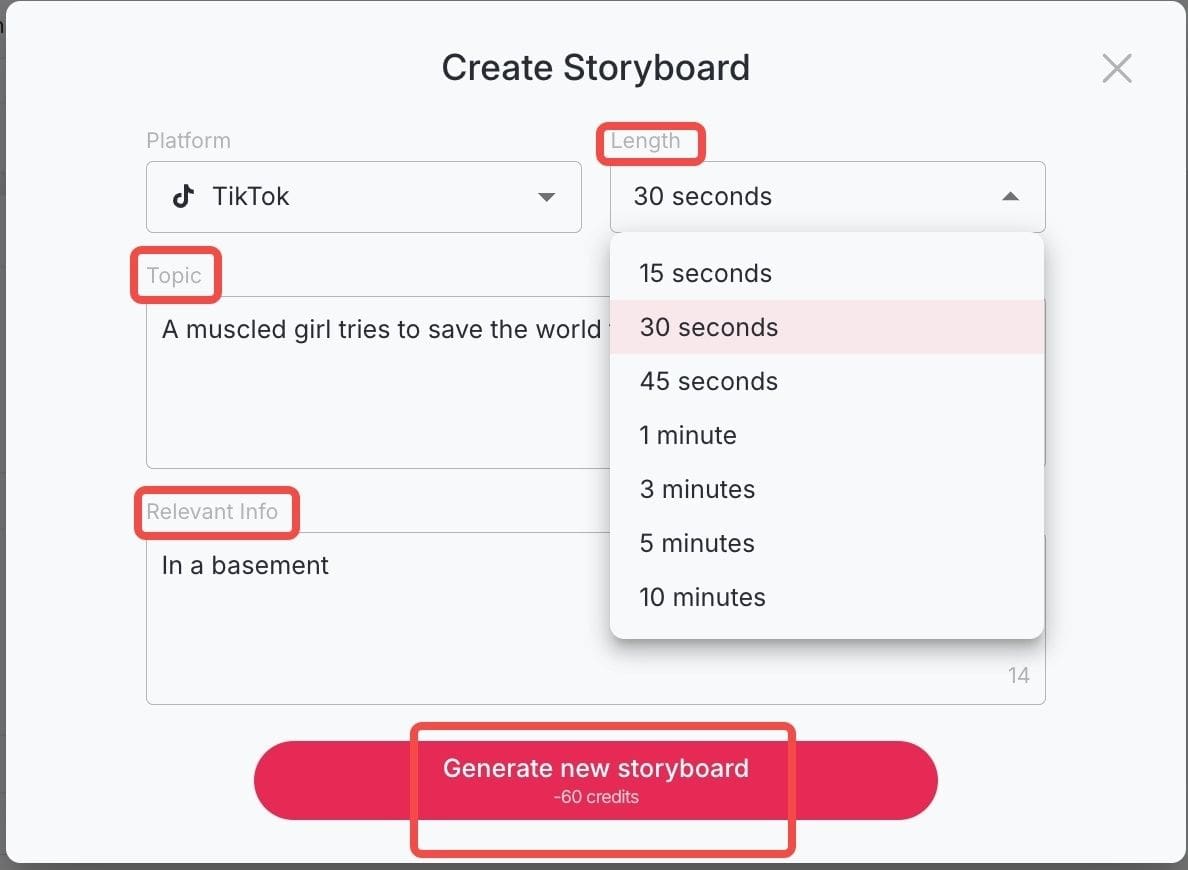
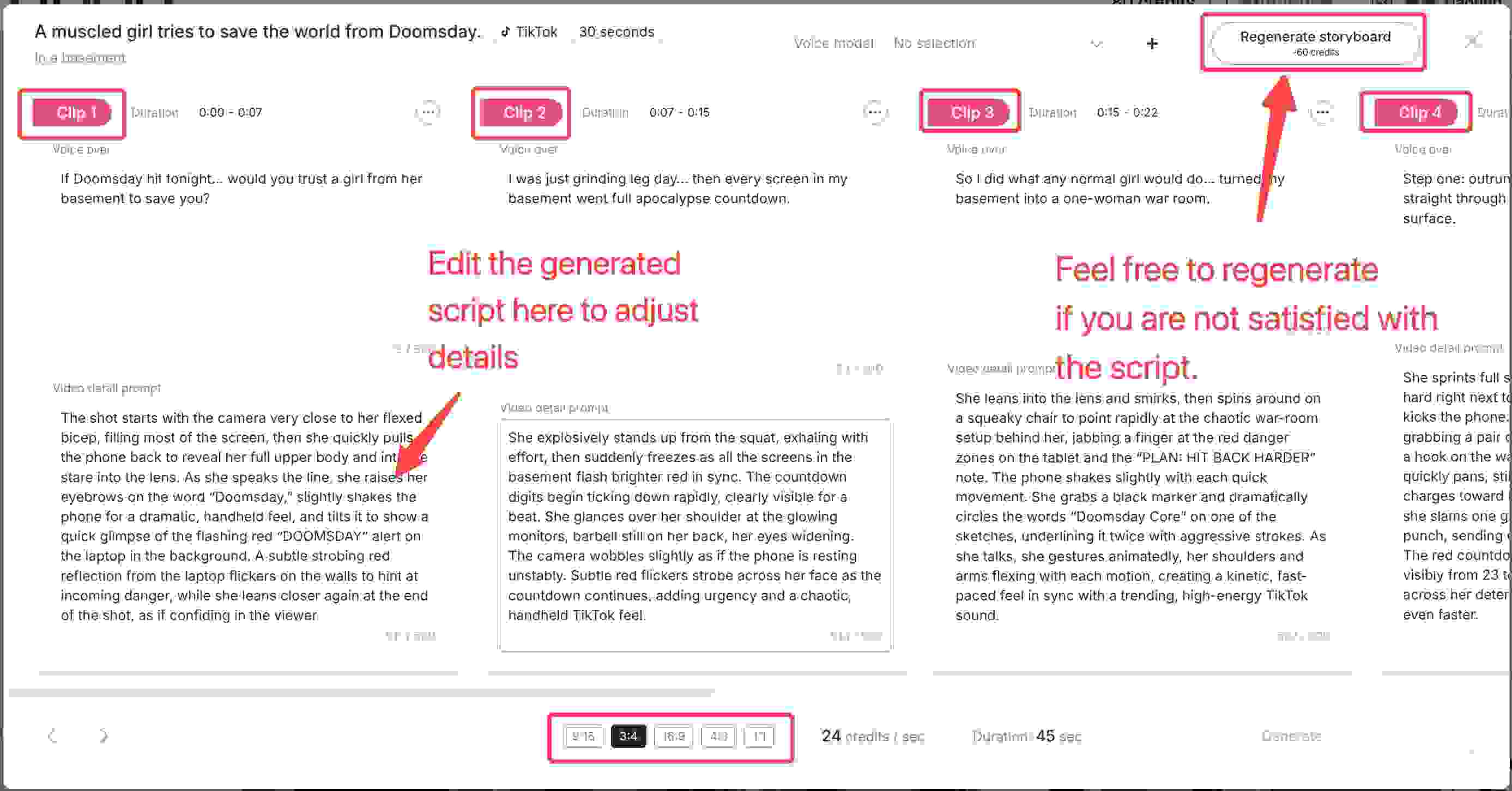
You don’t need a Hollywood budget; all you need is your imagination. All you need to do is choose your theme, like post-apocalyptic rescue, where your strong character has to lift up any kind of debris to rescue people. This will be instantly provided by the different professional scripts by Apob AI, which will help you choose the script of your imagination. With the help of the “Generate Video,” your ultimate "savior fantasy" will become a reality.
The Muscle Power of AI-Created ‘Muscle Girls’ for Ultimate Fitness Inspiration
The AI-driven muscle girl generation is truly "Seeing is believing" – a phrase we all know to be true. And when grinding out in the gym, having a clear idea of what your goal image will look like can be a huge mental motivator. What our AI muscle girl builder enables you to do is create a "virtual doppelganger" of yourself with the body type of your goal. Simply pick a photo of your face and superimpose it on our AI-generated muscle body. This way, instead of simply having a mental image of what your goal body will look like, having a visual image of your goal body will be a reality. This will no longer be a dream but a target to shoot at. Simply print this out and set it as your smartphone wallpaper as a reminder of why exactly you're bending over to pick up that heavy weight.
Unlocking the profit engine: How to make money with AI art
Creating images is fun, but did you know it can also be a revenue stream? Here is how savvy creators are using Apob AI to earn.
Viral Social Media Content
Fitness niches on Instagram and TikTok are huge. By posting high-quality, consistent AI fitness models, you can grow a massive following. Use our ReVideo feature to upload a simple video, and swap the subject with your AI model. You can change the camera movement, style, and lighting to create viral clips between 15 seconds and 10 minutes long.
Create Brand Assets
Small supplement brands or gym wear lines often cannot afford expensive photoshoots. You can create "Brand Images" by combining your consistent AI models with product shots. It is a cost-effective solution for high-end marketing materials.
Join the Apob AI Partner Ecosystem
We want you to grow with us. We offer an Affiliate Program and an Ambassador Program. By referring new users to our platform or showcasing our capabilities (like the 4K resolution or video scripts), you can earn commissions. It is a direct way to monetize your content creation skills.
How does Apob AI compare to other tools?
You might be wondering, "Why not just use Midjourney or Stable Diffusion?" While those are powerful tools, they have significant drawbacks for this specific niche.
Midjourney operates primarily through Discord, which can be chaotic and intimidating for new users. More importantly, getting the exact same character face across different images is notoriously difficult.
Stable Diffusion offers control but often requires a powerful computer and a steep learning curve to install and manage locally.
Apob AI strikes the perfect balance. We are entirely web-based (no installation needed) and we specialize in Character Consistency. Once you create your model, you can put her in a thousand different scenarios—lifting weights, running, or posing—without her face morphing into a stranger. Plus, our interface is intuitive with simple sliders, not complex code.
What Users Are Saying
“Stunning results with zero design skills—APOB AI made my vision real.” “I love seeing myself as an empowered, athletic version—I used the muscle girl ai feature every day!”
Users rave about APOB AI’s ease of use, realism, and creative freedom. Whether you’re an artist, fitness fan, or just curious, the positive feedback keeps rolling in.
Final Thoughts
Designing realistic AI Muscle Girl images has never been easier. With APOB AI’s intuitive interface, daily free credits, powerful prompt tools, and animation capabilities, you're empowered to create and animate strength, beauty, and vision.
Ready to build and bring your AI muscle girl to life? Sign up on APOB AI, experiment with your first prompt, and watch your creation evolve.
FAQs
Q1: Can AI make me look muscular instantly?
Yes! With APOB AI, it usually only takes a few seconds to generate your muscular image. The Chat to Edit feature works even faster. If your expert-mode prompt is very complex, the rendering may take a little longer.
Q2: Can I customize the generated images?
Absolutely! Once the image is created, you can use Chat to Edit to make changes. You can adjust facial expressions, poses, hair color, outfits, or even the background scene.
Q3: Will my muscles look realistic with the AI Muscle Generator?
Generally, yes. APOB AI is designed to render muscles with striking realism—showing detailed muscle definition, natural body proportions, and dynamic lighting effects. This ensures your generated image looks like a professional fitness-style artwork rather than a simple cartoon.
Q4: Can the muscle woman image I create on APOB AI be used commercially?
Yes, absolutely! You can use the AI-generated muscle woman image commercially in various ways, such as social media marketing, fitness blogs, YouTube thumbnails, gym advertisements, product packaging, or even digital merchandise. Many creators also use these images for branding, online coaching materials, or to enhance promotional visuals for sports and wellness businesses.
Q5: How do I keep the character's face the same in every photo?
This is Apob AI's specialty. Save your created model, and the system locks in the facial ID features for all future generations.
Q6: Does Apob AI support anime styles?
Yes. In the "Art Style" section, you can switch between realistic, 3D render, anime, and oil painting styles instantly.
Q7: Is Apob AI free to use?
Yes, we offer a free tier. When you register, you get 80 credits to try out all the features, including image and video generation.
Q8: What is the best resolution for printing posters?
For large prints, we recommend selecting the Ultra S 4K option in the generation settings to ensure the image remains sharp and detailed.
References:
Apob AI. (2025). Create Your AI Model. Available at: https://apob.ai
Smith, J. (2024). The Psychology of Visualization in Sports. Journal of Sports Science.
TechDaily. (2024). Comparison of AI Art Generators: Midjourney vs Apob AI. Tech Review Online.
Read More
APOB AI Body Generator: From Images to Life for Free
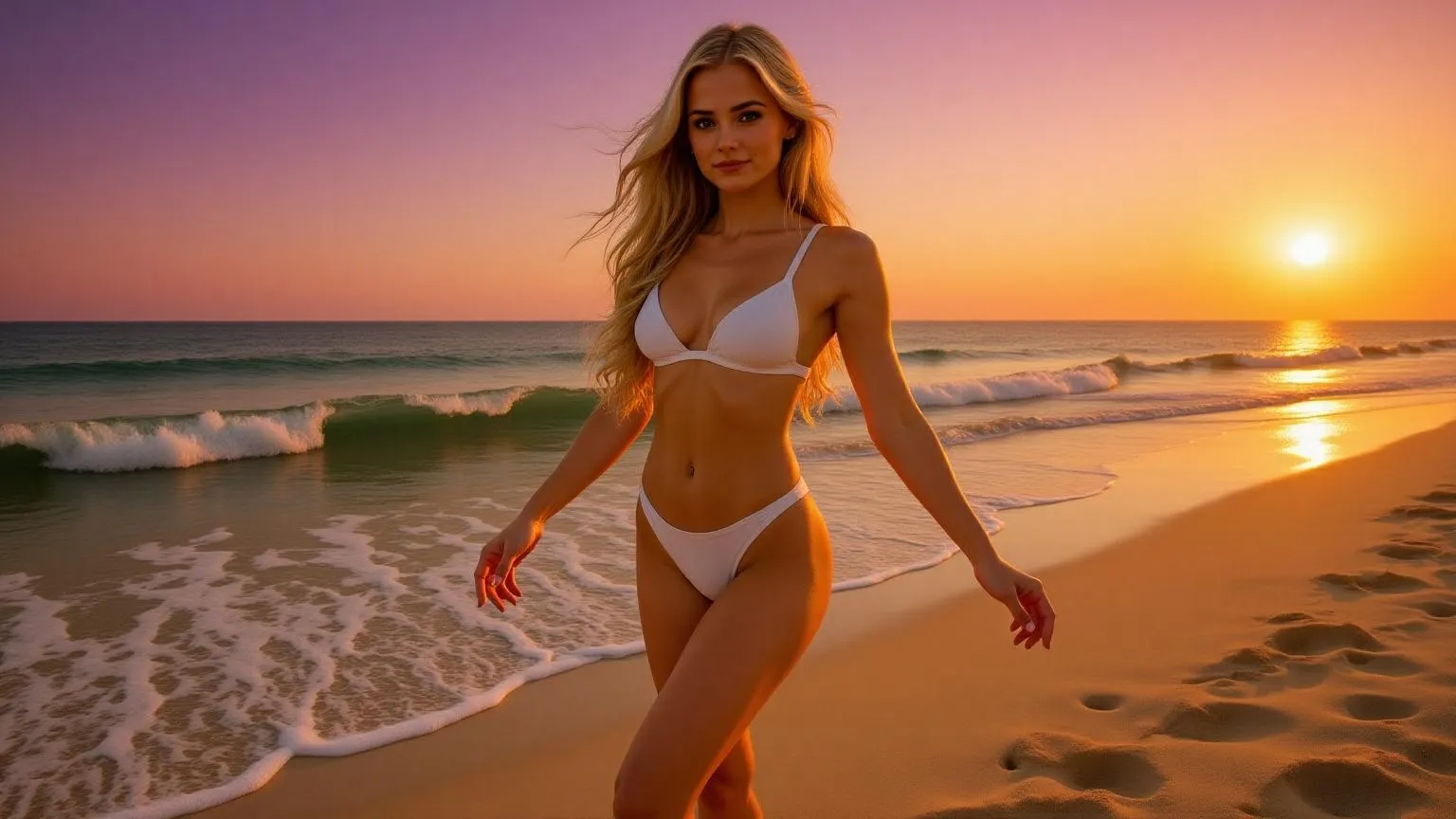
In the realm of digital creation, the ability to generate realistic human figures has become invaluable. APOB's AI Body Generator offers a seamless solution, allowing users to transform text prompts into lifelike full-body images without the need for advanced design skills.
How to Use APOB's AI Body Generator
1st step: Getting Started
Visit APOB's AI Body Generator and create a free account. Upon registration, users receive 80 free credits daily, allowing you to generate multiple images without any initial investment.
2nd step: Creating a Body Image
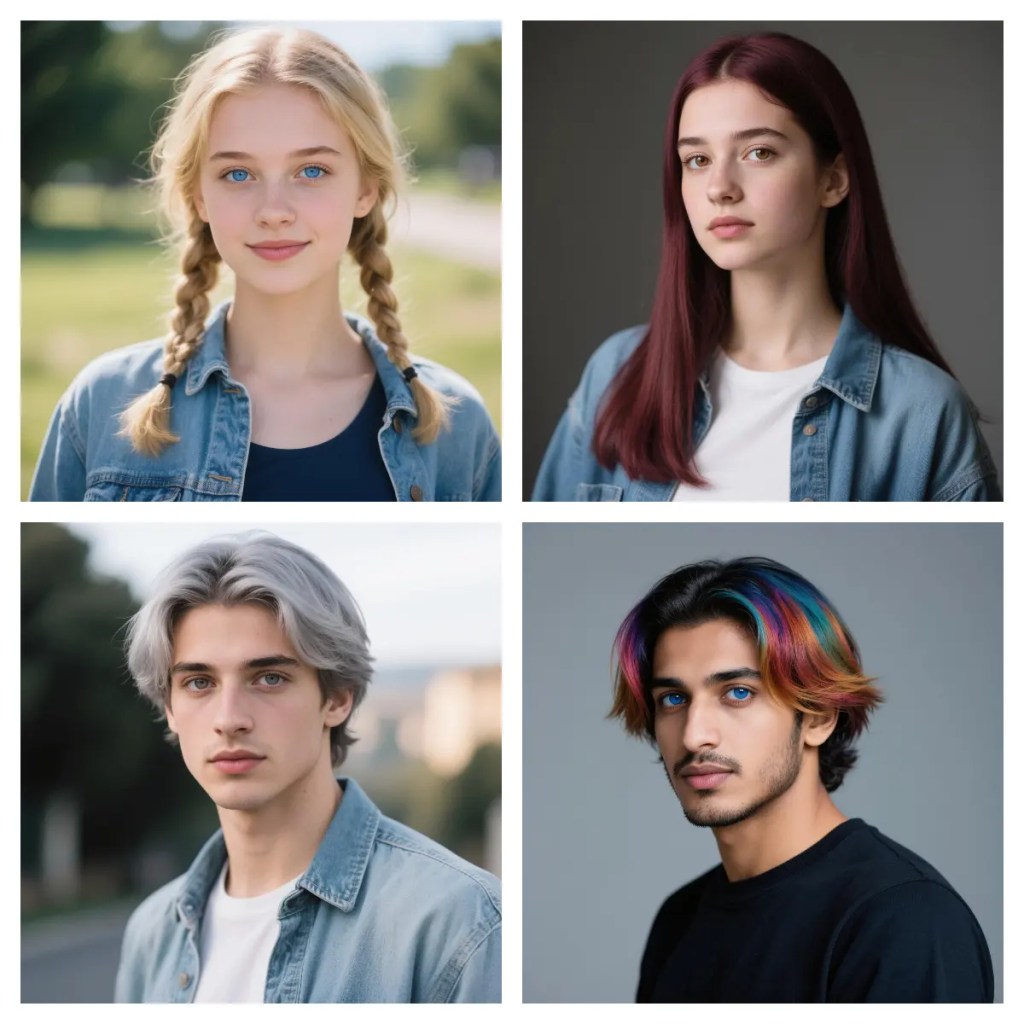
Click Create Portrait Model, then either upload a photo or select Generate an AI Person. Choose the age, gender, nationality, hairstyle, eye color, face shape, and skin tone, and APOB will create an AI human face. Based on this face, you can generate different AI bodies.
In Build Your Own, enter a prompt of up to 1024 characters. You can select different image styles, as well as clothing and scene options. Choose your preferred image aspect ratio (for full-body images, 9:16 is recommended) and generation mode (Fast, Best, or Ultra). Click Generate to create the image.
Tips: If you want to modify the AI-generated image, use the Chat to Edit feature to make adjustments.
3rd step: Generate AI Body Dynamic Videos
Once your image is generated, click Generate Video. Enter a prompt to make the character move. APOB offers various camera movements and storyboard options to suit your video creation needs. After generating the video, you can add APOB's AI Voice to make your character speak.
Prompt Examples
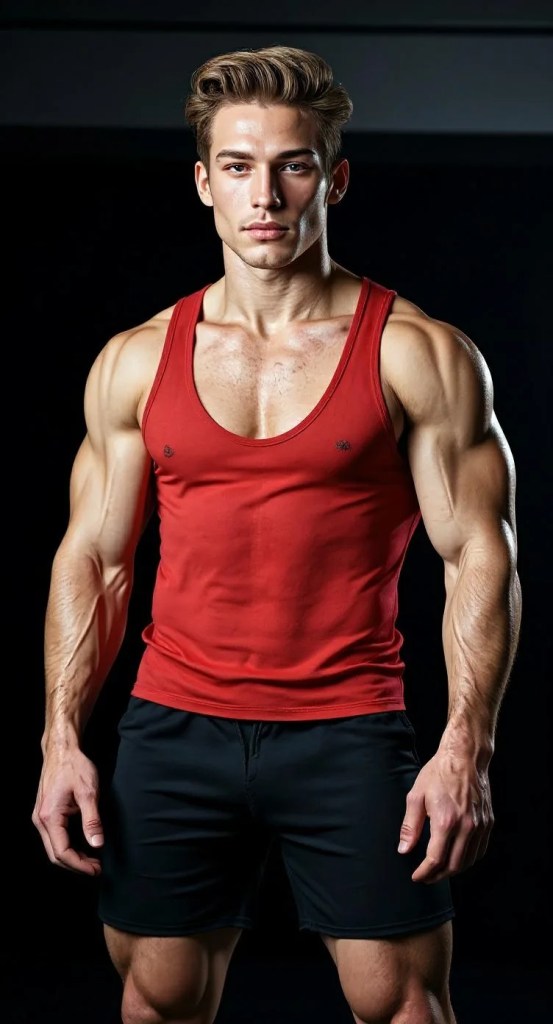
Male bodybuilding competitor
A muscular male bodybuilder with a red tank top and black short shorts, bulging veins underneath harsh stage lighting shining on hard, chiseled muscles — made perfectly with an AI person creator full-body for the realistic fitness aesthetic.
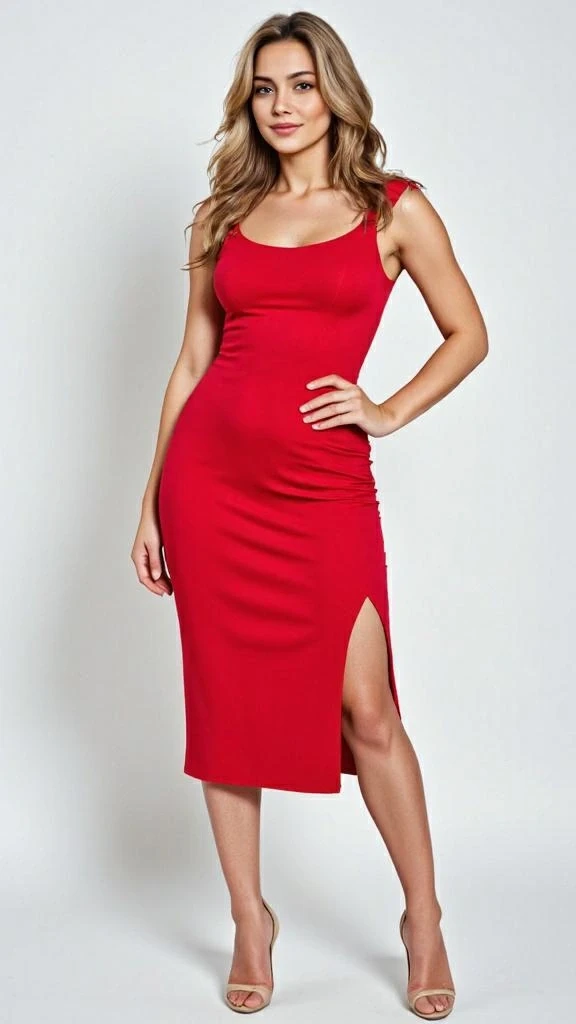
curvy woman
A stunning, curvy woman in a tight red dress and high heels, striking a confident pose with flowing hair, fully generated by AI full body generator.
Female sci-fi futurist warrior
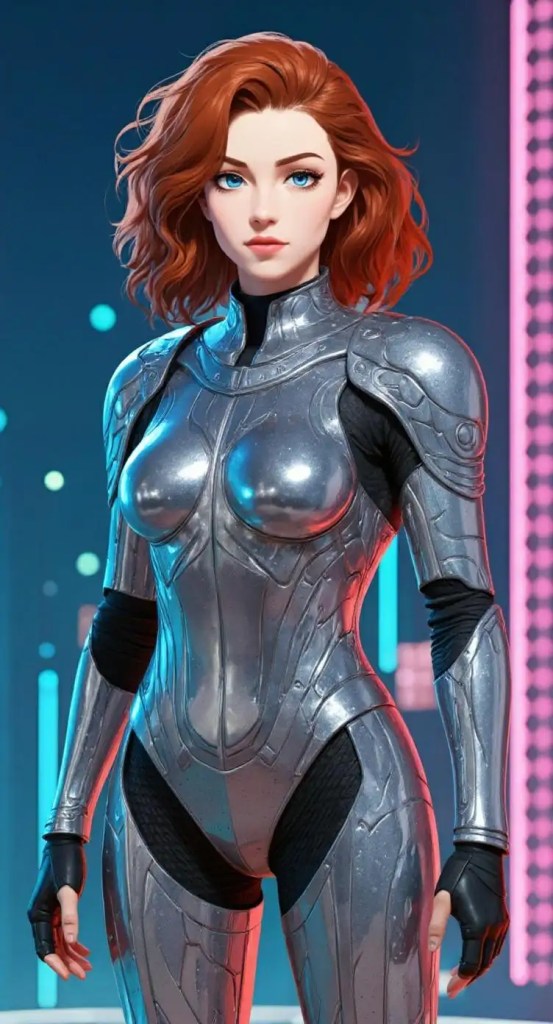
A future-warrior woman sci-fi futurist anime-style character in resplendent silver armor standing over an holographic cyberpunk cityscape bathed in a neon glow, easily rendered with an AI body generator free to make amazing futuristic graphics.
Why APOB AI stands out: Key Features and Benefits
Lightning-Fast Generation: Get stunning body images in seconds.
Unlimited Inspiration: Create a variety of versions and interpretations of body images.
No Design Skills Required: The AI does it all so everyone can enjoy it.
Easy Animation: The AI brings your images to life and makes them walk and talk with a click or two.
Use Cases
Advertising and Marketing: Create custom characters for campaigns without photo shoots.
Education: Create learning materials with diverse human characters to optimize learning experience.
Entertainment: Create game characters, animation characters, and virtual reality set characters.
Personal Projects: Generate ideas or concepts using a personal body image generator.
User Testimonials
"AI Body Generator of APOB has revolutionized content creation for us entirely. We can design brilliant character images within minutes." – Digital Marketing Agency
"As a teacher, I have easily developed inclusive and diverse teaching material." – High School Teacher
Conclusion
APOB's AI Body Generator is extremely flexible and easy-to-use software to create human images that seem real. You can be a marketing professional, educator, performer, or doing personal projects, but the website offers the technology to realize your imagination with ease and efficiency.
FAQs
Q1: Can I Generate Body Images for Free?
A1: Yes, APOB offers 80 free credits daily, allowing users to generate multiple images without any cost.
Q2: How does the AI body generator work?
A2: The AI utilizes advanced algorithms to interpret text prompts and generate corresponding body images with high accuracy.
Q3: How Does the AI Generate Body From a Text Prompt?
A3: The AI analyzes the provided text, identifying key attributes such as gender, pose, and attire, to create a detailed image matching the description.
Q4: How to write prompts to create an AI body with our AI Body Generator?
A4: Be specific in your descriptions. Include details about the body type, clothing, background, and any other relevant features to achieve the desired result.
Q5: Can I generate a realistic person using just a face photo?
A5: Yes, APOB's AI Body Generator allows users to upload a face photo and generate a full-body image based on that input.
Q6: Can I Use the AI-Generated Body Images for Commercial Projects?
A6: Yes, the images created can be used for commercial purposes, including marketing and advertising, under APOB's terms of use.
Read More

No credit card needed


