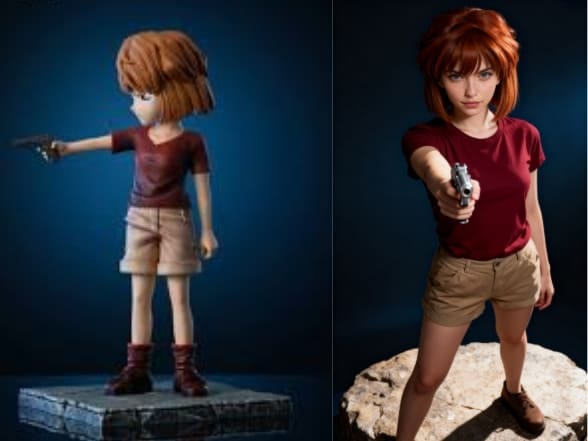
Cosplay is a beautiful art of bringing loved characters to life, but come on: it's really just too expensive, time-consuming, and craft-intensive. What if you could just be an overnight hyper-realistic version of your favorite character—without ever touching a needle or a wig?
The future of fandom is here: the AI Cosplay revolution.
With applications like APOB AI, the block of creativity is entirely lost. You are not simply creating a still image; you are able to make a dynamic, professional-looking cosplay video. This guide teaches you exactly how to utilize APOB AI for stunning AI Cosplay designs, from your ideal photo to full-motion video.
Setup & Generation — The Way to Your Ideal AI Cosplay Photo
Getting to a gorgeous AI Cosplay is as easy as taking a few steps on the website:
Step 1: Sign up and Create Your Model (The Foundation):
To begin with, simply sign up for free membership on the website. Then, if you prefer to use your own face for the cosplay, add a pretty picture of your face so that you can create a reusable AI Model. That keeps your character's facial continuity.
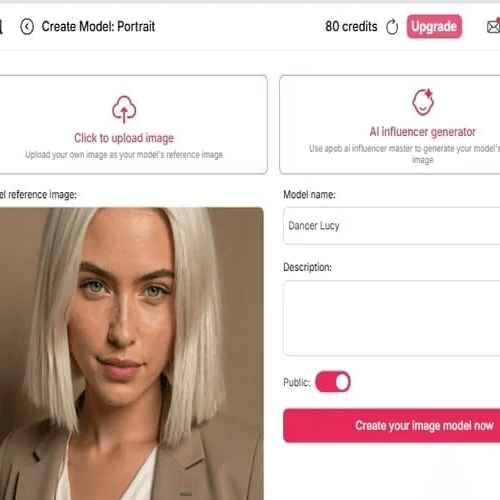
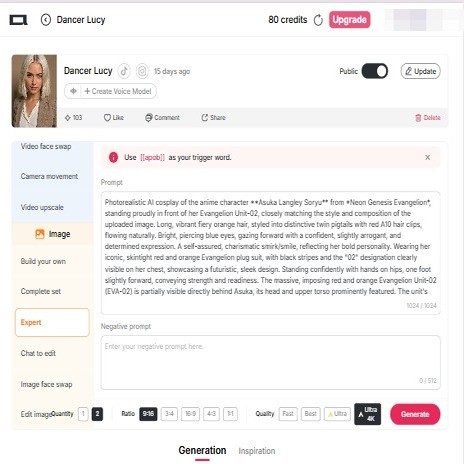
Step 2: Make the First Cosplay Image (Expert Mode):
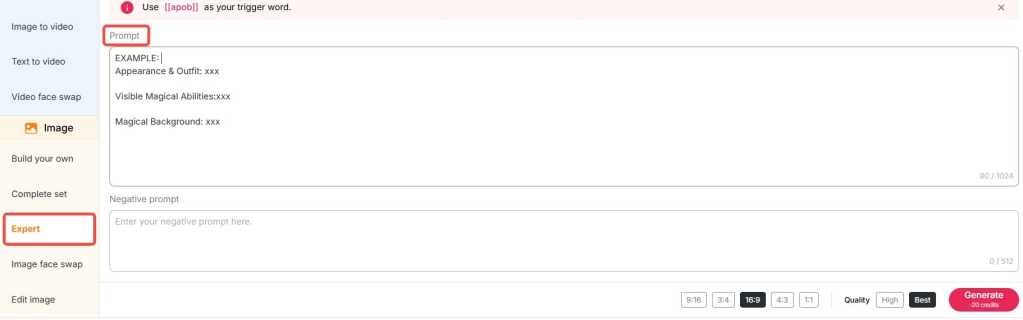
Use our 'Expert' mode today. Write a detailed prompt specifying the character's clothing, clothing accessories, hair color, eye color, and desired pose.
⚡️ Pro Tip (Prompt Mastery): If you find detailed prompts tricky, try using websites such as Gemini AI or ChatGPT! Upload a reference image of the character you wish to cosplay and instruct the AI to tell you about the costume details. Then, simply paste that description directly into APOB AI.
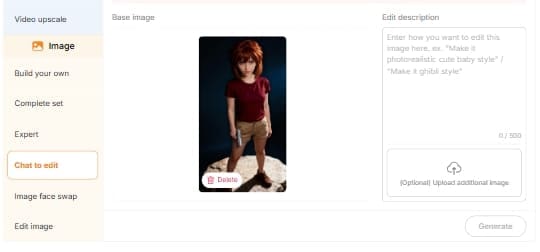
Step 3: Refine Proportions and Details (Chat to Edit):
If you have already a good prompt, then you might already create the ideal image at once! However, if you need to make some adjustments to the details—i.e., that the model is 1.70m tall and has a model's physique—use our 'Chat to Edit' tool.
Share a reference photo of your character in order to enable the AI to better realize how the actual life cosplay figure should be constructed and move.
Case Studies — The Magic of APOB AI Cosplay
Let's look at how APOB AI handles complex characters, turning high-difficulty concepts into stunning AI Cosplay art:
Character | Traditional Cosplay Challenge | APOB AI Solution |
Miyano Shiho (Lab Coat) | Requires tailored coats, specific lighting, and an elegant demeanor. | Prompt: Describe the clean white lab coat and "calm, intelligent, subtly melancholic" expression. Use Chat to Edit to perfect the fabric texture and shadows. |
Haibara Ai (Armed) | Difficulty with child body type, sensitive props, and complex staging. | Prompt: Specify "child form" and describe the "calm, armed pose." Easily generate high-impact visuals in a safe, controlled digital environment. |
Intricate Armored Characters | Costume construction is time-consuming, expensive, and limits action. | Expert Mode: Detail the armor material. Use ReVideo (Part 3) to apply the AI armor to a video of someone performing high-octane fighting moves. |
Rising Content — From AI Cosplay Photo to Cosplay Video
Half of the story is told through static images. APOB AI lets you step into the realm of cosplay video with effortless and instant ease.
Step 4: Easy Motion and Expression (Image to Video)
How do you create your AI Cosplay photo into a video? With our 'Image to Video' function, it's actually easy:
Upload your completed AI Cosplay image.
Identify the action, state, or facial expression you wish for the character to do (e.g., "slowly turn and smile," "walking thoughtfully," "waving hello").
Consistency Secret: For visual consistency in keeping the perfect appearance of the character throughout the entire cosplay video, we strongly recommend adding a 'last frame photo' using our tool to your prompt. This provides visual consistency.
Step 5: Advanced Action & Full-Body Swap (ReVideo)
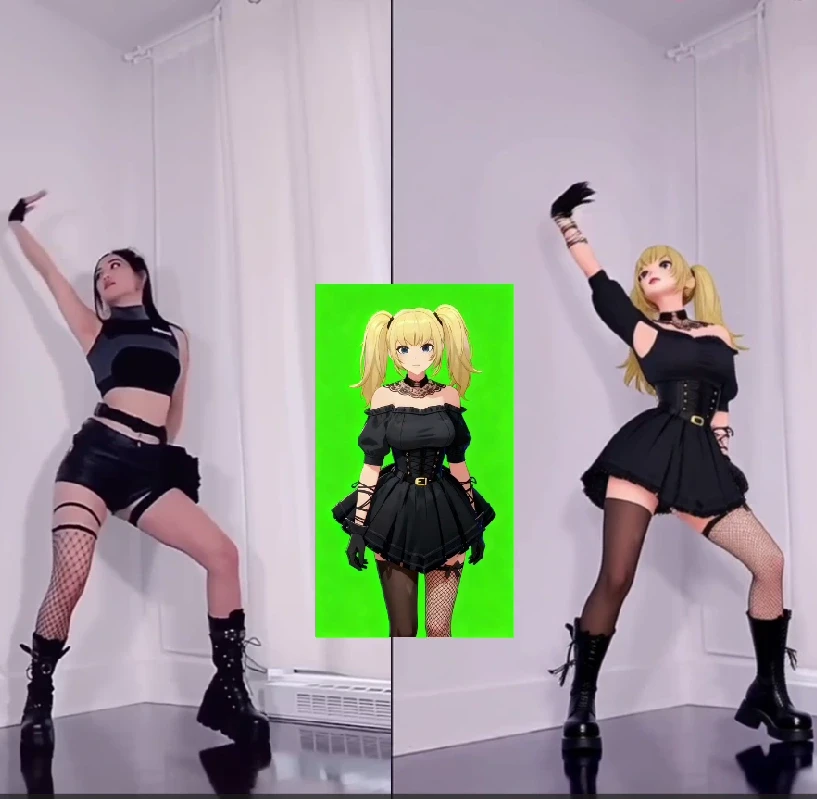
Suppose you require a high-complexity video, for example, your AI Cosplay avatar doing a popular TikTok dance.
Feature: Utilize our advanced ReVideo feature.
Action Source: Provide the dance video or intricate action video you wish to reproduce.
Character Source: Provide the completed AI Cosplay show image you created.
Generate! Press 'Generate'! ReVideo produces an impossibly smooth full-body replacement, accurately inserting your AI Cosplay avatar into the intricate motion.
Step 6: Letting Your Character Talk (Talking Avatar)
Still not satisfied? Want your character to say lines of their favorite anime or game? Use our Talking Avatar feature!
Upload a voice clip of your favorite character in order to build a special voice model.
Write the dialogue that you want the character to say.
This final step brings your virtual AI Cosplay to life, providing your character with a realistic look as well as a catchy voice!

Be the first to like this.




From Photo to Cosplay Video
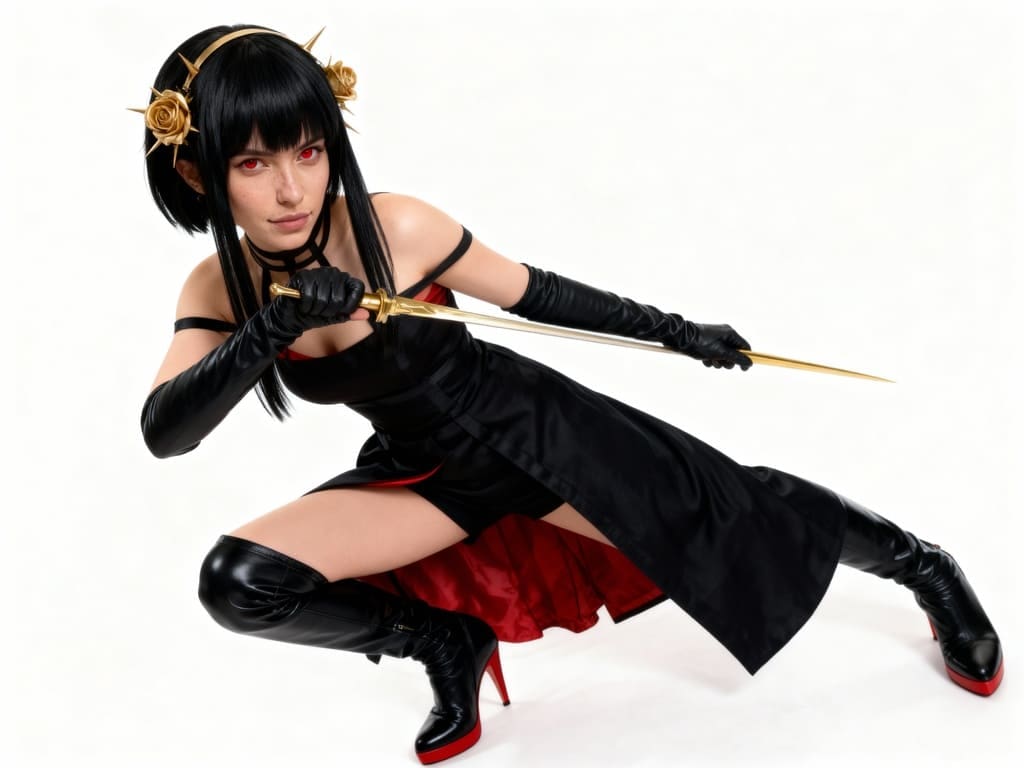
You've spent hours perfecting your anime cosplay—the costume is flawless, the makeup is spot-on, and you've captured the perfect photo that embodies your character. But in today's digital world, a static image is just the starting point. How do you bring that still shot to life, creating a dynamic, engaging cosplay AI video in minutes?
The answer lies with platforms like APOB AI, a powerful tool designed to transform existing images into animated digital content. If you already have your high-quality cosplay photo, here is a guide on how to leverage APOB AI’s features to turn it into a captivating video, complete with movement and even dialogue.
Step 1: Pre-Edit Your Cosplay Photo (The Foundation)
Before even uploading to APOB AI, some simple edits on your raw cosplay photo can significantly enhance the end AI video quality.
- High-Quality is the Key: Make sure your picture is high-definition, lit properly, and in focus. APOB AI models love clean, high-definition inputs.
- Facial Consistency: If your character is to be speaking, a photo with a plain, lightly posed or neutral face is suitable for early processing.
- Enhance the Background (Optional but Strongly Recommended): Use simple image editing software to remove any distracting objects or make your background appropriate for the character's environment.
Step 2: Upload and Convert Your Cosplay Photo to Video
Magic begins with APOB AI's Video Generation or Image-to-Video feature, ideal for bringing life to your static cosplay photo.
1. Login to the Platform:
Sign up for Free Membership.
2. Upload Your Cosplay Photo:
Choose and upload the completed cosplay photo you want to make a video of. Then create an AI Portrait.
3. Bring the Image to Life:
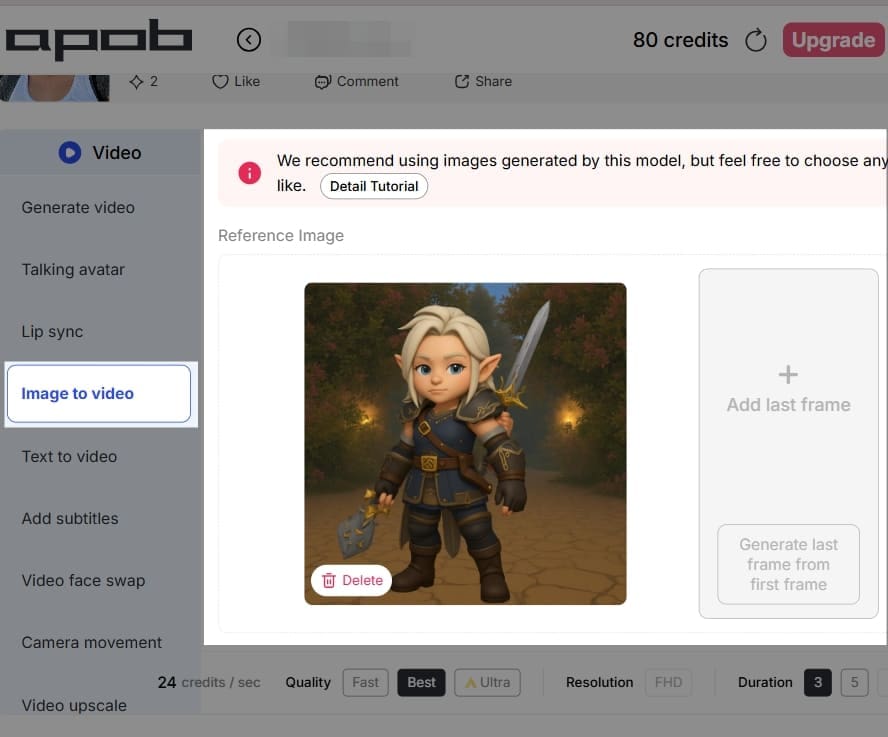
Click on 'Image to Video'. Upload the image again. Write down the prompts: (For example: dance). This step applies AI models to create subtle, real motion so that your character seems like it's moving. You can usually set options such as:
- Duration: Choose the duration of your short video (for example, 3 to 10 seconds).
- Motion Prompts (Where appropriate): Set text prompts to define the quality of the animation, for instance, "subtle hair blowing in the wind," or "smooth zoom out."
-Quality: Choose a high-quality output such as 'Ultra' for optimal results.
4. Generate:
Click on the generate button and allow the AI to make your animated cosplay video.
Step 3: Give Your Character Voice with Speech (Talking Avatar)
The largest step forward for a cosplay video is voice-giving your character and lip-syncing your lines. APOB AI's Talking Avatar and Lip Sync features do all the work for you.
1. Choose Your Animated Clip:
Use the video created in Step 2 as the starting point.
2. Add Audio/Text:
You have two easy options:
- Text-to-Speech: Type in a script (a quote, an intro, or a character line). The AI can make it sound like a natural-sounding, realistic voice.
- Upload Audio: Record your own voice reading out the lines and upload the audio file.
3. Apply Lip Sync:
The Lip Sync tool of the platform reads the audio track and animates the mouth movements on your cosplay character naturally in sync with the words.
4. Add Camera Movement (Optional):
To provide another level of professionalism, choose a setting to smooth out camera movement, e.g., "simple zoom out" or "handheld" effect.
Step 4: Empowering Creators: APOB AI for Cosplay Influencer Marketing
This is where APOB AI elevates your hobby into a potential source of income and influence. The tools proded are specifically designed to create the consistent, high-volume content needed to succeed as a modern digital influencer.
APOB AI’s Platform Advantage: A Creator-Friendly Tool
For professional cosplayers, though, high-quality, high-frequency content can be a scary thought, particularly because of the time and financial cost of producing videos. APOB AI is a very "creator-friendly" platform that is not intended to substitute for cosplayers, but as their ultimate content helper.
- Accelerate Content Output: Cosplayers can take their high-quality cosplay photos and use APOB AI’s Image-to-Video and Lip Sync functions to rapidly produce engaging short videos. This dramatically increases content output speed on platforms like TikTok and Instagram Reels, helping to maintain audience engagement.
- Maintain Consistent Branding: Whether you're growing your current cosplay account or creating a new online persona, APOB AI assists creators in maintaining the visual consistency of the character's image throughout all content—a key factor for developing and running an efficient cosplay influencer marketing campaign.
If you are a career cosplayer with your own social media site, APOB AI is a highly valuable resource to help you make videos and navigate the influencer marketing new age.
Unblock Revenue Streams: APOB AI Creator Incentive Programs
APOB AI compensates creators and has various incentive programs, enabling cosplayers to profit from traffic while creating content:
1. Affiliate Program:
- How it Works: Cosplayers can post a special referral link or promo code for APOB AI on socials, streams, or video descriptions.
- Incentive: You earn a commission each time a new user signs up or buys a subscription using your link. This is an effective way of passive income, converting your promotion of content into money.
2. Ambassador Program:
- How it Works: The site periodically extends an invitation to highly engaged creators to join their Ambassador Program. Ambassadors enjoy a closer engagement with APOB AI, sharing feedback, creating sponsored content, and participating in specific promotions.
- Incentive: Ambassadors get more incentives, unrestricted access to premium features, and precedence to the new tools. Not only does this bring in more revenue, but it also works as a badge of honor for being an upper-end creator within the community.
Through the use of the tools of APOB AI and these incentive schemes, cosplayers can monetize each successful anime cosplay creation as a revenue-generating digital item, essentially commoditizing something you love into a business.
Read More
Generate Your Exclusive AI Cosplay for Free
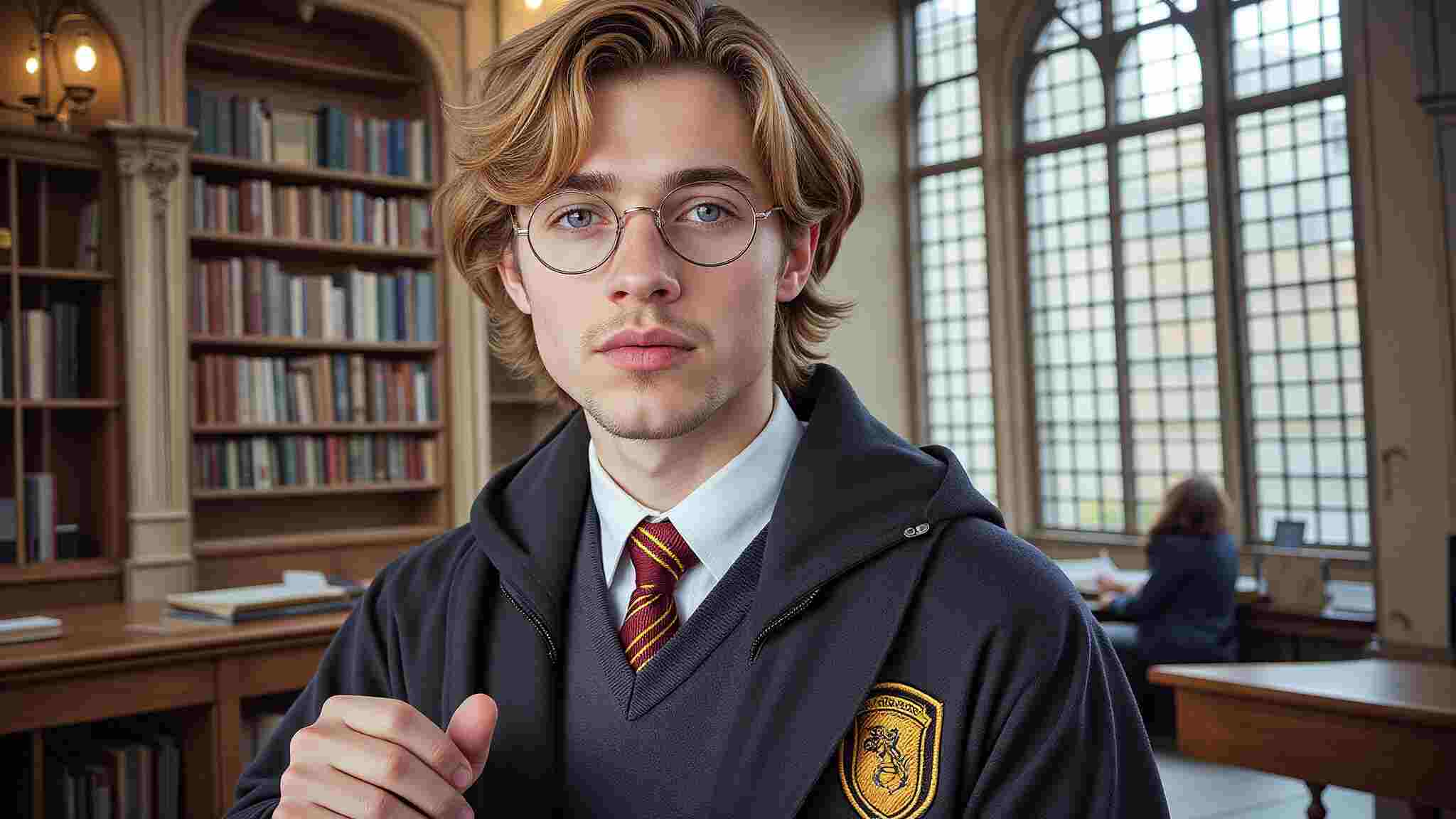
Cosplay has always been about creativity, craftsmanship, and self-expression. But in 2025, the landscape is evolving at an unprecedented pace. Thanks to AI-driven innovations, AI Cosplay is no longer just a niche concept—it’s becoming a major force in digital character representation. Whether you’re looking to create hyper-realistic digital avatars, explore Metaverse cosplay, or experiment with futuristic designs, AI is here to elevate the experience.
The Rise of Digital & Virtual Cosplay
Digitalization has made its way into every aspect of our lives, and cosplay is no exception. AI-generated cosplay is expected to dominate platforms like VRChat, Metaverse, and Pinterest, where users can create and showcase their virtual personas without the need for physical costumes. Imagine bringing your favorite characters to life instantly, without the time and expense of crafting a detailed costume. AI Cosplay tools allow users to seamlessly generate high-quality images of themselves as any character, from anime icons to sci-fi heroes, all with just a few clicks.
Not only does this make cosplay more accessible, but it also provides endless opportunities for personalization. Want to see yourself as Ai Hoshino from Oshi no Ko or experiment with a bold, sexy AI Cosplay look? AI tools can generate stunningly realistic images that match your vision effortlessly.
Creating AI Cosplay: A Simple Step-by-Step Guide
Ready to dive into AI Cosplay? Here’s how you can transform yourself into your favorite character in just a few easy steps:
Select Your Character: Choose from anime, gaming, movies, or original character designs.
Upload Your Photos: Sign up on APOB AI and click on “Create Portrait Model.” Provide a clear picture of yourself to train the AI on your facial features.
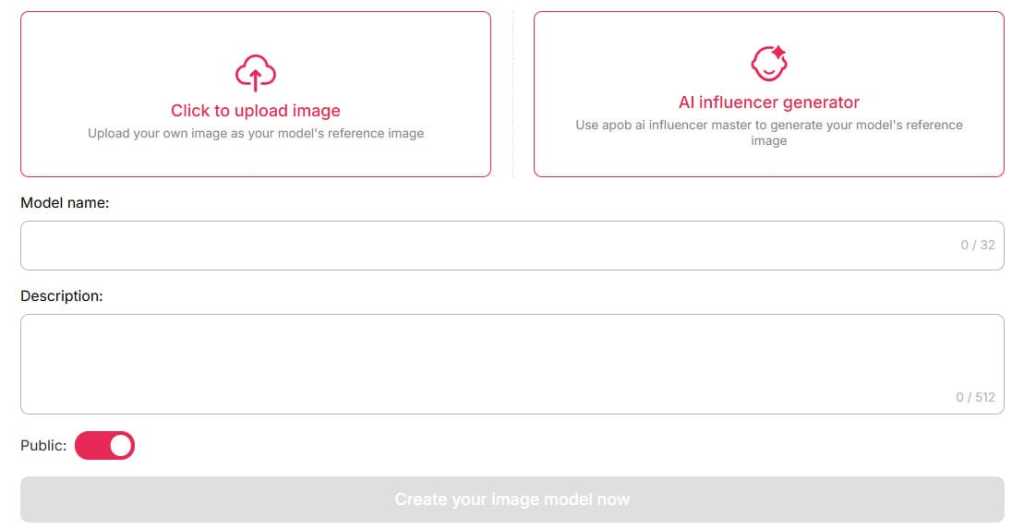
Customize Your Look: Describe specific details like hairstyle, outfit, accessories, and even background settings.
Generate & Share: Let the AI work its magic and produce high-quality, print-ready cosplay images.
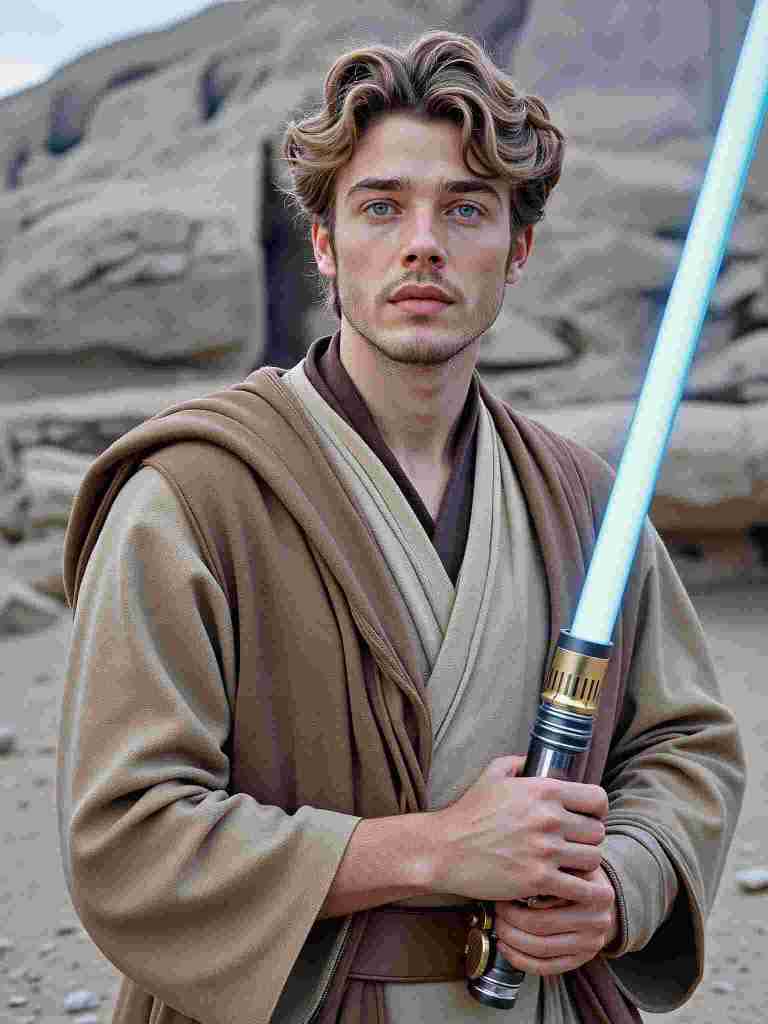
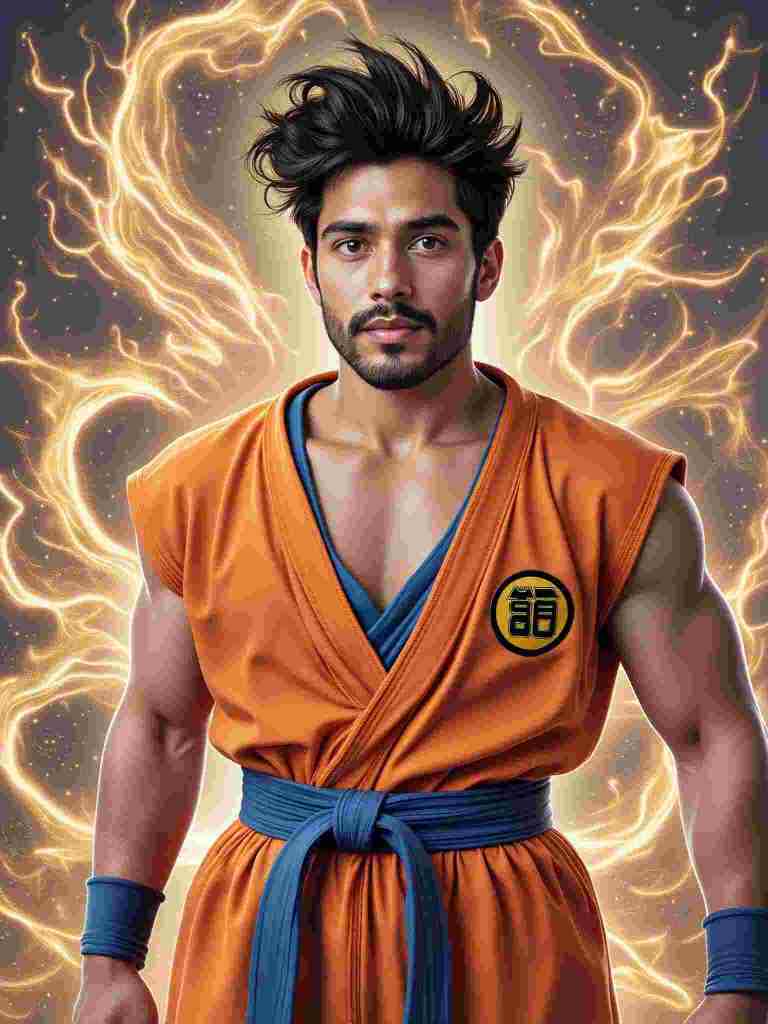
AI and Traditional Cosplay: A Powerful Synergy
Some may worry that AI-generated cosplay will overshadow traditional craftsmanship, but in reality, the two coexist beautifully. AI is not here to replace handmade costumes—it serves as a creative assistant that helps cosplayers break through design limitations. Here’s how:
Concept Visualization: AI allows cosplayers to test different styles, color schemes, and character looks before committing to a physical costume.
Digital Enhancements: AI-generated cosplay images can serve as reference material for traditional artists, tailors, and prop makers.
Virtual Cosplay for Social Media: Many cosplayers are leveraging AI-generated images for platforms like Instagram, TikTok, and Pinterest, using them as digital extensions of their crafted personas.
Why AI Cosplay is the Future
The demand for AI-generated character art is skyrocketing, fueled by advancements in machine learning and increasing engagement with digital avatars. AI Cosplay offers several advantages over traditional methods:
Instant Results: No more weeks or months of costume-making—get your digital cosplay instantly.
Cost Efficiency: AI eliminates the need for expensive materials and studio photoshoots.
Endless Customization: With AI, you can experiment with multiple characters, styles, and poses without limitations.
Integration with the Metaverse: AI-generated avatars can be directly used in VRChat, Metaverse spaces, and gaming platforms.
Final Thoughts: AI Cosplay is Here to Stay
Whether you’re a seasoned cosplayer looking to expand your creative toolkit or a newcomer eager to try something new, AI Cosplay is revolutionizing the way we engage with character transformation. By blending AI with traditional craftsmanship, the cosplay community is entering an exciting new era of limitless creativity and self-expression. So why wait? Step into the future and explore the endless possibilities of AI Cosplay today!
FAQ
Q1: Can I generate images for free?
A1: Yes. With APOB AI, you can create avatars for free! Upon signing up, you'll receive 80 free credits. Each high-quality image costs 20 credits, generating 4 images per session. This allows you to create up to 16 images daily, giving you the freedom to experiment with different looks and find your perfect style.
Q2: Can I use images I created or I found on your platform for commercial purposes?
A2: You can use AI-generated images from APOB AI for commercial purposes, subject to our terms of use. Ensure compliance with licensing conditions and respect intellectual property rights when using these images commercially.
Q3: How to turn photos into character cosplay?
A3: To turn your photos into character cosplay with APOB AI, simply upload a clear photo or create a Portrait Model. Customize your look with text prompts, detailing hairstyle, outfit, and background. Let the AI generate high-quality, print-ready cosplay images, perfect for sharing or using as avatars!
Q4: Can I make my own customized cosplay outfit?
A4: Yes. You can create your own customized cosplay outfit using the APOB AI Cosplay Generator. Simply navigate to the Expert option in the bottom left corner of the page, enter your prompts (within 1024 characters, typically 150-250 words), and generate your ideal cosplay outfit with precision.
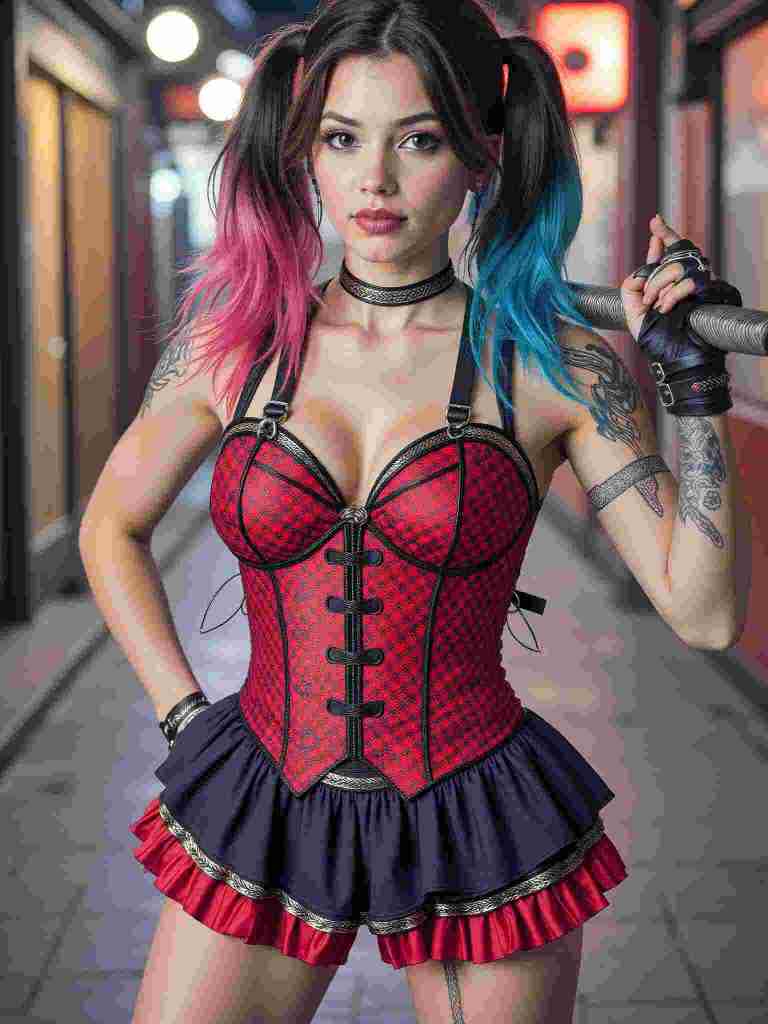
Q5: Can AI turn my photo into Harley Quinn cosplay?
A5: Of course! With the help of text prompts, you can fully customize your cosplay to match your exact preferences.
Read More

No credit card needed


