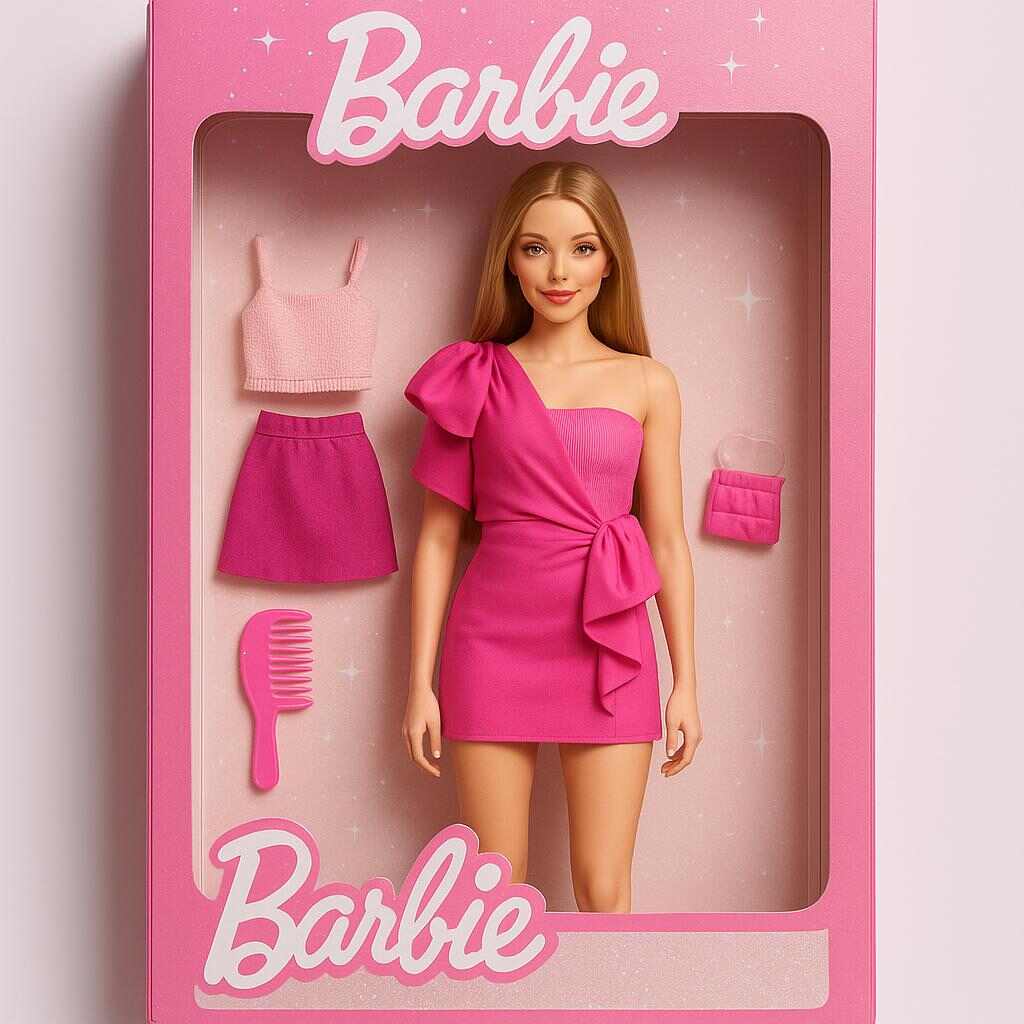
If you’ve been scrolling through TikTok, Instagram, or X lately, you’ve probably seen the viral trend of the AI Barbie Box — those stunning, life-like Barbie dolls perfectly packaged in the iconic pink box. What if I told you that you don’t have to be a professional designer or artist to create your very own AI Barbie Box? Thanks to APOB AI, a free and user-friendly AI tool, you can generate your personalized ai barbie box images effortlessly, all from the comfort of your browser.
In this guide, I’ll walk you through the step-by-step process of using APOB AI to make your very own AI Barbie Box, share creative prompt ideas, and even explain how to animate your Barbie so she can greet your audience!
What Is an AI Barbie Box?
The AI Barbie Box is a creative concept where an AI-generated doll, modeled after a person or imagined character, is displayed inside a virtual Barbie doll box. This concept mixes nostalgia for classic Barbie toys with modern AI art, letting users see themselves or their ideas as digital dolls complete with accessories, backgrounds, and poses.
With AI art booming, APOB AI stands out as a free, easy-to-use platform that anyone can try without complicated software or fees. It offers a perfect playground for Barbie fans, fashion lovers, and content creators.
Step-by-Step: How to Make Your AI Barbie Box with APOB AI
Step 1: Sign Up and Claim Free Credits
Head over to apob.ai and create a free account. Once logged in, claim your 80 free daily credits — these are your “fuel” for generating AI images and videos.
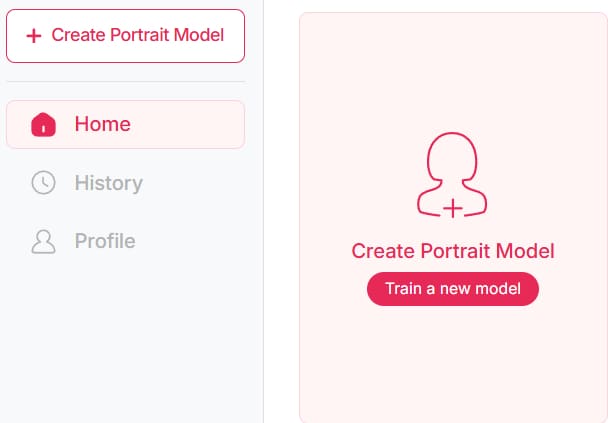
Step 2: Create Your AI Portrait Model
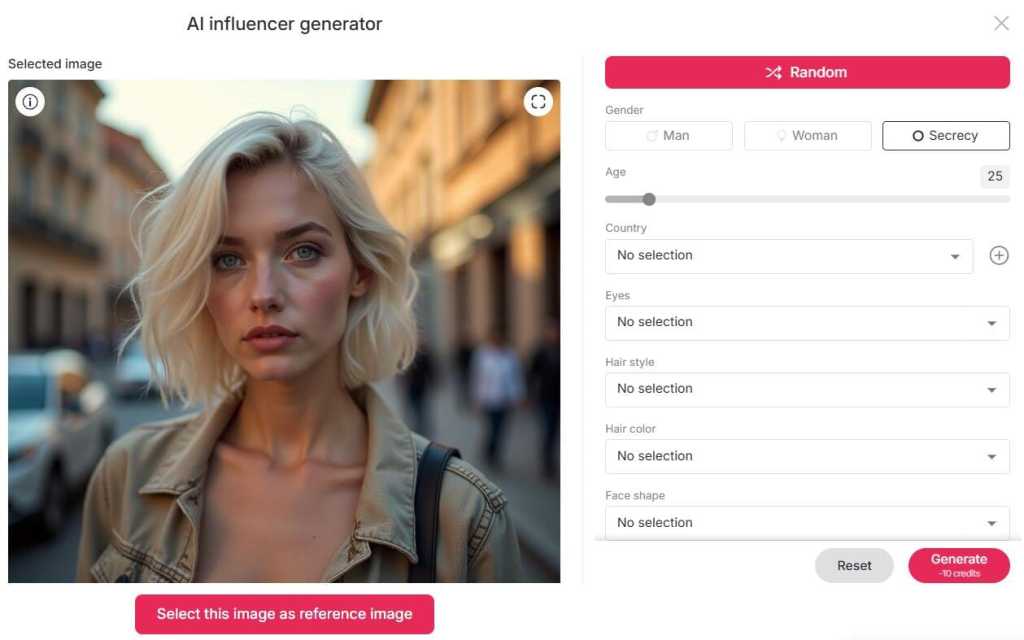
Click on “Create Portrait Model” and upload a clear photo of yourself, focusing on your facial features. If you don’t want to upload a photo, you can generate a unique AI influencer by choosing the AI Influencer Generator.
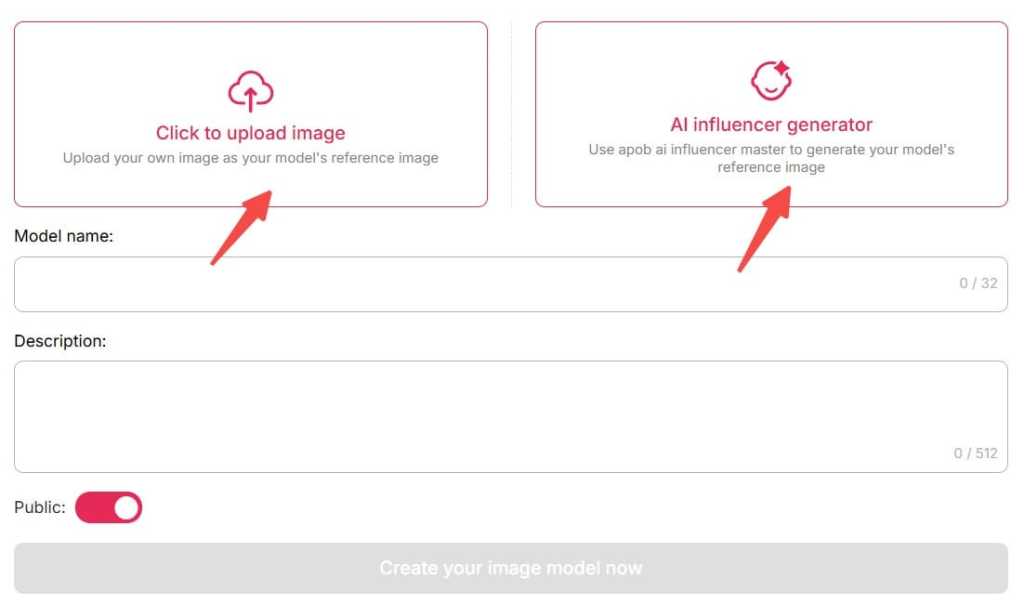
Step 3: Build Your Barbie Box Image
Select either “Build Your Own” or “Complete Set” to start customizing your Barbie doll. Pick outfits, hairstyles, makeup, and backgrounds — think classic pink boxes, Malibu beaches, or glittering party rooms.
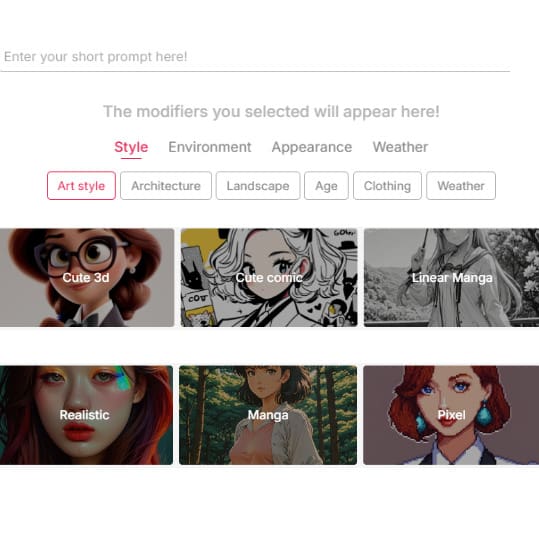
Step 4: Enter Your Creative Prompts
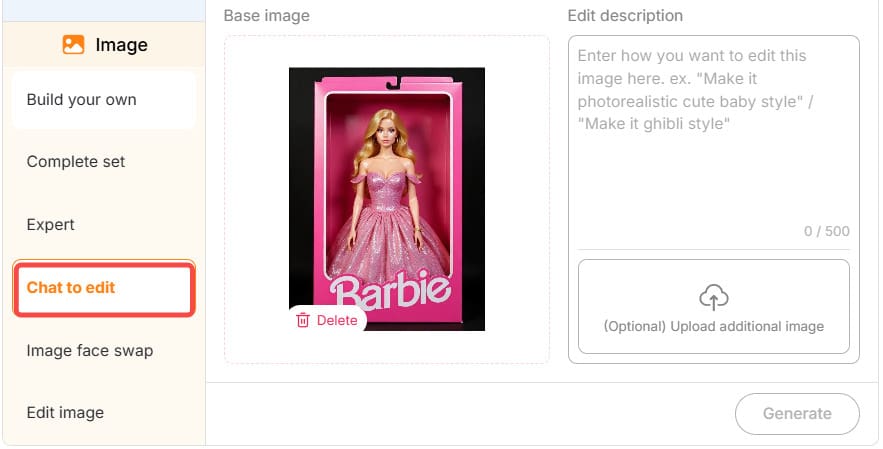
To make your Barbie stand out, go to “Chat to Edit” and type prompts like:
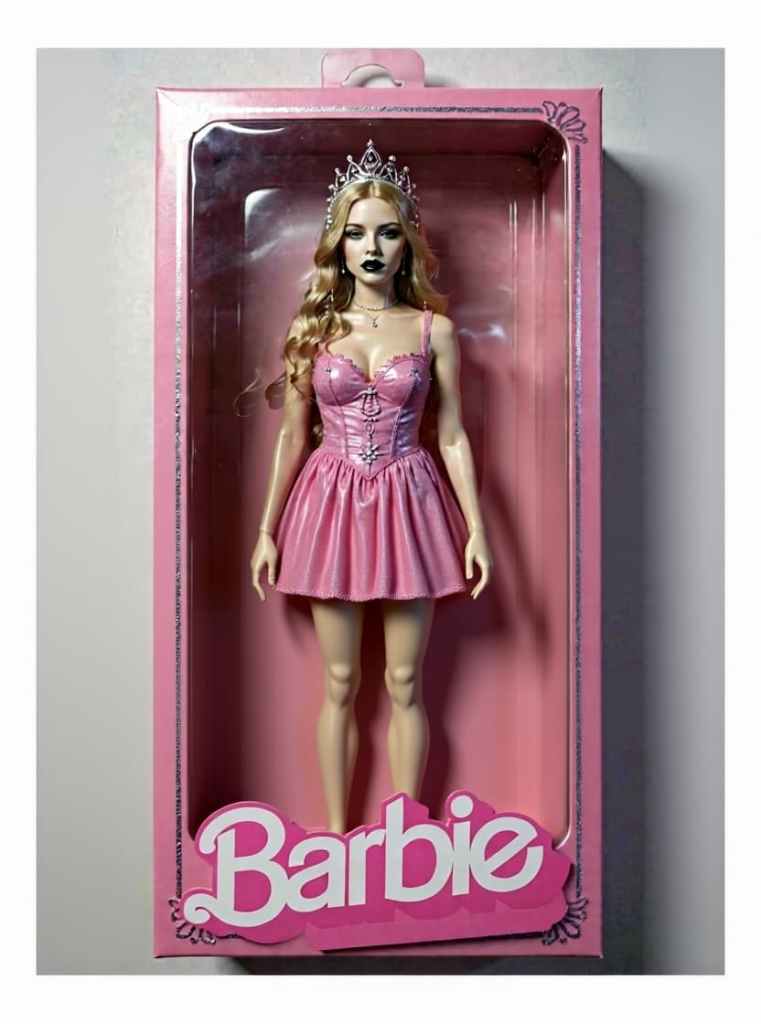
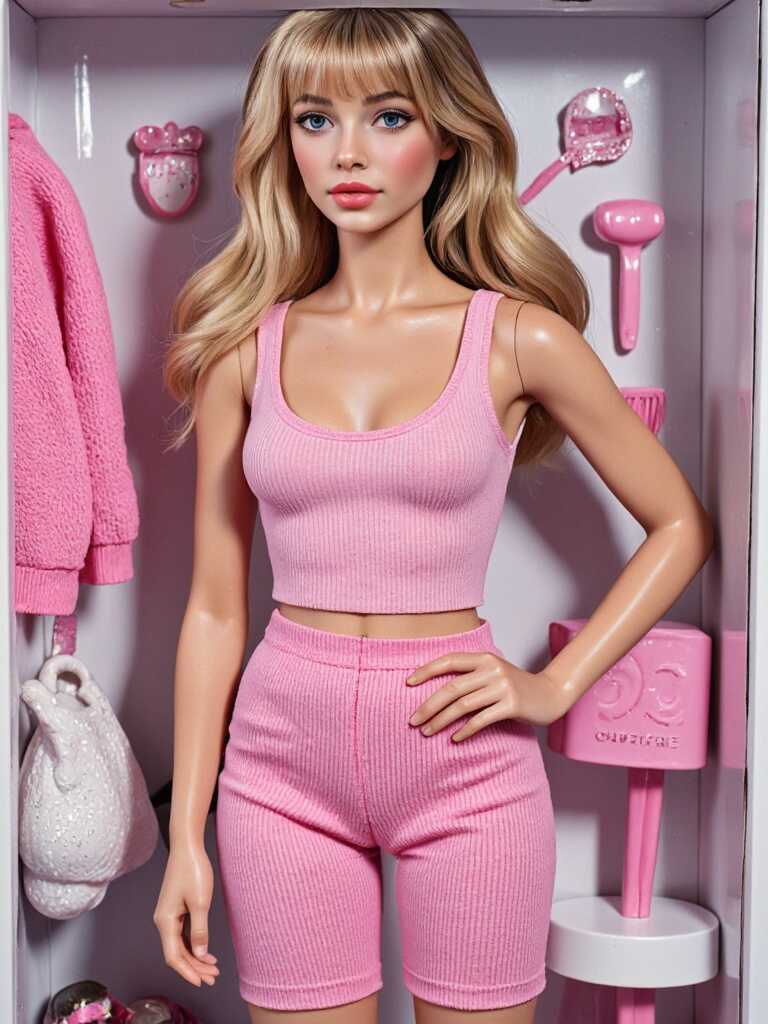
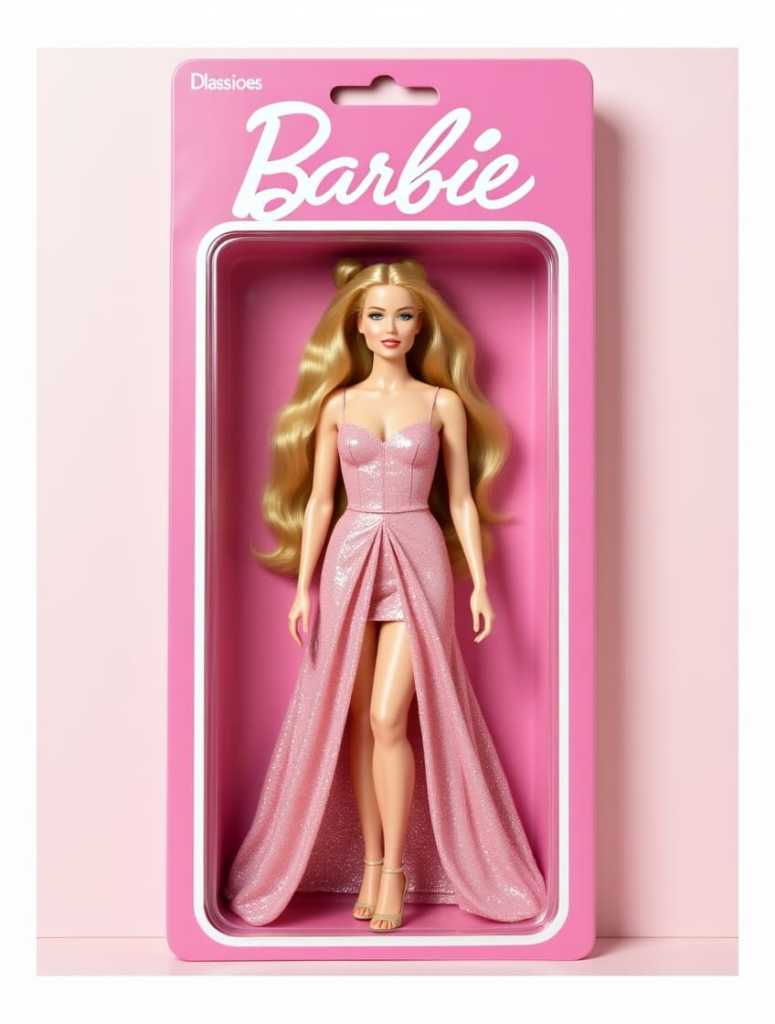
“A full-body Barbie doll with blonde hair wearing a sparkly pink dress inside a classic Barbie box with a comb and shoes.”
“Dark goth Barbie with purple hair and black lipstick in a neon-lit doll box.”
The AI will generate your ai barbie box based on these descriptions. You can tweak the prompt as much as you like!
Step 5: Animate Your Barbie (Optional)
If you want to take it further, use APOB AI’s Image to Video tool to create a short clip where your Barbie opens the box, steps out, and even greets viewers with lip-sync animation. This feature brings your AI doll to life and makes your content stand out on social media.
Why Use APOB AI for Your AI Barbie Box?
There are many AI art generators out there, but here’s why APOB AI is a top choice for creating your ai barbie box:
Free daily credits: You get 80 credits every day, enough to create multiple images or short videos.
Flexible customization: Build your own model or use pre-made sets.
Chat to Edit feature: Add creative prompts and refine images easily.
Bonus animation tools: Turn your Barbie image into a short video or a talking avatar!
Creative Prompt Ideas for Your AI Barbie Box
Here are some prompts to spark your imagination:
“A glamorous Barbie doll with long flowing blonde hair, pink sequined dress, high heels, inside a transparent pink box with accessories.”
“Futuristic Barbie in metallic silver outfit and holographic makeup, standing in a glowing neon Barbie box.”
“Cute pastel-themed Barbie doll with bubblegum pink hair and a mini cupcake accessory inside a classic toy box.”
“Edgy goth Barbie with black lipstick, fishnet stockings, purple hair, inside a dark velvet-lined box.”
Feel free to add emojis or describe moods like “sparkly ✨,” “retro 🎀,” or “summer vibes ☀️” to personalize your AI Barbie Box.
Share Your AI Barbie Box Online!
Don’t forget to show off your creations! Post your AI Barbie Box images or videos on TikTok, Instagram, X, or Threads using popular hashtags:
#AIBarbieBox
#BarbieBoxChallenge
#AIBarbie
#APOBAI
You’ll join a growing community of creators celebrating this fun, nostalgic trend powered by AI.
FAQs About AI Barbie Box & APOB AI
Q1: Is uploading my personal photo safe? Could my privacy be compromised?
A1: No, APOB AI respects your privacy. If you don’t want your photo to appear in the community models, simply switch the public mode to private.
Q2: Can I animate my AI Barbie Box image?
A2: Yes! APOB AI offers Image to Video and Talking Avatar features to make your Barbie move and speak.
Q3: How many free images can I generate daily?
A3: You receive 80 free daily credits, allowing you to generate up to 16 images or a few short videos per day.
Q4: Do I need any design skills to use APOB AI?
A4: Absolutely not! APOB AI is beginner-friendly and uses simple prompts and customization options to create beautiful AI Barbie Boxes easily.

Be the first to like this.




Ride the AI Barbie Trend: Create Your Dream Doll
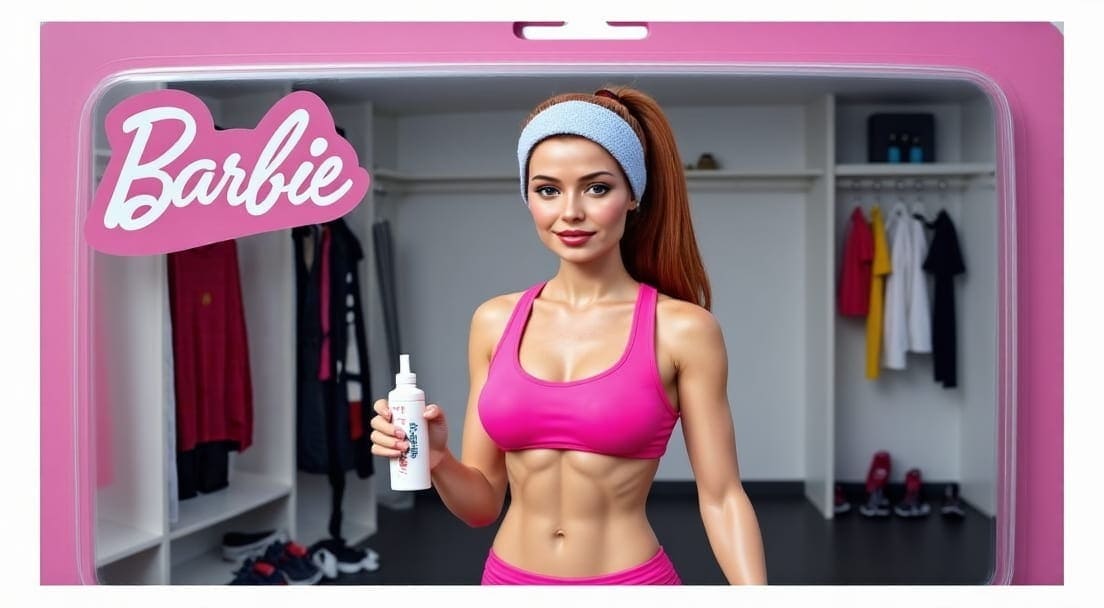
The AI Barbie trend is taking the internet by glitter-storm. From Instagram feeds to TikTok transitions, thousands of people are transforming themselves into glamorous Barbie dolls using AI tools—no plastic required. It’s creative, fun, a little nostalgic, and totally viral.
If you've ever dreamed of seeing yourself as a Barbie, complete with fabulous outfits, dazzling makeup, and even boxed like a real toy, you're in the right place. This guide will walk you through the Barbie AI trend, explain why everyone’s obsessed, and show you how to create your own Barbie doll with APOB AI, the most accessible and customizable Barbie generator out there.
What Is the AI Barbie Trend?
The AI Barbie trend refers to the growing phenomenon where users upload their selfies to AI tools to generate Barbie-style versions of themselves. These AI-generated images often include:
Full-body Barbie poses
Sparkly pink outfits
Classic Barbie doll boxes with accessories
Varying styles like astronaut Barbie, goth Barbie, Y2K Barbie, or even CEO Barbie
This trend blew up after the 2023 Barbie movie reignited the world’s obsession with the iconic doll. But this time, it’s not just about watching Barbie—it’s about being Barbie.
Thebarbie ai trend quickly became popular on social platforms like TikTok and Instagram. Hashtags like #AIBarbie, #BarbieAITrend, and #DollMeUp flooded feeds with pink perfection, self-expression, and pure fun.
Create Your AI Barbie with APOB AI
The best part? You don’t need Photoshop skills or hours of editing. With APOB AI, you can create your own Barbie image in seconds. It's free to try, requires no downloads, and works beautifully on mobile and desktop.
Here’s how you do it:
Upload a Selfie – Choose a clear photo of your face or full body.
Enter a Prompt – Describe your dream Barbie look (we’ll share ideas below!).
Generate & Download – In just a few seconds, your Barbie is ready!
Fun Prompt Ideas to Try Right Now
Need help deciding your Barbie vibe? Try these prompts with APOB AI to instantly join the AI Barbie trend:
“Pink glitter Barbie with high heels, long blonde hair, wearing a sparkling gown inside a classic Barbie box”
“Barbie astronaut floating in space with a metallic pink suit and helmet”
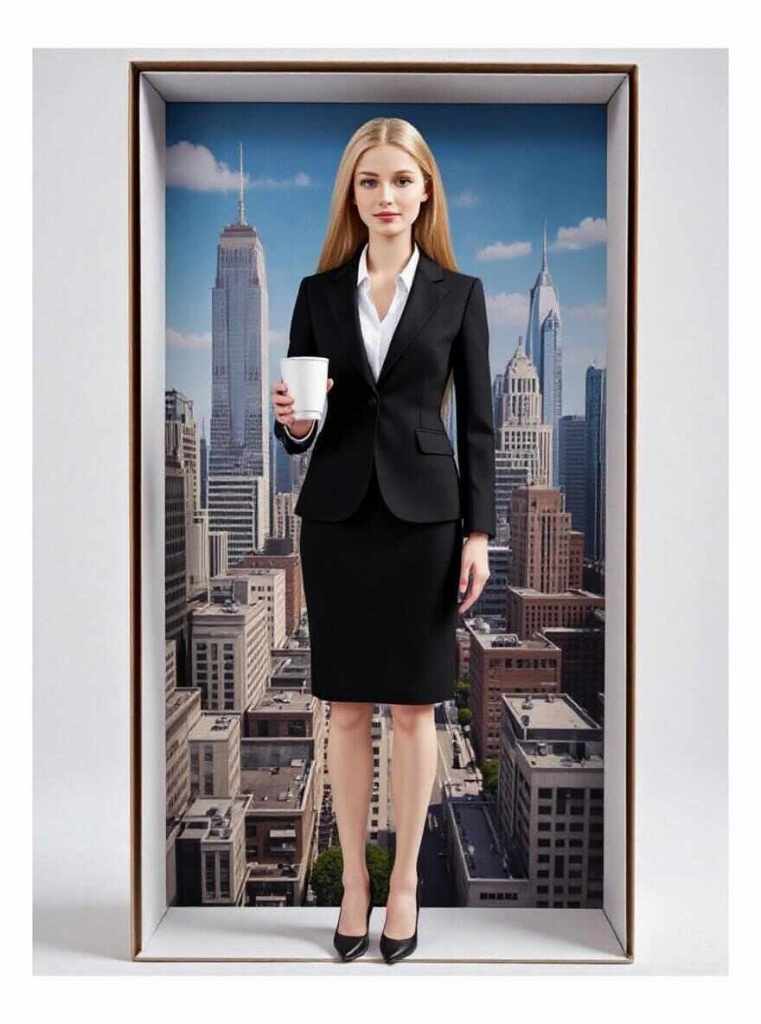
“CEO Barbie in a power suit, heels, and holding a coffee cup in a cityscape box”
“Goth Barbie with black leather jacket, fishnet tights, and dark lipstick”
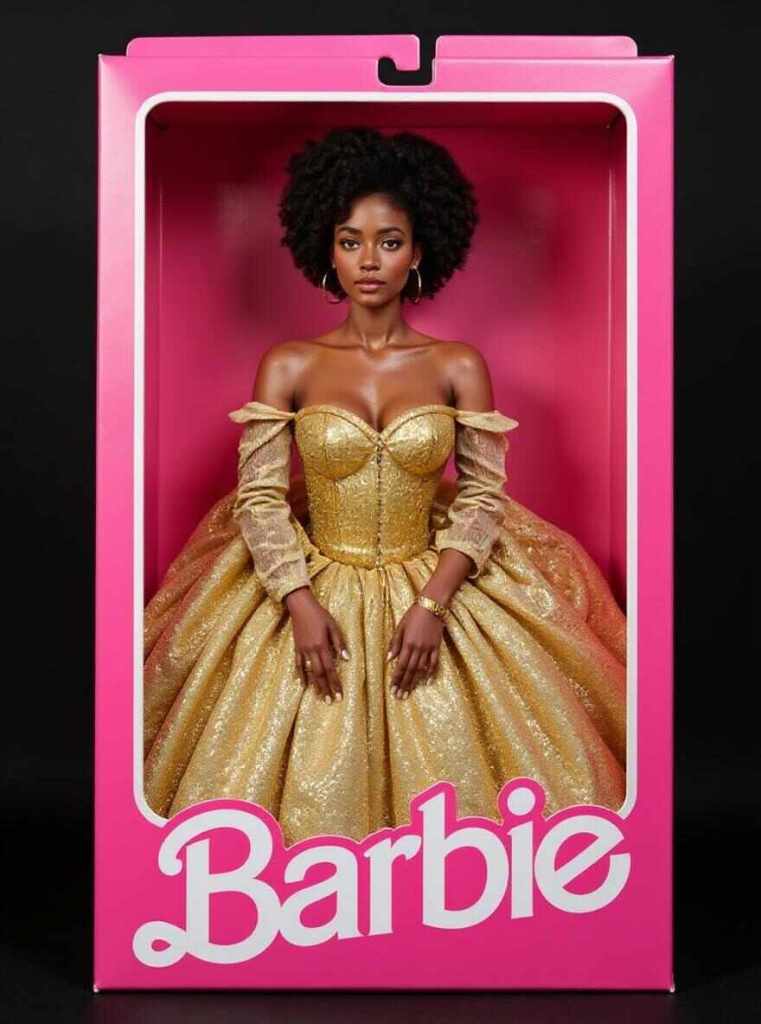
“Curly-haired Afro Barbie in a golden dress, with hoop earrings and a custom box design”
These prompts are just a starting point—get wild and let your inner doll shine!
Why Everyone Loves the Barbie AI Trend
There’s something magical about seeing yourself reimagined as a Barbie. It’s empowering, expressive, and taps into childhood nostalgia. But the ai barbie trend is about more than just pretty pictures.
Here’s why it resonates:
Personalization: You’re not using a filter. You’re creating your Barbie.
Nostalgia: Many grew up with Barbie, and this trend brings that magic back.
Social Sharing: These images look amazing on Instagram, Threads, and TikTok.
Diversity & Identity: Users can design Barbies that reflect who they are—different skin tones, styles, genders, and personalities.
APOB AI especially excels here. Unlike some AI tools that generate generic styles, APOB AI gives users full control over accessories, outfit themes, and even the box layout. Want a Barbie holding a violin? Done. Want one on a tropical beach with a bikini and sandals? Easy!
Why Use APOB AI to Join the Barbie AI Trend?
While other apps charge you per image or limit customization, APOB AI offers:
Free daily credits to generate up to 16 Barbie images
Custom prompt input for total creative freedom
Full-body Barbie with box accessories like shoes, brushes, and clothes
No signup required to get started immediately
Fast image generation in just seconds
This makes APOB AI one of the top choices for those jumping into the barbie doll ai trend without any hassle.
Real-World Uses: Not Just for Fun
The Barbie AI trend isn’t just for giggles. People are using their Barbie images in surprisingly creative ways:
Custom gifts (print your Barbie as stickers or mugs)
Decor for parties or profile frames
Social media branding for influencers or digital artists
Personal inspiration: visualize different versions of yourself!
The trend is growing not only among Gen Z but also millennials, artists, and creators who want to explore identity and aesthetic storytelling.
Conclusion: Your AI Barbie Awaits
The AI Barbie trend isn’t slowing down anytime soon—and you don’t need to sit on the sidelines. With APOB AI, you can step into your own Barbie dream world with just a few clicks.
So what are you waiting for? Upload your photo, type in a prompt, and let APOB AI doll you up in style!
FAQs about the AI Barbie Trend
Q1: What is the AI Barbie trend?
A1: It’s a viral trend where users generate Barbie-style images of themselves using AI tools like APOB AI, complete with glamorous outfits, themed boxes, and accessories.
Q2: Is APOB AI free to use for Barbie generation?
A2: Yes! APOB AI offers free daily credits that let you generate up to 16 Barbie images every day—no payment required.
Q3: Can I customize the look of my AI Barbie?
A3: Absolutely. You can enter creative prompts to control your Barbie’s outfit, hairstyle, accessories, background, and even the box design.
Q4: Is the Barbie AI trend only for women?
A4: Not at all! People of all genders are embracing the Barbie trend to express different identities, styles, and aesthetics.
Read More
Barbie AI Generator: Create Your AI Barbie Doll for Free with APOB AI
Introduction: Unleash Your Inner Barbie with APOB AI
If you’ve been on TikTok, Instagram, or Threads recently, you’ve probably seen the Barbie AI trend blowing up. Everyone's turning themselves into AI Barbies — glittery, glamorous, and ready for the digital stage. The best part? You don’t need any design skills or expensive software. All you need is APOB AI, the most powerful and beginner-friendly Barbie AI generator available online — and it’s totally free to use.
This surge in AI-generated content isn’t just a passing trend. Last year alone, the AI influencer market brought in over $6.95 billion in revenue, and the global influencer marketing platform industry is projected to surpass $22.2 billion by 2025 [1]. So whether you’ve always dreamed of becoming a Barbie or you just want to hop on the latest trend, this guide will show you how to transform yourself into a stunning digital Barbie in minutes.
APOB AI empowers users to easily create high-quality AI images and videos, making it the ideal choice for anyone looking to join the Barbie AI trend. Our platform ensures a seamless and intuitive experience, allowing you to focus on creativity rather than complex tools.
How to Use the Barbie AI Generator for Free with APOB AI
Here’s how you can make your own Barbie magic using APOB AI:
Step 1: Sign Up and Claim Your Credits
Go to apob.ai, create a free account, and instantly receive 80 free credits. That’s enough to generate up to 16 high-quality Barbie images or short AI videos.
Step 2: Create a Portrait Model
Click on “Create Portrait Model” and upload a clear photo of your face. Make sure your features are visible. Don’t want to upload your own photo? No worries — just click the AI Influencer Generator to create a Barbie-style model from scratch.
Step 3: Use “Chat to Edit” to Add a Creative Prompt
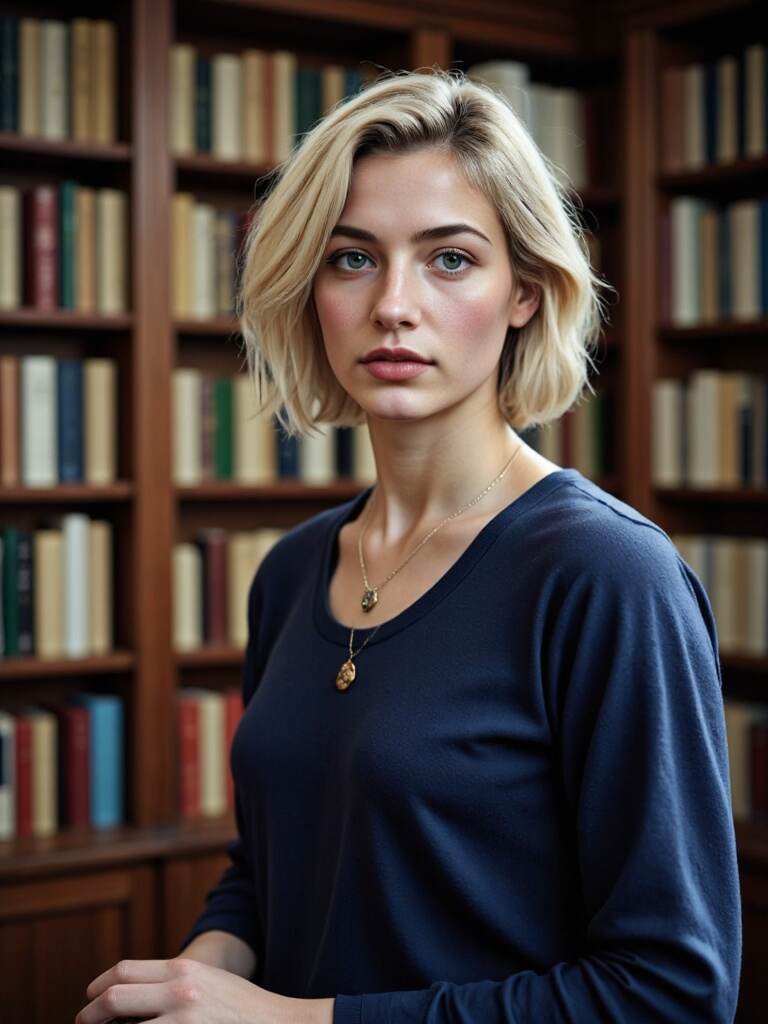
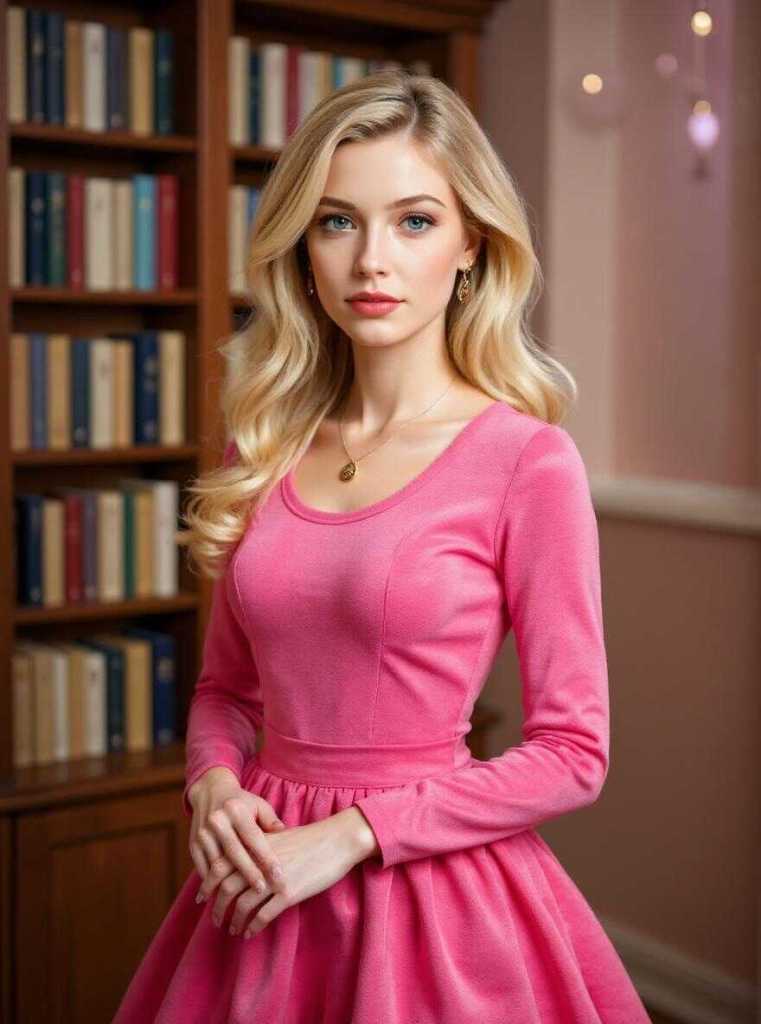
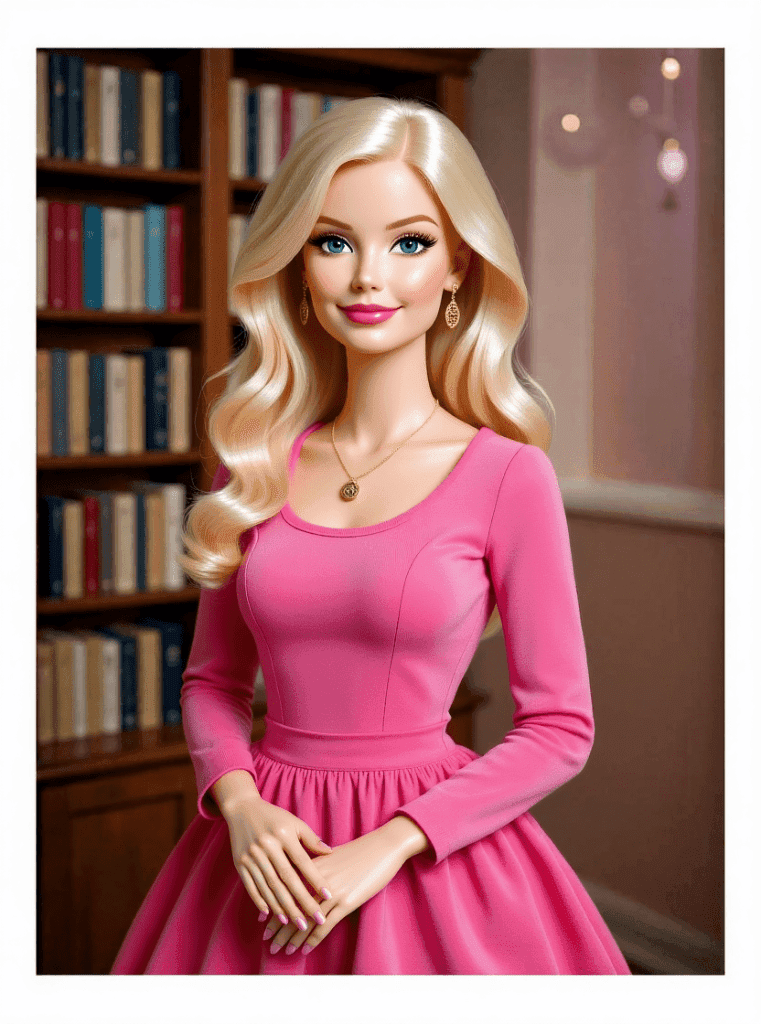
This is where the magic happens. Describe exactly what you want your Barbie to look like. APOB AI will bring it to life in seconds.
Best Practices for Optimal Barbie AI Results
To get the most out of your APOB AI Barbie generator, consider these expert tips:
High-Quality Source Images: Always start with clear, well-lit photos for the best AI model generation.
Detailed Prompts: Be specific in your prompts. Include details about clothing, hair, background, and mood for precise results.
Experiment with Styles: Don't be afraid to try different Barbie aesthetics, from classic glam to futuristic punk. The Barbie AI generator is versatile.
Utilize AI Enhancements: Explore APOB AI's built-in editing tools to refine your Barbie's features, lighting, and overall appearance.
Review and Iterate: Generate multiple versions and adjust your prompts based on the output to achieve your perfect Barbie doll.
Fun Prompt Ideas for Your AI Barbie
Not sure what to type? Here are some lively prompts to inspire your perfect Barbie:
“A full-body Barbie with flowing pink hair, glitter dress, and heels, standing in a classic Barbie box.”
“A goth Barbie with dark eyeliner, purple highlights, fishnet tights, and a velvet dollhouse background.”
“Space Barbie with silver armor and a glowing helmet, floating inside a futuristic doll package.”
“Y2K Barbie with a denim skirt, butterfly clips, pink sunglasses, and sparkly lip gloss.”
“A vintage 1960s Barbie, elegant and poised, wearing a polka-dot dress and matching hat, in a retro living room setting.”
“A professional CEO Barbie in a sharp business suit, standing confidently in a modern skyscraper office with city views.”
Feel free to get creative — The Barbie AI generator can handle almost anything you imagine!
Animate Your Barbie: Make Her Move & Talk!
Want to go beyond just an image? APOB AI offers advanced features like:
Image to Video – Watch your Barbie open the box and wave hello.
Talking Avatar – Make your Barbie speak using your own voice or typed text.
Lip Sync – Perfect for making fun Barbie reels or TikToks.
It’s not just a generator — it’s a full Barbie experience! APOB AI provides comprehensive tools to bring your creations to life, offering unparalleled flexibility and creativity for your digital Barbie.
Technical Specifications of APOB AI's Barbie Generator
APOB AI’s Barbie AI generator is built on advanced AI models, ensuring high-quality outputs and efficient processing. Here's what makes it stand out:
Supported Formats: Generates images in various standard formats (JPG, PNG) and videos in MP4.
Processing Speed: Utilizes cloud-based GPU acceleration for rapid image and video generation, typically within seconds.
Output Quality: Produces high-resolution images (up to 4K) and videos with smooth animation and realistic lip-syncing.
Data Privacy: APOB AI is committed to user privacy. All uploaded images and generated content are secured with industry-standard encryption. Users have full control over their models, with options to set them as public or private. For more details, please refer to our Privacy Policy.
API Integration: Offers robust API access for developers looking to integrate the Barbie AI generation capabilities into their own applications.
Why Choose APOB AI Over Alternatives for Your Barbie AI Needs?
When it comes to creating your perfect AI Barbie, APOB AI stands out from the crowd. Here’s a comparison:
Feature | APOB AI Barbie Generator | Manual Design Software |
|---|---|---|
Ease of Use | Extremely user-friendly, no design skills needed | Requires extensive design knowledge and software proficiency |
Speed of Creation | Generates images/videos in seconds | Hours to days for complex designs |
Cost | Free credits daily, affordable premium options | Expensive software licenses and potential artist fees |
Creative Freedom | AI-powered prompts allow limitless imagination | Limited by designer's skills and available assets |
Animation & Lip-Sync | Built-in features for dynamic content | Requires specialized animation tools and expertise |
Privacy Control | User-controlled model privacy (public/private) | Varies by platform, often less transparent |
APOB AI offers a superior, more accessible, and more powerful solution for transforming yourself into an AI Barbie.
Share Your Barbie AI Online!
Once your AI Barbie is ready, share it with the world! These images and short videos are perfect for:
TikTok trends
Instagram Reels
Threads / X profile pics
YouTube Shorts
Don’t forget to use hashtags like: #barbieaigenerator, #aibarbiegenerator, #barbieaigeneratorfree, and #apobai to get discovered! Showcasing your creations helps build a vibrant community around the APOB AI Barbie AI generator.
Key Advantages of Using APOB AI for Barbie Generation
APOB AI provides distinct benefits for anyone looking to create AI Barbie dolls:
Unmatched Accessibility: Our platform is designed for everyone, from beginners to seasoned creators.
Daily Free Credits: Start creating immediately without any upfront cost, thanks to generous daily free credits.
Advanced AI Capabilities: Leverage cutting-edge AI for realistic and imaginative Barbie transformations.
Comprehensive Toolset: Beyond static images, animate your Barbie, make her talk, and bring her to life.
Strong Community Support: Join a growing community of creators and share your Barbie AI creations.
Secure and Private: Your data and creations are protected with robust privacy settings.
User Testimonials
“I never thought I could create something this cool! The APOB AI Barbie generator is so easy and fun.” – Sarah L.
“My TikTok blew up after I posted my AI Barbie video made with APOB AI. Highly recommend!” – Mark T.
“The quality is incredible, and the free credits let me experiment endlessly. Best Barbie AI tool out there.” – Jessica P.
FAQs
Q1: Is APOB AI free to use as a Barbie AI generator?
A1: Yes! You get 80 free credits per day, enough to create up to 16 images or several videos — completely free.
Q2: Can I use the Barbie AI generator without uploading a personal photo?
A2: Absolutely. You can use the AI Influencer Generator to create a model from scratch without using your own picture.
Q3: Will uploading my photo cause any privacy issues?
A3: No, APOB AI respects your privacy. If you don’t want your image to appear in the community model feed, simply switch your model from Public to Private mode. Our commitment to data security is paramount [2].
Q4: Can I use my Barbie creation in videos or reels?
A4: Yes! With Image to Video, Lip Sync, and Talking Avatar features, you can animate your Barbie and use her in reels, shorts, or TikToks.
Q5: What makes APOB AI's Barbie AI generator stand out from other tools?
A5: APOB AI offers a unique combination of daily free credits, advanced animation features, user-friendly interface, and robust privacy controls, making it the most comprehensive and accessible Barbie AI generator available.
Q6: Are there any limitations on the types of Barbie AI images I can create?
A6: While the Barbie AI generator is highly versatile, we encourage creative and respectful use. Our platform guidelines promote positive and appropriate content creation [3].
References
[1] The-Next-Tech. (2023). AI Influencer Generator Apps Market Analysis. https://www.the-next-tech.com/top-10/ai-influencer-generator-apps/
[2] APOB AI. (2024). Privacy Policy. https://apob.ai/privacy-policy
[3] APOB AI. (2024). Terms of Service and Content Guidelines. https://apob.ai/terms-of-service
Read More

No credit card needed


