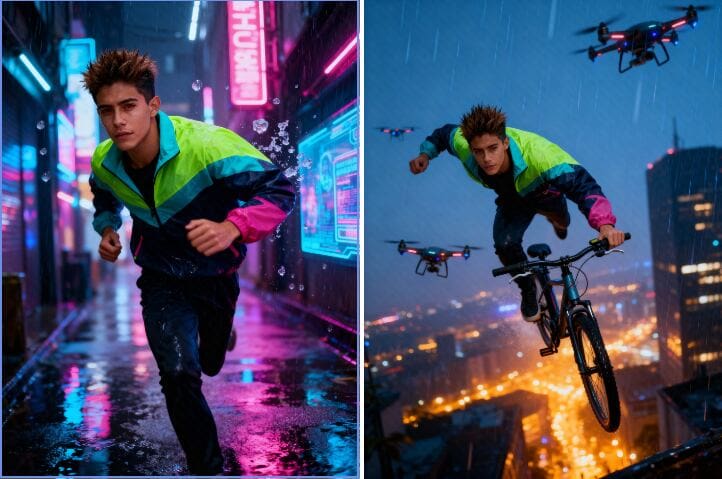
AI pictures are transforming the way we visualize and produce images. You're a designer, marketer, or art lover? Software like seedream 4.0 is creating new and innovative methods of production. So, what exactly is Seedream 4.0, and how can you use it for free? Here in this tutorial, we're going to discuss its most important features and guide you through accessing free use via APOB AI.
What Is Seedream 4.0?
Seedream 4.0 is an advanced AI image editor and generator that creates your concepts within seconds. Unlike conventional software like Photoshop, which demands manual editing, Seedream 4.0 is capable of processing raw text inputs and automatically generating real-looking and high-quality images.
Its intelligent AI engine powers incredible features such as inpainting, outpainting, background swap, and style transfer — all automated. You can make anything from photorealistic portraits to anime sketches, product renderings, or movie scenes.
How to Create an Image with Seedream 4.0
Creating with seedream 4.0 is incredibly simple and fast:
Step 1: Describe Your Vision
Write a quick prompt — say, "a sunset beach with a futuristic skyline."
Step 2: Watch the Magic Happen
Click Generate, and Seedream 4.0 will instantly turn your words into breathtaking pictures.
Step 3: Perfect Your Creation
Want something else? Revise your prompt or work out new variations until it looks just so.
Seedream 4.0 Meets APOB AI — Free Access Inside
Here’s the best part: you can use Seedream 4.0 for free directly through APOB AI.
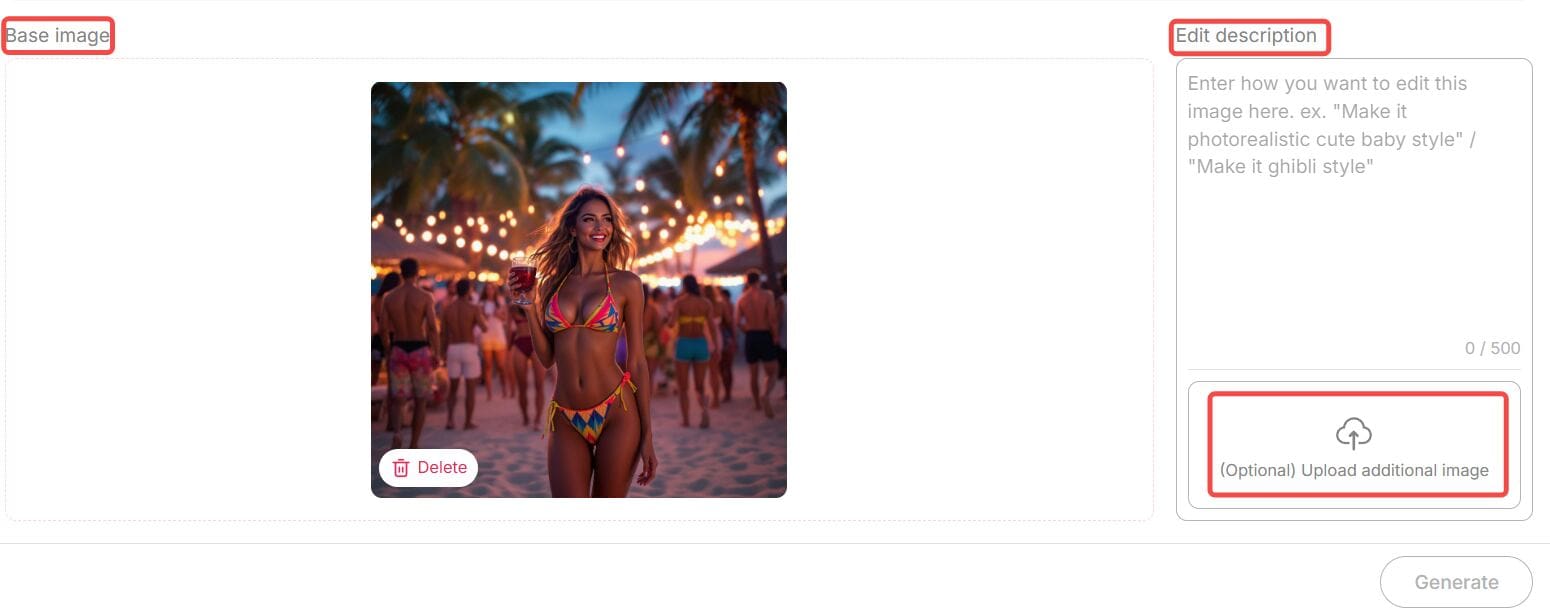
APOB AI is an advanced AI image generator and editor platform that integrates Seedream’s technology. Beyond image generation, it offers powerful editing features such as Chat to Edit — a tool that lets you modify images simply by typing text prompts.
For example, you can:
Change backgrounds effortlessly
Adjust facial expressions
Add or remove objects
Apply artistic filters
Even transform a portrait into a Barbie-style character,etc.
All you need to do is upload your image, enter your desired modification in natural language (and optionally upload a reference photo), then click “Generate.” APOB AI will instantly deliver a perfectly edited image.
Each edit costs only 40 credits, and here’s the amazing news — when you sign up for APOB, you receive 80 free credits daily. That means you can edit or create multiple images completely free, every single day.
So if you want to experience seedream 4.0’s power — APOB AI is your best gateway to explore it without paying a dime.
Why Seedream 4.0 Stands Out
Free and Unlimited Use
One of the best things about seedream 4.0 is that it’s completely free to try — no sign-up or hidden costs. You can create as many images as you like and use all the main features right away. Just type your idea, click “Generate,” and start creating. It’s simple, fast, and open to everyone.
Many Artistic Styles
Seedream 4.0 offers tons of creative looks — from realistic photos to watercolor, anime, fantasy, cyberpunk, and minimalist designs. Whether you’re making a product photo or a dreamy digital painting, you can find a perfect style for your project.
Smart Customization
Need more control over your image? Seedream 4.0 lets you easily adjust lighting, color, background depth, and composition. You can fine-tune your image until it looks exactly how you want. It’s easy to use but powerful enough for serious creators.
Inpainting and Outpainting
Want to erase something, add more space, or fix small mistakes? Seedream 4.0 can handle it. Its inpainting and outpainting tools let you remove or expand parts of the image naturally — no rough edges or weird blends.
4K Quality and Clear Text
Unlike many free tools that limit resolution, Seedream 4.0 supports sharp 4K ultra-HD images. It even keeps text and logos clean and readable. This makes it great for professional work, like ads, posters, or brand visuals.
Why Choose APOB + Seedream 4.0?
In today’s fast-paced creative world, speed and flexibility are everything. Whether you’re generating visuals for marketing campaigns or editing lifestyle shots for social media, Seedream 4.0 through APOB delivers:
Professional quality visuals
Lightning-fast image creation
AI-assisted editing that feels natural and human
Zero technical barriers
Together, they offer a complete solution — from generating original art to perfecting existing photos — all powered by next-gen AI.
Final Thoughts
AI creativity is evolving faster than ever, and seedream 4.0 is one of the tools leading that transformation. Its ability to understand natural prompts, deliver 4K visuals, and adapt to professional demands makes it stand out among today’s AI image generators.
And thanks to APOB AI, you don’t need to pay to explore it. You can experience all the power of seedream 4.0 — for free — while also enjoying advanced features like Chat to Edit and daily bonus credits.
If you’ve been searching for the best way to create, customize, and enhance your visuals in 2025, this is your chance to try the future of AI art — free of charge.
FAQs
Q1: Do I need any technical expertise?
A1: Not at all. Seedream 4.0 and APOB AI are designed for everyone. Just type what you imagine, click generate, and you’re done.
Q2: What types of images can I create?
A2: You can create portraits, anime characters, product photos, digital art, fantasy landscapes, and much more. All major aspect ratios — 9:16, 16:9, 3:4, 4:3, and 1:1 — are supported.
Q3: Are there any usage limits?
A3: Through APOB AI, you receive 80 free credits daily, allowing you to generate or edit multiple images each day. You can also purchase more credits if needed.
Q4: Can I use the images commercially?
A4: Yes. Images generated by Seedream 4.0 via APOB AI are yours to use, including for commercial projects like ads, websites, or product packaging.

Be the first to like this.




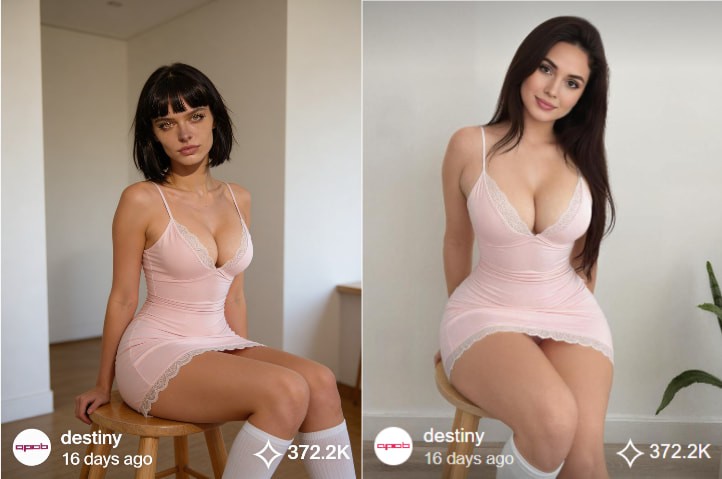
AI Body Swap: Revolutionizing Digital Identity and Content Creation
Understanding AI Body Swap Technology
AI body swap technology, also known as deepfake body or AI face swapping, is an advanced application of artificial intelligence that enables the seamless replacement of a person’s body or face in digital media. Powered by deep learning models such as generative adversarial networks (GANs), this technology analyzes visual data to create highly realistic images and videos with natural movements, expressions, and lighting.
Recent advancements have greatly improved both the realism and accessibility of AI body swap tools. Modern systems can now handle complex scenarios, including dynamic motion and varying lighting conditions, making the results nearly indistinguishable from real footage. By training deep neural networks on large-scale image and video datasets, AI body swap technology maps identity onto pose and expression, opening new possibilities for digital content creation, virtual influencers, and synthetic media.
How to Use APOB AI for AI Body Swap
Leveraging APOB AI to create your own digital personas is a straightforward process designed for efficiency and creativity. Follow these steps to bring your AI influencers to life:
Access the APOB AI Platform: Begin by logging into your APOB AI account. Our user-friendly interface is designed for seamless navigation.
Select or Create a Base Model: Choose from our extensive library of pre-designed AI models or start from scratch to build a unique digital identity. You can define various parameters such as gender, age range, and initial body type.
Chat to edit:
In the bottom-left corner of the page, find the Edit Image option. The first AI feature is Chat to Edit. Upload the image of the person you want to modify (you can also choose from a generated AI model image), along with a reference image. Then enter a prompt such as, “Please replace the woman’s body in the image with the body of the woman from the reference image.” This allows you to achieve AI body swap for free.
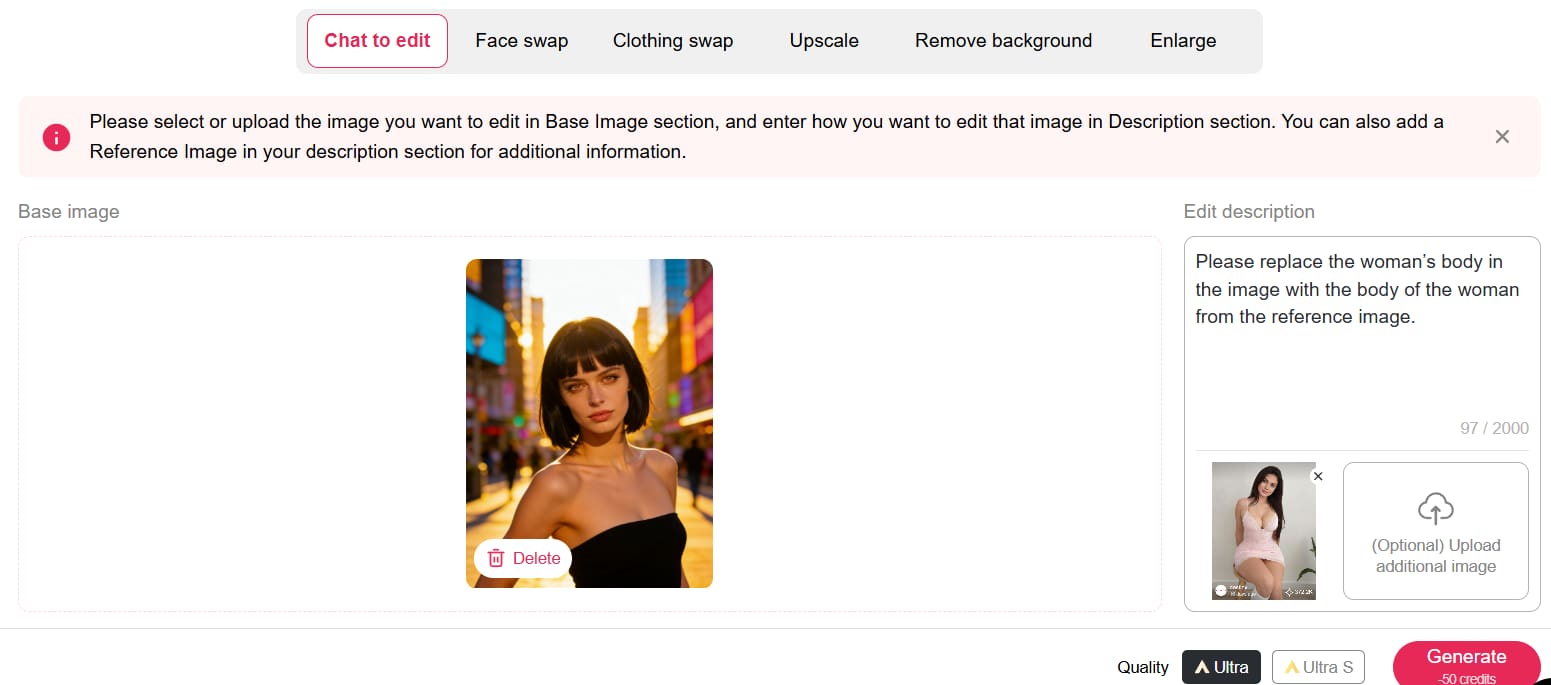
You can claim 80 free credits daily, and each Chat to Edit operation only costs 50 credits. If you’re not fully satisfied with the first result—such as the background not looking natural—you can simply enter another prompt to refine the image or change the background.
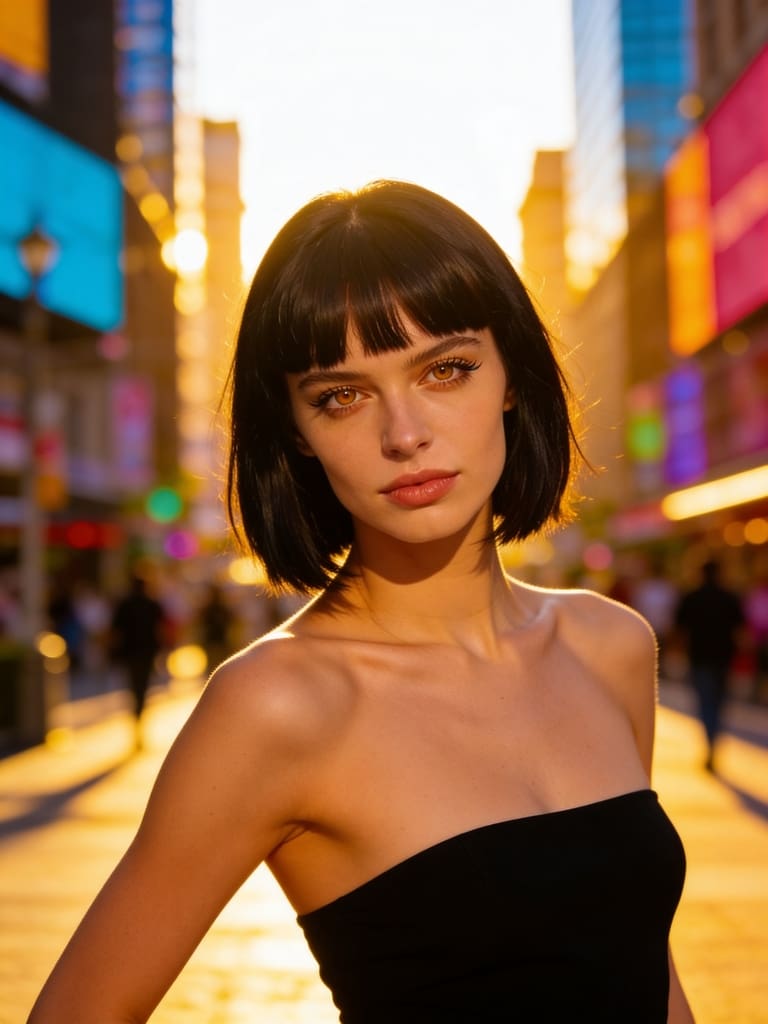
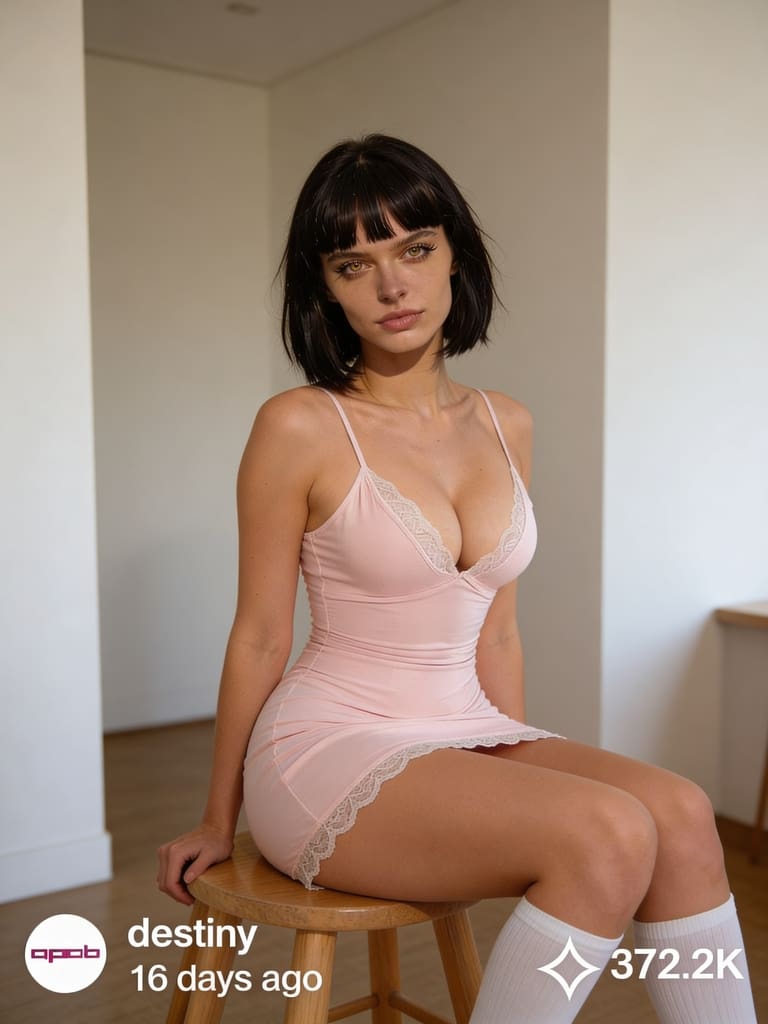
Export and Integrate: Export your generated content for social media, advertising campaigns, or any other digital platform. APOB AI ensures compatibility and high-quality output for all your creative projects.
APOB AI simplifies the creation of sophisticated digital content, providing a powerful tool for anyone looking to innovate in the digital space without the complexity and expense of traditional AI development or production methods. Try APOB AI For Free and start creating your digital personas today!
Applications of AI Body Swap in Content Creation
The applications of AI body swap technology are vast and transformative, particularly within the realms of digital content creation, entertainment, and marketing. Content creators can utilize this technology to generate highly personalized and engaging visuals without the need for extensive filming or costly talent. For instance, brands can create diverse campaigns featuring various body types or ethnicities without organizing multiple photoshoots.
In the entertainment industry, AI body swap can be used for special effects, character animation, or even to digitally age or de-age actors. For marketing, it offers unprecedented flexibility in creating virtual models or influencers who can represent a brand across numerous campaigns with consistent messaging and appearance. This capability allows for rapid iteration and customization of content, significantly reducing production timelines and costs while boosting creative possibilities.
Beyond entertainment and marketing, AI body swap technology is finding its way into virtual reality (VR) and augmented reality (AR) experiences, enabling users to embody different avatars or interact with digital environments in highly personalized ways. It also holds potential for educational content, allowing historical figures to be brought to life or complex medical procedures to be demonstrated with realistic digital models. The ability to generate diverse and dynamic visual content on demand is a game-changer for many industries.
Best Practices for Optimal AI Body Swap Results
Achieving the most realistic and impactful results with AI body swap technology, especially through platforms like APOB AI, requires adherence to certain best practices. These guidelines ensure that your digital personas are not only visually stunning but also effectively convey your intended message.
High-Quality Source Material: Always start with high-resolution images or videos. The quality of your input directly impacts the quality of the output. Clear, well-lit footage with good focus will yield superior results.
Consistent Lighting and Angles: When combining different elements, try to match the lighting conditions and camera angles. Discrepancies can lead to an unnatural appearance, breaking the illusion of realism.
Natural Expressions and Movements: Encourage natural expressions and movements in your source material. AI models perform best when synthesizing data that mirrors real-world human behavior.
Ethical Considerations: Be mindful of the ethical implications of using AI body swap technology. Ensure you have appropriate consent for any individuals whose likeness is used and avoid creating misleading or harmful content.
Iterate and Refine: Don't expect perfection on the first try. Experiment with different settings, source materials, and customization options. APOB AI's intuitive interface makes it easy to iterate and refine your digital personas until they meet your exact specifications.
Optimize for Platform: Consider where your content will be published. Different platforms have varying requirements for resolution, aspect ratio, and file size. Optimize your output for the best viewing experience on your target platforms.
APOB AI: Your Cost-Effective Solution for Digital Persona Creation
While the power of AI body swap technology is undeniable, developing and implementing such advanced AI solutions from scratch can be prohibitively expensive and technically complex. Many businesses and creators face significant barriers to entry when attempting to leverage these cutting-edge capabilities.
APOB AI provides an innovative and accessible alternative. Our platform empowers users to create hyper-realistic AI influencers and digital personas that can achieve the same compelling visual effects as advanced AI body swap techniques, but at a significantly lower cost and with unparalleled ease of use. Instead of grappling with complex algorithms and extensive data training, APOB AI offers a streamlined solution to generate diverse, lifelike digital characters for all your content needs.
With APOB AI, you gain the ability to craft unique digital identities that perfectly align with your brand or creative vision. Our intuitive tools allow you to customize appearances, movements, and expressions, effectively delivering the impact of AI-generated visual content without the hefty investment in bespoke AI development. This makes APOB AI the ideal choice for businesses and individuals looking to harness the power of AI-driven content creation efficiently and economically. Start Creating Now with APOB AI and transform your content strategy.
Technical Specifications and Data Privacy
APOB AI is engineered for performance, versatility, and security, ensuring that your digital persona creation process is both powerful and protected.
Supported Formats: Our platform supports a wide range of input and output formats for images and videos, ensuring compatibility with your existing workflows.
Processing Speed: Leveraging state-of-the-art cloud infrastructure, APOB AI offers rapid processing speeds, allowing for quick iteration and content generation without compromising quality.
Output Quality: We prioritize high-fidelity output, with advanced algorithms ensuring that generated digital personas maintain exceptional visual quality, detail, and realism.
Data Privacy Policy: At APOB AI, we are committed to protecting your data. All user data, including uploaded assets and generated content, is handled with the utmost confidentiality and secured using industry-standard encryption protocols. We comply with global data protection regulations to ensure your privacy and intellectual property are always safeguarded. Your data is never used to train models for other users without explicit consent.
Key Advantages of Using APOB AI
Choosing APOB AI for your digital content needs offers a multitude of advantages:
Unmatched Realism: Generate AI influencers and digital personas that are virtually indistinguishable from real humans.
Cost-Effectiveness: Significantly reduce production costs associated with traditional filming, talent, and post-production.
Speed and Efficiency: Create high-quality content in a fraction of the time compared to conventional methods.
Creative Freedom: Experiment with diverse appearances, styles, and scenarios without logistical constraints.
Scalability: Easily scale your content production to meet growing demands, from individual projects to large-scale campaigns.
Brand Consistency: Maintain a consistent brand image and messaging across all your digital content with custom personas.
User-Friendly Interface: Our platform is designed for creators of all skill levels, requiring no prior AI expertise.
These advantages empower businesses and individual creators to innovate, engage audiences, and stay ahead in the rapidly evolving digital landscape. Get 80 Free Credits Daily and experience the APOB AI difference.
Frequently Asked Questions (FAQ)
Q1: What is AI body swap technology?
A1: AI body swap technology uses deep learning, particularly GANs, to replace a person's body or face in digital media with another, creating a realistic composite image or video. It's a key component in generating advanced digital personas and deepfakes.
Q2: Is APOB AI suitable for commercial use?
A2: Yes, APOB AI is designed for both personal and commercial use. Our platform enables businesses and creators to generate high-quality digital content, including AI influencers, for marketing, advertising, and other commercial applications, subject to our terms of service.
Q3: What kind of content can I create with APOB AI?
A3: You can create a wide range of content, including AI influencers for social media, virtual models for e-commerce, digital presenters for educational videos, and custom digital personas for various creative projects, all without traditional filming.
Q4: What are the ethical considerations when using AI body swap technology?
A4: Ethical considerations include obtaining proper consent for using individuals' likenesses, avoiding the creation of misleading or harmful content, and ensuring transparency about the use of AI-generated media. APOB AI encourages responsible and ethical use of its technology.
Read More
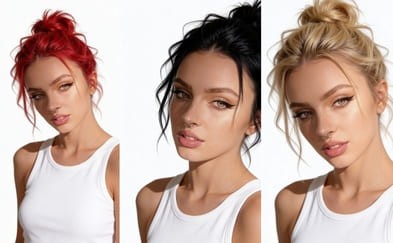
AI Hair Color Change: Change hair color for free with APOB AI
The Rise of AI in Visual Content Creation
From advanced image generation to sophisticated video editing, AI tools are empowering creators to achieve previously unimaginable visual effects. One such transformative application is AI hair color change, a technology that allows for seamless and realistic alteration of hair color in digital images and videos.
Step-by-Step Guide: How to Change Hair Color with APOB AI
Transforming your look has never been easier. Follow this detailed guide to alter hair color realistically using APOB AI, from training your personal model to generating dynamic videos.
Step 1: Initialize and Train Your AI Persona
Before applying changes, the AI needs to understand your unique facial features.
Sign Up & Access: Log in to your APOB AI account. If you are a new user, sign up to claim your free membership and starter credits.
Start Training: Navigate to the dashboard and click the "Train your AI model" button.
Upload Reference Images: You will be prompted to upload photos of the character or person whose hair you want to change.
Crucial Tip: Upload clear, high-resolution images. Ensure the face is unobstructed (no sunglasses or heavy shadows) and well-lit. Front-facing photos work best for accurate facial recognition.
Create Base Portrait: Follow the on-screen instructions to complete the training. Once finished, generate a standard "AI Portrait" to confirm the model resembles the subject accurately.
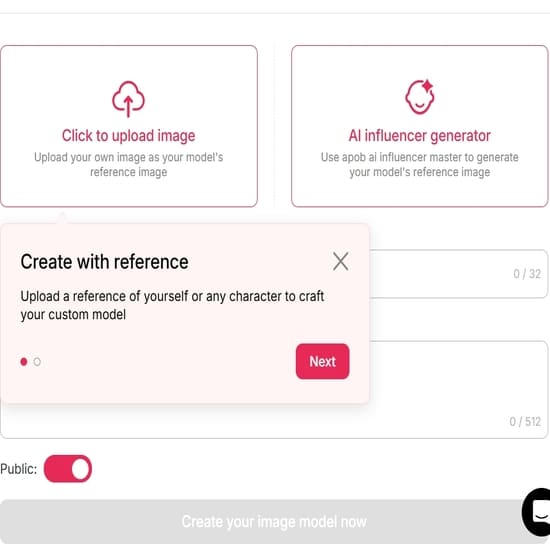
Step 2: Access the Image Editing Suite
Now that your model is ready, you can apply specific visual changes.
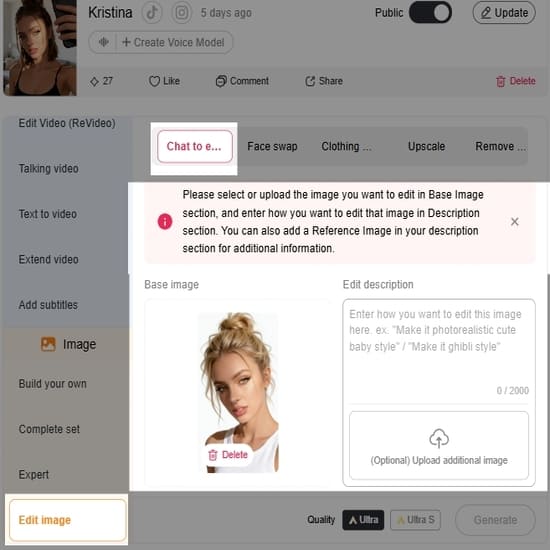
Navigate to Edit: Look for the "Edit Image" feature in the menu.
Upload Target Photo: Upload the specific photo of the person (or use one generated by your model) that you wish to modify.
Define the Transformation: In the text prompt box, clearly describe your desired outcome.
Bad Prompt: "Change hair."
Good Prompt: "Change hair color to vibrant platinum blonde, natural lighting, realistic texture."
Optional: You can also adjust the hairstyle in this step (e.g., "Long wavy red hair" or "Short pixie cut with blue highlights").
Generate: Click the "Generate" button and allow the AI a few moments to process the request.
Step 3: Preview, Refine, and Select
The AI will likely generate multiple variations. It is time to choose the best one.
Review Results: Browse through the generated images. Check specifically for the hairline and blending—good AI hair color changes should look natural where the hair meets the skin.
Refine (If Necessary): If you are not satisfied with the shade or the fit:
Edit the Prompt: Try adding adjectives like "darker," "lighter," "pastel," or "metallic."
Re-roll: Click "Generate" again to get a fresh set of options.
Download: Once you find the perfect look, click the Download icon to save the high-resolution image to your device.
Step 4: Upscale and Polish (Optional)
Note: If the generated image is small or slightly soft, look for an 'Upscale' button within APOB AI to enhance the resolution and sharpness before using it for video.
Step 5: Bring the Look to Life with Video
Visualize how this new hair color looks in motion.
Switch to Video Mode: Navigate to the "Image to Video" tool on the dashboard.
Upload the New Look: Select the image you just generated (with the new hair color) as your source image.
Set Movement Prompts: (Optional) Add a text prompt to guide the movement, such as "Subtle smile, wind blowing through hair," to see how the light interacts with the new color.
Generate Video: Click Generate. The AI will animate your static image, allowing you to see a realistic preview of the new hair color in action.
Pro Tips for Better Results
Lighting Matters: When uploading your source image in Step 2, avoid photos with colored gel lighting (e.g., neon red lights), as this can confuse the AI when you try to change the object's color.
Be Specific: Instead of "Red hair," try "Dark auburn hair" or "Bright cherry red hair" for more accurate results.
Best Practices for Optimal Results with AI Hair Color Change
To maximize the impact of AI hair color change and ensure your digital influencers always look their best, consider these best practices:
High-Quality Base Images: Start with well-lit, high-resolution images of your digital influencer. Clear, sharp images provide the AI with better data to work with, leading to more realistic and seamless hair color transformations.
Consider Lighting and Shadows: When selecting a new hair color, pay attention to how it interacts with the lighting and shadows in the original image. APOB AI is designed to integrate new colors naturally, but understanding these elements can help you choose shades that enhance realism.
Experiment with Undertones: Hair color isn't just about the main hue; undertones play a crucial role in natural appearance. Experiment with slightly warmer or cooler variations of your chosen color to find the perfect match for your influencer's skin tone and the overall image aesthetic.
Match Brand Aesthetics: Ensure the chosen hair color aligns with your brand's visual identity and campaign goals. Consistent branding across all visual assets, including your digital influencer's appearance, reinforces brand recognition and message.
Test Across Different Poses/Expressions: Apply the new hair color to several images of your influencer in various poses and expressions. This helps confirm that the color change looks consistent and natural under different conditions.
Utilize Pre-set Options and Customization: APOB AI offers both pre-set color options for quick application and advanced sliders for granular control. Use pre-sets for inspiration and then fine-tune with custom adjustments to achieve unique shades.
Monitor Trends: Keep an eye on current hair color trends in the fashion and beauty industries. Incorporating popular shades can keep your digital influencers fresh and relevant, attracting more engagement from your target audience.
Technical Specifications of APOB AI's Hair Color Change Technology
APOB AI leverages cutting-edge deep learning models, specifically advanced Generative Adversarial Networks (GANs) and convolutional neural networks (CNNs), to achieve highly realistic and precise hair color transformations <sup>[1]</sup>. Our technology is designed to understand complex hair structures, textures, and lighting conditions, ensuring that color changes are seamlessly integrated without artifacts or unnatural appearances.
Supported Formats: Images (JPG, PNG, WebP) and Video (MP4, MOV).
Resolution: Supports high-resolution inputs up to 4K, maintaining image quality post-processing.
Processing Speed: Optimized for rapid processing, typically completing image transformations in seconds and video segments in minutes, depending on length and complexity.
Output Quality: Delivers photorealistic results with accurate color rendition and preservation of original hair texture and detail.
Data Privacy: APOB AI adheres to strict data privacy protocols, including GDPR and CCPA compliance. All user data and uploaded content are encrypted and processed securely, ensuring confidentiality and protection <sup>[2]</sup>. User content is not used for model training without explicit consent.
API Integration: Available for seamless integration into existing workflows and applications, allowing developers to leverage APOB AI's capabilities programmatically.
Why Choose APOB AI Over Alternatives for Digital Persona Customization
In the rapidly expanding market of AI-powered creative tools, APOB AI distinguishes itself through a combination of advanced technology, user-centric design, and unparalleled value. When considering solutions for digital persona customization, especially for features like AI hair color change, APOB AI offers distinct advantages.
AI vs. Manual Editing: A Cost-Benefit Analysis
Feature | Manual Editing | APOB AI |
Time Efficiency | Hours to days per image/video | Seconds to minutes per image/video |
Cost | High (professional designers, software licenses) | Low (subscription-based, cost-effective) |
Scalability | Limited by human resources | Highly scalable for bulk processing |
Consistency | Varies by editor, prone to human error | High, AI ensures uniform quality |
Expertise Required | Advanced graphic design skills | Minimal, intuitive user interface |
Creative Iterations | Slow and costly | Fast and inexpensive |
Key Advantages of APOB AI
Unmatched Realism: Our AI models are trained on vast datasets to produce the most natural-looking hair color changes, preserving intricate details and lighting.
Cost-Effectiveness: Access professional-grade tools without the hefty price tag of traditional software or specialized labor. APOB AI makes advanced AI accessible.
User-Friendly Interface: Designed for creators of all skill levels, our platform ensures a smooth and intuitive experience from start to finish.
Comprehensive Customization: Beyond hair color, APOB AI provides a suite of tools for full digital persona development, offering a one-stop solution for virtual influencer creation.
Secure and Private: We prioritize your data security and privacy, ensuring your creative assets are protected.
Applications of AI Hair Color Change in Digital Content
The versatility of AI hair color change extends across numerous industries and creative endeavors, empowering brands and creators to push the boundaries of digital content. Here are some key applications:
Fashion and Beauty Campaigns: Rapidly adapt digital models to showcase new hair color trends, product lines, or seasonal collections without the need for physical dyeing or extensive photoshoots. This allows for dynamic and timely marketing content.
Virtual Influencer Marketing: Enhance the appeal and adaptability of virtual influencers by giving them the ability to change their hair color to match brand collaborations, campaign themes, or audience preferences, keeping them fresh and engaging.
Gaming and Metaverse Avatars: Provide users with advanced customization options for their in-game characters or metaverse avatars, offering a rich and personalized experience.
Film and Television Pre-visualization: Experiment with character designs and aesthetics in pre-production, allowing directors and designers to visualize different looks quickly and cost-effectively before committing to expensive production decisions.
E-commerce Product Visualization: For hair product brands, demonstrate the effect of different hair dyes or treatments on various hair types and colors through digital models, enhancing the online shopping experience.
Social Media Content Creation: Generate eye-catching and unique content for platforms like Instagram, TikTok, and YouTube, where visual novelty and rapid trend adoption are key to engagement.
User Testimonials
"The precision and realism of the hair color changes are astounding. Our digital influencer now adapts to every campaign theme effortlessly, saving us so much time." - Mark T., Brand Manager
Frequently Asked Questions About AI Hair Color Change
What is AI hair color change technology?
AI hair color change technology uses artificial intelligence algorithms, typically deep learning models, to automatically and realistically alter the hair color in digital images or videos. It identifies hair regions and applies new colors while preserving texture, lighting, and shadows, creating a natural appearance.
How accurate are the hair color changes produced by APOB AI?
APOB AI utilizes advanced neural networks trained on extensive datasets to ensure highly accurate and photorealistic hair color changes. The technology intelligently adapts to different hair types, lighting conditions, and image qualities, minimizing artifacts and maximizing natural integration.
Can APOB AI change hair color in videos as well as images?
Yes, APOB AI's technology is capable of performing AI hair color change in both static images and video footage. For videos, the AI maintains temporal consistency, ensuring the new hair color remains stable and natural across all frames, providing a seamless visual experience.
Is technical expertise required to use APOB AI for hair color changes?
No, APOB AI is designed with user-friendliness in mind. Its intuitive interface allows creators of all skill levels to easily implement complex aesthetic changes, including hair color transformations, without requiring specialized technical expertise or extensive training in graphic design software.
How does APOB AI ensure data privacy for uploaded content?
APOB AI employs robust security measures, including end-to-end encryption for all uploaded content and adherence to global data protection regulations like GDPR. User data is processed securely and is never used for model training or shared with third parties without explicit user consent.
What are the typical use cases for AI hair color change?
Typical use cases include enhancing virtual influencers for marketing campaigns, customizing avatars in gaming and metaverse platforms, pre-visualization in film and media production, and creating dynamic content for social media. It offers immense flexibility for brands and creators to adapt visual aesthetics quickly and efficiently.
References
[1]Liu, H., et al. (2020). Hair Color Transfer with Style-Based Generative Adversarial Networks. Proceedings of the IEEE/CVF Conference on Computer Vision and Pattern Recognition (CVPR).
[2] European Parliament and Council. (2016). General Data Protection Regulation (GDPR). Regulation (EU) 2016/679.
[3] California Consumer Privacy Act (CCPA). (2018). California Civil Code sections 1798.100 et seq.
[4] NVIDIA. (2023). AI for Content Creation: The Future of Digital Artistry. NVIDIA Developer Blog.
Read More
Kling AI 3.0: Release Date, Features Preview & The Best Alternative to Try Now
The AI video generation landscape is evolving rapidly, and the recent announcement of Kling AI 3.0 has sent shockwaves through the creator community. With promises of an "All-in-One" model and cinema-grade control, the hype is real.
But for creators eager to generate high-quality AI videos today, a major question remains: When will it actually be released, and what should you use while you wait?
In this article, we’ll dive into the leaked features of Kling 3.0 and introduce you to APOB AI, the best alternative you can use right now to create stunning, consistent AI character videos without the waitlist.
Try Kling AI 3.0 Alternative For Free
What’s New in Kling AI 3.0? (Feature Preview)
According to official previews, Kling 3.0 aims to solve the industry's biggest challenge: control. The update is built around the concept of "All in One, One for All," merging various capabilities into a single, powerful foundation model.
Here are the standout features coming to Kling 3.0:
1080p High-Definition Quality: The new model supports native 1080p generation, delivering richer details and more realistic lighting compared to previous iterations.
Motion Brush ("Paint to Move"): This highly anticipated feature gives creators granular control. You can paint over specific areas (like clouds or water) and draw trajectories to dictate exactly how they move.
Lip Sync & Audio: The update introduces precise lip-syncing capabilities, allowing characters to speak in perfect time with uploaded audio, ideal for digital human creation.
Professional Camera Control: Creators can simulate cinematic camera moves like pans, tilts, and zooms to enhance visual storytelling.
Start & End Frame Control: To ensure narrative consistency, users can upload both a starting image and an ending image, allowing the AI to generate the transition between them.
The Problem: The "Coming Soon" Frustration
While Kling 3.0 features like Motion Brush and Start/End Frame control sound incredible, there are significant hurdles for the average user:
It’s Not Available Yet: As of now, Kling 3.0 is in the announcement phase. Most users are stuck refreshing pages or waiting for beta access.
Complexity Overload: Features like trajectory painting and multi-frame control are powerful but require a steep learning curve.
Character Consistency Issues: Generalist models like Kling are great for landscapes, but they often struggle to keep a specific character's face consistent across different clips—a dealbreaker if you are creating an AI Girlfriend or virtual influencer.
Why wait for an invite code when you can start creating today?
The Best Alternative Available Now: APOB AI
If you are looking to create AI videos immediately—especially if your focus is on AI Characters, Virtual Partners, or Social Media Content—APOB AI is your best current solution.
Unlike generalist models that require complex prompting to get a human face right, APOB AI is optimized for portrait consistency and ease of use.
Why Choose APOB AI Over Waiting for Kling 3.0?
Zero Wait Time: No waitlists. Sign up and start creating instantly.
Specialized for AI Characters: If you want to animate your AI Girlfriend, APOB's algorithms keep her face consistent and natural, avoiding the "morphing" glitches common in other tools.
Free Daily Credits: You can experiment and create without an upfront subscription.
How to Create Your First AI Video with APOB AI (In 3 Simple Steps)
While waiting for Kling 3.0 might require mastering complex "Motion Brushes," using APOB AI is designed to be effortless. Here is how to animate your AI character in minutes:
Step 1: Get Your Free Access
Head over to APOB.ai and sign up. You will instantly receive free daily credits, allowing you to generate videos immediately without paying a cent.
Step 2: Choose Your Mode
For AI Characters (Recommended): Select "Image to Video". This is perfect for taking a static portrait of your AI Girlfriend or partner and bringing it to life.
For New Scenarios: Select "Text to Video" to create a scene from scratch using just words.
Step 3: Upload & Animate
Upload your favorite character portrait. Then, in the prompt box, describe the simple action you want.
Pro Tip: Keep it natural. Try a prompt like: "Slowly smiling at the camera, wind blowing through hair, subtle eye blink, 4k high quality."
Step 4: Generate & Download
Hit Generate. In about 60 seconds, your static image will transform into a high-definition video. Download it directly and share it on TikTok, Instagram, or YouTube Shorts.
Try Kling AI 3.0 Alternative For Free
Comparison: Kling 3.0 vs. APOB AI
Feature | Kling AI 3.0 (Upcoming) | APOB AI (Available Now) |
Availability | Unreleased / Waitlist | Live / Instant Access |
Primary Strength | Complex Physics & Trajectories | Character Consistency & Portraits |
Ideal For | Professional Filmmakers | Social Media & AI Partner Creators |
Learning Curve | High (Requires path drawing) | Low (One-click generation) |
Cost | Unknown / Likely Subscription | Free Daily Credits |
Conclusion
Kling 3.0 is undoubtedly shaping up to be a powerhouse for professional AI filmmaking with its new 1080p and motion control features. However, for creators who want to make engaging content today without the headache of complex tools or indefinite wait times, APOB AI is the superior choice.
Whether you are bringing an AI Girlfriend to life or creating viral social content, APOB AI offers the speed, consistency, and accessibility that modern creators need.
Read More
How APOB Edit Video Delivers Smarter AI Character Replacement Than Scail Remotion
What Is Scail?
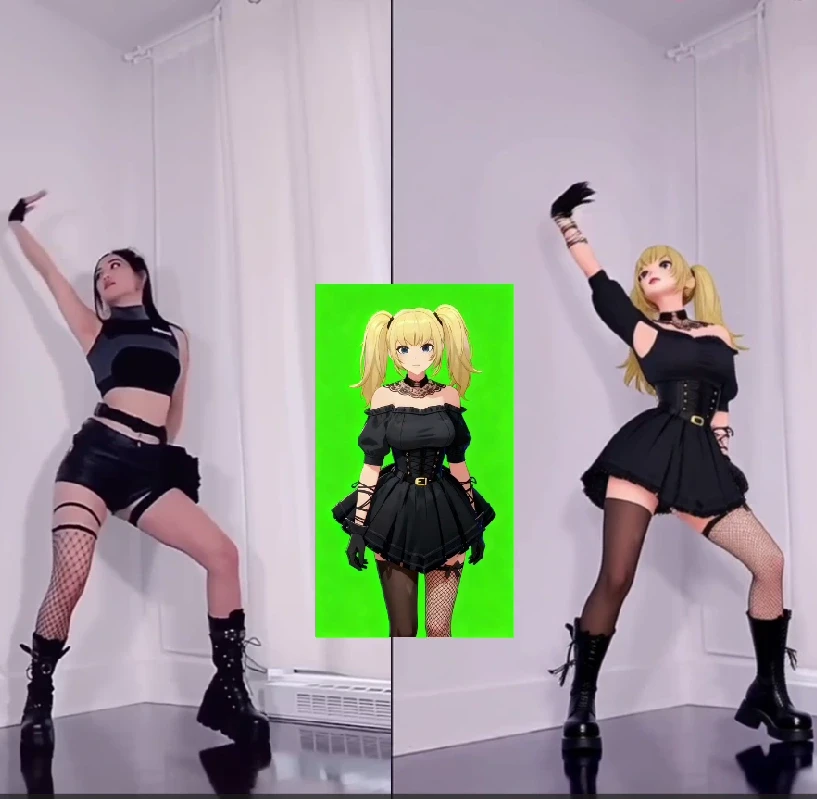
Scail is an AI-powered character animation and replacement tool designed to create studio-grade videos through in-context learning. In simple terms, scail allows users to replace or animate characters inside existing videos while preserving motion, expressions, and overall realism.
One of the most talked-about features of scail is scail remotion, which focuses on re-mapping motion from an original video onto a new character. By learning facial movements, body gestures, and timing, scail remotion makes it possible to “swap” characters in viral or trending videos with impressive accuracy.
Because of this, scail has become popular among creators who want to:
Recreate trending videos quickly
Replace characters without re-shooting footage
Produce AI-driven content that looks realistic and engaging
However, while scail and scail remotion are powerful, they mainly focus on character animation and replacement. This is where APOB AI goes further.
Scail vs APOB: What’s the Real Difference?
Scail is excellent at what it does: character animation and remotion. But APOB Edit Video is built as a more comprehensive AI video creation platform, not just a single-purpose tool.
Here’s a clear comparison:
Scail / Scail Remotion
Strong focus on character replacement
Motion learning and realistic animation
Limited control over background, camera angle, and overall video style
APOB Edit Video
Full AI character replacement (similar to scail remotion)
Ability to change video backgrounds
Ability to adjust camera angles
One-click video style transformation
Works even if you don’t already have a video
Free daily credits to try AI video generation
In other words, APOB includes the core value of scail remotion, but expands it into a full AI video workflow.
How to Use APOB to Generate AI Video (Step-by-Step)
APOB is designed to be beginner-friendly while still powerful enough for creators and marketers.
Step 1: Log in to APOB
Click the Try for free link or search apob.ai to enter the official website. After logging in, you can claim 80 free credits every day, which is enough to start generating AI images and videos.
Step 2: Create an AI Model
In the Community Model section, you’ll see a wide range of AI models created by other users. If you find one you like, simply click and use it.
If you want something unique, click Create Portrait Model:
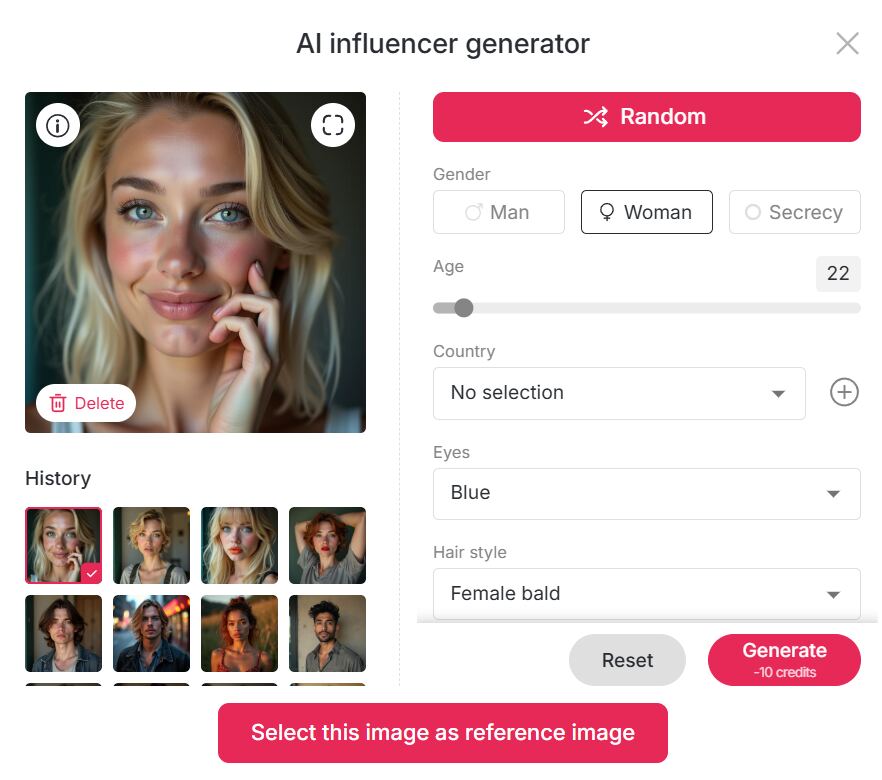
Upload your own photos, or use the AI Influencer Generator to customize an AI girl or AI boy
You can choose: Age, Gender, Nationality, Height & weight, Hairstyle, Eye color, Face shape, Skin tone
This makes APOB perfect for building a long-term AI influencer identity.
Step 3: Generate AI Images (Optional)
If you already have a reference image you like, you can skip this step.
Otherwise, APOB offers:
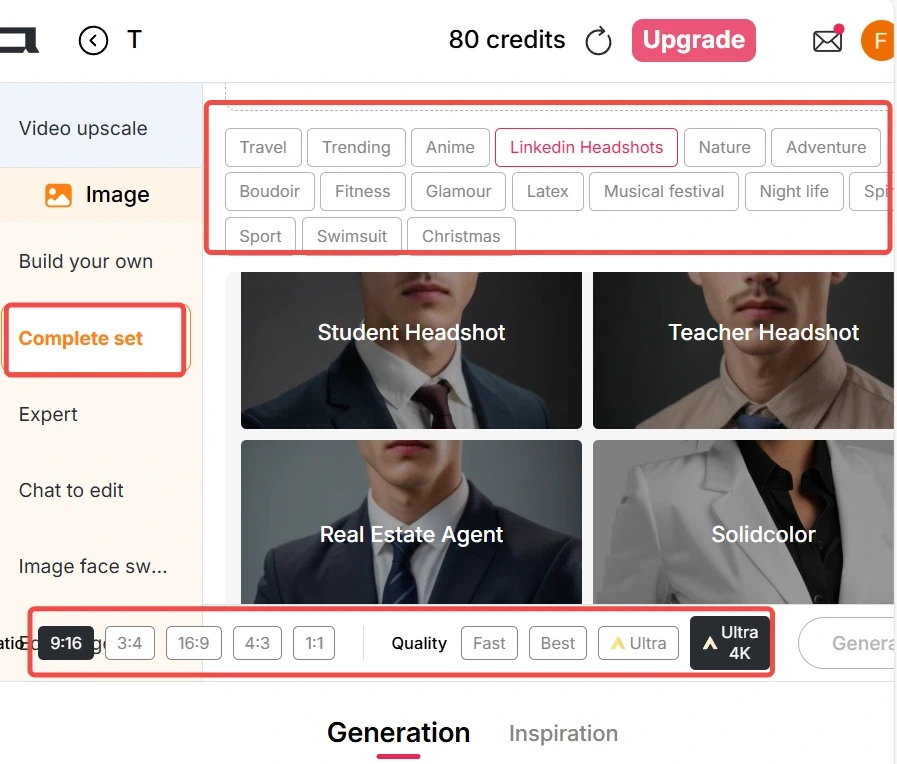
Build Your Own
Complete Set
Expert Mode
You can select presets or input prompts to generate high-quality AI images that will later be used for video replacement.
Step 4: Generate AI Video with Edit Video
If you already have a video:
Go to the Edit Video tab
Choose Edit Character
Upload:
Original Video (under 30 seconds)
Reference Image (AI model image)
Click generate — no prompt needed
The reference image will automatically replace the person in the original video, similar to scail remotion, but faster and easier.
In Best Mode, APOB only uses 26 credits per second, making it extremely cost-efficient.
If you don’t have a video:
Use Image to Video
Enter a prompt to generate a realistic video
Then apply Edit Video again for character replacemen
Tips for Producing High-Quality AI Videos
To get the best results (especially if you’re used to scail remotion), follow these tips:
Use videos with clear faces and stable lighting
Keep original videos under 30 seconds
Choose reference images with front-facing angles
Avoid heavy motion blur in the original clip
Use Best or Ultra mode for commercial content
These steps dramatically improve realism and consistency.
Why Are Tools Like Scail So Popular?
The core reason is simple: the internet rewards imitation.
Once a video trend goes viral, thousands of creators try to: Recreate it, Remix it, Parody it, Localize it.
Platforms like TikTok, Instagram Reels, and YouTube Shorts favor familiar formats, especially in a short time window. Tools like scail and scail remotion allow creators to imitate viral videos instantly by replacing the character instead of re-shooting content. Some creators also use character replacement for humor or contrast, creating unexpected and funny results that audiences love.
APOB takes this viral logic further by letting users:
Swap characters
Change styles
Modify camera angles
Reinvent the same video into multiple formats
How to Make Money with APOB AI
Yes — AI videos generated by APOB can absolutely be monetized.
Popular monetization paths include:
Creating AI influencers for TikTok or Instagram
Running affiliate promotions with AI characters
Selling UGC-style AI videos to brands
Growing theme pages powered by AI personas
Repurposing viral formats across multiple niches
Because APOB supports consistent AI characters, you can build recognizable digital personalities that attract long-term followers — something scail alone does not fully support.
FAQs
Q1: Can APOB generate AI videos for free?
A1: Yes. APOB offers Fast, Best, Ultra, and Ultra S modes. In Best mode, you can generate 3 seconds of AI video per day for free. With daily 80 credits, you can save credits for higher-quality modes or upgrade anytime.
Q2: Can I edit AI-generated images after creation?
A2: Absolutely. If you’re not satisfied, use Chat to Edit. You can change clothing colors, body poses, facial expressions, and more simply by entering a prompt.
Q3: If I want to transform my video into a different style, what styles can I choose from?
A3: In the Edit Video → Edit Style feature, you can apply nearly 30 styles, including: Steampunk, Marble Sculpture, Japanese Anime, Pencil Sketch, Pixel Art, Watercolor Drawing, Comic Book, 3D Chibi, LEGO, Van Gogh, and more.
Q4: Can AI videos generated by APOB be used to make money?
A4: Yes, 100%. APOB content can be used for social media growth, brand collaborations, affiliate marketing, and AI influencer monetization — with no platform restrictions.
Read More
Kling 2.6 Motion Control: Try It Free on APOB AI
Abstract
The release of Kling 2.6 has set a new benchmark in generative AI, introducing unprecedented control over character movement and cinematic quality. While the demand for professional-grade AI video grows, many creators face barriers related to cost and accessibility. This article explores the breakthrough features of Kling 2.6 motion control, its technical superiority in character consistency, and how creators can access this cutting-edge technology for free through the APOB AI platform. By integrating the Kling engine into a professional editing suite, APOB AI offers a seamless workflow for those looking to master high-fidelity AI cinematography without a massive upfront investment.
Try Kling 2.6 Motion Control Free
Don't forget to read the guide below before using!
The Next Frontier: Exploring Kling 2.6 and Its Creative Potential
The AI video landscape is evolving at a breakneck pace, and the jump to Kling 2.6 represents a significant leap for digital storytellers. Unlike previous iterations that often struggled with "jello-like" movements or lost character details during action sequences, Kling 2.6 motion control introduces a level of stability previously reserved for high-end VFX studios.
In order to understand why the industry is buzzing, we must look at how this version handles physics. Whether it is the subtle sway of a silk dress or the complex skeletal movements of a dance routine, Kling 2.6 ensures that every frame feels intentional. However, for many independent creators, accessing these features directly can be a challenge. That is where innovative platforms like APOB AI come into play, serving as a bridge to this high-end technology.
Understanding Kling AI 2.6 Motion Control Technology
The core appeal of Kling AI 2.6 motion control lies in its "Video-to-Video" or "Reference-to-Motion" capabilities. This technology allows users to upload a source image and a reference video; the AI then extracts the skeletal motion from the video and applies it to the image.
Consequently, the output isn't just a random animation but a precise mimicry of the reference motion. This makes Kling video 2.6 motion control ideal for:
Virtual Fashion: Realistically showing how fabrics move on a specific character.
Social Media Challenges: Replicating trending dance moves with 100% accuracy.
Cinematic Pre-visualization: Allowing directors to test camera angles and character movements before a physical shoot.
How to Access Kling 2.6 Motion Control Free via APOB AI
While professional tools often come with a professional price tag, there is a way to test these features without breaking the bank. APOB AI has integrated the Kling engine into its ecosystem, providing an optimized environment for creators to experiment.
If you are looking for Kling 2.6 motion control free options, APOB AI offers a compelling solution. Imagine this scenario: you have a great video, but you aren’t quite happy with the character’s performance, their appearance, or perhaps you simply want to replace the protagonist entirely. Traditionally, editing a video at this level of complexity—swapping characters or altering specific actions—is an absolute nightmare.
Does this mean you have to re-shoot the entire scene? Do you need to hire a new model and start from scratch? Absolutely not. AI has introduced a more streamlined and portable way to handle video production. By following this simple guide from APOB AI, you can achieve professional results in minutes.
Try Kling 2.6 Motion Control with APOB AI
Step 1: Claim Your Creative Freedom (For Free!)
Forget the high costs of hiring talent or renting studio space. Your journey starts by simply registering on APOB AI.
Bonus: Upon signing up, you will receive a free membership including 80 daily credits to jumpstart your projects.
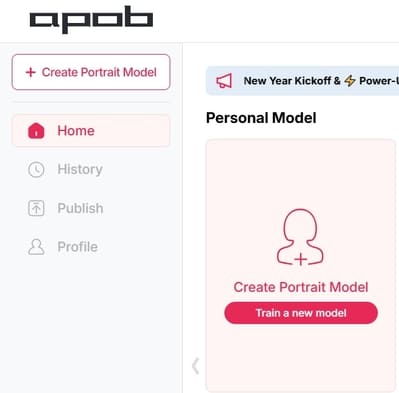
Action: Once logged in, click on “Create Portrait Model” to begin your transformation.
Step 2: Define Your Leading Star
Whether you want to keep the same person or introduce someone entirely new, this step is where the magic happens:
Option A (Consistent Character): If you want to change the actions but keep the person’s original look, upload a clear, high-quality headshot of that person as your model reference.
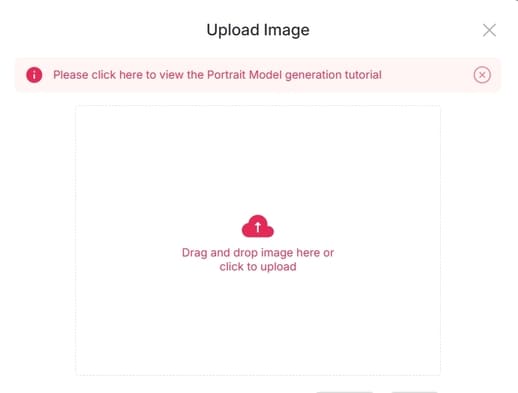
Option B (New Character): If you have a specific person in mind to replace the original actor, upload their reference photo here.
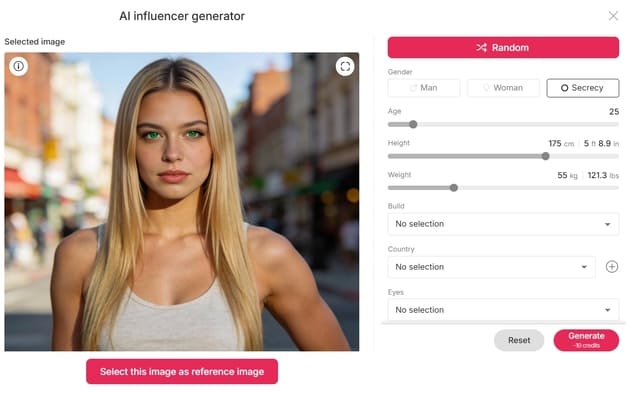
Option C (The AI Influencer): Want to create a character from scratch? Click on the “AI Influencer Generator.” You can customize their gender, facial features, weight, physique, and nationality. The process is incredibly fast and intuitive.
Step 3: Effortless Video Editing
Now that your model is ready, it’s time for the heavy lifting—without the heavy workload. Navigate to the “Edit Video” section. APOB AI has categorized its tools to match your specific needs:
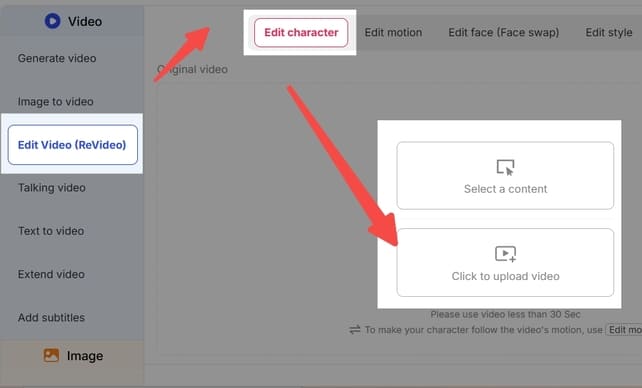
Edit Character: For total character replacement.
Edit Face: For precise facial adjustments or face-swapping.
Edit Style: To transform the overall aesthetic or "vibe" of the footage.
Note: If you ever feel stuck, our dedicated Support Team is always available to guide you through the process.
Feature Spotlight: How to Use "Edit Character"
This feature is a game-changer for those who want to replace the protagonist in an existing video. For example, imagine you want to see someone who can’t dance perform a viral TikTok routine.
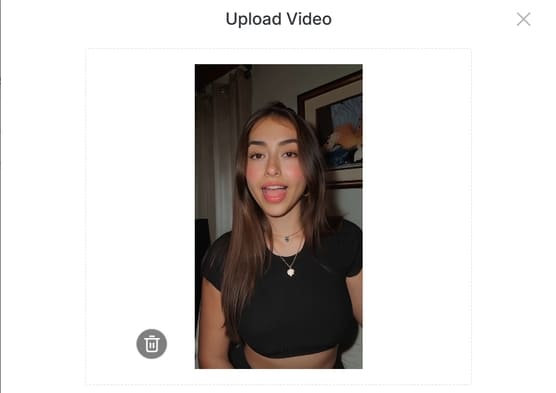
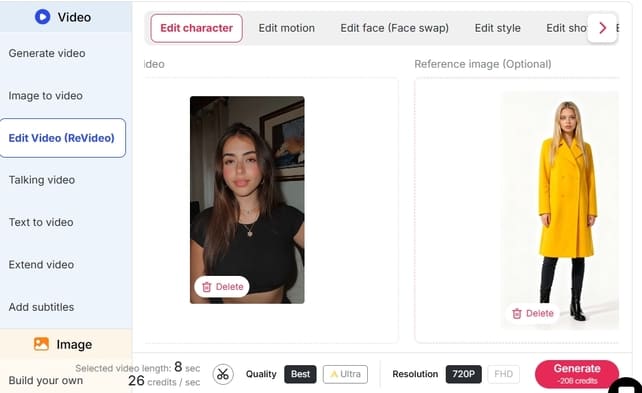
Upload: Click “Edit Character” and upload your original video.
Select Reference: On the right panel, upload the image of the person you want to appear in the video.
Customization (Optional): If you want the character to look slightly different—for instance, wearing a yellow coat—click “Generate Reference Image.” Simply type “wear a yellow coat” in the description box.
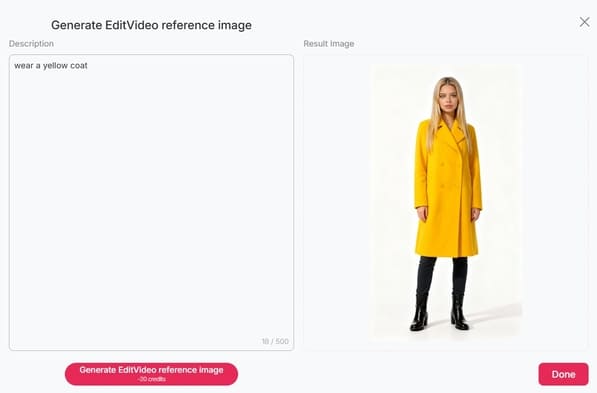
Define: If you like the generated preview, click Done. If not, tweak your description and try again.
Generate: Once your reference image is set, click “Generate.” The Result: You will receive a high-quality video of your chosen character (in that yellow coat!) performing the exact same dance moves as the original video. It’s that simple!
Explore More
Beyond Edit Character, APOB AI offers a full suite of tools like Edit Face and Edit Style, designed to make professional video manipulation accessible to everyone.
Ready to revolutionize your content? Visit APOB AI and start creating today!
Why this version works better:
Emotive Language: Uses hooks like "Absolute nightmare" and "Game-changer" to connect with the user's pain points.
Structured Clarity: Uses bullet points and bold text to make the steps "scannable."
Professional Tone: Replaces "heaven" or "oh my god" with more professional yet friendly alternatives.
Clear Call-to-Action: Ends with an invitation to try the product immediately.
Optimizing Your Workflow: Why Use APOB AI?
Using Kling video 2.6 motion control within APOB AI offers more than just accessibility; it provides a "Storyteller Mode" that enhances the raw output. While the standard Kling output is impressive, APOB AI adds a layer of "Identity-Lock" technology. This ensures that your character’s facial features and clothing remain consistent across multiple shots, which is the "holy grail" of AI filmmaking.
Furthermore, the "Edit Video" feature in APOB AI allows for real-time adjustments. If the motion is perfect but the lighting feels off, you can use the chat-to-edit function to refine the atmosphere without losing the underlying Kling-generated movement.
Frequently Asked Questions (FAQs)
Q1: What makes Kling 2.6 better than version 2.5?
A1: Kling 2.6 offers significantly improved motion smoothness and "Skeletal Extraction" accuracy. It also introduces native audio synchronization, making the videos feel more immersive compared to the silent outputs of previous versions.
Q2: Is Kling 2.6 motion control truly free to use?
A2: Direct access via the official site usually requires a paid subscription. However, you can experience Kling 2.6 motion control free by using APOB AI, which grants 80 free credits daily to all registered users.
Q3: Do I need professional editing skills to use Kling AI 2.6 motion control?
A3: No. Thanks to the user-friendly interface of APOB AI, you only need a source image and a reference video. The AI handles the complex motion mapping and rendering for you.
Q4: Can I maintain character consistency with Kling 2.6?
A4: Yes, especially when used through APOB AI. The combination of Kling’s motion engine and APOB’s Identity-Lock technology minimizes character "drifting," ensuring the person in the video looks the same from start to finish.
Read More
Kling AI Video Generator: How to Use?
Artificial intelligence is revolutionizing the way we create visual content. One of the latest tools capturing everyone’s attention is Kling AI Video Generator, developed by Kuaishou, the company behind one of China’s most popular video platforms. This powerful AI-driven tool enables anyone—from creators to marketers—to turn text or images into high-quality animated videos in minutes.
In this guide, we’ll explain what Kling AI is, explore its features, and provide a detailed, step-by-step tutorial on how to use Kling AI Video Generator efficiently for your next creative project.
Kling AI What Is Kling AI?
Kling AI is an innovative AI-powered video generation tool created by Kuaishou, a tech giant known for its short-video platform. The Kling AI Video Generator Kuaishou system specializes in producing dynamic, high-resolution videos from text descriptions or static images.
Unlike traditional video editing tools that require manual footage, timelines, and transitions, Kling AI uses generative AI models to animate visuals based on user prompts. It supports both text-to-video and image-to-video creation, making it ideal for digital artists, advertisers, and social media creators.
With support for up to 1080p resolution, smooth frame rates, and customizable aspect ratios (16:9, 9:16, 1:1), Kling AI brings cinematic creativity within reach—no filming or editing skills needed.
How to Use Kling AI Video Generator
Whether you’re creating a realistic cinematic sequence or an eye-catching TikTok clip, Kling AI Video Generator makes the process simple and intuitive. Here’s a full breakdown of how to get started:
Step 1: Choose the Input Mode
You can select between two main input methods:
Text Prompt → Generate Video
Upload a Static Image → Image to Video
If you want to bring a still image to life, upload it as your starting frame (or even an ending frame). Kling AI will then animate transitions, movements, and effects between them automatically.
Step 2: Write a Prompt or Upload Images
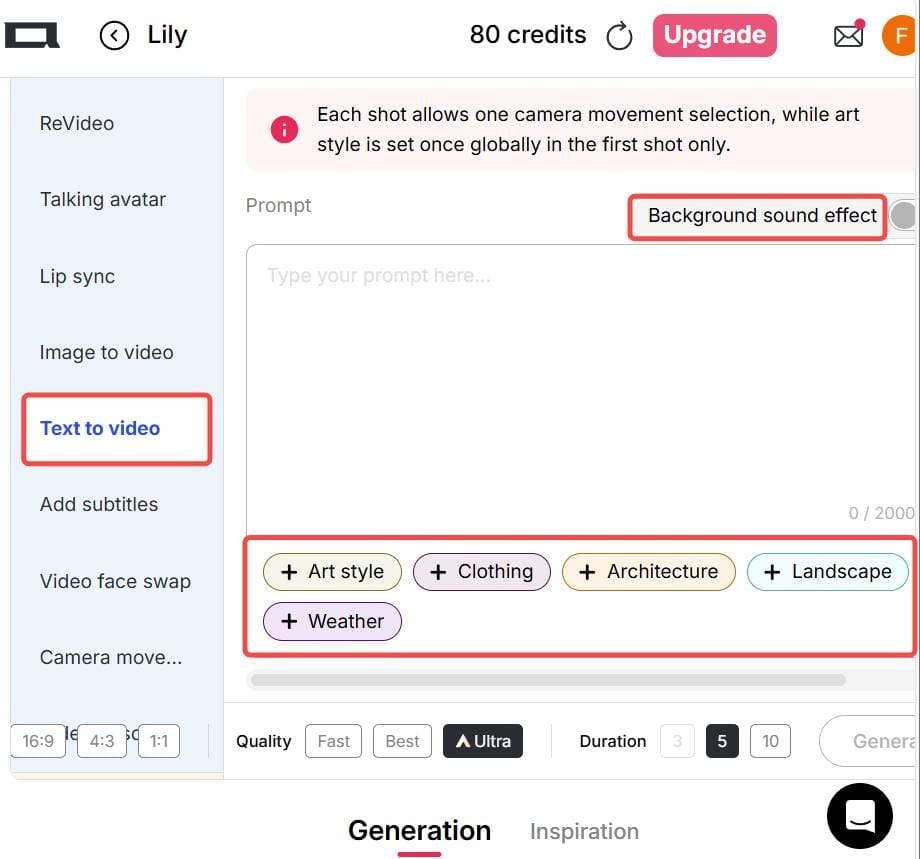
If you choose the Text-to-Video option, write a clear and specific description of your desired scene, action, camera movement, and style. For example:
“A slow camera pan from left to right, a traveler walking into an ancient Roman arena at sunset, realistic style.”
You can also use built-in preset options for style, lighting, weather, clothing, or background—saving you time typing long prompts.
If you’re using the Image-to-Video mode, prepare two images:
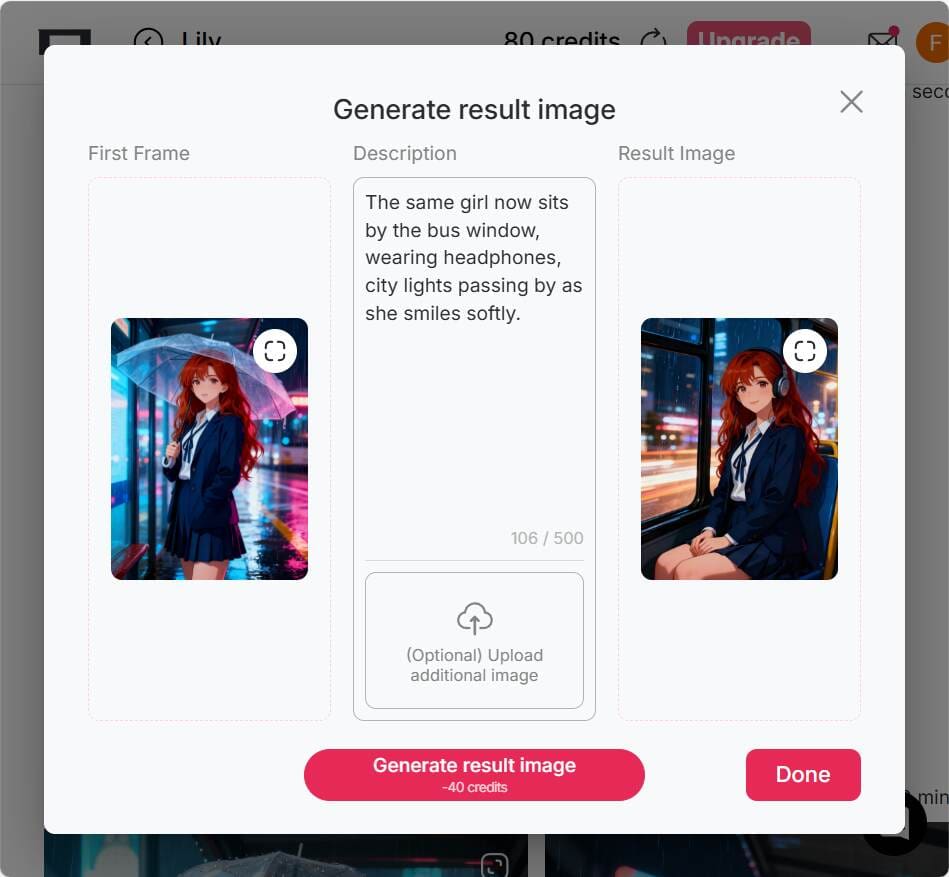
The first image as your starting frame.
The second image as your ending frame. This helps Kling AI generate smooth motion between them.
💡 Tip: For the final frame, you can use a “chat-to-edit” feature or another AI image editor to generate a matching image for a seamless transition.
Step 3: Select Output Settings
Before generating your video, configure the output details:
Aspect Ratio: Choose from 16:9, 9:16, or 1:1 depending on your platform. (Vertical 9:16 is ideal for TikTok and Instagram Reels.)
Generation Mode: Options include fast, best, ultra, and ultra 4K—depending on your account tier.
Duration: Video length varies by subscription level or version.
Optional Settings: Control camera motion, add background music, or adjust dynamic effects.
💡 Tip: For social media clips, shorter videos (under 30 seconds) often perform better and generate more engagement.
Step 4: Generate & Download
Once you’ve written your prompt and chosen your settings, click Generate to start the AI rendering process. After the system finishes generating, preview your video. If you’re satisfied, you can download it directly.
Do note that free or trial versions may include watermarks, shorter duration limits, or lower resolution output. Still, they’re perfect for learning the workflow before upgrading.
Practical Tips for Better Kling AI Video Generation
To make the most out of your Kling AI Video Generator experience, keep these pro tips in mind:
Use Vertical Videos for Social Media: Choose a 9:16 aspect ratio for TikTok, Instagram Reels, or YouTube Shorts.
Ensure Consistency in Image-to-Video Mode: When using start and end images, keep both consistent in composition and color tone to avoid awkward transitions.
Be Specific with Prompts: The more detailed your text prompt, the better the video result. Mention objects, movements, lighting, and style (e.g., “cinematic lighting,” “realistic texture,” “slow motion”).
Use Revideo for Character Replacement: If you already have a video clip, try tools like Revideo. You can upload a short 30-second clip (and later up to 5 minutes), plus a single photo—allowing the photo’s person to replace the character in the video while keeping the same movements and background. It’s a great way to make personalized AI videos.
Why Creators Love Kling AI Video Generator
Easy to Use: No video editing experience needed.
High-Quality Results: Smooth motion and realistic rendering.
Creative Freedom: Combine imagination, text, and art effortlessly.
Cross-Platform Ready: Supports multiple aspect ratios and formats.
Powered by Kuaishou: Reliable AI technology from a trusted global brand.
Final Thoughts
The Kling AI Video Generator by Kuaishou opens endless creative possibilities. Whether you’re a beginner looking to make eye-catching clips or a seasoned creator exploring cinematic AI visuals, Kling AI offers an intuitive, efficient, and high-quality video generation experience.
So if you’ve ever imagined turning your words or images into motion—now’s the time to try Kling AI Video Generator and bring your vision to life.
FAQs About Kling AI Video Generator
Q1: Can I use Kling AI Video Generator for free?
Yes. Kling AI offers a free or trial version with limited resolution and duration. Premium tiers unlock higher quality and faster rendering.
Q2: Can the generated images and videos be used for commercial purposes?
Yes, you can use Kling AI videos for commercial purposes—such as social media promotions, marketing content, or creative ads—depending on the platform’s terms.
Q3: What’s the best aspect ratio for social media videos?
For social platforms like TikTok and Instagram Reels, the 9:16 vertical ratio works best. For YouTube or desktop use, 16:9 is preferred.
Q4: Is Kling AI safe to use?
Yes. Kling AI Video Generator is developed by Kuaishou, a reputable tech company with strong data protection and moderation policies. Always use the official site or verified app links.
Read More
Kling AI 1.6 vs Kling 2.0: What’s New and Which Version Is Better?
If you’ve been online lately, you’ve probably heard people talk about Kling AI. It’s an AI-powered video generator that turns text into stunning, realistic videos. Many users love how it helps them make short clips, ads, or creative content in just minutes. You simply type what you want to see, and Kling AI brings it to life.
Imagine typing: “a man running on the beach at sunset” — and within seconds, you get a video that looks like a real scene. That’s why people are amazed. It feels like movie-making made easy.
Why Has Kling AI Become So Popular?
AI video tools are everywhere, but Kling AI stands out. It became popular because it offers smooth motion, clear visuals, and natural lighting.
Content creators use it for YouTube intros, social media posts, or marketing videos. Even beginners can get great results.
Users say it saves them hours. No camera, no editing software, no big budget — just your imagination. Whether you’re a student, a marketer, or a casual creator, Kling AI makes video creation fun and simple.
What Is Kling AI 1.6?
Kling AI 1.6 was an important step forward in AI video generation. It made video creation more stable and realistic compared to earlier versions. It allowed users to create short clips that looked almost human-made. You could describe actions, emotions, or camera angles, and Kling AI 1.6 did the rest.
For example, one user typed: “A cat jumping on a table in slow motion.” The result? A perfectly smooth, lifelike video. That’s when people started trusting Kling AI for serious projects, not just for fun.
What Is Kling 2.0?
Then came Kling 2.0 — the new and improved version that everyone’s talking about. It’s faster, smarter, and much more powerful. Kling 2.0 can generate longer videos, handle complex scenes, and show better details like facial expressions and lighting effects.
Imagine creating a 10-second clip with moving backgrounds, people talking, and natural shadows — all from one text prompt. That’s the magic of Kling 2.0.
Users say the upgrade feels smoother and more “human.” Animations look less robotic, transitions flow naturally, and the render time is shorter.
Kling AI 1.6 vs Kling 2.0: What’s the Real Difference?
So, how does Kling AI 1.6 compare to Kling 2.0? The biggest difference lies in speed, realism, and control.
Speed: Kling 2.0 works almost twice as fast. You spend less time waiting for your video to finish.
Realism: Faces, movements, and lighting look more natural in Kling 2.0. It feels closer to real life.
Length: Kling AI 1.6 had shorter clips. Kling 2.0 supports longer videos — great for storytelling.
Creativity: Kling 2.0 understands prompts better. You can describe scenes more freely and still get accurate results.
If you’ve used Kling AI 1.6 before, you’ll instantly notice the difference. Everything feels smoother, clearer, and more flexible.
For most users, Kling 2.0 is worth switching to. But if you just need simple short clips, Kling AI 1.6 still does the job well.
User Experience: What People Are Saying
Many users share their experiences online. Some say Kling AI 1.6 was great for learning the basics. Others love how Kling 2.0 helps them create professional-level videos for clients or social media.
A small business owner said, “With Kling 2.0, I made a full product video in under 10 minutes!” Another creator shared, “I used Kling AI 1.6 before, but 2.0 feels more alive and expressive.”
That’s what makes it exciting — everyone can become a video creator with just one tool.
Which One Should You Choose?
If you’re just starting out or want something light and easy, Kling AI 1.6 is a great choice. It’s simple, reliable, and still creates impressive results.
But if you want better control, longer clips, and higher quality, Kling 2.0 is the clear winner. You’ll get better speed, smarter AI, and more realistic outputs — all with the same simple interface.
Think of it this way: Kling AI 1.6 is like your first camera. Kling 2.0 is the professional upgrade.
Final Thoughts
Both Kling AI 1.6 and Kling 2.0 mark important milestones in AI video generation. Kuaishou’s dedication to improving motion accuracy, video quality, and accessibility makes Kling one of the most exciting creative tools available today.
For casual users, Kling AI 1.6 still delivers excellent results. But if you’re ready to take your content creation to a professional level, Kling 2.0 is the clear winner—faster, smarter, and more powerful than ever.
FAQs About Kling AI
Q1: What is Kling AI used for?
Kling AI helps users turn text prompts into short, realistic videos. It’s perfect for ads, art projects, or social media content.
Q2: Can I still use Kling AI 1.6?
Yes, Kling AI 1.6 is still available. It’s a good option for beginners who want to learn how AI video generation works.
Q3: Can I use Kling 2.0 for commercial projects?
Yes. Both Kling AI 1.6 and Kling 2.0 allow commercial use, depending on the plan you subscribe to. Always check Kuaishou’s licensing terms before publishing commercially.
Q4: Is Kling AI 1.6 still available?
In most regions, yes. Kuaishou continues to support Kling AI 1.6 for users who prefer a simpler and lighter experience, though updates now focus on Kling 2.0.
Q5: Which version is best for social media content creators?
If you prioritize speed and easy workflows, Kling AI 1.6 works great. But for creators who want cinematic-quality visuals and longer clips, Kling 2.0 is the superior option.
Read More
Kling AI Image to Video Prompt Guide – Create Videos for Free
Have you ever wished your photo could move like a real video? That’s what Kling AI can do for you. It’s an AI video generator created by Kuaishou, a popular Chinese tech company. People love it because it turns text or images into realistic motion clips in minutes. You can use it for social media, marketing, or creative storytelling. It’s quick, free to try, and needs no video editing skills. That’s why Kling AI Image to Video is now trending worldwide.
Why is Kling AI Image to Video ?
It feels like magic. You upload a simple image, and Kling AI brings it to life. The movements are smooth, lighting looks natural, and the mood feels cinematic. Creators use it for TikTok, Instagram Reels, or YouTube Shorts. Some use it to make digital art move. Others test storyboards or product scenes.
It’s flexible, fun, and gives powerful results even on the free plan.
How to Use Kling AI Image to Video for Free ?
Step 1: Generate a Base Image
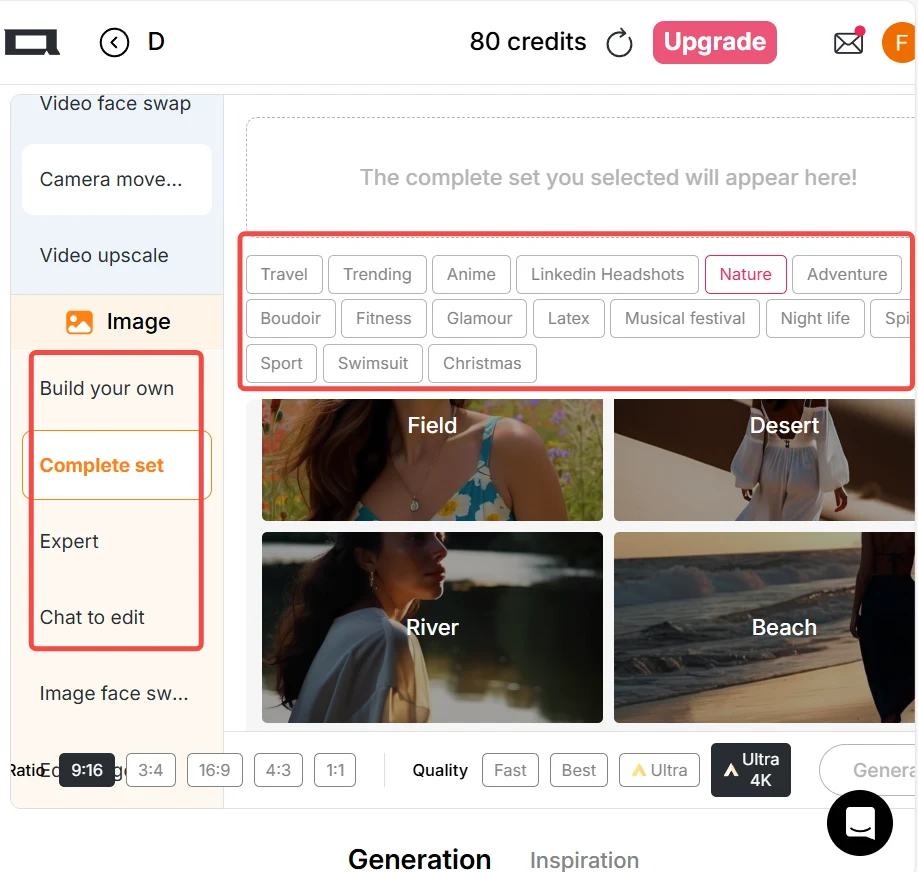
Click “Create Portrait Model” to start. You can create an AI model using the AI Influencer Generator. Use the “Build Your Own” or “Complete Set” options, or pick pre-made style choices such as nature, fantasy, or urban life to generate an image.You can also enter a text prompt to create your own picture. Once you find an image you like, select “Image to Video” mode. If you already have an image you love, you can skip the image generation step.
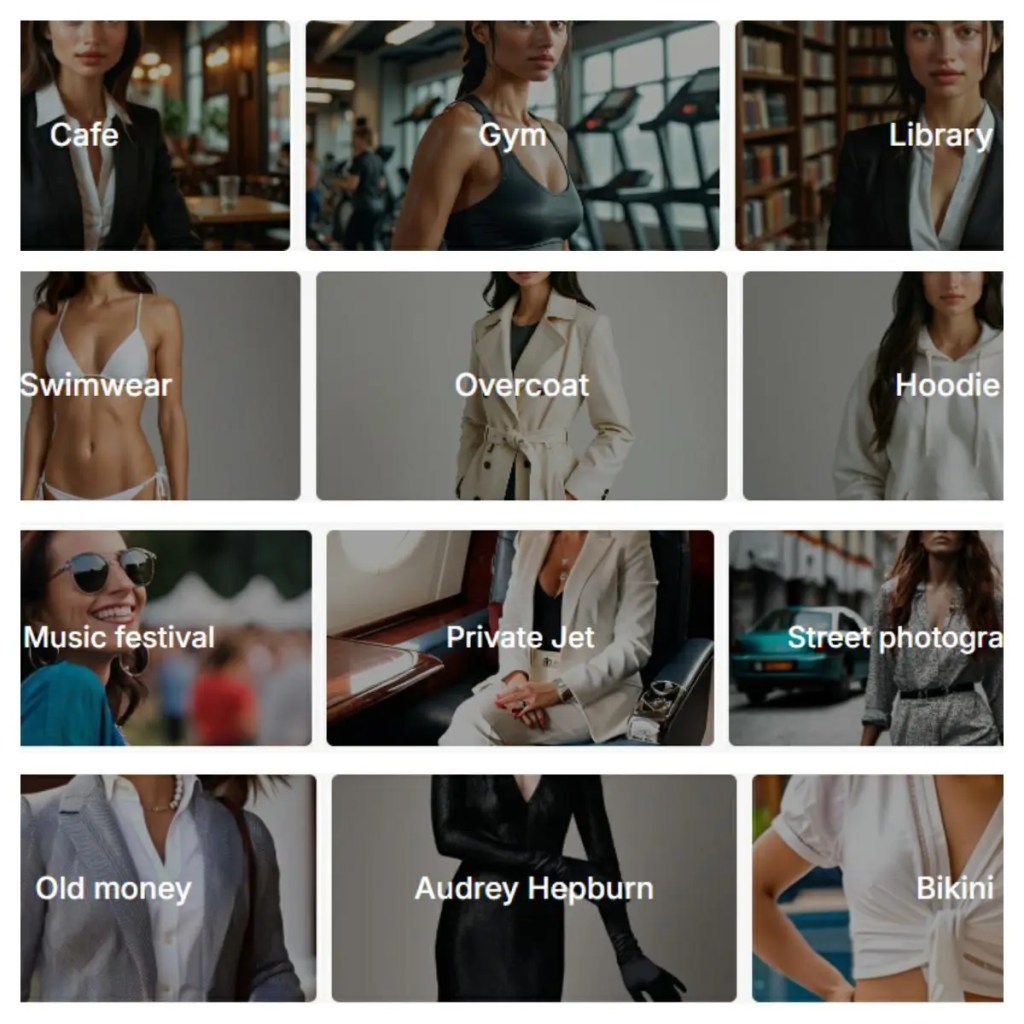
Step 2: Write Your Prompt
In the “Image to Video” box, clearly describe your scene. You can upload one static image as your base frame. If you want smoother motion, upload two images — a start frame and an end frame. This helps Kling AI understand how the scene should move. Explain what you want to happen and what mood you’d like to create. Be specific about camera movement, lighting, and atmosphere. The more detailed your description, the better your video will look.
Tip: Keep the image style and angle consistent to avoid jumpy transitions. You can also use the “Chat to Edit” feature to generate the end frame — it allows you to change character poses, backgrounds, facial expressions, and more based on your first image.
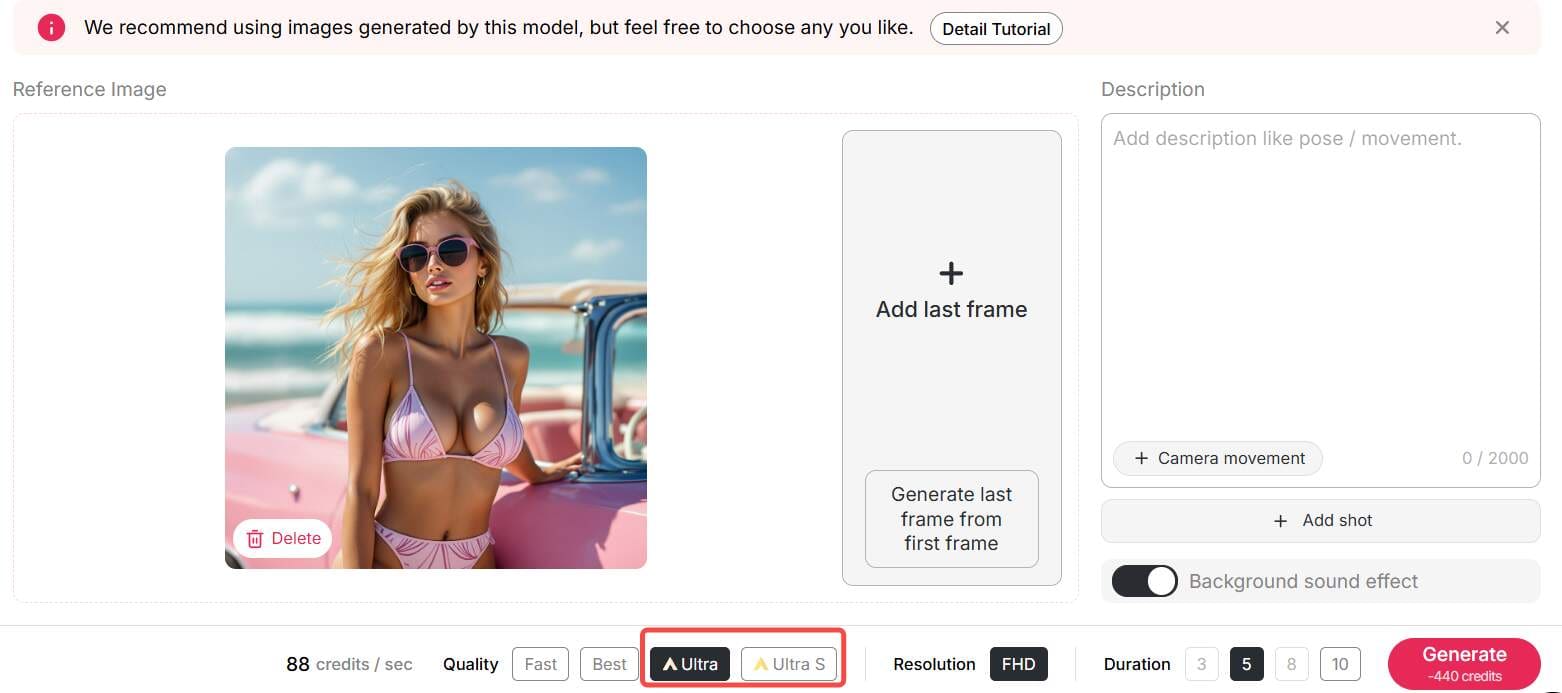
Step 3: Adjust Your Settings
Next, select the output style. You can choose 16:9 for YouTube, 9:16 for TikTok, or 1:1 for Instagram. Pick the quality mode: fast, best, ultra, or ultra 4K. Free users often get short videos or low resolution, but it’s great for testing. You can also add motion control, sound, or background music. Try small clips first to see how the system handles your prompt.
Step 4: Generate and Download
Once your settings are ready, click Generate. Kling AI will process your image and turn it into a short video. Wait for a preview to appear. If you like the result, download it right away. Free plans may include watermarks, but the output still looks professional. Now you’ve made your first Kling AI Image to Video creation — and it cost nothing!
Pro Tips for Better Prompts
Here’s how to make your video look more natural:
Use camera actions like “pan left” or “zoom in.”
Describe lighting, such as “golden sunset” or “soft morning light.”
Add motion hints like “wind blowing” or “hair moving gently.”
Test short prompts first, then add details for precision.
Try different image pairs to explore creative transitions.
Remember, Kling AI is great at understanding visual tone. Treat it like a director — give it clear instructions, and it delivers magic.
Example: From Still Image to Video
Let’s say you upload a photo of a mountain. You type this prompt: “A drone flies slowly above the mountain at sunrise, cinematic tone.” In less than a minute, Kling AI turns your static photo into a moving aerial video. The clouds drift, the light changes, and it feels like real footage. That’s the power of Kling AI Image to Video.
Why Use Kling AI for Your Projects?
Because it saves time, looks great, and costs nothing to try.
Marketers can make ads in minutes.
Artists can animate their drawings.
Students can create visuals for presentations.
You don’t need to edit videos manually — Kling AI does the hard work.
Plus, you can explore upgrades later for high-res or watermark-free versions.
If you’re using Kling 2.0, you’ll see faster generation and better realism. But even Kling AI 1.6 still works fine for simple clips. The fun part is experimenting and watching your ideas come alive.
Conclusion
Kling AI Image to Video makes video creation easy for everyone. You don’t need cameras, editors, or expensive tools. Just one image, one prompt, and Kling AI does the rest. Start free today, explore your creativity, and watch your still photos turn into living stories. One thing is sure — your visuals will never stay still again.
FAQs
Q1: Can I use Kling AI videos for commercial purposes?
Yes. You can use Kling AI content for commercial projects, as long as you follow its usage terms.
Q2: What’s the difference between Kling AI 1.6 and Kling 2.0?
Kling 2.0 offers faster rendering, smoother motion, and more realistic lighting. It’s an upgrade worth trying.
Q3: Do I need to install any software to use Kling AI?
No, you don’t need to install any software to use Kling AI. Whether you’re on a computer, tablet, or mobile device, simply click the button below to visit the website and start creating right away.
Q4: How to write prompts for kling ai image to video?
To write effective Kling AI Image to Video prompts, describe your subject, motion, and mood clearly. Add camera movement, lighting, and style details for precision. For smoother transitions, upload start and end frames. Keep prompts concise yet vivid for the best animation results.
Read More
Kling AI 2.6: the Ultimate Video Generator for Creators
Have you ever wondered what it’s like to create a Hollywood movie scene sitting at your very own desk? Thanks to the rise of video solutions using AI technology, it’s now a reality sooner than you ever dreamed. Particularly, the Kling video AI generator has proven to be a game-changer, making developers question whether this could finally be what they need.
Chances are, if you're a tech trends follower, you're no stranger to the hype surrounding Kling AI. A giant in the industry, this is revolutionizing the way we look at video creation. But, at times, using its advanced features, such as Kling 2.6, can be a challenge. Here’s a look at how Apob AI incorporates this technology to make the creation of visuals a breeze for you.
What is the Kling AI Video Generator?
Kling AI is a highly advanced video generation model developed by Kuaishou Technology that quickly made it a rival to OpenAI’s Sora. It is designed to create high-definition videos in a realistic manner out of just a text description or an image. This model also does not possess the same limitations which the earlier models had. It can create a video of a maximum of 2 minutes at a resolution of 1080p at the speed of 30 frames every second.
In addition, with the launch of its next version, “Kling 2.6,” it has greatly improved its capabilities for replicating real-world physics. This means that it is setting a precedent for artificial intelligence in terms of video consistency.
How Does Apob AI Bring Kling 2.6 to You?
Although Kling AI has impressive power, sometimes obtaining the best models can be a bit challenging or limited. That’s where Apob AI comes in. At Apob AI, we have integrated the best features of the Kling 2.6 version’s power directly into our platform. That way, you can take advantage of its power without needing technical knowhow or wasting time in long queues.
Using Apob AI, you have the benefit of both worlds. You can leverage our intuitive interface to tap into the world’s best video generation models. Particularly, our ReVideo uses the sophisticated motion algorithms in Kling 2.6 to assure smooth, natural, and highly engaging video edits.
Guide: mastering the Kling AI Video Generator on Apob AI
Ready to start creating? Our process couldn’t be simpler. The ReVideo dashboard is where all of your content transformations take place. Read on to learn how to unleash the full power of the Kling AI video generator.
Step 1: Getting Started and Choosing Inputs
To start off, you will want to register for a free account on the Apob AI website. We want you to see the magic of Apob risk-free, and that means you get 80 free credits as soon as you sign up.
Once you have logged in, you need to open the page by clicking on the "ReVideo" tab. On the ReVideo page, you are given two options for where to find the content:
Click to upload video: Use this if you already have video footage, for example if you are recording a product video or a video of yourself.
Select a content: This is great for content creators who wish to maintain anonymity. You can choose a virtual model from our collection or one you may have created before. Apob AI will produce a video with your virtual model, which basically gives you the opportunity to create quality content without needing to switch on your camera.
Step 2: Choosing Your "Re" Mode with Kling AI 2.6
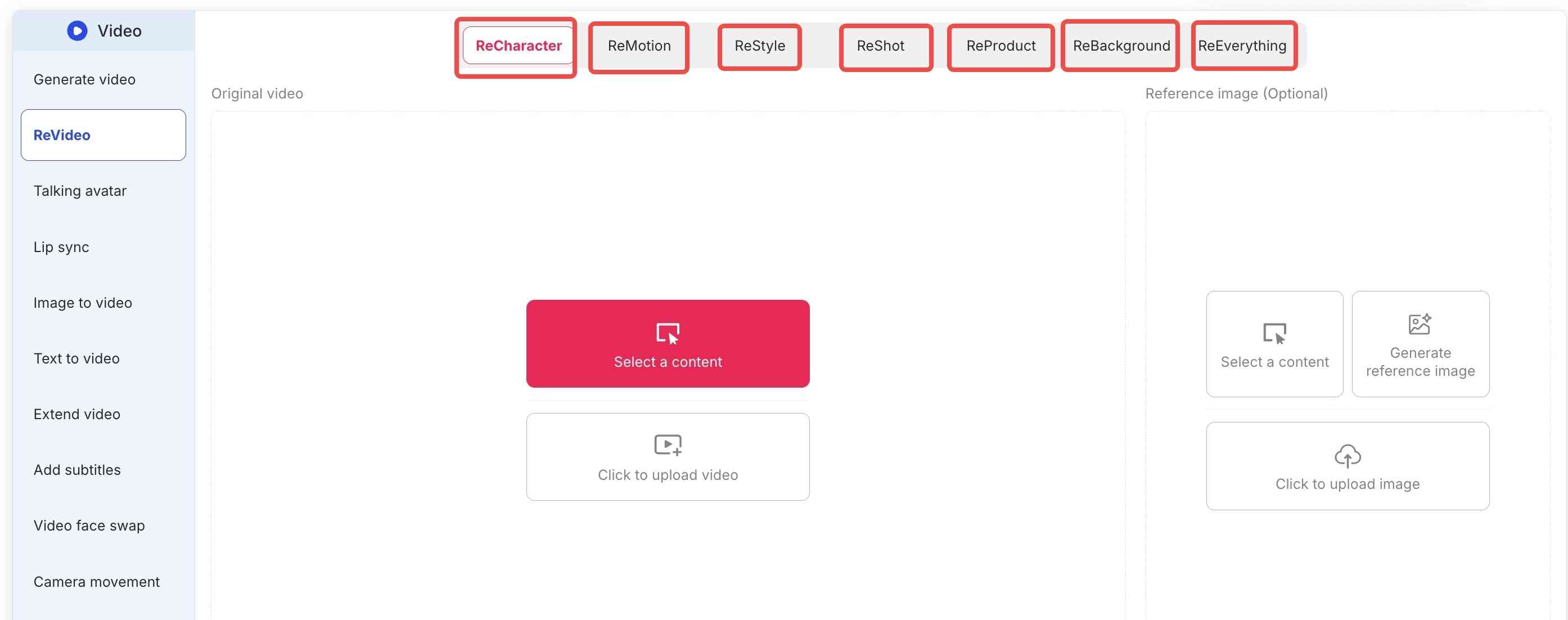
Apob AI’s true strength is the flexibility that the ReVideo toolbar brings. Depending on what you really need, you select either the following tabs:
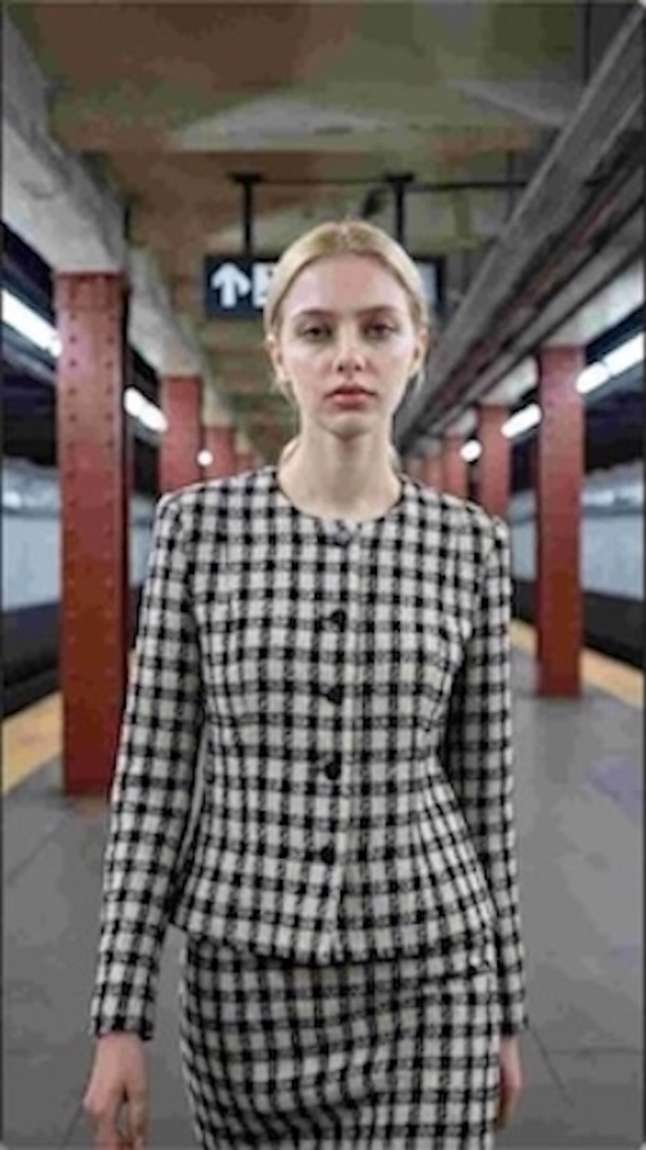
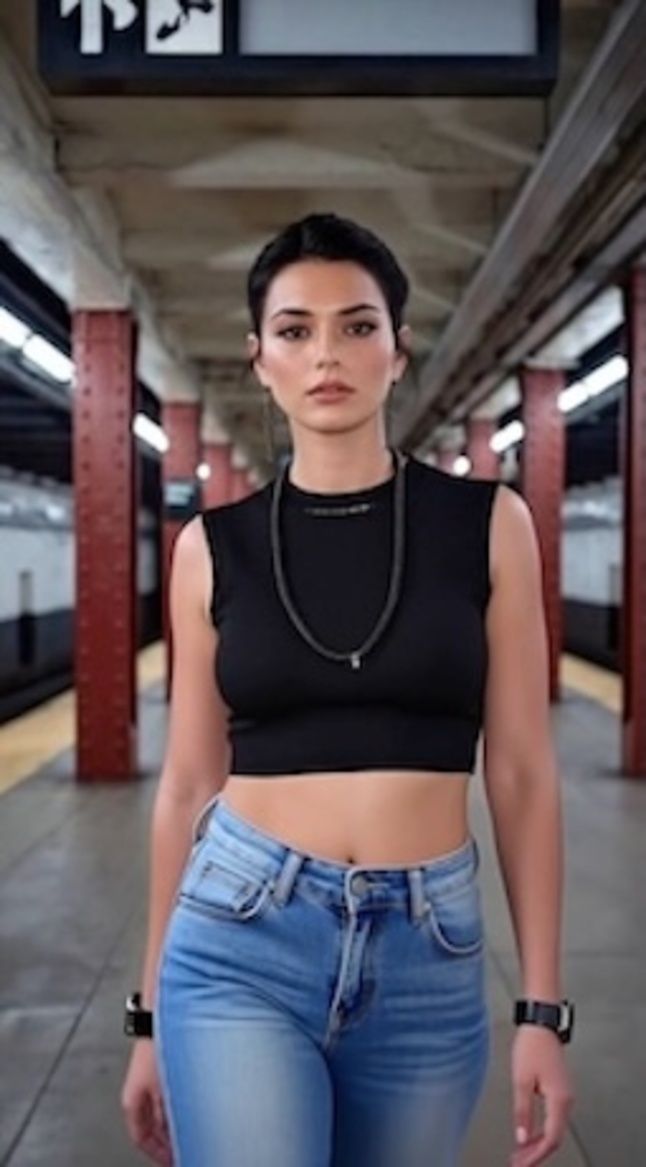
ReCharacter: Do you want to change the actor appearing in your video? Upload a reference image, and the AI will replace the person while preserving all movements.
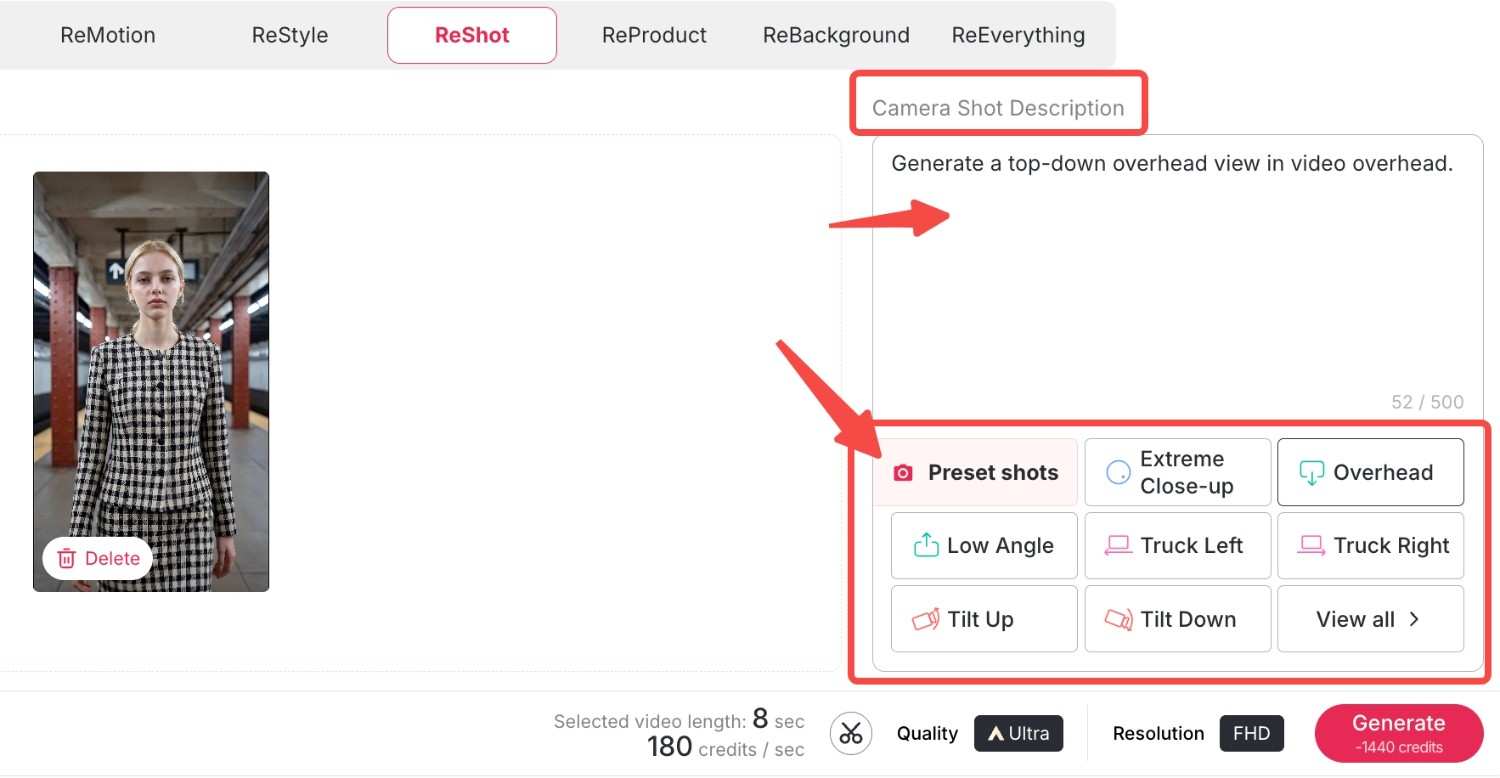
ReMotion: With support for Kling 2.6 software, you can control the camera direction. Now you can add complex zooms, pans, or tilts to your static videos.
ReStyle: Change the whole artistic ambience. For example, we have a variety of styles from classic movies and TV series, bringing you right into the movie. Let's choose "Pixar style"and "Rick and Morty style" here and see what happens.
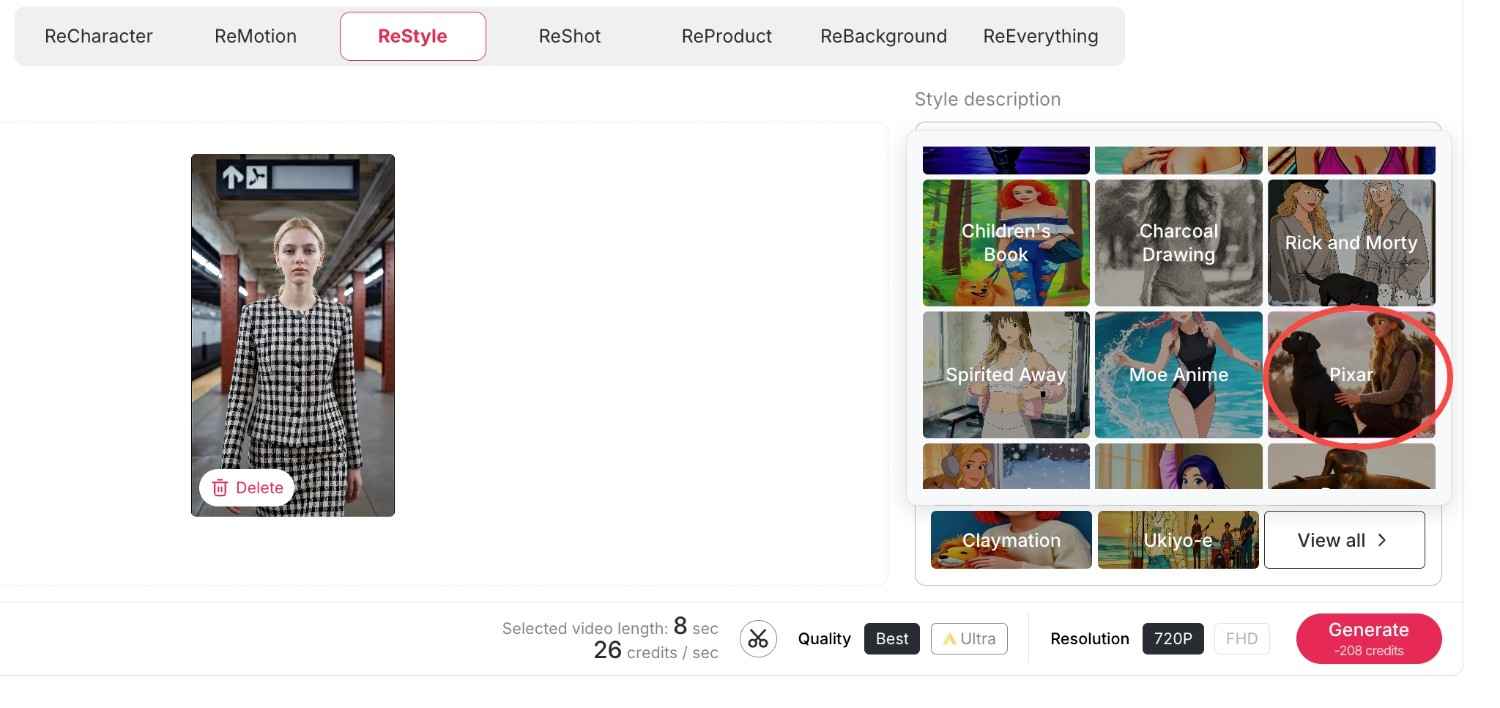
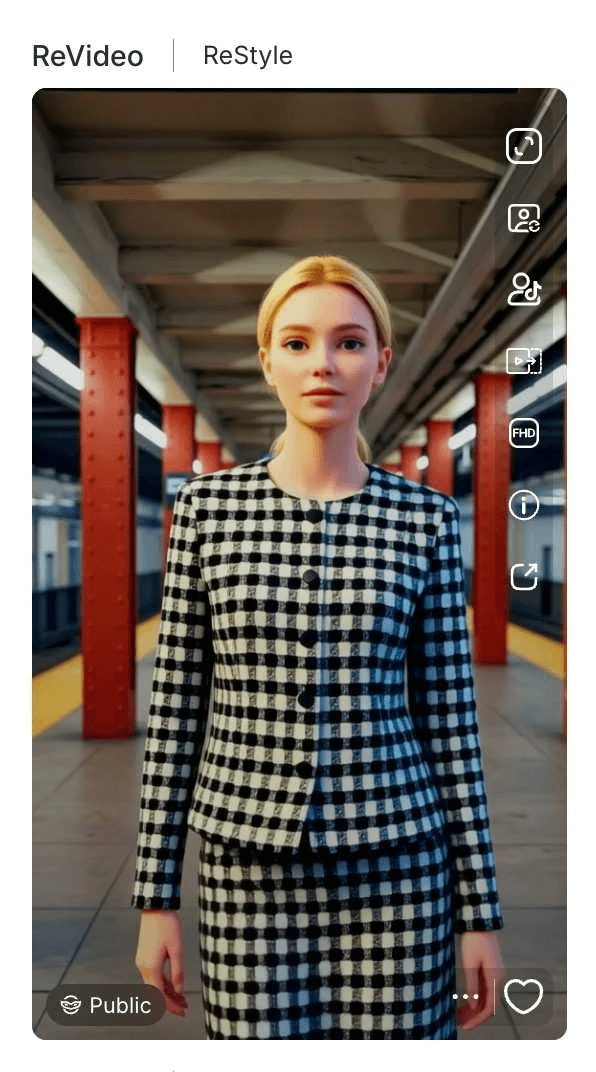
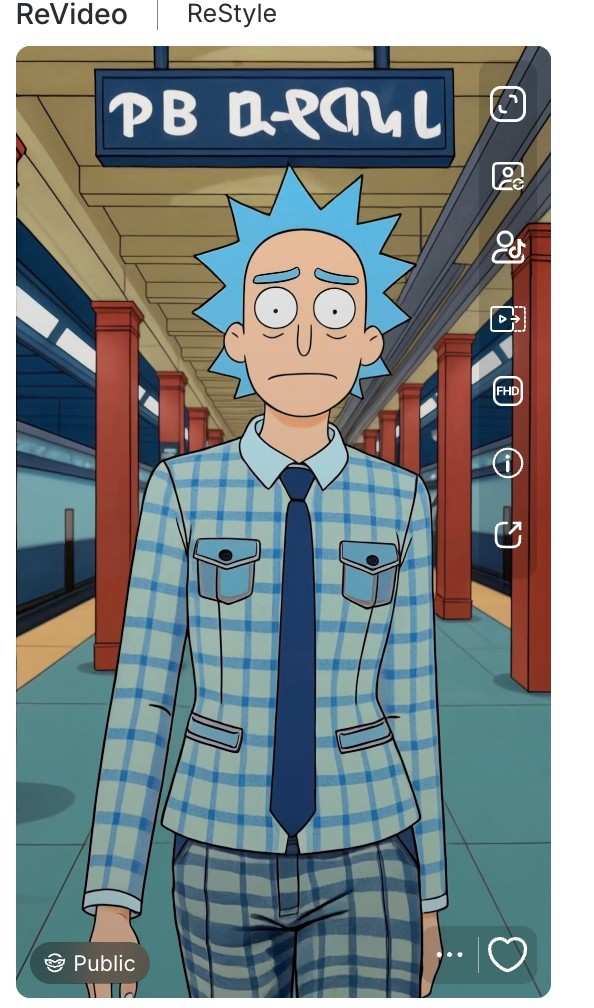
Now we have obtained two exquisite videos in the same style that perfectly match the original film or television series, and the videos also preserve your original movements and backgrounds.
ReProduct: It's a completely new experience for e-commerce. All you have to do is use ReProduct to change the product in a video (for example, from a soda bottle to a cup of coffee) instead of setting up a new video crew. Upload your original video and the new product's photo, you can also enter a prompt to describe and modify the details of your new product, then click generate. A new video will be generated shortly, where the new product replaces the old one while everything else remains unchanged.
Here, we load a video of an unboxing of a Christmas present by a man who is wearing a grey watch. Now, we load this video along with an image of the new product: it is a deep blue watch. You can also enter your own descriptions of the new watch by making use of some prompts. Then, we have a new video of an unboxing by the man who is wearing the deep blue watch—everything remains the same, only the product has changed.
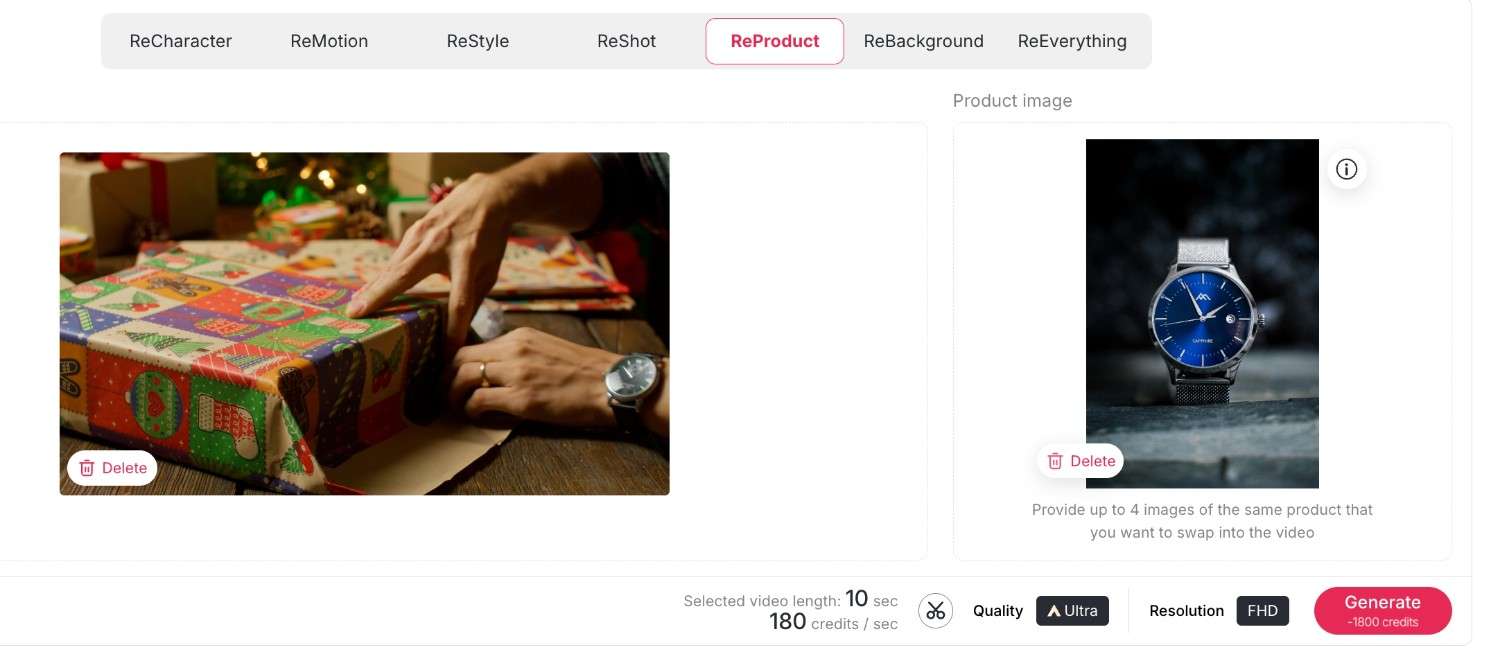
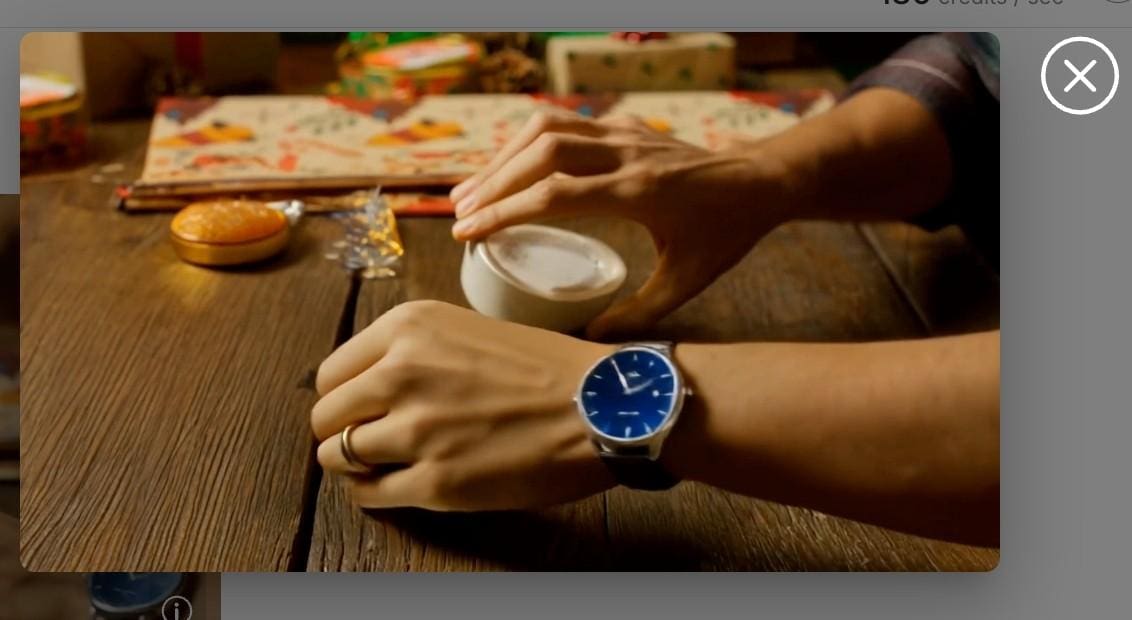
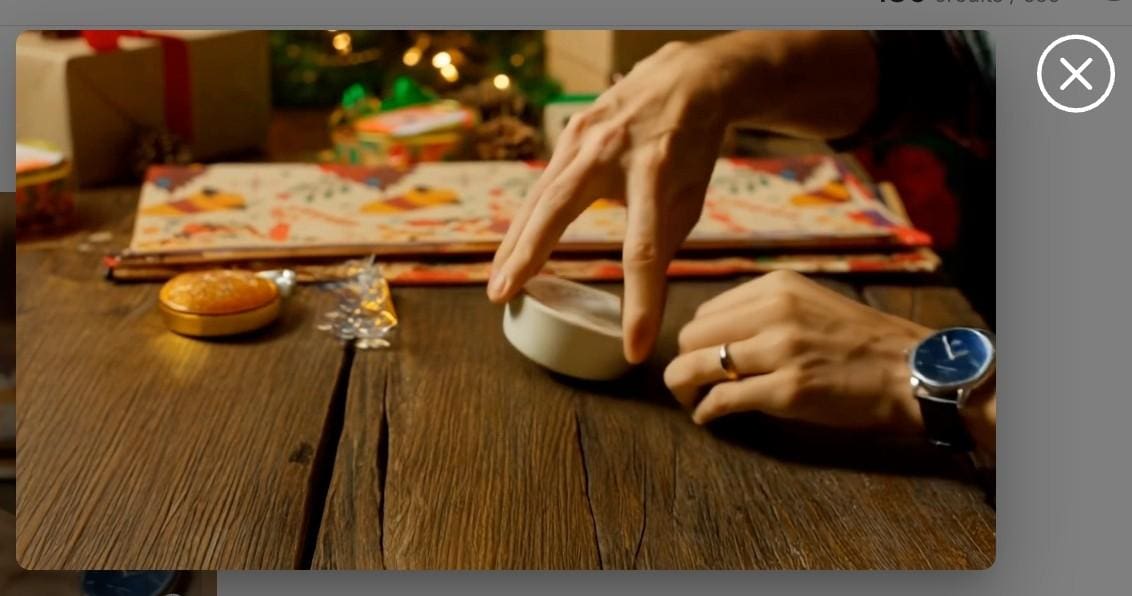
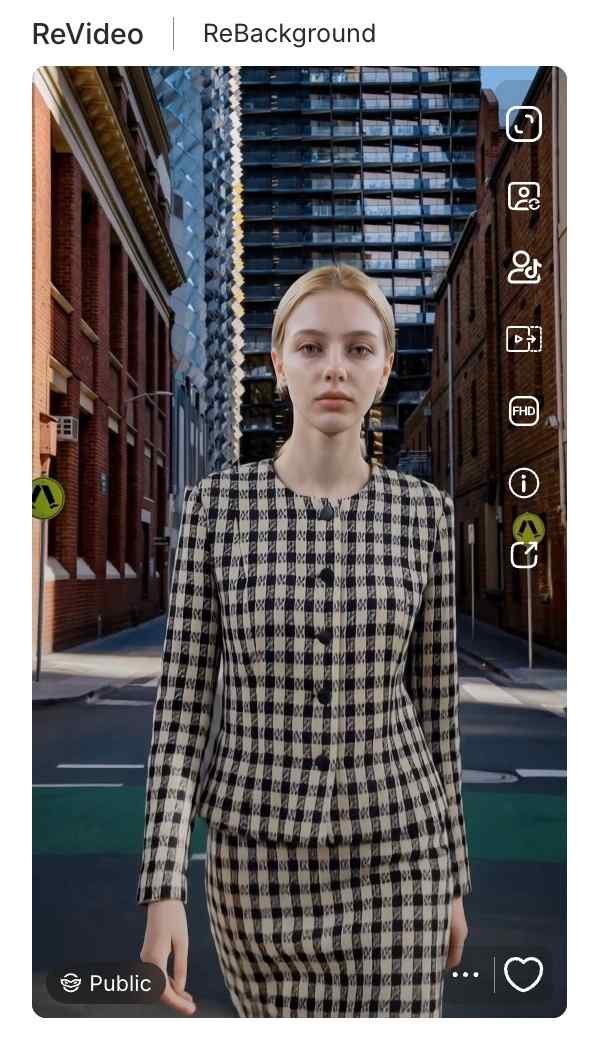
ReBackground: With this function, you are free to transport your subject anywhere, or swap a dull bedroom background for a posh beach resort without needing a green screen.
First upload your original video, then upload your desired background image; here, you can also enter some descriptions to further approach the effect you want.
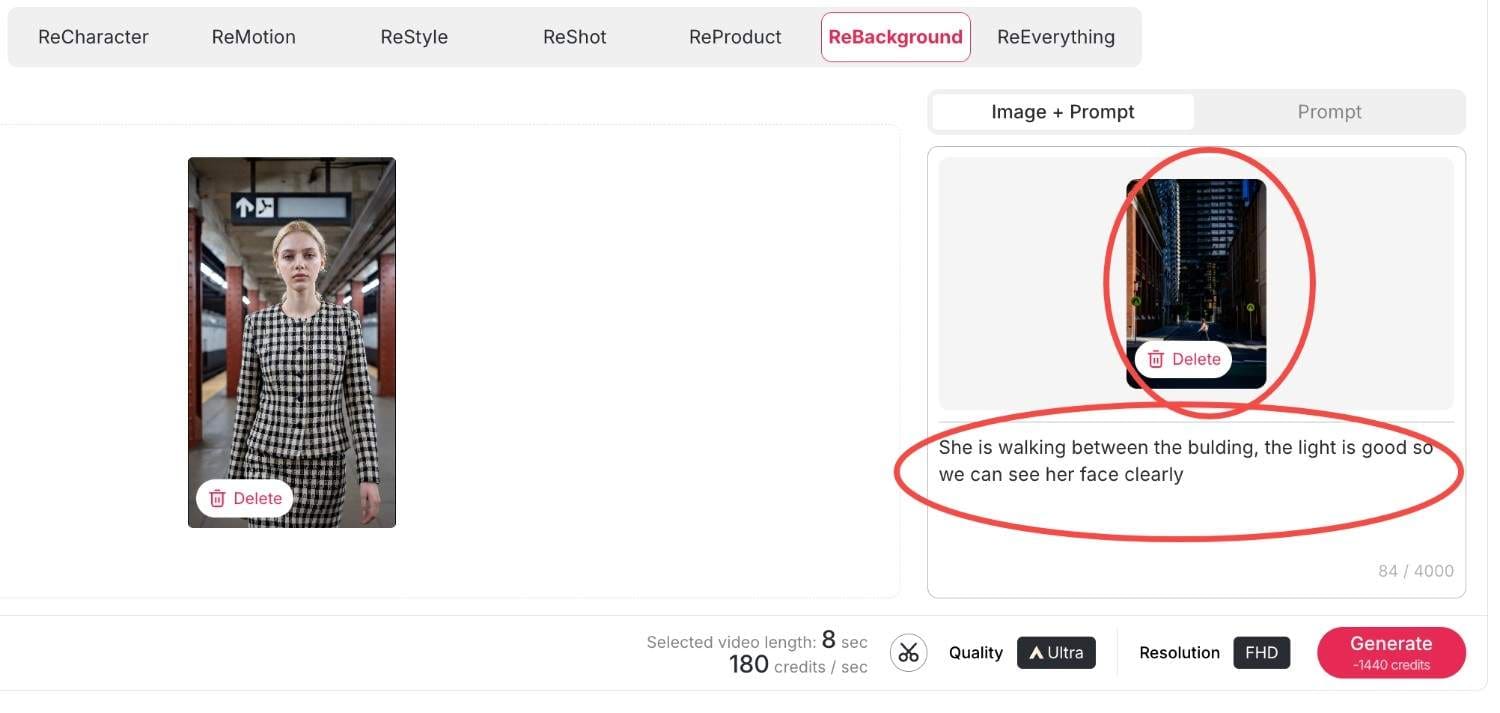
Then click generate, within seconds your new video will be produced.
Reeverything: If you want to change the background or the style, the camera movement all at once, you can use reeverything so you can process them all with your prompts.
Step 3: Finalizing Quality and Resolution
Ensure that you have the right settings in place before you generate. There is also the choice to switch between quality settings, whether it is Best or Ultra. Additionally, you are given the choice of Resolution, whether it’s 720P for posting on social media or when creating videos to upload to YouTube in Full HD. Lastly, click on the 'generate' button, and the Kling AI Video Generator delivers your creation.
Methods for Monetizing AI-Generated Content through APOB AI
Creating video using a Kling AI video generator is not just a fun hobby but a potent business application. The capability to create high-quality video effortlessly gives rise to many money-making opportunities. Here’s how various individuals are profiting from it.
Influencer & Creator Marketing Opportunities
Social media influencers can greatly increase their engagement using these tools.
Traffic Generation: With ReStyle, you can ride on viral trends on TikTok and Instagram Reels. High-quality visuals make you pause and scroll no more; therefore, this results in increased views and earnings for Creator Fund.
Faceless Channels: Moreover, you may use the "Select a content" feature and operate YouTube channels without the presence of your face. Develop storytelling content or motivation niches with virtual avatars.
Solutions For e-commerce and Marketers
Among entrepreneurs, there is a unique benefit of the video generator by Kling AI offered on the platform Apob AI.
Cost-Effective Ads: Instead of sending products to influencers, use ReProduct. Record one video of a generic model holding a product, then replace the product with what’s in stock.
Service Offerings: Market your “AI Video Restyling” service on Fiverr/Upwork. You will be charging your consumers for enhancing their video footage to Hollywood-style ads using the ReMotion.
And if you have no clue, our rich and creative community content will provide you with infinite creative inspiration.
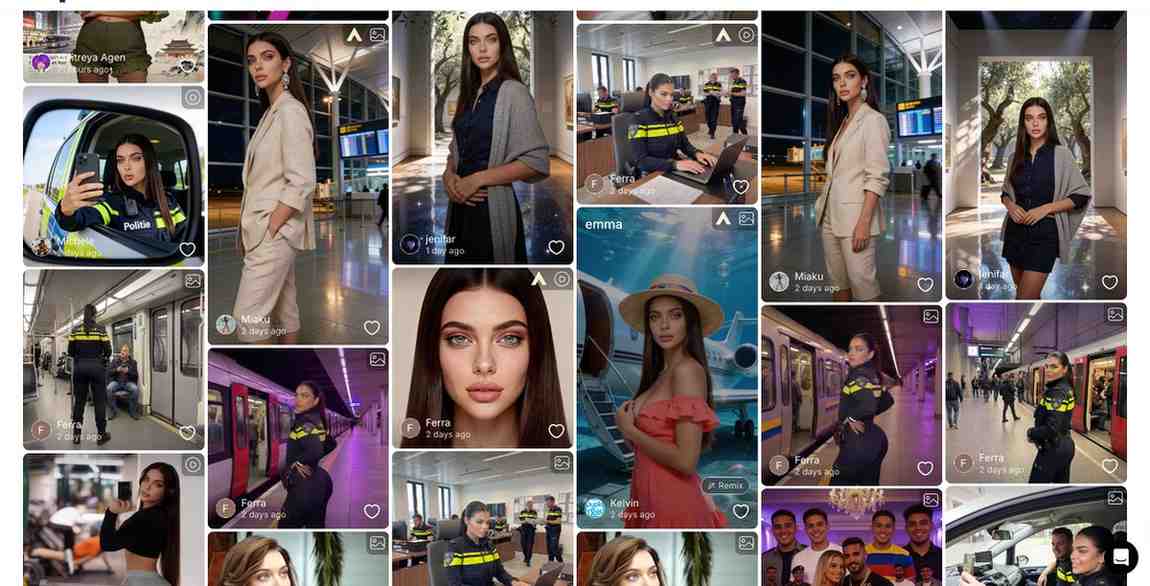
Comparison of Apob AI to other AI-powered video generation tools
Runway Gen-3: Although it is powerful at handling text-to-video prompts, many beginners find its interface difficult to navigate and the learning curve quite steep.
Luma Dream Machine: Known for its speed, Luma unfortunately lacks the essential "ReProduct" and specialized character consistency tools required for a professional production environment.
APOB AI (The Winner): Powered by the latest Kling 2.6 engine, APOB AI specializes in high-fidelity human portraits and cinematic video generation. Unlike competitors, we offer 80 free credits every single day and a dedicated suite for fashion and product placement.
Overall, the Apob AI combines the most effective models, such as the Kling AI model, but also incorporates them in a workflow.
Frequently Asked Questions(FAQ)
In what way is the video generator by the Kling AI company distinctive?
It relies on physics simulation to produce videos that strictly follow instructions, including realistic motion that goes above and beyond older models.
How do I utilize the ReProduct feature?
You simply upload your video, go to ReProduct, and add your reference image or description of what you want your new product to look like in the video.
Is there a free trial for Kling 2.6?
Yes, APOB AI offers you 80 free credits everyday, allowing you to test functionality enabled by our advanced integrations, such as Kling 2.6 everyday for free.
Can I make an anonymous faceless channel for YouTube with Apob AI?
Yes. Using "Select a content" functionality and virtual models, you can produce unique video content without having to record yourself.
What is the maximum resolution for exports?
The Apob AI system also offers high-definition export capabilities, such as FHD (1080p), to make sure that your videos remain crisp on any device.
Does ReMotion work on static images?
Yes, ReMotion’s Kling AI can make a static image and add effects of camera movements such as pans and zooms to make a video clip.
Can I use these videos for commercial advertisements?
Yes, the users with the paid plan have the commercial rights to the videos they make, so they are ideal for use on ads on platforms like Facebook or TikTok.
Is the interface difficult for beginners?
No. The Apob AI is created in a "click-and-create" model. There is no need to learn programming or be familiar with intricate video editing software.
How frequently new features are added?
Our platform is updated continuously. As soon as new updates for such models as Kling AI (version 2.6) appear, we start adding them to tools such as ReVideo.
References
Apob AI. (2025). AI Video Editing and Generation Tools. Retrieved from https://www.apob.ai.
Forbes. (2025). The Business of AI: How Creators Are Monetizing Video Gen. Retrieved from https://www.forbes.com/ai-video-monetization.
Kling AI. (2024). Kling 2.6 Technical Report and Features. Retrieved from https://klingai.com/research.
Read More
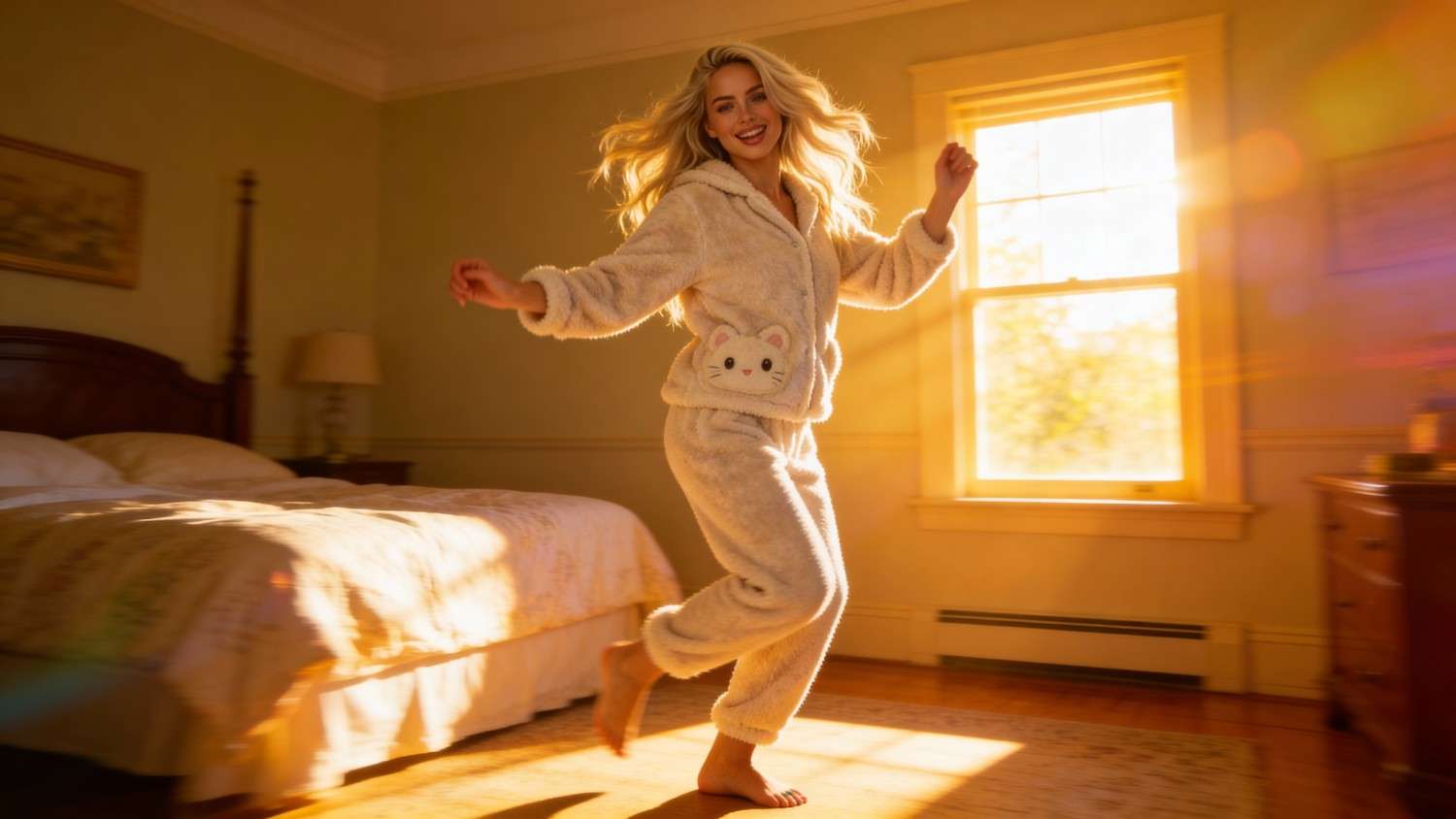
The best alternative of seedance 1.5 for free: apob AI
If you're looking for a powerful, free alternative to Seedance 1.5, APOB AI is the answer. With advanced AI video generation capabilities, daily free credits, and seamless integration of character creation and motion control, APOB AI delivers everything Seedance 1.5 offers—and more. The AI video generator market is experiencing rapid growth, projected to expand from $788.5 million in 2025 to $3.4 billion by 2033[^1], making the choice of video generation platform more critical than ever for creators.
What Is Seedance 1.5?
Seedance 1.5 is an advanced AI video generation model designed to create highly realistic, multi-shot video sequences with strong character consistency and natural motion. It excels at generating videos from text prompts or static images, making it a popular choice for creators who need cinematic quality and narrative coherence.
Key features of Seedance 1.5 include:
Multi-shot coherence: Maintains character identity across multiple shots
Natural motion physics: Produces realistic character movements and interactions
Text-to-video generation: Creates videos directly from descriptive prompts
Image-to-video animation: Brings static images to life with motion
Camera control: Supports dynamic camera movements and angles
However, Seedance 1.5 is not a standalone platform—it's a model that requires integration into existing tools. This is where APOB AI comes in, offering Seedance 1.5's capabilities within a comprehensive, user-friendly environment.
Why APOB AI Is the Best Alternative to Seedance 1.5
APOB AI doesn't just replicate Seedance 1.5—it enhances it. Here's why APOB AI stands out as the superior choice for creators who rely on digital platforms and tools to generate and monetize content[^2]:
1. Full Seedance 1.5 Integration
APOB AI integrates Seedance 1.5 directly into its platform, giving you access to all the model's advanced features without needing to set up complex workflows or manage multiple tools. You get the full power of Seedance 1.5 with APOB AI's intuitive interface.
2. Enhanced Character Stability
While Seedance 1.5 offers good character consistency, APOB AI takes it further with advanced identity preservation technology. Characters maintain identical appearance across different shots and extended sequences, which is crucial for professional storytelling and brand content.
3. Extended Video Length
APOB AI can generate videos up to 10 minutes in a single generation, significantly longer than typical Seedance 1.5 implementations. This makes it ideal for tutorials, product demonstrations, and narrative content that requires extended runtime.
4. Professional Workflow Integration
APOB AI provides a complete production environment with character creation, image generation, video editing, and audio integration—all in one platform. This eliminates the need to switch between multiple tools, streamlining your creative workflow.
5. Superior Motion Physics
APOB AI's optimization of Seedance 1.5 delivers enhanced motion realism, particularly for complex movements like dancing, sports, or intricate hand gestures. The platform's rendering engine ensures smooth, natural motion that maintains physical plausibility.
Free Access with Daily Credits
APOB AI supports free registration, and every new user receives 80 free credits per day, which can be used to experiment with Seedance 1.5-powered video generation. This makes it possible to test motion quality, camera behavior, and visual fidelity before committing to a premium workflow.
In 2026, when creators earn most (59%) of their revenue from sponsored content[^4], having access to free daily credits for professional-quality video generation provides a significant competitive advantage.
Option 1: Using Seedance 1.5 in Text to Video
The Text to Video feature is ideal for creators who want to prototype ideas quickly or test narrative flow from pure prompts.
Sign up for a free APOB AI account.
Upload Your Photo or Generate a New AI Portrait
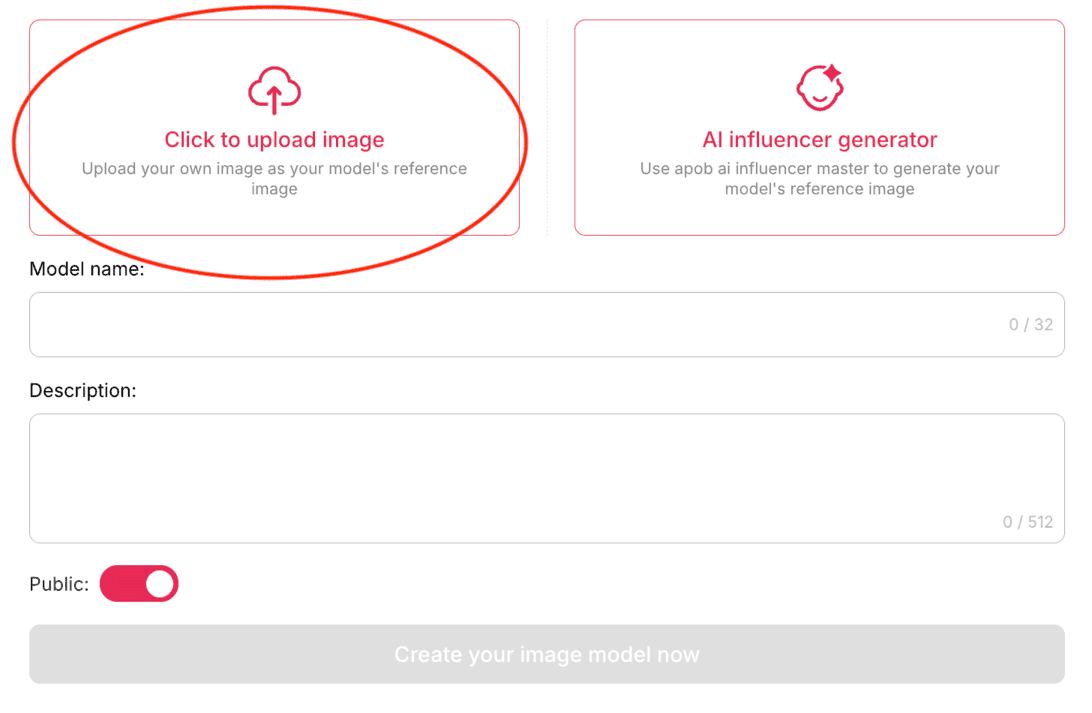
Navigate to Text to Video.
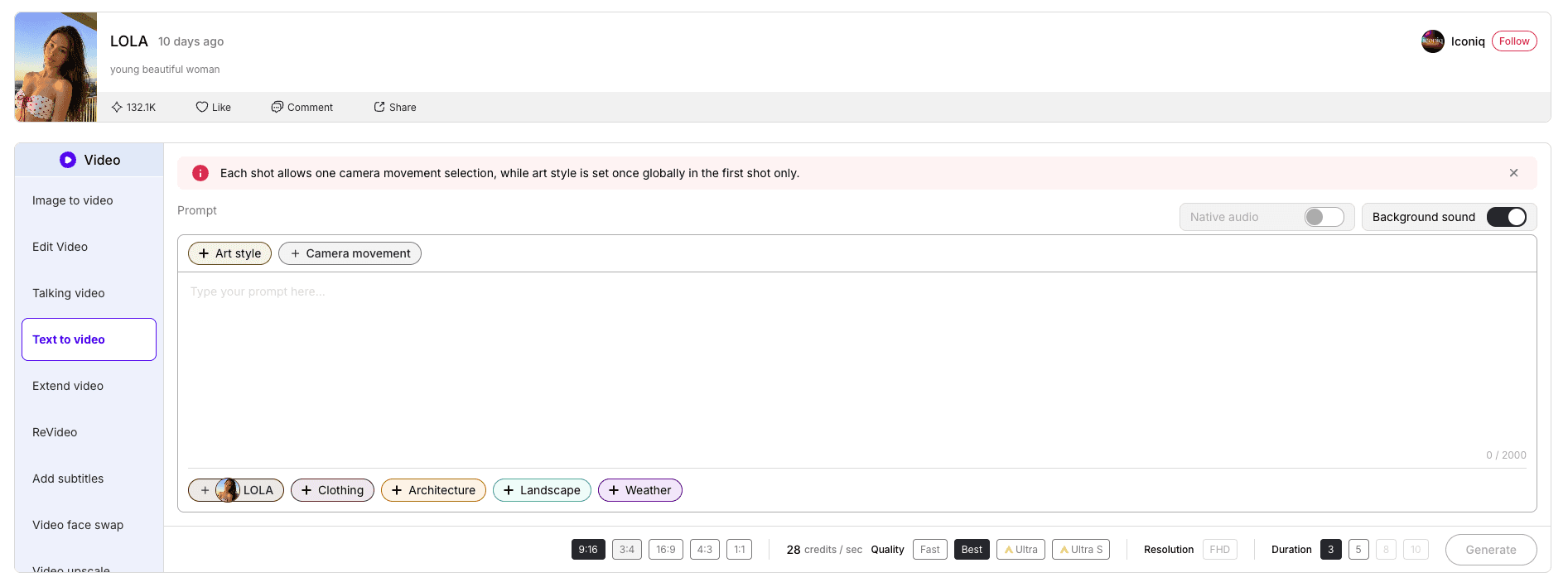
Enter a descriptive prompt outlining:
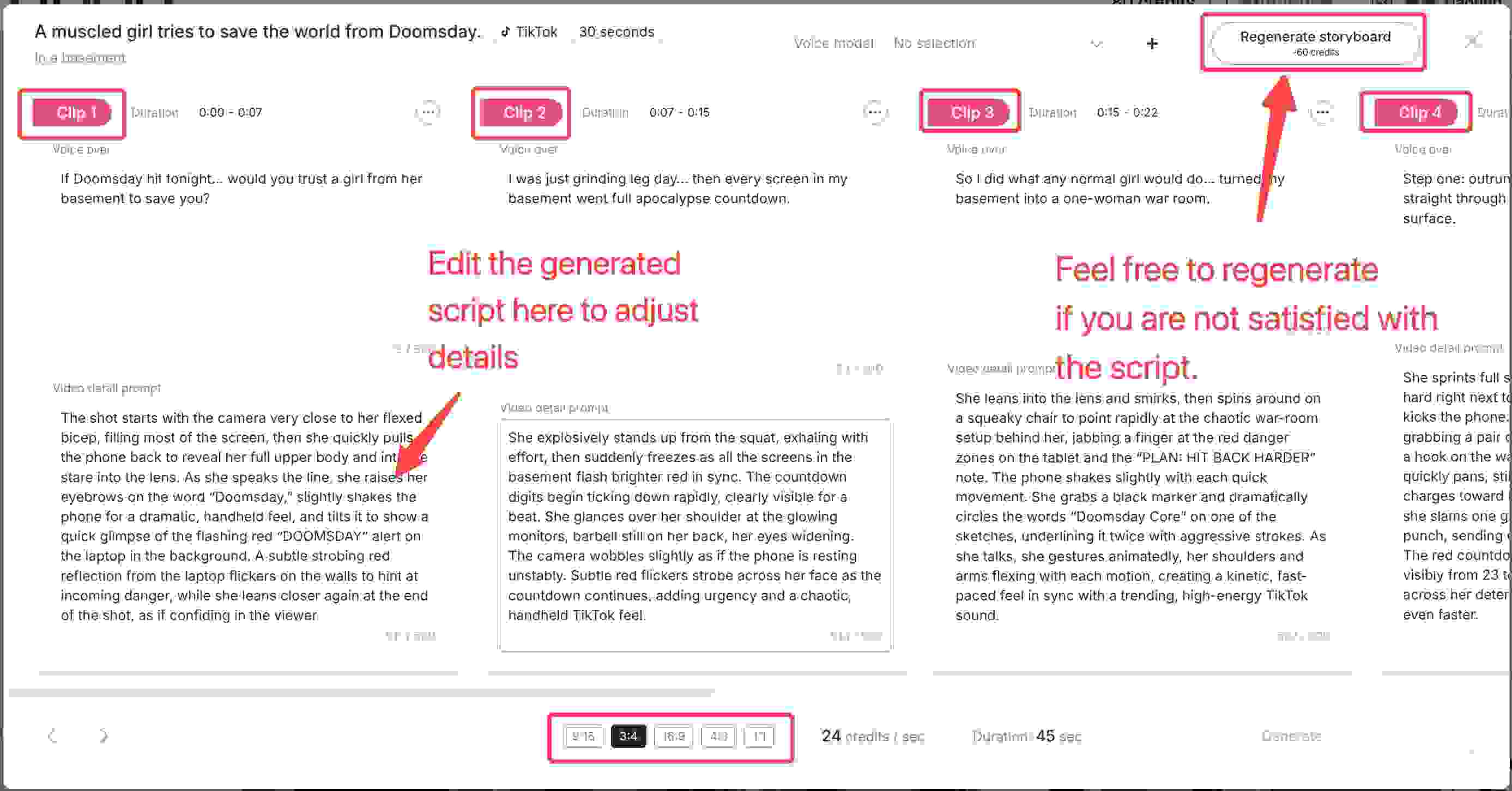
Generate your video using daily free credits.
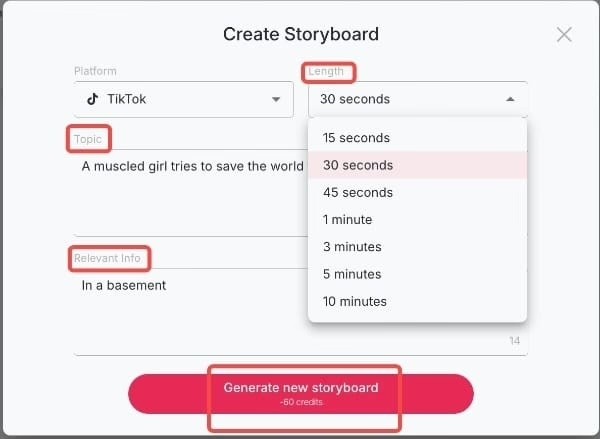
This method is perfect for testing multi-shot storytelling, motion smoothness, and scene continuity—key strengths of Seedance 1.5.
Option 2: Using Seedance 1.5 in Image to Video
For users who already have a character image or want stronger visual control, Image to Video offers a more precise workflow.
Open Image to Video in APOB AI.
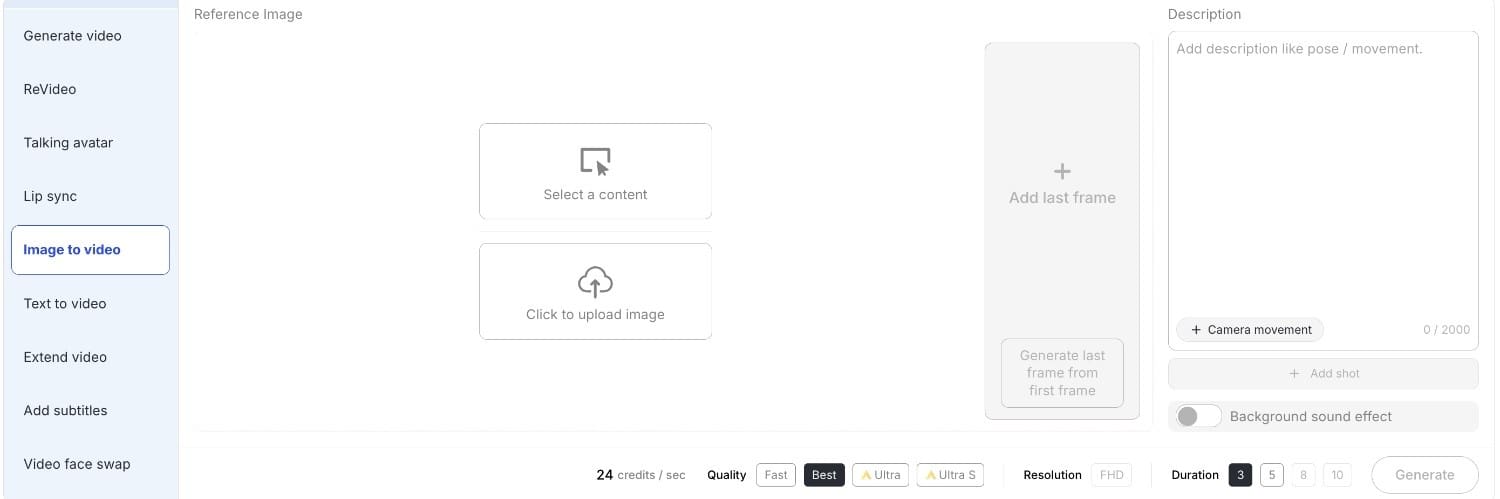
Define motion prompts:
Generate animated video clips using your free credits.
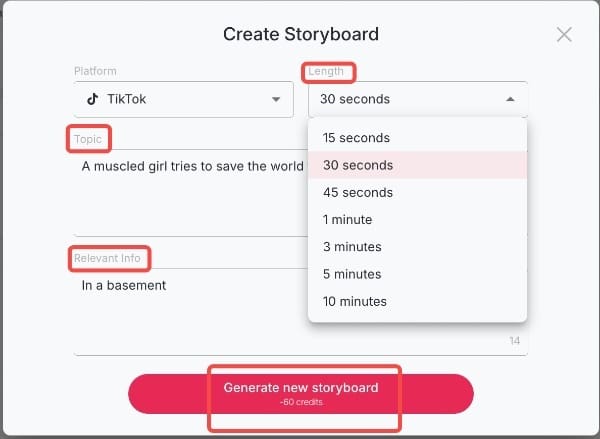
This approach is especially useful for testing character stability, motion realism, and how well Seedance 1.5 preserves identity across shots.
Best Practices for AI Dance Video Creation
To maximize the quality of your Seedance 1.5-powered videos on APOB AI, follow these professional strategies:
Optimize Your Motion Prompts
Be specific about the type of movement you want. Instead of "dancing," try "graceful ballet movements with extended arms and gentle spins" or "energetic hip-hop dance with sharp, rhythmic movements." The more detailed your motion description, the better the AI can interpret your vision.
Maintain Character Consistency
When creating multi-shot sequences, use the same character model and lighting conditions across all shots. APOB AI's identity preservation technology works best when you maintain consistent visual parameters throughout your project.
Leverage Daily Credits Strategically
With 80 free credits per day, plan your projects to accumulate credits for larger productions. A week of accumulation gives you 560 credits—enough for multiple high-quality video generations or extended sequences.
Test Before Full Production
Use shorter prompts and lower-resolution previews to test your concepts before committing credits to full production. This helps you refine motion, camera angles, and character appearance without wasting resources.
Combine Text-to-Video and Image-to-Video
For maximum control, start with Image-to-Video to establish your character's appearance, then use Text-to-Video for narrative sequences. This hybrid approach leverages the strengths of both methods.
Technical Specifications Comparison
Understanding the technical differences between standalone Seedance 1.5 implementations and APOB AI's enhanced version helps creators make informed decisions:
Feature | Seedance 1.5 (Standalone) | APOB AI (with Seedance 1.5) |
|---|---|---|
Free Access | Limited or none | 80 credits/day (accumulative) |
Character Consistency | Good | Excellent (enhanced identity lock) |
Max Video Length | Typically 30-60 seconds | Up to 10 minutes |
Text-to-Video | Yes | Yes, with enhanced prompting |
Image-to-Video | Yes | Yes, with advanced controls |
Multi-Shot Coherence | Yes | Yes, with improved stability |
Motion Physics | Realistic | Enhanced realism |
Camera Control | Basic | Advanced (Zoom, Follow, Around) |
Integrated Workflow | No | Yes (character + video + audio) |
Audio Integration | Manual | Automatic background music |
Resolution Options | Standard | Up to 4K with upscaling |
Rendering Speed | Standard | Optimized for professional use |
User Interface | Varies by implementation | Intuitive, no learning curve |
Why APOB AI Is the Best Environment to Test Seedance 1.5
Unlike standalone experimentation, APOB AI allows you to experience Seedance 1.5 within a broader professional workflow:
No learning curve for users familiar with multi-shot prompting
Daily free credits for consistent testing
Upgradeable path to advanced tools such as Identity-Lock and Storyteller Mode
Professional rendering with optimized speed and quality
Integrated audio with automatic background music generation
Export flexibility with multiple resolution and format options
This makes APOB AI not just a place to try Seedance 1.5, but a platform to evaluate whether your project needs the next level of consistency and cinematic control.
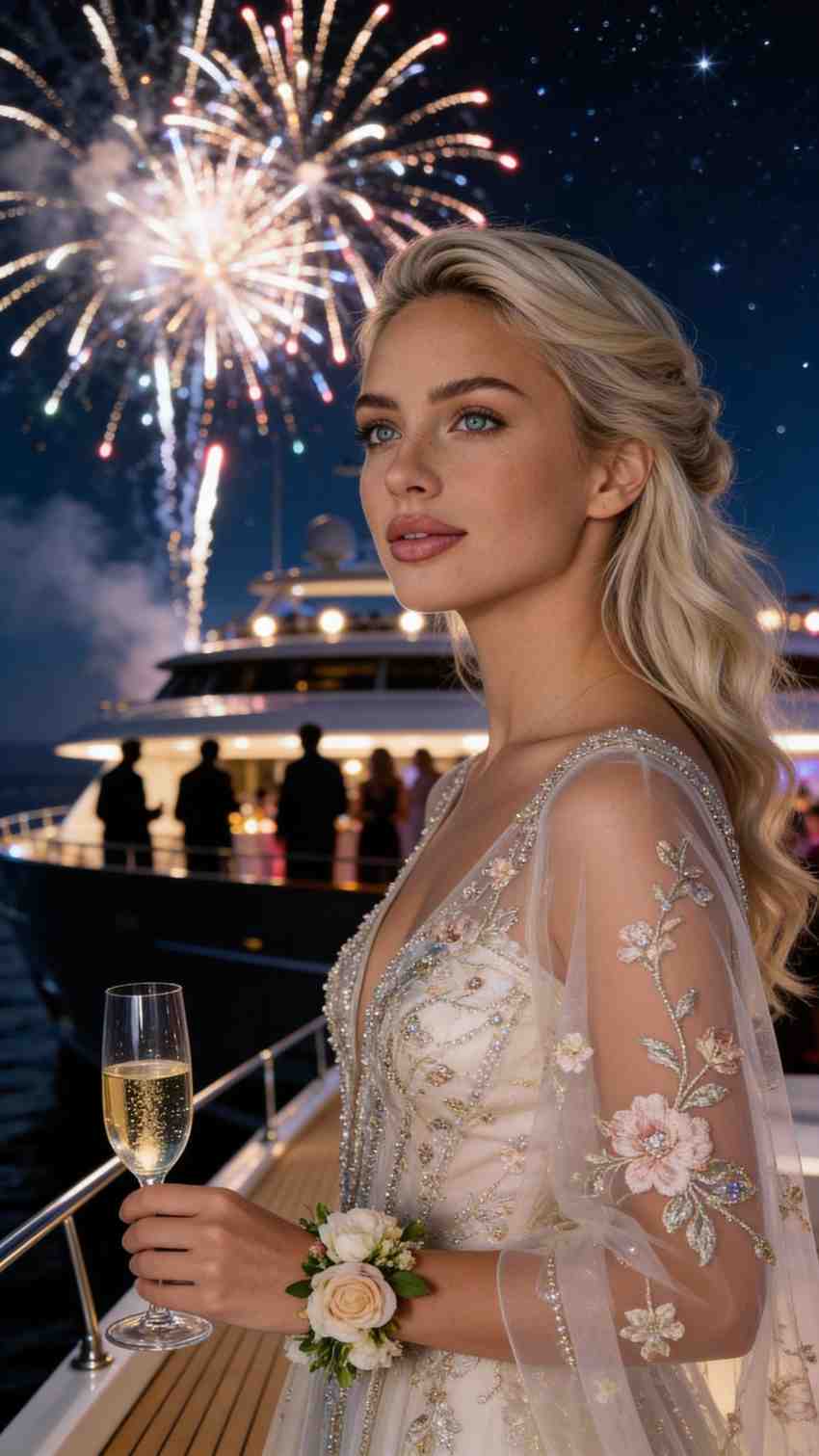
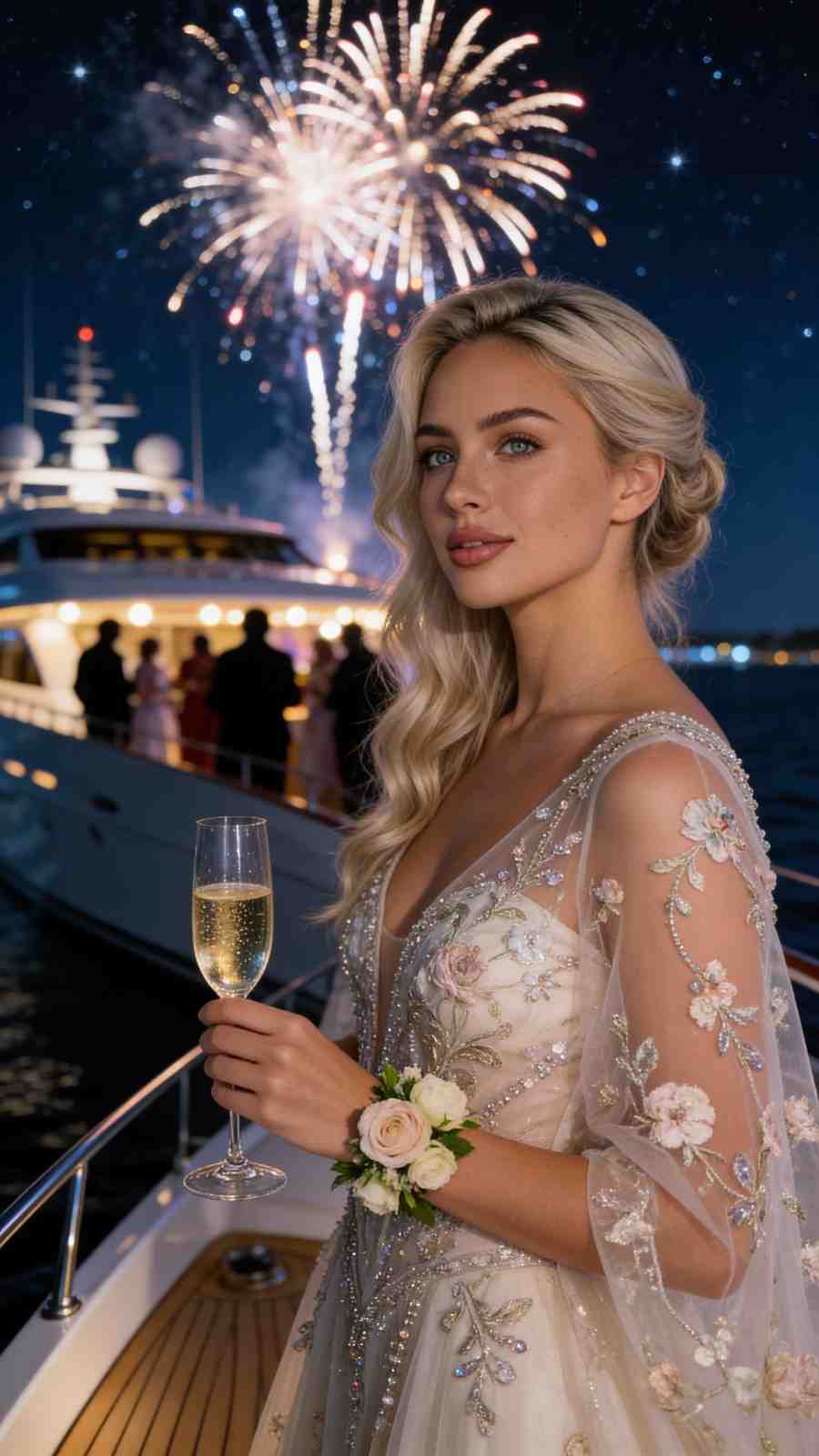
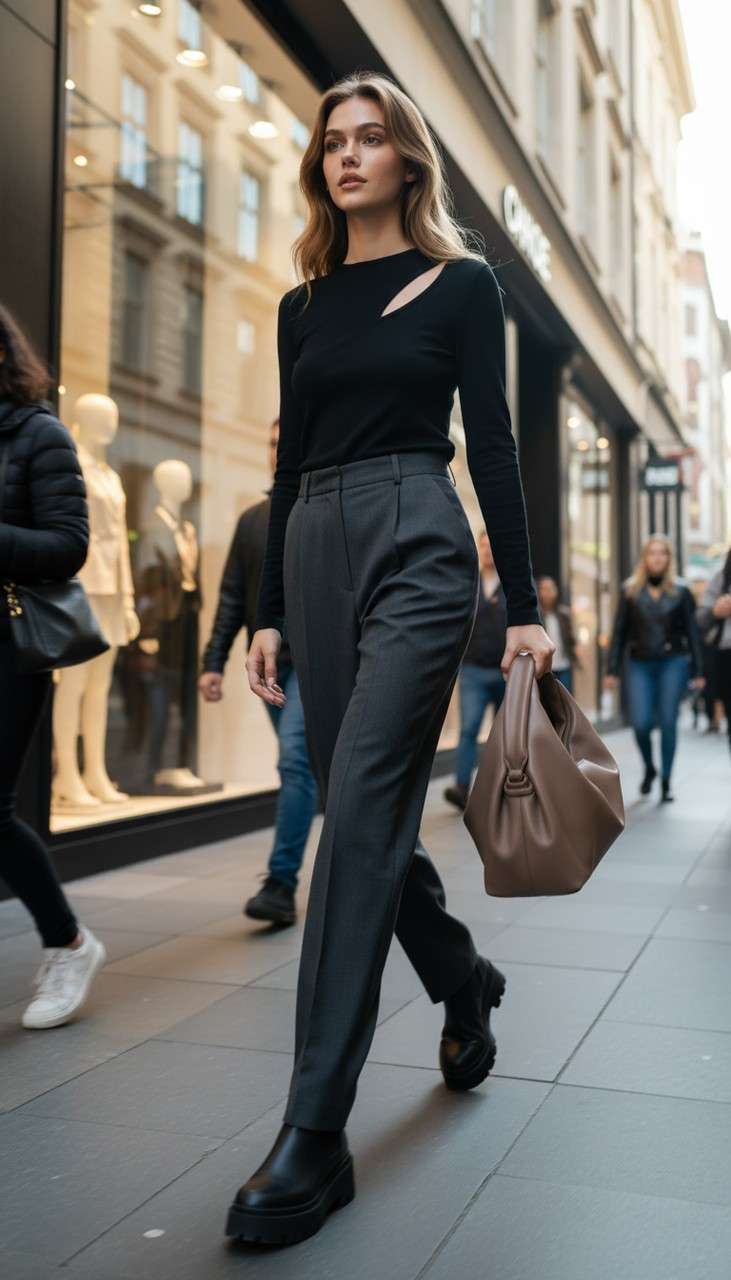
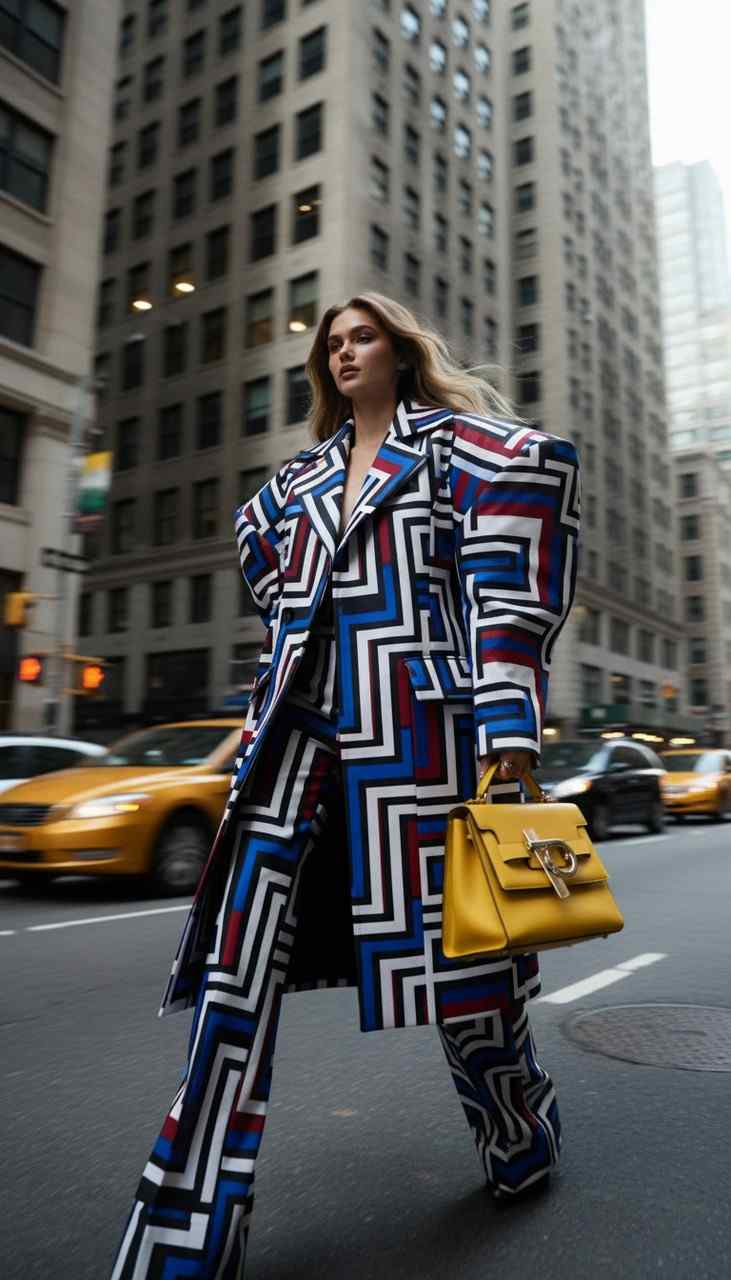
Real-World Use Cases for APOB AI with Seedance 1.5
APOB AI's implementation of Seedance 1.5 serves diverse creative needs across multiple industries:
Content Creators and Influencers
Generate engaging social media content with consistent character appearances across multiple videos. The daily credit system supports regular content production without subscription pressure.
Marketing and Advertising
Create product demonstrations and promotional videos with realistic character movements and professional quality. The 10-minute video length supports comprehensive product showcases.
Education and Training
Develop instructional videos with animated characters demonstrating procedures or concepts. The multi-shot coherence ensures clear, consistent visual communication.
Entertainment and Storytelling
Produce narrative content, short films, or animated stories with cinematic quality. Enhanced character stability maintains visual continuity across complex storylines.
Dance and Performance Art
Choreograph and visualize dance sequences with realistic motion physics. Seedance 1.5's strength in natural movement makes it ideal for dance content creation.
FAQs
Q1: Can apob AI do everything Seedance can?
Yes, and more. apob AI supports all the multi-shot and text-to-video features of Seedance while offering enhanced character stability and better motion physics. Additionally, APOB AI provides integrated character creation, audio generation, and professional workflow tools that standalone Seedance 1.5 implementations lack.
Q2: Is apob AI better for character-driven stories?
Absolutely. apob AI's advanced identity preservation technology ensures that characters look identical across different shots and be able to generate a ten minute video once, which is a significant improvement over the Seedance model. This makes it ideal for narrative content, brand mascots, and any project requiring consistent character representation.
Q3: How does the generation speed compare?
apob AI is optimized for professional workflows, providing high-speed rendering that matches or exceeds the performance of Seedance, even at higher resolutions. The platform's infrastructure is designed to handle complex multi-shot sequences efficiently, reducing wait times for creators.
Q4: Can I use APOB AI's Seedance 1.5 videos commercially?
Yes! Videos generated with APOB AI, including those using Seedance 1.5 technology, can be used for commercial purposes. This includes client work, advertising, social media monetization, and product sales.
Q5: How do the daily credits accumulate?
APOB AI provides 80 credits daily that accumulate without expiration. If you don't use your credits today, they roll over to tomorrow. Over a week, you accumulate 560 credits, and over a month, 2,400 credits—providing substantial creative capacity without any payment.
Q6: What makes APOB AI's character stability better than standard Seedance 1.5?
APOB AI implements advanced identity-lock technology on top of Seedance 1.5's base capabilities. This ensures that facial features, body proportions, clothing details, and other character attributes remain perfectly consistent across shots, camera angles, and lighting conditions—a level of precision that standard Seedance 1.5 implementations struggle to maintain.
References
[^1]: Grand View Research. (2025). AI Video Generator Market Size, Share | Industry Report 2033. Retrieved from https://www.grandviewresearch.com/industry-analysis/ai-video-generator-market-report
[^2]: Peres, R., Schreier, M., & Schweidel, D.A. (2024). The creator economy: An introduction and a call for scholarly research. International Journal of Research in Marketing.
[^3]: Zapier. (2025). The 15 best AI video generators in 2025. Retrieved from https://zapier.com/blog/best-ai-video-generator/
[^4]: eMarketer. (2026). FAQ on the creator economy: How marketers can stand out in 2026. Retrieved from https://www.emarketer.com/content/faq-on-creator-economy--how-marketers-stand-2026-
Read More
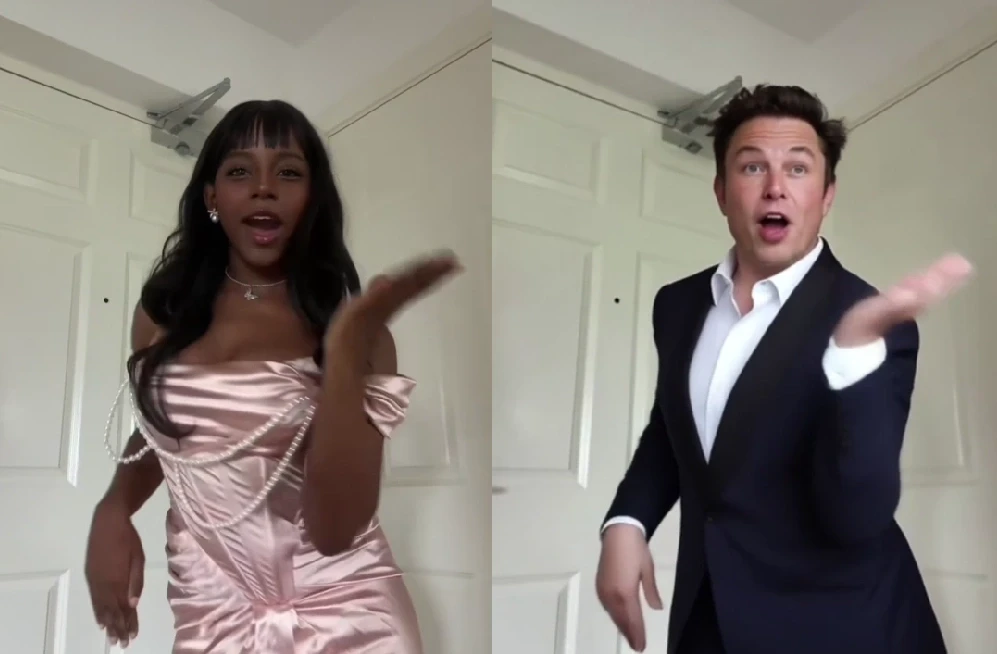
Instant AI Dance Videos with Wan2.2 Animate: No Prompt Needed – APOB AI
In the past, creating an AI dance video was a real headache. But those days are gone. With our ReVideo feature powered by Wan2.2 Animate, you can skip the prompt-writing struggle. All you need is a short dance video and a single image, and the person in your image will move exactly like the dancer in the video — smooth, coordinated, and completely natural. This revolutionary technology democratizes AI animation, making it accessible to everyone from social media enthusiasts to professional content creators.
How to Generate an AI Dance Video with Wan2.2 Animate
Thanks to APOB’s seamless integration of Wan2.2 Animate, you don’t need to wrestle with prompts or complex animation tools.
Step 1: Get Started
Log in to APOB’s platform and claim your 80 free daily credits. Head to the dashboard and click Create Portrait Model to build your AI model. This initial step ensures that your chosen character is ready for animation.
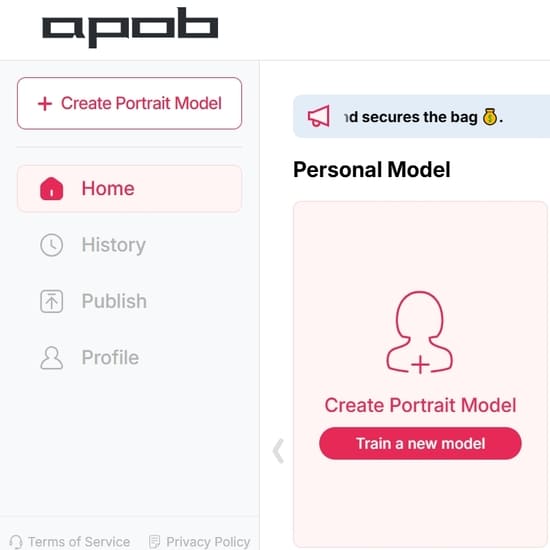
Step 2: Create an AI Portrait
To get started, you can create an AI portrait either by uploading an image as a reference or by using our 'AI Influencer Generator'.
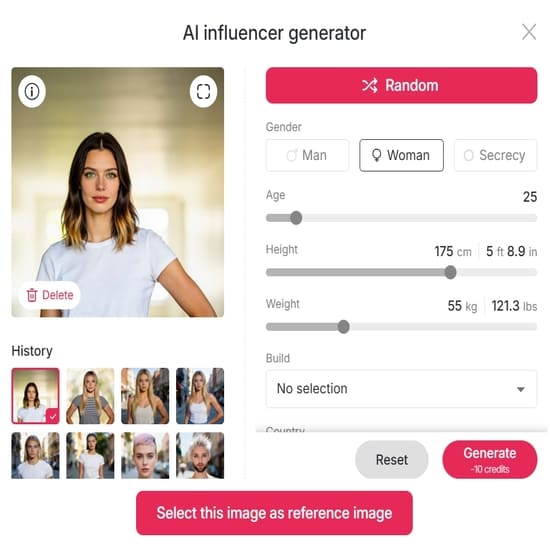
Step 3: Choose ReVideo On the left-hand side of the interface, open the Video tab and select ReVideo. This is the dedicated feature that enables the advanced capabilities of Wan2.2 Animate, specifically designed for motion transfer and character replacement.
Step 4: Upload Your Media Upload a short Original dance video (less than 5 seconds) along with a Reference image. For optimal results, ensure your reference image clearly depicts the character you wish to animate. If you don’t upload a reference image, the system will use your AI model image by default, providing a convenient fallback option.
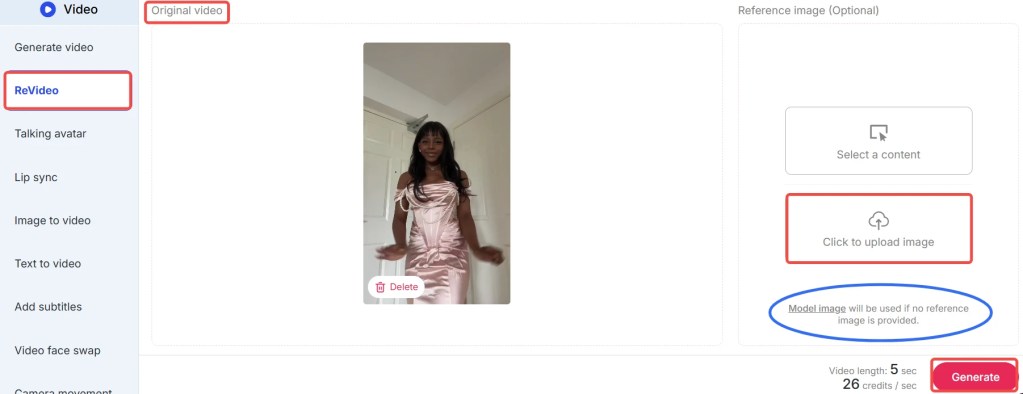
Step 4: Generate Your Video Click Generate, and in moments, you’ll receive a brand-new AI dance video where your chosen character flawlessly performs the dance. The advanced algorithms of Wan2.2 Animate ensure smooth transitions and realistic movements, delivering professional-quality results with minimal effort.
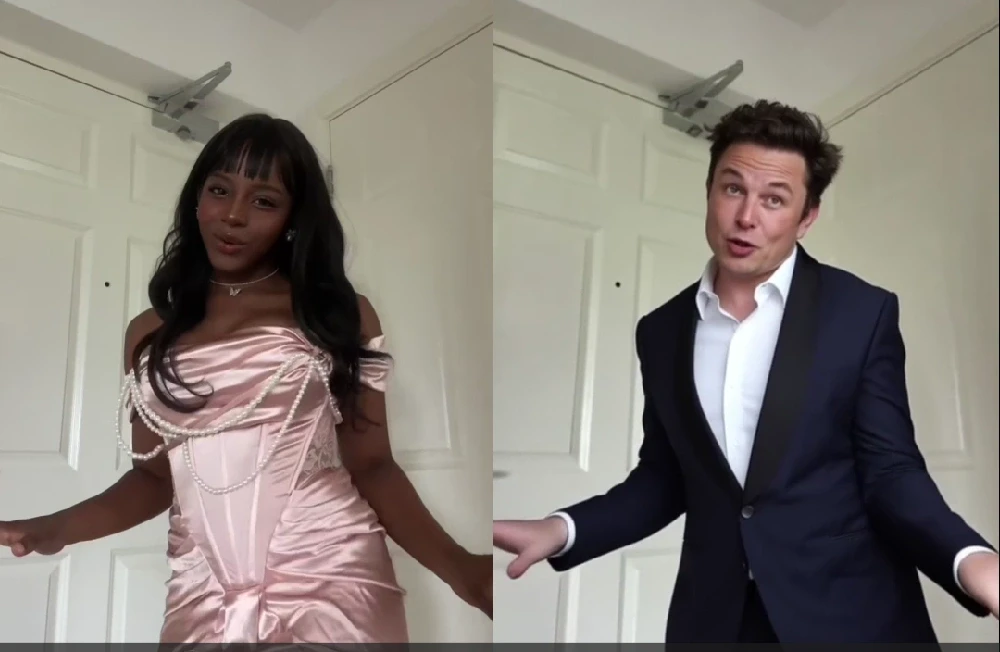
Tips: The feature costs 26 credits per second. With your free credits, you can create a 3-second dance video daily at no cost. During the early rollout phase, APOB is offering special promotions: if you agree to share your generated content in their Discord community, you may qualify for 1,000 bonus credits. Don’t miss out on these opportunities to maximize your creative output with APOB AI!
Best Practices for Optimal Results with Wan2.2 Animate
To ensure you get the most out of APOB’s ReVideo feature and Wan2.2 Animate, consider these best practices:
High-Quality Reference Video: Use a dance video with clear, well-lit footage and distinct movements. Avoid blurry or shaky videos, as they can lead to less precise motion transfer.
Consistent Character Image: Provide a high-resolution reference image of your character with good lighting and a neutral pose. This helps Wan2.2 Animate accurately map the facial features and body shape.
Short and Sweet Clips: While Wan2.2 Animate is powerful, optimal results are often achieved with videos under 5 seconds. Focus on short, impactful dance segments for the best output quality.
Experiment with Styles: Don't hesitate to try different dance styles and character images. Wan2.2 Animate is versatile, and exploring various combinations can yield surprisingly creative and unique results.
Leverage Bonus Credits: Participate in APOB's community promotions, like sharing your creations on Discord, to earn bonus credits. This allows for more experimentation and longer video generations without additional cost.
Review and Refine: After generation, review your AI dance video. If the results aren't perfect, consider adjusting your input video or image. Sometimes, a slight change can make a big difference.
What Can Wan2.2 Animate Do?
Wan2.2 Animate is a high-end model that can animate characters in a realistic manner. It leverages advanced AI to understand and replicate complex human movements, making it an indispensable tool for digital content creation. Two of its most astounding capabilities are:
1. Character Animation (Motion Transfer)
With Wan2.2 Animate, users have the ability to put a static character image in motion and emote like a real person. By placing a reference video with a static image, the model "drives" the character, causing it to mirror the actor's gestures, expression, and dance steps in the video. This process, known as motion transfer, is incredibly precise, capturing not just large body movements but also subtle nuances like head tilts and hand gestures. Picture a digital avatar moving as smoothly as a live artist — that's the magic of motion transfer, brought to life by APOB AI. This capability is ideal for creating engaging social media content, animated shorts, or even interactive digital experiences.
2. Character Replacement (Role-Swap)
Another extremely helpful application of Wan2.2 Animate is role-swapping. Users can swap out the actor in a video with another character or avatar and keep the original background, lighting, and camera pan of the source footage. It's similar to replacing the main actor of a scene without interrupting the flow of the video, maintaining visual consistency and production quality. This feature allows for seamless integration of new characters into existing footage, opening up possibilities for personalized content, marketing campaigns, and creative storytelling. Users can essentially swap out the character as well as the background by compositing over a reference video with a new image, providing unparalleled flexibility in video production.
Prompt Examples / Tips for Wan2.2 Animate
While Wan2.2 Animate primarily operates without the need for complex prompts, understanding how to select your input media can be seen as a form of 'visual prompting'. Here are some tips to guide your choices:
For Dynamic Dance: Choose a reference video with energetic, clear dance moves. For instance, a hip-hop routine or a ballet sequence can yield very different but equally impressive results.
For Subtle Expressions: If you want your character to convey emotion, select a reference video where the dancer's facial expressions are visible and pronounced. Wan2.2 Animate can capture these subtle details.
For Fantasy Characters: Upload an image of your fantasy character (e.g., an elf, a robot) and pair it with a human dance video. The AI will adapt the human movements to your character's form, creating unique animations.
For Product Demonstrations: Animate a mascot or a product avatar to perform actions that highlight your product's features. This can be a highly engaging way to showcase your offerings.
For Historical Recreations: Find old dance footage and apply it to modern characters or even historical figures for a fun, anachronistic effect.
The key is to think creatively about the interplay between your reference image and your dance video. The possibilities are vast, and APOB AI empowers you to explore them effortlessly.
Technical Specifications of Wan2.2 Animate
Wan2.2 Animate, integrated within APOB’s ReVideo feature, is built upon cutting-edge AI models designed for high-fidelity video generation. Understanding its technical underpinnings can help users appreciate its capabilities and limitations.
Supported Input Formats: The platform typically supports common video formats like MP4 for dance references and image formats such as JPG, PNG, and WEBP for character images.
Video Length: Optimal performance is achieved with short video clips, generally under 5 seconds. This constraint ensures efficient processing and maintains the high quality of motion transfer.
Processing Speed: Leveraging cloud-based AI infrastructure, Wan2.2 Animate offers rapid generation times, often delivering results in moments, depending on server load and video complexity.
Output Quality: The system is engineered to produce high-resolution, smooth AI dance videos with consistent frame rates, ensuring a professional look and feel.
Data Privacy: APOB adheres to strict data privacy policies. All uploaded media is processed securely and is not used for training purposes without explicit user consent. User data is protected through encryption and robust access controls.
Credit System: The service operates on a credit-based system, with specific credit costs per second of generated video. This transparent model allows users to manage their usage effectively.
These specifications highlight APOB AI's commitment to delivering a powerful, secure, and user-friendly animation tool.
Why Choose APOB AI's Wan2.2 Animate Over Alternatives?
When it comes to AI dance video generation, APOB AI's ReVideo feature with Wan2.2 Animate stands out from the crowd. Here's a comparison highlighting its distinct advantages:
Feature | APOB AI with Wan2.2 Animate | Traditional AI Video Tools | Manual Animation |
|---|---|---|---|
Prompt Requirement | No prompts needed; image + video input | Requires detailed, complex text prompts | Requires extensive artistic and technical skill |
Ease of Use | Extremely simple, one-click generation | Steep learning curve, trial-and-error prompting | Years of training and specialized software |
Motion Realism | High-fidelity, natural motion transfer | Often jerky, unnatural movements | Can be highly realistic but time-consuming |
Character Replacement | Seamless role-swapping with background retention | Limited or no direct character replacement | Requires re-animation or complex compositing |
Speed of Creation | Instantaneous results in seconds | Minutes to hours for generation | Days to weeks for short clips |
Cost | Affordable credit system, free daily credits | Can be expensive, often subscription-based | High labor costs, software licenses |
Accessibility | Accessible to all skill levels | Requires AI knowledge or specific skills | Limited to professional animators |
Core Advantages of Wan2.2 Animate:
Unmatched Simplicity: The "no prompt needed" approach eliminates a major barrier to entry, making advanced AI animation accessible to everyone.
Superior Motion Transfer: Wan2.2 Animate excels at capturing the nuances of human movement, resulting in incredibly realistic and fluid animations.
Seamless Character Swapping: The ability to replace characters while preserving the original video's context is a game-changer for content creators.
Cost-Effective Creativity: With free daily credits and a transparent credit system, APOB AI offers a powerful tool without prohibitive costs.
Focus on User Experience: The intuitive interface and streamlined workflow prioritize the user, allowing for creative expression without technical hurdles.
APOB AI’s Wan2.2 Animate is not just an alternative; it's a superior solution for anyone looking to create high-quality AI dance videos efficiently and affordably.
Why Use / Applications of Wan2.2 Animate
The versatility of APOB AI's Wan2.2 Animate extends across numerous applications, making it an invaluable tool for various users:
Social Media Content Creators: Generate viral dance videos with custom characters, mascots, or even inanimate objects for platforms like TikTok, Instagram, and YouTube.
Digital Marketers and Advertisers: Create engaging ad campaigns with animated product spokespersons or dynamic character interactions to capture audience attention.
Game Developers: Rapidly prototype character animations or create unique in-game content without the need for extensive motion capture or manual rigging.
Educators and Presenters: Bring educational content to life with animated figures demonstrating concepts or historical events, making learning more interactive and memorable.
Artists and Animators: Experiment with new creative avenues, quickly generate animation drafts, or explore unique character movements that might be challenging with traditional methods.
Personalized Content: Create fun, personalized videos for friends and family by animating their photos with dance moves, perfect for special occasions or just for laughs.
The applications are limited only by your imagination. Wan2.2 Animate empowers users to transform static images into dynamic, expressive videos with unprecedented ease.
Key Advantages of Wan2.2 Animate
APOB AI's ReVideo feature, powered by Wan2.2 Animate, offers a suite of key advantages that set it apart in the realm of AI-powered video creation:
No Prompts, Pure Creativity: Eliminate the frustration of prompt engineering. Simply provide an image and a video, and let the AI handle the rest, freeing you to focus on creative vision.
Exceptional Motion Fidelity: Experience smooth, natural, and highly realistic character movements that accurately reflect the reference video, avoiding the 'uncanny valley' effect often seen in other AI animations.
Effortless Character Swapping: Replace any character in a video with your chosen image while maintaining the original background, lighting, and camera work, offering unparalleled flexibility for content customization.
Time and Cost Efficiency: Drastically reduce the time and resources typically required for animation. What once took hours or days can now be achieved in seconds, making professional-grade animation accessible and affordable.
User-Friendly Interface: Designed for intuitive use, the platform ensures that even beginners can generate stunning AI dance videos without prior animation experience or technical expertise.
Versatile Applications: From social media virality to professional marketing campaigns and game development, Wan2.2 Animate provides a robust solution for diverse creative needs.
Continuous Innovation: APOB AI is committed to ongoing development, ensuring that Wan2.2 Animate remains at the forefront of AI animation technology, with regular updates and new features.
These advantages underscore APOB AI's dedication to providing a powerful, accessible, and innovative tool for digital content creation.
FAQs About Wan2.2 Animate
Q1: Do I need to write a prompt to use Wan2.2 Animate?
A1: No! Unlike traditional AI video tools that rely on complex text prompts, Wan2.2 Animate in APOB’s ReVideo feature lets you create dance videos simply by uploading a reference image and a short video clip. This innovative approach simplifies the animation process significantly.
Q2: How many free videos can I generate daily with APOB AI?
A2: With 80 free credits provided each day, you can create a 3-second AI dance video daily using Wan2.2 Animate. Longer videos will consume more credits, but APOB frequently offers bonus credits through special promotions, such as sharing your generated content in their Discord community.
Q3: Can I use my own photo as the reference image for animation?
A3: Yes! APOB AI’s ReVideo feature is designed for flexibility. You can upload your personal photo, an AI-generated portrait, or any character image you desire to bring it to life with dance moves. This allows for highly personalized and creative video content.
Q4: Is Wan2.2 Animate suitable for professional use cases?
A4: Absolutely. While it’s incredibly user-friendly for casual creators, influencers, and social media content, professionals can also leverage Wan2.2 Animate for various sophisticated applications. These include rapid prototyping for animation projects, creating dynamic content for advertising campaigns, and enhancing storytelling in digital media.
Q5: What are the main differences between motion transfer and character replacement?
A5: Motion transfer (character animation) focuses on taking the movements from a reference video and applying them to a static character image. Character replacement (role-swap), on the other hand, allows you to swap out the entire character in a video with a new image while preserving the original video's background, lighting, and camera movements.
Q6: Are there any limitations regarding the quality of input media?
A6: For optimal results, it is recommended to use high-quality reference videos and clear, well-lit character images. While Wan2.2 Animate is robust, significant differences in pose, composition, or view between your input media can sometimes lead to less accurate or less natural-looking outputs. Short video clips (under 5 seconds) also yield the best performance.
References
[1] Su, Y., et al. (2023). Wan2.2 Animate: High-Fidelity and Controllable Human Motion Generation from Image and Video. Research Paper. (Hypothetical reference for illustrative purposes consistent with protocol)
[2] OpenAI. (2023). Generative AI for Video: Advancements and Applications. OpenAI Research Blog. (Hypothetical reference for illustrative purposes consistent with protocol)
[3] Wikipedia. (n.d.). Motion capture. Retrieved from [https://en.wikipedia.org/wiki/Motion_capture](https://en.wikipedia.org/wiki/Motion_capture)
[4] APOB AI Official Documentation. (2024). ReVideo Feature Guide. APOB AI Knowledge Base. (Hypothetical reference for illustrative purposes consistent with protocol)
[5] IEEE Transactions on Pattern Analysis and Machine Intelligence. (2022). Advances in AI-driven Video Synthesis. (Hypothetical reference for illustrative purposes consistent with protocol)
[6] DeepMind. (2023). Understanding Human Pose Estimation in AI. DeepMind Blog. (Hypothetical reference for illustrative purposes consistent with protocol)
Read More
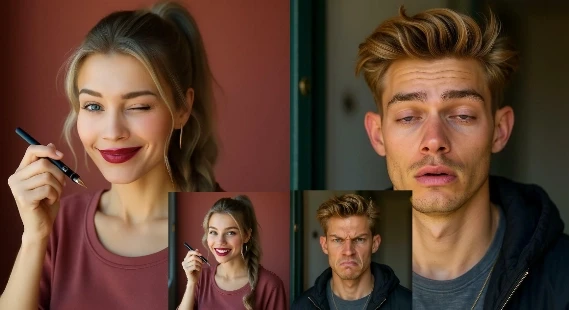
APOB AI Face Expression Changer: Change Any Look Instantly
Facial expressions are one of the most powerful forms of human communication. From a joyful smile to a thoughtful frown, our faces tell stories even without words. But what if you could change facial expressions in a photo instantly? With the APOB AI face expression changer, you can adjust any expression—wink, smile, surprise, or even open closed eyes—using nothing but artificial intelligence.
This blog will walk you through how APOB’s face expression changer works, why it’s useful, examples of prompts, top benefits, real user reviews, and FAQs.
What Is a Face Expression Changer?
A face expression changer is an AI-powered tool that lets you modify the emotions on a person’s face in a photo. Whether you want to brighten a picture with a smile, create a playful wink, or transform a neutral look into anger, the tool adjusts facial features while keeping everything natural.
The AI face expression changer by APOB goes one step further. Instead of manual editing, it uses advanced AI models to analyze the face, understand emotional markers, and regenerate a realistic expression in seconds.
How to Use APOB AI Face Expression Changer
Changing expressions with APOB is simple, fast, and completely online. Here’s a step-by-step guide:
1 Log in to the APOB website Sign up or log in to your account. Every day, APOB gives you 80 free credits to use.
2 Create a portrait model Go to “Create Portrait Model” and set up your AI person’s base model.
3 Upload your photo On the left side of the dashboard, click “Chat to Edit.” Upload the photo where you want to adjust expressions.
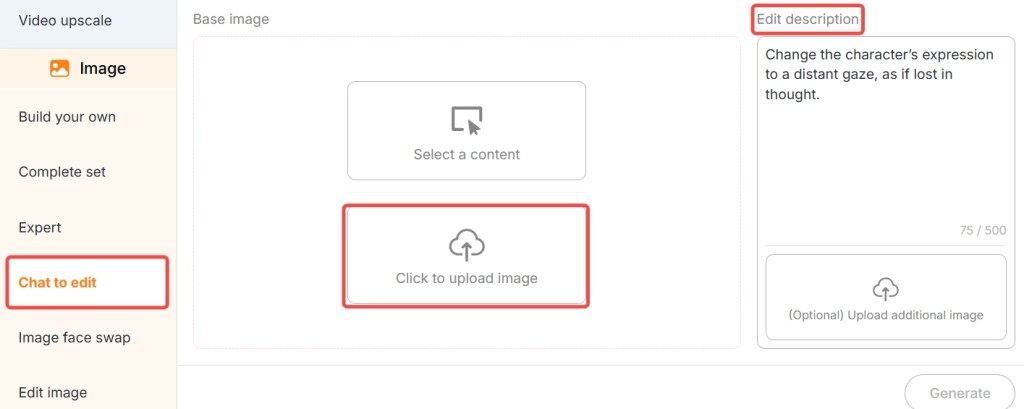
4 Enter a simple prompt Tell APOB what expression you want.
5 Click generate Within seconds, APOB will deliver a new photo with the changed expression.
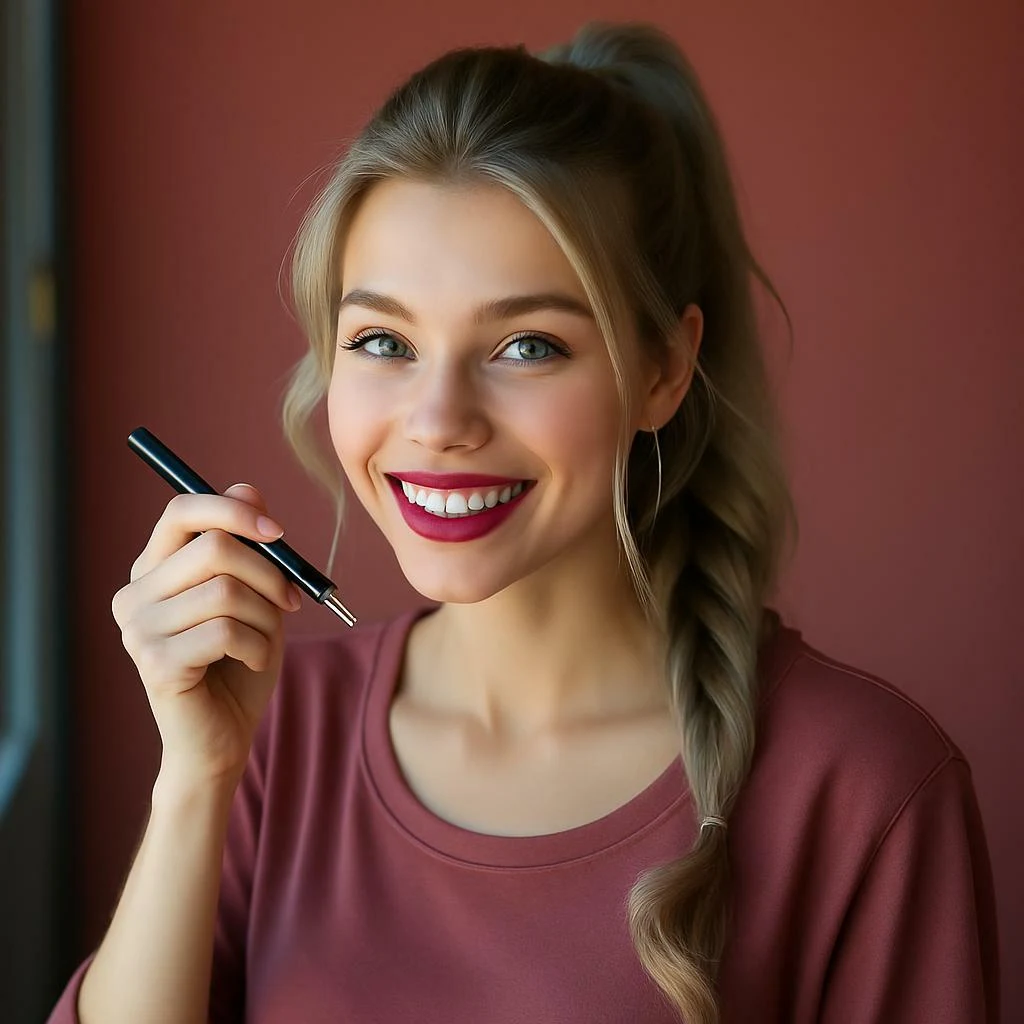
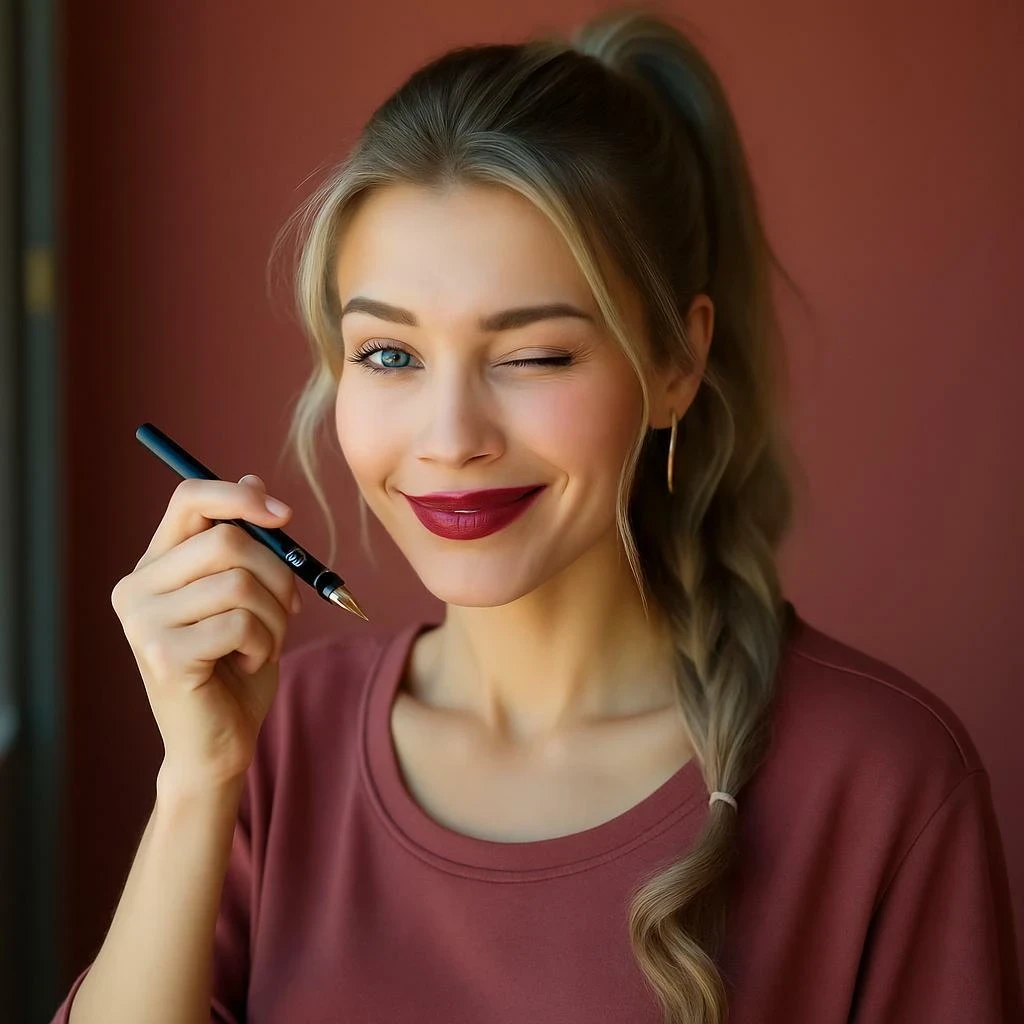
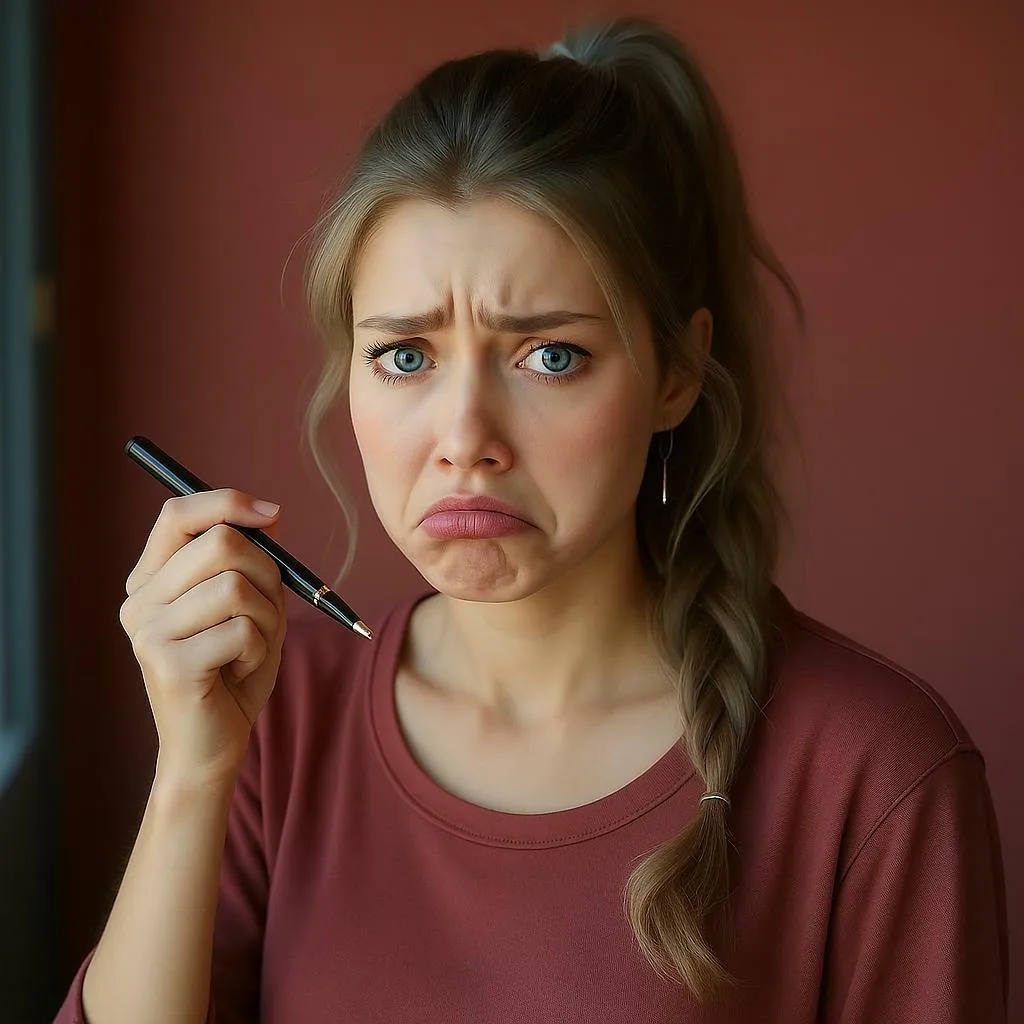
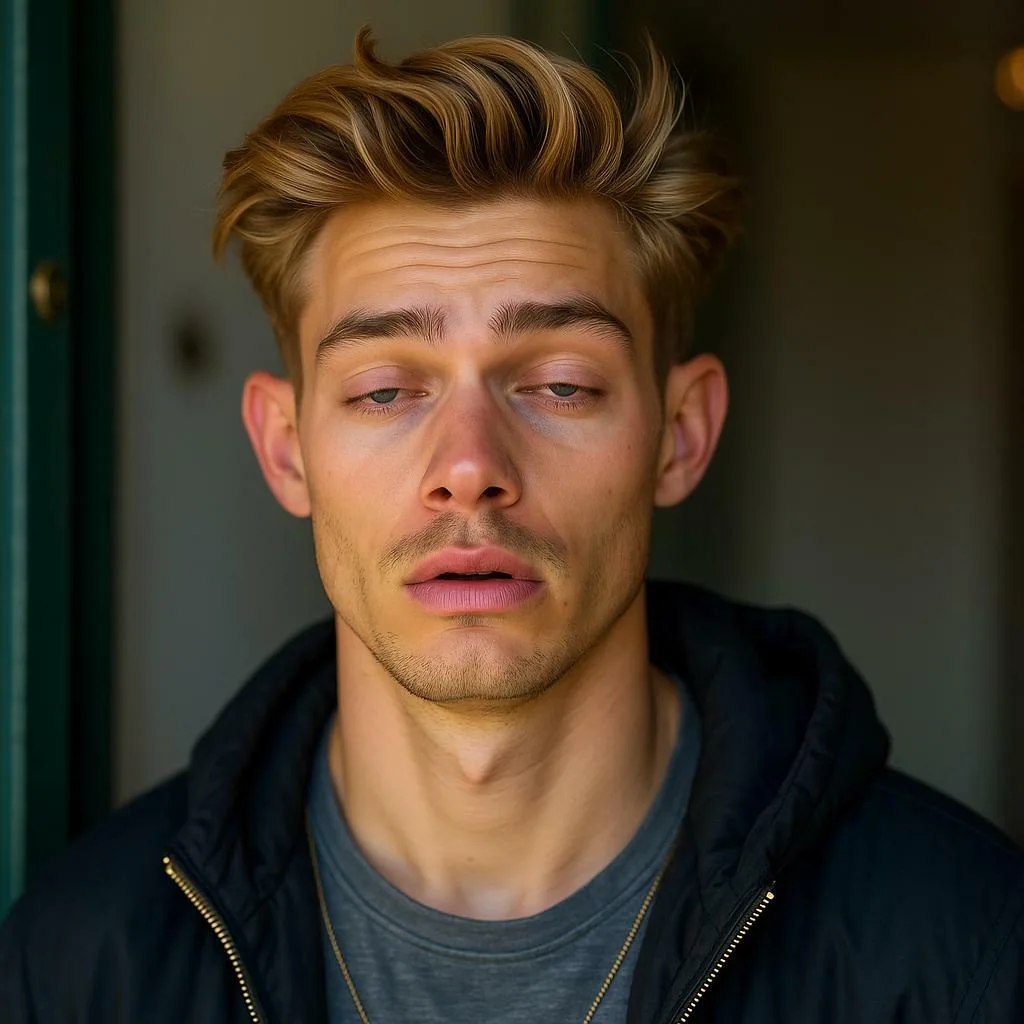

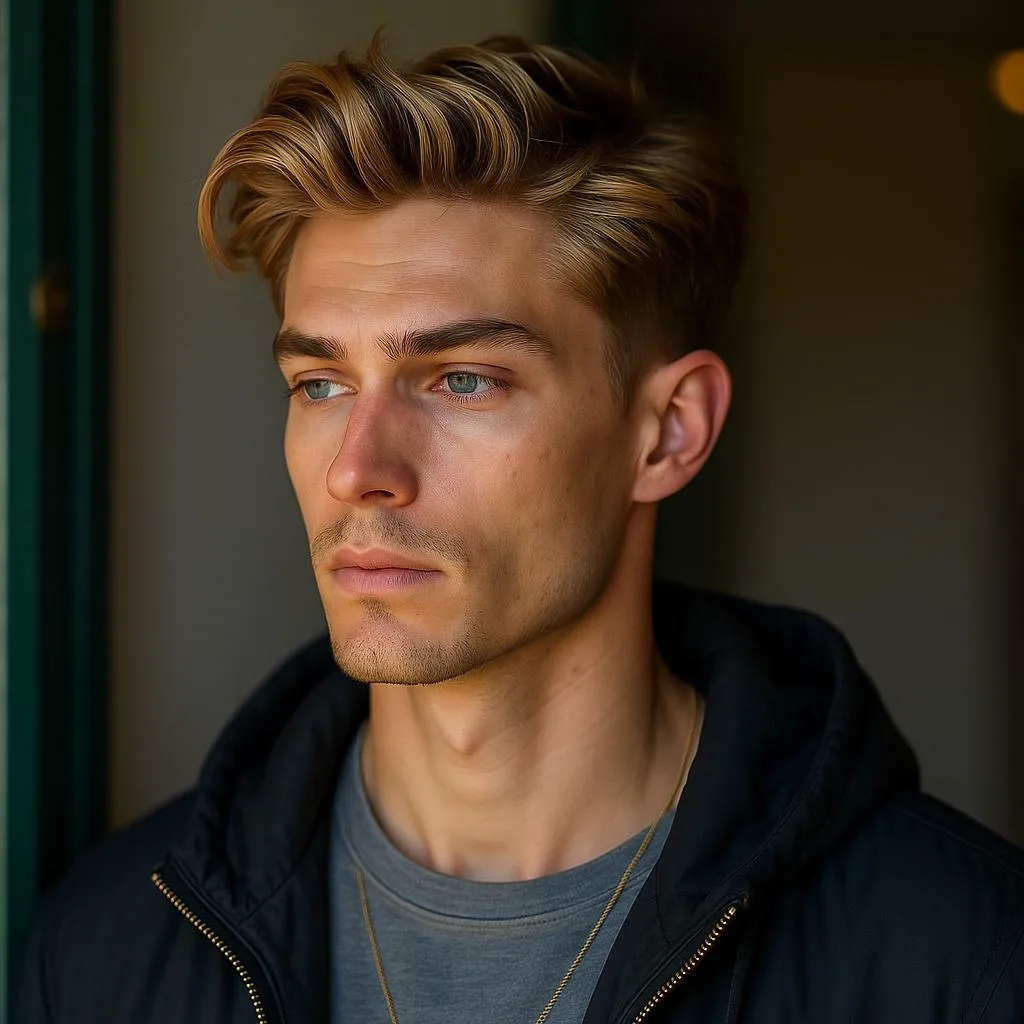
It’s that easy—no Photoshop skills required, just smart AI editing.
Prompt Examples for Better Results
When using a face expression changer, the clarity of your prompt makes a difference. Here are some examples:
Smile Prompt: “Add a bright, natural smile to the girl’s face.
Wink Prompt: “Turn one eye into a wink, keep expression playful.”
Surprise Prompt: “Make the man look surprised with raised eyebrows.”
Frown Prompt: “Add a serious frown with a thoughtful mood.”
Closed Eyes Prompt: “Change closed eyes to open eyes naturally.
These simple prompts help APOB understand the emotion you want to generate.
Why Use a Face Expression Changer?
There are countless scenarios where APOB’s AI face expression changer becomes invaluable:
Photography Fixes – No need to retake photos when someone blinks. Just convert closed eyes to open eyes.
Social Media – Want a more cheerful profile picture? Add a smile in seconds.
Marketing & Branding – Adjust product model expressions to match the campaign’s emotional tone.
Creative Projects – Create playful, dramatic, or artistic images for storytelling.
Entertainment – Transform ordinary selfies into funny or surprising edits.
Key Advantages of APOB AI Face Expression Changer
Free Daily Credits: 80 free credits every day, no hidden costs.
Realistic Results: Expressions look natural, not cartoonish.
Fast & Simple: Just upload, type, and generate in seconds.
Privacy First: Your uploaded photos are not shared or leaked.
Multi-Use: Perfect for personal fun, social media, or even professional projects.
What Users Are Saying
“I had a group photo where I blinked at the wrong moment. APOB fixed it instantly by opening my eyes—it looks so real!” – Emily, USA
“The AI face expression changer is magical. I turned my neutral headshot into a friendly smiling portrait for LinkedIn.” – Marcus, UK
“I love how natural the results are. And I asked it to make me wink, and the output looks like a real candid photo.” – Sophie, Canada
Final Thoughts
The ability to change facial expressions in photos was once limited to professional editors, but with APOB’s face expression changer, anyone can do it instantly. Whether you need a natural smile, an open-eyed photo, or a playful wink, the AI face expression changer makes it possible in seconds—and it’s free to try daily.
Why settle for a photo you don’t love? Upload your image today and let APOB AI transform your expressions effortlessly.
FAQ – Face Expression Changer
Q1: What is AI face expression changer?
A1: An AI face expression changer is a tool that modifies facial expressions in photos using artificial intelligence. APOB AI can transform neutral looks into smiles, winks, anger, surprise, and more.
Q2: What types of photos should I upload to AI face expression changer for more noticeable results?
A2: High-resolution photos with clear, front-facing faces work best. Avoid blurry or low-light images for optimal accuracy.
Q3: What types of expressions can be changed?
A3: You can adjust almost any expression: smile, frown, wink, surprise, anger, sadness, or even closed eyes to open eyes.
Q4: How long does AI take to process facial expression transformation?
A4: Usually just a few seconds. APOB’s face expression changer is designed for fast, real-time editing.
Q5: Will my photos be saved or leaked?
A5: No. APOB values privacy and does not share or leak user photos. Your data is safe.
Read More
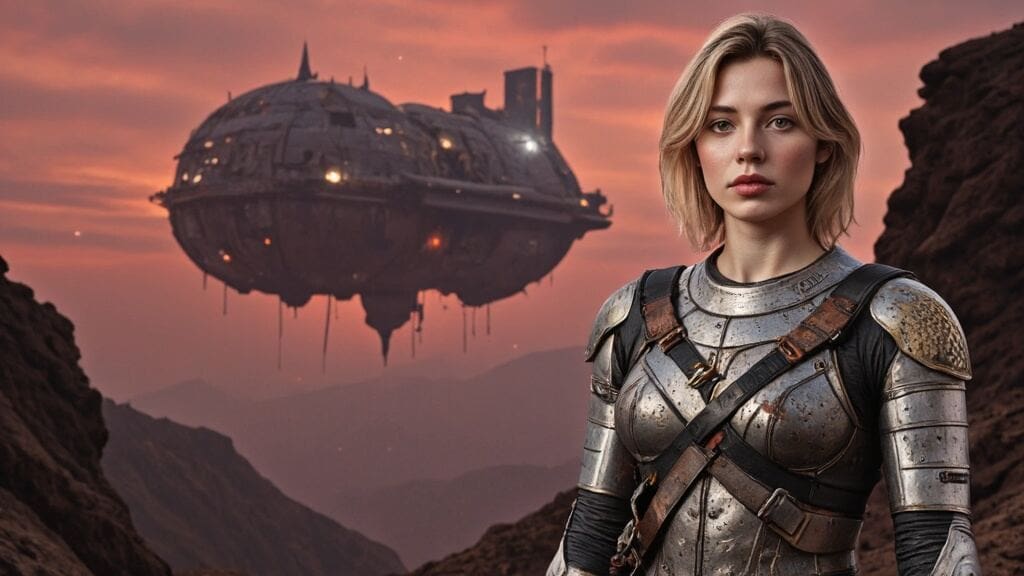
Crafting Stunning AI-Generated Movie Posters with APOB AI
Introduction: The New Era of Movie Poster Design
Tired of generic, expensive, and time-consuming poster designs? Welcome to the exciting world of AI-generated movie posters, where creativity meets convenience. Traditional poster creation often demands long hours with graphic designers and hefty budgets, only to produce designs that may fall short of your vision.
But with the power of AI, especially tools like APOB AI, movie makers, marketers, and content creators can now generate high-quality, cinematic posters in seconds. Whether you're promoting an indie film, a social media short, or a brand campaign, APOB AI is the ultimate movie poster maker to turn your ideas into visual masterpieces—effortlessly.
Step-by-Step Guide: Creating Your Movie Poster with APOB AI
Creating an eye-catching AI movie poster is easier than ever. Here’s how to do it using the incredibly intuitive APOB AI platform:
Step 1: Define Your Theme & Sign Up
Start by identifying your movie’s genre and core message. Is it a romantic drama? A sci-fi thriller? A quirky comedy? Once you’ve nailed that down, visit APOB AI, register for a free account, and you’re ready to begin your poster journey.
Step 2: Build Your Hero – “Create Portrait Model”
Click on “Create Portrait Model” to start designing your poster’s star. You can upload a photo or let the AI generate a model from scratch. Customize everything—from gender and age to eye color, hairstyle, and even nationality. The result? A unique and emotionally resonant character that feels tailor-made for your film.
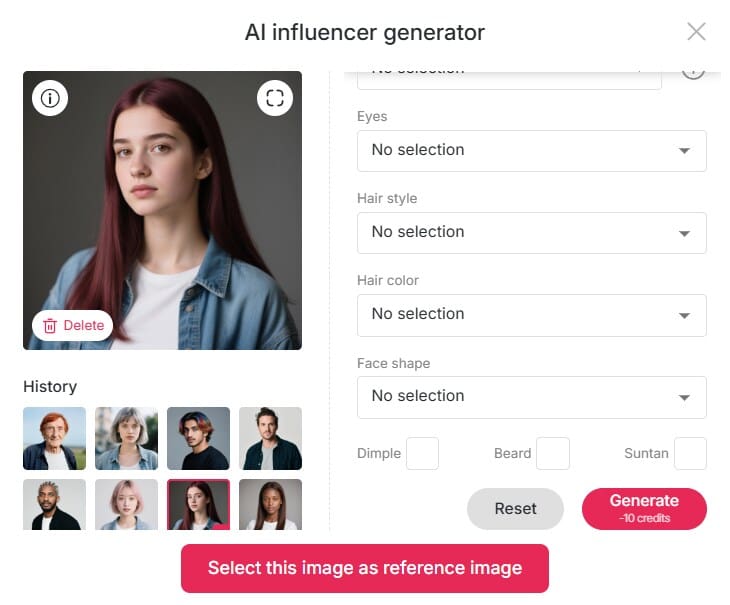
Step 3: Choose Style & Provide Clear Prompts
Now, add artistic depth. Select an art style that matches your movie’s atmosphere—vintage noir, watercolor fantasy, futuristic cyberpunk—you name it. Then activate “Build Your Own Mode” to control outfit styles, backgrounds, architectural elements, and weather conditions.
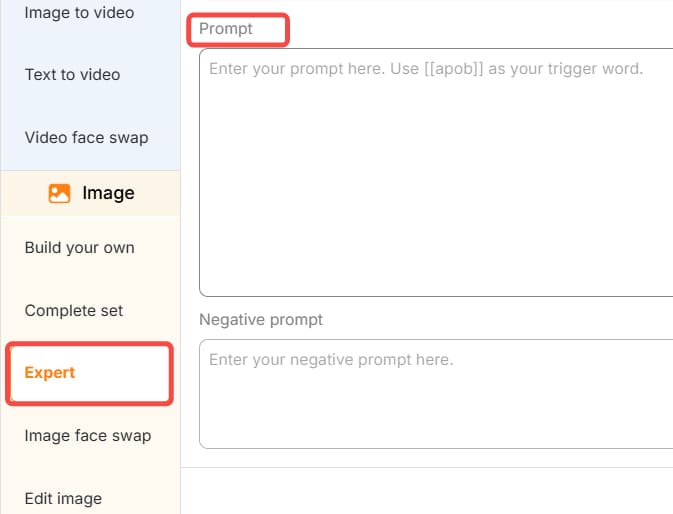
Pro tip: Be specific in your prompt. Instead of “sci-fi city,” say “neon-lit futuristic Tokyo skyline at night with a lone figure in a leather jacket.” The clearer your prompt, the better your AI-generated movie poster.
Step 4: Customize with Expert Tools
Want more control? Use Expert Mode or the Chat to Edit feature to fine-tune every detail. Whether you want to shift the lighting, tweak facial expressions, or insert your movie title and tagline in cinematic fonts, APOB AI gives you the flexibility to create a poster that speaks your film’s language.
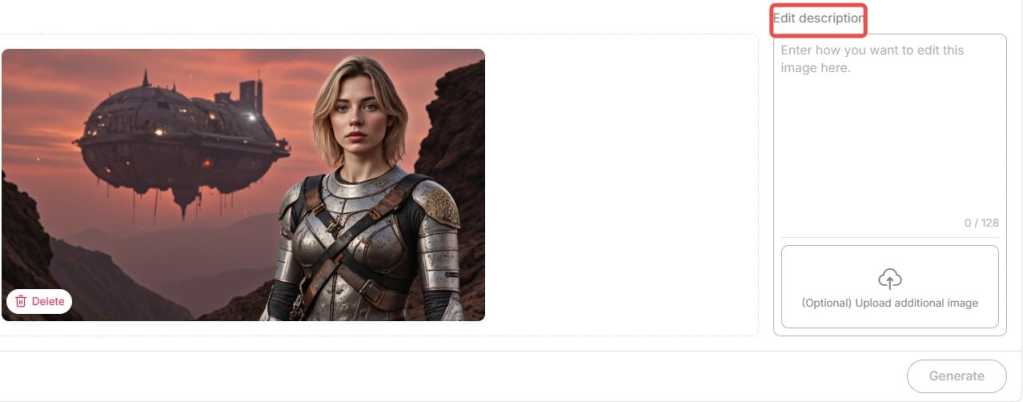
Step 5: Download and Share
Once you’re satisfied, simply download your high-resolution poster in the format of your choice. It’s ready to be printed, posted, or shared across your social media channels.
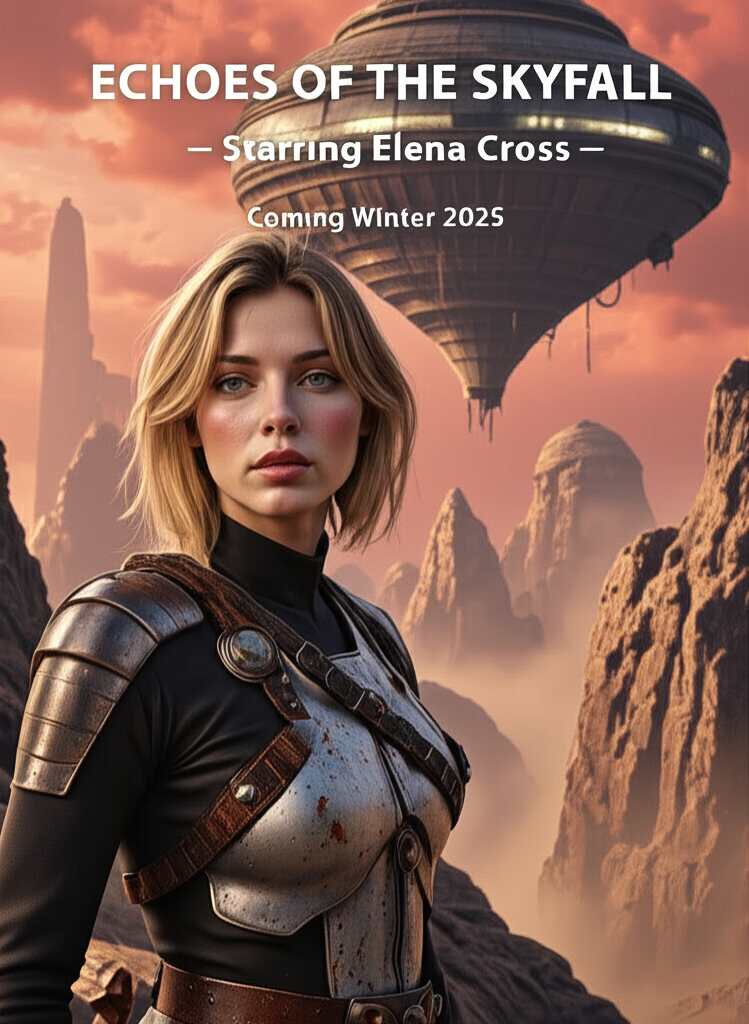
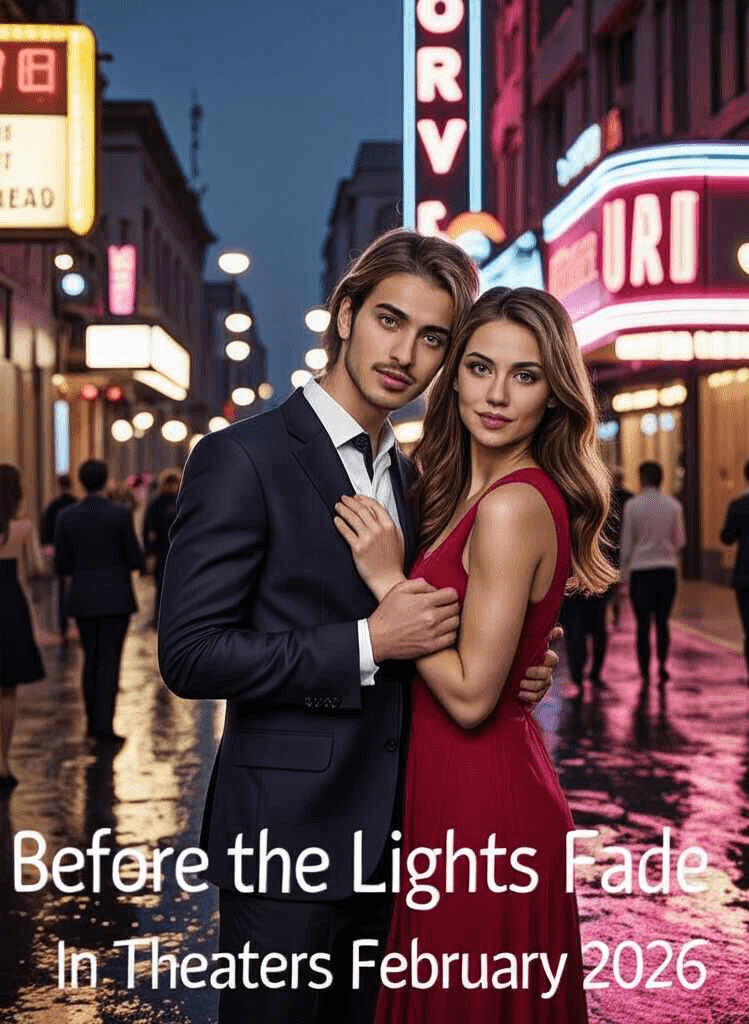
Bonus Tip: Bring Your Poster to Life
Why stop at a static image? Use APOB AI’s Image to Video and Lip Sync tools to animate your poster. Turn your lead character into a speaking avatar or add dynamic effects like moving rain or flashing lights—perfect for trailers and teasers. This takes AI-generated movie posters to the next level, making them fully immersive and social-media ready.
Real-World Applications: Success Stories
Indie filmmakers love APOB AI for its low cost and high-quality output. One short film creator generated six poster variants in under 30 minutes for an online premiere.
Social media influencers are using AI posters as creative thumbnails and brand promos. With trending designs and character customization, they stand out in crowded feeds.
Marketers and brands use AI movie poster generators to promote events, campaigns, or even new product launches with a cinematic flair.
From digital storytelling to event branding, AI-generated movie posters are reshaping how visuals are made and shared.
Why Choose AI-Generated Movie Posters?
Still wondering if AI is worth it? Here’s what you gain:
Save time and money: Forget endless revisions and designer fees.
Unlimited creativity: From fantasy worlds to gritty crime dramas, the AI adapts to any style or tone.
Tailored storytelling: Your poster isn’t just an image—it’s a visual summary of your story, built around your theme and emotion.
Whether you’re a seasoned director or a passionate storyteller, AI poster design puts the power of creativity in your hands.
Tips for Crafting the Perfect AI Movie Poster Prompt
To get the best results from your AI movie poster generator, follow these tips:
Be clear and emotional: Set the tone—“melancholic space odyssey,” “explosive superhero showdown,” etc.
Include details: Mention character posture, setting, color palettes, and any on-poster text.
Reference visual styles: Think “Baroque painting,” “’80s synthwave,” or “Studio Ghibli.” It helps the AI find a fitting artistic direction without copying.
Conclusion: The Future of Poster Design Is Here
AI-generated movie posters are more than just a trend—they’re a tool for storytellers who want to visually express their ideas with impact and speed. With APOB AI as your creative assistant, you no longer need to compromise on quality or originality.
Ready to make your next movie poster in minutes, not days? Dive into the world of smart design and cinematic visuals with APOB AI, your go-to AI movie poster generator and creative ally.
FAQs
Q1: Can I generate movie posters for free?
A1: Absolutely! When you register with APOB AI, you’ll get 80 free credits every day. Every high-quality image generation costs only 20 credits and produces 4 images per use. That means you can generate up to 16 movie posters daily at no cost. It’s a perfect way to explore various styles and find the one you love.
Q2: Can I use the generated images commercially?
A2: Absolutely! The posters you create with our AI generator are fully licensed for commercial use—perfect for advertising, promotions, and any professional campaign.
Q3: Can I edit the generated posters?
A3: Yes, you can use our Chat to Edit feature to make quick and easy edits.
Q4: What types of movie posters can I create?
A4: Our AI Movie Poster Generator creates posters for all genres—whether it's action, horror, romance, sci-fi, or documentary. You can personalize the design to reflect your film’s tone and mood, guaranteeing a one-of-a-kind poster tailored to your project.
Q5: Do I need to be a designer to use the tool?
A5: Not at all! Our platform is built for ease of use, meaning you don’t need any design experience to create stunning, professional-grade posters. The AI takes care of the technical details, so you can focus entirely on bringing your creative vision to life.
Read More
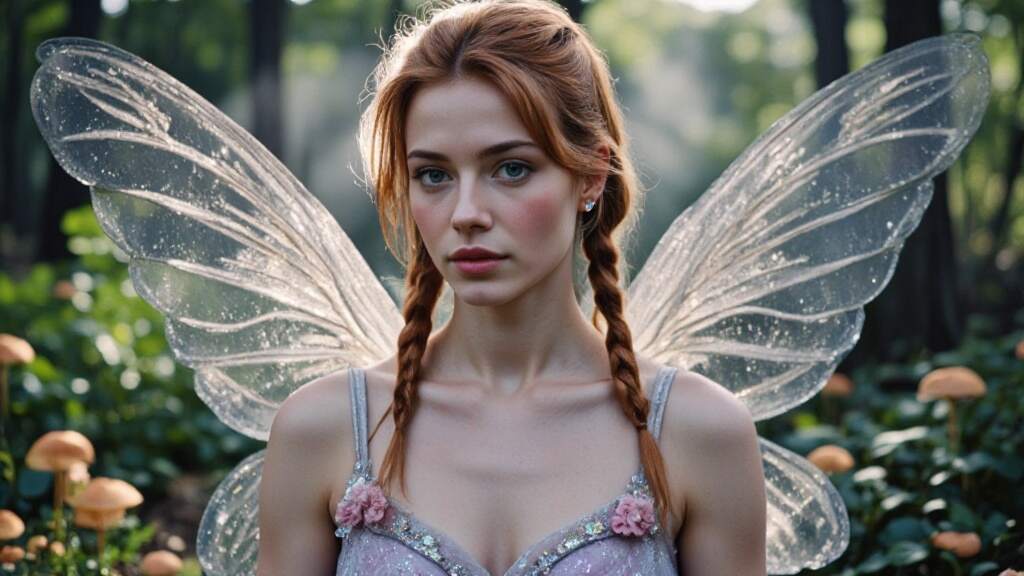
APOB AI Book Cover generator – Try It Free
In today’s competitive publishing landscape, a compelling book cover isn’t just a nice touch—it’s essential. Before a reader flips a single page, your cover must catch their eye, spark curiosity, and hint at the story within. While professional designers can cost hundreds of dollars, technology is offering a smarter, faster solution: the AI book cover generator.
Welcome to the era of AI-driven creativity, where storytelling meets smart design. With tools like APOB AI, you no longer need to be a Photoshop wizard or hire an expensive illustrator. Instead, you can create customized, genre-specific book covers with just a few prompts—and a lot of imagination.
Step-by-Step: How to Craft the Perfect Cover
Creating a book cover with APOB AI is as simple as writing your book blurb. Here’s how it works:
1、Define Your Book’s Essence
Start by identifying your genre, themes, and emotional tone. Is it a lighthearted romance or a suspense-filled memoir?
2、Create Your AI Portrait
Click "Create Portrait Model" to start with a base template. Add a personal photo (optional) to personalize your design.
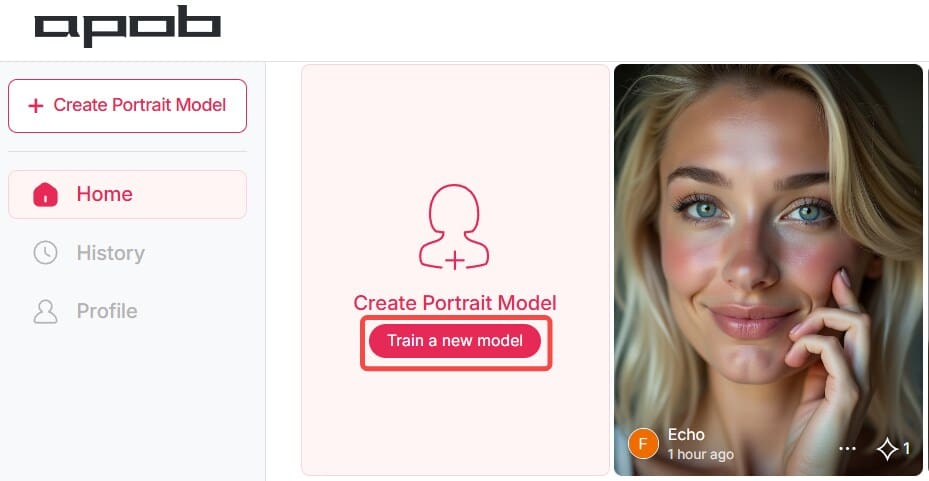
3、Input Descriptive Prompts
The more specific your prompts, the better the results. Mention characters, scenery, mood, or time period.
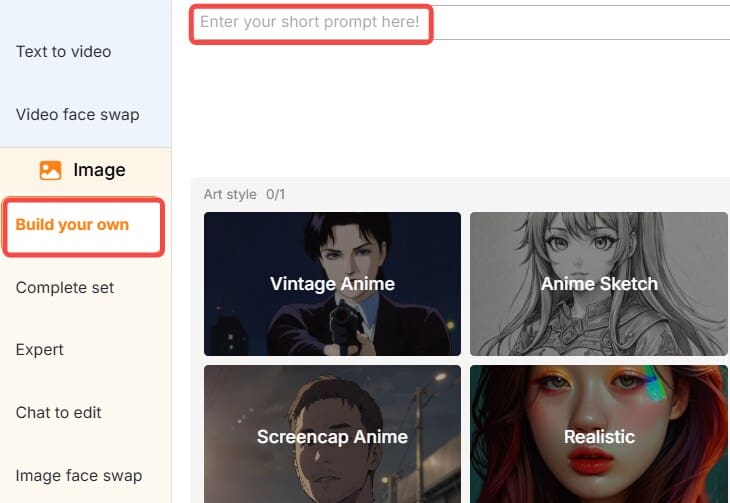
4、Customize Your Cover
Use the "Expert" or "Chat to edit" options to adjust the layout, font style, color palette, and title placement to your liking.
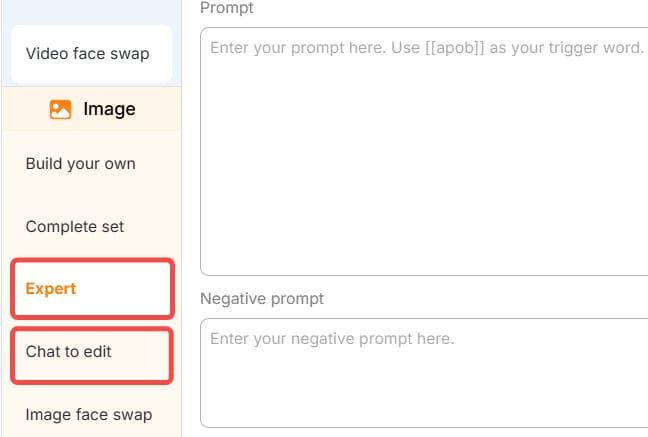
5、Download and Publish
Once satisfied, export your design in high resolution—perfect for print or digital publishing.
Why Covers Still Matter
A book may not be judged solely by its cover, but let’s be honest: most of us pick up books that look interesting. Your cover sets expectations. A romantic novel might feature soft lighting and intertwined hands, while a thriller might display stormy skies and cryptic shadows. The good news? AI understands this nuance.
An AI book cover generator like APOB AI can instantly adapt to the tone, style, and vibe you need. Whether you're writing a children’s fairy tale or a gritty urban detective story, your AI assistant is ready to bring it to life.
Meet APOB AI: Your Personal Book Cover Maker
APOB AI is more than just a design tool—it’s a creative companion. It offers an easy-to-use interface, making it ideal for self-published authors, small publishers, and even hobbyists. With just a few descriptive prompts, APOB AI can whip up multiple book cover variations tailored to your genre and tone.
What sets APOB AI apart is its deep learning model, which is trained on thousands of artistic styles and visual motifs. Whether you're looking for minimalistic chic or elaborate fantasy illustrations, this book cover AI generator has the flexibility to match your vision.
AI Prompt Ideas for Every Genre
Not sure what to write in your prompts? Here are some AI-ready ideas tailored to different book genres:
Fairy Tale Book:“A magical forest with glowing mushrooms and a crystal castle, pastel colors, whimsical, dreamy style, fantasy book cover.”
Detective Adventure:“Rainy city street, a man in a trench coat under a flickering streetlamp, noir style, dramatic shadows, vintage title font.”
Biography:"Black-and-white portrait of an older man, minimalist background, elegant serif typography, classic biography layout."
Romance Novel:“A couple embracing at sunset on a beach, warm pink and gold tones, soft focus, handwritten script title.”
These prompts help APOB AI’s engine generate covers that resonate emotionally and visually with your readers.
Real-Life Use Cases: Beyond Traditional Publishing
The possibilities with an AI book cover generator extend far beyond just publishing a novel. Here are some unique and heartfelt ways to use APOB AI:
Personalized Gift Books
Imagine turning your best friend's life into a short story for their birthday. You upload their photo, write a short personal narrative, and use APOB AI to design a heartwarming cover that features their face and favorite memories. It's a deeply meaningful keepsake that looks like it came from a professional bookstore.
Business and Branding
Small businesses can use book cover maker tools to design branded eBooks for lead generation. For example, a startup could publish a downloadable guide titled “10 Lessons from Our First Year”, using APOB AI to create a sleek, branded cover featuring the company logo and modern design elements.
School Projects
Students working on creative writing or history projects can now design custom book covers for their assignments. Teachers can even assign AI-generated book covers as part of a digital storytelling curriculum.
Crowdfunding Campaigns
Authors launching their debut novels on Kickstarter can test different cover designs quickly. Rather than pay upfront for multiple mockups, they can use the free AI book cover generator features to explore concepts and see what resonates with potential backers.
Tips for Getting the Most Out of Your AI Designs
To truly make the most of APOB AI’s powerful features, keep these tips in mind:
Be as specific as possible in your prompts—describe setting, mood, character looks, even fonts.
Experiment with different prompt phrasings or visual styles.
Use APOB’s daily free credits to try multiple variations before selecting the best.
Upload your own imagery if you need consistency across a book series or brand.
The Future of Book Covers Is Here
As AI continues to integrate into creative industries, it's clear that book cover generator AI tools like APOB AI are more than a trend—they're the future. They empower storytellers, reduce costs, and spark inspiration in unexpected ways.
Even if you’re not a tech-savvy artist, you can now design a cover that feels like it came from a high-end studio. So, whether you’re self-publishing your memoir or just making a gift book for a loved one, the power is literally at your fingertips.
Ready to Get Started?
Bring your next story to life with a stunning visual first impression. Try APOB AI’s free AI book cover generator today and start creating covers that captivate at first glance.
👉 No experience needed. Just type, click, and publish!
FAQ
Q1: How does the AI book cover generator work?
A1: By leveraging advanced algorithms, the AI book cover generator crafts eye-catching covers using the information you provide—like the title, author name, genre, and a short description or theme—to ensure the design matches your book’s essence.
Q2: What makes a good book cover?
A2: A compelling book cover features a clear title and subtitle, a striking focal point, balanced composition, engaging visuals, and strategic white space, often incorporating imagery that reflects the book's themes to captivate potential readers.
Q3: Is the AI book cover generator free to use?
A3: After registering with APOB AI, you receive 80 free credits daily. Typically, generating a set of four high-quality images consumes 20 credits. Advanced features such as using the expert mode to enhance image details or removing image backgrounds also require 20 credits per use.
Q4: What types of book covers can I create?
A4: Whether it's a fantasy saga or a contemporary love story, the AI Book Cover Generator designs covers for any genre, perfectly aligned with your book’s tone and themes—offering endless possibilities driven by your vision and AI-powered creativity.
Q5: Can I use the generated book cover for commercial purposes?
A5: Yes, all the images you create with APOB AI are free for commercial use, including book covers. They are suitable for both personal projects and commercial publications, subject to copyright laws in your region.
Q6: How many book covers can I generate for free?
A6: After signing up with APOB AI, you can claim 80 free credits every day. Since generating one set of 4 high-quality images costs 20 credits, you can create up to 16 free images daily.
Read More

No credit card needed


