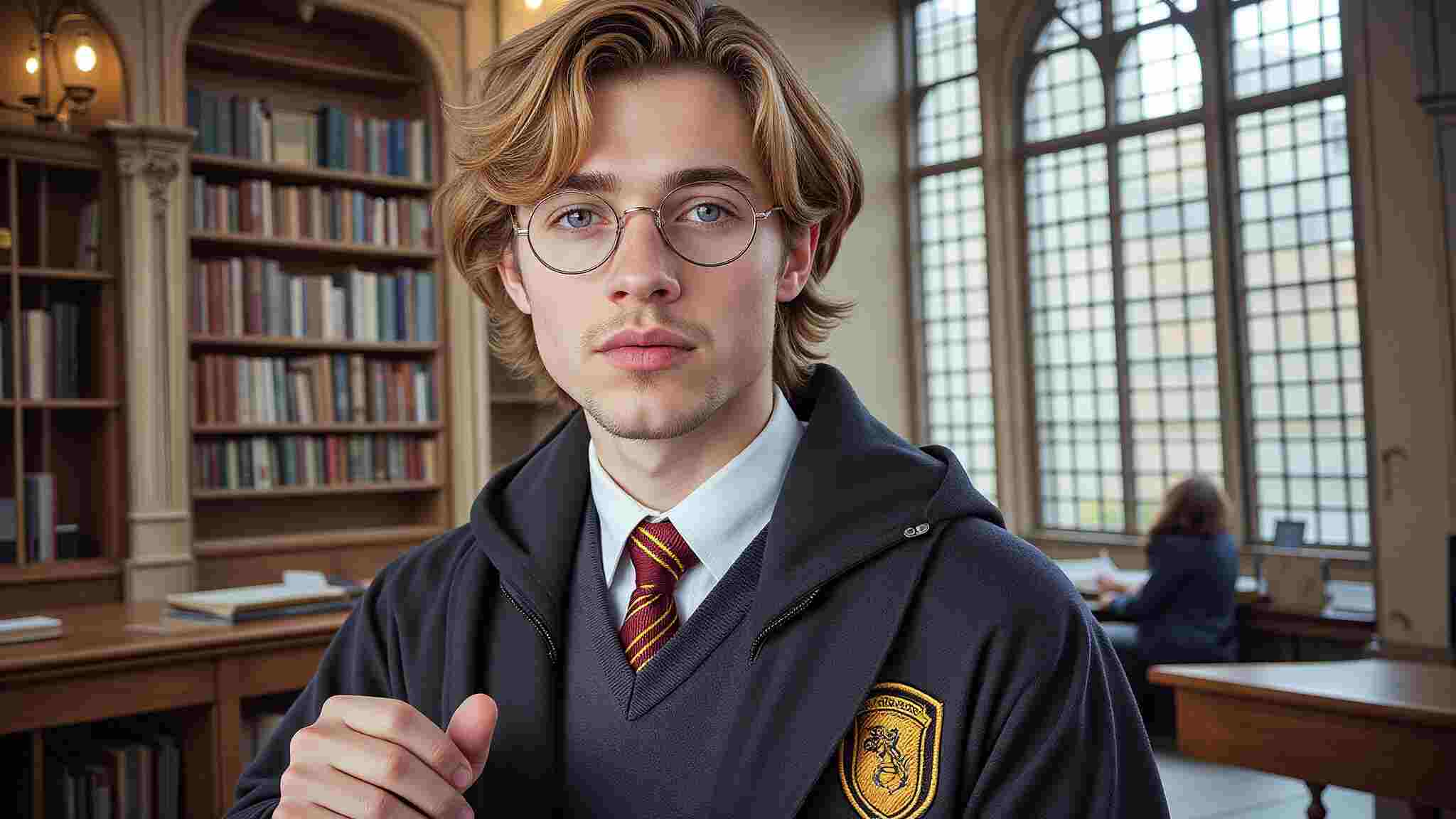
Cosplay has always been about creativity, craftsmanship, and self-expression. But in 2025, the landscape is evolving at an unprecedented pace. Thanks to AI-driven innovations, AI Cosplay is no longer just a niche concept—it’s becoming a major force in digital character representation. Whether you’re looking to create hyper-realistic digital avatars, explore Metaverse cosplay, or experiment with futuristic designs, AI is here to elevate the experience.
The Rise of Digital & Virtual Cosplay
Digitalization has made its way into every aspect of our lives, and cosplay is no exception. AI-generated cosplay is expected to dominate platforms like VRChat, Metaverse, and Pinterest, where users can create and showcase their virtual personas without the need for physical costumes. Imagine bringing your favorite characters to life instantly, without the time and expense of crafting a detailed costume. AI Cosplay tools allow users to seamlessly generate high-quality images of themselves as any character, from anime icons to sci-fi heroes, all with just a few clicks.
Not only does this make cosplay more accessible, but it also provides endless opportunities for personalization. Want to see yourself as Ai Hoshino from Oshi no Ko or experiment with a bold, sexy AI Cosplay look? AI tools can generate stunningly realistic images that match your vision effortlessly.
Creating AI Cosplay: A Simple Step-by-Step Guide
Ready to dive into AI Cosplay? Here’s how you can transform yourself into your favorite character in just a few easy steps:
Select Your Character: Choose from anime, gaming, movies, or original character designs.
Upload Your Photos: Sign up on APOB AI and click on “Create Portrait Model.” Provide a clear picture of yourself to train the AI on your facial features.
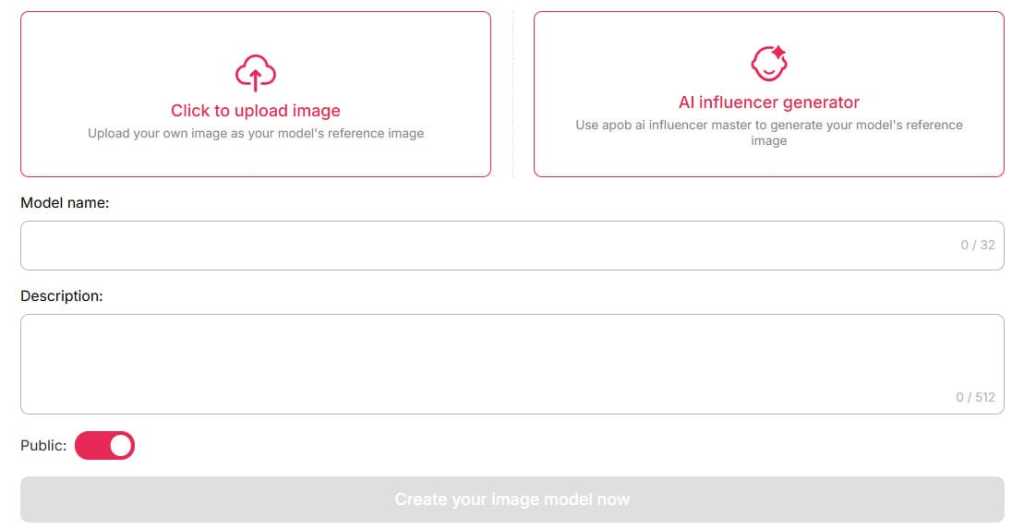
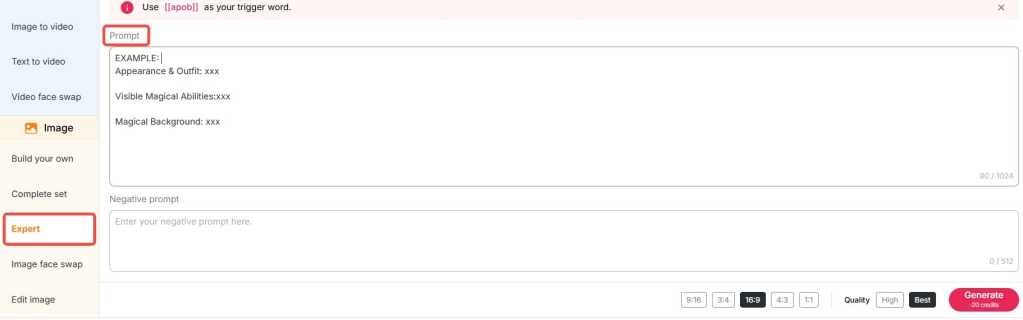
Customize Your Look: Describe specific details like hairstyle, outfit, accessories, and even background settings.
Generate & Share: Let the AI work its magic and produce high-quality, print-ready cosplay images.
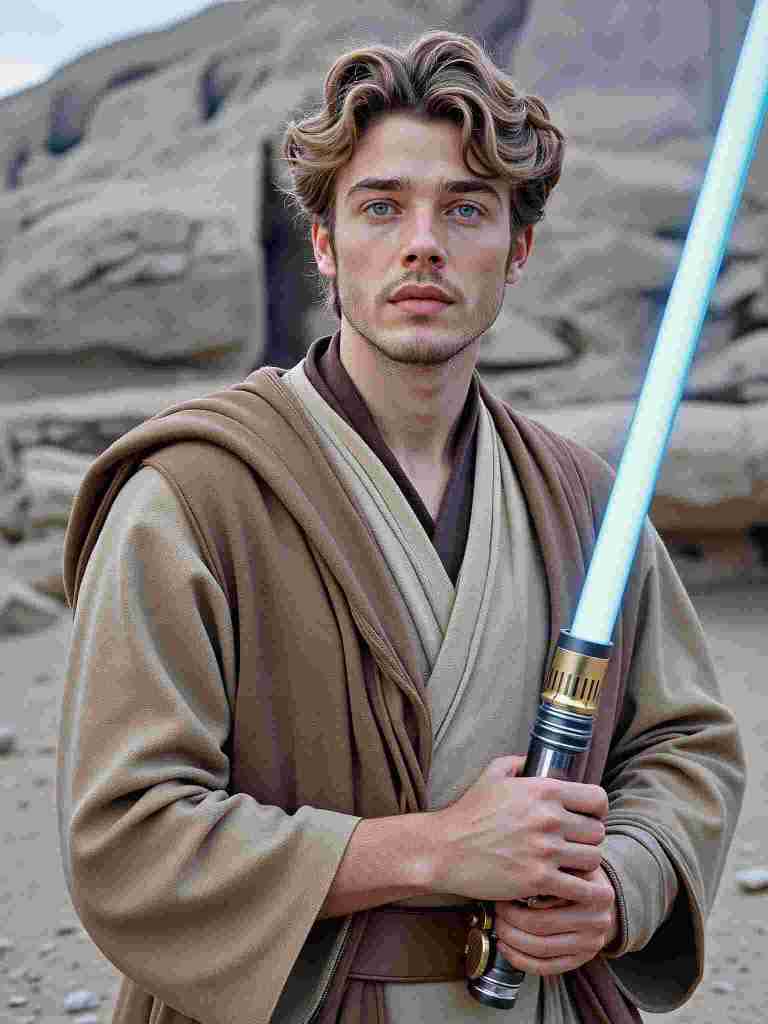
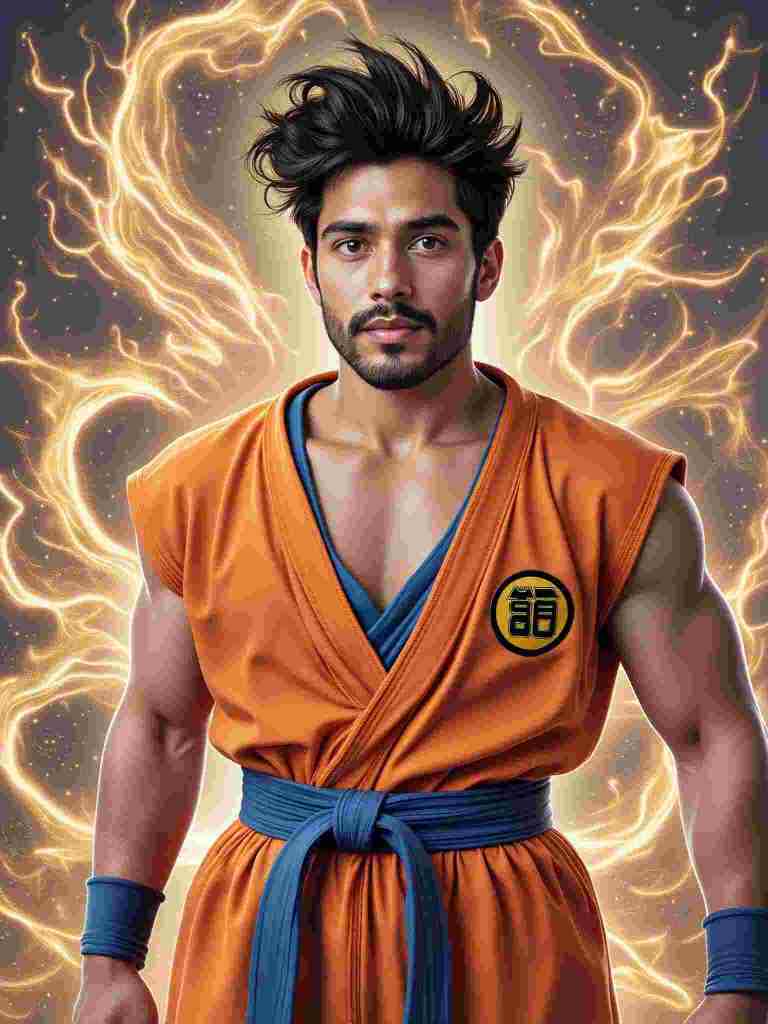
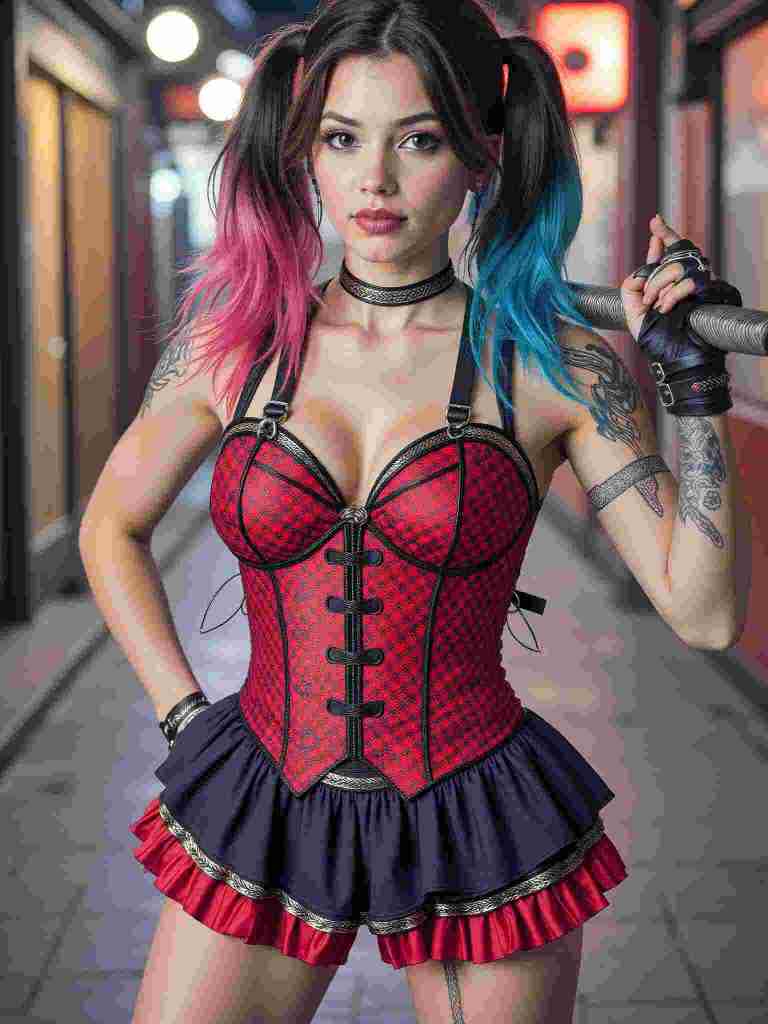
AI and Traditional Cosplay: A Powerful Synergy
Some may worry that AI-generated cosplay will overshadow traditional craftsmanship, but in reality, the two coexist beautifully. AI is not here to replace handmade costumes—it serves as a creative assistant that helps cosplayers break through design limitations. Here’s how:
Concept Visualization: AI allows cosplayers to test different styles, color schemes, and character looks before committing to a physical costume.
Digital Enhancements: AI-generated cosplay images can serve as reference material for traditional artists, tailors, and prop makers.
Virtual Cosplay for Social Media: Many cosplayers are leveraging AI-generated images for platforms like Instagram, TikTok, and Pinterest, using them as digital extensions of their crafted personas.
Why AI Cosplay is the Future
The demand for AI-generated character art is skyrocketing, fueled by advancements in machine learning and increasing engagement with digital avatars. AI Cosplay offers several advantages over traditional methods:
Instant Results: No more weeks or months of costume-making—get your digital cosplay instantly.
Cost Efficiency: AI eliminates the need for expensive materials and studio photoshoots.
Endless Customization: With AI, you can experiment with multiple characters, styles, and poses without limitations.
Integration with the Metaverse: AI-generated avatars can be directly used in VRChat, Metaverse spaces, and gaming platforms.
Final Thoughts: AI Cosplay is Here to Stay
Whether you’re a seasoned cosplayer looking to expand your creative toolkit or a newcomer eager to try something new, AI Cosplay is revolutionizing the way we engage with character transformation. By blending AI with traditional craftsmanship, the cosplay community is entering an exciting new era of limitless creativity and self-expression. So why wait? Step into the future and explore the endless possibilities of AI Cosplay today!
FAQ
Q1: Can I generate images for free?
A1: Yes. With APOB AI, you can create avatars for free! Upon signing up, you'll receive 80 free credits. Each high-quality image costs 20 credits, generating 4 images per session. This allows you to create up to 16 images daily, giving you the freedom to experiment with different looks and find your perfect style.
Q2: Can I use images I created or I found on your platform for commercial purposes?
A2: You can use AI-generated images from APOB AI for commercial purposes, subject to our terms of use. Ensure compliance with licensing conditions and respect intellectual property rights when using these images commercially.
Q3: How to turn photos into character cosplay?
A3: To turn your photos into character cosplay with APOB AI, simply upload a clear photo or create a Portrait Model. Customize your look with text prompts, detailing hairstyle, outfit, and background. Let the AI generate high-quality, print-ready cosplay images, perfect for sharing or using as avatars!
Q4: Can I make my own customized cosplay outfit?
A4: Yes. You can create your own customized cosplay outfit using the APOB AI Cosplay Generator. Simply navigate to the Expert option in the bottom left corner of the page, enter your prompts (within 1024 characters, typically 150-250 words), and generate your ideal cosplay outfit with precision.
Q5: Can AI turn my photo into Harley Quinn cosplay?
A5: Of course! With the help of text prompts, you can fully customize your cosplay to match your exact preferences.

Be the first to like this.




Turn Me Into a Woman with AI: Create Your Perfect AI Woman Portrait
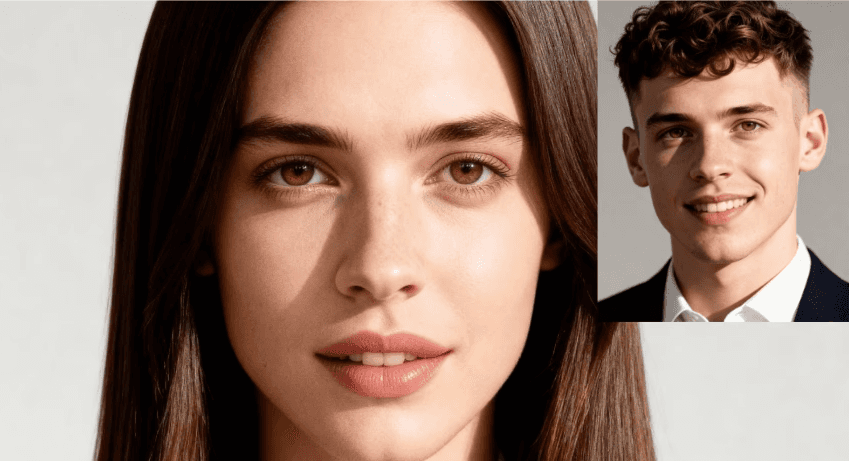
Have you ever wondered, "What would I look like as a woman?" With APOB AI, you can explore this curiosity in the most realistic way possible. Using cutting-edge AI technology, APOB AI allows you to create an AI-generated female version of yourself, offering a stunningly accurate transformation of your photo into a feminine form. Whether you're curious about a youthful, girlish appearance or a sophisticated, mature look, APOB AI provides the perfect platform to visualize your ideal woman AI art.
How Does APOB AI Work?
Step 1: Set Up Your APOB AI Account
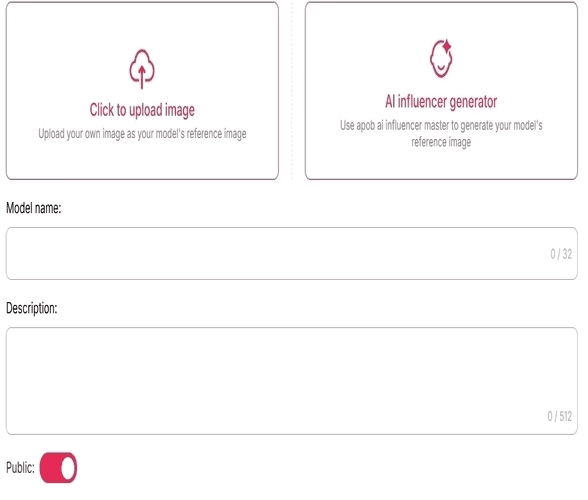
Start by visiting apob.ai and creating a free account. Once logged in, you can access all the tools APOB AI has to offer. Simply click on the option to Create Portrait Model to begin your transformation.
Step 2: Upload Your Photo and Describe Your Ideal Portrait
Next, upload a photo of yourself. You can use an existing image or click on AI Influencer Generator to create your AI woman portrait.
Step 3: Personalize Your AI Portrait
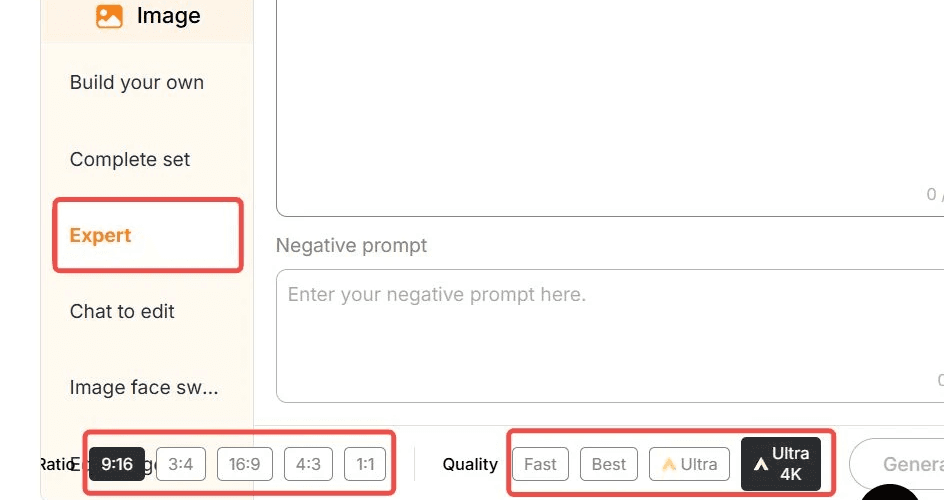
Once your AI portrait is generated, you can further customize it by using the “Expert” option. Enter a prompt (up to 1024 characters, typically 150–250 English words) to adjust details like hairstyle, makeup, body features, background, and pose. This high level of personalization ensures that your transformation matches your exact vision.
Prompts to Turn Yourself Into a Woman
Here are some example prompts to get the best results:
"Transform the photo of a man into a woman, adjusting the hairstyle to long, flowing hair with soft waves. Modify the face to introduce more delicate, feminine features like a smaller jawline and softer cheekbones. Apply subtle makeup to highligh the eyes and lips, and ensure the expression is warm and welcoming."
"Turn the man’s portrait into a woman with long, straight hair, soft curls at the ends, and a gentle, natural-looking makeup. Modify the facial features to introduce feminine attributes, like slightly larger eyes and a refined nose, while keeping the expression confident and elegant."
"Convert a man’s image to a woman, focusing on smoothening facial lines and softening the jawline. Change the hairstyle to a chic bob cut and add a touch of makeup for a glowing complexion. Ensure the transformation maintains the essence of the original features while appearing naturally feminine."
"Change the man's appearance into a woman with shoulder-length hair, styled in loose waves. Adjust the face to give it a softer, more youthful look, with fuller lips and slightly reshaped eyebrows. Add makeup to emphasize the eyes, and modify the skin tone for a smooth, polished look."
"Transform a man’s photo into a woman with long, voluminous hair and a gentle, warm smile. Subtly alter the facial features to appear more feminine, with rounded cheeks, a smaller nose, and fuller lips, while maintaining the overall identity of the original image."
Step 4: Generate and Share Your Portrait
Once your AI woman portrait is ready, you can download it in high resolution. The image is perfect for using as a social media profile picture, avatar, or simply for fun. Share it on platforms like Instagram and Facebook to showcase your stunning transformation!
Benefits of Using APOB AI to Turn Yourself Into a Woman
Realistic Transformations: APOB AI uses advanced AI technology to ensure that your AI-generated female formclosely resembles your real features, resulting in a lifelike portrait.
Complete Customization: From hairstyle to makeup, and even pose and setting, you have full control over your portrait, creating a perfect woman AI art female formthat reflects your vision.
Quick and Easy: With just a few simple steps, you can generate your AI woman portrait in a matter of moments—no complicated editing required.
Share and Impress: The high-quality images are ready for social media. Share your AI woman portraitas your profile picture or create a unique avatar for your gaming profile.
Use APOB AI to Explore Different Female Looks
With APOB AI, you can experiment with various feminine looks and styles. Want to see yourself with long, flowing hair, or as a trendy, short-haired woman? No problem! You can also try different makeup styles, clothing, and accessories to make your portrait truly unique. Whether you want to embrace a glamorous celebrity look or explore a more casual, everyday style, APOB AI lets you transform into the woman you’ve always wanted to be.
Frequently Asked Questions (FAQ)
Q1: How realistic is the transformation?
A1: APOB AI uses advanced algorithms to create highly realistic AI-generated female forms. The transformation closely mirrors your unique features, ensuring that the result is both accurate and lifelike.
Q2: Can I customize my transformation?
A2: Yes! APOB AI gives you full control over the details. You can adjust your hairstyle, makeup, clothing, and even pose, ensuring your AI woman portrait is exactly as you envision.
Q3: How quickly can I generate my AI woman portrait?
A3: Once you've uploaded your photo and customized your preferences, APOB AI generates your AI woman portrait in just a few moments. No further editing is needed, and the image is high-quality and ready for use!
Q4: Can I use my AI woman portrait for social media?
A4: Absolutely! Your AI woman portrait can be used as a profile picture, a social media post, or even a gaming avatar. The high-quality image ensures it looks great on any platform.
Q5: Can I use APOB AI to generate a perfect woman AI art female form for free?
A5: Absolutely! After registering with APOB AI, you receive 80 points every day. Each time you enter a prompt to transform yourself into a woman, it only costs 20 points, which gives you 4 photos. This means you can generate up to 16 photos for free every day.
Read More
Use Cosplay AI to Become Any Character Instantly
Cosplay is a beautiful art of bringing loved characters to life, but come on: it's really just too expensive, time-consuming, and craft-intensive. What if you could just be an overnight hyper-realistic version of your favorite character—without ever touching a needle or a wig?
The future of fandom is here: the AI Cosplay revolution.
With applications like APOB AI, the block of creativity is entirely lost. You are not simply creating a still image; you are able to make a dynamic, professional-looking cosplay video. This guide teaches you exactly how to utilize APOB AI for stunning AI Cosplay designs, from your ideal photo to full-motion video.
Setup & Generation — The Way to Your Ideal AI Cosplay Photo
Getting to a gorgeous AI Cosplay is as easy as taking a few steps on the website:
Step 1: Sign up and Create Your Model (The Foundation):
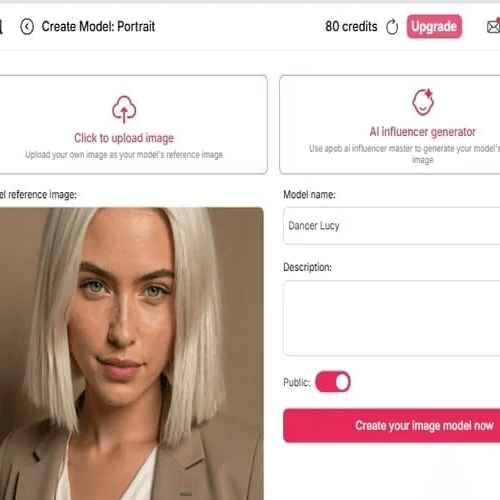
To begin with, simply sign up for free membership on the website. Then, if you prefer to use your own face for the cosplay, add a pretty picture of your face so that you can create a reusable AI Model. That keeps your character's facial continuity.
Step 2: Make the First Cosplay Image (Expert Mode):
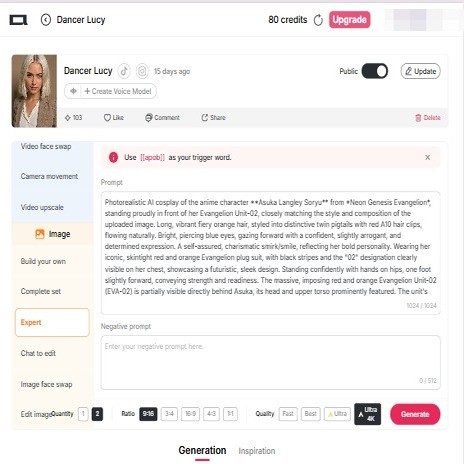
Use our 'Expert' mode today. Write a detailed prompt specifying the character's clothing, clothing accessories, hair color, eye color, and desired pose.
⚡️ Pro Tip (Prompt Mastery): If you find detailed prompts tricky, try using websites such as Gemini AI or ChatGPT! Upload a reference image of the character you wish to cosplay and instruct the AI to tell you about the costume details. Then, simply paste that description directly into APOB AI.
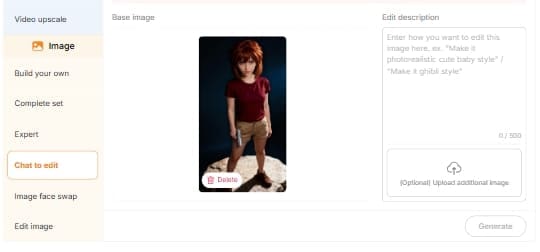
Step 3: Refine Proportions and Details (Chat to Edit):
If you have already a good prompt, then you might already create the ideal image at once! However, if you need to make some adjustments to the details—i.e., that the model is 1.70m tall and has a model's physique—use our 'Chat to Edit' tool.
Share a reference photo of your character in order to enable the AI to better realize how the actual life cosplay figure should be constructed and move.
Case Studies — The Magic of APOB AI Cosplay
Let's look at how APOB AI handles complex characters, turning high-difficulty concepts into stunning AI Cosplay art:
Character | Traditional Cosplay Challenge | APOB AI Solution |
Miyano Shiho (Lab Coat) | Requires tailored coats, specific lighting, and an elegant demeanor. | Prompt: Describe the clean white lab coat and "calm, intelligent, subtly melancholic" expression. Use Chat to Edit to perfect the fabric texture and shadows. |
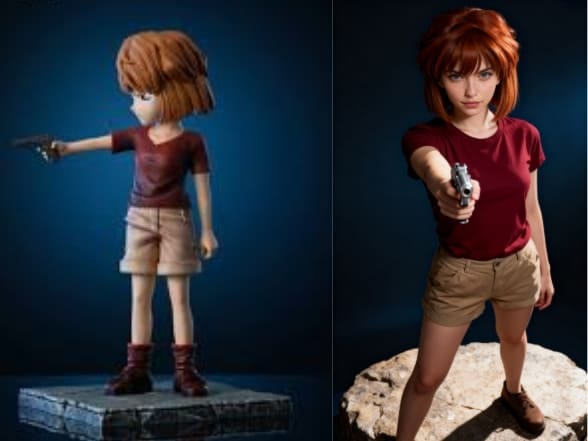
Haibara Ai (Armed) | Difficulty with child body type, sensitive props, and complex staging. | Prompt: Specify "child form" and describe the "calm, armed pose." Easily generate high-impact visuals in a safe, controlled digital environment. |
Intricate Armored Characters | Costume construction is time-consuming, expensive, and limits action. | Expert Mode: Detail the armor material. Use ReVideo (Part 3) to apply the AI armor to a video of someone performing high-octane fighting moves. |
Rising Content — From AI Cosplay Photo to Cosplay Video
Half of the story is told through static images. APOB AI lets you step into the realm of cosplay video with effortless and instant ease.
Step 4: Easy Motion and Expression (Image to Video)
How do you create your AI Cosplay photo into a video? With our 'Image to Video' function, it's actually easy:
Upload your completed AI Cosplay image.
Identify the action, state, or facial expression you wish for the character to do (e.g., "slowly turn and smile," "walking thoughtfully," "waving hello").
Consistency Secret: For visual consistency in keeping the perfect appearance of the character throughout the entire cosplay video, we strongly recommend adding a 'last frame photo' using our tool to your prompt. This provides visual consistency.
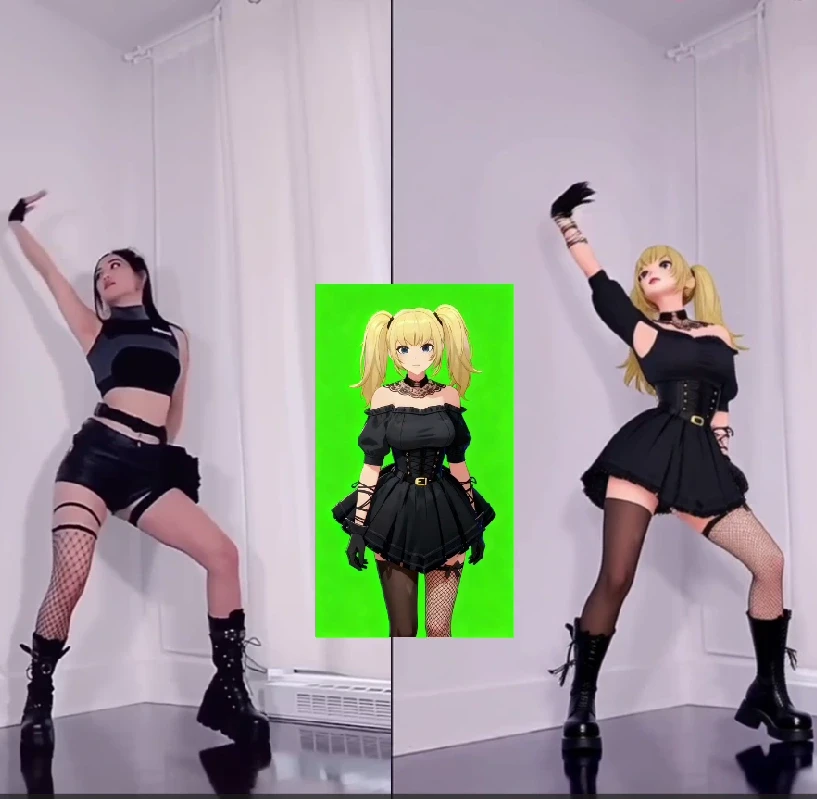
Step 5: Advanced Action & Full-Body Swap (ReVideo)
Suppose you require a high-complexity video, for example, your AI Cosplay avatar doing a popular TikTok dance.
Feature: Utilize our advanced ReVideo feature.
Action Source: Provide the dance video or intricate action video you wish to reproduce.
Character Source: Provide the completed AI Cosplay show image you created.
Generate! Press 'Generate'! ReVideo produces an impossibly smooth full-body replacement, accurately inserting your AI Cosplay avatar into the intricate motion.
Step 6: Letting Your Character Talk (Talking Avatar)
Still not satisfied? Want your character to say lines of their favorite anime or game? Use our Talking Avatar feature!
Upload a voice clip of your favorite character in order to build a special voice model.
Write the dialogue that you want the character to say.
This final step brings your virtual AI Cosplay to life, providing your character with a realistic look as well as a catchy voice!
Read More
From Photo to Cosplay Video
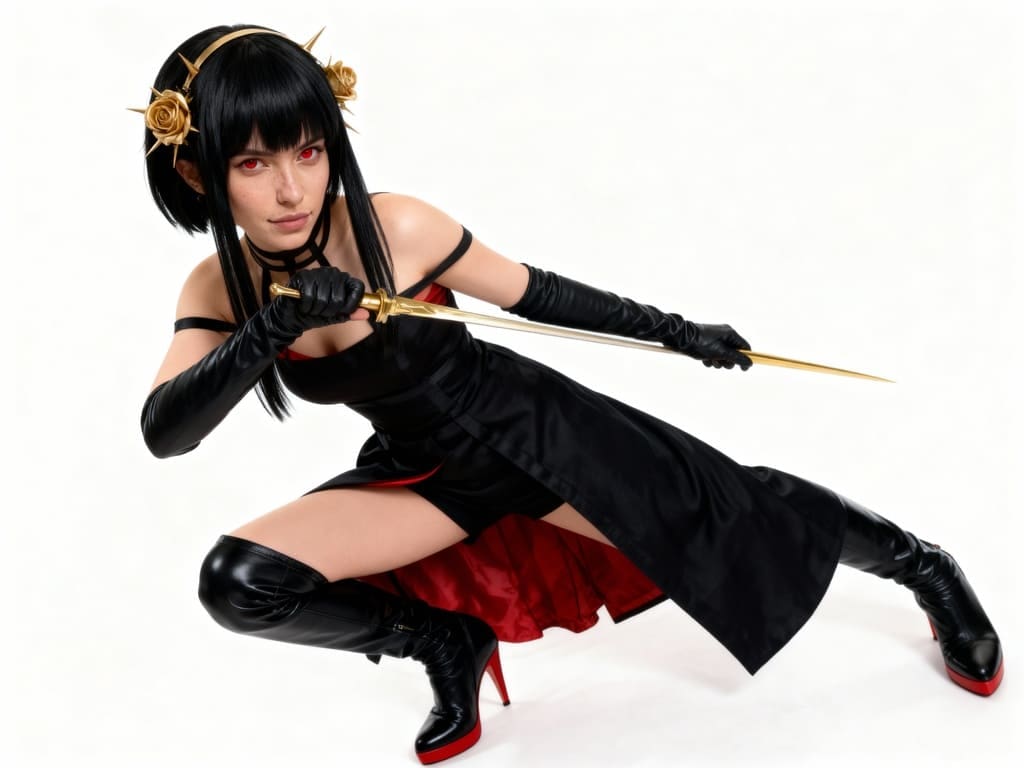
You've spent hours perfecting your anime cosplay—the costume is flawless, the makeup is spot-on, and you've captured the perfect photo that embodies your character. But in today's digital world, a static image is just the starting point. How do you bring that still shot to life, creating a dynamic, engaging cosplay AI video in minutes?
The answer lies with platforms like APOB AI, a powerful tool designed to transform existing images into animated digital content. If you already have your high-quality cosplay photo, here is a guide on how to leverage APOB AI’s features to turn it into a captivating video, complete with movement and even dialogue.
Step 1: Pre-Edit Your Cosplay Photo (The Foundation)
Before even uploading to APOB AI, some simple edits on your raw cosplay photo can significantly enhance the end AI video quality.
- High-Quality is the Key: Make sure your picture is high-definition, lit properly, and in focus. APOB AI models love clean, high-definition inputs.
- Facial Consistency: If your character is to be speaking, a photo with a plain, lightly posed or neutral face is suitable for early processing.
- Enhance the Background (Optional but Strongly Recommended): Use simple image editing software to remove any distracting objects or make your background appropriate for the character's environment.
Step 2: Upload and Convert Your Cosplay Photo to Video
Magic begins with APOB AI's Video Generation or Image-to-Video feature, ideal for bringing life to your static cosplay photo.
1. Login to the Platform:
Sign up for Free Membership.
2. Upload Your Cosplay Photo:
Choose and upload the completed cosplay photo you want to make a video of. Then create an AI Portrait.
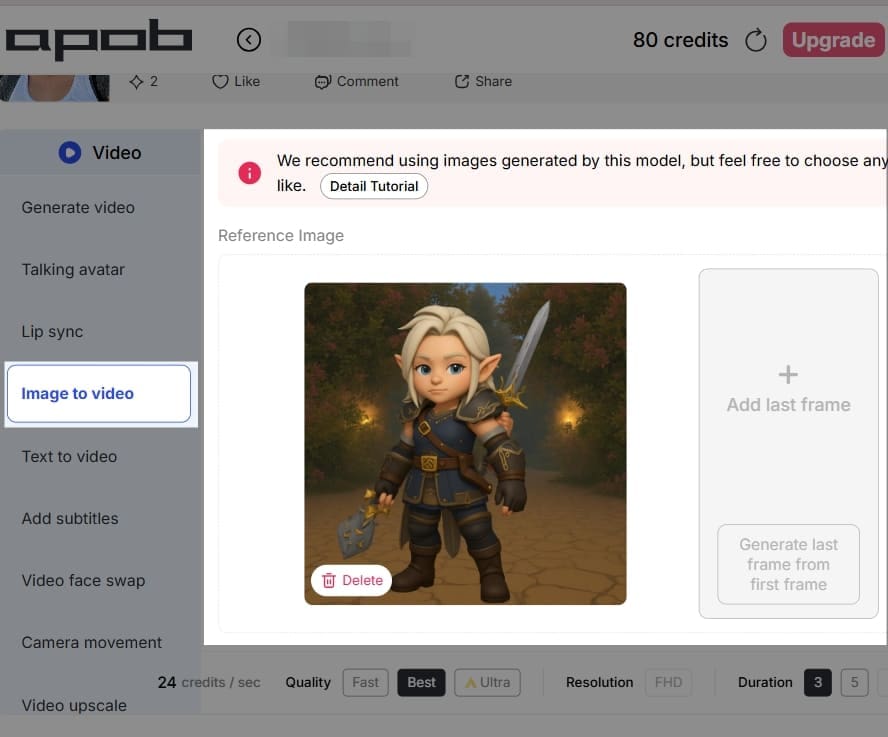
3. Bring the Image to Life:
Click on 'Image to Video'. Upload the image again. Write down the prompts: (For example: dance). This step applies AI models to create subtle, real motion so that your character seems like it's moving. You can usually set options such as:
- Duration: Choose the duration of your short video (for example, 3 to 10 seconds).
- Motion Prompts (Where appropriate): Set text prompts to define the quality of the animation, for instance, "subtle hair blowing in the wind," or "smooth zoom out."
-Quality: Choose a high-quality output such as 'Ultra' for optimal results.
4. Generate:
Click on the generate button and allow the AI to make your animated cosplay video.
Step 3: Give Your Character Voice with Speech (Talking Avatar)
The largest step forward for a cosplay video is voice-giving your character and lip-syncing your lines. APOB AI's Talking Avatar and Lip Sync features do all the work for you.
1. Choose Your Animated Clip:
Use the video created in Step 2 as the starting point.
2. Add Audio/Text:
You have two easy options:
- Text-to-Speech: Type in a script (a quote, an intro, or a character line). The AI can make it sound like a natural-sounding, realistic voice.
- Upload Audio: Record your own voice reading out the lines and upload the audio file.
3. Apply Lip Sync:
The Lip Sync tool of the platform reads the audio track and animates the mouth movements on your cosplay character naturally in sync with the words.
4. Add Camera Movement (Optional):
To provide another level of professionalism, choose a setting to smooth out camera movement, e.g., "simple zoom out" or "handheld" effect.
Step 4: Empowering Creators: APOB AI for Cosplay Influencer Marketing
This is where APOB AI elevates your hobby into a potential source of income and influence. The tools proded are specifically designed to create the consistent, high-volume content needed to succeed as a modern digital influencer.
APOB AI’s Platform Advantage: A Creator-Friendly Tool
For professional cosplayers, though, high-quality, high-frequency content can be a scary thought, particularly because of the time and financial cost of producing videos. APOB AI is a very "creator-friendly" platform that is not intended to substitute for cosplayers, but as their ultimate content helper.
- Accelerate Content Output: Cosplayers can take their high-quality cosplay photos and use APOB AI’s Image-to-Video and Lip Sync functions to rapidly produce engaging short videos. This dramatically increases content output speed on platforms like TikTok and Instagram Reels, helping to maintain audience engagement.
- Maintain Consistent Branding: Whether you're growing your current cosplay account or creating a new online persona, APOB AI assists creators in maintaining the visual consistency of the character's image throughout all content—a key factor for developing and running an efficient cosplay influencer marketing campaign.
If you are a career cosplayer with your own social media site, APOB AI is a highly valuable resource to help you make videos and navigate the influencer marketing new age.
Unblock Revenue Streams: APOB AI Creator Incentive Programs
APOB AI compensates creators and has various incentive programs, enabling cosplayers to profit from traffic while creating content:
1. Affiliate Program:
- How it Works: Cosplayers can post a special referral link or promo code for APOB AI on socials, streams, or video descriptions.
- Incentive: You earn a commission each time a new user signs up or buys a subscription using your link. This is an effective way of passive income, converting your promotion of content into money.
2. Ambassador Program:
- How it Works: The site periodically extends an invitation to highly engaged creators to join their Ambassador Program. Ambassadors enjoy a closer engagement with APOB AI, sharing feedback, creating sponsored content, and participating in specific promotions.
- Incentive: Ambassadors get more incentives, unrestricted access to premium features, and precedence to the new tools. Not only does this bring in more revenue, but it also works as a badge of honor for being an upper-end creator within the community.
Through the use of the tools of APOB AI and these incentive schemes, cosplayers can monetize each successful anime cosplay creation as a revenue-generating digital item, essentially commoditizing something you love into a business.
Read More
See Yourself in Springfield with a Simpson AI Portrait
Ever Wondered What You’d Look Like in The Simpsons?
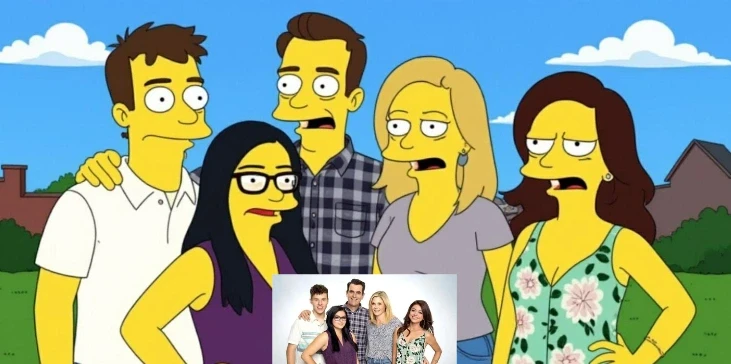
From Bart’s rebellious grin to Homer’s unforgettable “D’oh!”, The Simpsons has been a pop culture icon for over three decades. But have you ever imagined what you might look like wandering the streets of Springfield? What if you had your own yellow face, big cartoon eyes, and a spot on the couch during the opening credits? With APOB's Simpson AI, you no longer have to wonder.
Thanks to the magic of AI technology, you can now transform your selfies into personalized Simpsons-style portraits with just a few clicks. It’s fast, free, and freakishly fun! Let’s dive into how you can create your own Simpson AI portrait and become part of the cartoon universe we all secretly want to live in.
How to Create Your Own Simpsons Character with APOB AI (3 Simple Steps)
Making your Simpson AI portrait with APOB AI is ridiculously easy. You don’t need Photoshop, drawing skills, or even much time. Just follow these three fun steps:
1st: Upload Your Photo
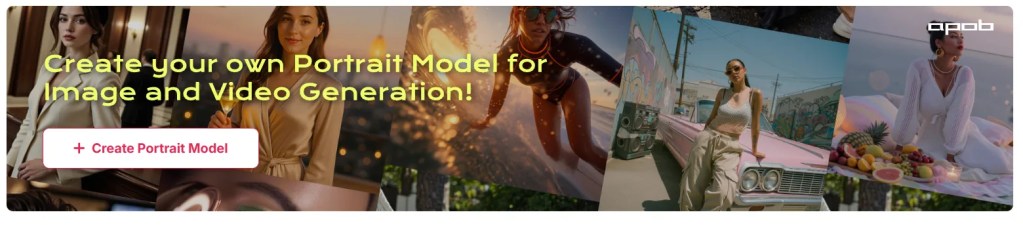
Visit APOB AI and click "create portrait model". Customize your AI Influencer.
2nd: Turn yourself into a Simpson-style character.
Next, go to the left menu and click “Chat to Edit”. Upload a clear photo of yourself (or your friend, favorite celebrity, etc). And enter a detailed prompt (Simpsons-style description). The clearer your face, the better the result. No need to pose like a cartoon—APOB AI will take care of the transformation.
Add fun keywords like “bright yellow skin”, “ large round cartoon eyes”, or “flat 2D animation” to guide the AI's imagination.
3rd: Download and Share!
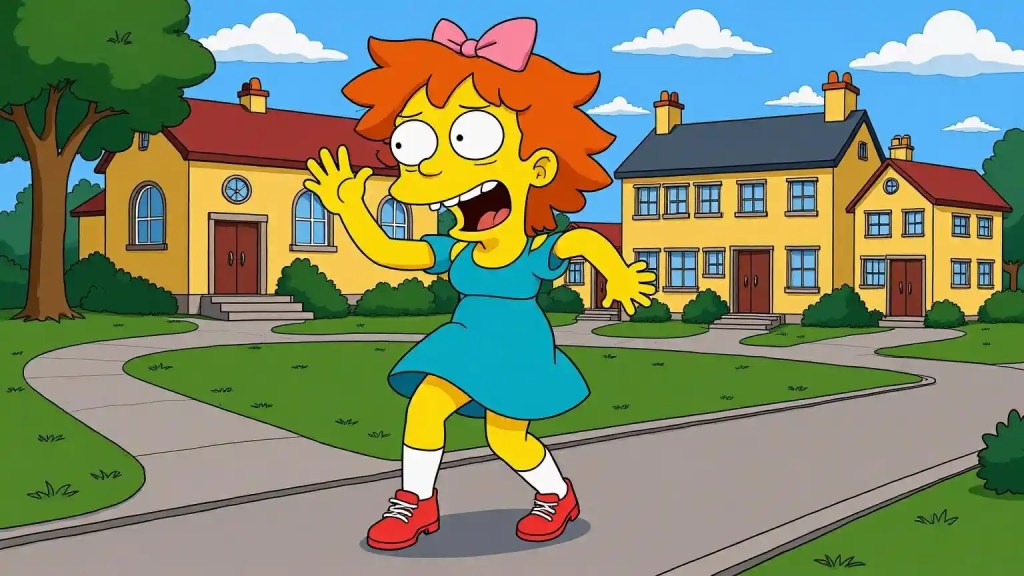
Once your cartoon alter-ego is ready, download it in high resolution. You can share it on Instagram, use it as a PFP (profile picture), or print it out and frame your Springfield self!
Some users even create full family portraits, workplace Simpsons avatars, or “yearbook-style” lineups of their friends as if they all lived in the same yellow town.
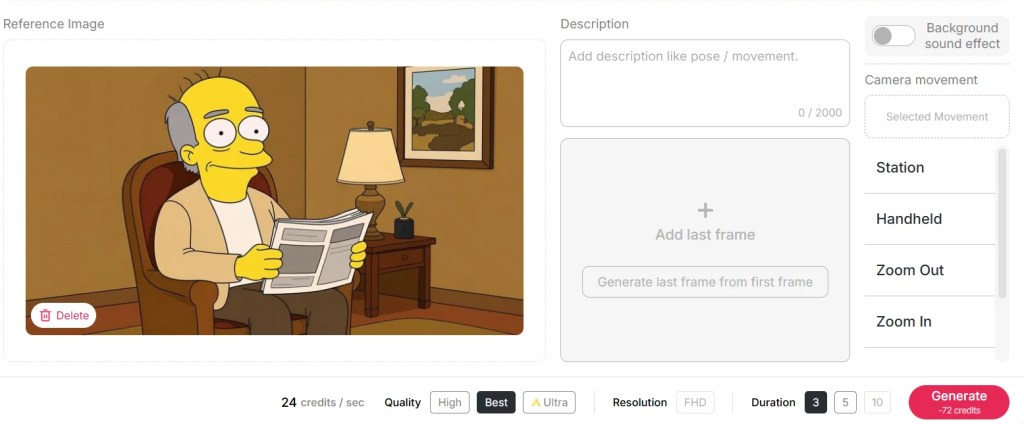
Bonus Step: Use Image to Video, Lip Sync, Talking Avatar to bring it to life in a video!
Real Examples: Simpson AI Portrait Prompts and Results
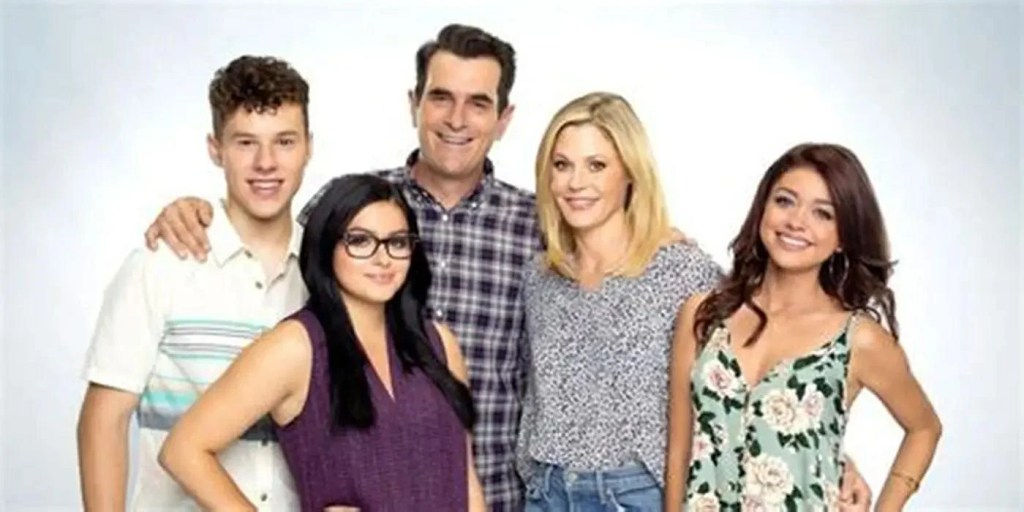
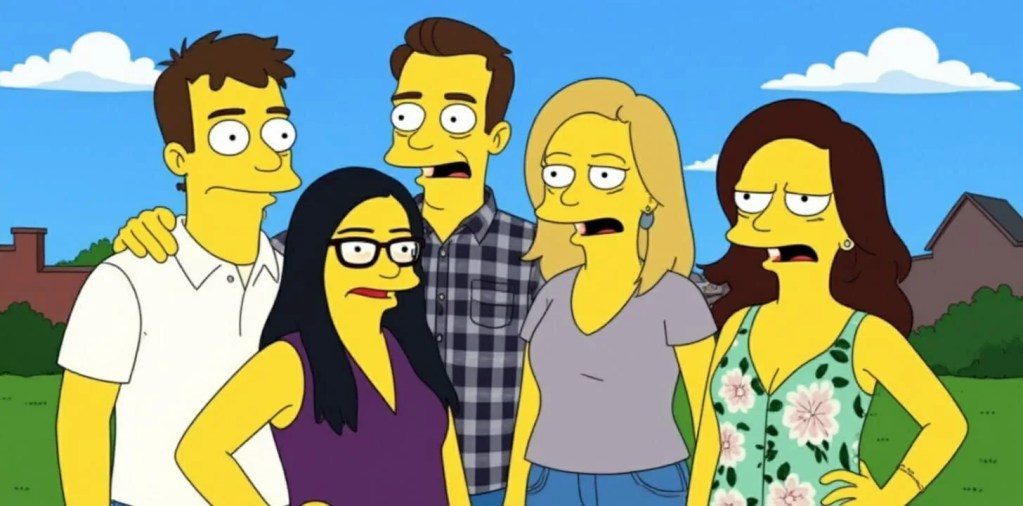
Prompt 1: A Simpsons-style cartoon of a teenage girl with yellow skin and long straight black hair, wearing a red dress and a white pearl necklace, holding a book, smiling gently, standing in a colorful classroom background. Big round eyes, 2D flat animation, bold black outlines, Springfield style.
Prompt 2: A Simpsons-style cartoon of an adult man with yellow skin, short brown hair, wearing a white dress shirt with a loosened blue tie, dark gray trousers, and black shoes. He is holding a coffee mug in one hand and a briefcase in the other, looking tired but determined. He stands in a cluttered office with papers, desk, and a computer. 2D flat animation, big round eyes, bold black outlines, Springfield-style background.
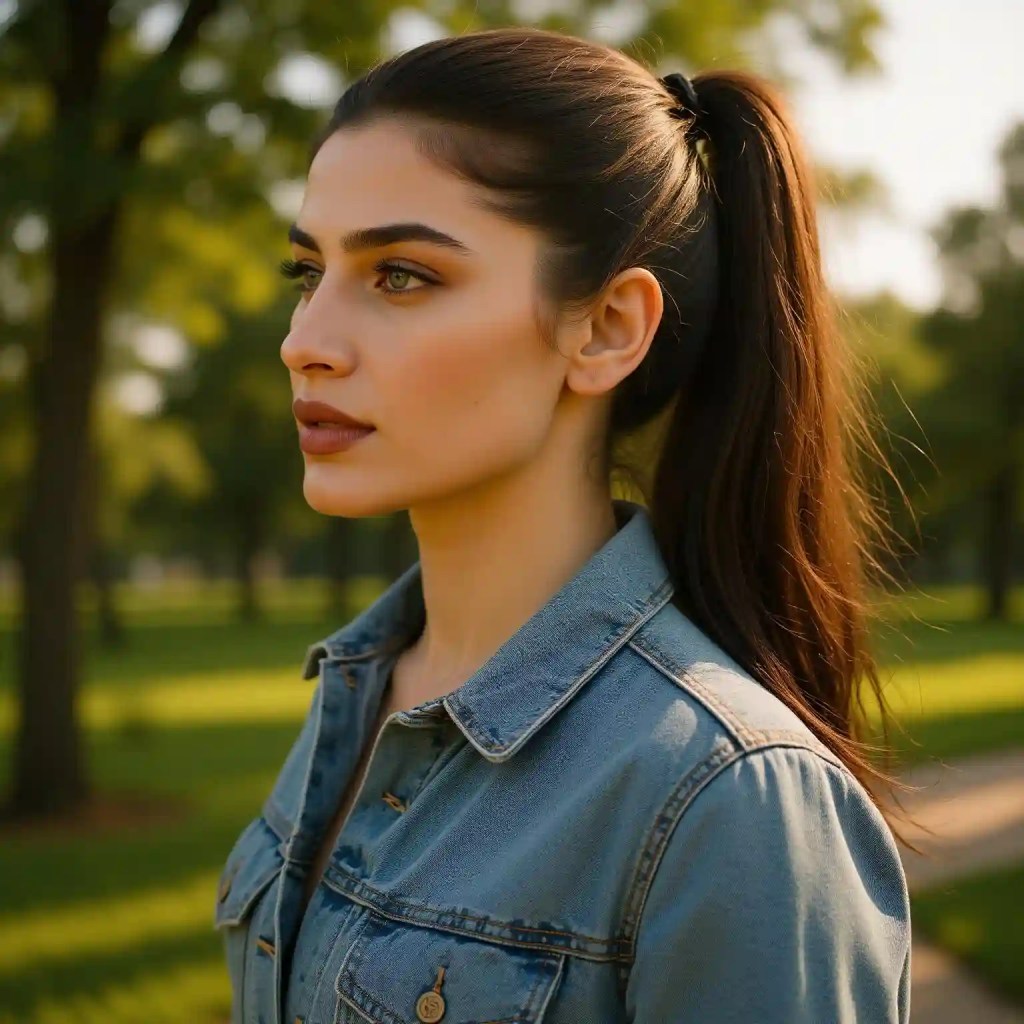
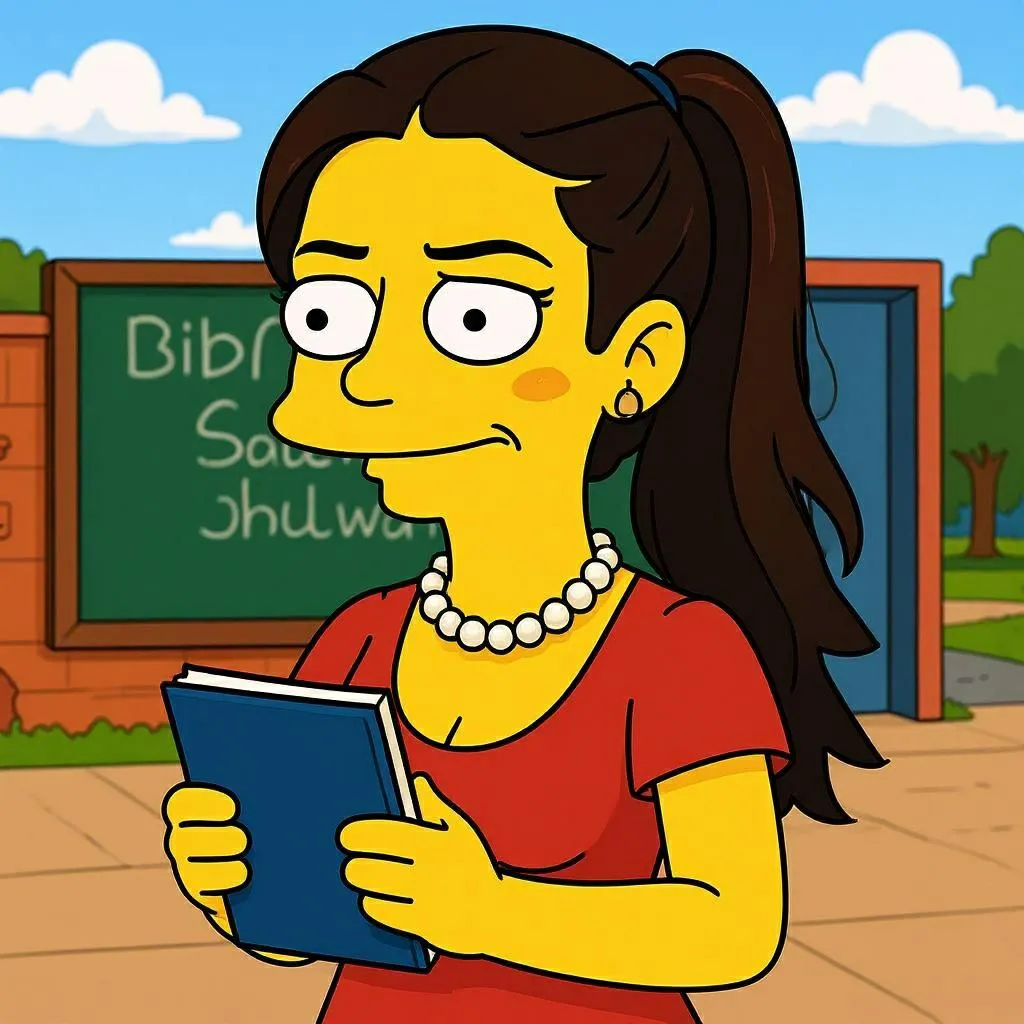
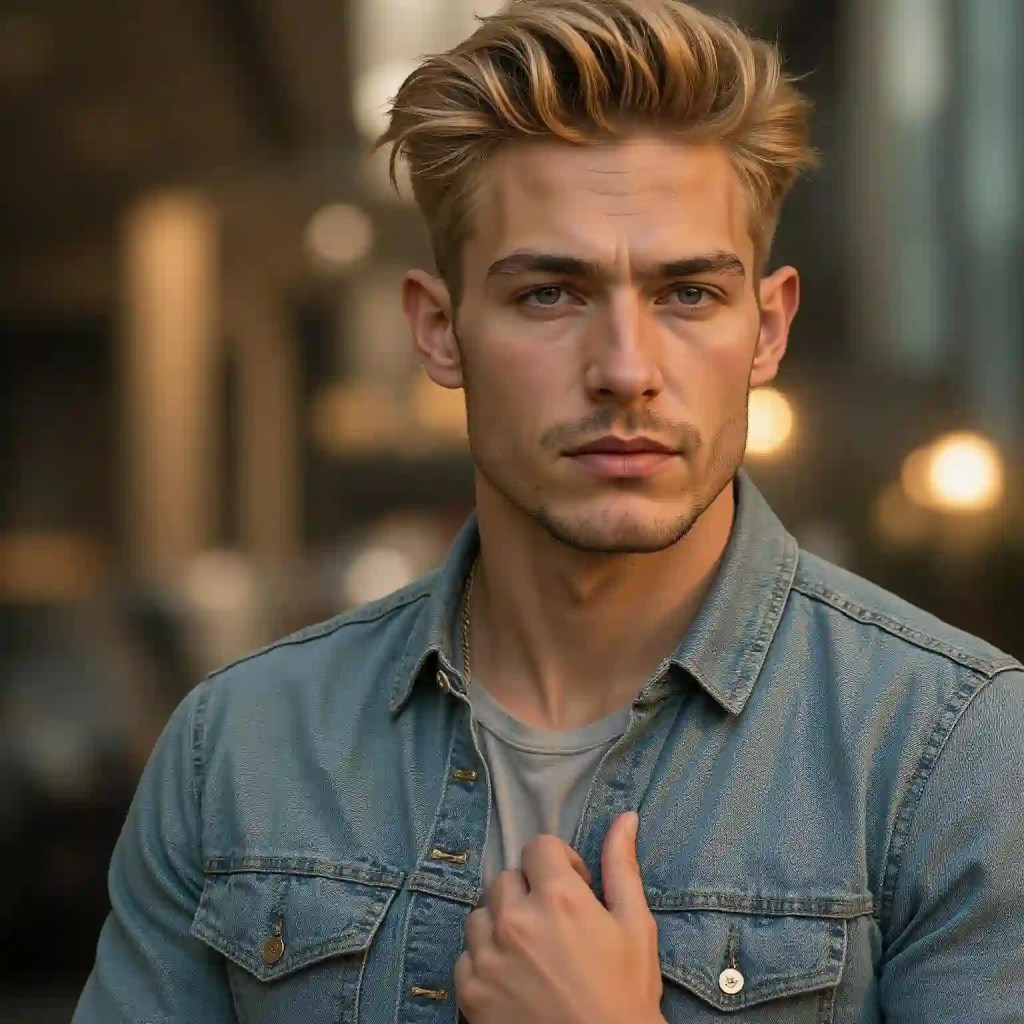
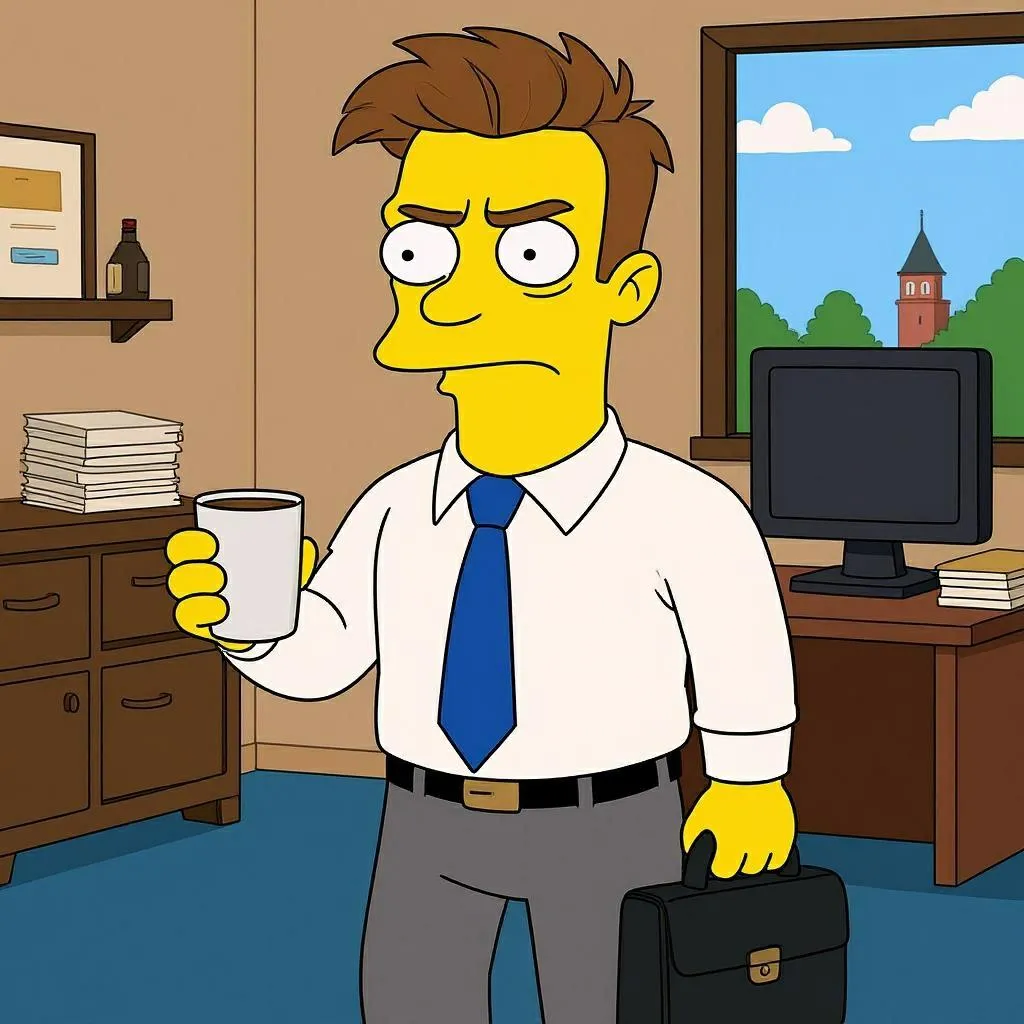
Prompt 3: Turn this family into a Simpsons-style cartoon with bright yellow skin, large round eyes, and an expressive smile. Rendered in flat 2D animation with bold black outlines and vivid background colors, true to the classic Springfield aesthetic.
Real-Life Springfield Magic: What Users Are Saying
“I turned myself and my dog into Simpsons characters with APOB's Simpson AI generator. My friends haven’t stopped laughing since!” – Lily, 28, New York
“I made a whole set of Simpson AI portraits for our office team. It’s now our Zoom background!” – David, 35, London
“APOB's Simpson AI nailed my grumpy expression perfectly—guess I’m Moe!” – Carla, 22, Sydney
The results are hilarious, accurate, and perfect for sharing laughs online.
Pro Tips for the Best Simpson AI Portraits
Use good lighting. A well-lit photo gives the AI more details to work with.
Face the camera directly. It helps capture those iconic Simpsons expressions.
Experiment with prompts. Try phrases like “punk outfit”, “Springfield bar”, or “Lisa-style saxophone” for fun twists.
Try pets too! Yes, APOB AI can Simpsonize your cat or dog too.
Ready to Join The Simpsons Universe?
Whether you’re a lifelong fan of the show or just love seeing yourself in different styles, APOB's Simpson AI maker offers a fast and hilarious way to bring your cartoon dreams to life. In just a few seconds, you’ll see yourself walking the streets of Springfield, maybe even sipping a Duff beer or riding the school bus with Bart.
Head over to APOB AI now and create your own Simpson AI portrait. Springfield is waiting—and you’ve got a starring role!
FAQs about Simpson AI
Q1: Is APOB AI free to use?
A1: Yes! APOB AI offers free daily credits, so you can create 10+ high-quality images or short video clipswithout any cost.
Q2: Can I use APOB's Simpson AI creator on mobile?
A2: Absolutely. The website is mobile-friendly, making it easy to cartoonize yourself anytime, anywhere.
Q3: Can I customize my Simpsons character with specific outfits or traits?
A3: Absolutely. APOB offers various styles in the Complete Set, or you can convert it using Chat to Edit with prompts.
Q4: Can I use Simpson AI for commercial use?
A4: You can use it for personal projects and social media, but for commercial use (like merch), check APOB’s terms.
Q5: Will you keep my photos private?
A5: APOB values user privacy. You can turn on private mode so no one else sees your content. If you have concerns, feel free to contact our support team.
Read More
Best Free Goku AI Image and Video Generator Tools Online
If you're a die-hard Dragon Ball fan, you've probably dreamed of bringing Goku to life in your own way. Thanks to cutting-edge Goku AI tools like APOB AI, that dream is now a reality. Whether you're an artist, a content creator, or simply someone who wants to see Goku in a new light, there's a growing world of AI-powered platforms that let you generate custom Goku images and videos with just a few clicks.
In this post, we’ll dive deep into how APOB AI can help you create high-quality Goku art and animation for free, and explore creative ideas for sketching, styling, and sharing your own version of the Super Saiyan legend — from pencil sketches to full-blown animation.
Why Goku AI Is Taking Over the Fan World
Let’s face it — Goku is one of the most iconic anime characters of all time. But what happens when you combine that popularity with artificial intelligence? You get something magical: Goku AI.
Fans are now using tools like APOB AI to recreate Goku in countless styles — ultra-realistic, stylized, futuristic, and even humorous. From pencil-drawn art to dynamic video content, Goku AI unlocks creativity like never before. The best part? You don’t need to be an artist or an animator. With the right platform, anyone can design high-quality visuals of their favorite Saiyan warrior.
Create Stunning Goku AI Art with APOB AI
APOB AI is one of the most powerful and accessible platforms for generating AI anime art. With just a few descriptive prompts, you can bring your ideas to life.
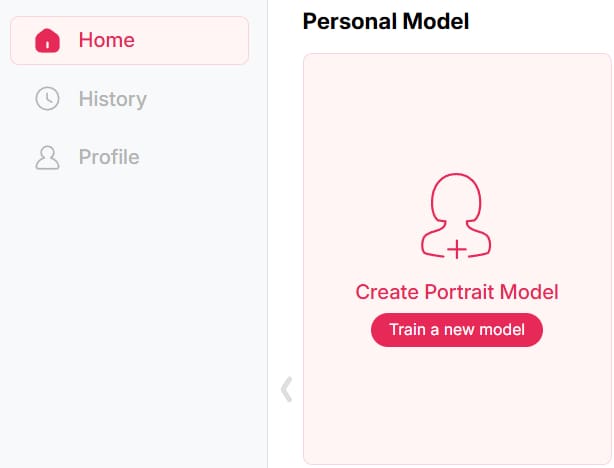
Step 1: Sign up on APOB AI and get 80 credits. Then, click on “Create Portrait Model.”
Step 2: Upload a photo of Goku, or click the “AI Influencer Generator” button to instantly create a custom AI version of him.
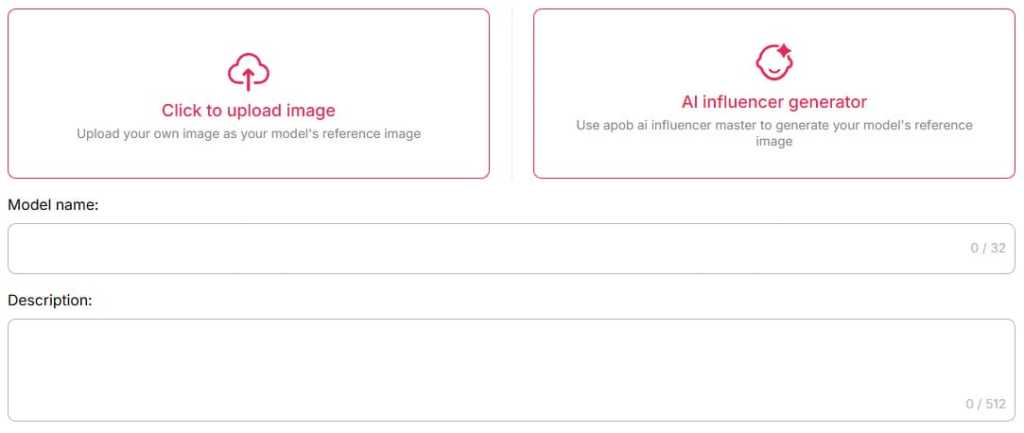
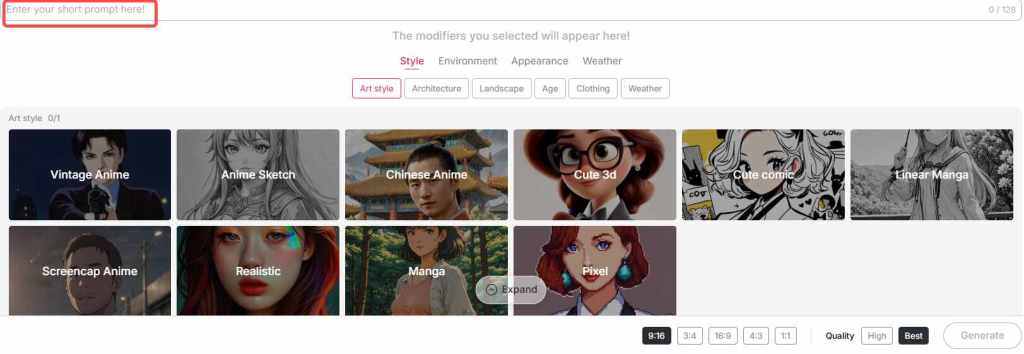
Step 3: In the "Build Your Own" section, choose from styles like Realistic, Anime Sketch, or Linear Manga, etc, and enter a prompt (max 128 characters) to turn the image in your mind into reality. For even more stunning results, switch to the "Expert" mode and craft a detailed prompt of up to 1024 characters (typically 150–200 words).
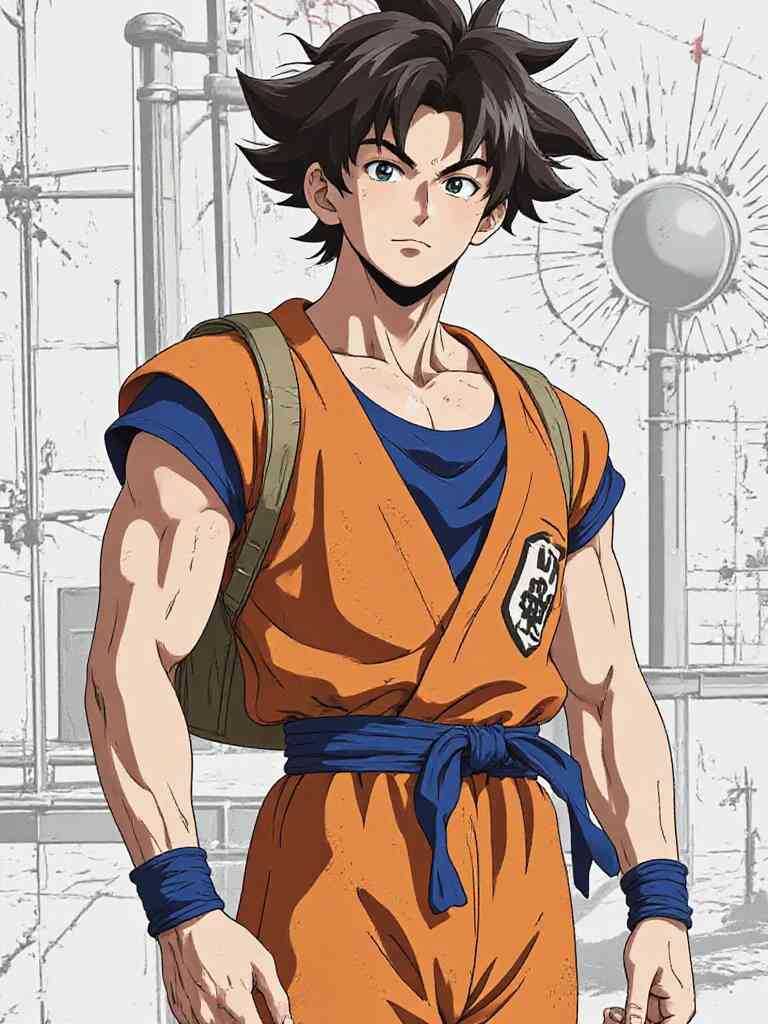
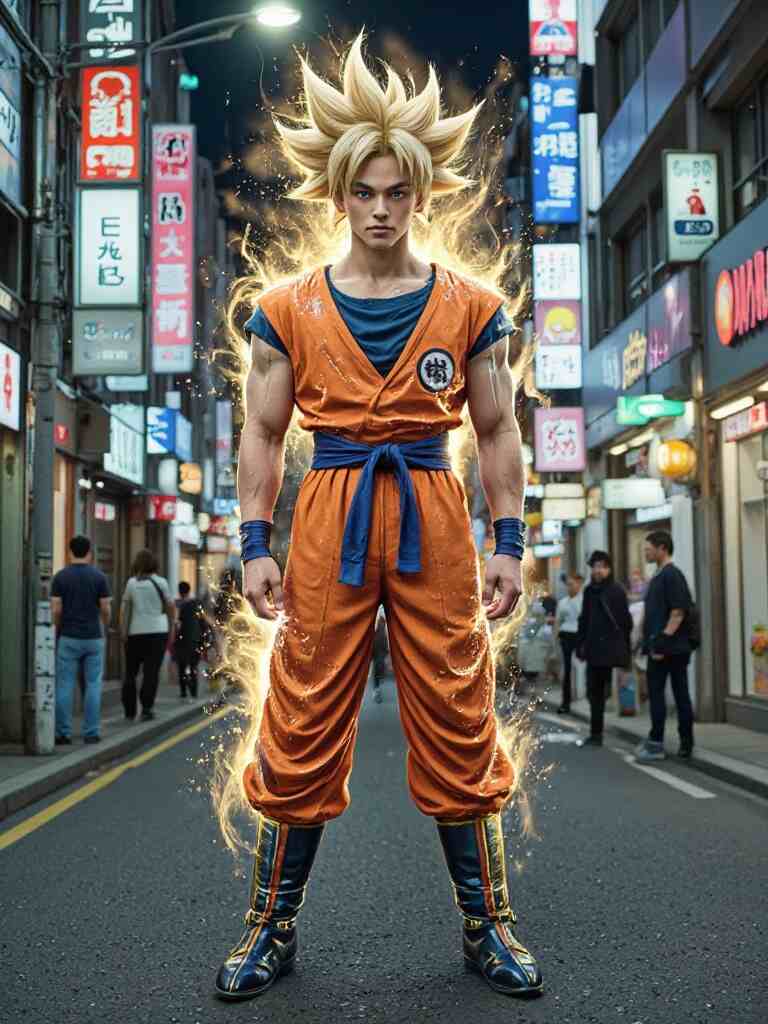
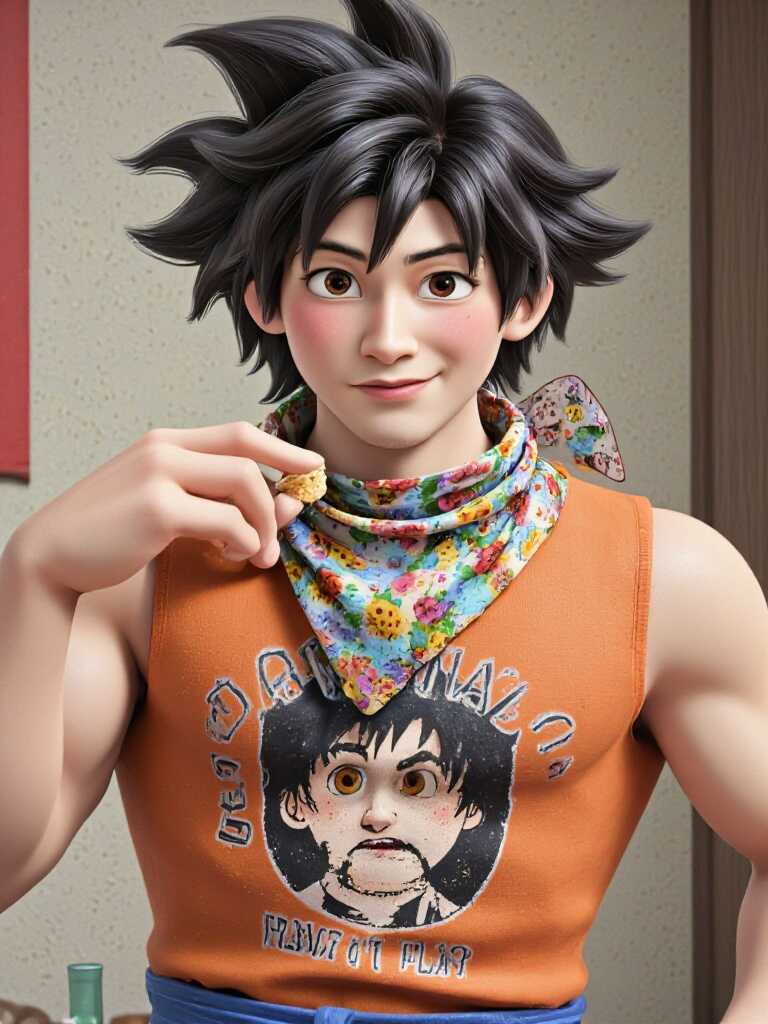
Tips: APOB AI provides users with 80 points a day, and you can generate up to 16 photos a day for free.
Here’s what you can do with APOB AI:
Generate Goku image variations for fan edits or profile pictures
Design anime photo Goku artworks in different styles
Produce pencil Goku drawings or realistic Goku AI art
Create Goku photo HD for wallpapers or high-res prints
The results are surprisingly detailed and authentic. You can even fine-tune facial expressions, outfits, lighting, and art style — whether you want something fierce, nostalgic, or futuristic
Popular Goku AI Art Prompts You Can Try
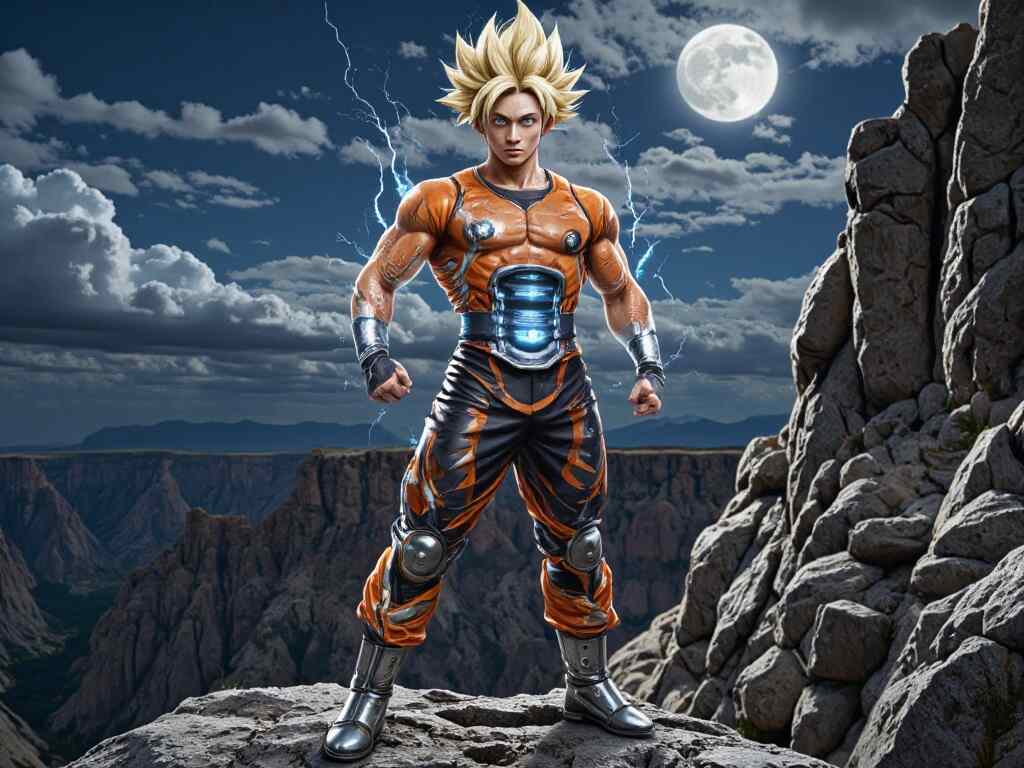
“Goku Ultra Instinct standing under a full moon, cinematic lighting, 4K anime style”
“Realistic Goku portrait with glowing Super Saiyan hair, detailed anime face, HD”
“Goku wearing futuristic armor in a cyberpunk Tokyo, anime style, dramatic lighting”
“Cute chibi Goku eating ramen, soft colors, pastel tone”
“Goku vs Vegeta energy blast scene, highly detailed, epic action moment”
Animate Your Hero: Goku AI Video Generator via APOB AI
Beyond still images, APOB AI now supports dynamic video generation features. That means you can animate your custom Goku images into short clips or looped motions — perfect for social media posts, memes, or storytelling.
Step 1: If you already have a Goku image you’re happy with, simply upload it and use the Image to Video feature. Just type in the actions or expressions you want Goku to perform — whether it's powering up, flying, or delivering an epic punch — and the AI will generate a dynamic video for you.
Step 2: You can also choose your favorite Goku photo from the images you've created in earlier steps, and turn it into a video in just a few clicks.
Step 3: Don’t have an image yet? No worries — try the Text to Video option. Just describe the scene you imagine and the AI will bring it to life as a stunning animation.
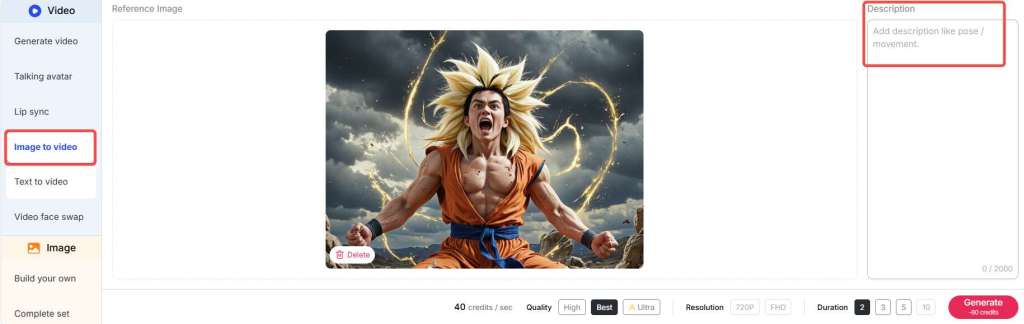
Tips: APOB AI provides users with 80 points a day, and you can generate a 3-second video for free every day.
Using the Goku AI video generator within APOB AI, you can:
Make Goku charge up in Super Saiyan mode
Create a looped battle-ready stance
Animate glowing effects, hair movement, or energy blasts
By combining static artwork with subtle animation, your Goku AI content can truly stand out — especially for fan reels, AMVs, or interactive media projects.
Learn to Draw Goku with the Help of AI
Even if you're a traditionalist who loves sketching by hand, APOB AI can help you level up. Use it to generate references or sketch overlays for practice.
Want to learn how to draw Goku full body? You can prompt APOB AI to give you clean base sketches.
Need inspiration for:
Full body Goku Ultra Instinct drawing
Goku Ultra Instinct drawing full body sketch
How to draw Goku Black
Drawing of Goku Super Saiyan
You can simply describe your idea and let APOB AI create an outline or drawing guide. Many artists now use these AI-generated images as underlays for digital inking or pencil redrawing.
Also great for:
Goku drawing pictures
Dragon Ball Z characters drawing
Realistic Goku pencil drawing
Dragon Ball character drawing
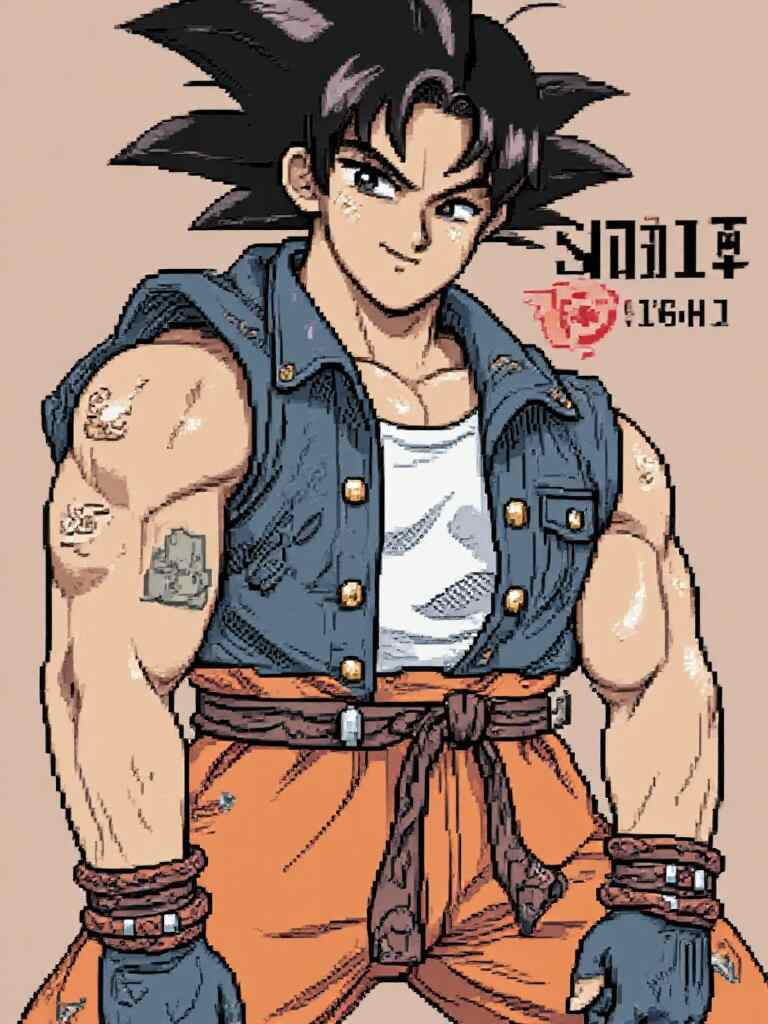
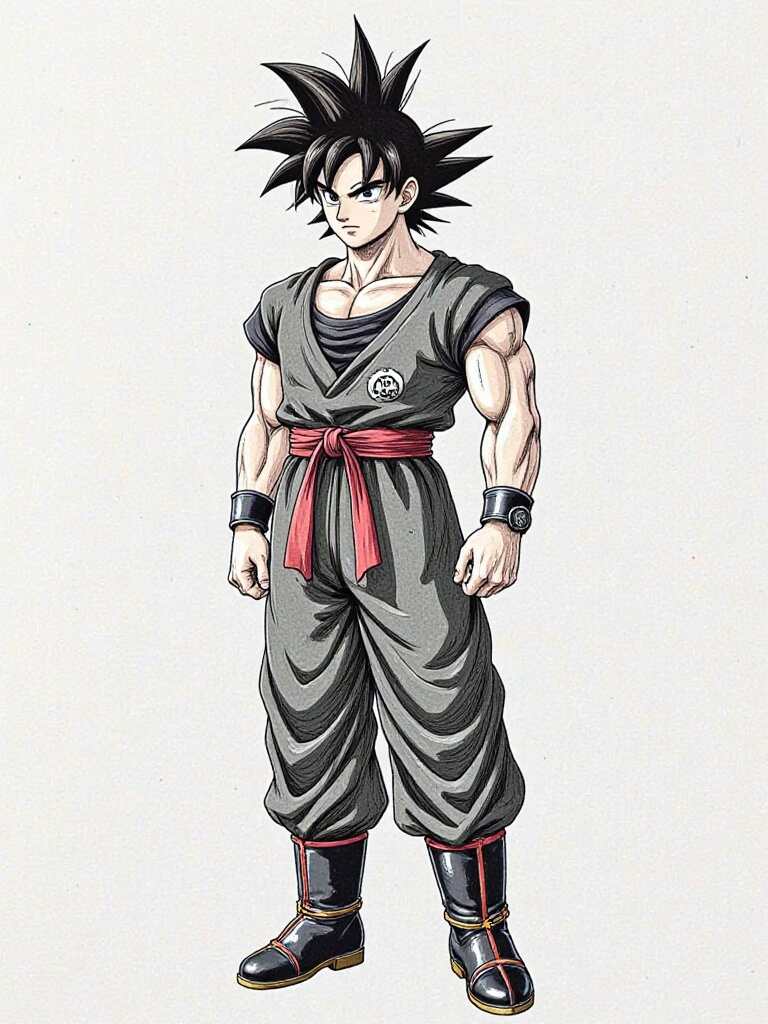
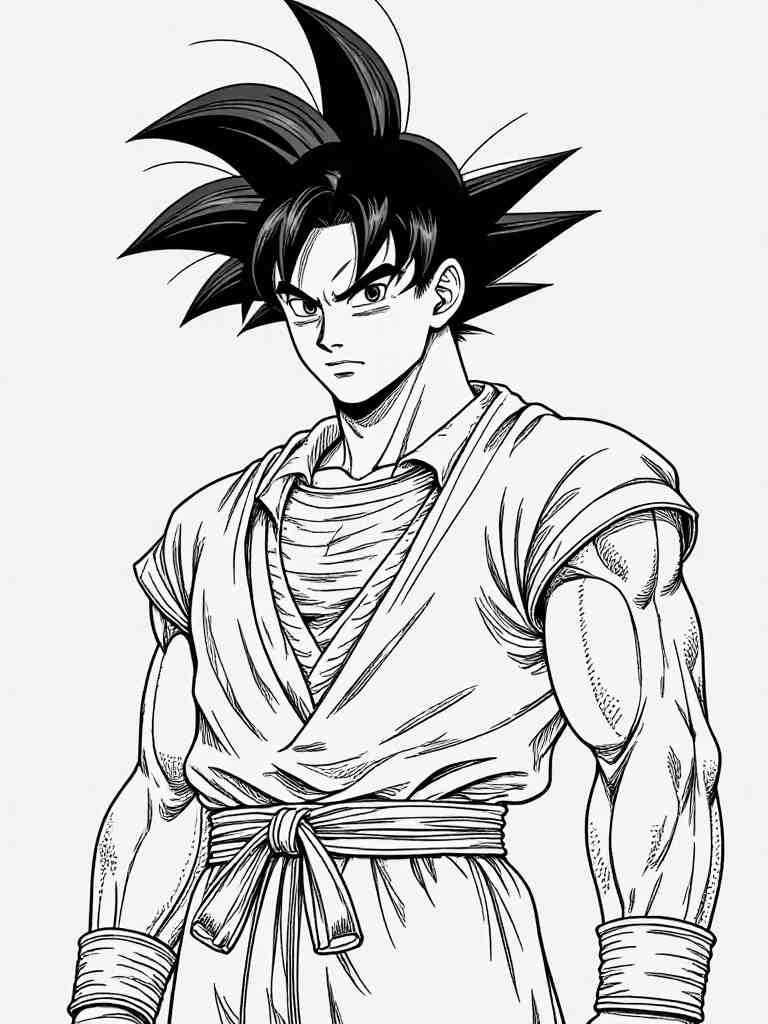
Drawing Prompts to Practice Your Goku Sketches
“Line art of Goku full body, simple sketch, drawing guide style”
“Pencil drawing of Goku Super Saiyan, dramatic shading”
“How to draw Goku full body, side view, dynamic pose”
“Goku Black character sketch, front pose, strong silhouette”
“Goku Ultra Instinct full body outline, sketchbook style”
Download and Share Your Goku AI Masterpieces
Once your masterpiece is ready, APOB AI allows you to download your creations in high resolution. Whether you want to
Print a custom photo of Goku
Share your Goku photo HD on Instagram
Use your AI art as a phone wallpaper or Discord profile banner
you can do it all with ease. Most creations are downloadable in just one click. And if you want to go a step further, consider turning your Goku photo downloads into merch like stickers, t-shirts, or digital collectibles — just be mindful of any copyright rules when it comes to commercial use.
Final Thoughts
Artificial intelligence is unlocking new creative possibilities for fans around the world — and Goku AI is leading the charge. With tools like APOB AI, you can craft jaw-dropping art, captivating animation, and even helpful drawing references, all without needing advanced skills or expensive software.
So whether you’re recreating a full-body Goku sketch, animating a power-up, or just looking for a photo of Goku to impress your friends — Goku AI gives you the power to go beyond your limits.
Ready to go Super Saiyan with your creativity? Try APOB AI and bring your Goku vision to life today!
FAQ
Q1: What is the best tool to generate Goku AI images for free?
The best tool to generate free Goku AI images is APOB AI. It offers a variety of styles like realistic, anime sketch, and manga, and allows you to create highly customized Goku art using simple text prompts.
Q2: Can I turn a Goku AI image into a video?
Yes! With APOB AI's Image to Video feature, you can upload a Goku image and describe the actions or facial expressions you want. The AI will generate a short animated video based on your instructions.
Q3: How do I generate a full-body Goku Ultra Instinct drawing?
You can use APOB AI’s "Build Your Own" or "Expert Mode" and enter a detailed prompt like: “Full-body Goku Ultra Instinct with glowing silver aura, sharp hair, battle pose” to get high-quality AI-generated art.
Q4: Is it possible to generate a Goku AI video without uploading a photo?
Absolutely! Use the Text to Video function to describe the scene in detail — for example,“Goku charging a Kamehameha under a full moon”—and the AI will create a video from scratch.
Read More
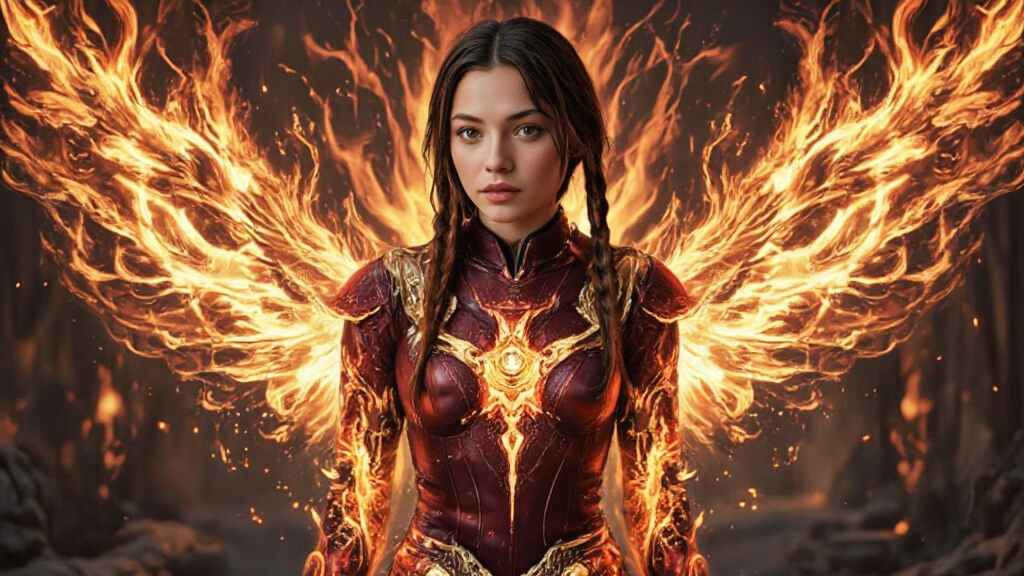
Create Your Ideal Hero for Free with the AI Superhero Generator
In a world where superheroes reign supreme, creating your own unique hero is no longer just a dream. With the cutting-edge AI Superhero Generator, you can design your very own superhero—no artistic skills required. Whether you're looking for a custom avatar for social media, a character for your RPG campaign, or a stunning superhero background for your desktop, this tool is your gateway to bringing your imagination to life.
But what makes the AI Superhero Generator so special? In this post, we’ll explore everything from the versatility of the tool to the endless possibilities it offers for creators of all kinds.
What is the AI Superhero Generator?
The AI Superhero Generator is a revolutionary tool that allows you to create vibrant, custom superheroes in just a few simple steps. Gone are the days of having to learn how to draw or invest in expensive software. With this AI-powered platform, all you need is your imagination.
The process is simple: you provide a detailed description of your ideal superhero, and the AI takes care of the rest. The result? A one-of-a-kind superhero that captures your personal style, powers, and essence.
How Does the AI Superhero Generator Work?
The beauty of the AI Superhero Generator lies in its simplicity. Here's how it works:
Step 1: Get Started with APOB AI
Sign up on APOB AI to receive 80 credits. Click "Create Portrait Model" and upload a clear photo for AI analysis. Or, use the "AI Influencer Generator" to design a custom AI model.
Step 2: Provide a Detailed Description
The second step is to describe your ideal superhero. Whether you want a heroic figure with the power of fire, a mysterious anti-hero, or a sleek, futuristic hero, the description you provide will guide the AI’s design process.
Step 3: Customize and Download
After reviewing the generated options, you can choose the one that best matches your vision. If you'd like, you can adjust certain details, such as colors, accessories, or the hero's stance. Once you're satisfied with the final design, you can download a high-quality version to use as your avatar, background, or in your comic book project.
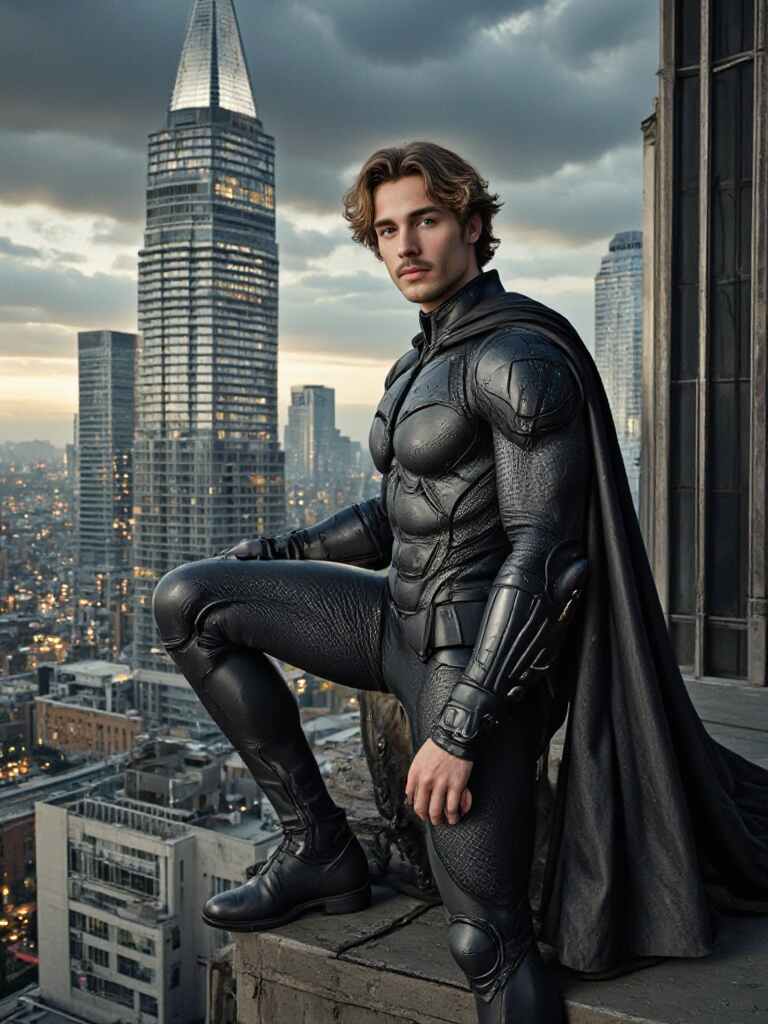
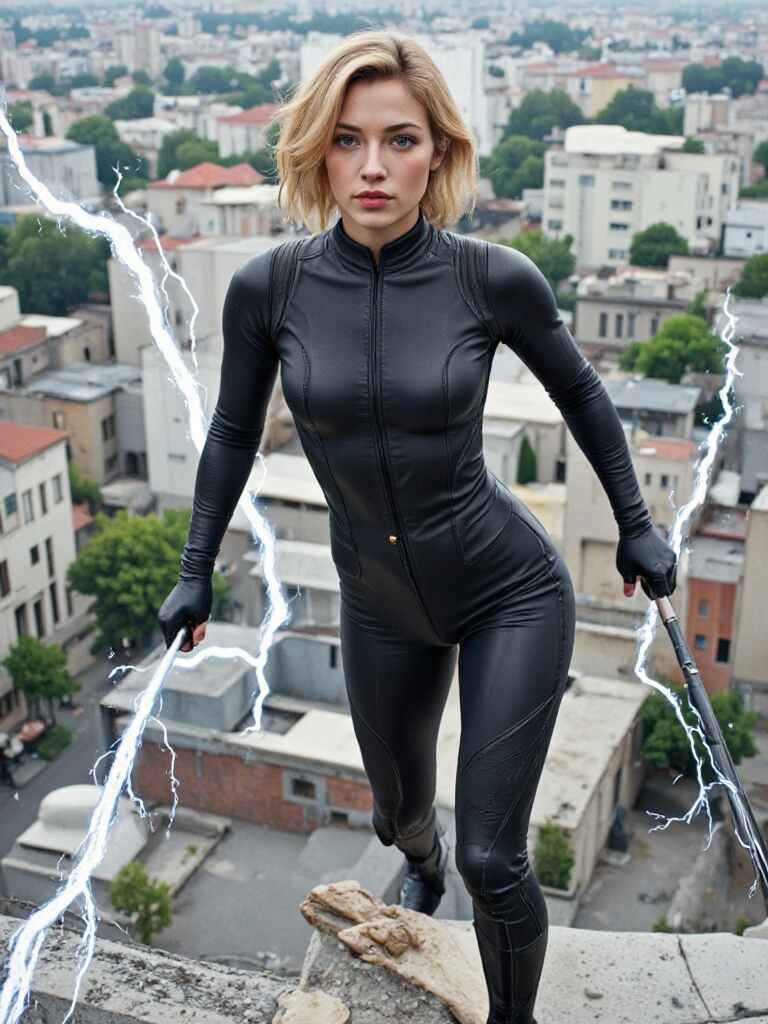
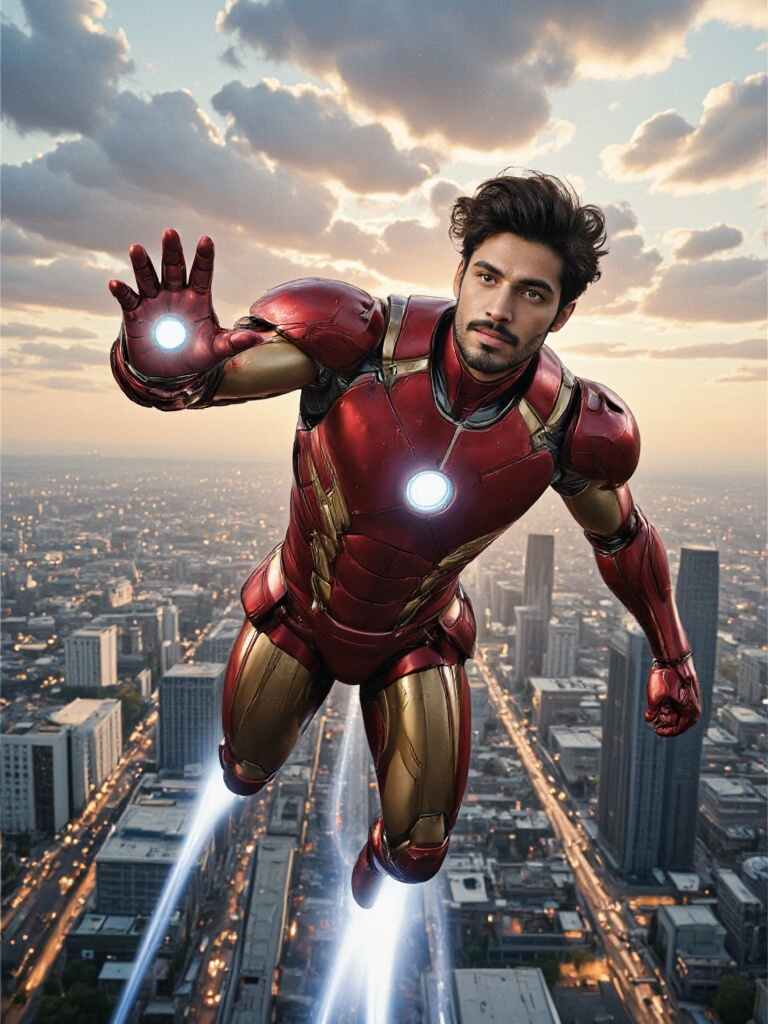
Create Superheroes for Any Purpose
One of the best things about the AI Superhero Generator is its versatility. No matter what you're looking for, this tool allows you to generate superheroes for a wide variety of uses:
Superhero Avatars Want a new, eye-catching avatar for your social media profile? The AI Superhero Generator lets you craft a unique avatar that represents your personality, skills, and even your alter ego. Imagine showing up on your social media feed with a superhero version of yourself!
Superhero Backgrounds Looking to inject some power into your desktop? The tool also allows you to create stunning superhero backgrounds that are sure to inspire. Choose from a variety of colorful, action-packed designs that fit your screen perfectly. With these vibrant, AI-generated images, your workspace will never look the same again.
RPG Characters For gamers, this tool is a game-changer. You can use it to create superheroes for your role-playing games, adding unique characters to your stories and adventures. Whether you're designing a team of heroes or a lone vigilante, the AI Superhero Generator makes it easy to bring your vision to life in the game world.
Storytelling and Comics Are you a writer or comic book creator? The AI Superhero Generator is also ideal for those looking to create heroes for stories or comic strips. From detailed backstories to visual design elements, this tool gives you everything you need to create compelling, well-rounded characters that stand out in your narrative.
Endless Customization: Your Hero, Your Rules
Another key advantage of the AI Superhero Generator is the level of customization it offers. Want a superhero with a cape? No problem. Prefer a suit that glows with futuristic technology? Done. You can customize everything from their powers to their costume, and even the environment in which they reside. Want your hero to soar through the skies, or fight on the ground? The choice is yours.
This level of customization ensures that your superhero is not just a generic design. Instead, it’s a reflection of your unique preferences, whether you're creating a classic superhero or a more modern, edgy character. Your imagination is the only limit.
Why Use the AI Superhero Generator?
You may be wondering why you should use the AI Superhero Generator over traditional design methods. There are several reasons this tool stands out:
Speed and Ease Creating a superhero from scratch can take hours or even days, but the AI Superhero Generator allows you to generate a full superhero design in just minutes. No drawing skills required—just your ideas.
Cost-Effective Hiring a professional designer or artist can be expensive. With the AI Superhero Generator, you get top-quality superhero designs at a fraction of the cost.
Inspiration and Fun Sometimes, the hardest part of creating a superhero is simply coming up with a concept. The AI Superhero Generator takes the guesswork out of the process, helping you explore new ideas and creative possibilities while having fun.
Perfect for Storytelling If you’re a writer or comic book creator, this tool makes it easy to bring your ideas to life. Instead of spending hours sketching, you can focus on developing your superhero’s backstory, personality, and powers.
Real-Life Application: Superheroes for All
The AI Superhero Generator is not just for comic book creators and game designers; it’s for anyone who wants to bring their inner superhero to life. Whether you’re an aspiring writer, gamer, or social media influencer, this tool gives you the opportunity to craft a superhero that’s uniquely yours. It’s a powerful tool for self-expression and creativity, allowing you to unleash the superhero within.
Conclusion
In today’s digital world, the AI Superhero Generator offers a fun, fast, and easy way to create unique superheroes tailored to your personal style. Whether you’re designing a superhero avatar, a character for your role-playing game, or a powerful background for your desktop, this tool has everything you need. With endless customization options and the power of AI, you can bring your superhero ideas to life like never before.
So, what are you waiting for? Unleash your creativity, and let the AI Superhero Generator turn your vision into reality. Your ultimate hero is just a click away.
FAQ
Q1: How do I make a superhero avatar of myself?
A1: Simply upload a clear photo of your face after clicking "Create Portrait Model" on APOB AI. The AI will analyze your features and use them as the base for your model. In the Clothing section, you can upload your desired superhero cosplay, or use the Expert feature to input detailed prompts (within 1024 characters, generally equivalent to 150-250 English words) and create a custom superhero avatar of yourself.
Q2: How to create realistic superhero avatars?
A2: The system defaults to generating a realistic photo. Just follow the steps above
Q3: Can I generate avatars for free using APOB AI?
A3: Yes, you can generate avatars for free using APOB AI. Upon signing up, you receive 80 free credits. Each best-quality image generation costs 20 credits, allowing you to create up to 4 images per generation. Since each generation produces 4 images, you can generate a total of 16 images per day with the free credits. This means you can explore different looks and find the one you like best.
Q4: Is commercial use allowed?
A4: Yes, commercial use is allowed. You can freely use the generated images for business purposes, marketing, branding, or other commercial projects. However, it's always best to check the platform's specific terms and conditions to ensure compliance with any licensing or attribution requirements.
Q5: Can I use the generated images for NFTs?
A5: Yes, you can use the generated images for NFTs. You are free to mint and sell them as digital assets. However, ensure that the platform's terms permit NFT creation and that you have full rights to the generated content to avoid any potential copyright issues.
Read More
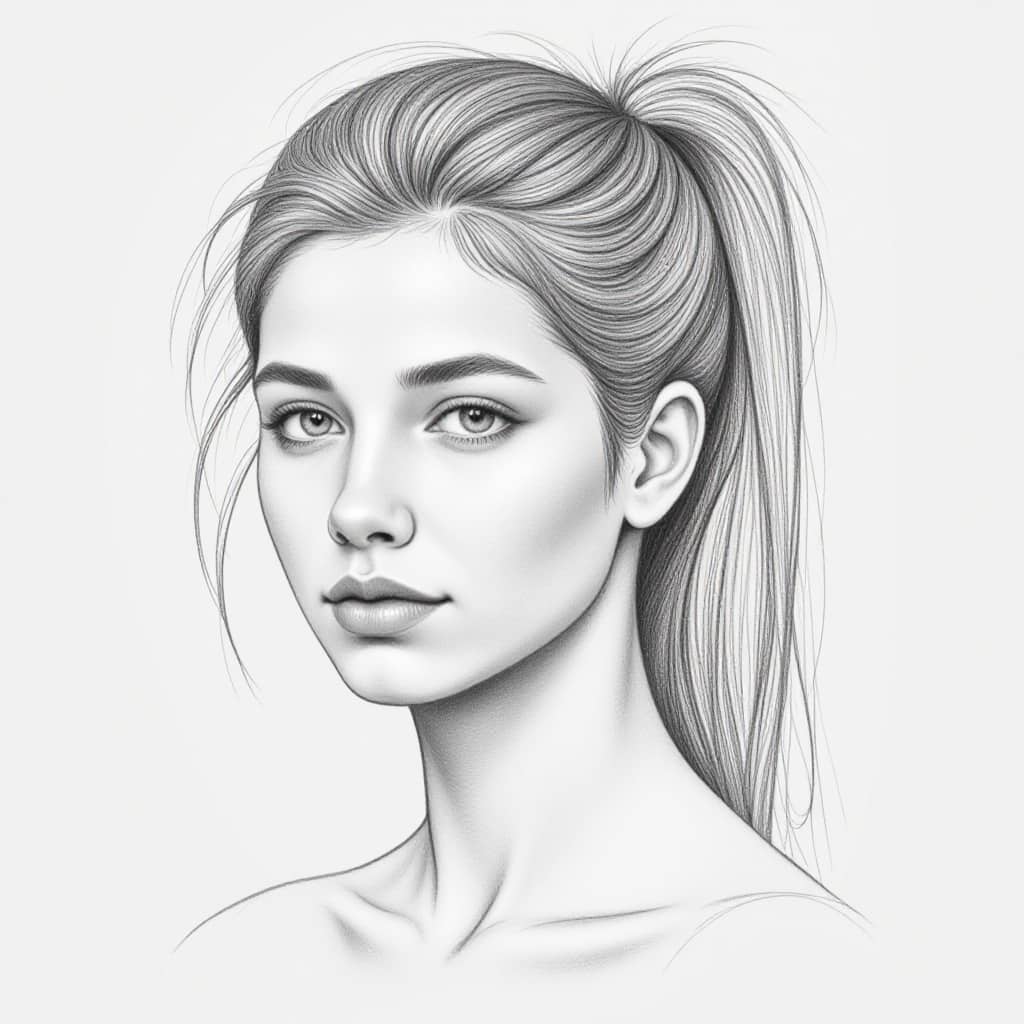
Transform Your Photos into Stunning Art with APOB AI Photo to Art Generator
Discover the magic of turning your ordinary photos into extraordinary works of art with APOB AI's Photo to Art Generator! Our advanced technology reimagines your photos as exquisite pieces of AI-generated art, offering a wide range of artistic styles, from classic paintings to modern illustrations. Whether you're looking to create a timeless portrait or a unique artistic rendition, APOB AI lets you bring your photos to life in the most captivating ways.
Turn Your Photos Into Masterpieces
With APOB AI, you can easily transform your favorite photos into beautiful art. The AI leverages advanced algorithms to generate a variety of artistic effects, giving you a personalized masterpiece every time. Whether you prefer the traditional elegance of oil paintings, the bold brushstrokes of Impressionism, or the abstract patterns of Cubism, you can find the perfect art style that resonates with your personality.
Why Choose APOB AI Photo to Art Generator?
Wide Range of Art Styles: From Renaissance to Pop Art, explore a variety of artistic influences.
Easy to Use: No need for professional skills—just upload your photo and let the AI work its magic.
Quick and Efficient: Transform your photos in seconds with high-quality, print-ready results.
Personalized Creations: Customize your art with unique styles, moods, and compositions.
How APOB AI Photo to Art Generator Works in 4 Easy Steps
Creating AI-generated art from your photos is quick and simple. Follow these easy steps to create your own personalized masterpiece:
Sign Up and Purchase Credits
Start by signing up on the APOB AI platform. Purchase credits by clicking the “Get Credits” dropdown menu, which allows you to unlock all the features of our photo-to-art generator.Upload Your Photo
Once you're signed in, upload your photo to APOB AI. The platform will analyze your photo and prepare it for artistic transformation.Let the AI Learn Your Features
The AI will learn your facial features or any other details in the photo. This step is quick, and it only needs to be done once. Your model will be saved on your account for future creations.Generate Your Artwork
Now you’re ready to create! Use our prompting guide to refine the style and mood of your artwork. In just a few seconds, the AI will generate a stunning piece of art that you can download, print, or share.
Explore the Wide Range of Art Styles with APOB AI
APOB AI offers a diverse collection of art styles that can turn any photo into a timeless work of art. Here are just a few of the artistic styles you can choose from:
Renaissance Art: Timeless portraits and classical elegance.
Impressionism: Vibrant and dynamic, full of texture and movement.
Pop Art: Bold, colorful, and energetic, with a modern twist.
Cubism: Abstract forms and geometric designs that break the mold.
Watercolor & Sketches: Soft, fluid colors or hand-drawn impressions.
Whether you're transforming a selfie, a family photo, or a landscape, APOB AI can adapt to your needs and create a unique masterpiece that feels truly yours.
It’s So Easy to Create Your Own AI Art from Photos
At APOB AI, creating art from your photos is incredibly easy and requires no technical skill. Here's how it works:
Simple Customization: Enter a short text prompt to define the art style, mood, and any specific details you want.
AI Magic: The AI will interpret your input and transform your photo into a custom piece of artwork in seconds.
Instant Results: No editing required. The generated art is high-quality and ready for download or sharing on social media.
You can use your AI-generated art as your profile picture, a gaming avatar, or even print it out as a canvas to decorate your home.
Unleash Your Creativity with APOB AI Photo to Art Generator
APOB AI gives you full creative freedom to experiment with various art styles and transform your photos into something completely new. Want to change your hairstyle, add a different outfit, or even alter your pose? With APOB AI, the only limit is your imagination.
Try generating a vintage-inspired portrait, a futuristic abstract design, or a fantasy-themed masterpiece. Explore endless possibilities and discover a whole new world of creativity with APOB AI’s Photo to Art Generator.
Frequently Asked Questions (FAQs)
Q1: How does APOB AI Photo to Art Generator work?
A1: APOB AI uses advanced machine learning algorithms to analyze your photo and convert it into an art style of your choice. Simply upload your photo, select an art style, and the AI will generate a personalized artwork in seconds.
Q2: What types of art styles can I choose from?
A2: APOB AI offers a variety of art styles, including Renaissance, Impressionism, Pop Art, Cubism, Watercolor, and Sketches. You can explore other unique styles depending on your artistic preferences.
Q3: Do I need any technical skills to use APOB AI Photo to Art Generator?
A3: No, APOB AI is designed to be user-friendly and doesn’t require any technical skills. Just upload your photo, customize your art style, and let the AI do the rest.
Q4: Can I use the artwork I create with APOB AI?
A4: Yes, you can use the AI-generated artwork for personal or professional use. Download high-quality images for printing, use them as social media profile pictures, or even create custom merchandise.
Q5: How long does it take to generate art from my photos?
A5: The process is quick—typically taking just a few seconds after you've uploaded your photo. APOB AI delivers fast, high-quality results, so you can start using your artwork right away.
Get Started with APOB AI Photo to Art Generator Today
Why wait? Transform your photos into stunning works of art today with APOB AI’s Photo to Art Generator. Sign up now and start creating beautiful, personalized art from your favorite memories. With endless artistic possibilities, you can bring your photos to life in new and exciting ways. Experience the magic of AI-generated art—get started now!
Read More
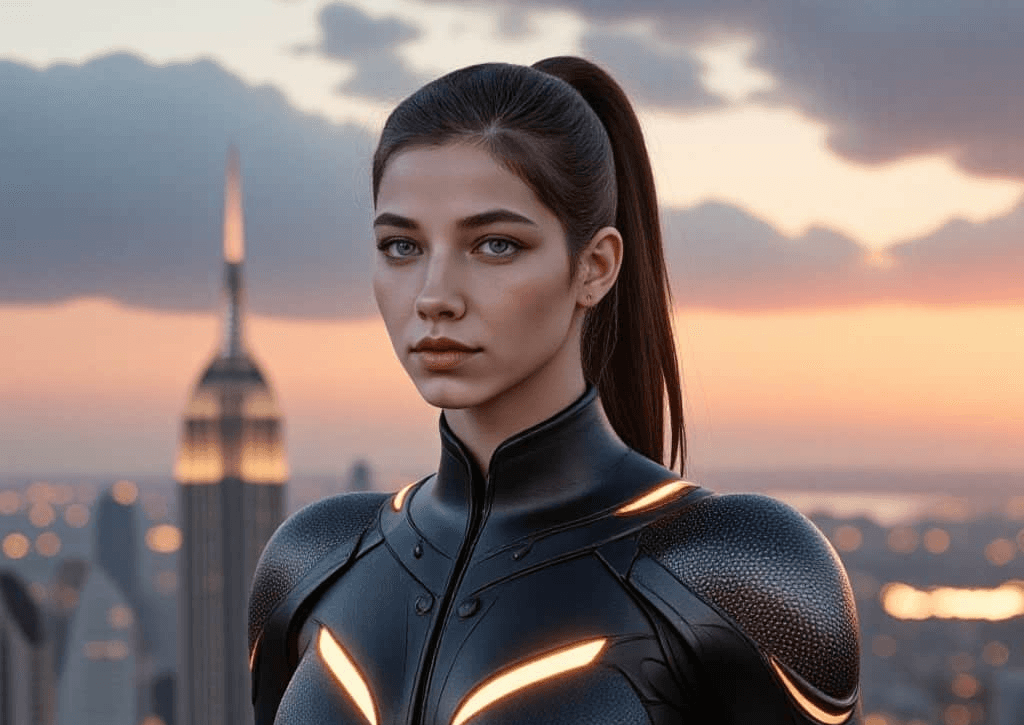
Create Your Personalized Superhero with AI Superhero Generator
APOB AI offers an innovative AI-powered tool that transforms your photos into detailed, superhero-inspired avatars. Whether you're looking for a new profile picture, a gaming avatar, or just want to have fun, APOB AI allows you to become the superhero you’ve always dreamed of in a few easy steps.
Become Your Favorite Superhero or Create Your Own Heroic Identity
APOB AI brings your superhero fantasies to life by integrating your likeness into its AI model. Whether you want to wield the power of mythic gods or soar the skies as a hero of your own design, APOB AI makes it possible. You can create a hyper-realistic version of yourself as a superhero, complete with powers and attire, or build an entirely unique character based on your imagination. APOB AI is the perfect tool for fans of superhero genres, comic book lovers, and anyone interested in creating a personalized avatar for social media or gaming platforms.
How to Create Your Superhero AI Avatar with APOB AI
Creating your very own superhero avatar with APOB AI is quick and easy. Here’s how to get started:
Sign Up: Go to APOB.AI and create your account for free.
Once signed up, you’ll get 80 credits for free every day.Upload Your Photos: Upload a set of high-quality photos of yourself. Make sure to include images that capture different angles, expressions, and lighting for the best results.
Generate Your Superhero Avatar: After uploading your photos, APOB AI will process your images and generate a detailed superhero avatar based on your likeness. You can customize various elements, including the superhero’s outfit, powers, pose, and more.
Download and Share: Once your avatar is generated, you can download it in high resolution. Use your new superhero avatar for social media profiles, gaming, or as a fun personal creation!
Why Choose APOB AI for Your Superhero Avatar?
1. Transform Into a Superhero with Just a Few Clicks
APOB AI allows you to transform into a superhero instantly. You don’t need to spend hours designing costumes or adjusting complicated settings. The AI does all the hard work for you, generating high-quality avatars in a matter of minutes. Whether you want to embody a classic superhero like Superman or create an entirely new character, APOB AI can bring your ideas to life with stunning detail and creativity.
2. Customize Your Superhero Identity
APOB AI gives you the freedom to personalize your avatar in multiple ways. You can adjust:
Superhero Attire: Choose from a variety of capes, costumes, and iconic superhero styles.
Powers and Abilities: Customize your superhero’s powers—be it super strength, telekinesis, or flight.
Poses and Backgrounds: You can even specify the pose and background, whether you want to appear as a vigilante in a cityscape or as a guardian of the galaxy.
This level of customization ensures that you’ll have a superhero avatar that truly reflects your personality and imagination.
3. Use Your Superhero Avatar Across Platforms
Once your avatar is created, it’s yours to use however you wish. Share it on social media platforms like Instagram, Twitter, and Facebook to impress your followers, or use it as your gaming avatar to represent yourself in virtual worlds. Whether you want a fresh profile picture or a gaming character, APOB AI helps you create avatars that are high-quality and share-worthy.
4. Easy and Secure to Use
APOB AI ensures that your photos are kept private and secure. We use the images solely to create your personalized superhero avatar and do not share your data for other purposes. Additionally, the platform’s user-friendly interface makes the entire process seamless and enjoyable. Whether you’re tech-savvy or a first-time user, you’ll find generating a superhero avatar with APOB AI straightforward and fun.
How Much Does the APOB AI Superhero Avatar Generator Cost?
APOB AI offers a free membership that provides 80 credits every day. These credits can be used to generate your superhero avatars without any initial cost. If you need additional credits, you can purchase more through the platform, but the free credits provided daily allow you to create several avatars per day without spending money.
Get Started with APOB AI Today
Ready to create your own superhero avatar? Follow these simple steps to begin:
Sign Up: Register for a free account at APOB AI and receive 80 credits every day.
Upload Your Photos: Upload high-quality photos of yourself.
Customize Your Avatar: Use APOB AI’s tools to adjust your superhero's look and powers.
Download and Share: Download your stunning avatar and share it with the world!
Frequently Asked Questions (FAQs)
Q1: Can I Use My Superhero Avatar for Commercial Purposes?
Yes, you can use your superhero avatar for personal, social, and commercial purposes. Whether it's for a project, marketing, or branding, your custom-created avatar is yours to use however you like.
Q2: How Long Does It Take to Generate My Superhero Avatar?
After uploading your photos, APOB AI typically takes just a few minutes to process and generate your superhero avatar. For best results, ensure that the photos you upload are high quality.
Q3: Will My Photos Be Kept Private?
Absolutely! Your photos are only used to create your personalized superhero avatar and are not shared or used for any other purposes. For more details, please refer to our privacy policy.
Final Thoughts
APOB AI’s superhero avatar generator offers a unique and fun way to bring your superhero fantasies to life. Whether you're looking to create a custom avatar for social media or just want to explore different heroic personas, APOB AI makes the process simple, fast, and secure. Start creating your own superhero today!
Read More

No credit card needed


