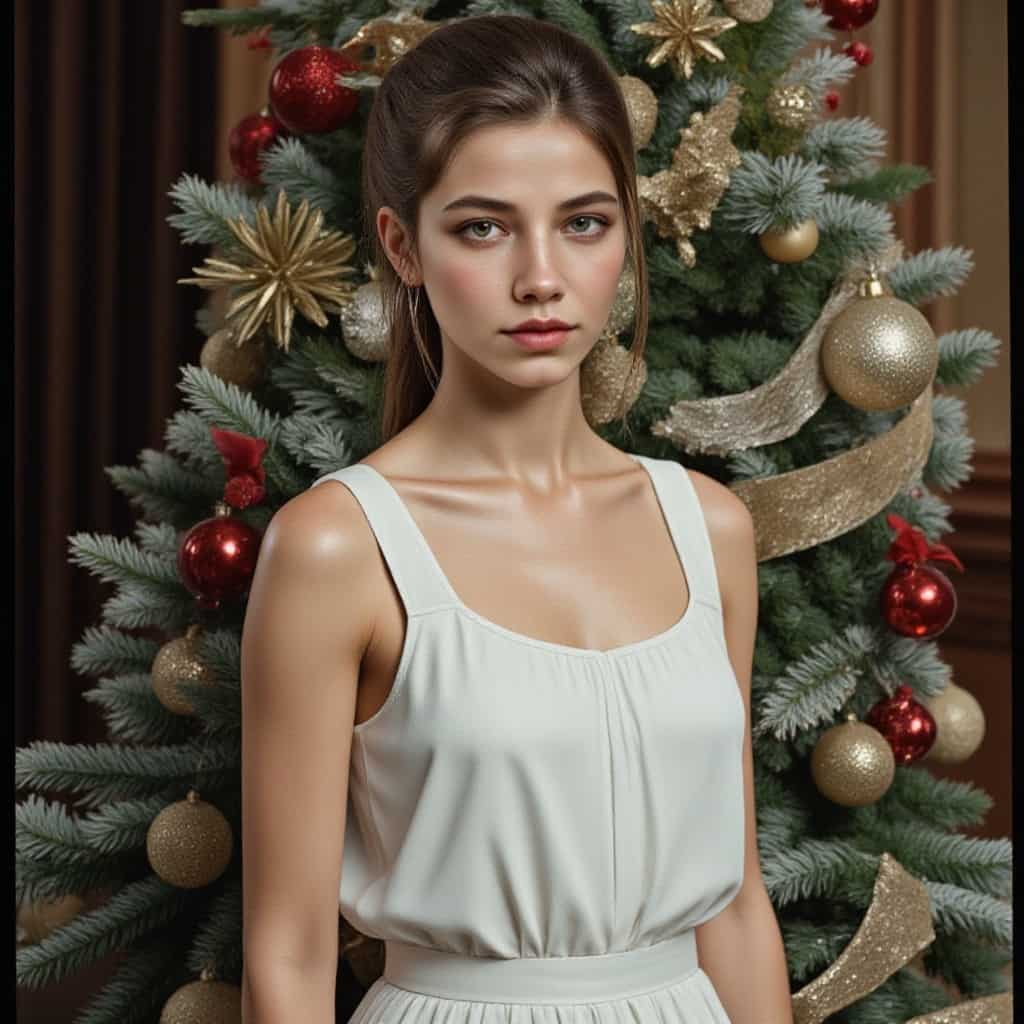
With APOB AI, you can generate pictures of yourself wearing any outfit. From casual wear to formal attire, the AI Outfit Generator offers a personalized fashion exploration experience that caters to your unique tastes and preferences.
Step into Fashion Exploration with APOB AI
APOB AI allows you to try out different styles, discover new looks, and see yourself in various outfits without ever stepping foot into a store. Whether you're revamping your wardrobe or simply curious about new trends, APOB AI provides a seamless and inspiring way to experiment with fashion and express yourself.
How to Use the APOB AI Outfit Generator in 4 Simple Steps
Creating the perfect outfit for yourself is now easier than ever with APOB AI. Here’s a step-by-step guide on how to get started:
Step 1: Create Your APOB AI Account
1.1 Sign Up for Free
Visit app.apob.ai and create a free account. As a new user, you’ll receive 80 daily credits to explore the platform’s features, including the AI Outfit Generator.
1.2 Log In and Select “Create Portrait Model”
Once you're logged in, go to the dashboard and select “Create Portrait Model”. This will allow you to generate a digital avatar or virtual influencer based on your uploaded images, which can then be used for outfit generation.
Step 2: Upload an Image and Create Your AI Model
2.1 Upload Your Photo or Use the AI Influencer Generator
Upload a picture of yourself to create your AI model or use the “AI Influencer Generator”. This feature lets you create a completely personalized avatar that can be used to try out various fashion styles.
2.2 Provide a Name and Description for Your AI Model
After uploading your image or using the AI Influencer Generator, give your model a name and a brief description. You can specify details such as body type, face shape, or even style preferences. Click “Generate” to create your virtual model.
Step 3: Generate Your AI Outfit
3.1 Generate Your AI Outfit Based on Your Preferences
Once your model is created, it’s time to start experimenting with outfits! Use the AI Outfit Generator to try different styles, from casual wear to formal looks. APOB AI will generate realistic images of you in these outfits, allowing you to visualize your new looks instantly.
3.2 Use Image-to-Video and Video Face Swap for Dynamic Content
With APOB AI, you can go beyond static images! Use the “Image to Video” feature to turn your outfit creation into engaging videos. You can also try the “Video Face Swap” function to swap faces in existing videos for a personalized, fashionable twist.
Why Choose the APOB AI Outfit Generator?
Endless Fashion Experimentation
With APOB AI, the possibilities for fashion experimentation are limitless. Mix and match clothing items, colors, and accessories without any constraints. You can virtually try out countless outfits and combinations, from trendy casual looks to sophisticated formal attire.
Effortless Style Discovery
Whether you're preparing for a special occasion or just looking to refresh your wardrobe, APOB AI makes style discovery fun and easy. You can explore different outfits, styles, and colors to find what suits you best. It's like having a personal stylist available 24/7!
Create Stunning Visuals with No Physical Wardrobe Limitations
Unlike traditional shopping or outfit testing, APOB AI doesn’t require you to buy anything to test out a look. Simply upload your photo, and you can try on as many outfits as you like. This is an eco-friendly and budget-friendly way to explore new styles and plan future wardrobe purchases.
What You Get with Your APOB AI Membership
Free Membership and Daily Credits
When you sign up for APOB AI, you automatically receive a free membership, which includes 80 daily credits. These credits allow you to generate a limited number of AI models and outfits each day, perfect for casual users looking to experiment with fashion without commitment.
Subscription for Enhanced Features
If you want to unlock additional functionality, such as creating unlimited models or experimenting with advanced features like image-to-video generation or exclusive outfit styles, you can choose a monthly or annual subscription. The subscription options are affordable and offer a richer experience, giving you access to all the premium tools to elevate your fashion exploration journey.
It’s So Easy to Create Your Own AI Outfit with APOB AI
Describe Your Creative Ideas
Simply describe the outfit or style you’re aiming for in the AI Outfit Generator text prompt. APOB AI will quickly bring your vision to life by generating high-quality, print-ready images of your model wearing the outfit of your choice.
Customization Options Galore
Feel free to adjust the pose, clothing details, and even the background to further personalize your look. With APOB AI, you’re not just getting a static image but a tailor-made visual representation of your ideal outfit.
Perfect for Social Media and Personal Branding
Once your AI outfit is ready, you can use the image for social media, marketing campaigns, or as a personalized profile picture. Whether you’re an influencer, brand owner, or simply looking to try something new, APOB AI offers a creative and professional way to showcase your personal style.
Use the APOB AI Outfit Generator to Reinvent Your Look
APOB AI provides an incredibly versatile tool for fashion experimentation. You can easily change your hairstyle, makeup, or even body type to match the outfit you want. The possibilities are endless, and only your imagination is the limit! Whether you want to create a virtual wardrobe for future shopping or just try something out of your comfort zone, APOB AI can help you become whoever you want to be.
FAQs About APOB AI Outfit Generator
Q1: How does the AI Outfit Generator work?
A1: APOB AI uses advanced machine learning algorithms to create realistic outfit images based on the photo you upload. After you upload your image, you can customize your look by selecting different clothing styles and accessories.
Q2: Can I use my AI-created outfit as a social media profile picture?
A2: Absolutely! The high-quality, print-ready images generated by APOB AI are perfect for use as social media profile pictures or for any personal branding purposes.
Q3: How many outfits can I try with the AI Outfit Generator?
A3: There’s no limit! You can experiment with as many outfits, styles, and accessories as you want, creating new looks every time.
Q4: Can I modify the appearance of my AI model?
A4: Yes! You can describe different details about your model, including body shape, pose, and attire. The more specific your description, the more personalized your AI model will be.
Q5: Can I generate videos with my AI outfit?
A5: Yes! APOB AI’s “Image to Video” and “Video Face Swap” features let you turn your AI outfits into dynamic videos, perfect for social media or promotional content.
Q6: How do I get more credits to generate outfits?
A6: APOB AI provides 80 free daily credits when you sign up for a free membership. For more advanced features and unlimited outfit generation, consider subscribing to the monthly or annual plans for a richer experience.

Be the first to like this.





No credit card needed


