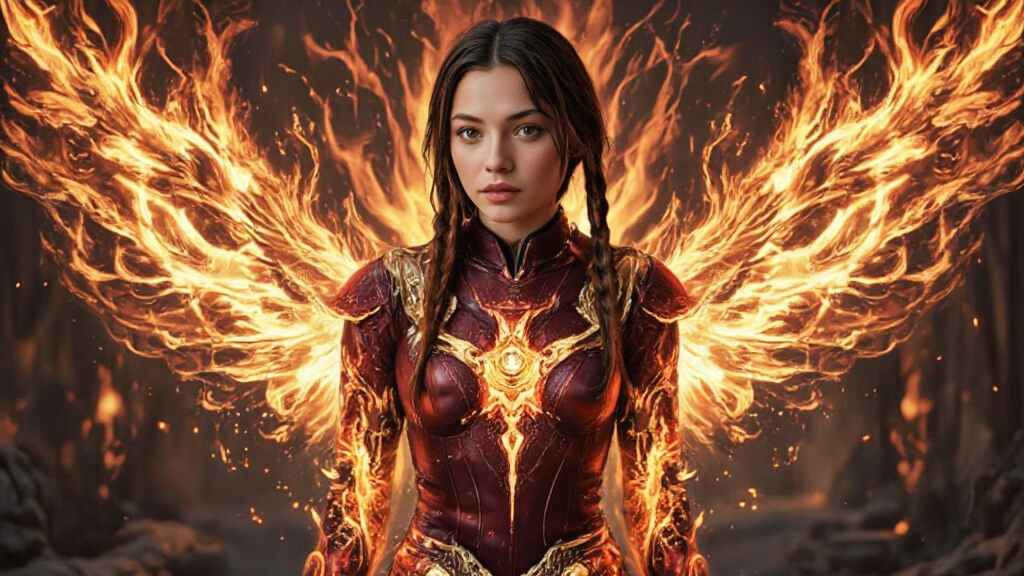
In a world where superheroes reign supreme, creating your own unique hero is no longer just a dream. With the cutting-edge AI Superhero Generator, you can design your very own superhero—no artistic skills required. Whether you're looking for a custom avatar for social media, a character for your RPG campaign, or a stunning superhero background for your desktop, this tool is your gateway to bringing your imagination to life.
But what makes the AI Superhero Generator so special? In this post, we’ll explore everything from the versatility of the tool to the endless possibilities it offers for creators of all kinds.
What is the AI Superhero Generator?
The AI Superhero Generator is a revolutionary tool that allows you to create vibrant, custom superheroes in just a few simple steps. Gone are the days of having to learn how to draw or invest in expensive software. With this AI-powered platform, all you need is your imagination.
The process is simple: you provide a detailed description of your ideal superhero, and the AI takes care of the rest. The result? A one-of-a-kind superhero that captures your personal style, powers, and essence.
How Does the AI Superhero Generator Work?
The beauty of the AI Superhero Generator lies in its simplicity. Here's how it works:
Step 1: Get Started with APOB AI
Sign up on APOB AI to receive 80 credits. Click "Create Portrait Model" and upload a clear photo for AI analysis. Or, use the "AI Influencer Generator" to design a custom AI model.
Step 2: Provide a Detailed Description
The second step is to describe your ideal superhero. Whether you want a heroic figure with the power of fire, a mysterious anti-hero, or a sleek, futuristic hero, the description you provide will guide the AI’s design process.
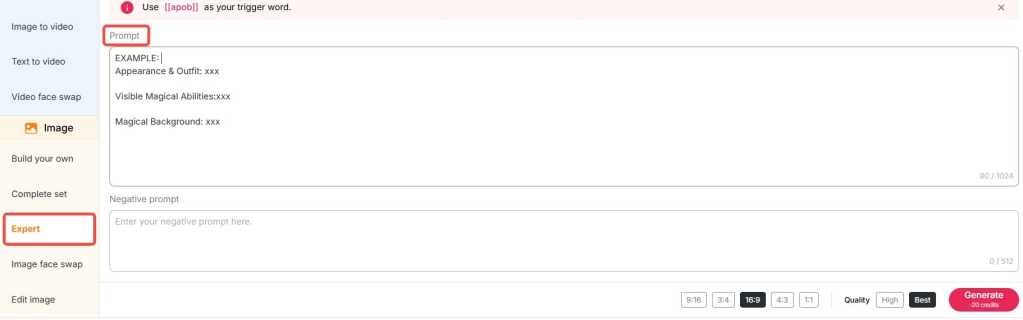
Step 3: Customize and Download
After reviewing the generated options, you can choose the one that best matches your vision. If you'd like, you can adjust certain details, such as colors, accessories, or the hero's stance. Once you're satisfied with the final design, you can download a high-quality version to use as your avatar, background, or in your comic book project.
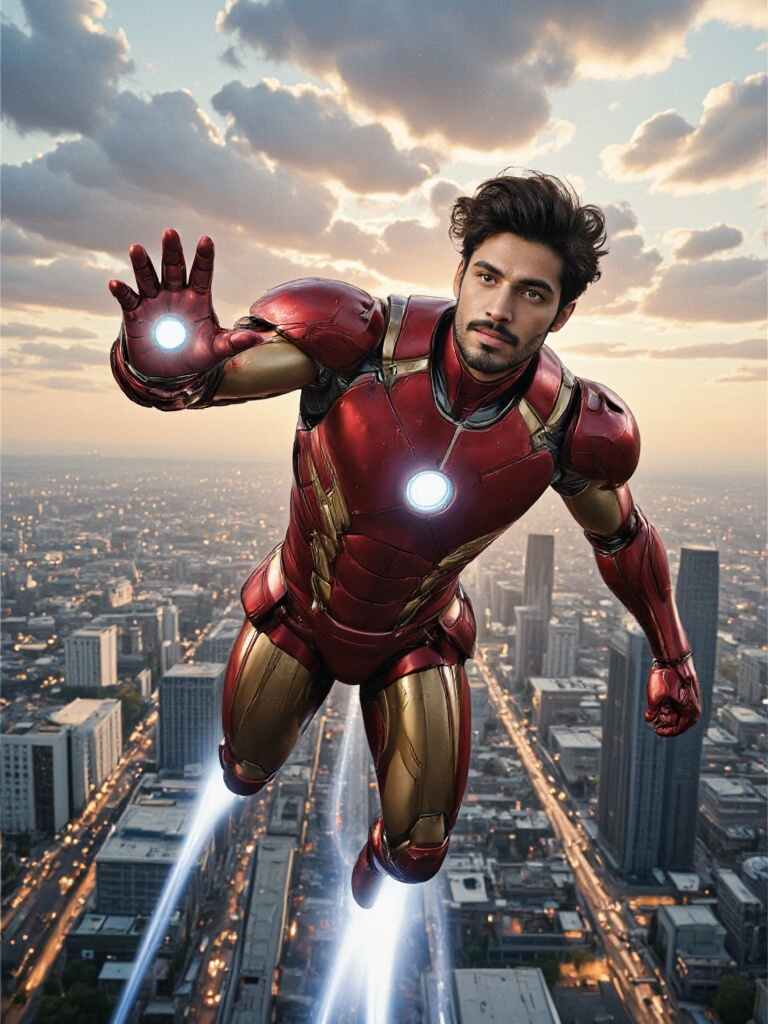
Create Superheroes for Any Purpose
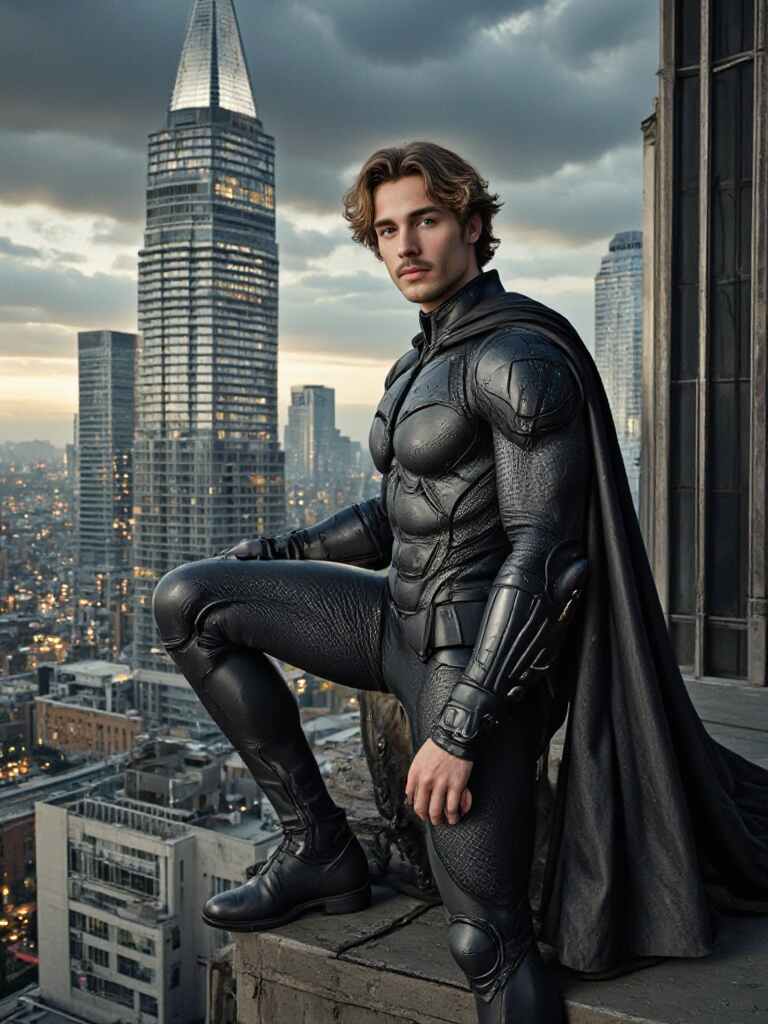
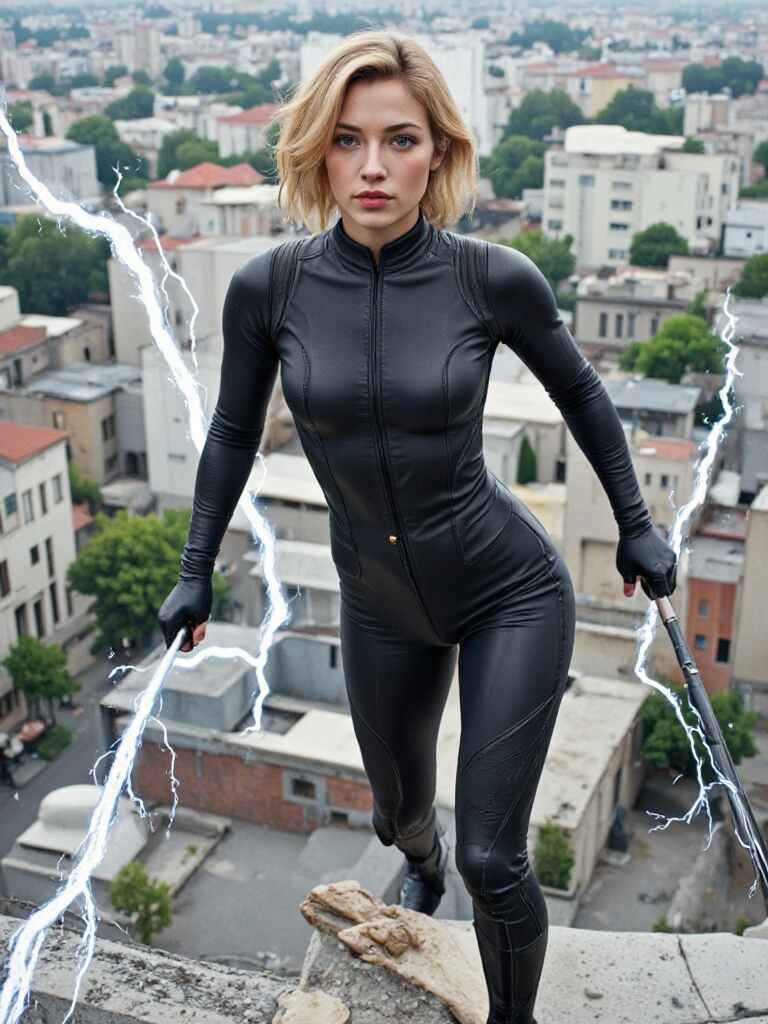
One of the best things about the AI Superhero Generator is its versatility. No matter what you're looking for, this tool allows you to generate superheroes for a wide variety of uses:
Superhero Avatars Want a new, eye-catching avatar for your social media profile? The AI Superhero Generator lets you craft a unique avatar that represents your personality, skills, and even your alter ego. Imagine showing up on your social media feed with a superhero version of yourself!
Superhero Backgrounds Looking to inject some power into your desktop? The tool also allows you to create stunning superhero backgrounds that are sure to inspire. Choose from a variety of colorful, action-packed designs that fit your screen perfectly. With these vibrant, AI-generated images, your workspace will never look the same again.
RPG Characters For gamers, this tool is a game-changer. You can use it to create superheroes for your role-playing games, adding unique characters to your stories and adventures. Whether you're designing a team of heroes or a lone vigilante, the AI Superhero Generator makes it easy to bring your vision to life in the game world.
Storytelling and Comics Are you a writer or comic book creator? The AI Superhero Generator is also ideal for those looking to create heroes for stories or comic strips. From detailed backstories to visual design elements, this tool gives you everything you need to create compelling, well-rounded characters that stand out in your narrative.
Endless Customization: Your Hero, Your Rules
Another key advantage of the AI Superhero Generator is the level of customization it offers. Want a superhero with a cape? No problem. Prefer a suit that glows with futuristic technology? Done. You can customize everything from their powers to their costume, and even the environment in which they reside. Want your hero to soar through the skies, or fight on the ground? The choice is yours.
This level of customization ensures that your superhero is not just a generic design. Instead, it’s a reflection of your unique preferences, whether you're creating a classic superhero or a more modern, edgy character. Your imagination is the only limit.
Why Use the AI Superhero Generator?
You may be wondering why you should use the AI Superhero Generator over traditional design methods. There are several reasons this tool stands out:
Speed and Ease Creating a superhero from scratch can take hours or even days, but the AI Superhero Generator allows you to generate a full superhero design in just minutes. No drawing skills required—just your ideas.
Cost-Effective Hiring a professional designer or artist can be expensive. With the AI Superhero Generator, you get top-quality superhero designs at a fraction of the cost.
Inspiration and Fun Sometimes, the hardest part of creating a superhero is simply coming up with a concept. The AI Superhero Generator takes the guesswork out of the process, helping you explore new ideas and creative possibilities while having fun.
Perfect for Storytelling If you’re a writer or comic book creator, this tool makes it easy to bring your ideas to life. Instead of spending hours sketching, you can focus on developing your superhero’s backstory, personality, and powers.
Real-Life Application: Superheroes for All
The AI Superhero Generator is not just for comic book creators and game designers; it’s for anyone who wants to bring their inner superhero to life. Whether you’re an aspiring writer, gamer, or social media influencer, this tool gives you the opportunity to craft a superhero that’s uniquely yours. It’s a powerful tool for self-expression and creativity, allowing you to unleash the superhero within.
Conclusion
In today’s digital world, the AI Superhero Generator offers a fun, fast, and easy way to create unique superheroes tailored to your personal style. Whether you’re designing a superhero avatar, a character for your role-playing game, or a powerful background for your desktop, this tool has everything you need. With endless customization options and the power of AI, you can bring your superhero ideas to life like never before.
So, what are you waiting for? Unleash your creativity, and let the AI Superhero Generator turn your vision into reality. Your ultimate hero is just a click away.
FAQ
Q1: How do I make a superhero avatar of myself?
A1: Simply upload a clear photo of your face after clicking "Create Portrait Model" on APOB AI. The AI will analyze your features and use them as the base for your model. In the Clothing section, you can upload your desired superhero cosplay, or use the Expert feature to input detailed prompts (within 1024 characters, generally equivalent to 150-250 English words) and create a custom superhero avatar of yourself.
Q2: How to create realistic superhero avatars?
A2: The system defaults to generating a realistic photo. Just follow the steps above
Q3: Can I generate avatars for free using APOB AI?
A3: Yes, you can generate avatars for free using APOB AI. Upon signing up, you receive 80 free credits. Each best-quality image generation costs 20 credits, allowing you to create up to 4 images per generation. Since each generation produces 4 images, you can generate a total of 16 images per day with the free credits. This means you can explore different looks and find the one you like best.
Q4: Is commercial use allowed?
A4: Yes, commercial use is allowed. You can freely use the generated images for business purposes, marketing, branding, or other commercial projects. However, it's always best to check the platform's specific terms and conditions to ensure compliance with any licensing or attribution requirements.
Q5: Can I use the generated images for NFTs?
A5: Yes, you can use the generated images for NFTs. You are free to mint and sell them as digital assets. However, ensure that the platform's terms permit NFT creation and that you have full rights to the generated content to avoid any potential copyright issues.

Be the first to like this.




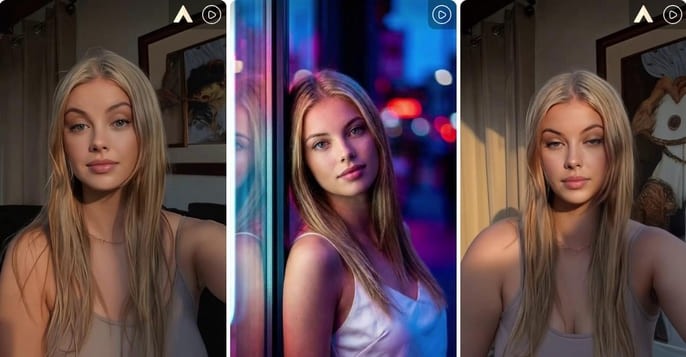
Kling 2.6 Motion Control: Try It Free on APOB AI
Abstract
The release of Kling 2.6 has set a new benchmark in generative AI, introducing unprecedented control over character movement and cinematic quality. While the demand for professional-grade AI video grows, many creators face barriers related to cost and accessibility. This article explores the breakthrough features of Kling 2.6 motion control, its technical superiority in character consistency, and how creators can access this cutting-edge technology for free through the APOB AI platform. By integrating the Kling engine into a professional editing suite, APOB AI offers a seamless workflow for those looking to master high-fidelity AI cinematography without a massive upfront investment.
Try Kling 2.6 Motion Control Free
Don't forget to read the guide below before using!
The Next Frontier: Exploring Kling 2.6 and Its Creative Potential
The AI video landscape is evolving at a breakneck pace, and the jump to Kling 2.6 represents a significant leap for digital storytellers. Unlike previous iterations that often struggled with "jello-like" movements or lost character details during action sequences, Kling 2.6 motion control introduces a level of stability previously reserved for high-end VFX studios.
In order to understand why the industry is buzzing, we must look at how this version handles physics. Whether it is the subtle sway of a silk dress or the complex skeletal movements of a dance routine, Kling 2.6 ensures that every frame feels intentional. However, for many independent creators, accessing these features directly can be a challenge. That is where innovative platforms like APOB AI come into play, serving as a bridge to this high-end technology.
Understanding Kling AI 2.6 Motion Control Technology
The core appeal of Kling AI 2.6 motion control lies in its "Video-to-Video" or "Reference-to-Motion" capabilities. This technology allows users to upload a source image and a reference video; the AI then extracts the skeletal motion from the video and applies it to the image.
Consequently, the output isn't just a random animation but a precise mimicry of the reference motion. This makes Kling video 2.6 motion control ideal for:
Virtual Fashion: Realistically showing how fabrics move on a specific character.
Social Media Challenges: Replicating trending dance moves with 100% accuracy.
Cinematic Pre-visualization: Allowing directors to test camera angles and character movements before a physical shoot.
How to Access Kling 2.6 Motion Control Free via APOB AI
While professional tools often come with a professional price tag, there is a way to test these features without breaking the bank. APOB AI has integrated the Kling engine into its ecosystem, providing an optimized environment for creators to experiment.
If you are looking for Kling 2.6 motion control free options, APOB AI offers a compelling solution. Imagine this scenario: you have a great video, but you aren’t quite happy with the character’s performance, their appearance, or perhaps you simply want to replace the protagonist entirely. Traditionally, editing a video at this level of complexity—swapping characters or altering specific actions—is an absolute nightmare.
Does this mean you have to re-shoot the entire scene? Do you need to hire a new model and start from scratch? Absolutely not. AI has introduced a more streamlined and portable way to handle video production. By following this simple guide from APOB AI, you can achieve professional results in minutes.
Try Kling 2.6 Motion Control with APOB AI
Step 1: Claim Your Creative Freedom (For Free!)
Forget the high costs of hiring talent or renting studio space. Your journey starts by simply registering on APOB AI.
Bonus: Upon signing up, you will receive a free membership including 80 daily credits to jumpstart your projects.
Action: Once logged in, click on “Create Portrait Model” to begin your transformation.
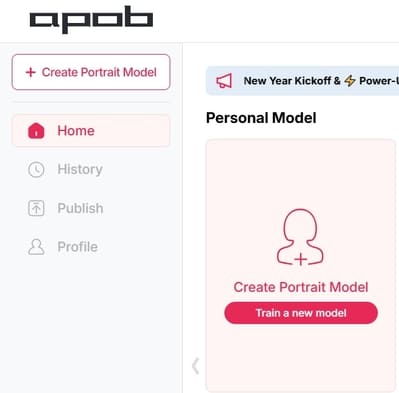
Step 2: Define Your Leading Star
Whether you want to keep the same person or introduce someone entirely new, this step is where the magic happens:
Option A (Consistent Character): If you want to change the actions but keep the person’s original look, upload a clear, high-quality headshot of that person as your model reference.
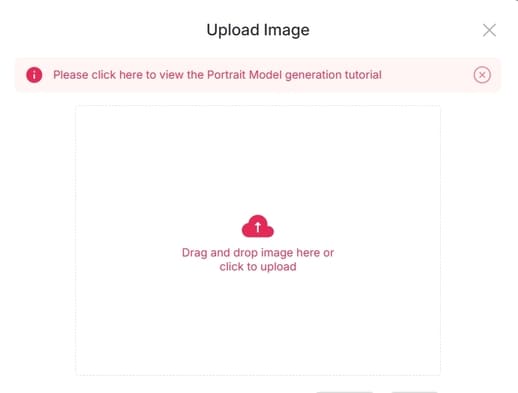
Option B (New Character): If you have a specific person in mind to replace the original actor, upload their reference photo here.
Option C (The AI Influencer): Want to create a character from scratch? Click on the “AI Influencer Generator.” You can customize their gender, facial features, weight, physique, and nationality. The process is incredibly fast and intuitive.
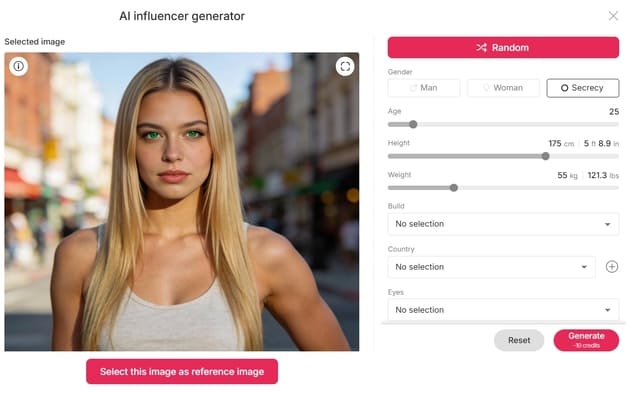
Step 3: Effortless Video Editing
Now that your model is ready, it’s time for the heavy lifting—without the heavy workload. Navigate to the “Edit Video” section. APOB AI has categorized its tools to match your specific needs:
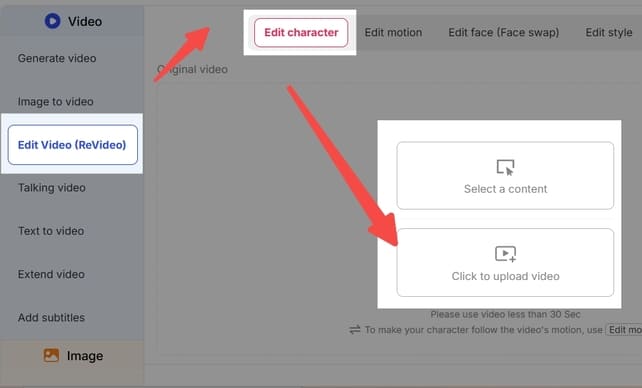
Edit Character: For total character replacement.
Edit Face: For precise facial adjustments or face-swapping.
Edit Style: To transform the overall aesthetic or "vibe" of the footage.
Note: If you ever feel stuck, our dedicated Support Team is always available to guide you through the process.
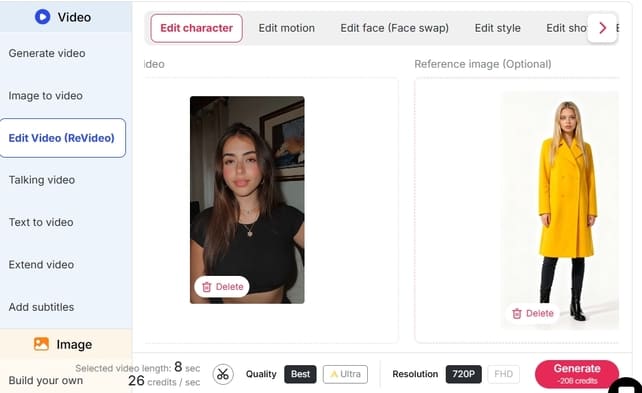
Feature Spotlight: How to Use "Edit Character"
This feature is a game-changer for those who want to replace the protagonist in an existing video. For example, imagine you want to see someone who can’t dance perform a viral TikTok routine.
Upload: Click “Edit Character” and upload your original video.
Select Reference: On the right panel, upload the image of the person you want to appear in the video.
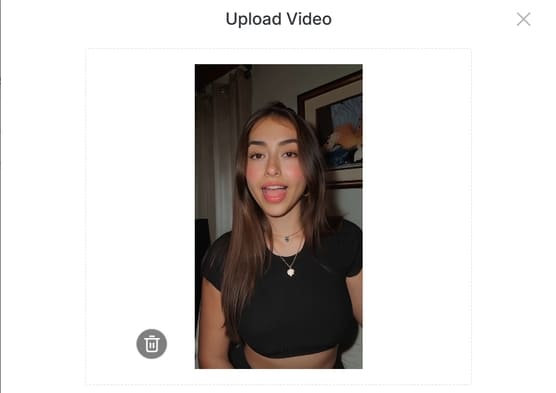
Customization (Optional): If you want the character to look slightly different—for instance, wearing a yellow coat—click “Generate Reference Image.” Simply type “wear a yellow coat” in the description box.
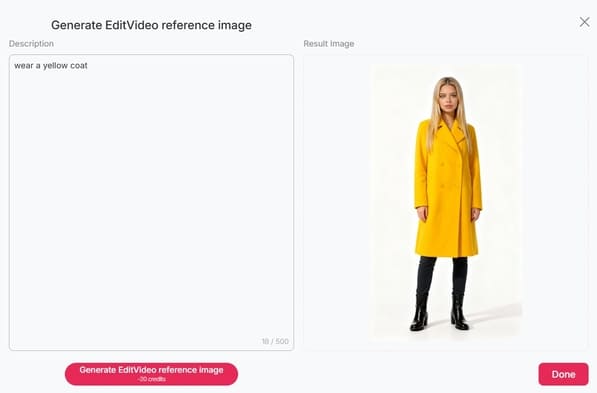
Define: If you like the generated preview, click Done. If not, tweak your description and try again.
Generate: Once your reference image is set, click “Generate.” The Result: You will receive a high-quality video of your chosen character (in that yellow coat!) performing the exact same dance moves as the original video. It’s that simple!
Explore More
Beyond Edit Character, APOB AI offers a full suite of tools like Edit Face and Edit Style, designed to make professional video manipulation accessible to everyone.
Ready to revolutionize your content? Visit APOB AI and start creating today!
Why this version works better:
Emotive Language: Uses hooks like "Absolute nightmare" and "Game-changer" to connect with the user's pain points.
Structured Clarity: Uses bullet points and bold text to make the steps "scannable."
Professional Tone: Replaces "heaven" or "oh my god" with more professional yet friendly alternatives.
Clear Call-to-Action: Ends with an invitation to try the product immediately.
Optimizing Your Workflow: Why Use APOB AI?
Using Kling video 2.6 motion control within APOB AI offers more than just accessibility; it provides a "Storyteller Mode" that enhances the raw output. While the standard Kling output is impressive, APOB AI adds a layer of "Identity-Lock" technology. This ensures that your character’s facial features and clothing remain consistent across multiple shots, which is the "holy grail" of AI filmmaking.
Furthermore, the "Edit Video" feature in APOB AI allows for real-time adjustments. If the motion is perfect but the lighting feels off, you can use the chat-to-edit function to refine the atmosphere without losing the underlying Kling-generated movement.
Frequently Asked Questions (FAQs)
Q1: What makes Kling 2.6 better than version 2.5?
A1: Kling 2.6 offers significantly improved motion smoothness and "Skeletal Extraction" accuracy. It also introduces native audio synchronization, making the videos feel more immersive compared to the silent outputs of previous versions.
Q2: Is Kling 2.6 motion control truly free to use?
A2: Direct access via the official site usually requires a paid subscription. However, you can experience Kling 2.6 motion control free by using APOB AI, which grants 80 free credits daily to all registered users.
Q3: Do I need professional editing skills to use Kling AI 2.6 motion control?
A3: No. Thanks to the user-friendly interface of APOB AI, you only need a source image and a reference video. The AI handles the complex motion mapping and rendering for you.
Q4: Can I maintain character consistency with Kling 2.6?
A4: Yes, especially when used through APOB AI. The combination of Kling’s motion engine and APOB’s Identity-Lock technology minimizes character "drifting," ensuring the person in the video looks the same from start to finish.
Read More
Kling AI 2.6: the Ultimate Video Generator for Creators
Have you ever wondered what it’s like to create a Hollywood movie scene sitting at your very own desk? Thanks to the rise of video solutions using AI technology, it’s now a reality sooner than you ever dreamed. Particularly, the Kling video AI generator has proven to be a game-changer, making developers question whether this could finally be what they need.
Chances are, if you're a tech trends follower, you're no stranger to the hype surrounding Kling AI. A giant in the industry, this is revolutionizing the way we look at video creation. But, at times, using its advanced features, such as Kling 2.6, can be a challenge. Here’s a look at how Apob AI incorporates this technology to make the creation of visuals a breeze for you.
What is the Kling AI Video Generator?
Kling AI is a highly advanced video generation model developed by Kuaishou Technology that quickly made it a rival to OpenAI’s Sora. It is designed to create high-definition videos in a realistic manner out of just a text description or an image. This model also does not possess the same limitations which the earlier models had. It can create a video of a maximum of 2 minutes at a resolution of 1080p at the speed of 30 frames every second.
In addition, with the launch of its next version, “Kling 2.6,” it has greatly improved its capabilities for replicating real-world physics. This means that it is setting a precedent for artificial intelligence in terms of video consistency.
How Does Apob AI Bring Kling 2.6 to You?
Although Kling AI has impressive power, sometimes obtaining the best models can be a bit challenging or limited. That’s where Apob AI comes in. At Apob AI, we have integrated the best features of the Kling 2.6 version’s power directly into our platform. That way, you can take advantage of its power without needing technical knowhow or wasting time in long queues.
Using Apob AI, you have the benefit of both worlds. You can leverage our intuitive interface to tap into the world’s best video generation models. Particularly, our ReVideo uses the sophisticated motion algorithms in Kling 2.6 to assure smooth, natural, and highly engaging video edits.
Guide: mastering the Kling AI Video Generator on Apob AI
Ready to start creating? Our process couldn’t be simpler. The ReVideo dashboard is where all of your content transformations take place. Read on to learn how to unleash the full power of the Kling AI video generator.
Step 1: Getting Started and Choosing Inputs
To start off, you will want to register for a free account on the Apob AI website. We want you to see the magic of Apob risk-free, and that means you get 80 free credits as soon as you sign up.
Once you have logged in, you need to open the page by clicking on the "ReVideo" tab. On the ReVideo page, you are given two options for where to find the content:
Click to upload video: Use this if you already have video footage, for example if you are recording a product video or a video of yourself.
Select a content: This is great for content creators who wish to maintain anonymity. You can choose a virtual model from our collection or one you may have created before. Apob AI will produce a video with your virtual model, which basically gives you the opportunity to create quality content without needing to switch on your camera.
Step 2: Choosing Your "Re" Mode with Kling AI 2.6
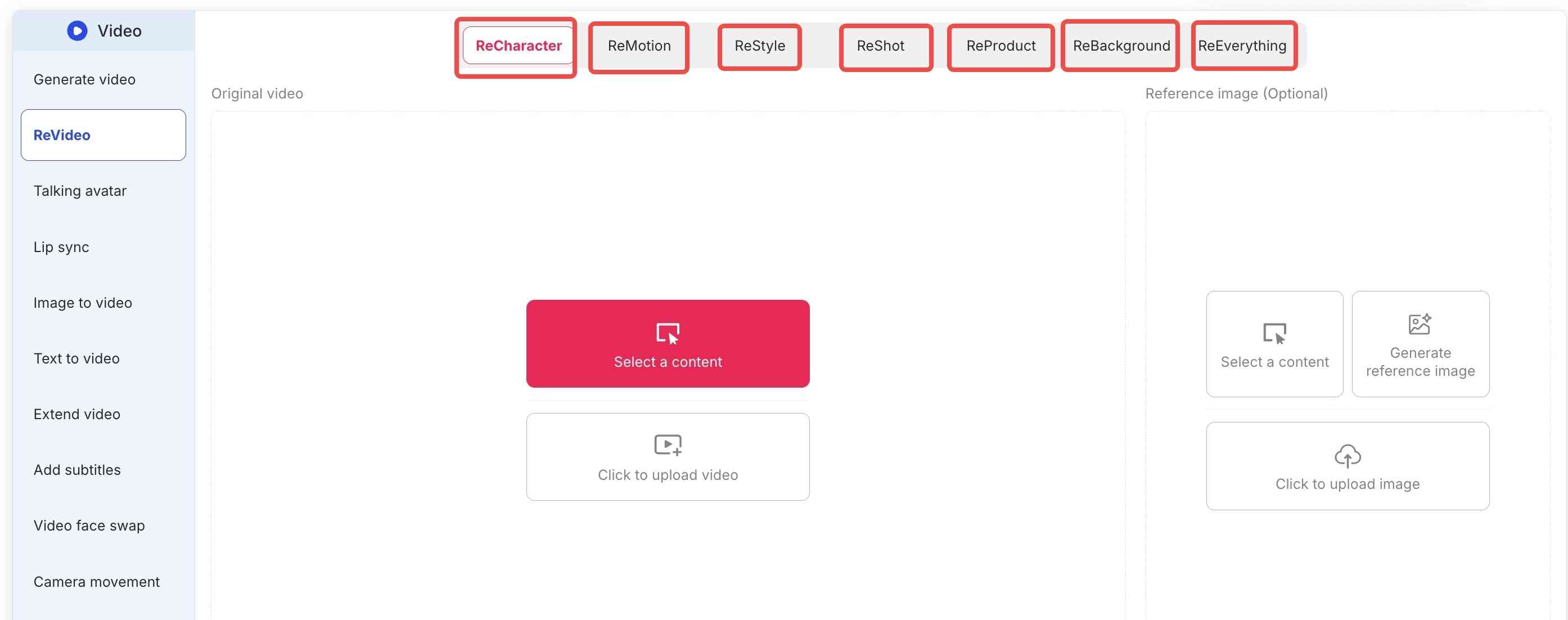
Apob AI’s true strength is the flexibility that the ReVideo toolbar brings. Depending on what you really need, you select either the following tabs:
ReCharacter: Do you want to change the actor appearing in your video? Upload a reference image, and the AI will replace the person while preserving all movements.
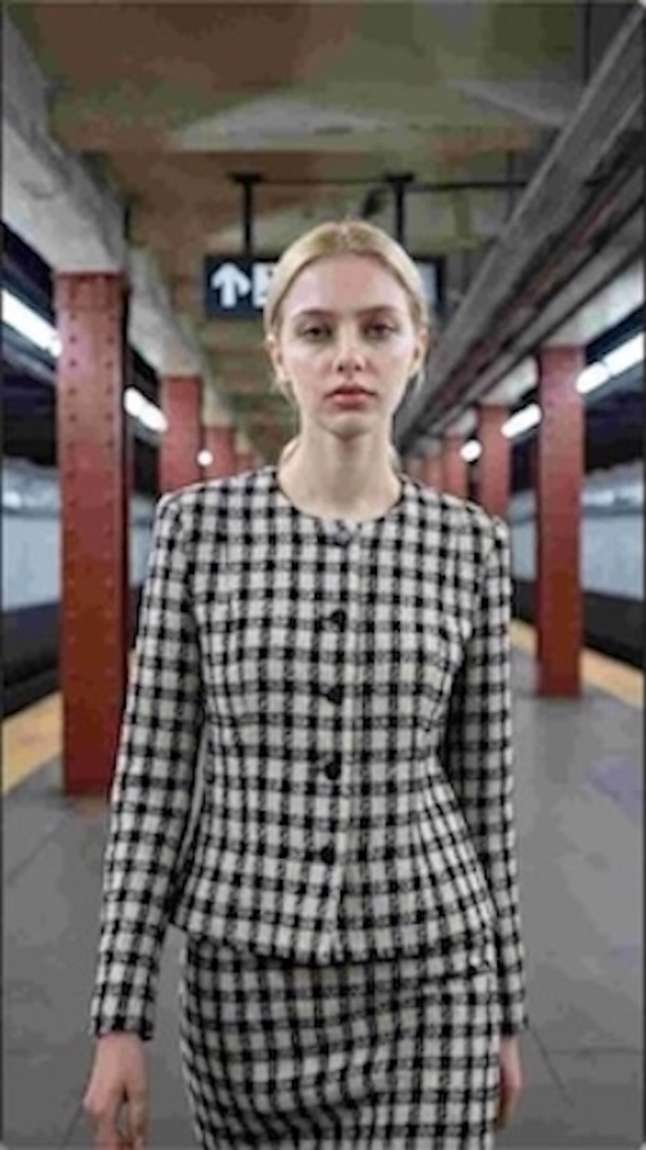
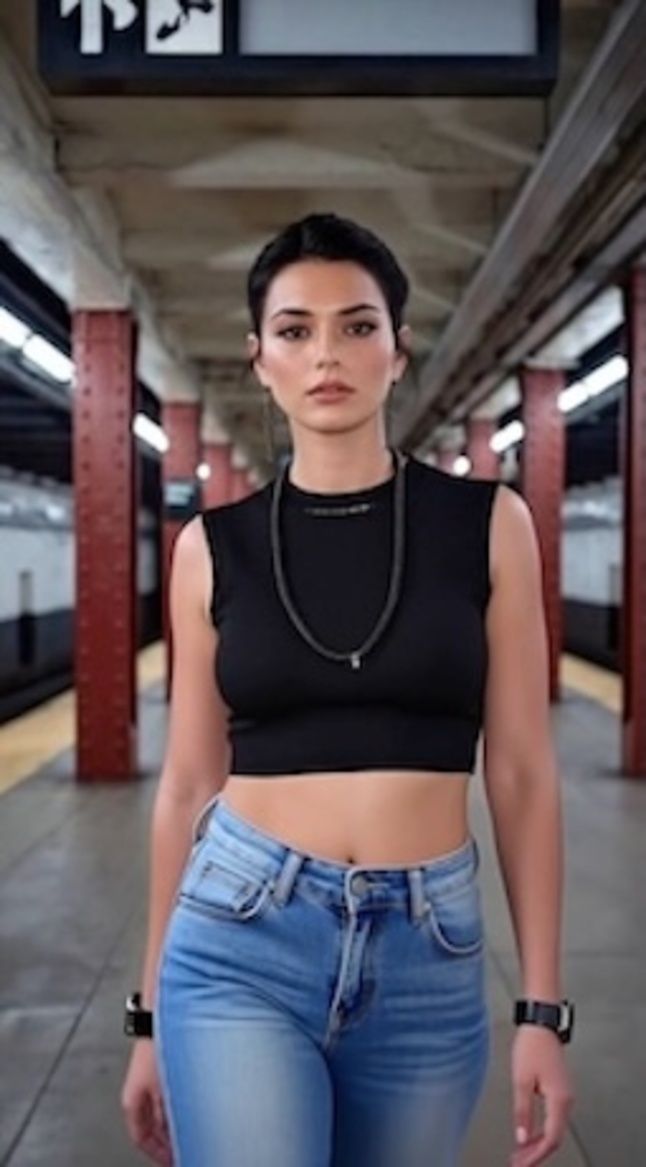
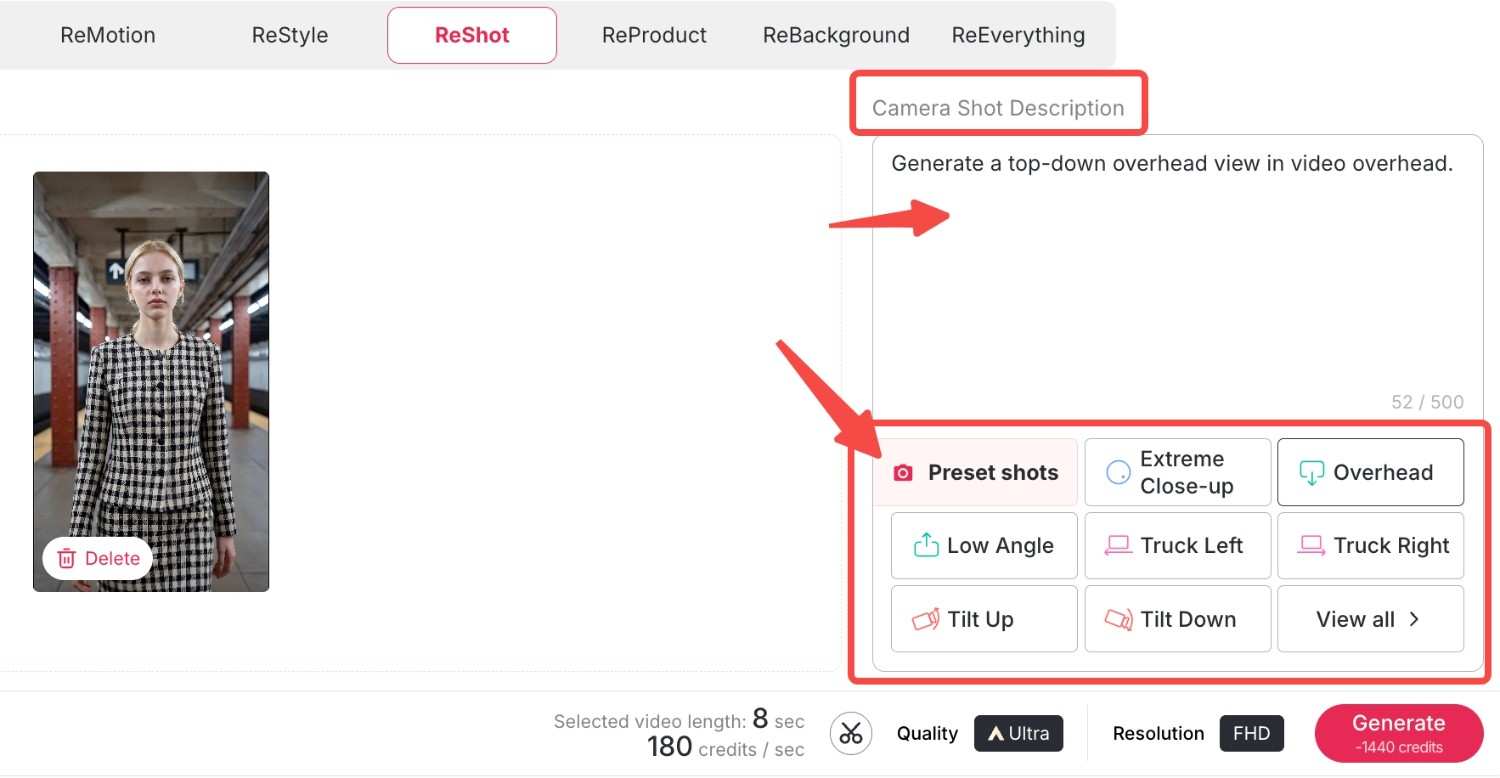
ReMotion: With support for Kling 2.6 software, you can control the camera direction. Now you can add complex zooms, pans, or tilts to your static videos.
ReStyle: Change the whole artistic ambience. For example, we have a variety of styles from classic movies and TV series, bringing you right into the movie. Let's choose "Pixar style"and "Rick and Morty style" here and see what happens.
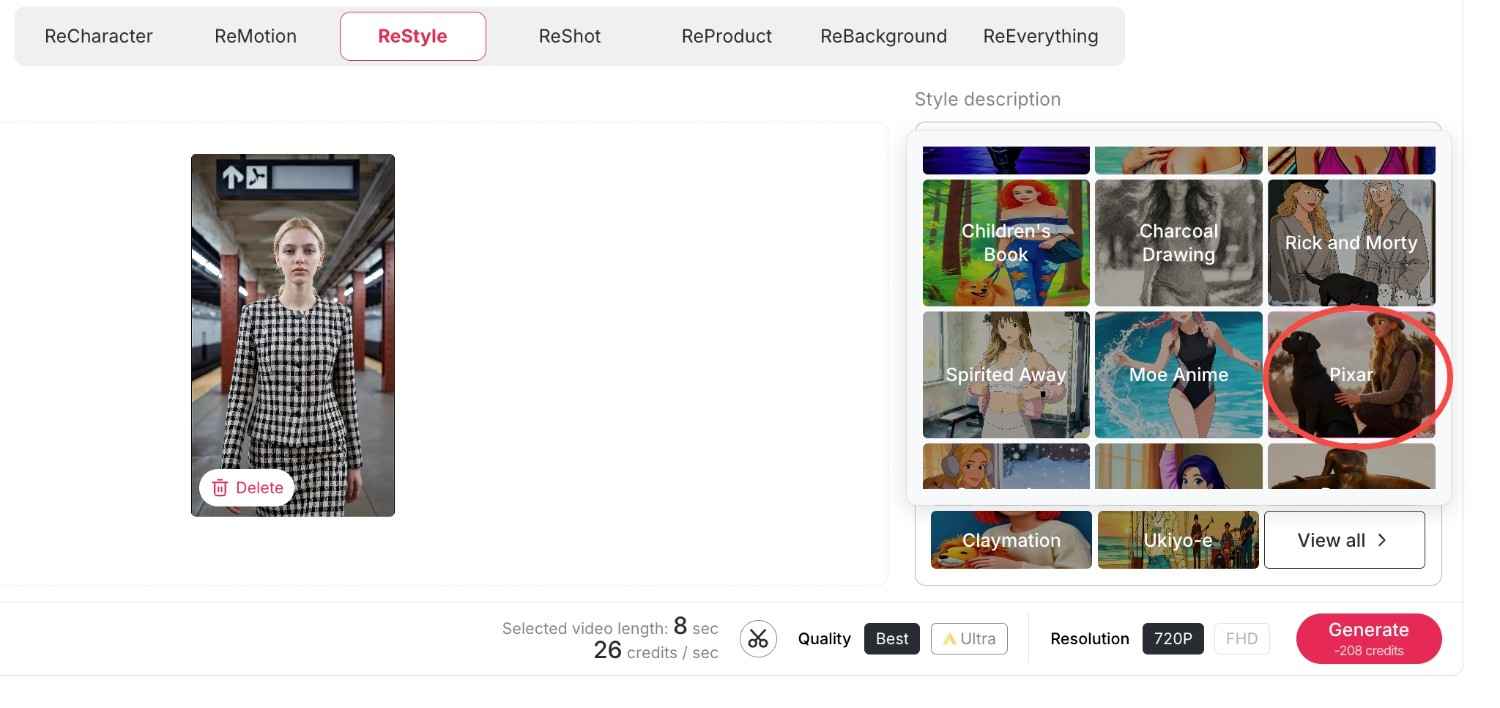
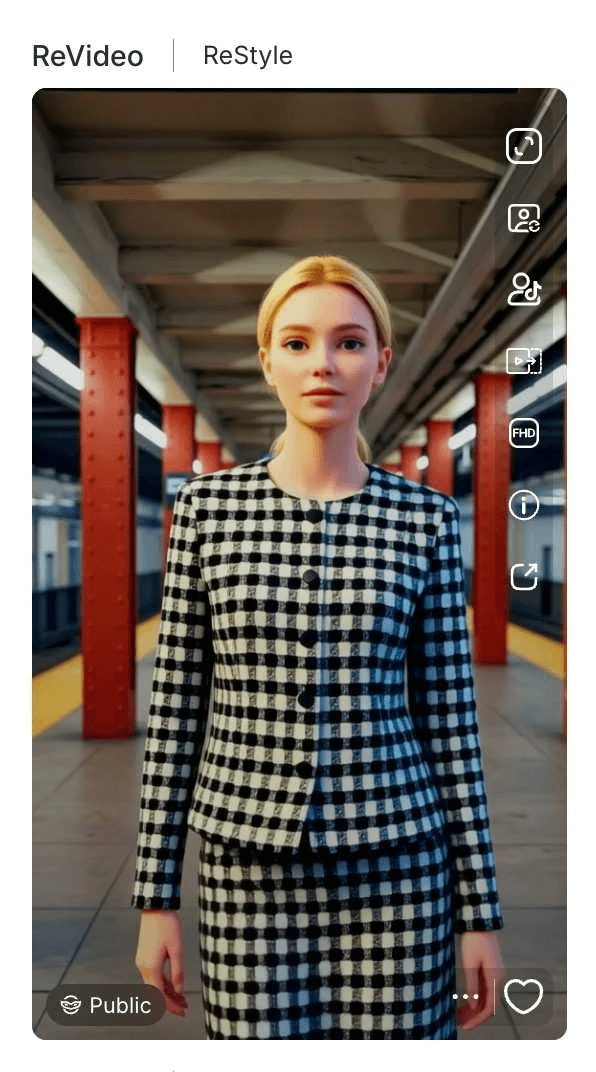
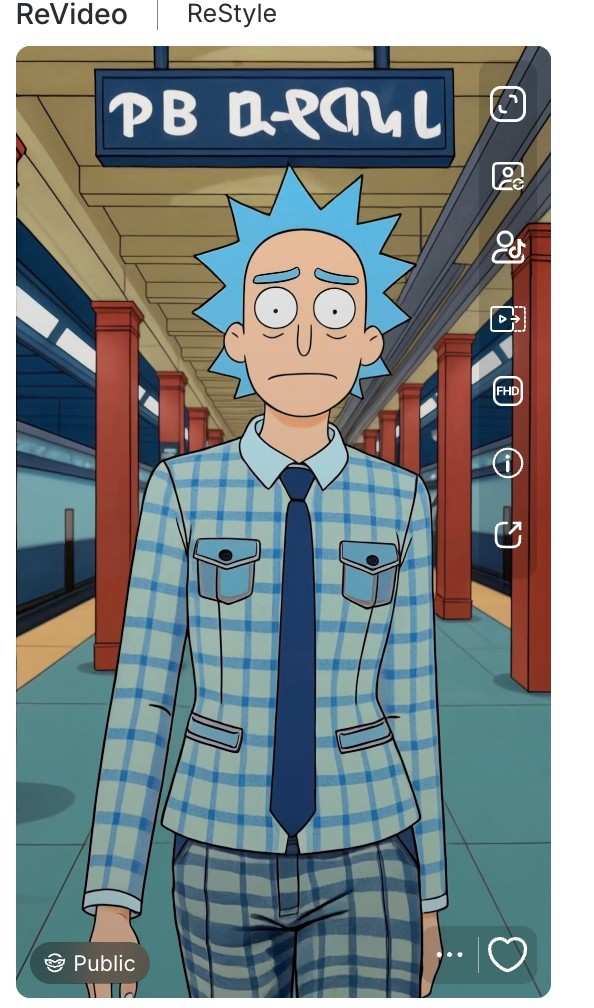
Now we have obtained two exquisite videos in the same style that perfectly match the original film or television series, and the videos also preserve your original movements and backgrounds.
ReProduct: It's a completely new experience for e-commerce. All you have to do is use ReProduct to change the product in a video (for example, from a soda bottle to a cup of coffee) instead of setting up a new video crew. Upload your original video and the new product's photo, you can also enter a prompt to describe and modify the details of your new product, then click generate. A new video will be generated shortly, where the new product replaces the old one while everything else remains unchanged.
Here, we load a video of an unboxing of a Christmas present by a man who is wearing a grey watch. Now, we load this video along with an image of the new product: it is a deep blue watch. You can also enter your own descriptions of the new watch by making use of some prompts. Then, we have a new video of an unboxing by the man who is wearing the deep blue watch—everything remains the same, only the product has changed.
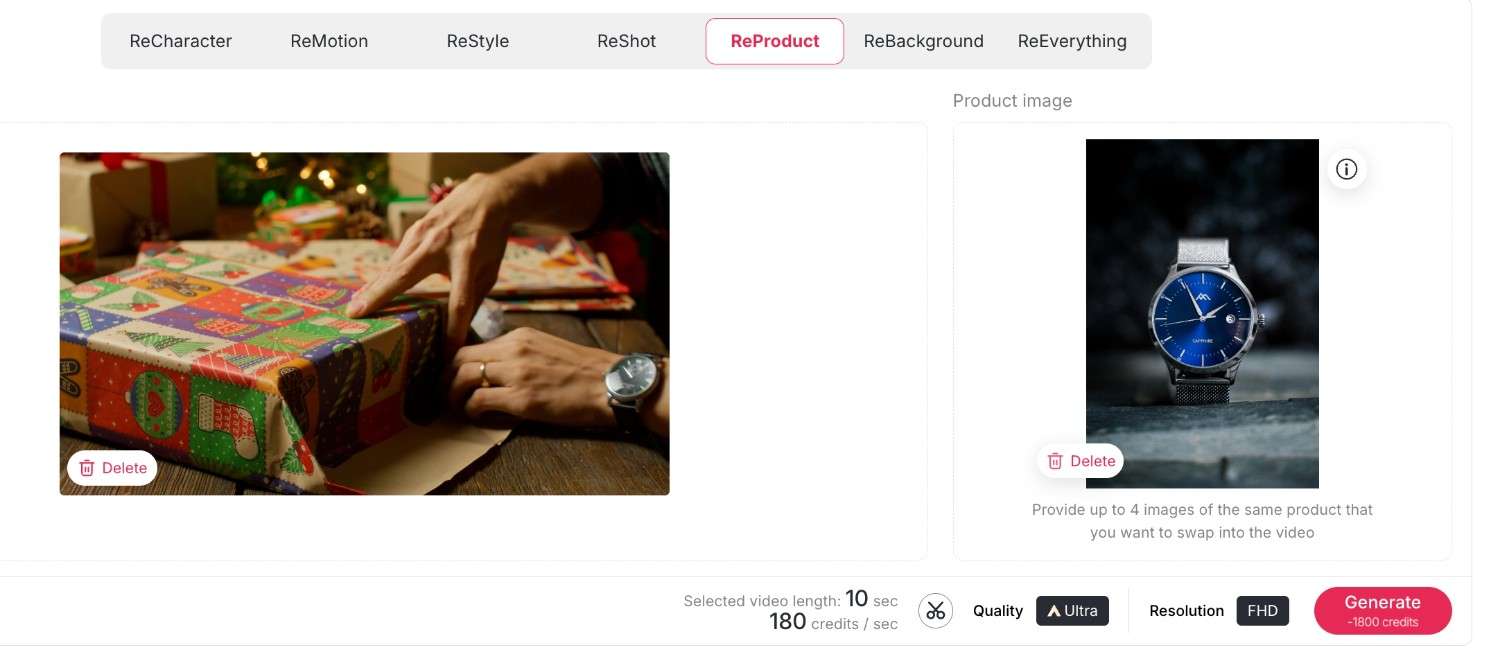
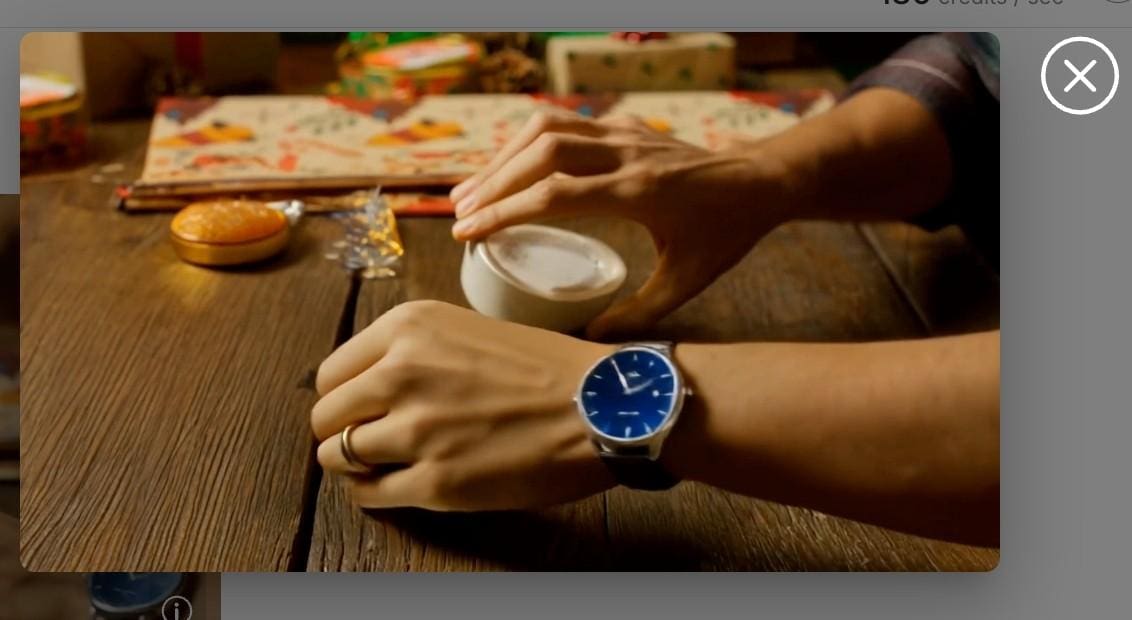
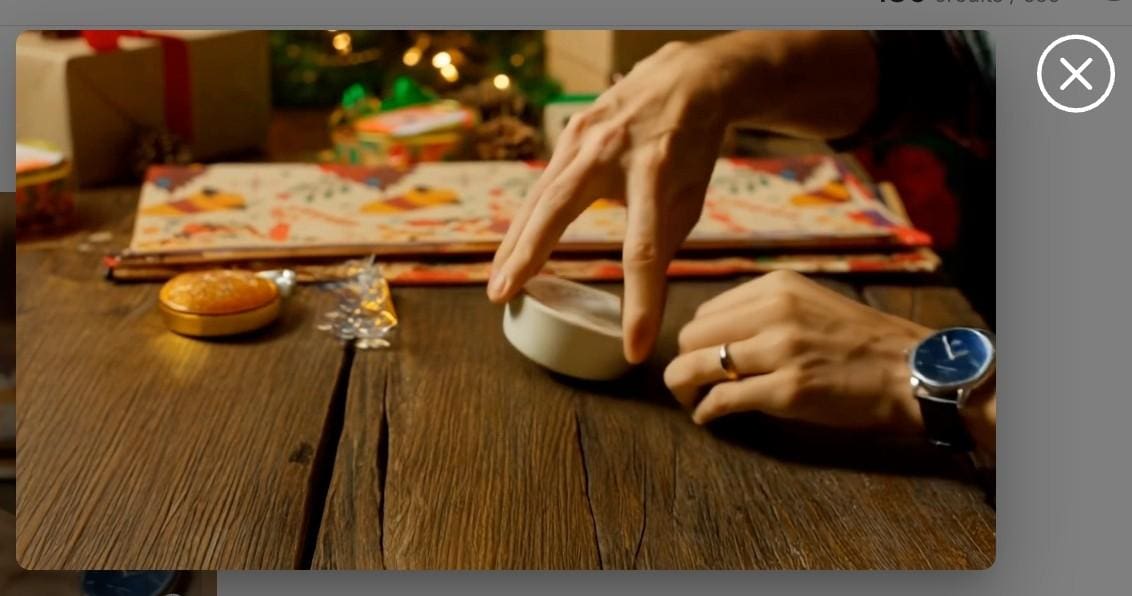
ReBackground: With this function, you are free to transport your subject anywhere, or swap a dull bedroom background for a posh beach resort without needing a green screen.
First upload your original video, then upload your desired background image; here, you can also enter some descriptions to further approach the effect you want.
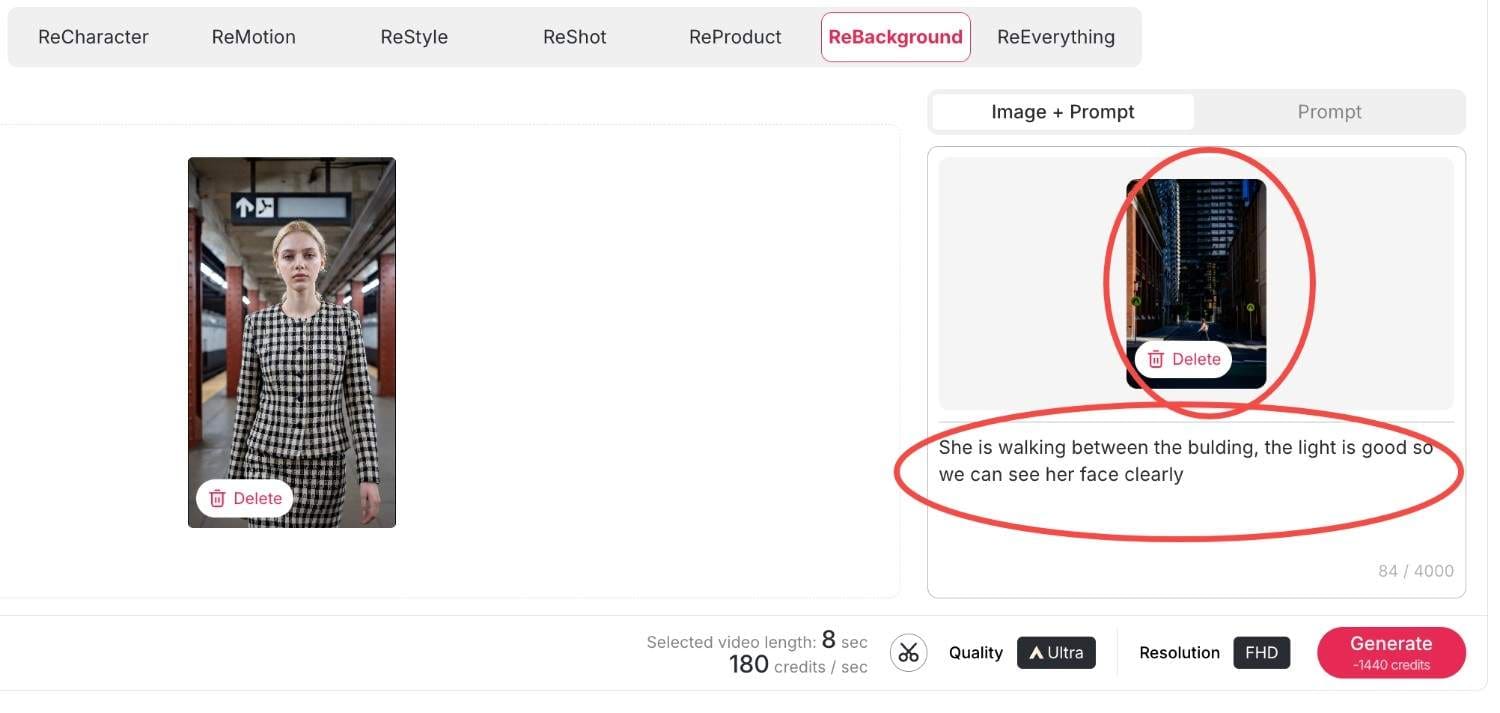
Then click generate, within seconds your new video will be produced.
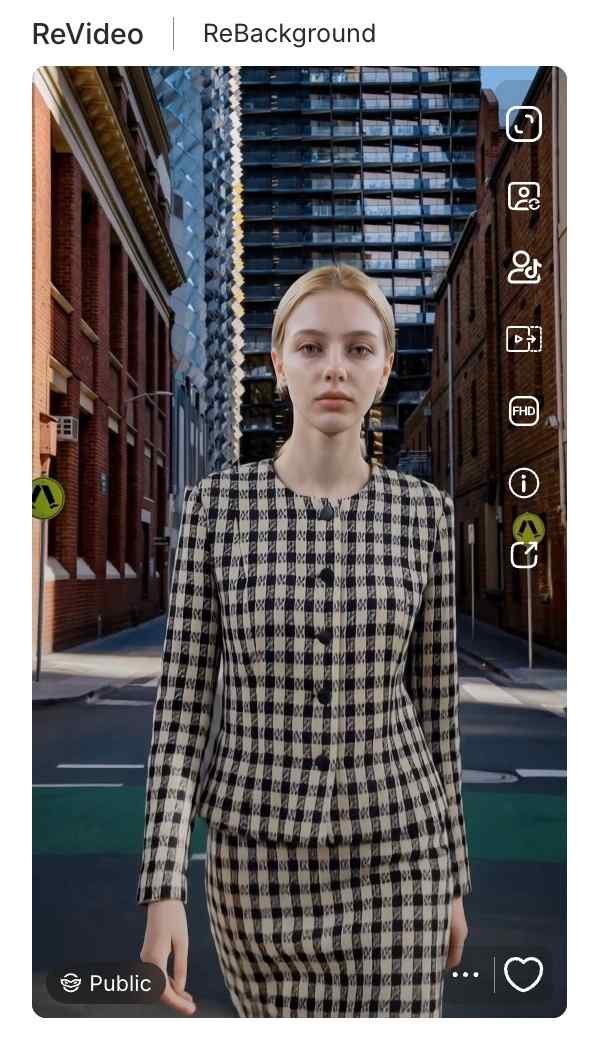
Reeverything: If you want to change the background or the style, the camera movement all at once, you can use reeverything so you can process them all with your prompts.
Step 3: Finalizing Quality and Resolution
Ensure that you have the right settings in place before you generate. There is also the choice to switch between quality settings, whether it is Best or Ultra. Additionally, you are given the choice of Resolution, whether it’s 720P for posting on social media or when creating videos to upload to YouTube in Full HD. Lastly, click on the 'generate' button, and the Kling AI Video Generator delivers your creation.
Methods for Monetizing AI-Generated Content through APOB AI
Creating video using a Kling AI video generator is not just a fun hobby but a potent business application. The capability to create high-quality video effortlessly gives rise to many money-making opportunities. Here’s how various individuals are profiting from it.
Influencer & Creator Marketing Opportunities
Social media influencers can greatly increase their engagement using these tools.
Traffic Generation: With ReStyle, you can ride on viral trends on TikTok and Instagram Reels. High-quality visuals make you pause and scroll no more; therefore, this results in increased views and earnings for Creator Fund.
Faceless Channels: Moreover, you may use the "Select a content" feature and operate YouTube channels without the presence of your face. Develop storytelling content or motivation niches with virtual avatars.
Solutions For e-commerce and Marketers
Among entrepreneurs, there is a unique benefit of the video generator by Kling AI offered on the platform Apob AI.
Cost-Effective Ads: Instead of sending products to influencers, use ReProduct. Record one video of a generic model holding a product, then replace the product with what’s in stock.
Service Offerings: Market your “AI Video Restyling” service on Fiverr/Upwork. You will be charging your consumers for enhancing their video footage to Hollywood-style ads using the ReMotion.
And if you have no clue, our rich and creative community content will provide you with infinite creative inspiration.
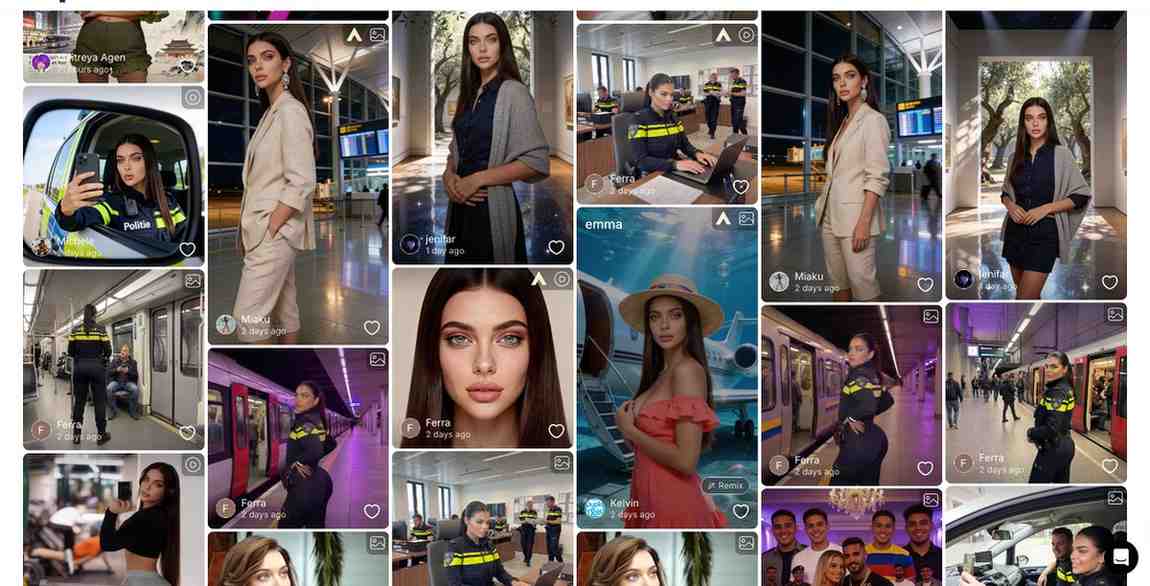
Comparison of Apob AI to other AI-powered video generation tools
Runway Gen-3: Although it is powerful at handling text-to-video prompts, many beginners find its interface difficult to navigate and the learning curve quite steep.
Luma Dream Machine: Known for its speed, Luma unfortunately lacks the essential "ReProduct" and specialized character consistency tools required for a professional production environment.
APOB AI (The Winner): Powered by the latest Kling 2.6 engine, APOB AI specializes in high-fidelity human portraits and cinematic video generation. Unlike competitors, we offer 80 free credits every single day and a dedicated suite for fashion and product placement.
Overall, the Apob AI combines the most effective models, such as the Kling AI model, but also incorporates them in a workflow.
Frequently Asked Questions(FAQ)
In what way is the video generator by the Kling AI company distinctive?
It relies on physics simulation to produce videos that strictly follow instructions, including realistic motion that goes above and beyond older models.
How do I utilize the ReProduct feature?
You simply upload your video, go to ReProduct, and add your reference image or description of what you want your new product to look like in the video.
Is there a free trial for Kling 2.6?
Yes, APOB AI offers you 80 free credits everyday, allowing you to test functionality enabled by our advanced integrations, such as Kling 2.6 everyday for free.
Can I make an anonymous faceless channel for YouTube with Apob AI?
Yes. Using "Select a content" functionality and virtual models, you can produce unique video content without having to record yourself.
What is the maximum resolution for exports?
The Apob AI system also offers high-definition export capabilities, such as FHD (1080p), to make sure that your videos remain crisp on any device.
Does ReMotion work on static images?
Yes, ReMotion’s Kling AI can make a static image and add effects of camera movements such as pans and zooms to make a video clip.
Can I use these videos for commercial advertisements?
Yes, the users with the paid plan have the commercial rights to the videos they make, so they are ideal for use on ads on platforms like Facebook or TikTok.
Is the interface difficult for beginners?
No. The Apob AI is created in a "click-and-create" model. There is no need to learn programming or be familiar with intricate video editing software.
How frequently new features are added?
Our platform is updated continuously. As soon as new updates for such models as Kling AI (version 2.6) appear, we start adding them to tools such as ReVideo.
References
Apob AI. (2025). AI Video Editing and Generation Tools. Retrieved from https://www.apob.ai.
Forbes. (2025). The Business of AI: How Creators Are Monetizing Video Gen. Retrieved from https://www.forbes.com/ai-video-monetization.
Kling AI. (2024). Kling 2.6 Technical Report and Features. Retrieved from https://klingai.com/research.
Read More
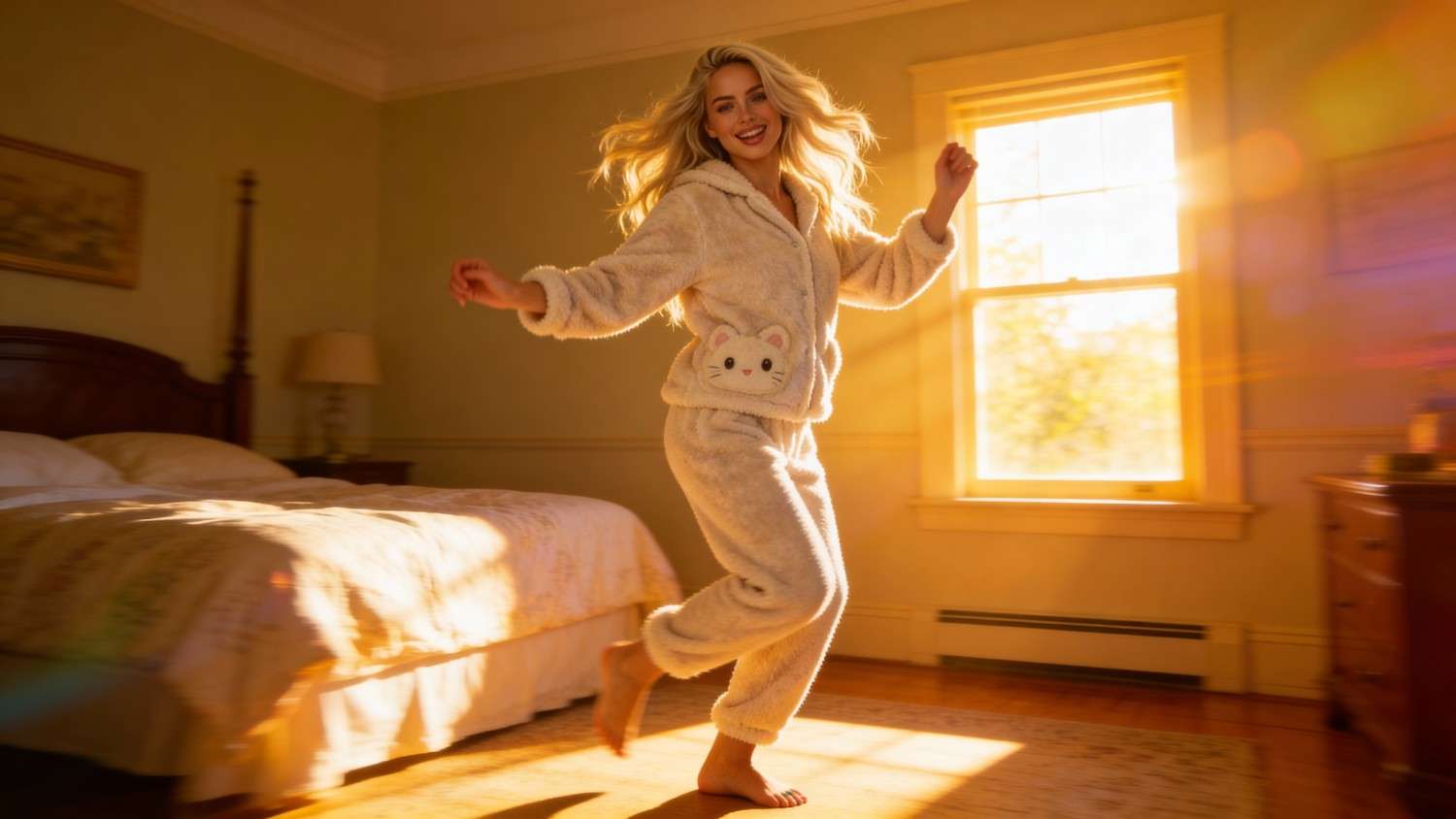
The best alternative of seedance 1.5 for free: apob AI
If you're looking for a powerful, free alternative to Seedance 1.5, APOB AI is the answer. With advanced AI video generation capabilities, daily free credits, and seamless integration of character creation and motion control, APOB AI delivers everything Seedance 1.5 offers—and more. The AI video generator market is experiencing rapid growth, projected to expand from $788.5 million in 2025 to $3.4 billion by 2033[^1], making the choice of video generation platform more critical than ever for creators.
What Is Seedance 1.5?
Seedance 1.5 is an advanced AI video generation model designed to create highly realistic, multi-shot video sequences with strong character consistency and natural motion. It excels at generating videos from text prompts or static images, making it a popular choice for creators who need cinematic quality and narrative coherence.
Key features of Seedance 1.5 include:
Multi-shot coherence: Maintains character identity across multiple shots
Natural motion physics: Produces realistic character movements and interactions
Text-to-video generation: Creates videos directly from descriptive prompts
Image-to-video animation: Brings static images to life with motion
Camera control: Supports dynamic camera movements and angles
However, Seedance 1.5 is not a standalone platform—it's a model that requires integration into existing tools. This is where APOB AI comes in, offering Seedance 1.5's capabilities within a comprehensive, user-friendly environment.
Why APOB AI Is the Best Alternative to Seedance 1.5
APOB AI doesn't just replicate Seedance 1.5—it enhances it. Here's why APOB AI stands out as the superior choice for creators who rely on digital platforms and tools to generate and monetize content[^2]:
1. Full Seedance 1.5 Integration
APOB AI integrates Seedance 1.5 directly into its platform, giving you access to all the model's advanced features without needing to set up complex workflows or manage multiple tools. You get the full power of Seedance 1.5 with APOB AI's intuitive interface.
2. Enhanced Character Stability
While Seedance 1.5 offers good character consistency, APOB AI takes it further with advanced identity preservation technology. Characters maintain identical appearance across different shots and extended sequences, which is crucial for professional storytelling and brand content.
3. Extended Video Length
APOB AI can generate videos up to 10 minutes in a single generation, significantly longer than typical Seedance 1.5 implementations. This makes it ideal for tutorials, product demonstrations, and narrative content that requires extended runtime.
4. Professional Workflow Integration
APOB AI provides a complete production environment with character creation, image generation, video editing, and audio integration—all in one platform. This eliminates the need to switch between multiple tools, streamlining your creative workflow.
5. Superior Motion Physics
APOB AI's optimization of Seedance 1.5 delivers enhanced motion realism, particularly for complex movements like dancing, sports, or intricate hand gestures. The platform's rendering engine ensures smooth, natural motion that maintains physical plausibility.
Free Access with Daily Credits
APOB AI supports free registration, and every new user receives 80 free credits per day, which can be used to experiment with Seedance 1.5-powered video generation. This makes it possible to test motion quality, camera behavior, and visual fidelity before committing to a premium workflow.
In 2026, when creators earn most (59%) of their revenue from sponsored content[^4], having access to free daily credits for professional-quality video generation provides a significant competitive advantage.
Option 1: Using Seedance 1.5 in Text to Video
The Text to Video feature is ideal for creators who want to prototype ideas quickly or test narrative flow from pure prompts.
Sign up for a free APOB AI account.
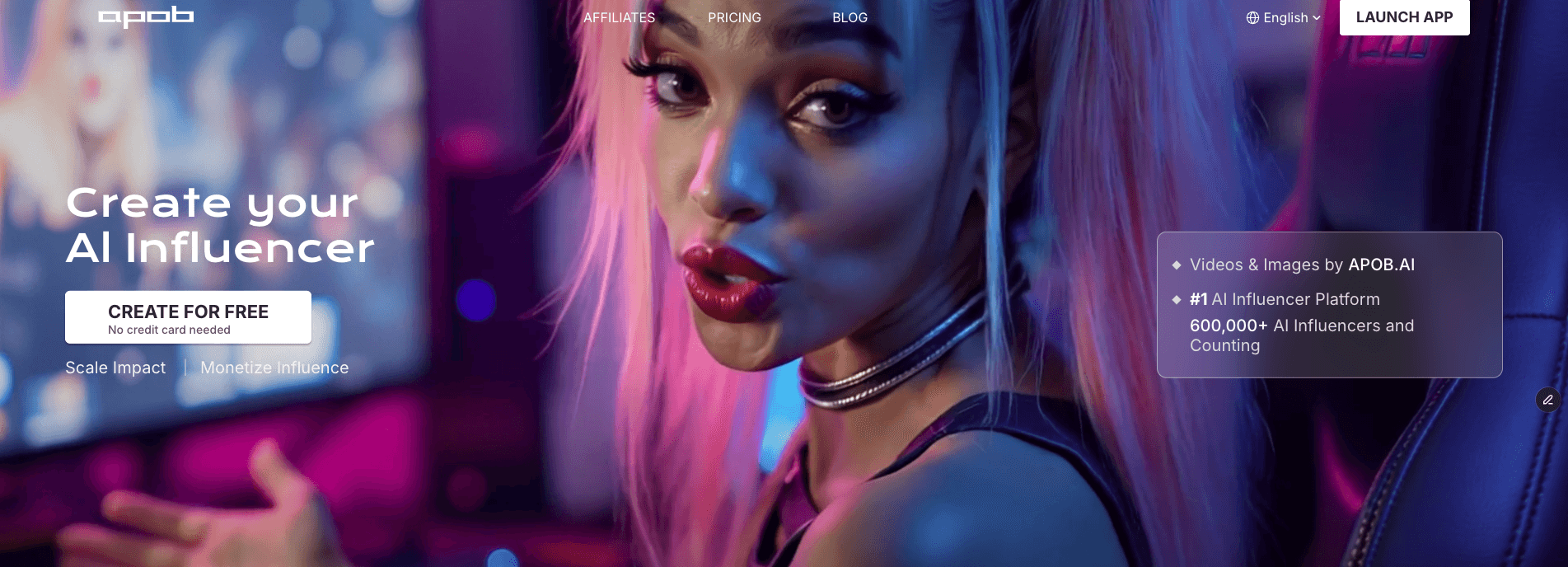
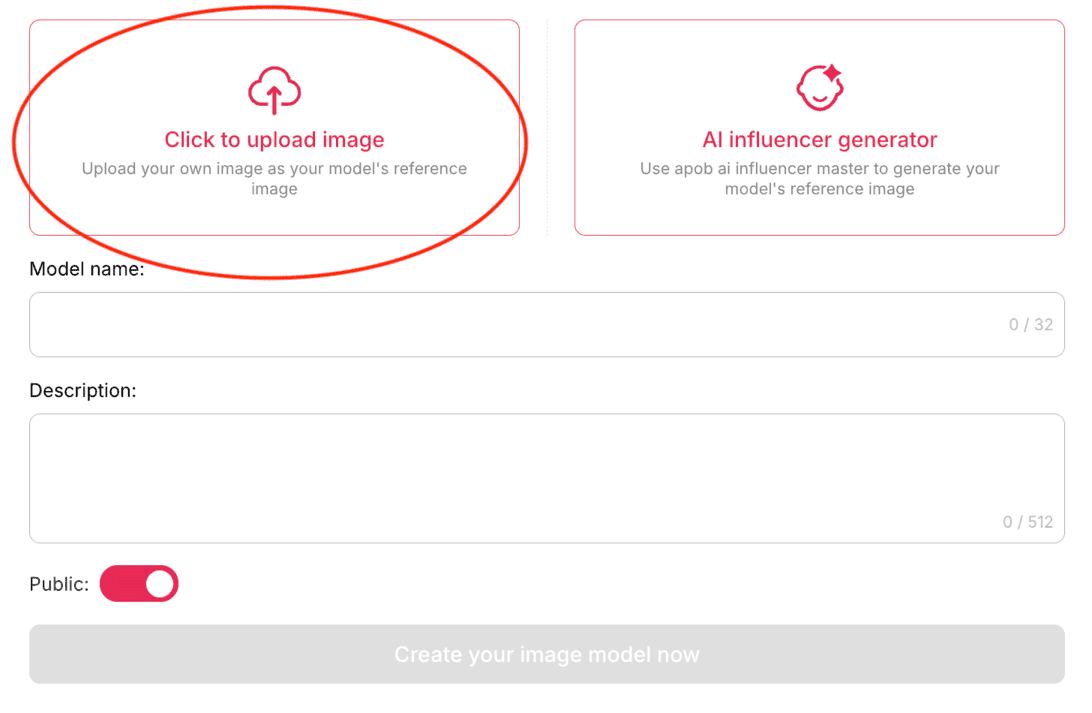
Upload Your Photo or Generate a New AI Portrait
Navigate to Text to Video.
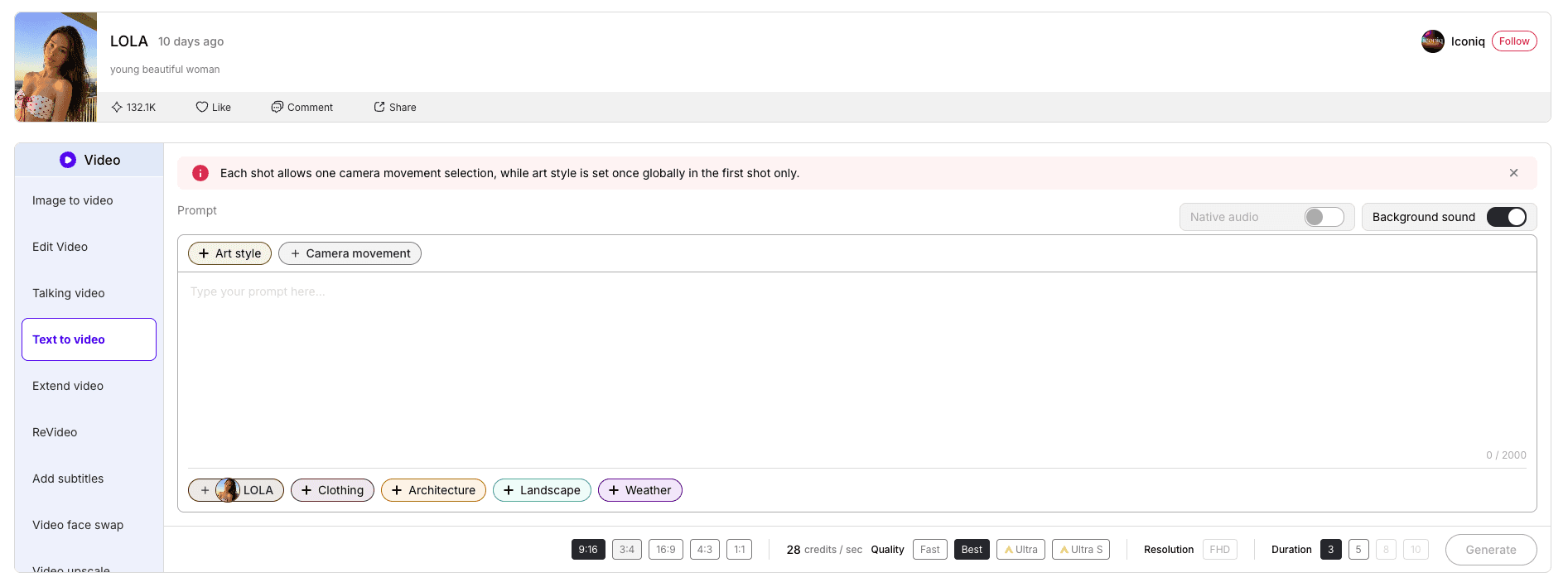
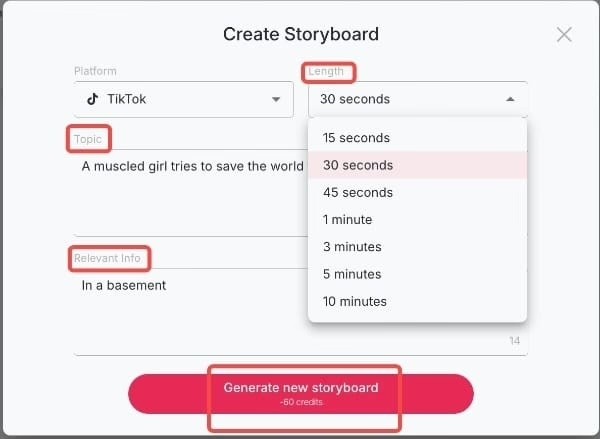
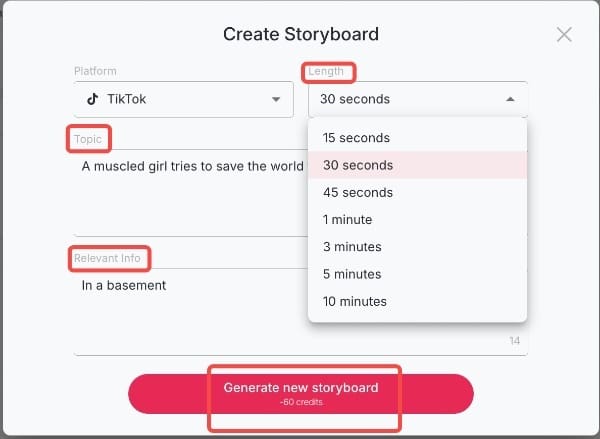
Enter a descriptive prompt outlining:
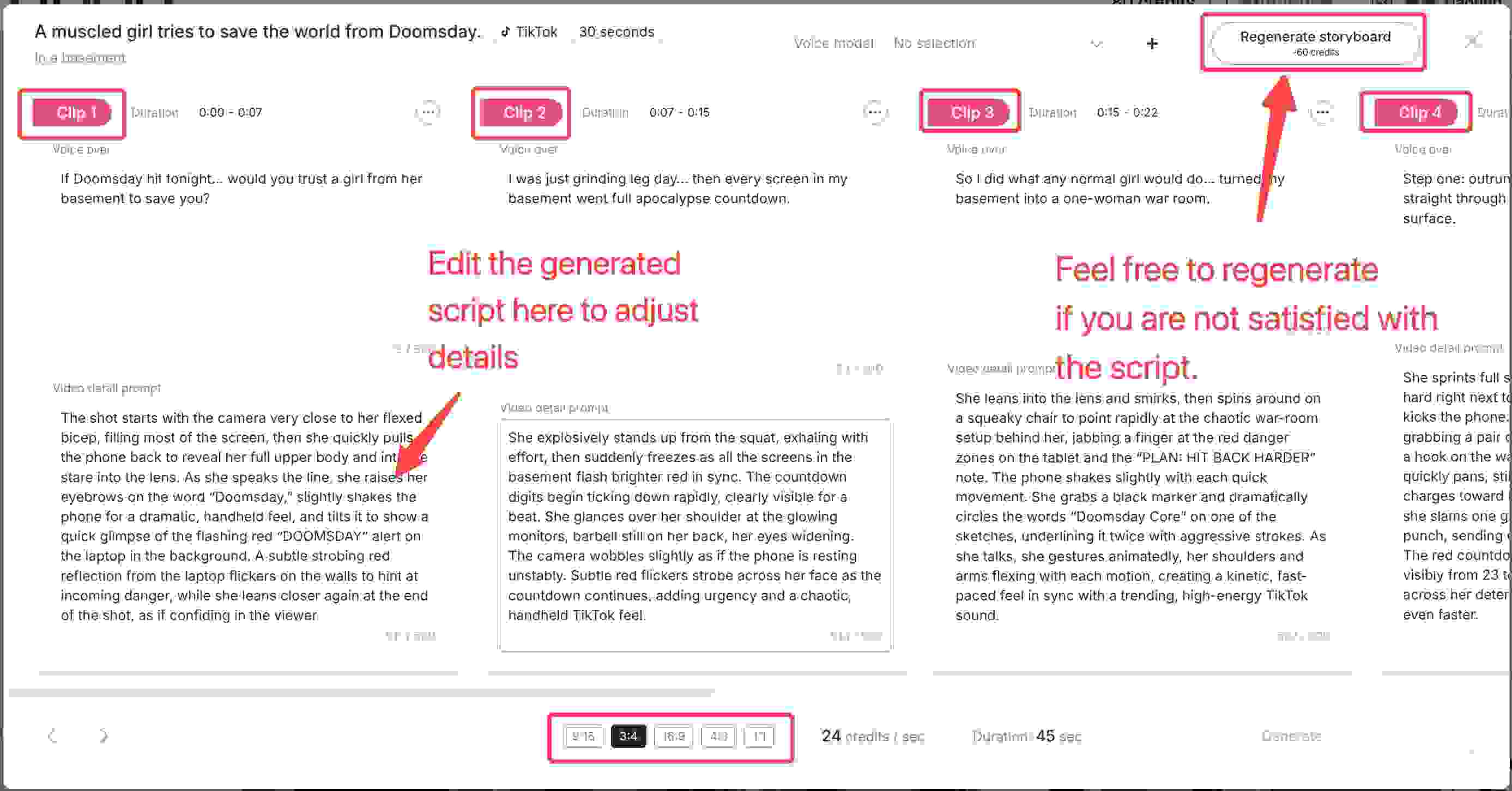
Generate your video using daily free credits.
This method is perfect for testing multi-shot storytelling, motion smoothness, and scene continuity—key strengths of Seedance 1.5.
Option 2: Using Seedance 1.5 in Image to Video
For users who already have a character image or want stronger visual control, Image to Video offers a more precise workflow.
Open Image to Video in APOB AI.
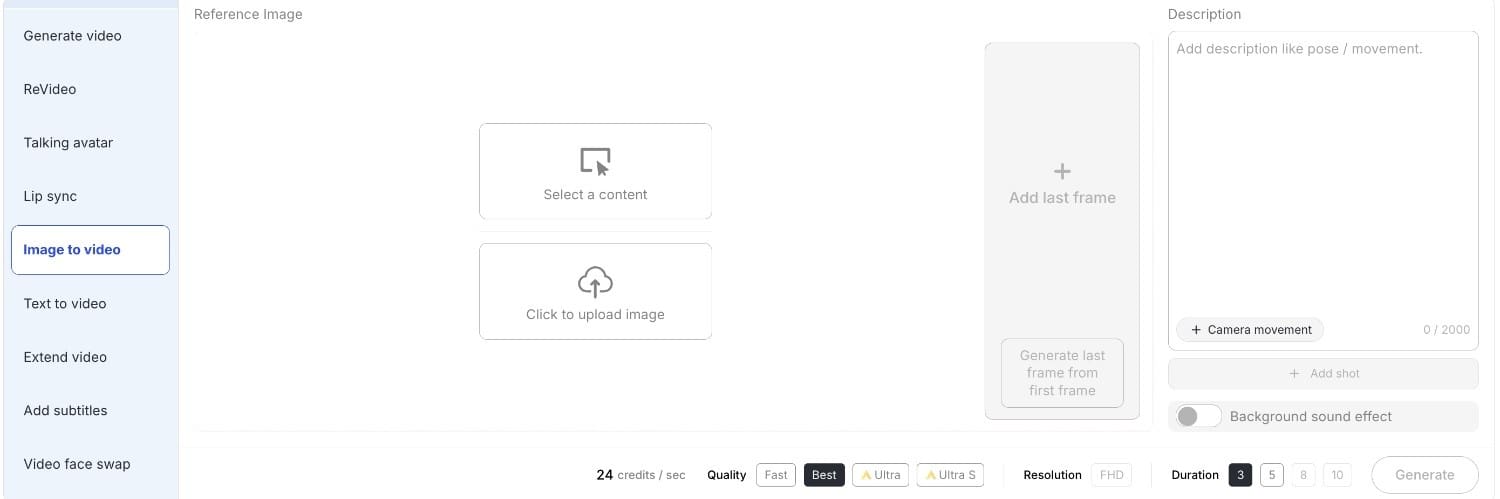
Define motion prompts:
Generate animated video clips using your free credits.
This approach is especially useful for testing character stability, motion realism, and how well Seedance 1.5 preserves identity across shots.
Best Practices for AI Dance Video Creation
To maximize the quality of your Seedance 1.5-powered videos on APOB AI, follow these professional strategies:
Optimize Your Motion Prompts
Be specific about the type of movement you want. Instead of "dancing," try "graceful ballet movements with extended arms and gentle spins" or "energetic hip-hop dance with sharp, rhythmic movements." The more detailed your motion description, the better the AI can interpret your vision.
Maintain Character Consistency
When creating multi-shot sequences, use the same character model and lighting conditions across all shots. APOB AI's identity preservation technology works best when you maintain consistent visual parameters throughout your project.
Leverage Daily Credits Strategically
With 80 free credits per day, plan your projects to accumulate credits for larger productions. A week of accumulation gives you 560 credits—enough for multiple high-quality video generations or extended sequences.
Test Before Full Production
Use shorter prompts and lower-resolution previews to test your concepts before committing credits to full production. This helps you refine motion, camera angles, and character appearance without wasting resources.
Combine Text-to-Video and Image-to-Video
For maximum control, start with Image-to-Video to establish your character's appearance, then use Text-to-Video for narrative sequences. This hybrid approach leverages the strengths of both methods.
Technical Specifications Comparison
Understanding the technical differences between standalone Seedance 1.5 implementations and APOB AI's enhanced version helps creators make informed decisions:
Feature | Seedance 1.5 (Standalone) | APOB AI (with Seedance 1.5) |
|---|---|---|
Free Access | Limited or none | 80 credits/day (accumulative) |
Character Consistency | Good | Excellent (enhanced identity lock) |
Max Video Length | Typically 30-60 seconds | Up to 10 minutes |
Text-to-Video | Yes | Yes, with enhanced prompting |
Image-to-Video | Yes | Yes, with advanced controls |
Multi-Shot Coherence | Yes | Yes, with improved stability |
Motion Physics | Realistic | Enhanced realism |
Camera Control | Basic | Advanced (Zoom, Follow, Around) |
Integrated Workflow | No | Yes (character + video + audio) |
Audio Integration | Manual | Automatic background music |
Resolution Options | Standard | Up to 4K with upscaling |
Rendering Speed | Standard | Optimized for professional use |
User Interface | Varies by implementation | Intuitive, no learning curve |
Why APOB AI Is the Best Environment to Test Seedance 1.5
Unlike standalone experimentation, APOB AI allows you to experience Seedance 1.5 within a broader professional workflow:
No learning curve for users familiar with multi-shot prompting
Daily free credits for consistent testing
Upgradeable path to advanced tools such as Identity-Lock and Storyteller Mode
Professional rendering with optimized speed and quality
Integrated audio with automatic background music generation
Export flexibility with multiple resolution and format options
This makes APOB AI not just a place to try Seedance 1.5, but a platform to evaluate whether your project needs the next level of consistency and cinematic control.


Real-World Use Cases for APOB AI with Seedance 1.5
APOB AI's implementation of Seedance 1.5 serves diverse creative needs across multiple industries:
Content Creators and Influencers
Generate engaging social media content with consistent character appearances across multiple videos. The daily credit system supports regular content production without subscription pressure.
Marketing and Advertising
Create product demonstrations and promotional videos with realistic character movements and professional quality. The 10-minute video length supports comprehensive product showcases.
Education and Training
Develop instructional videos with animated characters demonstrating procedures or concepts. The multi-shot coherence ensures clear, consistent visual communication.
Entertainment and Storytelling
Produce narrative content, short films, or animated stories with cinematic quality. Enhanced character stability maintains visual continuity across complex storylines.
Dance and Performance Art
Choreograph and visualize dance sequences with realistic motion physics. Seedance 1.5's strength in natural movement makes it ideal for dance content creation.
FAQs
Q1: Can apob AI do everything Seedance can?
Yes, and more. apob AI supports all the multi-shot and text-to-video features of Seedance while offering enhanced character stability and better motion physics. Additionally, APOB AI provides integrated character creation, audio generation, and professional workflow tools that standalone Seedance 1.5 implementations lack.
Q2: Is apob AI better for character-driven stories?
Absolutely. apob AI's advanced identity preservation technology ensures that characters look identical across different shots and be able to generate a ten minute video once, which is a significant improvement over the Seedance model. This makes it ideal for narrative content, brand mascots, and any project requiring consistent character representation.
Q3: How does the generation speed compare?
apob AI is optimized for professional workflows, providing high-speed rendering that matches or exceeds the performance of Seedance, even at higher resolutions. The platform's infrastructure is designed to handle complex multi-shot sequences efficiently, reducing wait times for creators.
Q4: Can I use APOB AI's Seedance 1.5 videos commercially?
Yes! Videos generated with APOB AI, including those using Seedance 1.5 technology, can be used for commercial purposes. This includes client work, advertising, social media monetization, and product sales.
Q5: How do the daily credits accumulate?
APOB AI provides 80 credits daily that accumulate without expiration. If you don't use your credits today, they roll over to tomorrow. Over a week, you accumulate 560 credits, and over a month, 2,400 credits—providing substantial creative capacity without any payment.
Q6: What makes APOB AI's character stability better than standard Seedance 1.5?
APOB AI implements advanced identity-lock technology on top of Seedance 1.5's base capabilities. This ensures that facial features, body proportions, clothing details, and other character attributes remain perfectly consistent across shots, camera angles, and lighting conditions—a level of precision that standard Seedance 1.5 implementations struggle to maintain.
References
[^1]: Grand View Research. (2025). AI Video Generator Market Size, Share | Industry Report 2033. Retrieved from https://www.grandviewresearch.com/industry-analysis/ai-video-generator-market-report
[^2]: Peres, R., Schreier, M., & Schweidel, D.A. (2024). The creator economy: An introduction and a call for scholarly research. International Journal of Research in Marketing.
[^3]: Zapier. (2025). The 15 best AI video generators in 2025. Retrieved from https://zapier.com/blog/best-ai-video-generator/
[^4]: eMarketer. (2026). FAQ on the creator economy: How marketers can stand out in 2026. Retrieved from https://www.emarketer.com/content/faq-on-creator-economy--how-marketers-stand-2026-
Read More
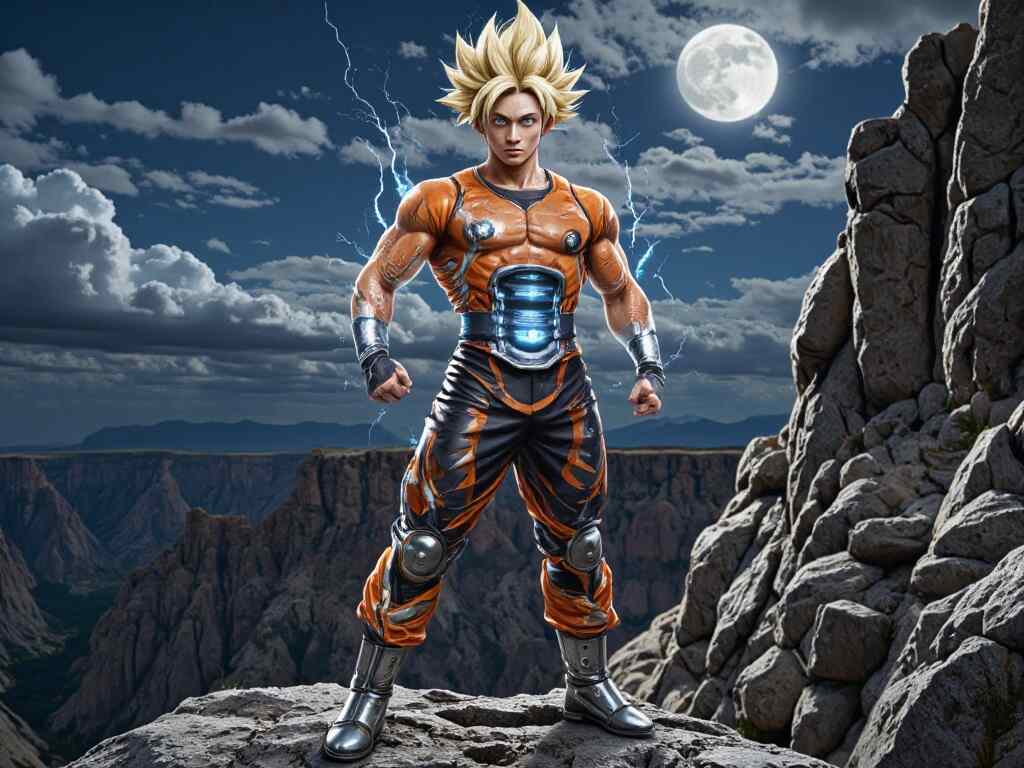
Best Free Goku AI Image and Video Generator Tools Online
If you're a die-hard Dragon Ball fan, you've probably dreamed of bringing Goku to life in your own way. Thanks to cutting-edge Goku AI tools like APOB AI, that dream is now a reality. Whether you're an artist, a content creator, or simply someone who wants to see Goku in a new light, there's a growing world of AI-powered platforms that let you generate custom Goku images and videos with just a few clicks.
In this post, we’ll dive deep into how APOB AI can help you create high-quality Goku art and animation for free, and explore creative ideas for sketching, styling, and sharing your own version of the Super Saiyan legend — from pencil sketches to full-blown animation.
Why Goku AI Is Taking Over the Fan World
Let’s face it — Goku is one of the most iconic anime characters of all time. But what happens when you combine that popularity with artificial intelligence? You get something magical: Goku AI.
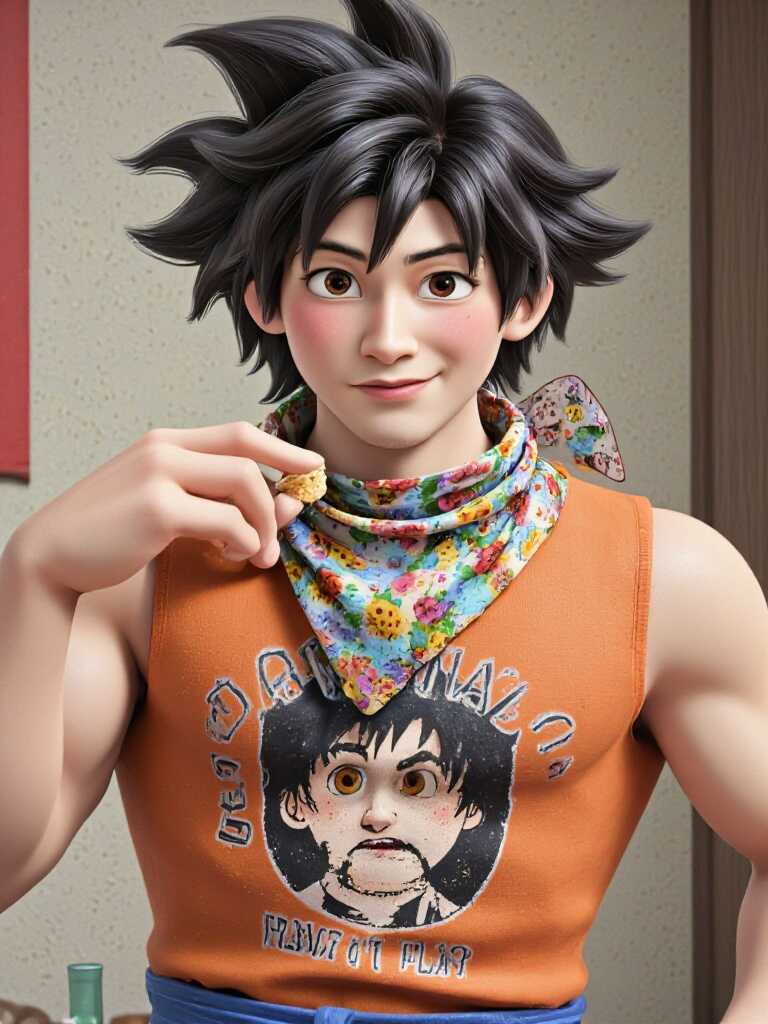
Fans are now using tools like APOB AI to recreate Goku in countless styles — ultra-realistic, stylized, futuristic, and even humorous. From pencil-drawn art to dynamic video content, Goku AI unlocks creativity like never before. The best part? You don’t need to be an artist or an animator. With the right platform, anyone can design high-quality visuals of their favorite Saiyan warrior.
Create Stunning Goku AI Art with APOB AI
APOB AI is one of the most powerful and accessible platforms for generating AI anime art. With just a few descriptive prompts, you can bring your ideas to life.
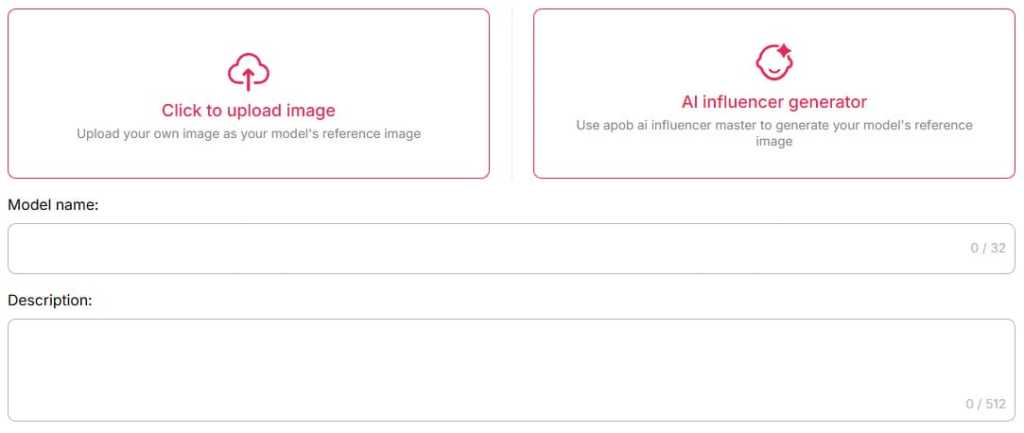
Step 1: Sign up on APOB AI and get 80 credits. Then, click on “Create Portrait Model.”
Step 2: Upload a photo of Goku, or click the “AI Influencer Generator” button to instantly create a custom AI version of him.
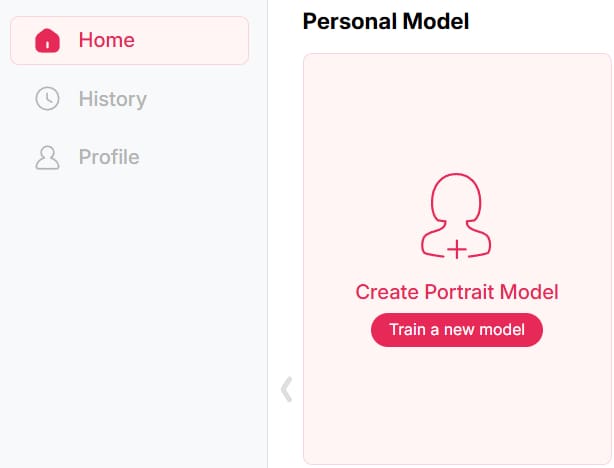
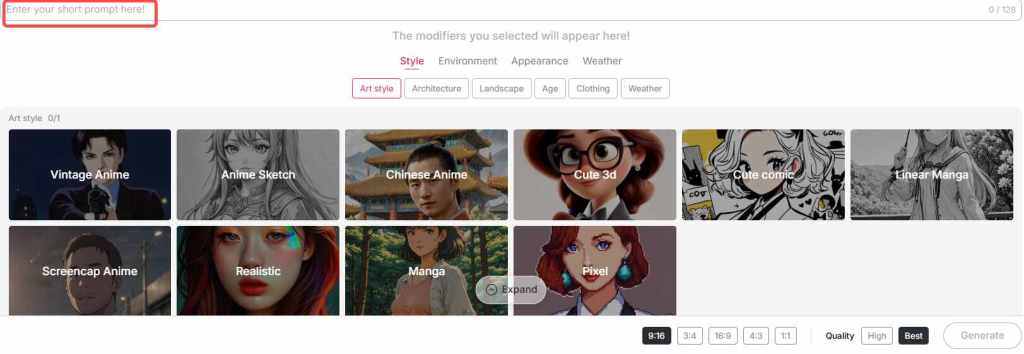
Step 3: In the "Build Your Own" section, choose from styles like Realistic, Anime Sketch, or Linear Manga, etc, and enter a prompt (max 128 characters) to turn the image in your mind into reality. For even more stunning results, switch to the "Expert" mode and craft a detailed prompt of up to 1024 characters (typically 150–200 words).
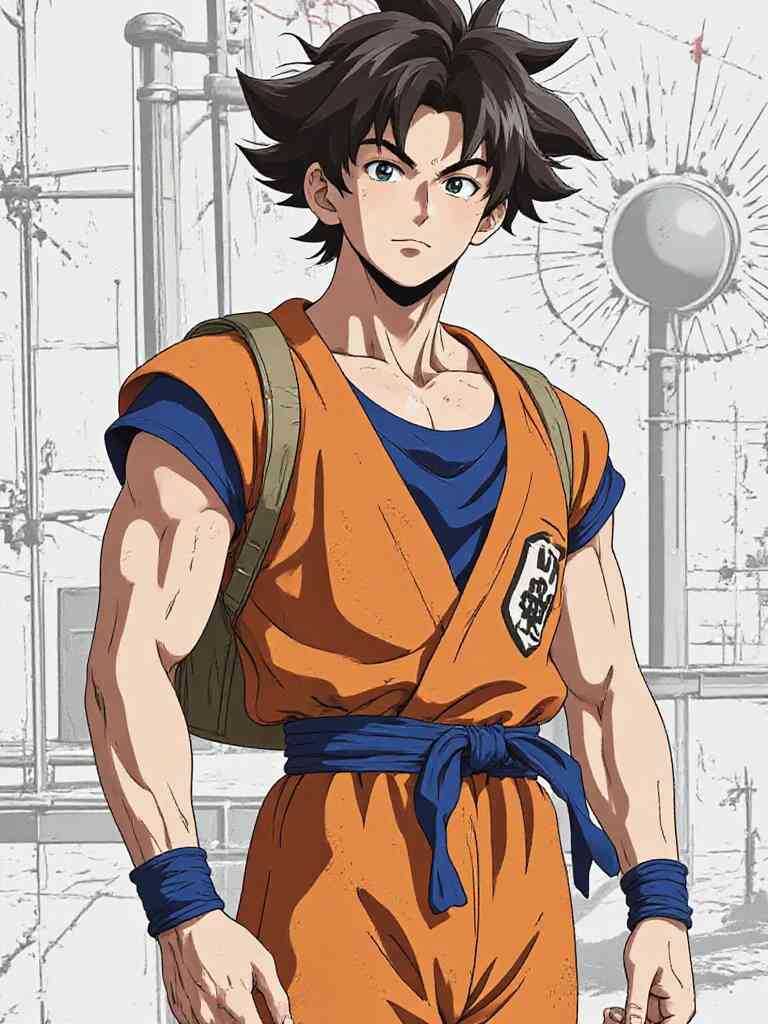
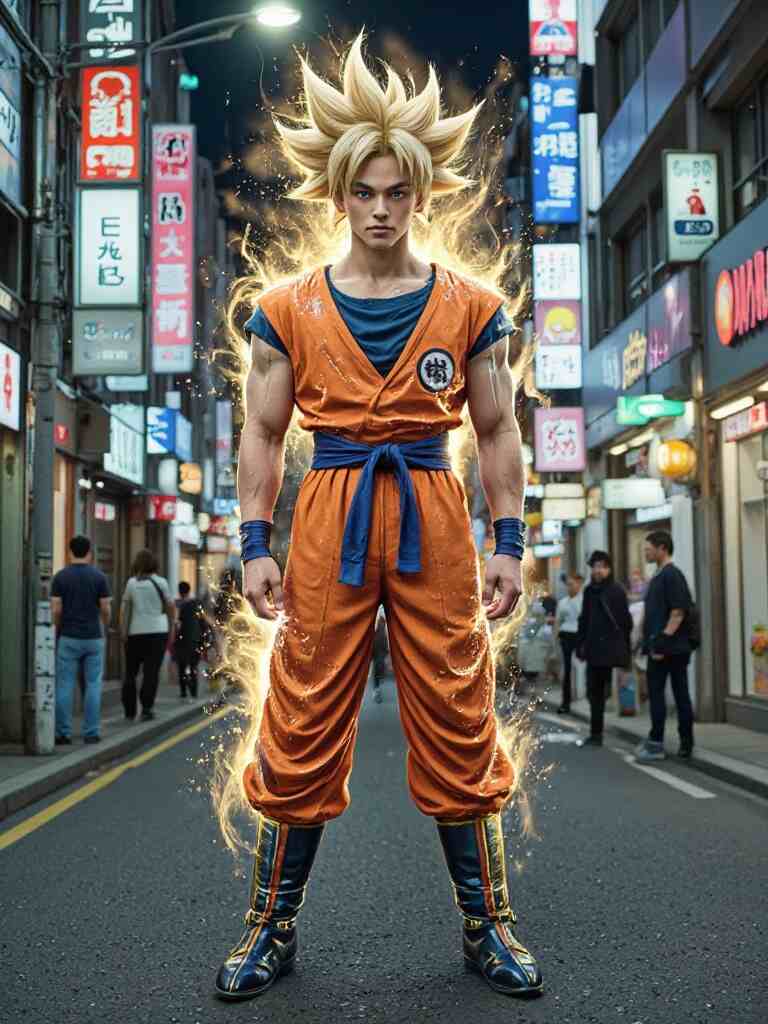
Tips: APOB AI provides users with 80 points a day, and you can generate up to 16 photos a day for free.
Here’s what you can do with APOB AI:
Generate Goku image variations for fan edits or profile pictures
Design anime photo Goku artworks in different styles
Produce pencil Goku drawings or realistic Goku AI art
Create Goku photo HD for wallpapers or high-res prints
The results are surprisingly detailed and authentic. You can even fine-tune facial expressions, outfits, lighting, and art style — whether you want something fierce, nostalgic, or futuristic
Popular Goku AI Art Prompts You Can Try
“Goku Ultra Instinct standing under a full moon, cinematic lighting, 4K anime style”
“Realistic Goku portrait with glowing Super Saiyan hair, detailed anime face, HD”
“Goku wearing futuristic armor in a cyberpunk Tokyo, anime style, dramatic lighting”
“Cute chibi Goku eating ramen, soft colors, pastel tone”
“Goku vs Vegeta energy blast scene, highly detailed, epic action moment”
Animate Your Hero: Goku AI Video Generator via APOB AI
Beyond still images, APOB AI now supports dynamic video generation features. That means you can animate your custom Goku images into short clips or looped motions — perfect for social media posts, memes, or storytelling.
Step 1: If you already have a Goku image you’re happy with, simply upload it and use the Image to Video feature. Just type in the actions or expressions you want Goku to perform — whether it's powering up, flying, or delivering an epic punch — and the AI will generate a dynamic video for you.
Step 2: You can also choose your favorite Goku photo from the images you've created in earlier steps, and turn it into a video in just a few clicks.
Step 3: Don’t have an image yet? No worries — try the Text to Video option. Just describe the scene you imagine and the AI will bring it to life as a stunning animation.
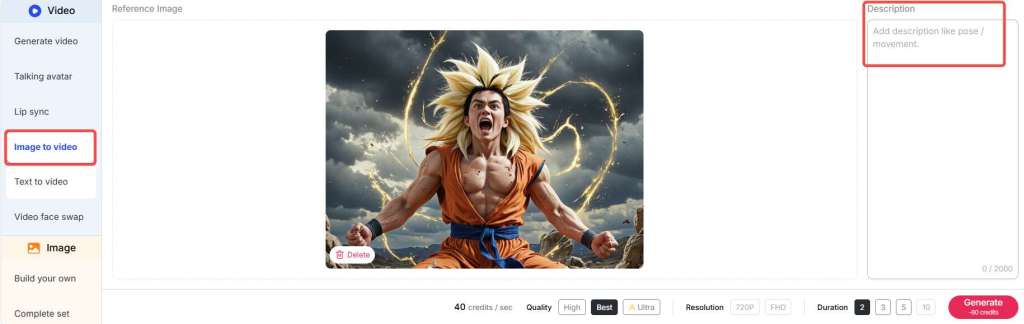
Tips: APOB AI provides users with 80 points a day, and you can generate a 3-second video for free every day.
Using the Goku AI video generator within APOB AI, you can:
Make Goku charge up in Super Saiyan mode
Create a looped battle-ready stance
Animate glowing effects, hair movement, or energy blasts
By combining static artwork with subtle animation, your Goku AI content can truly stand out — especially for fan reels, AMVs, or interactive media projects.
Learn to Draw Goku with the Help of AI
Even if you're a traditionalist who loves sketching by hand, APOB AI can help you level up. Use it to generate references or sketch overlays for practice.
Want to learn how to draw Goku full body? You can prompt APOB AI to give you clean base sketches.
Need inspiration for:
Full body Goku Ultra Instinct drawing
Goku Ultra Instinct drawing full body sketch
How to draw Goku Black
Drawing of Goku Super Saiyan
You can simply describe your idea and let APOB AI create an outline or drawing guide. Many artists now use these AI-generated images as underlays for digital inking or pencil redrawing.
Also great for:
Goku drawing pictures
Dragon Ball Z characters drawing
Realistic Goku pencil drawing
Dragon Ball character drawing
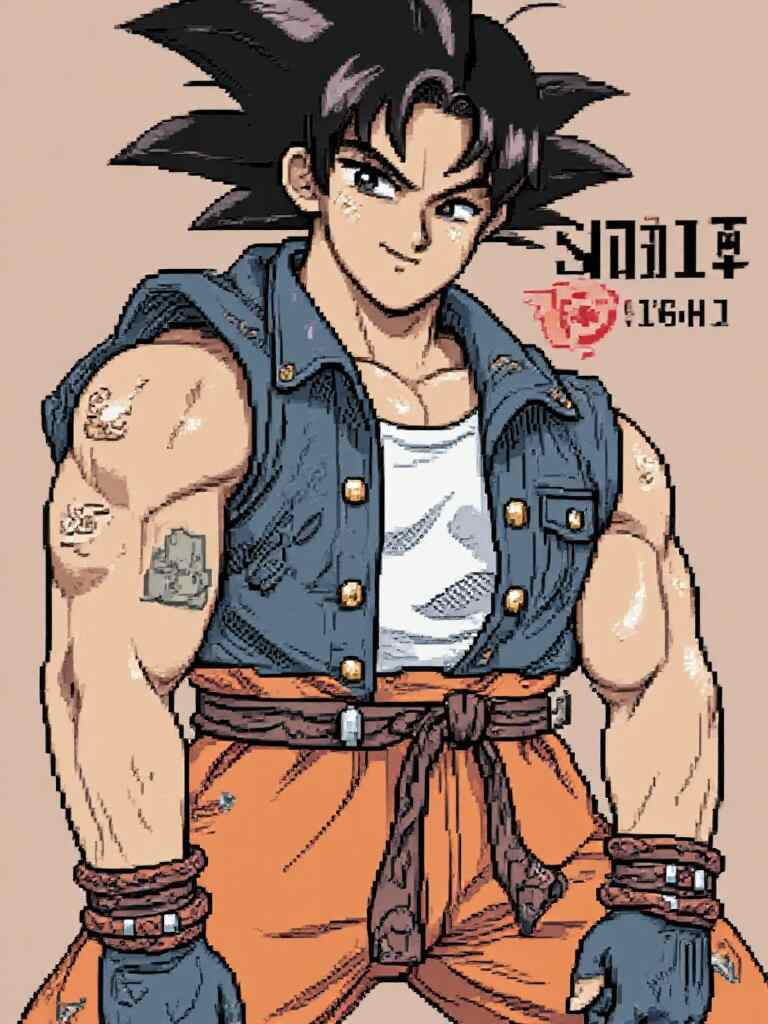
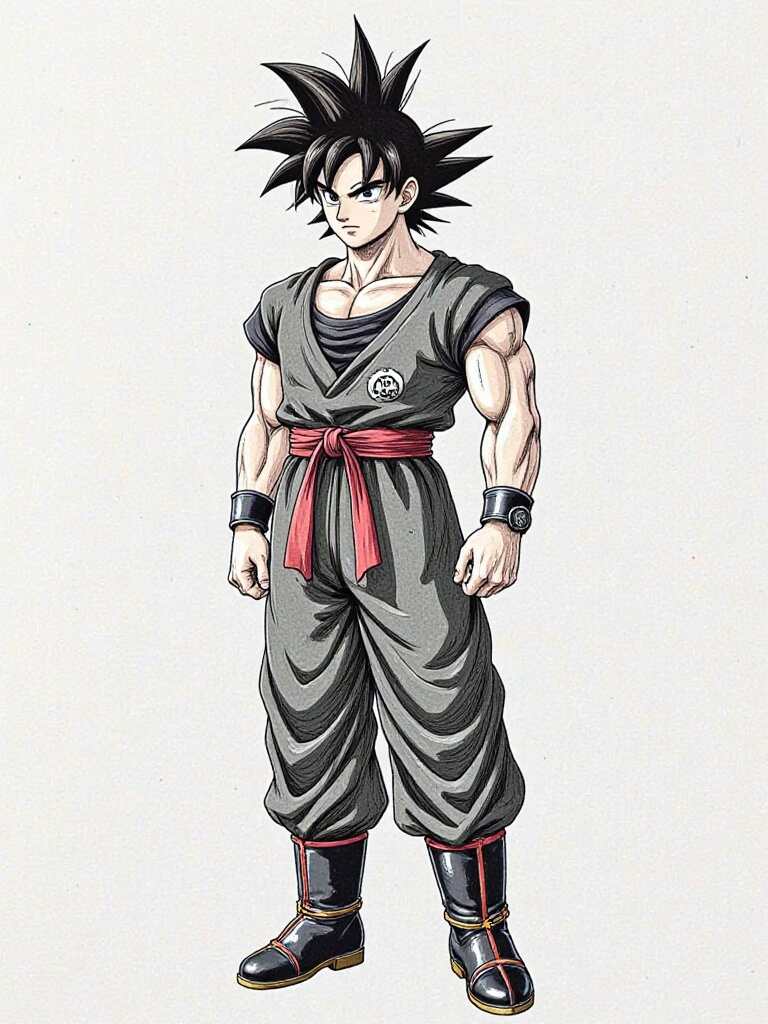
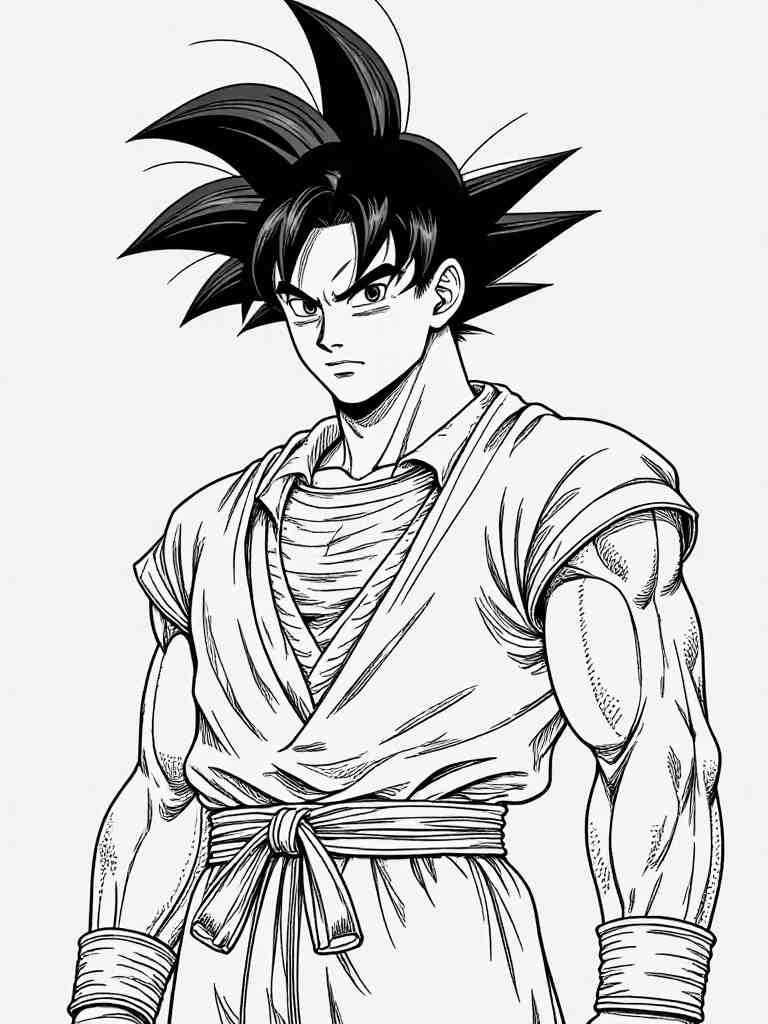
Drawing Prompts to Practice Your Goku Sketches
“Line art of Goku full body, simple sketch, drawing guide style”
“Pencil drawing of Goku Super Saiyan, dramatic shading”
“How to draw Goku full body, side view, dynamic pose”
“Goku Black character sketch, front pose, strong silhouette”
“Goku Ultra Instinct full body outline, sketchbook style”
Download and Share Your Goku AI Masterpieces
Once your masterpiece is ready, APOB AI allows you to download your creations in high resolution. Whether you want to
Print a custom photo of Goku
Share your Goku photo HD on Instagram
Use your AI art as a phone wallpaper or Discord profile banner
you can do it all with ease. Most creations are downloadable in just one click. And if you want to go a step further, consider turning your Goku photo downloads into merch like stickers, t-shirts, or digital collectibles — just be mindful of any copyright rules when it comes to commercial use.
Final Thoughts
Artificial intelligence is unlocking new creative possibilities for fans around the world — and Goku AI is leading the charge. With tools like APOB AI, you can craft jaw-dropping art, captivating animation, and even helpful drawing references, all without needing advanced skills or expensive software.
So whether you’re recreating a full-body Goku sketch, animating a power-up, or just looking for a photo of Goku to impress your friends — Goku AI gives you the power to go beyond your limits.
Ready to go Super Saiyan with your creativity? Try APOB AI and bring your Goku vision to life today!
FAQ
Q1: What is the best tool to generate Goku AI images for free?
The best tool to generate free Goku AI images is APOB AI. It offers a variety of styles like realistic, anime sketch, and manga, and allows you to create highly customized Goku art using simple text prompts.
Q2: Can I turn a Goku AI image into a video?
Yes! With APOB AI's Image to Video feature, you can upload a Goku image and describe the actions or facial expressions you want. The AI will generate a short animated video based on your instructions.
Q3: How do I generate a full-body Goku Ultra Instinct drawing?
You can use APOB AI’s "Build Your Own" or "Expert Mode" and enter a detailed prompt like: “Full-body Goku Ultra Instinct with glowing silver aura, sharp hair, battle pose” to get high-quality AI-generated art.
Q4: Is it possible to generate a Goku AI video without uploading a photo?
Absolutely! Use the Text to Video function to describe the scene in detail — for example,“Goku charging a Kamehameha under a full moon”—and the AI will create a video from scratch.
Read More
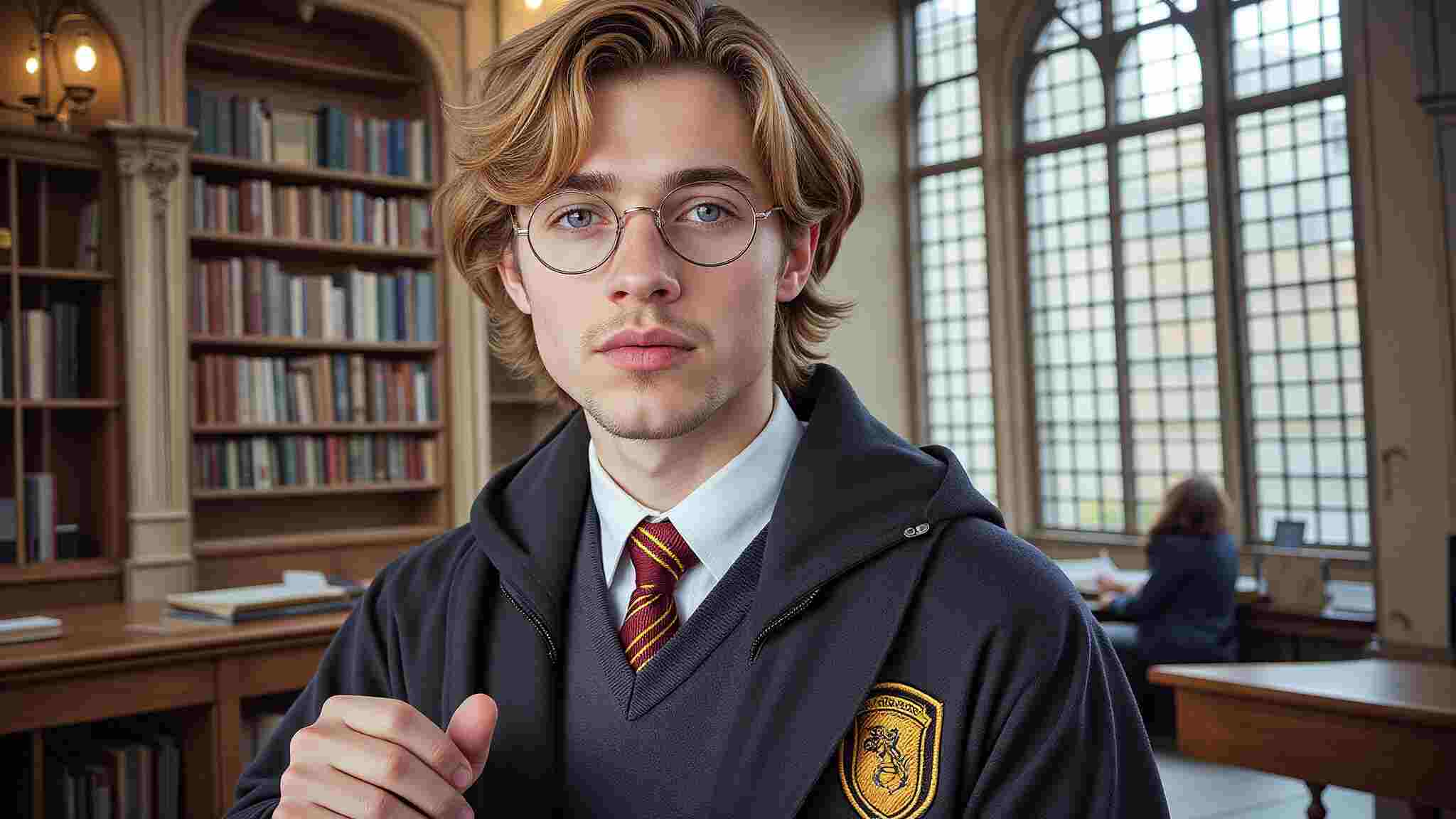
Generate Your Exclusive AI Cosplay for Free
Cosplay has always been about creativity, craftsmanship, and self-expression. But in 2025, the landscape is evolving at an unprecedented pace. Thanks to AI-driven innovations, AI Cosplay is no longer just a niche concept—it’s becoming a major force in digital character representation. Whether you’re looking to create hyper-realistic digital avatars, explore Metaverse cosplay, or experiment with futuristic designs, AI is here to elevate the experience.
The Rise of Digital & Virtual Cosplay
Digitalization has made its way into every aspect of our lives, and cosplay is no exception. AI-generated cosplay is expected to dominate platforms like VRChat, Metaverse, and Pinterest, where users can create and showcase their virtual personas without the need for physical costumes. Imagine bringing your favorite characters to life instantly, without the time and expense of crafting a detailed costume. AI Cosplay tools allow users to seamlessly generate high-quality images of themselves as any character, from anime icons to sci-fi heroes, all with just a few clicks.
Not only does this make cosplay more accessible, but it also provides endless opportunities for personalization. Want to see yourself as Ai Hoshino from Oshi no Ko or experiment with a bold, sexy AI Cosplay look? AI tools can generate stunningly realistic images that match your vision effortlessly.
Creating AI Cosplay: A Simple Step-by-Step Guide
Ready to dive into AI Cosplay? Here’s how you can transform yourself into your favorite character in just a few easy steps:
Select Your Character: Choose from anime, gaming, movies, or original character designs.
Upload Your Photos: Sign up on APOB AI and click on “Create Portrait Model.” Provide a clear picture of yourself to train the AI on your facial features.
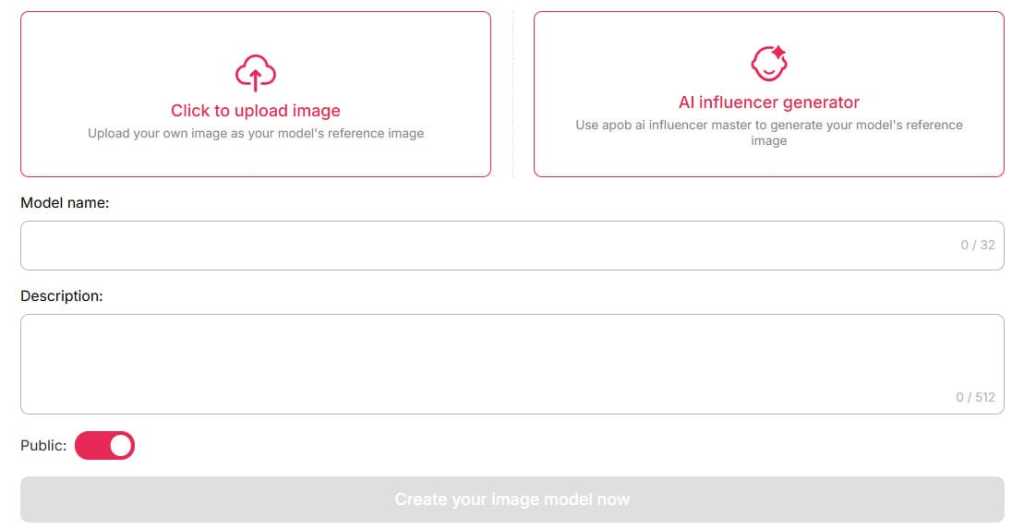
Customize Your Look: Describe specific details like hairstyle, outfit, accessories, and even background settings.
Generate & Share: Let the AI work its magic and produce high-quality, print-ready cosplay images.
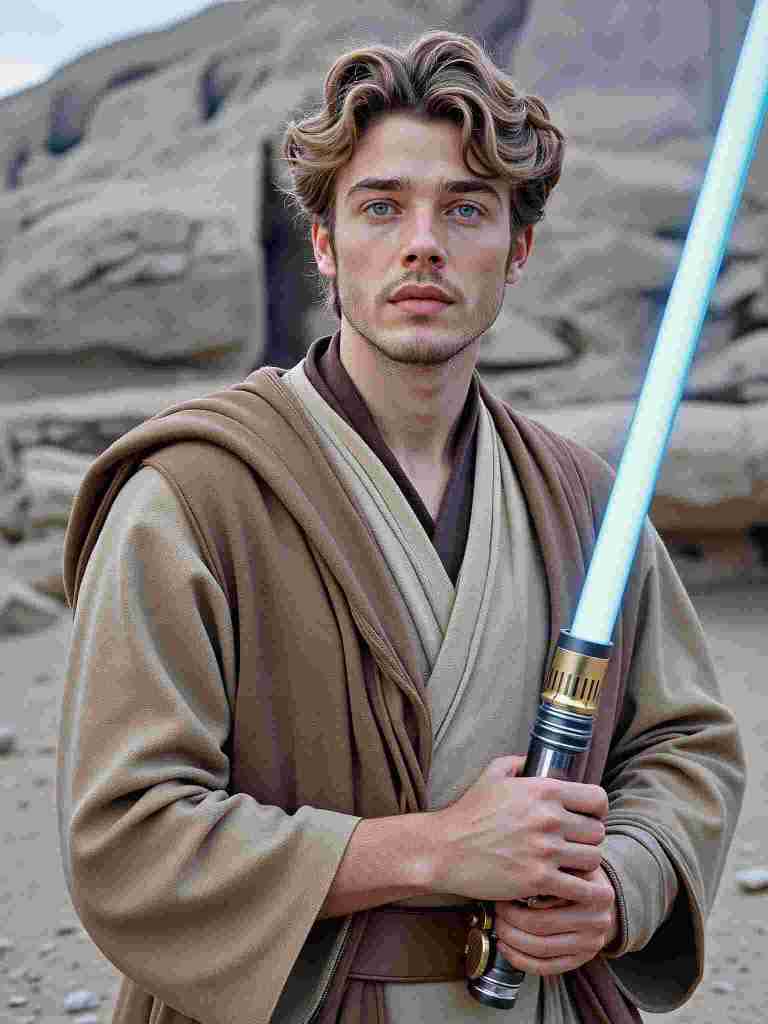
AI and Traditional Cosplay: A Powerful Synergy
Some may worry that AI-generated cosplay will overshadow traditional craftsmanship, but in reality, the two coexist beautifully. AI is not here to replace handmade costumes—it serves as a creative assistant that helps cosplayers break through design limitations. Here’s how:
Concept Visualization: AI allows cosplayers to test different styles, color schemes, and character looks before committing to a physical costume.
Digital Enhancements: AI-generated cosplay images can serve as reference material for traditional artists, tailors, and prop makers.
Virtual Cosplay for Social Media: Many cosplayers are leveraging AI-generated images for platforms like Instagram, TikTok, and Pinterest, using them as digital extensions of their crafted personas.
Why AI Cosplay is the Future
The demand for AI-generated character art is skyrocketing, fueled by advancements in machine learning and increasing engagement with digital avatars. AI Cosplay offers several advantages over traditional methods:
Instant Results: No more weeks or months of costume-making—get your digital cosplay instantly.
Cost Efficiency: AI eliminates the need for expensive materials and studio photoshoots.
Endless Customization: With AI, you can experiment with multiple characters, styles, and poses without limitations.
Integration with the Metaverse: AI-generated avatars can be directly used in VRChat, Metaverse spaces, and gaming platforms.
Final Thoughts: AI Cosplay is Here to Stay
Whether you’re a seasoned cosplayer looking to expand your creative toolkit or a newcomer eager to try something new, AI Cosplay is revolutionizing the way we engage with character transformation. By blending AI with traditional craftsmanship, the cosplay community is entering an exciting new era of limitless creativity and self-expression. So why wait? Step into the future and explore the endless possibilities of AI Cosplay today!
FAQ
Q1: Can I generate images for free?
A1: Yes. With APOB AI, you can create avatars for free! Upon signing up, you'll receive 80 free credits. Each high-quality image costs 20 credits, generating 4 images per session. This allows you to create up to 16 images daily, giving you the freedom to experiment with different looks and find your perfect style.
Q2: Can I use images I created or I found on your platform for commercial purposes?
A2: You can use AI-generated images from APOB AI for commercial purposes, subject to our terms of use. Ensure compliance with licensing conditions and respect intellectual property rights when using these images commercially.
Q3: How to turn photos into character cosplay?
A3: To turn your photos into character cosplay with APOB AI, simply upload a clear photo or create a Portrait Model. Customize your look with text prompts, detailing hairstyle, outfit, and background. Let the AI generate high-quality, print-ready cosplay images, perfect for sharing or using as avatars!
Q4: Can I make my own customized cosplay outfit?
A4: Yes. You can create your own customized cosplay outfit using the APOB AI Cosplay Generator. Simply navigate to the Expert option in the bottom left corner of the page, enter your prompts (within 1024 characters, typically 150-250 words), and generate your ideal cosplay outfit with precision.
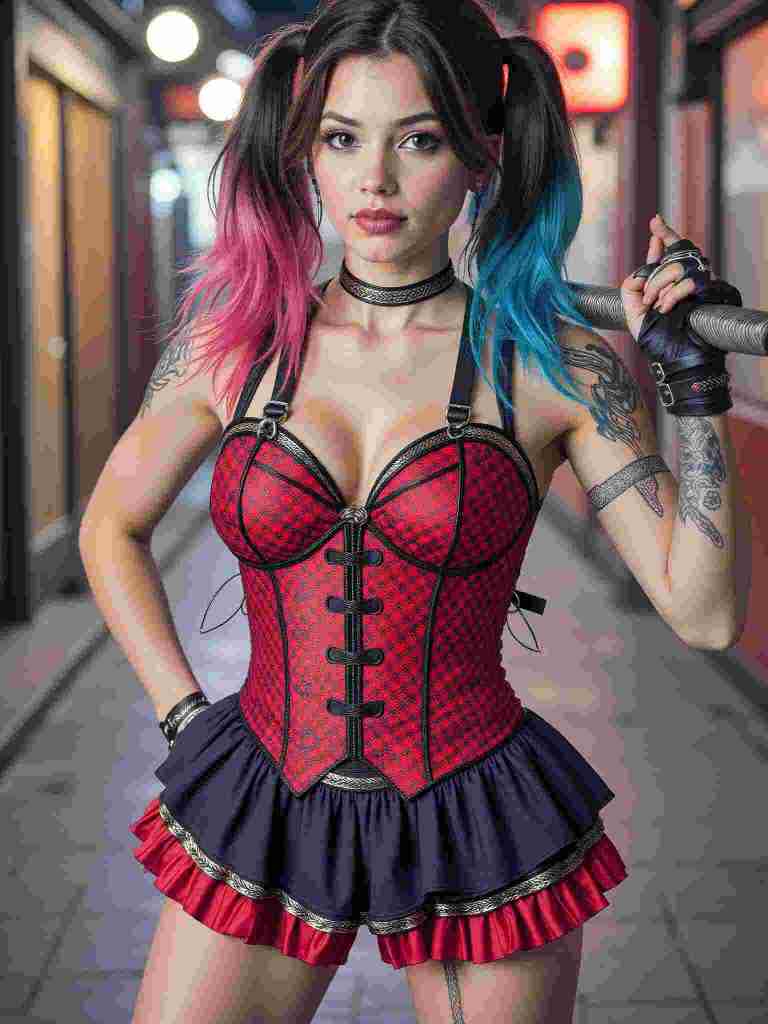
Q5: Can AI turn my photo into Harley Quinn cosplay?
A5: Of course! With the help of text prompts, you can fully customize your cosplay to match your exact preferences.
Read More
Create Your Personalized Superhero with AI Superhero Generator
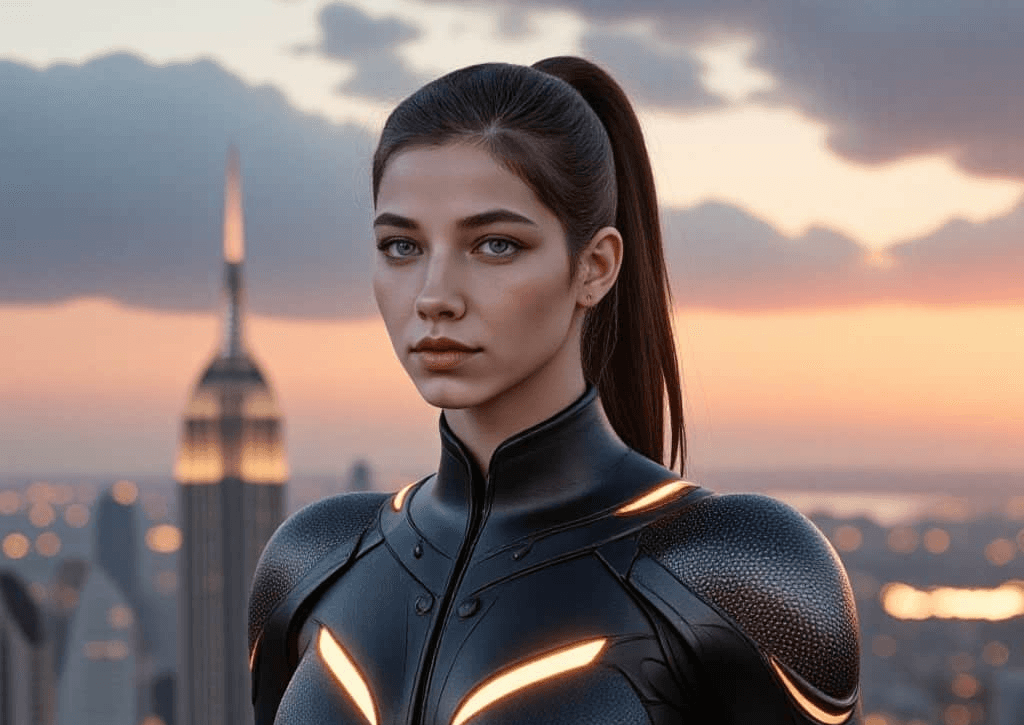
APOB AI offers an innovative AI-powered tool that transforms your photos into detailed, superhero-inspired avatars. Whether you're looking for a new profile picture, a gaming avatar, or just want to have fun, APOB AI allows you to become the superhero you’ve always dreamed of in a few easy steps.
Become Your Favorite Superhero or Create Your Own Heroic Identity
APOB AI brings your superhero fantasies to life by integrating your likeness into its AI model. Whether you want to wield the power of mythic gods or soar the skies as a hero of your own design, APOB AI makes it possible. You can create a hyper-realistic version of yourself as a superhero, complete with powers and attire, or build an entirely unique character based on your imagination. APOB AI is the perfect tool for fans of superhero genres, comic book lovers, and anyone interested in creating a personalized avatar for social media or gaming platforms.
How to Create Your Superhero AI Avatar with APOB AI
Creating your very own superhero avatar with APOB AI is quick and easy. Here’s how to get started:
Sign Up: Go to APOB.AI and create your account for free.
Once signed up, you’ll get 80 credits for free every day.Upload Your Photos: Upload a set of high-quality photos of yourself. Make sure to include images that capture different angles, expressions, and lighting for the best results.
Generate Your Superhero Avatar: After uploading your photos, APOB AI will process your images and generate a detailed superhero avatar based on your likeness. You can customize various elements, including the superhero’s outfit, powers, pose, and more.
Download and Share: Once your avatar is generated, you can download it in high resolution. Use your new superhero avatar for social media profiles, gaming, or as a fun personal creation!
Why Choose APOB AI for Your Superhero Avatar?
1. Transform Into a Superhero with Just a Few Clicks
APOB AI allows you to transform into a superhero instantly. You don’t need to spend hours designing costumes or adjusting complicated settings. The AI does all the hard work for you, generating high-quality avatars in a matter of minutes. Whether you want to embody a classic superhero like Superman or create an entirely new character, APOB AI can bring your ideas to life with stunning detail and creativity.
2. Customize Your Superhero Identity
APOB AI gives you the freedom to personalize your avatar in multiple ways. You can adjust:
Superhero Attire: Choose from a variety of capes, costumes, and iconic superhero styles.
Powers and Abilities: Customize your superhero’s powers—be it super strength, telekinesis, or flight.
Poses and Backgrounds: You can even specify the pose and background, whether you want to appear as a vigilante in a cityscape or as a guardian of the galaxy.
This level of customization ensures that you’ll have a superhero avatar that truly reflects your personality and imagination.
3. Use Your Superhero Avatar Across Platforms
Once your avatar is created, it’s yours to use however you wish. Share it on social media platforms like Instagram, Twitter, and Facebook to impress your followers, or use it as your gaming avatar to represent yourself in virtual worlds. Whether you want a fresh profile picture or a gaming character, APOB AI helps you create avatars that are high-quality and share-worthy.
4. Easy and Secure to Use
APOB AI ensures that your photos are kept private and secure. We use the images solely to create your personalized superhero avatar and do not share your data for other purposes. Additionally, the platform’s user-friendly interface makes the entire process seamless and enjoyable. Whether you’re tech-savvy or a first-time user, you’ll find generating a superhero avatar with APOB AI straightforward and fun.
How Much Does the APOB AI Superhero Avatar Generator Cost?
APOB AI offers a free membership that provides 80 credits every day. These credits can be used to generate your superhero avatars without any initial cost. If you need additional credits, you can purchase more through the platform, but the free credits provided daily allow you to create several avatars per day without spending money.
Get Started with APOB AI Today
Ready to create your own superhero avatar? Follow these simple steps to begin:
Sign Up: Register for a free account at APOB AI and receive 80 credits every day.
Upload Your Photos: Upload high-quality photos of yourself.
Customize Your Avatar: Use APOB AI’s tools to adjust your superhero's look and powers.
Download and Share: Download your stunning avatar and share it with the world!
Frequently Asked Questions (FAQs)
Q1: Can I Use My Superhero Avatar for Commercial Purposes?
Yes, you can use your superhero avatar for personal, social, and commercial purposes. Whether it's for a project, marketing, or branding, your custom-created avatar is yours to use however you like.
Q2: How Long Does It Take to Generate My Superhero Avatar?
After uploading your photos, APOB AI typically takes just a few minutes to process and generate your superhero avatar. For best results, ensure that the photos you upload are high quality.
Q3: Will My Photos Be Kept Private?
Absolutely! Your photos are only used to create your personalized superhero avatar and are not shared or used for any other purposes. For more details, please refer to our privacy policy.
Final Thoughts
APOB AI’s superhero avatar generator offers a unique and fun way to bring your superhero fantasies to life. Whether you're looking to create a custom avatar for social media or just want to explore different heroic personas, APOB AI makes the process simple, fast, and secure. Start creating your own superhero today!
Read More

No credit card needed


