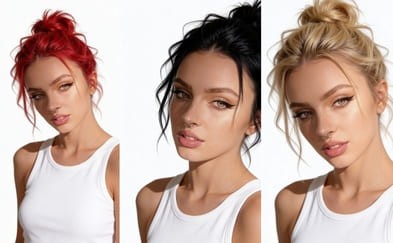
The Rise of AI in Visual Content Creation
From advanced image generation to sophisticated video editing, AI tools are empowering creators to achieve previously unimaginable visual effects. One such transformative application is AI hair color change, a technology that allows for seamless and realistic alteration of hair color in digital images and videos.
Step-by-Step Guide: How to Change Hair Color with APOB AI
Transforming your look has never been easier. Follow this detailed guide to alter hair color realistically using APOB AI, from training your personal model to generating dynamic videos.
Step 1: Initialize and Train Your AI Persona
Before applying changes, the AI needs to understand your unique facial features.
Sign Up & Access: Log in to your APOB AI account. If you are a new user, sign up to claim your free membership and starter credits.
Start Training: Navigate to the dashboard and click the "Train your AI model" button.
Upload Reference Images: You will be prompted to upload photos of the character or person whose hair you want to change.
Crucial Tip: Upload clear, high-resolution images. Ensure the face is unobstructed (no sunglasses or heavy shadows) and well-lit. Front-facing photos work best for accurate facial recognition.
Create Base Portrait: Follow the on-screen instructions to complete the training. Once finished, generate a standard "AI Portrait" to confirm the model resembles the subject accurately.
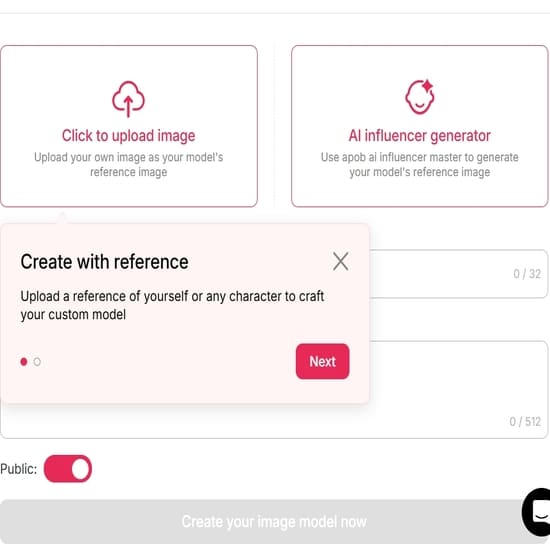
Step 2: Access the Image Editing Suite
Now that your model is ready, you can apply specific visual changes.
Navigate to Edit: Look for the "Edit Image" feature in the menu.
Upload Target Photo: Upload the specific photo of the person (or use one generated by your model) that you wish to modify.
Define the Transformation: In the text prompt box, clearly describe your desired outcome.
Bad Prompt: "Change hair."
Good Prompt: "Change hair color to vibrant platinum blonde, natural lighting, realistic texture."
Optional: You can also adjust the hairstyle in this step (e.g., "Long wavy red hair" or "Short pixie cut with blue highlights").
Generate: Click the "Generate" button and allow the AI a few moments to process the request.
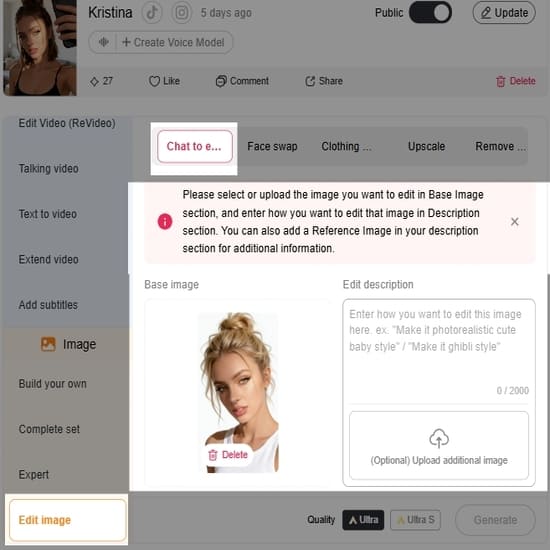
Step 3: Preview, Refine, and Select
The AI will likely generate multiple variations. It is time to choose the best one.
Review Results: Browse through the generated images. Check specifically for the hairline and blending—good AI hair color changes should look natural where the hair meets the skin.
Refine (If Necessary): If you are not satisfied with the shade or the fit:
Edit the Prompt: Try adding adjectives like "darker," "lighter," "pastel," or "metallic."
Re-roll: Click "Generate" again to get a fresh set of options.
Download: Once you find the perfect look, click the Download icon to save the high-resolution image to your device.
Step 4: Upscale and Polish (Optional)
Note: If the generated image is small or slightly soft, look for an 'Upscale' button within APOB AI to enhance the resolution and sharpness before using it for video.
Step 5: Bring the Look to Life with Video
Visualize how this new hair color looks in motion.
Switch to Video Mode: Navigate to the "Image to Video" tool on the dashboard.
Upload the New Look: Select the image you just generated (with the new hair color) as your source image.
Set Movement Prompts: (Optional) Add a text prompt to guide the movement, such as "Subtle smile, wind blowing through hair," to see how the light interacts with the new color.
Generate Video: Click Generate. The AI will animate your static image, allowing you to see a realistic preview of the new hair color in action.
Pro Tips for Better Results
Lighting Matters: When uploading your source image in Step 2, avoid photos with colored gel lighting (e.g., neon red lights), as this can confuse the AI when you try to change the object's color.
Be Specific: Instead of "Red hair," try "Dark auburn hair" or "Bright cherry red hair" for more accurate results.
Best Practices for Optimal Results with AI Hair Color Change
To maximize the impact of AI hair color change and ensure your digital influencers always look their best, consider these best practices:
High-Quality Base Images: Start with well-lit, high-resolution images of your digital influencer. Clear, sharp images provide the AI with better data to work with, leading to more realistic and seamless hair color transformations.
Consider Lighting and Shadows: When selecting a new hair color, pay attention to how it interacts with the lighting and shadows in the original image. APOB AI is designed to integrate new colors naturally, but understanding these elements can help you choose shades that enhance realism.
Experiment with Undertones: Hair color isn't just about the main hue; undertones play a crucial role in natural appearance. Experiment with slightly warmer or cooler variations of your chosen color to find the perfect match for your influencer's skin tone and the overall image aesthetic.
Match Brand Aesthetics: Ensure the chosen hair color aligns with your brand's visual identity and campaign goals. Consistent branding across all visual assets, including your digital influencer's appearance, reinforces brand recognition and message.
Test Across Different Poses/Expressions: Apply the new hair color to several images of your influencer in various poses and expressions. This helps confirm that the color change looks consistent and natural under different conditions.
Utilize Pre-set Options and Customization: APOB AI offers both pre-set color options for quick application and advanced sliders for granular control. Use pre-sets for inspiration and then fine-tune with custom adjustments to achieve unique shades.
Monitor Trends: Keep an eye on current hair color trends in the fashion and beauty industries. Incorporating popular shades can keep your digital influencers fresh and relevant, attracting more engagement from your target audience.
Technical Specifications of APOB AI's Hair Color Change Technology
APOB AI leverages cutting-edge deep learning models, specifically advanced Generative Adversarial Networks (GANs) and convolutional neural networks (CNNs), to achieve highly realistic and precise hair color transformations <sup>[1]</sup>. Our technology is designed to understand complex hair structures, textures, and lighting conditions, ensuring that color changes are seamlessly integrated without artifacts or unnatural appearances.
Supported Formats: Images (JPG, PNG, WebP) and Video (MP4, MOV).
Resolution: Supports high-resolution inputs up to 4K, maintaining image quality post-processing.
Processing Speed: Optimized for rapid processing, typically completing image transformations in seconds and video segments in minutes, depending on length and complexity.
Output Quality: Delivers photorealistic results with accurate color rendition and preservation of original hair texture and detail.
Data Privacy: APOB AI adheres to strict data privacy protocols, including GDPR and CCPA compliance. All user data and uploaded content are encrypted and processed securely, ensuring confidentiality and protection <sup>[2]</sup>. User content is not used for model training without explicit consent.
API Integration: Available for seamless integration into existing workflows and applications, allowing developers to leverage APOB AI's capabilities programmatically.
Why Choose APOB AI Over Alternatives for Digital Persona Customization
In the rapidly expanding market of AI-powered creative tools, APOB AI distinguishes itself through a combination of advanced technology, user-centric design, and unparalleled value. When considering solutions for digital persona customization, especially for features like AI hair color change, APOB AI offers distinct advantages.
AI vs. Manual Editing: A Cost-Benefit Analysis
Feature | Manual Editing | APOB AI |
Time Efficiency | Hours to days per image/video | Seconds to minutes per image/video |
Cost | High (professional designers, software licenses) | Low (subscription-based, cost-effective) |
Scalability | Limited by human resources | Highly scalable for bulk processing |
Consistency | Varies by editor, prone to human error | High, AI ensures uniform quality |
Expertise Required | Advanced graphic design skills | Minimal, intuitive user interface |
Creative Iterations | Slow and costly | Fast and inexpensive |
Key Advantages of APOB AI
Unmatched Realism: Our AI models are trained on vast datasets to produce the most natural-looking hair color changes, preserving intricate details and lighting.
Cost-Effectiveness: Access professional-grade tools without the hefty price tag of traditional software or specialized labor. APOB AI makes advanced AI accessible.
User-Friendly Interface: Designed for creators of all skill levels, our platform ensures a smooth and intuitive experience from start to finish.
Comprehensive Customization: Beyond hair color, APOB AI provides a suite of tools for full digital persona development, offering a one-stop solution for virtual influencer creation.
Secure and Private: We prioritize your data security and privacy, ensuring your creative assets are protected.
Applications of AI Hair Color Change in Digital Content
The versatility of AI hair color change extends across numerous industries and creative endeavors, empowering brands and creators to push the boundaries of digital content. Here are some key applications:
Fashion and Beauty Campaigns: Rapidly adapt digital models to showcase new hair color trends, product lines, or seasonal collections without the need for physical dyeing or extensive photoshoots. This allows for dynamic and timely marketing content.
Virtual Influencer Marketing: Enhance the appeal and adaptability of virtual influencers by giving them the ability to change their hair color to match brand collaborations, campaign themes, or audience preferences, keeping them fresh and engaging.
Gaming and Metaverse Avatars: Provide users with advanced customization options for their in-game characters or metaverse avatars, offering a rich and personalized experience.
Film and Television Pre-visualization: Experiment with character designs and aesthetics in pre-production, allowing directors and designers to visualize different looks quickly and cost-effectively before committing to expensive production decisions.
E-commerce Product Visualization: For hair product brands, demonstrate the effect of different hair dyes or treatments on various hair types and colors through digital models, enhancing the online shopping experience.
Social Media Content Creation: Generate eye-catching and unique content for platforms like Instagram, TikTok, and YouTube, where visual novelty and rapid trend adoption are key to engagement.
User Testimonials
"The precision and realism of the hair color changes are astounding. Our digital influencer now adapts to every campaign theme effortlessly, saving us so much time." - Mark T., Brand Manager
Frequently Asked Questions About AI Hair Color Change
What is AI hair color change technology?
AI hair color change technology uses artificial intelligence algorithms, typically deep learning models, to automatically and realistically alter the hair color in digital images or videos. It identifies hair regions and applies new colors while preserving texture, lighting, and shadows, creating a natural appearance.
How accurate are the hair color changes produced by APOB AI?
APOB AI utilizes advanced neural networks trained on extensive datasets to ensure highly accurate and photorealistic hair color changes. The technology intelligently adapts to different hair types, lighting conditions, and image qualities, minimizing artifacts and maximizing natural integration.
Can APOB AI change hair color in videos as well as images?
Yes, APOB AI's technology is capable of performing AI hair color change in both static images and video footage. For videos, the AI maintains temporal consistency, ensuring the new hair color remains stable and natural across all frames, providing a seamless visual experience.
Is technical expertise required to use APOB AI for hair color changes?
No, APOB AI is designed with user-friendliness in mind. Its intuitive interface allows creators of all skill levels to easily implement complex aesthetic changes, including hair color transformations, without requiring specialized technical expertise or extensive training in graphic design software.
How does APOB AI ensure data privacy for uploaded content?
APOB AI employs robust security measures, including end-to-end encryption for all uploaded content and adherence to global data protection regulations like GDPR. User data is processed securely and is never used for model training or shared with third parties without explicit user consent.
What are the typical use cases for AI hair color change?
Typical use cases include enhancing virtual influencers for marketing campaigns, customizing avatars in gaming and metaverse platforms, pre-visualization in film and media production, and creating dynamic content for social media. It offers immense flexibility for brands and creators to adapt visual aesthetics quickly and efficiently.
References
[1]Liu, H., et al. (2020). Hair Color Transfer with Style-Based Generative Adversarial Networks. Proceedings of the IEEE/CVF Conference on Computer Vision and Pattern Recognition (CVPR).
[2] European Parliament and Council. (2016). General Data Protection Regulation (GDPR). Regulation (EU) 2016/679.
[3] California Consumer Privacy Act (CCPA). (2018). California Civil Code sections 1798.100 et seq.
[4] NVIDIA. (2023). AI for Content Creation: The Future of Digital Artistry. NVIDIA Developer Blog.

Be the first to like this.




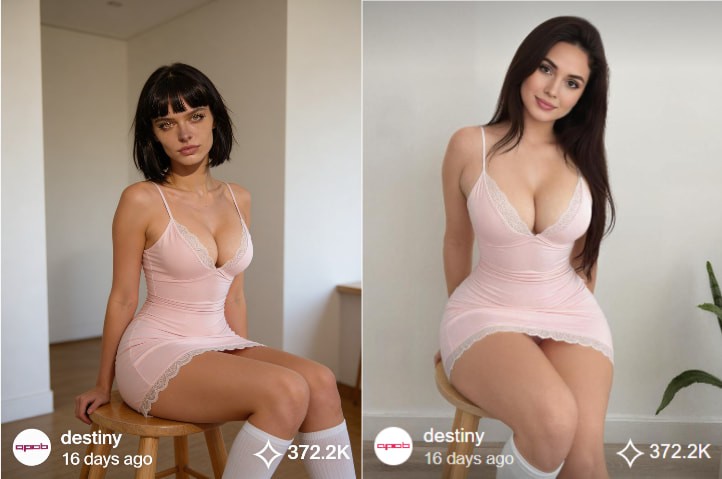
AI Body Swap: Revolutionizing Digital Identity and Content Creation
Understanding AI Body Swap Technology
AI body swap technology, also known as deepfake body or AI face swapping, is an advanced application of artificial intelligence that enables the seamless replacement of a person’s body or face in digital media. Powered by deep learning models such as generative adversarial networks (GANs), this technology analyzes visual data to create highly realistic images and videos with natural movements, expressions, and lighting.
Recent advancements have greatly improved both the realism and accessibility of AI body swap tools. Modern systems can now handle complex scenarios, including dynamic motion and varying lighting conditions, making the results nearly indistinguishable from real footage. By training deep neural networks on large-scale image and video datasets, AI body swap technology maps identity onto pose and expression, opening new possibilities for digital content creation, virtual influencers, and synthetic media.
How to Use APOB AI for AI Body Swap
Leveraging APOB AI to create your own digital personas is a straightforward process designed for efficiency and creativity. Follow these steps to bring your AI influencers to life:
Access the APOB AI Platform: Begin by logging into your APOB AI account. Our user-friendly interface is designed for seamless navigation.
Select or Create a Base Model: Choose from our extensive library of pre-designed AI models or start from scratch to build a unique digital identity. You can define various parameters such as gender, age range, and initial body type.
Chat to edit:
In the bottom-left corner of the page, find the Edit Image option. The first AI feature is Chat to Edit. Upload the image of the person you want to modify (you can also choose from a generated AI model image), along with a reference image. Then enter a prompt such as, “Please replace the woman’s body in the image with the body of the woman from the reference image.” This allows you to achieve AI body swap for free.
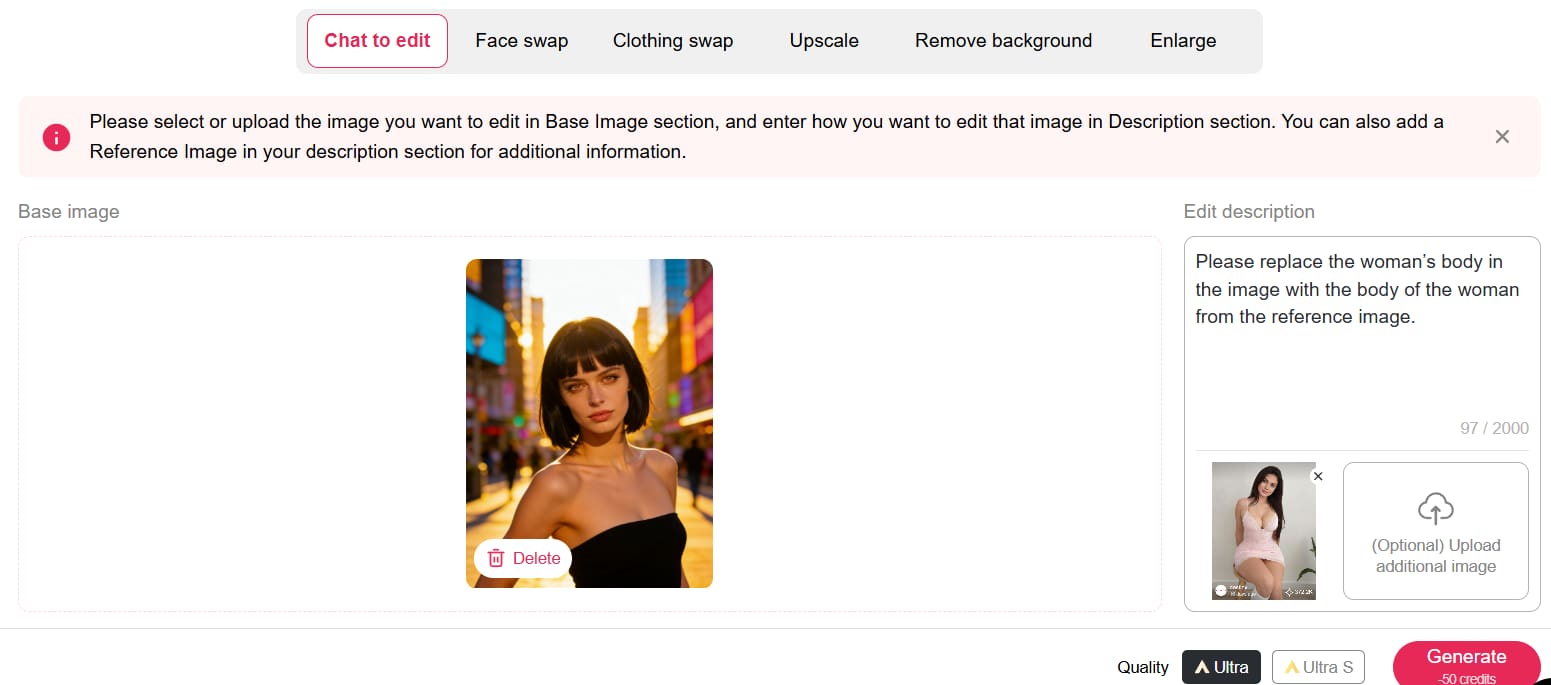
You can claim 80 free credits daily, and each Chat to Edit operation only costs 50 credits. If you’re not fully satisfied with the first result—such as the background not looking natural—you can simply enter another prompt to refine the image or change the background.
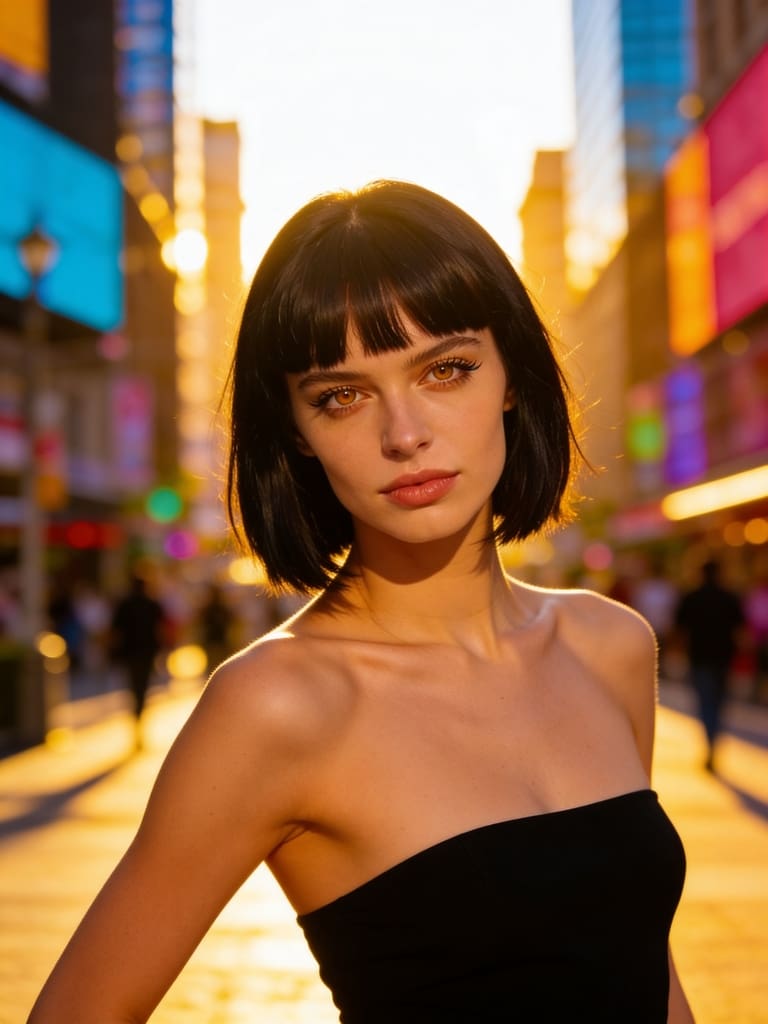
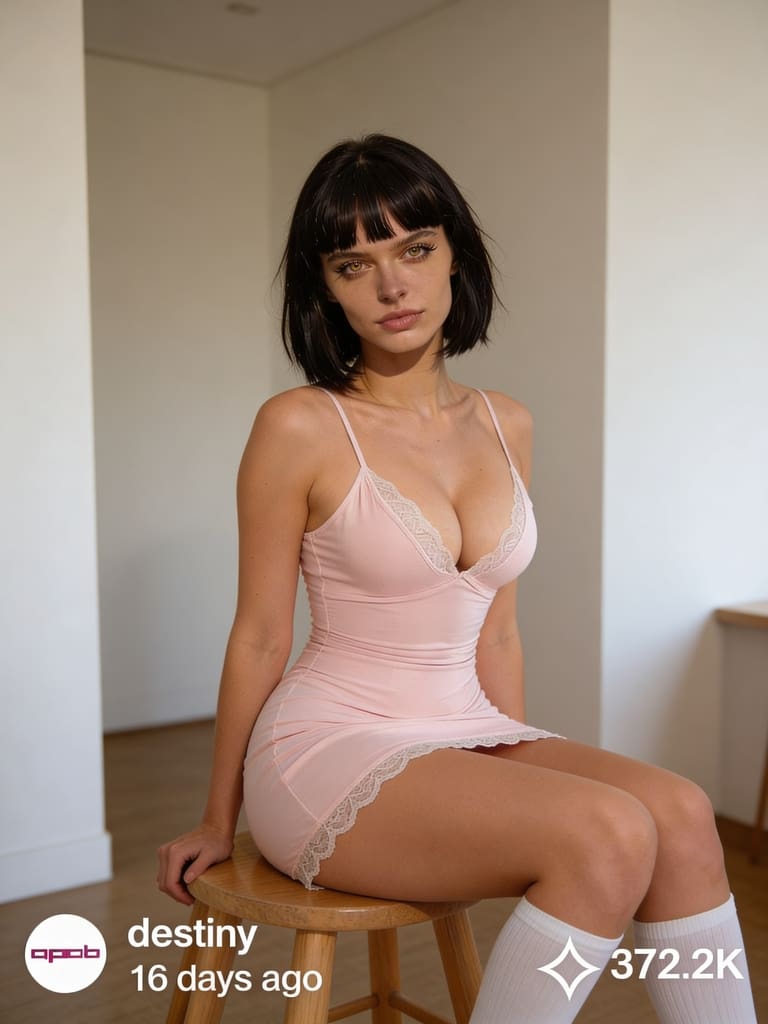
Export and Integrate: Export your generated content for social media, advertising campaigns, or any other digital platform. APOB AI ensures compatibility and high-quality output for all your creative projects.
APOB AI simplifies the creation of sophisticated digital content, providing a powerful tool for anyone looking to innovate in the digital space without the complexity and expense of traditional AI development or production methods. Try APOB AI For Free and start creating your digital personas today!
Applications of AI Body Swap in Content Creation
The applications of AI body swap technology are vast and transformative, particularly within the realms of digital content creation, entertainment, and marketing. Content creators can utilize this technology to generate highly personalized and engaging visuals without the need for extensive filming or costly talent. For instance, brands can create diverse campaigns featuring various body types or ethnicities without organizing multiple photoshoots.
In the entertainment industry, AI body swap can be used for special effects, character animation, or even to digitally age or de-age actors. For marketing, it offers unprecedented flexibility in creating virtual models or influencers who can represent a brand across numerous campaigns with consistent messaging and appearance. This capability allows for rapid iteration and customization of content, significantly reducing production timelines and costs while boosting creative possibilities.
Beyond entertainment and marketing, AI body swap technology is finding its way into virtual reality (VR) and augmented reality (AR) experiences, enabling users to embody different avatars or interact with digital environments in highly personalized ways. It also holds potential for educational content, allowing historical figures to be brought to life or complex medical procedures to be demonstrated with realistic digital models. The ability to generate diverse and dynamic visual content on demand is a game-changer for many industries.
Best Practices for Optimal AI Body Swap Results
Achieving the most realistic and impactful results with AI body swap technology, especially through platforms like APOB AI, requires adherence to certain best practices. These guidelines ensure that your digital personas are not only visually stunning but also effectively convey your intended message.
High-Quality Source Material: Always start with high-resolution images or videos. The quality of your input directly impacts the quality of the output. Clear, well-lit footage with good focus will yield superior results.
Consistent Lighting and Angles: When combining different elements, try to match the lighting conditions and camera angles. Discrepancies can lead to an unnatural appearance, breaking the illusion of realism.
Natural Expressions and Movements: Encourage natural expressions and movements in your source material. AI models perform best when synthesizing data that mirrors real-world human behavior.
Ethical Considerations: Be mindful of the ethical implications of using AI body swap technology. Ensure you have appropriate consent for any individuals whose likeness is used and avoid creating misleading or harmful content.
Iterate and Refine: Don't expect perfection on the first try. Experiment with different settings, source materials, and customization options. APOB AI's intuitive interface makes it easy to iterate and refine your digital personas until they meet your exact specifications.
Optimize for Platform: Consider where your content will be published. Different platforms have varying requirements for resolution, aspect ratio, and file size. Optimize your output for the best viewing experience on your target platforms.
APOB AI: Your Cost-Effective Solution for Digital Persona Creation
While the power of AI body swap technology is undeniable, developing and implementing such advanced AI solutions from scratch can be prohibitively expensive and technically complex. Many businesses and creators face significant barriers to entry when attempting to leverage these cutting-edge capabilities.
APOB AI provides an innovative and accessible alternative. Our platform empowers users to create hyper-realistic AI influencers and digital personas that can achieve the same compelling visual effects as advanced AI body swap techniques, but at a significantly lower cost and with unparalleled ease of use. Instead of grappling with complex algorithms and extensive data training, APOB AI offers a streamlined solution to generate diverse, lifelike digital characters for all your content needs.
With APOB AI, you gain the ability to craft unique digital identities that perfectly align with your brand or creative vision. Our intuitive tools allow you to customize appearances, movements, and expressions, effectively delivering the impact of AI-generated visual content without the hefty investment in bespoke AI development. This makes APOB AI the ideal choice for businesses and individuals looking to harness the power of AI-driven content creation efficiently and economically. Start Creating Now with APOB AI and transform your content strategy.
Technical Specifications and Data Privacy
APOB AI is engineered for performance, versatility, and security, ensuring that your digital persona creation process is both powerful and protected.
Supported Formats: Our platform supports a wide range of input and output formats for images and videos, ensuring compatibility with your existing workflows.
Processing Speed: Leveraging state-of-the-art cloud infrastructure, APOB AI offers rapid processing speeds, allowing for quick iteration and content generation without compromising quality.
Output Quality: We prioritize high-fidelity output, with advanced algorithms ensuring that generated digital personas maintain exceptional visual quality, detail, and realism.
Data Privacy Policy: At APOB AI, we are committed to protecting your data. All user data, including uploaded assets and generated content, is handled with the utmost confidentiality and secured using industry-standard encryption protocols. We comply with global data protection regulations to ensure your privacy and intellectual property are always safeguarded. Your data is never used to train models for other users without explicit consent.
Key Advantages of Using APOB AI
Choosing APOB AI for your digital content needs offers a multitude of advantages:
Unmatched Realism: Generate AI influencers and digital personas that are virtually indistinguishable from real humans.
Cost-Effectiveness: Significantly reduce production costs associated with traditional filming, talent, and post-production.
Speed and Efficiency: Create high-quality content in a fraction of the time compared to conventional methods.
Creative Freedom: Experiment with diverse appearances, styles, and scenarios without logistical constraints.
Scalability: Easily scale your content production to meet growing demands, from individual projects to large-scale campaigns.
Brand Consistency: Maintain a consistent brand image and messaging across all your digital content with custom personas.
User-Friendly Interface: Our platform is designed for creators of all skill levels, requiring no prior AI expertise.
These advantages empower businesses and individual creators to innovate, engage audiences, and stay ahead in the rapidly evolving digital landscape. Get 80 Free Credits Daily and experience the APOB AI difference.
Frequently Asked Questions (FAQ)
Q1: What is AI body swap technology?
A1: AI body swap technology uses deep learning, particularly GANs, to replace a person's body or face in digital media with another, creating a realistic composite image or video. It's a key component in generating advanced digital personas and deepfakes.
Q2: Is APOB AI suitable for commercial use?
A2: Yes, APOB AI is designed for both personal and commercial use. Our platform enables businesses and creators to generate high-quality digital content, including AI influencers, for marketing, advertising, and other commercial applications, subject to our terms of service.
Q3: What kind of content can I create with APOB AI?
A3: You can create a wide range of content, including AI influencers for social media, virtual models for e-commerce, digital presenters for educational videos, and custom digital personas for various creative projects, all without traditional filming.
Q4: What are the ethical considerations when using AI body swap technology?
A4: Ethical considerations include obtaining proper consent for using individuals' likenesses, avoiding the creation of misleading or harmful content, and ensuring transparency about the use of AI-generated media. APOB AI encourages responsible and ethical use of its technology.
Read More
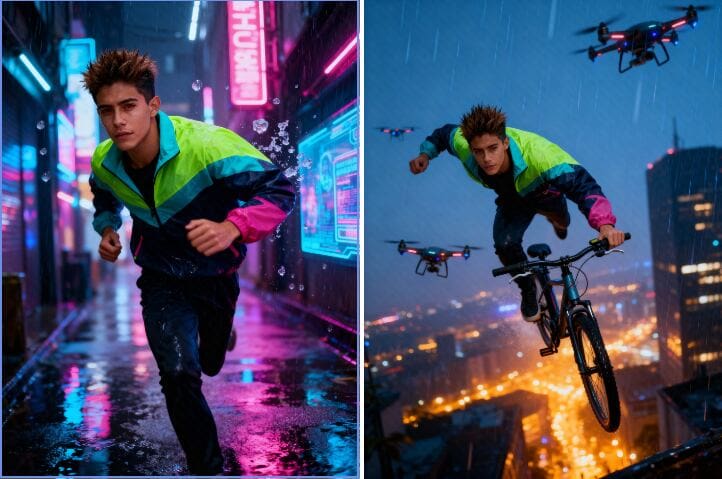
How to Get Free Access to Seedream 4.0
AI pictures are transforming the way we visualize and produce images. You're a designer, marketer, or art lover? Software like seedream 4.0 is creating new and innovative methods of production. So, what exactly is Seedream 4.0, and how can you use it for free? Here in this tutorial, we're going to discuss its most important features and guide you through accessing free use via APOB AI.
What Is Seedream 4.0?
Seedream 4.0 is an advanced AI image editor and generator that creates your concepts within seconds. Unlike conventional software like Photoshop, which demands manual editing, Seedream 4.0 is capable of processing raw text inputs and automatically generating real-looking and high-quality images.
Its intelligent AI engine powers incredible features such as inpainting, outpainting, background swap, and style transfer — all automated. You can make anything from photorealistic portraits to anime sketches, product renderings, or movie scenes.
How to Create an Image with Seedream 4.0
Creating with seedream 4.0 is incredibly simple and fast:
Step 1: Describe Your Vision
Write a quick prompt — say, "a sunset beach with a futuristic skyline."
Step 2: Watch the Magic Happen
Click Generate, and Seedream 4.0 will instantly turn your words into breathtaking pictures.
Step 3: Perfect Your Creation
Want something else? Revise your prompt or work out new variations until it looks just so.
Seedream 4.0 Meets APOB AI — Free Access Inside
Here’s the best part: you can use Seedream 4.0 for free directly through APOB AI.
APOB AI is an advanced AI image generator and editor platform that integrates Seedream’s technology. Beyond image generation, it offers powerful editing features such as Chat to Edit — a tool that lets you modify images simply by typing text prompts.
For example, you can:
Change backgrounds effortlessly
Adjust facial expressions
Add or remove objects
Apply artistic filters
Even transform a portrait into a Barbie-style character,etc.
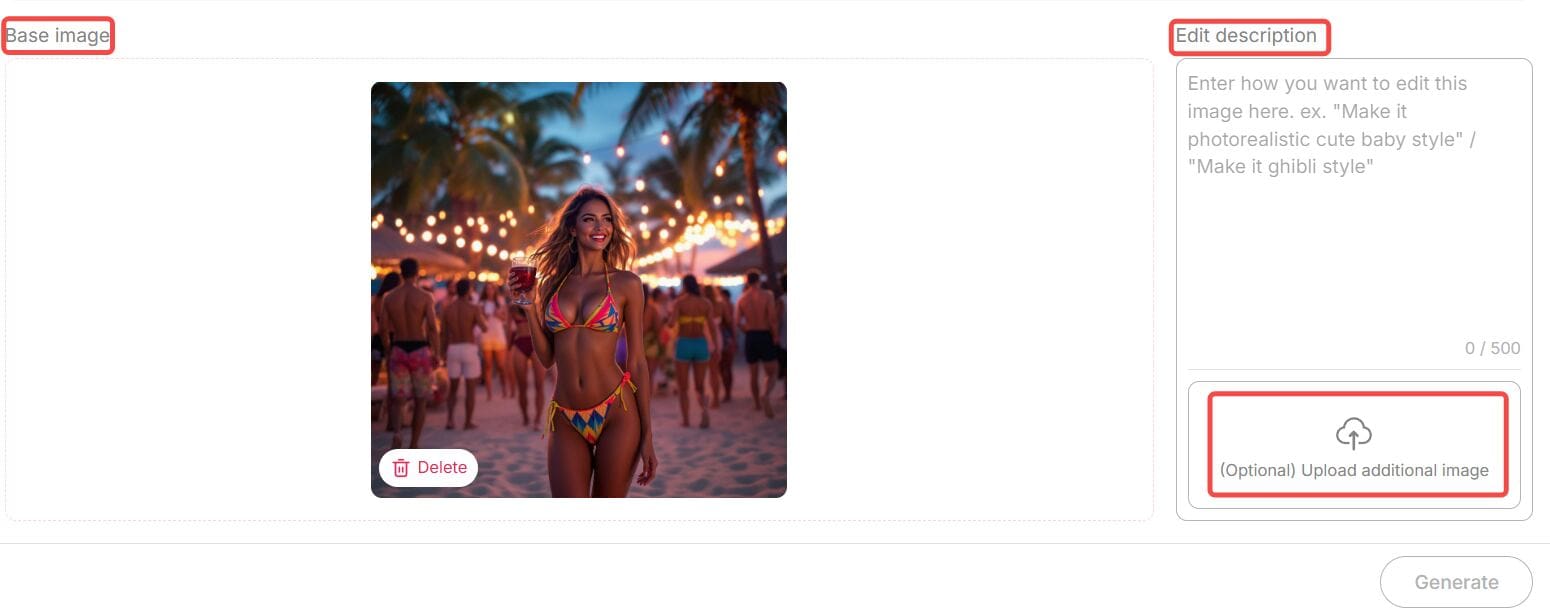
All you need to do is upload your image, enter your desired modification in natural language (and optionally upload a reference photo), then click “Generate.” APOB AI will instantly deliver a perfectly edited image.
Each edit costs only 40 credits, and here’s the amazing news — when you sign up for APOB, you receive 80 free credits daily. That means you can edit or create multiple images completely free, every single day.
So if you want to experience seedream 4.0’s power — APOB AI is your best gateway to explore it without paying a dime.
Why Seedream 4.0 Stands Out
Free and Unlimited Use
One of the best things about seedream 4.0 is that it’s completely free to try — no sign-up or hidden costs. You can create as many images as you like and use all the main features right away. Just type your idea, click “Generate,” and start creating. It’s simple, fast, and open to everyone.
Many Artistic Styles
Seedream 4.0 offers tons of creative looks — from realistic photos to watercolor, anime, fantasy, cyberpunk, and minimalist designs. Whether you’re making a product photo or a dreamy digital painting, you can find a perfect style for your project.
Smart Customization
Need more control over your image? Seedream 4.0 lets you easily adjust lighting, color, background depth, and composition. You can fine-tune your image until it looks exactly how you want. It’s easy to use but powerful enough for serious creators.
Inpainting and Outpainting
Want to erase something, add more space, or fix small mistakes? Seedream 4.0 can handle it. Its inpainting and outpainting tools let you remove or expand parts of the image naturally — no rough edges or weird blends.
4K Quality and Clear Text
Unlike many free tools that limit resolution, Seedream 4.0 supports sharp 4K ultra-HD images. It even keeps text and logos clean and readable. This makes it great for professional work, like ads, posters, or brand visuals.
Why Choose APOB + Seedream 4.0?
In today’s fast-paced creative world, speed and flexibility are everything. Whether you’re generating visuals for marketing campaigns or editing lifestyle shots for social media, Seedream 4.0 through APOB delivers:
Professional quality visuals
Lightning-fast image creation
AI-assisted editing that feels natural and human
Zero technical barriers
Together, they offer a complete solution — from generating original art to perfecting existing photos — all powered by next-gen AI.
Final Thoughts
AI creativity is evolving faster than ever, and seedream 4.0 is one of the tools leading that transformation. Its ability to understand natural prompts, deliver 4K visuals, and adapt to professional demands makes it stand out among today’s AI image generators.
And thanks to APOB AI, you don’t need to pay to explore it. You can experience all the power of seedream 4.0 — for free — while also enjoying advanced features like Chat to Edit and daily bonus credits.
If you’ve been searching for the best way to create, customize, and enhance your visuals in 2025, this is your chance to try the future of AI art — free of charge.
FAQs
Q1: Do I need any technical expertise?
A1: Not at all. Seedream 4.0 and APOB AI are designed for everyone. Just type what you imagine, click generate, and you’re done.
Q2: What types of images can I create?
A2: You can create portraits, anime characters, product photos, digital art, fantasy landscapes, and much more. All major aspect ratios — 9:16, 16:9, 3:4, 4:3, and 1:1 — are supported.
Q3: Are there any usage limits?
A3: Through APOB AI, you receive 80 free credits daily, allowing you to generate or edit multiple images each day. You can also purchase more credits if needed.
Q4: Can I use the images commercially?
A4: Yes. Images generated by Seedream 4.0 via APOB AI are yours to use, including for commercial projects like ads, websites, or product packaging.
Read More
APOB AI Face Expression Changer: Change Any Look Instantly
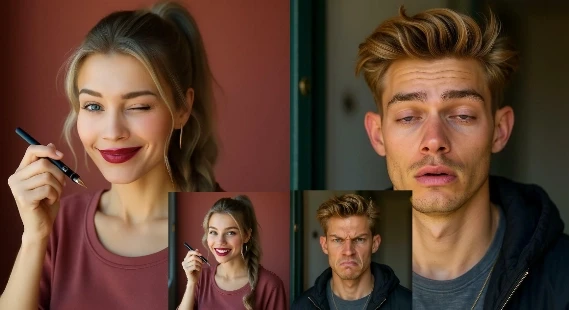
Facial expressions are one of the most powerful forms of human communication. From a joyful smile to a thoughtful frown, our faces tell stories even without words. But what if you could change facial expressions in a photo instantly? With the APOB AI face expression changer, you can adjust any expression—wink, smile, surprise, or even open closed eyes—using nothing but artificial intelligence.
This blog will walk you through how APOB’s face expression changer works, why it’s useful, examples of prompts, top benefits, real user reviews, and FAQs.
What Is a Face Expression Changer?
A face expression changer is an AI-powered tool that lets you modify the emotions on a person’s face in a photo. Whether you want to brighten a picture with a smile, create a playful wink, or transform a neutral look into anger, the tool adjusts facial features while keeping everything natural.
The AI face expression changer by APOB goes one step further. Instead of manual editing, it uses advanced AI models to analyze the face, understand emotional markers, and regenerate a realistic expression in seconds.
How to Use APOB AI Face Expression Changer
Changing expressions with APOB is simple, fast, and completely online. Here’s a step-by-step guide:
1 Log in to the APOB website Sign up or log in to your account. Every day, APOB gives you 80 free credits to use.
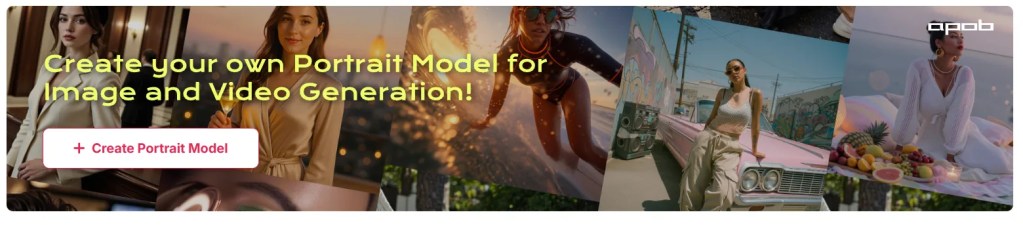
2 Create a portrait model Go to “Create Portrait Model” and set up your AI person’s base model.
3 Upload your photo On the left side of the dashboard, click “Chat to Edit.” Upload the photo where you want to adjust expressions.
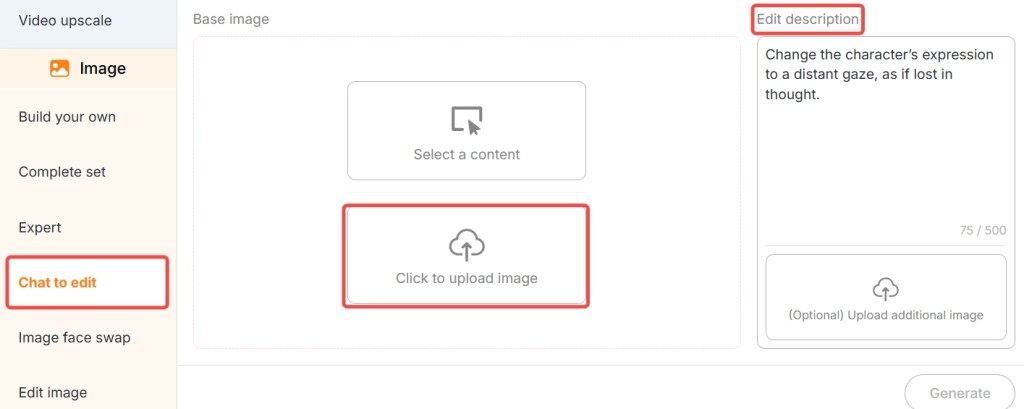
4 Enter a simple prompt Tell APOB what expression you want.
5 Click generate Within seconds, APOB will deliver a new photo with the changed expression.
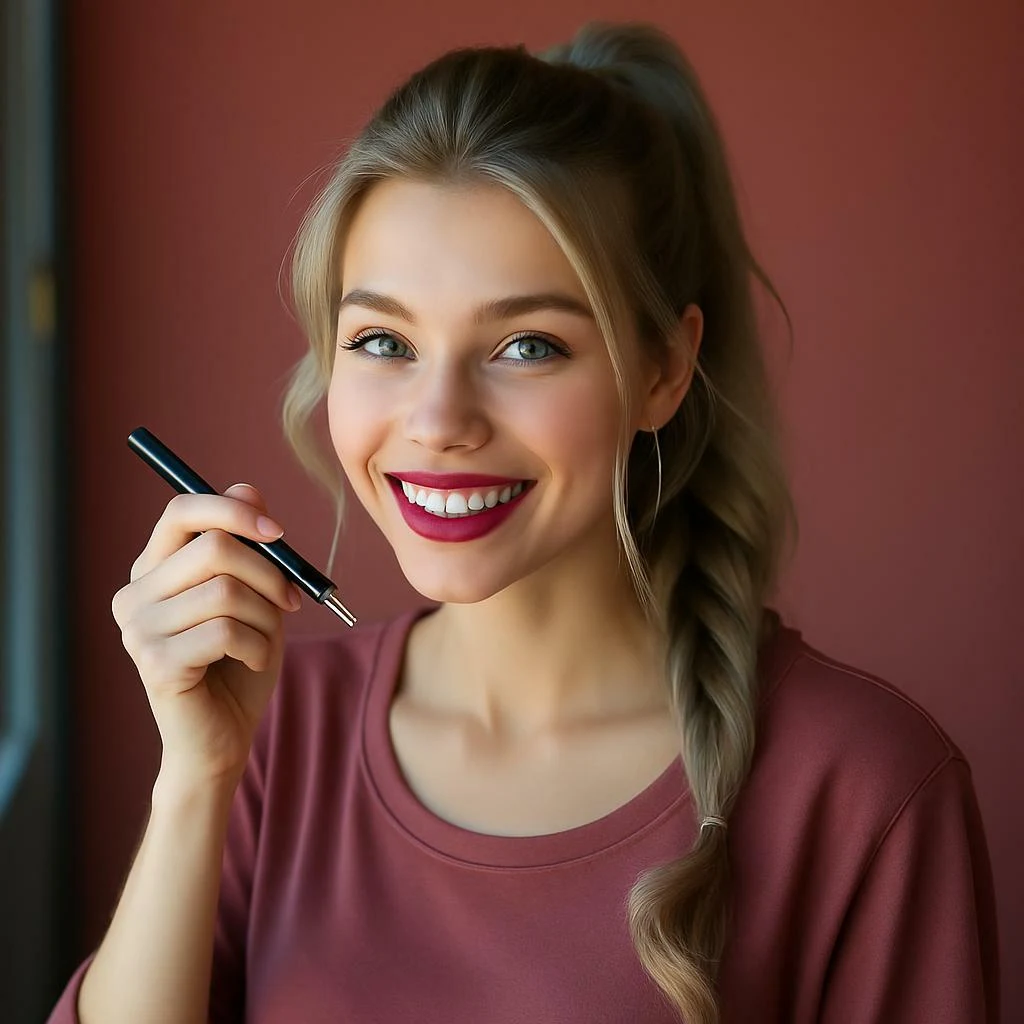
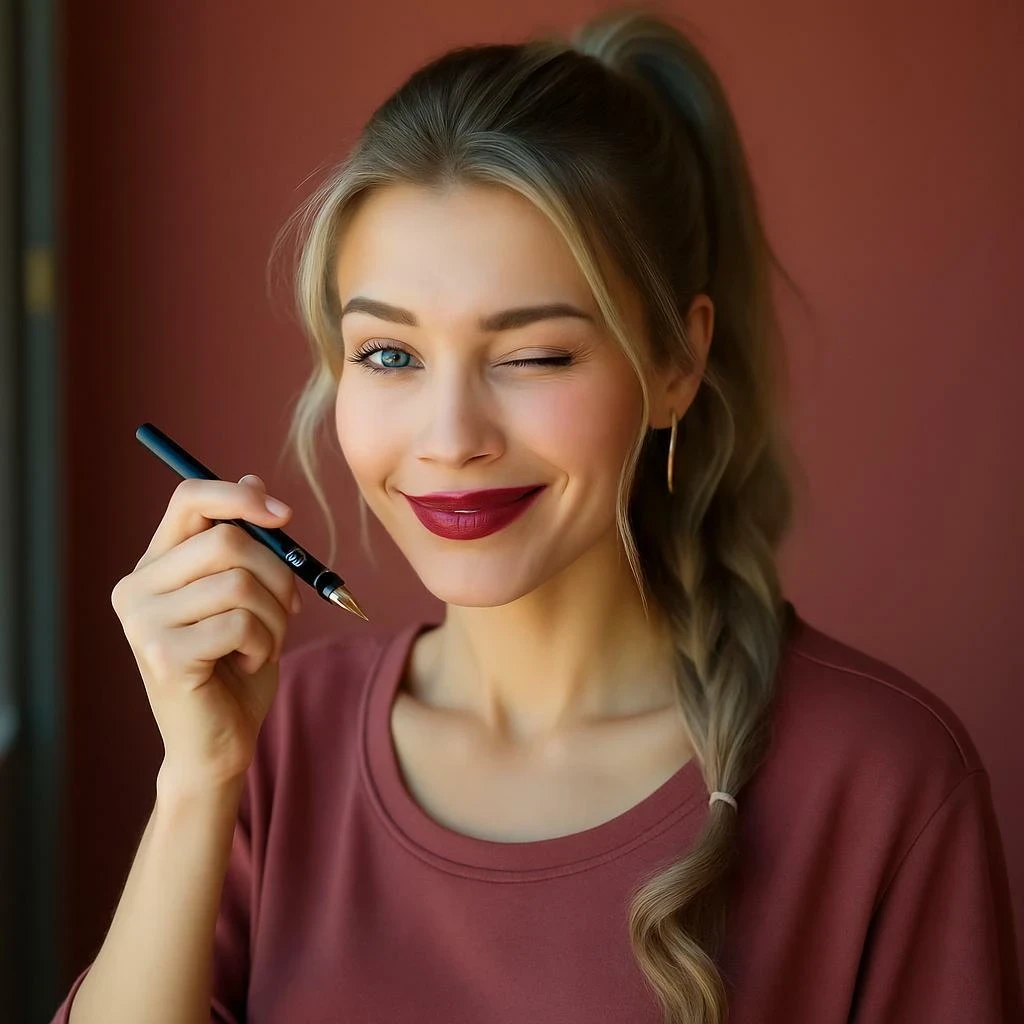
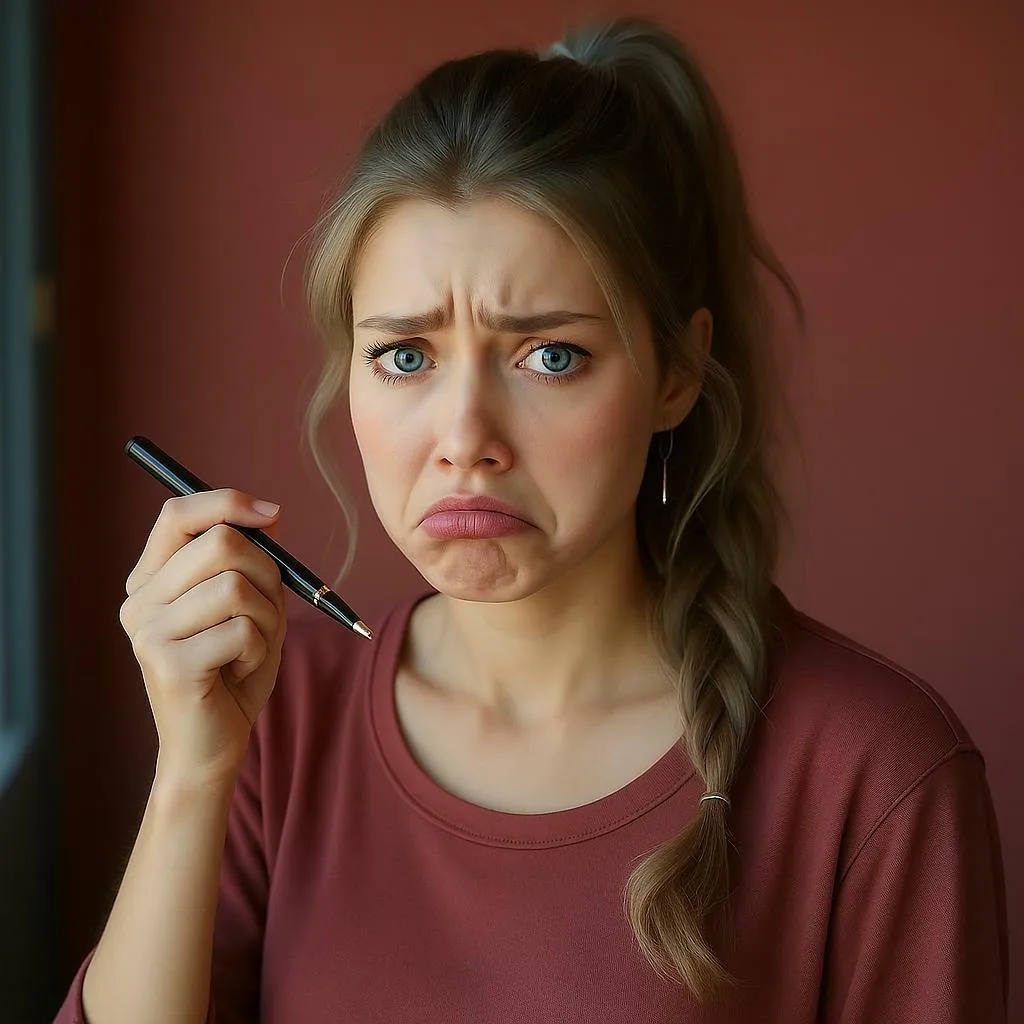


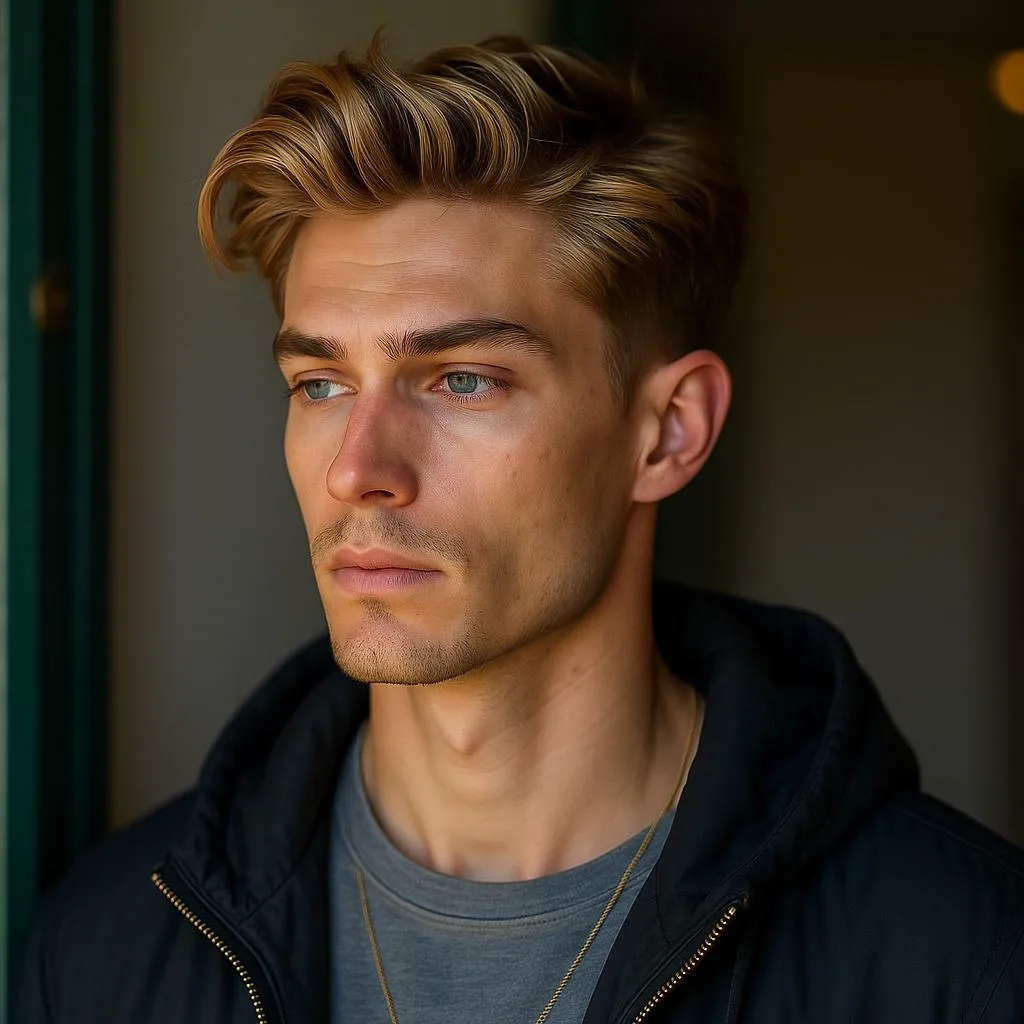
It’s that easy—no Photoshop skills required, just smart AI editing.
Prompt Examples for Better Results
When using a face expression changer, the clarity of your prompt makes a difference. Here are some examples:
Smile Prompt: “Add a bright, natural smile to the girl’s face.
Wink Prompt: “Turn one eye into a wink, keep expression playful.”
Surprise Prompt: “Make the man look surprised with raised eyebrows.”
Frown Prompt: “Add a serious frown with a thoughtful mood.”
Closed Eyes Prompt: “Change closed eyes to open eyes naturally.
These simple prompts help APOB understand the emotion you want to generate.
Why Use a Face Expression Changer?
There are countless scenarios where APOB’s AI face expression changer becomes invaluable:
Photography Fixes – No need to retake photos when someone blinks. Just convert closed eyes to open eyes.
Social Media – Want a more cheerful profile picture? Add a smile in seconds.
Marketing & Branding – Adjust product model expressions to match the campaign’s emotional tone.
Creative Projects – Create playful, dramatic, or artistic images for storytelling.
Entertainment – Transform ordinary selfies into funny or surprising edits.
Key Advantages of APOB AI Face Expression Changer
Free Daily Credits: 80 free credits every day, no hidden costs.
Realistic Results: Expressions look natural, not cartoonish.
Fast & Simple: Just upload, type, and generate in seconds.
Privacy First: Your uploaded photos are not shared or leaked.
Multi-Use: Perfect for personal fun, social media, or even professional projects.
What Users Are Saying
“I had a group photo where I blinked at the wrong moment. APOB fixed it instantly by opening my eyes—it looks so real!” – Emily, USA
“The AI face expression changer is magical. I turned my neutral headshot into a friendly smiling portrait for LinkedIn.” – Marcus, UK
“I love how natural the results are. And I asked it to make me wink, and the output looks like a real candid photo.” – Sophie, Canada
Final Thoughts
The ability to change facial expressions in photos was once limited to professional editors, but with APOB’s face expression changer, anyone can do it instantly. Whether you need a natural smile, an open-eyed photo, or a playful wink, the AI face expression changer makes it possible in seconds—and it’s free to try daily.
Why settle for a photo you don’t love? Upload your image today and let APOB AI transform your expressions effortlessly.
FAQ – Face Expression Changer
Q1: What is AI face expression changer?
A1: An AI face expression changer is a tool that modifies facial expressions in photos using artificial intelligence. APOB AI can transform neutral looks into smiles, winks, anger, surprise, and more.
Q2: What types of photos should I upload to AI face expression changer for more noticeable results?
A2: High-resolution photos with clear, front-facing faces work best. Avoid blurry or low-light images for optimal accuracy.
Q3: What types of expressions can be changed?
A3: You can adjust almost any expression: smile, frown, wink, surprise, anger, sadness, or even closed eyes to open eyes.
Q4: How long does AI take to process facial expression transformation?
A4: Usually just a few seconds. APOB’s face expression changer is designed for fast, real-time editing.
Q5: Will my photos be saved or leaked?
A5: No. APOB values privacy and does not share or leak user photos. Your data is safe.
Read More
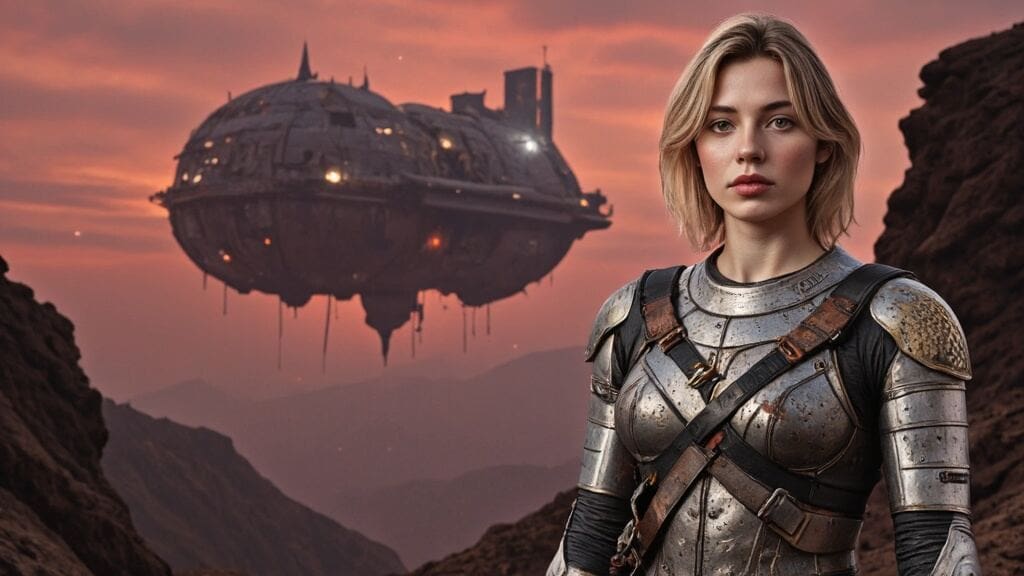
Crafting Stunning AI-Generated Movie Posters with APOB AI
Introduction: The New Era of Movie Poster Design
Tired of generic, expensive, and time-consuming poster designs? Welcome to the exciting world of AI-generated movie posters, where creativity meets convenience. Traditional poster creation often demands long hours with graphic designers and hefty budgets, only to produce designs that may fall short of your vision.
But with the power of AI, especially tools like APOB AI, movie makers, marketers, and content creators can now generate high-quality, cinematic posters in seconds. Whether you're promoting an indie film, a social media short, or a brand campaign, APOB AI is the ultimate movie poster maker to turn your ideas into visual masterpieces—effortlessly.
Step-by-Step Guide: Creating Your Movie Poster with APOB AI
Creating an eye-catching AI movie poster is easier than ever. Here’s how to do it using the incredibly intuitive APOB AI platform:
Step 1: Define Your Theme & Sign Up
Start by identifying your movie’s genre and core message. Is it a romantic drama? A sci-fi thriller? A quirky comedy? Once you’ve nailed that down, visit APOB AI, register for a free account, and you’re ready to begin your poster journey.
Step 2: Build Your Hero – “Create Portrait Model”
Click on “Create Portrait Model” to start designing your poster’s star. You can upload a photo or let the AI generate a model from scratch. Customize everything—from gender and age to eye color, hairstyle, and even nationality. The result? A unique and emotionally resonant character that feels tailor-made for your film.
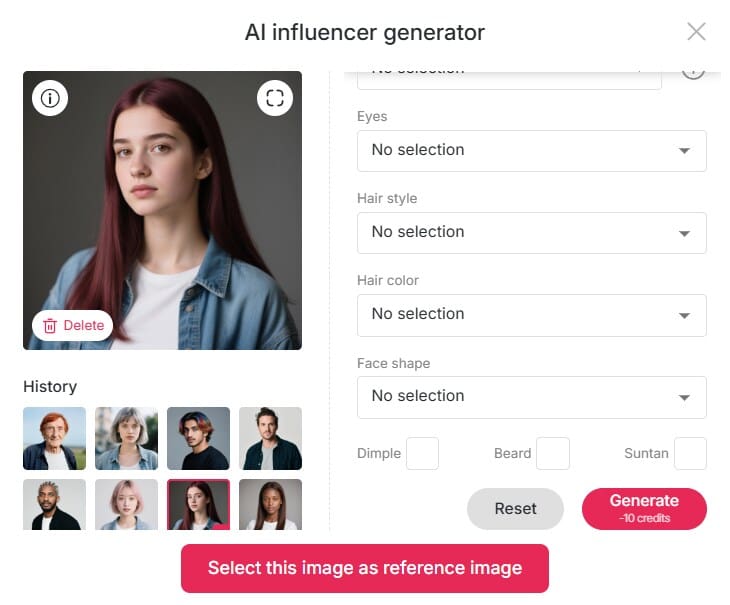
Step 3: Choose Style & Provide Clear Prompts
Now, add artistic depth. Select an art style that matches your movie’s atmosphere—vintage noir, watercolor fantasy, futuristic cyberpunk—you name it. Then activate “Build Your Own Mode” to control outfit styles, backgrounds, architectural elements, and weather conditions.
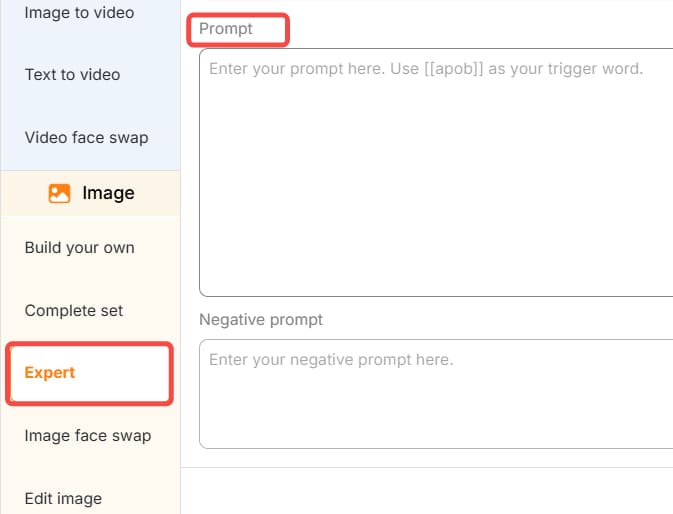
Pro tip: Be specific in your prompt. Instead of “sci-fi city,” say “neon-lit futuristic Tokyo skyline at night with a lone figure in a leather jacket.” The clearer your prompt, the better your AI-generated movie poster.
Step 4: Customize with Expert Tools
Want more control? Use Expert Mode or the Chat to Edit feature to fine-tune every detail. Whether you want to shift the lighting, tweak facial expressions, or insert your movie title and tagline in cinematic fonts, APOB AI gives you the flexibility to create a poster that speaks your film’s language.
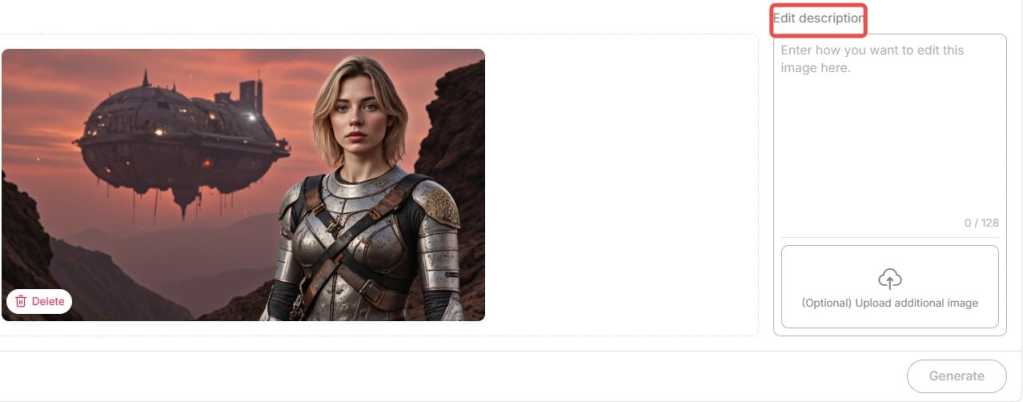
Step 5: Download and Share
Once you’re satisfied, simply download your high-resolution poster in the format of your choice. It’s ready to be printed, posted, or shared across your social media channels.
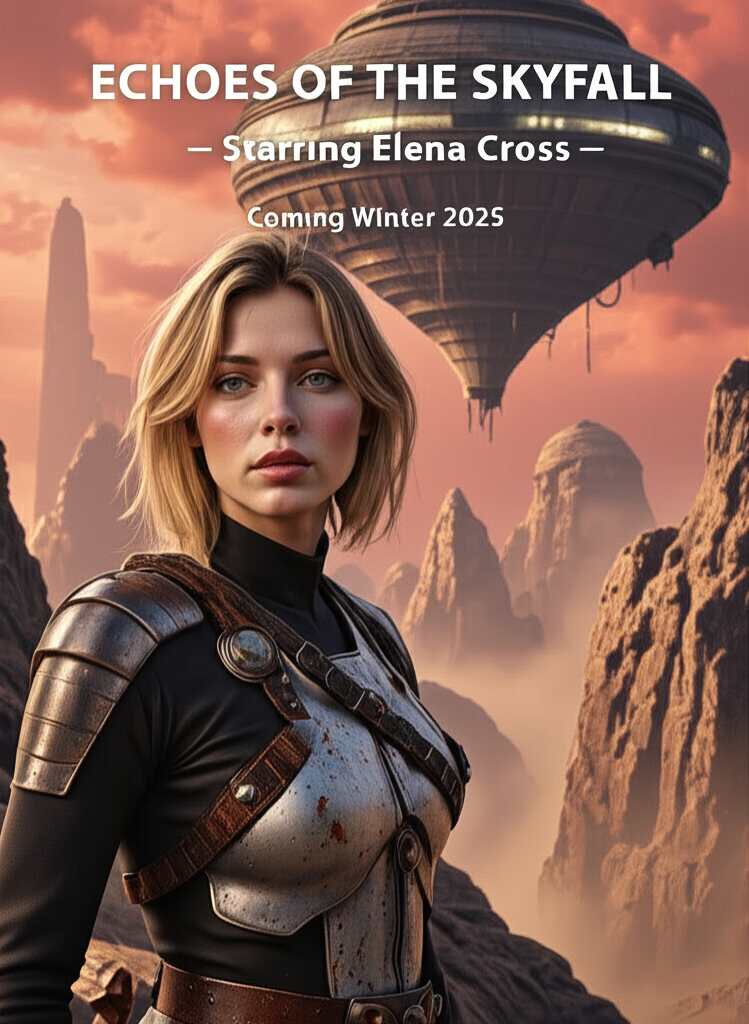
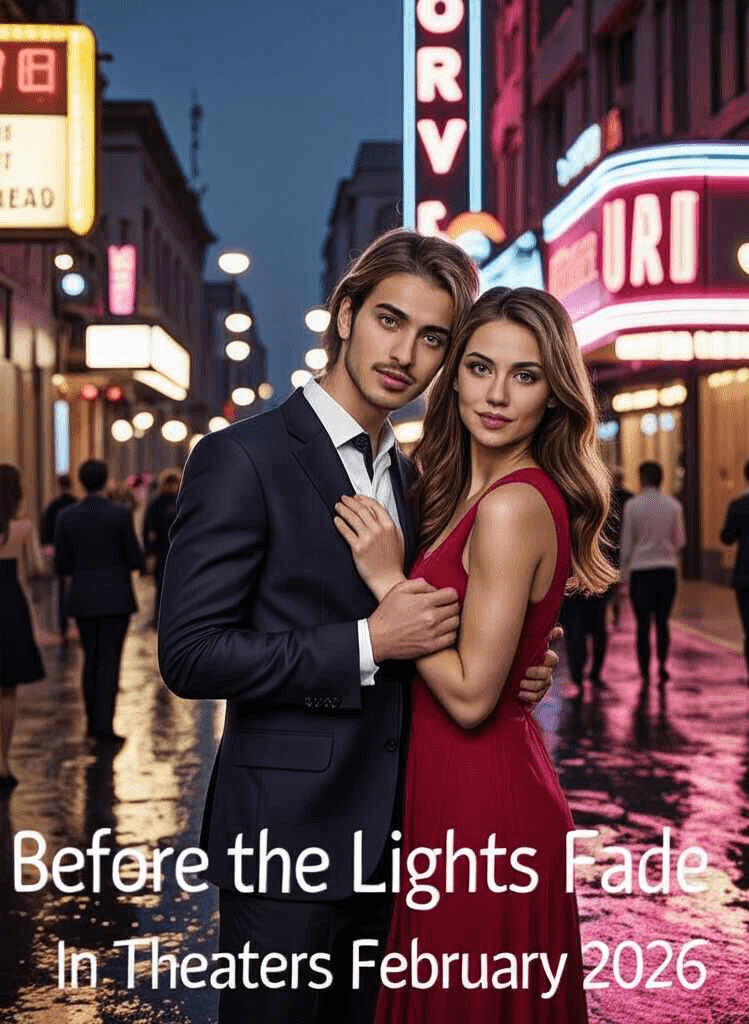
Bonus Tip: Bring Your Poster to Life
Why stop at a static image? Use APOB AI’s Image to Video and Lip Sync tools to animate your poster. Turn your lead character into a speaking avatar or add dynamic effects like moving rain or flashing lights—perfect for trailers and teasers. This takes AI-generated movie posters to the next level, making them fully immersive and social-media ready.
Real-World Applications: Success Stories
Indie filmmakers love APOB AI for its low cost and high-quality output. One short film creator generated six poster variants in under 30 minutes for an online premiere.
Social media influencers are using AI posters as creative thumbnails and brand promos. With trending designs and character customization, they stand out in crowded feeds.
Marketers and brands use AI movie poster generators to promote events, campaigns, or even new product launches with a cinematic flair.
From digital storytelling to event branding, AI-generated movie posters are reshaping how visuals are made and shared.
Why Choose AI-Generated Movie Posters?
Still wondering if AI is worth it? Here’s what you gain:
Save time and money: Forget endless revisions and designer fees.
Unlimited creativity: From fantasy worlds to gritty crime dramas, the AI adapts to any style or tone.
Tailored storytelling: Your poster isn’t just an image—it’s a visual summary of your story, built around your theme and emotion.
Whether you’re a seasoned director or a passionate storyteller, AI poster design puts the power of creativity in your hands.
Tips for Crafting the Perfect AI Movie Poster Prompt
To get the best results from your AI movie poster generator, follow these tips:
Be clear and emotional: Set the tone—“melancholic space odyssey,” “explosive superhero showdown,” etc.
Include details: Mention character posture, setting, color palettes, and any on-poster text.
Reference visual styles: Think “Baroque painting,” “’80s synthwave,” or “Studio Ghibli.” It helps the AI find a fitting artistic direction without copying.
Conclusion: The Future of Poster Design Is Here
AI-generated movie posters are more than just a trend—they’re a tool for storytellers who want to visually express their ideas with impact and speed. With APOB AI as your creative assistant, you no longer need to compromise on quality or originality.
Ready to make your next movie poster in minutes, not days? Dive into the world of smart design and cinematic visuals with APOB AI, your go-to AI movie poster generator and creative ally.
FAQs
Q1: Can I generate movie posters for free?
A1: Absolutely! When you register with APOB AI, you’ll get 80 free credits every day. Every high-quality image generation costs only 20 credits and produces 4 images per use. That means you can generate up to 16 movie posters daily at no cost. It’s a perfect way to explore various styles and find the one you love.
Q2: Can I use the generated images commercially?
A2: Absolutely! The posters you create with our AI generator are fully licensed for commercial use—perfect for advertising, promotions, and any professional campaign.
Q3: Can I edit the generated posters?
A3: Yes, you can use our Chat to Edit feature to make quick and easy edits.
Q4: What types of movie posters can I create?
A4: Our AI Movie Poster Generator creates posters for all genres—whether it's action, horror, romance, sci-fi, or documentary. You can personalize the design to reflect your film’s tone and mood, guaranteeing a one-of-a-kind poster tailored to your project.
Q5: Do I need to be a designer to use the tool?
A5: Not at all! Our platform is built for ease of use, meaning you don’t need any design experience to create stunning, professional-grade posters. The AI takes care of the technical details, so you can focus entirely on bringing your creative vision to life.
Read More
APOB AI Book Cover generator – Try It Free
In today’s competitive publishing landscape, a compelling book cover isn’t just a nice touch—it’s essential. Before a reader flips a single page, your cover must catch their eye, spark curiosity, and hint at the story within. While professional designers can cost hundreds of dollars, technology is offering a smarter, faster solution: the AI book cover generator.
Welcome to the era of AI-driven creativity, where storytelling meets smart design. With tools like APOB AI, you no longer need to be a Photoshop wizard or hire an expensive illustrator. Instead, you can create customized, genre-specific book covers with just a few prompts—and a lot of imagination.
Step-by-Step: How to Craft the Perfect Cover
Creating a book cover with APOB AI is as simple as writing your book blurb. Here’s how it works:
1、Define Your Book’s Essence
Start by identifying your genre, themes, and emotional tone. Is it a lighthearted romance or a suspense-filled memoir?
2、Create Your AI Portrait
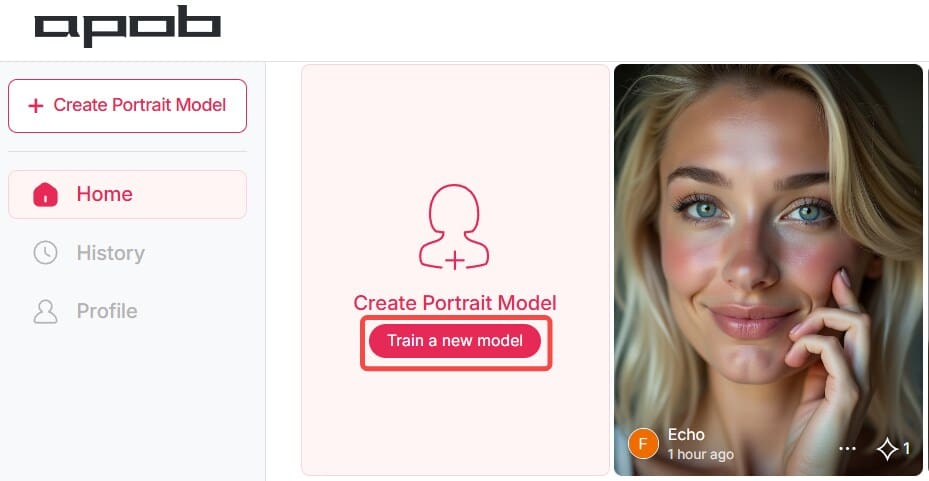
Click "Create Portrait Model" to start with a base template. Add a personal photo (optional) to personalize your design.
3、Input Descriptive Prompts
The more specific your prompts, the better the results. Mention characters, scenery, mood, or time period.
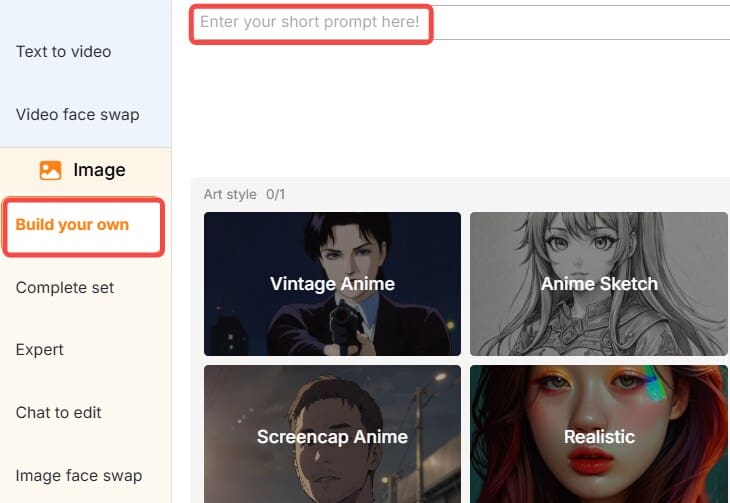
4、Customize Your Cover
Use the "Expert" or "Chat to edit" options to adjust the layout, font style, color palette, and title placement to your liking.
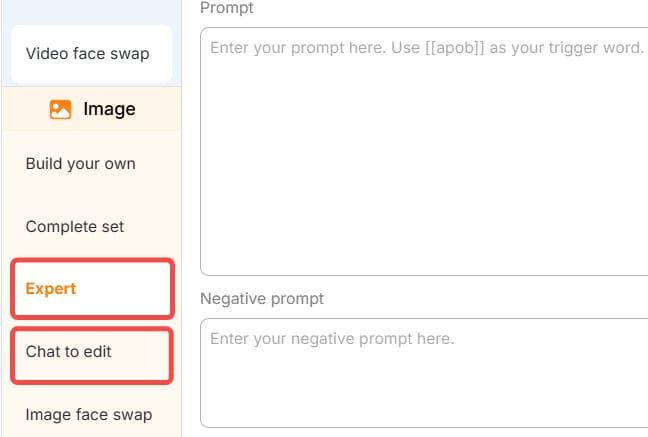
5、Download and Publish
Once satisfied, export your design in high resolution—perfect for print or digital publishing.
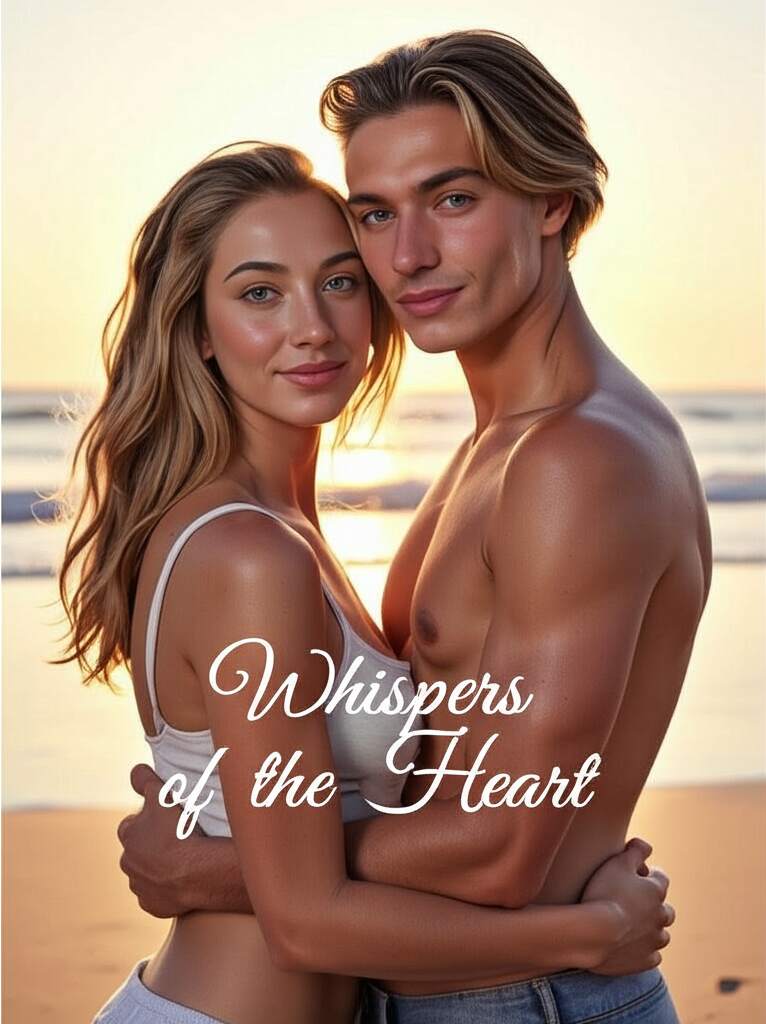
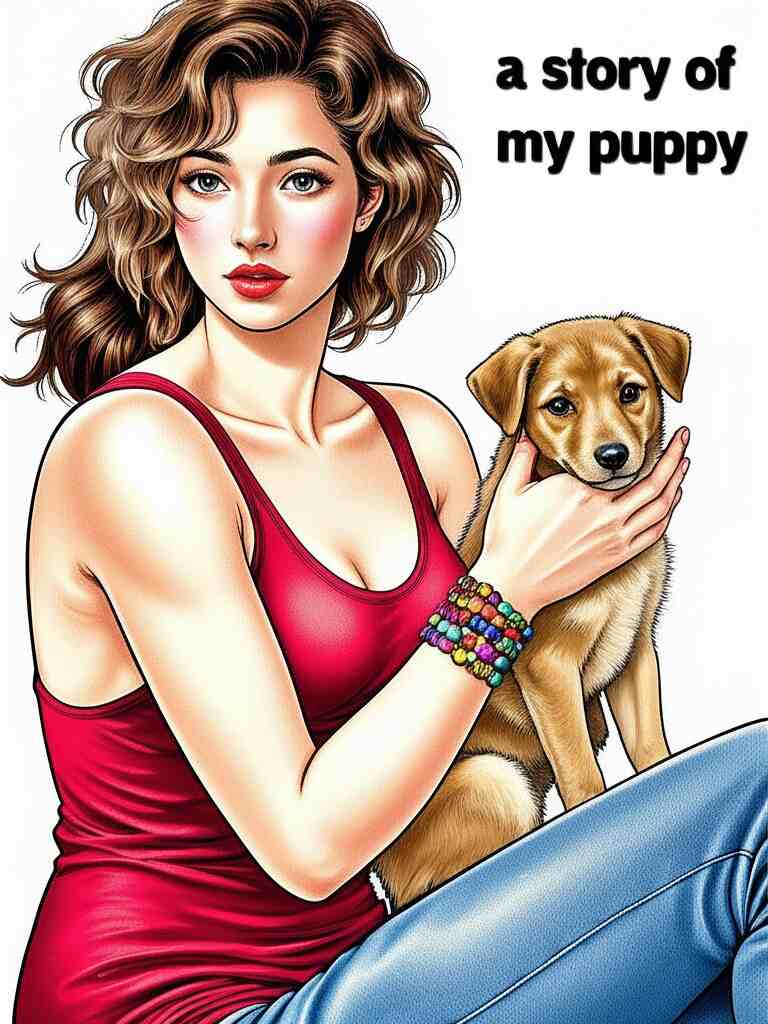
Why Covers Still Matter
A book may not be judged solely by its cover, but let’s be honest: most of us pick up books that look interesting. Your cover sets expectations. A romantic novel might feature soft lighting and intertwined hands, while a thriller might display stormy skies and cryptic shadows. The good news? AI understands this nuance.
An AI book cover generator like APOB AI can instantly adapt to the tone, style, and vibe you need. Whether you're writing a children’s fairy tale or a gritty urban detective story, your AI assistant is ready to bring it to life.
Meet APOB AI: Your Personal Book Cover Maker
APOB AI is more than just a design tool—it’s a creative companion. It offers an easy-to-use interface, making it ideal for self-published authors, small publishers, and even hobbyists. With just a few descriptive prompts, APOB AI can whip up multiple book cover variations tailored to your genre and tone.
What sets APOB AI apart is its deep learning model, which is trained on thousands of artistic styles and visual motifs. Whether you're looking for minimalistic chic or elaborate fantasy illustrations, this book cover AI generator has the flexibility to match your vision.
AI Prompt Ideas for Every Genre
Not sure what to write in your prompts? Here are some AI-ready ideas tailored to different book genres:
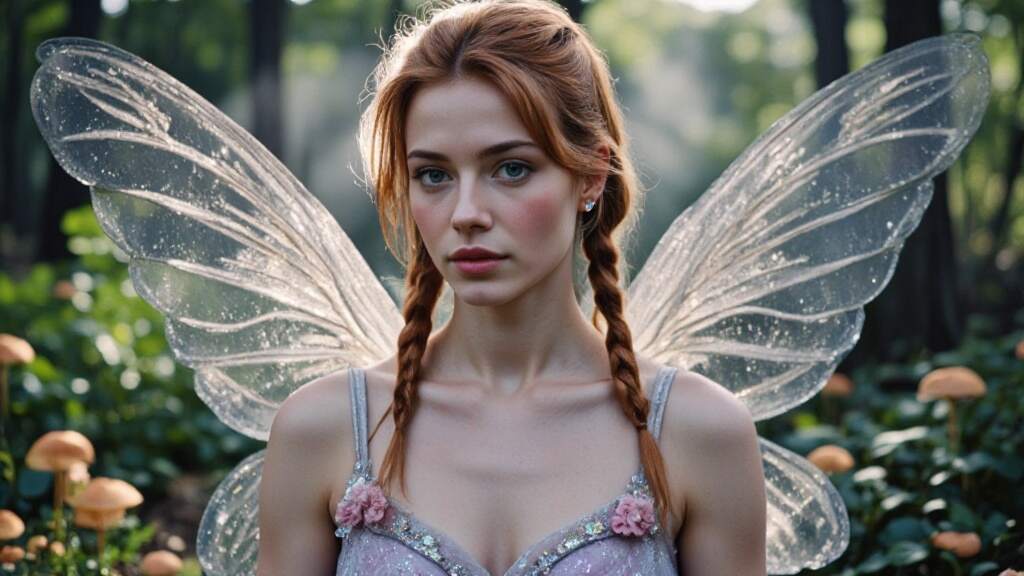
Fairy Tale Book:“A magical forest with glowing mushrooms and a crystal castle, pastel colors, whimsical, dreamy style, fantasy book cover.”
Detective Adventure:“Rainy city street, a man in a trench coat under a flickering streetlamp, noir style, dramatic shadows, vintage title font.”
Biography:"Black-and-white portrait of an older man, minimalist background, elegant serif typography, classic biography layout."
Romance Novel:“A couple embracing at sunset on a beach, warm pink and gold tones, soft focus, handwritten script title.”
These prompts help APOB AI’s engine generate covers that resonate emotionally and visually with your readers.
Real-Life Use Cases: Beyond Traditional Publishing
The possibilities with an AI book cover generator extend far beyond just publishing a novel. Here are some unique and heartfelt ways to use APOB AI:
Personalized Gift Books
Imagine turning your best friend's life into a short story for their birthday. You upload their photo, write a short personal narrative, and use APOB AI to design a heartwarming cover that features their face and favorite memories. It's a deeply meaningful keepsake that looks like it came from a professional bookstore.
Business and Branding
Small businesses can use book cover maker tools to design branded eBooks for lead generation. For example, a startup could publish a downloadable guide titled “10 Lessons from Our First Year”, using APOB AI to create a sleek, branded cover featuring the company logo and modern design elements.
School Projects
Students working on creative writing or history projects can now design custom book covers for their assignments. Teachers can even assign AI-generated book covers as part of a digital storytelling curriculum.
Crowdfunding Campaigns
Authors launching their debut novels on Kickstarter can test different cover designs quickly. Rather than pay upfront for multiple mockups, they can use the free AI book cover generator features to explore concepts and see what resonates with potential backers.
Tips for Getting the Most Out of Your AI Designs
To truly make the most of APOB AI’s powerful features, keep these tips in mind:
Be as specific as possible in your prompts—describe setting, mood, character looks, even fonts.
Experiment with different prompt phrasings or visual styles.
Use APOB’s daily free credits to try multiple variations before selecting the best.
Upload your own imagery if you need consistency across a book series or brand.
The Future of Book Covers Is Here
As AI continues to integrate into creative industries, it's clear that book cover generator AI tools like APOB AI are more than a trend—they're the future. They empower storytellers, reduce costs, and spark inspiration in unexpected ways.
Even if you’re not a tech-savvy artist, you can now design a cover that feels like it came from a high-end studio. So, whether you’re self-publishing your memoir or just making a gift book for a loved one, the power is literally at your fingertips.
Ready to Get Started?
Bring your next story to life with a stunning visual first impression. Try APOB AI’s free AI book cover generator today and start creating covers that captivate at first glance.
👉 No experience needed. Just type, click, and publish!
FAQ
Q1: How does the AI book cover generator work?
A1: By leveraging advanced algorithms, the AI book cover generator crafts eye-catching covers using the information you provide—like the title, author name, genre, and a short description or theme—to ensure the design matches your book’s essence.
Q2: What makes a good book cover?
A2: A compelling book cover features a clear title and subtitle, a striking focal point, balanced composition, engaging visuals, and strategic white space, often incorporating imagery that reflects the book's themes to captivate potential readers.
Q3: Is the AI book cover generator free to use?
A3: After registering with APOB AI, you receive 80 free credits daily. Typically, generating a set of four high-quality images consumes 20 credits. Advanced features such as using the expert mode to enhance image details or removing image backgrounds also require 20 credits per use.
Q4: What types of book covers can I create?
A4: Whether it's a fantasy saga or a contemporary love story, the AI Book Cover Generator designs covers for any genre, perfectly aligned with your book’s tone and themes—offering endless possibilities driven by your vision and AI-powered creativity.
Q5: Can I use the generated book cover for commercial purposes?
A5: Yes, all the images you create with APOB AI are free for commercial use, including book covers. They are suitable for both personal projects and commercial publications, subject to copyright laws in your region.
Q6: How many book covers can I generate for free?
A6: After signing up with APOB AI, you can claim 80 free credits every day. Since generating one set of 4 high-quality images costs 20 credits, you can create up to 16 free images daily.
Read More

No credit card needed


