
AI Wanted Poster Maker for Short Drama Props
Give your next scene a clue worth a close-up. Create a fictional portrait, name and reward on an aged poster, then proofread and download the JPG. Start with daily free credits.
Wanted Poster Gallery
See one Western short drama scene and seven animated poster designs, from detective archives to sci-fi bounties.
How to use a wanted poster maker?
1. Define the character and four text lines
Open Generate image. Describe an invented adult or choose an authorized portrait model for a recurring character. For example, give Mara Vale a black hat and a serious expression. Request only WANTED, MARA VALE, $500 REWARD and FICTIONAL PROP; extra story text makes spelling and layout harder to control.

2. Choose 9:16 and an era
Set 9:16 for a tall poster. Our test used Ultra 4K, one image and a displayed estimate of 36 credits. Specify 1880s woodcut, warm sepia paper and safe margins. For example, ask for a flat sheet rather than a poster already photographed on a wall, so it can be placed in your own scene.
3. Inspect the finished preview
Open the result and read every letter and digit. For example, confirm $500 has not become $5,000 and the name is still MARA VALE. Check the hat, face and lower margin. If text is wrong, simplify the prompt or correct the final typography in a design editor before filming.

4. Open Details and keep the recipe
Open Details to review the generation prompt and settings. For example, save the exact spelling, reward and period style in your production notes. Reuse the approved file across episodes when continuity matters; a new generation can change the face or layout.

5. Download and test it on camera
Use Download from the finished preview. The supplied test file is a 2160 × 3840 JPG, not an editable PDF or SVG. For example, print a small proof and film it at the planned distance before ordering a large prop. Check the actual file dimensions and preserve the fictional-prop label.
Build the scene around your wanted poster
Start with a face the audience can recognize. Use the AI portrait generator to explore an authorized fictional character, then return here to specify the name, reward and paper treatment.
Plan the noticeboard wide shot, readable poster insert and reaction in the AI storyboard generator. Use the Micro Drama Maker to develop the surrounding scene; keep the approved poster file unchanged across shots.
After proofreading, take the approved still into Image to Video AI. Check the whole clip for altered letters, reward digits and facial details before using it in a scene.
Why do people choose an AI wanted poster maker?
A portrait that belongs to the paper. Describe the face and woodcut treatment together, so Mara’s portrait shares the poster’s ink and texture instead of looking like a modern photo pasted onto parchment.
A prop built around the reveal. Decide whether the audience must notice the name, face or reward first. Large lettering and spare copy help you frame that clue in a short scene.
A connected creative workflow. Make the still in Generate image, then use an approved image in Image to Video for a separate moving scene. Proofread the still first; movement can introduce new text and identity errors.
Wanted poster template layouts for three scenes
Classic Western: WANTED above an oval portrait, MARA VALE beneath, $500 REWARD next, FICTIONAL PROP at the foot. Use warm paper and heavy black lettering for a saloon noticeboard close-up.
Mystery insert: a rectangular monochrome portrait, narrow border and generous space around the name. Use a fictional archive style, without real police insignia, when the audience must recognize the face before the reward.
Character teaser: portrait in the upper half, a short name and one large reward line below. Keep all essential text inside a central safe area for a social-video crop. These are prompt-based layout recipes, not downloadable templates with editable text layers.
Three wanted poster layout guides
Layout diagrams, not generated samples or editable templates. Use these structures with the prompts below.
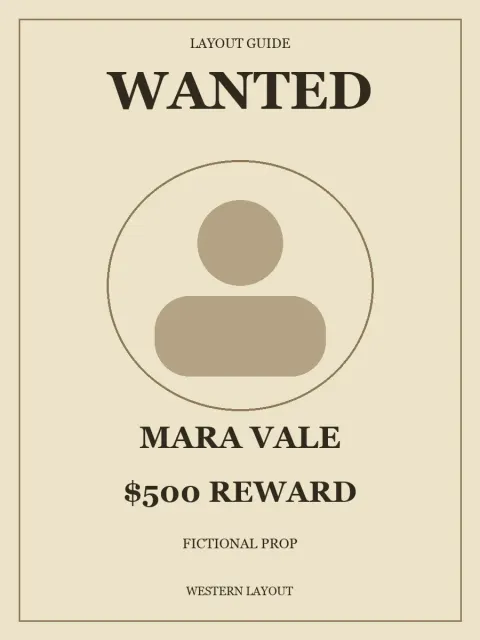 Create in APOB ↗
Western layout
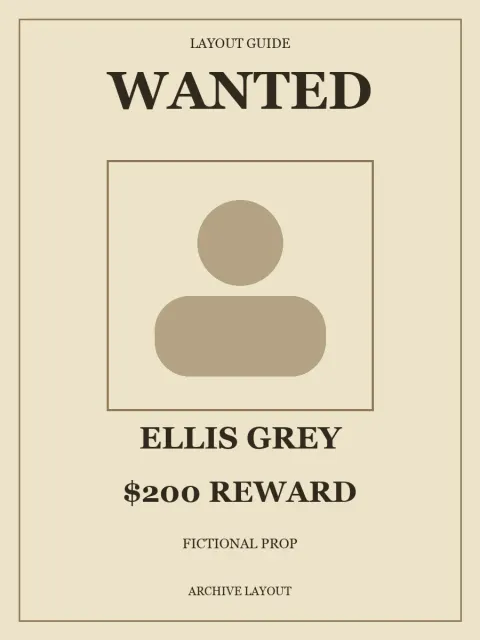 Create in APOB ↗
Archive layout
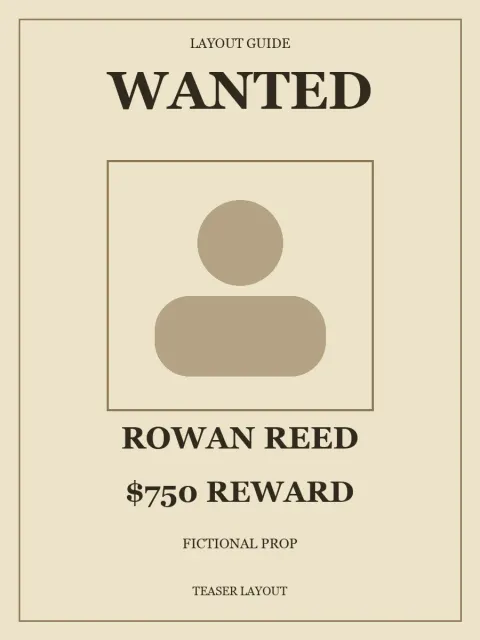 Create in APOB ↗
Character teaser


Use cases of a wanted poster maker
Western microdrama cliffhanger. A traveler recognizes her own portrait on a station noticeboard. Use the same approved Mara Vale JPG in both the wide shot and close-up so the reward does not change between cuts.
Mystery episode continuity. A detective finds an old notice inside a ledger. Match paper tone and spelling across the prop, thumbnail and recap; let one readable name carry the clue.
Cast reveal for a fictional series. Publish one character poster per episode with a consistent border, reward position and fictional label. Use authorized actor portraits or invented characters and keep the series context in the caption.
Escape-room rehearsal. Print a small proof of a fictional bounty notice and test whether participants can read the clue under the room’s lighting. Increase type size before adding more weathering.
Expert prompts for wanted poster makers
For a short-drama prop — purpose: a readable Western insert. Prompt: One flat full-frame vertical Western wanted poster for a fictional short drama. Warm aged sepia paper, fine softly worn edges, 1880s woodcut style. Center a black ink engraved oval portrait of an invented adult outlaw with a black hat and a serious expression. Four perfectly legible text lines in this order: WANTED at the top, MARA VALE under the portrait, $500 REWARD below it, FICTIONAL PROP in a small clearly readable footer. Exact text, no other letters, no extra numbers, no words beside the portrait. Flat printable design, no frame or mockup. Leave safe margins. Expected direction: one flat vintage wanted poster with four short text lines. Proofread the result.
For a mystery director — purpose: a clue found in an archive. Prompt: “Flat vertical fictional archive notice, 1930s-inspired black ink on cream paper, invented adult woman in a rectangular portrait. Exact text: WANTED / ELLIS GREY / $200 REWARD / FICTIONAL PROP. Wide margins, restrained paper wear, no real agency names, no seals, no background scene.” Expected direction: a quiet, legible period prop.
For a social-series creator — purpose: a character-reveal card. Prompt: “Vertical 9:16 illustrated Western character poster, invented adult traveler in a brown hat, warm cream paper, thick dark type, uncluttered layout. Exact text: WANTED / ROWAN REED / $750 REWARD / FICTIONAL PROP. Keep the face and text in the central safe area.” Expected direction: a portrait-led teaser that remains legible on a phone.
Pros and Cons
Flexible art direction: specify the portrait, paper, decade and lettering mood in one brief.
Useful production reference: one approved JPG can guide props, thumbnails and scene planning.
Text needs proofreading: names and reward amounts can be misspelled or rearranged.
Flattened output: the tested JPG has no editable text layers; precise revisions may need a design editor.
Variable cost and consistency: generations spend credits and can differ. Check the estimate and preserve approved versions.
Legal and Ethical Considerations
Use invented characters or likenesses you have permission to use. Obtain an actor’s consent for this specific context; an ordinary portrait license may not cover a criminal portrayal.
Keep FICTIONAL PROP visible and explain the fictional story in captions. Do not present a real person as wanted, copy real agency seals or publish a prop as a genuine public alert.
Before commercial use, review APOB’s current terms, your plan and rights to photos, fonts, logos and character designs. AI generation does not clear third-party rights or guarantee copyright protection.
Review upload visibility and the privacy policy before using personal references. Follow each platform’s current rules; YouTube requires disclosure for realistic generated or meaningfully altered scenes that did not occur.
Plan the story around your prop


Wanted Poster Maker FAQs
Is the wanted poster maker free?
APOB’s Nano plan currently includes 80 credits per day. The supplied Ultra 4K poster test displayed 36 credits for one image. Costs vary by settings; check the current estimate before generating.
Can I use my own portrait?
Use an authorized portrait reference or model where available. For a fictional accusation, get consent for that context and check the output still resembles the intended character.
How do I specify a name and reward?
Put each exact text line in the prompt and state its position. Keep names short and check every digit before use; prompt instructions do not guarantee perfect lettering.
Is this an editable wanted poster template?
The examples are layout recipes for AI generation. The tested download is a flattened JPG, so individual text layers are not editable.
What file format does APOB export?
The supplied wanted-poster test downloaded as JPG at 2160 × 3840 pixels. PDF, SVG and transparent PNG were not verified in this workflow.
Can I print the JPG?
Yes, prepare it in a print layout and check crop, margins and resolution at your chosen size. A 9:16 image is not the same shape as A4 or US Letter; print a proof first.
How do I make a vintage wanted poster?
Specify a period, print method and paper treatment: for example, 1880s woodcut, black ink and warm sepia paper. Keep wear away from the name and reward.
What if the text is wrong?
Shorten the copy and regenerate, or correct the typography in a design editor. Do not use a misspelled prop in a close-up where the text carries the plot.
Can I use the poster commercially?
Check current terms, plan conditions and all input rights before commercial use. Permission to generate an image does not clear someone else’s likeness, trademark or copyrighted character.
Are uploaded portraits private?
Do not assume they are. Review content visibility, plan features and the privacy policy before uploading personal or confidential references.
Can I use it on TikTok, Reels or YouTube Shorts?
Use the JPG within your video edit or a supported image post. Check the final crop, platform requirements and AI disclosure rules; a landscape hero film needs a separate vertical composition.
Can I animate the poster?
Use an approved still in Image to Video, then inspect the whole clip. This page’s 10-second example was edited to remove shots with changed lettering; its gallery version places the landscape video inside a vertical frame.