Gen-3 Alpha helped define the visual expectations people now bring to text-to-video and image-to-video tools: expressive characters, deliberate camera motion, stylized lighting, and short scenes that feel edited rather than random.
Runway's Help Center states that Gen-3 Alpha and Gen-3 Alpha Turbo will no longer be available after July 30, 2026. This page treats Gen-3 Alpha as a legacy benchmark for evaluating ai video quality and planning migration-ready creative workflows.


For creators searching for the best AI to create videos, the smart move is to study what Gen-3 Alpha did well, understand its limits, and build a workflow that can move across newer models without losing prompt discipline or visual continuity.
The model name matters less than the production habit: define the subject, lock the shot, describe motion precisely, test a short take, then stitch the best outputs into a finished scene. That workflow survives model changes.

Step 1: Choose the shot goal
Decide whether the clip needs a portrait, action beat, product reveal, dialogue moment, or transition. One clip should solve one visual problem.

Step 2: Prepare the visual anchor
Use a clean character, product, or scene image when consistency matters. Describe the subject as if briefing a cinematographer.
Step 3: Write motion, not just style
Add camera direction, subject action, lighting change, background motion, and emotional tone. This is where ai video prompts become controllable.


Step 4: Generate short tests
Run 5 or 10 second drafts, compare body motion, face consistency, framing, and cut points. Keep notes on what changed the result.
Option | Best fit | Inputs | Output focus | Workflow note |
|---|---|---|---|---|
Runway Gen-3 Alpha | Cinematic reference clips and legacy prompt studies | Text prompts; image-to-video workflows | Short 720p-style clips, usually 5s or 10s | Useful benchmark, but scheduled to be unavailable after July 30, 2026 |
Runway Gen-3 Alpha Turbo | Faster image-led tests from the same model era | Image-first generation | Quick motion studies and visual iteration | Also part of the retiring Gen-3 family according to Runway Help |
Newer Runway models | Current Runway production work | Model-dependent text, image, and video controls | Higher-current generation quality targets | Check Runway's current model documentation before production planning |
APOB AI workflow | Creator pages, character tests, drama scenes, lip-sync, and edits | Briefs, images, prompts, references, and scene direction | Repeatable ai video planning across characters and scenes | Use it as a creative workflow layer; no official Gen-3 provider claim is made here |



























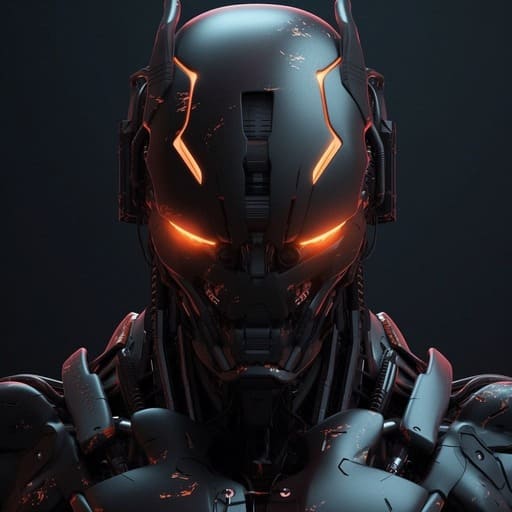


Cinematic motion language
It gives teams a shared reference for camera moves, character behavior, and dramatic lighting in short-form ai video.
Prompt discipline
The model era rewards concise prompts with concrete action, framing, and style cues instead of vague mood boards.
Text and image workflows
Gen-3 Alpha research and help pages make it useful for studying both blank-page ideation and image-led animation.
Fast story tests
Short clip lengths are ideal for testing openings, reaction shots, product loops, and performance beats before editing a sequence.
Clear migration signal
Because the model is retiring, it pushes teams to keep prompts portable instead of tying a campaign to one model endpoint.
Better comparison habits
It gives searchers a concrete baseline when judging the best AI to create videos for their own budget and style.
Film previsualization
Use short ai video clips to pitch scenes, explore camera tone, and align a team before full production.
Independent film proof of concept
Creators can test worlds, characters, and trailer moments before committing to a larger shoot.
Character continuity tests
Use a reference image and a tight shot brief to compare how a character holds up across locations, emotions, and camera setups.
Action and stunt boards
Short generations help teams find readable motion, safe framing, and usable edit points for action-heavy concepts.
Music and social clips
Use bright lighting, performance blocking, and strong silhouettes to test hooks for short-form platforms.
Brand mood films
Turn still campaign art into moving atmosphere for product pages, creator teasers, and launch decks.
No Credit Card Required
Reviews




Portable AI video benchmark
Strong benchmark for cinematic short clips and creator-friendly ai video prompts.
Useful for learning camera language, subject motion, lighting, and edit points.
Good reference when comparing model generations and the best AI to create videos.
Works as a planning vocabulary for text-to-video and image-to-video workflows.
Encourages teams to document prompt variables before scaling production.
Availability and production limits
Short duration and legacy specs can be limiting for longer production scenes.
Face, hand, text, and motion consistency can still require editing and retakes.
Reference images, likenesses, and brand assets need rights, consent, and review.
What is Gen-3 Alpha?
Gen-3 Alpha is Runway's third-generation ai video model family, known for cinematic short clips, controllable motion, and text or image based generation workflows.
Is Gen-3 Alpha still available?
Runway's Help Center says Gen-3 Alpha and Gen-3 Alpha Turbo will no longer be available after July 30, 2026, so teams should check current availability before planning production around it.
Why make a landing page for a legacy model?
Searchers still compare Gen-3 Alpha with newer tools because it remains a useful reference for prompt quality, cinematic framing, and short-form ai video expectations.
What is the primary keyword for this page?
The primary keyword is ai video. Secondary keywords include best ai to create videos, gen 3 ai, Gen-3 Alpha, text to video AI, and image to video AI.
Can APOB AI claim to provide Gen-3 Alpha?
No. This page treats Gen-3 Alpha as a reference and workflow topic. It does not claim APOB AI is an official provider of Runway models.
What makes Gen-3 Alpha useful for prompts?
It rewards precise shot direction: subject, action, camera move, mood, lighting, scene details, and the moment that should change during the clip.
Is Gen-3 Alpha the best AI to create videos?
It was an important model, but the best AI to create videos depends on current availability, visual quality, price, controls, output duration, and the user's editing workflow.
What clip length should I plan for?
For Gen-3 Alpha style planning, think in compact 5 or 10 second shots. One short scene with one clear action usually works better than a crowded prompt.
Should I use text-to-video or image-to-video?
Use text-to-video when exploring fresh ideas. Use image-to-video when character likeness, product identity, or scene continuity matters more than pure ideation.
How do I write a better Gen 3 AI prompt?
Start with the subject and action, then add camera motion, lens feel, lighting, environment, pacing, and one style reference. Remove anything that does not affect the shot.
Can I use uploaded character images?
Yes, if you own the image or have consent to use it. Avoid using private likenesses, celebrities, or brand assets without clear rights.
How do I keep characters consistent?
Use a clean reference image, repeat stable visual traits in the prompt, keep the camera angle manageable, and generate multiple short takes before editing.
Can Gen-3 Alpha create dialogue scenes?
It can inspire dialogue framing, but believable speech usually needs separate lip-sync, audio, and editing work. Treat dialogue as a full workflow, not one prompt.
Is Gen-3 Alpha good for ads?
It is useful for concept clips, product mood films, creator hooks, and previsualization. Final advertising should still go through brand, legal, and quality review.
What should I compare against Gen-3 Alpha?
Compare current models on availability, input modes, clip duration, resolution, cost, prompt control, edit tools, and whether the output fits your production deadline.
How does Gen-3 Alpha Turbo differ?
Gen-3 Alpha Turbo is commonly treated as a faster image-led variant from the same era. Always check Runway's current help pages before relying on exact product behavior.
What are common Gen-3 Alpha prompt mistakes?
Common mistakes include asking for too many actions, mixing conflicting styles, ignoring camera motion, and expecting one generation to solve a complete sequence.
Can I publish AI video generated from references?
Publication depends on asset rights, platform rules, model terms, and local law. Keep records for prompts, source images, consent, and edits.
What image ALT text should this page use?
ALT text should describe visible content and include natural keyword context, such as Gen-3 Alpha ai video, cinematic AI video, or image-to-video prompt planning.
What is the recommended CTA?
The CTA should invite users to build a short creative brief, compare model options, and start an ai video workflow without promising direct access to a retired model.


