
AI Expression Sheet Generator — Start with Free Credits
Turn one original character into a four-expression reference: neutral, happy, angry and surprised. Compare the face and outfit before planning your next reaction shot.
See facial reactions in motion
Compare gaze shifts, small smiles and gentle head turns across eight existing APOB clips. These are separate reaction-shot references, not animations generated from the expression sheet.
Five-second vertical K-pop member reveal, one continuous waist-up shot of an original fictional adult female idol, age 25, with a chin-length straight black bob and soft fringe. She wears a metallic silver halter stage top with matching arm sleeves and a discreet headset microphone. Purple and pink concert lights glow behind her. She looks slightly aside, turns her eyes toward the camera, gently lowers one hand and finishes with a confident small smile. Slow subtle camera push-in. Preserve exactly the same short bob, face and outfit throughout; natural hands, realistic skin texture. No celebrities, no text, no logos, no extra people.
Try this prompt ↗A direct-to-camera smile
Five-second vertical fan-greeting visual featuring one original fictional adult female K-pop idol, age 25, with a straight black bob, a cream cardigan over a simple black top and tiny silver earrings. Warm cream studio backdrop, soft frontal lighting, friendly chest-up framing. She looks at the viewer, smiles and gives one small relaxed wave with her right hand, then lowers it. Keep five natural fingers, stable face and the same short bob throughout. Locked camera, realistic human motion. A silent visual greeting, no talking or simulated song, no celebrity resemblance, no logos or captions.
Try this prompt ↗A friendly wave
Five-second vertical behind-the-scenes clip of an original fictional adult K-pop soloist, age 25, with a chestnut high ponytail, wearing an ivory cropped jacket over a charcoal top and small silver hoop earrings. She stands against a clean dark backstage wall with a soft violet edge light and warm flattering light on her face. In a chest-up portrait she glances off-camera, looks back and gives a relaxed closed-mouth smile, with a tiny natural head tilt. Static camera, candid editorial mood, consistent face, hair and earrings throughout. No speaking, no celebrity likeness, no text, logos or other people.
Try this prompt ↗An off-camera glance
Original fictional 71-year-old grandmother with silver hair and a burgundy cardigan sits beside an unbranded reading lamp and an open book in a cozy living room. One continuous five-second vertical medium shot. She looks up from the book toward the lamp and gives a soft satisfied smile. Both hands remain still on the table. Steady warm lighting, realistic face and hands, locked camera. One adult only, no real-person likeness, no product labels, no readable text, no speech, no cuts.
Try this prompt ↗Looking up from a book
An original fictional 70-year-old grandmother creator in a cozy sunlit kitchen, one continuous five-second vertical medium shot. She has a silver curly bob, round amber glasses, a mustard-yellow cardigan and a teal apron. Her entire head and both hands stay inside the frame with generous headroom. She holds a small plate of cookies at waist height, slowly offers one cookie toward the camera, then raises one eyebrow and gives a playful knowing smile as if she has won a tiny family argument. Warm family-comedy mood, natural facial movement, stable identity and clothing, locked camera, realistic cinematic lighting. One adult character only, no existing influencer or real-person likeness, no text, logos, dialogue, cuts or transformation.
Try this prompt ↗A knowing cookie offer
An original fictional 72-year-old grandmother with a silver bob, round amber glasses and a forest-green cardigan sits at a sunlit kitchen table. One continuous five-second vertical medium shot. She looks down at a takeaway receipt, pauses, then looks up with one raised eyebrow and a restrained amused smile. Both hands rest on the table throughout. Locked camera, realistic skin texture, warm family-comedy mood. One adult only, no real-person or existing influencer likeness, no logos, no readable text, no speech, no cuts.
Try this prompt ↗A receipt reaction
Original fictional 76-year-old grandmother with short silver curls, oval glasses and a cream knitted cardigan sits at a sunny breakfast table. A plain ceramic tea cup rests on its saucer in front of her. One continuous five-second vertical medium shot. She glances at the cup, then gives the camera a small amused smile and one gentle nod. Her hands stay relaxed and visible on the table. Realistic skin, stable wardrobe, locked camera, warm everyday mood. One adult only, original appearance, no logos, no readable text, no dialogue, no cuts.
Try this prompt ↗A quiet tea pause
Original fictional 70-year-old grandmother with a silver pixie haircut, a navy blazer, ivory blouse and turquoise scarf stands by a bright studio window. One continuous five-second vertical waist-up fashion portrait. She makes one slow small shoulder turn toward the camera, then holds a confident relaxed smile. Both hands stay visible and relaxed at waist height. The outfit and scarf remain the same throughout, no transformation. Realistic face and hands, soft daylight, locked camera. One adult only, original appearance, no logos, no text, no dialogue, no cuts.
Try this prompt ↗A turn toward the camera
One original character. Four reactions to compare.
A character expression sheet, also called a facial expression sheet, shows the same character with different facial expressions. Use it to decide what a reaction should look like before you storyboard a scene or generate a separate clip. A turnaround shows front, side and back views; an expression sheet focuses on what changes in the face.
Our inspected example contains neutral, happy, angry and surprised portraits in one 2×2 image. Compare the black-and-copper bob, face proportions, cream turtleneck and olive collar across the four cells. The native download was a 4096×2304 JPG; available dimensions depend on your settings.
Inspect the original APOB result before starting your own.

How to use an expression sheet in APOB AI
1. Choose the character whose reactions you need
Start with an original or authorized character image where the face is clear. If you need a new character, use Generate image / Chat to generate first. A front-facing portrait makes facial comparison easier than a distant full-body reference.
Example: a short-drama detective has an olive coat and a copper streak in her bob. Save those features as identity anchors so an angry expression does not quietly become a different character.
Need to establish the design first? Use the AI Character Generator before building the reaction reference.

2. Open Edit image / Chat to edit
Select your source image in Chat to edit. Check that the displayed reference is the intended character before writing the request; a similar filename or older draft can send you down the wrong path.
Example: use the detective reference shown here, then ask for head-and-shoulders portraits rather than another set of full-body views. The editor screenshot shows source selection; it is not the four-expression prompt screen.
For a single-photo adjustment instead of a whole board, explore the AI Photo Editor.

3. Specify four expressions and review the quote
Name the grid, face framing and visible brow, eye and mouth changes. Keep outfit, lighting and face proportions fixed in the prompt. Review the current ratio, quality and credit quote before Generate; do not assume another creator's price applies.
Example starter prompt: Create one 2×2 expression sheet from this same original adult character. Exactly four front-facing head-and-shoulders portraits with equal scale and spacing. Top-left: neutral, relaxed brows and closed mouth. Top-right: happy, lifted cheeks and a broad smile. Bottom-left: angry, lowered knitted brows and tight closed lips. Bottom-right: surprised, raised brows, wide eyes and open mouth. Keep the same face shape, eyes, nose, hairstyle, hair color, cream turtleneck and olive coat collar in every cell. Same soft lighting and warm off-white background. Show full heads with space above the hair. No labels, words, logos or extra faces.
The existing Ultra 4K edit test quoted 50 credits. That is a dated test example, not a fixed price or a guarantee that every account receives the same output.
4. Compare, refine, inspect Details and download
Open the completed result at full size. Compare face shape, eye spacing, nose, hair part, collar and accessories with the source. Then check whether each emotion reads without a label. Review Details and use Download when the board meets your brief.
Example: if the angry portrait resembles neutral, ask for lowered knitted brows and tighter closed lips while preserving the other cells. Review the next quote and inspect the entire result again: an edit can affect more than the requested cell. Our four-expression result passed manual review; the earlier six-cell attempts did not reliably separate sadness and suspicion.
Why do people choose an expression sheet?
Approve the reaction before generating the scene
A side-by-side facial expression reference lets a writer and editor agree on the face for a particular line. For a detective's reveal, compare surprise with anger before spending credits on separate video tests.
Describe changes without redesigning the character
Chat to edit accepts a concrete request about brows, eyes and mouth while the chosen image supplies the visual reference. Identity still needs inspection: compare the jawline, hair streak and collar in every cell.
Start with free credits and a small scope
APOB offers 80 free daily credits. Generation costs vary by workflow and settings; check the app's current allowance and quote. Four clear expressions make a useful first test without assuming every nuanced mood will work.
See the current APOB free-credit explanation for a published product reference.
Ready to test one approved portrait in motion? Use Image to Video AI as a separate generation and check facial consistency again.
Use cases of an expression sheet
Short-drama reaction continuity
A writer plans an original detective confronting a forged alibi. Use neutral while she listens, happy for a brief false reassurance, angry when the evidence contradicts the suspect, and surprised at the final clue. Assign a panel to each beat so later close-ups follow the same reaction plan.
An AI influencer's recurring reaction vocabulary
A fictional adult cooking creator needs recurring faces for a recipe reveal: neutral introduction, happy result, angry reaction to a spilled ingredient, surprised response to an unusual texture. Use the board to brief each still or clip rather than reinventing the face for every post.
A marketer's pre-production reaction review
Before a fictional virtual host appears in a desk-organizer ad, compare a neutral explanation, happy reveal and surprised before/after reaction. Keep product claims separate from facial acting. A smiling synthetic face is not a real customer testimonial.
Social formats require a separate edit
Crop approved portraits for a carousel or use one portrait as a separate video input. A wide board is not automatically a vertical Short. When publishing realistic synthetic video, follow YouTube's AI disclosure guidance. These are planning scenarios, not measured performance promises.
Place approved expressions alongside shot descriptions with the AI Storyboard Generator.
Expert prompts for an expression sheet
Character designer: a four-expression baseline
Purpose: compare recognizable expressions with a fixed character design. Expected output: one static 2×2 board, subject to review.
Create one 2×2 expression sheet from this same original adult character. Exactly four front-facing head-and-shoulders portraits with equal scale and spacing. Top-left: neutral, relaxed brows and closed mouth. Top-right: happy, lifted cheeks and a broad smile. Bottom-left: angry, lowered knitted brows and tight closed lips. Bottom-right: surprised, raised brows, wide eyes and open mouth. Keep the same face shape, eyes, nose, hairstyle, hair color, cream turtleneck and olive coat collar in every cell. Same soft lighting and warm off-white background. Show full heads with space above the hair. No labels, words, logos or extra faces.
Short-drama writer: readable anger for the reveal
Purpose: strengthen a weak reaction without requesting a new identity. Expected output: a revised board to compare with the source.
Keep this same adult detective, hairstyle, face proportions, lighting and outfit. In the angry cell, lower and draw the inner eyebrows together, narrow the eyes slightly and press the closed lips firmly. Preserve the neutral, happy and surprised portraits as closely as possible. No tears, shouting or labels.
AI influencer producer: match the channel wardrobe
Purpose: prevent the reaction board from changing a recurring creator's styling. Expected output: four same-outfit reference portraits.
Make a 2×2 head-and-shoulders sheet of this same fictional adult food creator: neutral, happy, angry and surprised. Keep the existing apron, hair tie, earrings, face shape and plain kitchen-wall background. Make each emotion readable through brows, eyes and mouth. No props covering the face, no words.
Creative reviewer: improve comparison framing
Purpose: make identity checks easier. Expected output: a new board with more consistent framing; inspect for unwanted changes.
Recreate this same four-expression board with every face at the same scale and eye level. Leave space above the hair and around the shoulders. Keep the same person, outfit, background and expression order. Do not add extra panels or text.
Pros and Cons
Pro: compare the whole reaction set
One board makes it easier to notice a changed nose, hair part or collar than reviewing unrelated images in separate tabs.
Pro: keep a reusable acting reference
Save the approved board with your script and use it to brief the next image or video. It is a shared reference, not an automatic consistency lock.
Pro: write observable corrections
Prompts can target brows, eyes and mouth instead of relying only on emotion labels.
Con: subtle emotions can overlap
Sadness and suspicion were not stable in the earlier six-cell tests. Start with the four inspected emotions and treat nuanced reactions as experiments.
Con: manual preparation remains
The demonstrated output is one flat JPG. Crop panels yourself when needed; isolated transparent portraits, PSD layers and rigs are not part of this verified output.
Con: revisions use credits and may drift
Check the current quote for each generation and re-inspect all cells after edits. Consistency and exact emotion control are not guaranteed.
Legal and Ethical Considerations
Use characters and source images you own or are authorized to adapt. For an identifiable real person, obtain appropriate permission for synthetic expression edits and the intended distribution. Public availability of an image or Community Model does not by itself establish every commercial right.
Check current APOB terms, plan conditions and the source asset's license before commercial use. AI output does not automatically grant rights to protected characters, logos or someone else's likeness, or establish copyright protection. Do not present a fictional reaction as a genuine endorsement or evidence of an event.
For realistic synthetic videos, follow the destination platform's disclosure, advertising and impersonation rules. YouTube explains its disclosure requirements here. Keep confidential character designs and sensitive personal images out of uploads until the applicable privacy and sharing controls meet your needs.
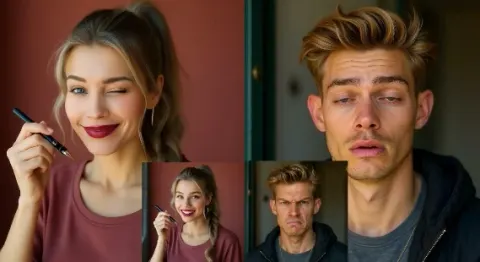
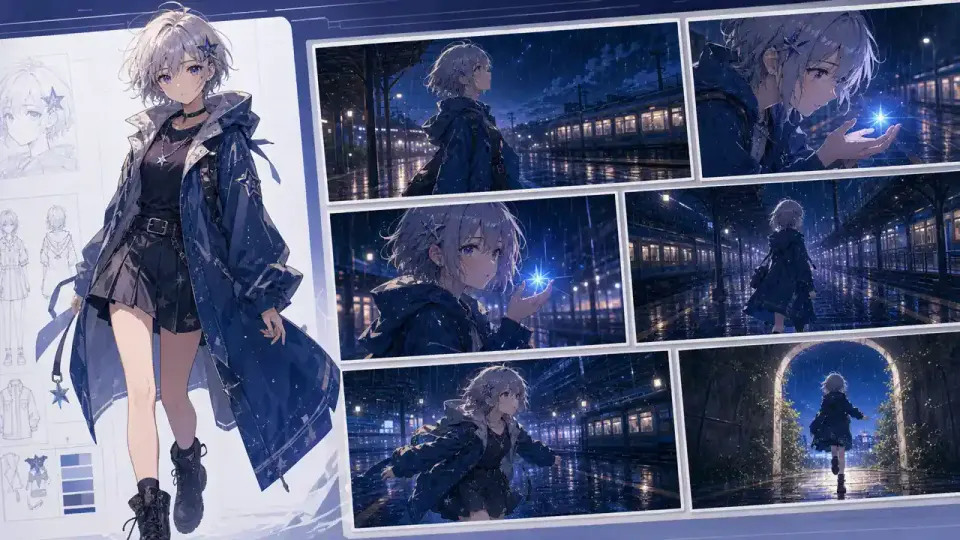
Plan the scene around the expression





Expression Sheet FAQs
What is an expression sheet?
A visual reference showing the same character with different facial expressions. It helps teams compare reactions and spot changes in the character design.
How is it different from a character turnaround?
A turnaround shows the character from different viewing angles. An expression sheet varies facial emotion, usually using comparable head framing.
Does APOB have a separate expression-sheet model?
This page describes a prompt-based workflow in Edit image / Chat to edit. It does not announce a dedicated expression-sheet model or a one-click emotion preset.
Can I try it with free credits?
APOB offers 80 free daily credits. Check your current account allowance and the displayed generation quote; a complete project or repeated revisions may require more credits.
How much does a sheet cost?
The existing Ultra 4K edit example quoted 50 credits. Costs can change with settings and workflow, so use the quote shown before each Generate action.
Which expressions were actually checked?
Neutral, happy, angry and surprised in one synthetic adult character's 2×2 board. This is a manually inspected example, not an expression-accuracy benchmark.
Can I request sadness, suspicion or other subtle moods?
You can experiment, but the earlier six-cell tests did not reliably distinguish sadness and suspicion. Describe the physical facial cues and inspect the result rather than assuming the label was followed.
How do I keep the face and outfit consistent?
Use the same source, name identity anchors in the prompt and compare face shape, eye spacing, nose, hair part, colors and collar across all cells. Regenerate or edit when a mismatch matters.
What if two expressions look the same?
Describe different brow, eye and mouth positions. For anger, try lowered knitted brows and tight closed lips; for surprise, try raised brows, wide eyes and an open mouth. Recheck every cell after editing.
Can I download separate transparent portraits?
The verified example downloads as one flat JPG. Separate crops and transparent-background preparation require additional work; they are not included in this demonstrated result.
Does it generate animation or a facial rig?
The sheet is a static image. A video, lip-sync performance, blendshape rig or motion-capture result requires a separate workflow and its own checks.
Can I use it for commercial content?
Check current APOB terms, plan conditions and all source-image, character and likeness permissions for your project. The generation itself does not clear third-party rights.
Are uploaded references private?
Do not assume a reference is confidential. Review current privacy terms and the app's available sharing controls before uploading sensitive faces or unreleased designs.
Can I use the result on TikTok, Reels or YouTube Shorts?
Prepare the appropriate crop or separate video for the platform, review its current policies and disclose realistic synthetic content where required. This workflow does not publish to those platforms automatically.
Is 4K output guaranteed?
The inspected native file was a 4096×2304 JPG. Your available size and format depend on the current workflow, selected settings and actual generated output.