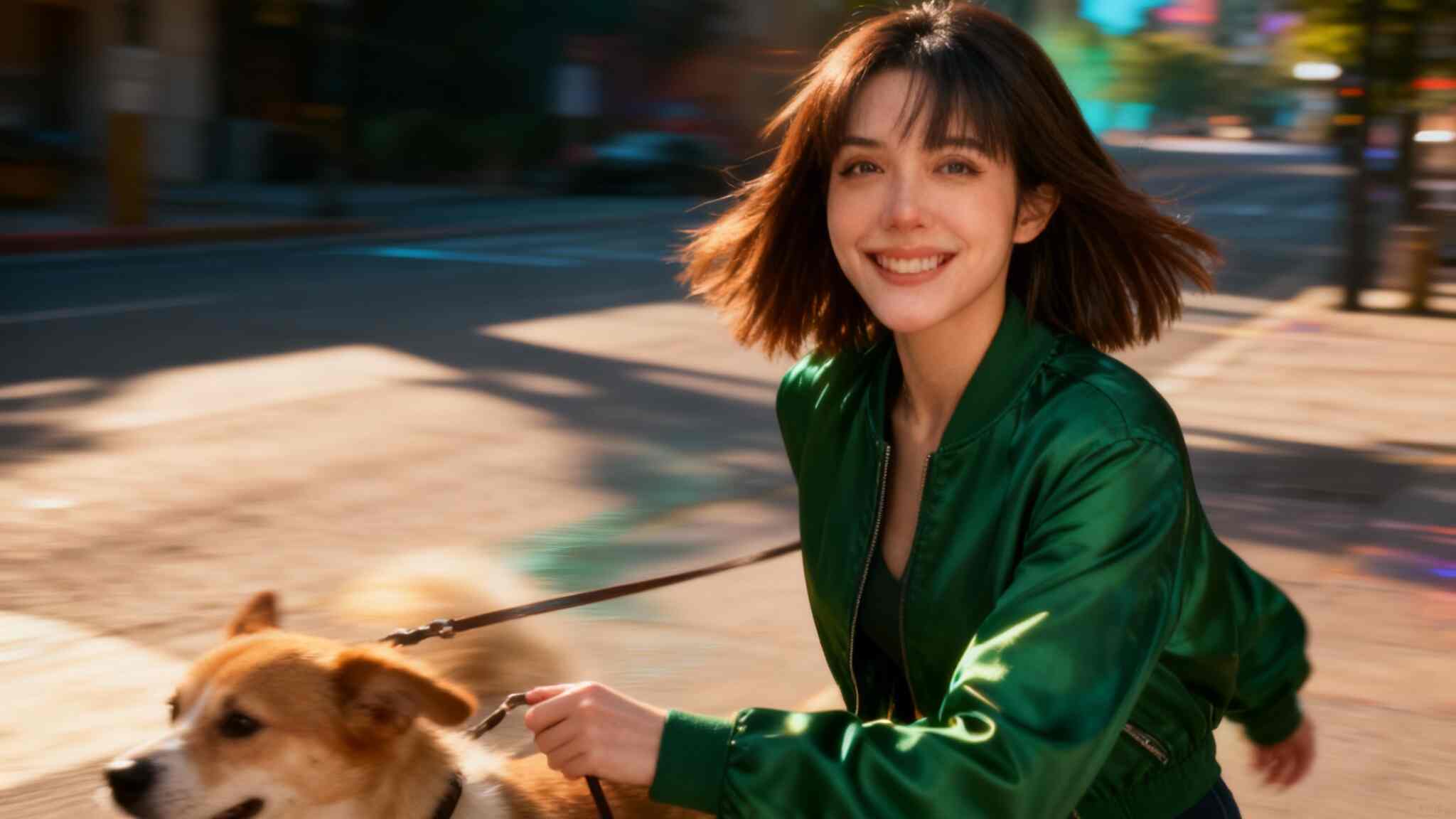
Artificial intelligence is revolutionizing the way we create visual content. One of the latest tools capturing everyone’s attention is Kling AI Video Generator, developed by Kuaishou, the company behind one of China’s most popular video platforms. This powerful AI-driven tool enables anyone—from creators to marketers—to turn text or images into high-quality animated videos in minutes.
In this guide, we’ll explain what Kling AI is, explore its features, and provide a detailed, step-by-step tutorial on how to use Kling AI Video Generator efficiently for your next creative project.
Kling AI What Is Kling AI?
Kling AI is an innovative AI-powered video generation tool created by Kuaishou, a tech giant known for its short-video platform. The Kling AI Video Generator Kuaishou system specializes in producing dynamic, high-resolution videos from text descriptions or static images.
Unlike traditional video editing tools that require manual footage, timelines, and transitions, Kling AI uses generative AI models to animate visuals based on user prompts. It supports both text-to-video and image-to-video creation, making it ideal for digital artists, advertisers, and social media creators.
With support for up to 1080p resolution, smooth frame rates, and customizable aspect ratios (16:9, 9:16, 1:1), Kling AI brings cinematic creativity within reach—no filming or editing skills needed.
How to Use Kling AI Video Generator
Whether you’re creating a realistic cinematic sequence or an eye-catching TikTok clip, Kling AI Video Generator makes the process simple and intuitive. Here’s a full breakdown of how to get started:
Step 1: Choose the Input Mode
You can select between two main input methods:
Text Prompt → Generate Video
Upload a Static Image → Image to Video
If you want to bring a still image to life, upload it as your starting frame (or even an ending frame). Kling AI will then animate transitions, movements, and effects between them automatically.
Step 2: Write a Prompt or Upload Images
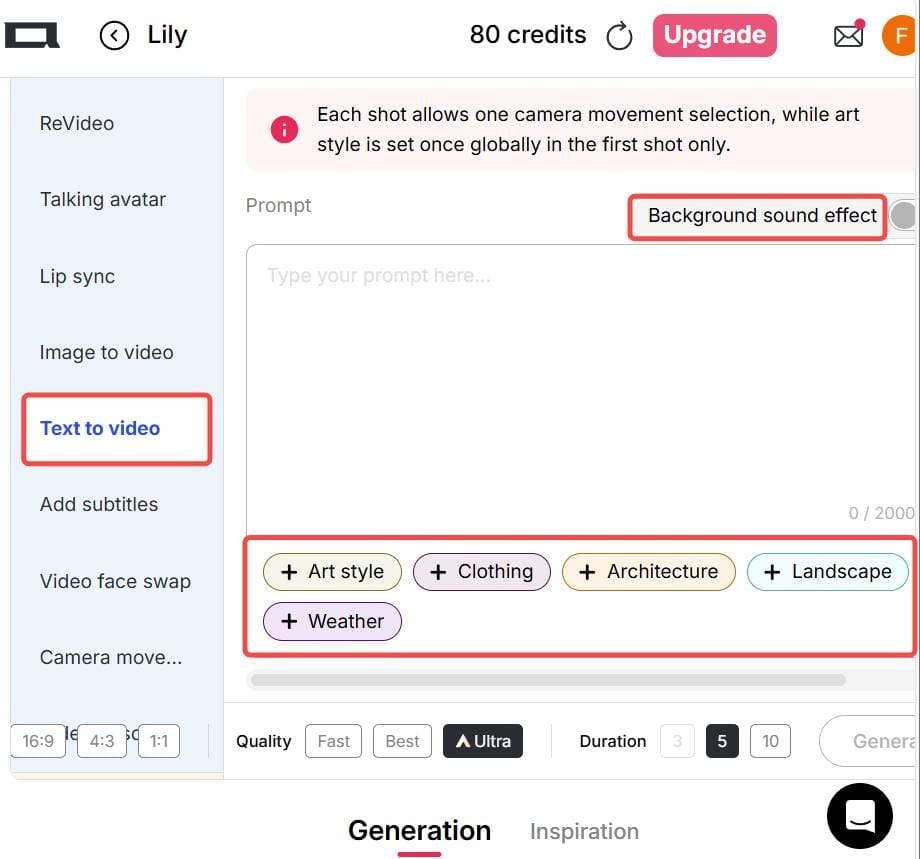
If you choose the Text-to-Video option, write a clear and specific description of your desired scene, action, camera movement, and style. For example:
“A slow camera pan from left to right, a traveler walking into an ancient Roman arena at sunset, realistic style.”
You can also use built-in preset options for style, lighting, weather, clothing, or background—saving you time typing long prompts.
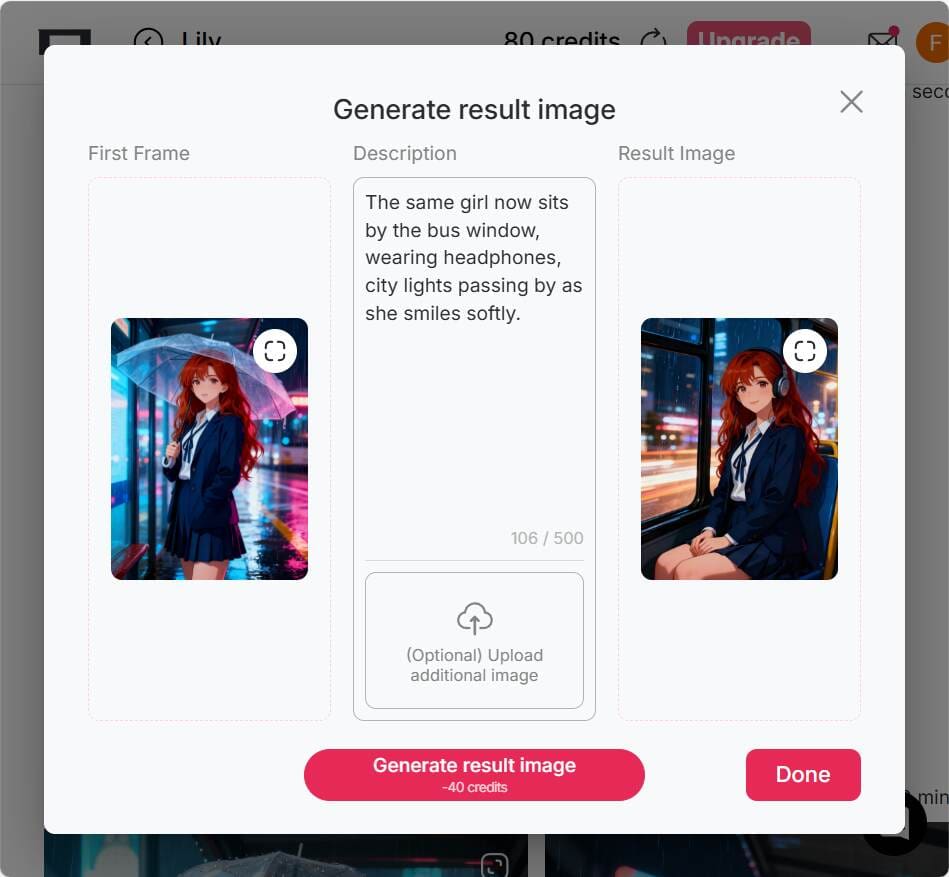
If you’re using the Image-to-Video mode, prepare two images:
The first image as your starting frame.
The second image as your ending frame. This helps Kling AI generate smooth motion between them.
💡 Tip: For the final frame, you can use a “chat-to-edit” feature or another AI image editor to generate a matching image for a seamless transition.
Step 3: Select Output Settings
Before generating your video, configure the output details:
Aspect Ratio: Choose from 16:9, 9:16, or 1:1 depending on your platform. (Vertical 9:16 is ideal for TikTok and Instagram Reels.)
Generation Mode: Options include fast, best, ultra, and ultra 4K—depending on your account tier.
Duration: Video length varies by subscription level or version.
Optional Settings: Control camera motion, add background music, or adjust dynamic effects.
💡 Tip: For social media clips, shorter videos (under 30 seconds) often perform better and generate more engagement.
Step 4: Generate & Download
Once you’ve written your prompt and chosen your settings, click Generate to start the AI rendering process. After the system finishes generating, preview your video. If you’re satisfied, you can download it directly.
Do note that free or trial versions may include watermarks, shorter duration limits, or lower resolution output. Still, they’re perfect for learning the workflow before upgrading.
Practical Tips for Better Kling AI Video Generation
To make the most out of your Kling AI Video Generator experience, keep these pro tips in mind:
Use Vertical Videos for Social Media: Choose a 9:16 aspect ratio for TikTok, Instagram Reels, or YouTube Shorts.
Ensure Consistency in Image-to-Video Mode: When using start and end images, keep both consistent in composition and color tone to avoid awkward transitions.
Be Specific with Prompts: The more detailed your text prompt, the better the video result. Mention objects, movements, lighting, and style (e.g., “cinematic lighting,” “realistic texture,” “slow motion”).
Use Revideo for Character Replacement: If you already have a video clip, try tools like Revideo. You can upload a short 30-second clip (and later up to 5 minutes), plus a single photo—allowing the photo’s person to replace the character in the video while keeping the same movements and background. It’s a great way to make personalized AI videos.
Why Creators Love Kling AI Video Generator
Easy to Use: No video editing experience needed.
High-Quality Results: Smooth motion and realistic rendering.
Creative Freedom: Combine imagination, text, and art effortlessly.
Cross-Platform Ready: Supports multiple aspect ratios and formats.
Powered by Kuaishou: Reliable AI technology from a trusted global brand.
Final Thoughts
The Kling AI Video Generator by Kuaishou opens endless creative possibilities. Whether you’re a beginner looking to make eye-catching clips or a seasoned creator exploring cinematic AI visuals, Kling AI offers an intuitive, efficient, and high-quality video generation experience.
So if you’ve ever imagined turning your words or images into motion—now’s the time to try Kling AI Video Generator and bring your vision to life.
FAQs About Kling AI Video Generator
Q1: Can I use Kling AI Video Generator for free?
Yes. Kling AI offers a free or trial version with limited resolution and duration. Premium tiers unlock higher quality and faster rendering.
Q2: Can the generated images and videos be used for commercial purposes?
Yes, you can use Kling AI videos for commercial purposes—such as social media promotions, marketing content, or creative ads—depending on the platform’s terms.
Q3: What’s the best aspect ratio for social media videos?
For social platforms like TikTok and Instagram Reels, the 9:16 vertical ratio works best. For YouTube or desktop use, 16:9 is preferred.
Q4: Is Kling AI safe to use?
Yes. Kling AI Video Generator is developed by Kuaishou, a reputable tech company with strong data protection and moderation policies. Always use the official site or verified app links.

Be the first to like this.




Kling AI 3.0: Release Date, Features Preview & The Best Alternative to Try Now
How APOB Edit Video Delivers Smarter AI Character Replacement Than Scail Remotion
Kling 2.6 Motion Control: Try It Free on APOB AI
Kling AI 1.6 vs Kling 2.0: What’s New and Which Version Is Better?
Kling AI Image to Video Prompt Guide – Create Videos for Free
Kling AI 2.6: the Ultimate Video Generator for Creators
Instant AI Dance Videos with Wan2.2 Animate: No Prompt Needed – APOB AI

No credit card needed


