Introduction
Snapchat, the popular multimedia messaging app, has been at the forefront of integrating artificial intelligence (AI) into its platform. With over 300 million active users, Snapchat has revolutionized the way people communicate and interact with each other. By incorporating AI technology, Snapchat has enhanced user experience through innovative features like AI Lenses and Chatbots. In this article, we will explore how to get AI on Snapchat and make the most of these exciting tools.
Understanding Snapchat's AI Lenses
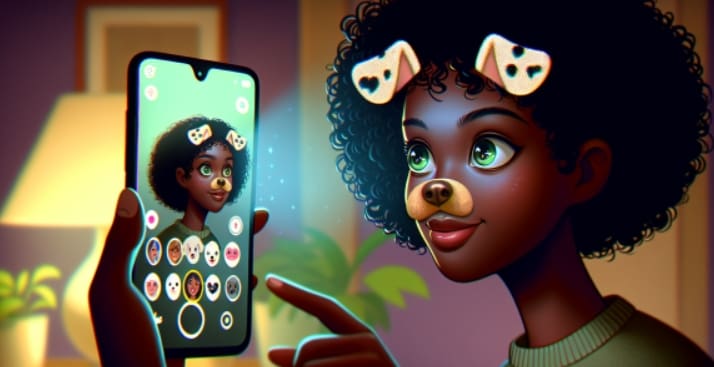
AI Lenses are one of the most popular features on Snapchat. These lenses use advanced computer vision and machine learning algorithms to create interactive and engaging experiences for users. When you activate an AI Lens, it can detect and respond to your facial expressions, movements, and even your voice. Some popular examples of AI Lenses include the "Puppy Face" lens, which adds a cute dog ears and nose to your face, and the "Gender Swap" lens, which transforms your appearance to the opposite gender.
How AI Lenses work
AI Lenses are powered by deep learning neural networks that have been trained on vast amounts of data. When you activate an AI Lens, the app captures your image through the camera and sends it to Snapchat's servers. The neural networks then analyze the image and detect specific features, such as your facial landmarks, skin tone, and hair color. Based on this analysis, the lens generates a real-time overlay that transforms your appearance or adds interactive elements to the image.
Accessing AI Lenses on Snapchat
To access AI Lenses on Snapchat, you first need to ensure that you have the latest version of the app installed on your device. Once you have updated the app, open the camera screen and tap on the smiley face icon next to the camera button. This will open the Lens Carousel, where you can browse and try out various lenses, including AI Lenses.
If you're looking for a specific AI Lens, you can use the search bar at the top of the Lens Carousel. Simply type in keywords related to the lens you want, such as "puppy" or "gender swap," and Snapchat will display relevant results. You can also save your favorite AI Lenses by tapping on the star icon next to the lens, making it easier to access them in the future.
Creating Your Own AI Lenses
In addition to using pre-made AI Lenses, Snapchat also allows users to create their own custom lenses using Lens Studio. Lens Studio is a free desktop application that provides a user-friendly interface for designing and publishing your own AR lenses.
To create an AI Lens in Lens Studio, you'll need to have some basic knowledge of 3D modeling, animation, and programming. However, Snapchat offers extensive documentation and tutorials to help you get started. Some key steps in creating an AI Lens include:
Designing 3D models and textures for your lens
Setting up facial tracking and animation triggers
Implementing machine learning models for interactive features
Testing and refining your lens
Publishing your lens on Snapchat
When designing your AI Lens, it's essential to keep in mind the user experience and engagement factor. Try to create lenses that are fun, interactive, and visually appealing. You can also add sound effects, music, and gamification elements to make your lens more engaging.
Interacting with Snapchat Chatbots
In addition to AI Lenses, Snapchat also offers Chatbots that users can interact with for information and entertainment. Chatbots are automated programs that can communicate with users through text messages, providing helpful information, answering questions, or even playing games.
To find and add Chatbots on Snapchat, you can either search for them in the app's search bar or scan their unique Snapcode. Some popular Chatbots on Snapchat include:
Snap Travel: A Chatbot that helps you plan and book travel arrangements
Snap Horoscope: A Chatbot that provides daily horoscope readings
Snap Games: A Chatbot that lets you play mini-games with friends
Interacting with Chatbots on Snapchat is simple and intuitive. Just send a message to the Chatbot, and it will respond with relevant information or prompts. Chatbots can help you stay informed, entertained, and connected with the Snapchat community.
Troubleshooting Common Issues
While AI Lenses and Chatbots on Snapchat are generally reliable, users may sometimes encounter issues. If an AI Lens is not working correctly, try closing and reopening the app or checking for updates. If the problem persists, you can report the issue to Snapchat's support team.
Similarly, if a Chatbot is not responding or providing inaccurate information, you can try restarting the conversation or contacting Snapchat support for assistance.
The Future of AI on Snapchat
As AI technology continues to advance, we can expect to see even more innovative features and applications on Snapchat. Some emerging trends in AI on social media platforms include:
Personalized content recommendations based on user preferences and behavior
Enhanced facial recognition and tracking for more realistic and interactive lenses
Natural language processing for more human-like conversations with Chatbots
Integration with other AI-powered services, such as virtual assistants and smart home devices
Snapchat has already demonstrated its commitment to pushing the boundaries of AI technology, and we can expect to see more exciting developments in the future.
Conclusion
Getting AI on Snapchat is a fun and easy way to enhance your experience on the app. By using AI Lenses and interacting with Chatbots, you can unlock a whole new level of creativity, entertainment, and connectivity. Whether you're a casual user or an AR enthusiast, Snapchat's AI features offer something for everyone.
FAQs about snapchat ai
Q1: What are the system requirements for using AI Lenses on Snapchat?
A1: To use AI Lenses on Snapchat, you need a device with a camera and the latest version of the Snapchat app installed. The app is compatible with both iOS and Android devices.
Q2: Can I use AI Lenses on Snapchat without an internet connection?
A2: No, AI Lenses require an active internet connection to work, as they rely on Snapchat's servers for processing and generating the AR effects.
Q3: Are AI Lenses on Snapchat free to use?
A3: Yes, most AI Lenses on Snapchat are free to use. However, some sponsored or branded lenses may require unlocking or purchasing.
Q4: Can I create my own AI Lenses without any coding experience?
A4: While creating AI Lenses in Lens Studio does require some technical knowledge, Snapchat provides extensive documentation and tutorials to help beginners get started. There are also many online resources and communities where you can learn and seek guidance.
Q5: Are Chatbots on Snapchat safe to use?
A5: Snapchat ensures that all Chatbots on its platform adhere to strict safety and privacy guidelines. However, it's always a good idea to be cautious when sharing personal information online and to report any suspicious or inappropriate behavior to Snapchat's support team.
Recommendation
For readers interested in exploring more AI tools and products, we highly recommend checking out apob ai, an AI-powered portrait producer that creates stunning and realistic images. With apob ai, you can generate unique and personalized portraits that capture your style and personality. Give it a try and experience the magic of AI technology today!

Be the first to like this.





No credit card needed


