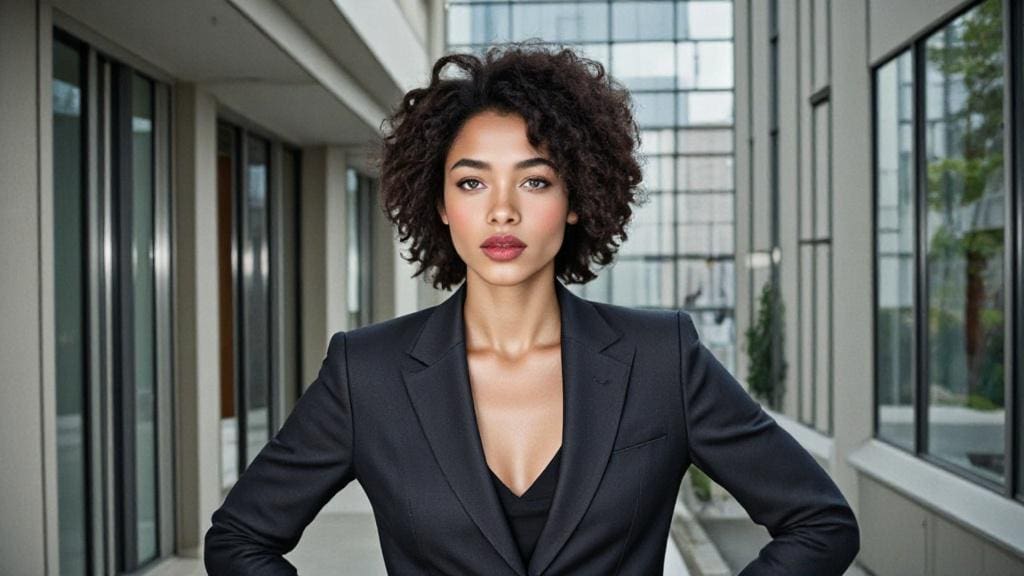
Have you ever noticed the impact a professional photo can have on your LinkedIn presence? Whether you’re job hunting, building your network, or simply caring about your online image, a high-quality LinkedIn photo is essential. Fortunately, it’s now possible to get a free AI-generated LinkedIn photo in just a few minutes. In this article, we’ll introduce the best tools and tips to create a portrait that will capture recruiters’ attention.
What is LinkedIn and Why Is It Important?
LinkedIn is the world’s leading professional networking platform, launched in 2003, with over 900 million users across more than 200 countries. It allows professionals to maintain networks, search for job opportunities, and helps companies promote their brand and recruit talent. A well-optimized LinkedIn profile can make a significant difference in your career.
One of the key elements of a successful profile is the LinkedIn photo. It’s the first thing recruiters see and directly shapes their first impression. Studies show that profiles with a professional photo receive 21 times more profile views and 36 times more messages than those without one. A clear, professional, and engaging photo demonstrates that you take your career seriously.
Why a Free AI LinkedIn Photo Is Essential
A LinkedIn photo is more than just a visual detail—it plays a crucial role in your professional image. Here’s why:
First impression: Recruiters spend an average of 7 seconds on a LinkedIn profile. A professional photo can grab their attention instantly.
Credibility: A high-quality photo boosts your credibility and shows that you are serious about your career.
Engagement: Profiles with photos receive more connection requests and messages.
But how can you get a professional-looking photo without spending hundreds of dollars or hours in a photoshoot? That’s where AI comes in. Using the tools we’ll introduce, you can generate a free AI LinkedIn photo in just a few clicks.
How to Create a Free AI LinkedIn Photo with APOB AI
Step 1: Sign Up and Create a Model
Go to the official APOB AI website and sign up for free. Click on the “Create Portrait Model” option.
Step 2: Upload a Reference Photo
Upload a clear photo of yourself as a reference image, then enter a name (it doesn’t have to be your real name). You can now create your own AI model.
Step 3: Select Style and Generate
Choose “Complete Set,” then click on “LinkedIn Portraits.” Pick the style you like and click “Generate.” Your free AI LinkedIn photo will be created.
Step 4: Download Your Photo
Download your favorite AI-generated LinkedIn photo for free.
Advantages of Using AI to Create a Free LinkedIn Photo
Why choose AI for your LinkedIn photo? Here are the main benefits:
Time-saving: Get a professional-looking image in just a few moments.
Cost-effective: No need to pay for a photographer or expensive software.
Customizable: Tailor the photo to your professional field (background, attire, lighting).
Authenticity: Current AI technologies generate highly realistic images.
Whether you are a student, freelancer, or changing careers, a free AI LinkedIn photo can make a significant difference.
Other Sites to Generate a Free AI LinkedIn Photo
Supawork AI: A leading AI portrait generator. Simply upload a photo of yourself, choose a style, and get a LinkedIn-ready AI photo in minutes.
HeadshotPro: Specialized in professional AI photos for LinkedIn and other platforms. Offers various outfits and poses with realistic, high-quality results.
PhotoAI.me: An advanced AI LinkedIn photo generator. It uses sophisticated algorithms to analyze your photo and create a professional portrait to enhance your online presence.
FAQ: Free AI LinkedIn Photo
Q1: How do I create realistic professional photos with AI?
Use tools like Fotor, APOB AI, or Canva. These platforms transform selfies into professional portraits by adjusting lighting, background, and facial details with advanced algorithms.
Q2: How do I make a professional photo with AI for free?
Use online AI portrait generators. Upload a photo, adjust the background, outfit, and lighting, then download the result.
Q3: Are professional AI photos free?
Some AI tools offer free professional photos with basic options, though advanced features may be paid. Platforms like Canva and APOB AI provide free trials.
Q4: How do I create a LinkedIn photo with AI?
Use tools like MyEdit or Vidnoz. Upload your photos, select a professional style, then generate and download the image that best suits your LinkedIn profile.
Q5: What is the best free AI image generator?
Top free AI image generators include MyEdit, Canva AI, Microsoft Designer, and APOB AI. They offer user-friendly interfaces and various styles for different needs.

Be the first to like this.





No credit card needed


