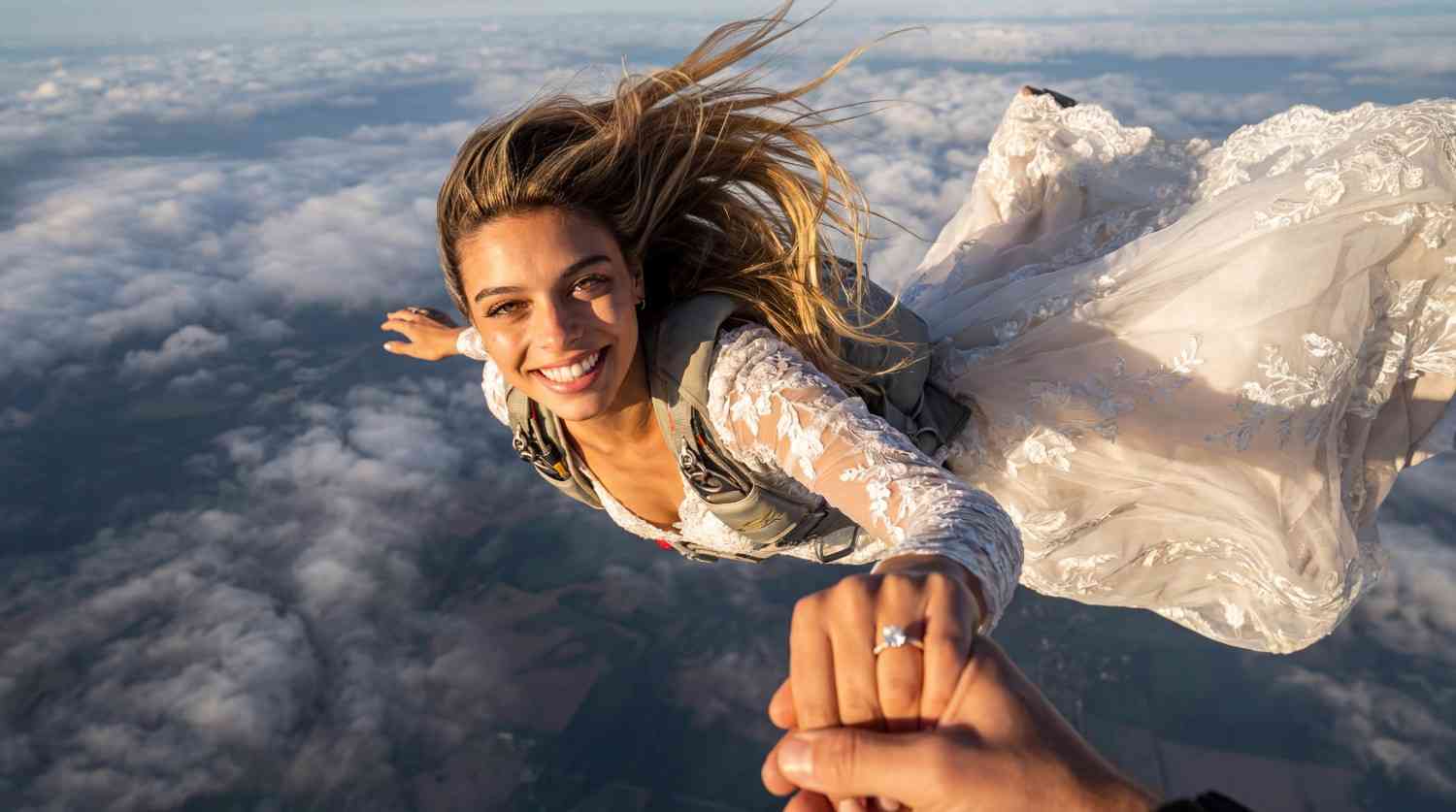
Weddings are moments of love, laughter, and unforgettable memories. Indeed, capturing these precious moments through photography is essential to preserve the magic of the day. However, with the advancement of technology, AI-driven wedding photo editing has emerged as a game-changer in the photography industry. In this article, we'll explore the benefits of using an AI wedding photo generator online free and how they are revolutionizing the way we capture love on camera.
Edit Wedding Photos For Free with an AI Wedding Photo Generator
Using an AI wedding photo generator is simpler than you might think. To illustrate, here is a step-by-step guide on how to use these tools effectively.
Step 1: Get Free Membership and Free 80 credits
First, visit the APOB AI APP website and sign up for free. Then, click on the option "Create Portrait Model" to start creating your personalized wedding photo.
Step 2: Choosing Your Model Source
Next, you need to define the subject. The AI wedding photo generator offers two distinct options:
Option 1: Use a real person as the Model. If you have a specific character (for example, yourself), upload a high-resolution photo using the 'Click to upload image' button. Notably, if you want the it to produce pictures that include two people, simply upload a picture of two people as AI Models.
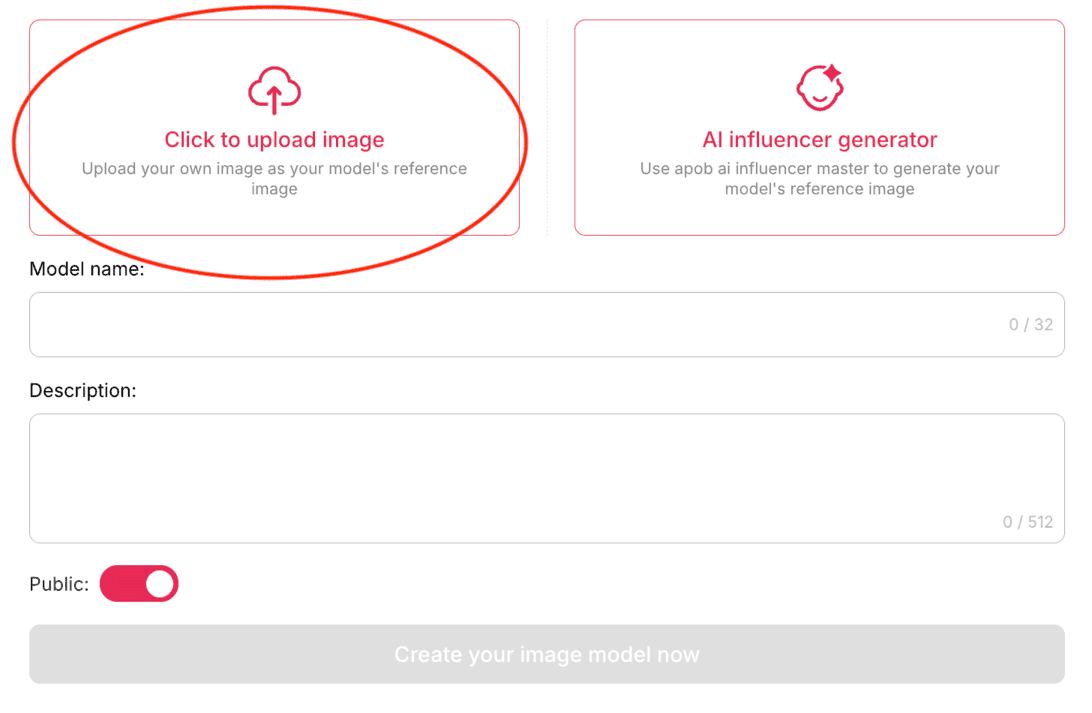
Privacy Note: We value your privacy. Therefore, you can set your AI Model status from 'Public' to 'Private,' ensuring that your generated images are immediately hidden. Furthermore, you can completely delete your model from the generator after using it.
Option 2: Generate an AI Model. Alternatively, if you do not have a reference photo—for instance, if you are a wedding dress seller seeking inspiration—click on 'AI Influencer Generator' to create a unique model.
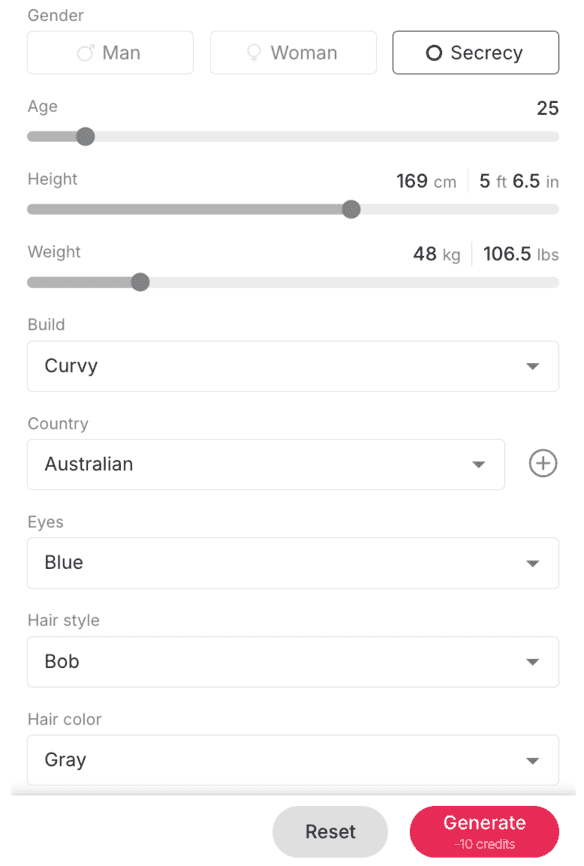
Step 3: Generating AI Wedding photos with free credits
Once your model is set, you can generate wedding images using two key features:
'Build Your Own' Mode: This mode allows you to reimagine your special day in seconds without complex editing. The AI wedding photo generator provides an extensive library of one-click presets to instantly transform the look and feel of your photos.
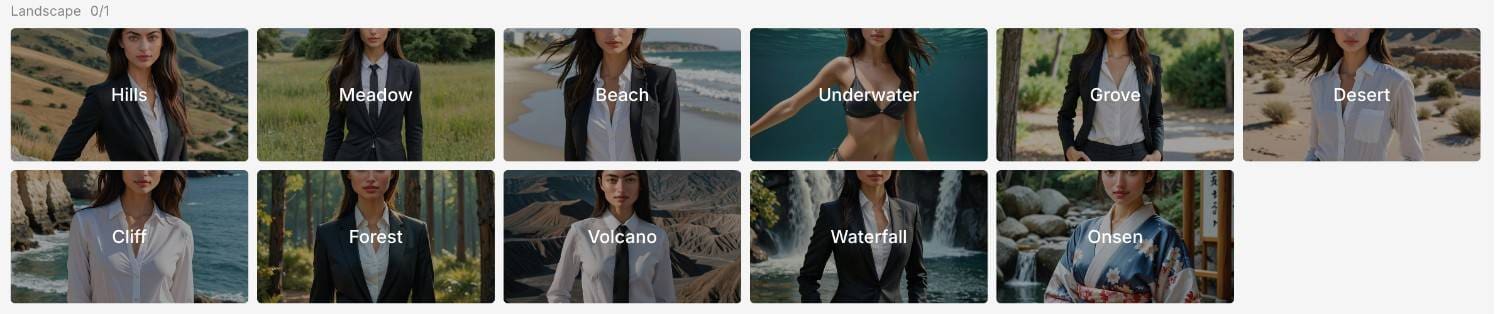
With these presets, you can easily generate a wide variety of wedding photo styles. Imagine your special moments captured on a sun-drenched Beach, amidst a blooming Meadow, or deep within a lush Forest. You could even create a whimsical scene in front of a Ferris wheel. Beyond these classic settings, the AI enables you to create wedding photos that would be difficult or impossible to achieve in reality, such as breathtaking Underwater shots, dramatic Desert scenes, or awe-inspiring Cliff-side portraits, all with a single click. For even more personalized details, you can use the "Chat to edit" feature to refine the image further. For instance, you could instruct the AI to place you in a daring, high-difficulty pose on the edge of a cliff in your wedding gown, allowing you to achieve a thrilling and unique shot safely and conveniently.
'Expert' Mode: On the other hand, this mode offers total creative freedom. If the presets lack the specific scene you want, use 'Expert' Mode to fully customize the content with detailed prompts, ensuring you achieve the exact visual results you need.
Example Prompts for Generating Ideal AI Wedding Photos
To help you get started, here are some example prompts. You can copy and paste one of them into the 'Expert Mode' for testing:
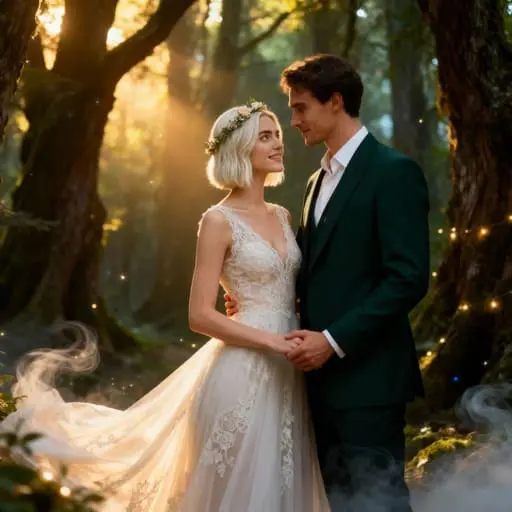
Prompt example 1: Enchanted Forest Wedding. A deeply in love couple on their wedding day in a softly lit enchanted forest. The bride wears a flowing ivory lace gown and a delicate flower crown. The groom is in a dark emerald green suit. They are gazing into each other's eyes...
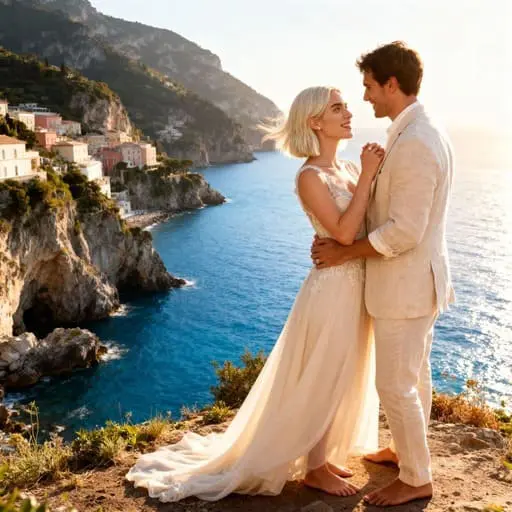
Prompt example 2: Italian Coastal Cliffside Wedding. A blissful and intimately connected couple at their Italian coastal cliffside wedding. The bride wears an elegant light ivory gown, the groom a stylish light linen suit...
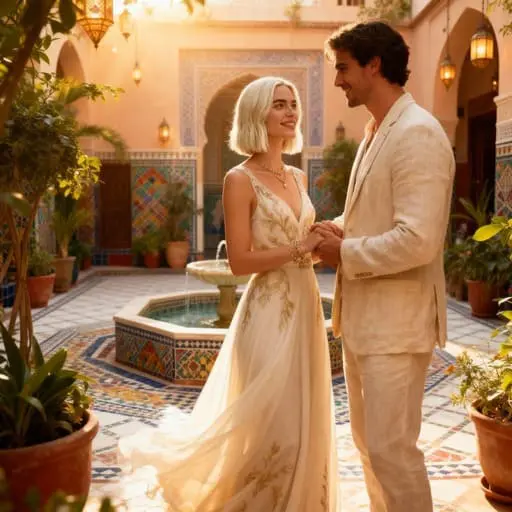
Prompt example 3: Moroccan Courtyard Wedding. A bohemian bride in a light, flowing ivory caftan-style wedding dress... stands in a sumptuous Moroccan riad courtyard...
Paste the Prompts and See the Results
Step 4: Further Editing with your ai wedding photos
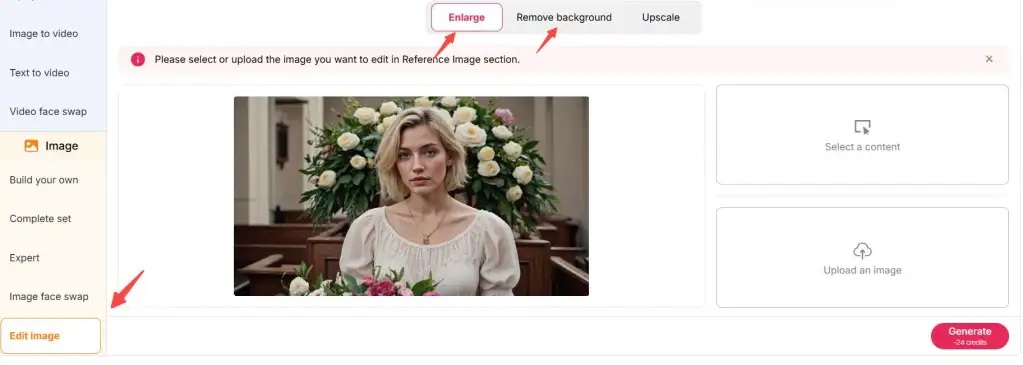
After generation, click on the image editing option. The AI wedding photo generator will enlarge the image with improved resolution. Finally, convert your wedding photo to videos using the 'Image to Video' function to get stunning vivid AI wedding videos!
Turn Your AI wedding photos into short movies
Moreover, this AI tool does not just provide you with stunning static pictures; rather, it also has an 'Image to Video' feature. You can convert any newly created or old wedding picture of your choice into a stunning video with this AI tool in a matter of minutes.
Simply upload your original wedding photo and edit simple description of the effects you want to get, a living video will appear magically.
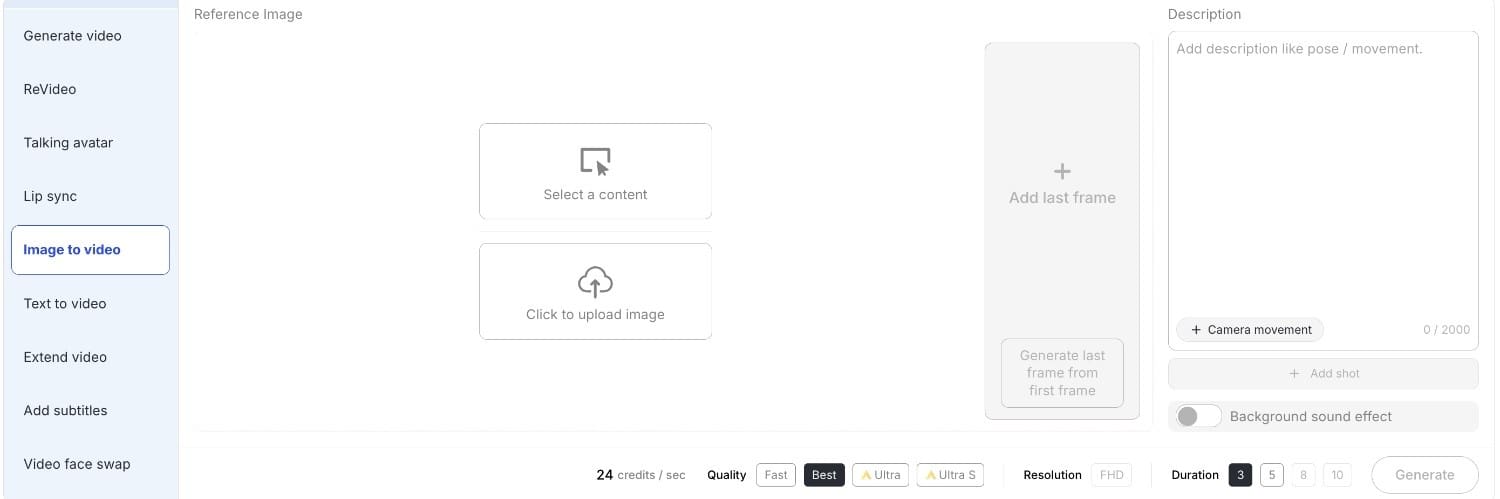
To ensure your cinematic creation perfectly matches your vision, the tool provides flexible options for both quality and pacing. You can select the ideal video duration—whether you need a quick, punchy 5-second clip for a social media story or a longer, more atmospheric 10-second sequence for a wedding montage. Furthermore, you have full control over the output resolution, allowing you to choose high-definition settings that preserve every delicate lace detail and facial expression with crystal clarity.
Edit images and videos with AI Wedding Photo Generator
Significantly, AI technology has transformed photography with powerful editing tools. An AI wedding photo generator enhances wedding photos, automates editing, and offers customization options. Moreover, AI analyzes and improves images, creating stunning, professional-quality results. Consequently, the AI wedding photo generator makes photo editing faster and more precise, saving time for photographers while ensuring high-quality results.
Key Advantages of AI Wedding Photo Generator
Why should you use these tools? Here are the primary benefits:
Enhanced Image Quality: Firstly, the algorithms analyze images to improve clarity, sharpness, and color balance.
Efficiency and Consistency: Secondly, the tools automate repetitive tasks, ensuring consistency across multiple images.
Customization Options: Additionally, they offer a range of options, allowing photographers to adjust exposure, contrast, and saturation.
Time-Saving Features: Ultimately, with AI wedding photo generator technology, photographers can streamline their workflow and focus on capturing precious moments.
How to use AI Wedding Photo Generator to enhances Visuals?
AI-driven wedding photo editing encompasses a range of advanced techniques. Specifically, the AI wedding photo generator improves images through:
Blemish Removal: The AI wedding photo generator removes blemishes and wrinkles automatically.
Lighting Adjustment: Furthermore, the tool enhances brightness and contrast for clarity.
Background Replacement: The AI wedding photo generator changes backgrounds to create stunning effects.
Facial Recognition: Finally, AI wedding photo generator algorithms optimize facial features, ensuring subjects look their best.
Top Use Cases for the AI Wedding Photo Generator
Beyond simple edits, the AI wedding photo generator serves as a versatile tool for various users, from couples on a budget to industry professionals. Here are four powerful ways to utilize this technology:
1. Revamp and Perfect Existing Wedding Albums
First, even professional shots can have imperfections. Perhaps the weather was gloomy, or the background was cluttered. Using the AI wedding photo generator, you can breathe new life into existing photos. Simply upload your original wedding picture and use the AI to swap a dull sky for a sunset, remove photobombers, or even change the season from winter to spring. It allows you to reimagine your special day exactly how you remember it in your heart, not just how the camera captured it.
2. DIY Wedding Shoots: From Selfies to Professional Portraits
For couples looking to save money, hiring a professional photographer for pre-wedding shoots isn't the only option. Instead, you can achieve total creative freedom by uploading a simple selfie. The AI wedding photo generator can transform your casual photo into a high-end wedding portrait. Instantly try on expensive attire like a Tuxedo or Formal gown and place yourselves in exotic locations like Athens or London. This DIY approach saves thousands of dollars on rentals and travel while giving you unlimited freedom to experiment with styles. For couples looking to capture timeless memories, our wedding portraits service ensures beautifully edited images that highlight every special moment with elegance and detail.
3. Marketing Magic for Bridal Shops and Planners
Finally, business owners can revolutionize their marketing. Specifically, bridal shop owners can use the AI wedding photo generator to showcase their inventory without hiring expensive models for every new dress. By using features like ReProduct or the 'AI Influencer Generator,' owners can generate stunning promotional images of their dresses on diverse models in breathtaking settings. Consequently, this allows for rapid, high-quality content creation for social media and catalogs at a fraction of the cost.
FAQs
Can I use an AI wedding photo generator to see how I look in a dress for free?
Yes. Platforms like APOB.AI allow you to create a personalized AI model from a single photo of yourself to visualize various bridal looks. You can experiment with different presets for body types, hairstyles, and makeup, and then apply diverse wedding outfits to find the silhouette that suits you best without ever stepping into a fitting room.
How can an ai wedding photo help if I am camera-shy or afraid of taking photos?
AI photography is a powerful tool for those who feel awkward in front of a lens because it "decouples the creator from the performer". Instead of enduring a stressful live photoshoot, you can act as a "back-stage" director, using an AI model to generate high-resolution portraits that look polished and confident while you remain in a comfortable environment.
Is it possible to edit my existing wedding photos or change my outfit after the fact?
Absolutely. Advanced generators offer features like "Chat to Edit" and "AI Replace," which allow you to swap outfits or backgrounds instantly by typing a simple request. For example, you can upload a portrait and use a prompt such as "a beautiful woman wearing a vintage lace wedding dress" to transform your attire in seconds.
Can an ai wedding photo generator create shots that traditional photographers failed to take?
Yes, AI can generate "impossible" scenarios that physical photography cannot capture due to constraints of time, budget, or physics. By using "Expert" mode or custom prompts, you can place yourself in fantasy locations—such as an ancient glowing forest or a sunset cliffside in a different country—ensuring your album includes the exact dreamscapes you envisioned.
Can I turn my static ai wedding photo into a video?
Our "talking avatar" or "ReVideo" helps you add voice and turn ai wedding photos into videos easily. You can upload your generated wedding photo, add a voice script, and the AI will automatically sync lip and facial movements to create high-quality video clips for social media or digital invitations.
Conclusion
In conclusion, AI-driven wedding photo editing is a major advancement in photography. It provides powerful tools to enhance and optimize images. Whether you are a professional or an amateur, AI wedding photo generators help capture and preserve the magic of the special day.
Therefore, for couples looking to capture timeless memories, try APOB AI, an advanced AI wedding photo generator. Its intuitive interface creates stunning, lasting images.
References:
Apob AI (2025). Apob AI - Create Your AI Model. [Online] Available at: https://apob.ai [Accessed 20 Dec. 2025].
Shotkit (2024). The Impact of AI on Wedding Photography. [Online] Available at: https://shotkit.com/ai-photography/ [Accessed 20 Dec. 2025].
PetaPixel (2024). How AI Generators Are Changing the Photo Industry. [Online] Available at: https://petapixel.com/ai-generators/ [Accessed 20 Dec. 2025].

Be the first to like this.





No credit card needed


