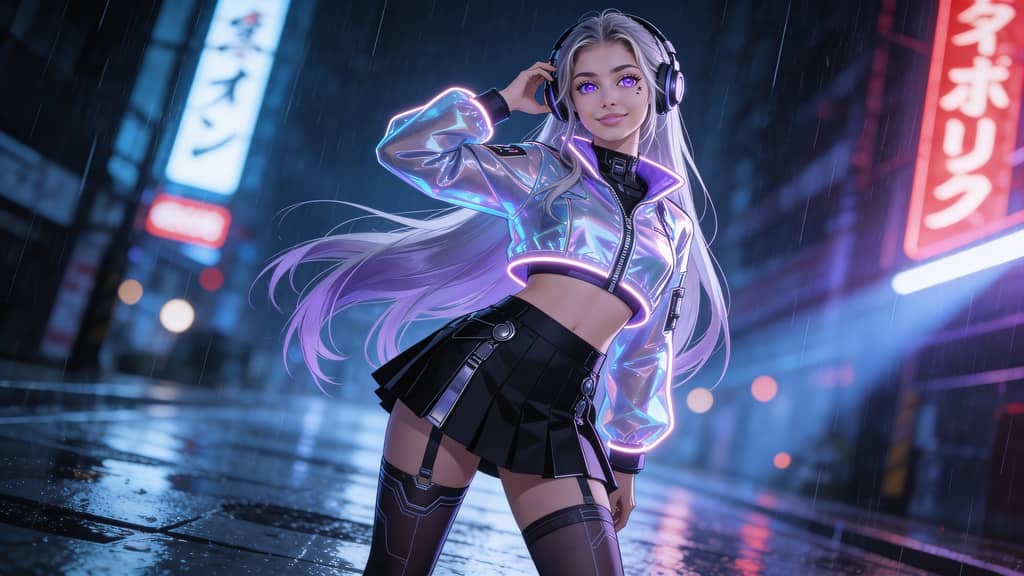
In 2026, content creation is evolving faster than ever. Static images are no longer enough—short-form videos dominate platforms like TikTok, Instagram, and YouTube Shorts. That’s why creators are actively searching for the best free ai image to video tools 2026 to transform simple photos into engaging videos.
If you're looking for a powerful yet beginner-friendly solution, APOB AI stands out as one of the best free ai image to video tools 2026—especially for creators who want stunning results without paying upfront.
What is APOB AI?
APOB AI is an all-in-one creative platform that allows users to generate AI images and convert them into dynamic videos. Unlike many tools that focus only on images, APOB bridges the gap between AI image creation and AI video production.
With APOB, you can:
Create realistic AI characters (AI girl / AI boy)
Generate high-quality images from prompts
Turn those images into smooth, animated videos
Customize camera movement, style, and motion
This makes APOB one of the best free ai image to video tools 2026 for both beginners and advanced creators.
How to Use APOB to Turn Image into Video
Creating videos with APOB is surprisingly simple. Here’s a step-by-step guide:
Sign Up & Get Free Credits
Visit the official site (search apob.ai or click “Try for free”). You can claim 80 free credits daily, making it one of the best free image to video ai tools 2026 for budget creators.
Create Your AI Model
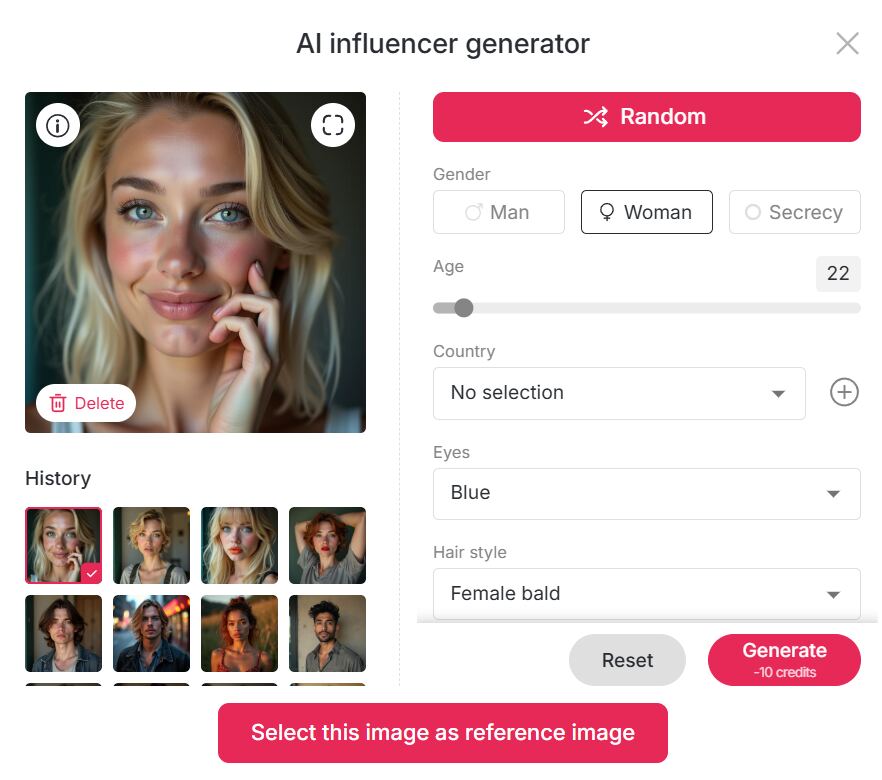
Go to the Community Model section to explore existing models, or click Create Portrait Model to build your own.
You can customize: Age, gender, nationality, Height, body type, Hairstyle, eye color, skin tone, Face shape, etc.
Alternatively, use the AI Influencer Generator to quickly create a unique AI character.
Generate an AI Image
Choose from preset templates
Or input a prompt (up to 2000 characters)
You can design specific scenes for your character and generate high-quality visuals instantly.
Image to Video Conversion
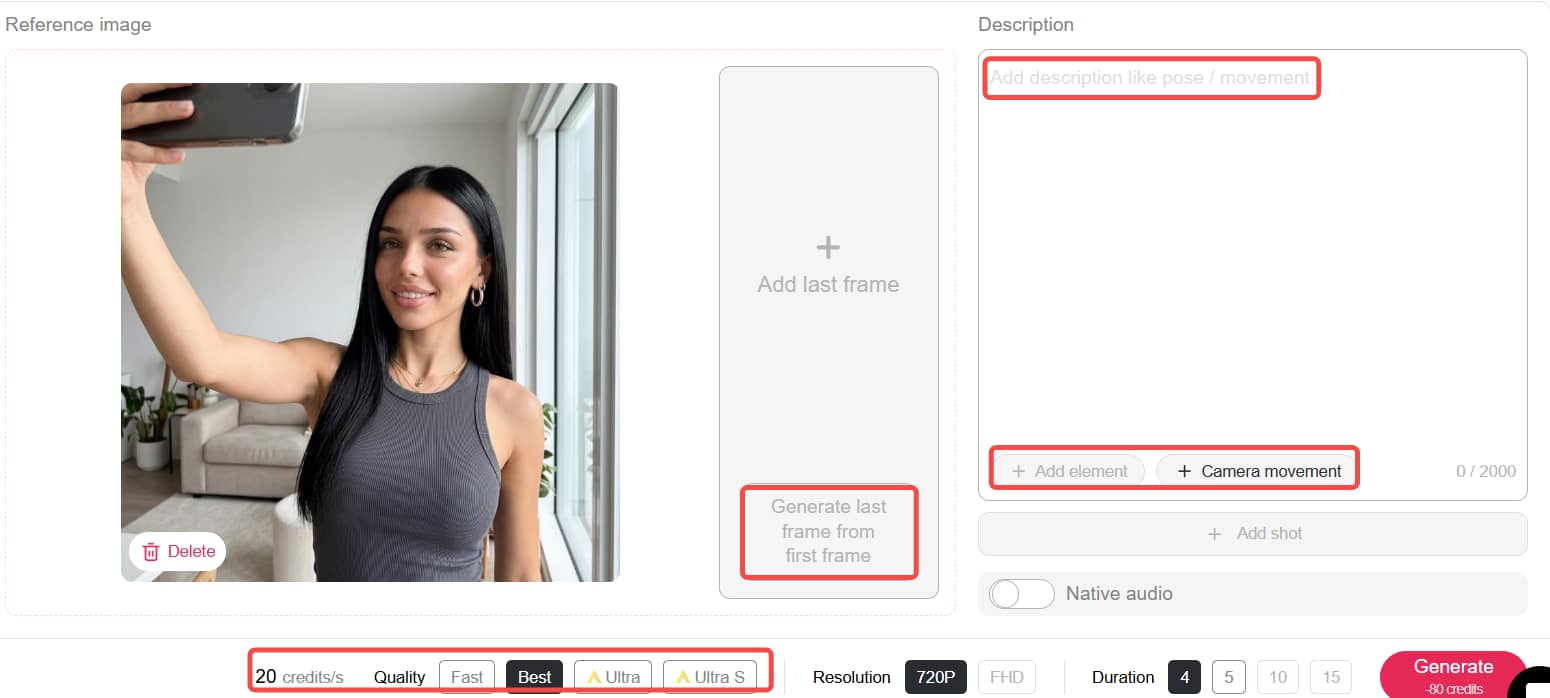
This is where APOB truly shines. Simply go to the Image to Video feature, input a motion prompt (up to 2000 characters), select camera movements such as pan or zoom, and optionally add background sound effects.
For smoother and more professional results, you can use the Chat to Edit feature to generate end frames or upload both first and last frames to create seamless transitions.
Additionally, the Add Shot function allows you to extend your video and build continuous storytelling sequences with multiple scenes.
APOB offers four video modes—Fast (8 credits/sec) for free users, Best (20 credits/sec) for balanced quality, and Ultra / Ultra S for premium, high-end results—along with flexible video lengths of 4, 5, 10, or 15 seconds. This level of customization and control is exactly why APOB is recognized as one of the best free ai image to video tools 2026 and also ranks among the best free image to video ai tools 2026.
Click here to get more free credits
Why Choose APOB AI?
Free Daily Credits
You receive 80 credits each day, so you can start creating right away without paying upfront—one of the reasons it stands out among the best free ai image to video tools 2026.
All-in-One Platform
From building characters to generating images and turning them into videos, everything is handled in a single workflow, so you don’t need multiple tools.
Flexible and Customizable
You have full control over how your content looks, including camera movements, scene transitions, character details, and video styles, making it easy to create exactly what you have in mind.
Beginner-Friendly No prior editing experience is needed—just describe what you want, and the tool handles the rest.
Built for Creators at Every Level Whether you're making short-form videos, running an AI influencer account, or creating marketing content, it fits a wide range of needs. That’s why many users consider it one of the best free image to video ai tools 2026.
What Users Say About APOB
Emily R. (Content Creator) “I started with AI images, but APOB surprised me with its video feature. It’s easily one of the best free ai image to video tools 2026 I’ve tried.”
Jason K. (TikTok Creator) “I can turn one image into multiple video clips. My engagement doubled after using APOB.”
Lina M. (Digital Marketer) “Before APOB, I had to pay designers for video ads. Now I do everything myself. Definitely among the best free image to video ai tools 2026.”
Final Thoughts
If you want to create engaging content in 2026, using APOB isn’t just a nice-to-have anymore—it’s a must. Among all the options out there, APOB AI really stands out thanks to its daily free credits, strong image-to-video capabilities, and an easy-to-follow workflow that doesn’t require any prior experience. Whether you’re a content creator, a marketer, or just exploring what’s possible, APOB is clearly one of the best free ai image to video tools 2026 and also a top choice among the best free image to video ai tools 2026.
FAQ
Q1: Is APOB free to use?
A1: Yes, APOB is free to use and gives you 80 credits every day, so you can start creating without any upfront cost. Depending on the mode you choose, the credits are used differently—for example, Fast mode lets you generate 4 images for 10 credits, while Best mode costs 20 credits for 4 images, and higher-quality options like Ultra or Ultra 4K require more. For video, 80 credits can generate about 3 seconds in Best mode. If you want longer videos or higher quality, you can always upgrade your plan.
Q2: What image sizes does APOB support?
A2: APOB supports a range of common aspect ratios, so it’s easy to create content for different platforms. You can choose from 9:16 for vertical videos like TikTok, 16:9 for YouTube, as well as 3:4, 4:3, and 1:1 for more standard or square formats.
Q3: Can I edit AI-generated images?
A3: Yes, once your image is generated, you can easily tweak it using the Chat to Edit feature. Instead of starting over, you can simply type what you want to change—like adjusting the outfit, switching the background, or even changing the character’s expression—and the tool will update the image accordingly.
Q4: Can I use the videos commercially?
A4: Yes, you can use videos created with APOB for commercial purposes, including social media content, ads, and monetized platforms. Just make sure your content doesn’t violate any copyright, trademark, or platform rules. If you’re working on larger campaigns or branded projects, upgrading your plan can give you access to higher-quality outputs and potentially broader usage rights.
Q5: Can I change the style of my video?
A5: Yes, it’s very easy to change the style of your video. In the Edit Video section, you can apply different visual styles with just one click, including options like Steampunk, Japanese Anime, Pencil Sketch, Pixel Art, Watercolor, Comic Book, 3D Chibi, LEGO, and even Van Gogh-inspired looks. There are nearly 30 styles available, so you can experiment and find the one that fits your content best.

Be the first to like this.





No credit card needed


