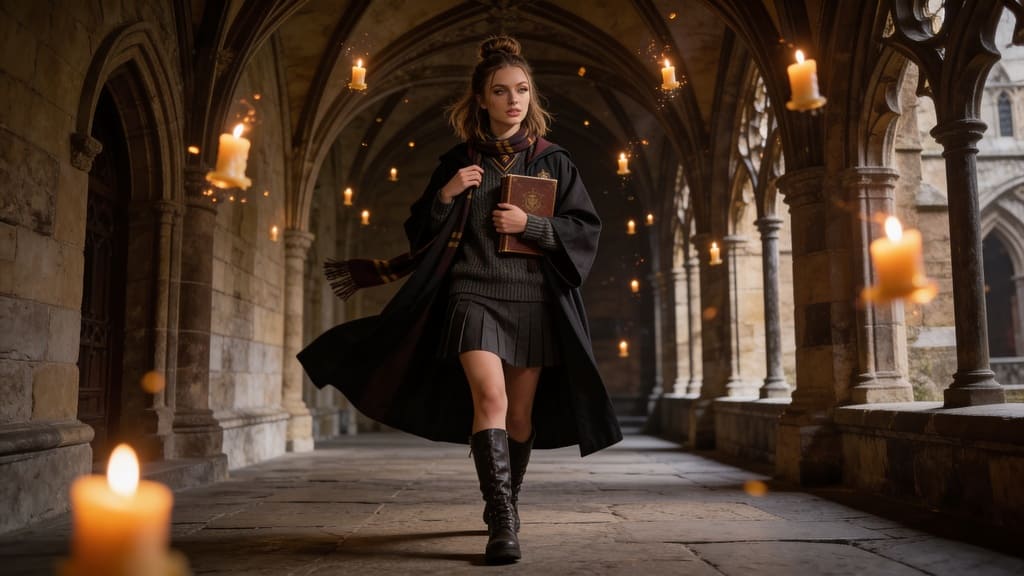
Introduction: The Revolution of AI in Photo Editing
Whether for marketing campaigns, compelling social media content, or personal creative projects, seamlessly adding someone to a photo can transform a good image into a great one. Traditional photo editing software often requires significant skill, extensive training, and considerable time to achieve a natural, believable look. However, APOB AI offers a groundbreaking solution for those looking to integrate individuals into existing photographs with unparalleled ease and realism.
Add someone to a photo with APOB AI
Guide: How to Add Someone to a Photo & Video with APOB AI
Adding a person to a photo or video with APOB AI doesn't require complex manual editing or layering. Instead, it utilizes powerful generative tools like "Chat to Edit" and "Edit Everything" to understand your command and seamlessly integrate new subjects into your scenes. First you should create an Character.
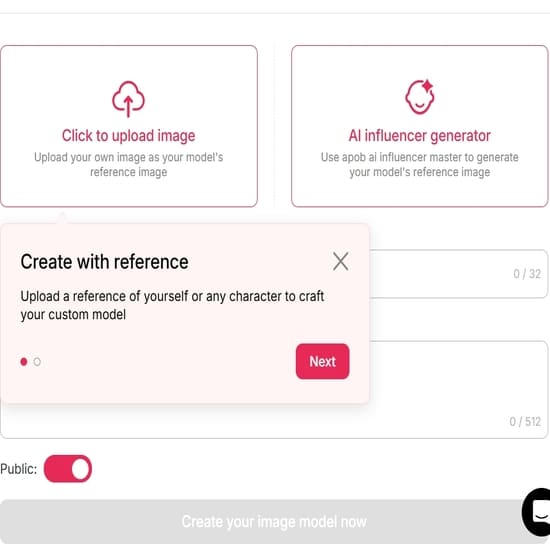
Method 1: Add a Person to an Existing Photo (Chat to Edit)
If you have a background or a group photo and want to add a new person to it, use the conversational editing tool.
Upload Your Base Image: Navigate to "Edit Image" and upload the photo you want to modify.
Describe the Addition: Click on the "Chat to Edit" feature. In the text box, simply describe what you want to happen.
Example: "Add a young woman standing on the left side, wearing a red summer dress, smiling."
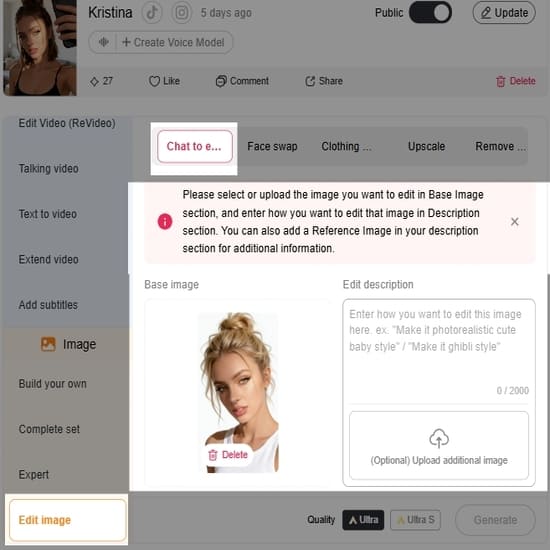
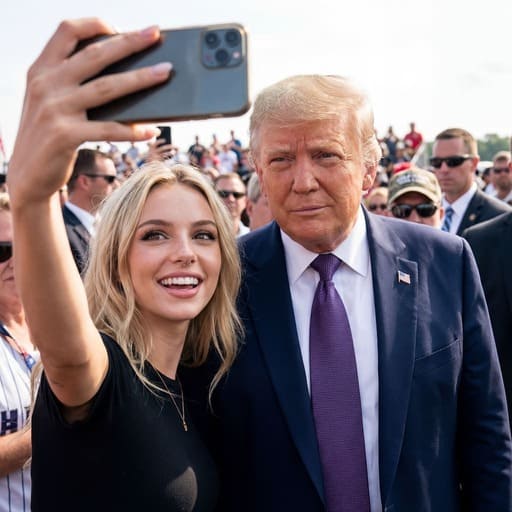
AI Integration: The AI will analyze the scene's lighting, perspective, and shadows, then generate the new person directly into the photo. It ensures the new subject looks like they were originally there, not pasted on.
Method 2: Place Your AI Persona into a Scene (Templates)
If you want to place your specific AI Influencer into a professional setting without a base photo:
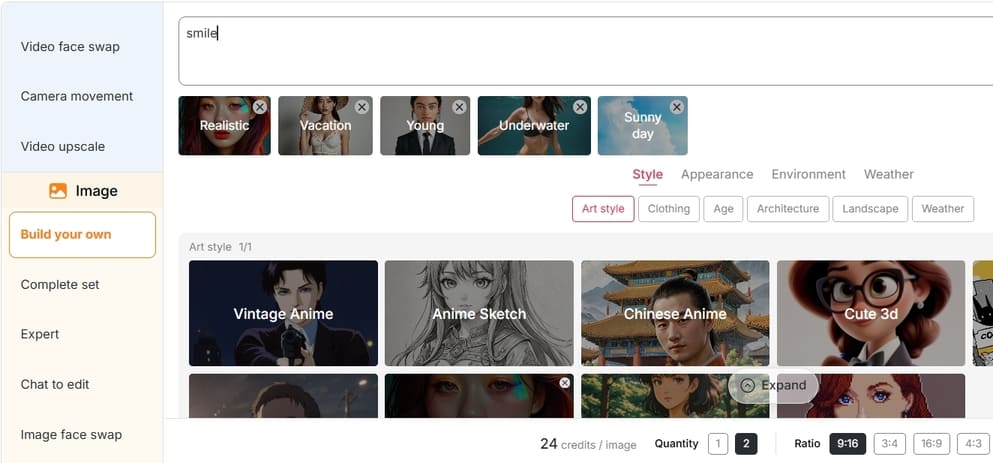
Choose a Template: Browse APOB AI’s library of Templates (e.g., "Red Carpet," "Coffee Shop," "Office Presentation").
Select Your Model: Choose your trained AI Model to ensure the face and identity are consistent.
Generate: The AI will automatically generate your character posing naturally within that specific scene.
Method 3: Turn Your Photo into a Video
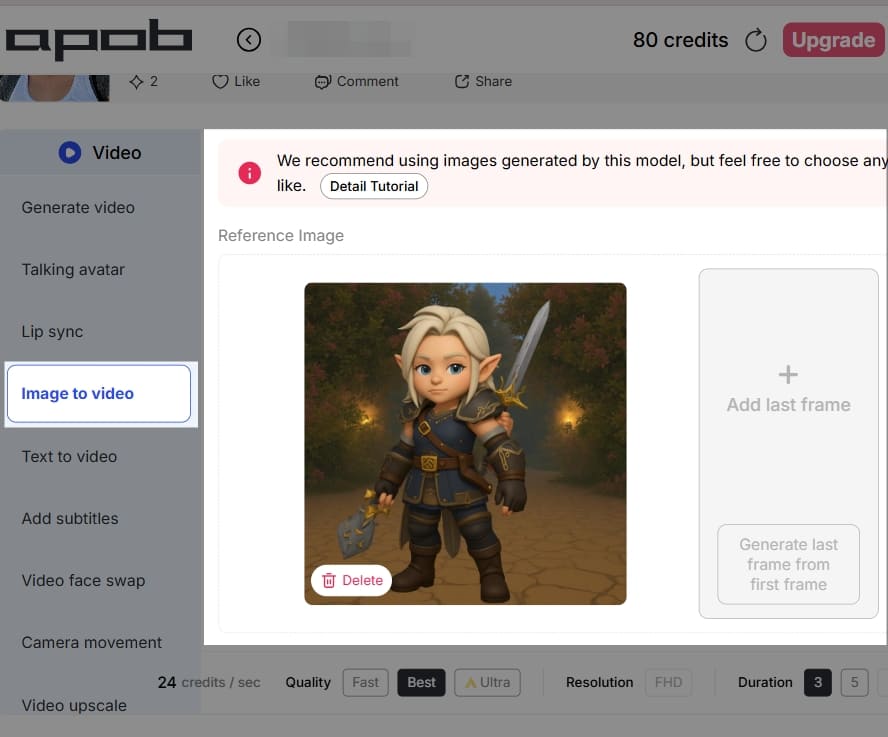
Once you have your photo with the added person (from Method 1 or 2), bring it to life.
Go to "Image to Video": Upload your modified photo.
Set Motion: The AI will animate the subject—adding subtle breathing, head movements, or facial expressions—turning a static memory into a dynamic video clip.
Method 4: Add/Edit People in Videos (Edit Everything)
APOB AI pushes boundaries by allowing you to modify existing video footage.
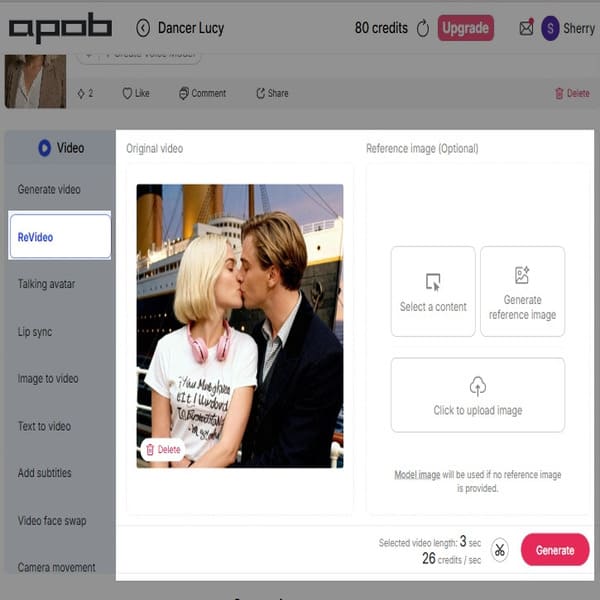
Upload Video: Go to the "Video Tools" section and select "Edit Everything".
Instructional Editing: Type a command to add or alter people in the video.
Example: "Change the person in the background to a man in a suit" or "Add a person walking in the distance."
Process: The AI edits the video frame-by-frame, maintaining temporal consistency so the new subject moves naturally within the clip.
The Challenge of Adding Someone to a Photo Manually
Historically, adding a person to an existing photograph involved intricate and time-consuming processes that demanded a high level of expertise. Photo editors would need to meticulously cut out the individual from their original background, often pixel by pixel, a process known as 'masking'. Following this, they would adjust the lighting, match color temperatures, blend shadows, and correct perspectives to ensure the new element didn't appear 'pasted on' or out of place. This often required a deep understanding of photo composition, perspective, and advanced software features like layers, blending modes, and color correction tools. The result, even for experienced professionals, could sometimes lack the natural integration that professional-grade imagery demands, often betraying the artificiality of the composite image. This manual effort was not only costly in terms of time and resources but also presented a significant barrier to entry for many creators.
APOB AI: Your Solution for Seamless AI Photo Integration
APOB AI fundamentally changes the paradigm for adding individuals to photos. Our platform leverages sophisticated AI algorithms to analyze the target image's context, lighting, and style, then intelligently integrates the new person. This process ensures that the added individual appears as if they were originally part of the scene, eliminating the tell-tale signs of manipulation that often plague manual edits. The AI takes into account subtle environmental factors, ensuring consistency across the entire image.
The core value proposition of APOB AI is its ability to deliver professional-grade results without the need for extensive manual editing. What once required hours of painstaking work can now be achieved in a fraction of the time, allowing creators to focus on their creative vision rather than technical hurdles. This efficiency not only saves time but also significantly reduces production costs, making high-quality visual content creation accessible to a wider audience.
How APOB AI Enhances Your Visual Content
Imagine needing to create a diverse team photo for a corporate website, but not all members are available for a single photoshoot. Or perhaps you want to place a virtual influencer into a specific lifestyle scene to promote a new product line with various backgrounds. APOB AI makes these scenarios not only possible but effortless. Our powerful AI tool allows you to:
Integrate Existing Models: Seamlessly place pre-existing AI-generated influencers, stock models, or even real people into new photographic contexts, diversifying your visual assets without additional shoots.
Match Environmental Factors: The AI automatically adjusts lighting, shadows, and color grading to precisely match the ambient conditions of the base photo, ensuring a cohesive and natural look that is indistinguishable from an original photograph.
Maintain Realism: Advanced algorithms ensure natural blending, avoiding awkward edges, unnatural lighting, or disproportionate scaling that often plague manual edits. This results in images that are visually convincing and authentic.
Accelerate Content Creation: Drastically reduce the time and resources spent on photoshoots, location scouting, and post-production. This enables faster content deployment across all your marketing channels, keeping your brand agile and responsive.
Boost Creative Freedom: Experiment with countless scenarios and compositions without the logistical constraints of traditional photography, unlocking new levels of creative expression and innovation.
Best Practices for Optimal Results with APOB AI
To maximize the effectiveness of APOB AI and achieve the most realistic and impactful results when adding people to photos, consider these best practices:
High-Quality Base Images: Always start with a high-resolution, well-lit base image. The better the quality of your original photo, the more seamlessly the AI can integrate new elements.
Consider Lighting Consistency: While APOB AI is excellent at matching lighting, try to select subjects or generate new ones with lighting conditions that are generally consistent with your base image. This provides the AI with a stronger foundation for a natural blend.
Match Perspective and Scale: Pay attention to the perspective and scale of your added subject relative to the base image. Ensure the subject appears to be standing on the same ground plane and is appropriately sized for the scene.
Utilize Diverse Poses and Expressions: Experiment with different poses and facial expressions for your AI-generated subjects. This adds dynamism and realism, making the composite image more engaging.
Refine Background Elements: If necessary, use APOB AI's other editing features to subtly refine background elements around the added person, ensuring no harsh edges or unnatural transitions remain.
Iterate and Experiment: Don't be afraid to try multiple variations. The speed of APOB AI allows for rapid iteration, enabling you to experiment with different subjects, placements, and settings until you achieve the perfect composition.
Understand Your Brand Aesthetic: Ensure that the added individuals and the overall composition align with your brand's aesthetic and messaging. Consistency is key for brand recognition and trust.
Technical Specifications of APOB AI's Image Integration
APOB AI's image integration capabilities are built upon a robust technical foundation designed for performance and precision:
Supported Formats: The platform supports common image formats such as JPEG, PNG, and TIFF for both input and output, ensuring broad compatibility with your existing workflows.
File Size & Resolution: APOB AI can handle high-resolution images, typically up to 8K, allowing for detailed and professional-grade outputs without loss of quality. Maximum file size limits are generous, accommodating large projects.
Processing Speed: Leveraging cloud-based GPU acceleration, APOB AI processes complex integrations rapidly, often completing tasks in seconds rather than minutes or hours, significantly boosting productivity.
Output Quality: The AI employs advanced rendering techniques to ensure high fidelity in color, texture, and lighting, resulting in outputs that are virtually indistinguishable from real photographs.
Data Privacy Policy: APOB AI adheres to strict data privacy protocols, ensuring that all uploaded images and generated content are securely processed and stored. User data is encrypted and never used for training models without explicit consent, upholding user confidentiality and trust.
Why Choose APOB AI Over Alternatives?
When it comes to adding people to photos, APOB AI stands out from traditional methods and other AI tools. Here's a comparison:
Feature | APOB AI | Traditional Photo Editing (e.g., Photoshop) | Other Basic AI Tools |
Ease of Use | Extremely intuitive, drag-and-drop interface | Steep learning curve, requires expert knowledge | Often limited controls, less precision |
Realism & Blending | Advanced AI for seamless lighting, shadow, and color matching | Requires manual, expert-level adjustments | Can produce artificial-looking results |
Time Efficiency | Seconds to minutes per integration | Hours for complex composites | Variable, often slower for high quality |
Cost Efficiency | Subscription-based, no need for expensive software licenses or expert hiring | High software costs, potential need for professional retouchers | Can be free but with quality compromises |
Creative Freedom | Generate new subjects, experiment rapidly | Limited by available stock or manual creation | Often restricted to pre-set options |
Scalability | Process numerous images quickly | Labor-intensive, difficult to scale | May struggle with batch processing |
Why Use / Applications of APOB AI's Integration Feature
The ability to seamlessly add people to photos with APOB AI opens up a vast array of applications across various industries:
Marketing & Advertising: Create diverse campaign visuals, place virtual influencers in product shots, or adapt existing imagery for different target demographics without costly reshoots.
E-commerce: Generate lifestyle images for products, showcasing them with models in various settings, enhancing product appeal and conversion rates.
Social Media Content: Produce engaging and personalized content quickly, allowing for rapid iteration and trend responsiveness.
Real Estate: Populate empty property photos with virtual residents to help potential buyers visualize living spaces, making listings more appealing.
Fashion & Apparel: Display clothing lines on a wide range of body types and in different environments without the need for extensive photoshoots.
Gaming & Virtual Reality: Create realistic character composites for promotional materials or in-game assets, enhancing immersion.
Personal Projects: Enhance family photos, create imaginative composites, or simply experiment with digital art without needing professional editing skills.
Key Advantages of APOB AI for Photo Integration
Unmatched Realism: Our AI ensures that added individuals blend perfectly with the existing environment, accounting for lighting, shadows, and color.
Speed and Efficiency: Drastically reduce the time and resources required for image manipulation, accelerating your content production workflow.
Cost-Effectiveness: Eliminate the need for expensive photoshoots, professional models, and advanced photo editing software or services.
User-Friendly Interface: Designed for ease of use, allowing creators of all skill levels to achieve professional results.
Creative Flexibility: Generate entirely new individuals or integrate existing ones, offering unparalleled creative control over your visual content.
Scalability: Effortlessly handle large volumes of image integrations, making it ideal for businesses with extensive content needs.
User Testimonials
“APOB AI has completely transformed our marketing workflow. We can now create diverse and engaging visuals in a fraction of the time it used to take.” – Sarah L., Marketing Director
“As a small business owner, I couldn't afford expensive photoshoots. APOB AI allows me to create high-quality product images with models that look incredibly real.” – Mark T., E-commerce Entrepreneur
“The precision of the AI integration is truly astounding. It’s like magic, making complex edits simple and accessible.” – Jessica R., Graphic Designer
FAQ: Frequently Asked Questions About APOB AI
How does APOB AI ensure the added person looks natural in the photo?
APOB AI utilizes advanced deep learning algorithms to analyze the original photo's environmental factors, such as lighting direction, intensity, color temperature, and existing shadows. It then automatically adjusts the added subject's appearance – including their lighting, shadows, and color grading – to match these conditions precisely, ensuring a seamless and natural integration that makes the person appear as if they were originally part of the scene.
Can I use APOB AI to add multiple people to a single photo?
Yes, APOB AI is designed to handle the integration of multiple subjects into a single base image. You can add several AI-generated individuals or existing models to create complex group scenes or dynamic compositions, with the AI ensuring consistent blending for each added element.
What kind of images work best as a base for adding people?
For the best results, we recommend using high-resolution base images with clear, consistent lighting. While APOB AI is powerful, starting with a good quality original photo provides the AI with more data to work with, leading to more realistic and visually appealing final composites.
Is my data and privacy protected when using APOB AI?
Absolutely. APOB AI adheres to stringent data privacy policies. All uploaded images and generated content are processed and stored securely using encryption. We are committed to protecting your intellectual property and personal data, ensuring that your content is never used for model training or shared without your explicit consent.
Can I customize the appearance of the people I add with APOB AI?
Yes, APOB AI offers extensive customization options. When generating a new subject, you can specify various characteristics such as age, gender, ethnicity, hair color, clothing style, poses, and even facial expressions. This allows you to create individuals that perfectly fit your creative vision and brand requirements.
What if I need to make minor adjustments after the AI integration?
APOB AI provides intuitive post-integration editing tools. After the AI has performed its automatic blending, you can still make minor manual adjustments such as subtle repositioning, resizing, rotation, or fine-tuning color balance. This ensures you have complete control over the final output, allowing for personalized perfection.
References
Karras, T., Laine, S., & Aittala, M. (2019). A Style-Based Generator Architecture for Generative Adversarial Networks. Proceedings of the IEEE/CVF Conference on Computer Vision and Pattern Recognition (CVPR).
NVIDIA Research. (n.d.). Generative Adversarial Networks (GANs). Retrieved from https://www.nvidia.com/en-us/research/ai/gan/
OpenAI. (2021). DALL·E: Creating Images from Text. Retrieved from https://openai.com/dall-e/
Wikipedia. (n.d.). Image editing. Retrieved from https://en.wikipedia.org/wiki/Image_editing
Adobe. (n.d.). What is Photoshop? Retrieved from https://www.adobe.com/products/photoshop.html

Be the first to like this.





No credit card needed


