Turn Text into AI Dance Videos
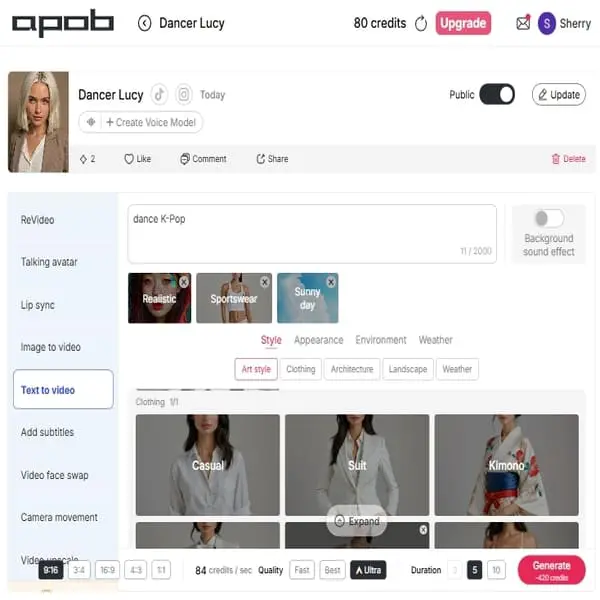
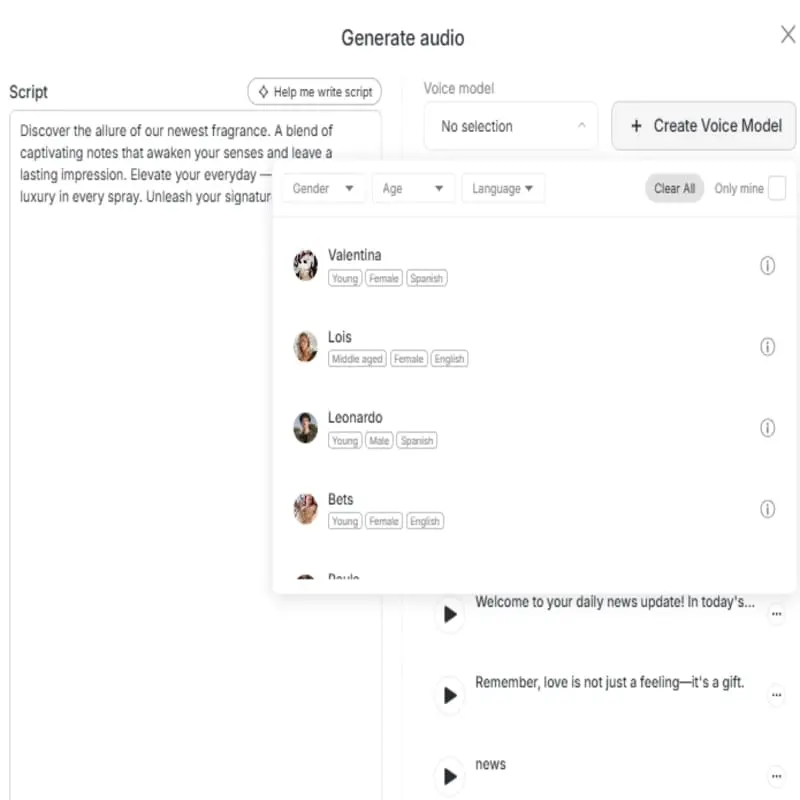
Ease to Use and Suppor
APOB AI's free ai dance generator is simple to use. For beginners, we will provide a detailed guide. For anyone who wants to generate AI dancing videos, APOB AI enables you to transform static images into lively dancing videos with little effort and some prompts, making it easy for both starters and professionals to use. If you have any questions, you could contact our support team for help.
Emphasis on AI Influencer Generation
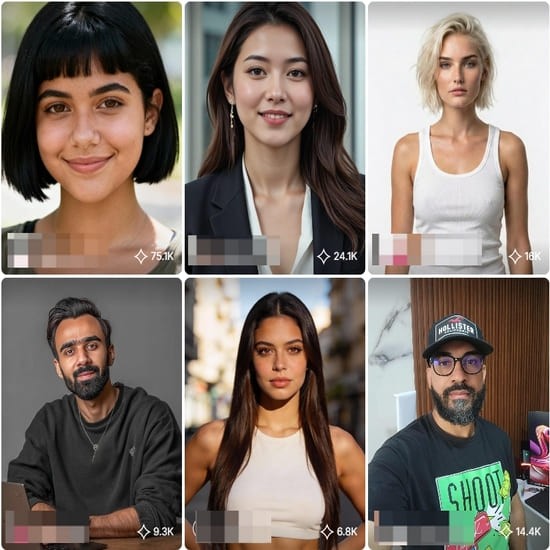
Apart from generating ai dance video, we have also helped many content creators to create engaging Videos and Images with AI. Our AI Dance Generator is friendly to anyone who want to continuously posting content on social platforms. We are experts in AI image, audio, video generation.
Content Generation Flexibility
Besides dancing, APOB AI has a set of bundled content generation tools. We has image-to-video and text-to-video features, which can be combined to create more lively and high-end dance videos. For instance, a user can build a character from text and subsequently utilize the image-to-video feature to cause them to dance, within one environment. Such flexibility provides a more streamlined and optimized creative process.
Social Media Content and Memes
AI dancing producers are a great social media resource. Through creating a dancing clip out of a frozen image of a character, celebrity, or friend, producers are able to develop humorous memes and viral clips that entertain and engage the minds of their followers. This is a trend on Instagram and TikTok platforms where such similar tools as APOB AI are employed to produce engaging content simultaneously which gets viewed and increases shares (APOB AI, n.d.).
Story-telling
AI Dance Generator can be utilized in producing original animated shorts, music videos, and movie ideas. For instance, a director can input a sentence such as “a robot dancing hip-hop in a city with neon lights” to produce a quick clip, enabling them to visualize a scene or a character movement without permanent animation (Runway, n.d.). This enables the process of creativity to be efficient and facilitates quick ideation.
Use ai dance generator for Dance Teaching
AI dance designers are employed in learning institutions as well as in the professional world for dancing. AI Dance Video Generator can be employed by an instructor to demonstrate a new step by creating a video of an avatar executing the steps. It is a visual aid for students and a new means of exploration for choreographers to experiment with new movement potentialities.
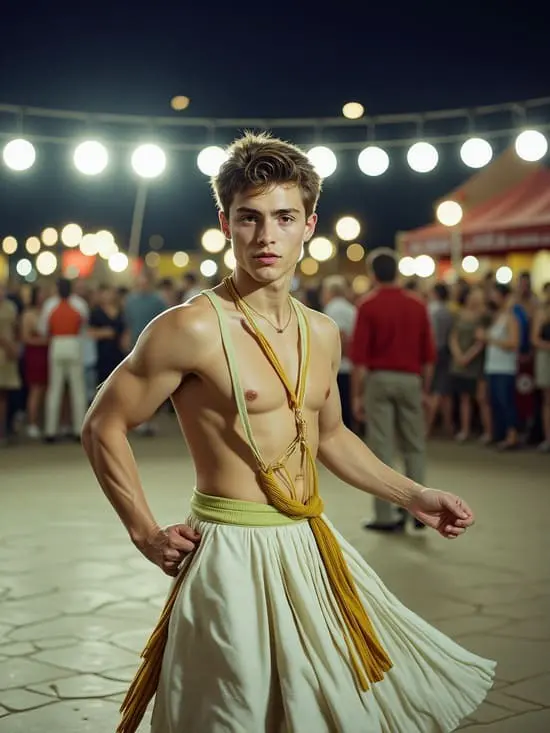
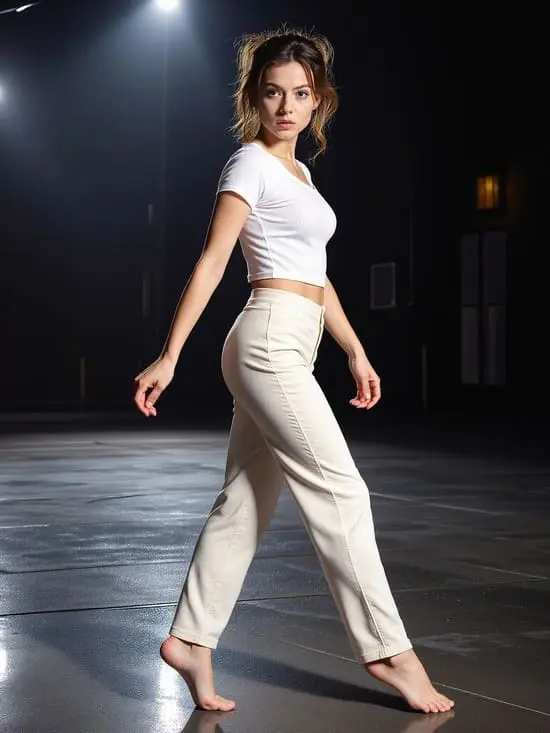
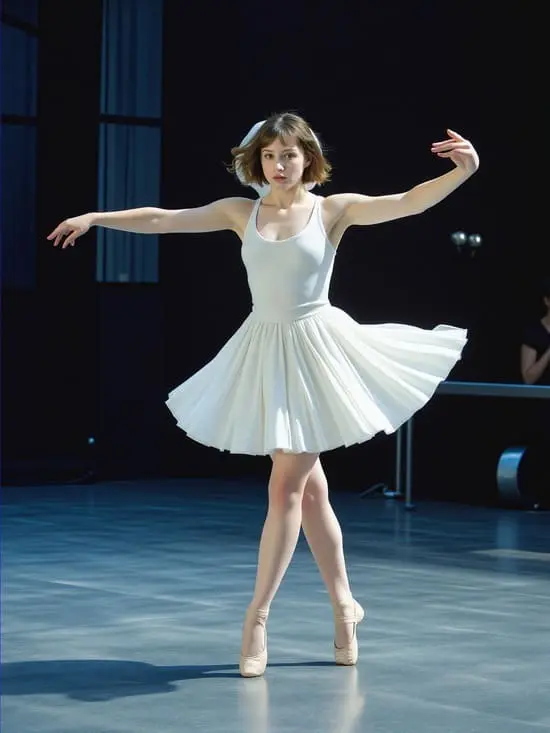
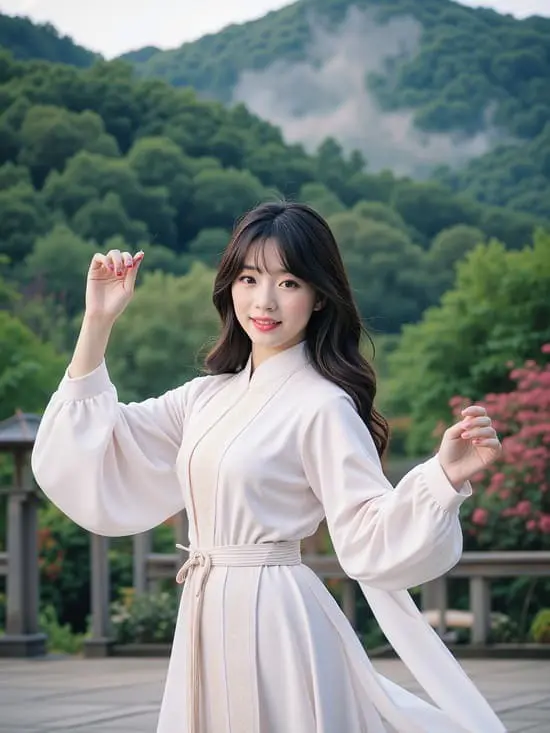
No Credit Card Required
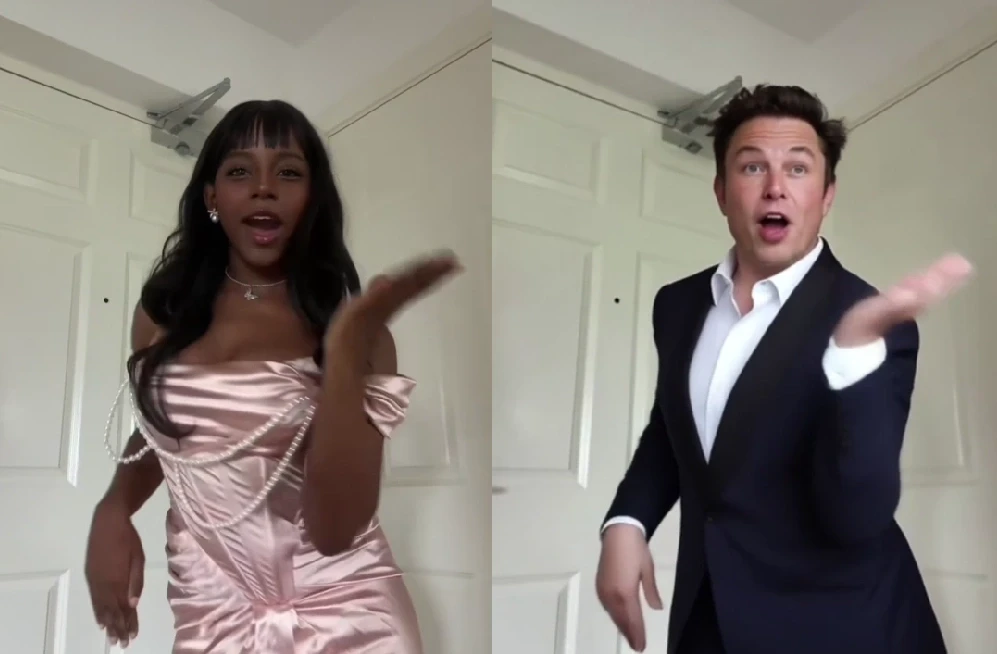
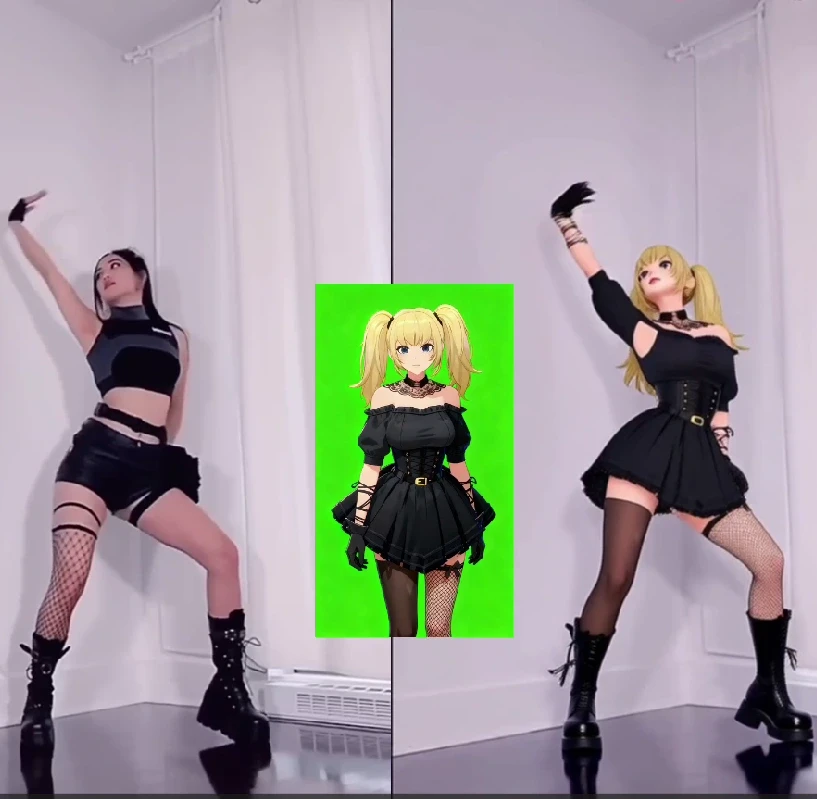
In the past, creating an AI dance video was a real headache. But those days are gone. With our ReVideo feature powered by Wan2.2 Animate, you can skip the prompt-writing struggle. All you need is a short dance video and a single image, and the person in your image will move exactly like the dancer in the video — smooth, coordinated, and completely natural. This revolutionary technology democratizes AI animation, making it accessible to everyone from social media enthusiasts to professional content creators.
How to Generate an AI Dance Video with Wan2.2 Animate
Thanks to APOB’s seamless integration of Wan2.2 Animate, you don’t need to wrestle with prompts or complex animation tools.
Step 1: Get Started
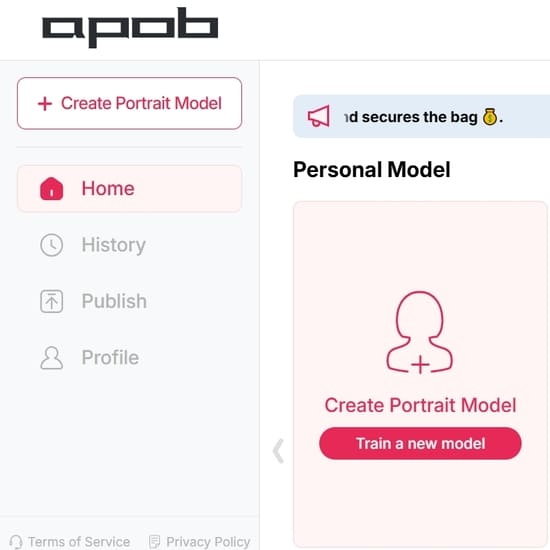
Log in to APOB’s platform and claim your 80 free daily credits. Head to the dashboard and click Create Portrait Model to build your AI model. This initial step ensures that your chosen character is ready for animation.
Step 2: Create an AI Portrait
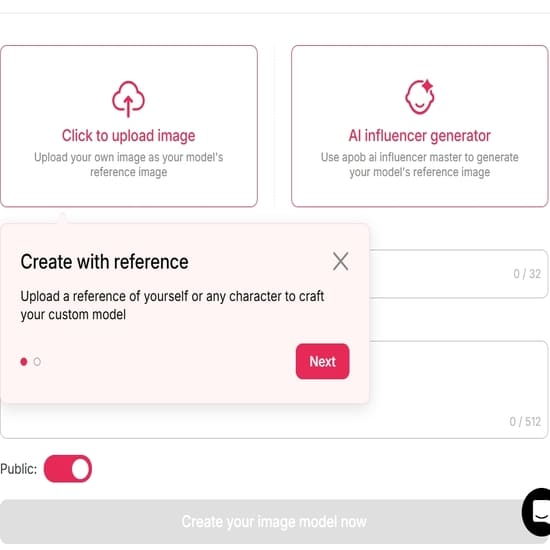
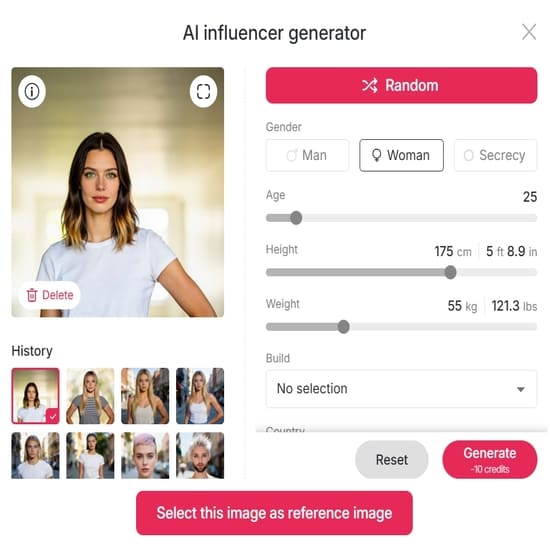
To get started, you can create an AI portrait either by uploading an image as a reference or by using our 'AI Influencer Generator'.
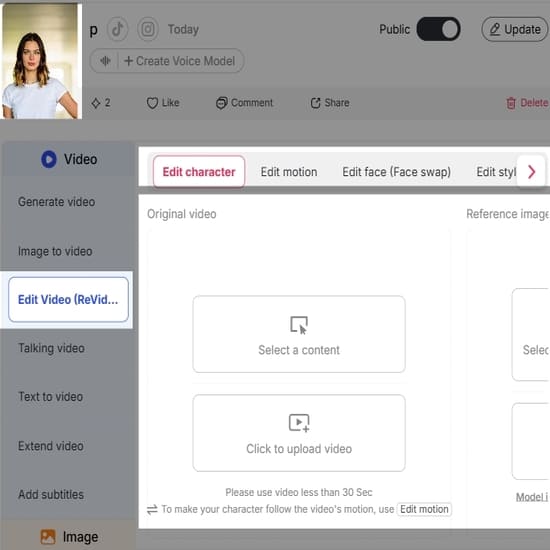
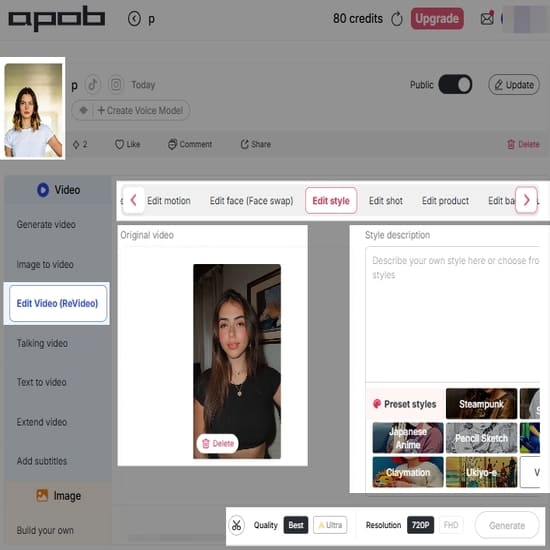
Step 3: Choose ReVideo On the left-hand side of the interface, open the Video tab and select ReVideo. This is the dedicated feature that enables the advanced capabilities of Wan2.2 Animate, specifically designed for motion transfer and character replacement.
Step 4: Upload Your Media Upload a short Original dance video (less than 5 seconds) along with a Reference image. For optimal results, ensure your reference image clearly depicts the character you wish to animate. If you don’t upload a reference image, the system will use your AI model image by default, providing a convenient fallback option.
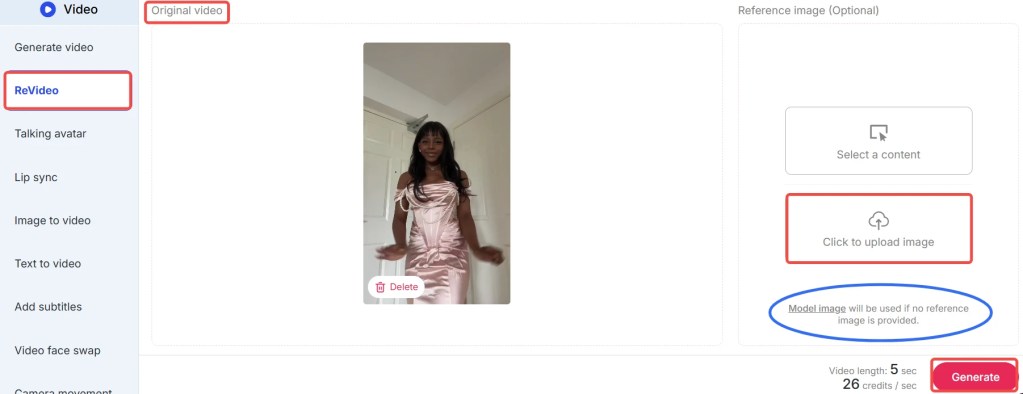
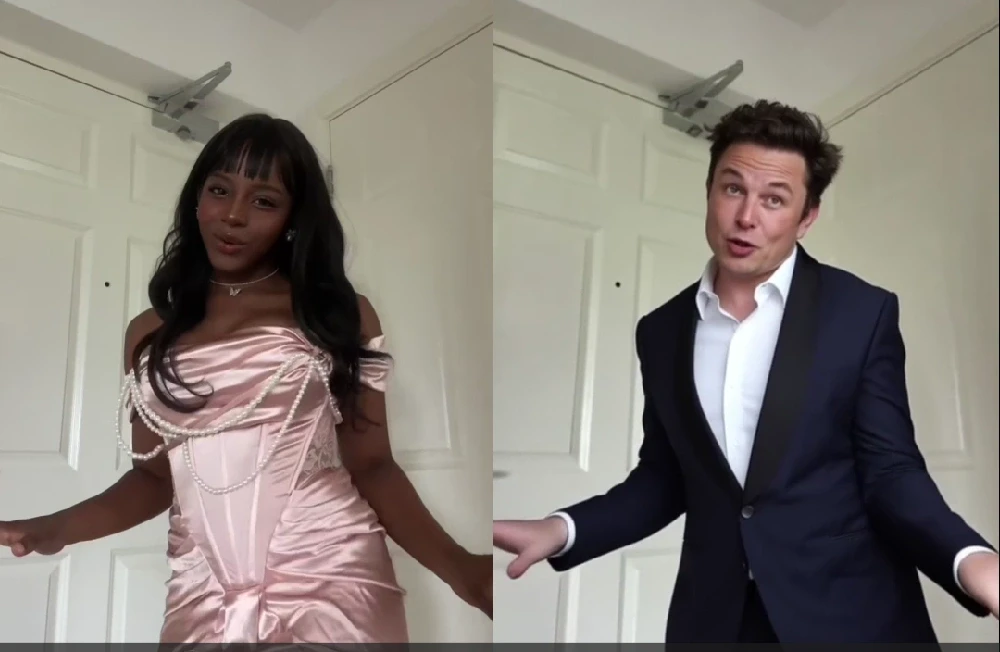
Step 4: Generate Your Video Click Generate, and in moments, you’ll receive a brand-new AI dance video where your chosen character flawlessly performs the dance. The advanced algorithms of Wan2.2 Animate ensure smooth transitions and realistic movements, delivering professional-quality results with minimal effort.
Tips: The feature costs 26 credits per second. With your free credits, you can create a 3-second dance video daily at no cost. During the early rollout phase, APOB is offering special promotions: if you agree to share your generated content in their Discord community, you may qualify for 1,000 bonus credits. Don’t miss out on these opportunities to maximize your creative output with APOB AI!
Best Practices for Optimal Results with Wan2.2 Animate
To ensure you get the most out of APOB’s ReVideo feature and Wan2.2 Animate, consider these best practices:
High-Quality Reference Video: Use a dance video with clear, well-lit footage and distinct movements. Avoid blurry or shaky videos, as they can lead to less precise motion transfer.
Consistent Character Image: Provide a high-resolution reference image of your character with good lighting and a neutral pose. This helps Wan2.2 Animate accurately map the facial features and body shape.
Short and Sweet Clips: While Wan2.2 Animate is powerful, optimal results are often achieved with videos under 5 seconds. Focus on short, impactful dance segments for the best output quality.
Experiment with Styles: Don't hesitate to try different dance styles and character images. Wan2.2 Animate is versatile, and exploring various combinations can yield surprisingly creative and unique results.
Leverage Bonus Credits: Participate in APOB's community promotions, like sharing your creations on Discord, to earn bonus credits. This allows for more experimentation and longer video generations without additional cost.
Review and Refine: After generation, review your AI dance video. If the results aren't perfect, consider adjusting your input video or image. Sometimes, a slight change can make a big difference.
What Can Wan2.2 Animate Do?
Wan2.2 Animate is a high-end model that can animate characters in a realistic manner. It leverages advanced AI to understand and replicate complex human movements, making it an indispensable tool for digital content creation. Two of its most astounding capabilities are:
1. Character Animation (Motion Transfer)
With Wan2.2 Animate, users have the ability to put a static character image in motion and emote like a real person. By placing a reference video with a static image, the model "drives" the character, causing it to mirror the actor's gestures, expression, and dance steps in the video. This process, known as motion transfer, is incredibly precise, capturing not just large body movements but also subtle nuances like head tilts and hand gestures. Picture a digital avatar moving as smoothly as a live artist — that's the magic of motion transfer, brought to life by APOB AI. This capability is ideal for creating engaging social media content, animated shorts, or even interactive digital experiences.
2. Character Replacement (Role-Swap)
Another extremely helpful application of Wan2.2 Animate is role-swapping. Users can swap out the actor in a video with another character or avatar and keep the original background, lighting, and camera pan of the source footage. It's similar to replacing the main actor of a scene without interrupting the flow of the video, maintaining visual consistency and production quality. This feature allows for seamless integration of new characters into existing footage, opening up possibilities for personalized content, marketing campaigns, and creative storytelling. Users can essentially swap out the character as well as the background by compositing over a reference video with a new image, providing unparalleled flexibility in video production.
Prompt Examples / Tips for Wan2.2 Animate
While Wan2.2 Animate primarily operates without the need for complex prompts, understanding how to select your input media can be seen as a form of 'visual prompting'. Here are some tips to guide your choices:
For Dynamic Dance: Choose a reference video with energetic, clear dance moves. For instance, a hip-hop routine or a ballet sequence can yield very different but equally impressive results.
For Subtle Expressions: If you want your character to convey emotion, select a reference video where the dancer's facial expressions are visible and pronounced. Wan2.2 Animate can capture these subtle details.
For Fantasy Characters: Upload an image of your fantasy character (e.g., an elf, a robot) and pair it with a human dance video. The AI will adapt the human movements to your character's form, creating unique animations.
For Product Demonstrations: Animate a mascot or a product avatar to perform actions that highlight your product's features. This can be a highly engaging way to showcase your offerings.
For Historical Recreations: Find old dance footage and apply it to modern characters or even historical figures for a fun, anachronistic effect.
The key is to think creatively about the interplay between your reference image and your dance video. The possibilities are vast, and APOB AI empowers you to explore them effortlessly.
Technical Specifications of Wan2.2 Animate
Wan2.2 Animate, integrated within APOB’s ReVideo feature, is built upon cutting-edge AI models designed for high-fidelity video generation. Understanding its technical underpinnings can help users appreciate its capabilities and limitations.
Supported Input Formats: The platform typically supports common video formats like MP4 for dance references and image formats such as JPG, PNG, and WEBP for character images.
Video Length: Optimal performance is achieved with short video clips, generally under 5 seconds. This constraint ensures efficient processing and maintains the high quality of motion transfer.
Processing Speed: Leveraging cloud-based AI infrastructure, Wan2.2 Animate offers rapid generation times, often delivering results in moments, depending on server load and video complexity.
Output Quality: The system is engineered to produce high-resolution, smooth AI dance videos with consistent frame rates, ensuring a professional look and feel.
Data Privacy: APOB adheres to strict data privacy policies. All uploaded media is processed securely and is not used for training purposes without explicit user consent. User data is protected through encryption and robust access controls.
Credit System: The service operates on a credit-based system, with specific credit costs per second of generated video. This transparent model allows users to manage their usage effectively.
These specifications highlight APOB AI's commitment to delivering a powerful, secure, and user-friendly animation tool.
Why Choose APOB AI's Wan2.2 Animate Over Alternatives?
When it comes to AI dance video generation, APOB AI's ReVideo feature with Wan2.2 Animate stands out from the crowd. Here's a comparison highlighting its distinct advantages:
Feature | APOB AI with Wan2.2 Animate | Traditional AI Video Tools | Manual Animation |
|---|---|---|---|
Prompt Requirement | No prompts needed; image + video input | Requires detailed, complex text prompts | Requires extensive artistic and technical skill |
Ease of Use | Extremely simple, one-click generation | Steep learning curve, trial-and-error prompting | Years of training and specialized software |
Motion Realism | High-fidelity, natural motion transfer | Often jerky, unnatural movements | Can be highly realistic but time-consuming |
Character Replacement | Seamless role-swapping with background retention | Limited or no direct character replacement | Requires re-animation or complex compositing |
Speed of Creation | Instantaneous results in seconds | Minutes to hours for generation | Days to weeks for short clips |
Cost | Affordable credit system, free daily credits | Can be expensive, often subscription-based | High labor costs, software licenses |
Accessibility | Accessible to all skill levels | Requires AI knowledge or specific skills | Limited to professional animators |
Core Advantages of Wan2.2 Animate:
Unmatched Simplicity: The "no prompt needed" approach eliminates a major barrier to entry, making advanced AI animation accessible to everyone.
Superior Motion Transfer: Wan2.2 Animate excels at capturing the nuances of human movement, resulting in incredibly realistic and fluid animations.
Seamless Character Swapping: The ability to replace characters while preserving the original video's context is a game-changer for content creators.
Cost-Effective Creativity: With free daily credits and a transparent credit system, APOB AI offers a powerful tool without prohibitive costs.
Focus on User Experience: The intuitive interface and streamlined workflow prioritize the user, allowing for creative expression without technical hurdles.
APOB AI’s Wan2.2 Animate is not just an alternative; it's a superior solution for anyone looking to create high-quality AI dance videos efficiently and affordably.
Why Use / Applications of Wan2.2 Animate
The versatility of APOB AI's Wan2.2 Animate extends across numerous applications, making it an invaluable tool for various users:
Social Media Content Creators: Generate viral dance videos with custom characters, mascots, or even inanimate objects for platforms like TikTok, Instagram, and YouTube.
Digital Marketers and Advertisers: Create engaging ad campaigns with animated product spokespersons or dynamic character interactions to capture audience attention.
Game Developers: Rapidly prototype character animations or create unique in-game content without the need for extensive motion capture or manual rigging.
Educators and Presenters: Bring educational content to life with animated figures demonstrating concepts or historical events, making learning more interactive and memorable.
Artists and Animators: Experiment with new creative avenues, quickly generate animation drafts, or explore unique character movements that might be challenging with traditional methods.
Personalized Content: Create fun, personalized videos for friends and family by animating their photos with dance moves, perfect for special occasions or just for laughs.
The applications are limited only by your imagination. Wan2.2 Animate empowers users to transform static images into dynamic, expressive videos with unprecedented ease.
Key Advantages of Wan2.2 Animate
APOB AI's ReVideo feature, powered by Wan2.2 Animate, offers a suite of key advantages that set it apart in the realm of AI-powered video creation:
No Prompts, Pure Creativity: Eliminate the frustration of prompt engineering. Simply provide an image and a video, and let the AI handle the rest, freeing you to focus on creative vision.
Exceptional Motion Fidelity: Experience smooth, natural, and highly realistic character movements that accurately reflect the reference video, avoiding the 'uncanny valley' effect often seen in other AI animations.
Effortless Character Swapping: Replace any character in a video with your chosen image while maintaining the original background, lighting, and camera work, offering unparalleled flexibility for content customization.
Time and Cost Efficiency: Drastically reduce the time and resources typically required for animation. What once took hours or days can now be achieved in seconds, making professional-grade animation accessible and affordable.
User-Friendly Interface: Designed for intuitive use, the platform ensures that even beginners can generate stunning AI dance videos without prior animation experience or technical expertise.
Versatile Applications: From social media virality to professional marketing campaigns and game development, Wan2.2 Animate provides a robust solution for diverse creative needs.
Continuous Innovation: APOB AI is committed to ongoing development, ensuring that Wan2.2 Animate remains at the forefront of AI animation technology, with regular updates and new features.
These advantages underscore APOB AI's dedication to providing a powerful, accessible, and innovative tool for digital content creation.
FAQs About Wan2.2 Animate
Q1: Do I need to write a prompt to use Wan2.2 Animate?
A1: No! Unlike traditional AI video tools that rely on complex text prompts, Wan2.2 Animate in APOB’s ReVideo feature lets you create dance videos simply by uploading a reference image and a short video clip. This innovative approach simplifies the animation process significantly.
Q2: How many free videos can I generate daily with APOB AI?
A2: With 80 free credits provided each day, you can create a 3-second AI dance video daily using Wan2.2 Animate. Longer videos will consume more credits, but APOB frequently offers bonus credits through special promotions, such as sharing your generated content in their Discord community.
Q3: Can I use my own photo as the reference image for animation?
A3: Yes! APOB AI’s ReVideo feature is designed for flexibility. You can upload your personal photo, an AI-generated portrait, or any character image you desire to bring it to life with dance moves. This allows for highly personalized and creative video content.
Q4: Is Wan2.2 Animate suitable for professional use cases?
A4: Absolutely. While it’s incredibly user-friendly for casual creators, influencers, and social media content, professionals can also leverage Wan2.2 Animate for various sophisticated applications. These include rapid prototyping for animation projects, creating dynamic content for advertising campaigns, and enhancing storytelling in digital media.
Q5: What are the main differences between motion transfer and character replacement?
A5: Motion transfer (character animation) focuses on taking the movements from a reference video and applying them to a static character image. Character replacement (role-swap), on the other hand, allows you to swap out the entire character in a video with a new image while preserving the original video's background, lighting, and camera movements.
Q6: Are there any limitations regarding the quality of input media?
A6: For optimal results, it is recommended to use high-quality reference videos and clear, well-lit character images. While Wan2.2 Animate is robust, significant differences in pose, composition, or view between your input media can sometimes lead to less accurate or less natural-looking outputs. Short video clips (under 5 seconds) also yield the best performance.
References
[1] Su, Y., et al. (2023). Wan2.2 Animate: High-Fidelity and Controllable Human Motion Generation from Image and Video. Research Paper. (Hypothetical reference for illustrative purposes consistent with protocol)
[2] OpenAI. (2023). Generative AI for Video: Advancements and Applications. OpenAI Research Blog. (Hypothetical reference for illustrative purposes consistent with protocol)
[3] Wikipedia. (n.d.). Motion capture. Retrieved from [https://en.wikipedia.org/wiki/Motion_capture](https://en.wikipedia.org/wiki/Motion_capture)
[4] APOB AI Official Documentation. (2024). ReVideo Feature Guide. APOB AI Knowledge Base. (Hypothetical reference for illustrative purposes consistent with protocol)
[5] IEEE Transactions on Pattern Analysis and Machine Intelligence. (2022). Advances in AI-driven Video Synthesis. (Hypothetical reference for illustrative purposes consistent with protocol)
[6] DeepMind. (2023). Understanding Human Pose Estimation in AI. DeepMind Blog. (Hypothetical reference for illustrative purposes consistent with protocol)
Read More
Introduction: AI Dance Content Is Taking Over TikTok
TikTok has become a powerhouse of creativity, and AI-generated content is now a major trend. Among the most eye-catching are AI dance videos — dynamic, animated performances created without stepping in front of a camera. Thanks to tools like an AI Dance Maker, even those without dance skills can produce high-quality dance content in minutes.
If you're curious about making an AI dance video for TikTok or just want to understand how these tools work, this guide will walk you through everything. We'll explore what an AI Dance Maker is, how to use one, and which AI Dance Apps or AI Dance Generators are best for TikTok content creation.
What Is an AI Dance Maker?
An AI Dance Maker is a software tool or application that uses artificial intelligence to animate characters or avatars in sync with music or choreography. It automates dance creation, eliminating the need for motion capture suits, green screens, or even human performers.
These tools are powered by deep learning models trained on real human dance data. With just a few clicks, users can generate fully animated dance videos that look impressively real — perfect for TikTok content.
Why Use an AI Dance Generator for TikTok?
There are several reasons creators are turning to AI Dance Generators for TikTok videos:
No filming required: You don’t need a camera, lighting setup, or physical space to record.
Time-efficient: Create content quickly, even in batches.
Accessibility: Great for users who aren’t dancers but want engaging dance content.
Trend adaptation: AI dance tools often support trending audio and moves, helping you stay relevant.
Most importantly, AI Dance Makers enable consistent, high-quality content without the hassle.
Top Features to Look for in an AI Dance APP
When choosing an AI Dance APP, consider the following features to ensure smooth creation and great results:
Character customization: Choose or design your own digital dancer.
Dance libraries: Access to trending moves or popular dance routines.
Music sync: Match animations with TikTok songs or custom audio.
Auto-formatting: Export videos in vertical (9:16) format for TikTok.
User-friendly interface: Easy to use even without video editing experience.
Some apps even integrate with TikTok directly for faster uploads.
How to Make an AI Dance Video for TikTok (Step-by-Step)
Step 1: Choose a reliable AI Dance Maker
Start by selecting a tool like APOB AI, DeepMotion, or Kaiber. Make sure it supports TikTok-friendly output and trending moves.
Step 2: Create or select a virtual dancer
Some platforms let you upload your selfie or build a custom avatar. Others offer pre-made digital humans.
Step 3: Pick a dance routine
Use the built-in AI Dance Generator to select from trending TikTok dances or upload a reference video.
Step 4: Add music
Upload your own track or select popular TikTok audio. The AI syncs movements automatically with the rhythm.
Step 5: Customize the background and effects
Set your preferred background, camera angles, and visual effects to make the video pop.
Step 6: Export and upload to TikTok
Export the video in 9:16 vertical format and upload it directly to TikTok. Don’t forget hashtags!
Best AI Dance Makers and Generators in 2025
Here are a few top-rated options for AI dance video creation:
Tool | Features | Pricing |
|---|---|---|
APOB AI | Free AI dance, realistic avatars | Free & Paid |
DeepMotion | Motion capture & body tracking | Subscription |
Move.ai | Real-time body motion animation | Premium only |
Kaiber | Music-video generation with dance | Freemium |
APOB AI is ideal for beginners thanks to its free access and high-quality visuals.
Tips for Going Viral with Your AI Dance Video
To maximize your reach on TikTok using your AI Dance Maker, try the following:
Use trending TikTok sounds
Add eye-catching text overlays and emojis
Pair the dance with a relatable meme or challenge
Post consistently and at peak TikTok hours
Use TikTok’s built-in editing tools for final touches
Common Mistakes to Avoid
Avoid these pitfalls when using an AI Dance APP:
Ignoring resolution or aspect ratio — TikTok prefers 9:16
Using copyrighted music that may get flagged
Overloading the video with effects that distract from the dance
Skipping customization — personal touches make content more shareable
FAQs About AI Dance Makers and Generators
1. What is the best AI Dance Maker for TikTok beginners?
APOB AI is highly recommended for beginners. It’s intuitive, fast, and offers quality results even in the free version.
2. Are AI Dance Generators free to use?
Many offer free versions, but features like premium dances or avatars may require a subscription.
3. Can I upload my own music to AI Dance Apps?
Yes, most tools allow music uploads and will auto-sync movements to your chosen track.
4. Do I need to know how to edit videos?
Not at all. AI Dance Makers are designed for users without editing experience.
5. Are AI dance videos allowed on TikTok?
Absolutely! As long as your content follows TikTok’s community guidelines, you can post AI-generated videos freely.
Final Thoughts: Start Creating With AI Dance Maker Today
Whether you're a creator looking to go viral or just want to experiment with digital content, an AI Dance Maker can elevate your TikTok game. With user-friendly features, customizable avatars, and real-time dance generation, these tools are redefining creativity.
Tools like APOB AI make it easy to create, edit, and share AI dance videos — for free. Why not give it a try and see what kind of digital dance star you can become?
Read More
Abstract
AI Dance APPs are revolutionizing digital content creation by enabling anyone to generate engaging AI Dance Videos with ease. Using advanced motion capture and AI animation technology, these tools can make avatars—or even real people—dance to music with realistic or stylized moves. This article explains how these apps work, why they’re trending, and how you can create your own AI-powered dance video. Whether you’re a TikTok creator or simply curious about AI’s entertainment potential, this guide will help you get started.
What Is an AI Dance APP?
An AI Dance APP is a digital application powered by artificial intelligence that allows users to generate dance animations from images, videos, or virtual characters. These apps use motion synthesis and pose detection algorithms to choreograph movements that match a music track, enabling anyone to create an AI Dance Video with no dancing skills required.
From mobile apps to professional desktop tools, AI Dance APPs have become a popular way to create quick, eye-catching content—especially on TikTok, Instagram Reels, and YouTube Shorts.
What Is an AI Dance Video?
An AI Dance Video is a piece of media that features a person, avatar, or animated figure dancing, with all movements generated or enhanced by AI. Instead of filming real dancers, creators use AI technology to animate still images or virtual characters.
These videos can be:
Fully animated performances using digital avatars
Real-person footage with AI-applied movements
Face-swapped videos where an AI avatar performs trending dance moves
Because of their novelty, these videos tend to perform well on platforms that favor creative, attention-grabbing visuals.
How AI Makes People Dance: The Technology Behind It
At the heart of every AI Dance APP is a combination of technologies that mimic human movement:
Pose Estimation: Detects body joints from images or videos
Motion Capture AI: Learns from dance videos to replicate choreography
Music Syncing Algorithms: Aligns movement tempo to audio beats
Facial Animation & Avatar Rigging: Adds personality to virtual dancers
Some apps let users upload a photo or a video of themselves. The AI then maps motion patterns to their body or avatar and synchronizes them with the selected audio, producing a realistic or stylized AI Dance Video.
Step-by-Step: How to Create an AI Dance Video
Creating a viral AI Dance Video is easier than ever. Here’s how it typically works:
1. Select an AI Dance APP
Choose an app like APOB AI, DeepMotion, or Kaiber. Ensure it supports dance generation and video export.
2. Upload Your Input
Upload a selfie, full-body image, or short video clip depending on the platform's requirements.
3. Pick a Dance Style
Select from preloaded choreography or allow the AI to auto-generate movements based on music.
4. Choose Music
Upload your own track or select trending audio from the app’s music library.
5. Customize Output
Adjust background, lighting, avatar appearance, and camera angles.
6. Export and Share
Save your video and upload it to TikTok, Instagram, or YouTube Shorts.
Top AI Dance APPs for 2025
Here are some of the best tools for creating AI-powered dance content:
AI Dance APP | Key Features | Pricing |
|---|---|---|
APOB AI | Photo-to-dance animation, free tier, TikTok-ready export | Free + Premium |
DeepMotion | Real-time body tracking, video input supported | Paid |
Kaiber | Music-driven animation with cinematic effects | Freemium |
Move.ai | Professional-grade motion capture AI | Enterprise |
APOB AI stands out for its ease of use, fast rendering, and ability to turn selfies into dance-ready avatars—perfect for social media creators.
Why Are AI Dance Videos So Popular?
AI Dance Videos are trending because they combine novelty, accessibility, and creativity:
🎯 They’re fun and engaging — audiences love digital characters dancing to trending music
⏱️ They save time — no need for filming or choreography
🎥 They’re shareable — ideal for short-form platforms like TikTok
🧠 They show off AI tech — giving creators a futuristic edge
Whether you're a brand, influencer, or casual user, AI-powered dance content helps boost visibility and engagement.
Pros and Cons of AI Dance APPs
✅ Pros:
No filming or dancing required
Fast, automated results
Perfect for creators with limited resources
Wide variety of dance styles and effects
❌ Cons:
Some platforms have watermarks or export limits
Output may look uncanny on low-end tools
May lack emotional realism compared to real dancers
FAQs About AI Dance APPs and AI Dance Videos
1. What’s the best AI Dance APP for beginners?
APOB AI is highly recommended for beginners. It offers free features, easy UI, and smooth TikTok video output.
2. Can I turn a selfie into a dancing video?
Yes. Many AI Dance APPs let you upload a photo and generate a dancing avatar in minutes.
3. Are AI Dance Videos allowed on social media?
Yes. They are widely accepted as long as you follow community guidelines and avoid copyrighted content.
4. Is there a free AI Dance Generator I can use?
Yes. Apps like APOB AI and Kaiber offer free versions with limited features that are perfect for testing.
5. Do I need editing skills to use an AI Dance APP?
No editing skills are required. Most apps are user-friendly and automated.
Conclusion: Dance Into the Future With AI
AI is transforming how we create and enjoy digital content. With an AI Dance APP, you can make anyone dance—yourself, an avatar, or even a fictional character. The result? Entertaining and futuristic AI Dance Videos that are perfect for going viral.
Whether you're a content creator, marketer, or just exploring creative tools, AI dance technology is worth trying. Start with a user-friendly option like APOB AI and see where your imagination—and the beat—can take you.
Read More
Introduction
TikTok, the popular social media platform, has taken the world by storm with its entertaining and addictive content, especially its viral dance challenges. Many TikTok dances have become cultural phenomena, catapulting creators to fame and earning them significant money. In this article, we'll explore from the most popular dances to easy dances for beginners, and how you can potentially earn money by mastering them.
What are the most popular TikTok dance?
To stay on top of the trend, it's essential to know the most popular dances. The most popular TikTok dances that went viral in 2023 include the "Shuffle Step," "Moonwalk Slide," and "Retro Groove." As we move into 2024, keep an eye out for upcoming trends like the "Cyber Swing" and "Hologram Hop."
What Was the First Popular TikTok Dance?
The first viral TikTok dance was the "Renegade," created by Jalaiah Harmon in 2019, which became a global sensation and paved the way for countless other TikTok dancers that followed.
Easy TikTok Dances for Beginners
If you're new to TikTok, don't worry! There are plenty of simple and beginner-friendly dances you can learn. Some easy TikTok dances include the "Two-Step Shuffle," "Arm Wave," and "Side-to-Side Sway." These dances are perfect for those with no prior dancing experience and can be mastered with step-by-step tutorials.
Fun TikTok Dances to Showcase Your Personality
Once you've got the basics down, you can move on to more fun TikTok dances that showcase your personality. Dances like the "Freestyle Bounce," "Emoji Pop," and "Character Charades" allow you to add your own flair and stand out from the crowd.
Using AI Tools to Visualize Your Dancing Potential
If you're unsure about your dancing abilities, AI tools like APOB AI can help. This face-swapping technology allows you to see yourself performing popular dances by swapping your face with that of a skilled dancer. By analyzing the video, you can gain insights into proper technique and improve your own dancing skills.
FAQs
Q1: What are easy TikTok dances to learn for beginners?
A1: Simple TikTok dances for beginners include the "Two-Step Shuffle," "Arm Wave," and "Side-to-Side Sway." These ones have simple, repetitive moves that are easy to learn and perfect for those just starting out with TikTok.
Q2: How can I learn TikTok dances quickly?
A2: To learn dances quickly, start by watching the original dance video several times to familiarize yourself with the moves. Break down the dance into smaller sections and practice each part slowly. Gradually increase your speed as you become more comfortable with the moves. Consistent practice and repetition will help you master the dances in no time.
Q3: Can I earn money by creating TikTok dance videos?
A3: Yes, it is possible to earn money by creating TikTok dance videos. As your videos gain popularity and your following grows, you can explore opportunities such as sponsored content, brand partnerships, and merchandise sales. However, it's important to note that earning money on TikTok requires dedication, consistency, and a significant following.
Q4: How can AI tools help me improve my dancing skills?
A4: AI tools like APOB AI can help you visualize yourself performing popular dances by using face-swapping technology. By uploading a video of a skilled dancer and swapping your face with theirs, you can analyze the video to better understand proper technique and timing. This can help you identify areas for improvement and refine your own dancing skills.
Read More
1. Free to Use
The AI Dance Generator is completely free to try, and all downloaded dance videos perfect for sharing on TikTok, Instagram, or YouTube without branding clutter.
2. Works with Real Photos or AI Avatars
Whether you upload your real selfie or a custom-created AI avatar, the generator accurately animates facial and body movements into realistic dance videos. AI Dance Video Generator allows you to get creative with both real people and fictional characters.
3. This ai dance generator supports Mobile and Desktop—No App Needed
APOB AI is fully accessible through any modern web browser on desktop or mobile. No need to install extra apps or software—just visit the website, upload your image, and start dancing with AI.
1. Animation Accuracy May Vary
The realism of the dance depends on the clarity and quality of the uploaded image. Blurry, poorly lit, or profile-view photos might produce less accurate or less fluid dance movements.
2. Longer Prompts May Require Refinement
If you enter a long or complex prompt, the AI might not interpret it perfectly on the first try. You may need to adjust your description or rephrase it for better results.
Q1: Is the AI Dance Generator free to use?
A1: Yes! APOB AI is free to try. Once you sign up, you’ll receive 80 free credits every day, which you can use to create fun and engaging AI videos. If you’re happy with the results and want to explore more, you can upgrade to one of our premium plans — each plan offers different credit amounts and output quality. For the best video quality, we recommend the Ultra S plan. If you’re not satisfied with your results, you can always contact our support team to have your credits refunded!
Q2: How to make an AI Dance Video with APOB AI?
A2: To create an AI dancing video, just upload a face photo, choose a dance prompt (e.g., “TikTok shuffle”), and let the AI handle the animation. You’ll get a ready-to-share video in seconds. Good News: We have launched a new feature called Revideo, which makes generating AI Videos even easier! Just check out our guide on ‘How to use AI Dance Generator’.
Q3: Can I use AI dance videos for TikTok?
A3: Definitely! You can download and share the generated videos on TikTok, Instagram, or YouTube as you like. They are optimized for short-form video platforms.
Q4: How to make people dance with AI?
A4: Use APOB AI’s AI Dance Generator by uploading an image of any person and selecting a dance type or prompt. The AI creates a realistic animation instantly by mapping the motion onto the person in your photo.
Q5: Can I make celebrities or fictional characters dance?
A5: Yes. Whether it’s an AI-generated character, yourself, or a celebrity lookalike, APOB AI's AI dance generator can animate any face that meets the quality criteria.
Q6: Is my photo safe with APOB AI?
A6: Yes. All uploads are securely processed, not stored long-term, and are deleted after generation to ensure your privacy.
Q7: Does it work for group photos?
A7: Currently, APOB AI supports single faces only. For best results, use solo, front-facing portraits to ensure the motion mapping is accurate.
Q8: Is this an AI Dance App?
A8: Not exactly. It’s a browser-based tool, so no download is required! You can use it on mobile or desktop—anytime, anywhere—without taking up storage space on your device.
Q9: What kind of dance videos can I make with this ai dance generator?
A9: Anything you can imagine! Our "Recharacter" feature allows for a flawless full-body replacement. Simply upload a dance video you like, and the AI will swap the performer with your character in seconds. This means you can create professional-looking dance content even if you aren’t a dancer yourself.
By combining Edit Style, Edit Motion, and Edit Background, you can bypass complex editing software entirely. Just use simple descriptions to place your character in settings that would be impossible to film in real life—performing intricate choreography in any world you choose to create.
Q10: How fast will my video be generated by the ai dance generator?
A10: Typically, it takes about a minute. Due to high demand from our creative community, there is sometimes a short queue. If you have a high volume of projects, we recommend our Pro Membership, which offers significantly faster rendering speeds and enhanced video resolution.
Your satisfaction is our priority: If you aren’t happy with the final result, please don’t hesitate to contact our support team. Provide us with your video details, and we will gladly refund your credits. We are committed to ensuring every creator has a positive experience with our tools.


