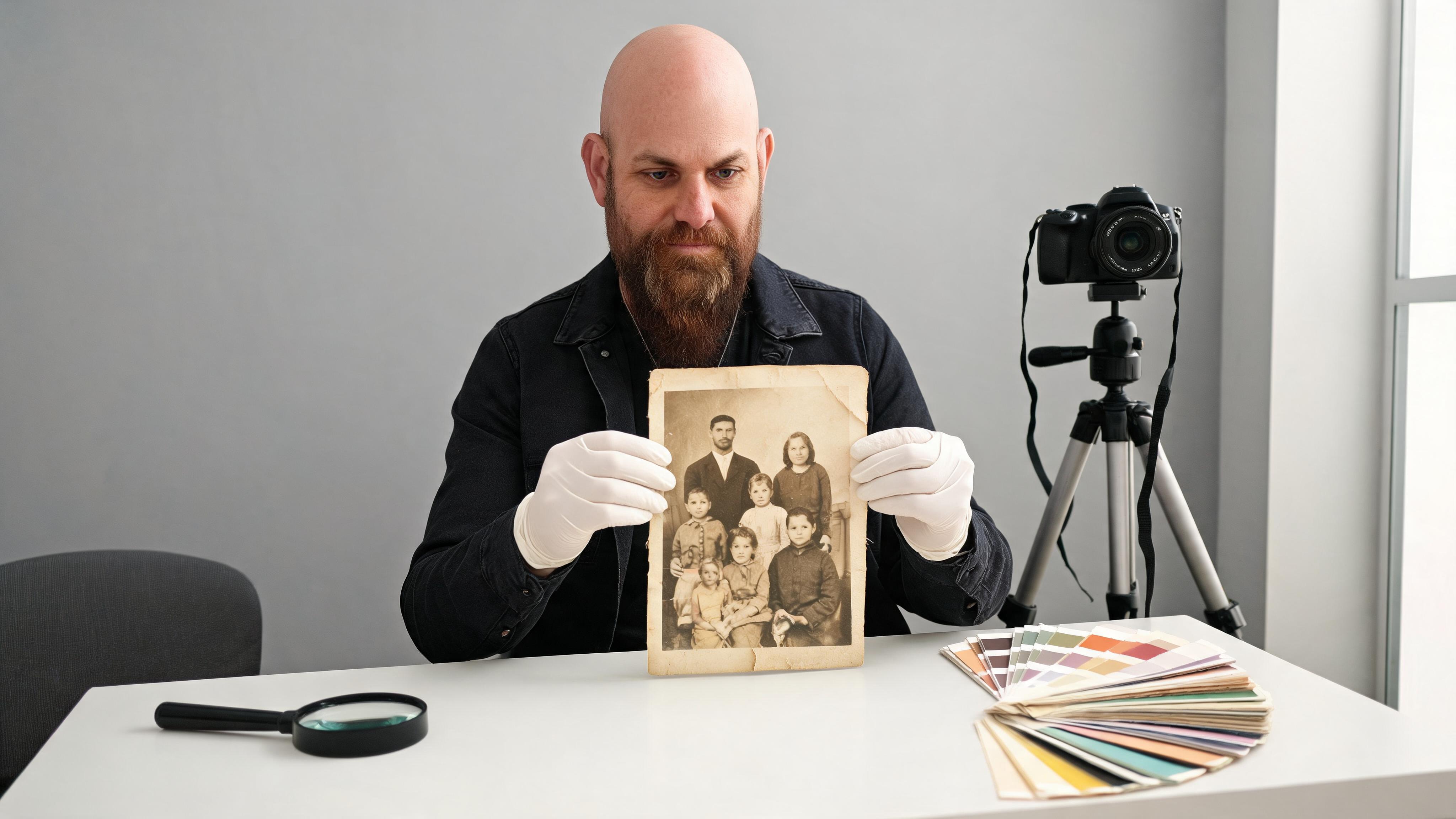
A Remini alternative should not be judged by which after-image looks smoothest. The real question is whether the source still contains recoverable identity evidence. Enhancement can clarify information that survives; reconstruction creates plausible new pixels where evidence is weak or missing. Those are different jobs, with different disclosure and review requirements.
Test a repair or rebuild path in APOB’s AI Photo Editor
This comparison uses a 12-image manifest rather than a winner list. It separates documented product capabilities from a protocol you can run on portraits you are authorized to use. The article publishes no invented benchmark scores. Enter your own observations, keep untouched controls, and label every reconstruction as new creative output—not recovered history.
The same discipline applies when evaluating Remini competitors: test the same defect, not a different flattering photograph. Export every result before choosing a favorite so rejected versions remain available for review.
Triage what the source still proves
Before opening an AI photo enhancer, duplicate the originals and build a manifest. Include three clean controls and nine defects: light blur, heavy blur, noise, compression, fading, color cast, scratch damage, a partly missing facial region, and a tiny face. The set should contain only images you own or have permission to process.
Recoverable detail
Mark edges and textures that are visible in the source at 100% zoom: pupil location, mouth corners, hairline, garment seam, jewelry shape, background boundary. Do not describe what you remember about the person. The evidence map must be readable by a reviewer who never met them.
Use green boxes for clear evidence and write the supporting pixels: left eyebrow arc visible across 42 px or collar seam continuous. This prevents a sharp output from receiving credit for a detail that the input never proved.
Add a magnification ceiling to the review. A feature visible only after extreme zoom may be too weak for a confident identity claim. Record the display size and zoom level used by both reviewers so “I can see it” has reproducible context.
Ambiguous detail
Use amber for regions that permit more than one interpretation. A compressed eye may contain a dark cluster, but it may not prove eyelash direction or iris texture. A faded garment may prove silhouette without proving color. Record two plausible readings instead of forcing certainty.
An enhancement that chooses one plausible reading can be useful for presentation, but it should not be reported as factual recovery. The distinction is especially important in family archives and documentary work.
Missing region
Use red where pixels are absent, painted over, torn away, or too small to support a feature. No algorithm can retrieve detail that is not present in this file. A tool can synthesize a coherent region, but the result is a reconstruction.
For each missing region, decide whether the job allows invention. A creator campaign may allow a rebuilt background. A historical portrait may require the gap to remain visible or to be filled only with clearly labeled restoration work.
Never paint over the only original. Work from a checksum-verified duplicate and retain capture date, scan settings, file dimensions, and any prior edits. A restoration decision is easier to defend when the unmodified evidence remains available.
Identity evidence
Select five identity anchors: face width, eye spacing, nose length, mouth shape, and one distinctive feature such as a mole or hairline. Add age cues and asymmetry. These anchors are more valuable than skin smoothness because they test whether the person remains recognizable.
Image ID | Defect | Clear evidence | Ambiguous | Missing | Identity anchors | Intended use |
|---|---|---|---|---|---|---|
P01 | Clean control | ___ | ___ | ___ | ___ | Reference |
P02 | Light blur | ___ | ___ | ___ | ___ | Profile |
P03 | Heavy blur | ___ | ___ | ___ | ___ | Archive |
P04 | Noise | ___ | ___ | ___ | ___ | |
P05 | Compression | ___ | ___ | ___ | ___ | Social |
P06 | Fading | ___ | ___ | ___ | ___ | Archive |
P07 | Color cast | ___ | ___ | ___ | ___ | Profile |
P08 | Scratches | ___ | ___ | ___ | ___ | Archive |
P09 | Missing region | ___ | ___ | ___ | ___ | Archive |
P10 | Tiny face | ___ | ___ | ___ | ___ | Group crop |
P11 | Clean control | ___ | ___ | ___ | ___ | Reference |
P12 | Clean control | ___ | ___ | ___ | ___ | Reference |
Establish Remini’s enhancement baseline
Run the documented Remini path first. On September 21, 2026, the official Remini site lists unblur/sharpening, denoising, old-photo restoration, enlargement, color fixing, face enhancement, background enhancement, and video enhancement. That list defines positioning, not performance on your images.
Face enhance
Process the same 12 files with the same surface and available settings. Record whether you used web or app, account tier, date, input dimensions, output dimensions, processing time, and any rejected upload. Keep Remini’s face enhancement output separate from other adjustments.
Compare each identity anchor against the source evidence map. A clearer eye receives credit only when spacing, lid shape, and asymmetry remain supported. Flag newly invented lashes, teeth, pores, or facial contours even when they look attractive.
Also compare clean controls. If the face enhancer changes an already-sharp control—narrowing the nose, brightening the eyes, or altering age cues—the change belongs in the boundary note. Controls reveal the system’s default aesthetic, not just its response to damage.
Old-photo restore
Apply the old-photo path only to the files designated for restoration. Inspect scratch removal, tonal range, edge reconstruction, and whether damage is replaced by plausible content. The official site describes old-photo restoration as making blurred, faded, and damaged photos clearer; it does not make every new detail historically verifiable.
Save an overlay at 50% opacity between input and output. Large local changes should be reviewed against the map rather than accepted as “improvement.”
For torn or scratched areas, add a binary mask showing exactly where repair was permitted. Review pixels outside the mask for collateral changes. This makes old photo restoration auditable instead of treating the whole image as a free reconstruction canvas.
Color and sharpness
Review sharpness and color separately. A portrait can gain crisp edges while shifting skin tone or garment color. Score haloing, ringing, plastic texture, local contrast, and color plausibility. Use the clean controls to see whether the enhancer changes already-good faces.
Observed boundary
Write a boundary sentence for every defect: P05: compression reduced; eyebrow shape preserved; skin texture appears synthesized; suitable for social preview, not archival claim. This is an observation from your run, not a universal statement about Remini.
Add output-size and processing constraints to the same row. A strong face result may still fail the intended print size, batch volume, or delivery deadline. Product fit includes the full handoff, not only the crop shown in a before-and-after slider.
If the workflow fails or the interface changes, publish the failure and date. Do not silently replace the file or switch surfaces mid-comparison.
Split APOB into repair and rebuild lanes
APOB is not a clone of Remini. The APOB AI Photo Editor offers prompt-led editing, reference-image use, portrait refinement, and background changes. Test it as two explicit lanes: constrained repair where evidence survives, and controlled reconstruction where the creative job permits new content.
Local correction
For recoverable regions, use narrow instructions: reduce compression blocks around the face; preserve facial geometry, age, hairline, and garment; do not add accessories or change expression. Crop inspection should include both the edited region and its boundary.
Keep a no-edit mask over identity anchors when the defect lies elsewhere. A repaired background should not trigger a new face.
Review the seam between changed and unchanged pixels for halos, tone jumps, repeated texture, and softened hair. A local prompt can still produce a global shift; preserve a side-by-side and difference view so subtle changes are not lost in memory.
Reference-guided repair
When an authorized second image shows the same person, use it only for named features. Record the reference, relationship, and allowed transfer. A newer portrait may clarify eye color but cannot prove how a damaged historical photo was lit or styled.
The APOB AI Image Generator can support controlled creative variants, but it should not be described as forensic recovery. Put the reference beside the output in the review packet.
Document reference age, capture conditions, and permitted use. If the reference is decades newer, it may confirm stable geometry while contradicting age, hair, or skin texture in the damaged source. Limit the transfer to the features the evidence can support.
Controlled reconstruction
For campaign assets, a reconstruction can be the honest route. Build a new portrait from an approved identity and state that it is newly generated. Freeze face anchors, expression intent, wardrobe, lighting, aspect ratio, and rejection rules before creating variants.
This is where an AI Influencer Generator can be more useful than repeatedly “enhancing” an input that no longer supports the desired resolution or scene. The advantage is workflow clarity: the output is a reusable creative asset, not a claim about lost pixels.
Freeze a reconstruction contract: approved face reference, expression, wardrobe, camera distance, lighting, background, aspect ratio, and prohibited changes. Generate a small set, reject identity drift, and retain the prompt and selected asset. Rebuilds need production provenance even when they are not restorations.
No-rebuild case
Do not reconstruct when the image is evidence, when a person’s identity cannot be verified, when consent is absent, or when historical accuracy is the goal. Keep the damaged source, document the limitation, and consult an appropriate human restorer when stakes are high.
Audit identity gain against invented detail
Two reviewers should score independently while viewing the source, evidence map, and output. Randomize tool labels. Smoothness is not a dimension. The audit rewards traceable identity and penalizes unsupported invention.
Landmark fidelity
Measure the relative position of eyes, nose, mouth, jaw, and ears. Use normalized distances rather than exact pixels if output size changes. Note asymmetry: a tool that “corrects” an uneven smile may reduce identity even as it beautifies the face.
Add a transparent landmark overlay to the evidence packet. It is not a biometric identification test; it is a consistent visual check that helps reviewers explain why two portraits feel different.
Age and texture
Check wrinkles, pores, hair density, scars, and fabric. Removing noise should not automatically erase age. Record whether texture is preserved, simplified, or newly generated. For a profile image, some smoothing may be accepted; for an archive, it may be unacceptable.
Fabricated detail
Count unsupported additions: teeth, eyelashes, jewelry, logos, background objects, hair strands, clothing patterns, or expressions. Weight identity-changing fabrications more heavily than background flourishes. Show at least one attractive output that fails because its details cannot be traced.
Do not reward an invention because both reviewers like it. Taste and trust answer different questions. A polished portrait can be excellent campaign art and still be unsuitable as documentary evidence.
Reviewer confidence
Ask reviewers to choose supported, plausible but unproven, or contradicted. Publish disagreements. If one reviewer sees a preserved likeness and another sees a new person, the workflow needs a stricter reference or a different route.
Criterion | Weight | Remini baseline | APOB repair | APOB rebuild | Evidence note |
|---|---|---|---|---|---|
Landmark fidelity | 30 | ___ | ___ | ___ | ___ |
Age/texture fidelity | 20 | ___ | ___ | ___ | ___ |
Color plausibility | 10 | ___ | ___ | ___ | ___ |
Unsupported detail | -25 | ___ | ___ | ___ | ___ |
Usable resolution | 10 | ___ | ___ | ___ | ___ |
Reviewer confidence | 30 | ___ | ___ | ___ | ___ |
The blank cells are deliberate. Filling them without running the images would fabricate first-hand evidence.
Route enhance, edit, regenerate, or reshoot
The best Remini alternative depends on the job and the source, not the brand. Use the evidence map and observed outputs to route each portrait.
Archive restoration
Prefer reversible enhancement, preserve the original, and disclose synthesized regions. If identity-critical detail is missing, stop rather than guessing. Store the manifest, output, settings, and restoration note together.
For a family archive, provide both an evidence-preserving version and, if desired, a clearly labeled interpretive version. Do not let the creative reconstruction silently replace the archival master.
Profile cleanup
For an owned, recent portrait, local repair can remove distractions while preserving identity. Use a clean reference and reject face geometry changes. Review at the actual display size as well as 100% zoom.
Creator rebuild
When the job is a new campaign portrait or recurring creator series, a controlled rebuild may be safer than pretending to restore a poor input. Use an approved identity, document the generated nature of the asset, and keep the APOB portrait workflow inside a human review loop.
Check disclosure, consent, and brand policy before distribution. Store the selected portrait with the identity contract and rejected variants so a later campaign does not restart from an unapproved face.
Reshoot threshold
Reshoot when identity evidence is insufficient, consent or provenance is unclear, the asset must carry a factual claim, or repair time exceeds a new capture. A camera can be the most accurate portrait enhancer.
Job | Enhance | Local edit | Rebuild | Reshoot |
|---|---|---|---|---|
Family archive | Only with disclosure | Damage repair | Usually no | Not possible |
Current profile | Light cleanup | Often | With consent | When feasible |
Creator campaign | Optional | Useful | Often appropriate | When identity risk is high |
Forensic/medical evidence | Specialist only | Specialist only | No | Follow professional protocol |
Recheck the official Remini and APOB product surfaces before publishing or repeating the test. Interfaces, limits, and models can change. The durable method is the evidence boundary: prove what survived, label what was invented, and choose repair, rebuild, or reshoot accordingly.
Sources

Be the first to like this.







No credit card needed


